
PC Build Presentation Step 1 Gather all hardware
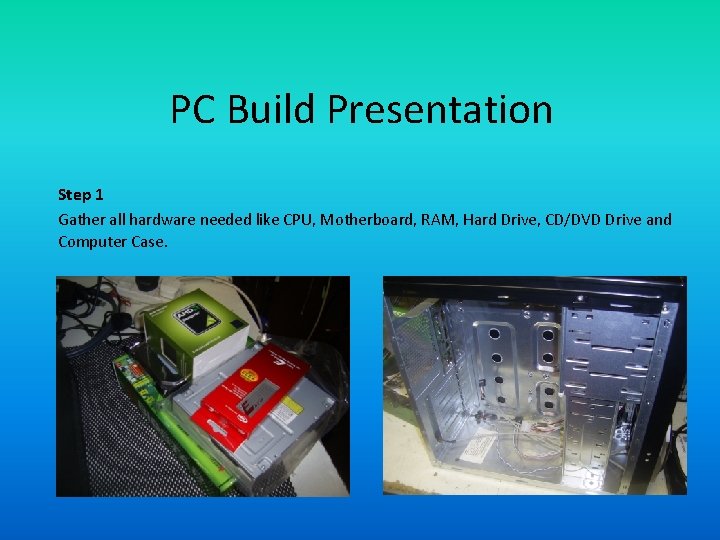
PC Build Presentation Step 1 Gather all hardware needed like CPU, Motherboard, RAM, Hard Drive, CD/DVD Drive and Computer Case.
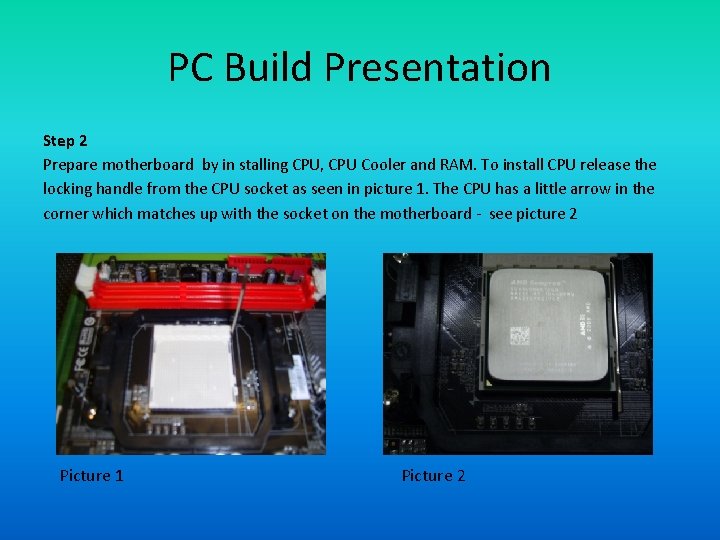
PC Build Presentation Step 2 Prepare motherboard by in stalling CPU, CPU Cooler and RAM. To install CPU release the locking handle from the CPU socket as seen in picture 1. The CPU has a little arrow in the corner which matches up with the socket on the motherboard - see picture 2 Picture 1 Picture 2
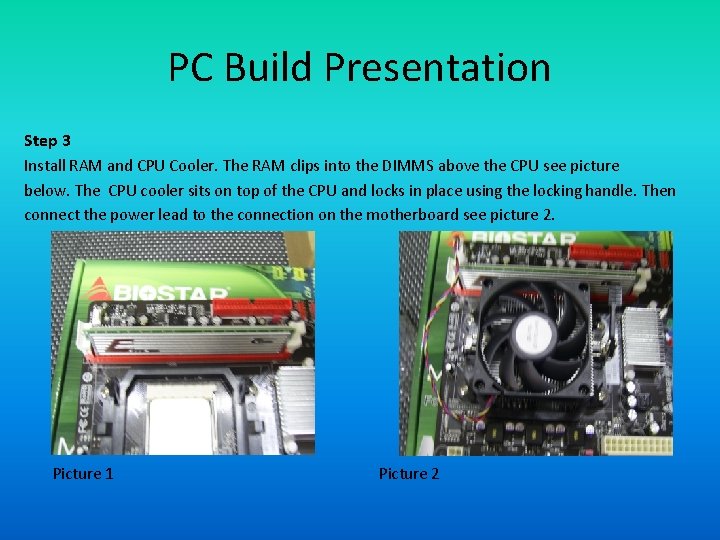
PC Build Presentation Step 3 Install RAM and CPU Cooler. The RAM clips into the DIMMS above the CPU see picture below. The CPU cooler sits on top of the CPU and locks in place using the locking handle. Then connect the power lead to the connection on the motherboard see picture 2. Picture 1 Picture 2
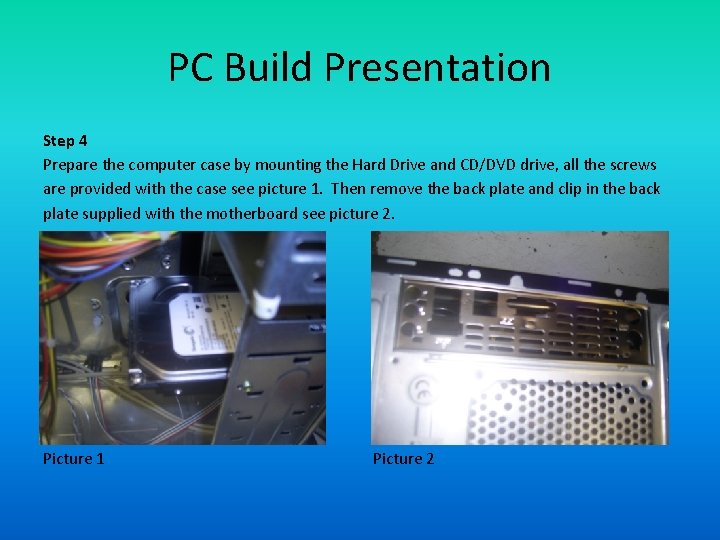
PC Build Presentation Step 4 Prepare the computer case by mounting the Hard Drive and CD/DVD drive, all the screws are provided with the case see picture 1. Then remove the back plate and clip in the back plate supplied with the motherboard see picture 2. Picture 1 Picture 2
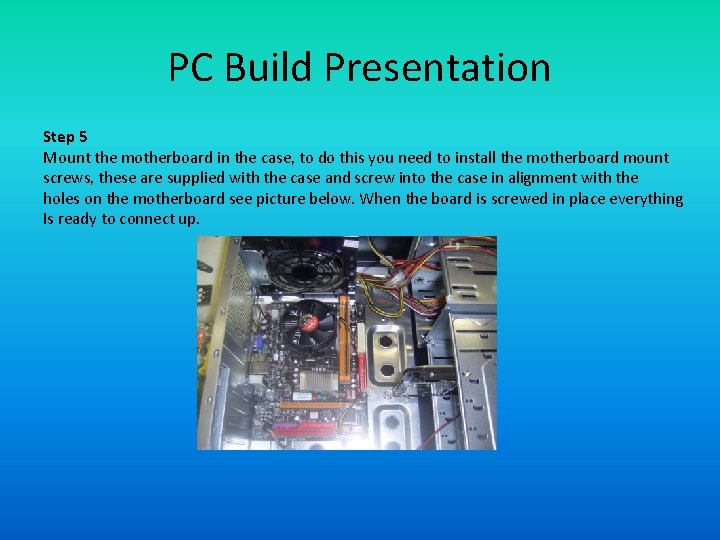
PC Build Presentation Step 5 Mount the motherboard in the case, to do this you need to install the motherboard mount screws, these are supplied with the case and screw into the case in alignment with the holes on the motherboard see picture below. When the board is screwed in place everything Is ready to connect up.
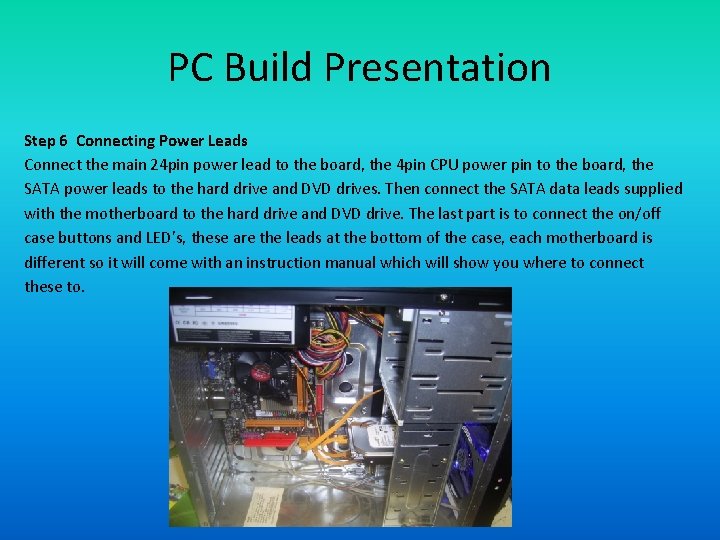
PC Build Presentation Step 6 Connecting Power Leads Connect the main 24 pin power lead to the board, the 4 pin CPU power pin to the board, the SATA power leads to the hard drive and DVD drives. Then connect the SATA data leads supplied with the motherboard to the hard drive and DVD drive. The last part is to connect the on/off case buttons and LED’s, these are the leads at the bottom of the case, each motherboard is different so it will come with an instruction manual which will show you where to connect these to.
PC Build Presentation Test your Knowledge The next section is an interactive quiz Click on the button to select your answer
PC Build Presentation Question 1 Before staring your build what should you do first? 1. Insert motherboard into computer case 2. Gather all components and prepare mother board 3. Connect up power leads
PC Build Presentation Question 2 How can you tell you are installing the CPU correctly? 1. Align the arrows on the CPU and CPU socket 2. Drop it in and push it down 3. Force it in
PC Build Presentation Question 3 When the motherboard is prepared what is the next step? 1. Mount the motherboard in the case 2. Install the hard dive and CD/DVD drive in case 3. Connect up power leads
PC Build Presentation Question 4 If building a PC for a customer what are the details you need? 1. Name/Address 2. Name/Address/Order Details/Payment Details 3. Name/Address/Order Details/Delivery Details/Payment Details
PC Build Presentation Question 5 What are the components need for a PC build? 1. Motherboard/RAM/CPU/DVD-CD Drive 2. Motherboard/RAM/Hard Drive/Computer Case 3. Motherboard/RAM/CPU/Hard Drive/DVD-CD drive/Computer Case
PC Build Presentation Well done click next to move to the next question
PC Build Presentation Well done click next to move to the next question
PC Build Presentation Well done click next to move to the next question
PC Build Presentation Well done click next to move to the next question

PC Build Presentation Sorry incorrect answer please try again
PC Build Presentation Sorry incorrect answer please try again
PC Build Presentation Sorry incorrect answer please try again
PC Build Presentation Sorry incorrect answer please try again
PC Build Presentation Sorry incorrect answer please try again
PC Build Presentation Sorry incorrect answer please try again
PC Build Presentation Sorry incorrect answer please try again
PC Build Presentation Sorry incorrect answer please try again
PC Build Presentation Sorry incorrect answer please try again
PC Build Presentation Sorry incorrect answer please try again
PC Build Presentation Well done Thank you for taking the test
PC Build Presentation If you would like to know more please visit these Youtube links.
- Slides: 28