
Password based authentication Identity management Authentication protocols PASSWORD
Password – based authentication, Identity management & Authentication protocols

PASSWORD MANAGEMENT WORKFLOW Part - 1
Password-based authentication • Still very common • Pros: Cheap: easy to implement, passwords can be easily distributed and stored Security level is reasonable if all the password lifecycle is properly implemented Reference Material: Stallings-Brown Computer Security, Chap. 3, International Edition
Password-based authentication - II • Cons: – Proper password lifecycle implementations are rare (if they exist at all) – There are security problem at each step of the password workflow – Especially, the human factor is here crucial "Humans are incapable of securely storing high-quality cryptographic keys, and they have unacceptable speed and accuracy when performing cryptographic operations. They are also large, expensive to maintain, difficult to manage, and they pollute the environment. It is astonishing that these devices continue to be manufactured and deployed. But they are sufficiently pervasive that we must design our protocols around their limitations. " -- Kaufman, Perlman, and Speciner quoted in Anderson's "Security Engineering"

Password workflow • Actors: – A user with credentials (UID + Pass) • Sometimes users are services themselves – A service (Web server, OS, etc. ) – The user host, the server host, the transmission medium • Workflow – – – User side storage Credential input Transmission Validation (Authentication stage) Server side storage
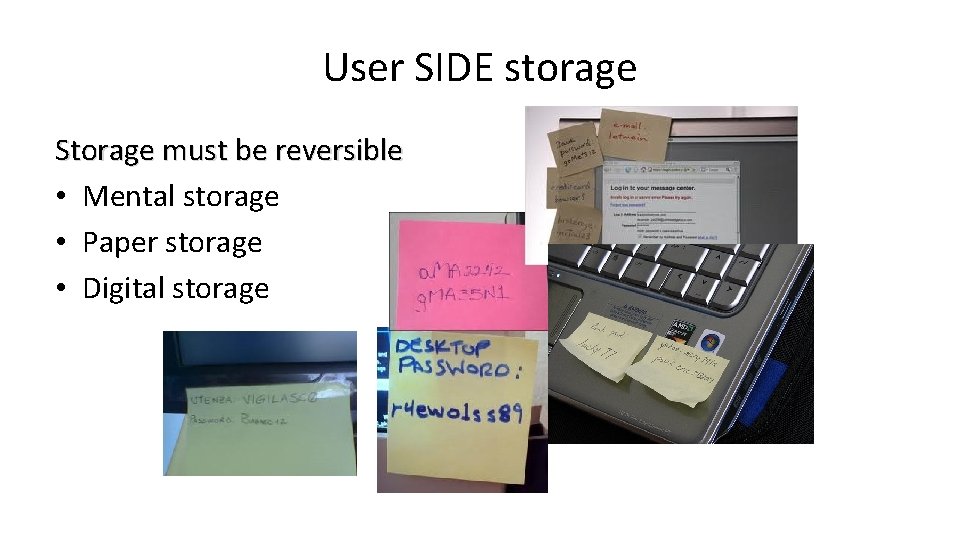
User SIDE storage Storage must be reversible • Mental storage • Paper storage • Digital storage
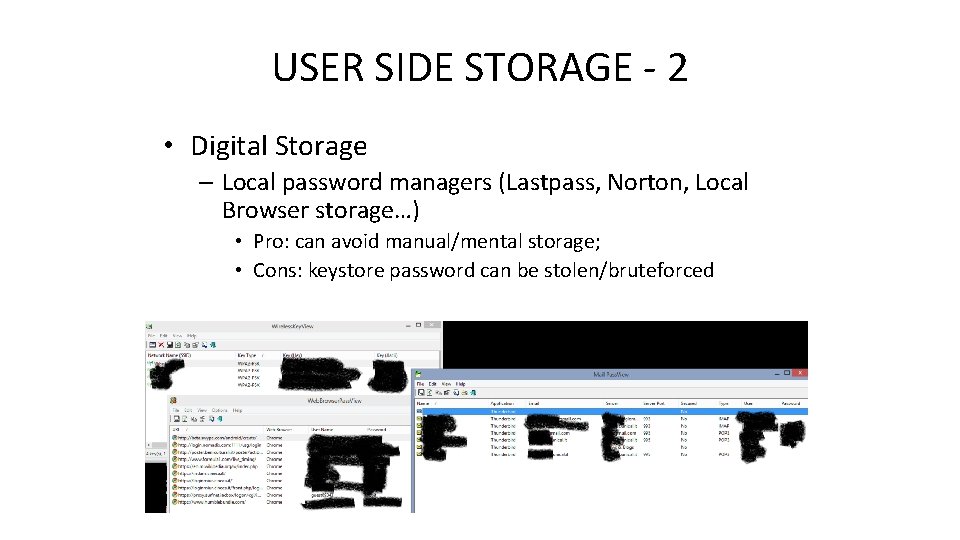
USER SIDE STORAGE - 2 • Digital Storage – Local password managers (Lastpass, Norton, Local Browser storage…) • Pro: can avoid manual/mental storage; • Cons: keystore password can be stolen/bruteforced – USB Password Managers • Pro: password are physically outsourced • New U 2 F devices open new possibilities – Browser and OS storages. . Poor.
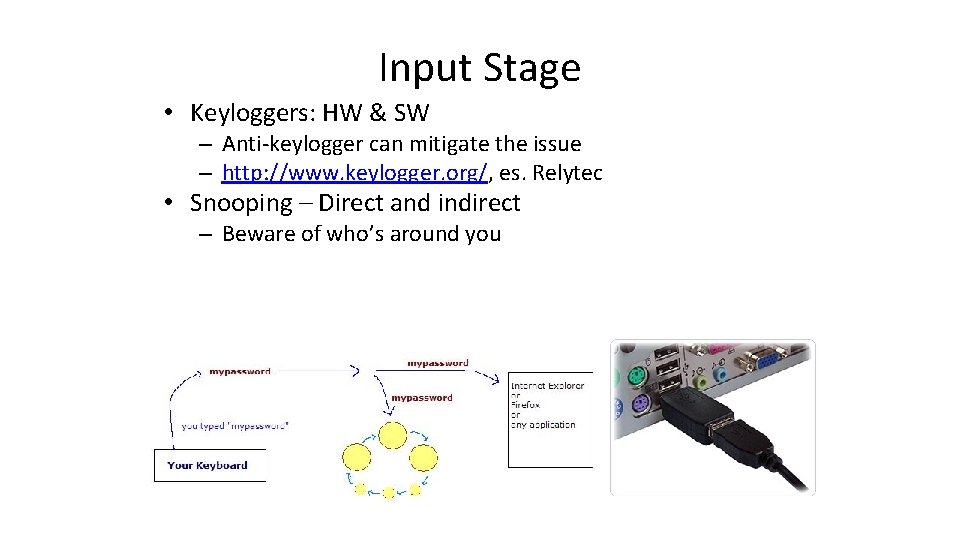
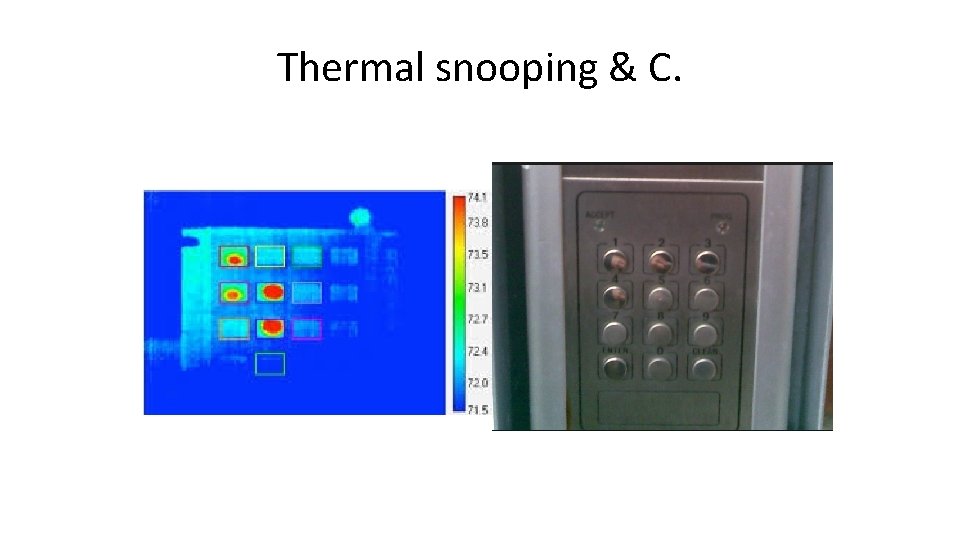
Input Stage • Keyloggers: HW & SW – Anti-keylogger can mitigate the issue – http: //www. keylogger. org/, es. Relytec • Snooping – Direct and indirect – Beware of who’s around you
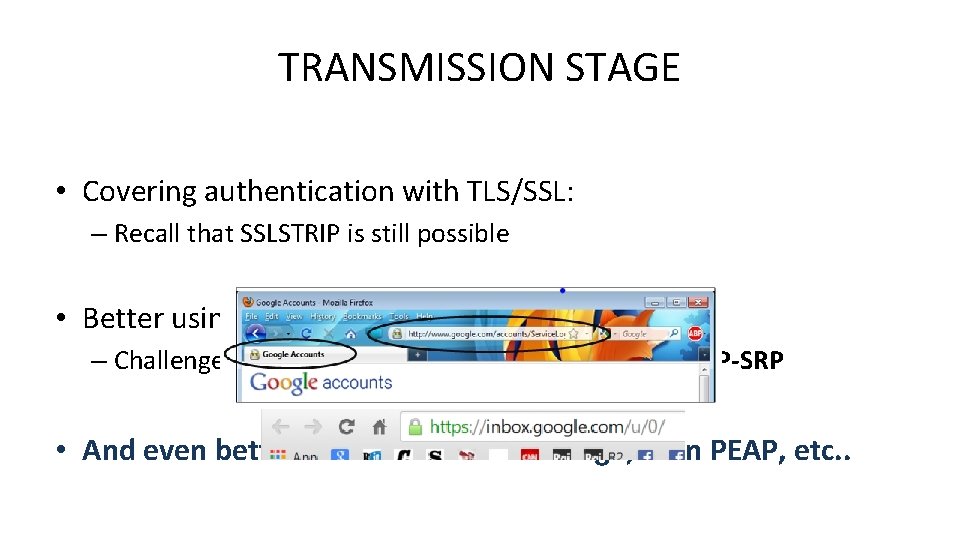
TRANSMISSION STAGE • Covering authentication with TLS/SSL: – Recall that SSLSTRIP is still possible • Better using Challenge based protocols: – Challenge based: HTTP digest, CHAP, MS-CHAPv 2, EAP-SRP • And even better: combine TLS+Challenge, as in PEAP, etc. .
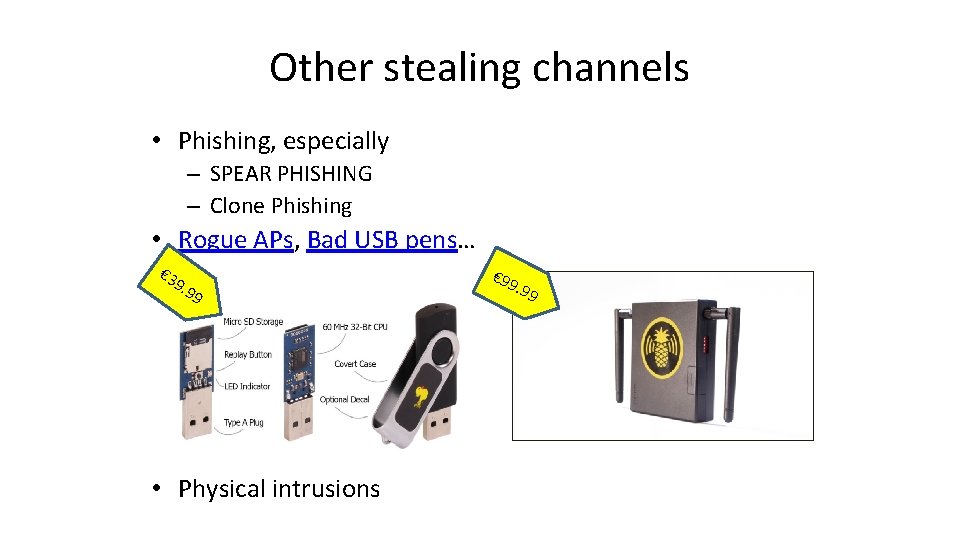
Other stealing channels • Phishing, especially – SPEAR PHISHING – Clone Phishing • Rogue APs, Bad USB pens… € 3 9. 9 9 • Physical intrusions € 99
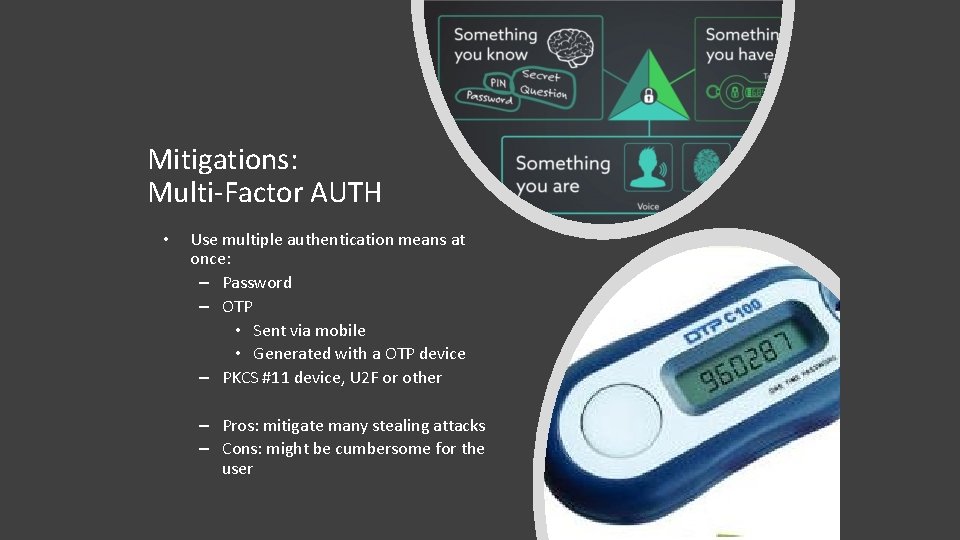
Mitigations: Multi-Factor AUTH • Use multiple authentication means at once: – Password – OTP • Sent via mobile • Generated with a OTP device – PKCS #11 device, U 2 F or other – Pros: mitigate many stealing attacks – Cons: might be cumbersome for the user
Password choice • Short or long? – Long, but recall that a keylogger do not care about your password length!! Common or uncommon? Multiple passwords or just one? Should a password be changed often? Should the server provider enforce a password format and a password expiry window? • Is the ‘secret question’ a good password recovery mean? • •
Password Storage – server side • False myth: passwords do not need to be stored server-side in a reversible format • Use a good “salted” hash instead: for P, store <S, Hn(S+P)> • Brute forcing speed can be mitigated by iterating hashing multiple times • Note that users with same password will noticeably have the same hash in the password file, if salt is not used • Login done using directly the password hash as a credential is not good practice • Windows password encryption schemes: http: //technet. microsoft. com/enus/library/cc 512606. aspx
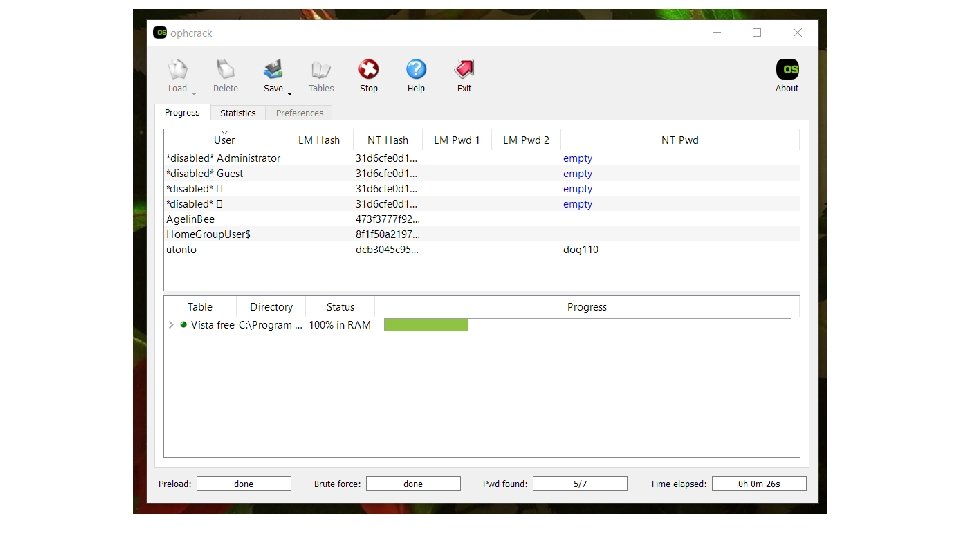
Password crackers • Rainbow table crackers (Ophcrack) use space – http: //ophcrack. sourceforge. net/tables. php • Mimikatz • Extremely effective for unsalted password storage • Incremental crackers (John the Ripper, Crack, LC 5) use time and build dictionaries on-the-fly using password variations.
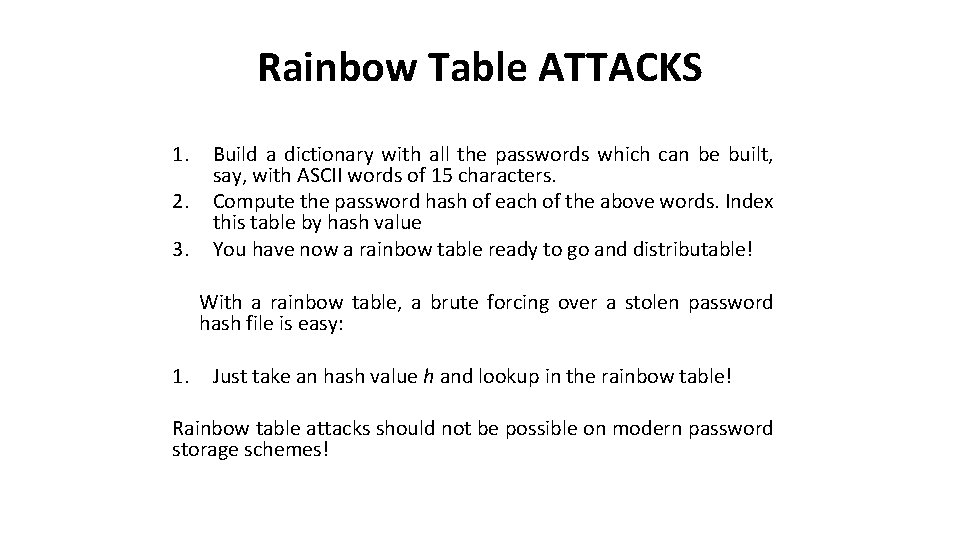
Rainbow Table ATTACKS 1. 2. 3. Build a dictionary with all the passwords which can be built, say, with ASCII words of 15 characters. Compute the password hash of each of the above words. Index this table by hash value You have now a rainbow table ready to go and distributable! • With a rainbow table, a brute forcing over a stolen password hash file is easy: 1. Just take an hash value h and lookup in the rainbow table! Rainbow table attacks should not be possible on modern password storage schemes!
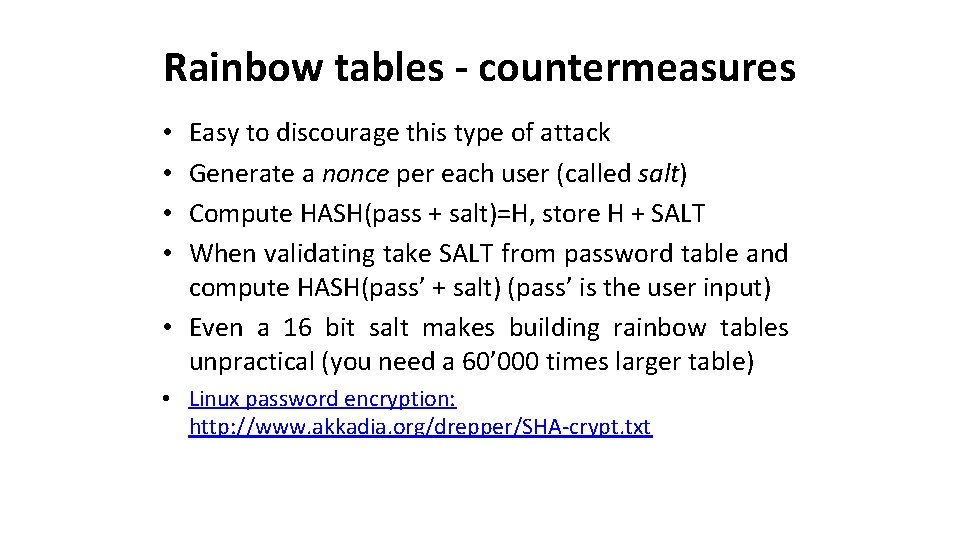
Rainbow tables - countermeasures Easy to discourage this type of attack Generate a nonce per each user (called salt) Compute HASH(pass + salt)=H, store H + SALT When validating take SALT from password table and compute HASH(pass’ + salt) (pass’ is the user input) • Even a 16 bit salt makes building rainbow tables unpractical (you need a 60’ 000 times larger table) • • • Linux password encryption: http: //www. akkadia. org/drepper/SHA-crypt. txt
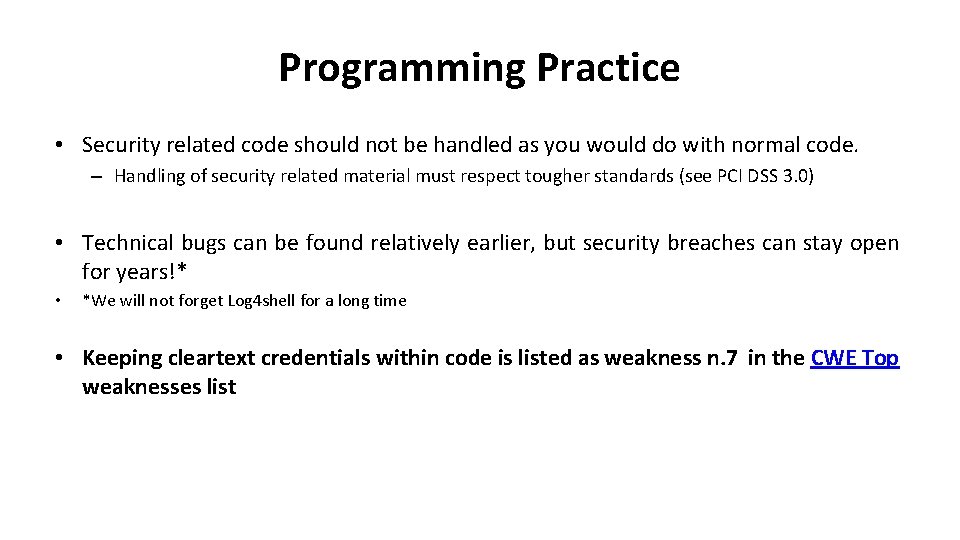
Programming Practice • Security related code should not be handled as you would do with normal code. – Handling of security related material must respect tougher standards (see PCI DSS 3. 0) • Technical bugs can be found relatively earlier, but security breaches can stay open for years!* • *We will not forget Log 4 shell for a long time • Keeping cleartext credentials within code is listed as weakness n. 7 in the CWE Top weaknesses list
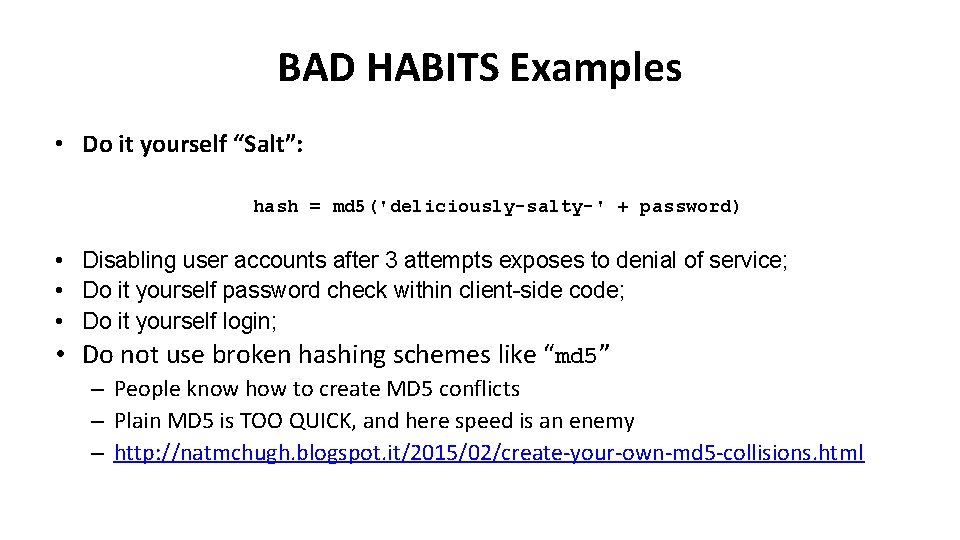
BAD HABITS Examples • Do it yourself “Salt”: hash = md 5('deliciously-salty-' + password) • Disabling user accounts after 3 attempts exposes to denial of service; • Do it yourself password check within client-side code; • Do it yourself login; • Do not use broken hashing schemes like “md 5” – People know how to create MD 5 conflicts – Plain MD 5 is TOO QUICK, and here speed is an enemy – http: //natmchugh. blogspot. it/2015/02/create-your-own-md 5 -collisions. html
Password storage DESIGN • Tradeoff: 1. Store key’s hash value If the database of stored hashes is stolen, there won’t be directly visible passwords Nevertheless there is no way to know the clear text passwords, so to validate, the user must transmit them in the clear! (It would be no more secure anyway to transmit the password hash from client to server) The authentication has to be protected, for example with a DH scheme and some public-key authentication check • • • 2. Using a challenge-response protocol: • • on either side using a mathematical problem to prove respectively that you know the password but without transmitting the password unencrypted over the network These protocols work as long as both participants have access to the password unencrypted! • Either type of attack, database stealing and password phishing/sniffing/stealing can occur – The theft of database can endanger an entire DB accounting archive
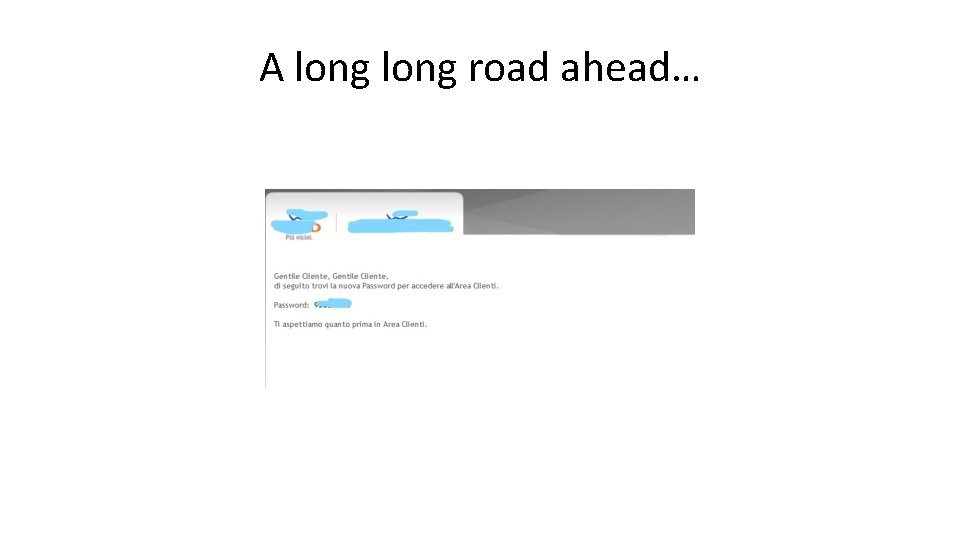
A long road ahead…
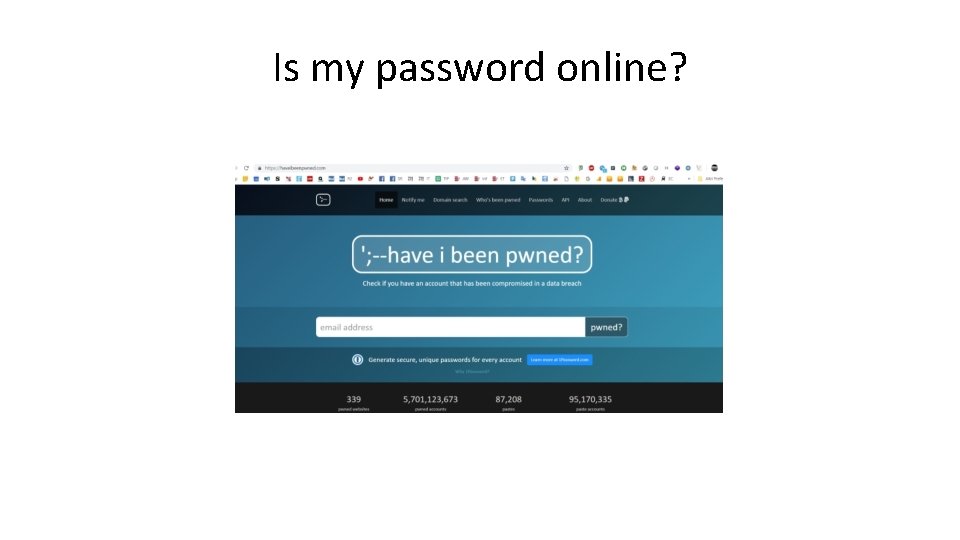
Is my password online?
Thermal snooping & C.
AUTHENTICATION Part II
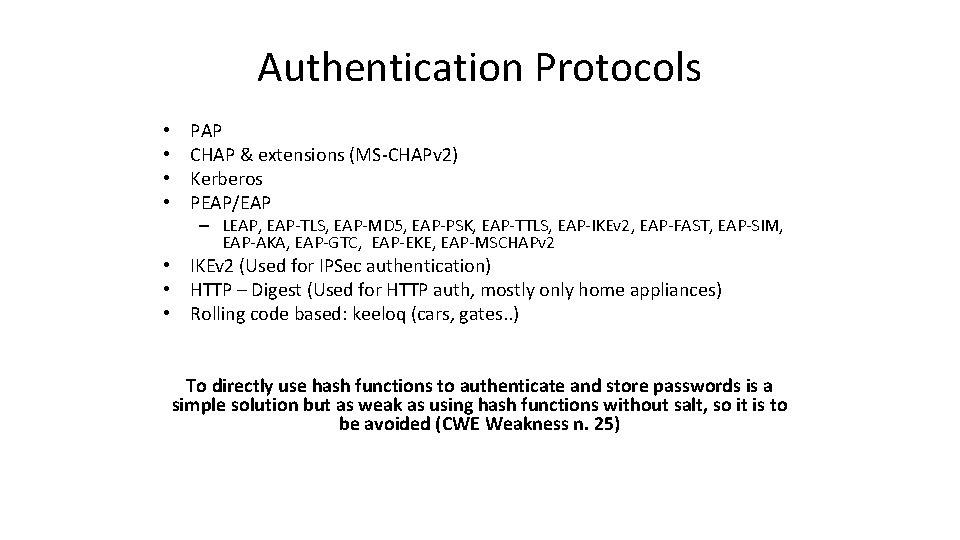
Authentication Protocols • • PAP CHAP & extensions (MS-CHAPv 2) Kerberos PEAP/EAP – LEAP, EAP-TLS, EAP-MD 5, EAP-PSK, EAP-TTLS, EAP-IKEv 2, EAP-FAST, EAP-SIM, EAP-AKA, EAP-GTC, EAP-EKE, EAP-MSCHAPv 2 • IKEv 2 (Used for IPSec authentication) • HTTP – Digest (Used for HTTP auth, mostly only home appliances) • Rolling code based: keeloq (cars, gates. . ) To directly use hash functions to authenticate and store passwords is a simple solution but as weak as using hash functions without salt, so it is to be avoided (CWE Weakness n. 25)
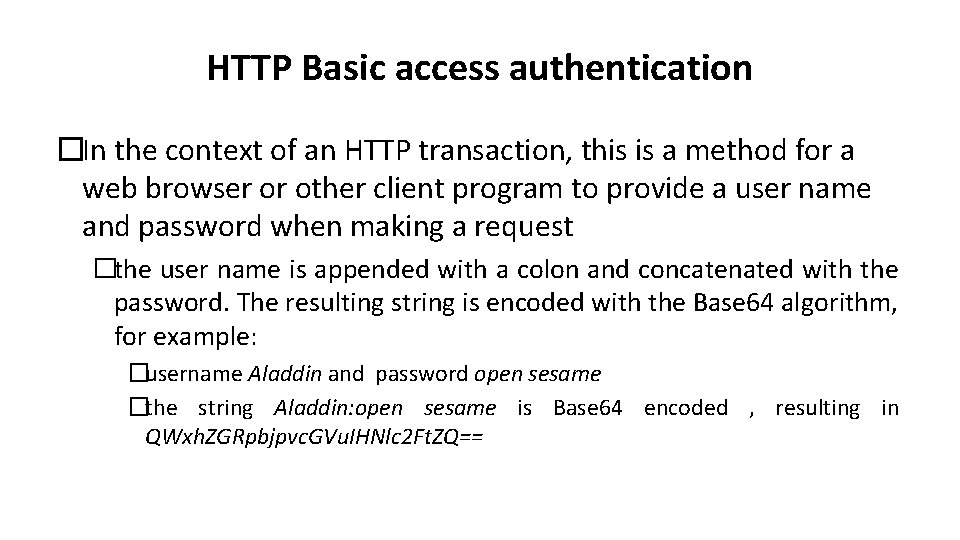
HTTP Basic access authentication �In the context of an HTTP transaction, this is a method for a web browser or other client program to provide a user name and password when making a request �the user name is appended with a colon and concatenated with the password. The resulting string is encoded with the Base 64 algorithm, for example: �username Aladdin and password open sesame �the string Aladdin: open sesame is Base 64 encoded , resulting in QWxh. ZGRpbjpvc. GVu. IHNlc 2 Ft. ZQ==
Basic access authentication • Encoded string is easily decoded – Security is not the intent of the encoding step – the intent of the encoding is to encode non-HTTP-compatible characters that may be in the user name or password into those that are HTTP-compatible
Advantages • All web browsers support it. • It is rarely used on publicly accessible Internet web sites but may sometimes be used by small, private systems, and in home appliances – Programmers and system administrators sometimes use basic access authentication, in a trusted network environment, to manually test web servers using Telnet or other plain-text network tools
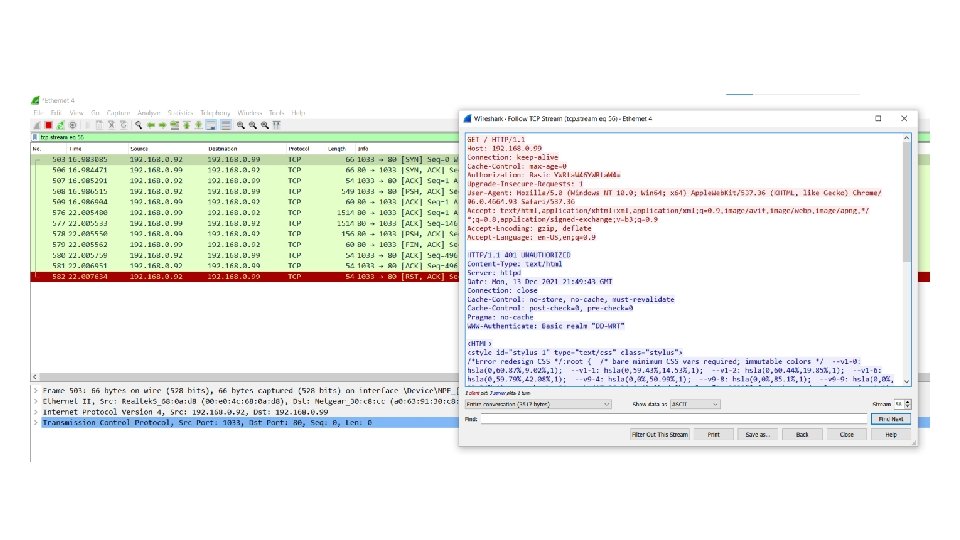
Disadvantages • It relies on the assumption that the connection between the client and server computers is secure and can be trusted – if SSL/TLS is not used, then the credentials are passed as plaintext – there is no effective way for a server to "log out" the user without closing the browser
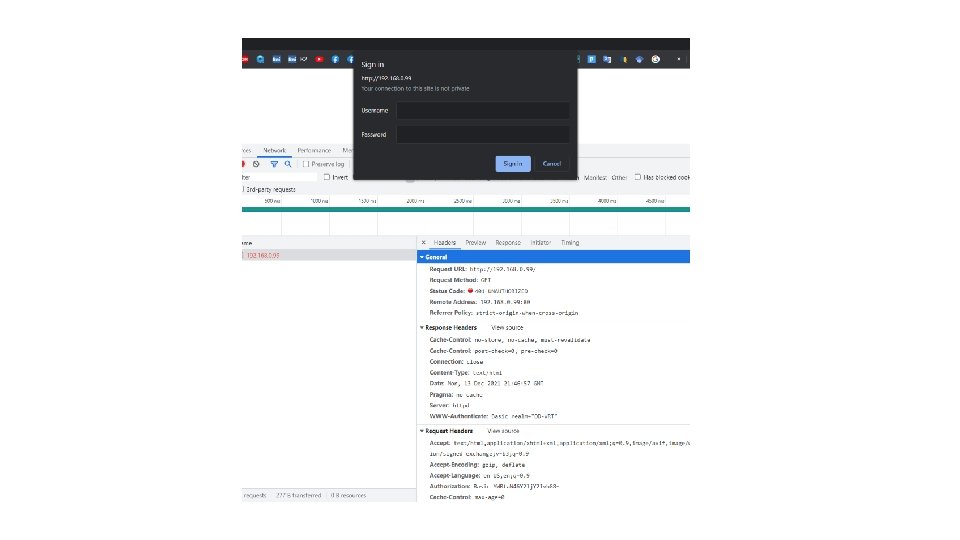
Example � The client requests a page that requires authentication but does not provide a user name and password � the server responds with the 401 ("Unauthorized") response code, including the required authentication scheme and the authentication realm � the client will present the authentication realm (typically a description of the computer or system being accessed) to the user and prompt for a user name and password � once the user has supplied a user name and password, the client adds an Authorization header (with valuebase 64 encode(username+": "+password)) to the original request and re-sends it � the server accepts the authentication and the page is returned; if the user name is invalid or the password incorrect, the server might return the 401 response code
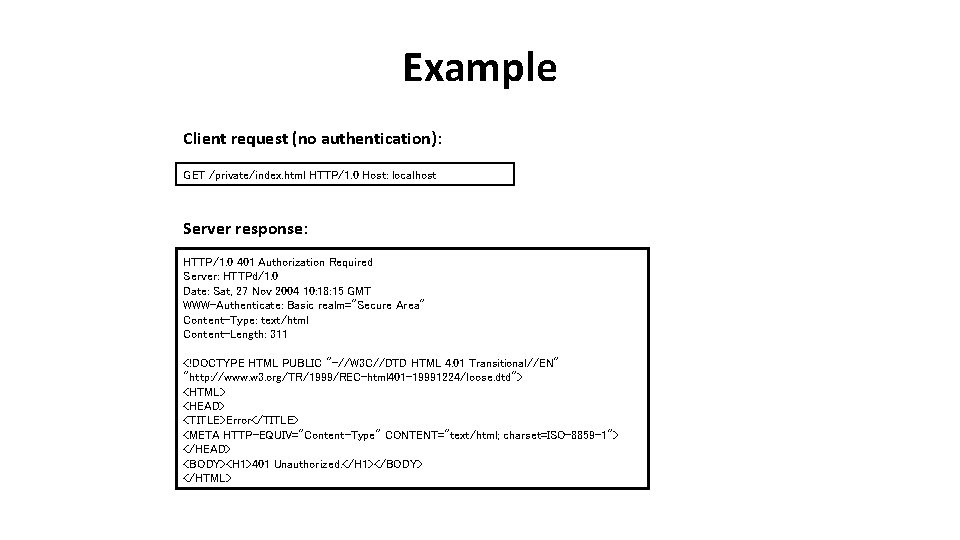
Example Client request (no authentication): GET /private/index. html HTTP/1. 0 Host: localhost Server response: HTTP/1. 0 401 Authorization Required Server: HTTPd/1. 0 Date: Sat, 27 Nov 2004 10: 18: 15 GMT WWW-Authenticate: Basic realm="Secure Area" Content-Type: text/html Content-Length: 311 <!DOCTYPE HTML PUBLIC "-//W 3 C//DTD HTML 4. 01 Transitional//EN" "http: //www. w 3. org/TR/1999/REC-html 401 -19991224/loose. dtd"> <HTML> <HEAD> <TITLE>Error</TITLE> <META HTTP-EQUIV="Content-Type" CONTENT="text/html; charset=ISO-8859 -1"> </HEAD> <BODY><H 1>401 Unauthorized. </H 1></BODY> </HTML>
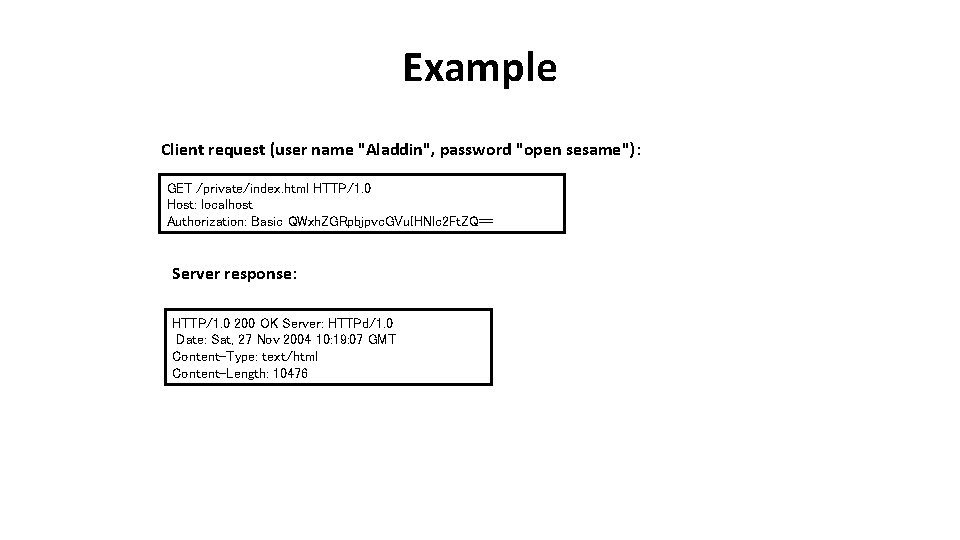
Example Client request (user name "Aladdin", password "open sesame"): GET /private/index. html HTTP/1. 0 Host: localhost Authorization: Basic QWxh. ZGRpbjpvc. GVu. IHNlc 2 Ft. ZQ== Server response: HTTP/1. 0 200 OK Server: HTTPd/1. 0 Date: Sat, 27 Nov 2004 10: 19: 07 GMT Content-Type: text/html Content-Length: 10476
HTTP Digest access authentication • Used to negotiate credentials with a user's web browser (using HTTP protocol). – It applies a hash function to a password before sending it over the network, which is safer than basic access authentication, which sends plaintext • It is an application of MD 5 cryptographic hashing with usage of nonce values to prevent cryptanalysis
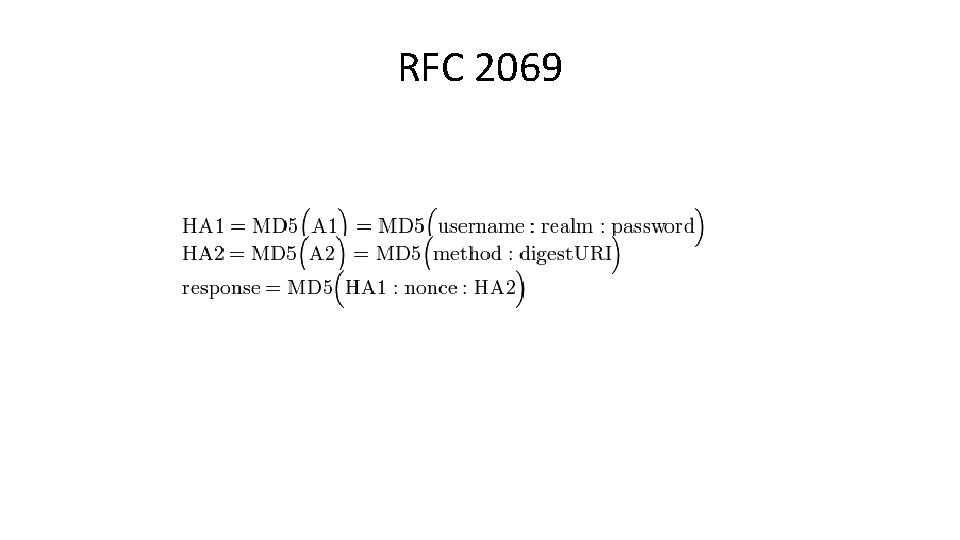
RFC 2069
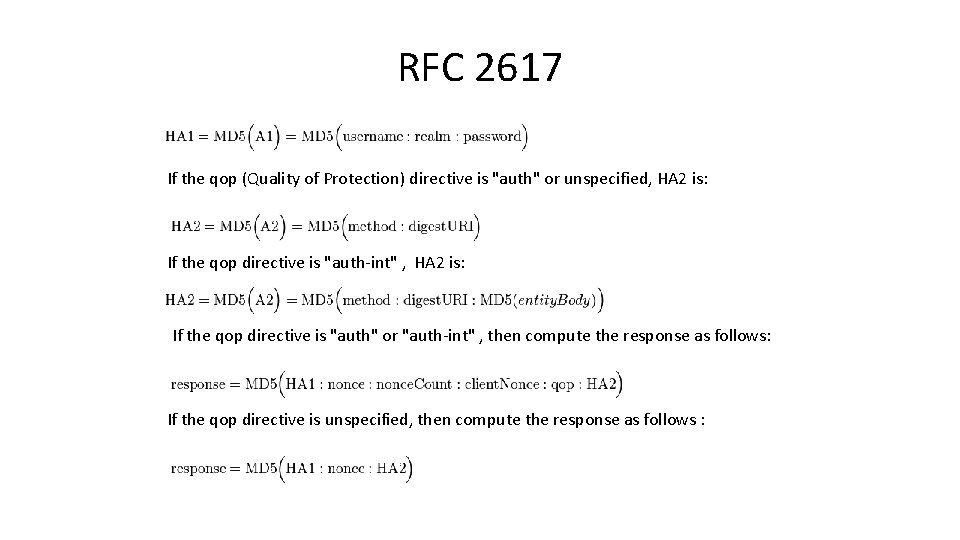
RFC 2617 If the qop (Quality of Protection) directive is "auth" or unspecified, HA 2 is: If the qop directive is "auth-int" , HA 2 is: If the qop directive is "auth" or "auth-int" , then compute the response as follows: If the qop directive is unspecified, then compute the response as follows :
MD 5 & Digest authentication • The MD 5 calculations used in HTTP digest authentication is intended to be "one way" – It should be difficult to determine the original input when only the output is known – If the password itself is too simple, however, then it may be possible to test all possible inputs and find a matching output (a brute-force attack)
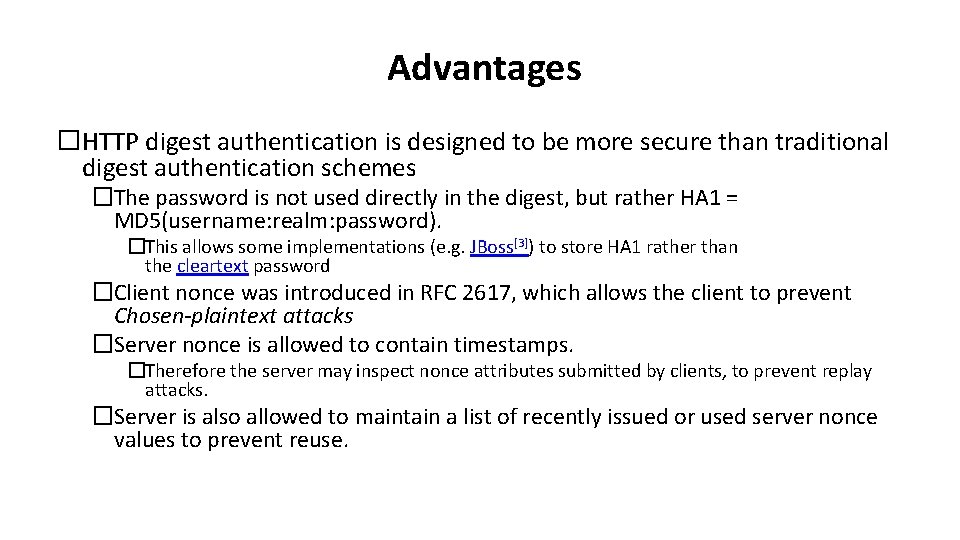
Advantages �HTTP digest authentication is designed to be more secure than traditional digest authentication schemes �The password is not used directly in the digest, but rather HA 1 = MD 5(username: realm: password). �This allows some implementations (e. g. JBoss[3]) to store HA 1 rather than the cleartext password �Client nonce was introduced in RFC 2617, which allows the client to prevent Chosen-plaintext attacks �Server nonce is allowed to contain timestamps. �Therefore the server may inspect nonce attributes submitted by clients, to prevent replay attacks. �Server is also allowed to maintain a list of recently issued or used server nonce values to prevent reuse.
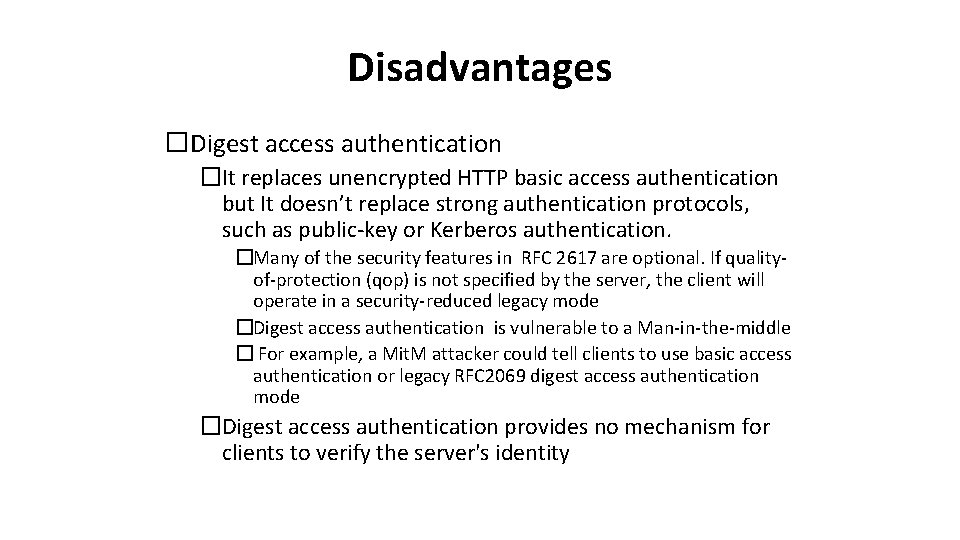
Disadvantages �Digest access authentication �It replaces unencrypted HTTP basic access authentication but It doesn’t replace strong authentication protocols, such as public-key or Kerberos authentication. �Many of the security features in RFC 2617 are optional. If qualityof-protection (qop) is not specified by the server, the client will operate in a security-reduced legacy mode �Digest access authentication is vulnerable to a Man-in-the-middle � For example, a Mit. M attacker could tell clients to use basic access authentication or legacy RFC 2069 digest access authentication mode �Digest access authentication provides no mechanism for clients to verify the server's identity
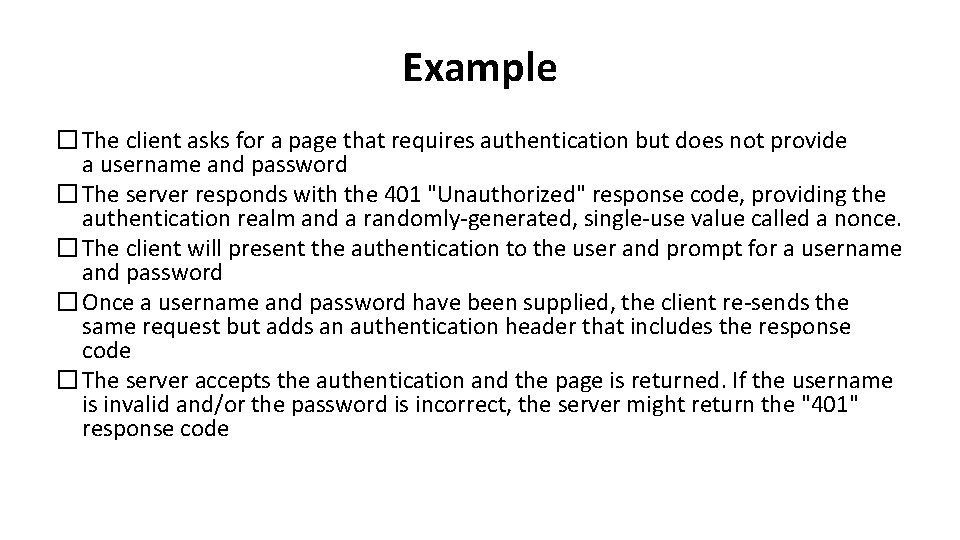
Example � The client asks for a page that requires authentication but does not provide a username and password � The server responds with the 401 "Unauthorized" response code, providing the authentication realm and a randomly-generated, single-use value called a nonce. � The client will present the authentication to the user and prompt for a username and password � Once a username and password have been supplied, the client re-sends the same request but adds an authentication header that includes the response code � The server accepts the authentication and the page is returned. If the username is invalid and/or the password is incorrect, the server might return the "401" response code
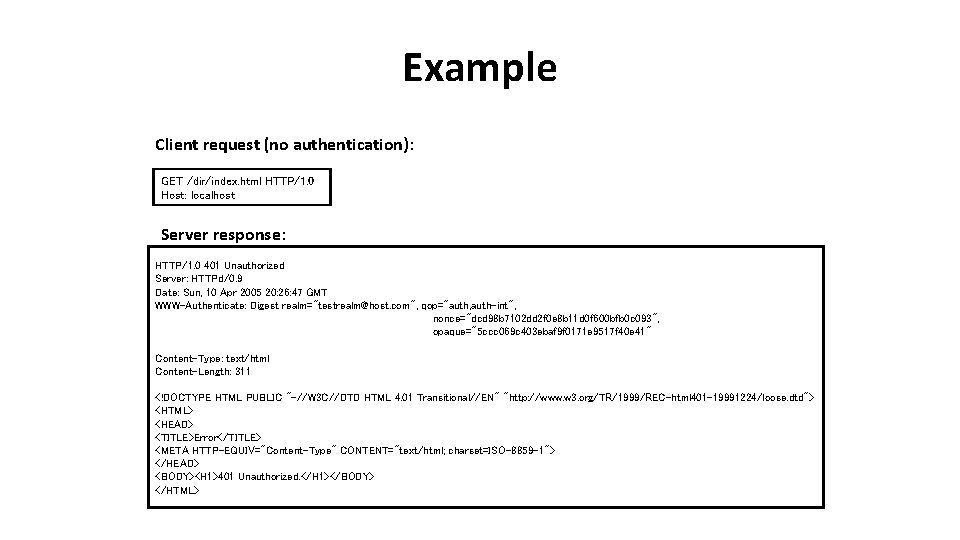
Example Client request (no authentication): GET /dir/index. html HTTP/1. 0 Host: localhost Server response: HTTP/1. 0 401 Unauthorized Server: HTTPd/0. 9 Date: Sun, 10 Apr 2005 20: 26: 47 GMT WWW-Authenticate: Digest realm="testrealm@host. com", qop="auth, auth-int", nonce="dcd 98 b 7102 dd 2 f 0 e 8 b 11 d 0 f 600 bfb 0 c 093", opaque="5 ccc 069 c 403 ebaf 9 f 0171 e 9517 f 40 e 41" Content-Type: text/html Content-Length: 311 <!DOCTYPE HTML PUBLIC "-//W 3 C//DTD HTML 4. 01 Transitional//EN" "http: //www. w 3. org/TR/1999/REC-html 401 -19991224/loose. dtd"> <HTML> <HEAD> <TITLE>Error</TITLE> <META HTTP-EQUIV="Content-Type" CONTENT="text/html; charset=ISO-8859 -1"> </HEAD> <BODY><H 1>401 Unauthorized. </H 1></BODY> </HTML>
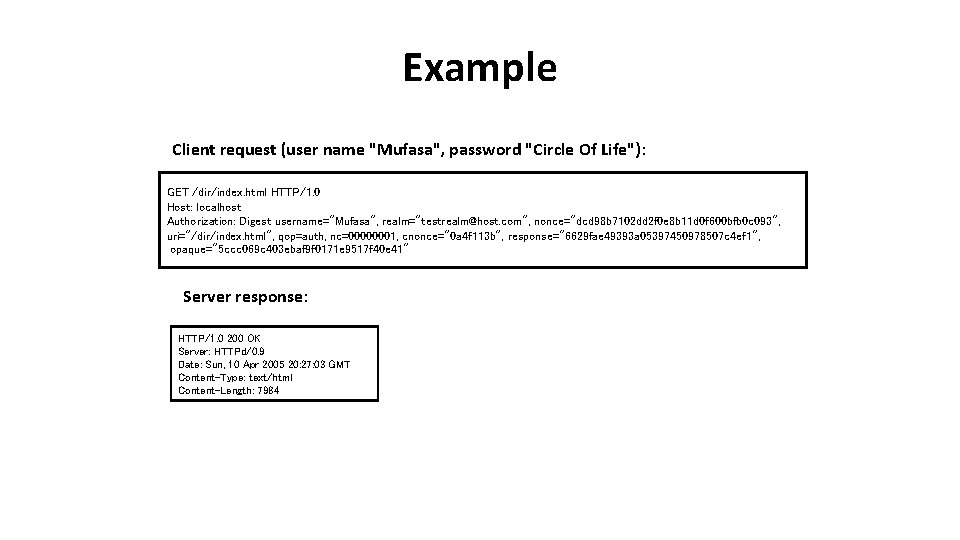
Example Client request (user name "Mufasa", password "Circle Of Life"): GET /dir/index. html HTTP/1. 0 Host: localhost Authorization: Digest username="Mufasa", realm="testrealm@host. com", nonce="dcd 98 b 7102 dd 2 f 0 e 8 b 11 d 0 f 600 bfb 0 c 093", uri="/dir/index. html", qop=auth, nc=00000001, cnonce="0 a 4 f 113 b", response="6629 fae 49393 a 05397450978507 c 4 ef 1", opaque="5 ccc 069 c 403 ebaf 9 f 0171 e 9517 f 40 e 41" Server response: HTTP/1. 0 200 OK Server: HTTPd/0. 9 Date: Sun, 10 Apr 2005 20: 27: 03 GMT Content-Type: text/html Content-Length: 7984
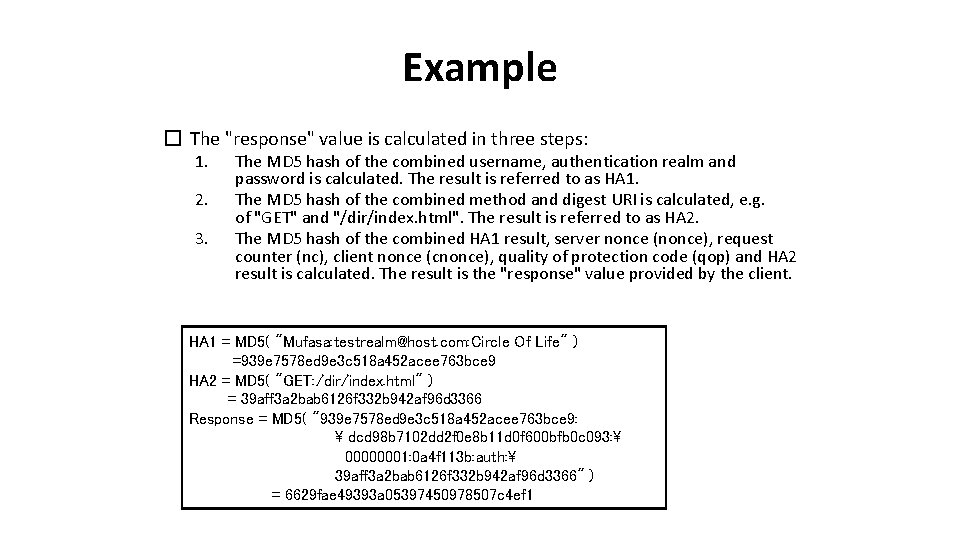
Example � The "response" value is calculated in three steps: 1. 2. 3. The MD 5 hash of the combined username, authentication realm and password is calculated. The result is referred to as HA 1. The MD 5 hash of the combined method and digest URI is calculated, e. g. of "GET" and "/dir/index. html". The result is referred to as HA 2. The MD 5 hash of the combined HA 1 result, server nonce (nonce), request counter (nc), client nonce (cnonce), quality of protection code (qop) and HA 2 result is calculated. The result is the "response" value provided by the client. HA 1 = MD 5( "Mufasa: testrealm@host. com: Circle Of Life" ) =939 e 7578 ed 9 e 3 c 518 a 452 acee 763 bce 9 HA 2 = MD 5( "GET: /dir/index. html" ) = 39 aff 3 a 2 bab 6126 f 332 b 942 af 96 d 3366 Response = MD 5( "939 e 7578 ed 9 e 3 c 518 a 452 acee 763 bce 9: dcd 98 b 7102 dd 2 f 0 e 8 b 11 d 0 f 600 bfb 0 c 093: 00000001: 0 a 4 f 113 b: auth: 39 aff 3 a 2 bab 6126 f 332 b 942 af 96 d 3366" ) = 6629 fae 49393 a 05397450978507 c 4 ef 1
Example �At this point the client may make another request, reusing the server nonce value but providing a new client nonce (cnonce). �For subsequent requests, the hexadecimal request counter (nc) must be greater than the last value it used – otherwise an attacker could simply "replay" an old request with the same credentials �It is up to the server to ensure that the counter increases for each of the nonce values that it has issued, rejecting any bad requests appropriately. �The server should remember nonce values that it has recently generated. It may also remember when each nonce value was issued, expiring them after a certain amount of time �he server does not need to keep any expired nonce values, but it can simply assume that any unrecognised values have expired.
Stanford Secure Remote Password protocol • SRP is a public key encryption system designed for storing and validating passwords both without storing and without transmitting them unencrypted • Extension of Diffie-Hellman Exchange – Instead of storing a password hash with salt, it is stored a "verifier", which is a number raised to the power of the password hash value modulo N
Stanford Secure Remote Password protocol • It is a challenge-response protocol that allows a server to prove that the user is aware of the password without his having to be transmitted on the network • Does not require storage in clear, it stores a nonreversible encrypted verifier • Being able to reverse the SRP verifiers quickly would mean an important advancement both in cryptography and computational complexity • SRP is simple enough to run on a browser with Javascript
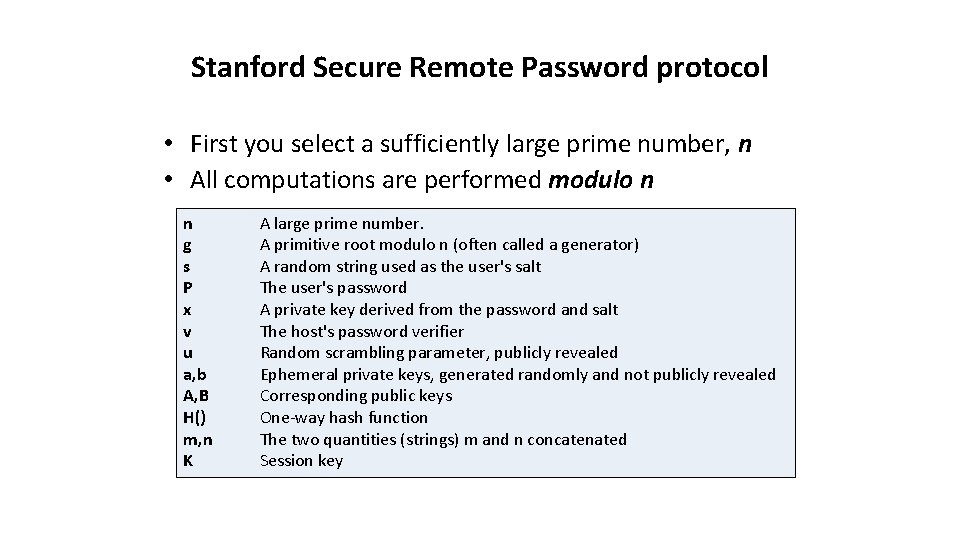
Stanford Secure Remote Password protocol • First you select a sufficiently large prime number, n • All computations are performed modulo n n g s P x v u a, b A, B H() m, n K A large prime number. A primitive root modulo n (often called a generator) A random string used as the user's salt The user's password A private key derived from the password and salt The host's password verifier Random scrambling parameter, publicly revealed Ephemeral private keys, generated randomly and not publicly revealed Corresponding public keys One-way hash function The two quantities (strings) m and n concatenated Session key
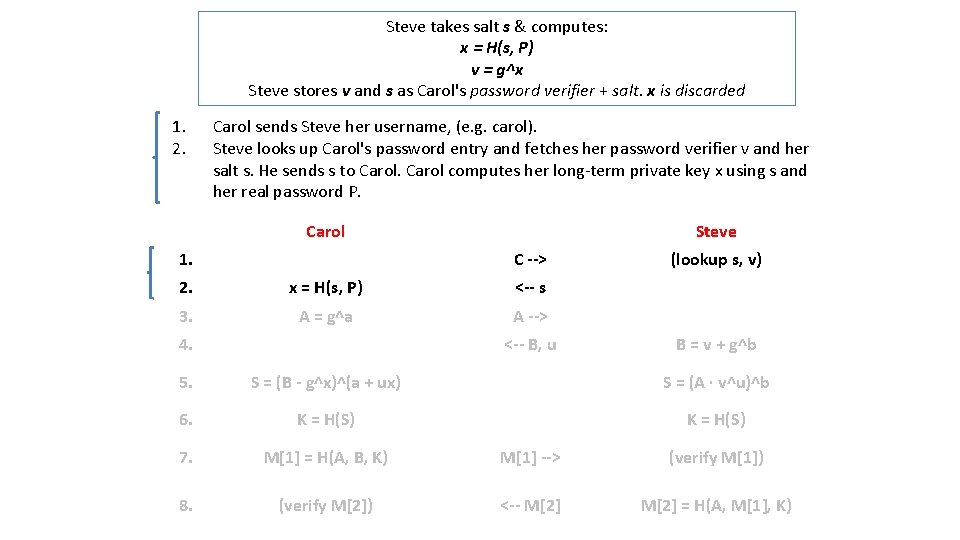
Steve takes salt s & computes: x = H(s, P) v = g^x Steve stores v and s as Carol's password verifier + salt. x is discarded 1. 2. Carol sends Steve her username, (e. g. carol). Steve looks up Carol's password entry and fetches her password verifier v and her salt s. He sends s to Carol computes her long-term private key x using s and her real password P. Carol 1. Steve C --> 2. x = H(s, P) <-- s 3. A = g^a A --> 4. <-- B, u (lookup s, v) B = v + g^b 5. S = (B - g^x)^(a + ux) S = (A · v^u)^b 6. K = H(S) 7. M[1] = H(A, B, K) M[1] --> (verify M[1]) 8. (verify M[2]) <-- M[2] = H(A, M[1], K)
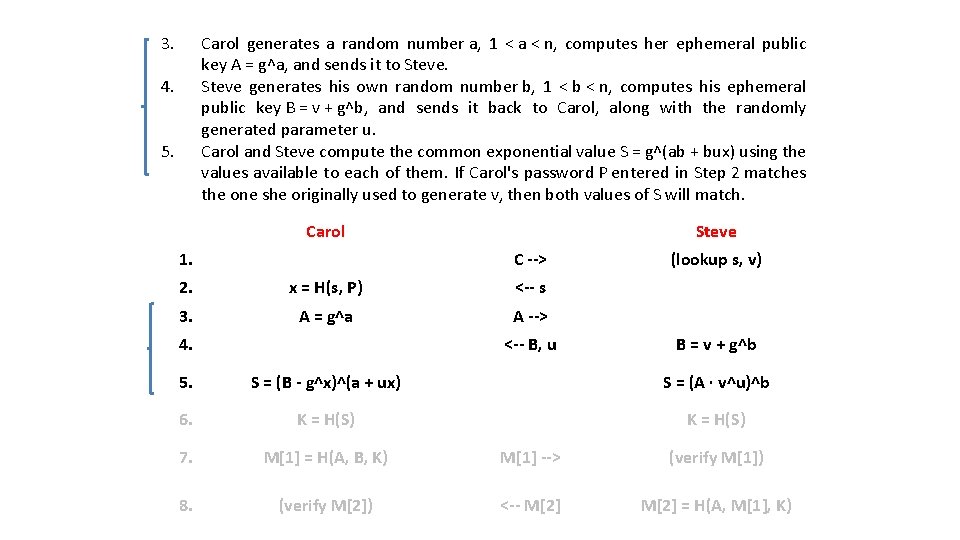
3. Carol generates a random number a, 1 < a < n, computes her ephemeral public key A = g^a, and sends it to Steve generates his own random number b, 1 < b < n, computes his ephemeral public key B = v + g^b, and sends it back to Carol, along with the randomly generated parameter u. Carol and Steve compute the common exponential value S = g^(ab + bux) using the values available to each of them. If Carol's password P entered in Step 2 matches the one she originally used to generate v, then both values of S will match. 4. 5. Carol 1. Steve C --> 2. x = H(s, P) <-- s 3. A = g^a A --> 4. <-- B, u (lookup s, v) B = v + g^b 5. S = (B - g^x)^(a + ux) S = (A · v^u)^b 6. K = H(S) 7. M[1] = H(A, B, K) M[1] --> (verify M[1]) 8. (verify M[2]) <-- M[2] = H(A, M[1], K)
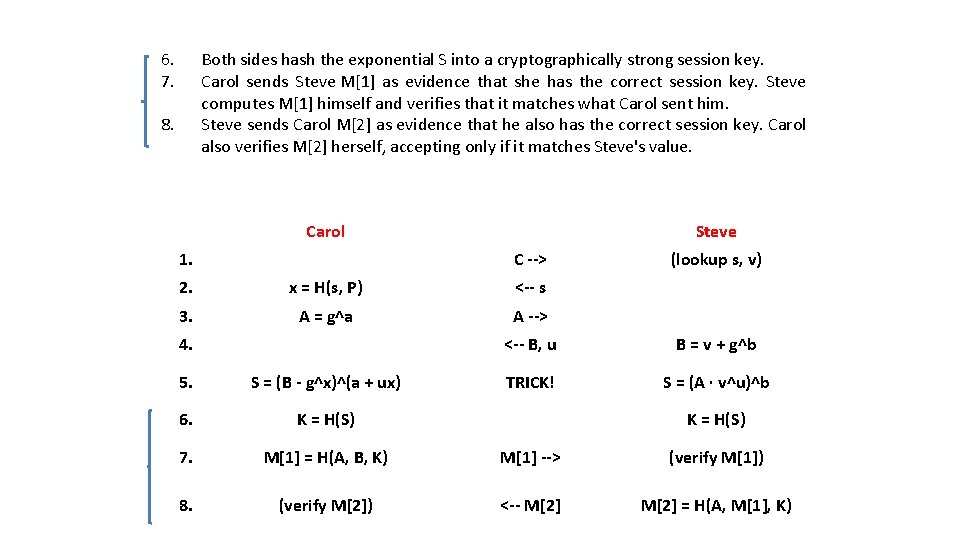
6. 7. Both sides hash the exponential S into a cryptographically strong session key. Carol sends Steve M[1] as evidence that she has the correct session key. Steve computes M[1] himself and verifies that it matches what Carol sent him. Steve sends Carol M[2] as evidence that he also has the correct session key. Carol also verifies M[2] herself, accepting only if it matches Steve's value. 8. Carol 1. Steve C --> 2. x = H(s, P) <-- s 3. A = g^a A --> 4. (lookup s, v) <-- B, u B = v + g^b TRICK! S = (A · v^u)^b 5. S = (B - g^x)^(a + ux) 6. K = H(S) 7. M[1] = H(A, B, K) M[1] --> (verify M[1]) 8. (verify M[2]) <-- M[2] = H(A, M[1], K) K = H(S)
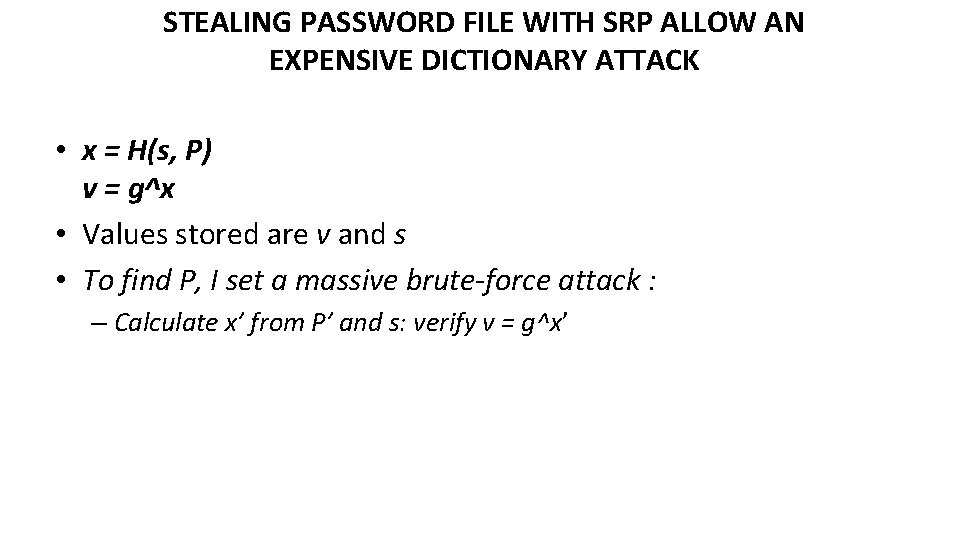
STEALING PASSWORD FILE WITH SRP ALLOW AN EXPENSIVE DICTIONARY ATTACK • x = H(s, P) v = g^x • Values stored are v and s • To find P, I set a massive brute-force attack : – Calculate x’ from P’ and s: verify v = g^x’
What is missing from SRP to operate via the Web? • SRP has been only recently released under BSD-like license • Available since 2012 as EAP-SRP. Javascript code is available – https: //github. com/symeapp/srp-client – Freeradius patch: http: //radeapsrp. sourceforge. net/ • To be secure on a browser, however, it is necessary anyway to fill in a login page via SSL – Otherwise, the system is vulnerable to easy phishing attacks – The result is a scheme that can be affected by anyone that would compromise a web page
MS-CHAP v 2 protocol • Microsoft Protocol Challenge-Handshake Authentication • MS-CHAP is a mutual authentication method that supports password-based users or computer authentication. Both the client and the server must prove that they have knowledge of the user's password for authentication to succeed.
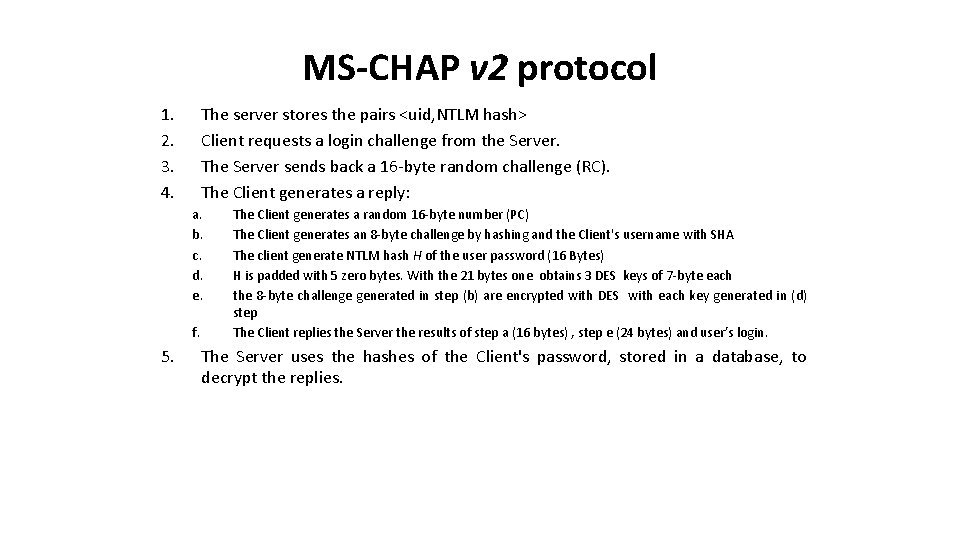
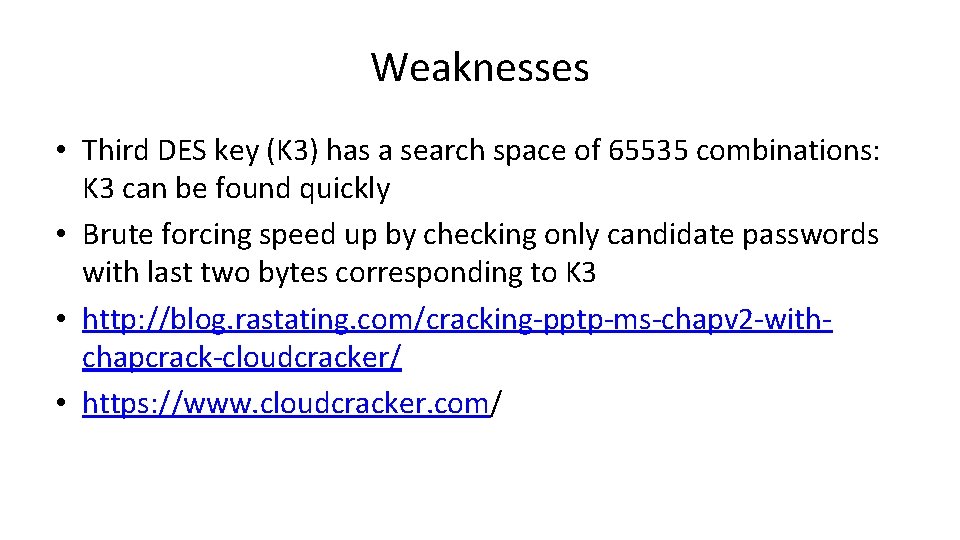
MS-CHAP v 2 protocol 1. 2. 3. 4. The server stores the pairs <uid, NTLM hash> Client requests a login challenge from the Server. The Server sends back a 16 -byte random challenge (RC). The Client generates a reply: a. b. c. d. e. f. 5. The Client generates a random 16 -byte number (PC) The Client generates an 8 -byte challenge by hashing and the Client's username with SHA The client generate NTLM hash H of the user password (16 Bytes) H is padded with 5 zero bytes. With the 21 bytes one obtains 3 DES keys of 7 -byte each the 8 -byte challenge generated in step (b) are encrypted with DES with each key generated in (d) step The Client replies the Server the results of step a (16 bytes) , step e (24 bytes) and user’s login. The Server uses the hashes of the Client's password, stored in a database, to decrypt the replies.
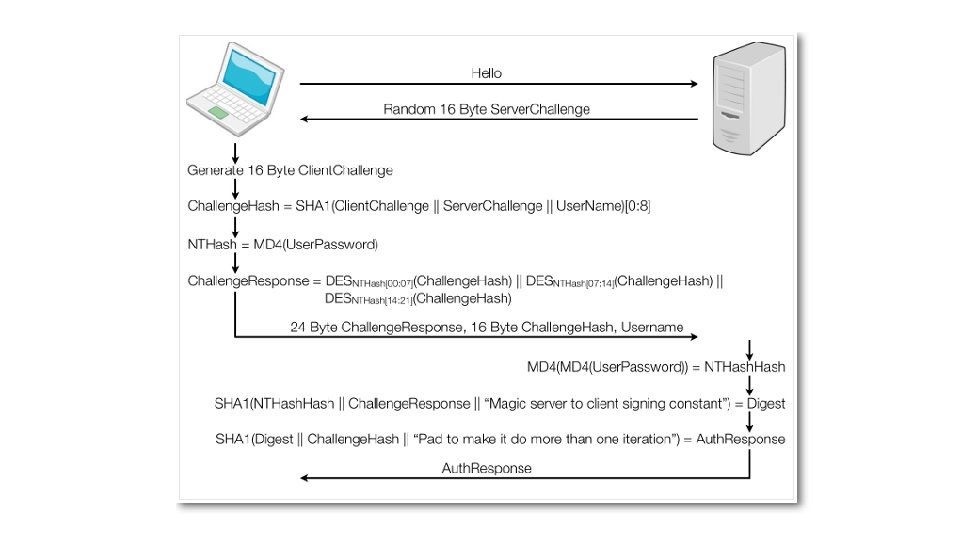
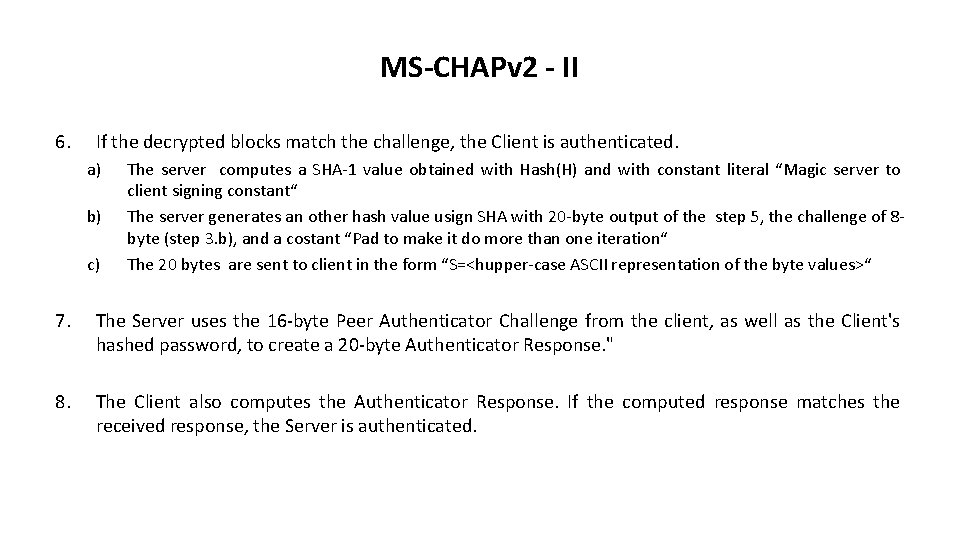
MS-CHAPv 2 - II 6. If the decrypted blocks match the challenge, the Client is authenticated. a) b) c) The server computes a SHA-1 value obtained with Hash(H) and with constant literal “Magic server to client signing constant“ The server generates an other hash value usign SHA with 20 -byte output of the step 5, the challenge of 8 byte (step 3. b), and a costant “Pad to make it do more than one iteration“ The 20 bytes are sent to client in the form “S=<hupper-case ASCII representation of the byte values>“ 7. The Server uses the 16 -byte Peer Authenticator Challenge from the client, as well as the Client's hashed password, to create a 20 -byte Authenticator Response. " 8. The Client also computes the Authenticator Response. If the computed response matches the received response, the Server is authenticated.
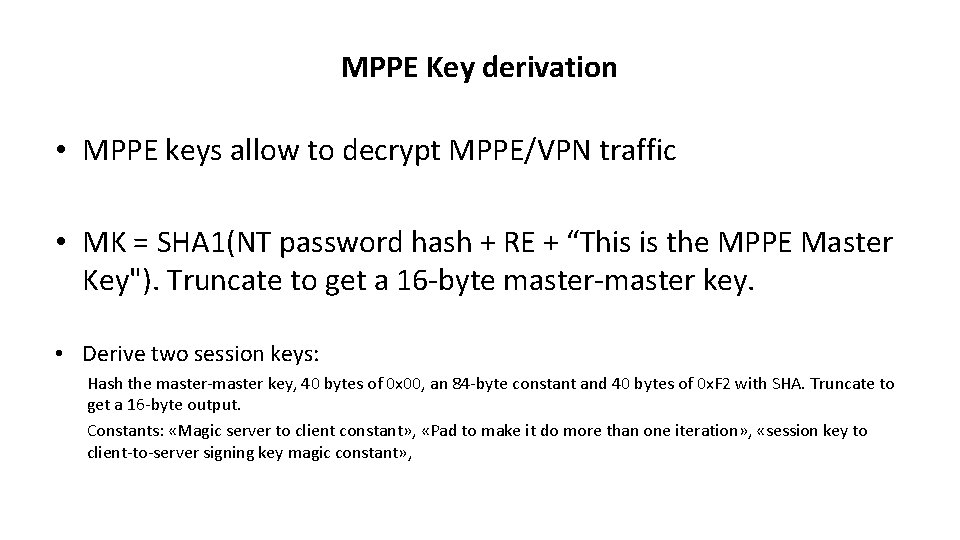
MPPE Key derivation • MPPE keys allow to decrypt MPPE/VPN traffic • MK = SHA 1(NT password hash + RE + “This is the MPPE Master Key"). Truncate to get a 16 -byte master-master key. • Derive two session keys: Hash the master-master key, 40 bytes of 0 x 00, an 84 -byte constant and 40 bytes of 0 x. F 2 with SHA. Truncate to get a 16 -byte output. Constants: «Magic server to client constant» , «Pad to make it do more than one iteration» , «session key to client-to-server signing key magic constant» ,
Weaknesses • Third DES key (K 3) has a search space of 65535 combinations: K 3 can be found quickly • Brute forcing speed up by checking only candidate passwords with last two bytes corresponding to K 3 • http: //blog. rastating. com/cracking-pptp-ms-chapv 2 -withchapcrack-cloudcracker/ • https: //www. cloudcracker. com/
AAA Authentication, Authorization, Accounting - Part III
AAA: Authentication, Authorization, Accounting Authentication: • Check user identity Authorization: Accounting: • Look up what she can do, authorize it • Record important actions; non repudiation; billing
Key Distribution Scenario
IDP + SP + User • IDP: Identity provider • SP or RP: Service/Resource Provider
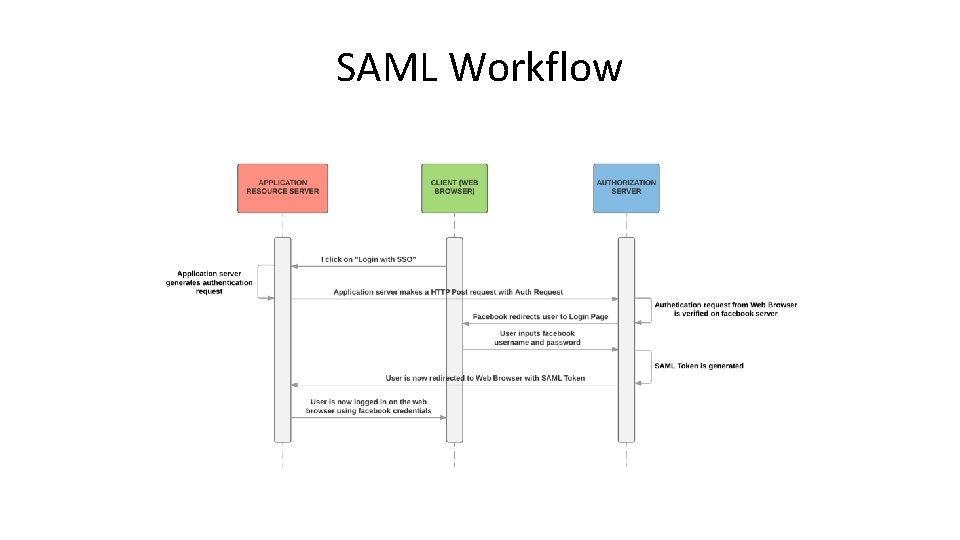
SAML Workflow
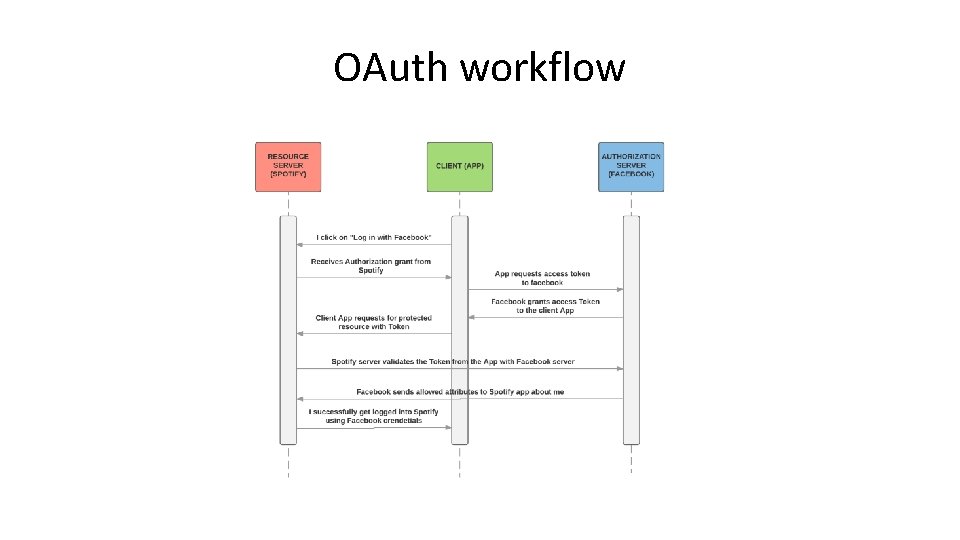
OAuth workflow
IDP + SP + Users II • A scheme typical of SAML, Oauth, Kerberos – Benefits: SP’s do not handle credentials but authorization tokens • • Oauth 2. 0: Google, Facebook, Open. ID SAML: National SPID, IDEM network Kerberos: common in the Microsoft ecosystem IDPs become critical Unique Points of Failure
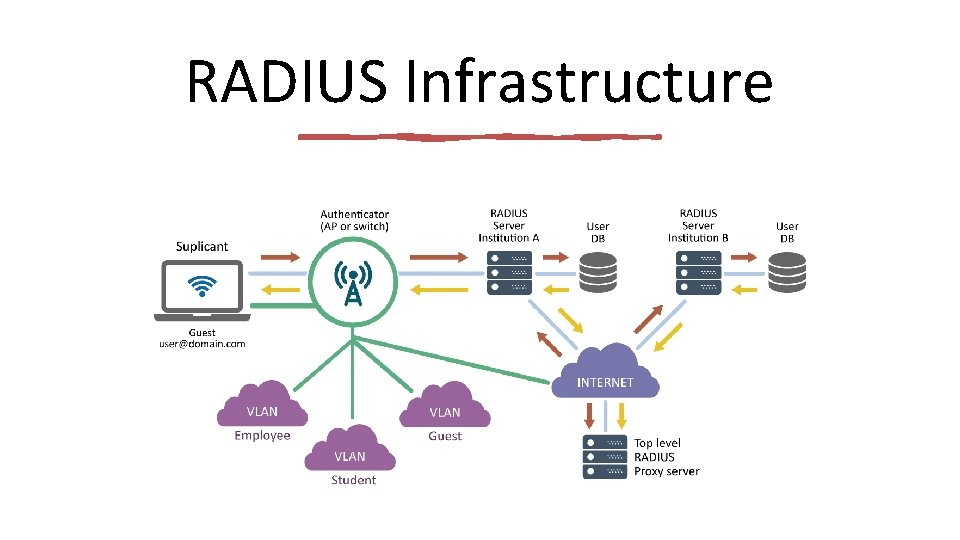
RADIUS Infrastructure
- Slides: 67