
PARTNERS IN LEARNING School of the Future Overview
- Slides: 38
PARTNERS IN LEARNING School of the Future Overview
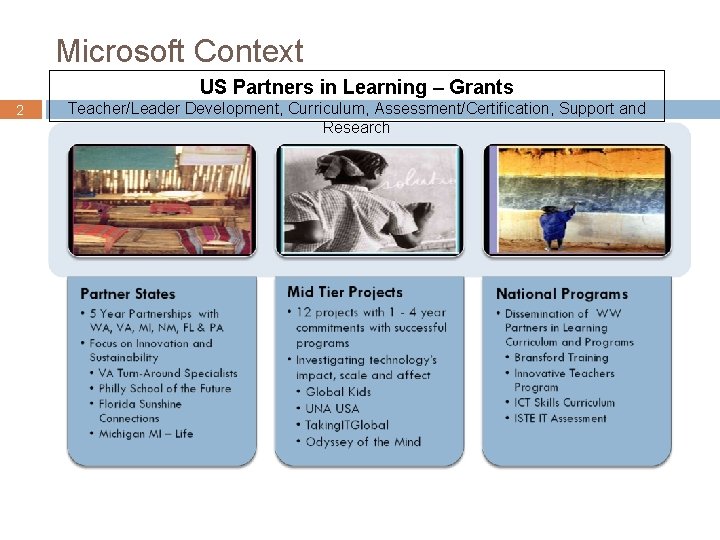
Microsoft Context US Partners in Learning – Grants 2 Teacher/Leader Development, Curriculum, Assessment/Certification, Support and Research
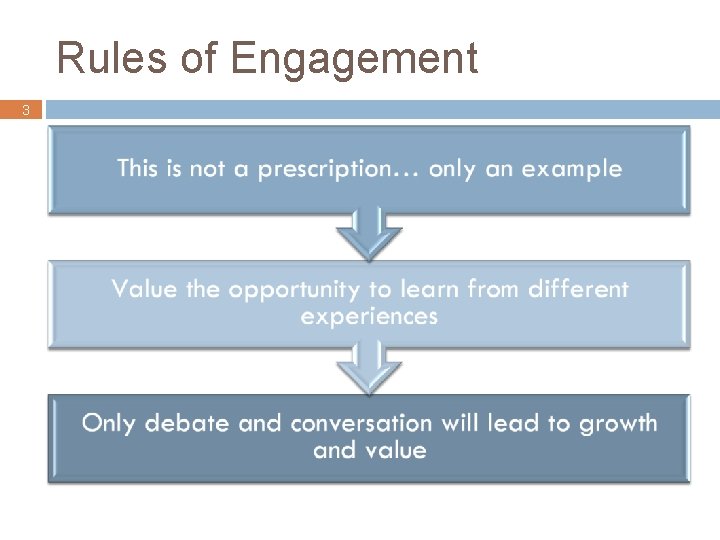
Rules of Engagement 3
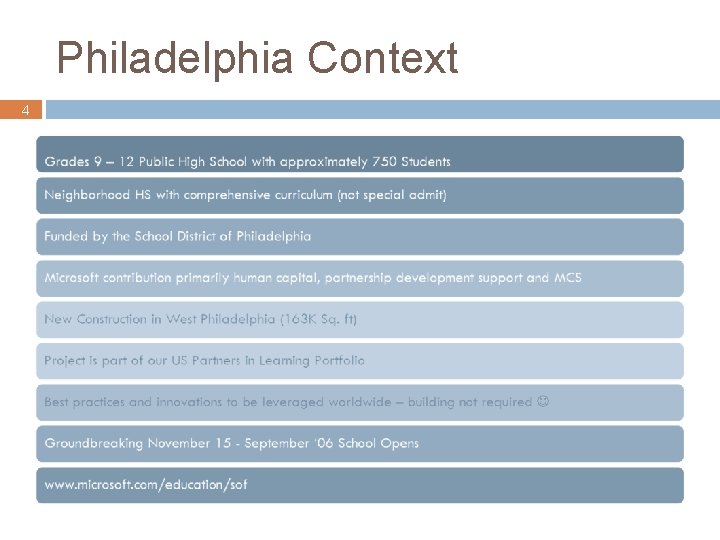
Philadelphia Context 4
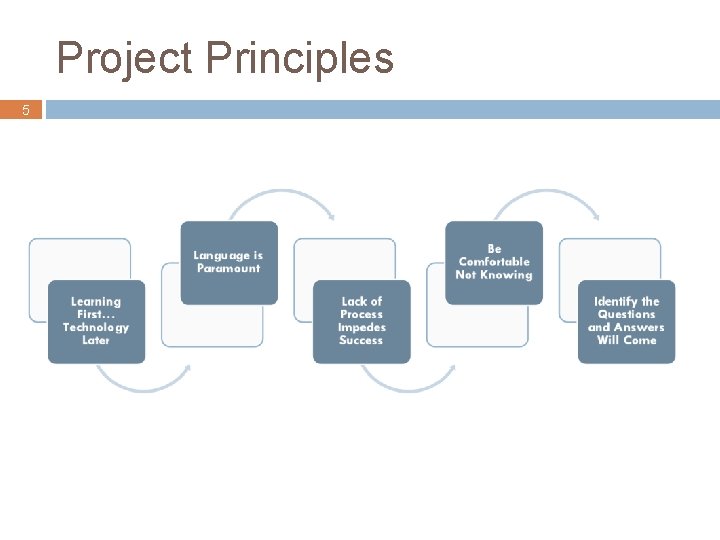
Project Principles 5
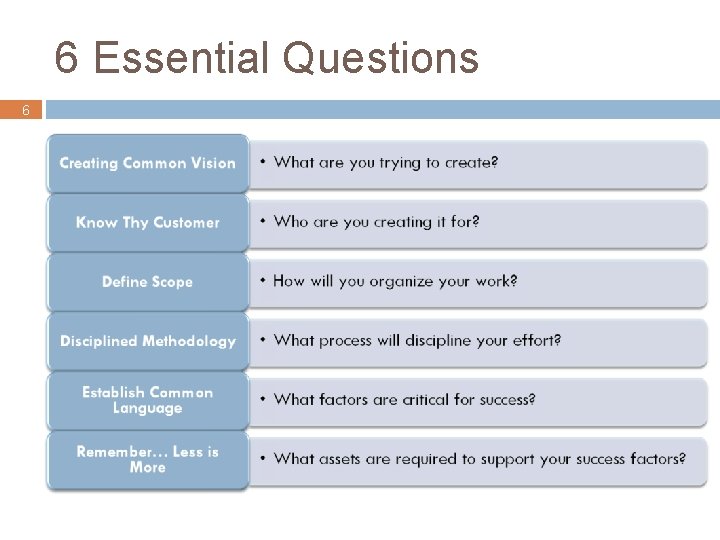
6 Essential Questions 6
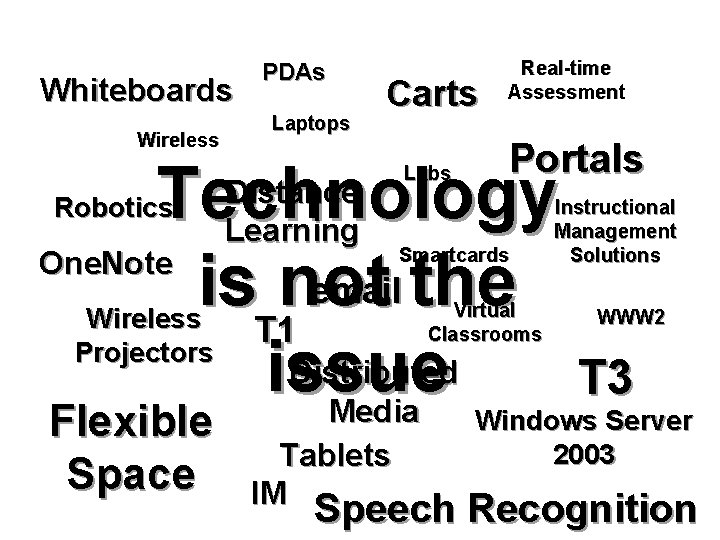
Whiteboards Wireless PDAs Laptops Carts Real-time Assessment Portals Technology One. Note email the is not T 1 Distributed issue T 3 Media Robotics Distance Learning Smartcards Virtual Classrooms Wireless Projectors Flexible Space Labs Tablets IM Instructional Management Solutions WWW 2 Windows Server 2003 Speech Recognition
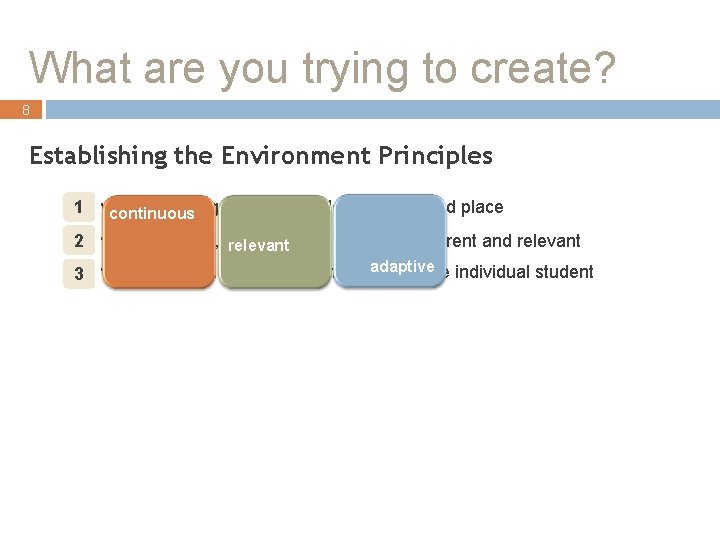
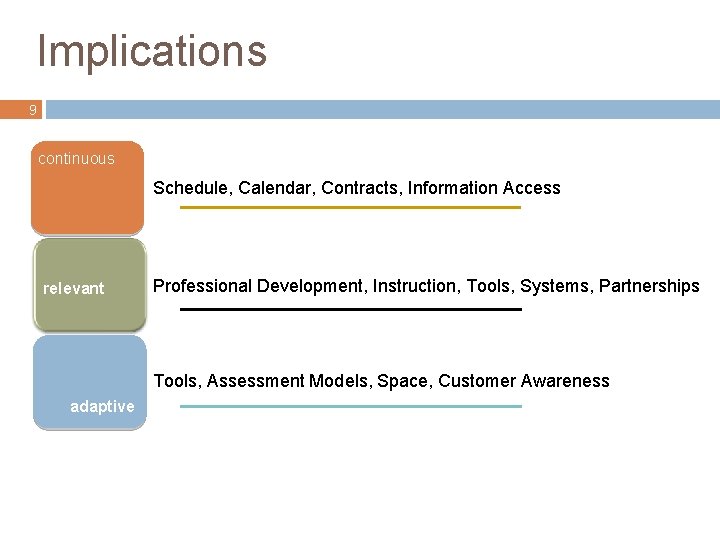
What are you trying to create? 8 Establishing the Environment Principles learning is not dependent on time and place 1 where continuous 2 where content, curriculum relevant and tools are current and relevant adaptive of the individual student 3 where instruction adapts to the needs
Implications 9 continuous Schedule, Calendar, Contracts, Information Access relevant Professional Development, Instruction, Tools, Systems, Partnerships Tools, Assessment Models, Space, Customer Awareness adaptive
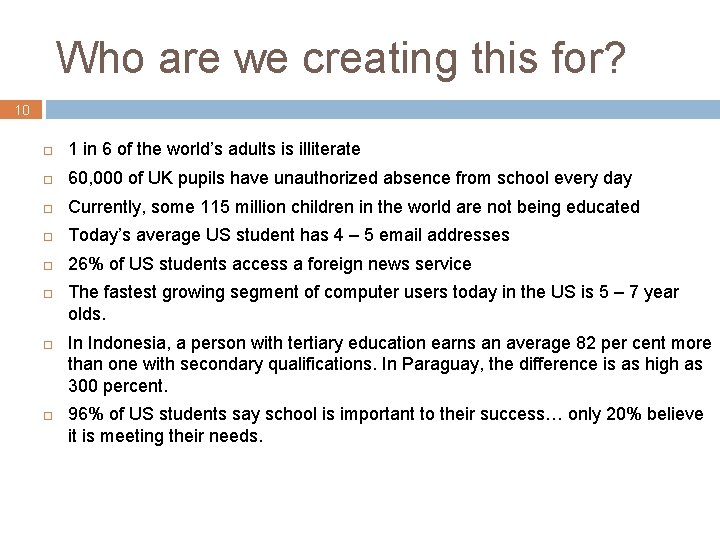
Who are we creating this for? 10 1 in 6 of the world’s adults is illiterate 60, 000 of UK pupils have unauthorized absence from school every day Currently, some 115 million children in the world are not being educated Today’s average US student has 4 – 5 email addresses 26% of US students access a foreign news service The fastest growing segment of computer users today in the US is 5 – 7 year olds. In Indonesia, a person with tertiary education earns an average 82 per cent more than one with secondary qualifications. In Paraguay, the difference is as high as 300 percent. 96% of US students say school is important to their success… only 20% believe it is meeting their needs.
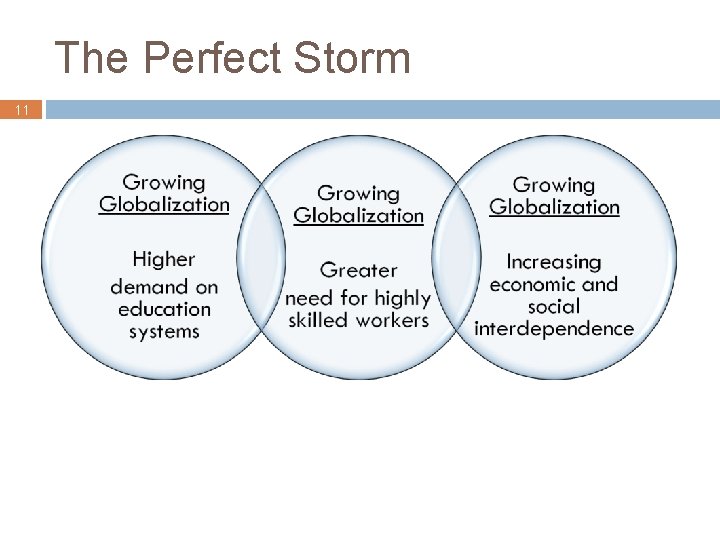
The Perfect Storm 11
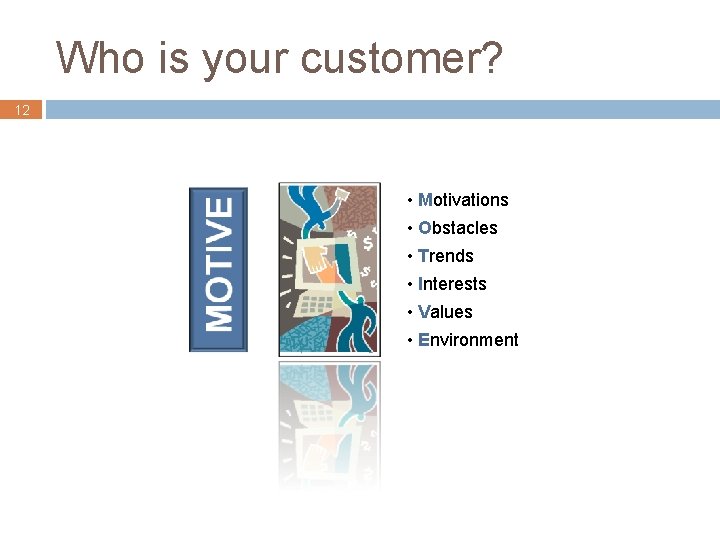
Who is your customer? 12 • Motivations • Obstacles • Trends • Interests • Values • Environment
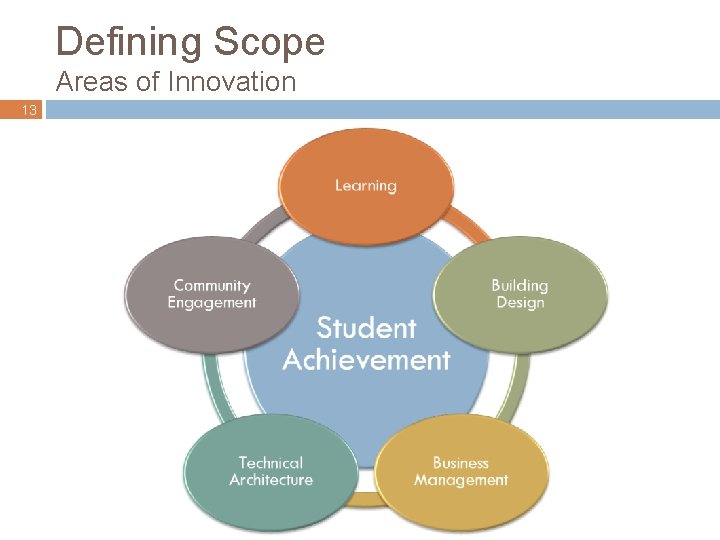
Defining Scope Areas of Innovation 13
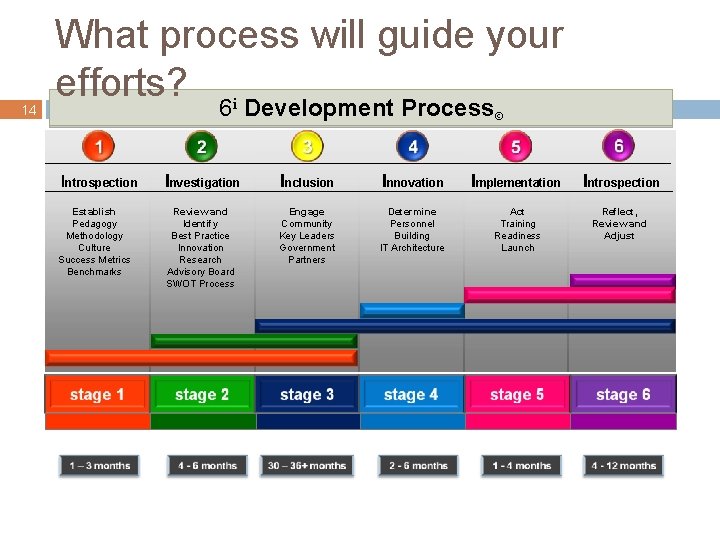
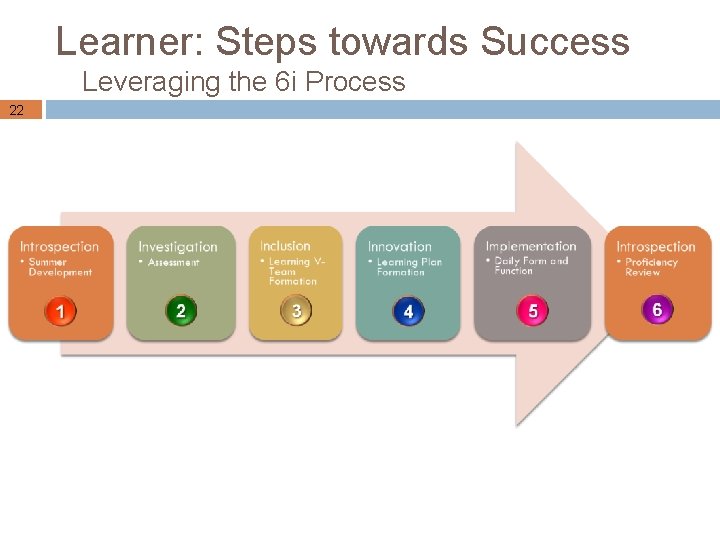
14 What process will guide your efforts? 6 i Development Process© Introspection Establish Pedagogy Methodology Culture Success Metrics Benchmarks Investigation Inclusion Innovation Implementation Introspection Review and Identify Best Practice Innovation Research Advisory Board SWOT Process Engage Community Key Leaders Government Partners Determine Personnel Building IT Architecture Act Training Readiness Launch Reflect, Review and Adjust
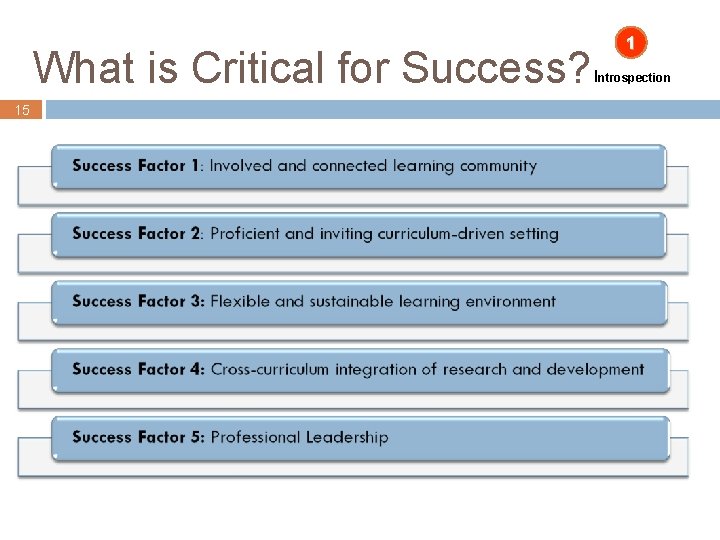
What is Critical for Success? 15 1 Introspection
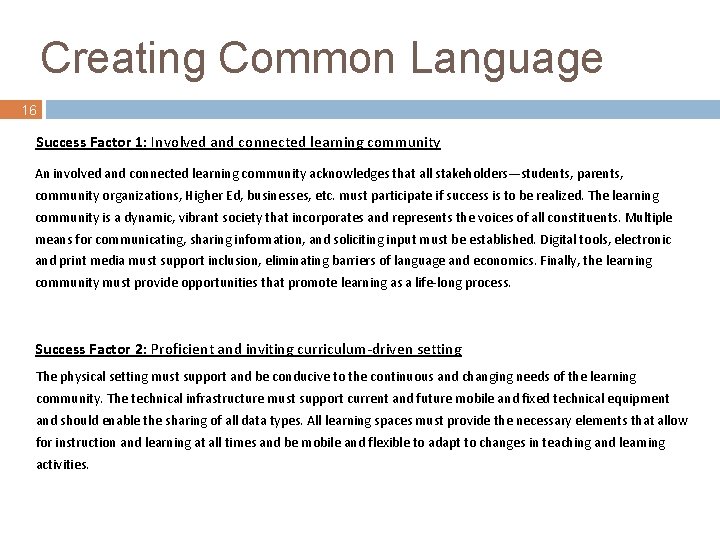
Creating Common Language 16 Success Factor 1: Involved and connected learning community An involved and connected learning community acknowledges that all stakeholders—students, parents, community organizations, Higher Ed, businesses, etc. must participate if success is to be realized. The learning community is a dynamic, vibrant society that incorporates and represents the voices of all constituents. Multiple means for communicating, sharing information, and soliciting input must be established. Digital tools, electronic and print media must support inclusion, eliminating barriers of language and economics. Finally, the learning community must provide opportunities that promote learning as a life-long process. Success Factor 2: Proficient and inviting curriculum-driven setting The physical setting must support and be conducive to the continuous and changing needs of the learning community. The technical infrastructure must support current and future mobile and fixed technical equipment and should enable the sharing of all data types. All learning spaces must provide the necessary elements that allow for instruction and learning at all times and be mobile and flexible to adapt to changes in teaching and learning activities.
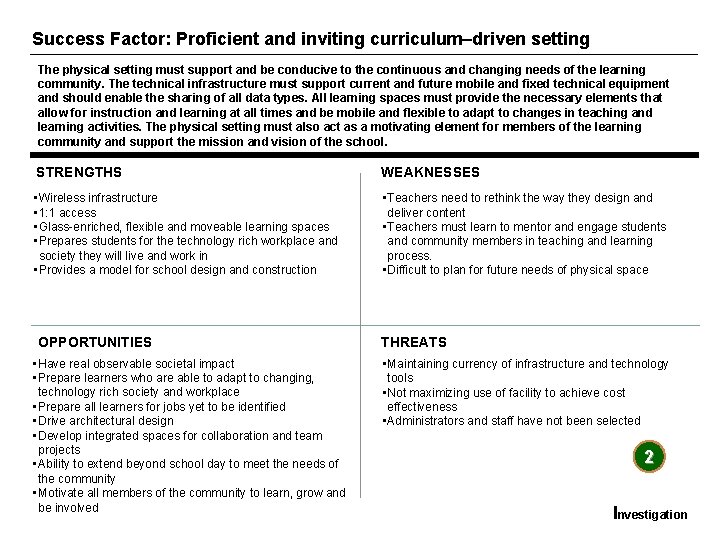
Success Factor: Proficient and inviting curriculum–driven setting The physical setting must support and be conducive to the continuous and changing needs of the learning community. The technical infrastructure must support current and future mobile and fixed technical equipment and should enable the sharing of all data types. All learning spaces must provide the necessary elements that allow for instruction and learning at all times and be mobile and flexible to adapt to changes in teaching and learning activities. The physical setting must also act as a motivating element for members of the learning community and support the mission and vision of the school. STRENGTHS WEAKNESSES • Wireless infrastructure • 1: 1 access • Glass-enriched, flexible and moveable learning spaces • Prepares students for the technology rich workplace and society they will live and work in • Provides a model for school design and construction • Teachers need to rethink the way they design and deliver content • Teachers must learn to mentor and engage students and community members in teaching and learning process. • Difficult to plan for future needs of physical space OPPORTUNITIES • Have real observable societal impact • Prepare learners who are able to adapt to changing, technology rich society and workplace • Prepare all learners for jobs yet to be identified • Drive architectural design • Develop integrated spaces for collaboration and team projects • Ability to extend beyond school day to meet the needs of the community • Motivate all members of the community to learn, grow and be involved THREATS • Maintaining currency of infrastructure and technology tools • Not maximizing use of facility to achieve cost effectiveness • Administrators and staff have not been selected 2 17 Investigation
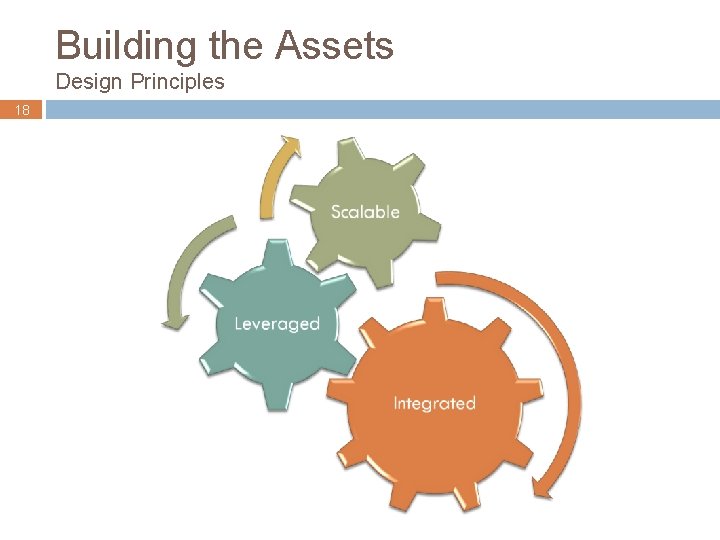
Building the Assets Design Principles 18
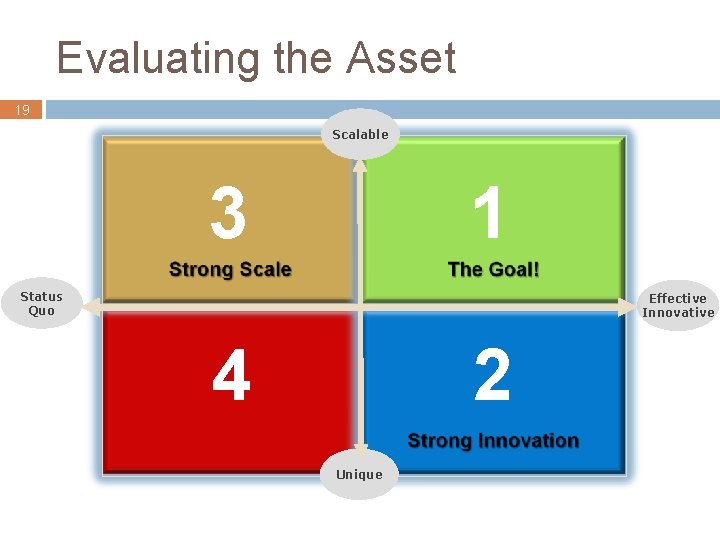
Evaluating the Asset 19 Scalable 3 3 11 Status Quo Effective Innovative 4 4 22 Unique
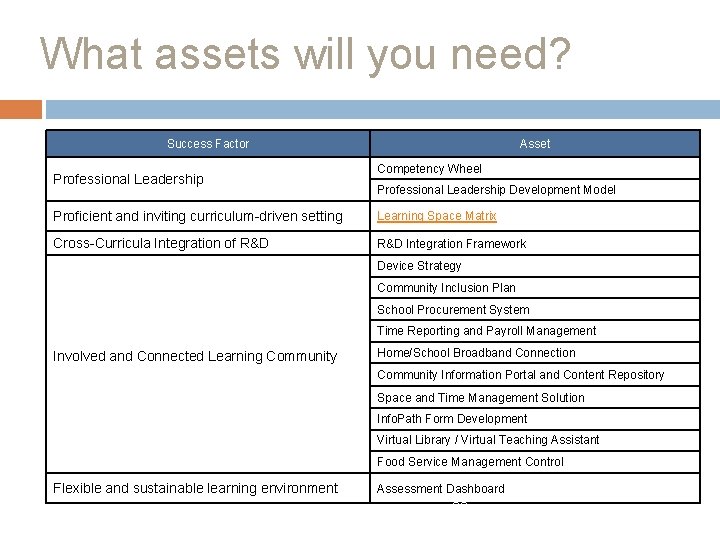
What assets will you need? Success Factor Professional Leadership Asset Competency Wheel Professional Leadership Development Model Proficient and inviting curriculum-driven setting Learning Space Matrix Cross-Curricula Integration of R&D Integration Framework Device Strategy Community Inclusion Plan School Procurement System Time Reporting and Payroll Management Involved and Connected Learning Community Home/School Broadband Connection Community Information Portal and Content Repository Space and Time Management Solution Info. Path Form Development Virtual Library / Virtual Teaching Assistant Food Service Management Control Flexible and sustainable learning environment Assessment Dashboard 20
Asset: Learning 21
Learner: Steps towards Success Leveraging the 6 i Process 22
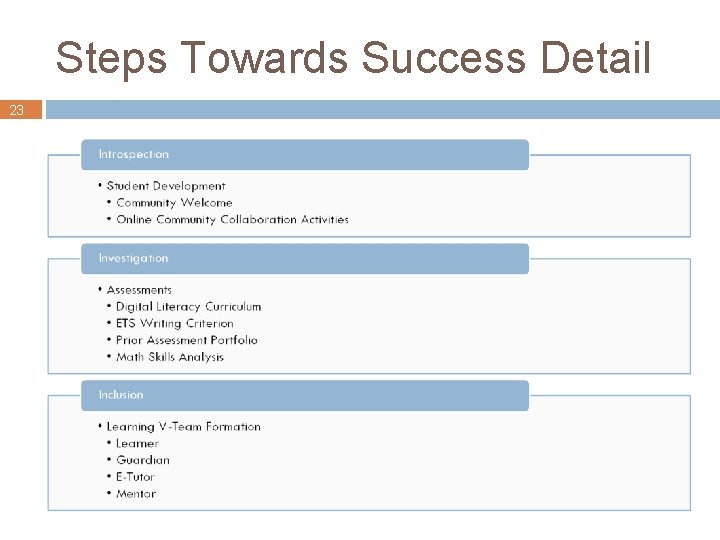
Steps Towards Success Detail 23
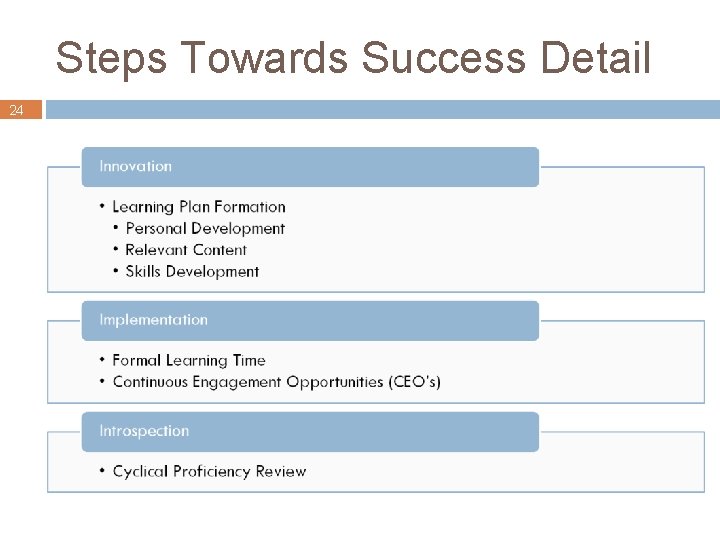
Steps Towards Success Detail 24
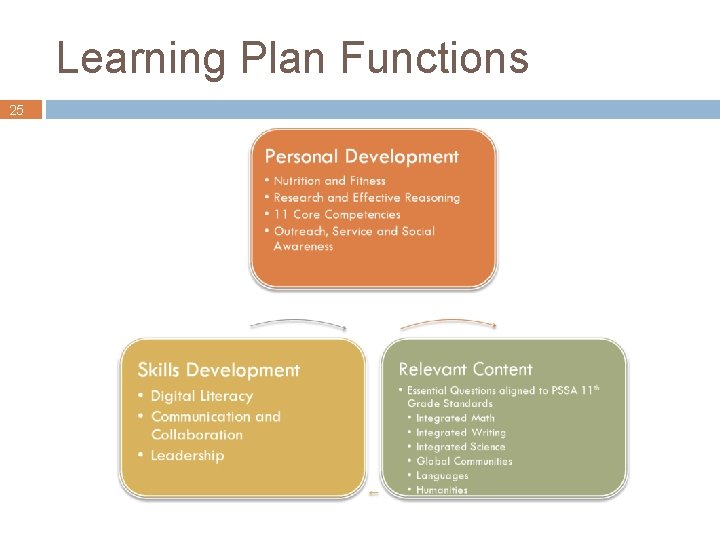
Learning Plan Functions 25
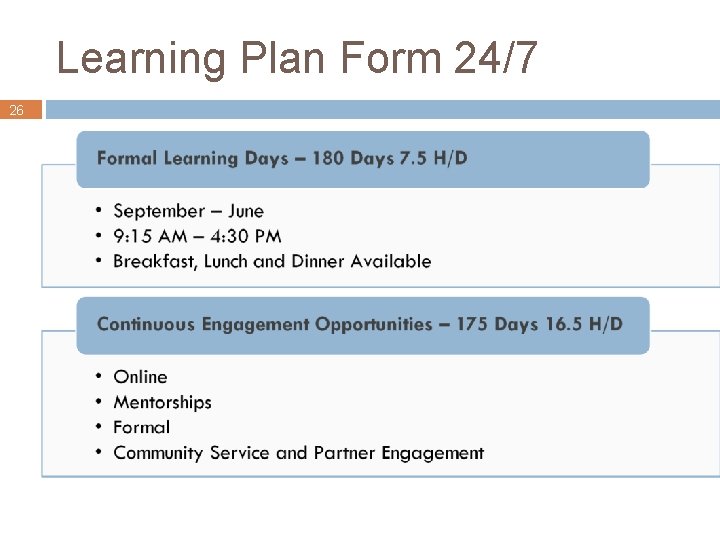
Learning Plan Form 24/7 26
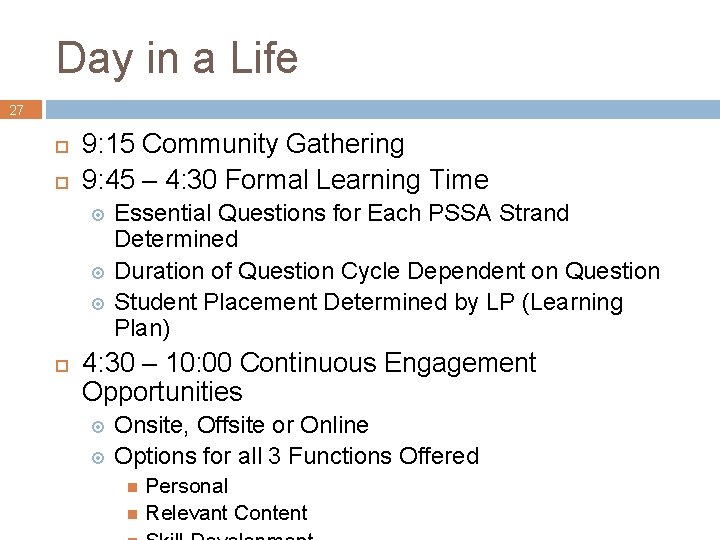
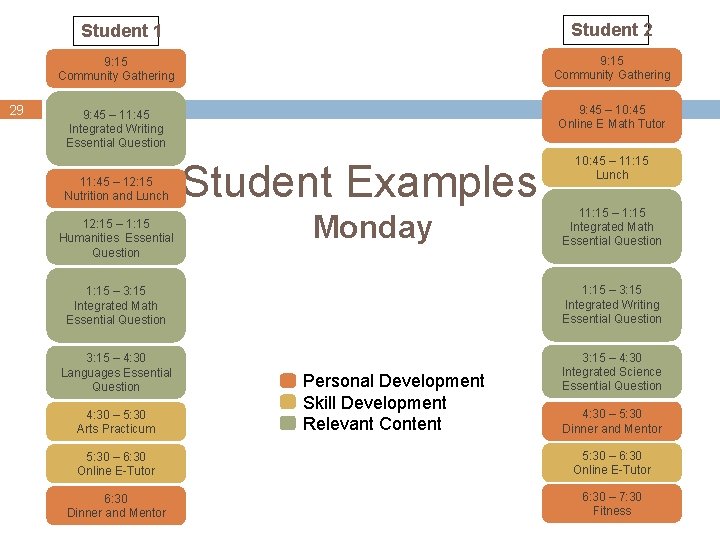
Day in a Life 27 9: 15 Community Gathering 9: 45 – 4: 30 Formal Learning Time Essential Questions for Each PSSA Strand Determined Duration of Question Cycle Dependent on Question Student Placement Determined by LP (Learning Plan) 4: 30 – 10: 00 Continuous Engagement Opportunities Onsite, Offsite or Online Options for all 3 Functions Offered Personal Relevant Content
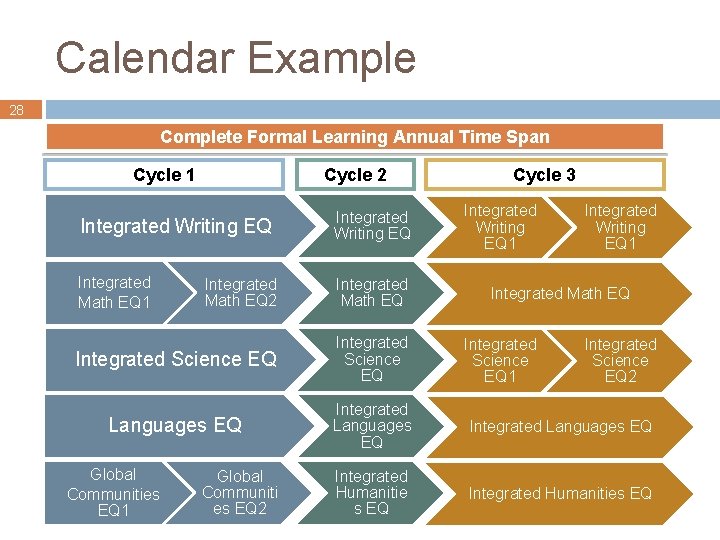
Calendar Example 28 Complete Formal Learning Annual Time Span Cycle 1 Cycle 2 Cycle 3 Integrated Writing EQ 1 Integrated Writing EQ Integrated Math EQ 1 Integrated Math EQ 2 Integrated Math EQ Integrated Science EQ Languages EQ Integrated Humanitie s EQ Integrated Humanities EQ Global Communities EQ 1 Global Communiti es EQ 2 Integrated Math EQ Integrated Science EQ 1 Integrated Science EQ 2
Student 2 Student 1 29 9: 15 Community Gathering 9: 45 – 11: 45 Integrated Writing Essential Question 9: 45 – 10: 45 Online E Math Tutor 11: 45 – 12: 15 Nutrition and Lunch 12: 15 – 1: 15 Humanities Essential Question Student Examples Monday 10: 45 – 11: 15 Lunch 11: 15 – 1: 15 Integrated Math Essential Question 1: 15 – 3: 15 Integrated Writing Essential Question 3: 15 – 4: 30 Languages Essential Question 3: 15 – 4: 30 Integrated Science Essential Question 4: 30 – 5: 30 Arts Practicum Personal Development Skill Development Relevant Content 4: 30 – 5: 30 Dinner and Mentor 5: 30 – 6: 30 Online E-Tutor 6: 30 Dinner and Mentor 6: 30 – 7: 30 Fitness
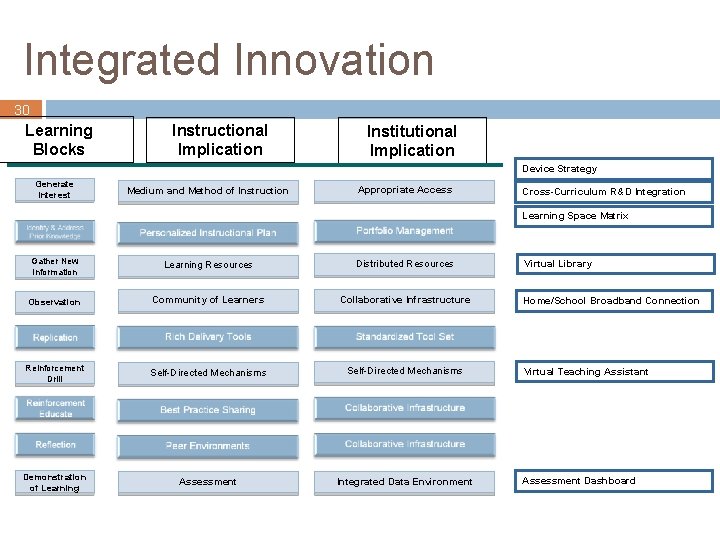
Integrated Innovation 30 Learning Blocks Instructional Implication Institutional Implication Device Strategy Generate Interest Medium and Method of Instruction Appropriate Access Cross-Curriculum R&D Integration Learning Space Matrix Gather New Information Learning Resources Distributed Resources Observation Community of Learners Collaborative Infrastructure Reinforcement Drill Self-Directed Mechanisms Demonstration of Learning Assessment Integrated Data Environment Virtual Library Home/School Broadband Connection Virtual Teaching Assistant Assessment Dashboard
Thank you For more information on Partners in Learning please visit www. microsoft. com/uspil For more information on the School of the Future Project please visit www. microsoft. com/education/sof © 2006 Microsoft Corporation. All rights reserved. Microsoft is a registered trademark of Microsoft Corporation in the United States and/or other countries. This document is for informational purposes only. Microsoft makes no warranties, express or implied, in this document. 31
Asset Examples © 2006 Microsoft Corporation. All rights reserved. Microsoft is a registered trademark of Microsoft Corporation in the United States and/or other countries. This document is for informational purposes only. Microsoft makes no warranties, express or implied, in this document. 32
Successful Learning Organization 33 Copyright © 1992, 1996, 2001 -2003 by Robert W. Eichinger and Michael M. Lombardo. ALL RIGHTS RESERVED. This work is derived from the LEADERSHIP ARCHITECT® Competency Library developed and copyrighted by Robert W. Eichinger and Michael M. Lombardo for Lominger Limited, Inc.
34
35
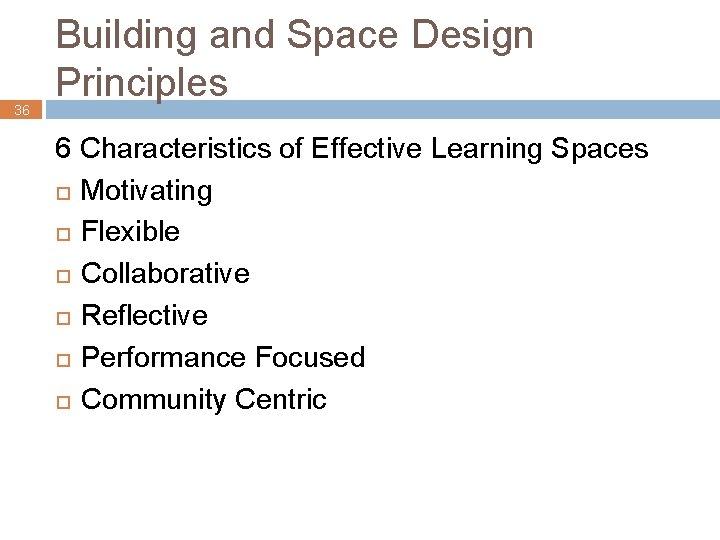
36 Building and Space Design Principles 6 Characteristics of Effective Learning Spaces Motivating Flexible Collaborative Reflective Performance Focused Community Centric
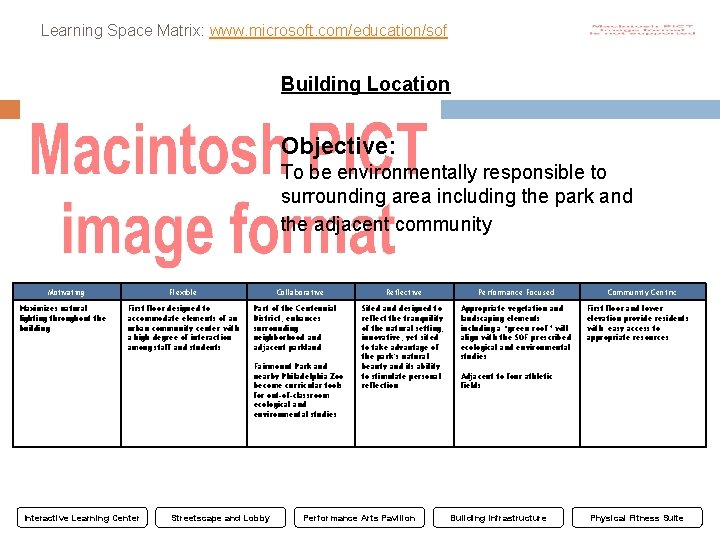
Learning Space Matrix: www. microsoft. com/education/sof Building Location 37 Objective: To be environmentally responsible to surrounding area including the park and the adjacent community Motivating Maximizes natural lighting throughout the building Flexible First floor designed to accommodate elements of an urban community center with a high degree of interaction among staff and students Collaborative Part of the Centennial District; enhances surrounding neighborhood and adjacent parkland Fairmount Park and nearby Philadelphia Zoo become curricular tools for out-of-classroom ecological and environmental studies Interactive Learning Center Streetscape and Lobby Reflective Performance Focused Sited and designed to reflect the tranquility of the natural setting; innovative, yet sited to take advantage of the park’s natural beauty and its ability to stimulate personal reflection Appropriate vegetation and landscaping elements including a “green roof” will align with the SOF prescribed ecological and environmental studies Performance Arts Pavilion Community Centric First floor and lower elevation provide residents with easy access to appropriate resources Adjacent to four athletic fields Building Infrastructure Physical Fitness Suite
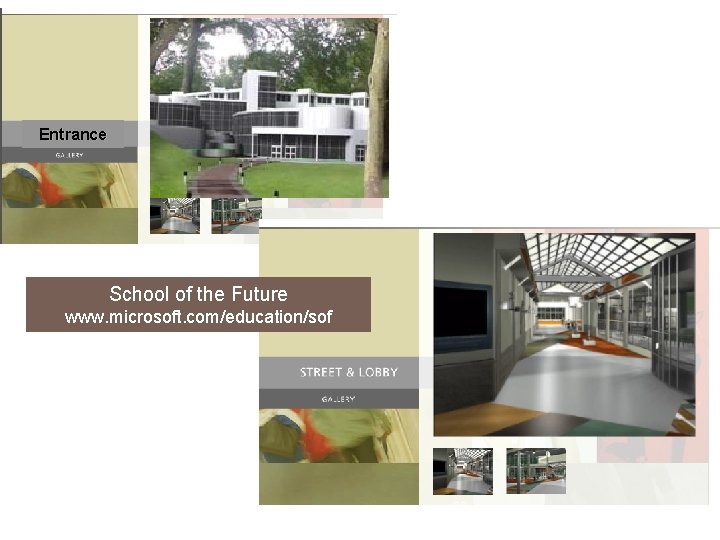
Entrance School of the Future www. microsoft. com/education/sof 38