
Partner Smart Assist Service Comprehensive Enablement Training Gain
Partner Smart Assist Service Comprehensive Enablement Training Gain Insights to Develop Subject Matter Expertise in Cisco Smart Capabilities June 2016
Partner Smart Assist Enablement Training Demonstrate Listen Ask Learn Engage Expertise © 2016 Cisco and/or its affiliates. All rights reserved. Cisco Confidential 2
Agenda How is Data Access Managed What is Cisco Services Access Management Tool Why it is Important Self Registration Process Cisco Services Access Management Tool Navigation LOA Access © 2016 Cisco and/or its affiliates. All rights reserved. Cisco Confidential 3
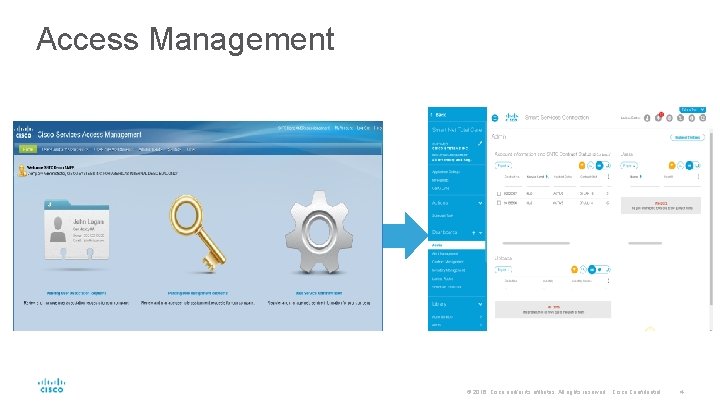
Access Management © 2016 Cisco and/or its affiliates. All rights reserved. Cisco Confidential 4
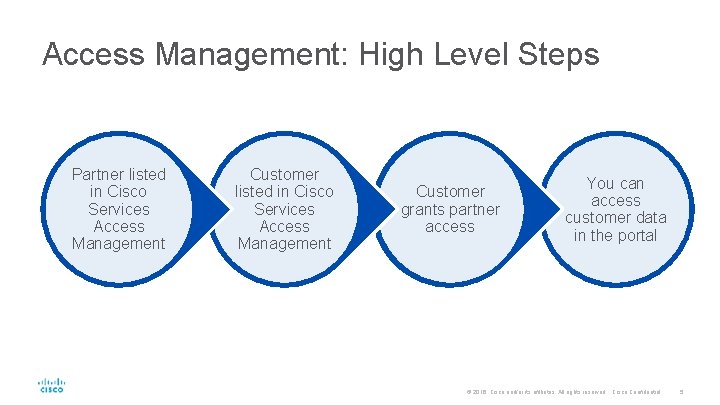
Access Management: High Level Steps Partner listed in Cisco Services Access Management Customer grants partner access You can access customer data in the portal © 2016 Cisco and/or its affiliates. All rights reserved. Cisco Confidential 5
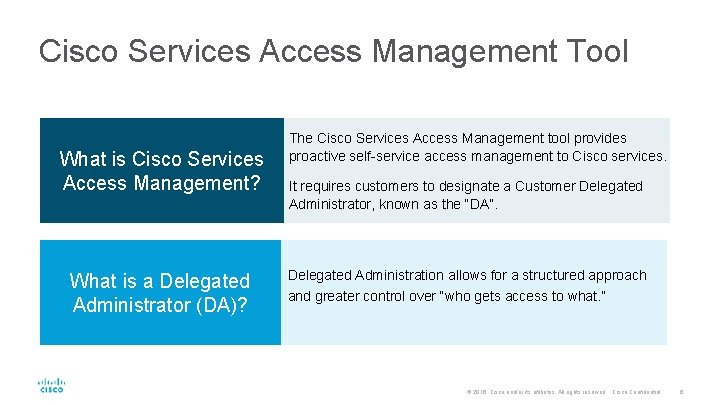
Cisco Services Access Management Tool What is Cisco Services Access Management? What is a Delegated Administrator (DA)? The Cisco Services Access Management tool provides proactive self-service access management to Cisco services. It requires customers to designate a Customer Delegated Administrator, known as the “DA”. Delegated Administration allows for a structured approach and greater control over “who gets access to what. ” © 2016 Cisco and/or its affiliates. All rights reserved. Cisco Confidential 6
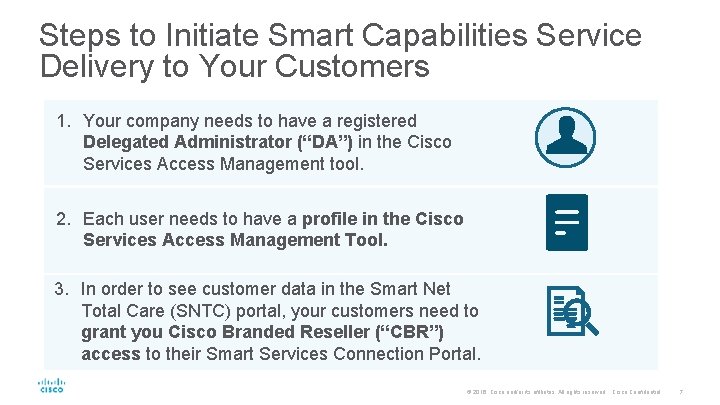
Steps to Initiate Smart Capabilities Service Delivery to Your Customers 1. Your company needs to have a registered Delegated Administrator (“DA”) in the Cisco Services Access Management tool. 2. Each user needs to have a profile in the Cisco Services Access Management Tool. 3. In order to see customer data in the Smart Net Total Care (SNTC) portal, your customers need to grant you Cisco Branded Reseller (“CBR”) access to their Smart Services Connection Portal. © 2016 Cisco and/or its affiliates. All rights reserved. Cisco Confidential 7
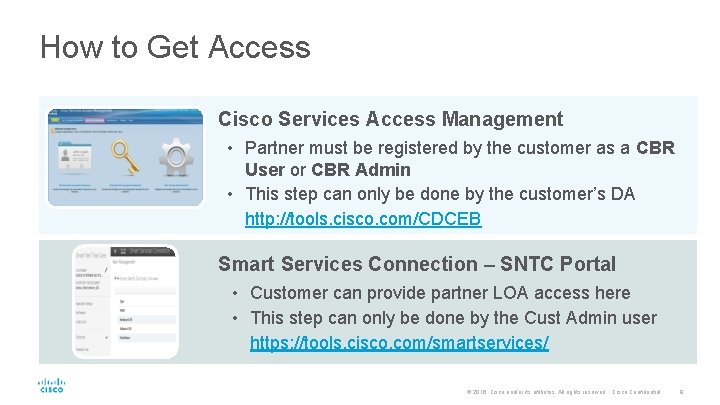
How to Get Access Cisco Services Access Management • Partner must be registered by the customer as a CBR User or CBR Admin • This step can only be done by the customer’s DA http: //tools. cisco. com/CDCEB Smart Services Connection – SNTC Portal • Customer can provide partner LOA access here • This step can only be done by the Cust Admin user https: //tools. cisco. com/smartservices/ © 2016 Cisco and/or its affiliates. All rights reserved. Cisco Confidential 8
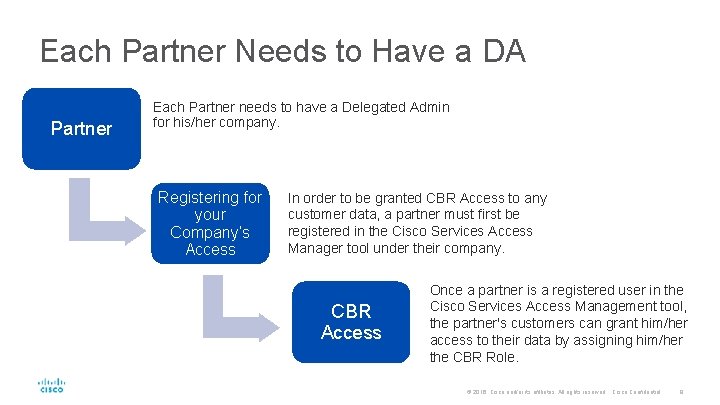
Each Partner Needs to Have a DA Partner Each Partner needs to have a Delegated Admin for his/her company. Registering for your Company’s Access In order to be granted CBR Access to any customer data, a partner must first be registered in the Cisco Services Access Manager tool under their company. CBR Access Once a partner is a registered user in the Cisco Services Access Management tool, the partner's customers can grant him/her access to their data by assigning him/her the CBR Role. © 2016 Cisco and/or its affiliates. All rights reserved. Cisco Confidential 9
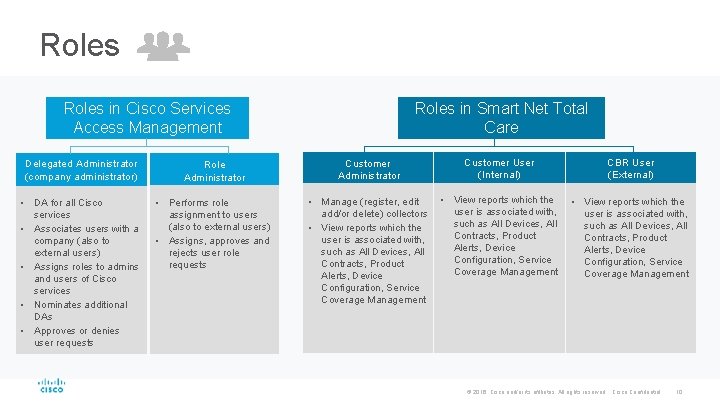
Roles in Cisco Services Access Management Roles in Smart Net Total Care Delegated Administrator (company administrator) Role Administrator Customer User (Internal) CBR User (External) • DA for all Cisco services • Associates users with a company (also to external users) • Assigns roles to admins and users of Cisco services • Nominates additional DAs • Approves or denies user requests • Performs role assignment to users (also to external users) • Assigns, approves and rejects user role requests • Manage (register, edit add/or delete) collectors • View reports which the user is associated with, such as All Devices, All Contracts, Product Alerts, Device Configuration, Service Coverage Management © 2016 Cisco and/or its affiliates. All rights reserved. Cisco Confidential 10
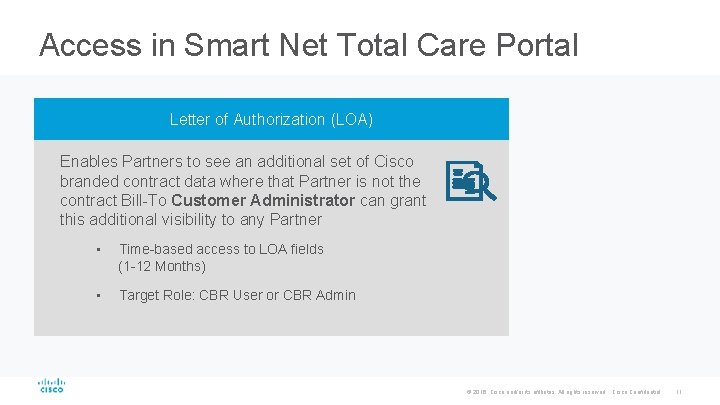
Access in Smart Net Total Care Portal Letter of Authorization (LOA) Enables Partners to see an additional set of Cisco branded contract data where that Partner is not the contract Bill-To Customer Administrator can grant this additional visibility to any Partner • Time-based access to LOA fields (1 -12 Months) • Target Role: CBR User or CBR Admin © 2016 Cisco and/or its affiliates. All rights reserved. Cisco Confidential 11
Cisco Services Access Management Self Registration Process © 2016 Cisco and/or its affiliates. All rights reserved. Cisco Confidential 12
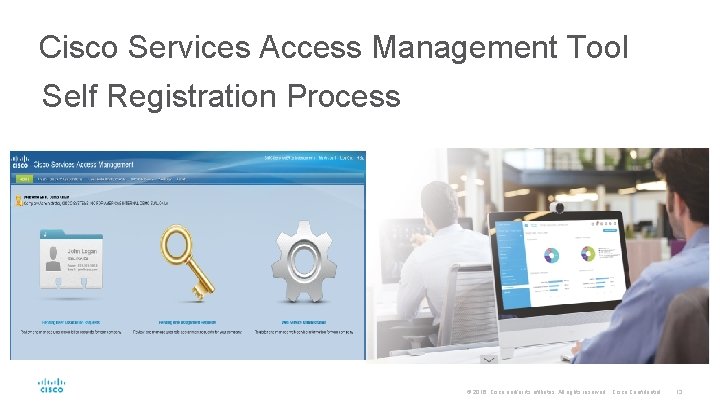
Cisco Services Access Management Tool Self Registration Process © 2016 Cisco and/or its affiliates. All rights reserved. Cisco Confidential 13
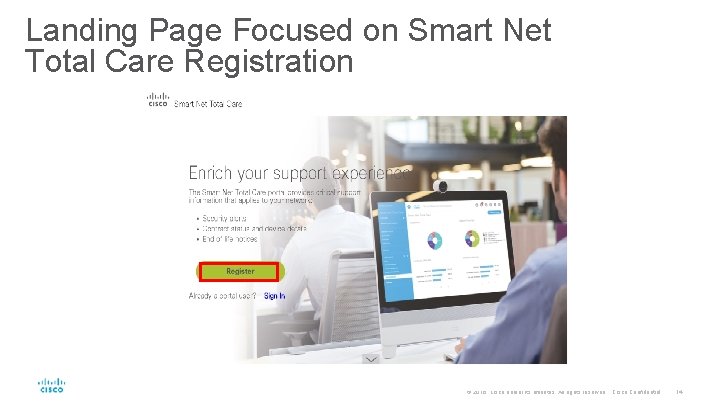
Landing Page Focused on Smart Net Total Care Registration © 2016 Cisco and/or its affiliates. All rights reserved. Cisco Confidential 14
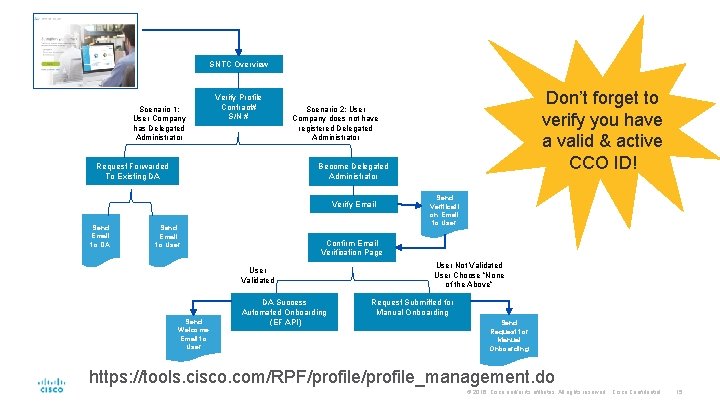
SNTC Overview Scenario 1: User Company has Delegated Administrator Verify Profile Contract# S/N # Request Forwarded To Existing DA Become Delegated Administrator Verify Email Send Email to DA Don’t forget to verify you have a valid & active CCO ID! Scenario 2: User Company does not have registered Delegated Administrator Send Email to User Confirm Email Verification Page User Validated Send Welcome Email to User Send Verificati on Email to User DA Success Automated Onboarding (EF API) User Not Validated User Choose ”None of the Above” Request Submitted for Manual Onboarding Send Request for Manual Onboarding https: //tools. cisco. com/RPF/profile_management. do © 2016 Cisco and/or its affiliates. All rights reserved. Cisco Confidential 15
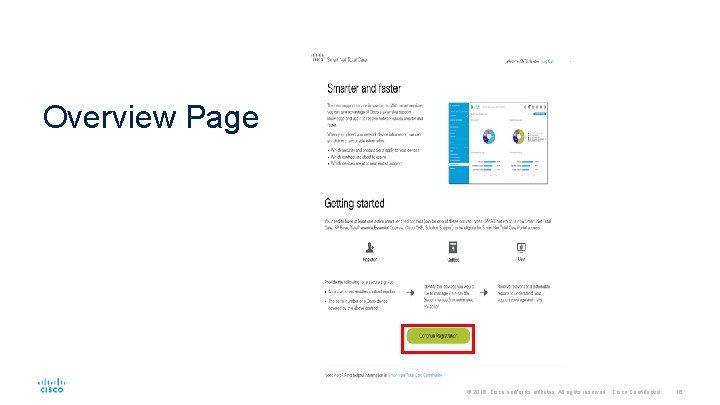
Overview Page © 2016 Cisco and/or its affiliates. All rights reserved. Cisco Confidential 16
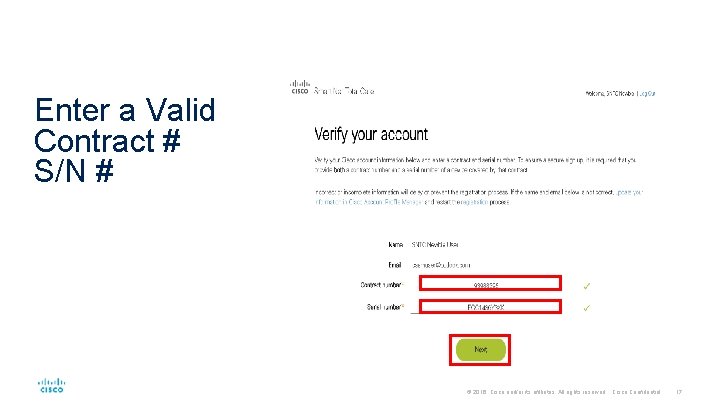
Enter a Valid Contract # S/N # © 2016 Cisco and/or its affiliates. All rights reserved. Cisco Confidential 17
Scenario 1: Delegated Administrator is registered for the user company © 2016 Cisco and/or its affiliates. All rights reserved. Cisco Confidential 18
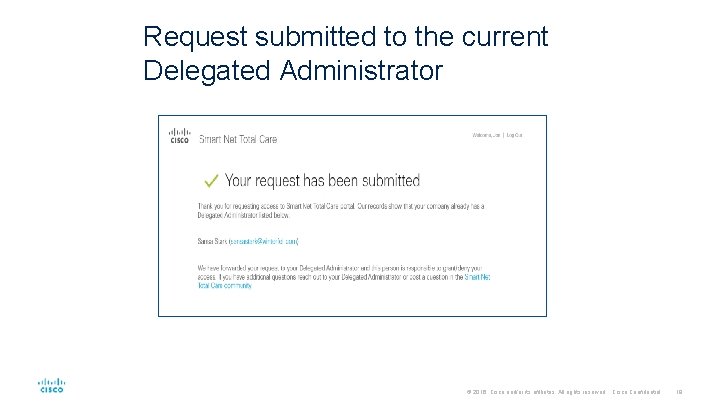
Request submitted to the current Delegated Administrator © 2016 Cisco and/or its affiliates. All rights reserved. Cisco Confidential 19
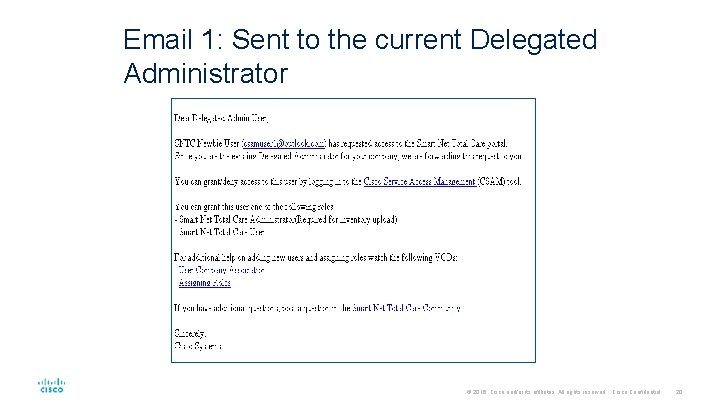
Email 1: Sent to the current Delegated Administrator © 2016 Cisco and/or its affiliates. All rights reserved. Cisco Confidential 20
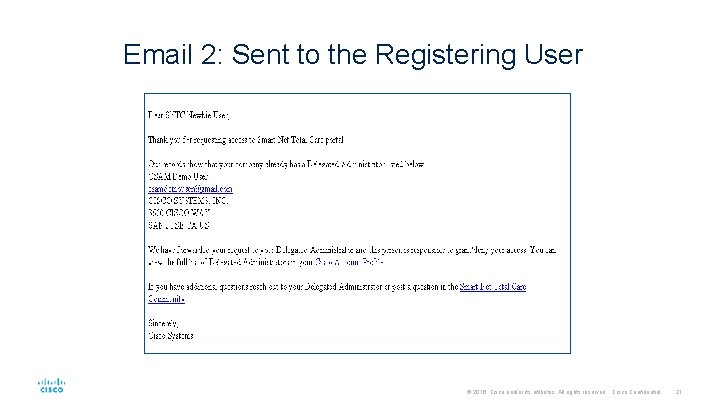
Email 2: Sent to the Registering User © 2016 Cisco and/or its affiliates. All rights reserved. Cisco Confidential 21
Scenario 2: Delegated Administrator is not registered for the user company © 2016 Cisco and/or its affiliates. All rights reserved. Cisco Confidential 22
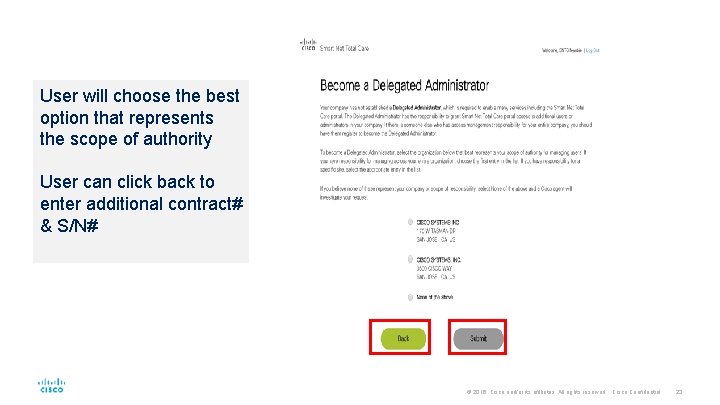
User will choose the best option that represents the scope of authority User can click back to enter additional contract# & S/N# © 2016 Cisco and/or its affiliates. All rights reserved. Cisco Confidential 23
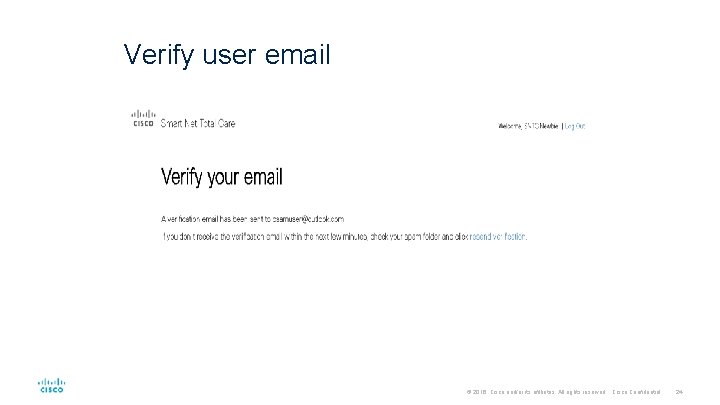
Verify user email © 2016 Cisco and/or its affiliates. All rights reserved. Cisco Confidential 24
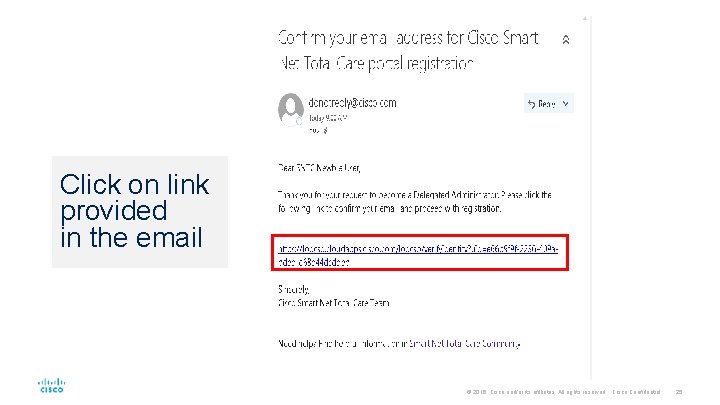
Click on link provided in the email © 2016 Cisco and/or its affiliates. All rights reserved. Cisco Confidential 25
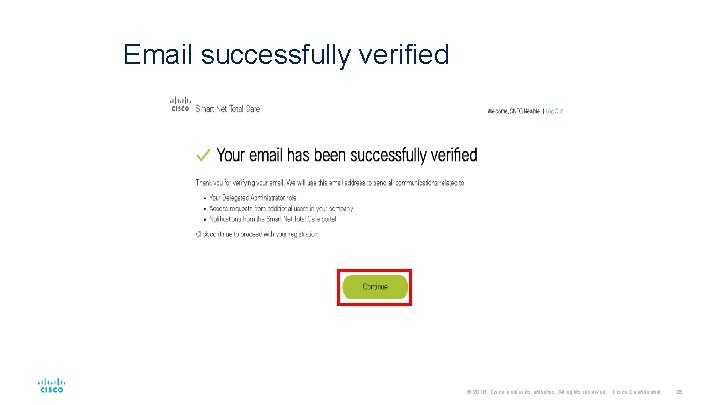
Email successfully verified © 2016 Cisco and/or its affiliates. All rights reserved. Cisco Confidential 26
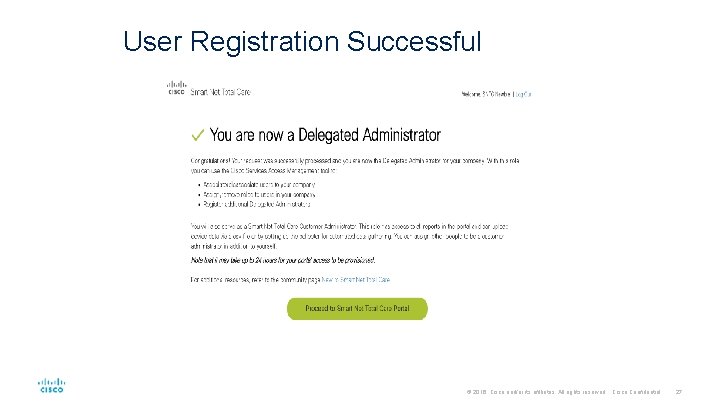
User Registration Successful © 2016 Cisco and/or its affiliates. All rights reserved. Cisco Confidential 27
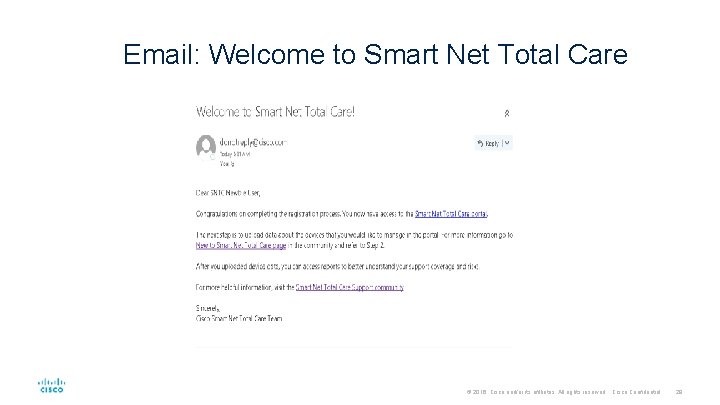
Email: Welcome to Smart Net Total Care © 2016 Cisco and/or its affiliates. All rights reserved. Cisco Confidential 28
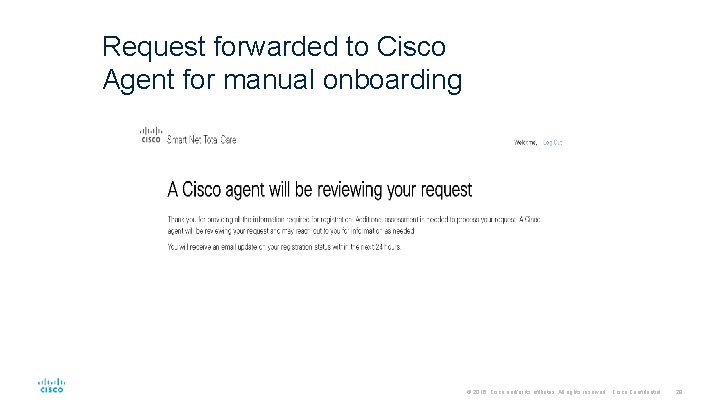
Request forwarded to Cisco Agent for manual onboarding © 2016 Cisco and/or its affiliates. All rights reserved. Cisco Confidential 29
Emails from Cisco Service Access Management tool © 2016 Cisco and/or its affiliates. All rights reserved. Cisco Confidential 30
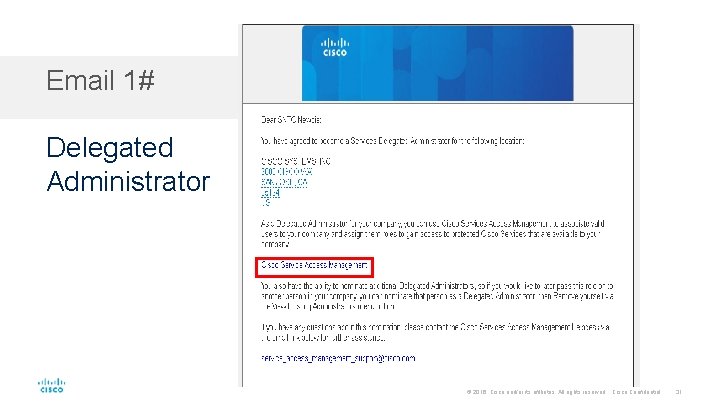
Email 1# Delegated Administrator © 2016 Cisco and/or its affiliates. All rights reserved. Cisco Confidential 31
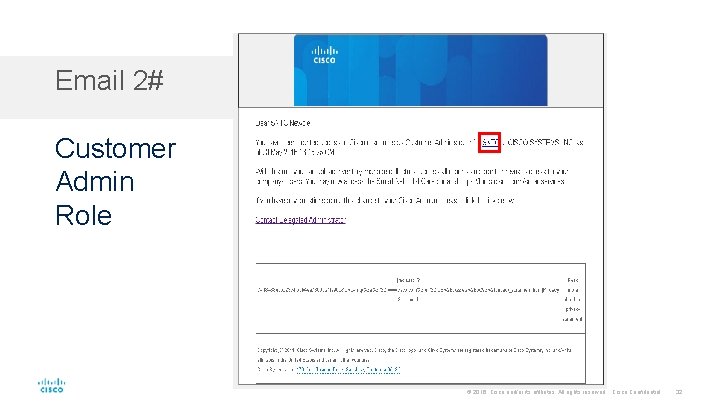
Email 2# Customer Admin Role © 2016 Cisco and/or its affiliates. All rights reserved. Cisco Confidential 32
Cisco Services Access Management Tool © 2016 Cisco and/or its affiliates. All rights reserved. Cisco Confidential 33
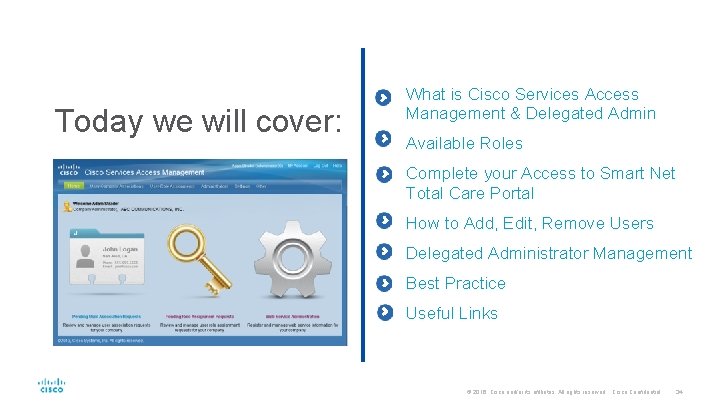
Today we will cover: What is Cisco Services Access Management & Delegated Admin Available Roles Complete your Access to Smart Net Total Care Portal How to Add, Edit, Remove Users Delegated Administrator Management Best Practice Useful Links © 2016 Cisco and/or its affiliates. All rights reserved. Cisco Confidential 34
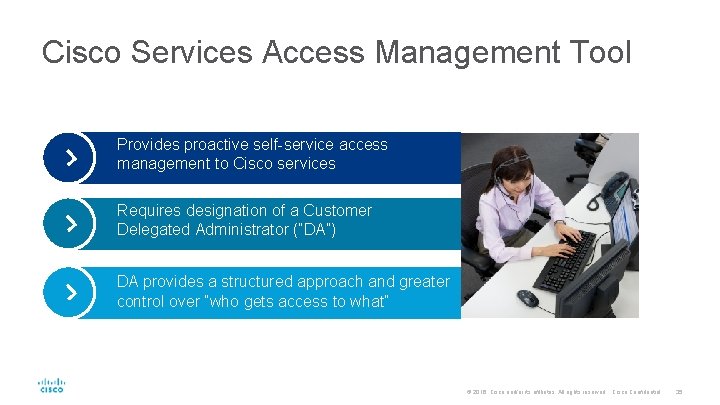
Cisco Services Access Management Tool Provides proactive self-service access management to Cisco services Requires designation of a Customer Delegated Administrator (“DA”) DA provides a structured approach and greater control over “who gets access to what” © 2016 Cisco and/or its affiliates. All rights reserved. Cisco Confidential 35
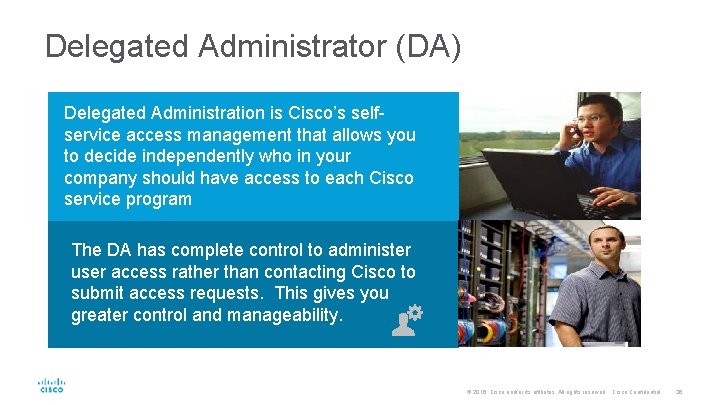
Delegated Administrator (DA) Delegated Administration is Cisco’s selfservice access management that allows you to decide independently who in your company should have access to each Cisco service program The DA has complete control to administer user access rather than contacting Cisco to submit access requests. This gives you greater control and manageability. © 2016 Cisco and/or its affiliates. All rights reserved. Cisco Confidential 36
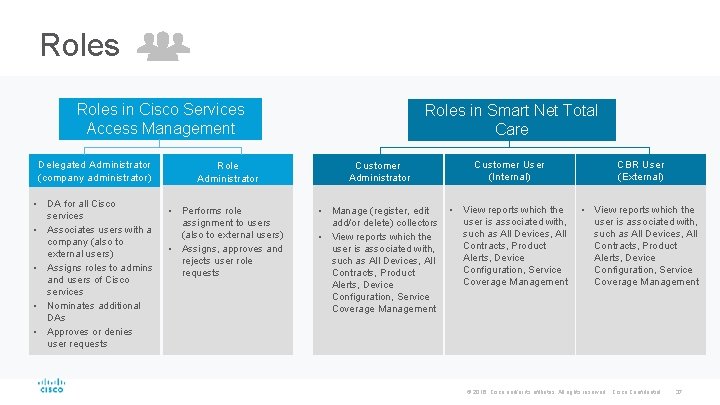
Roles in Cisco Services Access Management Delegated Administrator (company administrator) • DA for all Cisco services • Associates users with a company (also to external users) • Assigns roles to admins and users of Cisco services • Nominates additional DAs • Approves or denies user requests Roles in Smart Net Total Care Role Administrator Customer User (Internal) CBR User (External) • Performs role assignment to users (also to external users) • Assigns, approves and rejects user role requests • Manage (register, edit add/or delete) collectors • View reports which the user is associated with, such as All Devices, All Contracts, Product Alerts, Device Configuration, Service Coverage Management © 2016 Cisco and/or its affiliates. All rights reserved. Cisco Confidential 37
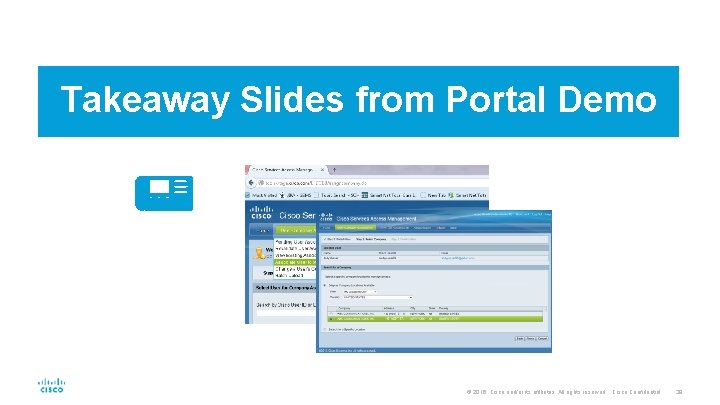
Takeaway Slides from Portal Demo © 2016 Cisco and/or its affiliates. All rights reserved. Cisco Confidential 38
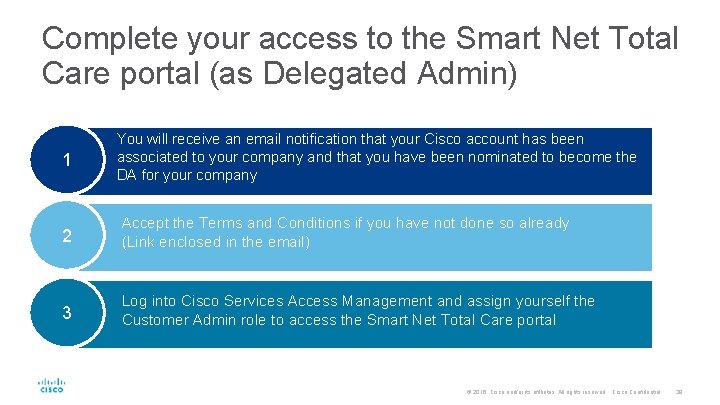
Complete your access to the Smart Net Total Care portal (as Delegated Admin) 1 You will receive an email notification that your Cisco account has been associated to your company and that you have been nominated to become the DA for your company 2 Accept the Terms and Conditions if you have not done so already (Link enclosed in the email) 3 Log into Cisco Services Access Management and assign yourself the Customer Admin role to access the Smart Net Total Care portal © 2016 Cisco and/or its affiliates. All rights reserved. Cisco Confidential 39
Granting Access to Internal and External Users Two-step process Step 1 Step 2 © 2016 Cisco and/or its affiliates. All rights reserved. Cisco Confidential 40
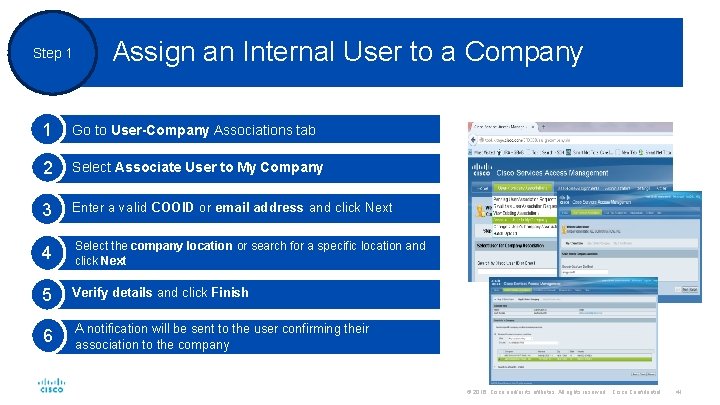
Step 1 Assign an Internal User to a Company 1 Go to User-Company Associations tab 2 Select Associate User to My Company 3 Enter a valid COOID or email address and click Next 4 Select the company location or search for a specific location and click Next 5 Verify details and click Finish 6 A notification will be sent to the user confirming their association to the company © 2016 Cisco and/or its affiliates. All rights reserved. Cisco Confidential 41
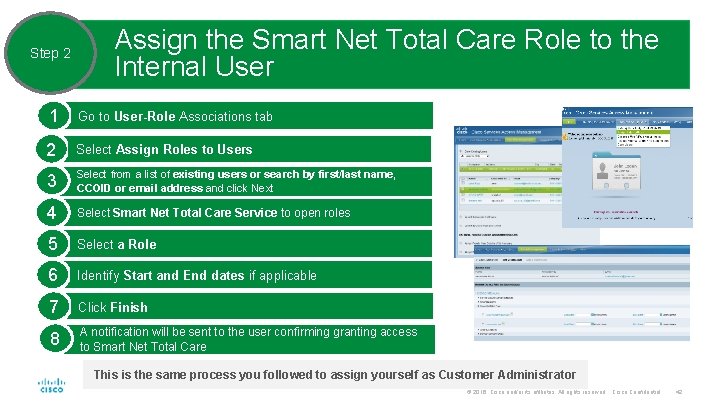
Step 2 Assign the Smart Net Total Care Role to the Internal User 1 Go to User-Role Associations tab 2 Select Assign Roles to Users 3 Select from a list of existing users or search by first/last name, CCOID or email address and click Next 4 Select Smart Net Total Care Service to open roles 5 Select a Role 6 Identify Start and End dates if applicable 7 Click Finish 8 A notification will be sent to the user confirming granting access to Smart Net Total Care This is the same process you followed to assign yourself as Customer Administrator © 2016 Cisco and/or its affiliates. All rights reserved. Cisco Confidential 42
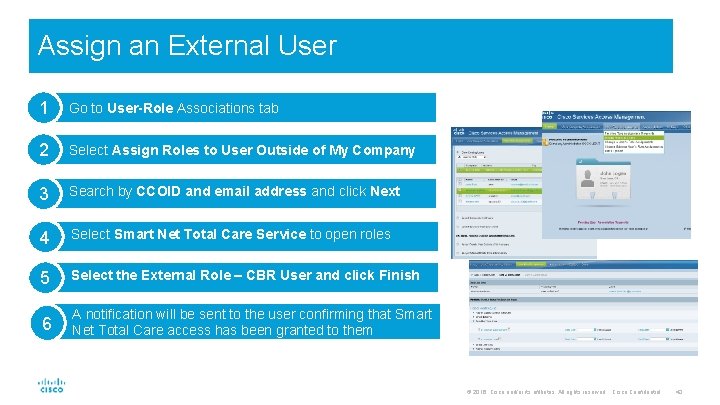
Assign an External User 1 Go to User-Role Associations tab 2 Select Assign Roles to User Outside of My Company 3 Search by CCOID and email address and click Next 4 Select Smart Net Total Care Service to open roles 5 Select the External Role – CBR User and click Finish 6 A notification will be sent to the user confirming that Smart Net Total Care access has been granted to them © 2016 Cisco and/or its affiliates. All rights reserved. Cisco Confidential 43
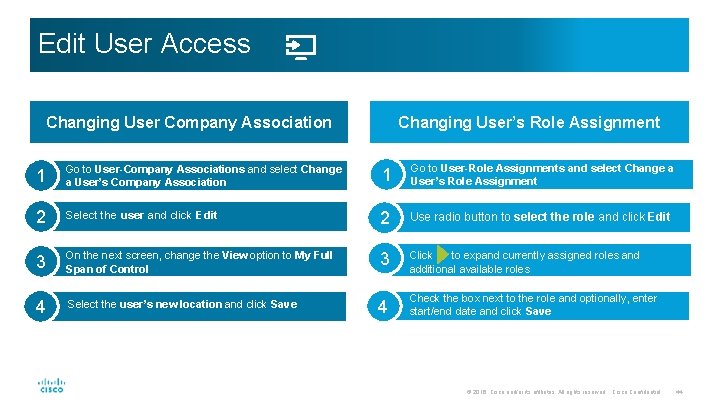
Edit User Access Changing User Company Association Changing User’s Role Assignment 1 Go to User-Company Associations and select Change a User’s Company Association 1 Go to User-Role Assignments and select Change a User’s Role Assignment 2 Select the user and click Edit 2 Use radio button to select the role and click Edit 3 On the next screen, change the View option to My Full Span of Control 3 Click to expand currently assigned roles and additional available roles 4 Select the user’s new location and click Save 4 Check the box next to the role and optionally, enter start/end date and click Save © 2016 Cisco and/or its affiliates. All rights reserved. Cisco Confidential 44
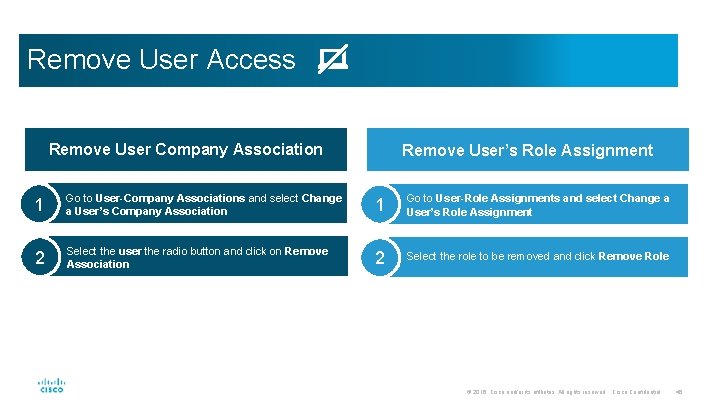
Remove User Access Remove User Company Association Remove User’s Role Assignment 1 Go to User-Company Associations and select Change a User’s Company Association 1 Go to User-Role Assignments and select Change a User’s Role Assignment 2 Select the user the radio button and click on Remove Association 2 Select the role to be removed and click Remove Role © 2016 Cisco and/or its affiliates. All rights reserved. Cisco Confidential 45
Managing Delegated Administrators © 2016 Cisco and/or its affiliates. All rights reserved. Cisco Confidential 46
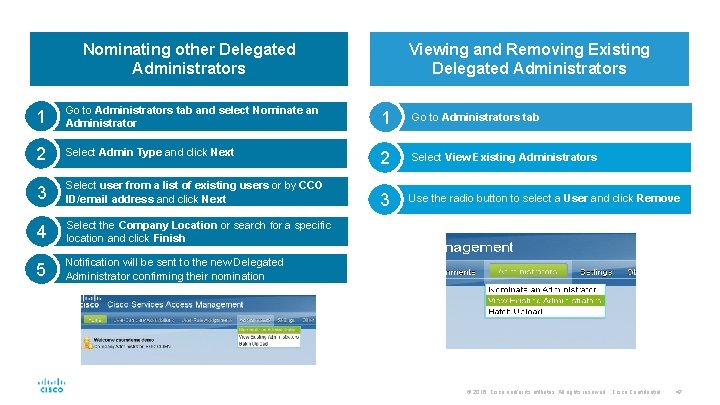
Nominating other Delegated Administrators Viewing and Removing Existing Delegated Administrators 1 Go to Administrators tab and select Nominate an Administrator 1 Go to Administrators tab 2 Select Admin Type and click Next 2 Select View Existing Administrators 3 Select user from a list of existing users or by CCO ID/email address and click Next 3 Use the radio button to select a User and click Remove 4 Select the Company Location or search for a specific location and click Finish 5 Notification will be sent to the new Delegated Administrator confirming their nomination © 2016 Cisco and/or its affiliates. All rights reserved. Cisco Confidential 47
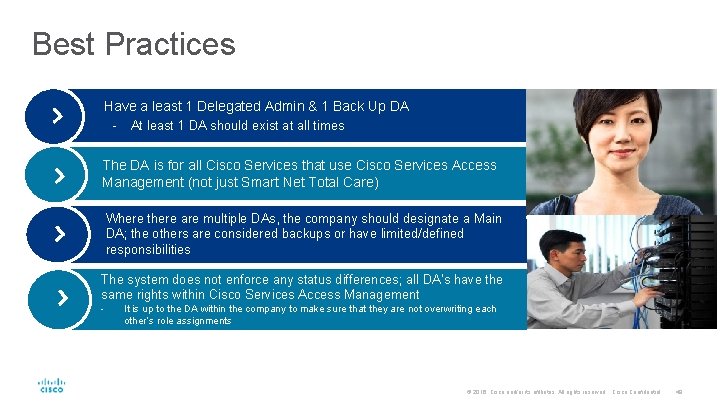
Best Practices Have a least 1 Delegated Admin & 1 Back Up DA - At least 1 DA should exist at all times The DA is for all Cisco Services that use Cisco Services Access Management (not just Smart Net Total Care) Where there are multiple DAs, the company should designate a Main DA; the others are considered backups or have limited/defined responsibilities The system does not enforce any status differences; all DA’s have the same rights within Cisco Services Access Management - It is up to the DA within the company to make sure that they are not overwriting each other’s role assignments © 2016 Cisco and/or its affiliates. All rights reserved. Cisco Confidential 48
How Your Customer Grants You LOA Access
Letter of Authorization (LOA) Enables Partners to see an additional set of Cisco branded contract data where that Partner is not the contract Bill-To Customer Administrator can grant this additional visibility to any Partner • Time-based access to LOA fields (1 -12 Months) • Target Role: CBR User or CBR Admin © 2016 Cisco and/or its affiliates. All rights reserved. Cisco Confidential 50
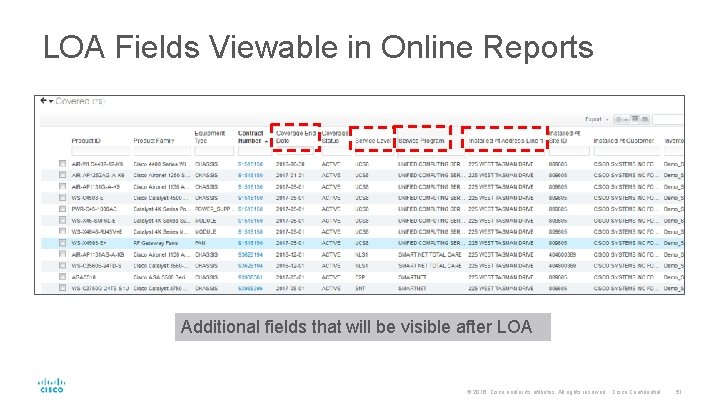
LOA Fields Viewable in Online Reports Additional fields that will be visible after LOA © 2016 Cisco and/or its affiliates. All rights reserved. Cisco Confidential 51
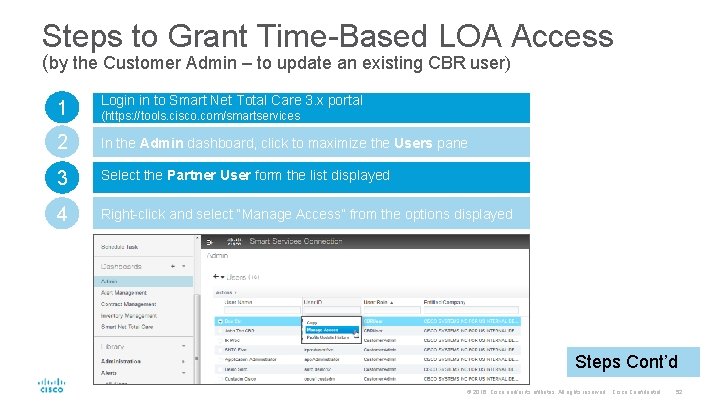
Steps to Grant Time-Based LOA Access (by the Customer Admin – to update an existing CBR user) 1 Login in to Smart Net Total Care 3. x portal 2 In the Admin dashboard, click to maximize the Users pane 3 Select the Partner User form the list displayed 4 Right-click and select “Manage Access” from the options displayed (https: //tools. cisco. com/smartservices Steps Cont’d © 2016 Cisco and/or its affiliates. All rights reserved. Cisco Confidential 52
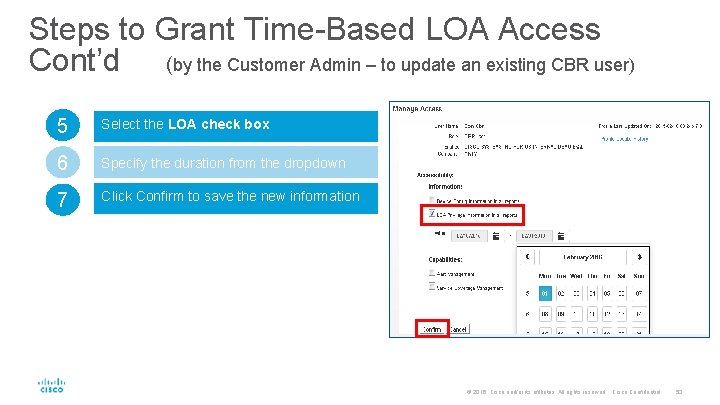
Steps to Grant Time-Based LOA Access Cont’d (by the Customer Admin – to update an existing CBR user) 5 Select the LOA check box 6 Specify the duration from the dropdown 7 Click Confirm to save the new information © 2016 Cisco and/or its affiliates. All rights reserved. Cisco Confidential 53
If your customer hasn’t set up their Cisco Services Access Management entry, it will be impossible to generate the collector entitlement certificate. If your customer has not provided you with CBR Access, you will not be able to access their data in the Smart Services Connection Portal. © 2016 Cisco and/or its affiliates. All rights reserved. Cisco Confidential 54
Smart Net Total Care Toolkit Cisco Services Access Management tool Smart Net Total Care Portal (Smart Services Connection) New Smart Net Total Care Interface Introduction Video Customer e. Learning Smart Net Total Care How-to Videos on You. Tube Smart Net Total Care Service Description Smart Net Total Care Community (best viewed in Firefox or Chrome) Smart Net Total Care Smart Edge Webinar Series To obtain a Cisco CCO ID © 2016 Cisco and/or its affiliates. All rights reserved. Cisco Confidential 55
Partner Smart Assist Service Resources Cisco Community – Partner Smart Assist Resource Library Partner Smart Assist Service Overview Presentation for Partners Partner Smart Assist Service At A Glance for Partners Partner Smart Assist Service FAQs for Partners Partner Smart Assist Service Quoting & Ordering Tip Sheet for Partners Partner Smart Assist Service Training Brochure Partner Smart Assist Service Welcome Kit Partner Smart Assist Service Training Schedule and Registration © 2016 Cisco and/or its affiliates. All rights reserved. Cisco Confidential 56

- Slides: 57