
Partner Practice Enablement Overview Module 1 Introduction to
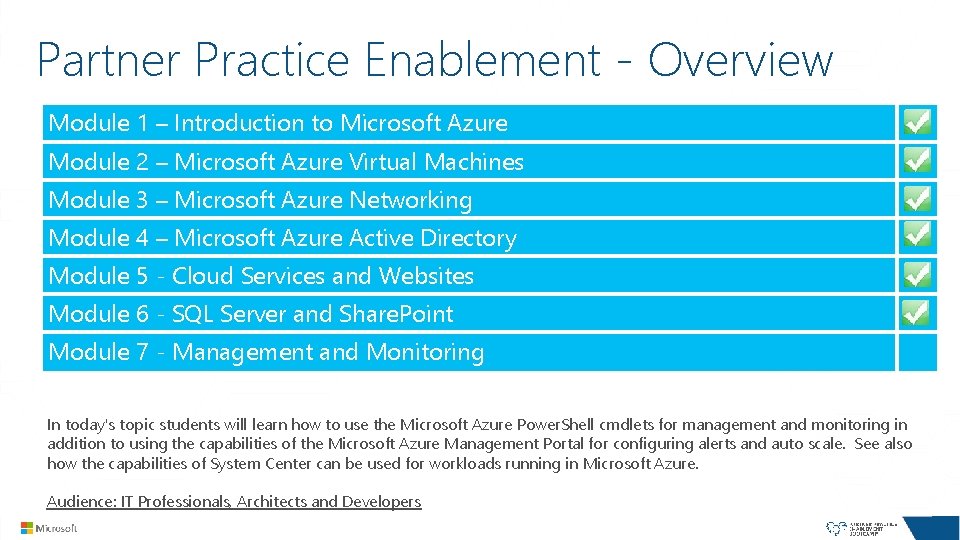
Partner Practice Enablement - Overview Module 1 – Introduction to Microsoft Azure Module 2 – Microsoft Azure Virtual Machines Module 3 – Microsoft Azure Networking Module 4 – Microsoft Azure Active Directory Module 5 - Cloud Services and Websites Module 6 - SQL Server and Share. Point Module 7 - Management and Monitoring In today's topic students will learn how to use the Microsoft Azure Power. Shell cmdlets for management and monitoring in addition to using the capabilities of the Microsoft Azure Management Portal for configuring alerts and auto scale. See also how the capabilities of System Center can be used for workloads running in Microsoft Azure. Audience: IT Professionals, Architects and Developers
Managing and Monitoring Virtual Machines
Agenda Monitoring Virtual Machines Monitoring the Microsoft Azure Platform Managing Virtual Machines Managing with Power. Shell
Monitoring Virtual Machines
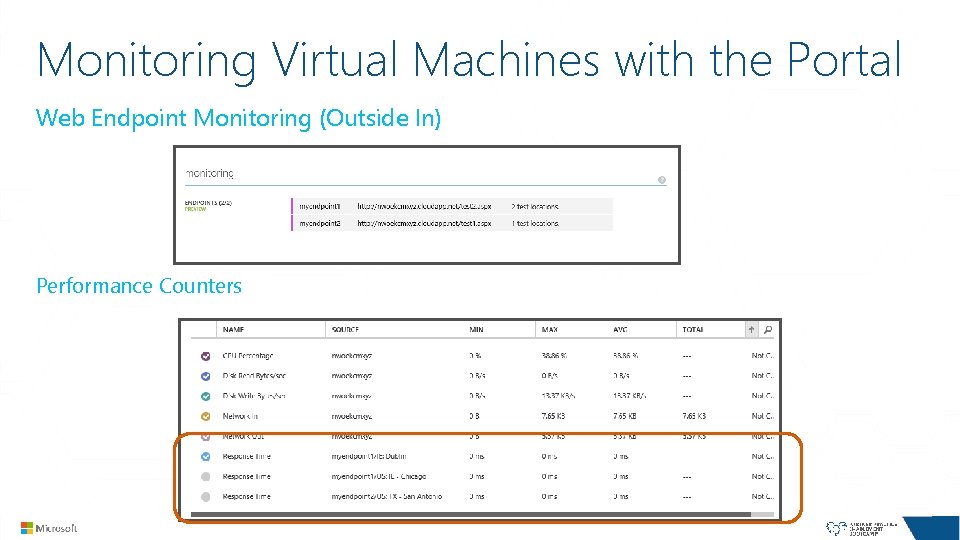
Monitoring Virtual Machines with the Portal Web Endpoint Monitoring (Outside In) Performance Counters
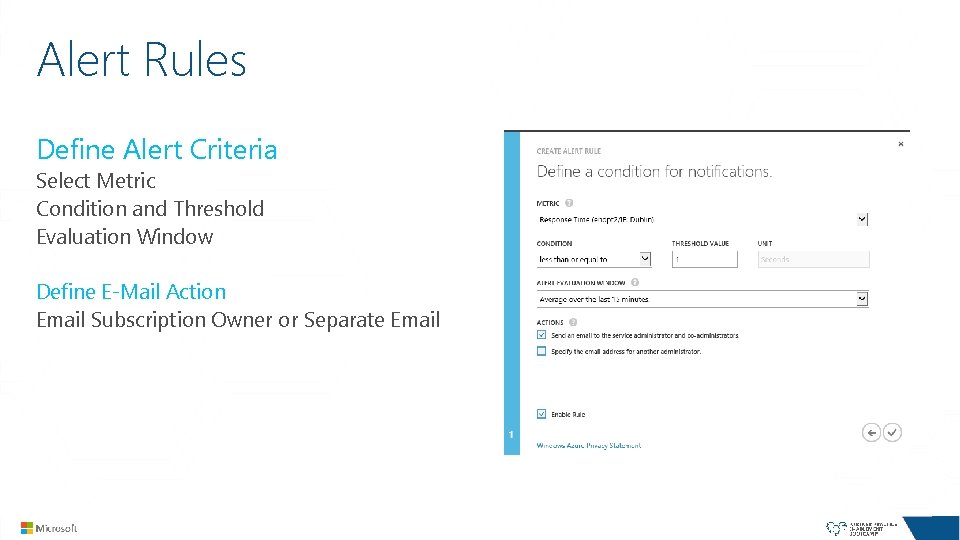
Alert Rules Define Alert Criteria Select Metric Condition and Threshold Evaluation Window Define E-Mail Action Email Subscription Owner or Separate Email
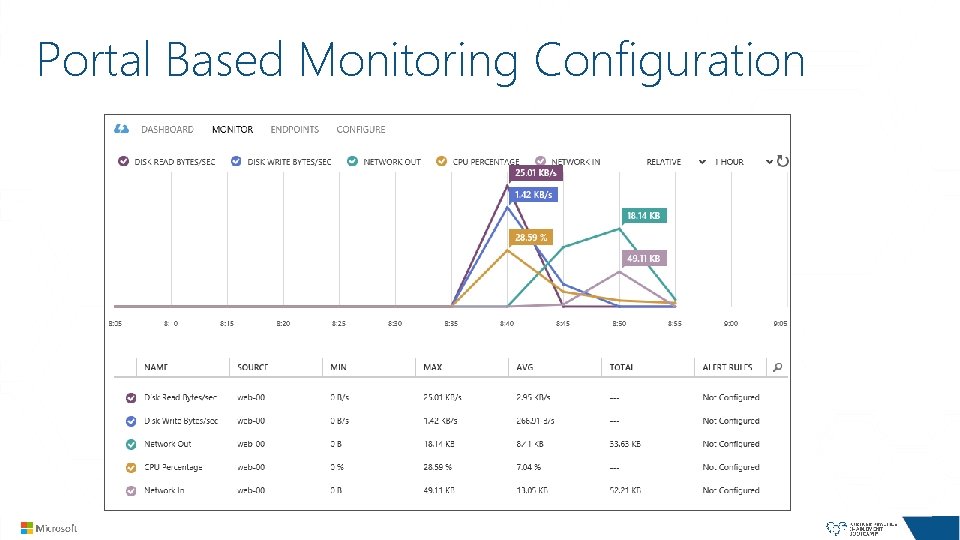
Portal Based Monitoring Configuration
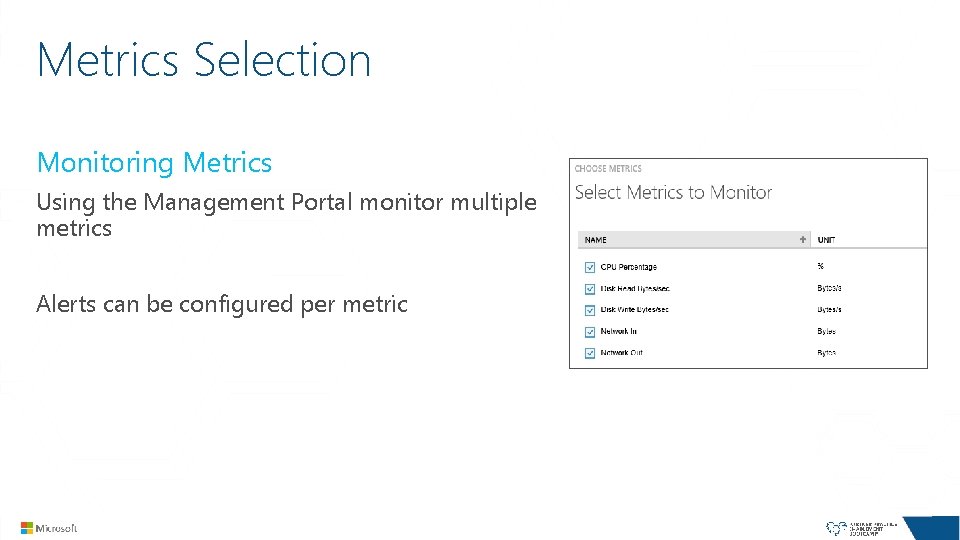
Metrics Selection Monitoring Metrics Using the Management Portal monitor multiple metrics Alerts can be configured per metric
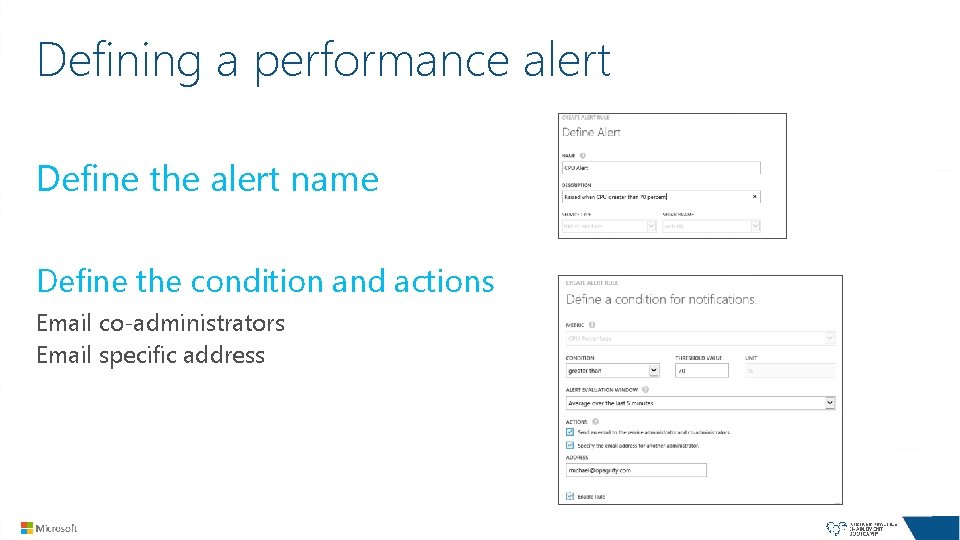
Defining a performance alert Define the alert name Define the condition and actions Email co-administrators Email specific address
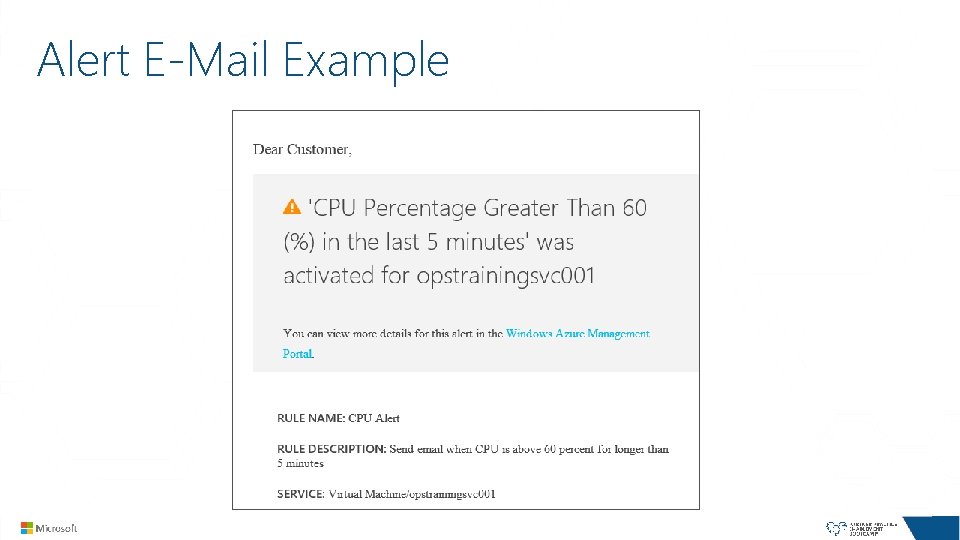
Alert E-Mail Example
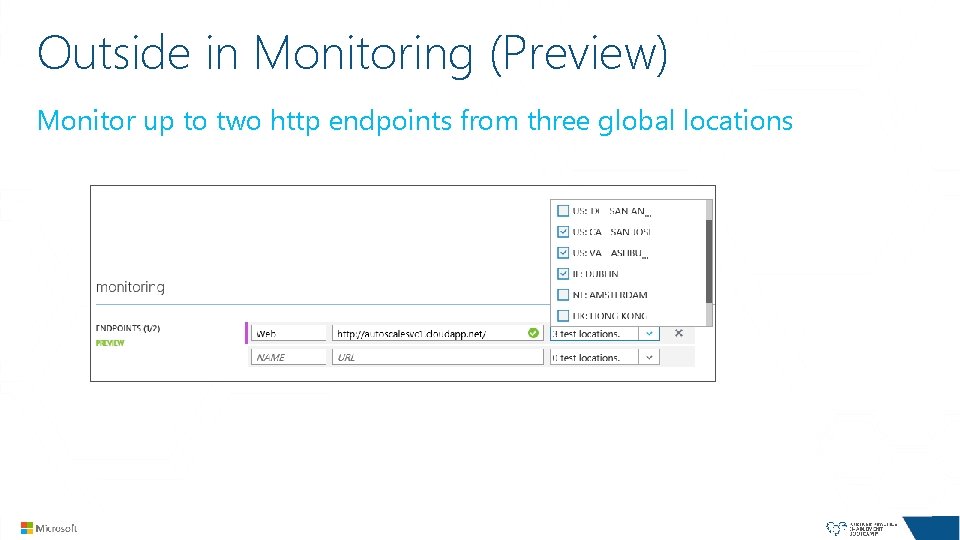
Outside in Monitoring (Preview) Monitor up to two http endpoints from three global locations
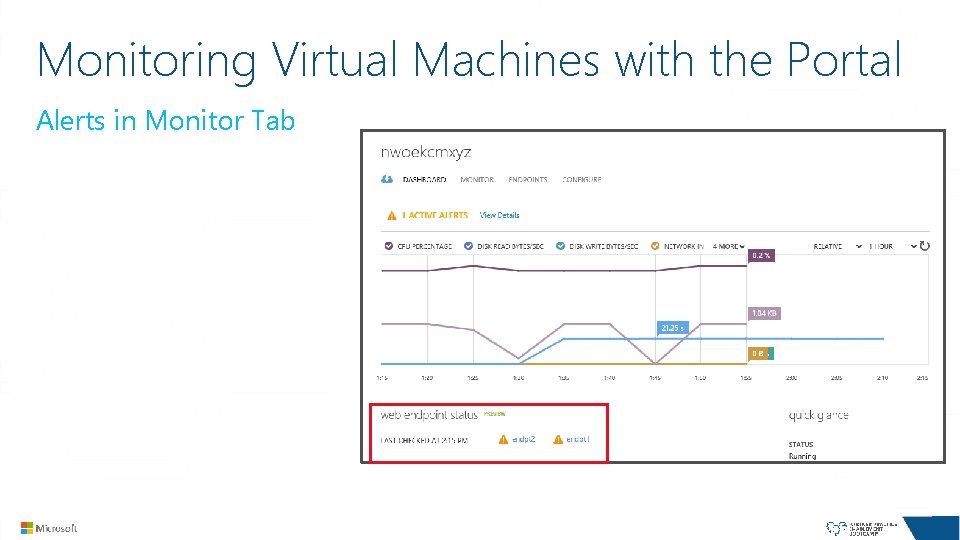
Monitoring Virtual Machines with the Portal Alerts in Monitor Tab
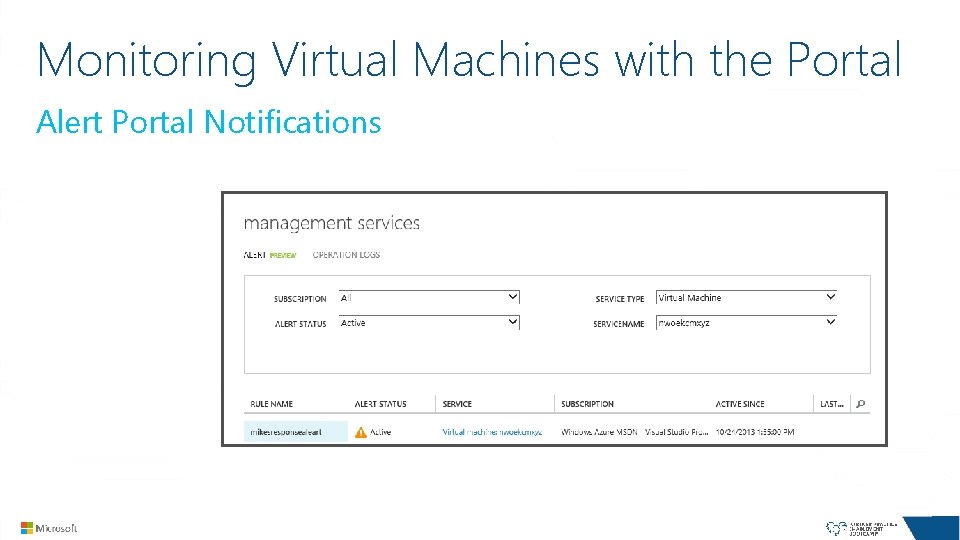
Monitoring Virtual Machines with the Portal Alert Portal Notifications
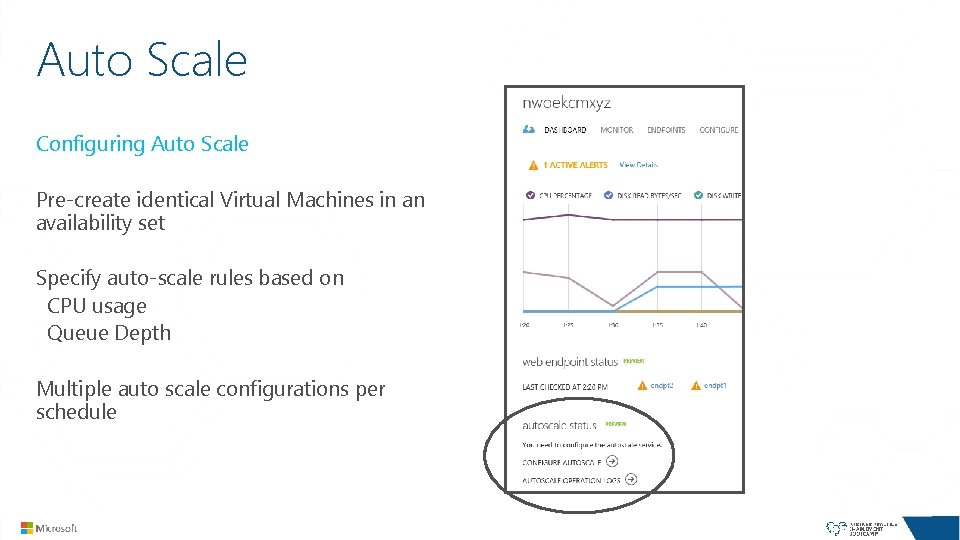
Auto Scale Configuring Auto Scale Pre-create identical Virtual Machines in an availability set Specify auto-scale rules based on CPU usage Queue Depth Multiple auto scale configurations per schedule
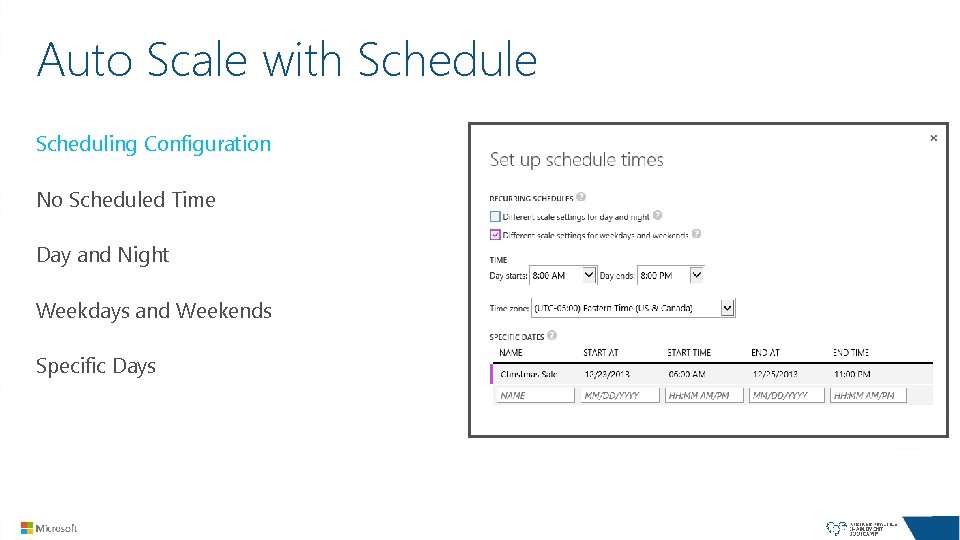
Auto Scale with Schedule Scheduling Configuration No Scheduled Time Day and Night Weekdays and Weekends Specific Days
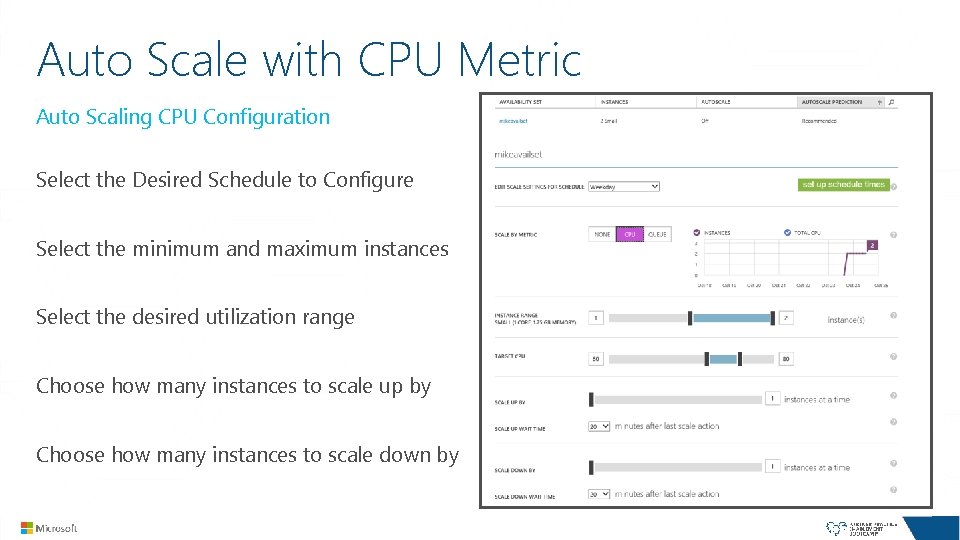
Auto Scale with CPU Metric Auto Scaling CPU Configuration Select the Desired Schedule to Configure Select the minimum and maximum instances Select the desired utilization range Choose how many instances to scale up by Choose how many instances to scale down by
LAB Monitoring Virtual Machines using the Management Portal
Monitoring the Azure Platform
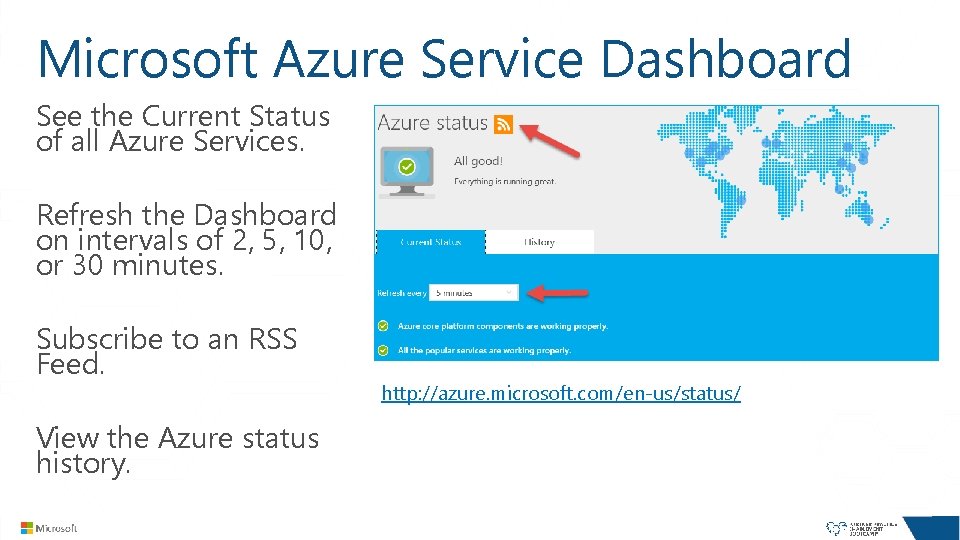
Microsoft Azure Service Dashboard See the Current Status of all Azure Services. Refresh the Dashboard on intervals of 2, 5, 10, or 30 minutes. Subscribe to an RSS Feed. View the Azure status history. http: //azure. microsoft. com/en-us/status/
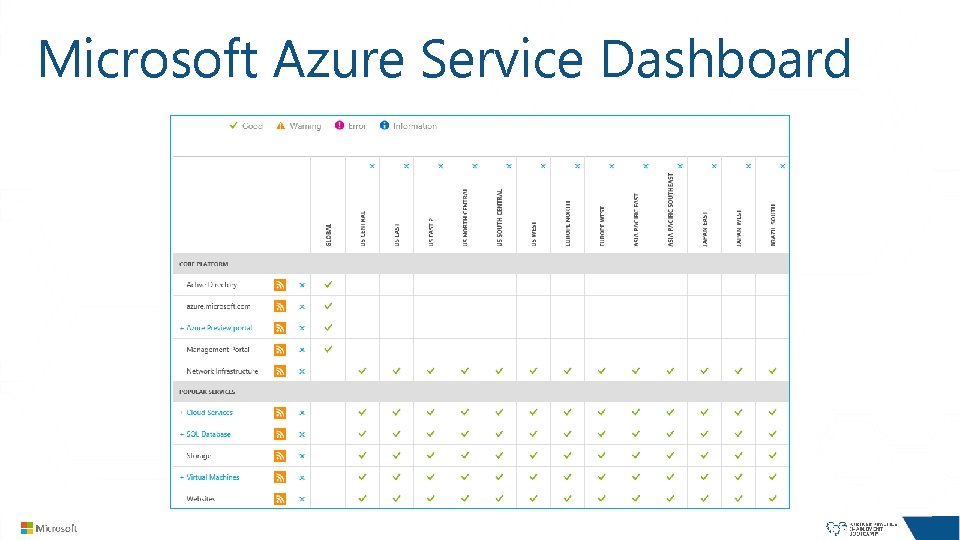
Microsoft Azure Service Dashboard
Managing Virtual Machines
Application Deployment Use a Microsoft Azure Gallery Image with Application Manually Deploy Application on new Virtual Machine Create a Custom Image with Application Deployed Upload an existing Hyper-V based VHD Scripted Deployment using Remote Power. Shell
Administering Virtual Machines Public Internet or private internal IP address Remote Administration Remote Desktop Administration Remote Power. Shell SSH
Ex. Remote SQL Server Management Studio (SSMS) Public Internet (less secure) Enable TCP endpoint 1433 Windows Firewall inbound rule port 1433 Enable Mixed Authentication and configure a secure account. Login using SQL Server Authentication and DNS of VM Can secure with access control list Private Virtual Network (more secure) Deploy virtual machine in a Virtual Network with P 2 S or S 2 S virtual networking. Windows Firewall inbound rule port 1433 and connect using internal IP in SSMS OR Windows Firewall inbound rule port 3389 and RDP into VM to run SSMS tool locally
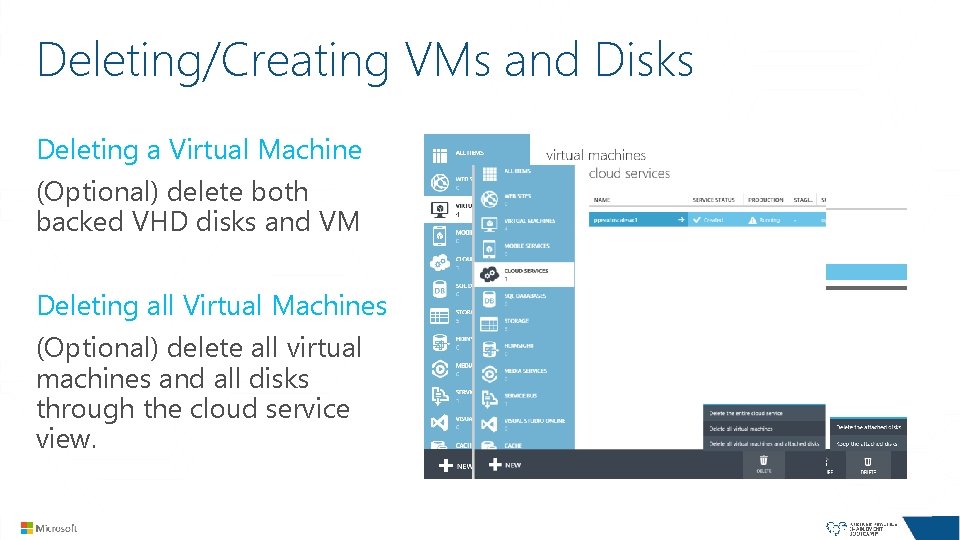
Deleting/Creating VMs and Disks Deleting a Virtual Machine (Optional) delete both backed VHD disks and VM Deleting all Virtual Machines (Optional) delete all virtual machines and all disks through the cloud service view.
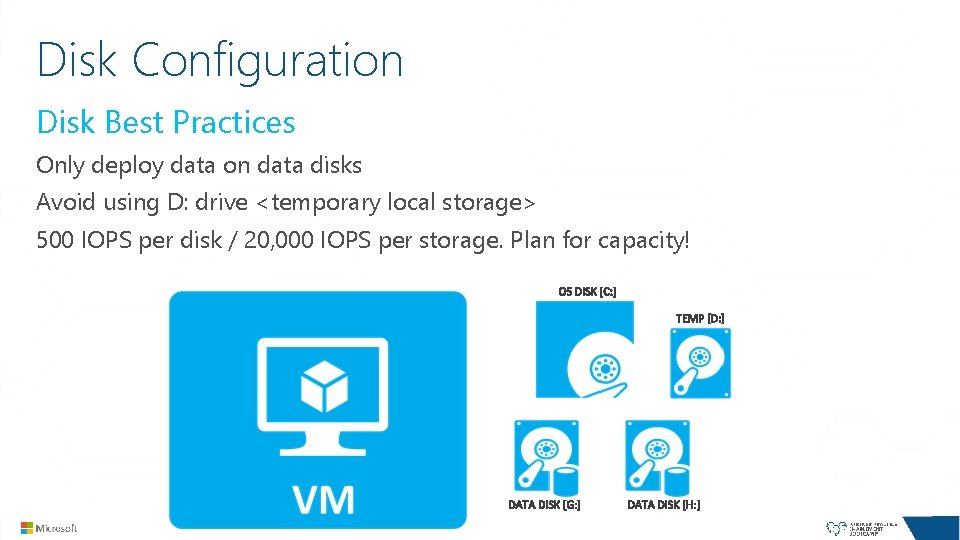
Disk Configuration Disk Best Practices Only deploy data on data disks Avoid using D: drive <temporary local storage> 500 IOPS per disk / 20, 000 IOPS per storage. Plan for capacity!
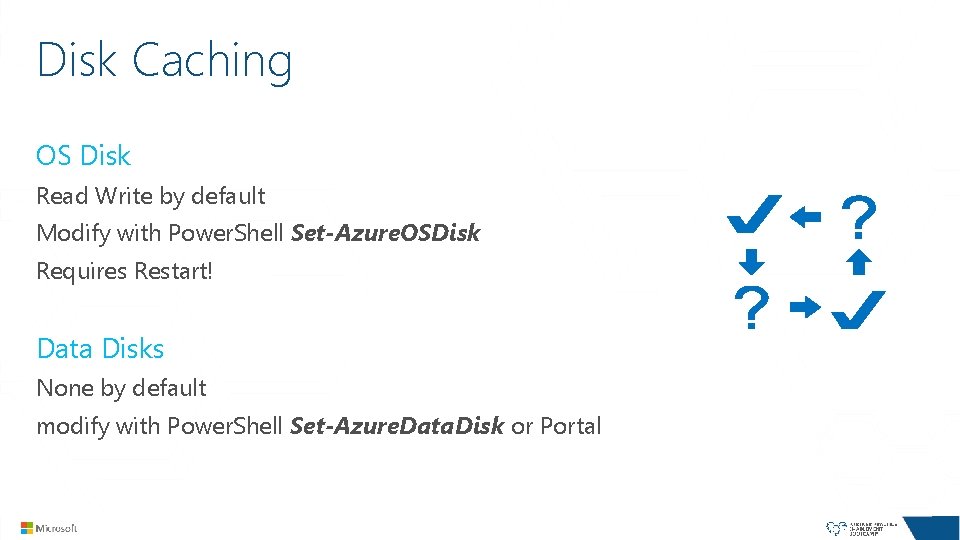
Disk Caching OS Disk Read Write by default Modify with Power. Shell Set-Azure. OSDisk Requires Restart! Data Disks None by default modify with Power. Shell Set-Azure. Data. Disk or Portal
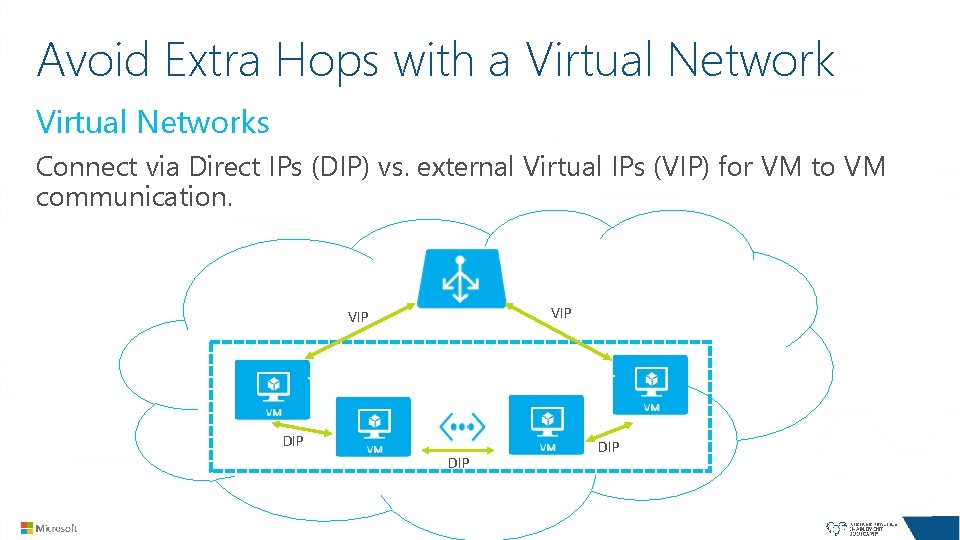
Avoid Extra Hops with a Virtual Networks Connect via Direct IPs (DIP) vs. external Virtual IPs (VIP) for VM to VM communication. VIP Load balancer VIP DIP DIP DIP
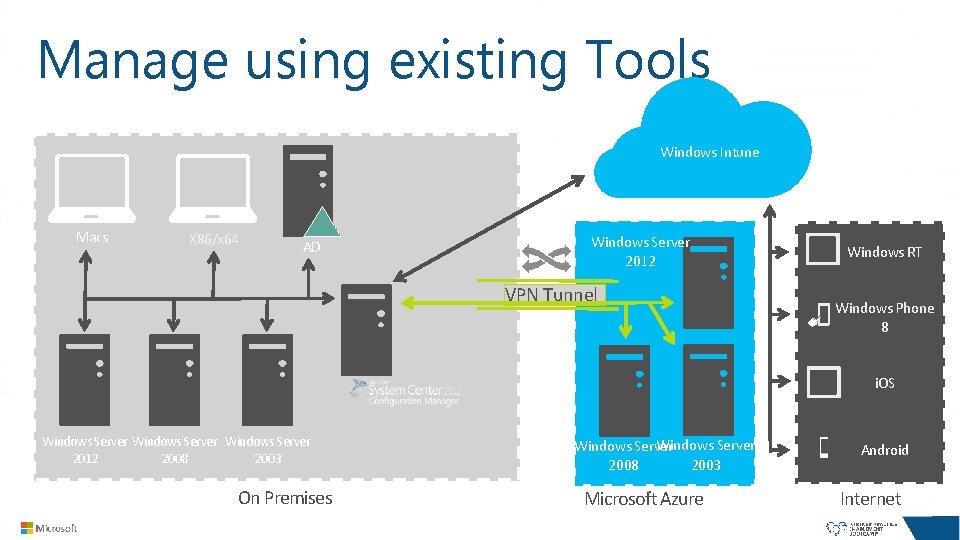
Manage using existing Tools Windows Intune Macs X 86/x 64 AD Windows Server 2012 VPN Tunnel Windows RT Windows Phone 8 i. OS Windows Server 2012 2008 2003 On Premises Windows Server 2003 2008 Microsoft Azure Android Internet
Managing with Power. Shell
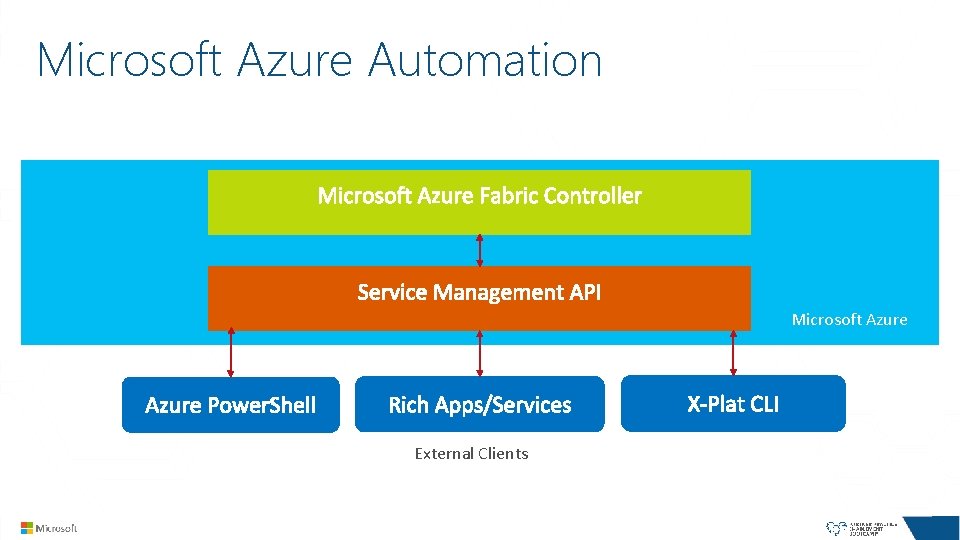
Microsoft Azure Automation Microsoft Azure External Clients
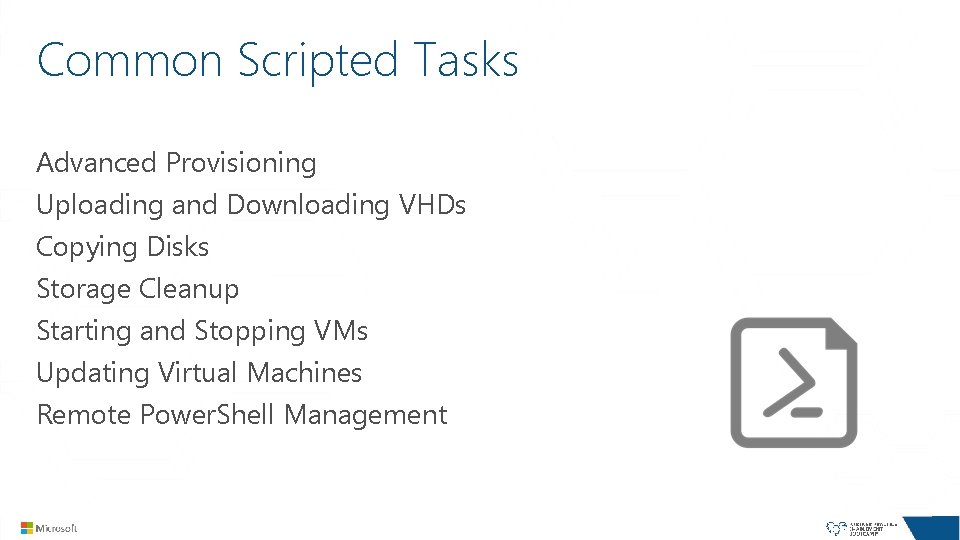
Common Scripted Tasks Advanced Provisioning Uploading and Downloading VHDs Copying Disks Storage Cleanup Starting and Stopping VMs Updating Virtual Machines Remote Power. Shell Management
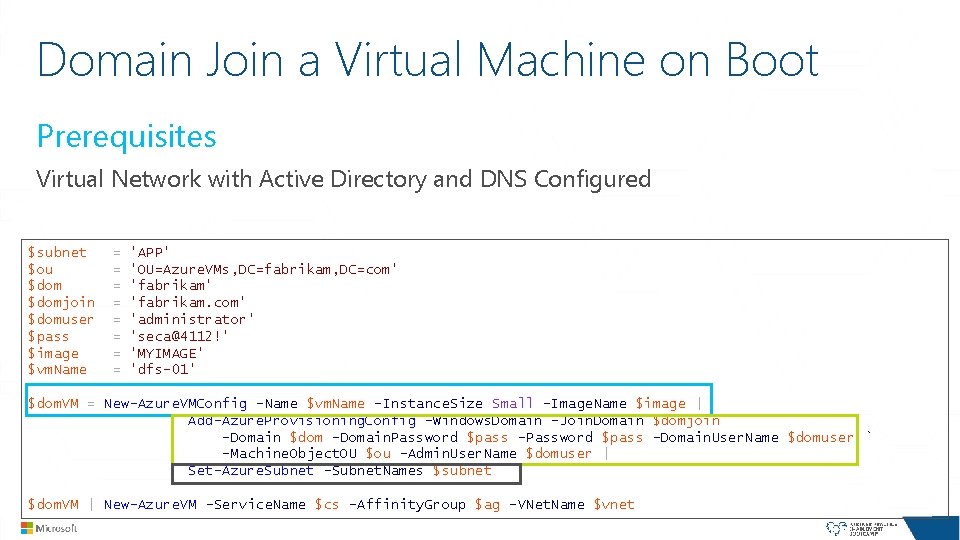
Domain Join a Virtual Machine on Boot Prerequisites Virtual Network with Active Directory and DNS Configured $subnet $ou $domjoin $domuser $pass $image $vm. Name = = = = 'APP' 'OU=Azure. VMs, DC=fabrikam, DC=com' 'fabrikam. com' 'administrator' 'seca@4112!' 'MYIMAGE' 'dfs-01' $dom. VM = New-Azure. VMConfig -Name $vm. Name -Instance. Size Small -Image. Name $image | Add-Azure. Provisioning. Config -Windows. Domain -Join. Domain $domjoin ` -Domain $dom -Domain. Password $pass -Domain. User. Name $domuser ` -Machine. Object. OU $ou –Admin. User. Name $domuser | Set-Azure. Subnet -Subnet. Names $subnet $dom. VM | New-Azure. VM -Service. Name $cs -Affinity. Group $ag -VNet. Name $vnet
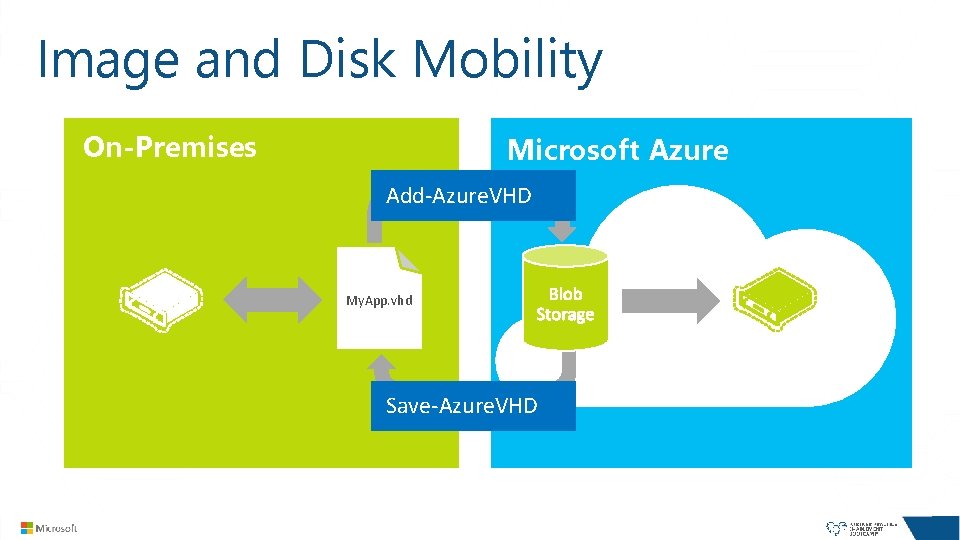
Image and Disk Mobility On-Premises Microsoft Azure Add-Azure. VHD My. App. vhd Save-Azure. VHD
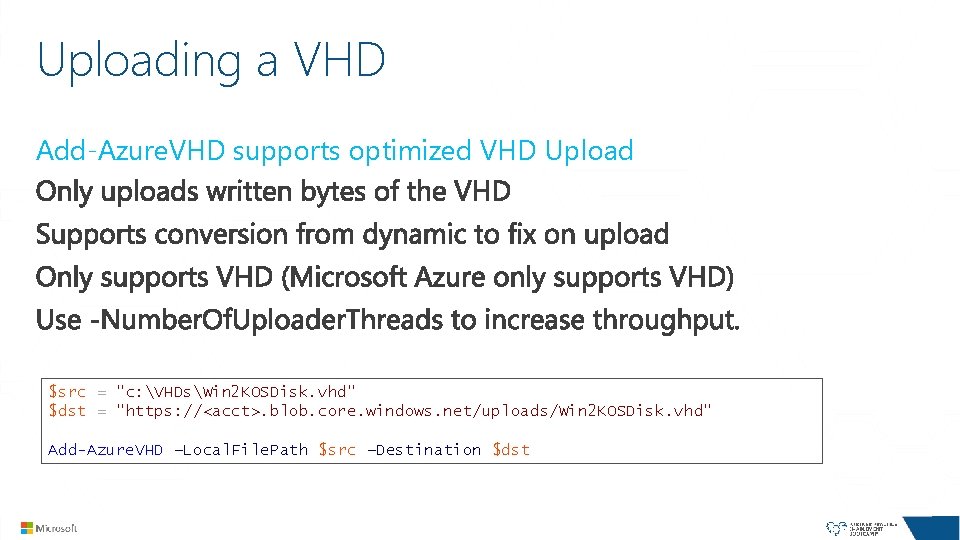
Uploading a VHD Add-Azure. VHD supports optimized VHD Upload $src = "c: VHDsWin 2 KOSDisk. vhd" $dst = "https: //<acct>. blob. core. windows. net/uploads/Win 2 KOSDisk. vhd" Add-Azure. VHD –Local. File. Path $src –Destination $dst
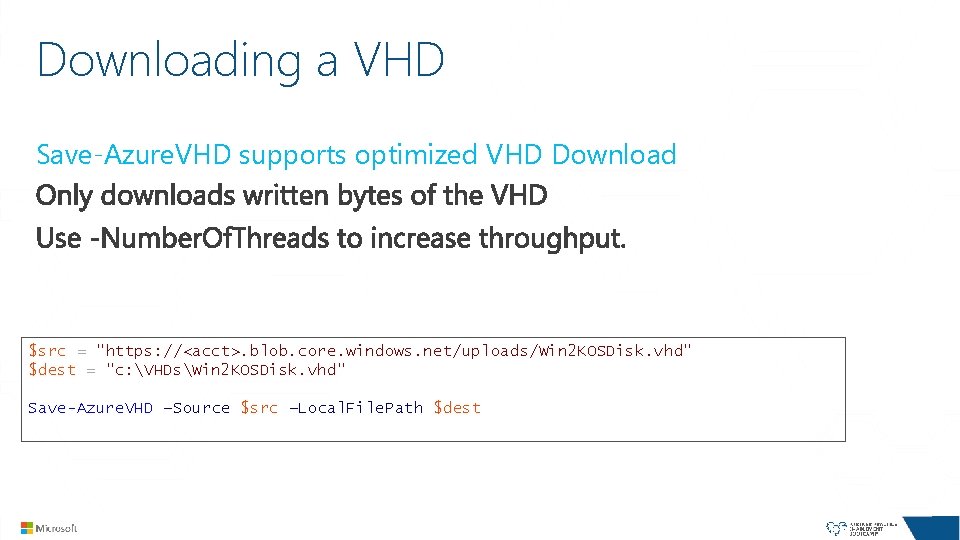
Downloading a VHD Save-Azure. VHD supports optimized VHD Download $src = "https: //<acct>. blob. core. windows. net/uploads/Win 2 KOSDisk. vhd" $dest = "c: VHDsWin 2 KOSDisk. vhd" Save-Azure. VHD –Source $src –Local. File. Path $dest
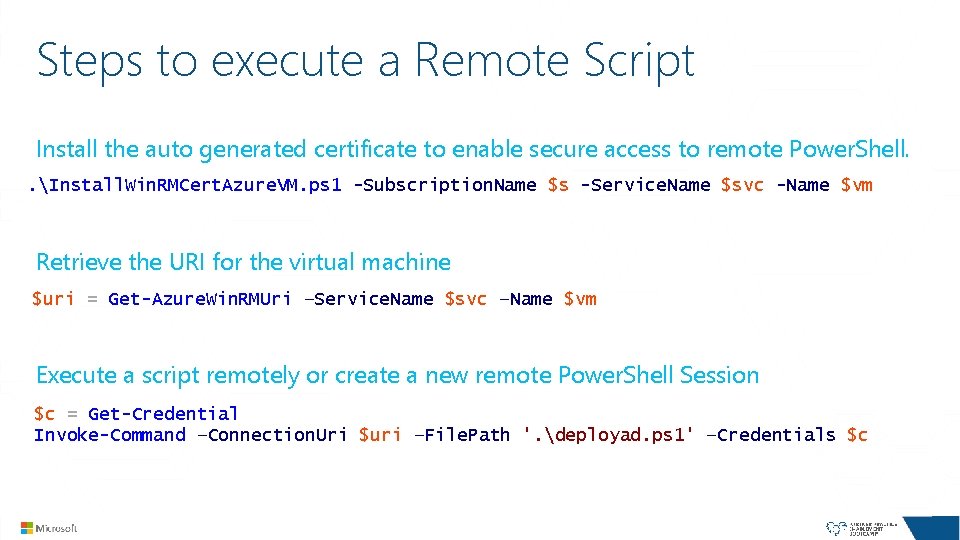
Steps to execute a Remote Script Install the auto generated certificate to enable secure access to remote Power. Shell. . Install. Win. RMCert. Azure. VM. ps 1 -Subscription. Name $s -Service. Name $svc -Name $vm Retrieve the URI for the virtual machine $uri = Get-Azure. Win. RMUri –Service. Name $svc –Name $vm Execute a script remotely or create a new remote Power. Shell Session $c = Get-Credential Invoke-Command –Connection. Uri $uri –File. Path '. deployad. ps 1' –Credentials $c
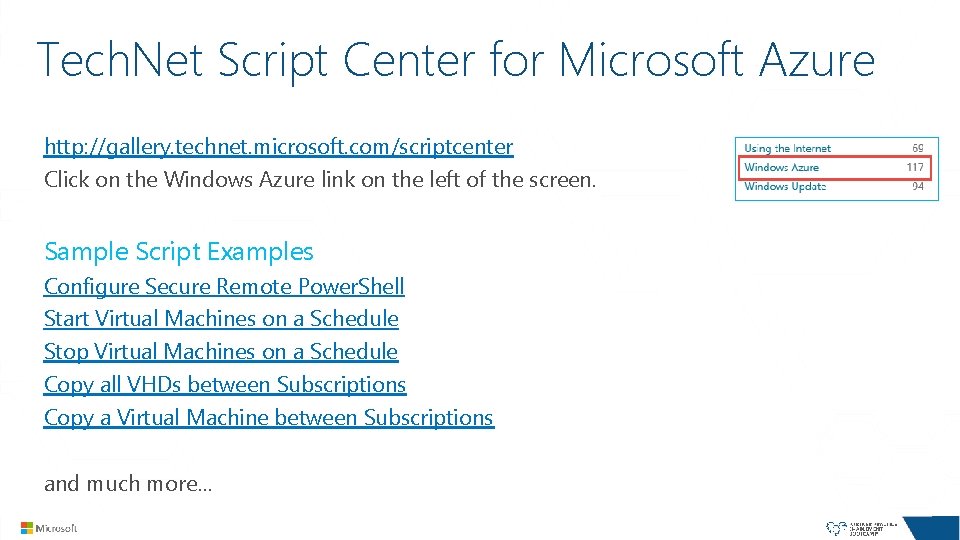
Tech. Net Script Center for Microsoft Azure http: //gallery. technet. microsoft. com/scriptcenter Click on the Windows Azure link on the left of the screen. Sample Script Examples Configure Secure Remote Power. Shell Start Virtual Machines on a Schedule Stop Virtual Machines on a Schedule Copy all VHDs between Subscriptions Copy a Virtual Machine between Subscriptions and much more…
DEMO Create a Virtual Machine using Microsoft Azure Power. Shell Cmdlets
Summary Monitoring Virtual Machines Monitoring the Microsoft Azure Platform Managing Virtual Machines Managing with Power. Shell
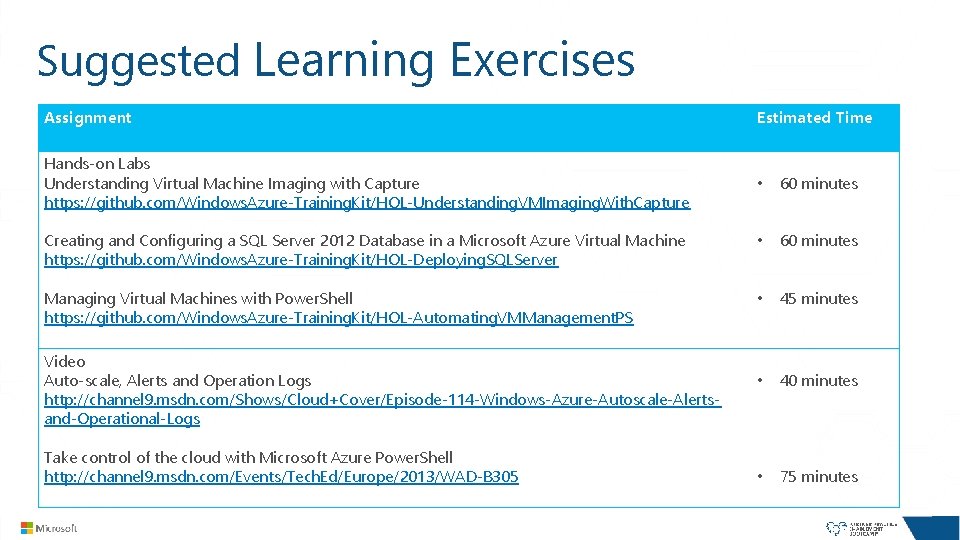
Suggested Learning Exercises Assignment Estimated Time Hands-on Labs Understanding Virtual Machine Imaging with Capture https: //github. com/Windows. Azure-Training. Kit/HOL-Understanding. VMImaging. With. Capture • 60 minutes Creating and Configuring a SQL Server 2012 Database in a Microsoft Azure Virtual Machine https: //github. com/Windows. Azure-Training. Kit/HOL-Deploying. SQLServer • 60 minutes Managing Virtual Machines with Power. Shell https: //github. com/Windows. Azure-Training. Kit/HOL-Automating. VMManagement. PS • 45 minutes • 40 minutes • 75 minutes Video Auto-scale, Alerts and Operation Logs http: //channel 9. msdn. com/Shows/Cloud+Cover/Episode-114 -Windows-Azure-Autoscale-Alertsand-Operational-Logs Take control of the cloud with Microsoft Azure Power. Shell http: //channel 9. msdn. com/Events/Tech. Ed/Europe/2013/WAD-B 305
Session Resources Microsoft Azure Auto-Scale, Alerts and Operation Logs http: //channel 9. msdn. com/Shows/Cloud+Cover/Episode-114 -Windows-Azure-Autoscale-Alerts-and-Operational-Logs Microsoft Azure Power. Shell Reference Guide for Infrastructure Services http: //michaelwasham. com/windows-azure-powershell-reference-guide/ Moving to Hybrid Cloud with Microsoft Azure and System Center http: //channel 9. msdn. com/Series/hybridcloud/01 Microsoft Azure Iaa. S Quick Start with Power. Shell http: //aka. ms/QSK Instructor Led Training – Microsoft Azure Dev. Ops for IT Professionals http: //www. opsgility. com/courses/it-devops-three-day
Microsoft Azure Resources Microsoft Partner Learning Path https: //mspartnerlp. mspartner. microsoft. com/Learning. Path Microsoft Azure Friday http: //www. windowsazure. com/en-us/documentation/videos/windows-azure-friday/ Microsoft Virtual Academy http: //www. microsoftvirtualacademy. com Channel 9 Microsoft Azure http: //channel 9. msdn. com/Windows. Azure Questions http: //stackoverflow. com/questions/tagged/azure http: //social. msdn. microsoft. com/Forums/windowsazure
Thank You
- Slides: 44