
Part III Storage Management Chapter 10 FileSystem Interface

- Slides: 40
Part III Storage Management Chapter 10: File-System Interface
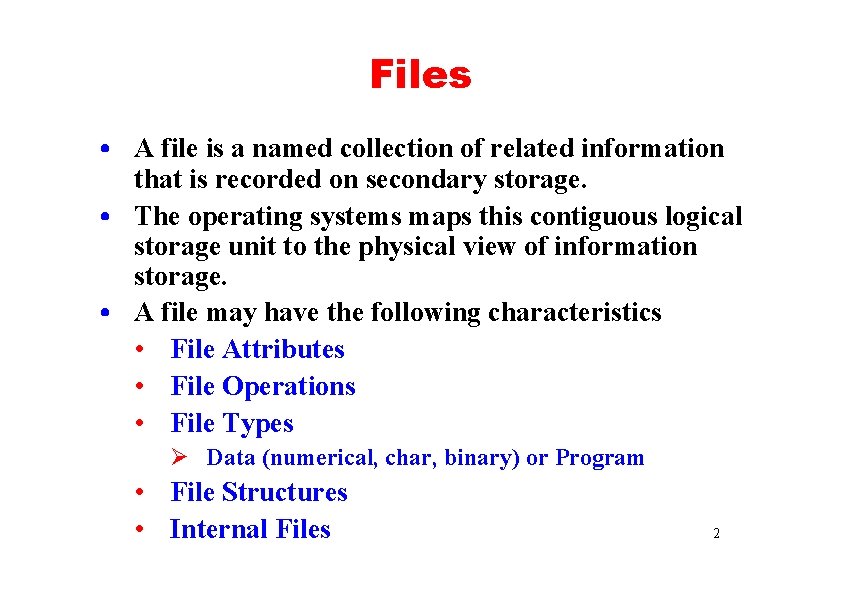
Files • A file is a named collection of related information that is recorded on secondary storage. • The operating systems maps this contiguous logical storage unit to the physical view of information storage. • A file may have the following characteristics • File Attributes • File Operations • File Types Ø Data (numerical, char, binary) or Program • File Structures • Internal Files 2
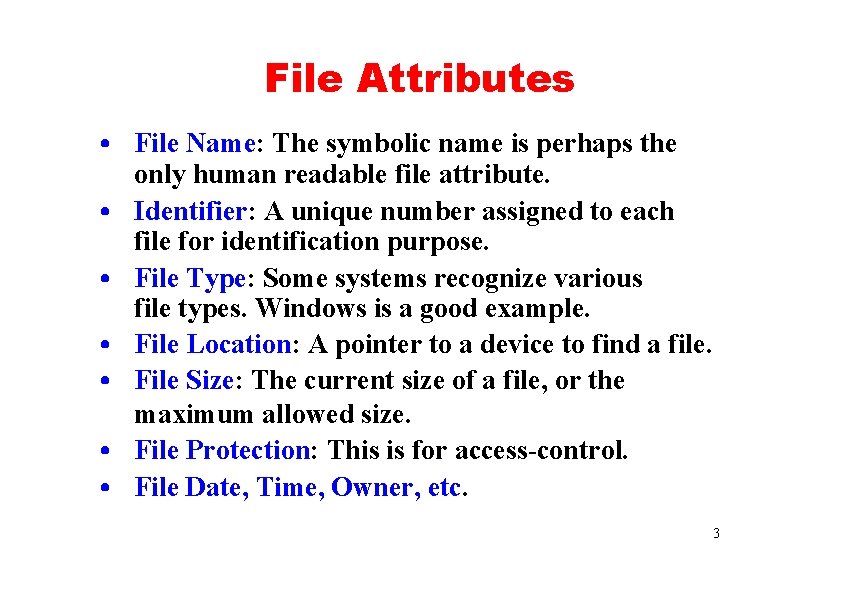
File Attributes • File Name: The symbolic name is perhaps the only human readable file attribute. • Identifier: A unique number assigned to each file for identification purpose. • File Type: Some systems recognize various file types. Windows is a good example. • File Location: A pointer to a device to find a file. • File Size: The current size of a file, or the maximum allowed size. • File Protection: This is for access-control. • File Date, Time, Owner, etc. 3
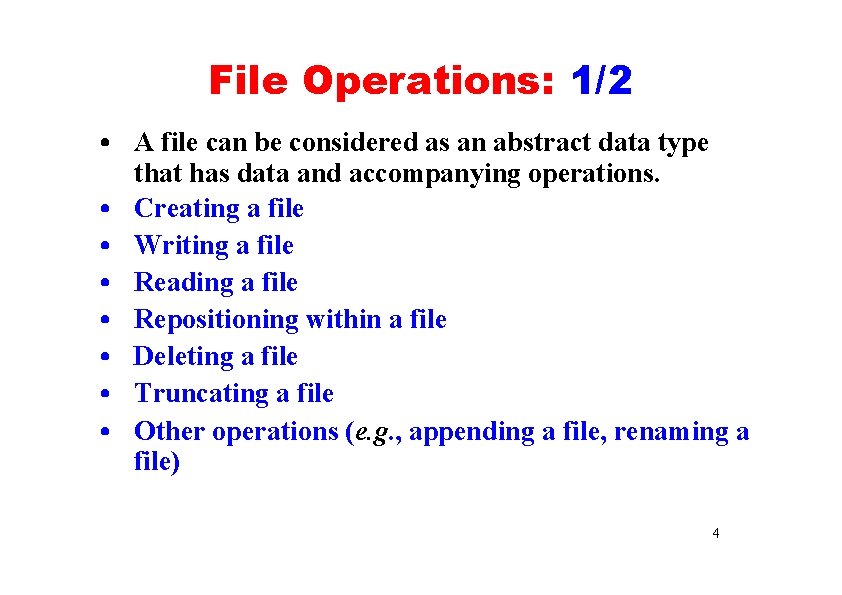
File Operations: 1/2 • A file can be considered as an abstract data type that has data and accompanying operations. • Creating a file • Writing a file • Reading a file • Repositioning within a file • Deleting a file • Truncating a file • Other operations (e. g. , appending a file, renaming a file) 4
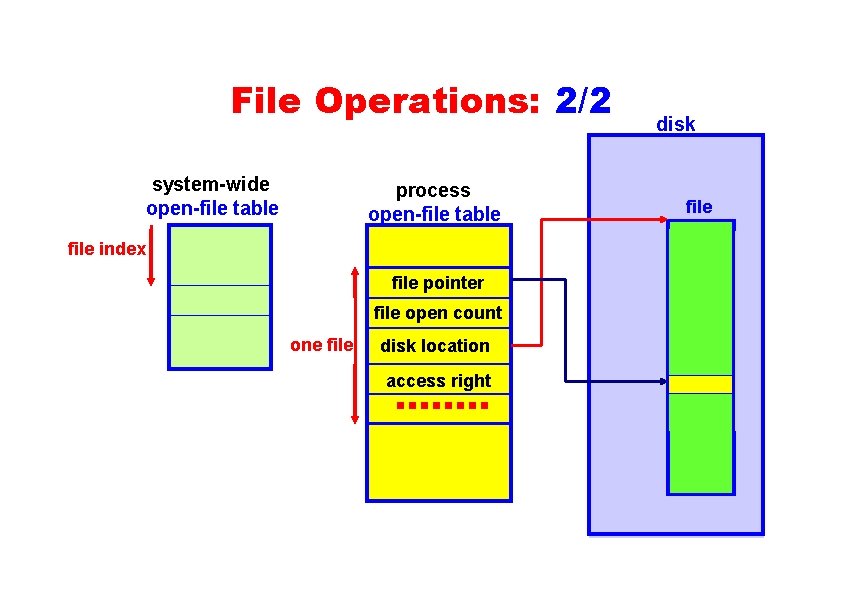
File Operations: 2/2 system-wide open-file table process open-file table disk file index file pointer file open count one file disk location access right 5
File Structures(1) • Some systems support specific file types that have special file structures. • For example, files that contain binary executables. • An operating system becomes more complex when more file types (i. e. , file structures) are supported. • In general, the number of supported file types is kept to minimum. 6
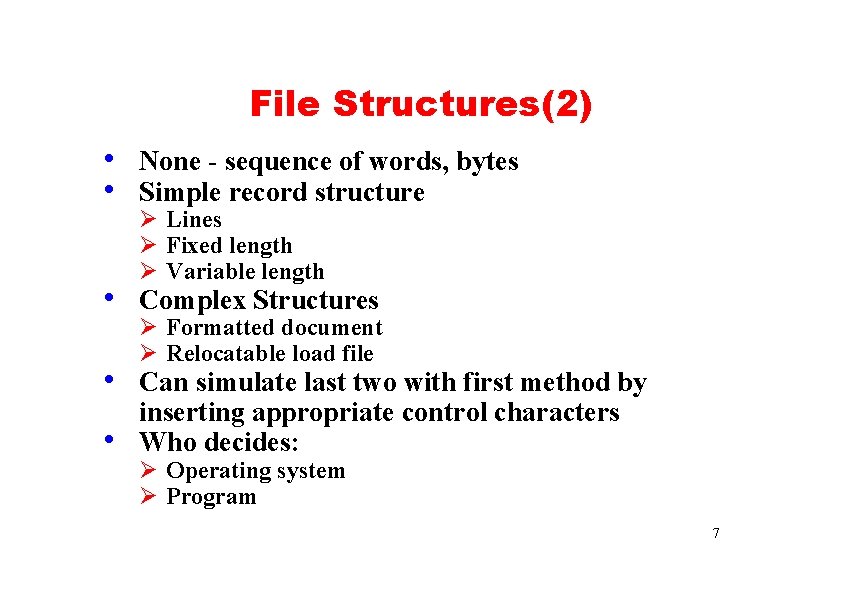
File Structures(2) • None - sequence of words, bytes • Simple record structure Ø Lines Ø Fixed length Ø Variable length • Complex Structures Ø Formatted document Ø Relocatable load file • Can simulate last two with first method by • inserting appropriate control characters Who decides: Ø Operating system Ø Program 7
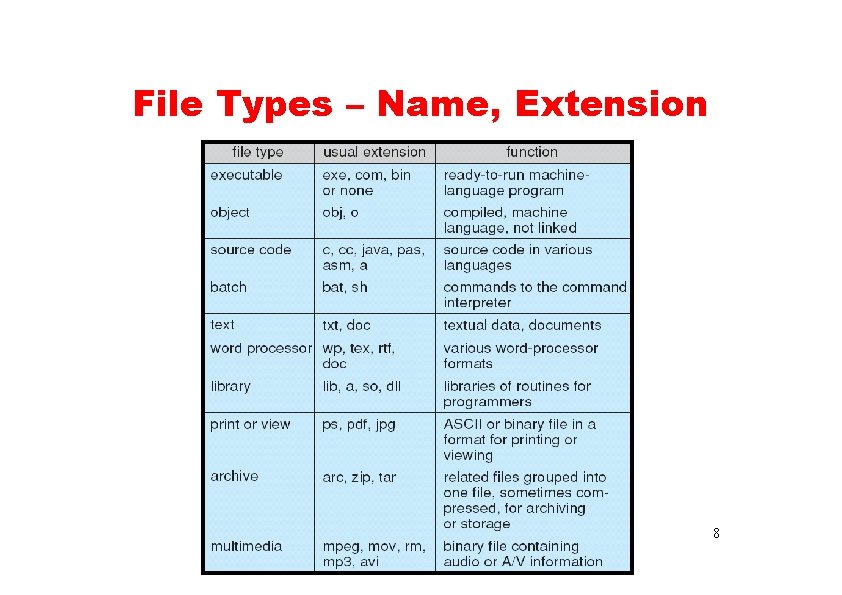
File Types – Name, Extension 8
File Access Methods • Access method: how a file be used. • There are three popular ones: • Sequential access method for sequential files • Direct access method for direct files • Indexed access method for indexed files. 9
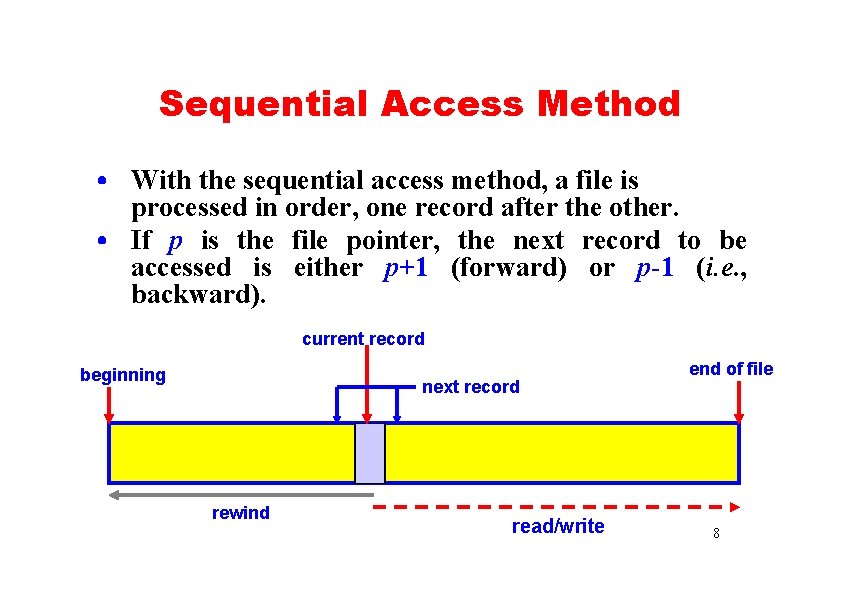
Sequential Access Method • With the sequential access method, a file is processed in order, one record after the other. • If p is the file pointer, the next record to be accessed is either p+1 (forward) or p-1 (i. e. , backward). current record beginning next record rewind read/write end of file 8
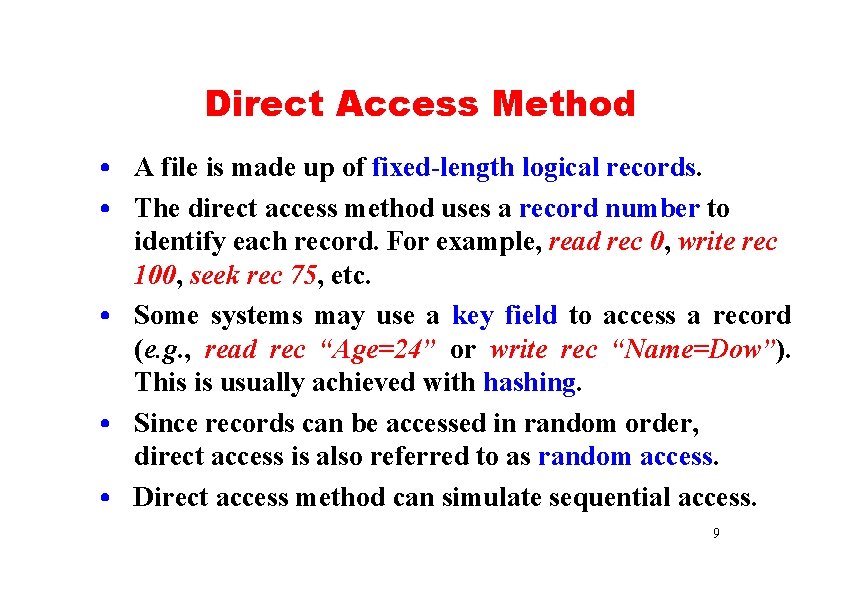
Direct Access Method • A file is made up of fixed-length logical records. • The direct access method uses a record number to identify each record. For example, read rec 0, write rec 100, seek rec 75, etc. • Some systems may use a key field to access a record (e. g. , read rec “Age=24” or write rec “Name=Dow”). This is usually achieved with hashing. • Since records can be accessed in random order, direct access is also referred to as random access. • Direct access method can simulate sequential access. 9
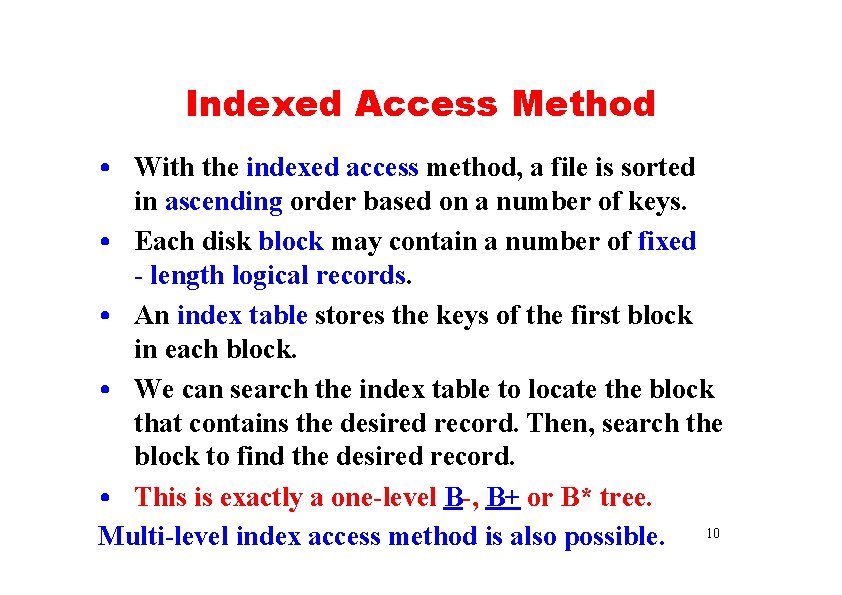
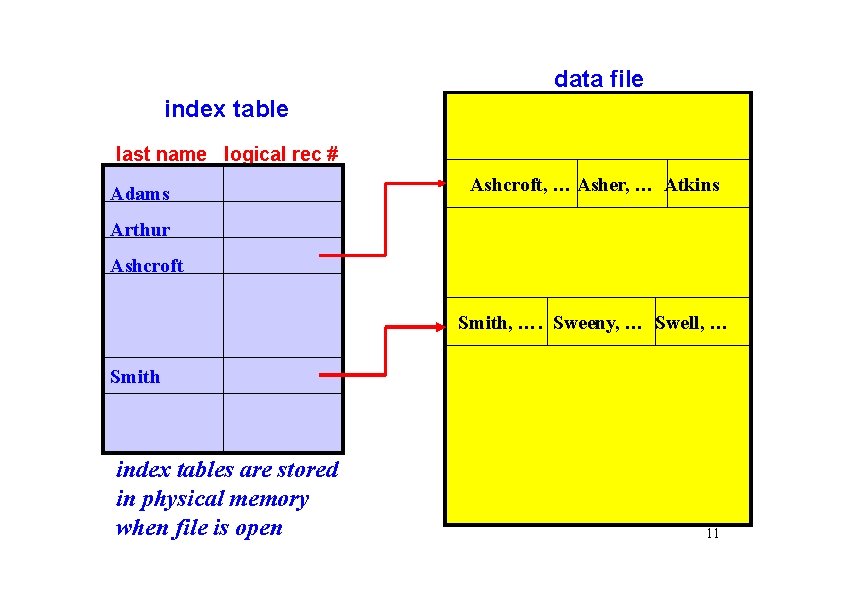
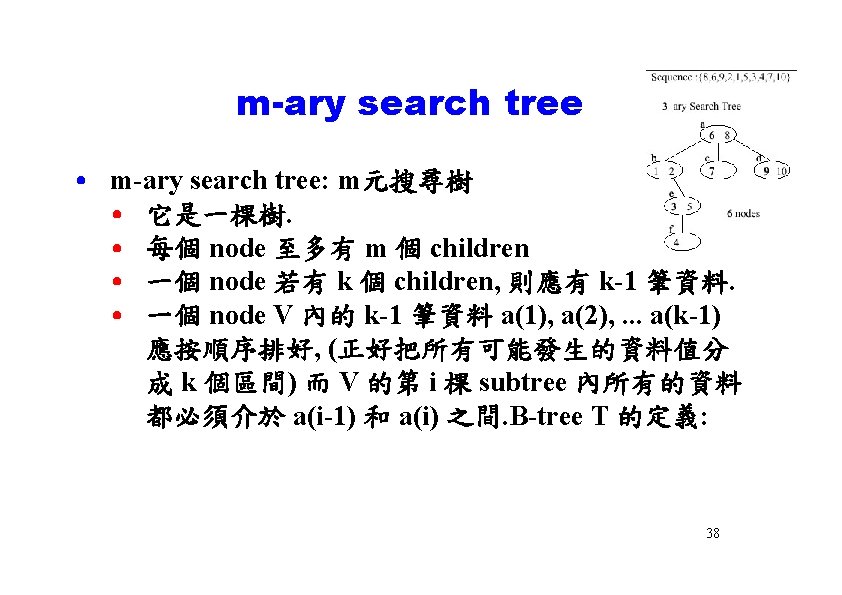
Indexed Access Method • With the indexed access method, a file is sorted in ascending order based on a number of keys. • Each disk block may contain a number of fixed - length logical records. • An index table stores the keys of the first block in each block. • We can search the index table to locate the block that contains the desired record. Then, search the block to find the desired record. • This is exactly a one-level B-, B+ or B* tree. Multi-level index access method is also possible. 10
data file index table last name logical rec # Adams Ashcroft, … Asher, … Atkins Arthur Ashcroft Smith, …. Sweeny, … Swell, … Smith index tables are stored in physical memory when file is open 11
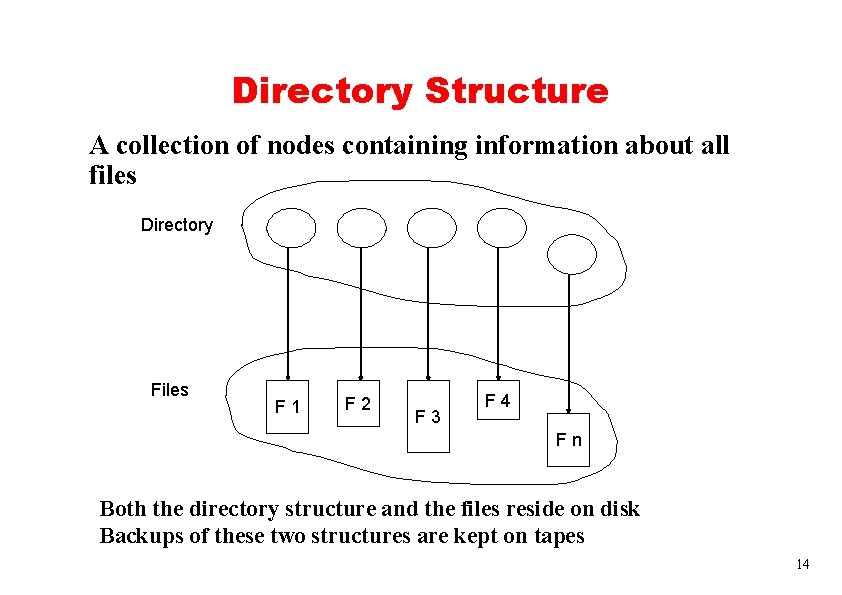
Directory Structure A collection of nodes containing information about all files Directory Files F 1 F 2 F 3 F 4 Fn Both the directory structure and the files reside on disk Backups of these two structures are kept on tapes 14
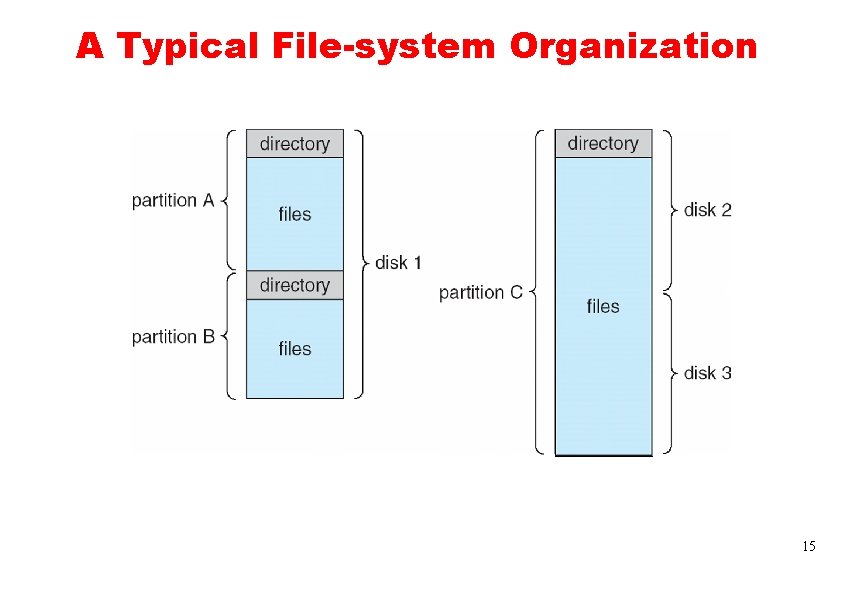
A Typical File-system Organization 15
Directory Structure: 1/2 • A large volume disk may be partitioned into partitions, or mini disks, or volumes. • Each partition contains information about files within it. This information is stored in entries of a device directory or volume table of content (VTOC). • The device directory, or directory for short, stores the name, location, size, type, access method, etc of each file. • Operations perform on directory: search for a file, create a file, delete a file, rename a file, traverse the file system, etc. 16
Directory Structure: 2/2 • There are five commonly used directory structures: • Single-Level Directory • Two-Level Directory • Tree-Structure Directories • Acyclic-Graph Directories • General Graph Directories 17
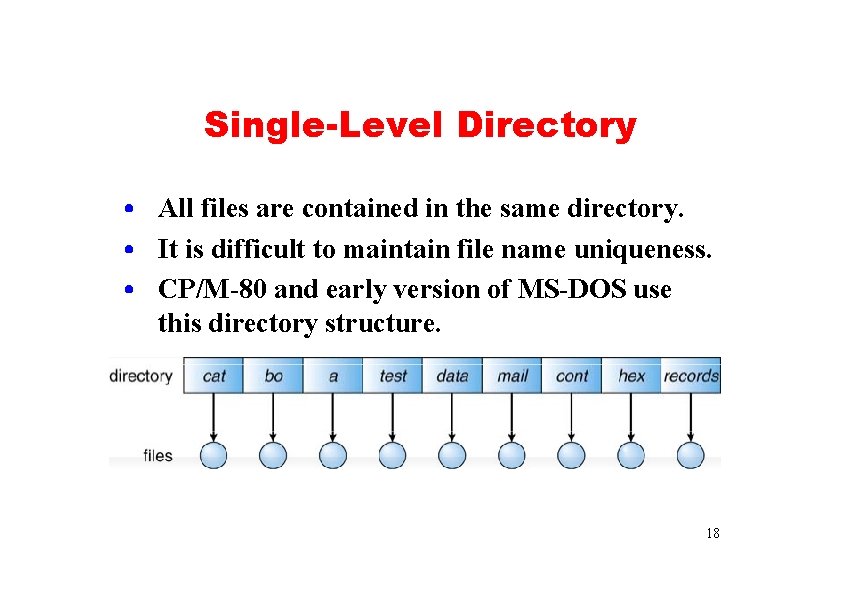
Single-Level Directory • All files are contained in the same directory. • It is difficult to maintain file name uniqueness. • CP/M-80 and early version of MS-DOS use this directory structure. 18
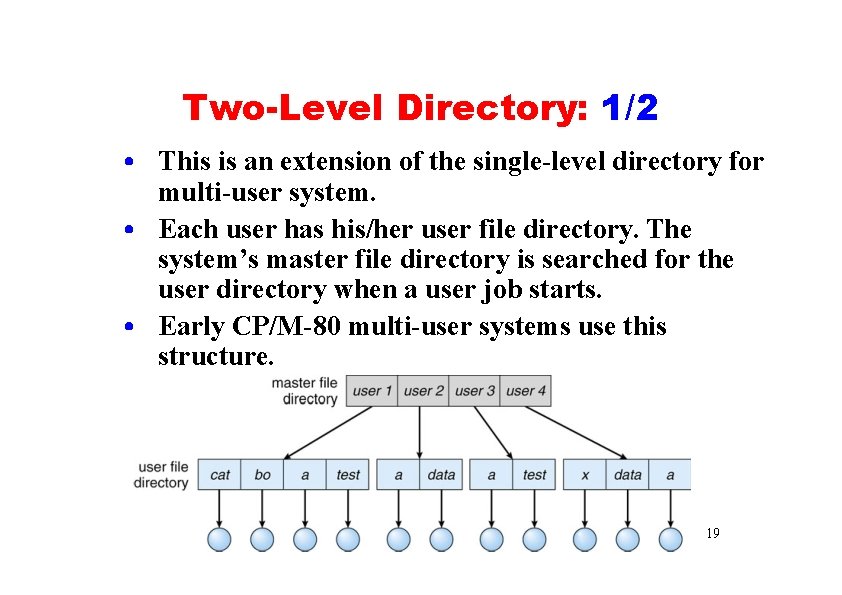
Two-Level Directory: 1/2 • This is an extension of the single-level directory for multi-user system. • Each user has his/her user file directory. The system’s master file directory is searched for the user directory when a user job starts. • Early CP/M-80 multi-user systems use this structure. 19
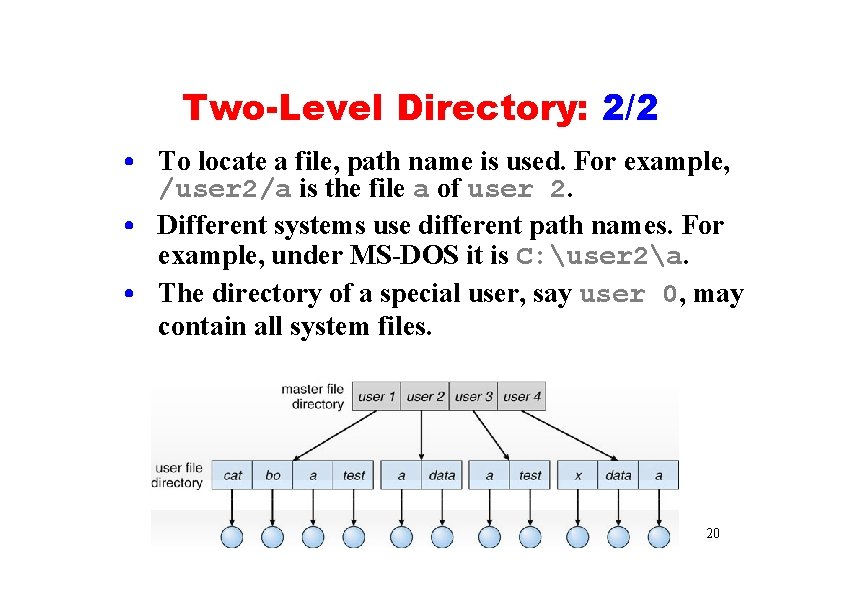
Two-Level Directory: 2/2 • To locate a file, path name is used. For example, /user 2/a is the file a of user 2. • Different systems use different path names. For example, under MS-DOS it is C: user 2a. • The directory of a special user, say user 0, may contain all system files. 20
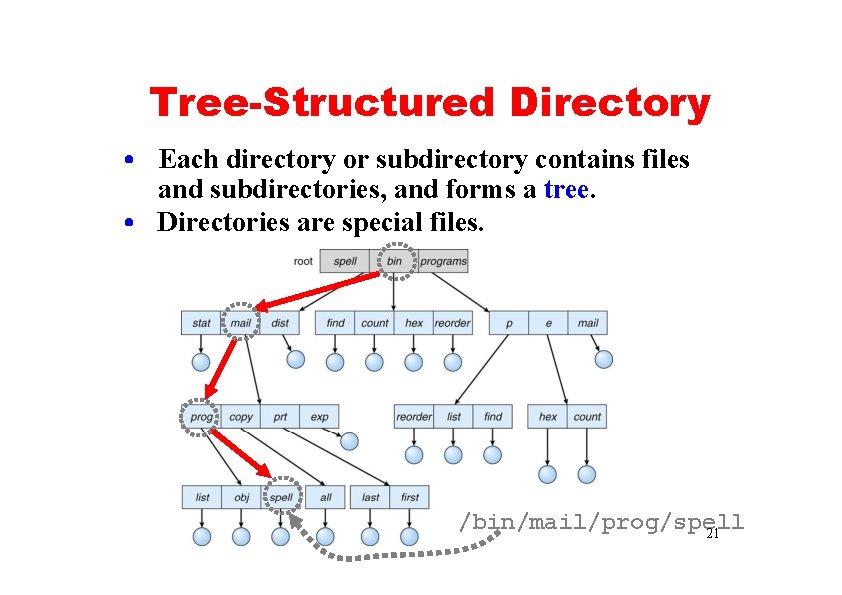
Tree-Structured Directory • Each directory or subdirectory contains files and subdirectories, and forms a tree. • Directories are special files. /bin/mail/prog/spell 21
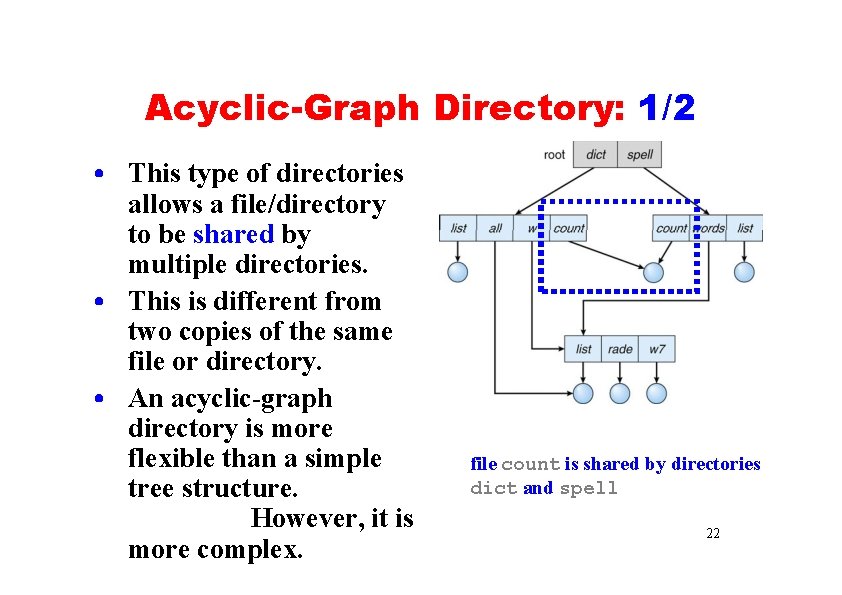
Acyclic-Graph Directory: 1/2 • This type of directories allows a file/directory to be shared by multiple directories. • This is different from two copies of the same file or directory. • An acyclic-graph directory is more flexible than a simple tree structure. However, it is more complex. file count is shared by directories dict and spell 22
Acyclic-Graph Directory: 2/2 • Since a file have multiple absolute path names, how do we calculate file system statistics or do backup? Would the same file be counted multiple times? • How do we delete a file? • If sharing is implemented with symbolic links, we only delete the link if we have a list of links to the file. The file is removed when the list is empty. • Or, we remove the file and keep the links. When the file is accessed again, a message is given and the link is removed. • Or, we can maintain a reference count for each shared file. The file is removed when the count is zero. 23
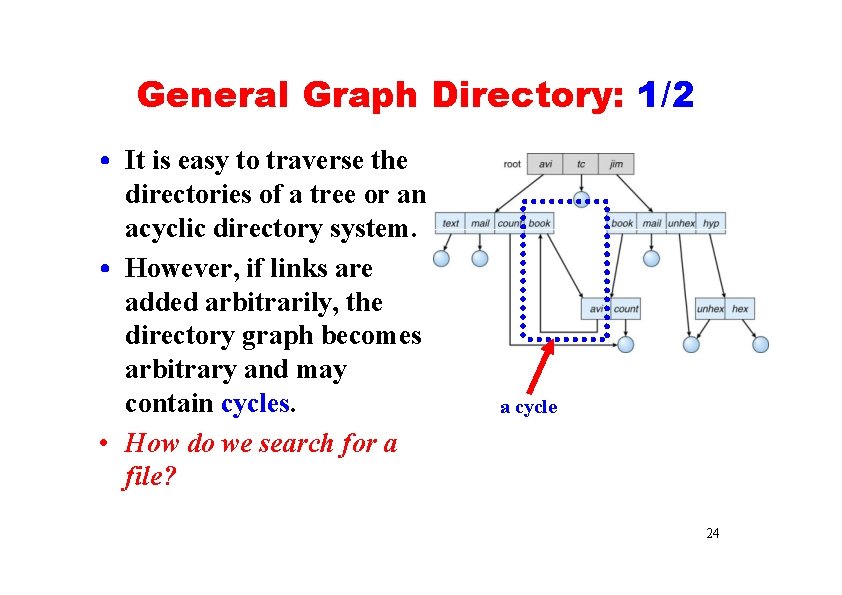
General Graph Directory: 1/2 • It is easy to traverse the directories of a tree or an acyclic directory system. • However, if links are added arbitrarily, the directory graph becomes arbitrary and may contain cycles. • How do we search for a file? a cycle 24
General Graph Directory: 2/2 • How do we delete a file? We can use reference count! • In a cycle, due to self-reference, the reference count may be non-zero even when it is no longer possible to refer to a file or directory. • Thus, garbage collection may needed. A garbage collector traverses the directory and marks files and directories that can be accessed. • A second round removes those inaccessible items. • To avoid this time-consuming task, a system can check if a cycle may occur when a link is made. How? You should know! 25
File Sharing • When a file is shared by multiple users, how can we ensure its consistency? • If multiple users are writing to the file, should all of the writers be allowed to write? • Or, should the operating system protect the user actions from each other? • This is the file consistency semantics. 26
File Consistency Semantics • Consistency semantics is a characterization of the system that specifies the semantics of multiple users accessing a shared file simultaneously. • Consistency semantics is an important criterion for evaluating any file system that supports file sharing. • There are three commonly used semantics • Unix semantics • Session Semantics • Immutable-Shared-Files Semantics • A file session consists all file accesses between open() and close(). 23
Unix Semantics • Writes to an open file by a user are visible immediately to other users who have the file open at the same time. • All users share the file pointer. Thus, advancing the file pointer by one user affects all sharing users. • A file has a single image that interleaves all accesses, regardless of their origin. • File access contention may cause delays. 24
Session Semantics • Writes to an open file by a user are not visible immediately to other users who have the same file open simultaneously. • Once a file is closed, the changes made to it are visible only in sessions started later. • Already-open instances of the file are not affected by these changes. • A file may be associated temporarily with several and possible different images at the same time. • Multiple users are allowed to perform both read and write concurrently on their image of the file without delay. • The Andrew File System (AFS) uses this semantics. 29
Immutable-Shared-Files Semantics • Once a file is declared as shared by its creator, it cannot be modified. • An immutable file has two important properties: • Its name may not be used • Its content may not be altered • Thus, the name of an immutable file indicates that the contents of the file is fixed – a constant rather than a variable. • The implementation of these semantics in a distributed system is simple, since sharing is disciplined (i. e. , read-only). 30
File Protection • We can keep files safe from physical damage (i. e. , reliability) and improper access (i. e. , protection). • Reliability is generally provided by backup. • The need for file protection is a direct result of the ability to access files. • Access control may be a complete protection by denying access. Or, the access may be controlled. 31
File Protection: Types of Access • Access control may be implemented by limiting the types of file access that can be made. • The types of access may be • Read: read from the file • Write: write or rewrite the file • Execute: load the file into memory and execute it • Append: write new info at the end of a file • Delete: delete a file • List: list the name and attributes of the file 32
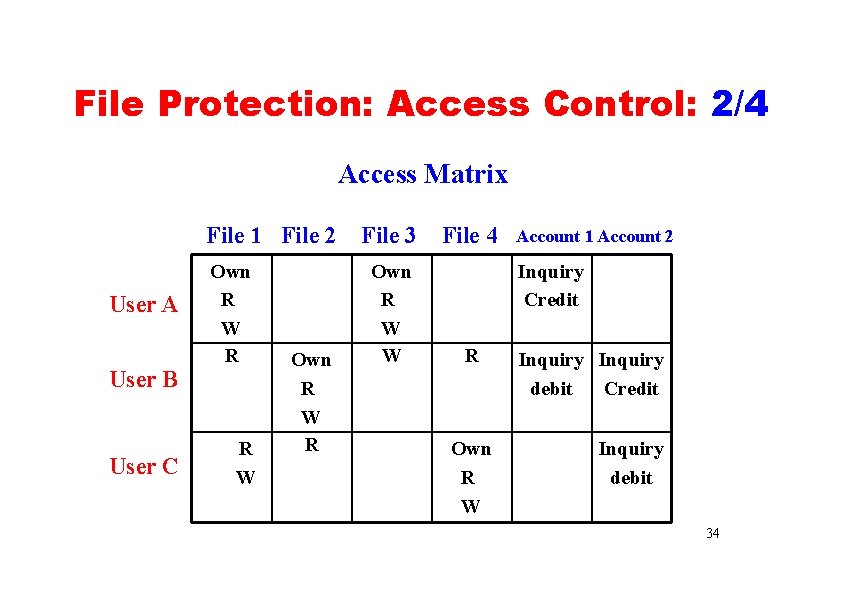
File Protection: Access Control: 1/4 • The most commonly used approach is to make the access dependent on the identity of the user. • Each file and directory is associated with an access matrix specifying the user name and the types of permitted access. • When a user makes a request to access a file or a directory, his/her identity is compared against the information stored in the access matrix. 33
File Protection: Access Control: 2/4 Access Matrix File 1 File 2 User A User B User C Own R W R R W Own R W R File 3 Own R W W File 4 Account 1 Account 2 Inquiry Credit R Own R W Inquiry debit Credit Inquiry debit 34
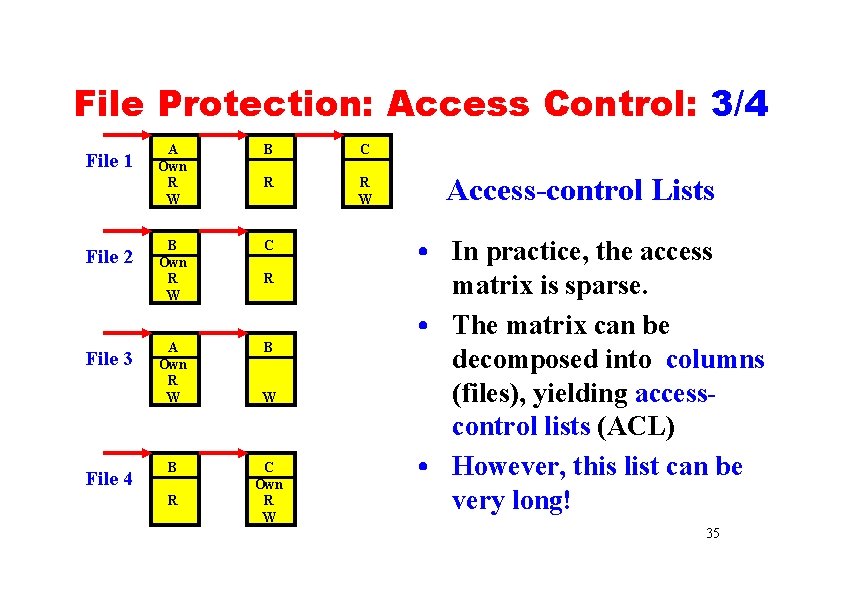
File Protection: Access Control: 3/4 File 1 File 2 File 3 File 4 A Own R W B C R R W B Own R W C A Own R W B B R R W C Own R W Access-control Lists • In practice, the access matrix is sparse. • The matrix can be decomposed into columns (files), yielding accesscontrol lists (ACL) • However, this list can be very long! 35
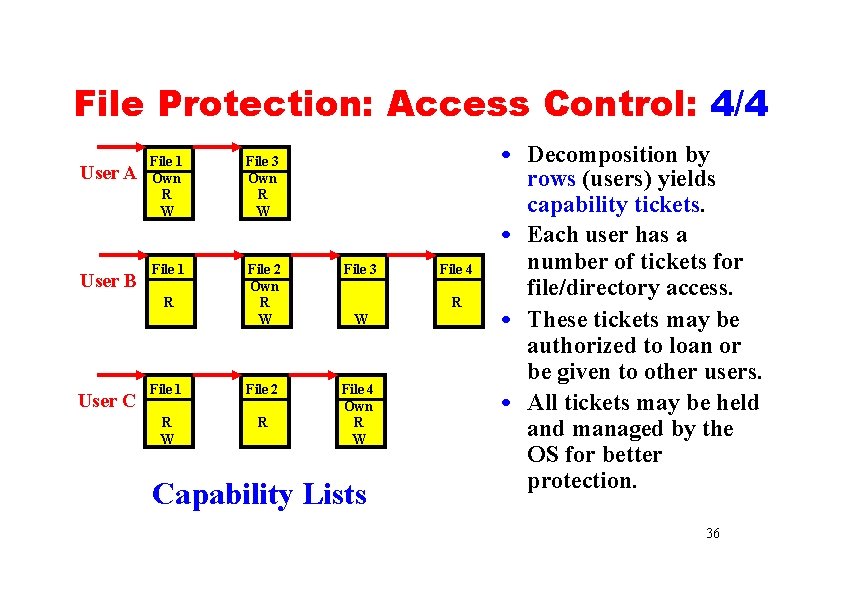
File Protection: Access Control: 4/4 User A User B File 1 Own R W File 3 Own R W File 1 File 2 Own R W File 3 File 1 File 2 R W R File 4 Own R W R User C File 4 R W Capability Lists • Decomposition by rows (users) yields capability tickets. • Each user has a number of tickets for file/directory access. • These tickets may be authorized to loan or be given to other users. • All tickets may be held and managed by the OS for better protection. 36
The End 37
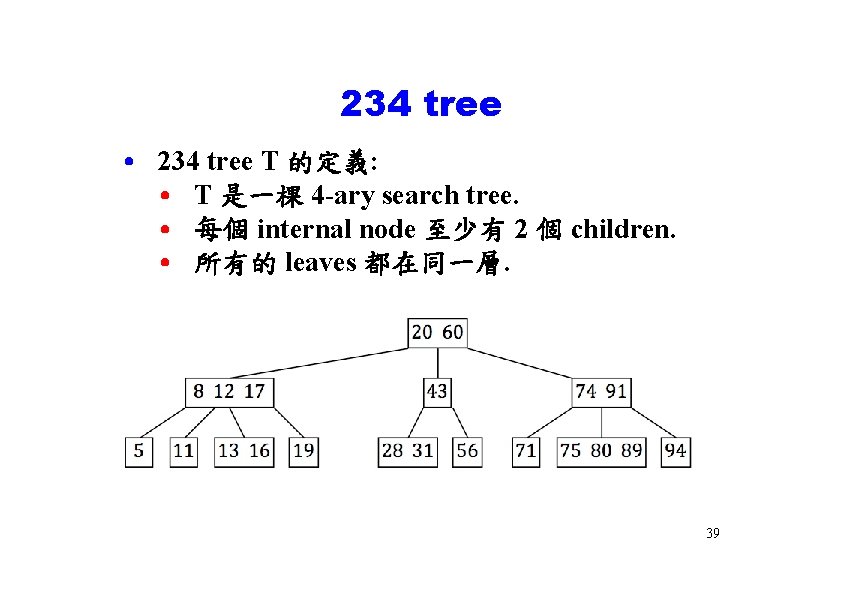
234 tree • 234 tree T 的定義: • T 是一棵 4 -ary search tree. • 每個 internal node 至少有 2 個 children. • 所有的 leaves 都在同一層. 39
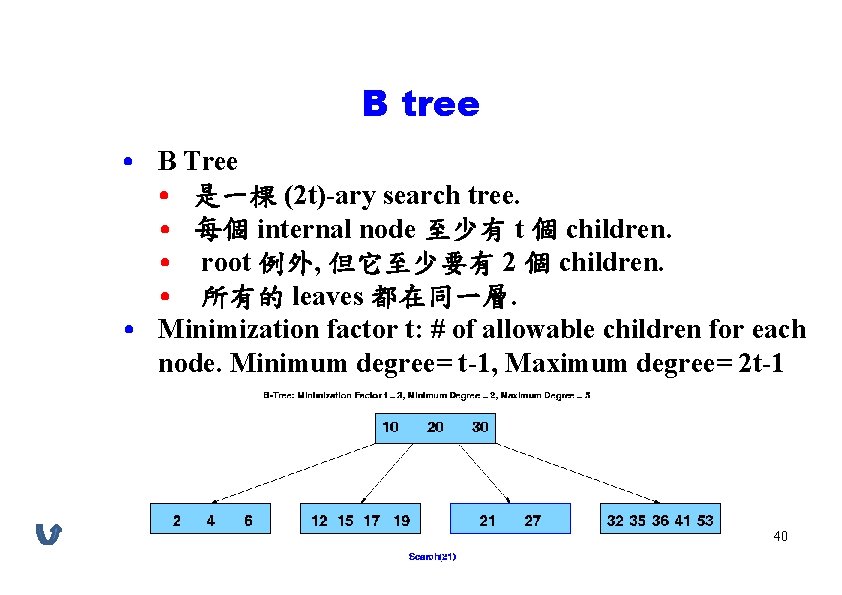
B tree • B Tree • 是一棵 (2 t)-ary search tree. • 每個 internal node 至少有 t 個 children. • root 例外, 但它至少要有 2 個 children. • 所有的 leaves 都在同一層. • Minimization factor t: # of allowable children for each node. Minimum degree= t-1, Maximum degree= 2 t-1 40