
Part I Behind the Wheel How to Program
Part I Behind the Wheel – How to Program with Open. GL
The Graphics Window Lecture 1 Fri, Aug 24, 2007
Device Independence A library is device-independent if it provides a common API, regardless of the hardware on which it is used. The Open. GL API for Windows is identical to the Open. GL API for the Macintosh. Of course, the library must be compiled separately for each hardware system.
Windows-Based Programming Open. GL consists of three libraries n gl – graphics library w Basic functions. n glu – graphics library utility w Composites of basic GL functions. n glut – graphics library utility toolkit w Functions that interact with the windowing system.
![GLUT-Based Programming int main(int argc, char* argv[]) { glut. Init(&argc, argv); glut. Init. Display.](http://slidetodoc.com/presentation_image_h2/5b6fa192fda5719fdd9fb93c9ff2db7f/image-5.jpg "GLUT-Based Programming int main(int argc, char* argv[]) { glut. Init(&argc, argv); glut. Init. Display.")
GLUT-Based Programming int main(int argc, char* argv[]) { glut. Init(&argc, argv); glut. Init. Display. Mode(GLUT_DOUBLE | GLUT_RGBA); glut. Init. Window. Size(screen. Width, screen. Height); glut. Init. Window. Position(100, 150); glut. Create. Window(“My Window Title"); glut. Display. Func(display); glut. Reshape. Func(reshape); glut. Keyboard. Func(keyboard); glut. Mouse. Func(mouse); init(); glut. Main. Loop(); return 0; }

GLUT-Based Programming The glut functions are used in main() to set things up and get started. Functions used to create a graphics window n n n glut. Init(&argc, argv). glut. Init. Display. Window(options). glut. Init. Window. Size(width, height). glut. Init. Window. Position(x, y). glut. Create. Window(name).
GLUT-Based Programming glut. Init(&argc, argv). n n n Initializes the glut library. Must be called before any other glut function. Must receive the command-line arguments. glut. Init. Display. Window(options). n n Specifies single or double buffering. Specifies color mode.
GLUT-Based Programming glut. Init. Window. Size(width, height). n Sets the height and width of the window in pixels, not counting the frame. glut. Init. Window. Position(x, y). n Sets the position of the upper left corner of the window. glut. Create. Window(name). n Creates, but does not display, the window.
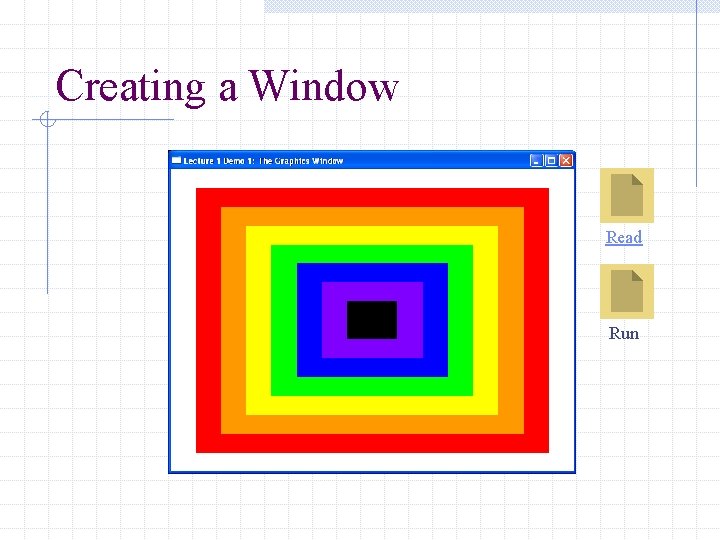
Creating a Window Read Run
- Slides: 9