
Part 4 Chapter 14 Linear Regression Power Points
![Histograms in MATLAB • [n, x] = hist(s, x) – Determine the number of](https://slidetodoc.com/presentation_image_h2/8f615b3cedc4e52824791da5fd6158f6/image-7.jpg "Histograms in MATLAB • [n, x] = hist(s, x) – Determine the number of")
- Slides: 20
Part 4 Chapter 14 Linear Regression Power. Points organized by Dr. Michael R. Gustafson II, Duke University All images copyright © The Mc. Graw-Hill Companies, Inc. Permission required for reproduction or display.
Chapter Objectives • Familiarizing yourself with some basic descriptive statistics and the normal distribution. • Knowing how to compute the slope and intercept of a best fit straight line with linear regression. • Knowing how to compute and understand the meaning of the coefficient of determination and the standard error of the estimate. • Understanding how to use transformations to linearize nonlinear equations so that they can be fit with linear regression. • Knowing how to implement linear regression with MATLAB.
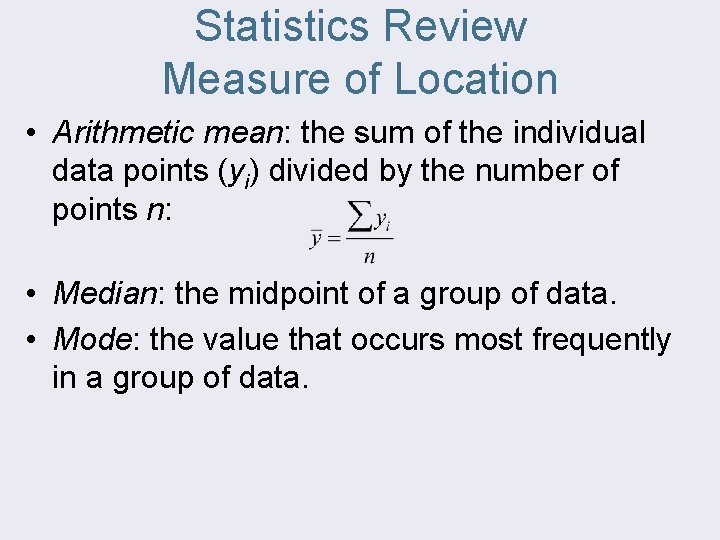
Statistics Review Measure of Location • Arithmetic mean: the sum of the individual data points (yi) divided by the number of points n: • Median: the midpoint of a group of data. • Mode: the value that occurs most frequently in a group of data.
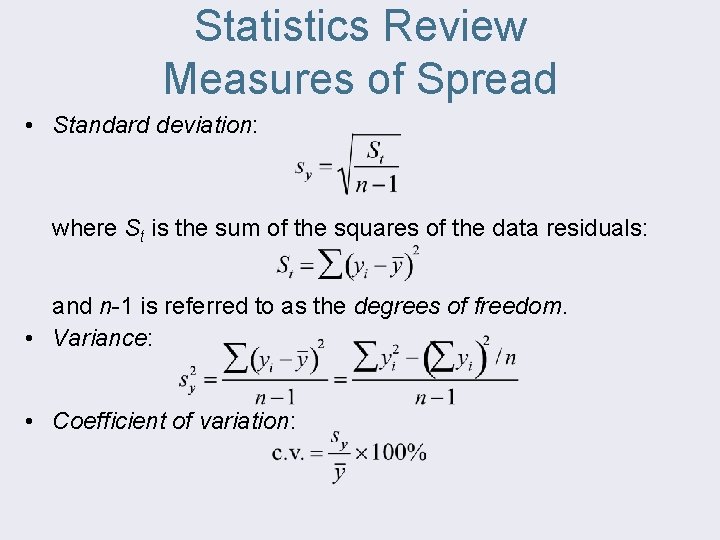
Statistics Review Measures of Spread • Standard deviation: where St is the sum of the squares of the data residuals: and n-1 is referred to as the degrees of freedom. • Variance: • Coefficient of variation:
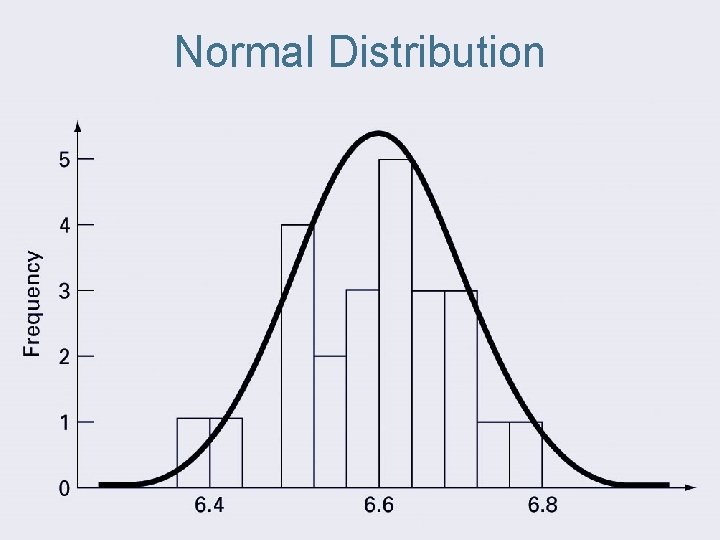
Normal Distribution
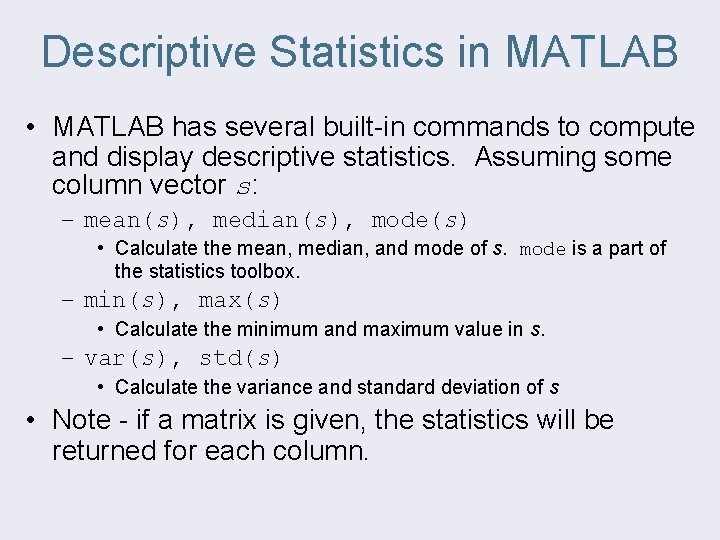
Descriptive Statistics in MATLAB • MATLAB has several built-in commands to compute and display descriptive statistics. Assuming some column vector s: – mean(s), median(s), mode(s) • Calculate the mean, median, and mode of s. mode is a part of the statistics toolbox. – min(s), max(s) • Calculate the minimum and maximum value in s. – var(s), std(s) • Calculate the variance and standard deviation of s • Note - if a matrix is given, the statistics will be returned for each column.
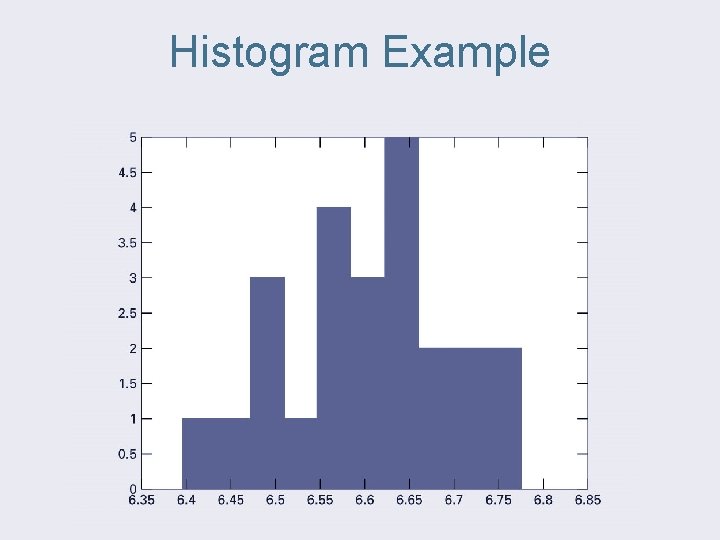
Histograms in MATLAB • [n, x] = hist(s, x) – Determine the number of elements in each bin of data in s. x is a vector containing the center values of the bins. • [n, x] = hist(s, m) – Determine the number of elements in each bin of data in s using m bins. x will contain the centers of the bins. The default case is m=10 • hist(s, x) or hist(s, m) or hist(s) – With no output arguments, hist will actually produce a histogram.
Histogram Example
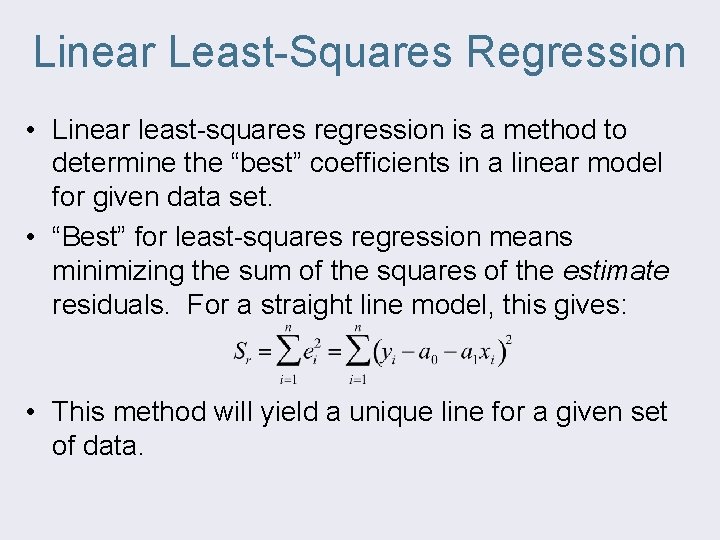
Linear Least-Squares Regression • Linear least-squares regression is a method to determine the “best” coefficients in a linear model for given data set. • “Best” for least-squares regression means minimizing the sum of the squares of the estimate residuals. For a straight line model, this gives: • This method will yield a unique line for a given set of data.
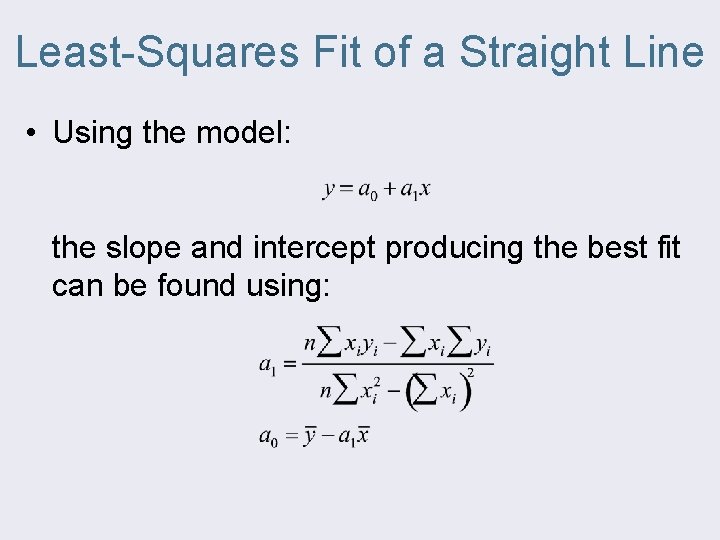
Least-Squares Fit of a Straight Line • Using the model: the slope and intercept producing the best fit can be found using:
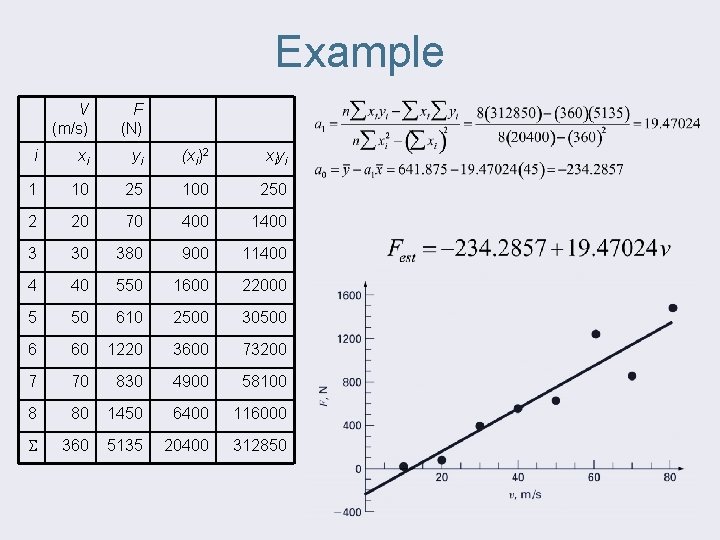
Example V (m/s) F (N) i xi yi (xi)2 xiyi 1 10 25 100 250 2 20 70 400 1400 3 30 380 900 11400 4 40 550 1600 22000 5 50 610 2500 30500 6 60 1220 3600 73200 7 70 830 4900 58100 8 80 1450 6400 116000 360 5135 20400 312850
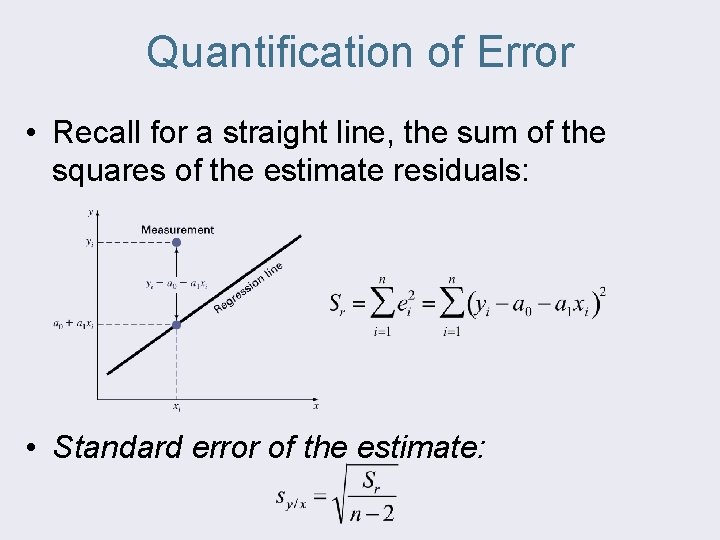
Quantification of Error • Recall for a straight line, the sum of the squares of the estimate residuals: • Standard error of the estimate:
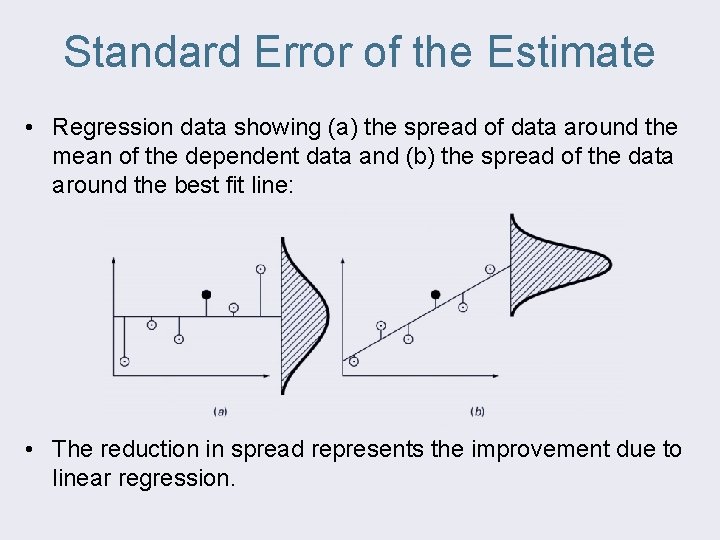
Standard Error of the Estimate • Regression data showing (a) the spread of data around the mean of the dependent data and (b) the spread of the data around the best fit line: • The reduction in spread represents the improvement due to linear regression.
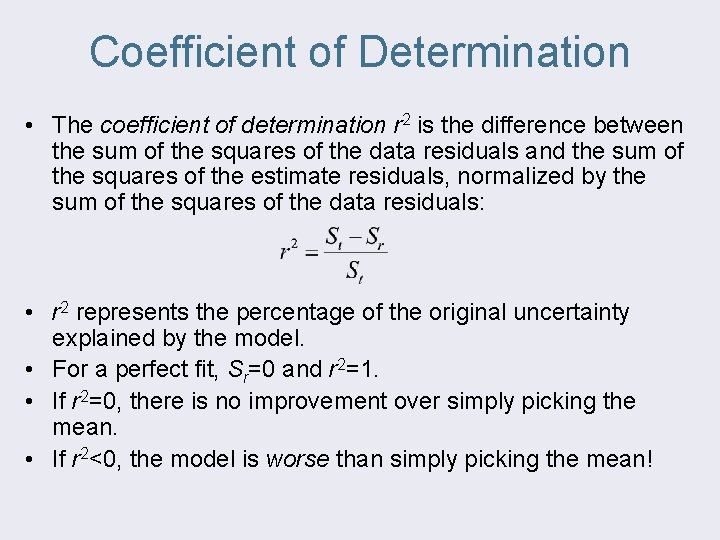
Coefficient of Determination • The coefficient of determination r 2 is the difference between the sum of the squares of the data residuals and the sum of the squares of the estimate residuals, normalized by the sum of the squares of the data residuals: • r 2 represents the percentage of the original uncertainty explained by the model. • For a perfect fit, Sr=0 and r 2=1. • If r 2=0, there is no improvement over simply picking the mean. • If r 2<0, the model is worse than simply picking the mean!
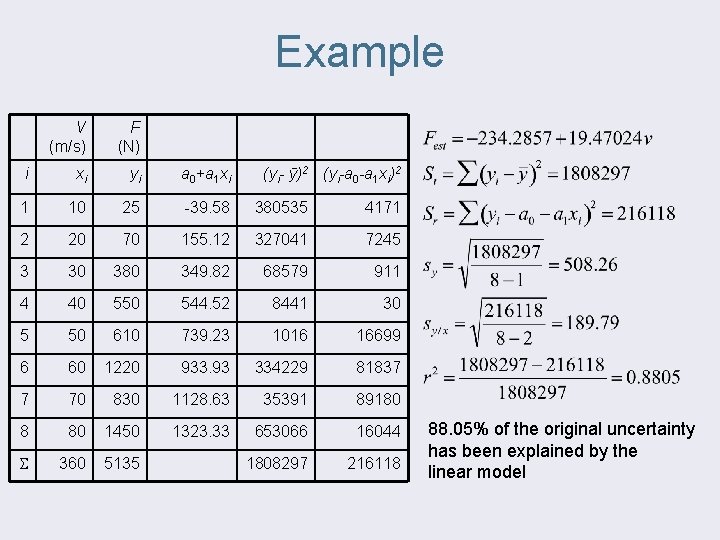
Example V (m/s) F (N) i xi yi a 0+a 1 xi 1 10 25 -39. 58 380535 4171 2 20 70 155. 12 327041 7245 3 30 380 349. 82 68579 911 4 40 550 544. 52 8441 30 5 50 610 739. 23 1016 16699 6 60 1220 933. 93 334229 81837 7 70 830 1128. 63 35391 89180 8 80 1450 1323. 33 653066 16044 360 5135 1808297 216118 (yi- ȳ)2 (yi-a 0 -a 1 xi)2 88. 05% of the original uncertainty has been explained by the linear model
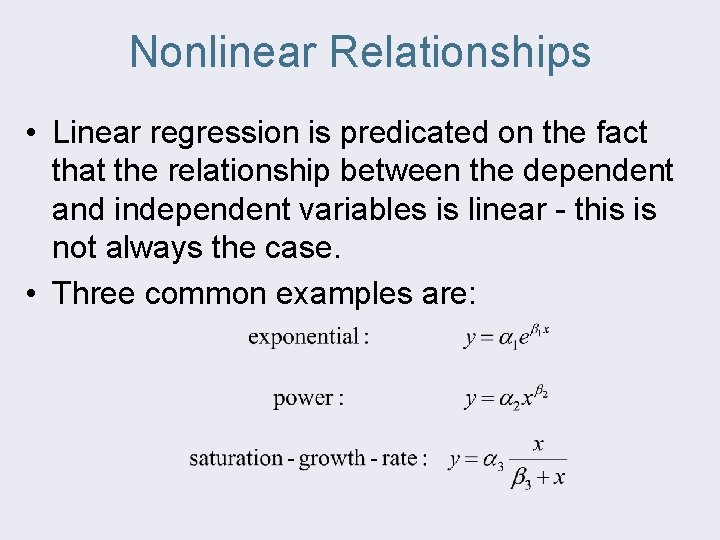
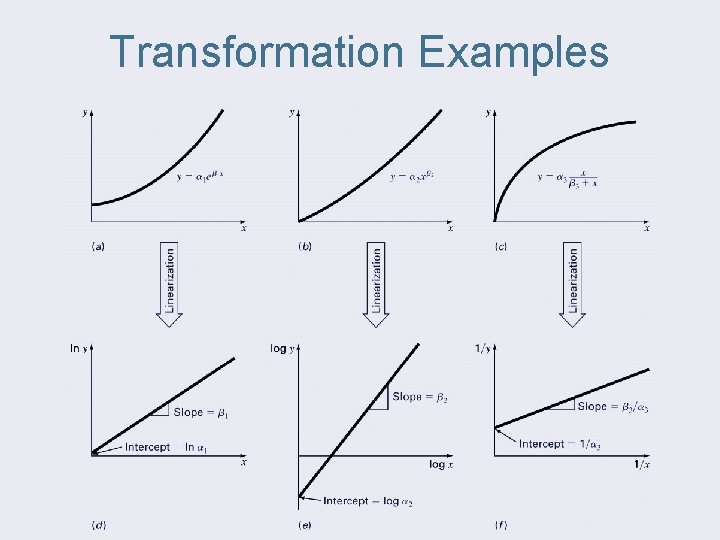
Nonlinear Relationships • Linear regression is predicated on the fact that the relationship between the dependent and independent variables is linear - this is not always the case. • Three common examples are:
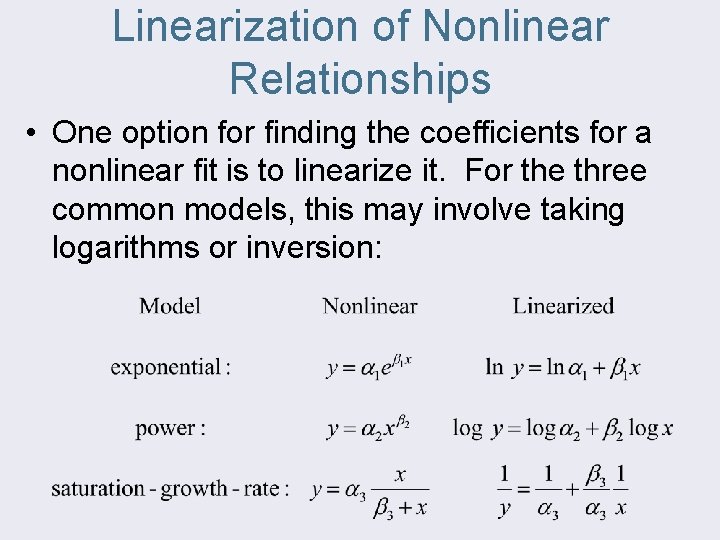
Linearization of Nonlinear Relationships • One option for finding the coefficients for a nonlinear fit is to linearize it. For the three common models, this may involve taking logarithms or inversion:
Transformation Examples
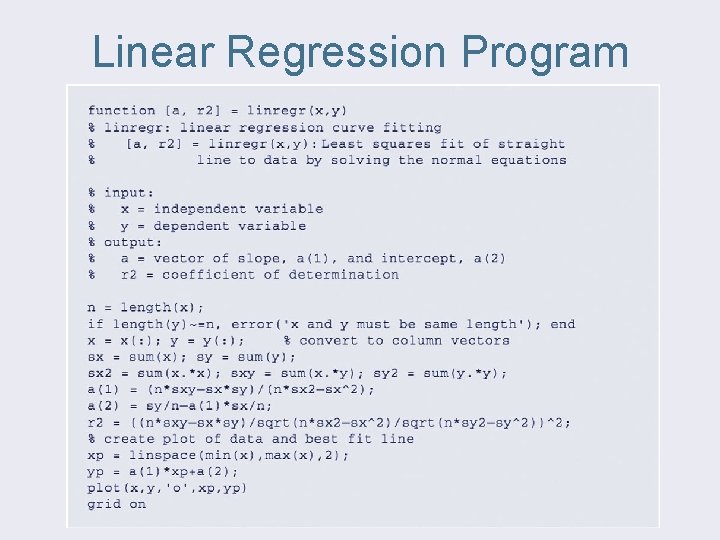
Linear Regression Program
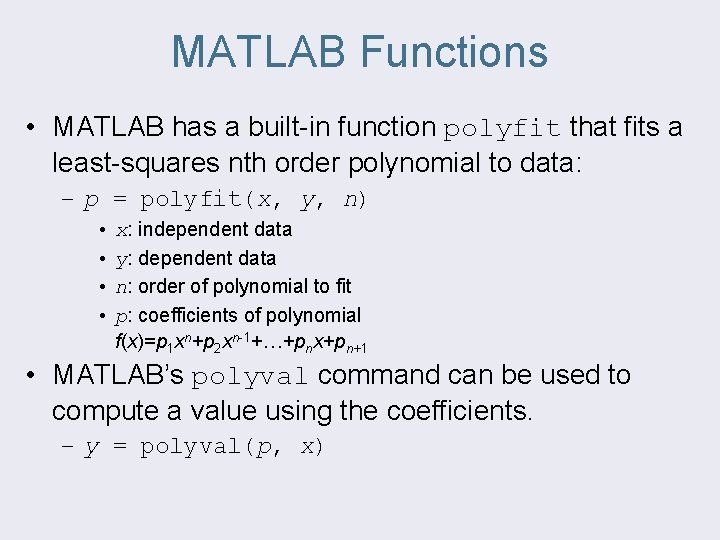
MATLAB Functions • MATLAB has a built-in function polyfit that fits a least-squares nth order polynomial to data: – p = polyfit(x, y, n) • x: independent data • y: dependent data • n: order of polynomial to fit • p: coefficients of polynomial f(x)=p 1 xn+p 2 xn-1+…+pnx+pn+1 • MATLAB’s polyval command can be used to compute a value using the coefficients. – y = polyval(p, x)