
Parents Connect Becoming your childs expert Opening discussion

Parents Connect Becoming your child’s expert

Opening discussion • Why do we struggle dealing with professionals?
Firstly… “You will always know more about your child than the experts. Sometimes, what you know may confound and confuse them. That doesn’t make you wrong. ” Carol Anne Swett

SEND Code of Practice Basic principles All children have a right to an education that enables them to make progress so that they: • achieve their best • become confident individuals and live fulfilling lives • make a successful transition into becoming an adult, whether that’s into further and higher education, training or work
Local authorities When making decisions, local authorities must: • consider the views, wishes and feelings of children and their parents • make sure that children and their parents take part as fully as possible in decisions that affect them • provide support to children and their parents so that children do well educationally and can prepare properly for adulthood
SEND Code of Practice and parents Parents should: • have a say in decisions that affect their children • have access to impartial information, advice and support • know how to challenge decisions they disagree with • be involved, along with their children, in developing local provision and services for children with SEN
Remember You know your child better than anyone

Group discussion Discuss ways of getting the best response from professionals
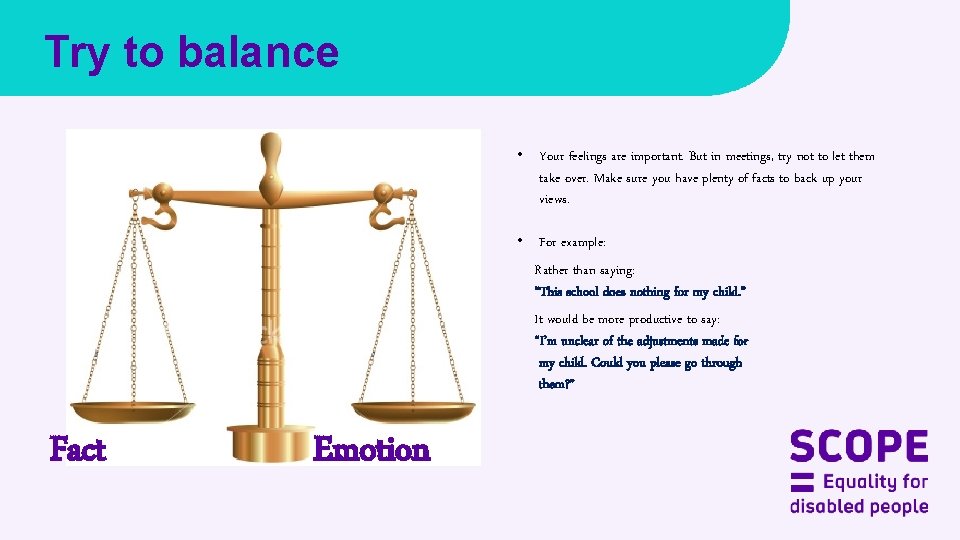
Try to balance • Your feelings are important. But in meetings, try not to let them take over. Make sure you have plenty of facts to back up your views. • For example: Rather than saying: “This school does nothing for my child. ” It would be more productive to say: “I’m unclear of the adjustments made for my child. Could you please go through them? ” Fact Emotion
Preparing for meetings • Go through the papers beforehand. • Note any deadlines for papers for the meeting. • Ask for help with writing or filling in forms if you need it. • What is the meeting for? If you are unsure, ask. • What do you want to get out of the meeting? • Write down a ‘shopping list’ with questions and points you want to raise. • Think about what you can and cannot compromise on.
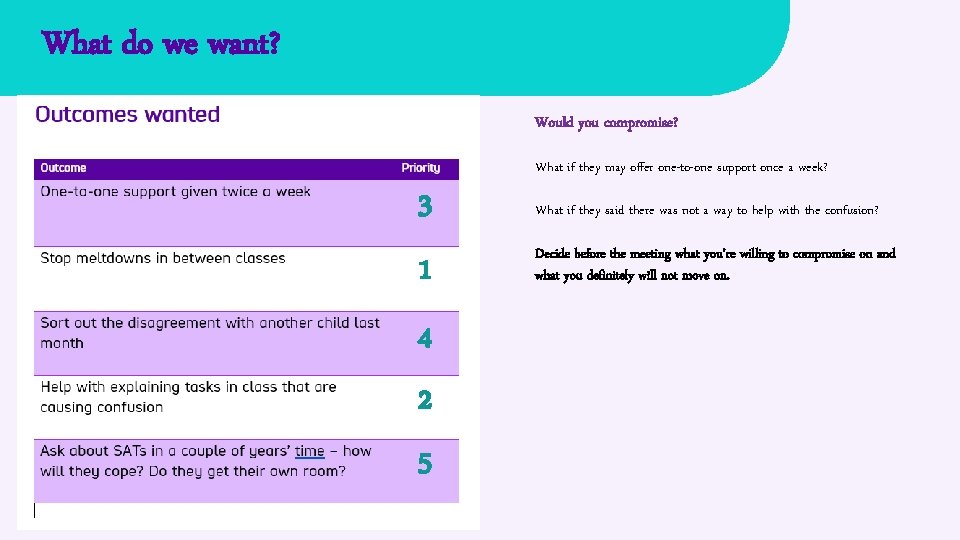
What do we want? Would you compromise? What if they may offer one-to-one support once a week? 3 1 4 2 5 What if they said there was not a way to help with the confusion? Decide before the meeting what you’re willing to compromise on and what you definitely will not move on.
The meeting itself • Think about what you need to get to the meeting on time. • Ask people for help getting to the meeting if you need it. • Ask for introductions if you do not know everyone. • If you do not understand jargon, ask for explanations. • Make notes or ask a supporter to do this for you.
At the end of the meeting • Make sure you know what will happen after the meeting. • Who will do what and by when? • Check you understand this action plan. Ask if you do not. • Send an email after the meeting to put this in writing. • It’s OK to feel nervous, upset or worried before a meeting.
Feedback • How can we work well together for our child with professionals? • What are the key things to think about when talking to professionals?
Working with professionals Parents know their child best. Parents working together with professionals from the start in an effective partnership, based on: Working together Exploration of ideas Understanding Setting goals What needs to be done, when and who by Putting ideas into practice Reviewing
Get organised Getting organised will help. Have a look at the ideas in the pack and find a system that works for you. This could be: • A simple binder with section dividers (medical appointments; school meetings; CAMHs; EHCPs) • Excel spreadsheet with different tabs for different sections • A noticeboard where you can pin letters and reminders. • An app that you can share with other family members, so everyone knows upcoming appointments.
Session recap • What’s the main thing you’ll take away from today? • What extra support do you need? • Questions
- Slides: 17