
Parallel and Distributed Computing Overview Chapter 1 Motivation
Parallel (and Distributed) Computing Overview Chapter 1 Motivation and History
Outline • • Motivation Modern scientific method Evolution of supercomputing Modern parallel computers Flynn’s Taxonomy Seeking Concurrency Data clustering case study Programming parallel computers 2

Why Faster Computers? • Solve compute-intensive problems faster – Make infeasible problems feasible – Reduce design time • Solve larger problems in same amount of time – Improve answer’s precision – Reduce design time • Gain competitive advantage 3
Concepts • Parallel computing – Using parallel computer to solve single problems faster • Parallel computer – Multiple-processor system supporting parallel programming • Parallel programming – Programming in a language that supports concurrency explicitly 4
MPI Main Parallel Language in Text • MPI = “Message Passing Interface” • Standard specification for messagepassing libraries • Libraries available on virtually all parallel computers • Free libraries also available for networks of workstations or commodity clusters 5
Open. MP Another Parallel Language in Text • Open. MP an application programming interface (API) for shared-memory systems • Supports higher performance parallel programming for a shared memory system. 6
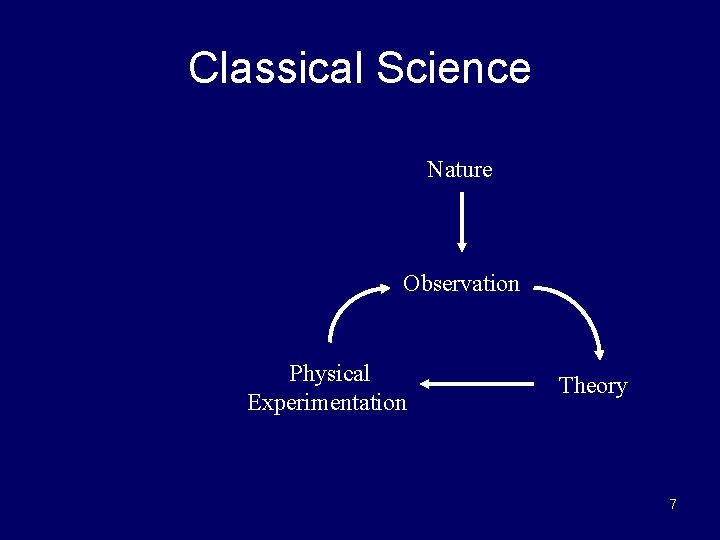
Classical Science Nature Observation Physical Experimentation Theory 7
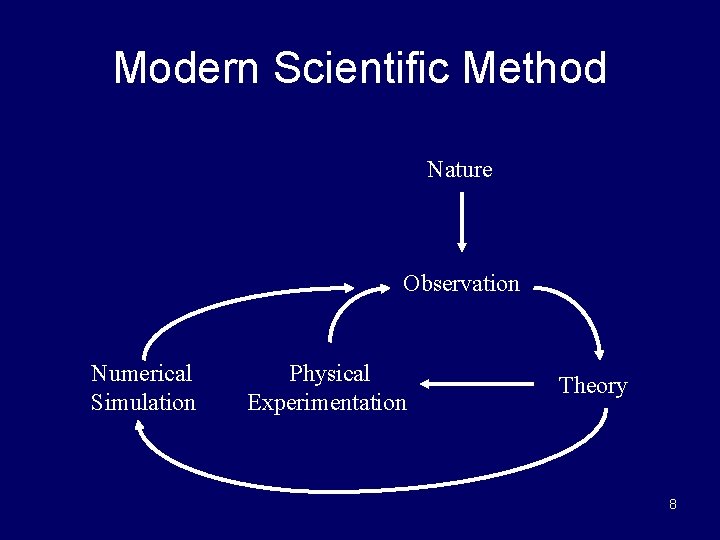
Modern Scientific Method Nature Observation Numerical Simulation Physical Experimentation Theory 8
1989 Grand Challenges to Computational Science Categories • Quantum chemistry, statistical mechanics, and relativistic physics • Cosmology and astrophysics • Computational fluid dynamics and turbulence • Materials design and superconductivity • Biology, pharmacology, genome sequencing, genetic engineering, protein folding, enzyme activity, and cell modeling • Medicine, and modeling of human organs and bones • Global weather and environmental modeling 9
Weather Prediction • Atmosphere is divided into 3 D cells • Data includes temperature, pressure, humidity, wind speed and direction, etc – Recorded at regular time intervals in each cell • There about 5× 10³ cells of 1 mile cubes. • Calculations would take a modern computer over 100 days to perform calculations needed for a 10 day forecast • Details in Ian Foster’s 1995 online textbook – Design & Building Parallel Programs – (pointer will be on our website – under references) 10
Evolution of Supercomputing • Supercomputers – Most powerful computers that can currently be built. – This definition is time dependent. • Uses during World War II – Hand-computed artillery tables – Need to speed computations – Army funded ENIAC to speed up calculations • Uses during the Cold War – Nuclear weapon design – Intelligence gathering – Code-breaking 11
Supercomputer • General-purpose computer • Solves individual problems at high speeds, compared with contemporary systems • Typically costs $10 million or more • Originally found almost exclusively in government labs 12
Commercial Supercomputing • Started in capital-intensive industries – Petroleum exploration – Automobile manufacturing • Other companies followed suit – Pharmaceutical design – Consumer products 13
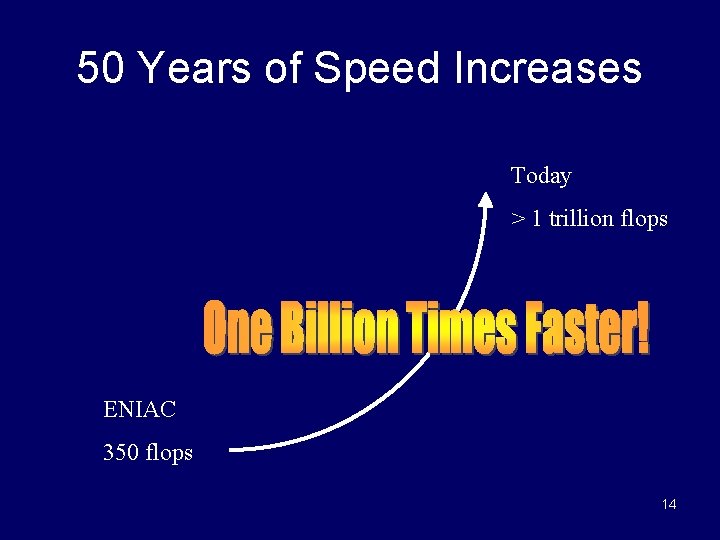
50 Years of Speed Increases Today > 1 trillion flops ENIAC 350 flops 14
CPUs 1 Million Times Faster • Faster clock speeds • Greater system concurrency – Multiple functional units – Concurrent instruction execution – Speculative instruction execution 15
Systems 1 Billion Times Faster • Processors are 1 million times faster • Must combine thousands of processors in order to achieve a “billion” speed increase • Parallel computer – Multiple processors – Supports parallel programming • Parallel computing allows a program to be executed faster 16
![Moore’s Law • In 1965, Gordon Moore [87] observed that the density of chips](http://slidetodoc.com/presentation_image_h/be48aa55be8cd883821799f8fdb5bc8f/image-17.jpg "Moore’s Law • In 1965, Gordon Moore [87] observed that the density of chips")
Moore’s Law • In 1965, Gordon Moore [87] observed that the density of chips doubled every year. – That is, the chip size is being halved yearly. – This is an exponential rate of increase. • By the late 1980’s, the doubling period had slowed to 18 months. • Reduction of the silicon area causes speed of the processors to increase. • Moore’s law is sometimes stated: “The processor speed doubles every 18 months” 17
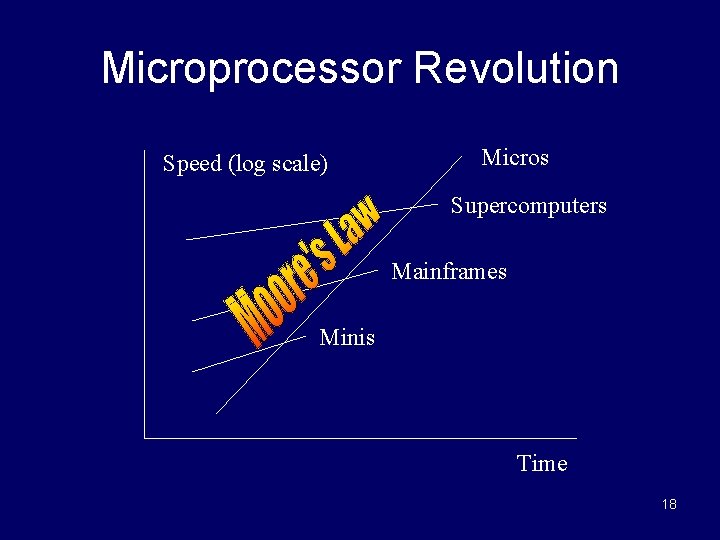
Microprocessor Revolution Speed (log scale) Micros Supercomputers Mainframes Minis Time 18
Some Modern Parallel Computers • Caltech’s Cosmic Cube (Seitz and Fox) • Commercial copy-cats – n. CUBE Corporation – Intel’s Supercomputer Systems Division – Lots more • Thinking Machines Corporation – Built the Connection Machines (e. g. , CM 2) – Cm 2 had 65, 535 single bit ‘ALU’ processors 19
Copy-cat Strategy • Microprocessor – 1% speed of supercomputer – 0. 1% cost of supercomputer • Parallel computer with 1000 microprocessors has potentially – 10 x speed of supercomputer – Same cost as supercomputer 20
Why Didn’t Everybody Buy One? • Supercomputer CPUs – Computation rate throughput – Inadequate I/O • Software – Inadequate operating systems – Inadequate programming environments 21
After mid-90’s “Shake Out” • • IBM Hewlett-Packard Silicon Graphics Sun Microsystems 22
Commercial Parallel Systems • Relatively costly per processor • Primitive programming environments – Rapid evolution – Software development could not keep pace • Focus on commercial sales • Scientists looked for a “do-it-yourself” alternative 23
Beowulf Concept • • NASA (Sterling and Becker, 1994) Commodity processors & free software Commodity interconnect using Ethernet links System constructed of commodity, off-the-shelf (COTS) components Linux operating system Message Passing Interface (MPI) library High performance/$ for certain applications Communication network speed is quite low compared to the speed of the processors – Many applications are dominated by communications 24
Advanced Strategic Computing Initiative • U. S. nuclear policy changes during 1990’s – Moratorium on testing – Production of new nuclear weapons halted – Stockpile of existing weapons maintained • Numerical simulations needed to guarantee safety and reliability of weapons • U. S. ordered series of five supercomputers costing up to $100 million each 25
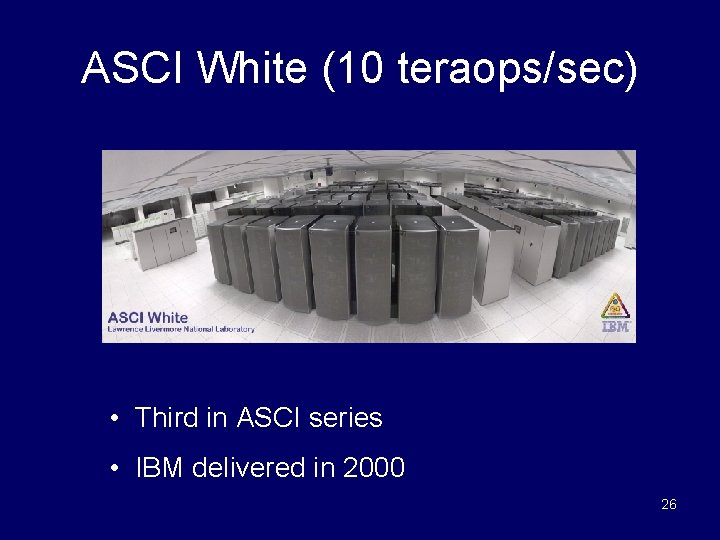
ASCI White (10 teraops/sec) • Third in ASCI series • IBM delivered in 2000 26
Some Definitions • Concurrent - Events or processes which seem to occur or progress at the same time. • Parallel –Events or processes which occur or progress at the same time – Parallel programming (also, unfortunately, sometimes called concurrent programming), is a computer programming technique that provides for the execution of operations concurrently, either • within a single parallel computer • or across a number of systems. – In the latter case, the term distributed computing is used. 27
Flynn’s Taxonomy (Section 2. 6 in Textbook) • Best known classification scheme for parallel computers. • Depends on parallelism it exhibits with its – Instruction stream – Data stream • A sequence of instructions (the instruction stream) manipulates a sequence of operands (the data stream) • The instruction stream (I) and the data stream (D) can be either single (S) or multiple (M) • Four combinations: SISD, SIMD, MISD, MIMD 28
SISD • Single Instruction, Single Data • Single-CPU systems – i. e. , uniprocessors – Note: co-processors don’t count as more processors • Concurrent processing allowed – Instruction prefetching – Pipelined execution of instructions • Functional parallel execution allowed – That is, independent concurrent tasks can execute different sequences of operations. • Functional parallelism is discussed in later slides in Ch. 1 – E. g. , I/O controllers are independent of CPU • Most Important Example: a PC 29
SIMD • Single instruction, multiple data • One instruction stream is broadcast to all processors • Each processor (also called a processing element or PE) is very simplistic and is essentially an ALU; – PEs do not store a copy of the program nor have a program control unit. • Individual processors can be inhibited from participating in an instruction (based on a 30 data test).
SIMD (cont. ) • All active processor executes the same instruction synchronously, but on different data • On a memory access, all active processors must access the same location in their local memory. • The data items form an array and an instruction can act on the complete array in one cycle. 31
SIMD (cont. ) • Quinn calls this architecture a processor array. Examples include – The STARAN and MPP (Dr. Batcher architect) – Connection Machine CM 2 – commercial ex. • Quinn also considers a pipelined vector processor to be a SIMD – This is a somewhat non-standard use of the term. – An example is the Cray-1 32
How to View a SIMD Machine • Think of soldiers all in a unit. • A commander selects certain soldiers as active – for example, every even numbered row. • The commander barks out an order that all the active soldiers should do and they execute the order synchronously. 33
MISD • Multiple instruction streams, single data stream • Quinn argues that a systolic array is an example of a MISD structure (pg 55 -57) • Some authors include pipelined architecture in this category • This category does not receive much attention from most authors so we won’t do much with it. 34
MIMD • Multiple instruction, multiple data • Processors are asynchronous, since they can independently execute different programs on different data sets. • Communications are handled either by – through shared memory. (multiprocessors) – use of message passing (multicomputers) • MIMD’s have been considered by most researchers to include the most powerful, least restricted computers. 35
MIMD (cont. ) • Have very major communication costs – When compared to SIMDs – Internal ‘housekeeping activities’ are often overlooked • Maintaining distributed memory & distributed databases • Synchronization or scheduling of tasks • A common way to program MIMDs is for all processors to execute the same program. – – Execution of tasks by processors is still asynchronous Called SPMD method (single program, multiple data) Usual method when number of processors are large. A “data parallel programming” style for MIMDs • Data parallel is discussed in later slides for this chapter 36
Multiprocessors (Shared Memory MIMDs) • All processors have access to all memory locations. • Uniform memory access (UMA) – Similar to uniprocessor, except additional, identical CPU’s are added to the bus. – Each processor has equal access to memory and can do anything that any other processor can do. – Also called a symmetric multiprocessor or SMP – We will discuss in greater detail later (e. g. , text pg 43) • SMPs and clusters of SMPs are currently very popular 37
Multiprocessors (cont. ) • Nonuniform memory access (NUMA). – Has a distributed memory system. – Each memory location has the same address for all processors. – Access time to a given memory location varies considerably for different CPUs. • Normally, fast cache is used with NUMA systems to reduce the problem of different memory access time for PEs. – Creates problem of ensuring all copies of the same data in different memory locations are identical. • We will discuss in more detail later (text - pg 46). 38
Multicomputers (Message-Passing MIMDs) • Processors are connected by a network – Interconnection network connections is one possibility – Also, may be connected by Ethernet links or a bus. • Each processor has a local memory and can only access its own local memory. • Data is passed between processors using messages, as dictated by the program. • A common approach to programming multiprocessors is to use a message passing language (e. g. , MPI, PVM) • The problem is divided into processes that can be executed concurrently on individual processors. Each processor is normally assigned multiple processes. 39
Multicomputers • Programming disadvantages of messagepassing – Programmers must make explicit messagepassing calls in the code – This is low-level programming and is error prone. – Data is not shared but copied, which increases the total data size. – Data Integrity: difficulty in maintaining correctness of multiple copies of data item. 40
Multicomputers • Programming advantages of message-passing – No problem with simultaneous access to data. – Allows different PCs to operate on the same data independently. – Allows PCs on a network to be easily upgraded when faster processors become available. • Mixed “distributed shared memory” systems exist – Lots of current interest in a cluster of SMPs. 41
Seeking Concurrency Several Different Ways Exist • • Data dependence graphs Data parallelism Functional (or control) parallelism Pipelining 42
Data Dependence Graph • • Directed graph Vertices = tasks Edges = dependences Edge from u to v means that task u must finish before task v can start. 43
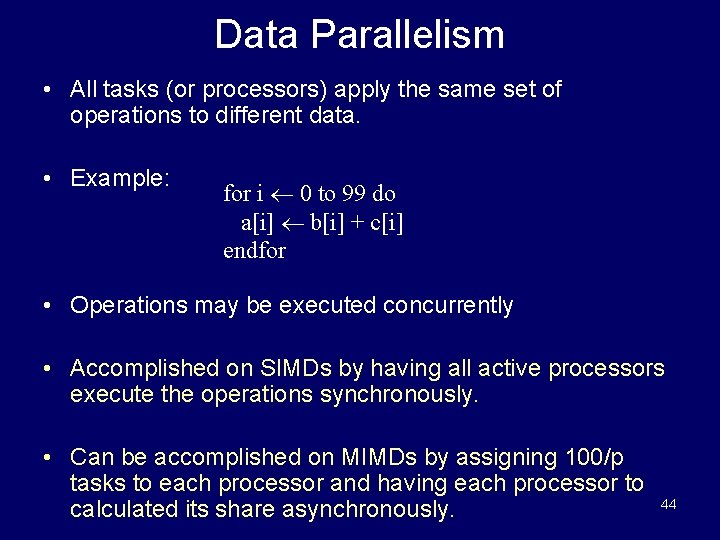
Data Parallelism • All tasks (or processors) apply the same set of operations to different data. • Example: for i 0 to 99 do a[i] b[i] + c[i] endfor • Operations may be executed concurrently • Accomplished on SIMDs by having all active processors execute the operations synchronously. • Can be accomplished on MIMDs by assigning 100/p tasks to each processor and having each processor to calculated its share asynchronously. 44
Data Parallelism • A common way to support data parallel programming on MIMDs is to use SPMD (single program multiple data) programming as follows: – Processors execute the same block of instructions concurrently but asynchronously – No communication or synchronization occurs within these concurrent instruction blocks. – Each instruction block is normally followed by synchronization and communication steps • Note if processors have multiple identical tasks (with different data), above method can be executed in a data parallel fashion. – Discussion topic: Explain how 45
Data Parallelism Features • Each processor performs the same data computation on different data sets • Computations can be performed either synchronously or asynchronously • Defn: Grain Size is the average number of computations performed between communication or synchronization steps – See Quinn textbook, page 411 • Data parallel programming usually results in smaller grain size computation – SIMD computation is considered to be fine-grain – MIMD data parallelism is usually considered to be medium grain 46
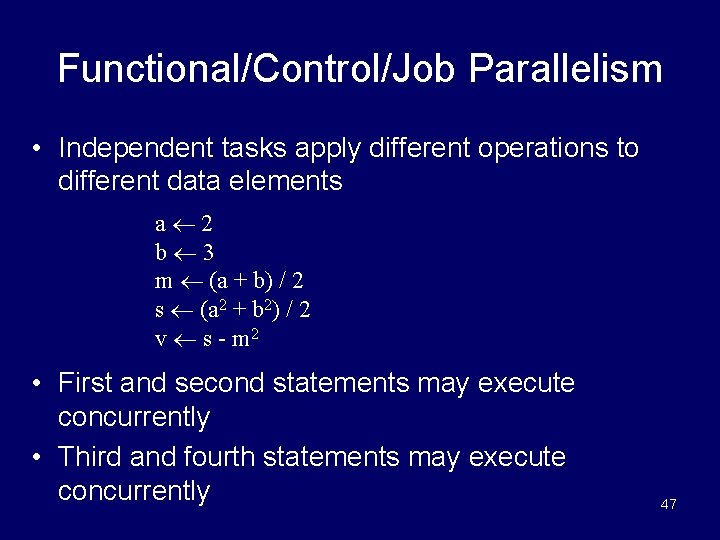
Functional/Control/Job Parallelism • Independent tasks apply different operations to different data elements a 2 b 3 m (a + b) / 2 s (a 2 + b 2) / 2 v s - m 2 • First and second statements may execute concurrently • Third and fourth statements may execute concurrently 47
Control Parallelism Features • Problem is divided into different nonidentical tasks • Tasks are divided between the processors so that their workload is roughly balanced • Parallelism at the task level is considered to be coarse grained parallelism 48
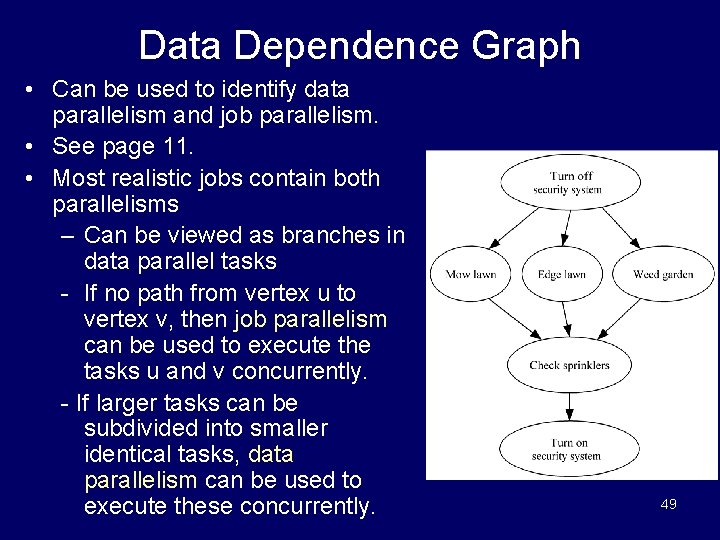
Data Dependence Graph • Can be used to identify data parallelism and job parallelism. • See page 11. • Most realistic jobs contain both parallelisms – Can be viewed as branches in data parallel tasks - If no path from vertex u to vertex v, then job parallelism can be used to execute the tasks u and v concurrently. - If larger tasks can be subdivided into smaller identical tasks, data parallelism can be used to execute these concurrently. 49
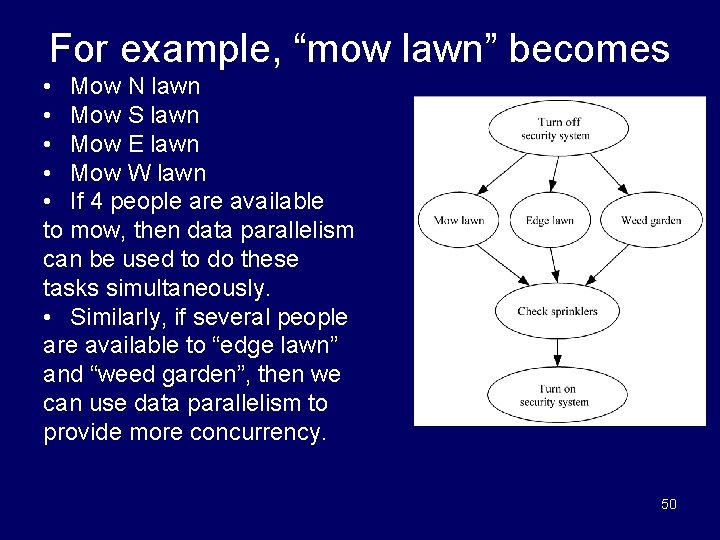
For example, “mow lawn” becomes • Mow N lawn • Mow S lawn • Mow E lawn • Mow W lawn • If 4 people are available to mow, then data parallelism can be used to do these tasks simultaneously. • Similarly, if several people are available to “edge lawn” and “weed garden”, then we can use data parallelism to provide more concurrency. 50
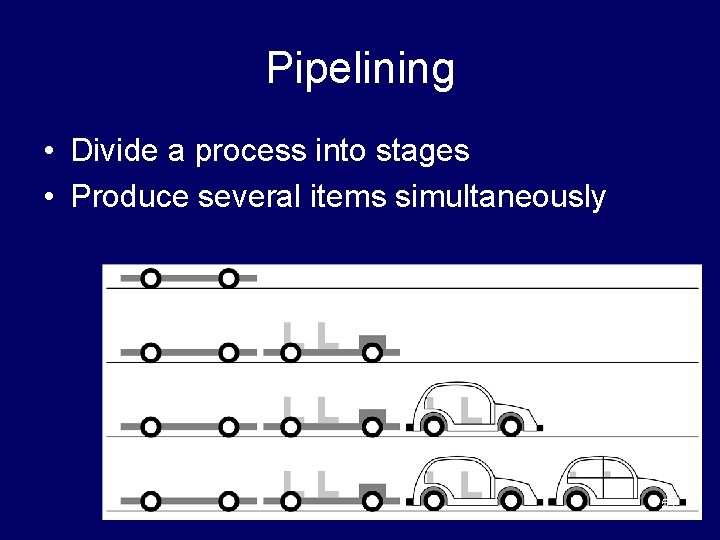
Pipelining • Divide a process into stages • Produce several items simultaneously 51
![Compute Partial Sums Consider the for loop: p[0] a[0] for i 1 to 3](http://slidetodoc.com/presentation_image_h/be48aa55be8cd883821799f8fdb5bc8f/image-52.jpg "Compute Partial Sums Consider the for loop: p[0] a[0] for i 1 to 3")
Compute Partial Sums Consider the for loop: p[0] a[0] for i 1 to 3 do p[i] p[i-1] + a[i] endfor • This computes the partial sums: p[0] a[0] p[1] a[0] + a[1] p[2] a[0] + a[1] + a[2] p[3] a[0] + a[1] + a[2] + a[3] • The loop is not data parallel as there are dependencies. • However, we can stage the calculations in order to achieve some parallelism. 52
Partial Sums Pipeline 53
Data Clustering Example • Data mining - Process of searching for meaningful patterns in large data sets • Data clustering - Organizing a data set into clusters of “similar” items • Data clustering can speed retrieval of items closely related to a particular item. 54
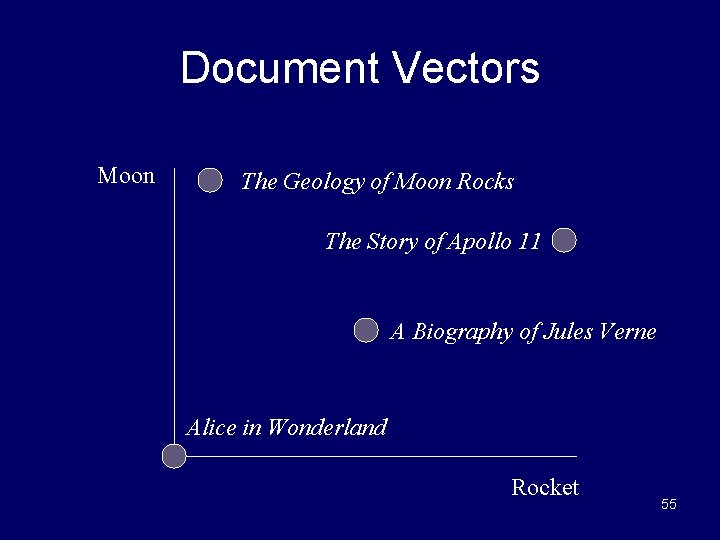
Document Vectors Moon The Geology of Moon Rocks The Story of Apollo 11 A Biography of Jules Verne Alice in Wonderland Rocket 55
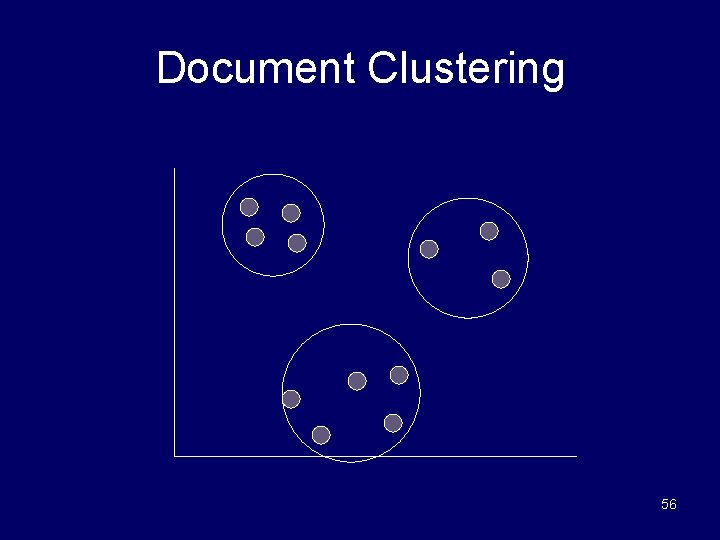
Document Clustering 56
Clustering Algorithm • Compute document vectors • Choose initial cluster centers • Repeat – Compute performance function which evaluates “goodness of fit” – Adjust centers • Until function value converges or max iterations have elapsed • Output cluster centers 57
Data Parallelism Opportunities • Operation being applied to a data set • Examples – Generating document vectors – Picking initial values of cluster centers – Finding closest center to each vector on each repetition 58
Functional Parallelism Opportunities • Draw data dependence diagram • Look for sets of nodes such that there are no paths from one node to another 59
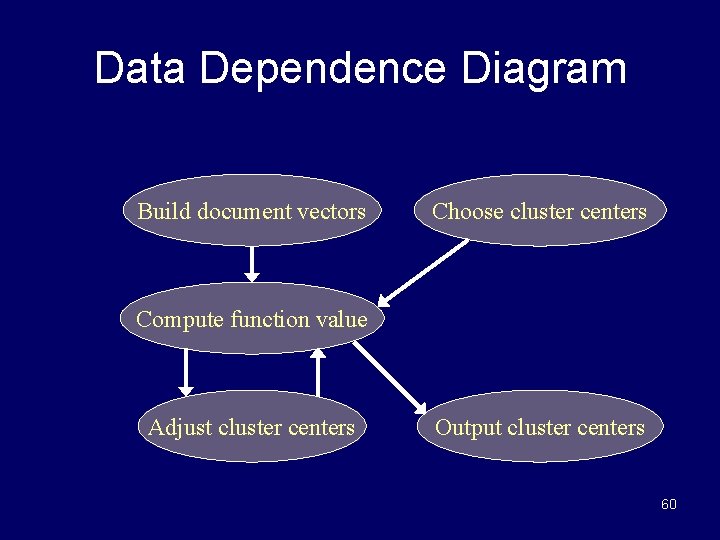
Data Dependence Diagram Build document vectors Choose cluster centers Compute function value Adjust cluster centers Output cluster centers 60
Functional Parallelism Tasks • The only independent sets of vertices are – Those representing generating vectors for documents and – Those representing initially choosing cluster centers – i. e. the first two in the diagram. • These two set of tasks could be performed concurrently 61
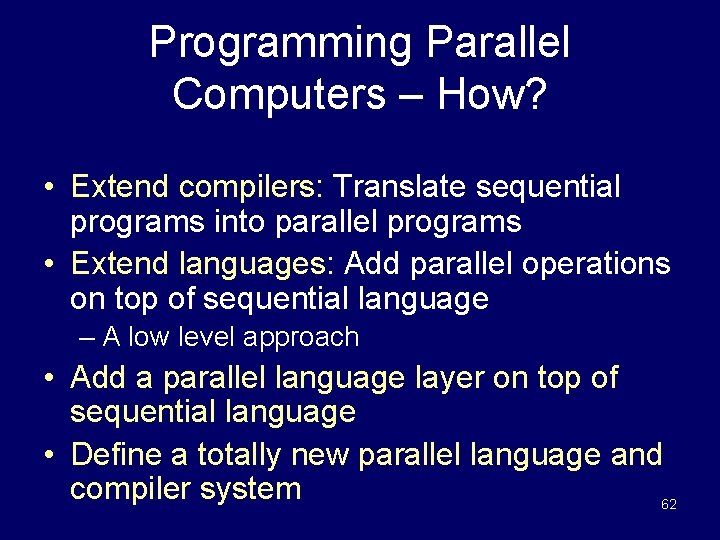
Programming Parallel Computers – How? • Extend compilers: Translate sequential programs into parallel programs • Extend languages: Add parallel operations on top of sequential language – A low level approach • Add a parallel language layer on top of sequential language • Define a totally new parallel language and compiler system 62
Strategy 1: Extend Compilers • Parallelizing compiler – Detect parallelism in sequential program – Produce parallel executable program • I. e. Focus on making FORTRAN programs parallel – Builds on the results of billions of dollars and millennia of programmer effort in creating (sequential) FORTRAN programs – “Dusty Deck” philosophy 63
Extend Compilers (cont. ) • Advantages – Can leverage millions of lines of existing serial programs – Saves time and labor – Requires no retraining of programmers – Sequential programming easier than parallel programming 64
Extend Compilers (cont. ) • Disadvantages – Parallelism may be irretrievably lost when sequential algorithms are designed and implemented as sequential programs. – Performance of parallelizing compilers on broad range of applications is debatable. 65
Strategy 2: Extend Language • Add functions to a sequential language that – Create and terminate processes – Synchronize processes – Allow processes to communicate • Example is MPI used with C++. 66
Extend Language (cont. ) • Advantages – Easiest, quickest, and least expensive – Allows existing compiler technology to be leveraged – New libraries for extensions to language can be ready soon after new parallel computers are available 67
Extend Language (cont. ) • Disadvantages – Lack of compiler support to catch errors involving Creating & terminating processes Synchronizing processes Communication between processes. – Easy to write programs that are difficult to understand or debug 68
Strategy 3 Add a Parallel Programming Layer • Lower layer – Contains core of the computation – Each process manipulates its portion of data to produce its portion of result • Upper layer – Creation and synchronization of processes – Partitioning of data among processes • A few research prototypes have been built based on these principles 69
Strategy 4 Create a Parallel Language • Develop a parallel language “from scratch” – Occam is an example – ASC language we will study is an example • Add parallel constructs to an existing language – FORTRAN 90 – High Performance FORTRAN (HPF) – C* developed by Thinking Machines Corp. 70
New Parallel Languages (cont. ) • Advantages – Allows programmer to communicate parallelism to compiler – Improves probability that execution will achieve high performance • Disadvantages – Requires development of a new compiler for each different parallel computer – New languages may not become standards – Programmer resistance 71
Current Status • Low-level approach is most popular – Augment existing language with low-level parallel constructs – MPI and Open. MP are examples • Advantages of low-level approach – Efficiency – Portability • Disadvantage: More difficult to program and debug 72
Summary (1/2) • High performance computing – U. S. government – Capital-intensive industries – Many companies and research labs • Parallel computers – Commercial systems – Commodity-based systems 73
Summary (2/2) • Power of CPUs keeps growing exponentially • Parallel programming environments currently changing very slowly • Two standards have emerged – MPI library, for processes that do not share memory – Open. MP directives, for processes that do share memory • Various terms have been defined in this section. 74
- Slides: 74