
Paraeducator Certificate Online Course Guide Go to Highlineschools
- Slides: 10
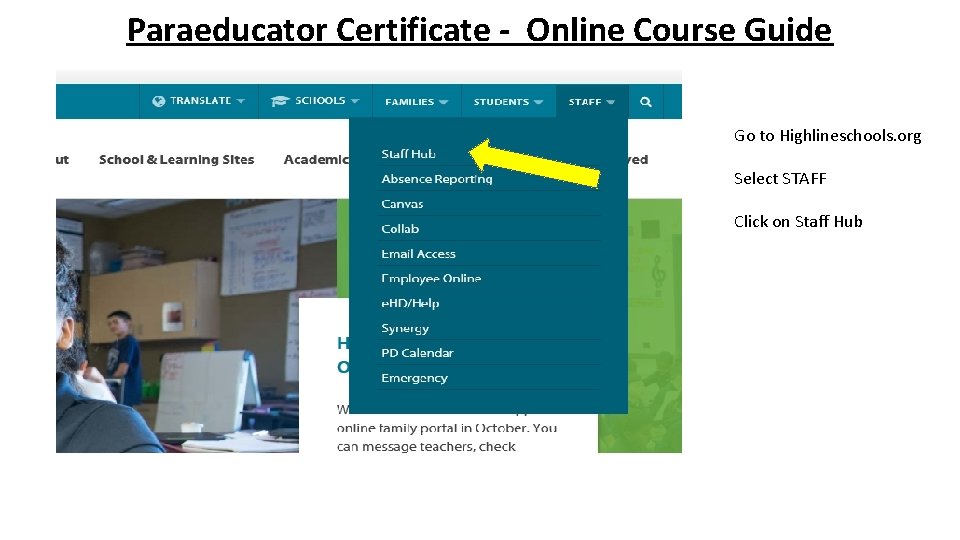
Paraeducator Certificate - Online Course Guide Go to Highlineschools. org Select STAFF Click on Staff Hub
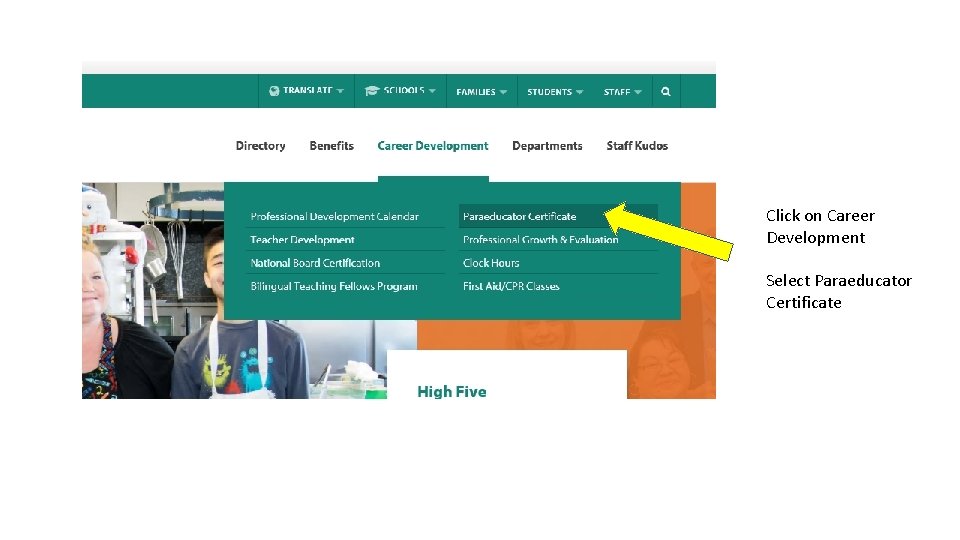
Click on Career Development Select Paraeducator Certificate
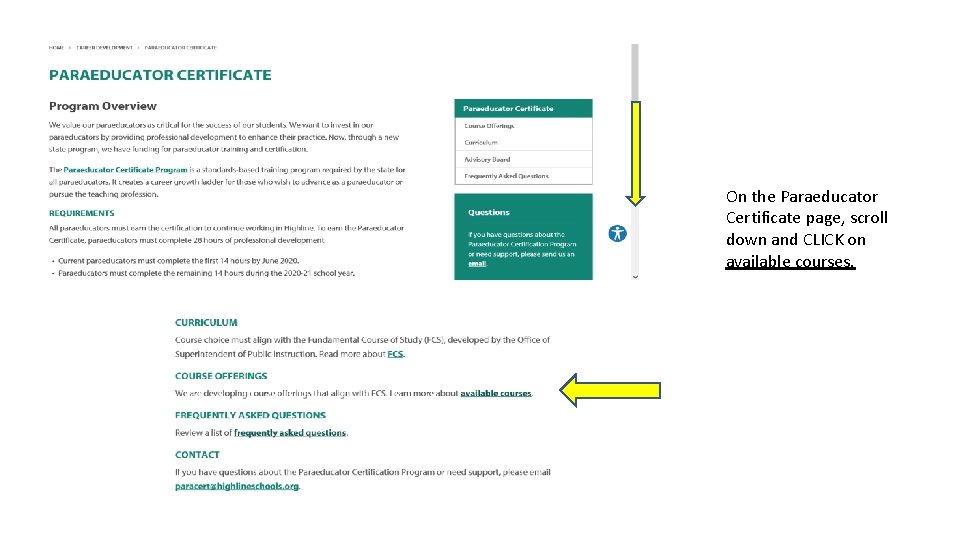
On the Paraeducator Certificate page, scroll down and CLICK on available courses.
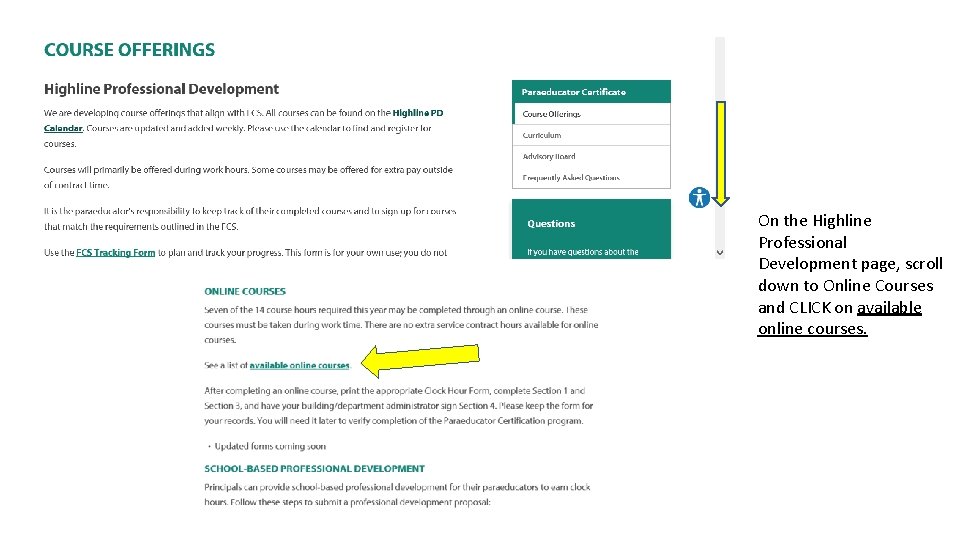
On the Highline Professional Development page, scroll down to Online Courses and CLICK on available online courses.
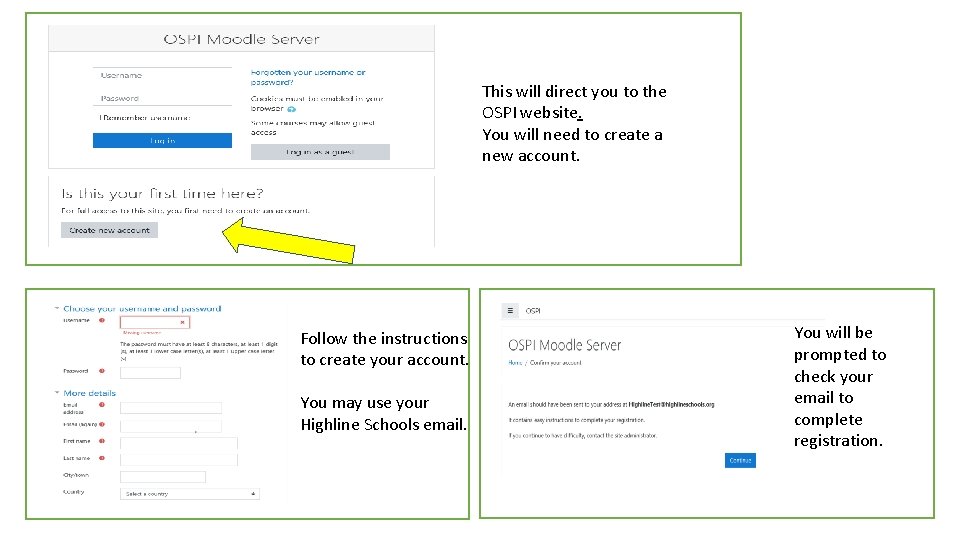
This will direct you to the OSPI website. You will need to create a new account. Follow the instructions to create your account. You may use your Highline Schools email. You will be prompted to check your email to complete registration.
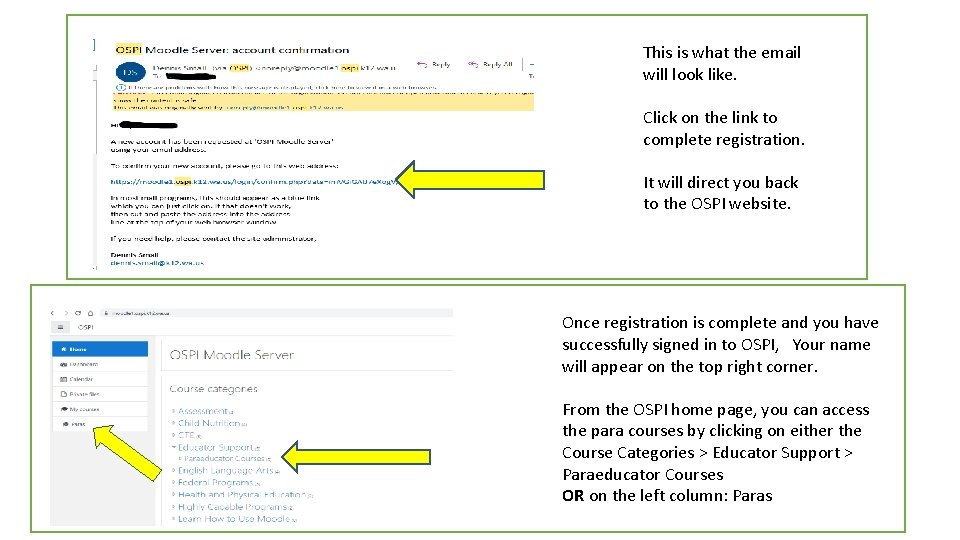
This is what the email will look like. Click on the link to complete registration. It will direct you back to the OSPI website. Once registration is complete and you have successfully signed in to OSPI, Your name will appear on the top right corner. From the OSPI home page, you can access the para courses by clicking on either the Course Categories > Educator Support > Paraeducator Courses OR on the left column: Paras
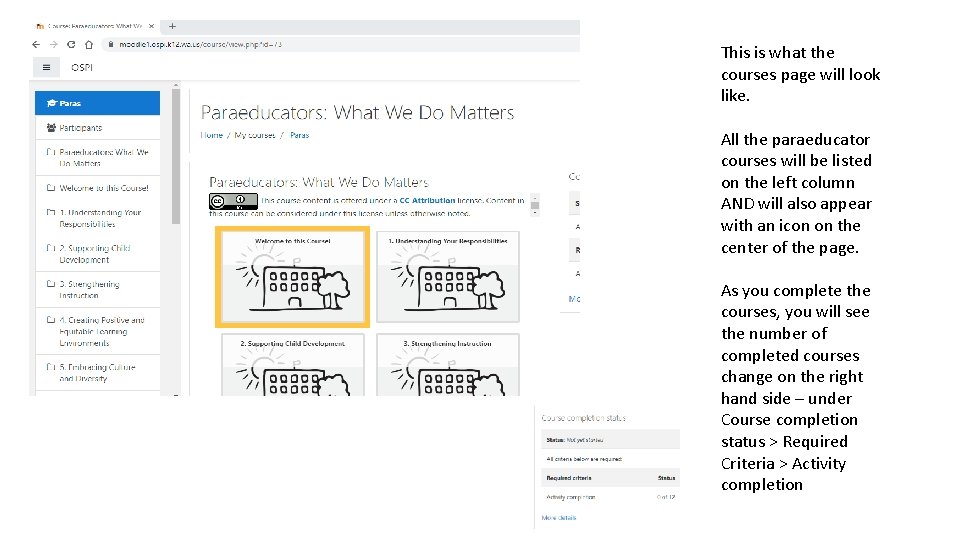
This is what the courses page will look like. All the paraeducator courses will be listed on the left column AND will also appear with an icon on the center of the page. As you complete the courses, you will see the number of completed courses change on the right hand side – under Course completion status > Required Criteria > Activity completion
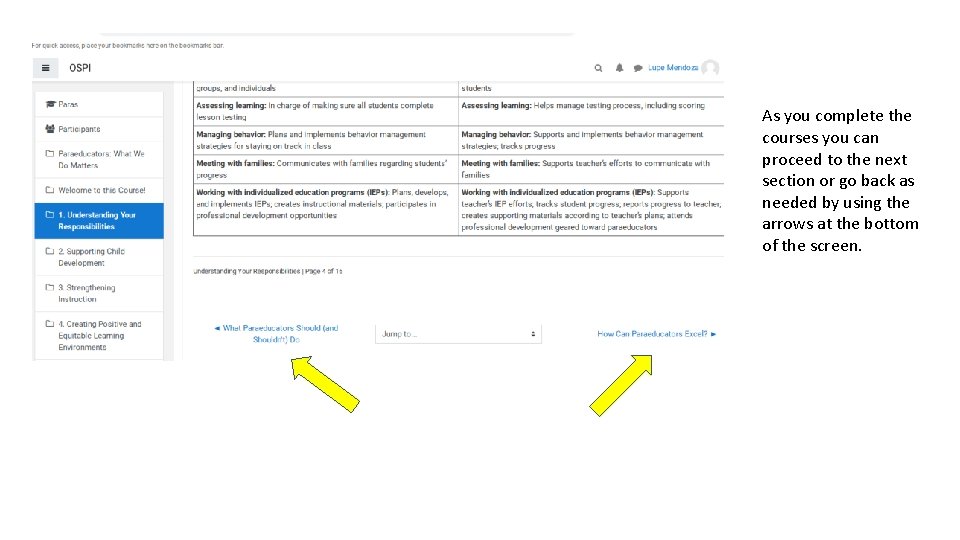
As you complete the courses you can proceed to the next section or go back as needed by using the arrows at the bottom of the screen.
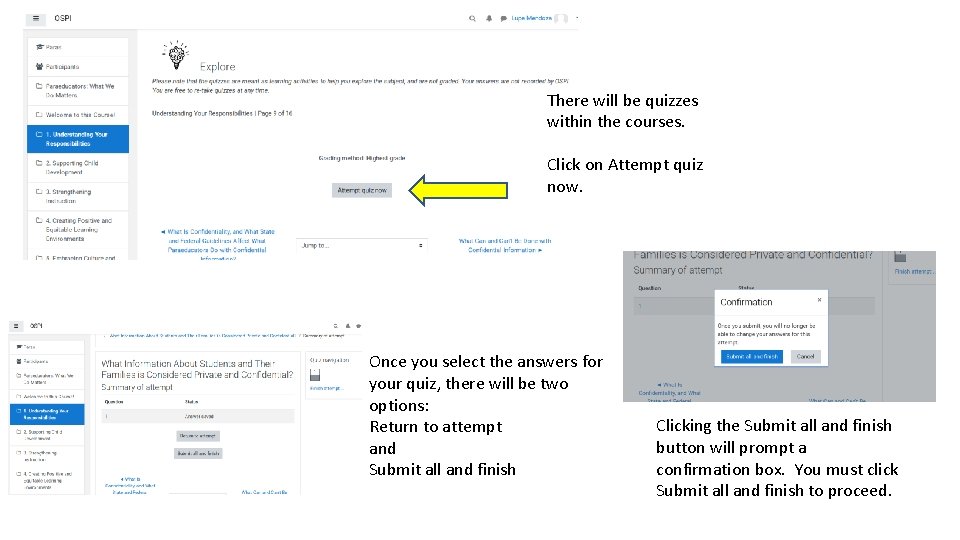
There will be quizzes within the courses. Click on Attempt quiz now. Once you select the answers for your quiz, there will be two options: Return to attempt and Submit all and finish Clicking the Submit all and finish button will prompt a confirmation box. You must click Submit all and finish to proceed.
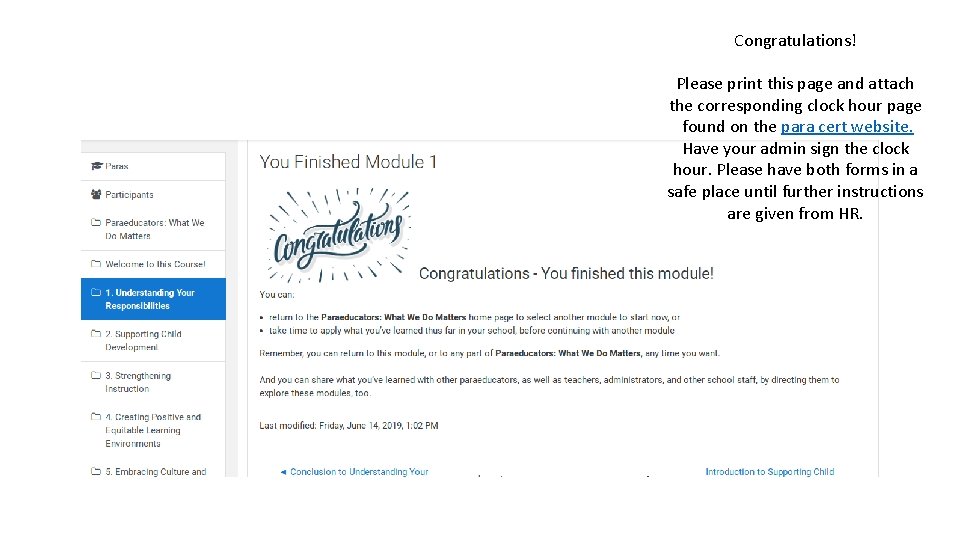
Congratulations! Please print this page and attach the corresponding clock hour page found on the para cert website. Have your admin sign the clock hour. Please have both forms in a safe place until further instructions are given from HR.