
PAPERWORK COMPLETE PAPERWORK COMPLETE Attend one of the
- Slides: 14
PAPERWORK COMPLETE
PAPERWORK COMPLETE Attend one of the Dining Services Paperwork Sessions. Bring the following items with you: • Your original documents and a copy of your documents for the Form I 9 • Your completed Direct Deposit form • Session 1: Thursday August 29 th 1: 30 pm 3: 50 pm • Session 2: Friday August 30 th 2: 00 pm-4: 00 pm • EXAMPLE I 9 Documents: • Non-Resident Aliens may choose to present the following from LIST A: § Unexpired Passport AND § Form I-20 or Form DS-2019 AND § Form I-94 • The Form I-94 can be printed from the US Customs and Border Protection Upon Arrival. • https: //i 94. cbp. dhs. gov/I 94/request. html
GETTING STARTED • Do not use pencil. Please use Blue or Blank Ink. • All forms must be completed prior to going to Dining Services for employment. • Students will not be able to work until all new hire paperwork is complete, and you confirm that you have applied for a SSN number.
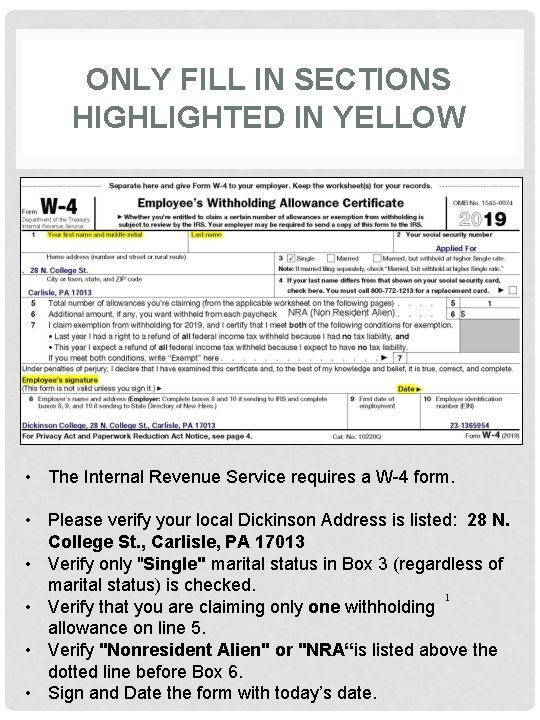
ONLY FILL IN SECTIONS HIGHLIGHTED IN YELLOW 1 • The Internal Revenue Service requires a W-4 form. • Please verify your local Dickinson Address is listed: 28 N. College St. , Carlisle, PA 17013 • Verify only "Single" marital status in Box 3 (regardless of marital status) is checked. 1 • Verify that you are claiming only one withholding allowance on line 5. • Verify "Nonresident Alien" or "NRA“is listed above the dotted line before Box 6. • Sign and Date the form with today’s date.
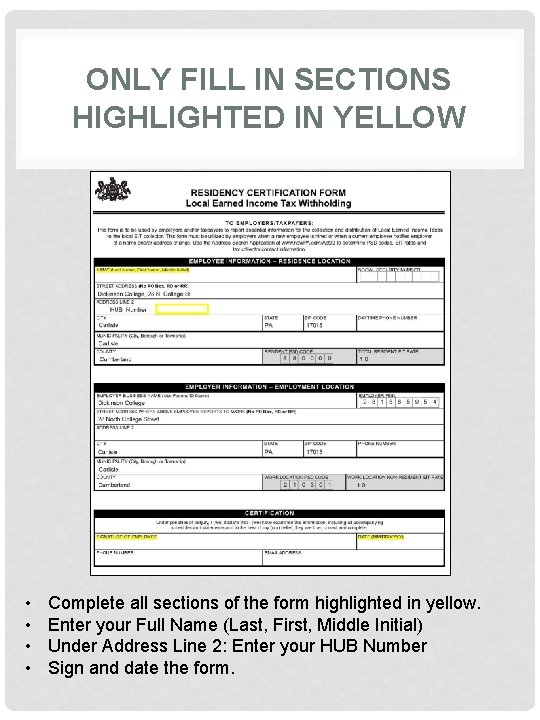
ONLY FILL IN SECTIONS HIGHLIGHTED IN YELLOW • • Complete all sections of the form highlighted in yellow. Enter your Full Name (Last, First, Middle Initial) Under Address Line 2: Enter your HUB Number Sign and date the form.
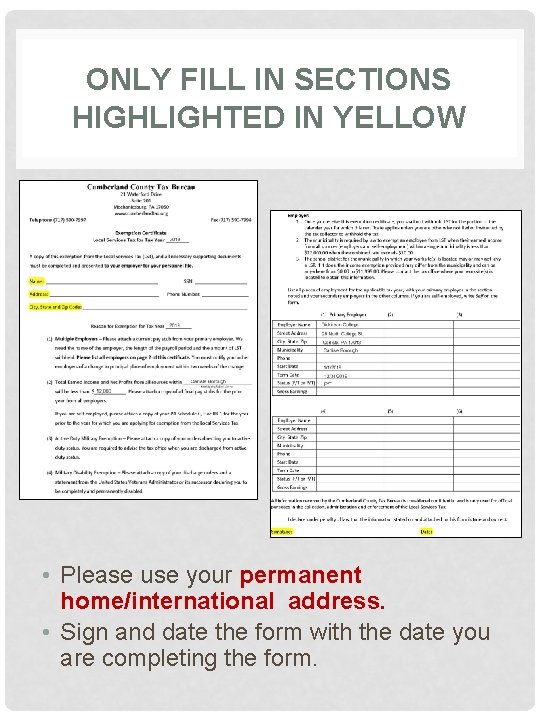
ONLY FILL IN SECTIONS HIGHLIGHTED IN YELLOW • Please use your permanent home/international address. • Sign and date the form with the date you are completing the form.
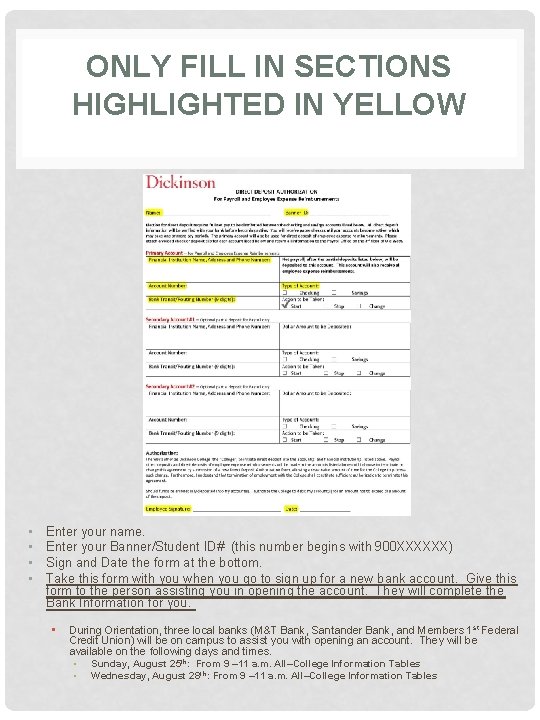
ONLY FILL IN SECTIONS HIGHLIGHTED IN YELLOW • • Enter your name. Enter your Banner/Student ID# (this number begins with 900 XXXXXX) Sign and Date the form at the bottom. Take this form with you when you go to sign up for a new bank account. Give this form to the person assisting you in opening the account. They will complete the Bank Information for you. • During Orientation, three local banks (M&T Bank, Santander Bank, and Members 1 st Federal Credit Union) will be on campus to assist you with opening an account. They will be available on the following days and times. • Sunday, August 25 th: From 9 – 11 a. m. All–College Information Tables • Wednesday, August 28 th: From 9 – 11 a. m. All–College Information Tables
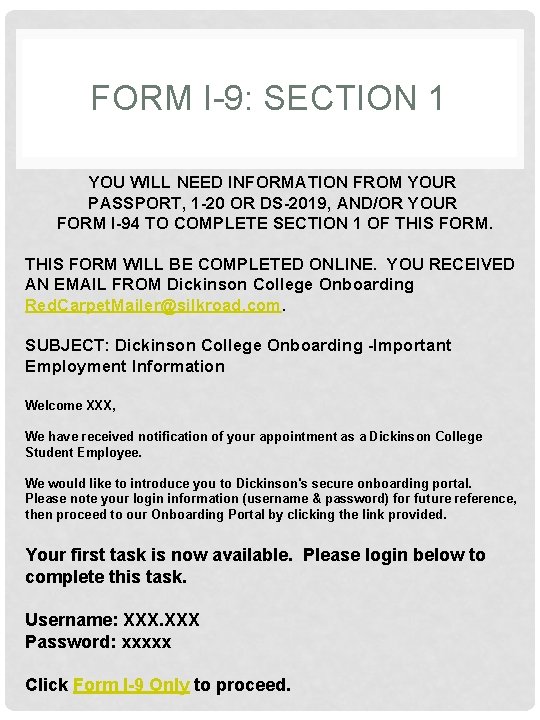
FORM I-9: SECTION 1 YOU WILL NEED INFORMATION FROM YOUR PASSPORT, 1 -20 OR DS-2019, AND/OR YOUR FORM I-94 TO COMPLETE SECTION 1 OF THIS FORM WILL BE COMPLETED ONLINE. YOU RECEIVED AN EMAIL FROM Dickinson College Onboarding Red. Carpet. Mailer@silkroad. com. SUBJECT: Dickinson College Onboarding -Important Employment Information Welcome XXX, We have received notification of your appointment as a Dickinson College Student Employee. We would like to introduce you to Dickinson's secure onboarding portal. Please note your login information (username & password) for future reference, then proceed to our Onboarding Portal by clicking the link provided. Your first task is now available. Please login below to complete this task. Username: XXX Password: xxxxx Click Form I-9 Only to proceed.
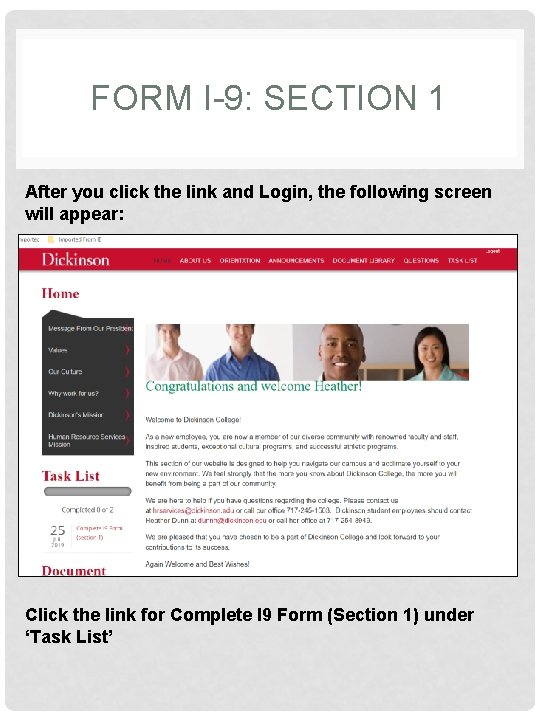
FORM I-9: SECTION 1 After you click the link and Login, the following screen will appear: Click the link for Complete I 9 Form (Section 1) under ‘Task List’
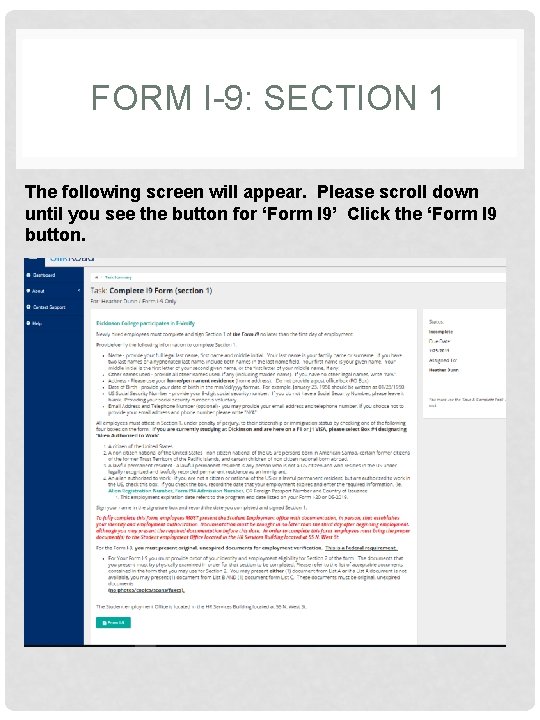
FORM I-9: SECTION 1 The following screen will appear. Please scroll down until you see the button for ‘Form I 9’ Click the ‘Form I 9 button.
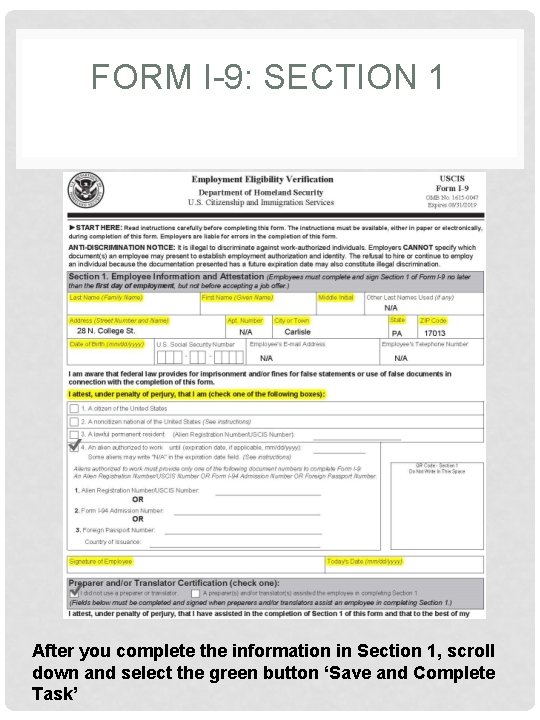
FORM I-9: SECTION 1 X After you complete the information in Section 1, scroll down and select the green button ‘Save and Complete Task’
FORM I-9: SECTION 2 • The entire Form I-9 must be completed no later than the close of business on the employee’s third day of employment. • You do NOT Complete Section 2, the employer completes Section 2 of this form. § The employer must review documentation presented by the employee and record the applicable document information on the form.
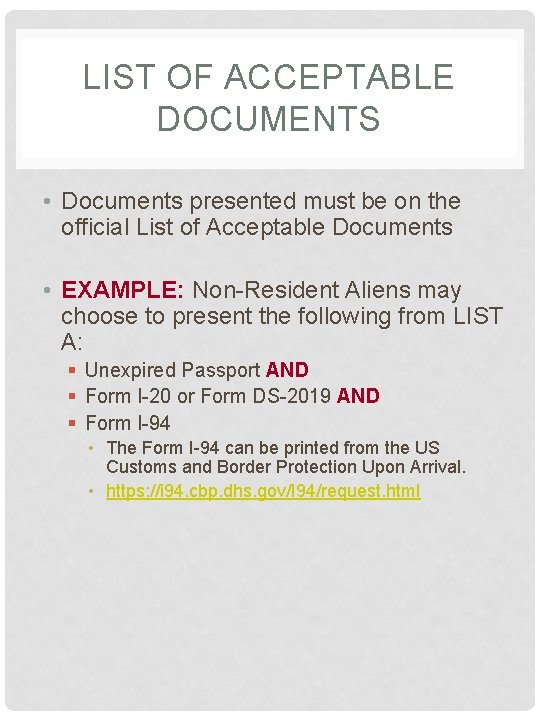
LIST OF ACCEPTABLE DOCUMENTS • Documents presented must be on the official List of Acceptable Documents • EXAMPLE: Non-Resident Aliens may choose to present the following from LIST A: § Unexpired Passport AND § Form I-20 or Form DS-2019 AND § Form I-94 • The Form I-94 can be printed from the US Customs and Border Protection Upon Arrival. • https: //i 94. cbp. dhs. gov/I 94/request. html
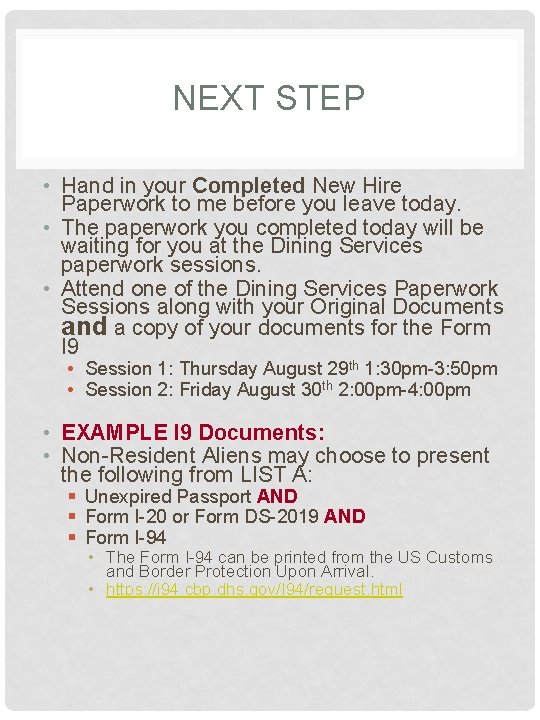
NEXT STEP • Hand in your Completed New Hire Paperwork to me before you leave today. • The paperwork you completed today will be waiting for you at the Dining Services paperwork sessions. • Attend one of the Dining Services Paperwork Sessions along with your Original Documents and a copy of your documents for the Form I 9 • Session 1: Thursday August 29 th 1: 30 pm-3: 50 pm • Session 2: Friday August 30 th 2: 00 pm-4: 00 pm • EXAMPLE I 9 Documents: • Non-Resident Aliens may choose to present the following from LIST A: § Unexpired Passport AND § Form I-20 or Form DS-2019 AND § Form I-94 • The Form I-94 can be printed from the US Customs and Border Protection Upon Arrival. • https: //i 94. cbp. dhs. gov/I 94/request. html