
packet filters using cisco access lists Fri 19

- Slides: 22
packet filters using cisco access lists Fri 19 June 97 packet filtering using cisco access lists INET 97 / track 2 # 1
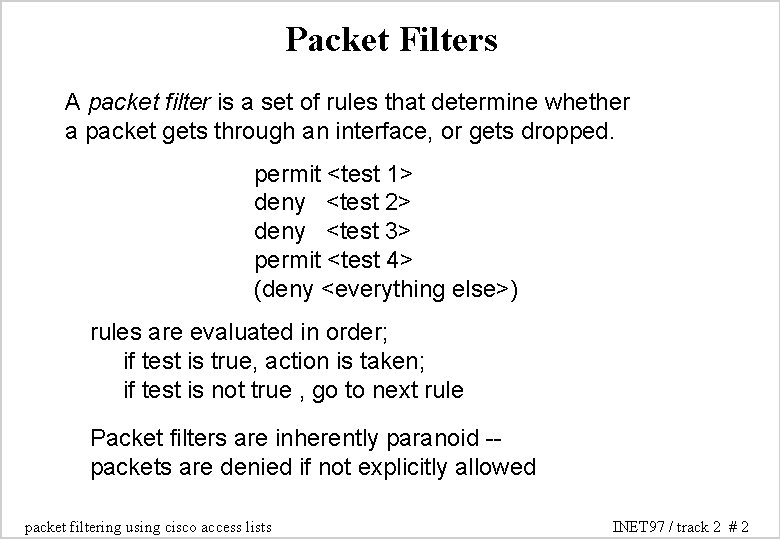
Packet Filters A packet filter is a set of rules that determine whether a packet gets through an interface, or gets dropped. permit <test 1> deny <test 2> deny <test 3> permit <test 4> (deny <everything else>) rules are evaluated in order; if test is true, action is taken; if test is not true , go to next rule Packet filters are inherently paranoid -packets are denied if not explicitly allowed packet filtering using cisco access lists INET 97 / track 2 # 2
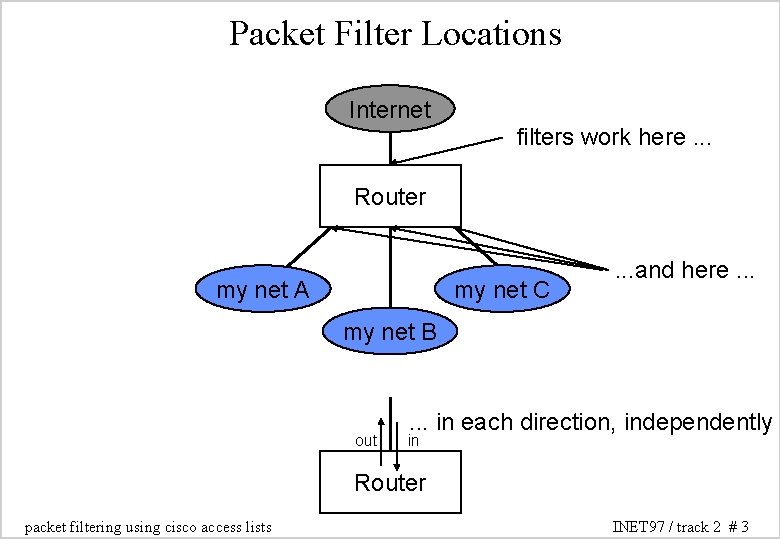
Packet Filter Locations Internet filters work here. . . Router my net A my net C . . . and here. . . my net B out . . . in each direction, independently in Router packet filtering using cisco access lists INET 97 / track 2 # 3
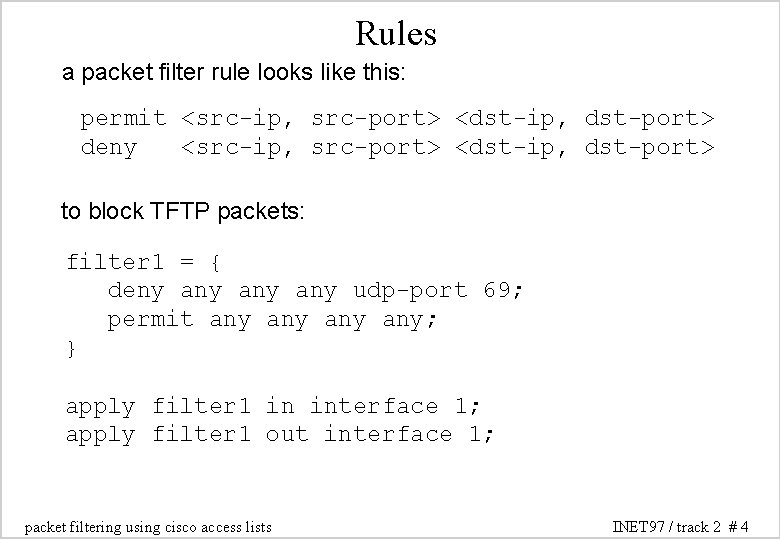
Rules a packet filter rule looks like this: permit <src-ip, src-port> <dst-ip, dst-port> deny <src-ip, src-port> <dst-ip, dst-port> to block TFTP packets: filter 1 = { deny any any udp-port 69; permit any any; } apply filter 1 in interface 1; apply filter 1 out interface 1; packet filtering using cisco access lists INET 97 / track 2 # 4
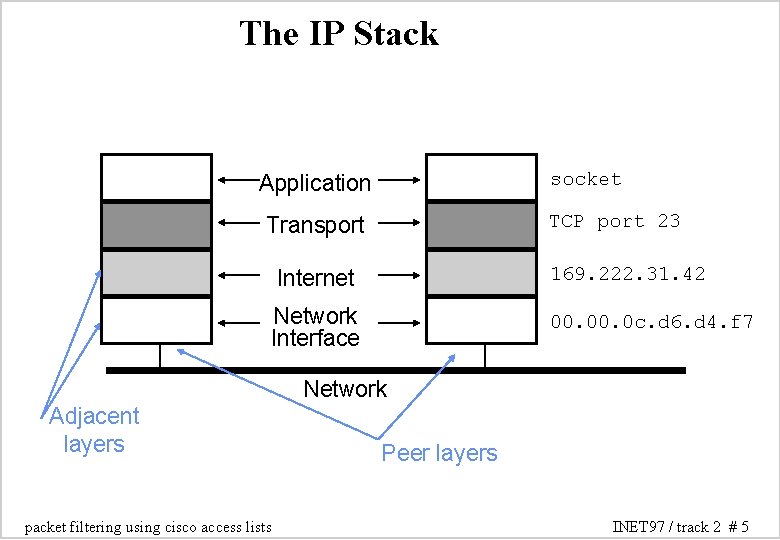
The IP Stack socket Application TCP port 23 Transport Internet 169. 222. 31. 42 Network Interface 00. 0 c. d 6. d 4. f 7 Network Adjacent layers packet filtering using cisco access lists Peer layers INET 97 / track 2 # 5
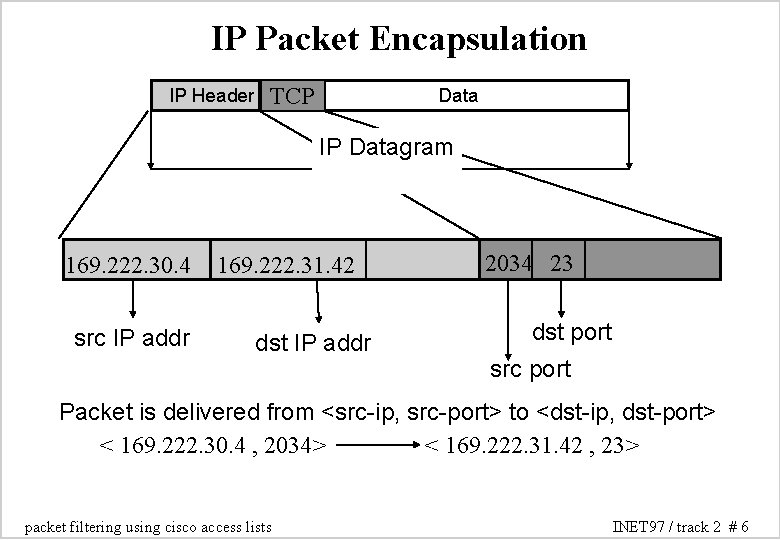
IP Packet Encapsulation IP Header TCP Data IP Datagram 169. 222. 30. 4 src IP addr 169. 222. 31. 42 dst IP addr 2034 23 dst port src port Packet is delivered from <src-ip, src-port> to <dst-ip, dst-port> < 169. 222. 30. 4 , 2034> < 169. 222. 31. 42 , 23> packet filtering using cisco access lists INET 97 / track 2 # 6
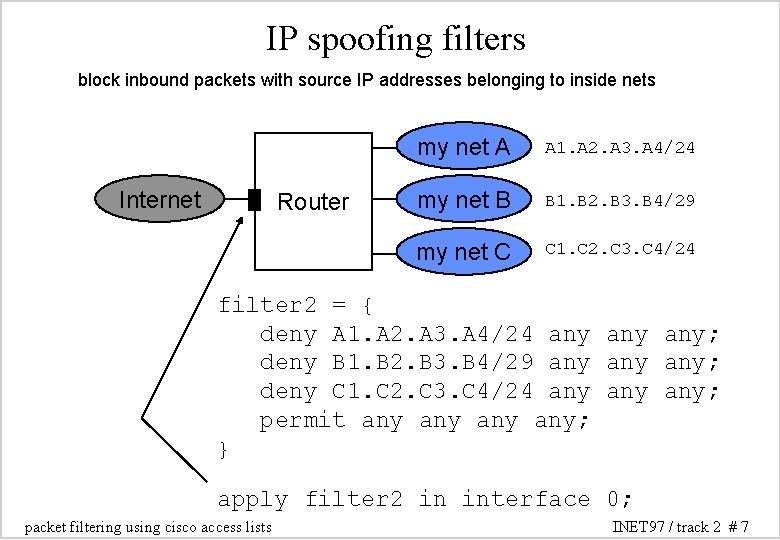
IP spoofing filters block inbound packets with source IP addresses belonging to inside nets Internet Router my net A A 1. A 2. A 3. A 4/24 my net B B 1. B 2. B 3. B 4/29 my net C C 1. C 2. C 3. C 4/24 filter 2 = { deny A 1. A 2. A 3. A 4/24 any any; deny B 1. B 2. B 3. B 4/29 any any; deny C 1. C 2. C 3. C 4/24 any any; permit any any; } apply filter 2 in interface 0; packet filtering using cisco access lists INET 97 / track 2 # 7
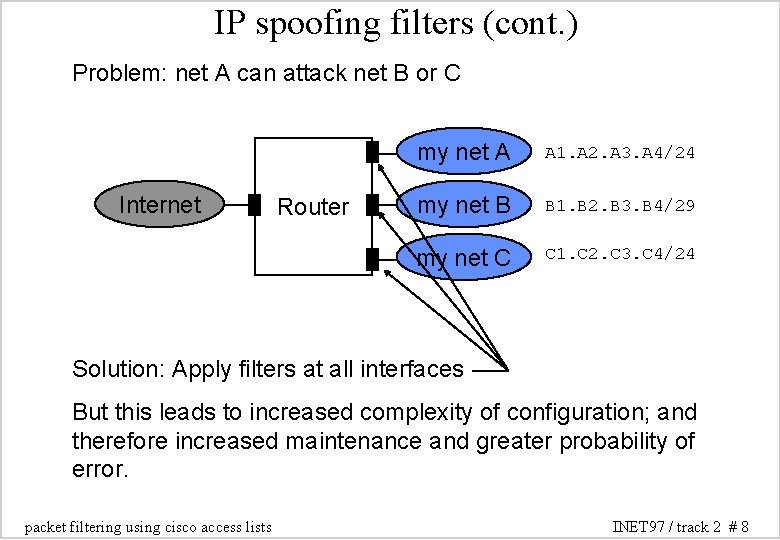
IP spoofing filters (cont. ) Problem: net A can attack net B or C Internet Router my net A A 1. A 2. A 3. A 4/24 my net B B 1. B 2. B 3. B 4/29 my net C C 1. C 2. C 3. C 4/24 Solution: Apply filters at all interfaces But this leads to increased complexity of configuration; and therefore increased maintenance and greater probability of error. packet filtering using cisco access lists INET 97 / track 2 # 8
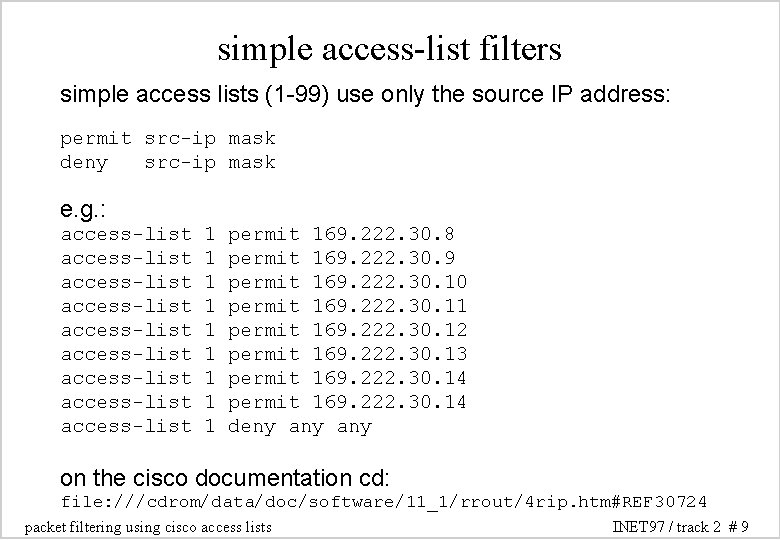
simple access-list filters simple access lists (1 -99) use only the source IP address: permit src-ip mask deny src-ip mask e. g. : access-list access-list access-list 1 1 1 1 1 permit 169. 222. 30. 8 permit 169. 222. 30. 9 permit 169. 222. 30. 10 permit 169. 222. 30. 11 permit 169. 222. 30. 12 permit 169. 222. 30. 13 permit 169. 222. 30. 14 deny any on the cisco documentation cd: file: ///cdrom/data/doc/software/11_1/rrout/4 rip. htm#REF 30724 packet filtering using cisco access lists INET 97 / track 2 # 9
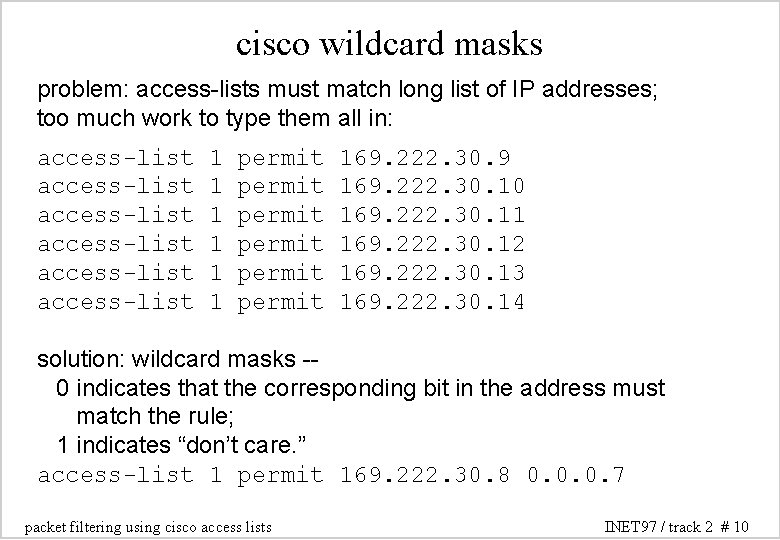
cisco wildcard masks problem: access-lists must match long list of IP addresses; too much work to type them all in: access-list access-list 1 1 1 permit permit 169. 222. 30. 9 169. 222. 30. 10 169. 222. 30. 11 169. 222. 30. 12 169. 222. 30. 13 169. 222. 30. 14 solution: wildcard masks -0 indicates that the corresponding bit in the address must match the rule; 1 indicates “don’t care. ” access-list 1 permit 169. 222. 30. 8 0. 0. 0. 7 packet filtering using cisco access lists INET 97 / track 2 # 10
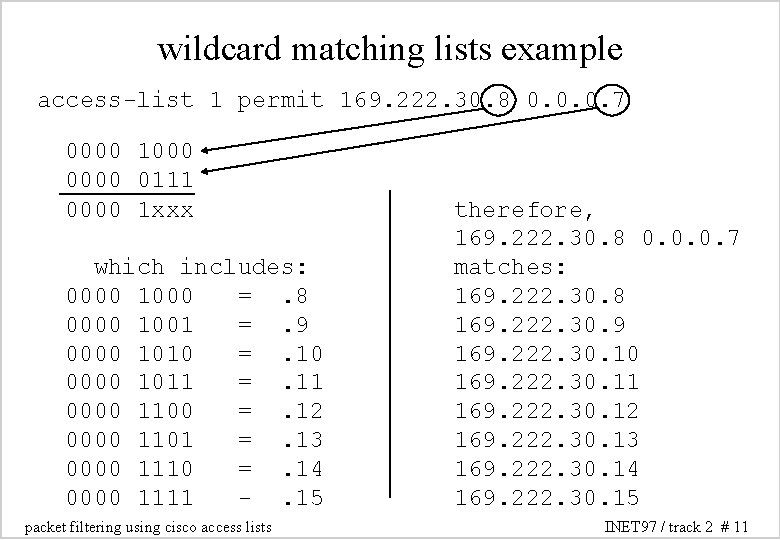
wildcard matching lists example access-list 1 permit 169. 222. 30. 8 0. 0. 0. 7 0000 1000 0111 0000 1 xxx which includes: 0000 1000 =. 8 0000 1001 =. 9 0000 1010 =. 10 0000 1011 =. 11 0000 1100 =. 12 0000 1101 =. 13 0000 1110 =. 14 0000 1111 -. 15 packet filtering using cisco access lists therefore, 169. 222. 30. 8 0. 0. 0. 7 matches: 169. 222. 30. 8 169. 222. 30. 9 169. 222. 30. 10 169. 222. 30. 11 169. 222. 30. 12 169. 222. 30. 13 169. 222. 30. 14 169. 222. 30. 15 INET 97 / track 2 # 11
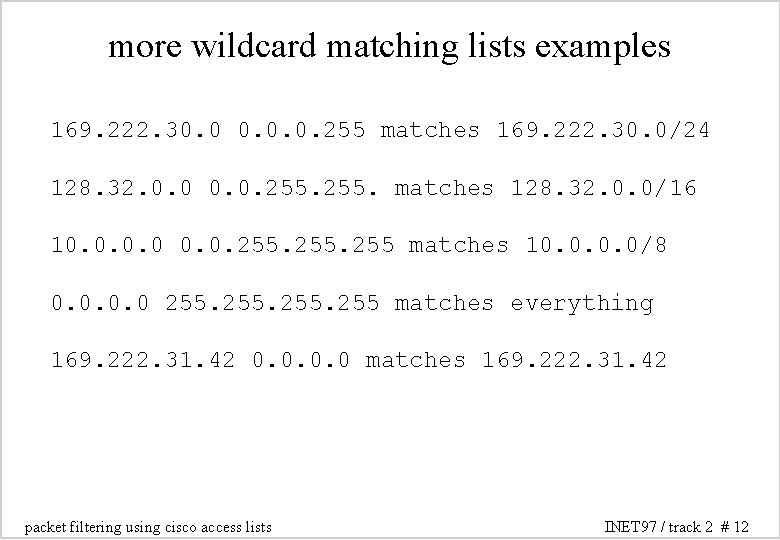
more wildcard matching lists examples 169. 222. 30. 0. 0. 255 matches 169. 222. 30. 0/24 128. 32. 0. 0. 255. matches 128. 32. 0. 0/16 10. 0. 255 matches 10. 0/8 0. 0 255 matches everything 169. 222. 31. 42 0. 0 matches 169. 222. 31. 42 packet filtering using cisco access lists INET 97 / track 2 # 12
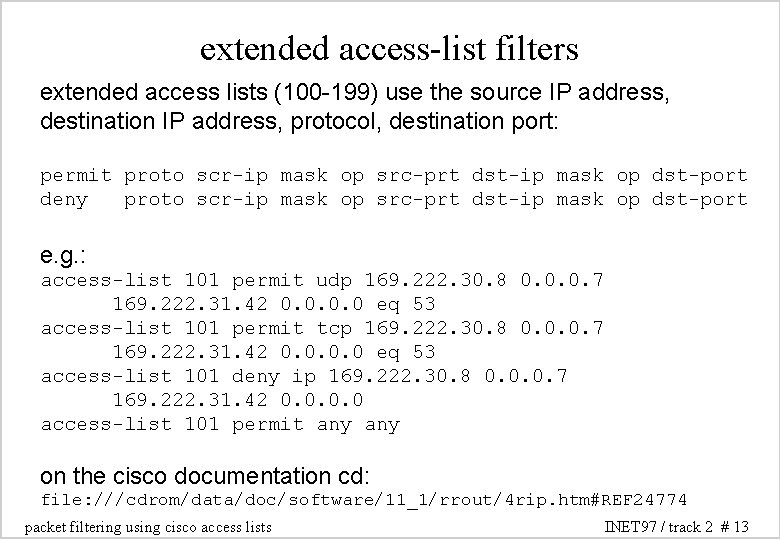
extended access-list filters extended access lists (100 -199) use the source IP address, destination IP address, protocol, destination port: permit proto scr-ip mask op src-prt dst-ip mask op dst-port deny proto scr-ip mask op src-prt dst-ip mask op dst-port e. g. : access-list 101 permit udp 169. 222. 30. 8 0. 0. 0. 7 169. 222. 31. 42 0. 0 eq 53 access-list 101 permit tcp 169. 222. 30. 8 0. 0. 0. 7 169. 222. 31. 42 0. 0 eq 53 access-list 101 deny ip 169. 222. 30. 8 0. 0. 0. 7 169. 222. 31. 42 0. 0 access-list 101 permit any on the cisco documentation cd: file: ///cdrom/data/doc/software/11_1/rrout/4 rip. htm#REF 24774 packet filtering using cisco access lists INET 97 / track 2 # 13
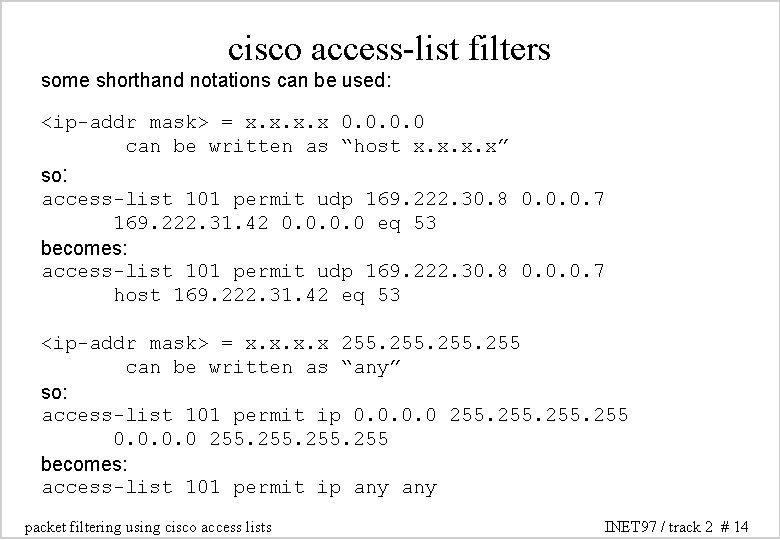
cisco access-list filters some shorthand notations can be used: <ip-addr mask> = x. x 0. 0 can be written as “host x. x” so: access-list 101 permit udp 169. 222. 30. 8 0. 0. 0. 7 169. 222. 31. 42 0. 0 eq 53 becomes: access-list 101 permit udp 169. 222. 30. 8 0. 0. 0. 7 host 169. 222. 31. 42 eq 53 <ip-addr mask> = x. x 255 can be written as “any” so: access-list 101 permit ip 0. 0 255 becomes: access-list 101 permit ip any packet filtering using cisco access lists INET 97 / track 2 # 14
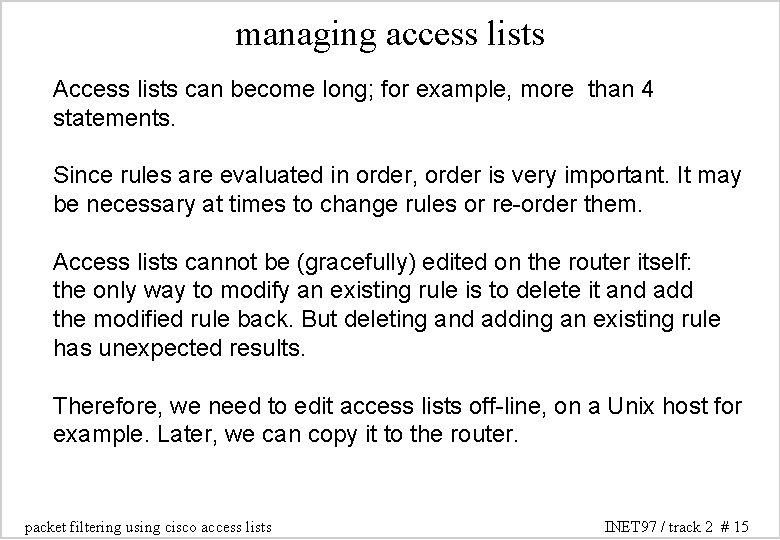
managing access lists Access lists can become long; for example, more than 4 statements. Since rules are evaluated in order, order is very important. It may be necessary at times to change rules or re-order them. Access lists cannot be (gracefully) edited on the router itself: the only way to modify an existing rule is to delete it and add the modified rule back. But deleting and adding an existing rule has unexpected results. Therefore, we need to edit access lists off-line, on a Unix host for example. Later, we can copy it to the router. packet filtering using cisco access lists INET 97 / track 2 # 15
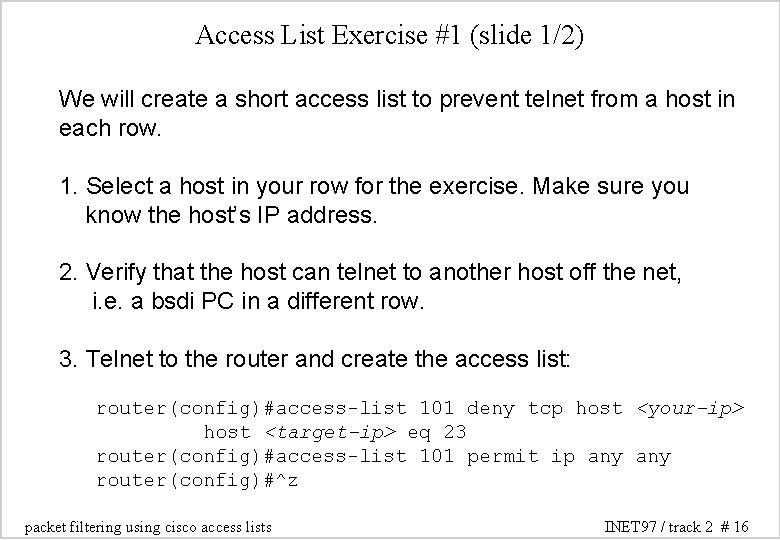
Access List Exercise #1 (slide 1/2) We will create a short access list to prevent telnet from a host in each row. 1. Select a host in your row for the exercise. Make sure you know the host’s IP address. 2. Verify that the host can telnet to another host off the net, i. e. a bsdi PC in a different row. 3. Telnet to the router and create the access list: router(config)#access-list 101 deny tcp host <your-ip> host <target-ip> eq 23 router(config)#access-list 101 permit ip any router(config)#^z packet filtering using cisco access lists INET 97 / track 2 # 16
Access List Exercise #1 (slide 2/2) 4. Check it: router#sho access-lists 5. Finally, apply the access-list to the router’s ethernet interface on the row (e 0). router(config-if)#access-group 101 in 6. Verify that you can no longer telnet to the other host. 7. To remove the access list: router(config-if)#no access-group 101 in packet filtering using cisco access lists INET 97 / track 2 # 17
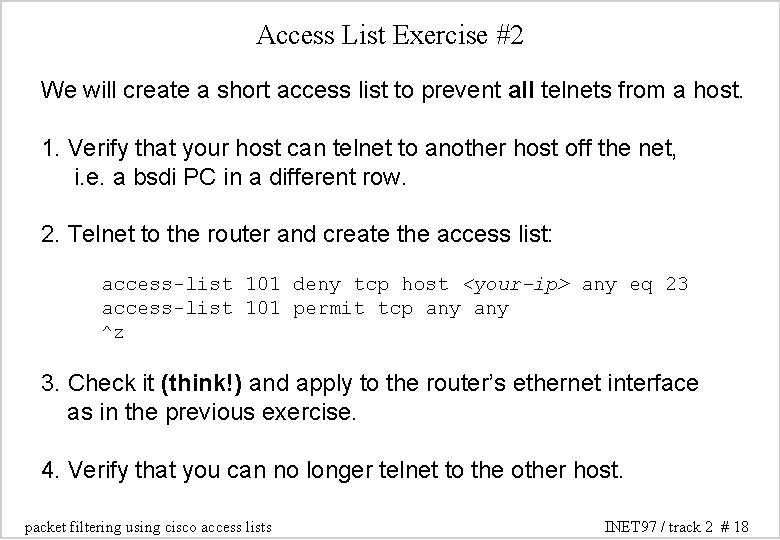
Access List Exercise #2 We will create a short access list to prevent all telnets from a host. 1. Verify that your host can telnet to another host off the net, i. e. a bsdi PC in a different row. 2. Telnet to the router and create the access list: access-list 101 deny tcp host <your-ip> any eq 23 access-list 101 permit tcp any ^z 3. Check it (think!) and apply to the router’s ethernet interface as in the previous exercise. 4. Verify that you can no longer telnet to the other host. packet filtering using cisco access lists INET 97 / track 2 # 18
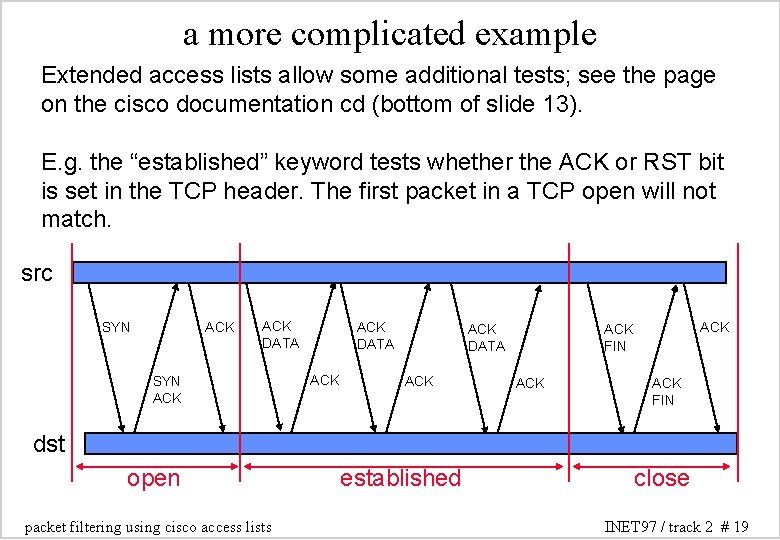
a more complicated example Extended access lists allow some additional tests; see the page on the cisco documentation cd (bottom of slide 13). E. g. the “established” keyword tests whether the ACK or RST bit is set in the TCP header. The first packet in a TCP open will not match. src SYN ACK ACK DATA ACK ACK FIN dst open packet filtering using cisco access lists established close INET 97 / track 2 # 19
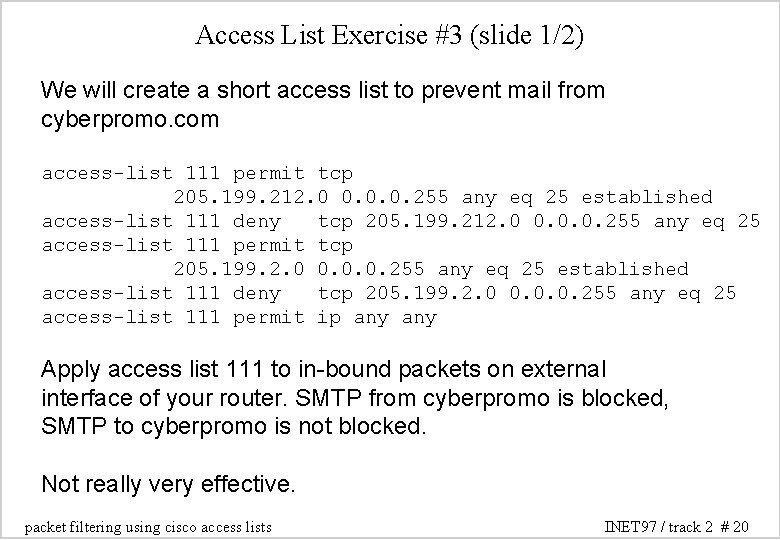
Access List Exercise #3 (slide 1/2) We will create a short access list to prevent mail from cyberpromo. com access-list 111 permit tcp 205. 199. 212. 0 0. 0. 0. 255 any eq 25 established access-list 111 deny tcp 205. 199. 212. 0 0. 0. 0. 255 any eq 25 access-list 111 permit tcp 205. 199. 2. 0 0. 0. 0. 255 any eq 25 established access-list 111 deny tcp 205. 199. 2. 0 0. 0. 0. 255 any eq 25 access-list 111 permit ip any Apply access list 111 to in-bound packets on external interface of your router. SMTP from cyberpromo is blocked, SMTP to cyberpromo is not blocked. Not really very effective. packet filtering using cisco access lists INET 97 / track 2 # 20
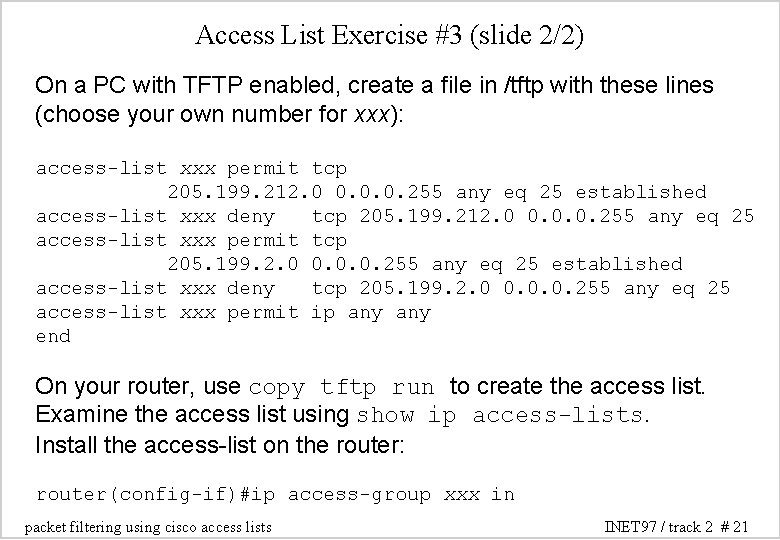
Access List Exercise #3 (slide 2/2) On a PC with TFTP enabled, create a file in /tftp with these lines (choose your own number for xxx): access-list xxx permit tcp 205. 199. 212. 0 0. 0. 0. 255 any eq 25 established access-list xxx deny tcp 205. 199. 212. 0 0. 0. 0. 255 any eq 25 access-list xxx permit tcp 205. 199. 2. 0 0. 0. 0. 255 any eq 25 established access-list xxx deny tcp 205. 199. 2. 0 0. 0. 0. 255 any eq 25 access-list xxx permit ip any end On your router, use copy tftp run to create the access list. Examine the access list using show ip access-lists. Install the access-list on the router: router(config-if)#ip access-group xxx in packet filtering using cisco access lists INET 97 / track 2 # 21
other uses for access lists Access lists can be used for purposes other than packet filtering: - restricting route announcements - restricting routes accepted - controlling route redistribution between protocols - in route-maps, for the above purposes packet filtering using cisco access lists INET 97 / track 2 # 22