
P 770 Disassembly guide Contents 1 Disassembly tool

P 770 Disassembly guide
Contents 1. Disassembly tool 2. Phone structure 3. Follow chart 4. Explosive view

1. Disassembly tools ①crossing screwdriver ②tweezer ③crowbar ④chip ⑤anti_static wrist 1、 Take proper anti-static measures: put on anti-static wrist/gloves and wear proper anti-static clothes. 2、 Prepare disassembling tools: metal forceps, cross screwdriver, crowbar, electric iron.
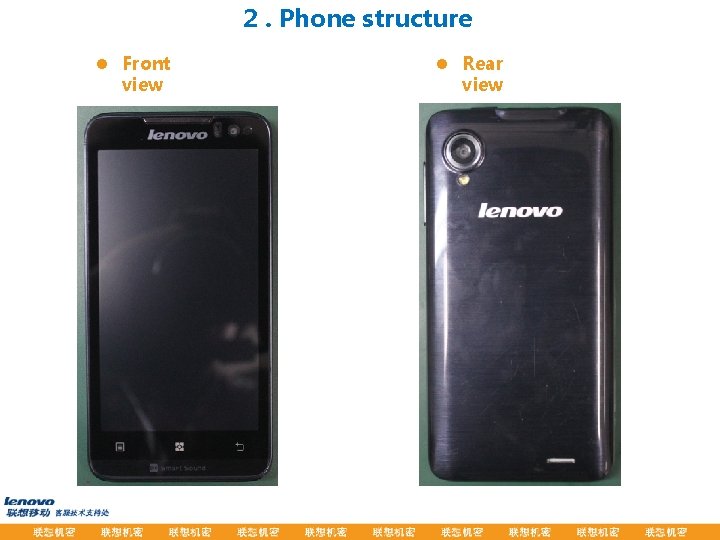
2. Phone structure l Front view l Rear view
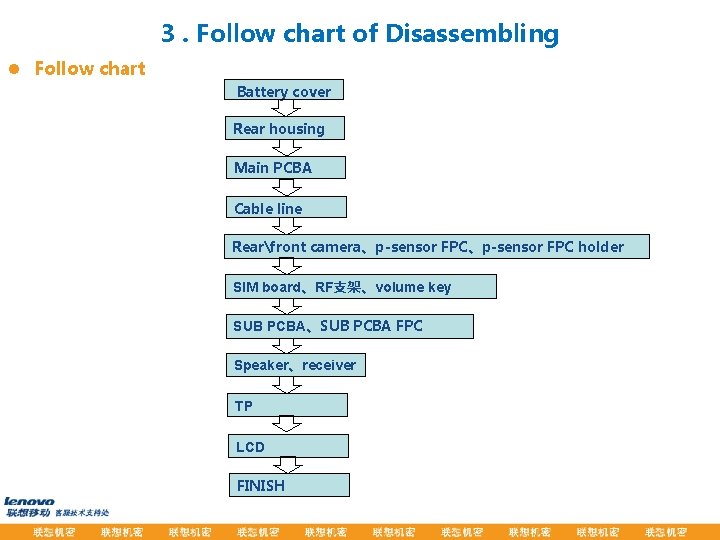
3. Follow chart of Disassembling l Follow chart Battery cover Rear housing Main PCBA Cable line Rearfront camera、p-sensor FPC holder SIM board、RF支架、volume key SUB PCBA、SUB PCBA FPC Speaker、receiver TP LCD FINISH
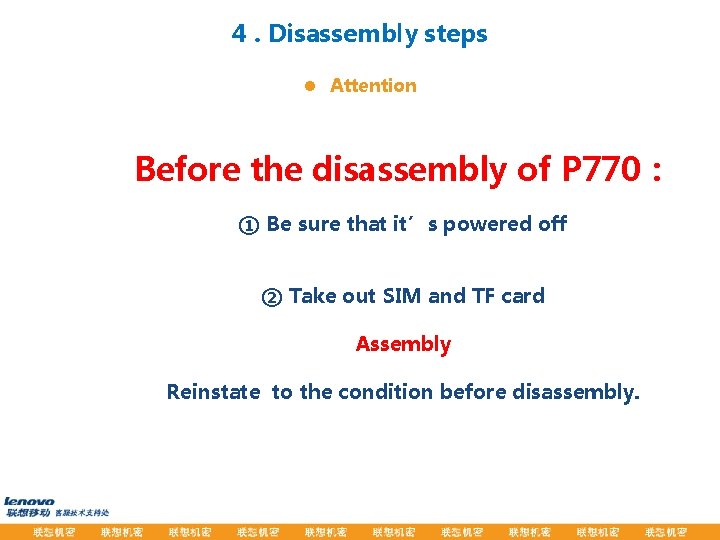
4. Disassembly steps l Attention Before the disassembly of P 770: ① Be sure that it’s powered off ② Take out SIM and TF card Assembly Reinstate to the condition before disassembly.
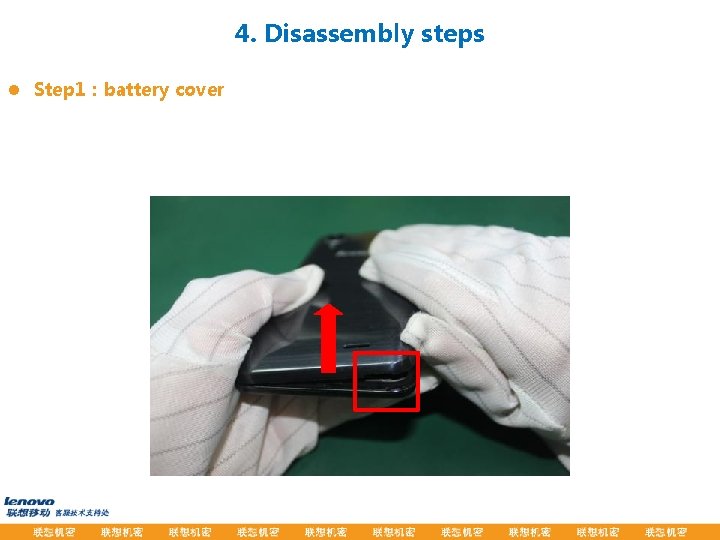
4. Disassembly steps l Step 1:battery cover
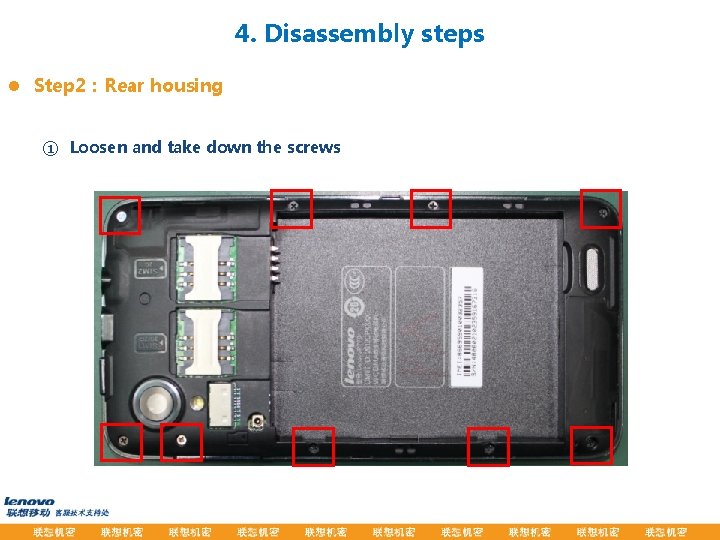
4. Disassembly steps l Step 2:Rear housing ① Loosen and take down the screws
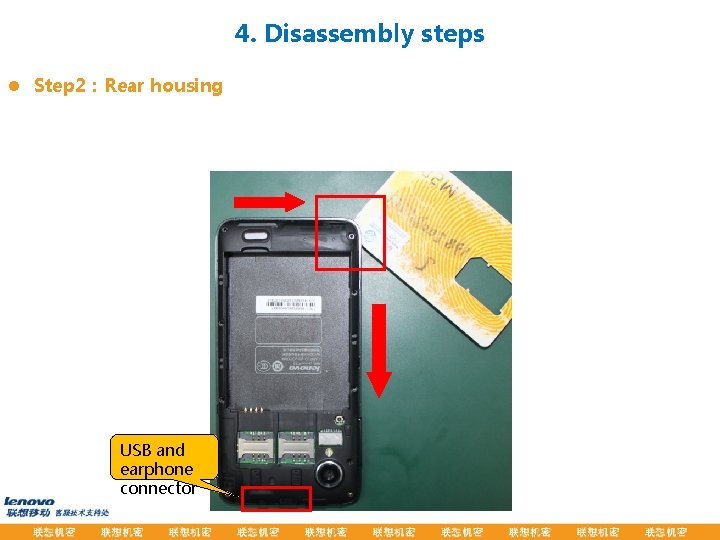
4. Disassembly steps l Step 2:Rear housing USB and earphone connector
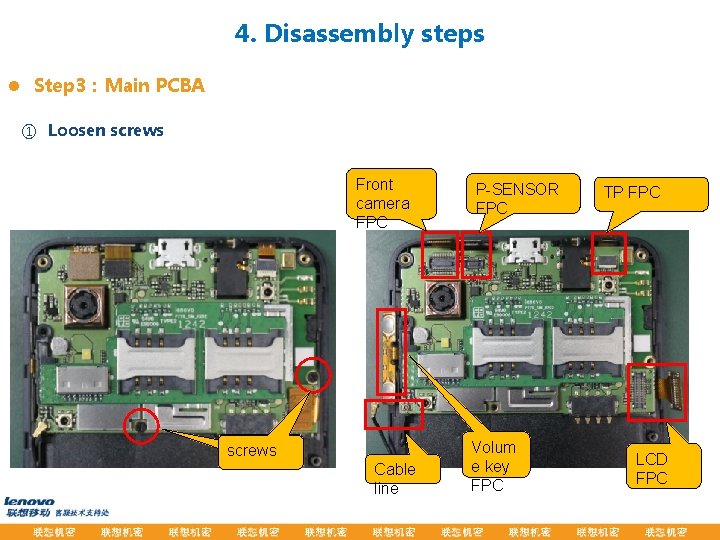
4. Disassembly steps l Step 3:Main PCBA ① Loosen screws Front camera FPC 松开螺� screws Cable line P-SENSOR FPC Volum e key FPC TP FPC LCD FPC
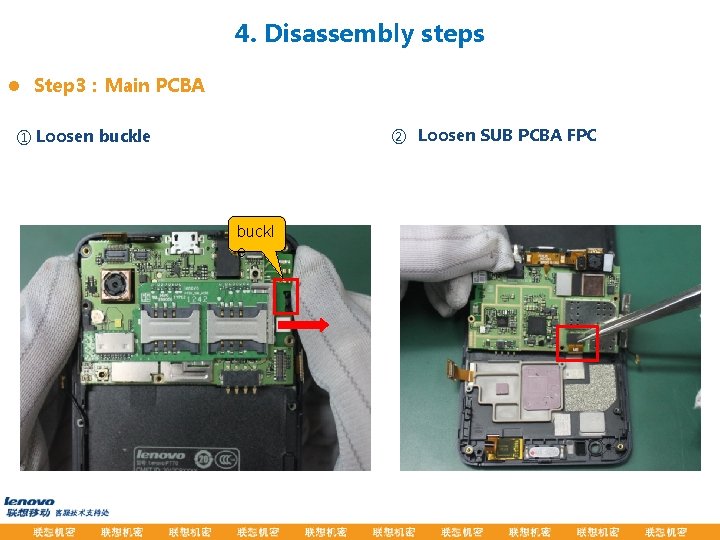
4. Disassembly steps l Step 3:Main PCBA ② Loosen SUB PCBA FPC ① Loosen buckle buckl e
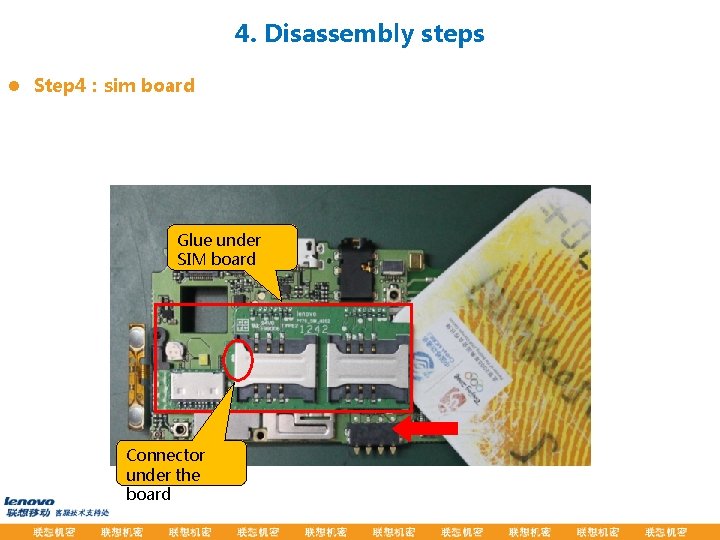
4. Disassembly steps l Step 4:sim board Glue under SIM board Connector under the board
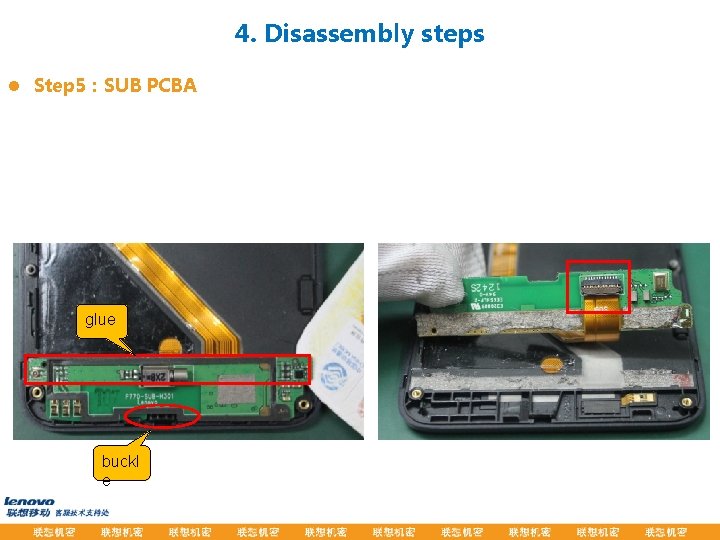
4. Disassembly steps l Step 5:SUB PCBA glue buckl e
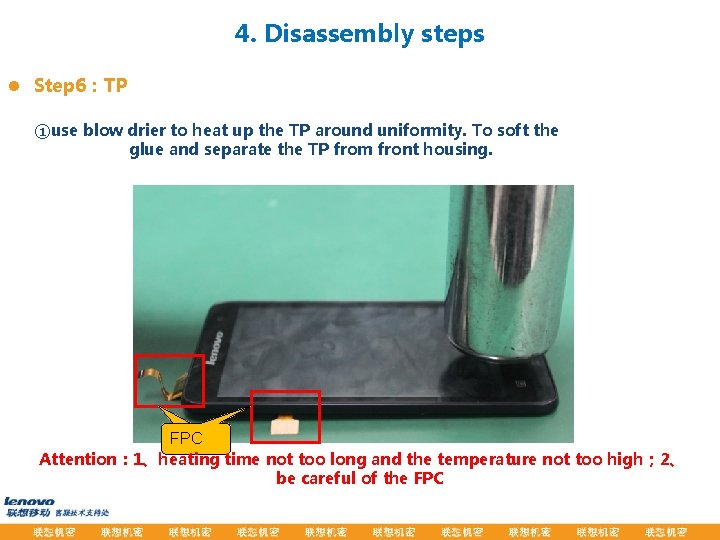
4. Disassembly steps l Step 6:TP ①use blow drier to heat up the TP around uniformity. To soft the glue and separate the TP from front housing. FPC� FPC Attention: 1、heating time not too long and the temperature not too high; 2、 be careful of the FPC
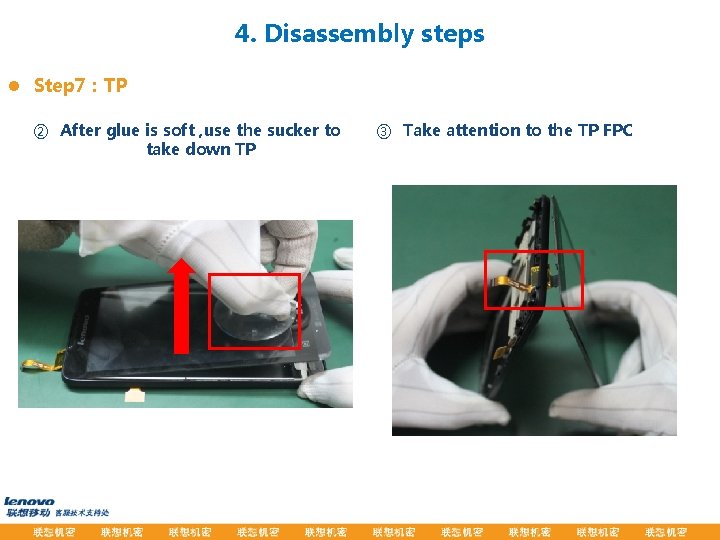
4. Disassembly steps l Step 7:TP ② After glue is soft , use the sucker to take down TP ③ Take attention to the TP FPC
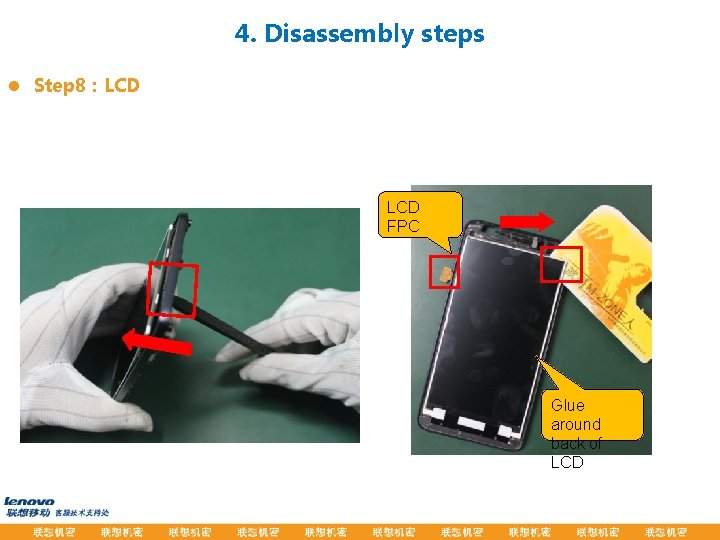
4. Disassembly steps l Step 8:LCD FPC Glue around back of LCD
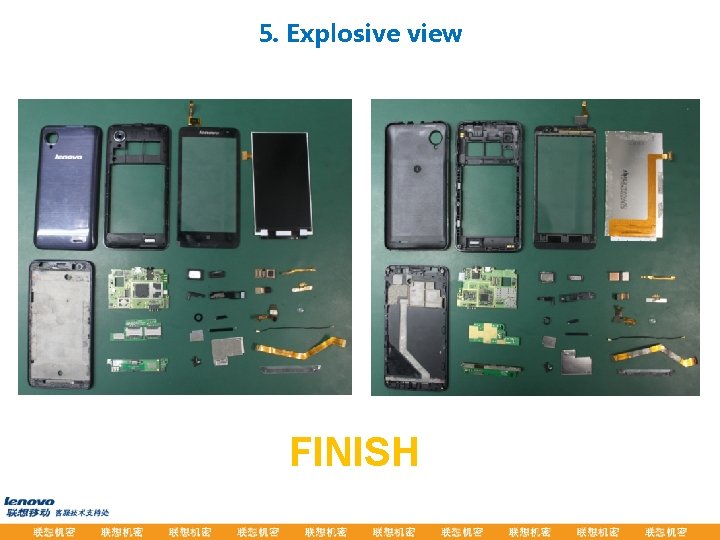
5. Explosive view FINISH

- Slides: 18