
P 2 P Applicationlevel overlays Site 2 Site
- Slides: 41
P 2 P
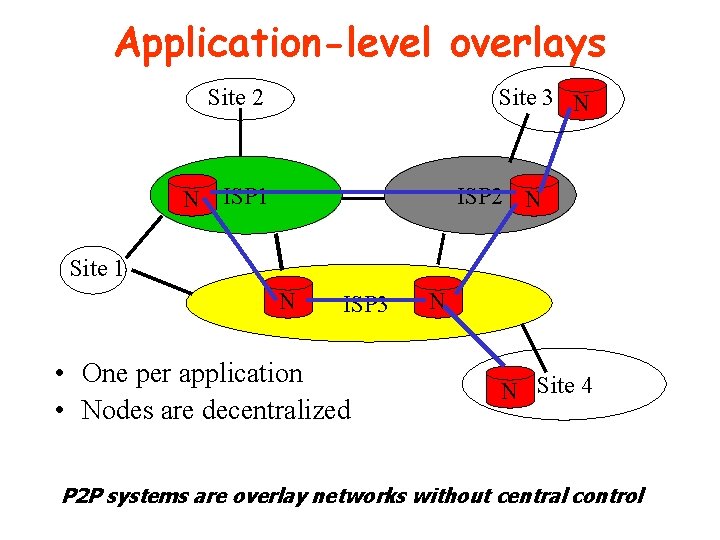
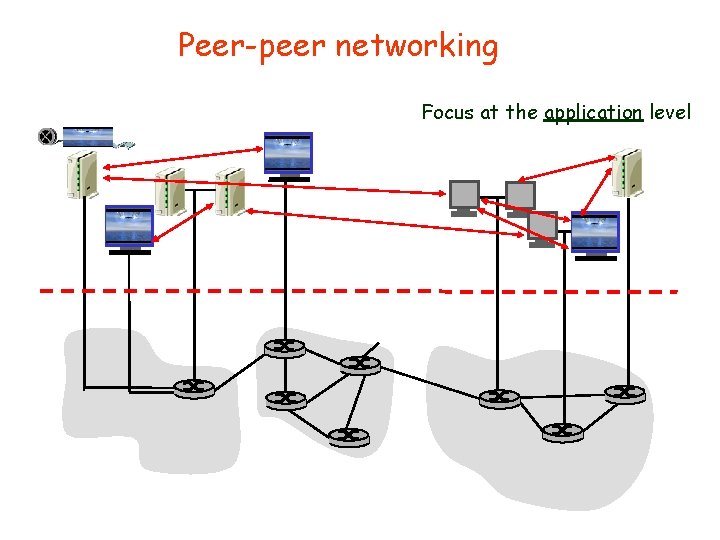
Application-level overlays Site 2 Site 3 N N ISP 1 ISP 2 N Site 1 N ISP 3 • One per application • Nodes are decentralized N N Site 4 P 2 P systems are overlay networks without central control
Client/Server Limitations • • Scalability is hard to achieve Presents a single point of failure Requires administration Unused resources at the network edge • P 2 P systems try to address these limitations
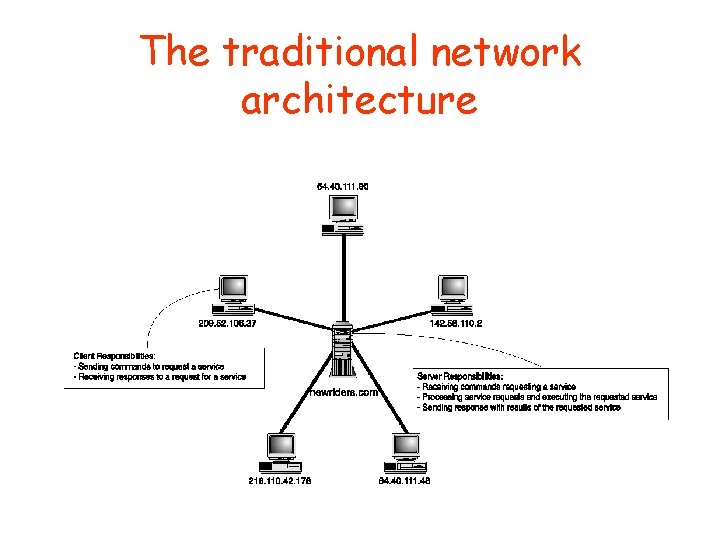
Client-Server Versus Peer-to. Peer Network Architecture • A simple distinction – Client-server • Computers perform asymmetric functions – Peers-to-Peer (P 2 P) • Computers perform symmetric functions • Different architectures offer different benefits • Pure P 2 P networks are rare – Most P 2 P networks rely on centralized server for some functions
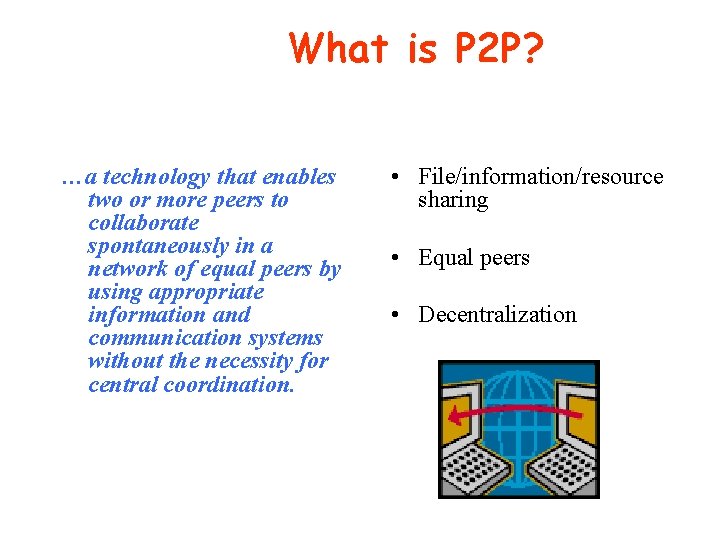
What is P 2 P? …a technology that enables two or more peers to collaborate spontaneously in a network of equal peers by using appropriate information and communication systems without the necessity for central coordination. • File/information/resource sharing • Equal peers • Decentralization
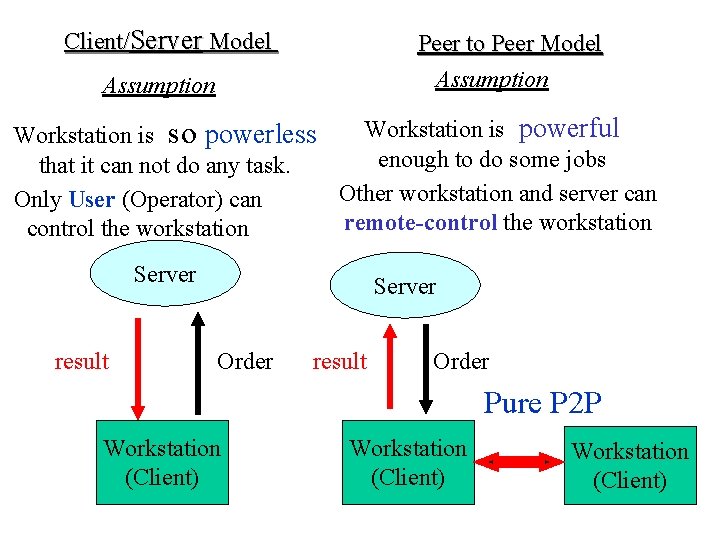
Client/Server Model Peer to Peer Model Assumption Workstation is powerful Workstation is so powerless enough to do some jobs that it can not do any task. Other workstation and server can Only User (Operator) can remote-control the workstation Server result Server Order result Order Pure P 2 P Workstation (Client)
P 2 P Network Features • Clients are also servers and routers – Nodes contribute content, storage, memory, CPU • • Nodes are autonomous (no administrative authority) Network is dynamic: nodes enter and leave the network “frequently” Nodes collaborate directly with each other (not through well-known servers) Nodes have widely varying capabilities
Features of the P 2 P Computing • P 2 P computing is the sharing of computer resources and services by direct exchange between systems. • These resources and services include the exchange of information, processing cycles, cache storage, and disk storage for files. • P 2 P computing takes advantage of existing computing power, computer storage and networking connectivity, allowing users to leverage their collective power to the ‘benefit’ of all.
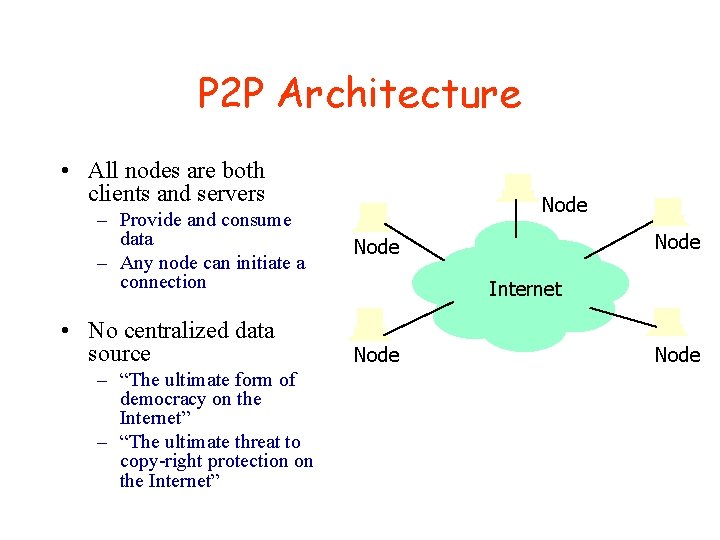
P 2 P Architecture • All nodes are both clients and servers – Provide and consume data – Any node can initiate a connection • No centralized data source – “The ultimate form of democracy on the Internet” – “The ultimate threat to copy-right protection on the Internet” Node Internet Node
P 2 P Network Characteristics • Clients are also servers and routers – Nodes contribute content, storage, memory, CPU • Nodes are autonomous (no administrative authority) • Network is dynamic: nodes enter and leave the network “frequently” • Nodes collaborate directly with each other (not through well-known servers) • Nodes have widely varying capabilities
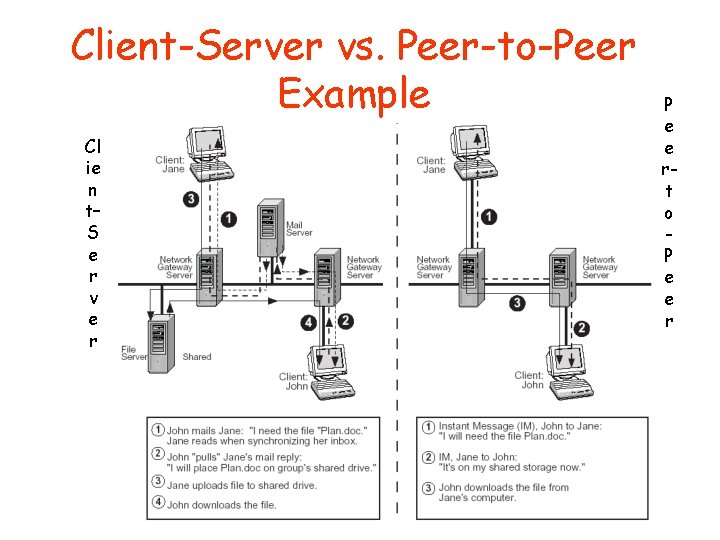
Client-Server vs. Peer-to-Peer Example Cl ie n t– S e r v e r P e e rt o P e e r
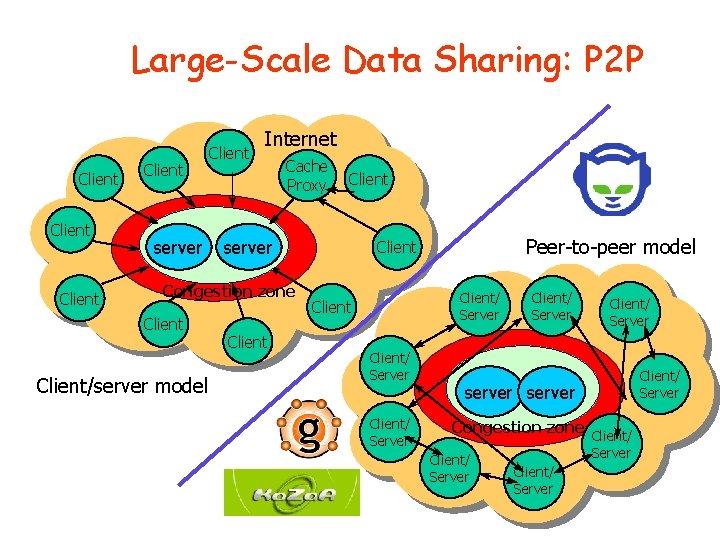
Large-Scale Data Sharing: P 2 P Client server Client Internet Cache Proxy server Congestion zone Client/server model Client Peer-to-peer model Client/ Server Client/ Server server Congestion zone Client/ Server
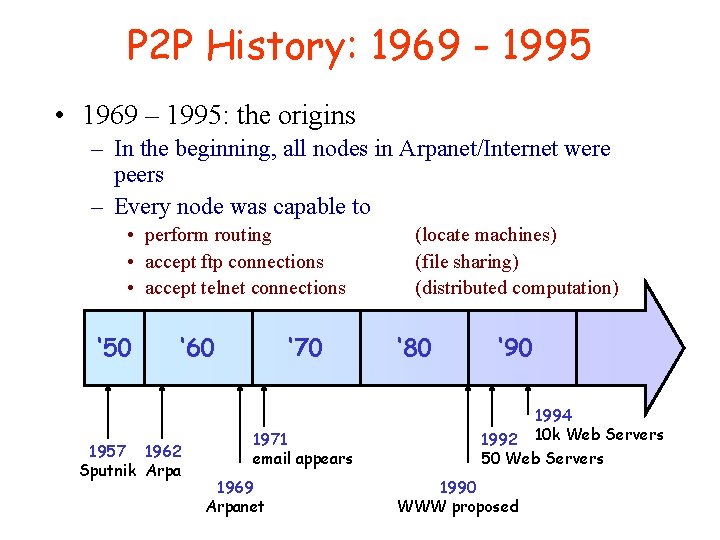
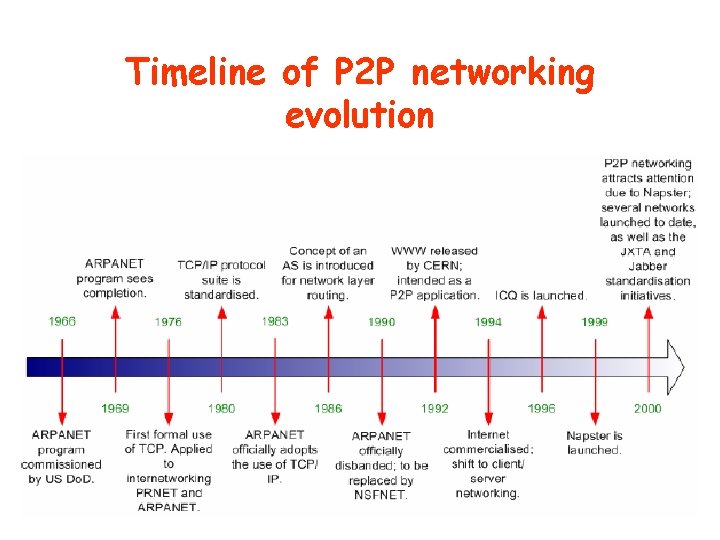
P 2 P History: 1969 - 1995 • 1969 – 1995: the origins – In the beginning, all nodes in Arpanet/Internet were peers – Every node was capable to • perform routing • accept ftp connections • accept telnet connections ‘ 50 ‘ 60 1957 1962 Sputnik Arpa ‘ 70 1971 email appears 1969 Arpanet (locate machines) (file sharing) (distributed computation) ‘ 80 ‘ 90 1994 1992 10 k Web Servers 50 Web Servers 1990 WWW proposed
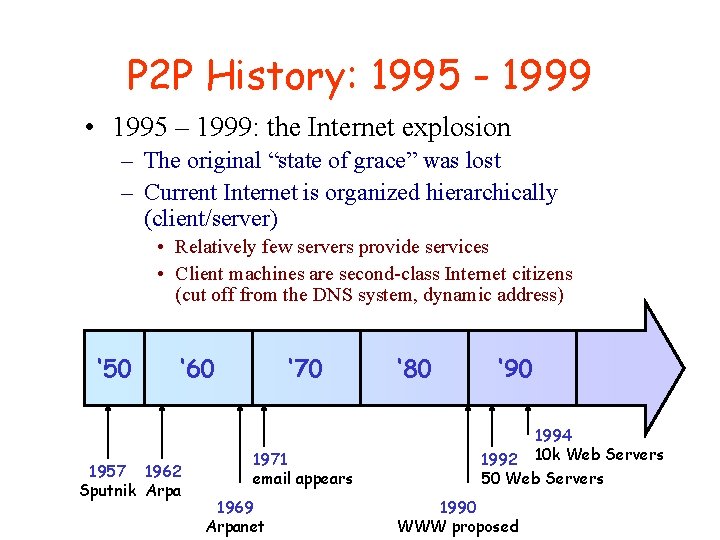
P 2 P History: 1995 - 1999 • 1995 – 1999: the Internet explosion – The original “state of grace” was lost – Current Internet is organized hierarchically (client/server) • Relatively few servers provide services • Client machines are second-class Internet citizens (cut off from the DNS system, dynamic address) ‘ 50 ‘ 60 1957 1962 Sputnik Arpa ‘ 70 1971 email appears 1969 Arpanet ‘ 80 ‘ 90 1994 1992 10 k Web Servers 50 Web Servers 1990 WWW proposed
P 2 P History: 1999 - today • 1999 – today: the advent of Napster – Jan 1999: the first version of Napster is released by Shawn Fanning, student at Northeastern University – Jul 1999: Napster, Inc. founded • In short time, Napster gains an enormous success, enabling millions of end-users to establish a filesharing network for the exchange of music files – Jan 2000: Napster unique users > 1. 000 – Nov 2000: Napster unique users > 23. 000 – Feb 2001: Napster unique users > 50. 000
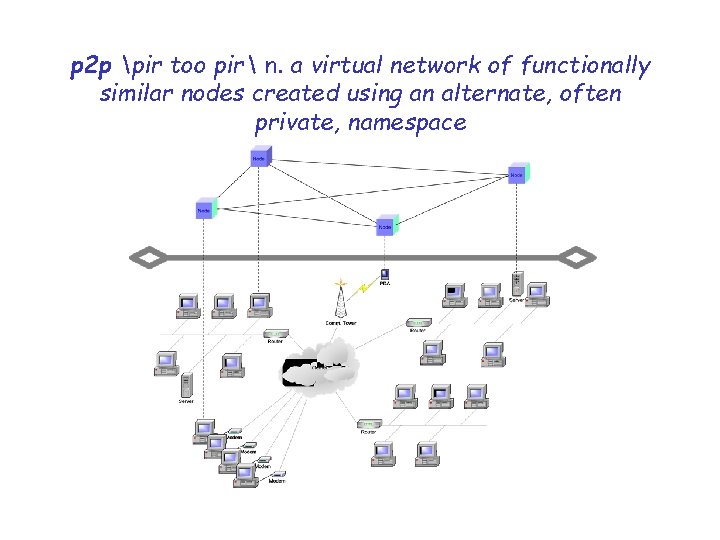
p 2 p pir too pir n. a virtual network of functionally similar nodes created using an alternate, often private, namespace
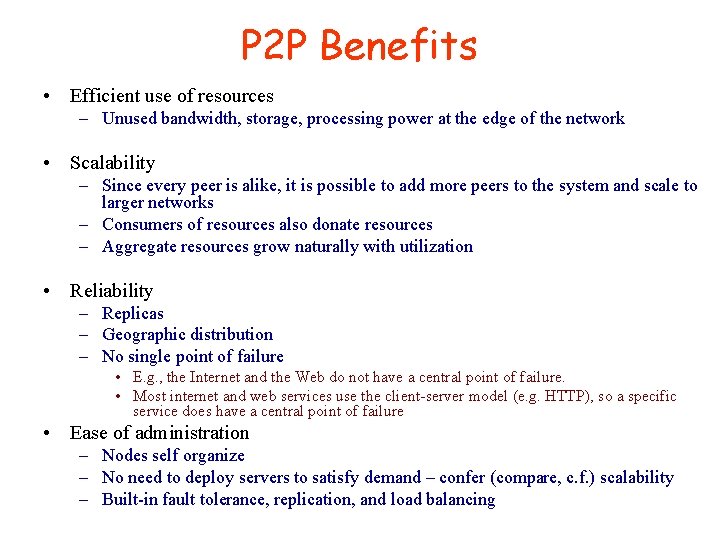
P 2 P Benefits • Efficient use of resources – Unused bandwidth, storage, processing power at the edge of the network • Scalability – Since every peer is alike, it is possible to add more peers to the system and scale to larger networks – Consumers of resources also donate resources – Aggregate resources grow naturally with utilization • Reliability – Replicas – Geographic distribution – No single point of failure • E. g. , the Internet and the Web do not have a central point of failure. • Most internet and web services use the client-server model (e. g. HTTP), so a specific service does have a central point of failure • Ease of administration – Nodes self organize – No need to deploy servers to satisfy demand – confer (compare, c. f. ) scalability – Built-in fault tolerance, replication, and load balancing
The traditional network architecture
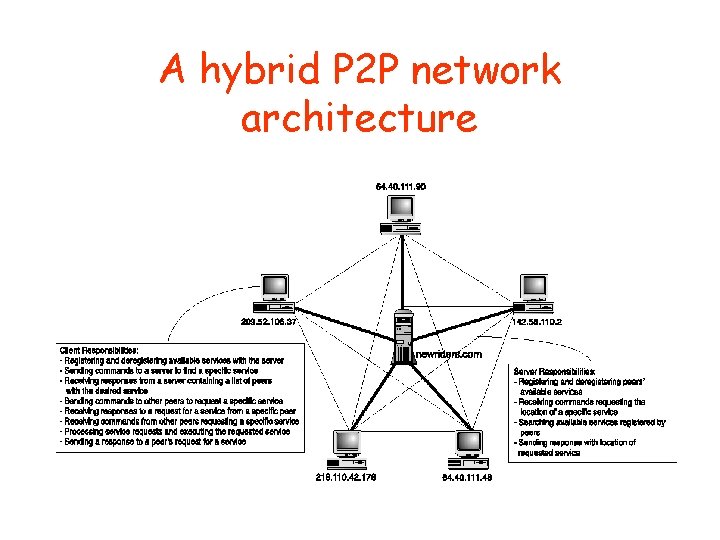
A hybrid P 2 P network architecture • A hybrid P 2 P architecture
P 2 P must be disruptive… • • Peer-to-peer (p 2 p): third generation of the Internet 1 st generation: “raw” Internet 2 nd generation: the Web 3 rd generation: making new services to users cheaply and quickly by making use of their PCs as active participants in computing processes • P 2 P doing this in “disruptive” ways
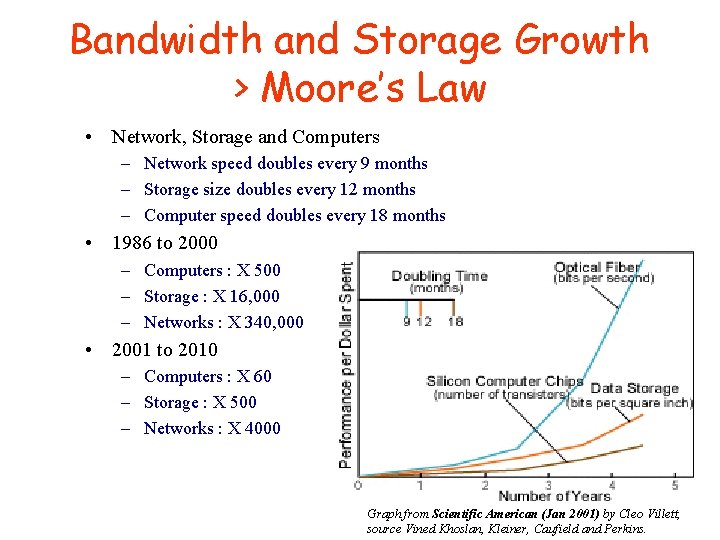
Bandwidth and Storage Growth > Moore’s Law • Network, Storage and Computers – Network speed doubles every 9 months – Storage size doubles every 12 months – Computer speed doubles every 18 months • 1986 to 2000 – Computers : X 500 – Storage : X 16, 000 – Networks : X 340, 000 • 2001 to 2010 – Computers : X 60 – Storage : X 500 – Networks : X 4000 Graph from Scientific American (Jan 2001) by Cleo Villett, source Vined Khoslan, Kleiner, Caufield and Perkins.
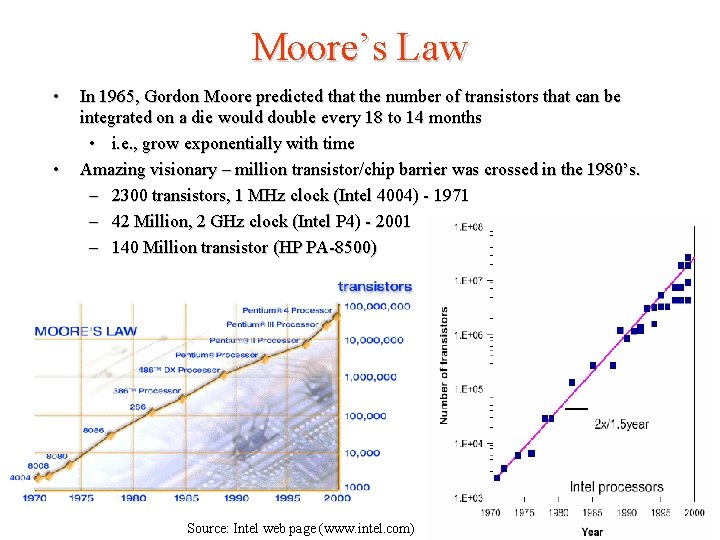
Moore’s Law • • In 1965, Gordon Moore predicted that the number of transistors that can be integrated on a die would double every 18 to 14 months • i. e. , grow exponentially with time Amazing visionary – million transistor/chip barrier was crossed in the 1980’s. – 2300 transistors, 1 MHz clock (Intel 4004) - 1971 – 42 Million, 2 GHz clock (Intel P 4) - 2001 – 140 Million transistor (HP PA-8500) Source: Intel web page (www. intel. com)
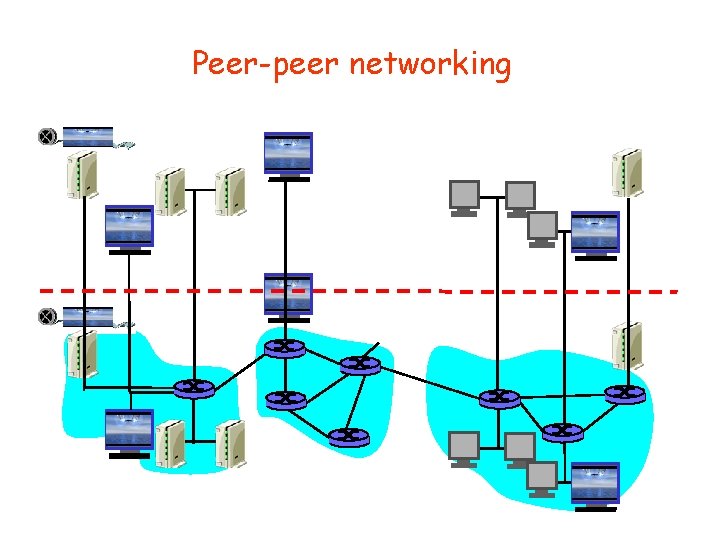
Peer-peer networking
Peer-peer networking Focus at the application level
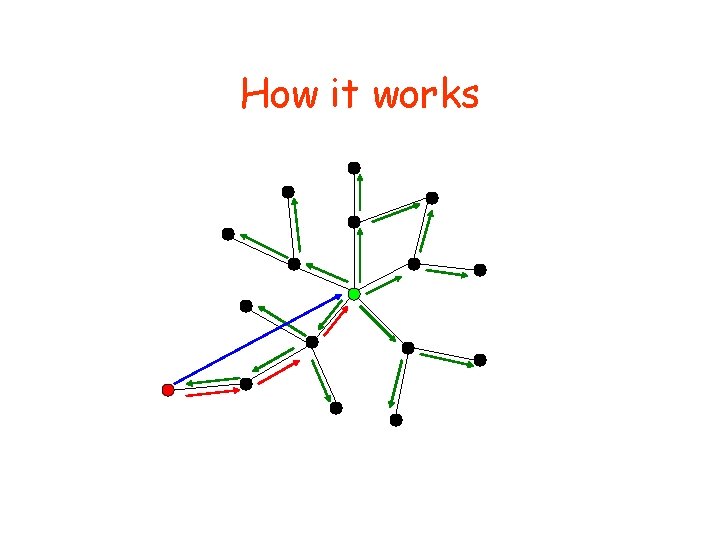
How it works
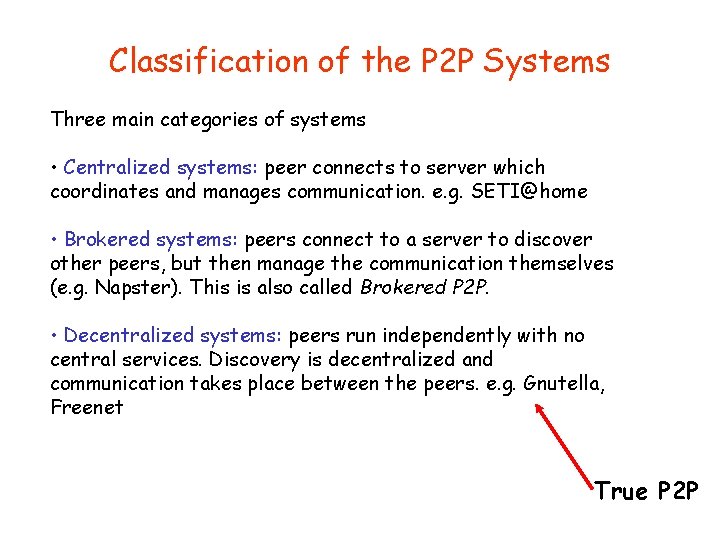
Classification of the P 2 P Systems Three main categories of systems • Centralized systems: peer connects to server which coordinates and manages communication. e. g. SETI@home • Brokered systems: peers connect to a server to discover other peers, but then manage the communication themselves (e. g. Napster). This is also called Brokered P 2 P. • Decentralized systems: peers run independently with no central services. Discovery is decentralized and communication takes place between the peers. e. g. Gnutella, Freenet True P 2 P
What P 2 P is good for? • Community Web network – Any group with specific common interests, including a family or hobbyists, can use lists and a Web site to create their own intranet. • Search engines – Fresh, up-to-date information can be found by searching directly across the space where the desired item is likely to reside • Collaborative development – The scope can range from developing software products to composing a document to applications like rendering graphics.
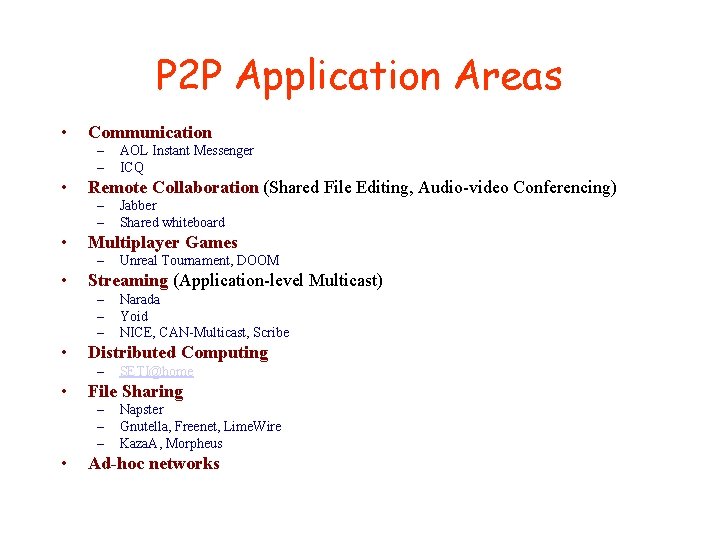
P 2 P Application Areas • Communication – – • Remote Collaboration (Shared File Editing, Audio-video Conferencing) – – • SETI@home File Sharing – – – • Narada Yoid NICE, CAN-Multicast, Scribe Distributed Computing – • Unreal Tournament, DOOM Streaming (Application-level Multicast) – – – • Jabber Shared whiteboard Multiplayer Games – • AOL Instant Messenger ICQ Napster Gnutella, Freenet, Lime. Wire Kaza. A, Morpheus Ad-hoc networks
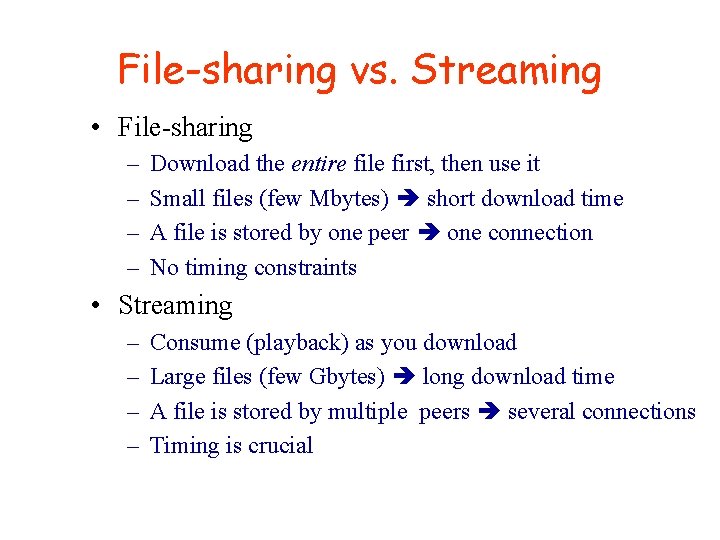
File-sharing vs. Streaming • File-sharing – – Download the entire file first, then use it Small files (few Mbytes) short download time A file is stored by one peer one connection No timing constraints • Streaming – – Consume (playback) as you download Large files (few Gbytes) long download time A file is stored by multiple peers several connections Timing is crucial
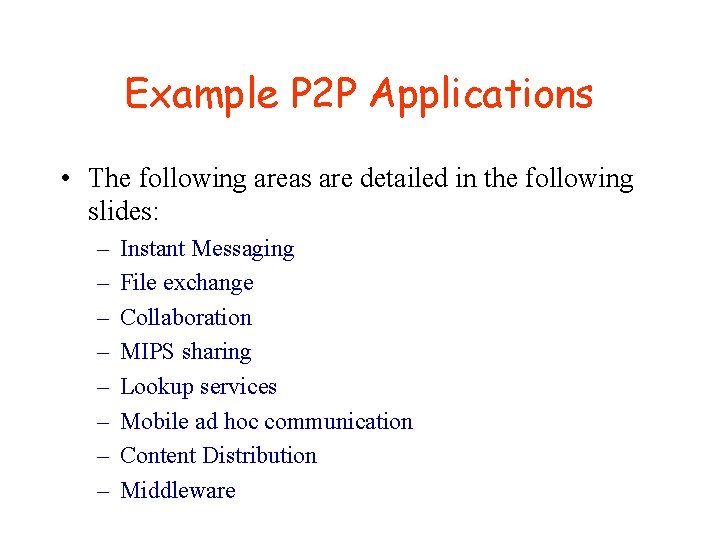
Example P 2 P Applications • The following areas are detailed in the following slides: – – – – Instant Messaging File exchange Collaboration MIPS sharing Lookup services Mobile ad hoc communication Content Distribution Middleware
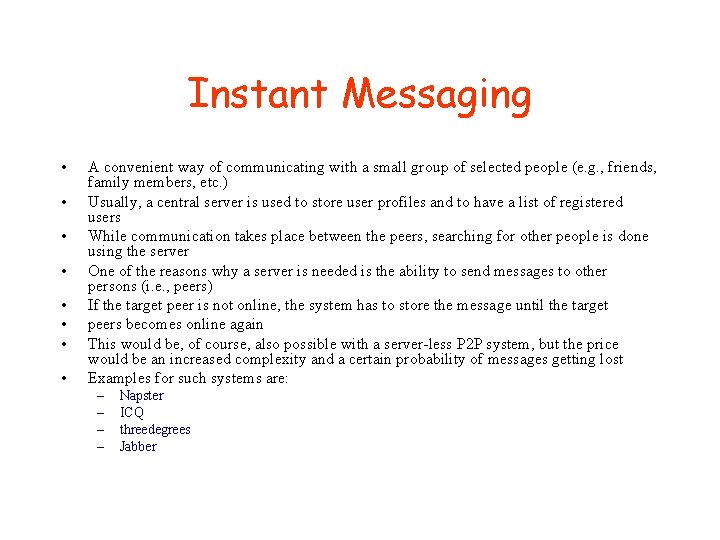
Instant Messaging • • A convenient way of communicating with a small group of selected people (e. g. , friends, family members, etc. ) Usually, a central server is used to store user profiles and to have a list of registered users While communication takes place between the peers, searching for other people is done using the server One of the reasons why a server is needed is the ability to send messages to other persons (i. e. , peers) If the target peer is not online, the system has to store the message until the target peers becomes online again This would be, of course, also possible with a server-less P 2 P system, but the price would be an increased complexity and a certain probability of messages getting lost Examples for such systems are: – – Napster ICQ threedegrees Jabber
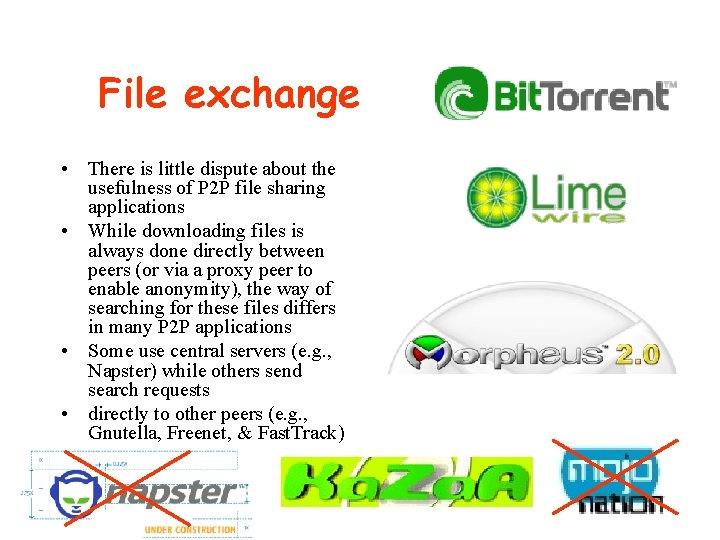
File exchange • There is little dispute about the usefulness of P 2 P file sharing applications • While downloading files is always done directly between peers (or via a proxy peer to enable anonymity), the way of searching for these files differs in many P 2 P applications • Some use central servers (e. g. , Napster) while others send search requests • directly to other peers (e. g. , Gnutella, Freenet, & Fast. Track)
Collaboration • • • This is not a typical example for the usefulness of P 2 P technology It is about having people having the same view or different views on shared information This would typically call for a server storing this information This way, the information is available to all members without the necessity of having the information provider or contributor online or the data distributed to all other participants But there are use cases where P 2 P technology comes in mobile phones One example could be ad hoc collaboration of devices in an environment where no connection to a server exist – E. g. , people are meeting in a place where no connection to the Internet is available • • In this scenario, people would communicate (and collaborate) in a server-less P 2 P manner One perfect example for this use case is Groove – It uses a server to store shared information but is also able to provide collaboration services without the existence of such a server
MIPS sharing • One of the major assets of the Internet is its combined processing power – • To utilize these resources, user are asked to download and install programs that are able to do a small part of a complex computation while the computer is not used – • Seti@HOME Genome@HOME In this category of P 2 P applications, the social aspect is very important Were it not for the search for extraterrestrial life or cancer research, not many people would be willing to share their processing power – • E. g. , while the screen saver is running Examples for MIPS sharing systems are: – – • • which is currently vastly under-utilized Hence, there must an incentive for users to share computer resources, be it money, public wellfare or the like Furthermore, this type of P 2 P application can only function with a central server that is coordinating the distribution of computation tasks and the validation of the results
Lookup services • • • Most of the scientific P 2 P research is done in the area of lookup services This is not very surprising because searching is one of the major challenges in P 2 P networks Most of the P 2 P systems that are optimized for lookup services are using distributed hashtables (DHT) – which are capable of searching with logarithmic complexity • The drawback of most of these systems is the fact that they are only able to search for numbers – In case they are searching for strings, they are searching for numerical representations of these strings • Examples for such systems are: – PAST – Chord – P-Grid
Mobile ad hoc communication • Ad hoc communication, especially when it is done among mobile devices – I. e. , the devices are connected directly via a wireless communication link – This is the best example for the usefulness of the P 2 P paradigm • • • Devices connect to each other in an ad hoc manner Due to the limited communication capabilities of mobile devices (such as mobile phones or handheld devices), frequent disconnections may occur When mobile devices are connected together, there is no guarantee that a central server may be available Hence, ad hoc mobile communication must not rely on the existence of such a server All these characteristics also apply to the P 2 P paradigm There exists only a small number of P 2 P systems that can be used in conjunction with small devices: – Gnu. Net – JXME (JXTA for J 2 ME - the Java 2 Mobile Environment)
Content Distribution • P 2 P can also be used for the distribution of information or files – sometimes called ESD - electronic software distribution • Instead of having a central source that emits files to the destination computers directly, a P 2 P network may disseminate files while avoiding hot spots in the network • The load (i. e. , the bandwidth, CPU power, throughput, etc. ) is distributed over the whole network • This concept is successfully used, for example, by Intel where software is distributed to international branches in a P 2 P style • This system can be compared to a push system • The advantage is that there is no need for a fixed environment of push server and proxies
Middleware • The most demanding use case for a P 2 P system is its use as a middleware platform. P 2 P middleware systems provide services such as distributed search or peer discovery to higher-level applications • Different kind of P 2 P systems have a limited set of application domains • Depending on the structure (or topology) of the P 2 P network, various use cases may become feasible or impossible • If a P 2 P system is needed as a middleware, the use case turns the balance which P 2 P system best fits the requirements • Only a few P 2 P systems may be used as a P 2 P middleware platform: – JXTA – Omnix
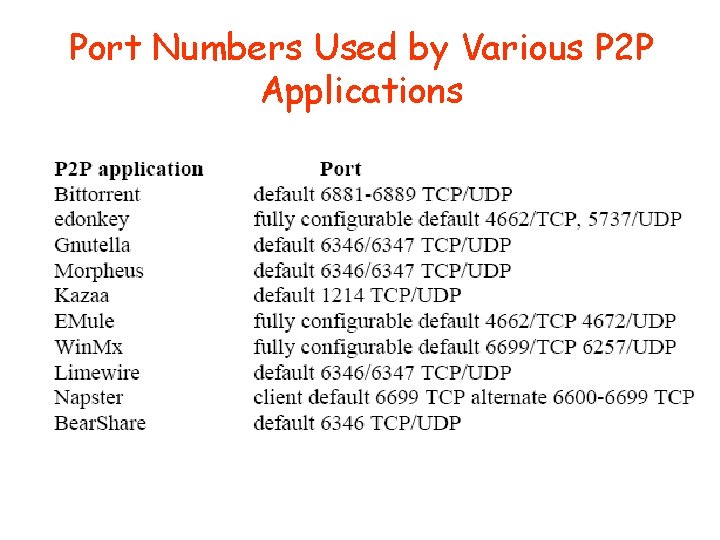
Port Numbers Used by Various P 2 P Applications
Timeline of P 2 P networking evolution
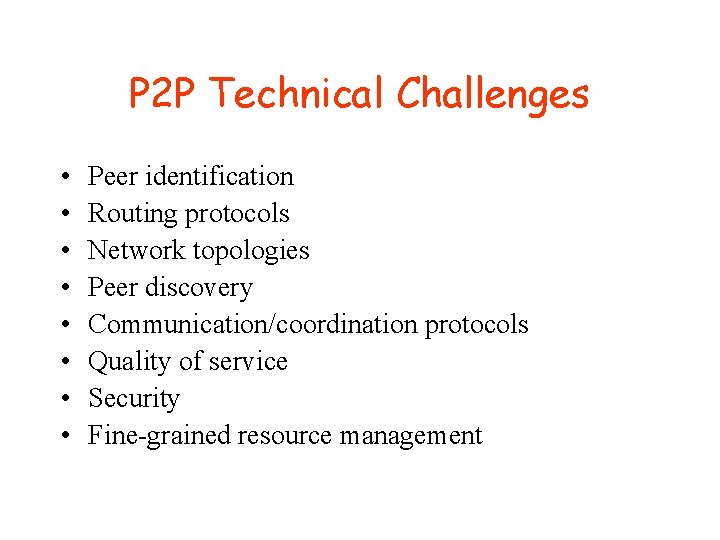
P 2 P Technical Challenges • • Peer identification Routing protocols Network topologies Peer discovery Communication/coordination protocols Quality of service Security Fine-grained resource management