
Overview v Center Server Heartbeat Q 3 2010
Overview: v. Center Server Heartbeat Q 3 2010 Confidential © 2009 VMware Inc. All rights reserved
Agenda § Why is v. Center Server Availability Important? § What Needs to Be Protected? § Protecting v. Center with v. Center Server Heartbeat 2
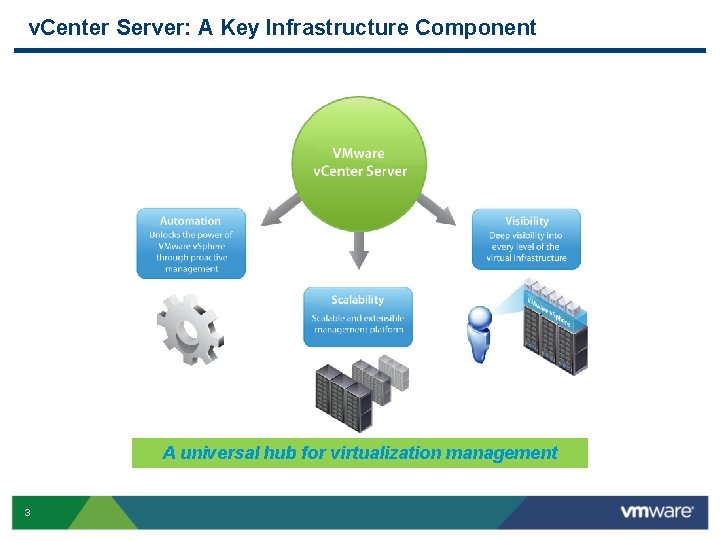
v. Center Server: A Key Infrastructure Component A universal hub for virtualization management 3
How Do You Use v. Center Server? § Monitor cluster, host and VM performance § Manage VM and host provisioning § Patch and update hosts and VMs § Configure and operate VMotion, DRS, HA and FT § Provision and manage a VMware VIEW environment § Manage disaster recover plans § Test / develop VMs and applications § Allow access for third party applications 4
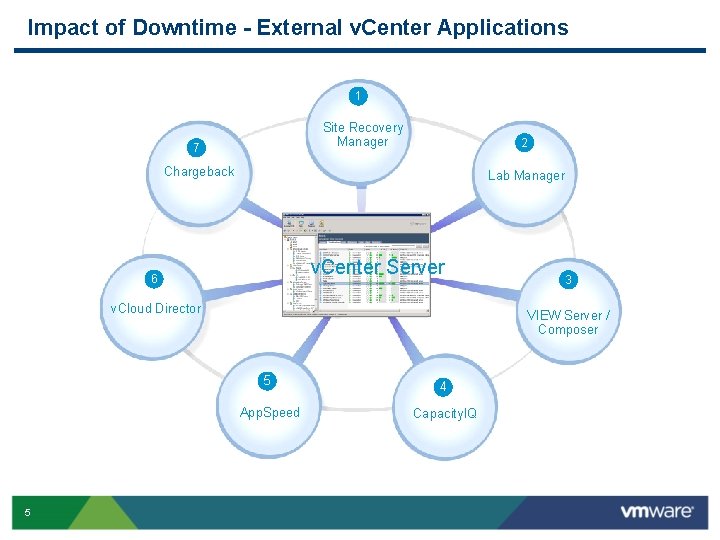
Impact of Downtime - External v. Center Applications 1 Site Recovery Manager 7 2 Chargeback Lab Manager v. Center Server 6 v. Cloud Director 5 3 VIEW Server / Composer 5 4 App. Speed Capacity. IQ
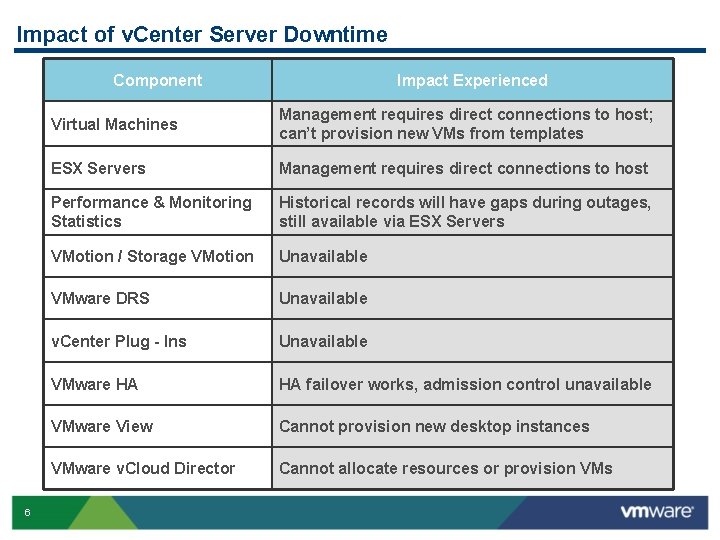
Impact of v. Center Server Downtime Component 6 Impact Experienced Virtual Machines Management requires direct connections to host; can’t provision new VMs from templates ESX Servers Management requires direct connections to host Performance & Monitoring Statistics Historical records will have gaps during outages, still available via ESX Servers VMotion / Storage VMotion Unavailable VMware DRS Unavailable v. Center Plug - Ins Unavailable VMware HA HA failover works, admission control unavailable VMware View Cannot provision new desktop instances VMware v. Cloud Director Cannot allocate resources or provision VMs
Agenda § Why is v. Center Server Availability Important? § What Needs to Be Protected? § Protecting v. Center with v. Center Server Heartbeat 7
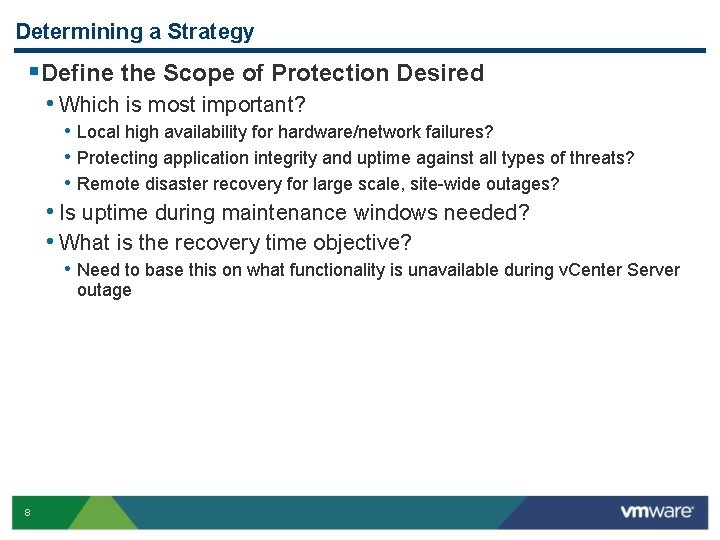
Determining a Strategy §Define the Scope of Protection Desired • Which is most important? • Local high availability for hardware/network failures? • Protecting application integrity and uptime against all types of threats? • Remote disaster recovery for large scale, site-wide outages? • Is uptime during maintenance windows needed? • What is the recovery time objective? • Need to base this on what functionality is unavailable during v. Center Server outage 8
How Do You Protect v. Center Server Today? • No protection • Keep a backup copy archived • Cold standby server • Clustering • VMware HA 9
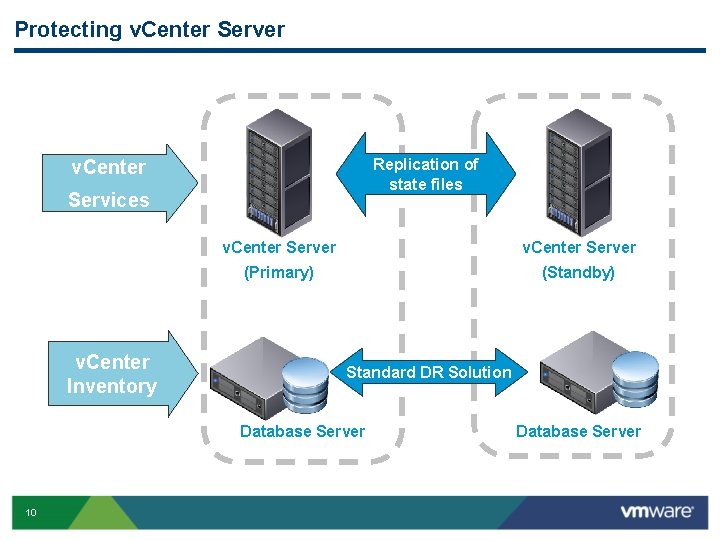
Protecting v. Center Server v. Center Replication of state files Services v. Center Inventory v. Center Server (Primary) (Standby) Standard DR Solution Database Server 10 Database Server
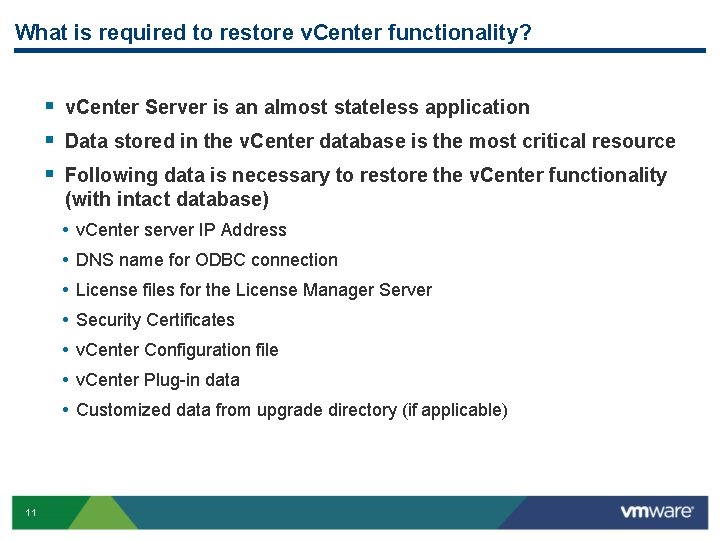
What is required to restore v. Center functionality? § v. Center Server is an almost stateless application § Data stored in the v. Center database is the most critical resource § Following data is necessary to restore the v. Center functionality (with intact database) • • 11 v. Center server IP Address DNS name for ODBC connection License files for the License Manager Server Security Certificates v. Center Configuration file v. Center Plug-in data Customized data from upgrade directory (if applicable)
Agenda § Why is v. Center Server Availability Important? § What Needs to Be Protected? § Protecting v. Center with v. Center Server Heartbeat 12
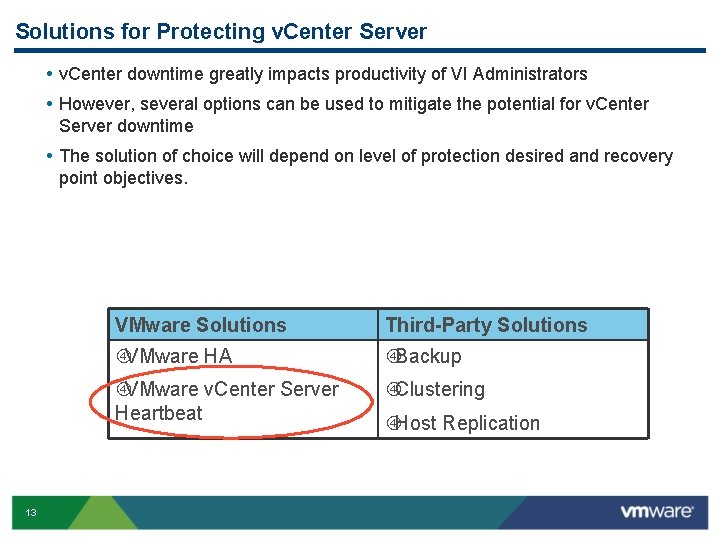
Solutions for Protecting v. Center Server • v. Center downtime greatly impacts productivity of VI Administrators • However, several options can be used to mitigate the potential for v. Center Server downtime • The solution of choice will depend on level of protection desired and recovery point objectives. 13 VMware Solutions Third-Party Solutions VMware HA Backup VMware v. Center Server Heartbeat Clustering Host Replication
Overview: VMware v. Center Server Heartbeat • Extends availability for the v. Center Server platform • Add-on to v. Center Server protects critical components of the infrastructure • Deep awareness of all v. Center Server components • Simple configuration and deployment • Replicates all data and transactions to a standby server • Failover of the application and database over the LAN or WAN • Best-of breed-technology • VMware has selected Neverfail to provide the underlying technology • Proven technology supports SQL, Exchange, Blackberry availability • v. Center Server Heartbeat is a VMware product and fully supported by VMware 14
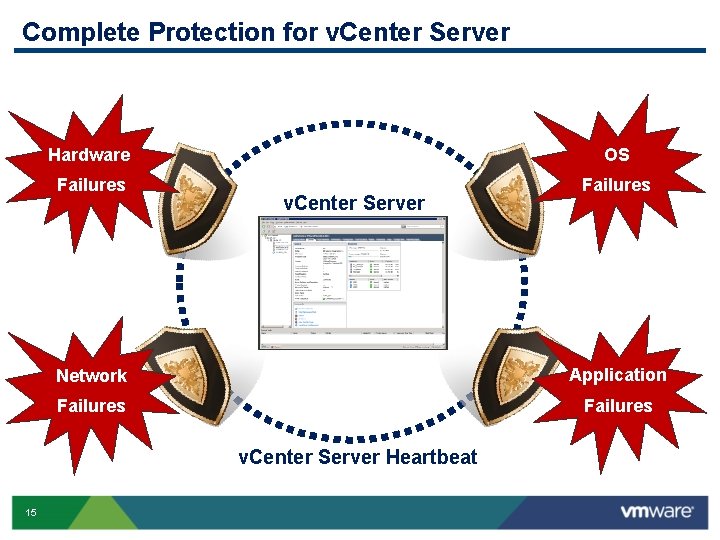
Complete Protection for v. Center Server Hardware OS Failures v. Center Server Network Application Failures v. Center Server Heartbeat 15
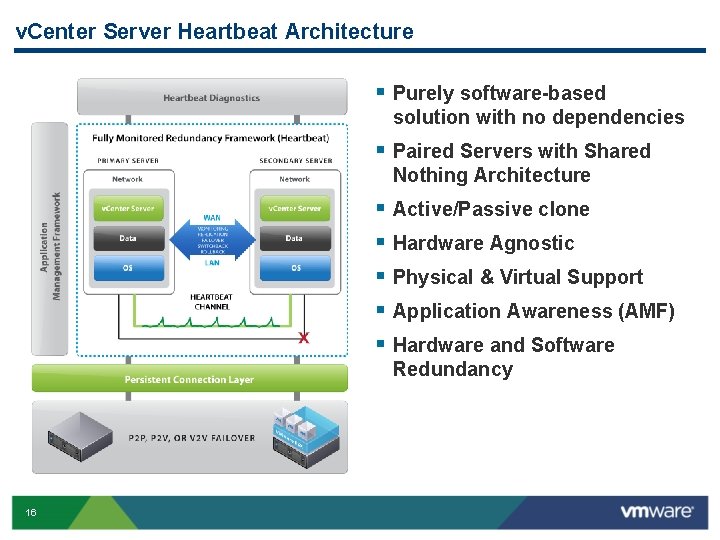
v. Center Server Heartbeat Architecture § Purely software-based solution with no dependencies § Paired Servers with Shared Nothing Architecture § § § 16 Active/Passive clone Hardware Agnostic Physical & Virtual Support Application Awareness (AMF) Hardware and Software Redundancy
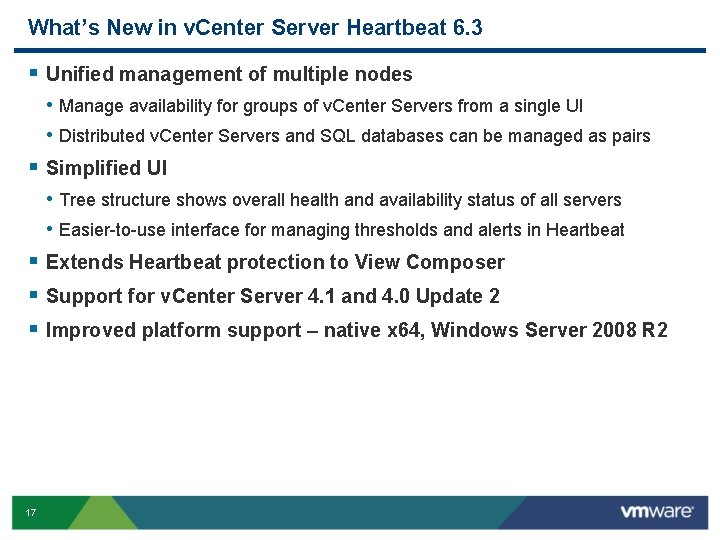
What’s New in v. Center Server Heartbeat 6. 3 § Unified management of multiple nodes • Manage availability for groups of v. Center Servers from a single UI • Distributed v. Center Servers and SQL databases can be managed as pairs § Simplified UI • Tree structure shows overall health and availability status of all servers • Easier-to-use interface for managing thresholds and alerts in Heartbeat § Extends Heartbeat protection to View Composer § Support for v. Center Server 4. 1 and 4. 0 Update 2 § Improved platform support – native x 64, Windows Server 2008 R 2 17
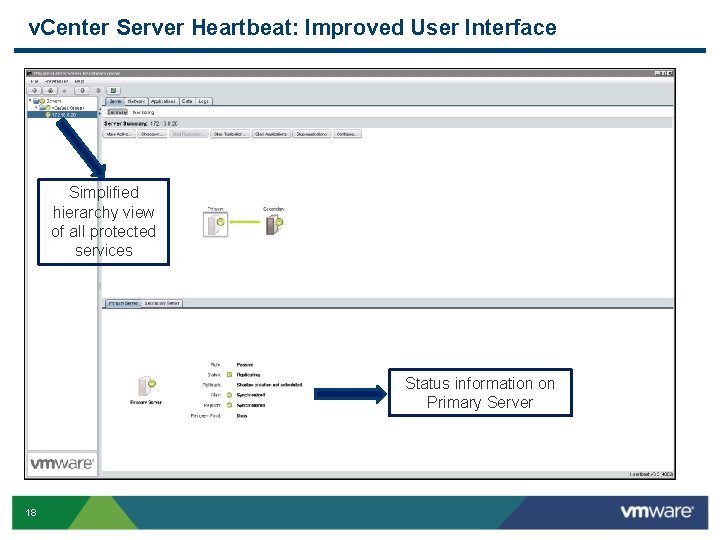
v. Center Server Heartbeat: Improved User Interface Simplified hierarchy view of all protected services Status information on Primary Server 18
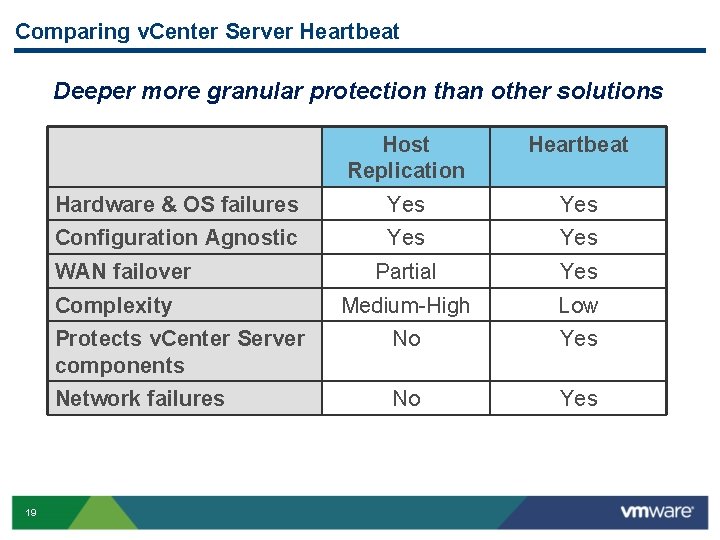
Comparing v. Center Server Heartbeat Deeper more granular protection than other solutions Host Replication Heartbeat Hardware & OS failures Yes Configuration Agnostic Yes Partial Yes Medium-High Low Protects v. Center Server components No Yes Network failures No Yes WAN failover Complexity 19
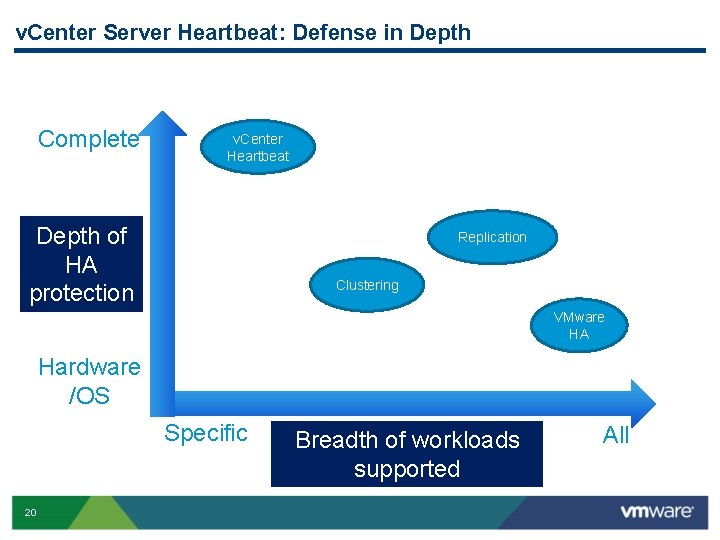
v. Center Server Heartbeat: Defense in Depth Complete v. Center Heartbeat Depth of HA protection Replication Clustering VMware HA Hardware /OS Specific 20 Breadth of workloads supported All
Summary: Why v. Center Server Heartbeat? High availability for VC is growing in importance for customers running VMware in production • Underlying infrastructure needs to be fully protected, especially for VDI and cloud environments • HA provides robust general-purpose protection of virtualized workloads • Need to protect against configuration errors, network failures, OS failures, database failures with WAN failover support • Many customers run v. Center Server on a physical server • Other solutions are expensive, complex and lack app awareness, support for database, WAN failover • Customers have been asking for a VMware solution that provides more granular availability for v. Center Server 21
- Slides: 21