
Overview Overview How Dispatcher Phoenix Can Help Our








- Slides: 38
Overview
Overview How Dispatcher Phoenix Can Help Our Customers Office Users Legal Services Providers Educators Hospitals & Clinics Financial Services Government Agencies Manufacturing Facilities Production Printers Dispatcher Phoenix in the Enterprise Sales/Marketing Resources Demo
Dispatcher Phoenix is… • Konica Minolta-developed, award winning Robotic Process Automation (RPA) solution • Designed to optimize business processes, reduce costs, and increase productivity for any organization • Scalable & customizable based on business needs • Optional features can be added at any time • You can expand the application as business needs change Award Winning! Finalist for World Technology Network award, BLI 2018 Document Imaging Software of the Year award
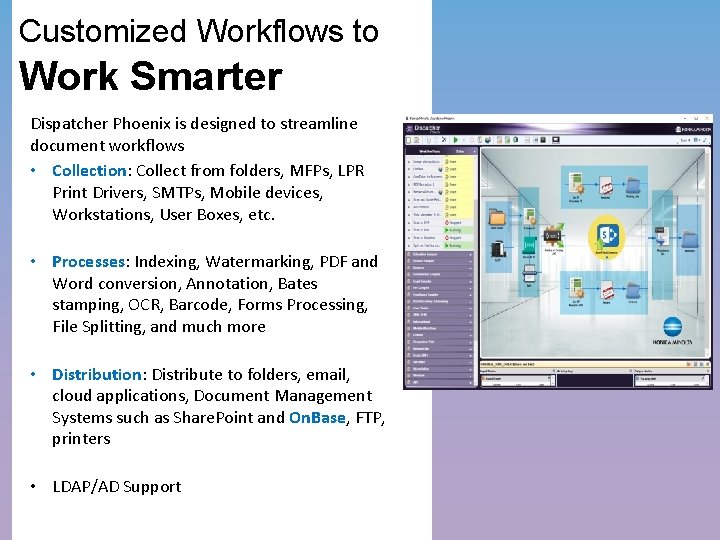
Customized Workflows to Work Smarter Dispatcher Phoenix is designed to streamline document workflows • Collection: Collect from folders, MFPs, LPR Print Drivers, SMTPs, Mobile devices, Workstations, User Boxes, etc. • Processes: Indexing, Watermarking, PDF and Word conversion, Annotation, Bates stamping, OCR, Barcode, Forms Processing, File Splitting, and much more • Distribution: Distribute to folders, email, cloud applications, Document Management Systems such as Share. Point and On. Base, FTP, printers • LDAP/AD Support
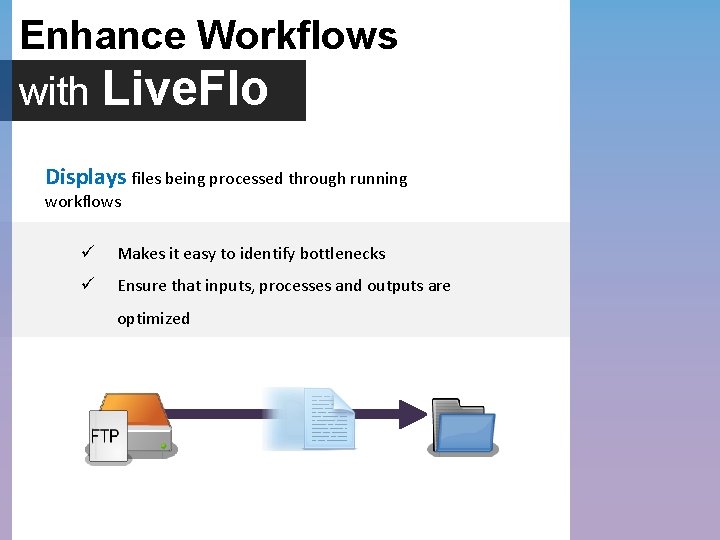
Enhance Workflows with Live. Flo Displays files being processed through running workflows ü Makes it easy to identify bottlenecks ü Ensure that inputs, processes and outputs are optimized
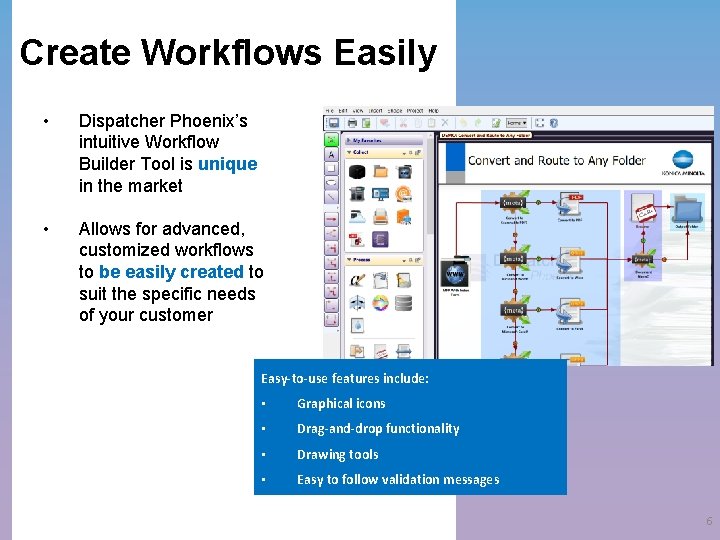
Create Workflows Easily • Dispatcher Phoenix’s intuitive Workflow Builder Tool is unique in the market • Allows for advanced, customized workflows to be easily created to suit the specific needs of your customer Easy-to-use features include: • Graphical icons • Drag-and-drop functionality • Drawing tools • Easy to follow validation messages 6
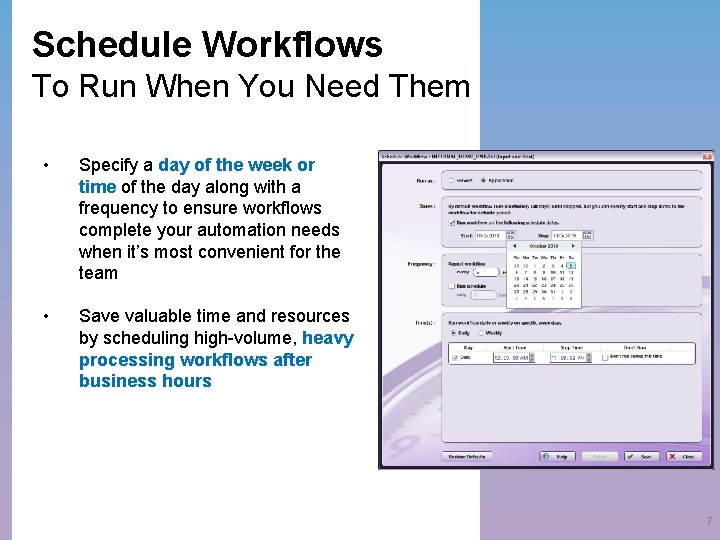
Schedule Workflows To Run When You Need Them • Specify a day of the week or time of the day along with a frequency to ensure workflows complete your automation needs when it’s most convenient for the team • Save valuable time and resources by scheduling high-volume, heavy processing workflows after business hours 7
Optimize Productivity Dispatcher Phoenix with Whether it’s sending documents to key recipients, customizing complex print jobs, or indexing documents and folder browsing from the MFP panel, Dispatcher Phoenix can handle our customers’ document processing needs, improving their workplace productivity and saving them both time and money
Driving Productivity For All Businesses, Including KM! Fully supported and used by Konica Minolta to optimize business: o Global Customer Service Team • Several workflows for OCR/processing orders o Field Meters & Support Team • Meter Report Processing o Professional Services/ECM Team • Integrating with On. Base
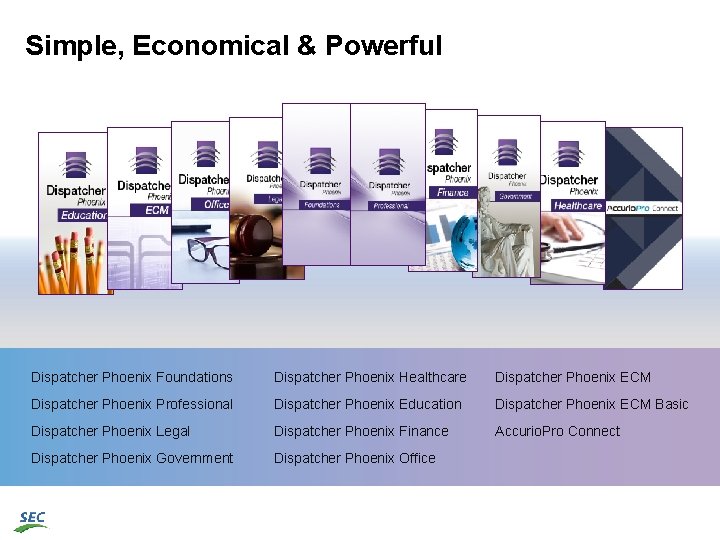
Simple, Economical & Powerful Dispatcher Phoenix Foundations Dispatcher Phoenix Healthcare Dispatcher Phoenix ECM Dispatcher Phoenix Professional Dispatcher Phoenix Education Dispatcher Phoenix ECM Basic Dispatcher Phoenix Legal Dispatcher Phoenix Finance Accurio. Pro Connect Dispatcher Phoenix Government Dispatcher Phoenix Office
How does Dispatcher Phoenix Help Our Customers?
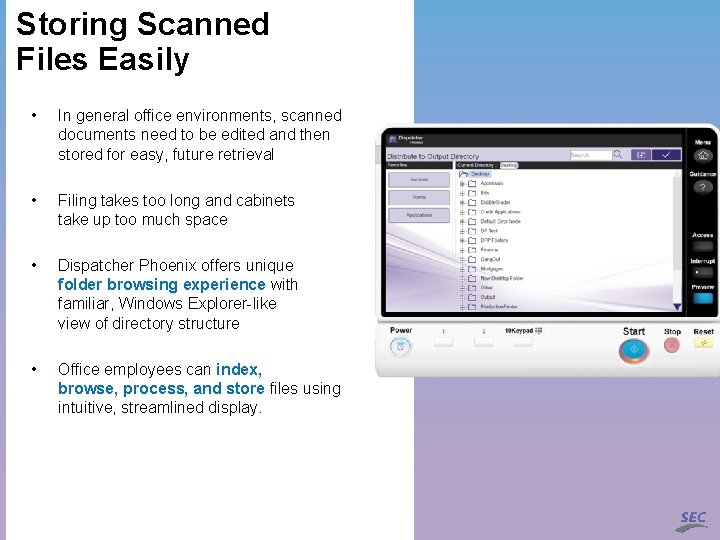
Storing Scanned Files Easily • In general office environments, scanned documents need to be edited and then stored for easy, future retrieval • Filing takes too long and cabinets take up too much space • Dispatcher Phoenix offers unique folder browsing experience with familiar, Windows Explorer-like view of directory structure • Office employees can index, browse, process, and store files using intuitive, streamlined display.
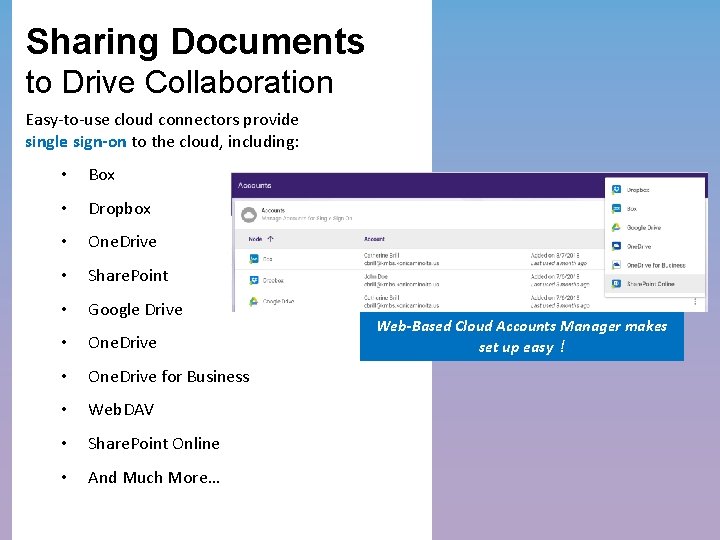
Sharing Documents to Drive Collaboration Easy-to-use cloud connectors provide single sign-on to the cloud, including: • Box • Dropbox • One. Drive • Share. Point • Google Drive • One. Drive for Business • Web. DAV • Share. Point Online • And Much More… Web-Based Cloud Accounts Manager makes set up easy!!
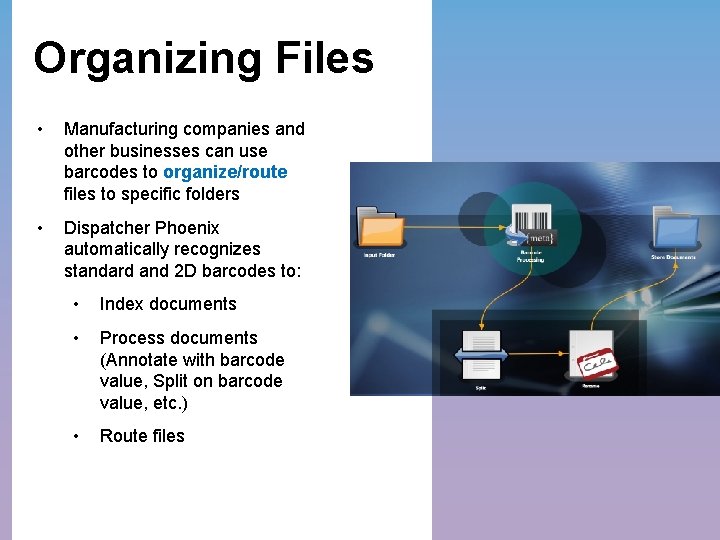
Organizing Files • Manufacturing companies and other businesses can use barcodes to organize/route files to specific folders • Dispatcher Phoenix automatically recognizes standard and 2 D barcodes to: • Index documents • Process documents (Annotate with barcode value, Split on barcode value, etc. ) • Route files
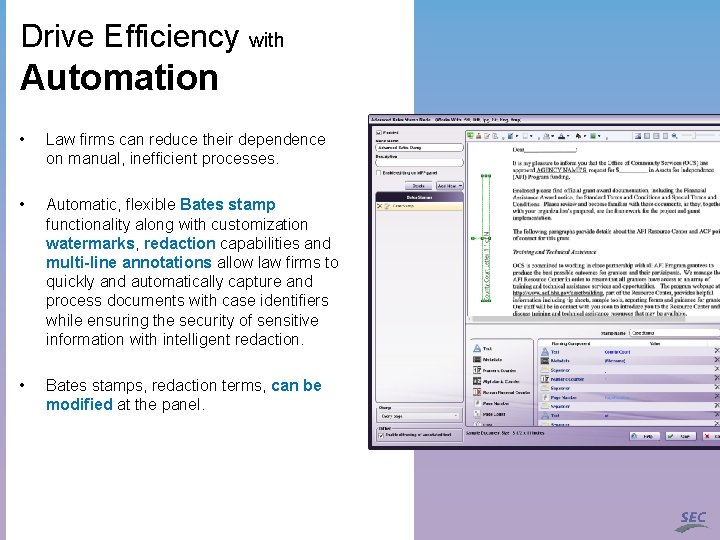
Drive Efficiency with Automation • Law firms can reduce their dependence on manual, inefficient processes. • Automatic, flexible Bates stamp functionality along with customization watermarks, redaction capabilities and multi-line annotations allow law firms to quickly and automatically capture and process documents with case identifiers while ensuring the security of sensitive information with intelligent redaction. • Bates stamps, redaction terms, can be modified at the panel.
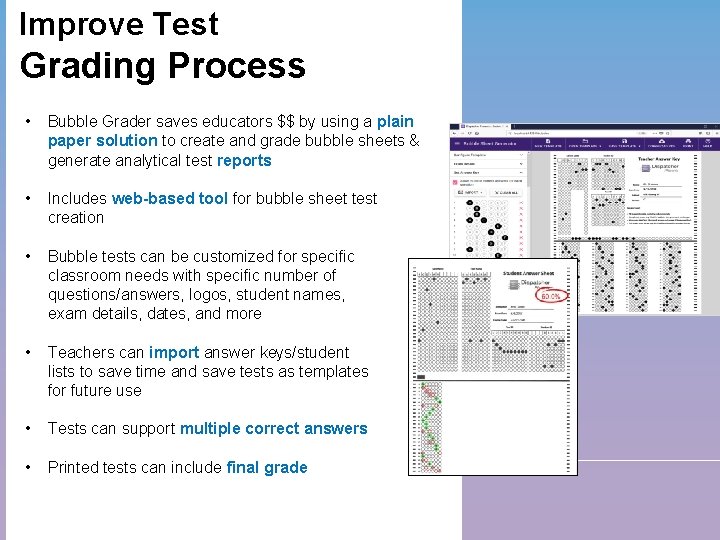
Improve Test Grading Process • Bubble Grader saves educators $$ by using a plain paper solution to create and grade bubble sheets & generate analytical test reports • Includes web-based tool for bubble sheet test creation • Bubble tests can be customized for specific classroom needs with specific number of questions/answers, logos, student names, exam details, dates, and more • Teachers can import answer keys/student lists to save time and save tests as templates for future use • Tests can support multiple correct answers • Printed tests can include final grade
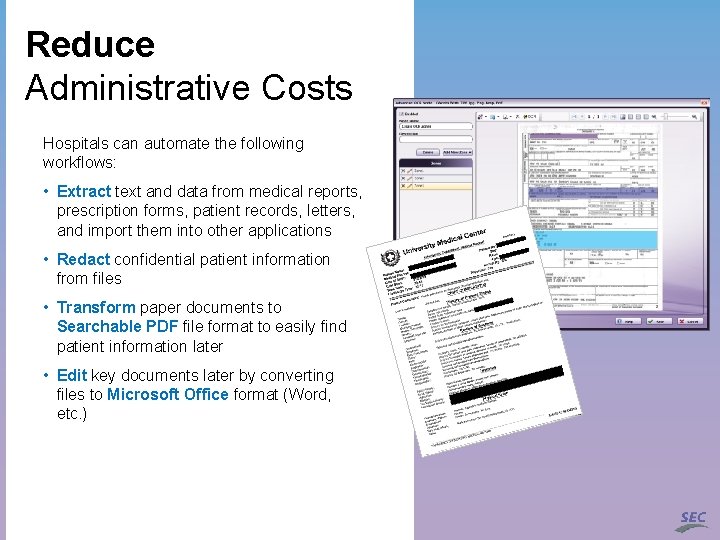
Reduce Administrative Costs Hospitals can automate the following workflows: • Extract text and data from medical reports, prescription forms, patient records, letters, and import them into other applications • Redact confidential patient information from files • Transform paper documents to Searchable PDF file format to easily find patient information later • Edit key documents later by converting files to Microsoft Office format (Word, etc. )
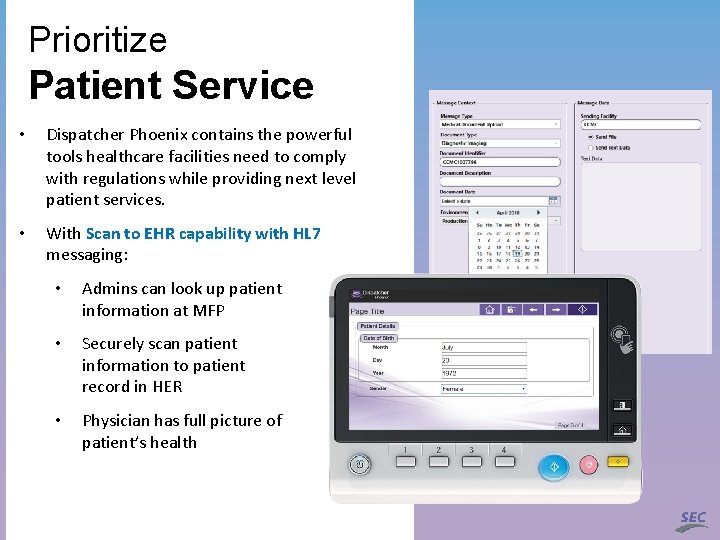
Prioritize Patient Service • Dispatcher Phoenix contains the powerful tools healthcare facilities need to comply with regulations while providing next level patient services. • With Scan to EHR capability with HL 7 messaging: • Admins can look up patient information at MFP • Securely scan patient information to patient record in HER • Physician has full picture of patient’s health
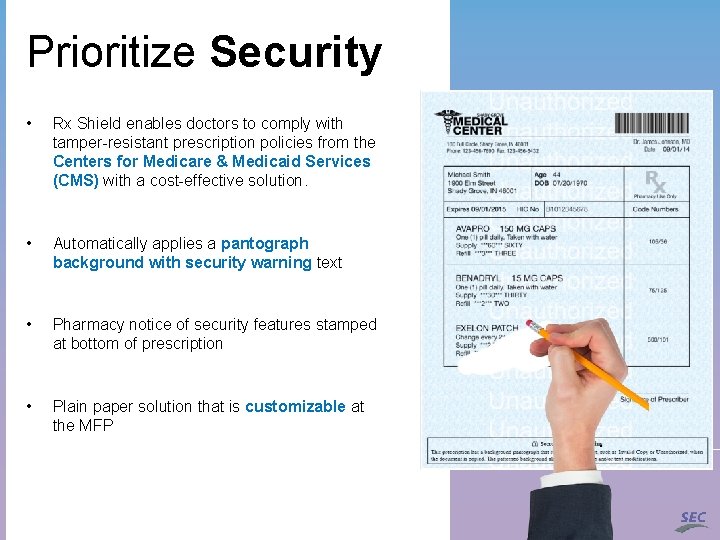
Prioritize Security • Rx Shield enables doctors to comply with tamper-resistant prescription policies from the Centers for Medicare & Medicaid Services (CMS) with a cost-effective solution. • Automatically applies a pantograph background with security warning text • Pharmacy notice of security features stamped at bottom of prescription • Plain paper solution that is customizable at the MFP
Comply with Security Mandates • Government agencies can use Dispatcher Phoenix in environments that use smart card platforms (CAC/PIV authentication). • Dispatcher Phoenix security features include: • Meets the two-factor Homeland Security Presidential Directive known as HSPD-12. • Supports FIPS (Federal Information Processing Standard) 140 -2 compliance encryption, a critical requirement for government agencies and other regulated industries such as healthcare and financial services
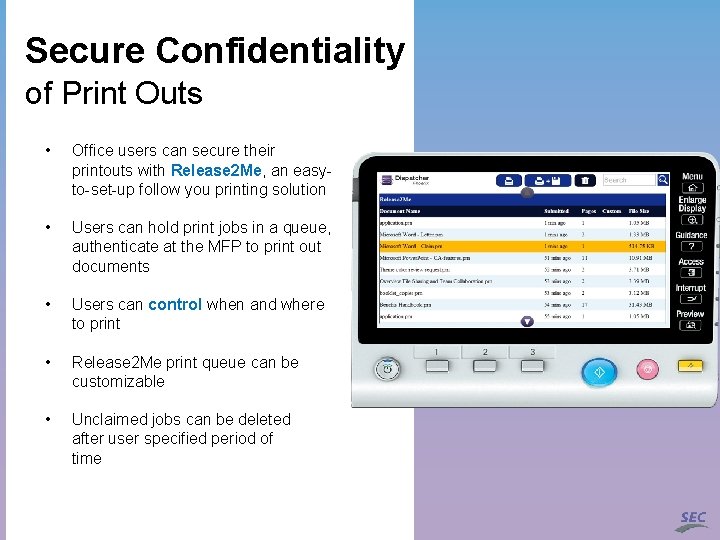
Secure Confidentiality of Print Outs • Office users can secure their printouts with Release 2 Me, an easyto-set-up follow you printing solution • Users can hold print jobs in a queue, authenticate at the MFP to print out documents • Users can control when and where to print • Release 2 Me print queue can be customizable • Unclaimed jobs can be deleted after user specified period of time
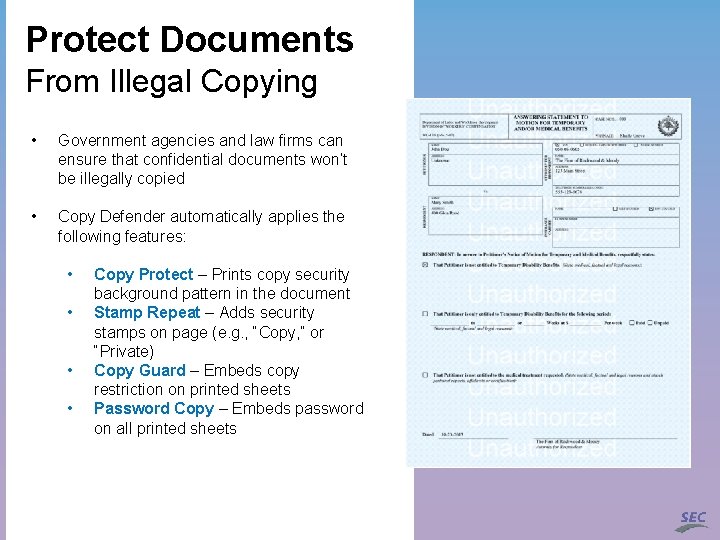
Protect Documents From Illegal Copying • Government agencies and law firms can ensure that confidential documents won’t be illegally copied • Copy Defender automatically applies the following features: • • Copy Protect – Prints copy security background pattern in the document Stamp Repeat – Adds security stamps on page (e. g. , “Copy, ” or “Private) Copy Guard – Embeds copy restriction on printed sheets Password Copy – Embeds password on all printed sheets
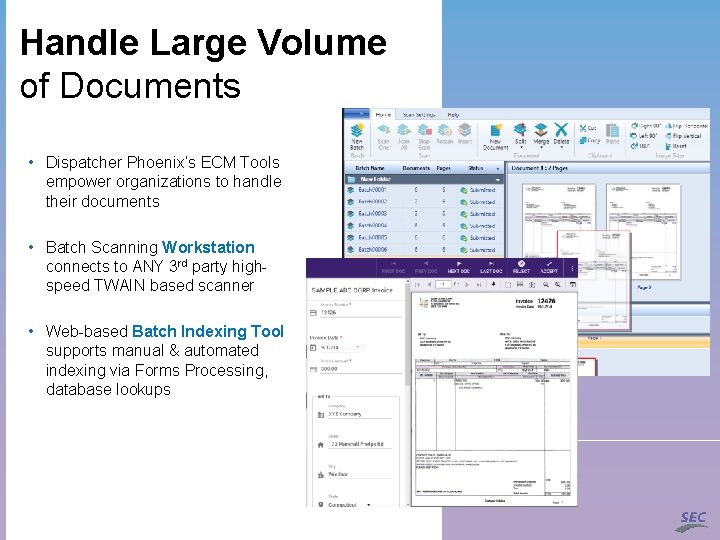
Handle Large Volume of Documents • Dispatcher Phoenix’s ECM Tools empower organizations to handle their documents • Batch Scanning Workstation connects to ANY 3 rd party highspeed TWAIN based scanner • Web-based Batch Indexing Tool supports manual & automated indexing via Forms Processing, database lookups
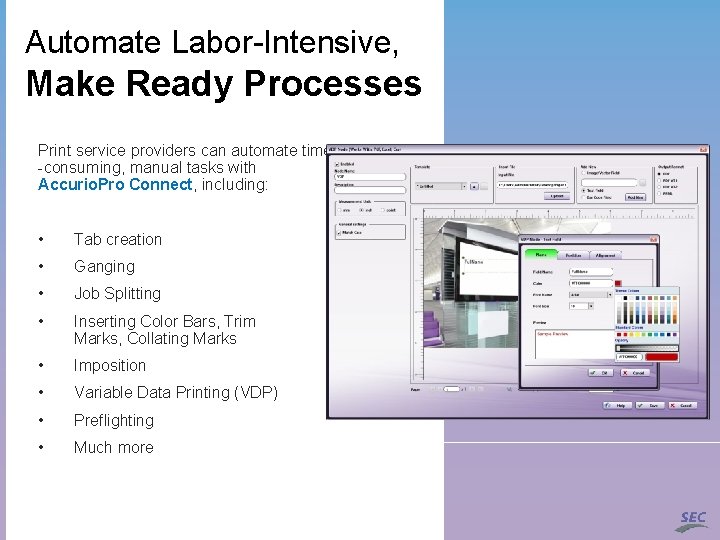
Automate Labor-Intensive, Make Ready Processes Print service providers can automate time -consuming, manual tasks with Accurio. Pro Connect, including: • Tab creation • Ganging • Job Splitting • Inserting Color Bars, Trim Marks, Collating Marks • Imposition • Variable Data Printing (VDP) • Preflighting • Much more
Dispatcher Phoenix in the Enterprise
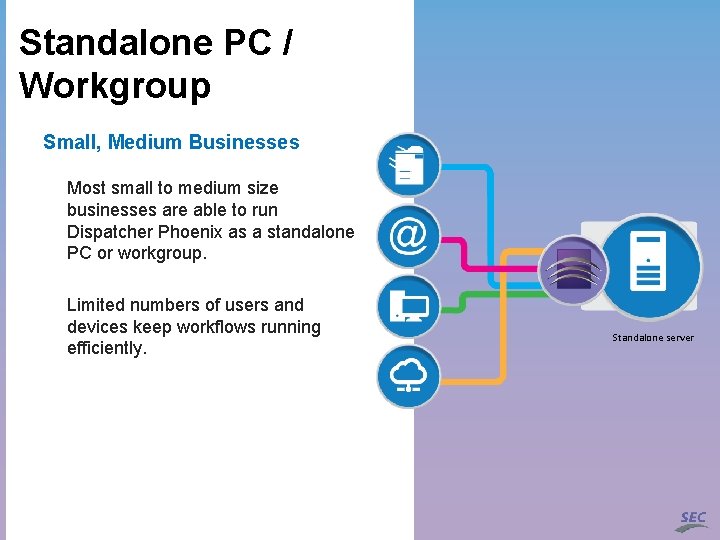
Standalone PC / Workgroup Small, Medium Businesses Most small to medium size businesses are able to run Dispatcher Phoenix as a standalone PC or workgroup. Limited numbers of users and devices keep workflows running efficiently. Standalone server
Large Businesses Enterprise Requires More Hundreds or thousands more users and devices place greater demands on a system than the traditional workgroup can handle.
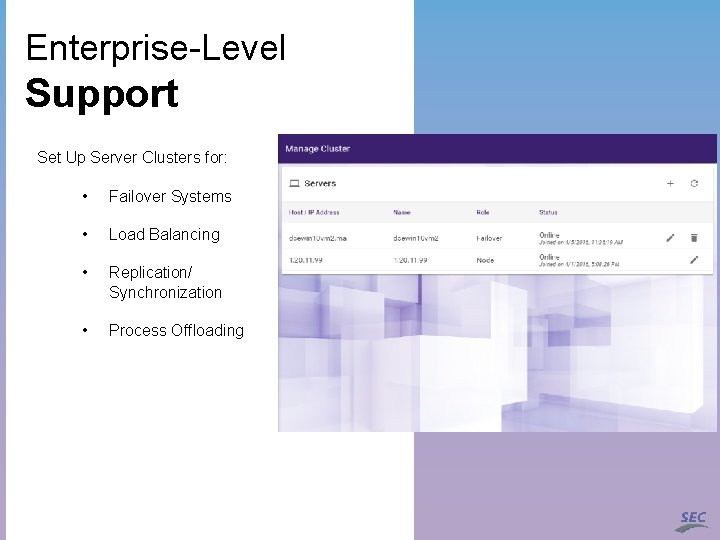
Enterprise-Level Support Set Up Server Clusters for: • Failover Systems • Load Balancing • Replication/ Synchronization • Process Offloading
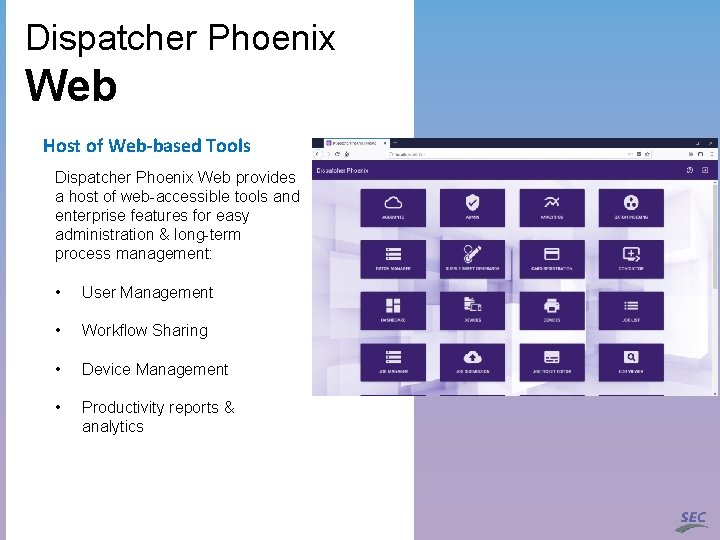
Dispatcher Phoenix Web Host of Web-based Tools Dispatcher Phoenix Web provides a host of web-accessible tools and enterprise features for easy administration & long-term process management: • User Management • Workflow Sharing • Device Management • Productivity reports & analytics
Resources
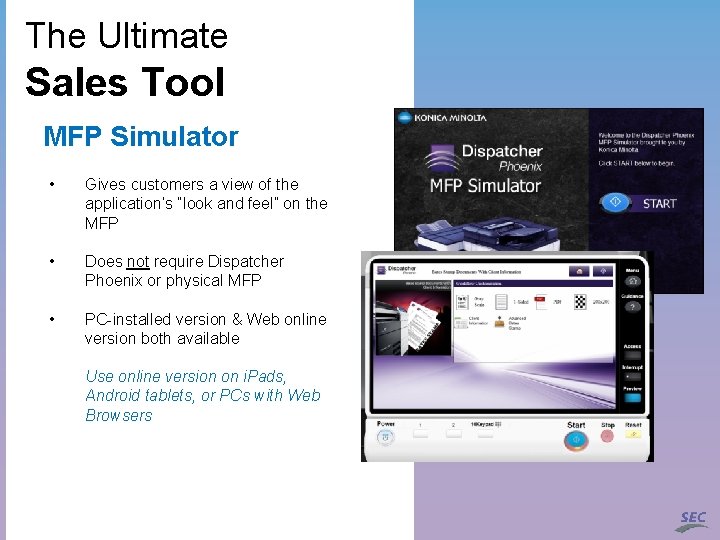
The Ultimate Sales Tool MFP Simulator • Gives customers a view of the application’s “look and feel” on the MFP • Does not require Dispatcher Phoenix or physical MFP • PC-installed version & Web online version both available Use online version on i. Pads, Android tablets, or PCs with Web Browsers
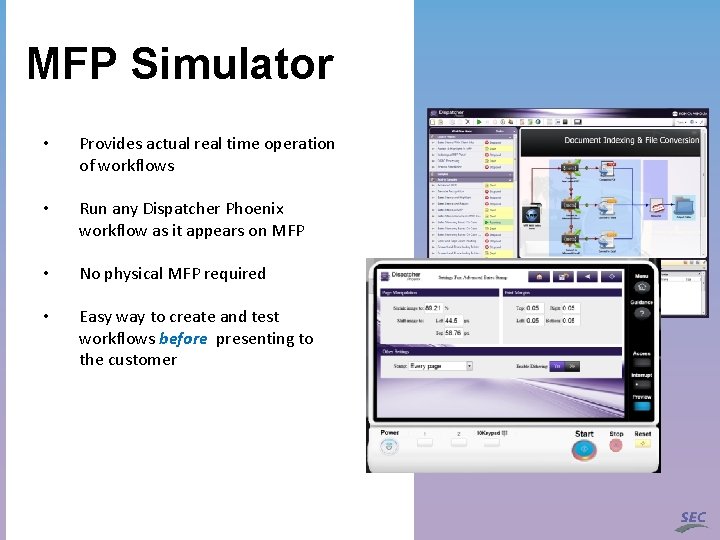
MFP Simulator • Provides actual real time operation of workflows • Run any Dispatcher Phoenix workflow as it appears on MFP • No physical MFP required • Easy way to create and test workflows before presenting to the customer
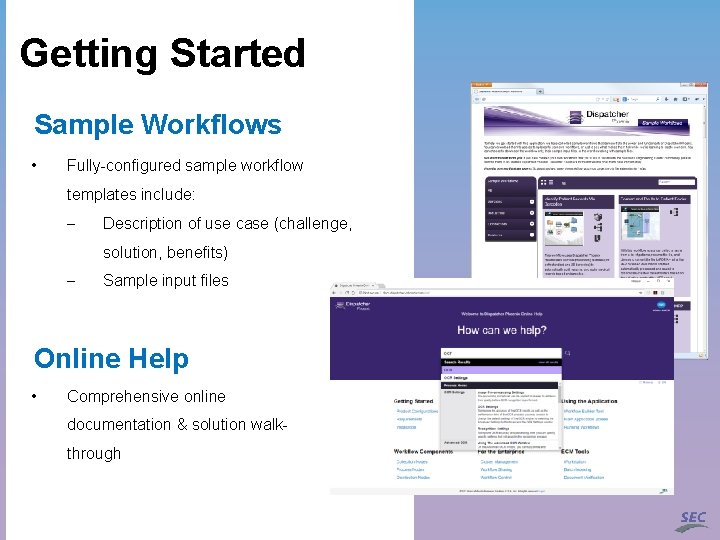
Getting Started Sample Workflows • Fully-configured sample workflow templates include: - Description of use case (challenge, solution, benefits) - Sample input files Online Help • Comprehensive online documentation & solution walkthrough
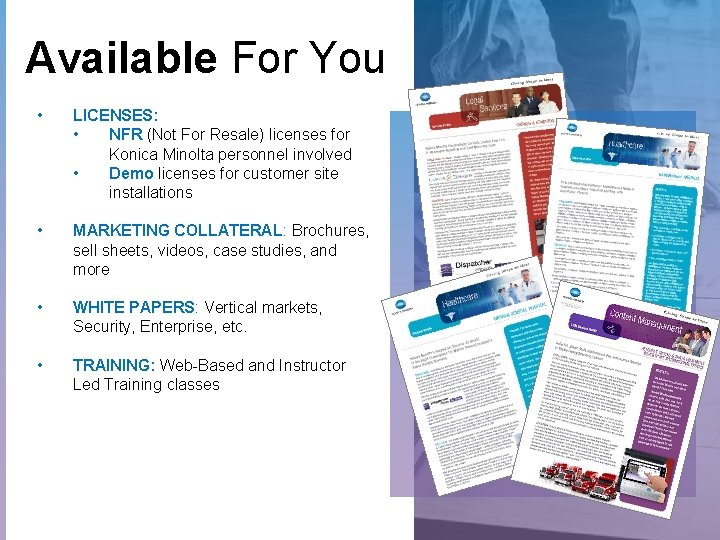
Available For You • LICENSES: • NFR (Not For Resale) licenses for Konica Minolta personnel involved • Demo licenses for customer site installations • MARKETING COLLATERAL: Brochures, sell sheets, videos, case studies, and more • WHITE PAPERS: Vertical markets, Security, Enterprise, etc. • TRAINING: Web-Based and Instructor Led Training classes
Available For You • SEC PRESALES SUPPORT • Review of customer requirements. • Participate in Discovery Calls • Create Proof of Concepts for customer Demos • Conduct Demos of Dispatcher Phoenix Features and Functions • SEC POST-SALES SUPPORT • • • Professional Services Remote Installation Services Requires Business Needs Analysis
DEMO
Thank You