
Overview of STAR Enterprise Reading and Math Prepared




- Slides: 16
Overview of STAR Enterprise Reading and Math Prepared by Pete Bylsma, Director Assessment/Program Evaluation
Why STAR Enterprise? • Need student growth measures for TPEP and LAP • Need screening process for highly capable program eligibility to meet new state requirement • Need a tool to monitor student progress • STAR Enterprise version met all these needs • STAR is highly rated screener for RTI, content is aligned to Common Core • Many schools already used STAR – Reading test used in all elementary schools – Math test used by LAP in middle and high schools
District Expectations for STAR Use • Required for grades 2 and 5 for Hi. Cap eligibility and those in other grades being referred for Hi. Cap program – must use standardized process (no longer using ITBS, Cog. AT use is more limited) • Required for all LAP students, regardless of grade • Extra time accommodation per IEP • Audio accommodation allowed in math for current ELLs and those who do not read English well • Optional use for all others Testing windows created to generate growth reports
Basic STAR Facts • Computer-adaptive format – items are different based on student response • Next question gets easier when answer is incorrect and gets harder when answer is correct • Provides more accuracy when students are below/above grade level • Takes 20 minutes to complete reading test and 25 -30 minutes for math • Calculators are NOT permitted • First test starts slightly below grade level, next test starts slightly below the end of the previous test
Basic STAR Facts (continued) • 34 questions, multiple choice with 3 -4 options • Student cannot return to item once Next is clicked • Content adjusts and is not aligned with district pacing guides or curriculum • Timed test – students typically have 45 seconds to respond (“clock” appears at 30 seconds) – time limit can be adjusted by school administrator per IEP • Test can be paused for 24 hours, then resumed • Can be given weekly (but it’s not recommended)
STAR Scores • Scale Score (SS) ranges from 0 to 1400 (a 400 scale score is used at each grade on state tests to meet standard) • Percentile Rank (PR) is the percentage of students nationwide falling below the number (highest score is 99) • Grade Equivalent (GE) uses decimals for months (e. g. , 6. 1 is completed 1 st month of 6 th grade), based on national norm, look at difference between GE and grade placement (GP) • ZPD is the range for reading • Instructional Reading Level (IRL) is the highest reading level where a student is 80% proficient comprehending material with assistance (normally in mid-range of ZPD) • Ignore NCE data
Factors Affecting STAR Scores • No prior experience with the test • Students finishing very quickly did not try • Anxiety/test phobia – moderate stress is optimum • External variables (time of day, day of week, mood, food/energy, social interactions at home and school) • Effort/perseverance – computer-adaptive test will be harder the second time, may affect confidence and effort http: //www. ted. com/talks/angela_lee_duckworth_the_key_to_success_grit Growth vs Fixed Mindset (Carol Dweck research) http: //www. youtube. com/watch? v=NWv 1 Vd. Deo. RY http: //www. youtube. com/watch? v=TTXr. V 0_3 Uj. Y
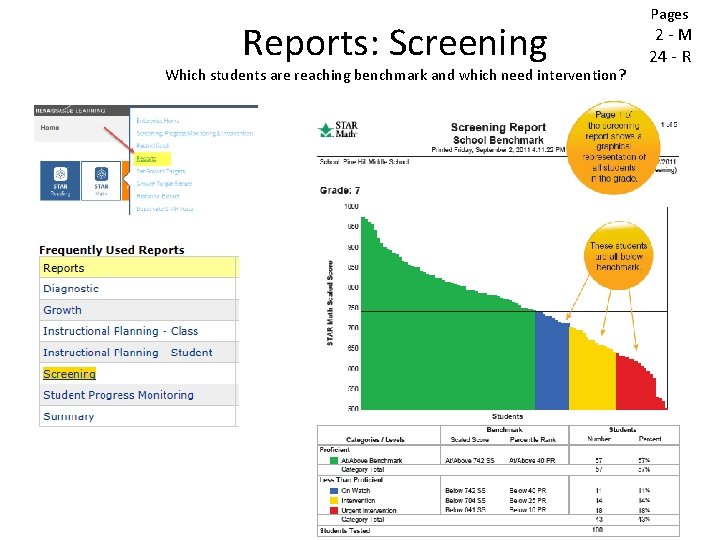
STAR Reports • No strand/domain results reported (test is too short) • Four levels about proficiency – At/Above Benchmark (green) – at least 40 th percentile – On Watch (blue), 25 -39 th percentile – Intervention (yellow), 10 -24 th percentile – Urgent intervention (red), below 10 th percentile • The 40 th PR for “proficiency” needs to be adjusted upward to align with Smarter Balanced rigor.
Reports: Screening Which students are reaching benchmark and which need intervention? Pages 2 -M 24 - R
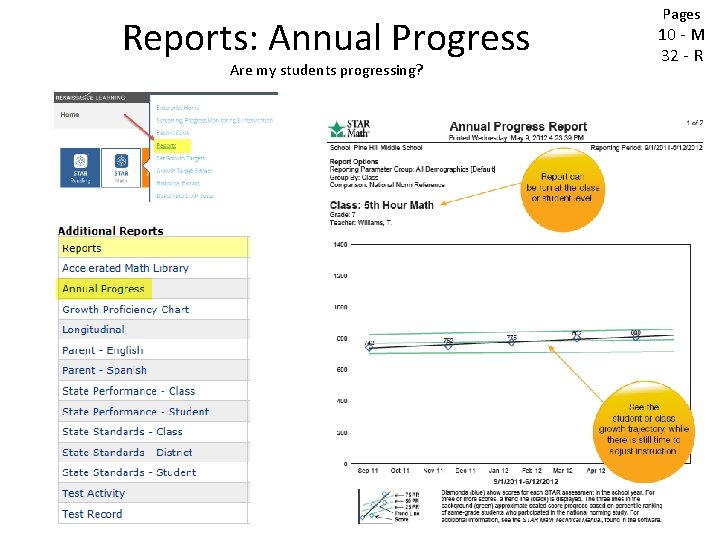
Reports: Annual Progress Are my students progressing? Pages 10 - M 32 - R
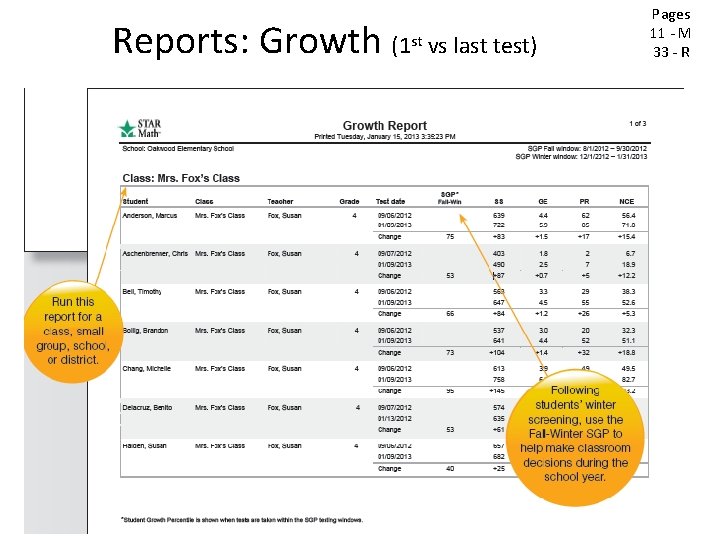
Reports: Growth (1 st vs last test) Pages 11 - M 33 - R
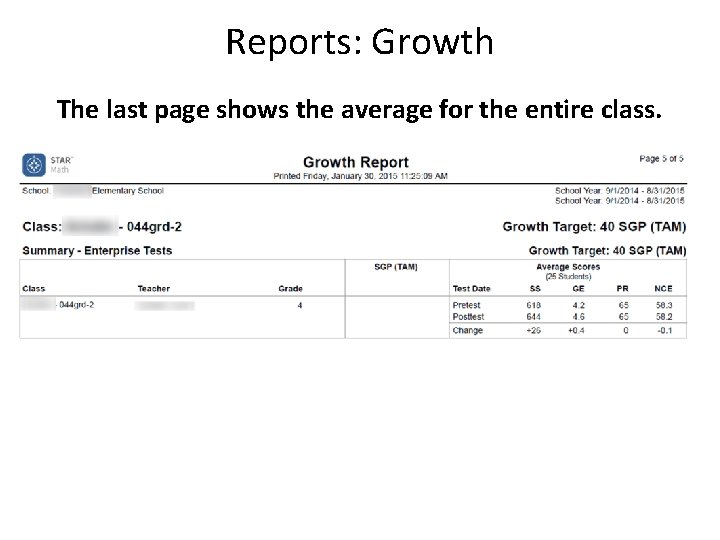
Reports: Growth The last page shows the average for the entire class.
Setting to see all your students and the class average.
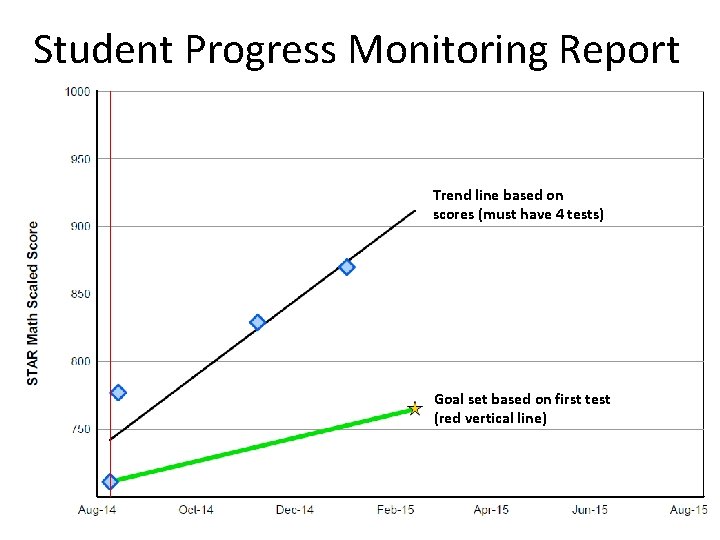
Student Progress Monitoring Report Trend line based on scores (must have 4 tests) Goal set based on first test (red vertical line)
STAR Suggested Skills Select Record Book option from icon on the home page, then select student View Suggested Skills below chart
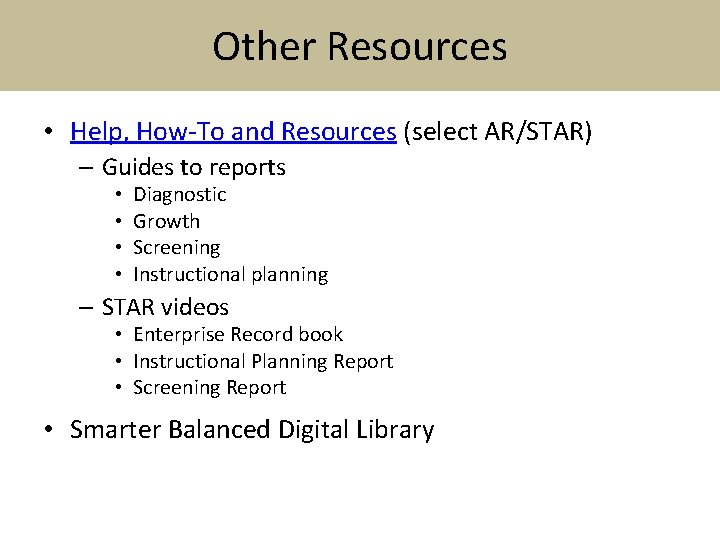
Other Resources • Help, How-To and Resources (select AR/STAR) – Guides to reports • • Diagnostic Growth Screening Instructional planning – STAR videos • Enterprise Record book • Instructional Planning Report • Screening Report • Smarter Balanced Digital Library