
Overview of Lab 1 For more details see
Over-view of Lab. 1 For more details – see the Lab. 1 web-site There will be a 20 min prelab quiz (based on Assignment 1 and 2) at the start of the lab. session
Print out the Lab. 1 web-pages for use as reference during the lab. period l There will be a short 15 -minute in-class quiz at the start of the lab. period – don’t be late l Quiz will be based on knowledge demonstrated during assignments 1 and 2 2
Tasks to be tackled l l l l l Test the provided C++ program to move audio signals in and out of the processor 10% -- Convert the Process. Data. CPP( )code into assembly code 15% -- Initialize the programmable flag interface 10% -- Get the mute sound operation to work (SW 1) 15% -- Get the gargle sound operation to work (SW 2) 15% -- Get the dancing lights function to work (C++ and provided code) 15% -- Get the volume control to work (Hard -- you might want to leave out -- still get A- on lab) 20% -- Documented code hand in Bonus marks available 3
Task 1 Download audio-talk-through program If you have not already done so, download and expand ENCM 415 Directory. zip file so that you have the correct directory. structure and test driven development environment needed for Laboratory 1. l Download and expand the files in CPP_Talkthrough. zip into your Lab 1 directory. l Add the CPP_Talkthrough project in your Lab. 1 directory to the Visual. DSP environment -- compile and link. l Download the executable (. dxe) file onto the BF 533 processor. l l Hook up your CD or IPOD output to the CJ 2 stereo input. Hook up your ear-phones to the CJ 3 stereo output. Run the CPP_Talkthrough. dxe executable and check that the talk through program is working. 4
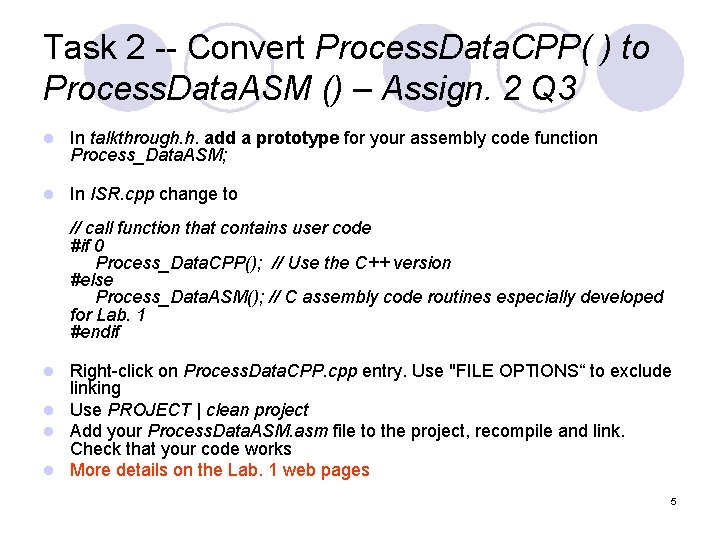
Task 2 -- Convert Process. Data. CPP( ) to Process. Data. ASM () – Assign. 2 Q 3 l In talkthrough. h. add a prototype for your assembly code function Process_Data. ASM; l In ISR. cpp change to // call function that contains user code #if 0 Process_Data. CPP(); // Use the C++ version #else Process_Data. ASM(); // C assembly code routines especially developed for Lab. 1 #endif Right-click on Process. Data. CPP. cpp entry. Use "FILE OPTIONS“ to exclude linking l Use PROJECT | clean project l Add your Process. Data. ASM. asm file to the project, recompile and link. Check that your code works l More details on the Lab. 1 web pages l 5
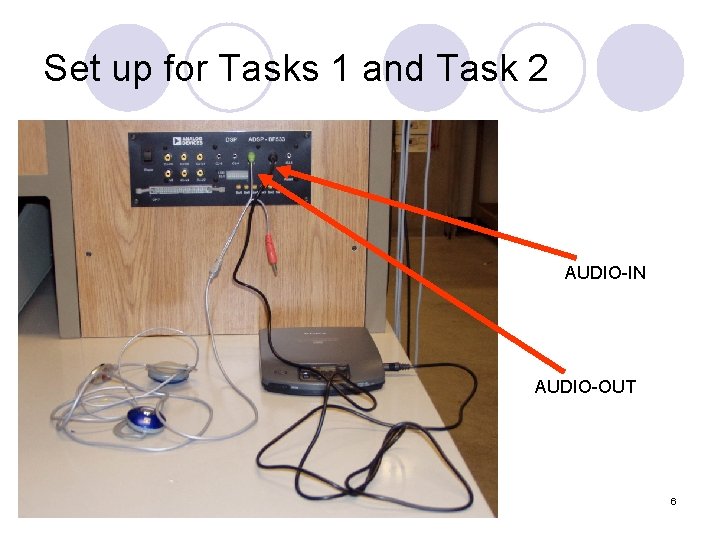
Set up for Tasks 1 and Task 2 AUDIO-IN AUDIO-OUT 6
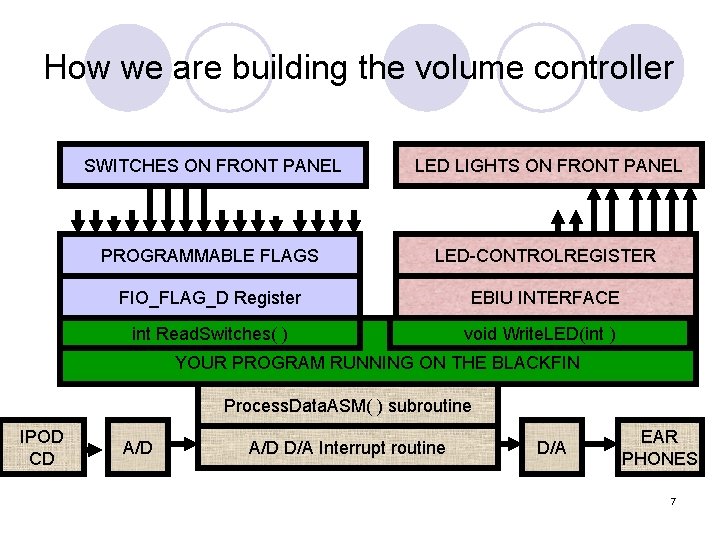
How we are building the volume controller SWITCHES ON FRONT PANEL LED LIGHTS ON FRONT PANEL PROGRAMMABLE FLAGS LED-CONTROLREGISTER FIO_FLAG_D Register EBIU INTERFACE int Read. Switches( ) void Write. LED(int ) YOUR PROGRAM RUNNING ON THE BLACKFIN Process. Data. ASM( ) subroutine IPOD CD A/D D/A Interrupt routine D/A EAR PHONES 7
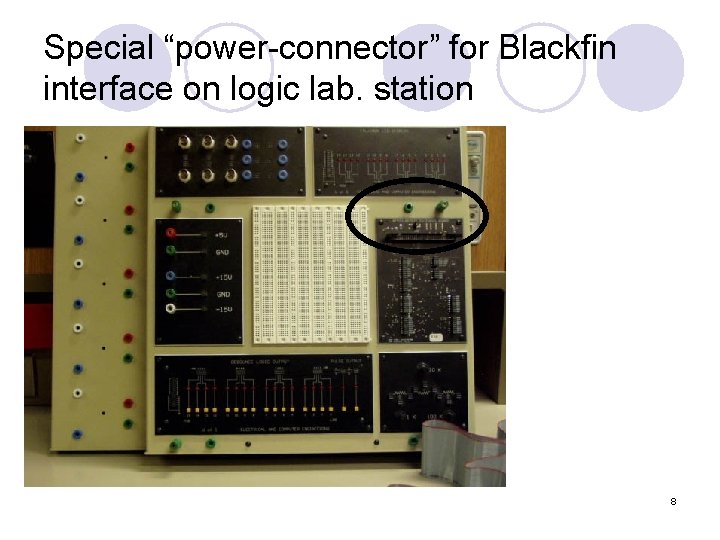
Special “power-connector” for Blackfin interface on logic lab. station 8
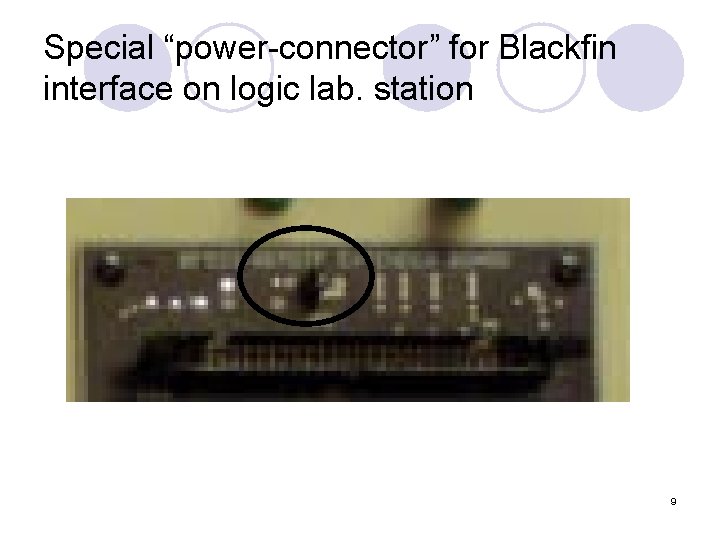
Special “power-connector” for Blackfin interface on logic lab. station 9
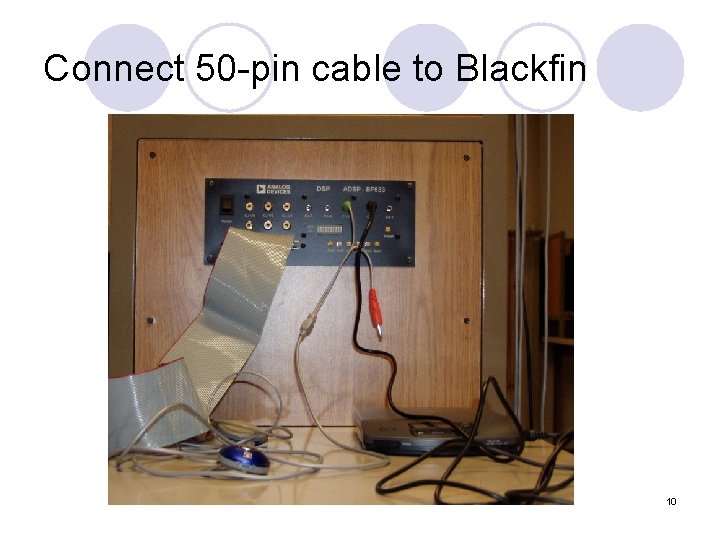
Connect 50 -pin cable to Blackfin 10
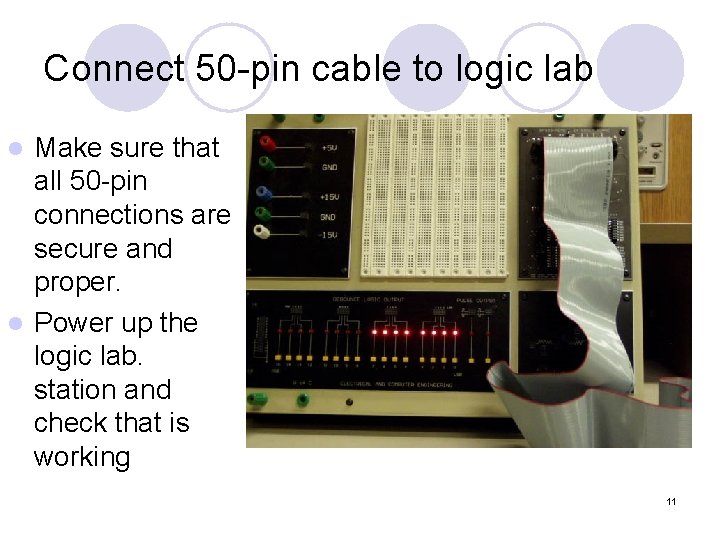
Connect 50 -pin cable to logic lab Make sure that all 50 -pin connections are secure and proper. l Power up the logic lab. station and check that is working l 11
Task 3 – Initialize the Programmable flag interface – 16 I/O lines on the Blackfin l Warning – could burn out the Blackfin processor if done incorrectly l You need to set (store a known value to) a number of Blackfin internal registers Most important ones FIO_DIR – Data DIRection – 0 for input **** FIO_INEN – INterface ENable FIO_FLAG_D – Programmable FLAG Data register l l 12
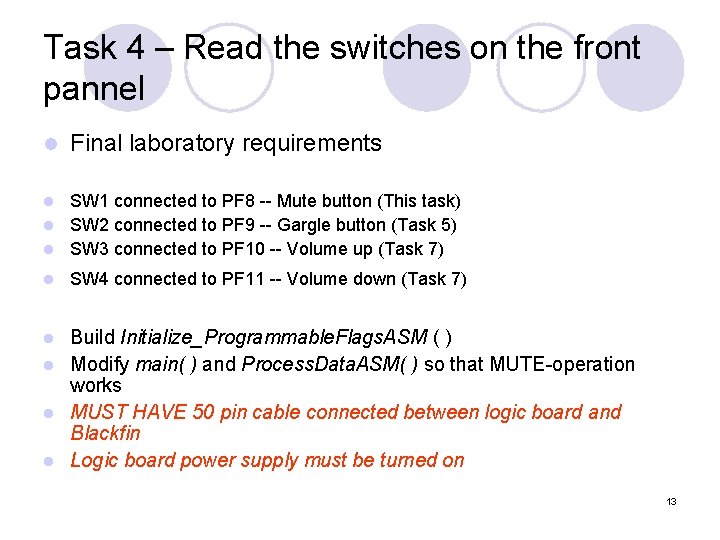
Task 4 – Read the switches on the front pannel l Final laboratory requirements SW 1 connected to PF 8 -- Mute button (This task) l SW 2 connected to PF 9 -- Gargle button (Task 5) l SW 3 connected to PF 10 -- Volume up (Task 7) l l SW 4 connected to PF 11 -- Volume down (Task 7) Build Initialize_Programmable. Flags. ASM ( ) l Modify main( ) and Process. Data. ASM( ) so that MUTE-operation works l MUST HAVE 50 pin cable connected between logic board and Blackfin l Logic board power supply must be turned on l 13
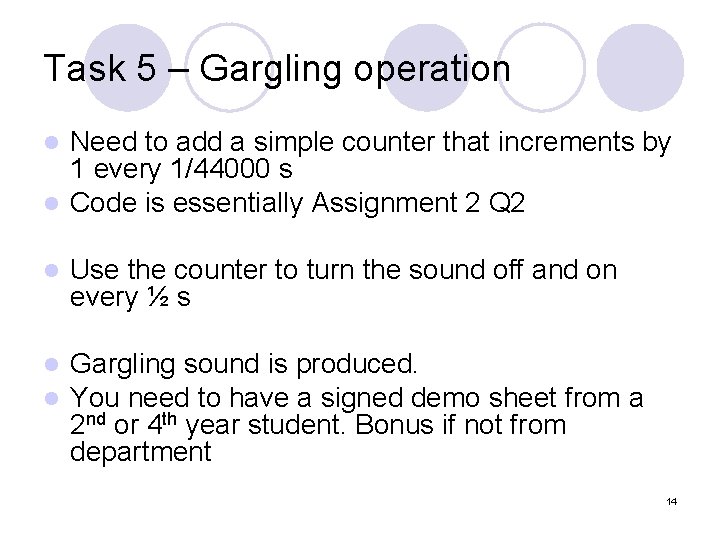
Task 5 – Gargling operation Need to add a simple counter that increments by 1 every 1/44000 s l Code is essentially Assignment 2 Q 2 l l Use the counter to turn the sound off and on every ½ s l l Gargling sound is produced. You need to have a signed demo sheet from a 2 nd or 4 th year student. Bonus if not from department 14
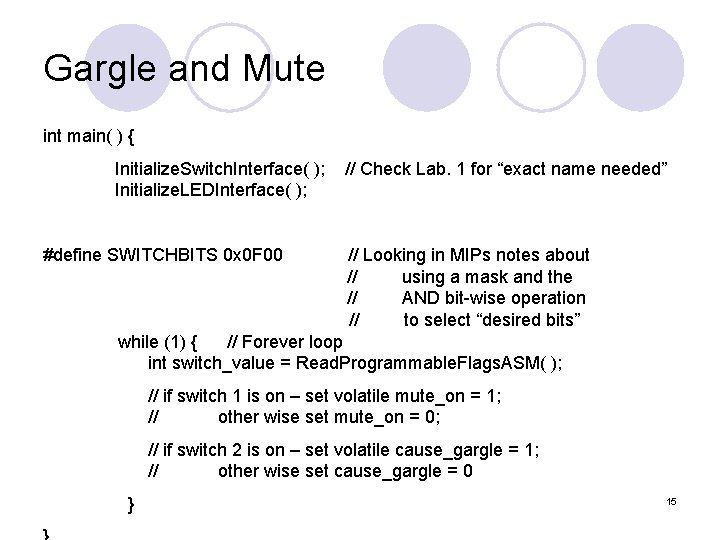
Gargle and Mute int main( ) { Initialize. Switch. Interface( ); Initialize. LEDInterface( ); #define SWITCHBITS 0 x 0 F 00 // Check Lab. 1 for “exact name needed” // Looking in MIPs notes about // using a mask and the // AND bit-wise operation // to select “desired bits” while (1) { // Forever loop int switch_value = Read. Programmable. Flags. ASM( ); // if switch 1 is on – set volatile mute_on = 1; // other wise set mute_on = 0; // if switch 2 is on – set volatile cause_gargle = 1; // other wise set cause_gargle = 0 } 15
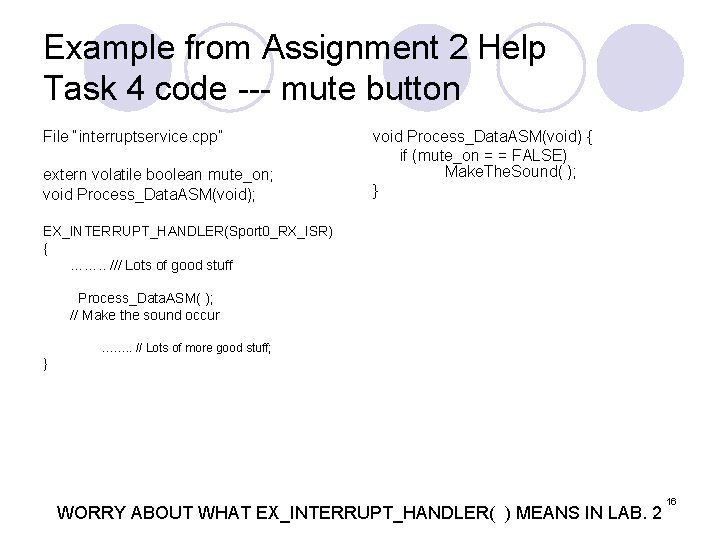
Example from Assignment 2 Help Task 4 code --- mute button File “interruptservice. cpp” extern volatile boolean mute_on; void Process_Data. ASM(void); void Process_Data. ASM(void) { if (mute_on = = FALSE) Make. The. Sound( ); } EX_INTERRUPT_HANDLER(Sport 0_RX_ISR) { ……. . /// Lots of good stuff Process_Data. ASM( ); // Make the sound occur ……. . // Lots of more good stuff; } WORRY ABOUT WHAT EX_INTERRUPT_HANDLER( ) MEANS IN LAB. 2 16
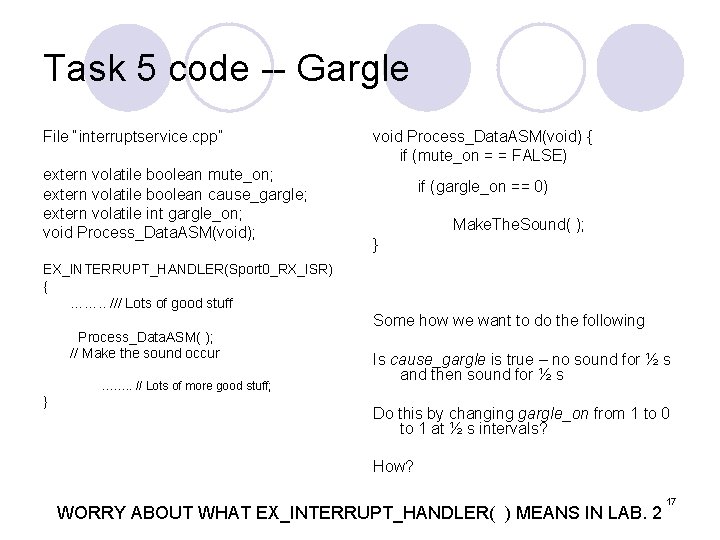
Task 5 code -- Gargle File “interruptservice. cpp” extern volatile boolean mute_on; extern volatile boolean cause_gargle; extern volatile int gargle_on; void Process_Data. ASM(void); void Process_Data. ASM(void) { if (mute_on = = FALSE) if (gargle_on == 0) Make. The. Sound( ); } EX_INTERRUPT_HANDLER(Sport 0_RX_ISR) { ……. . /// Lots of good stuff Process_Data. ASM( ); // Make the sound occur ……. . // Lots of more good stuff; } Some how we want to do the following Is cause_gargle is true – no sound for ½ s and then sound for ½ s Do this by changing gargle_on from 1 to 0 to 1 at ½ s intervals? How? WORRY ABOUT WHAT EX_INTERRUPT_HANDLER( ) MEANS IN LAB. 2 17
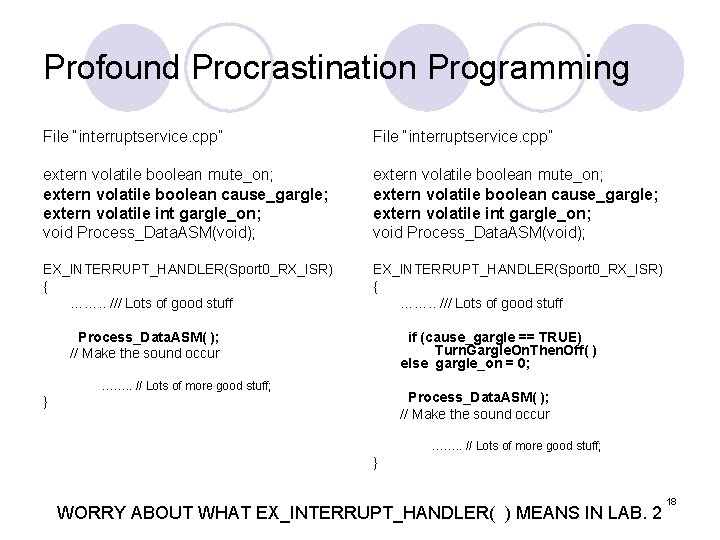
Profound Procrastination Programming File “interruptservice. cpp” extern volatile boolean mute_on; extern volatile boolean cause_gargle; extern volatile int gargle_on; void Process_Data. ASM(void); EX_INTERRUPT_HANDLER(Sport 0_RX_ISR) { ……. . /// Lots of good stuff Process_Data. ASM( ); // Make the sound occur if (cause_gargle == TRUE) Turn. Gargle. On. Then. Off( ) else gargle_on = 0; ……. . // Lots of more good stuff; Process_Data. ASM( ); // Make the sound occur } ……. . // Lots of more good stuff; } WORRY ABOUT WHAT EX_INTERRUPT_HANDLER( ) MEANS IN LAB. 2 18
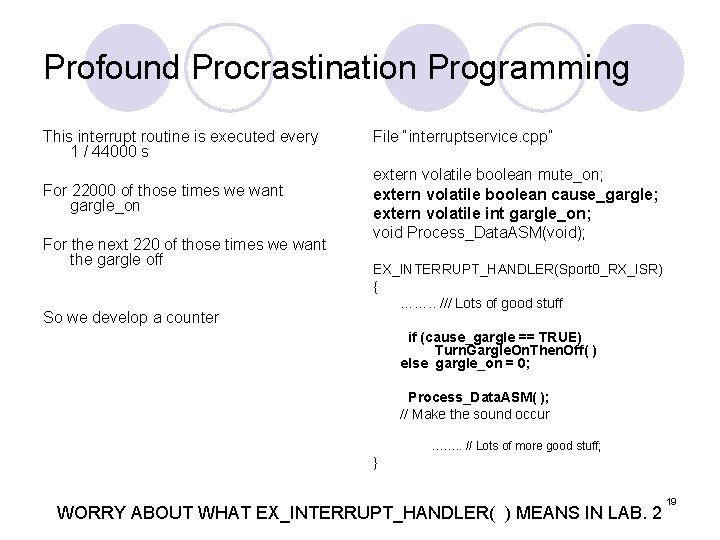
Profound Procrastination Programming This interrupt routine is executed every 1 / 44000 s File “interruptservice. cpp” For 22000 of those times we want gargle_on extern volatile boolean mute_on; extern volatile boolean cause_gargle; extern volatile int gargle_on; void Process_Data. ASM(void); For the next 220 of those times we want the gargle off So we develop a counter EX_INTERRUPT_HANDLER(Sport 0_RX_ISR) { ……. . /// Lots of good stuff if (cause_gargle == TRUE) Turn. Gargle. On. Then. Off( ) else gargle_on = 0; Process_Data. ASM( ); // Make the sound occur ……. . // Lots of more good stuff; } WORRY ABOUT WHAT EX_INTERRUPT_HANDLER( ) MEANS IN LAB. 2 19
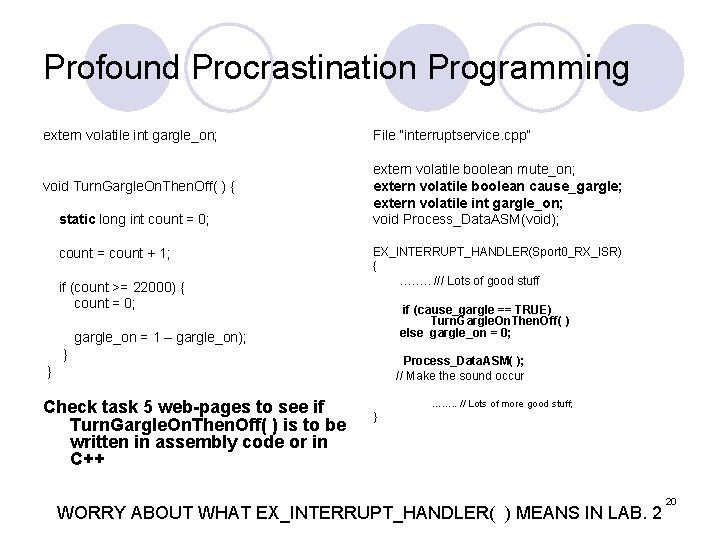
Profound Procrastination Programming extern volatile int gargle_on; void Turn. Gargle. On. Then. Off( ) { static long int count = 0; count = count + 1; if (count >= 22000) { count = 0; File “interruptservice. cpp” extern volatile boolean mute_on; extern volatile boolean cause_gargle; extern volatile int gargle_on; void Process_Data. ASM(void); EX_INTERRUPT_HANDLER(Sport 0_RX_ISR) { ……. . /// Lots of good stuff if (cause_gargle == TRUE) Turn. Gargle. On. Then. Off( ) else gargle_on = 0; gargle_on = 1 – gargle_on); } Process_Data. ASM( ); // Make the sound occur } Check task 5 web-pages to see if Turn. Gargle. On. Then. Off( ) is to be written in assembly code or in C++ ……. . // Lots of more good stuff; } WORRY ABOUT WHAT EX_INTERRUPT_HANDLER( ) MEANS IN LAB. 2 20
Task 6 – LED interface and Dancing Lights l LED interface setup code provided l Check that you can read switches and make the values appear on the LED l Then – writing in “C++” code (interfaced to your assembly code) – display the amplitude (absolute value) of the sound 21
Solving Lab. 1 Task 6 Dancing lights l Many different ways – you and your partner work one out l One of the ways is to “call a C++ function” from inside your assembly code routine Process. Data. ASM( ). ¡ How to do that was handled in Assignment 2 and also provided in detail on the web-pages 22
Task 7 – Volume control l Writing in C++, develop the final volume control Note there are test codes available to test out your equipment l This code can be used to test the switches and the LED interface on your board. Switch. To. LED. dxe l This is the final version of my code for Lab. 1. Dr. Smith. Lab 1 Final. dxe l 23
Information of the marks and what needs to be handed in l Hand in at the start of the Thursday tutorial ¡ ¡ l Sec. 1 – 6 th October Sec. 2 – 13 th October (Same day as planned prelab. 2 quiz) Note Lab. 1 ¡ ¡ Section 1 is first session – Sept 26 th Section 2 is second session – Oct. 3 rd THERE ARE NO LABS ON THE MONDAY OF THANKSGIVING l Note Lab. 2 l ¡ ¡ Section 2 is first session – Oct. 17 th Section 1 is second session – Oct 24 th 24
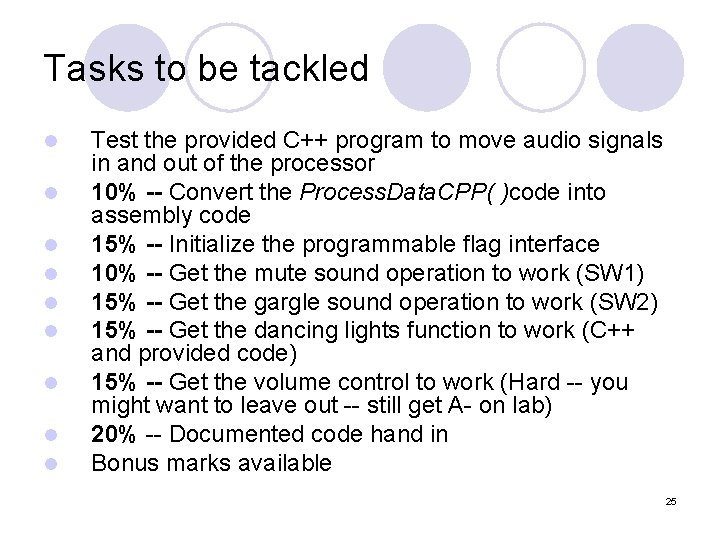
Tasks to be tackled l l l l l Test the provided C++ program to move audio signals in and out of the processor 10% -- Convert the Process. Data. CPP( )code into assembly code 15% -- Initialize the programmable flag interface 10% -- Get the mute sound operation to work (SW 1) 15% -- Get the gargle sound operation to work (SW 2) 15% -- Get the dancing lights function to work (C++ and provided code) 15% -- Get the volume control to work (Hard -- you might want to leave out -- still get A- on lab) 20% -- Documented code hand in Bonus marks available 25
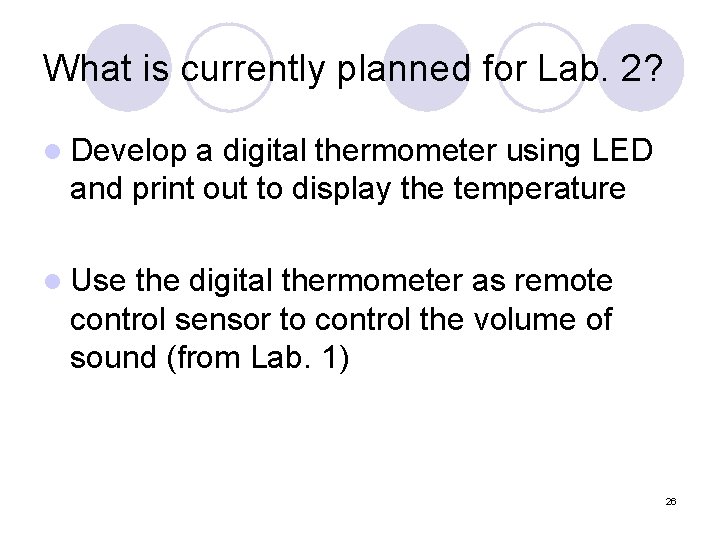
What is currently planned for Lab. 2? l Develop a digital thermometer using LED and print out to display the temperature l Use the digital thermometer as remote control sensor to control the volume of sound (from Lab. 1) 26
- Slides: 26