
Overview of Eclipse Lectures 1 2 3 4
- Slides: 45
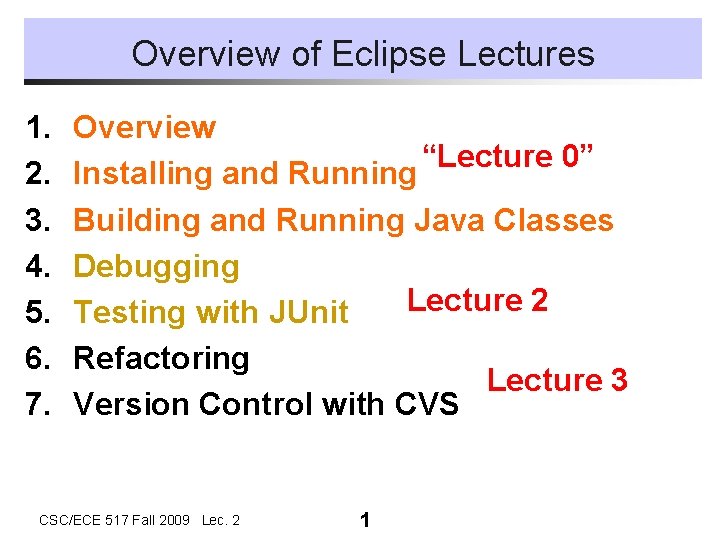
Overview of Eclipse Lectures 1. 2. 3. 4. 5. 6. 7. Overview “Lecture 0” Installing and Running Building and Running Java Classes Debugging Lecture 2 Testing with JUnit Refactoring Lecture 3 Version Control with CVS CSC/ECE 517 Fall 2009 Lec. 2 1
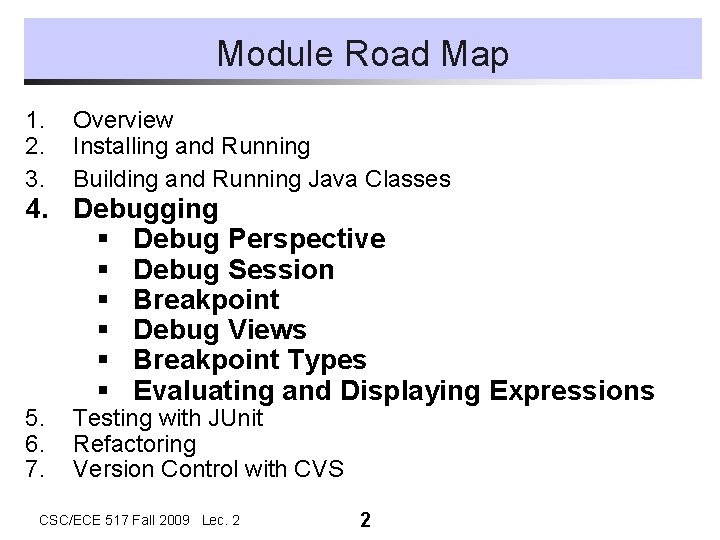
Module Road Map 1. 2. 3. Overview Installing and Running Building and Running Java Classes 5. 6. 7. Testing with JUnit Refactoring Version Control with CVS 4. Debugging § Debug Perspective § Debug Session § Breakpoint § Debug Views § Breakpoint Types § Evaluating and Displaying Expressions CSC/ECE 517 Fall 2009 Lec. 2 2
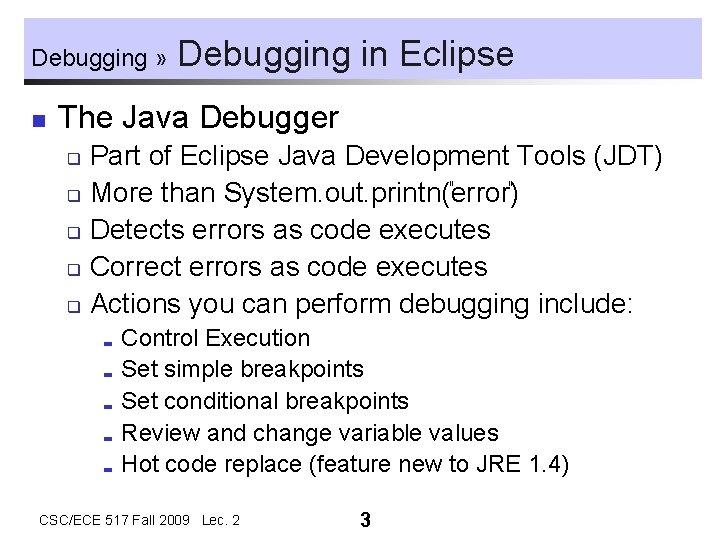
Debugging » n Debugging in Eclipse The Java Debugger Part of Eclipse Java Development Tools (JDT) q More than System. out. printn( error ) q Detects errors as code executes q Correct errors as code executes q Actions you can perform debugging include: q Control Execution ; Set simple breakpoints ; Set conditional breakpoints ; Review and change variable values ; Hot code replace (feature new to JRE 1. 4) ; CSC/ECE 517 Fall 2009 Lec. 2 3
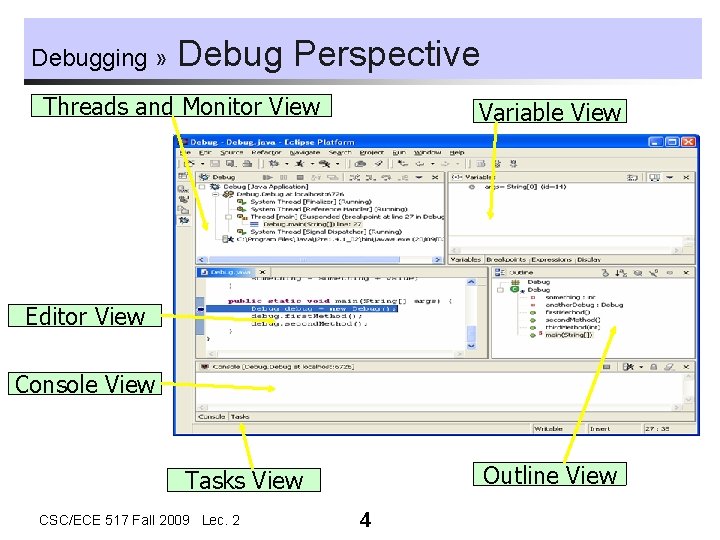
Debugging » Debug Perspective Threads and Monitor View Variable View Editor View Console View Outline View Tasks View CSC/ECE 517 Fall 2009 Lec. 2 4
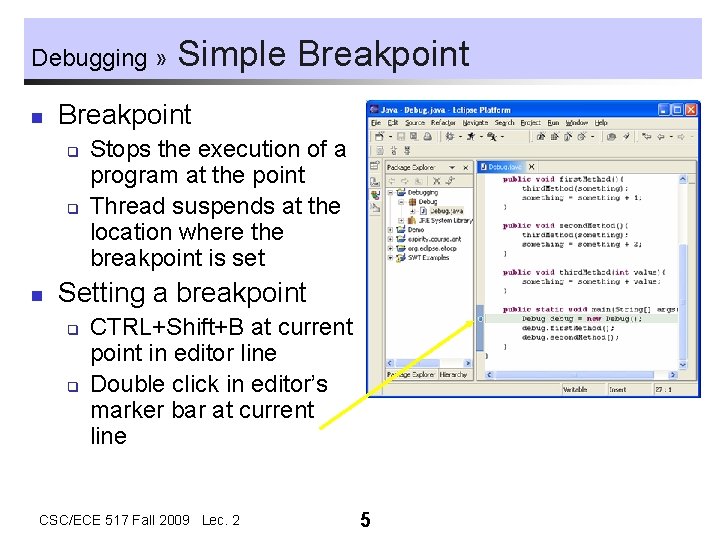
Debugging » n Breakpoint q q n Simple Breakpoint Stops the execution of a program at the point Thread suspends at the location where the breakpoint is set Setting a breakpoint q q CTRL+Shift+B at current point in editor line Double click in editor’s marker bar at current line CSC/ECE 517 Fall 2009 Lec. 2 5
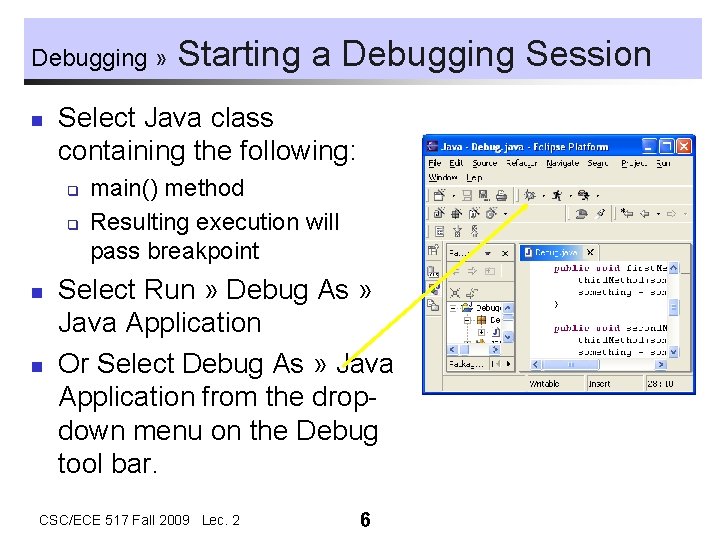
Debugging » n Select Java class containing the following: q q n n Starting a Debugging Session main() method Resulting execution will pass breakpoint Select Run » Debug As » Java Application Or Select Debug As » Java Application from the dropdown menu on the Debug tool bar. CSC/ECE 517 Fall 2009 Lec. 2 6
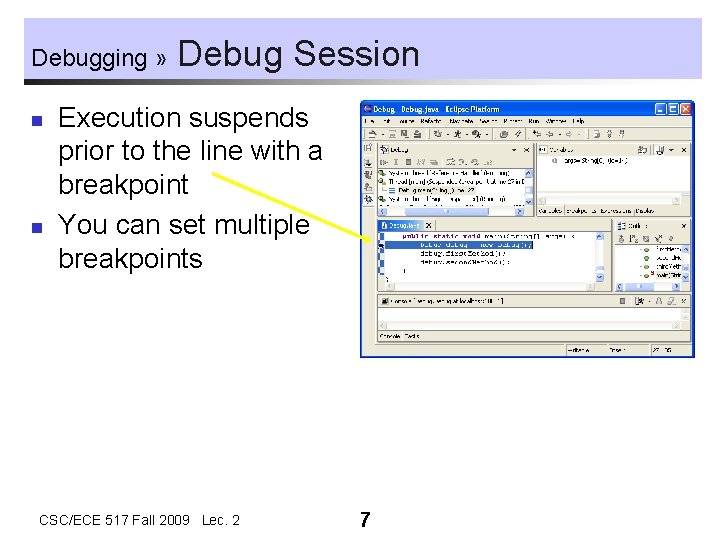
Debugging » n n Debug Session Execution suspends prior to the line with a breakpoint You can set multiple breakpoints CSC/ECE 517 Fall 2009 Lec. 2 7
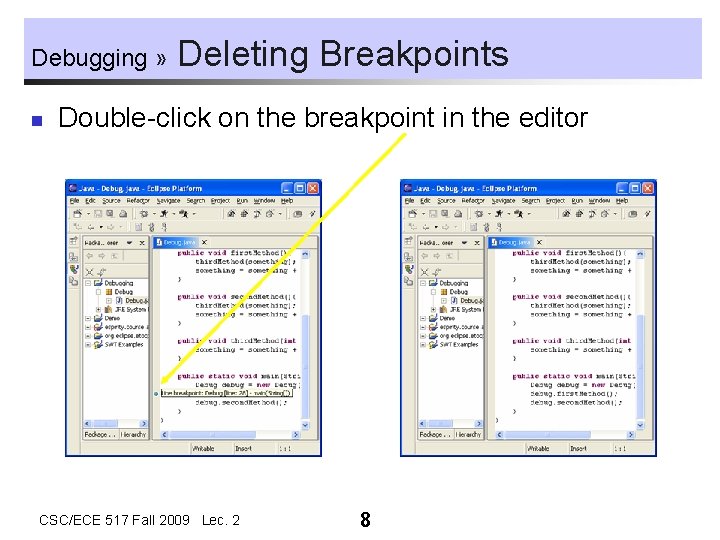
Debugging » n Deleting Breakpoints Double-click on the breakpoint in the editor CSC/ECE 517 Fall 2009 Lec. 2 8
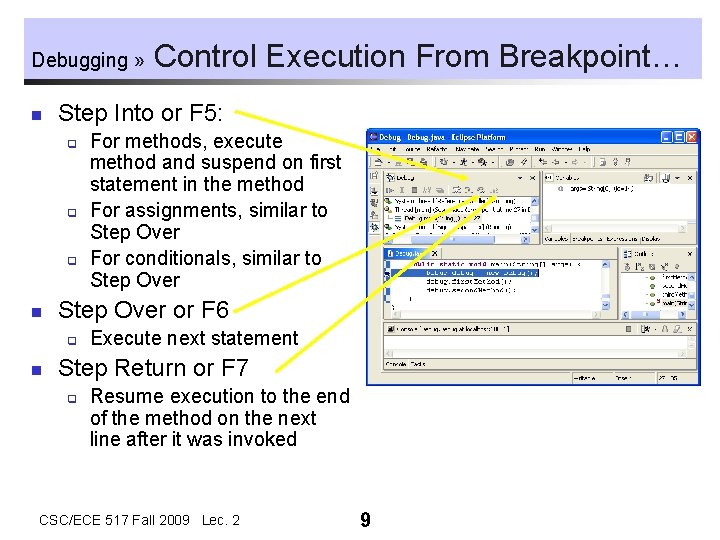
Debugging » n Step Into or F 5: q q q n For methods, execute method and suspend on first statement in the method For assignments, similar to Step Over For conditionals, similar to Step Over or F 6 q n Control Execution From Breakpoint… Execute next statement Step Return or F 7 q Resume execution to the end of the method on the next line after it was invoked CSC/ECE 517 Fall 2009 Lec. 2 9
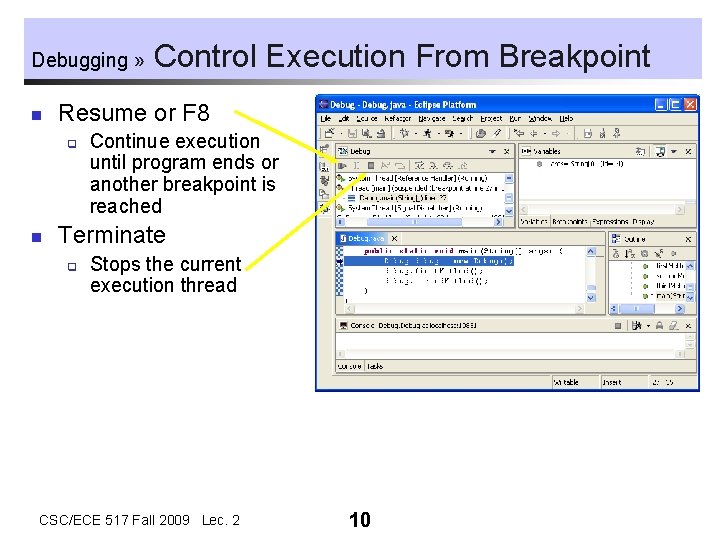
Debugging » n Resume or F 8 q n Control Execution From Breakpoint Continue execution until program ends or another breakpoint is reached Terminate q Stops the current execution thread CSC/ECE 517 Fall 2009 Lec. 2 10
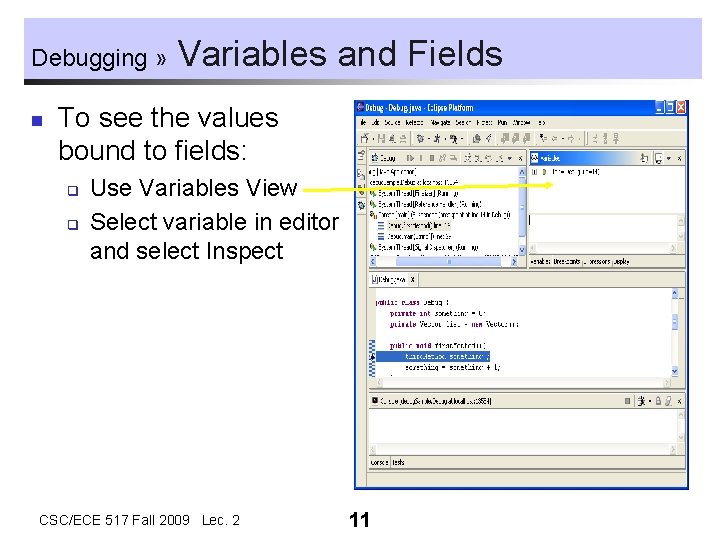
Debugging » n Variables and Fields To see the values bound to fields: q q Use Variables View Select variable in editor and select Inspect CSC/ECE 517 Fall 2009 Lec. 2 11
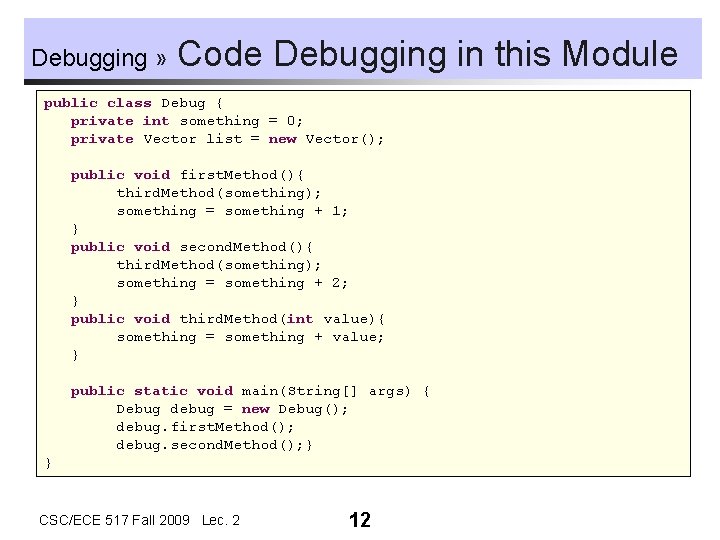
Debugging » Code Debugging in this Module public class Debug { private int something = 0; private Vector list = new Vector(); public void first. Method(){ third. Method(something); something = something + 1; } public void second. Method(){ third. Method(something); something = something + 2; } public void third. Method(int value){ something = something + value; } public static void main(String[] args) { Debug debug = new Debug(); debug. first. Method(); debug. second. Method(); } } CSC/ECE 517 Fall 2009 Lec. 2 12
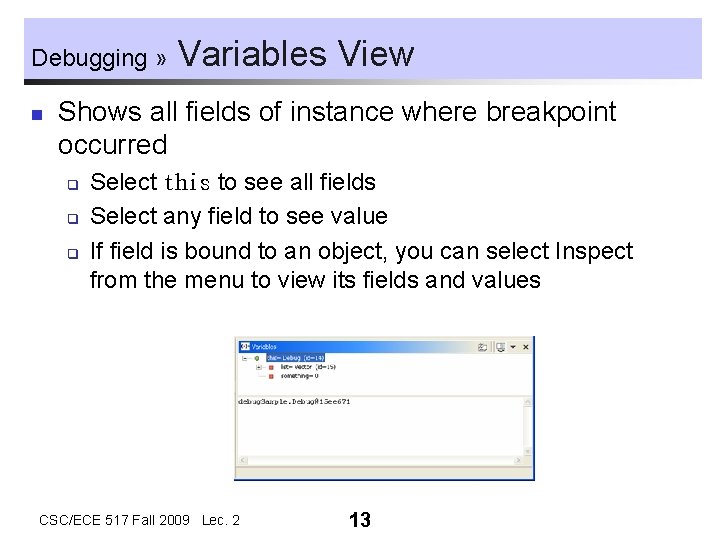
Debugging » n Variables View Shows all fields of instance where breakpoint occurred q q q Select this to see all fields Select any field to see value If field is bound to an object, you can select Inspect from the menu to view its fields and values CSC/ECE 517 Fall 2009 Lec. 2 13
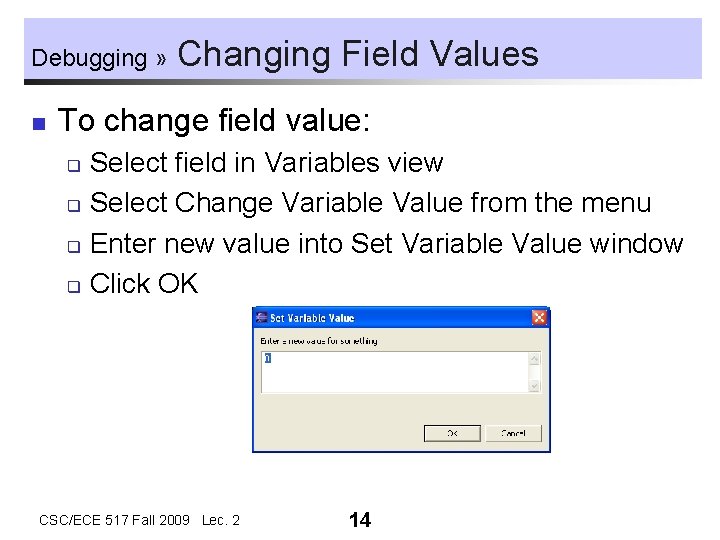
Debugging » n Changing Field Values To change field value: Select field in Variables view q Select Change Variable Value from the menu q Enter new value into Set Variable Value window q Click OK q CSC/ECE 517 Fall 2009 Lec. 2 14
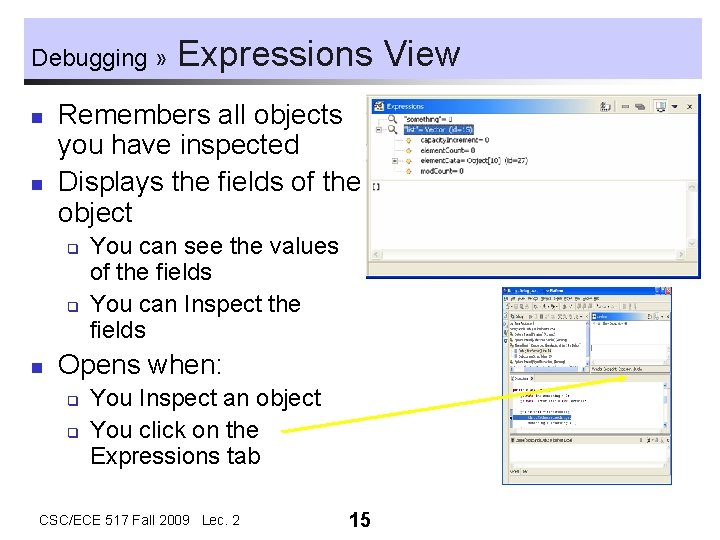
Debugging » n n Remembers all objects you have inspected Displays the fields of the object q q n Expressions View You can see the values of the fields You can Inspect the fields Opens when: q q You Inspect an object You click on the Expressions tab CSC/ECE 517 Fall 2009 Lec. 2 15
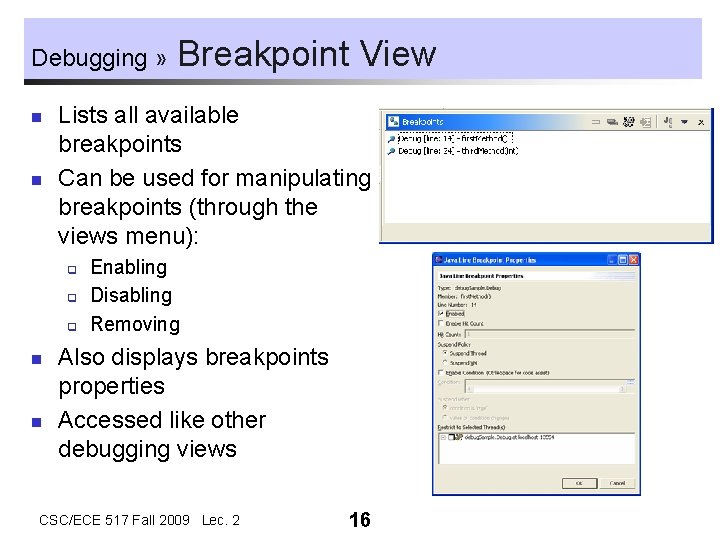
Debugging » n n Lists all available breakpoints Can be used for manipulating breakpoints (through the views menu): q q q n n Breakpoint View Enabling Disabling Removing Also displays breakpoints properties Accessed like other debugging views CSC/ECE 517 Fall 2009 Lec. 2 16
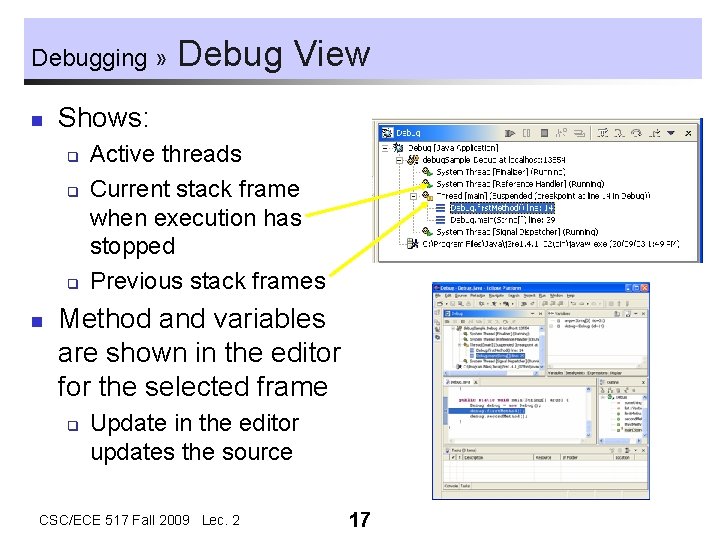
Debugging » n Shows: q q q n Debug View Active threads Current stack frame when execution has stopped Previous stack frames Method and variables are shown in the editor for the selected frame q Update in the editor updates the source CSC/ECE 517 Fall 2009 Lec. 2 17
Debugging » n Breakpoint Types Breakpoints can be set for the following Java entities: Line (simple breakpoint) q Method q Field (watchpoint) q Java Exception q n Each breakpoint is set a different way and has different properties CSC/ECE 517 Fall 2009 Lec. 2 18
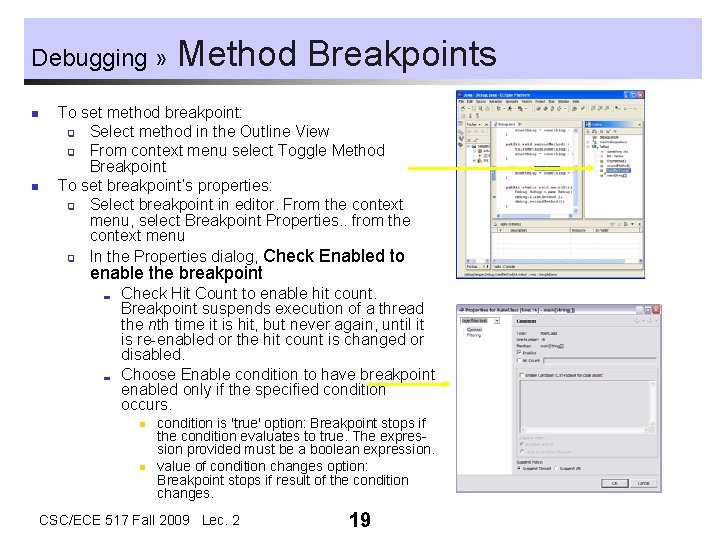
Debugging » n n Method Breakpoints To set method breakpoint: q Select method in the Outline View q From context menu select Toggle Method Breakpoint To set breakpoint’s properties: q Select breakpoint in editor. From the context menu, select Breakpoint Properties. . from the context menu q In the Properties dialog, Check Enabled to enable the breakpoint ; ; Check Hit Count to enable hit count. Breakpoint suspends execution of a thread the nth time it is hit, but never again, until it is re-enabled or the hit count is changed or disabled. Choose Enable condition to have breakpoint enabled only if the specified condition occurs. n n condition is 'true' option: Breakpoint stops if the condition evaluates to true. The expression provided must be a boolean expression. value of condition changes option: Breakpoint stops if result of the condition changes. CSC/ECE 517 Fall 2009 Lec. 2 19
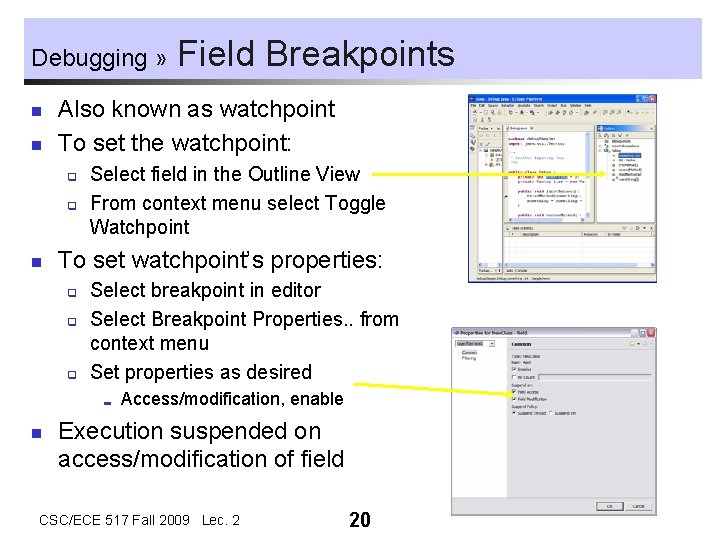
Debugging » n n Also known as watchpoint To set the watchpoint: q q n Select field in the Outline View From context menu select Toggle Watchpoint To set watchpoint’s properties: q q q Select breakpoint in editor Select Breakpoint Properties. . from context menu Set properties as desired ; n Field Breakpoints Access/modification, enable Execution suspended on access/modification of field CSC/ECE 517 Fall 2009 Lec. 2 20
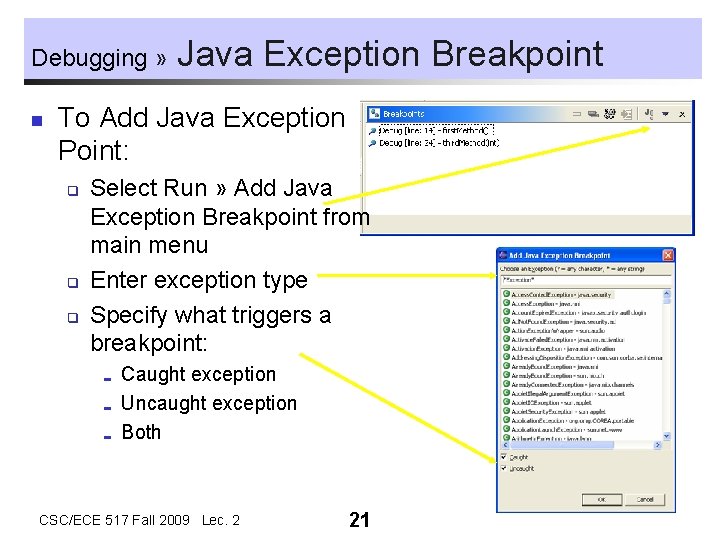
Debugging » n Java Exception Breakpoint To Add Java Exception Point: q q q Select Run » Add Java Exception Breakpoint from main menu Enter exception type Specify what triggers a breakpoint: ; ; ; Caught exception Uncaught exception Both CSC/ECE 517 Fall 2009 Lec. 2 21
Debugging » n How To Debug Here are simple steps for debugging in Eclipse: Set your breakpoints q Hit a breakpoint during execution q Walk/step through code to other breakpoints q Follow along in editor q Inspect/Display interesting fields q Watch the Console for things to happen q CSC/ECE 517 Fall 2009 Lec. 2 22
Debugging » n Summary You have learned: The views in the Debug Perspective q Typical debug session q How to use the Inspector q About the different types of breakpoints q How to set breakpoints q How step around your code doing debugging q CSC/ECE 517 Fall 2009 Lec. 2 23
Debugging » n Exercise 2 Set a breakpoint in the print. Field method of the class New. Class that was created in Exercise 1. n Start a debug session. n What happens to the program execution? n What do you see in the debug windows? CSC/ECE 517 Fall 2009 Lec. 2 24
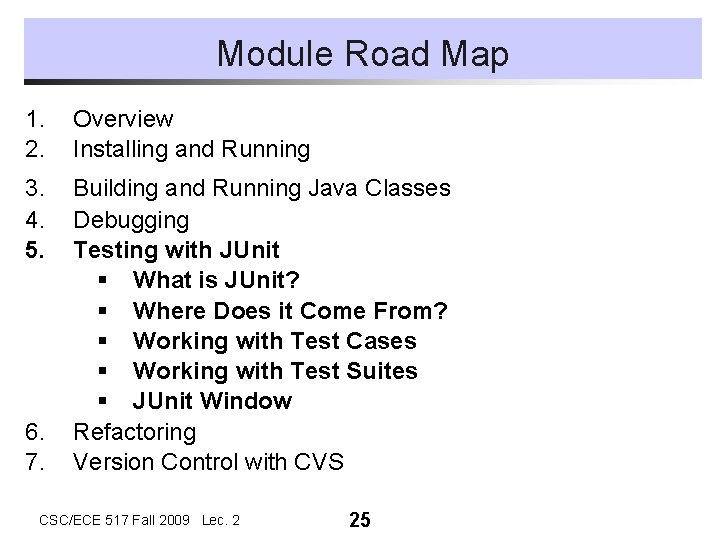
Module Road Map 1. 2. Overview Installing and Running 3. 4. 5. Building and Running Java Classes Debugging Testing with JUnit § What is JUnit? § Where Does it Come From? § Working with Test Cases § Working with Test Suites § JUnit Window Refactoring Version Control with CVS 6. 7. CSC/ECE 517 Fall 2009 Lec. 2 25
What is JUnit? n n n Regression testing framework Written by Erich Gamma and Kent Beck Used for unit testing in Java Open Source Released under IBM's CPL CSC/ECE 517 Fall 2009 Lec. 2 26
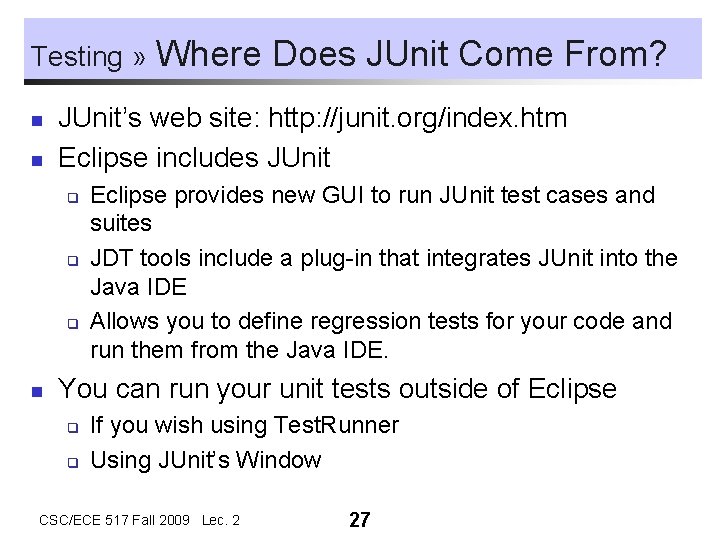
Testing » n n JUnit’s web site: http: //junit. org/index. htm Eclipse includes JUnit q q q n Where Does JUnit Come From? Eclipse provides new GUI to run JUnit test cases and suites JDT tools include a plug-in that integrates JUnit into the Java IDE Allows you to define regression tests for your code and run them from the Java IDE. You can run your unit tests outside of Eclipse q q If you wish using Test. Runner Using JUnit’s Window CSC/ECE 517 Fall 2009 Lec. 2 27
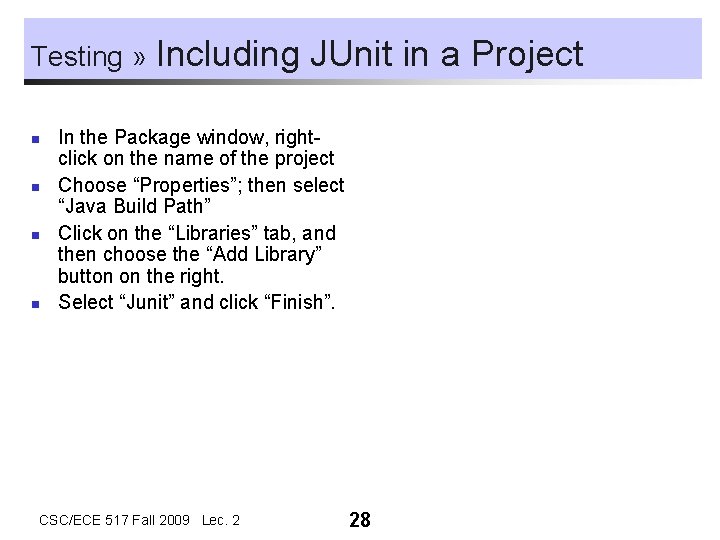
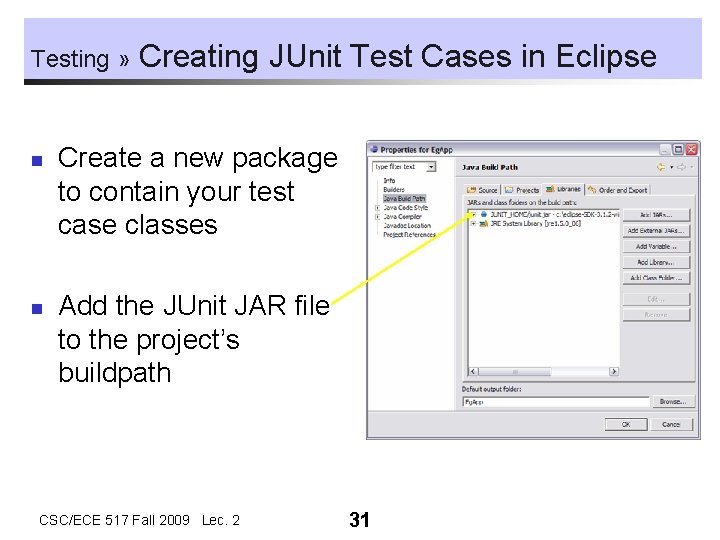
Testing » n n Including JUnit in a Project In the Package window, rightclick on the name of the project Choose “Properties”; then select “Java Build Path” Click on the “Libraries” tab, and then choose the “Add Library” button on the right. Select “Junit” and click “Finish”. CSC/ECE 517 Fall 2009 Lec. 2 28
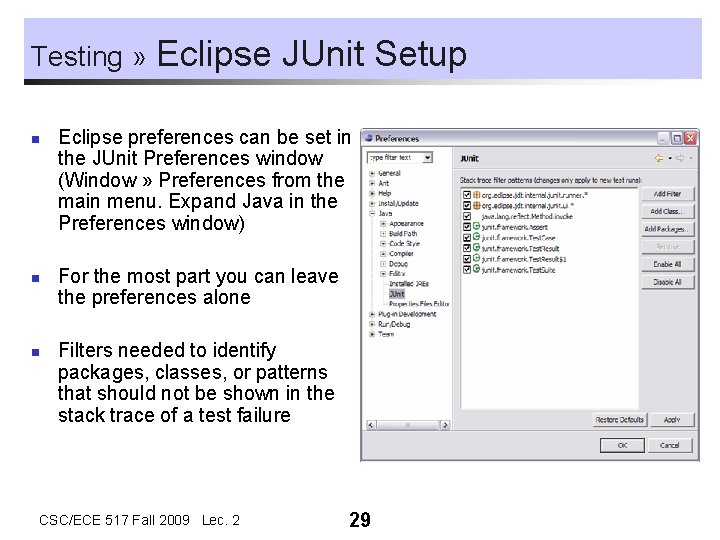
Testing » n n n Eclipse JUnit Setup Eclipse preferences can be set in the JUnit Preferences window (Window » Preferences from the main menu. Expand Java in the Preferences window) For the most part you can leave the preferences alone Filters needed to identify packages, classes, or patterns that should not be shown in the stack trace of a test failure CSC/ECE 517 Fall 2009 Lec. 2 29
Testing » n JUnit Test Cases q Test case ; Runs multiple tests Implemented as subclass of Test. Case q Define instance variables that store the state of the tests in the class q Initialize Test. Case by overriding set. Up method q Clean-up after test case is done by overriding tear. Down method q The Test framework will invoke the set. Up and tear. Down methods. q CSC/ECE 517 Fall 2009 Lec. 2 30
Testing » n n Creating JUnit Test Cases in Eclipse Create a new package to contain your test case classes Add the JUnit JAR file to the project’s buildpath CSC/ECE 517 Fall 2009 Lec. 2 31
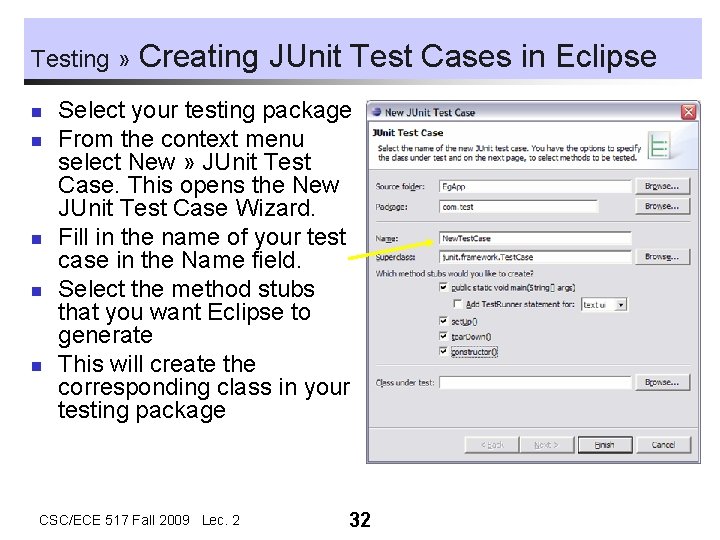
Testing » n n n Creating JUnit Test Cases in Eclipse Select your testing package From the context menu select New » JUnit Test Case. This opens the New JUnit Test Case Wizard. Fill in the name of your test case in the Name field. Select the method stubs that you want Eclipse to generate This will create the corresponding class in your testing package CSC/ECE 517 Fall 2009 Lec. 2 32
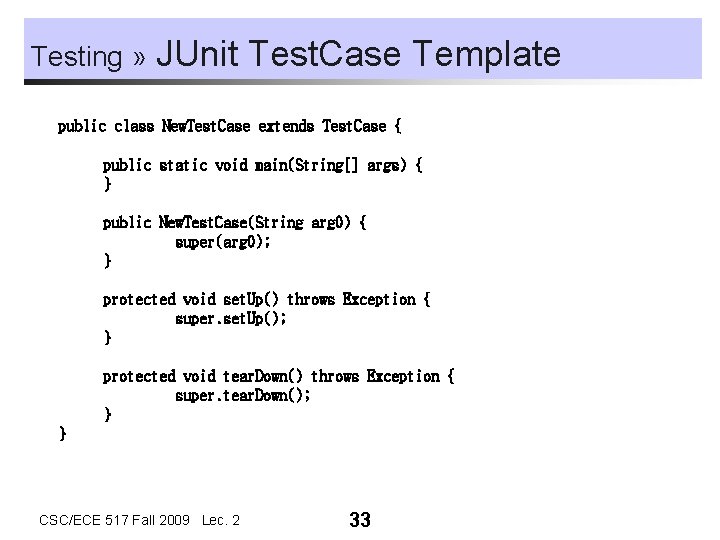
Testing » JUnit Test. Case Template public class New. Test. Case extends Test. Case { public static void main(String[] args) { } public New. Test. Case(String arg 0) { super(arg 0); } protected void set. Up() throws Exception { super. set. Up(); } protected void tear. Down() throws Exception { super. tear. Down(); } } CSC/ECE 517 Fall 2009 Lec. 2 33
Testing » n Any method in a Test. Case class is considered a test if it begins with the word “test”. q n Adding Tests to Test Cases You can write many tests (have many test methods) Each test method should use a variety of assert… methods to perform tests on the state of its class. q Assert methods are inherited CSC/ECE 517 Fall 2009 Lec. 2 34
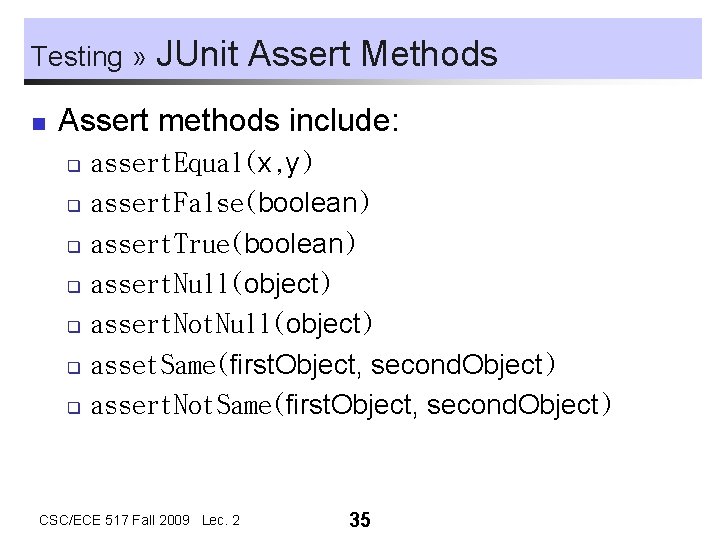
Testing » n JUnit Assert Methods Assert methods include: assert. Equal(x, y) q assert. False(boolean) q assert. True(boolean) q assert. Null(object) q assert. Not. Null(object) q asset. Same(first. Object, second. Object) q assert. Not. Same(first. Object, second. Object) q CSC/ECE 517 Fall 2009 Lec. 2 35
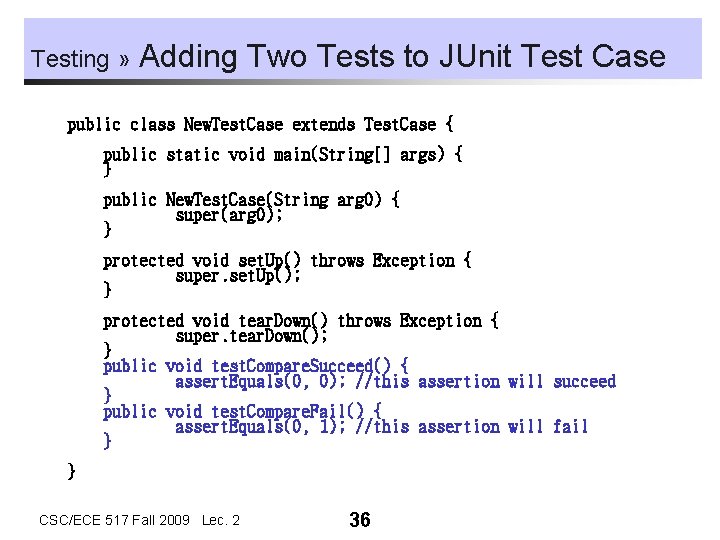
Testing » Adding Two Tests to JUnit Test Case public class New. Test. Case extends Test. Case { public static void main(String[] args) { } public New. Test. Case(String arg 0) { super(arg 0); } protected void set. Up() throws Exception { super. set. Up(); } protected void tear. Down() throws Exception { super. tear. Down(); } public void test. Compare. Succeed() { assert. Equals(0, 0); //this assertion will succeed } public void test. Compare. Fail() { assert. Equals(0, 1); //this assertion will fail } } CSC/ECE 517 Fall 2009 Lec. 2 36
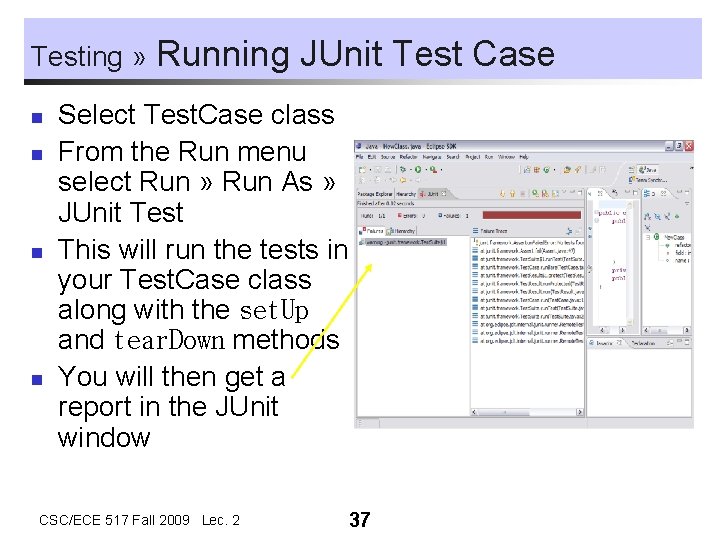
Testing » n n Running JUnit Test Case Select Test. Case class From the Run menu select Run » Run As » JUnit Test This will run the tests in your Test. Case class along with the set. Up and tear. Down methods You will then get a report in the JUnit window CSC/ECE 517 Fall 2009 Lec. 2 37
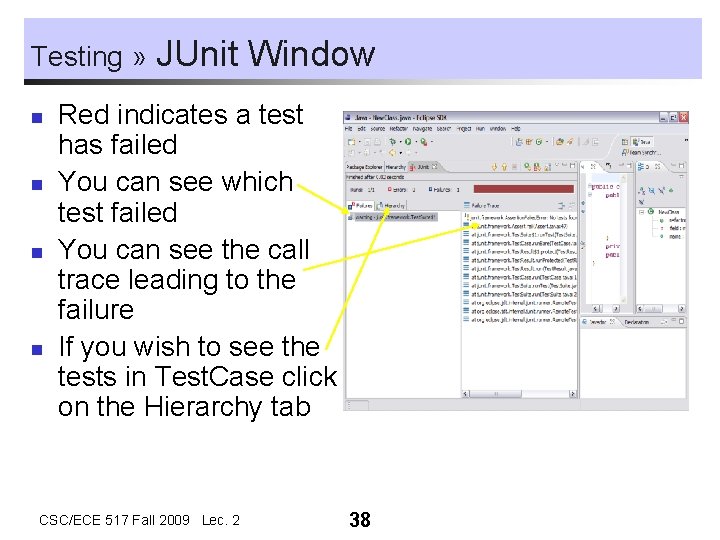
Testing » n n JUnit Window Red indicates a test has failed You can see which test failed You can see the call trace leading to the failure If you wish to see the tests in Test. Case click on the Hierarchy tab CSC/ECE 517 Fall 2009 Lec. 2 38
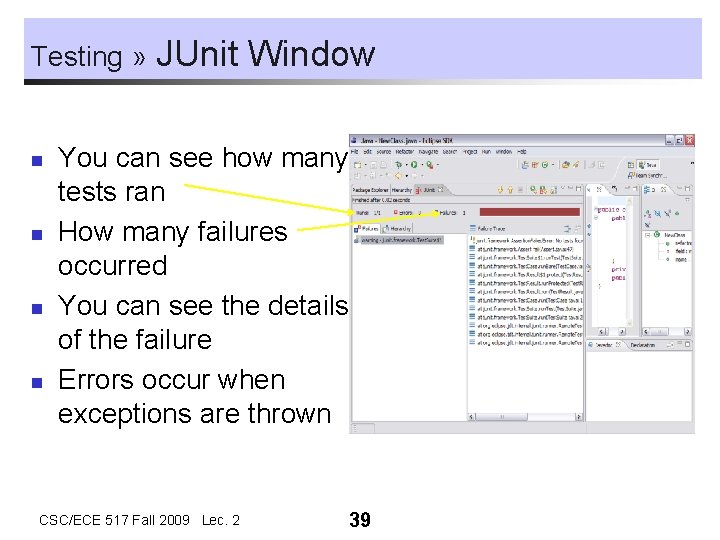
Testing » n n JUnit Window You can see how many tests ran How many failures occurred You can see the details of the failure Errors occur when exceptions are thrown CSC/ECE 517 Fall 2009 Lec. 2 39
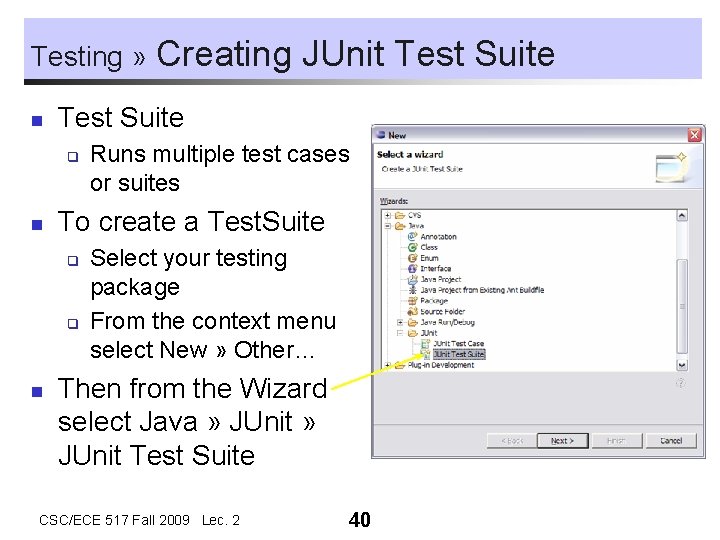
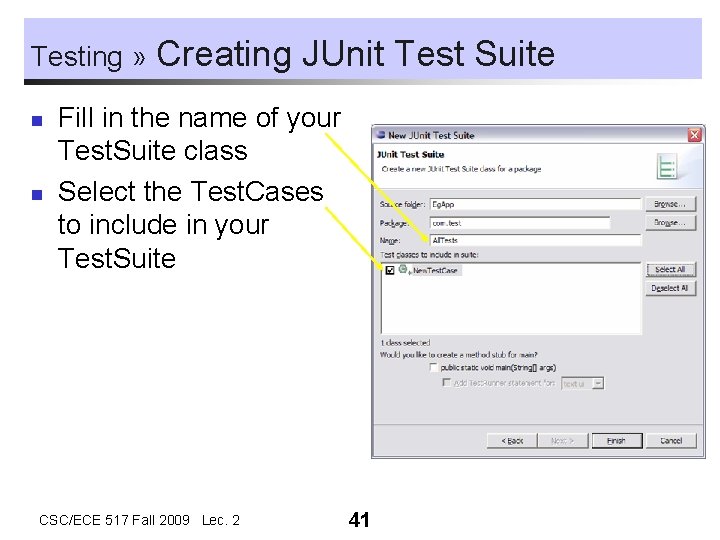
Testing » n Test Suite q n Runs multiple test cases or suites To create a Test. Suite q q n Creating JUnit Test Suite Select your testing package From the context menu select New » Other… Then from the Wizard select Java » JUnit Test Suite CSC/ECE 517 Fall 2009 Lec. 2 40
Testing » n n Creating JUnit Test Suite Fill in the name of your Test. Suite class Select the Test. Cases to include in your Test. Suite CSC/ECE 517 Fall 2009 Lec. 2 41
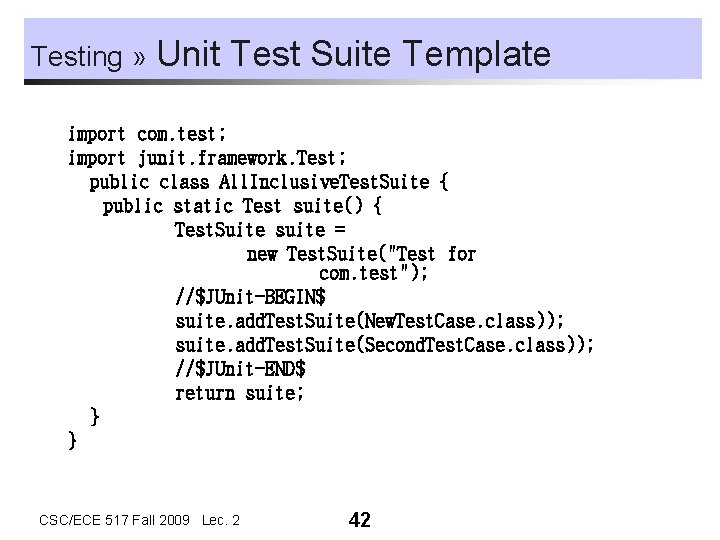
Testing » Unit Test Suite Template import com. test; import junit. framework. Test; public class All. Inclusive. Test. Suite { public static Test suite() { Test. Suite suite = new Test. Suite("Test for com. test"); //$JUnit-BEGIN$ suite. add. Test. Suite(New. Test. Case. class)); suite. add. Test. Suite(Second. Test. Case. class)); //$JUnit-END$ return suite; } } CSC/ECE 517 Fall 2009 Lec. 2 42
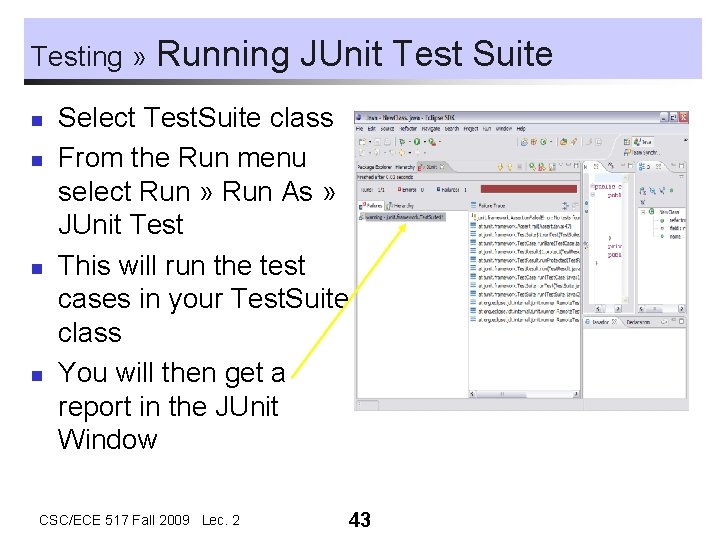
Testing » n n Running JUnit Test Suite Select Test. Suite class From the Run menu select Run » Run As » JUnit Test This will run the test cases in your Test. Suite class You will then get a report in the JUnit Window CSC/ECE 517 Fall 2009 Lec. 2 43
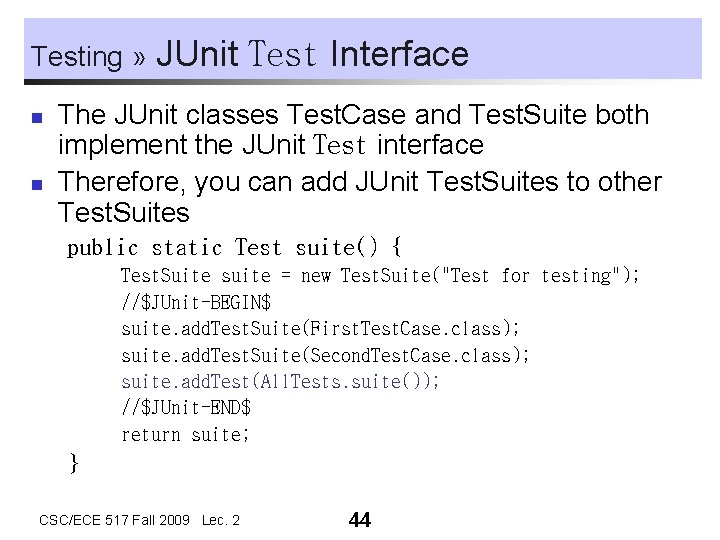
Testing » n n JUnit Test Interface The JUnit classes Test. Case and Test. Suite both implement the JUnit Test interface Therefore, you can add JUnit Test. Suites to other Test. Suites public static Test suite() { Test. Suite suite = new Test. Suite("Test for testing"); //$JUnit-BEGIN$ suite. add. Test. Suite(First. Test. Case. class); suite. add. Test. Suite(Second. Test. Case. class); suite. add. Test(All. Tests. suite()); //$JUnit-END$ return suite; } CSC/ECE 517 Fall 2009 Lec. 2 44
Exercise 3 n n n Create a JUnit test case class Test. Class for the package csc 517 of the project Eg. App. Add a test method test. Boolean to the class Test. Class. In the method test. Boolean, invoke the assert routine assert. True with the argument “ 0” (FALSE). Run the test case. What do you see in the JUnit window? Now invoke the assert. True routine with the argument “ 1” (TRUE). Run the test case. What is the output in the JUnit window? CSC/ECE 517 Fall 2009 Lec. 2 45