
Overview of Child Welfare Measures of Performance December
Overview of Child Welfare Measures of Performance December 19, 2019 Ohio SACWIS Project The webinar will begin at 9: 00 am 1
Agenda o Performance Measure Background • Impetus for Dashboards • Data o Dashboard Demo o Existing Comparative Reports o Exporting Dashboards o Questions 2
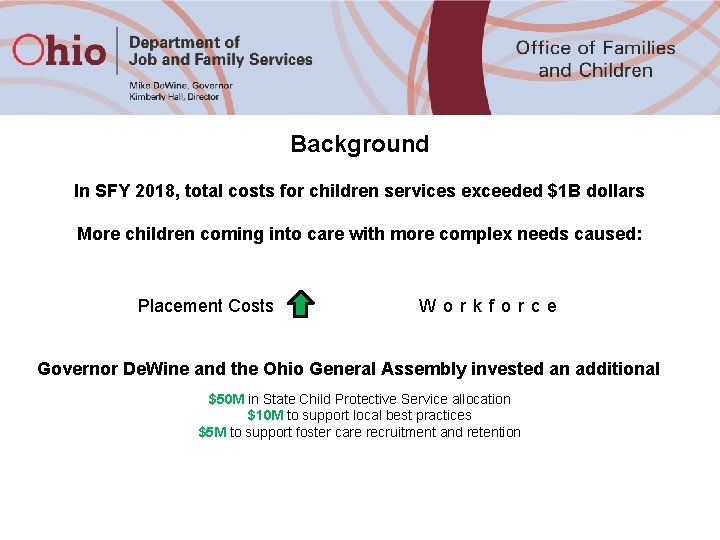
Background In SFY 2018, total costs for children services exceeded $1 B dollars More children coming into care with more complex needs caused: Placement Costs Workforce Governor De. Wine and the Ohio General Assembly invested an additional $50 M in State Child Protective Service allocation $10 M to support local best practices $5 M to support foster care recruitment and retention
Background Continued Over the last few months, ODJFS has partnered with: v v v Public Children Services Association of Ohio Job and Family Service Directors’ Association County Commissioners Association of Ohio County Agencies To: v Assess Current Services v Identify Unified Goals and Outcomes Goal: v Ensure that all of Ohio’s children have a healthy, stable family that keeps them safe. THESE PERFORMANCE MEASURES ARE THE ESTABLISHED FRAMEWORK TO MEASURE SHORT & LONG-TERM TRANSFORMATION EFFORTS
System Measures: Near-term Goal: Addressing system-wide workforce, caseload and capacity trends. Practice Measures: Mid-term Goal: Striving for overall improved foundational children services practices that are key to family engagement and child outcomes. Outcome Measures: Long-term Goal: Striving for overall improved child safety, well-being and permanency outcomes that can be achieved as we transform our system and implement the Family First Prevention Services Act. 5

Data The Data for the Performance Measure Dashboards comes from two different sources. 1. SACWIS Data. Mart • • Intake Assessment/Screening Overview (System) Pending Overdue Child Abuse and/or Neglect (CA/N) Intakes (Practice) Timeliness of Child Abuse and/or Neglect (CA/N) Investigations (Practice) Children in Care by Placement Type (Outcome) Recurrence of Maltreatment (Outcome) Child Abuse/Neglect Report Recurrence (Outcome) Re-Entry Into Care (Outcome) Children Aging Out of Care (Outcome) 2. Oracle Database • • Caseworker Caseload Estimates (System) Caseworker Counts (System) Transfers to Ongoing by Risk Level (System) Safety Assessment Completion (Practice) Family Assessment Completion (Practice) Initial Case Plan Completion (Practice) Caseworker Visits with Children (Practice) Caseworker Visits with Adults (Practice) 6

Data Continued v Data will be refreshed automatically every 24 hours. v Dashboard views will default to the last FULL quarter of data. The next quarter of data will be available as a partial quarter. Data for the partial quarter may seem incorrect based on how and when the data is entered into SACWIS. v There is no Personally Identifying Information (PII) included in the data tables, thus no PII can be transmitted from the database to the Tableau Server. v The data included in the dashboards has been aggregated by agency and periodicity. v A SOUID is required to access the Performance Measure dashboards. In addition, the SOUID will need to be approved by ODJFS Business Intelligence/Office of Family and Children staff prior to access being granted. v All dashboard users have been granted secure access to the dashboards. The Office of Families and Children will be provisioning access to the dashboards using the contacts in your agency’s distribution list for the Comprehensive Visitation Report. 7
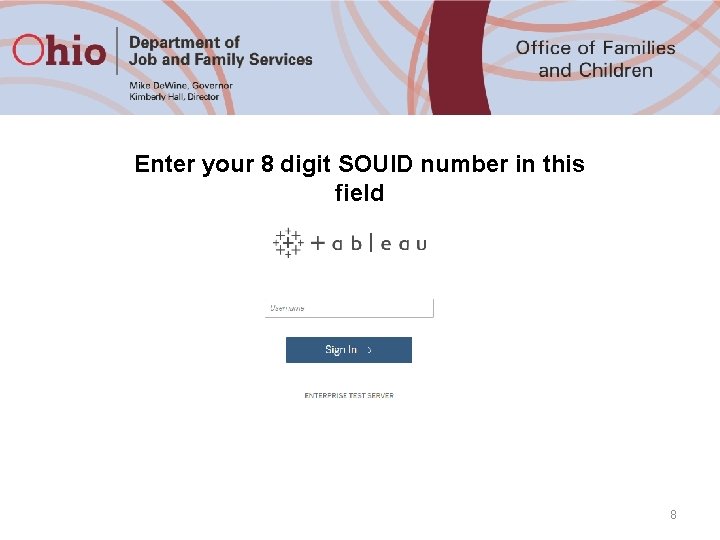
Enter your 8 digit SOUID number in this field 8
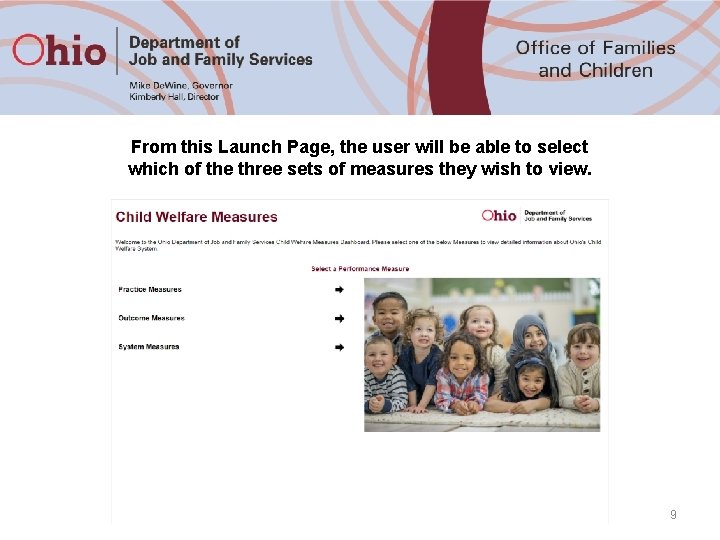
From this Launch Page, the user will be able to select which of the three sets of measures they wish to view. 9
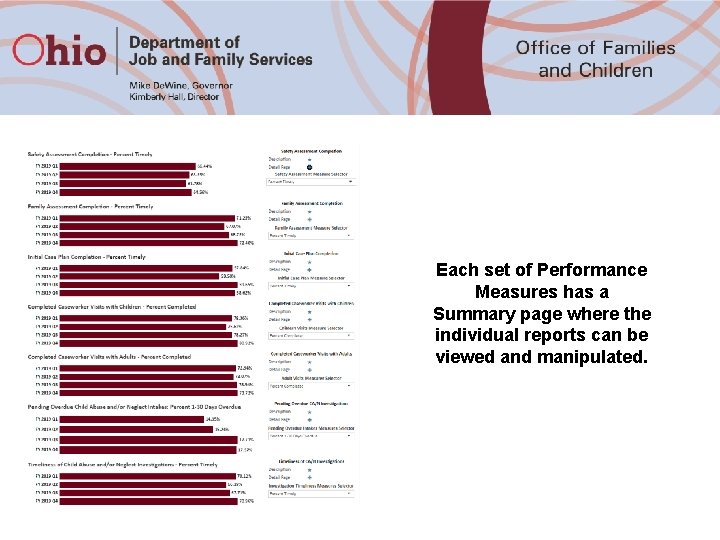
Each set of Performance Measures has a Summary page where the individual reports can be viewed and manipulated.
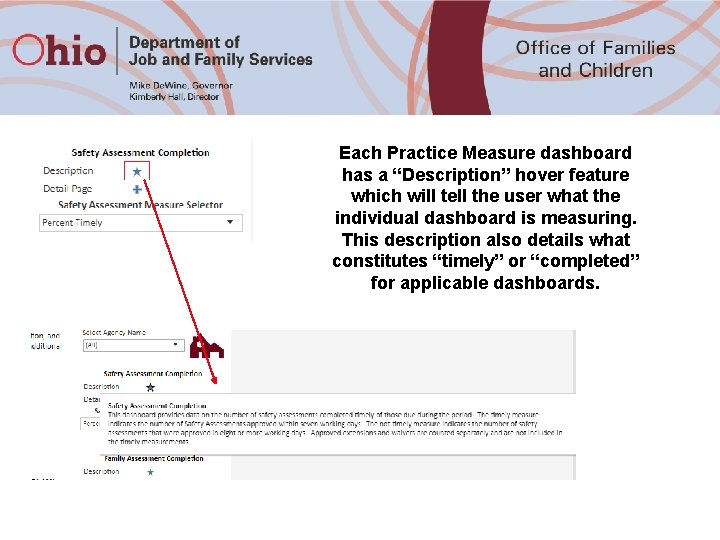
Each Practice Measure dashboard has a “Description” hover feature which will tell the user what the individual dashboard is measuring. This description also details what constitutes “timely” or “completed” for applicable dashboards.
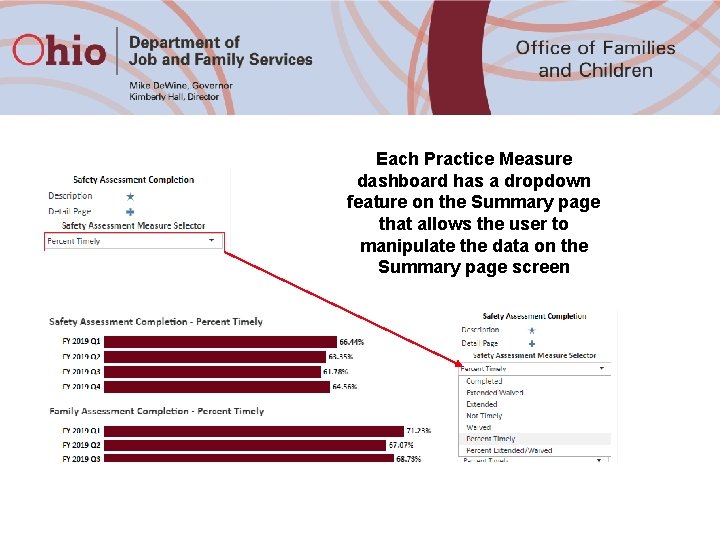
Each Practice Measure dashboard has a dropdown feature on the Summary page that allows the user to manipulate the data on the Summary page screen
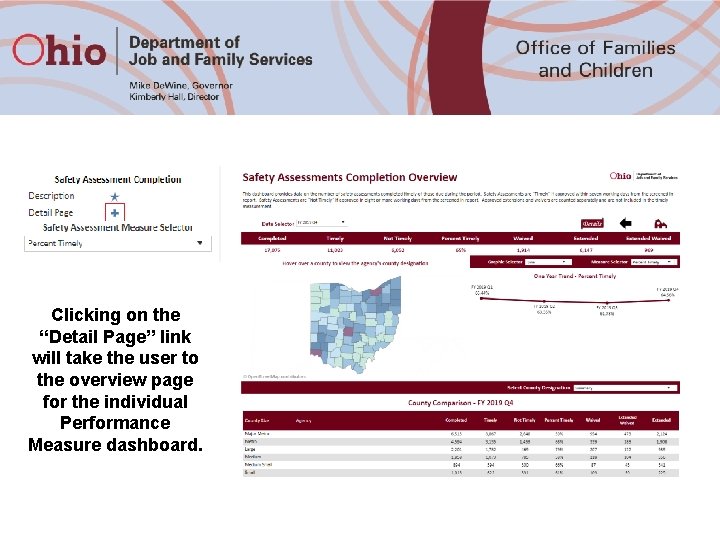
Clicking on the “Detail Page” link will take the user to the overview page for the individual Performance Measure dashboard.

Each Performance Measure Overview includes: v “Date Selector” to choose a quarter to view Statewide data (manipulates the top row of data below) v “Details” button to drill down to the detail screen v “Back” button that returns the user to the Summary Page v “Home” button that returns the user to the launch page 14
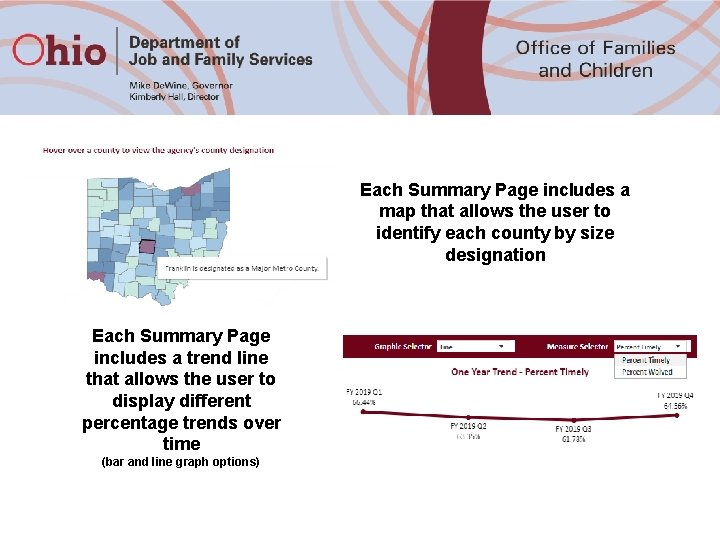
Each Summary Page includes a map that allows the user to identify each county by size designation Each Summary Page includes a trend line that allows the user to display different percentage trends over time (bar and line graph options)
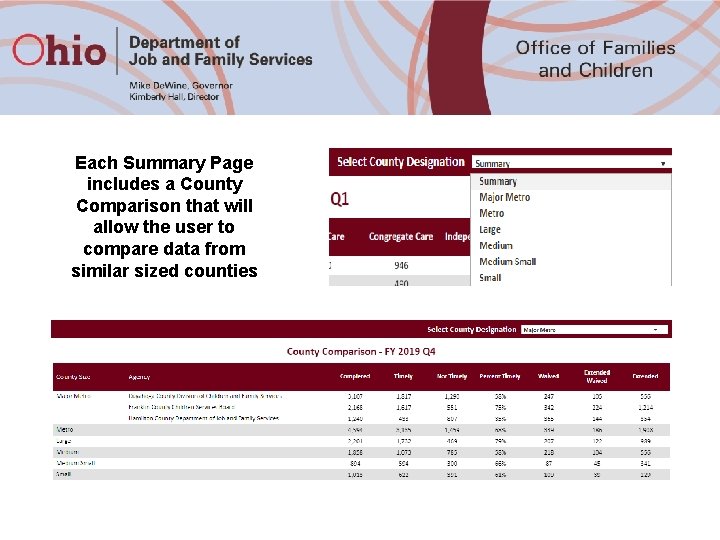
Each Summary Page includes a County Comparison that will allow the user to compare data from similar sized counties
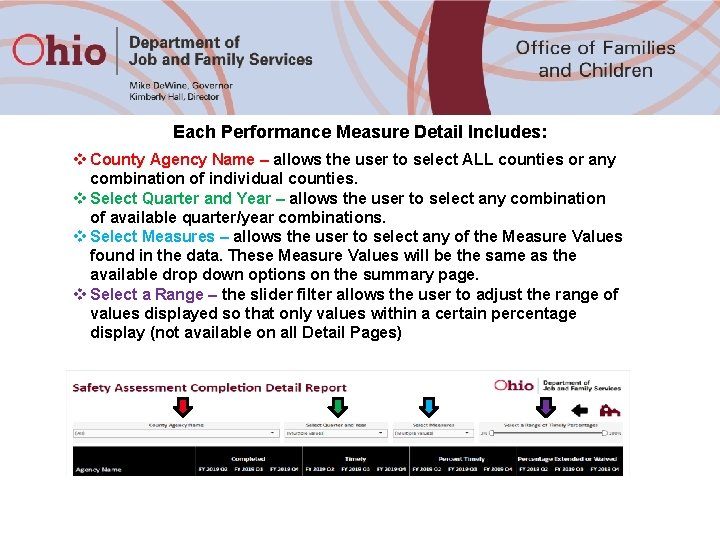
Each Performance Measure Detail Includes: v County Agency Name – allows the user to select ALL counties or any combination of individual counties. v Select Quarter and Year – allows the user to select any combination of available quarter/year combinations. v Select Measures – allows the user to select any of the Measure Values found in the data. These Measure Values will be the same as the available drop down options on the summary page. v Select a Range – the slider filter allows the user to adjust the range of values displayed so that only values within a certain percentage display (not available on all Detail Pages)
System Measures 1. Caseworker Caseload Estimates – estimation of the average caseload of workers who have been employed by the agency for at least one year as of the end of the quarter. 2. Caseworker Counts – the number of employees as of the last day of the quarter who have an active case assignment with the role of primary worker, caseworker, assessor investigator or assessment investigation worker. 3. Intake Assessment/Screening Overview – the number of CA/N or FINS – Stranger Danger intakes received during the period, how many of those intakes were Screened In and Screened In AR, and the percentage that were Screened In and Screened In AR based on the intakes received date. 4. Transfers to Ongoing by Risk Level – count and percentage of cases transferring for Ongoing services based on the Family Assessment actuarial tool risk level. 18
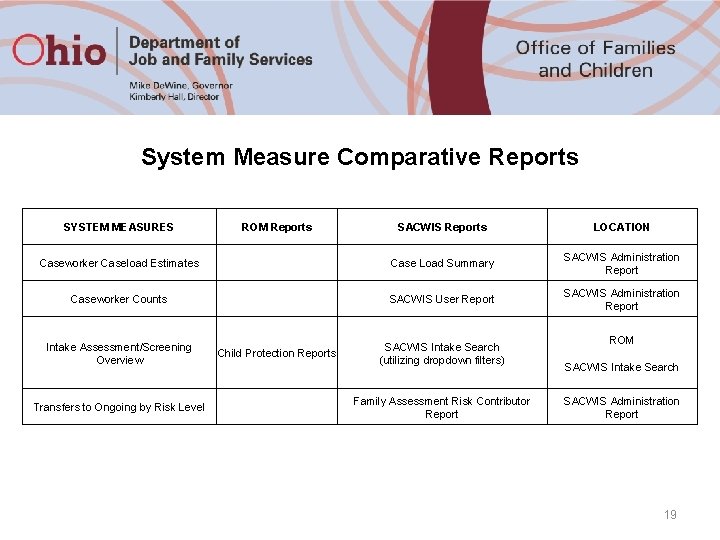
System Measure Comparative Reports SYSTEM MEASURES SACWIS Reports LOCATION Caseworker Caseload Estimates Case Load Summary SACWIS Administration Report Caseworker Counts SACWIS User Report SACWIS Administration Report Intake Assessment/Screening Overview Transfers to Ongoing by Risk Level ROM Reports Child Protection Reports SACWIS Intake Search (utilizing dropdown filters) Family Assessment Risk Contributor Report ROM SACWIS Intake Search SACWIS Administration Report 19
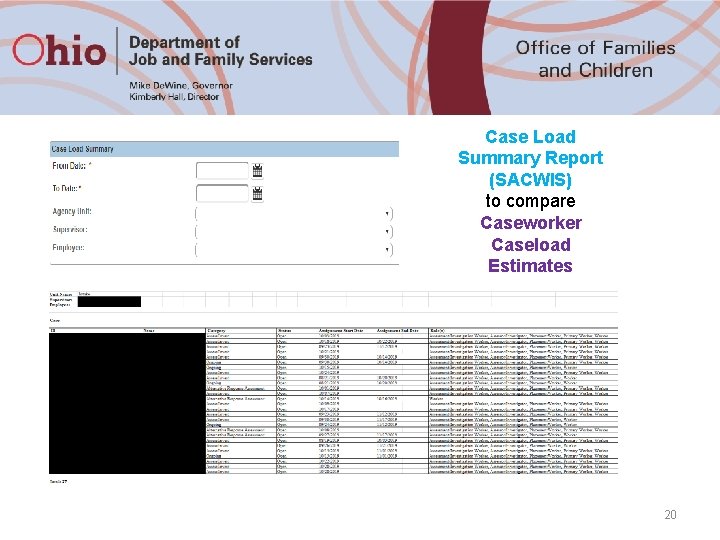
Case Load Summary Report (SACWIS) to compare Caseworker Caseload Estimates 20
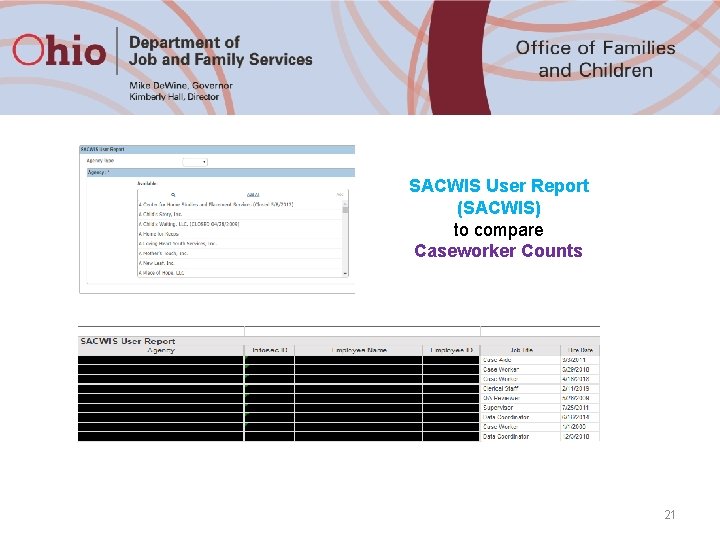
SACWIS User Report (SACWIS) to compare Caseworker Counts 21
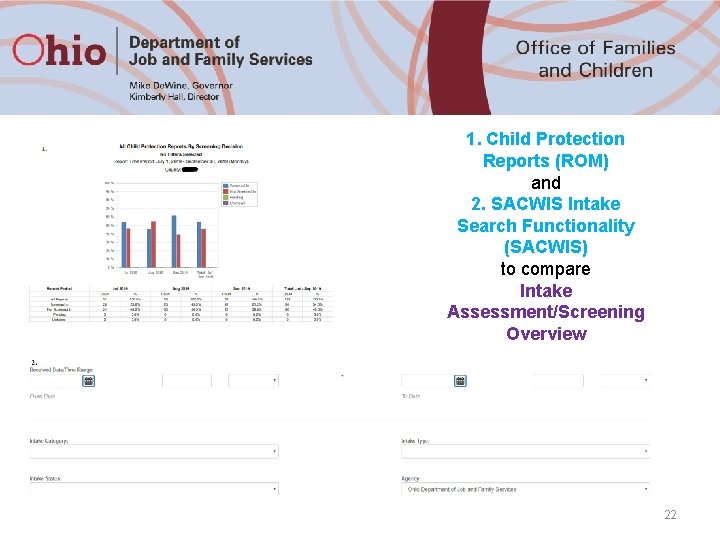
1. Child Protection Reports (ROM) and 2. SACWIS Intake Search Functionality (SACWIS) to compare Intake Assessment/Screening Overview 22
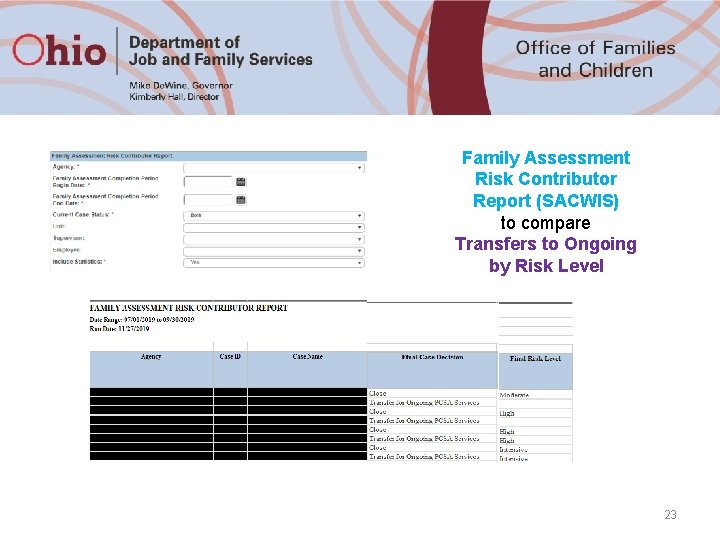
Family Assessment Risk Contributor Report (SACWIS) to compare Transfers to Ongoing by Risk Level 23
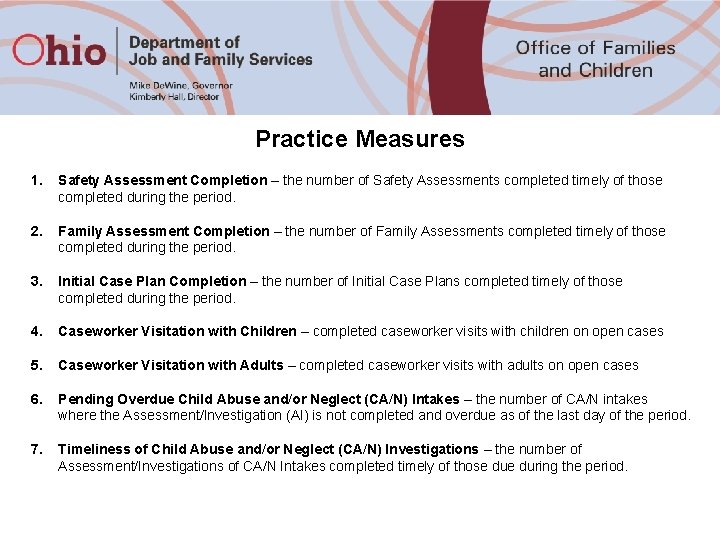
Practice Measures 1. Safety Assessment Completion – the number of Safety Assessments completed timely of those completed during the period. 2. Family Assessment Completion – the number of Family Assessments completed timely of those completed during the period. 3. Initial Case Plan Completion – the number of Initial Case Plans completed timely of those completed during the period. 4. Caseworker Visitation with Children – completed caseworker visits with children on open cases 5. Caseworker Visitation with Adults – completed caseworker visits with adults on open cases 6. Pending Overdue Child Abuse and/or Neglect (CA/N) Intakes – the number of CA/N intakes where the Assessment/Investigation (AI) is not completed and overdue as of the last day of the period. 7. Timeliness of Child Abuse and/or Neglect (CA/N) Investigations – the number of Assessment/Investigations of CA/N Intakes completed timely of those during the period.
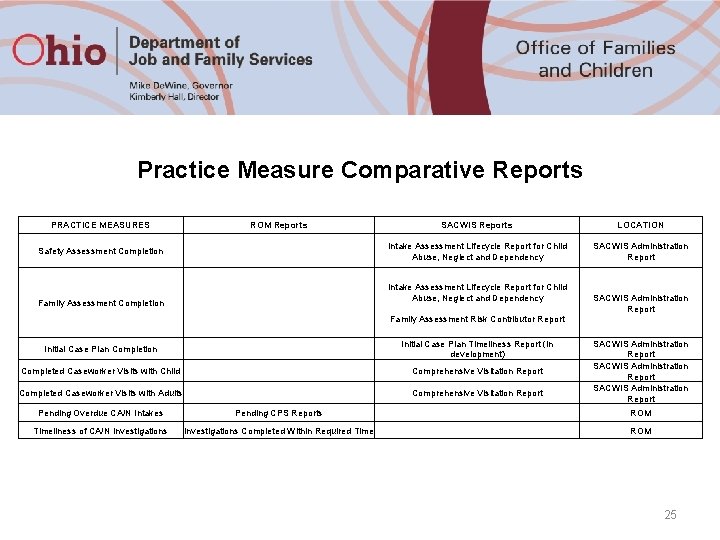
Practice Measure Comparative Reports PRACTICE MEASURES ROM Reports Safety Assessment Completion SACWIS Reports LOCATION Intake Assessment Lifecycle Report for Child Abuse, Neglect and Dependency SACWIS Administration Report Intake Assessment Lifecycle Report for Child Abuse, Neglect and Dependency Family Assessment Completion SACWIS Administration Report Family Assessment Risk Contributor Report Initial Case Plan Completion Initial Case Plan Timeliness Report (in development) Completed Caseworker Visits with Child Comprehensive Visitation Report Completed Caseworker Visits with Adults Comprehensive Visitation Report SACWIS Administration Report Pending Overdue CA/N Intakes Pending CPS Reports ROM Timeliness of CA/N Investigations Completed Within Required Time ROM 25
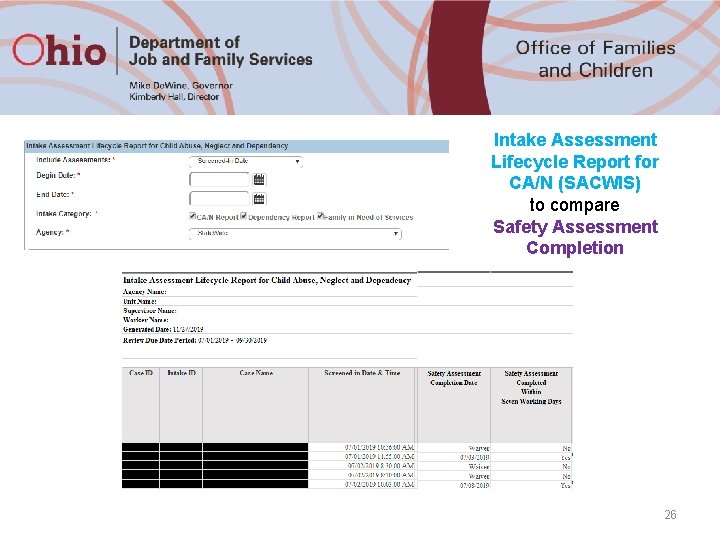
Intake Assessment Lifecycle Report for CA/N (SACWIS) to compare Safety Assessment Completion 26
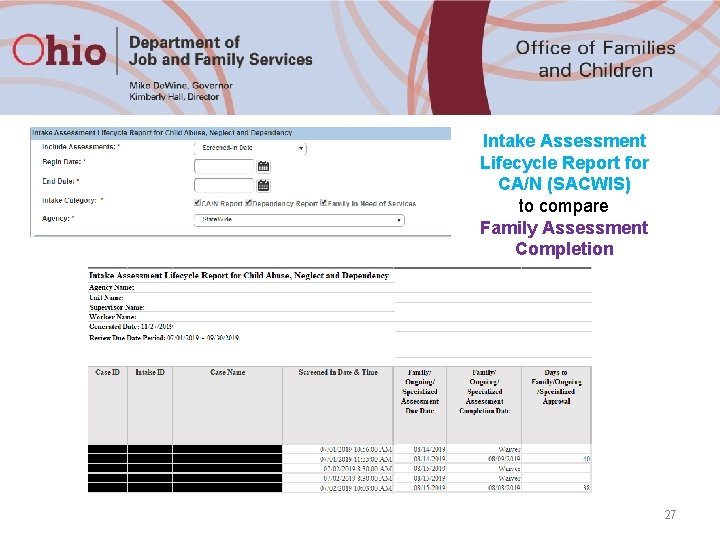
Intake Assessment Lifecycle Report for CA/N (SACWIS) to compare Family Assessment Completion 27
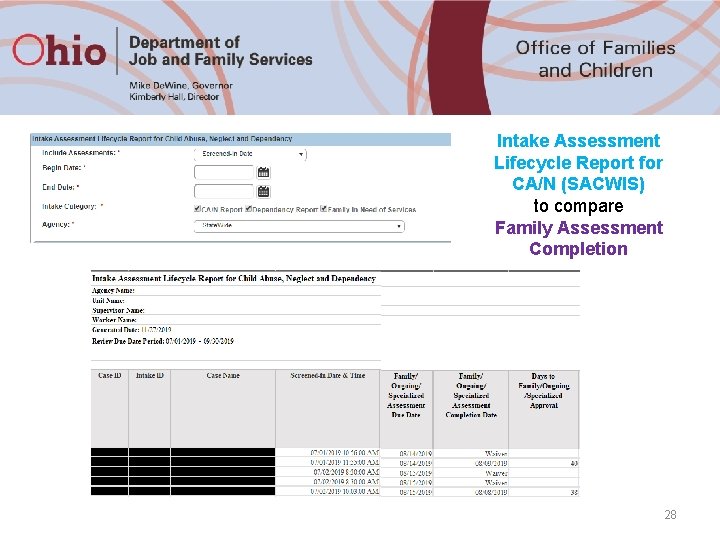
Intake Assessment Lifecycle Report for CA/N (SACWIS) to compare Family Assessment Completion 28
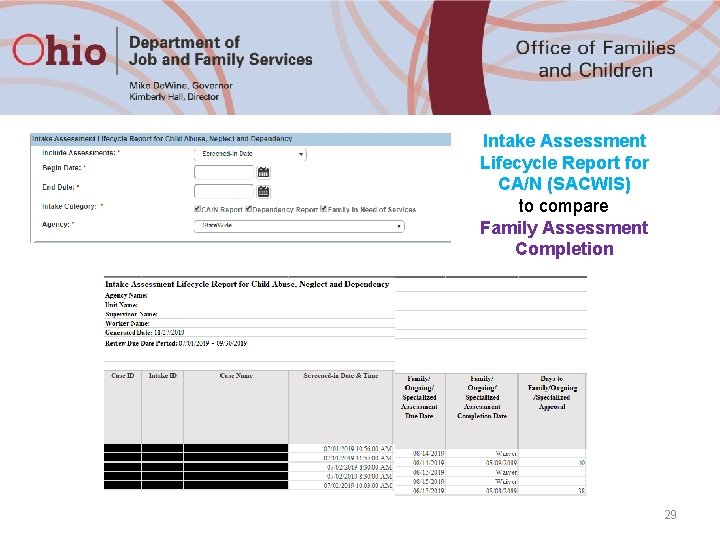
Intake Assessment Lifecycle Report for CA/N (SACWIS) to compare Family Assessment Completion 29
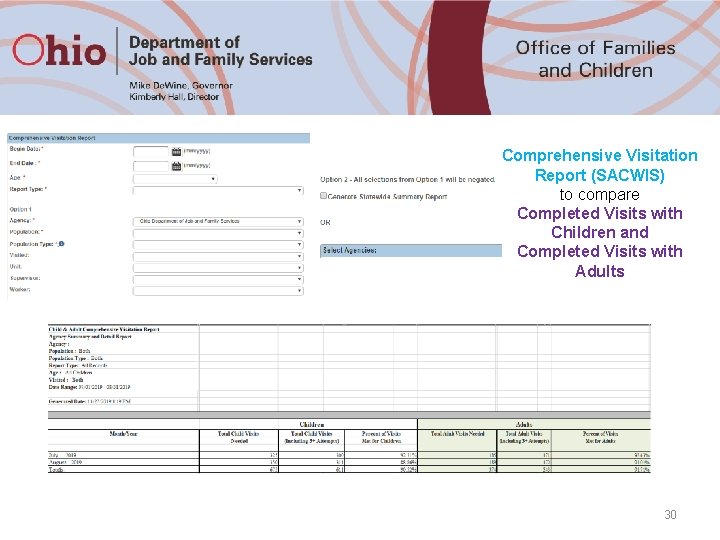
Comprehensive Visitation Report (SACWIS) to compare Completed Visits with Children and Completed Visits with Adults 30
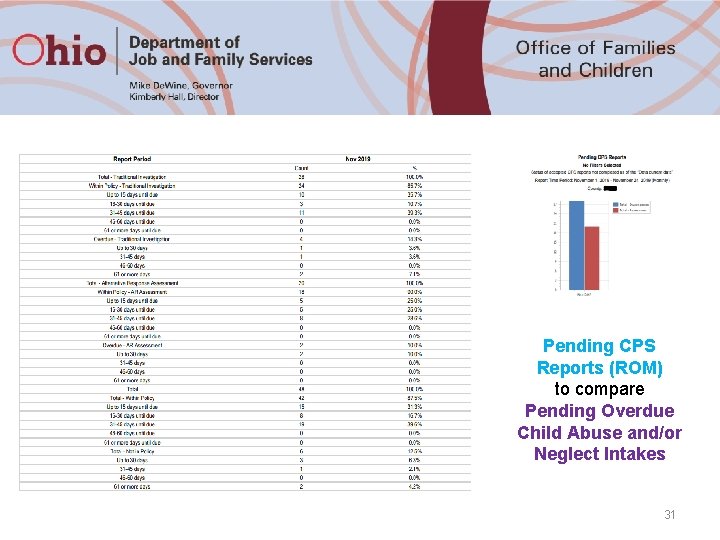
Pending CPS Reports (ROM) to compare Pending Overdue Child Abuse and/or Neglect Intakes 31
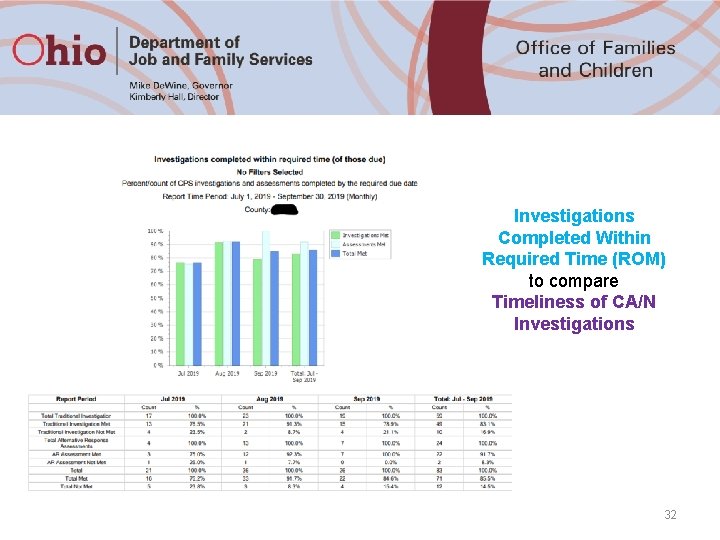
Investigations Completed Within Required Time (ROM) to compare Timeliness of CA/N Investigations 32
Outcome Measures 1. Children in Care by Placement Type – count of children in care by placement type as of the last day of the reporting period. 2. Recurrence of Maltreatment (requires a 24 month measurement period) – within the first 12 months, the report finds a child victim of a substantiated or indicated report. If the child is then a victim of a substantiated or indicated maltreatment allegation within the next 365 days, the child has experienced recurrence of maltreatment. 3. Child Abuse/Neglect Report Recurrence (requires a 24 month measurement period) – within the first 12 months the report finds an Alleged Child Victim (ACV) or Child Subject of the Report (CSR) of a screened in Child Abuse/Neglect (CA/N) report. If the child is an ACV or CSR on a subsequent screened in CA/N report that occurs within the next 365 days then that child is counted as having report recurrence. 4. Re-Entry Into Care (requires a 13 month measurement period) – within the first month, a child exits care. If the child re-enters care within the next 12 months following exit, the child is counted as having re-entered care. 5. Children Aging Out of Care – the number of children discharged from care during the reporting period who were 18 years or older on the day of their discharge. 33
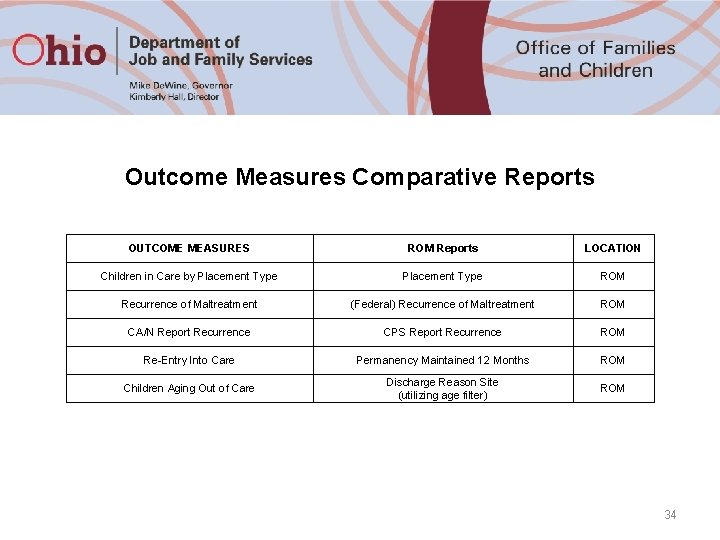
Outcome Measures Comparative Reports OUTCOME MEASURES ROM Reports LOCATION Children in Care by Placement Type ROM Recurrence of Maltreatment (Federal) Recurrence of Maltreatment ROM CA/N Report Recurrence CPS Report Recurrence ROM Re-Entry Into Care Permanency Maintained 12 Months ROM Children Aging Out of Care Discharge Reason Site (utilizing age filter) ROM 34
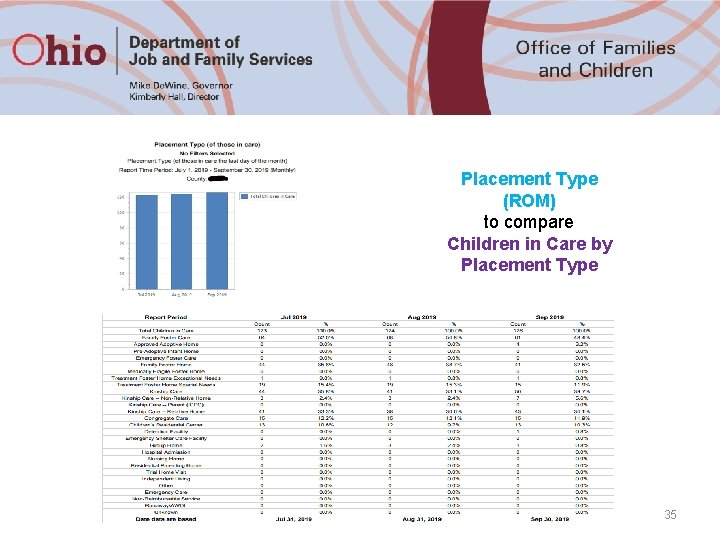
Placement Type (ROM) to compare Children in Care by Placement Type 35
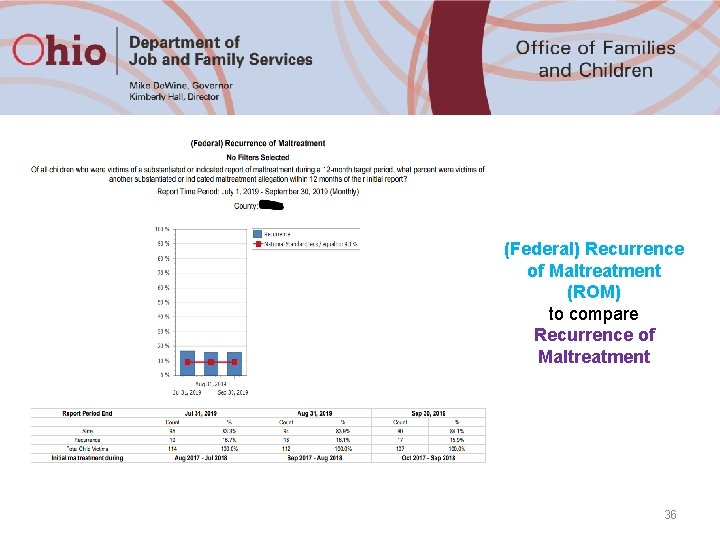
(Federal) Recurrence of Maltreatment (ROM) to compare Recurrence of Maltreatment 36
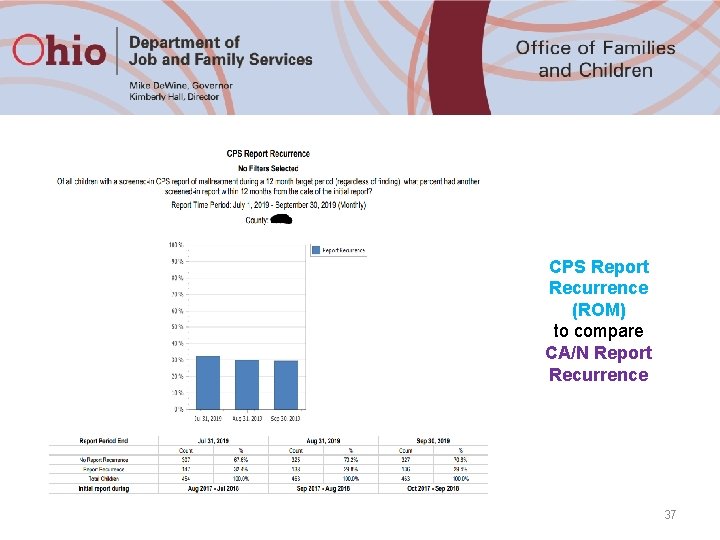
CPS Report Recurrence (ROM) to compare CA/N Report Recurrence 37
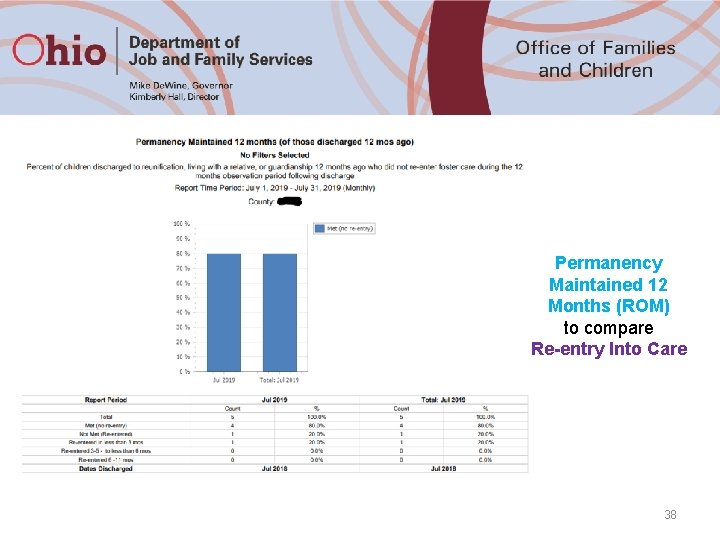
Permanency Maintained 12 Months (ROM) to compare Re-entry Into Care 38
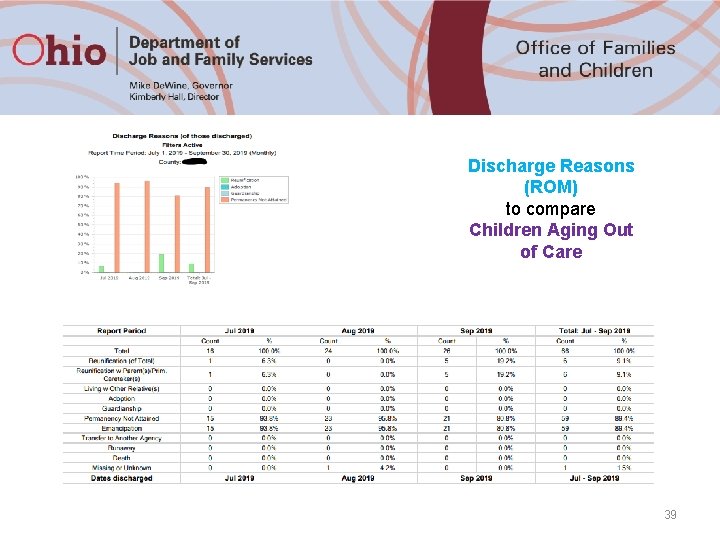
Discharge Reasons (ROM) to compare Children Aging Out of Care 39
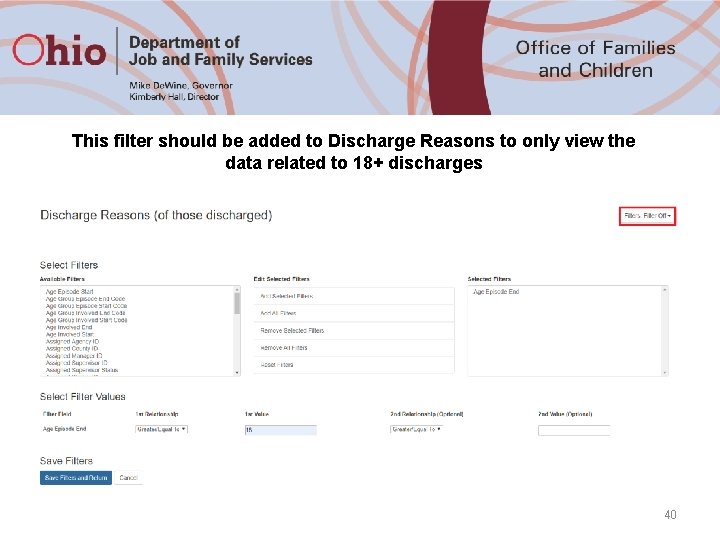
This filter should be added to Discharge Reasons to only view the data related to 18+ discharges 40
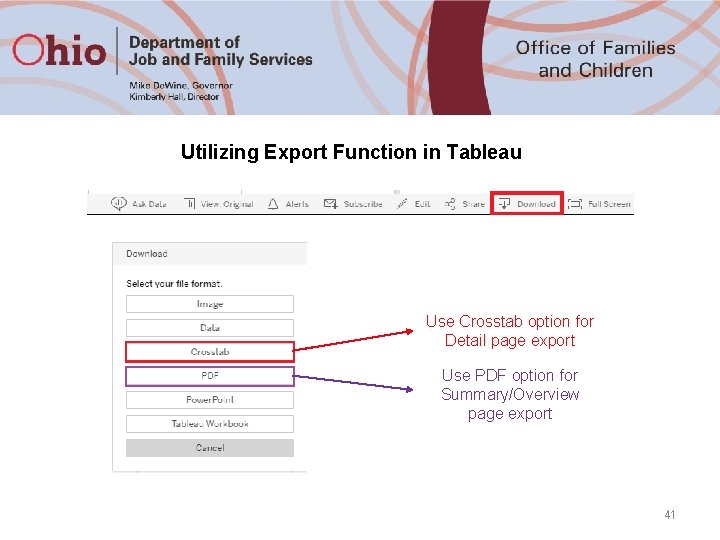
Utilizing Export Function in Tableau Use Crosstab option for Detail page export Use PDF option for Summary/Overview page export 41
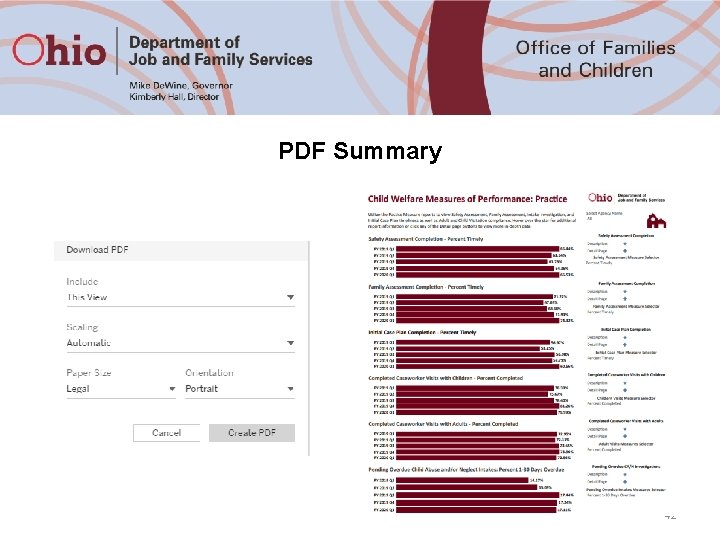
PDF Summary 42
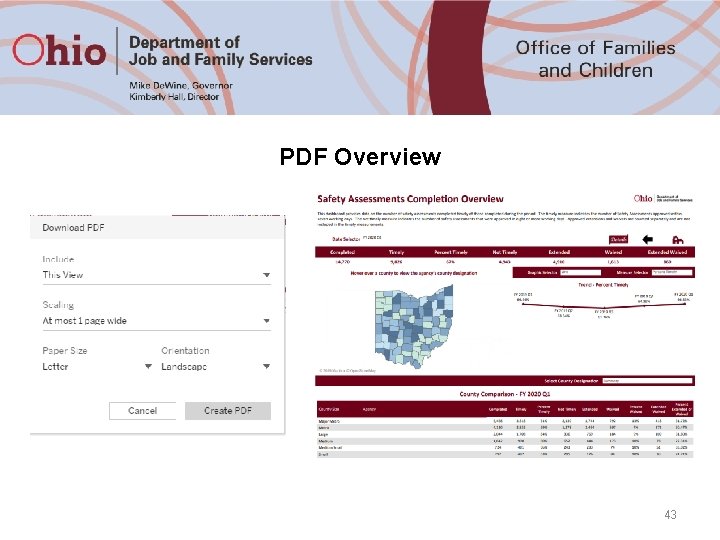
PDF Overview 43
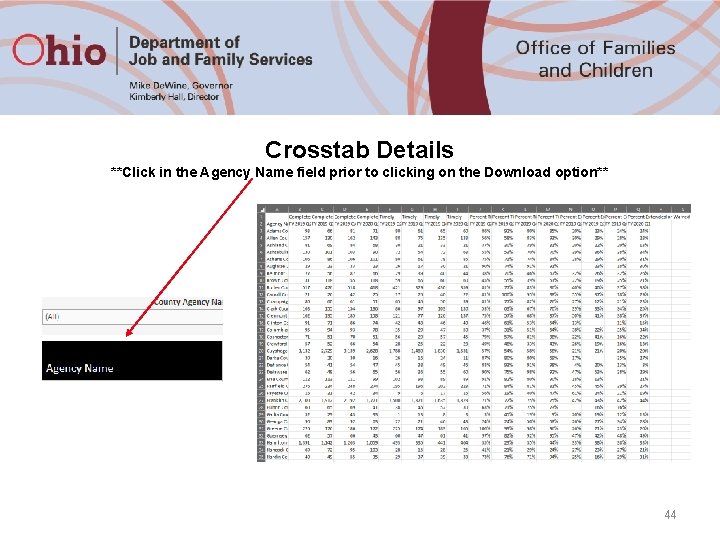
Crosstab Details **Click in the Agency Name field prior to clicking on the Download option** 44
Odds and Ends v If you would like to verify the recipients on the list of employees who have access to the Performance Measure dashboards or would like to change your recipient list, please contact Gaye. Crawford@jfs. ohio. gov v If an employee who has access to these dashboards leaves your agency, please contact the Office of Families and Children so access can be disabled. v Please avoid viewing these dashboards on a smart phone or tablet. As these performance measures are currently constituted within Tableau, the view on a tablet or smartphone will not load correctly. 45
Contacts: o Chris Beach – Christopher. Beach@jfs. ohio. gov o Jennifer Watson – Jennifer. Watson@jfs. ohio. gov o Kristine Monroe – Kristine. Monroe@jfs. ohio. gov
- Slides: 46