
Overview Basic Functionality Training Presentation for Supply Chain
Overview & Basic Functionality Training Presentation for Supply Chain Platform: Rolls-Royce May 2013

Initial Login Copyright 2013 Exostar LLC. All Rights Reserved. Proprietary and Confidential 1

No Change to Access - Go to www. myexostar. com Copyright 2013 Exostar LLC. All Rights Reserved. Proprietary and Confidential 2

Enter your same login credentials Copyright 2013 Exostar LLC. All Rights Reserved. Proprietary and Confidential 3
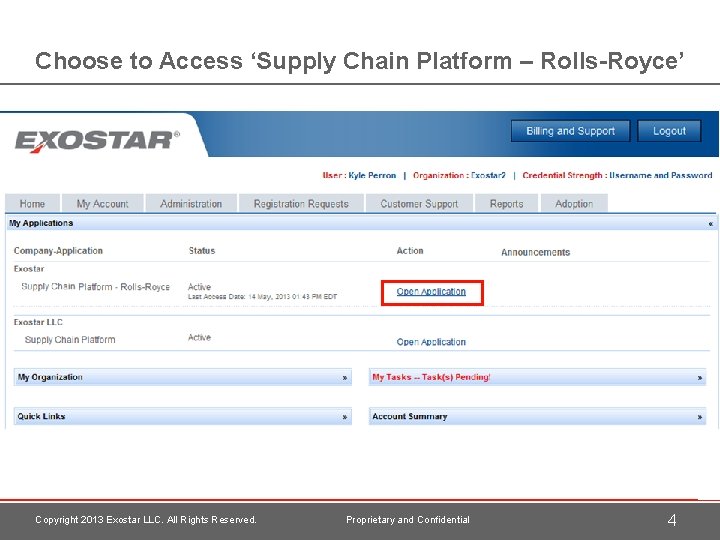
Choose to Access ‘Supply Chain Platform – Rolls-Royce’ Copyright 2013 Exostar LLC. All Rights Reserved. Proprietary and Confidential 4
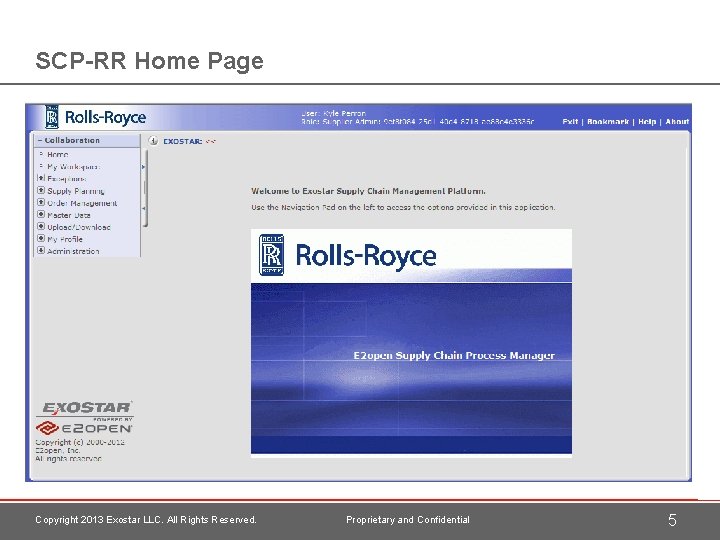
SCP-RR Home Page Copyright 2013 Exostar LLC. All Rights Reserved. Proprietary and Confidential 5
How to Get Help with MAG or SCP-RR Copyright 2013 Exostar LLC. All Rights Reserved. Proprietary and Confidential 6
Support Options There are several ways to get assistance: 1. Self-service case via My Exostar website > Fill in an on-line form and submit it to Customer Support 2. Live phone support with Exostar’s Customer Support > Tel #: +1 -703 -793 -7800 (from UK 0203 300 7093) > Hours: 3 am – 9 pm EST, Monday to Friday 3. On-line training materials > Available through the ‘Help’ link in SCP > Also located at www. myexostar. com, under Products Supply Chain Platform Note: To report an issue, provide as much detail as possible. It is helpful to provide screenshots, the steps that were followed, and to let us know if the issue can be repeated. Copyright 2013 Exostar LLC. All Rights Reserved. Proprietary and Confidential 7

Contact Support – My Exostar Site Copyright 2013 Exostar LLC. All Rights Reserved. Proprietary and Confidential 8
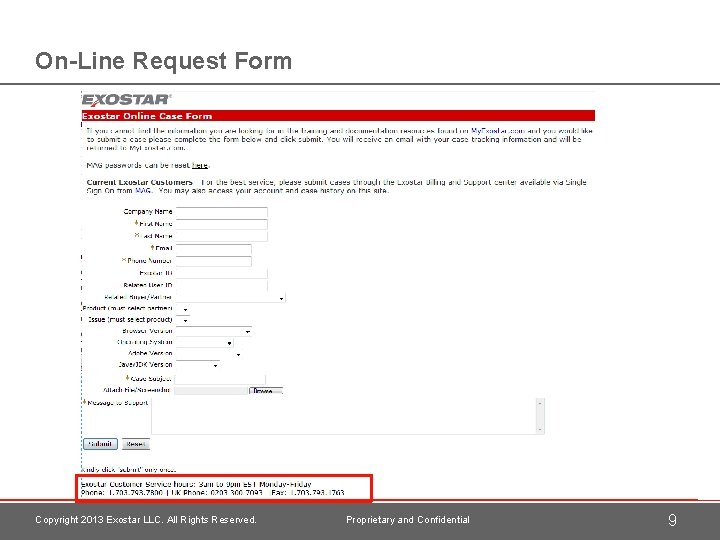
On-Line Request Form Copyright 2013 Exostar LLC. All Rights Reserved. Proprietary and Confidential 9
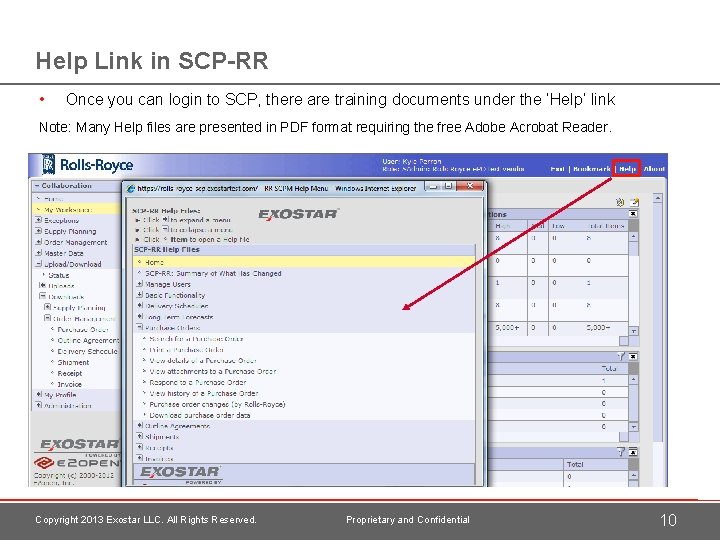
Help Link in SCP-RR • Once you can login to SCP, there are training documents under the ‘Help’ link Note: Many Help files are presented in PDF format requiring the free Adobe Acrobat Reader. Copyright 2013 Exostar LLC. All Rights Reserved. Proprietary and Confidential 10
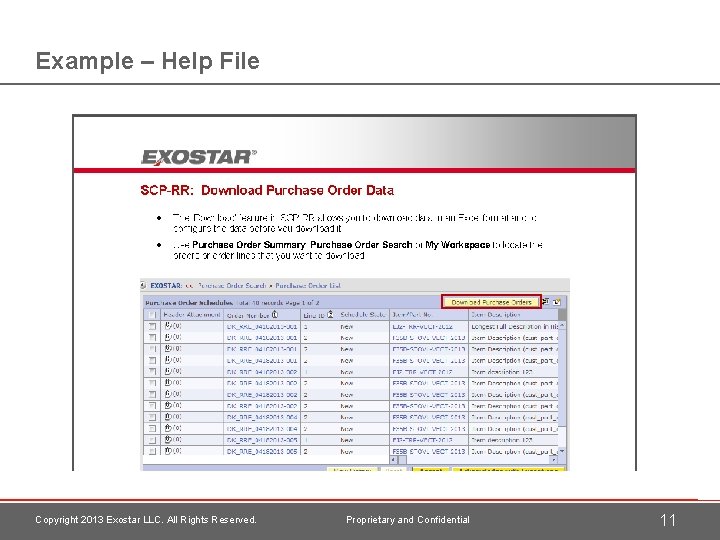
Example – Help File Copyright 2013 Exostar LLC. All Rights Reserved. Proprietary and Confidential 11
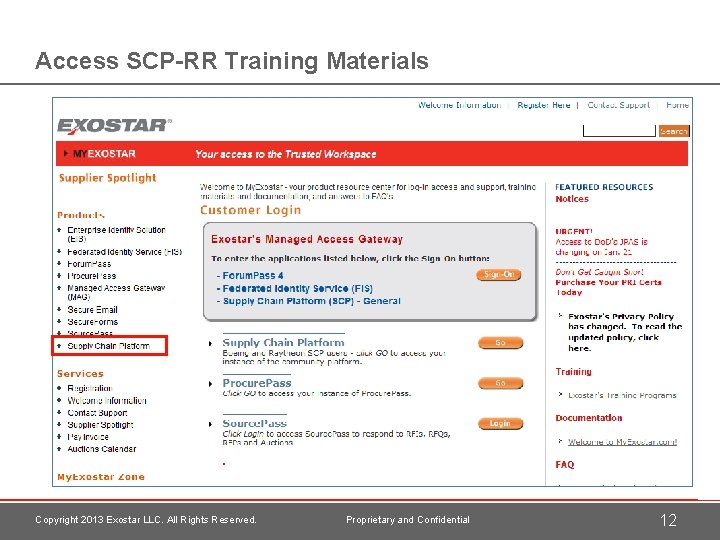
Access SCP-RR Training Materials Copyright 2013 Exostar LLC. All Rights Reserved. Proprietary and Confidential 12
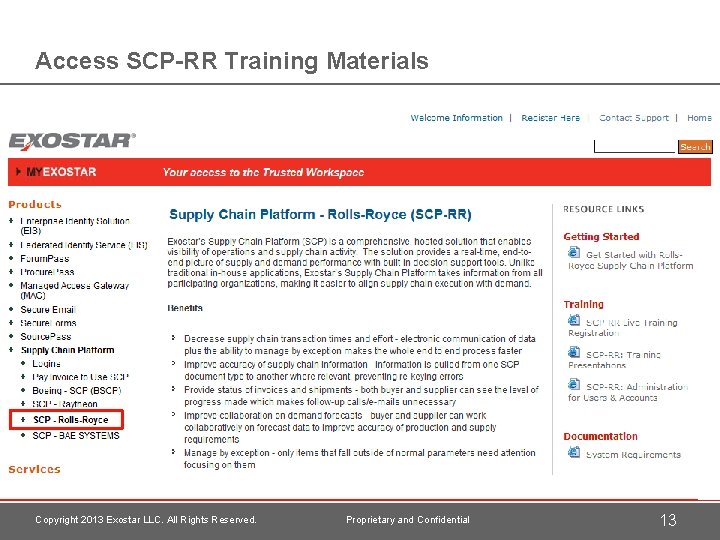
Access SCP-RR Training Materials Copyright 2013 Exostar LLC. All Rights Reserved. Proprietary and Confidential 13
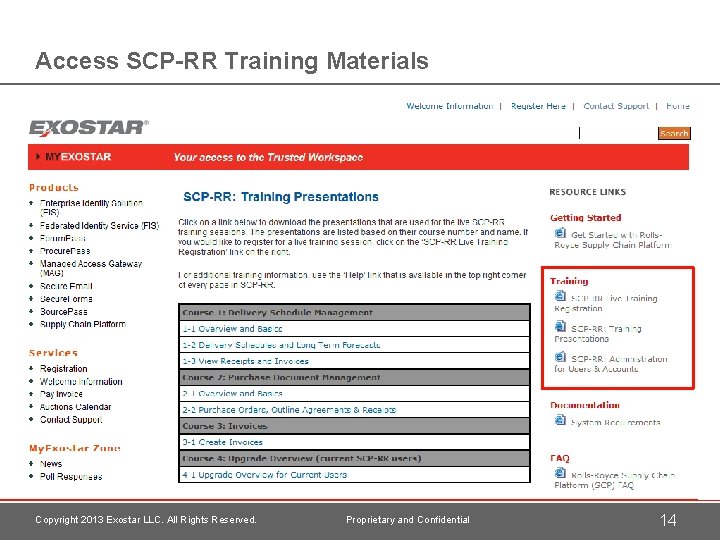
Access SCP-RR Training Materials Copyright 2013 Exostar LLC. All Rights Reserved. Proprietary and Confidential 14
Basic Functionality Copyright 2013 Exostar LLC. All Rights Reserved. Proprietary and Confidential 15
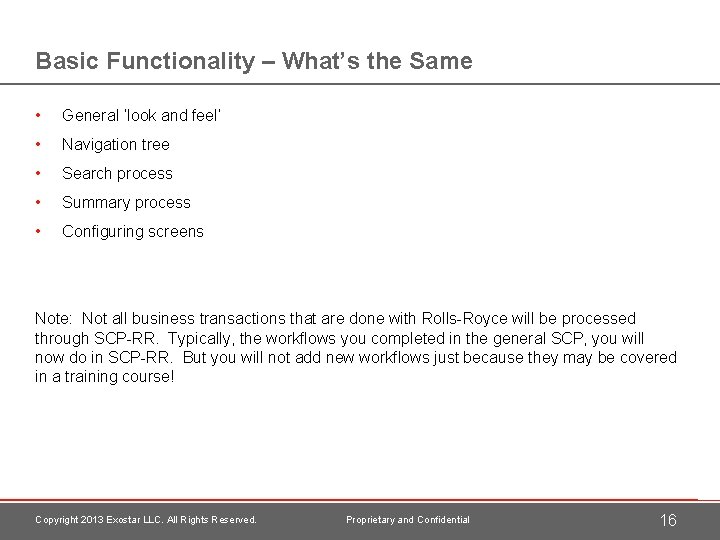
Basic Functionality – What’s the Same • General ‘look and feel’ • Navigation tree • Search process • Summary process • Configuring screens Note: Not all business transactions that are done with Rolls-Royce will be processed through SCP-RR. Typically, the workflows you completed in the general SCP, you will now do in SCP-RR. But you will not add new workflows just because they may be covered in a training course! Copyright 2013 Exostar LLC. All Rights Reserved. Proprietary and Confidential 16
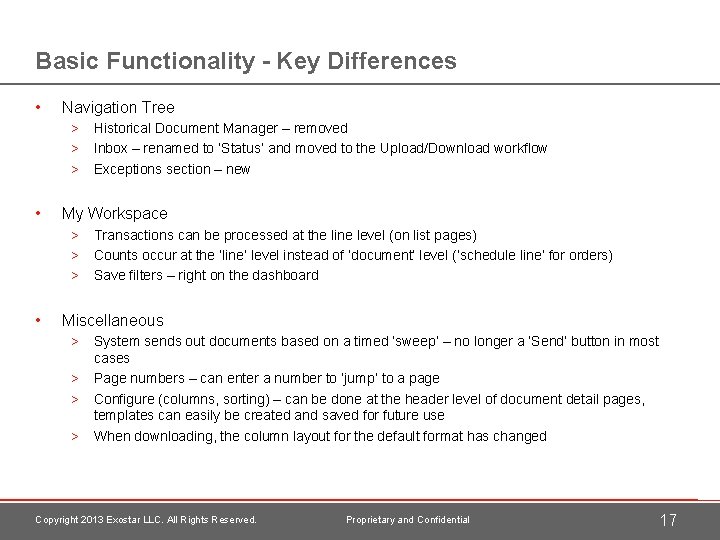
Basic Functionality - Key Differences • Navigation Tree > Historical Document Manager – removed > Inbox – renamed to ‘Status’ and moved to the Upload/Download workflow > Exceptions section – new • My Workspace > Transactions can be processed at the line level (on list pages) > Counts occur at the ‘line’ level instead of ‘document’ level (‘schedule line’ for orders) > Save filters – right on the dashboard • Miscellaneous > System sends out documents based on a timed ‘sweep’ – no longer a ‘Send’ button in most cases > Page numbers – can enter a number to ‘jump’ to a page > Configure (columns, sorting) – can be done at the header level of document detail pages, templates can easily be created and saved for future use > When downloading, the column layout for the default format has changed Copyright 2013 Exostar LLC. All Rights Reserved. Proprietary and Confidential 17
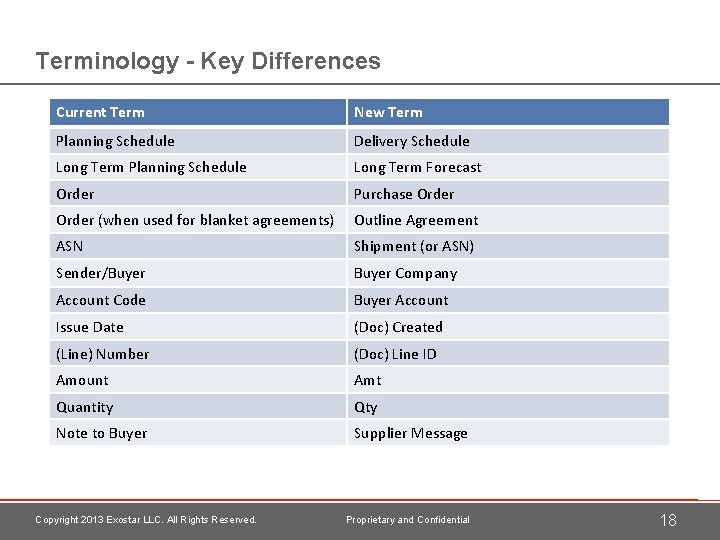
Terminology - Key Differences Current Term New Term Planning Schedule Delivery Schedule Long Term Planning Schedule Long Term Forecast Order Purchase Order (when used for blanket agreements) Outline Agreement ASN Shipment (or ASN) Sender/Buyer Company Account Code Buyer Account Issue Date (Doc) Created (Line) Number (Doc) Line ID Amount Amt Quantity Qty Note to Buyer Supplier Message Copyright 2013 Exostar LLC. All Rights Reserved. Proprietary and Confidential 18
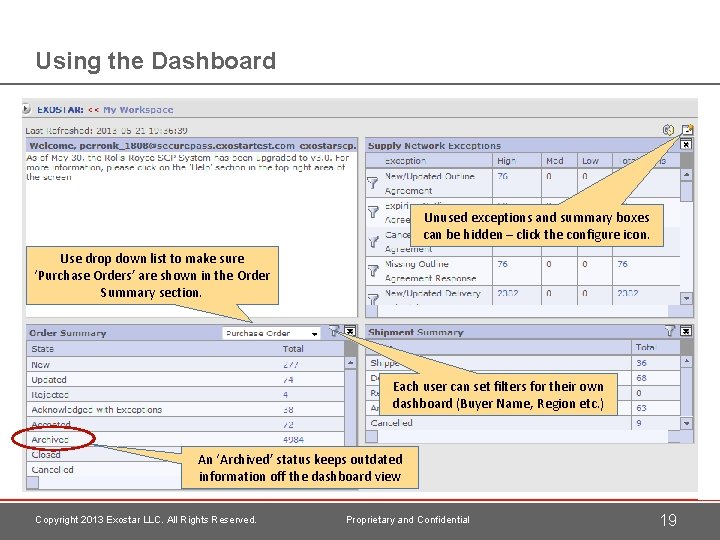
Using the Dashboard Unused exceptions and summary boxes can be hidden – click the configure icon. Use drop down list to make sure ‘Purchase Orders’ are shown in the Order Summary section. Each user can set filters for their own dashboard (Buyer Name, Region etc. ) An ‘Archived’ status keeps outdated information off the dashboard view Copyright 2013 Exostar LLC. All Rights Reserved. Proprietary and Confidential 19
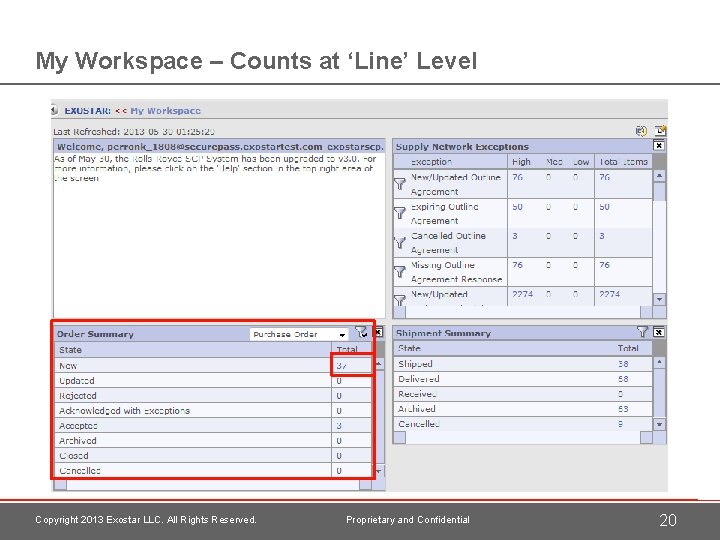
My Workspace – Counts at ‘Line’ Level Copyright 2013 Exostar LLC. All Rights Reserved. Proprietary and Confidential 20
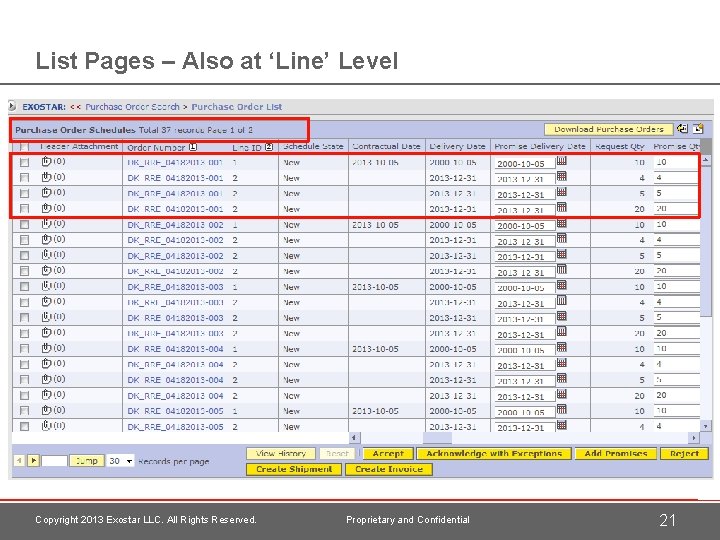
List Pages – Also at ‘Line’ Level Copyright 2013 Exostar LLC. All Rights Reserved. Proprietary and Confidential 21
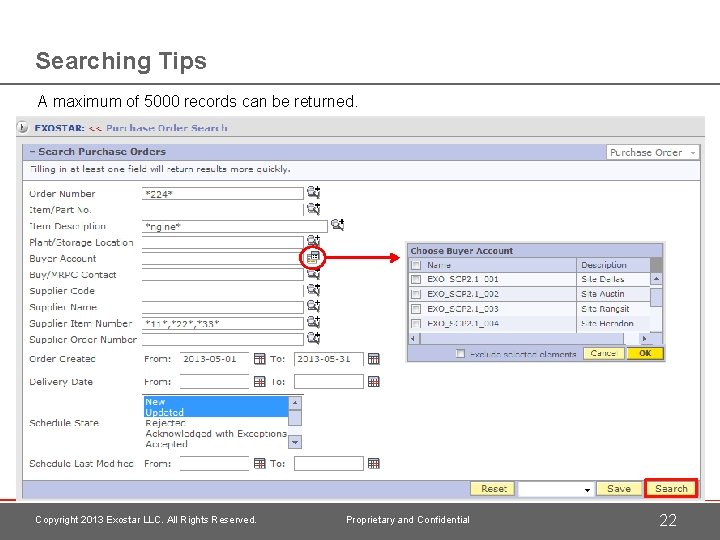
Searching Tips A maximum of 5000 records can be returned. Copyright 2013 Exostar LLC. All Rights Reserved. Proprietary and Confidential 22
Administrative Functions Copyright 2013 Exostar LLC. All Rights Reserved. Proprietary and Confidential 23
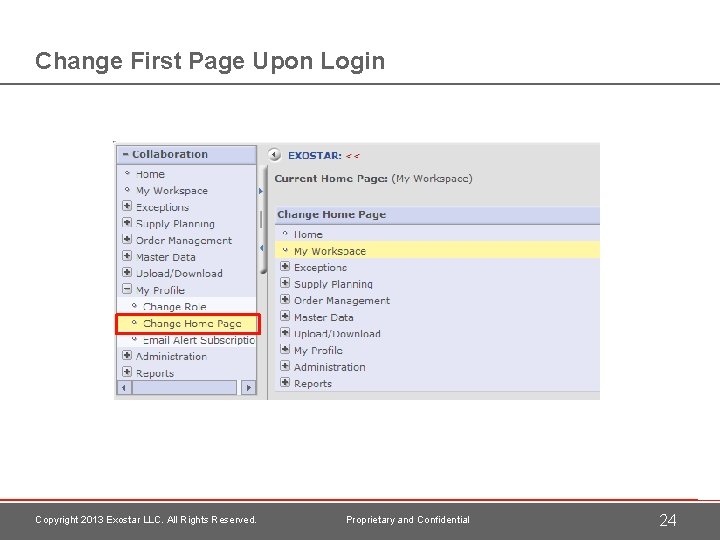
Change First Page Upon Login Copyright 2013 Exostar LLC. All Rights Reserved. Proprietary and Confidential 24
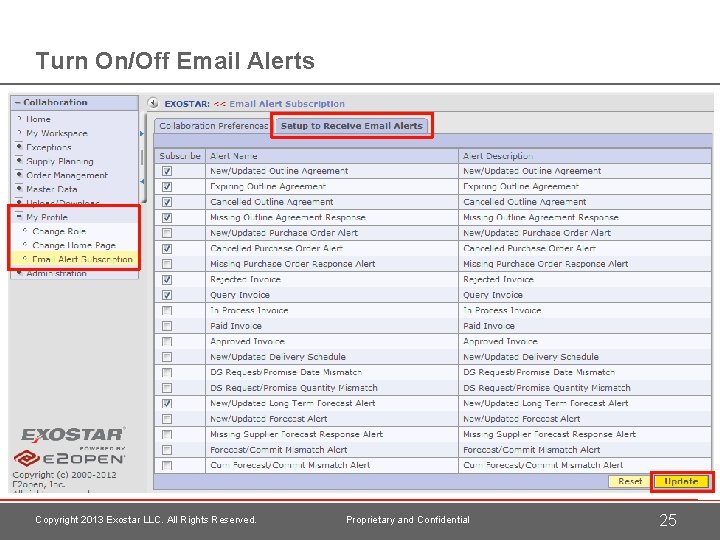
Turn On/Off Email Alerts Copyright 2013 Exostar LLC. All Rights Reserved. Proprietary and Confidential 25
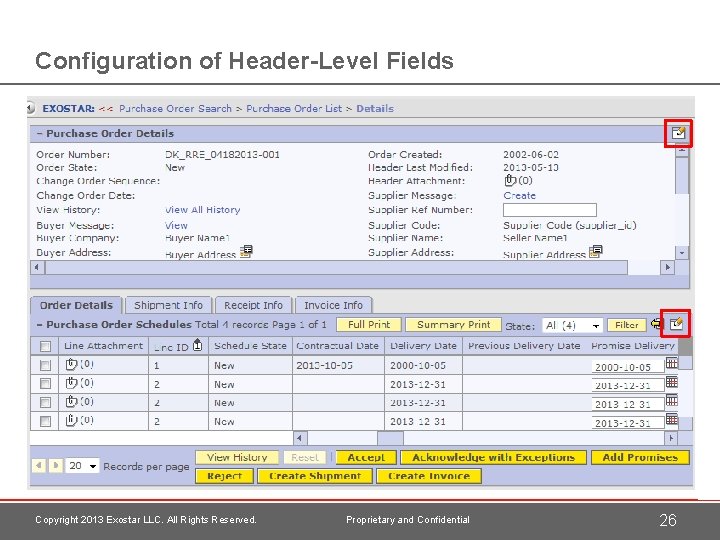
Configuration of Header-Level Fields Copyright 2013 Exostar LLC. All Rights Reserved. Proprietary and Confidential 26
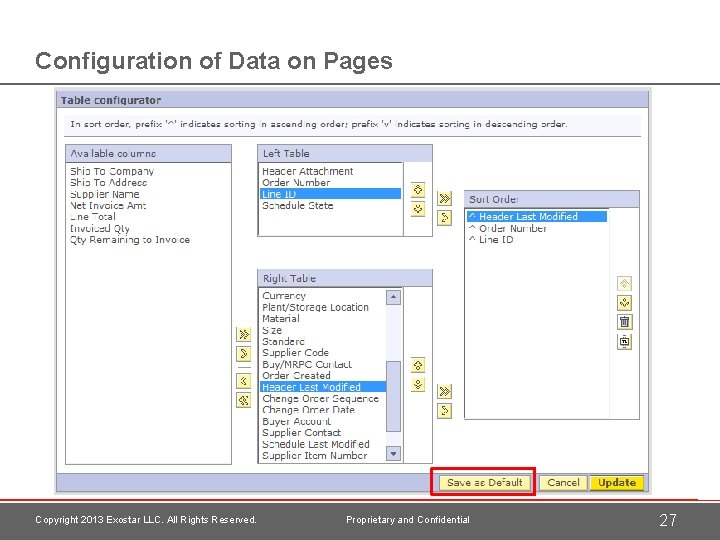
Configuration of Data on Pages Copyright 2013 Exostar LLC. All Rights Reserved. Proprietary and Confidential 27
Special Characters Data in SCP-RR • When you enter information in SCP-RR as part of a response that will be sent to Rolls. Royce, some special characters should be avoided. • For example, the ‘Supplier Comments’ field on a Delivery Schedule response can use the more basic special characters such as : *"#? ~/()-; !&%_{}+, $@ []>=< • But you should not enter letters with accents or special characters on them or double byte characters. Creating New Users or Orgs for SCP-RR • If you create a new user for SCP-RR, or set up a new organization that needs access to SCP-RR, you should ONLY USE the basic 26 letters of the alphabet, numbers and the dash (“-”) symbol. • Avoid all other special characters when registering new users or organizations for SCPRR. Copyright 2013 Exostar LLC. All Rights Reserved. Proprietary and Confidential 28
End: Overview & Basic Functionality Copyright 2013 Exostar LLC. All Rights Reserved. Proprietary and Confidential 29
- Slides: 30