
OvertheCounter Sales Scenario Overview Click process chevrons for
- Slides: 9
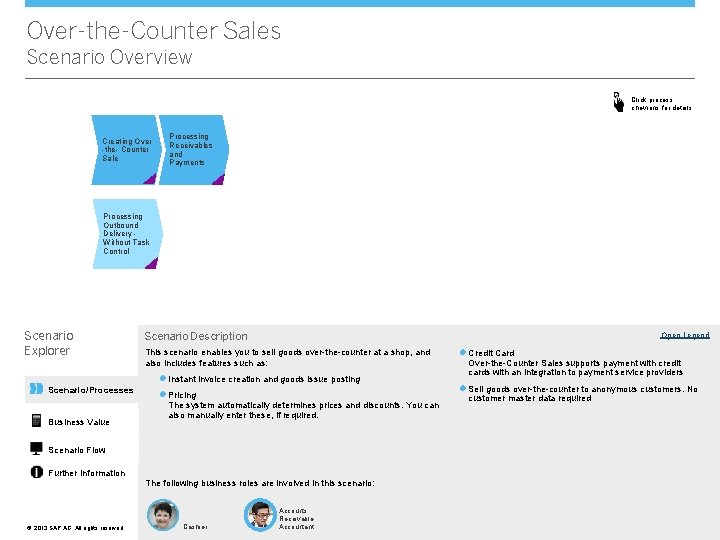
Over-the-Counter Sales Scenario Overview Click process chevrons for details Creating Over -the- Counter Sale Processing Receivables and Payments Processing Outbound Delivery Without Task Control Scenario Explorer Scenario Description Open Legend This scenario enables you to sell goods over-the-counter at a shop, and also includes features such as: l Instant invoice creation and goods issue posting Scenario/Processes Business Value l Pricing The system automatically determines prices and discounts. You can also manually enter these, if required. Scenario Flow Further Information The following business roles are involved in this scenario: ©© 2013 SAP AG. All rights reserved. Cashier Accounts Receivable Accountant l Credit Card Over-the-Counter Sales supports payment with credit cards with an integration to payment service providers l Sell goods over-the-counter to anonymous customers. No customer master data required
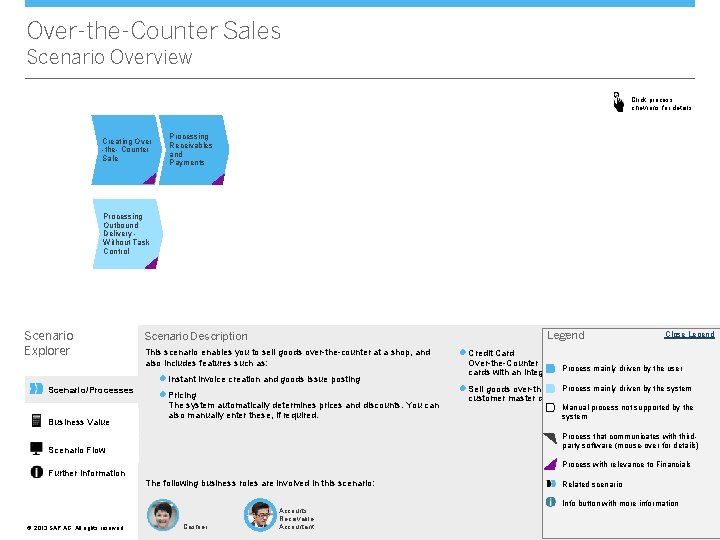
Over-the-Counter Sales Scenario Overview Click process chevrons for details Creating Over -the- Counter Sale Processing Receivables and Payments Processing Outbound Delivery Without Task Control Scenario Explorer Legend Scenario Description This scenario enables you to sell goods over-the-counter at a shop, and also includes features such as: l Instant invoice creation and goods issue posting Scenario/Processes Business Value l Pricing The system automatically determines prices and discounts. You can also manually enter these, if required. l Credit Card Over-the-Counter Sales supports payment with credit mainly driven by the user cards with an integration. Process to payment service providers Process mainly driven customers. by the system l Sell goods over-the-counter to anonymous No customer master data required Manual process not supported by the system Process that communicates with thirdparty software (mouse-over for details) Scenario Flow Process with relevance to Financials Further Information The following business roles are involved in this scenario: ©© 2013 SAP AG. All rights reserved. Close Legend Cashier Accounts Receivable Accountant Related scenario Info button with more information
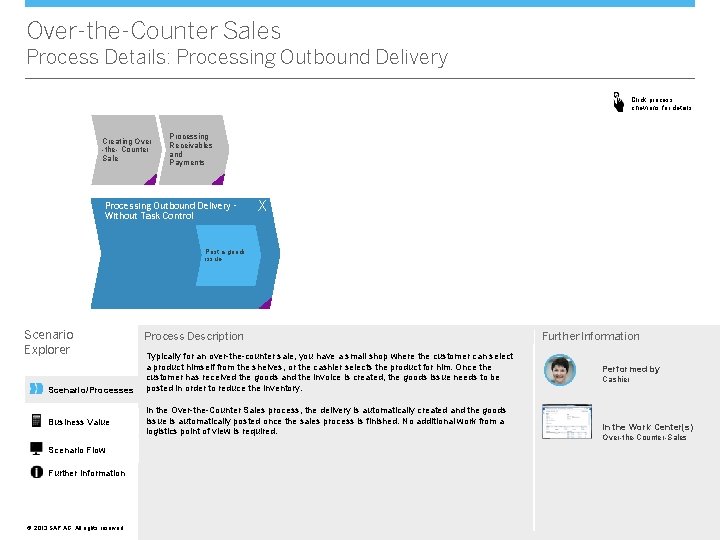
Over-the-Counter Sales Process Details: Processing Outbound Delivery Click process chevrons for details Creating Over -the- Counter Sale X Processing Receivables and Payments Processing Outbound Delivery Without Task Control X Post a goods issue Scenario Explorer Scenario/Processes Business Value Scenario Flow Further Information ©© 2013 SAP AG. All rights reserved. Process Description Typically for an over-the-counter sale, you have a small shop where the customer can select a product himself from the shelves, or the cashier selects the product for him. Once the customer has received the goods and the invoice is created, the goods issue needs to be posted in order to reduce the inventory. In the Over-the-Counter Sales process, the delivery is automatically created and the goods issue is automatically posted once the sales process is finished. No additional work from a logistics point of view is required. Further Information Performed by Cashier In the Work Center(s) Over-the-Counter-Sales
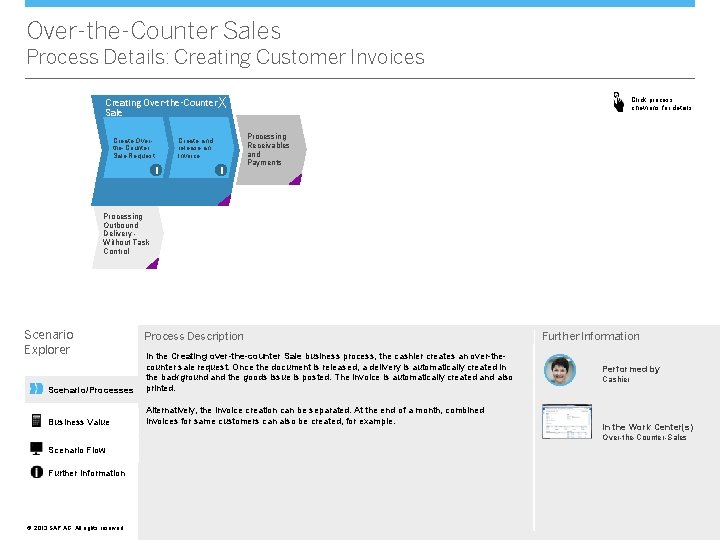
Over-the-Counter Sales Process Details: Creating Customer Invoices Click process chevrons for details Creating Over-the-Counter X Sale Create Overthe-Counter Sale Request Create and release an Invoice i i Processing Receivables and Payments Processing Outbound Delivery Without Task Control Scenario Explorer Process Description Scenario/Processes In the Creating over-the-counter Sale business process, the cashier creates an over-thecounter sale request. Once the document is released, a delivery is automatically created in the background and the goods issue is posted. The invoice is automatically created and also printed. Business Value Alternatively, the invoice creation can be separated. At the end of a month, combined invoices for same customers can also be created, for example. Further Information Performed by Cashier In the Work Center(s) Over-the-Counter-Sales Scenario Flow Further Information ©© 2013 SAP AG. All rights reserved.
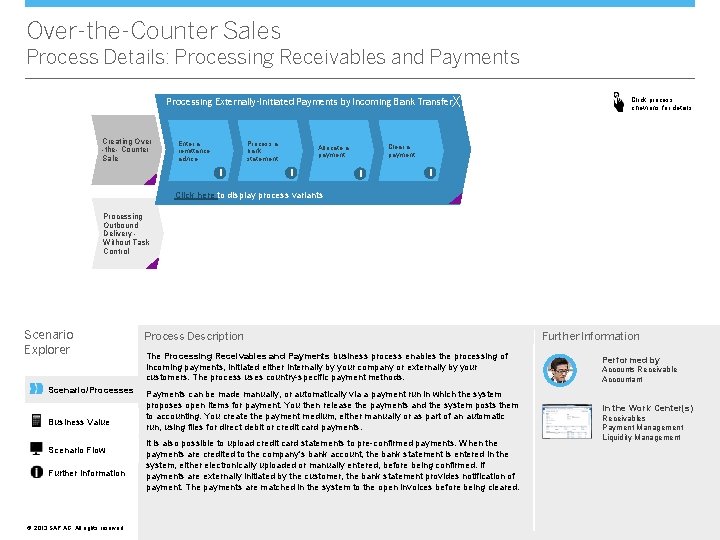
Over-the-Counter Sales Process Details: Processing Receivables and Payments Processing Externally-Initiated Payments by Incoming Bank Transfer. X Creating Over -the- Counter Sale Enter a remittance advice Process a bank statement i Clear a payment Allocate a payment i Click process chevrons for details i i Click here to display process variants Processing Outbound Delivery Without Task Control Scenario Explorer Scenario/Processes Business Value Scenario Flow Further Information ©© 2013 SAP AG. All rights reserved. Process Description The Processing Receivables and Payments business process enables the processing of incoming payments, initiated either internally by your company or externally by your customers. The process uses country-specific payment methods. Payments can be made manually, or automatically via a payment run in which the system proposes open items for payment. You then release the payments and the system posts them to accounting. You create the payment medium, either manually or as part of an automatic run, using files for direct debit or credit card payments. It is also possible to upload credit card statements to pre-confirmed payments. When the payments are credited to the company's bank account, the bank statement is entered in the system, either electronically uploaded or manually entered, before being confirmed. If payments are externally initiated by the customer, the bank statement provides notification of payment. The payments are matched in the system to the open invoices before being cleared. Further Information Performed by Accounts Receivable Accountant In the Work Center(s) Receivables Payment Management Liquidity Management
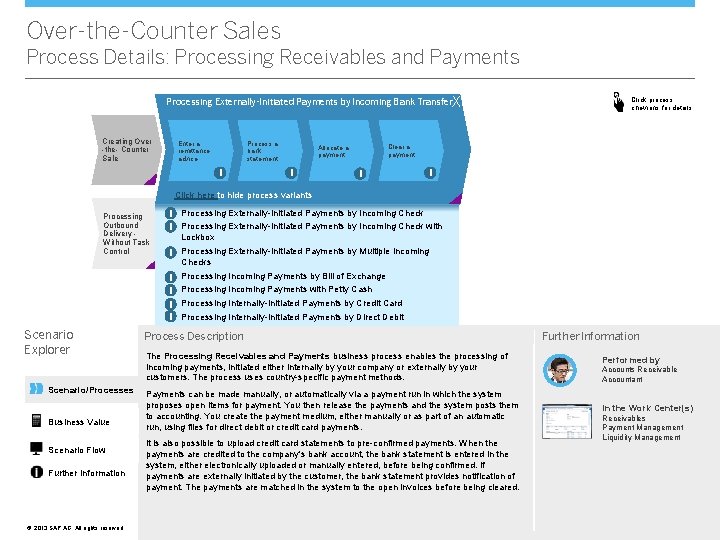
Over-the-Counter Sales Process Details: Processing Receivables and Payments Processing Externally-Initiated Payments by Incoming Bank Transfer. X Creating Over -the- Counter Sale Enter a remittance advice Process a bank statement i Clear a payment Allocate a payment i Click process chevrons for details i i Click here to hide process variants Processing Outbound Delivery Without Task Control i Processing Externally-Initiated Payments by Incoming Check with Lockbox i Processing Externally-Initiated Payments by Multiple Incoming Checks i i Scenario Explorer Scenario/Processes Business Value Scenario Flow Further Information ©© 2013 SAP AG. All rights reserved. Processing Incoming Payments by Bill of Exchange Processing Incoming Payments with Petty Cash Processing Internally-Initiated Payments by Credit Card Processing Internally-Initiated Payments by Direct Debit Process Description The Processing Receivables and Payments business process enables the processing of incoming payments, initiated either internally by your company or externally by your customers. The process uses country-specific payment methods. Payments can be made manually, or automatically via a payment run in which the system proposes open items for payment. You then release the payments and the system posts them to accounting. You create the payment medium, either manually or as part of an automatic run, using files for direct debit or credit card payments. It is also possible to upload credit card statements to pre-confirmed payments. When the payments are credited to the company's bank account, the bank statement is entered in the system, either electronically uploaded or manually entered, before being confirmed. If payments are externally initiated by the customer, the bank statement provides notification of payment. The payments are matched in the system to the open invoices before being cleared. Further Information Performed by Accounts Receivable Accountant In the Work Center(s) Receivables Payment Management Liquidity Management
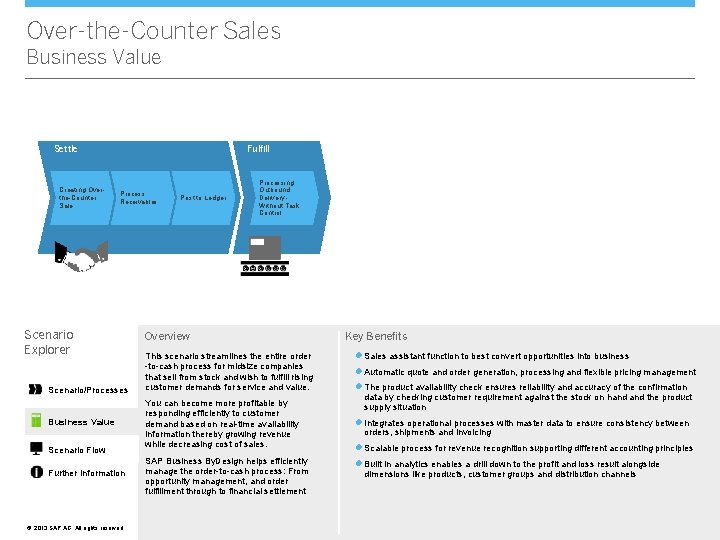
Over-the-Counter Sales Business Value Settle Creating Overthe-Counter Sale Fulfill Process Receivables Scenario Explorer Scenario/Processes Business Value Scenario Flow Further Information ©© 2013 SAP AG. All rights reserved. Post to Ledger Processing Outbound Delivery Without Task Control Overview This scenario streamlines the entire order -to-cash process for midsize companies that sell from stock and wish to fulfill rising customer demands for service and value. You can become more profitable by responding efficiently to customer demand based on real-time availability information thereby growing revenue while decreasing cost of sales. SAP Business By. Design helps efficiently manage the order-to-cash process: From opportunity management, and order fulfillment through to financial settlement Key Benefits l Sales assistant function to best convert opportunities into business l Automatic quote and order generation, processing and flexible pricing management l The product availability check ensures reliability and accuracy of the confirmation data by checking customer requirement against the stock on hand the product supply situation l Integrates operational processes with master data to ensure consistency between orders, shipments and invoicing l Scalable process for revenue recognition supporting different accounting principles l Built in analytics enables a drill down to the profit and loss result alongside dimensions like products, customer groups and distribution channels
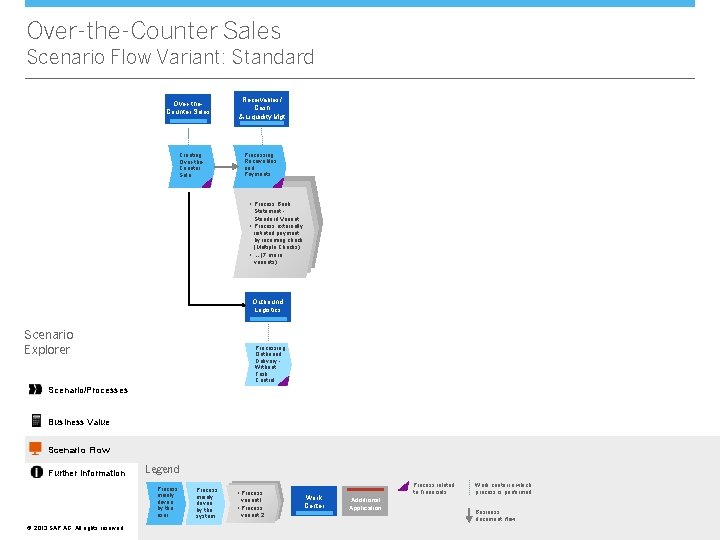
Over-the-Counter Sales Scenario Flow Variant: Standard Over-the. Counter Sales Creating Over-the. Counter Sale Receivables/ Cash & Liquidity Mgt Processing Receivables and Payments • Process Bank Statement Standard Variant • Process externally initiated payment by incoming check (Multiple Checks) • … (7 more variants) Outbound Logistics Scenario Explorer Processing Outbound Delivery Without Task Control Scenario/Processes Business Value Scenario Flow Further Information Legend Process mainly driven by the user ©© 2013 SAP AG. All rights reserved. Process mainly driven by the system • Process variant 1 • Process variant 2 Work Center Process related to Financials Additional Application Work center in which process is performed Business document flow
Over-the-Counter Sales Further Information Scenario Explorer Scenario/Processes Do you want to try it out? Do you need more information? More Details SAP provides a complete product documentation, covering all aspects of the business scenario. For more details, click here. Self-Enablement Systems If you want to try out the business scenario, click here. * Do you want to discuss with others? Forum Get in touch with experts to discuss your specific requirements. To enter the community, click here. * Business Value VV Scenario Flow Further Information ©© 2013 SAP AG. All rights reserved. WIKI In addition to the product documentation, SAP provides Wikis that describe additional aspects of SAP Business By. Design. To access the WIKI, click here. * * Note that to access the links above you need to have a user in SAP Business Center. If you cannot access the page directly and if you are using Microsoft Internet Explorer®, please check http: //support. microsoft. com/kb/890474.