
Overnight Pulse Oximetry Access your Virtu Ox Account
- Slides: 9
Overnight Pulse Oximetry
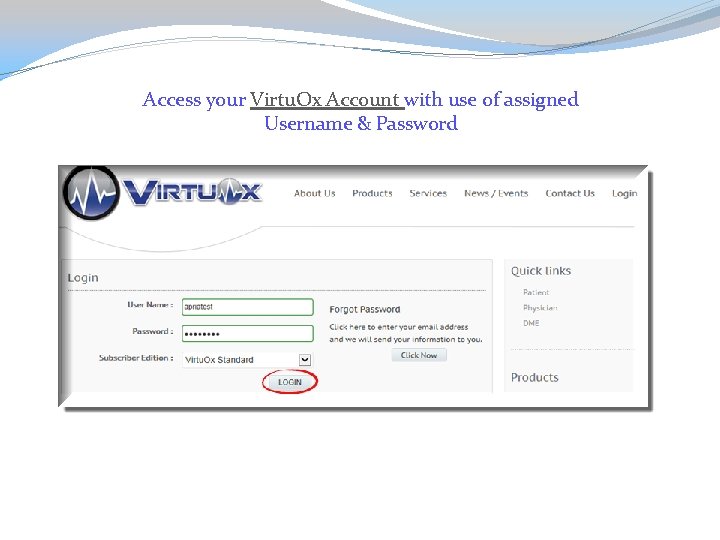
Access your Virtu. Ox Account with use of assigned Username & Password
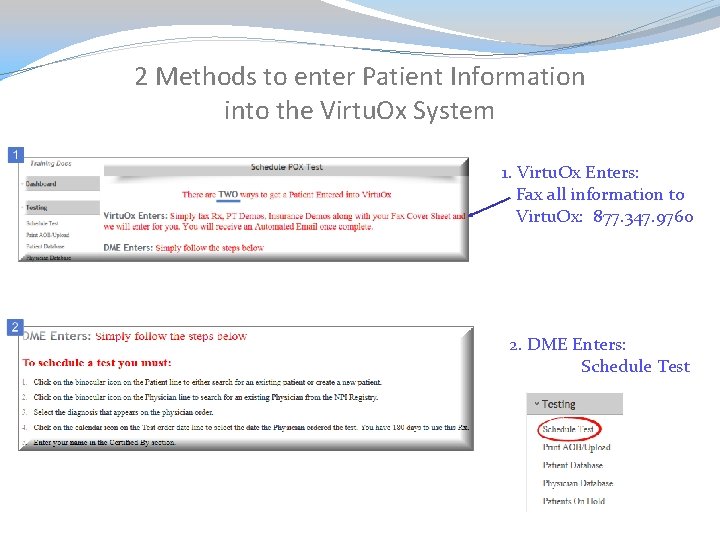
2 Methods to enter Patient Information into the Virtu. Ox System 1. Virtu. Ox Enters: Fax all information to Virtu. Ox: 877. 347. 9760 2. DME Enters: Schedule Test
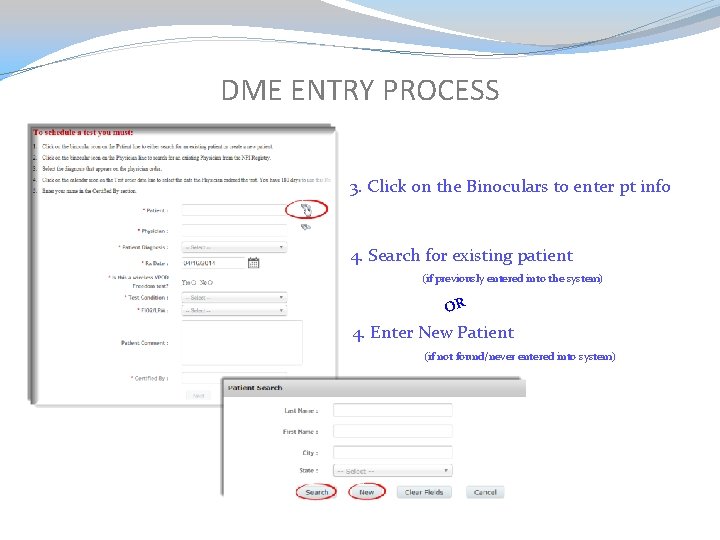
DME ENTRY PROCESS 3. Click on the Binoculars to enter pt info 4. Search for existing patient (if previously entered into the system) OR 4. Enter New Patient (if not found/never entered into system)
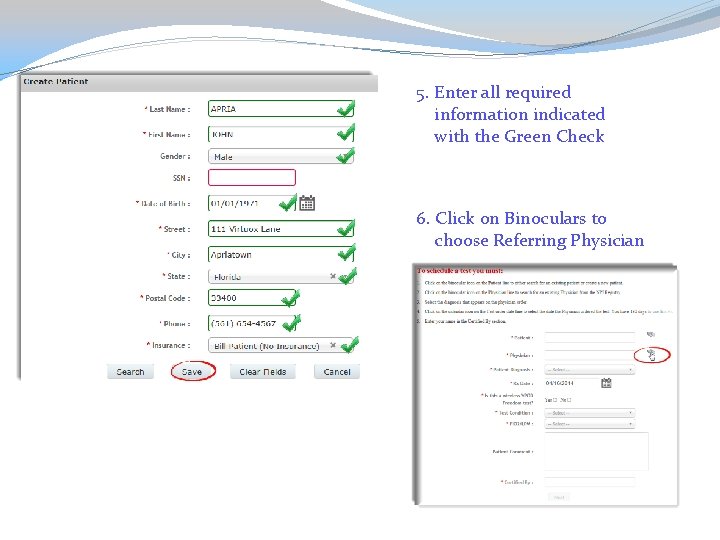
5. Enter all required information indicated with the Green Check 6. Click on Binoculars to choose Referring Physician
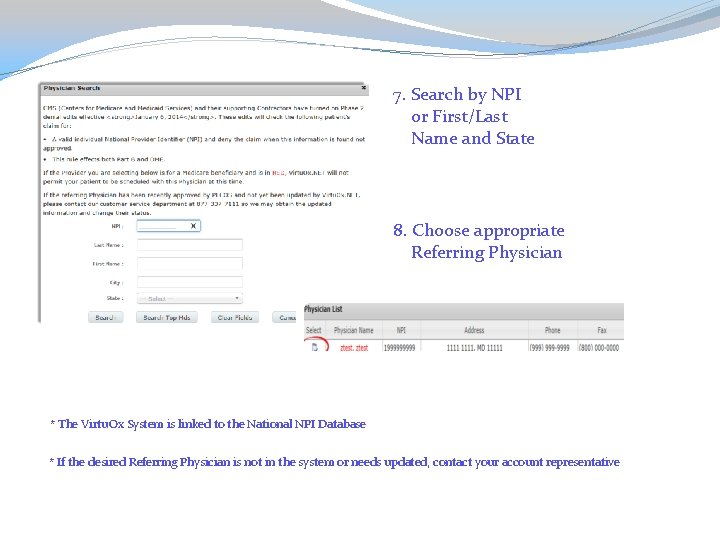
7. Search by NPI or First/Last Name and State 8. Choose appropriate Referring Physician * The Virtu. Ox System is linked to the National NPI Database * If the desired Referring Physician is not in the system or needs updated, contact your account representative
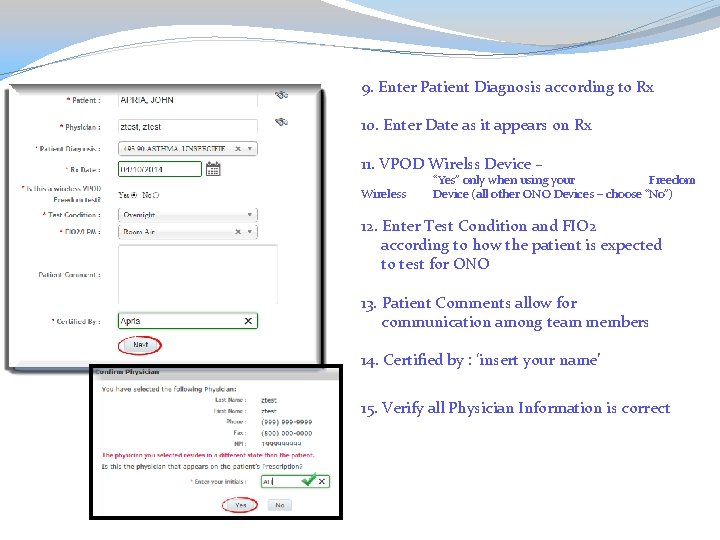
9. Enter Patient Diagnosis according to Rx 10. Enter Date as it appears on Rx 11. VPOD Wirelss Device – Wireless “Yes” only when using your Freedom Device (all other ONO Devices – choose “No”) 12. Enter Test Condition and FIO 2 according to how the patient is expected to test for ONO 13. Patient Comments allow for communication among team members 14. Certified by : ‘insert your name’ 15. Verify all Physician Information is correct
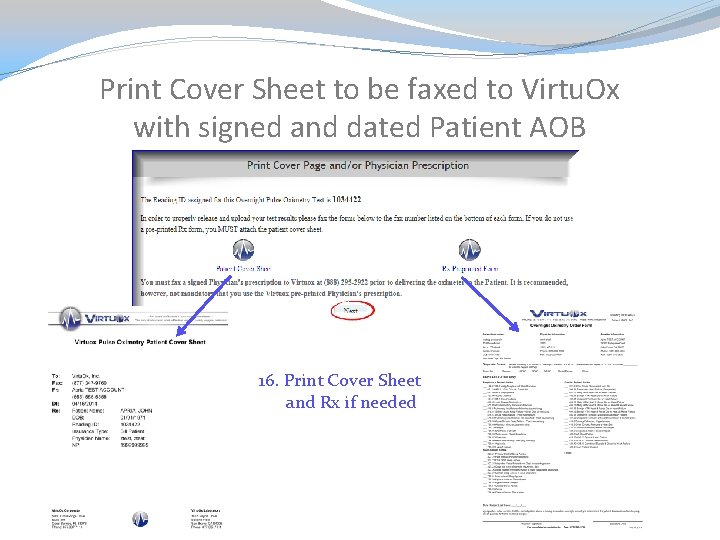
Print Cover Sheet to be faxed to Virtu. Ox with signed and dated Patient AOB 16. Print Cover Sheet and Rx if needed
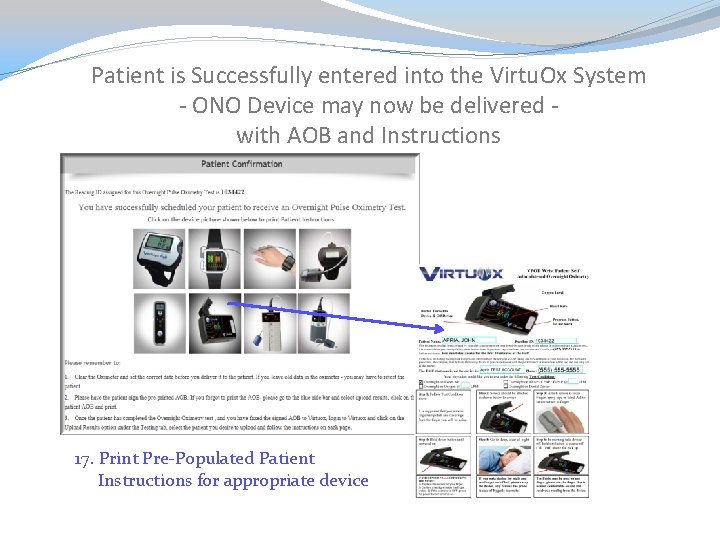
Patient is Successfully entered into the Virtu. Ox System - ONO Device may now be delivered with AOB and Instructions 17. Print Pre-Populated Patient Instructions for appropriate device