
Overlapping Finite Elements in JULIA 18 337 Final

- Slides: 19
Overlapping Finite Elements in JULIA 18. 337 Final Project Presentation Angus Foo
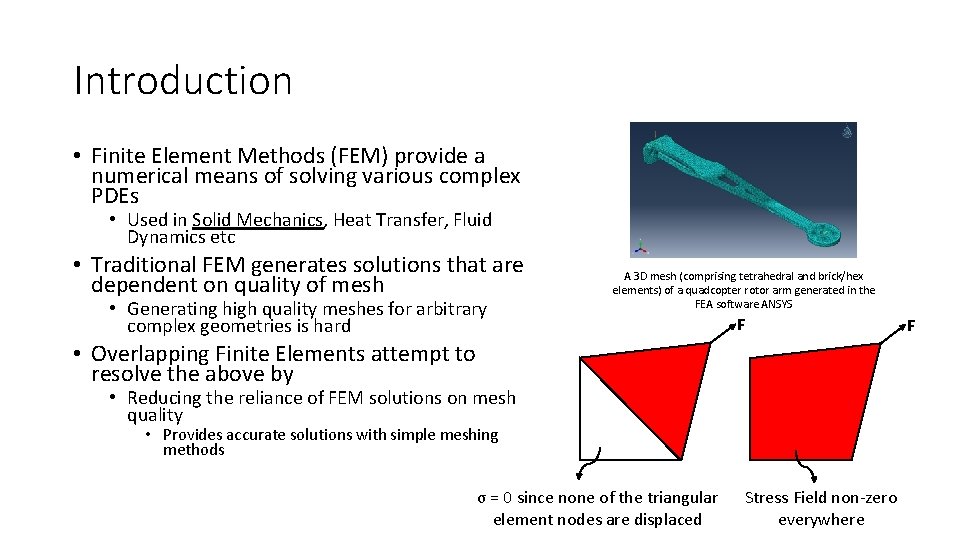
Introduction • Finite Element Methods (FEM) provide a numerical means of solving various complex PDEs • Used in Solid Mechanics, Heat Transfer, Fluid Dynamics etc • Traditional FEM generates solutions that are dependent on quality of mesh • Generating high quality meshes for arbitrary complex geometries is hard A 3 D mesh (comprising tetrahedral and brick/hex elements) of a quadcopter rotor arm generated in the FEA software ANSYS F • Overlapping Finite Elements attempt to resolve the above by • Reducing the reliance of FEM solutions on mesh quality • Provides accurate solutions with simple meshing methods σ = 0 since none of the triangular element nodes are displaced Stress Field non-zero everywhere F
Introduction • Motivation – need a language that • Works naturally with matrices (productivity) • Ideally also having support for efficient implementations (performance) • Enables easy implementation of parallel processing (performance and productivity) • Handles graphs • Visual debugging (productivity) • Support for meshing (performance and productivity) • Runs fast (performance) • Advisor: “MATLAB is too slow. Implement code in FORTRAN or C/C++. ” • Was struggling to develop/debug theory/algorithm in C++ • Decided to switch over to JULIA
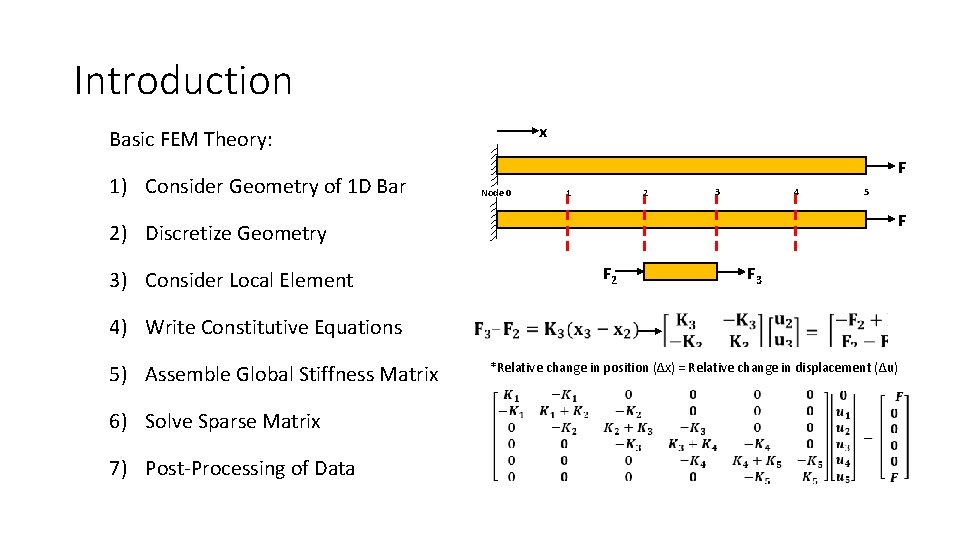
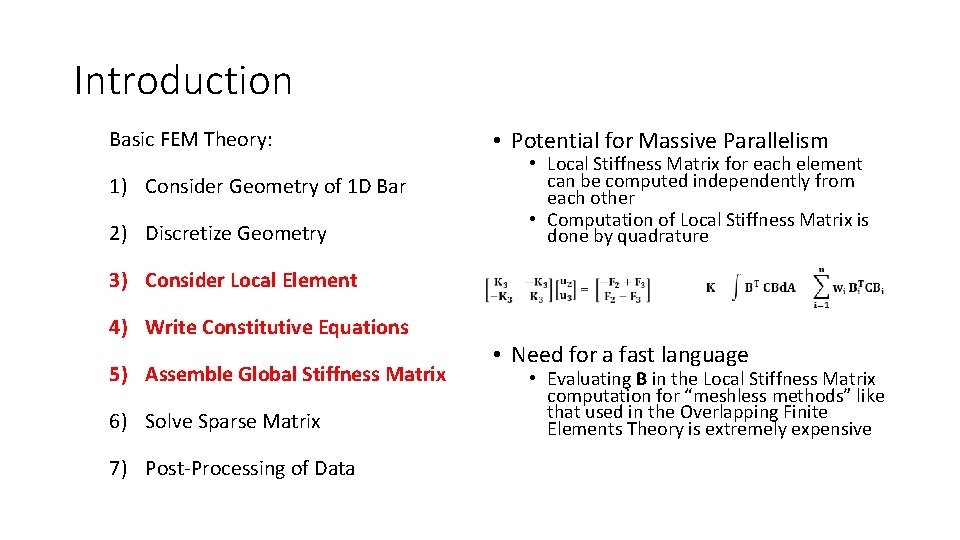
Introduction x Basic FEM Theory: 1) Consider Geometry of 1 D Bar F Node 0 2 1 4 3 F 2) Discretize Geometry 3) Consider Local Element 5 F 2 F 3 4) Write Constitutive Equations 5) Assemble Global Stiffness Matrix 6) Solve Sparse Matrix 7) Post-Processing of Data *Relative change in position (Δx) = Relative change in displacement (Δu)
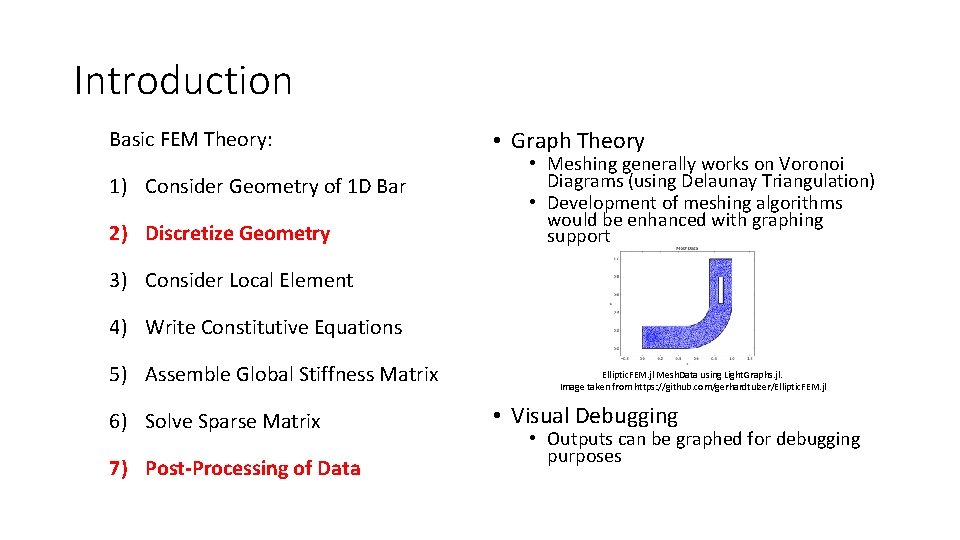
Introduction Basic FEM Theory: 1) Consider Geometry of 1 D Bar 2) Discretize Geometry • Graph Theory • Meshing generally works on Voronoi Diagrams (using Delaunay Triangulation) • Development of meshing algorithms would be enhanced with graphing support 3) Consider Local Element 4) Write Constitutive Equations 5) Assemble Global Stiffness Matrix 6) Solve Sparse Matrix 7) Post-Processing of Data Elliptic. FEM. jl Mesh. Data using Light. Graphs. jl. Image taken from https: //github. com/gerhardtulzer/Elliptic. FEM. jl • Visual Debugging • Outputs can be graphed for debugging purposes
Introduction Basic FEM Theory: 1) Consider Geometry of 1 D Bar 2) Discretize Geometry • Potential for Massive Parallelism • Local Stiffness Matrix for each element can be computed independently from each other • Computation of Local Stiffness Matrix is done by quadrature 3) Consider Local Element 4) Write Constitutive Equations 5) Assemble Global Stiffness Matrix 6) Solve Sparse Matrix 7) Post-Processing of Data • Need for a fast language • Evaluating B in the Local Stiffness Matrix computation for “meshless methods” like that used in the Overlapping Finite Elements Theory is extremely expensive
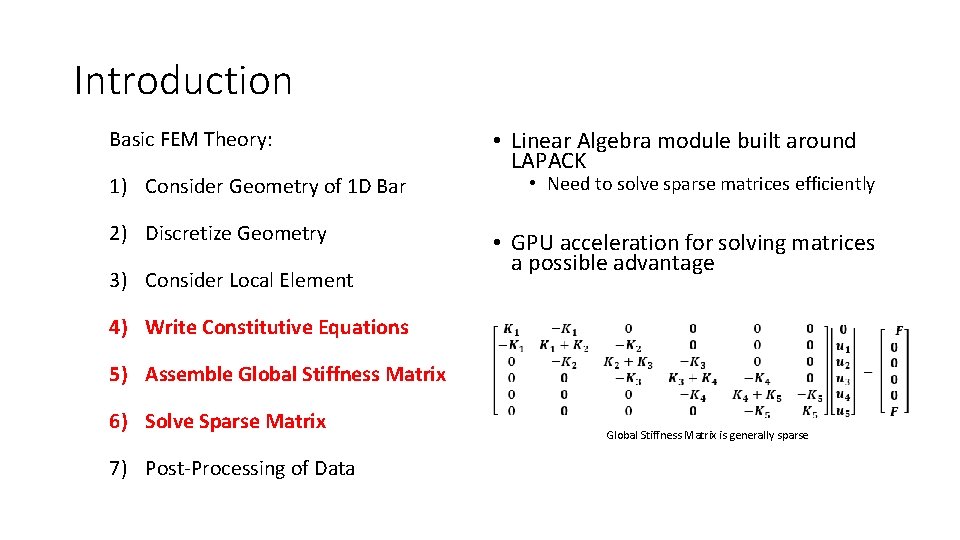
Introduction Basic FEM Theory: 1) Consider Geometry of 1 D Bar 2) Discretize Geometry 3) Consider Local Element • Linear Algebra module built around LAPACK • Need to solve sparse matrices efficiently • GPU acceleration for solving matrices a possible advantage 4) Write Constitutive Equations 5) Assemble Global Stiffness Matrix 6) Solve Sparse Matrix 7) Post-Processing of Data Global Stiffness Matrix is generally sparse
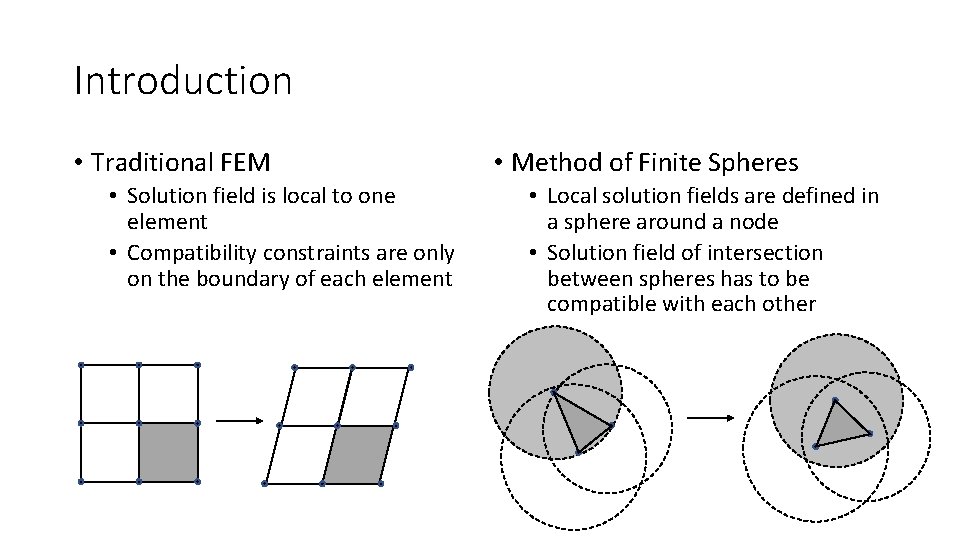
Introduction • Traditional FEM • Solution field is local to one element • Compatibility constraints are only on the boundary of each element • Method of Finite Spheres • Local solution fields are defined in a sphere around a node • Solution field of intersection between spheres has to be compatible with each other
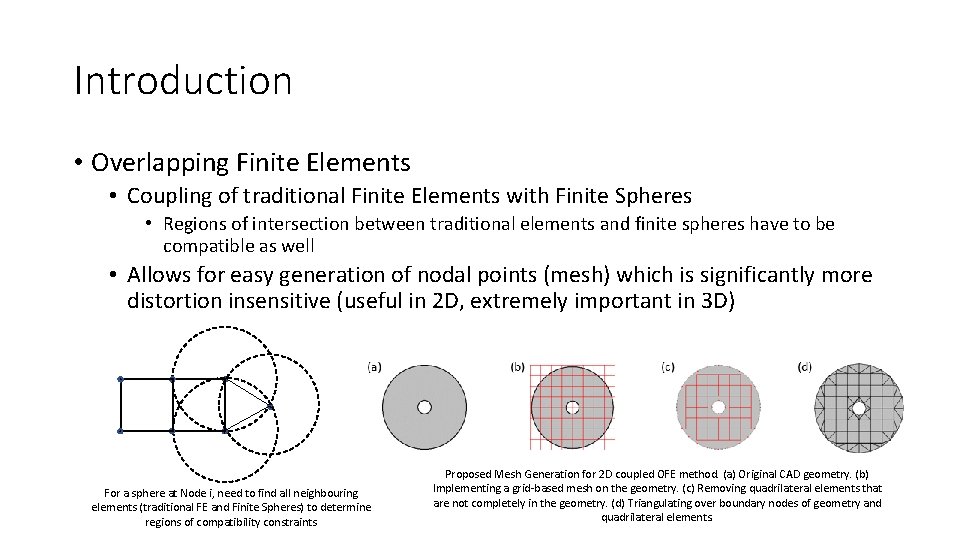
Introduction • Overlapping Finite Elements • Coupling of traditional Finite Elements with Finite Spheres • Regions of intersection between traditional elements and finite spheres have to be compatible as well • Allows for easy generation of nodal points (mesh) which is significantly more distortion insensitive (useful in 2 D, extremely important in 3 D) For a sphere at Node i, need to find all neighbouring elements (traditional FE and Finite Spheres) to determine regions of compatibility constraints Proposed Mesh Generation for 2 D coupled OFE method. (a) Original CAD geometry. (b) Implementing a grid-based mesh on the geometry. (c) Removing quadrilateral elements that are not completely in the geometry. (d) Triangulating over boundary nodes of geometry and quadrilateral elements.
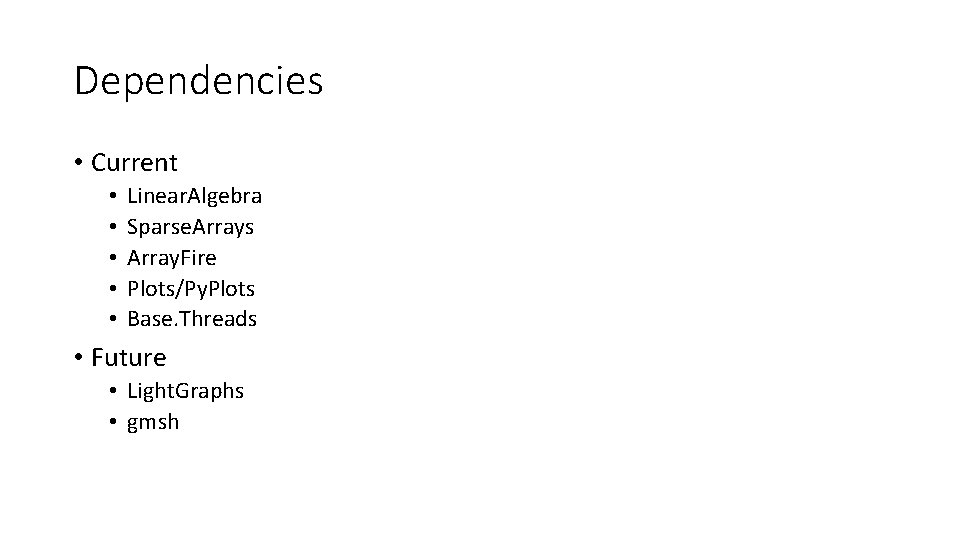
Dependencies • Current • • • Linear. Algebra Sparse. Arrays Array. Fire Plots/Py. Plots Base. Threads • Future • Light. Graphs • gmsh
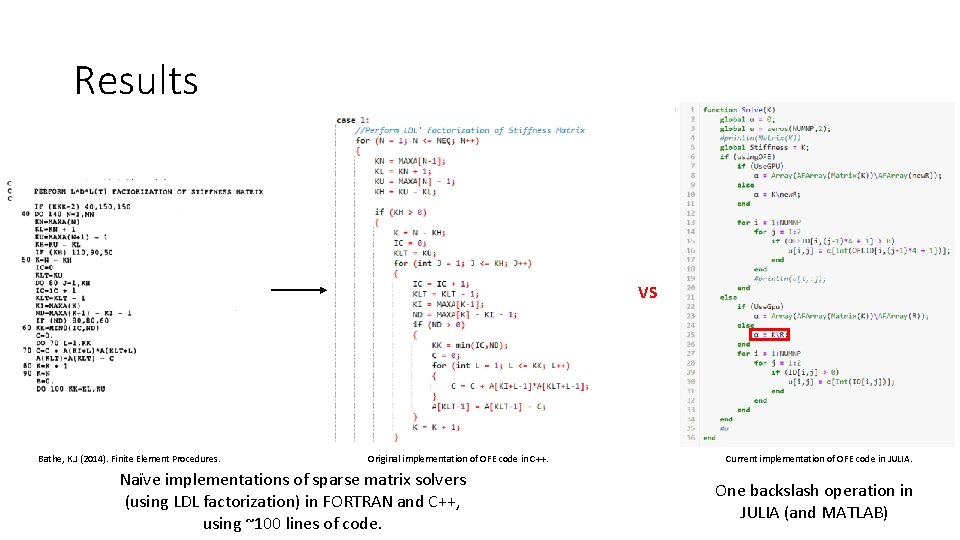
Results VS Bathe, K. J (2014). Finite Element Procedures. Original implementation of OFE code in C++. Naïve implementations of sparse matrix solvers (using LDL factorization) in FORTRAN and C++, using ~100 lines of code. Current implementation of OFE code in JULIA. One backslash operation in JULIA (and MATLAB)
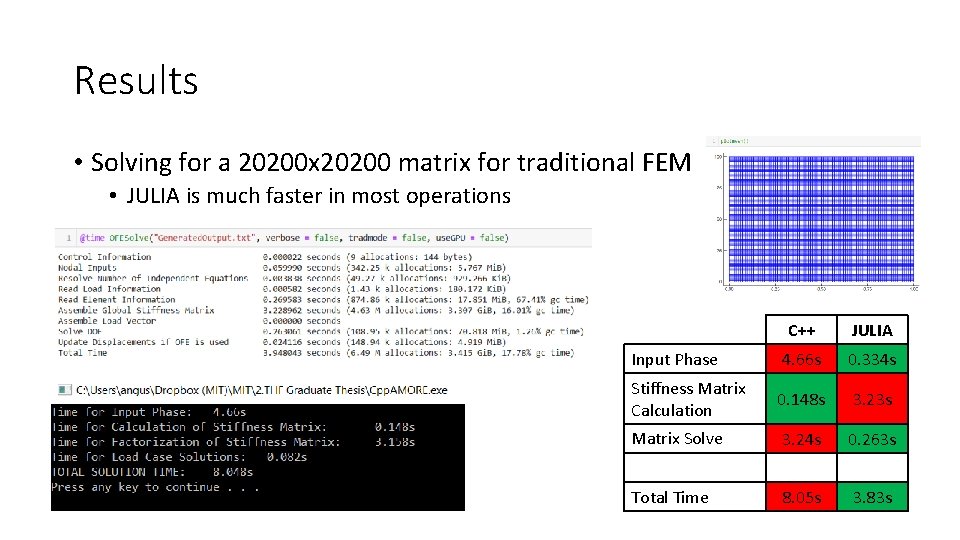
Results • Solving for a 20200 x 20200 matrix for traditional FEM • JULIA is much faster in most operations C++ JULIA Input Phase 4. 66 s 0. 334 s Stiffness Matrix Calculation 0. 148 s 3. 23 s Matrix Solve 3. 24 s 0. 263 s Total Time 8. 05 s 3. 83 s
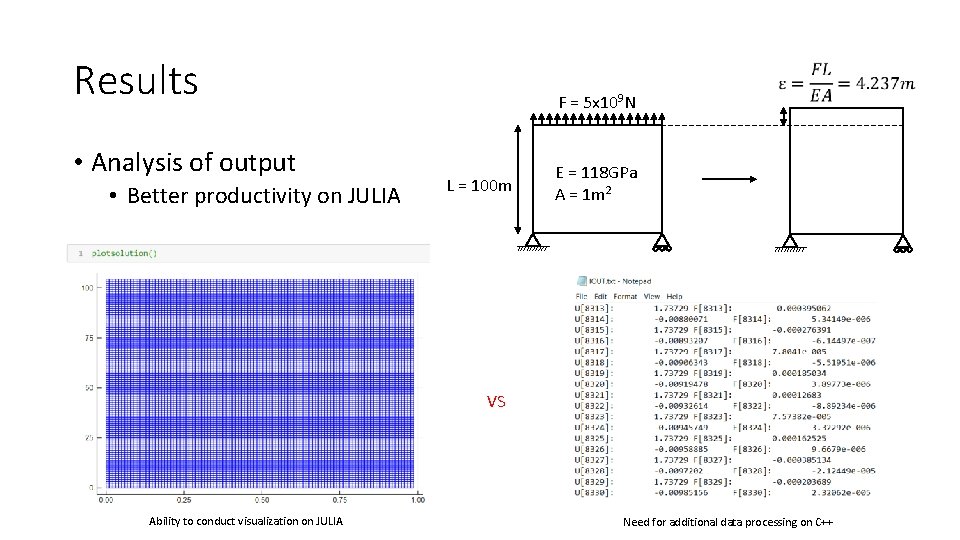
Results • Analysis of output • Better productivity on JULIA F = 5 x 10⁹ N L = 100 m E = 118 GPa A = 1 m 2 VS Ability to conduct visualization on JULIA Need for additional data processing on C++
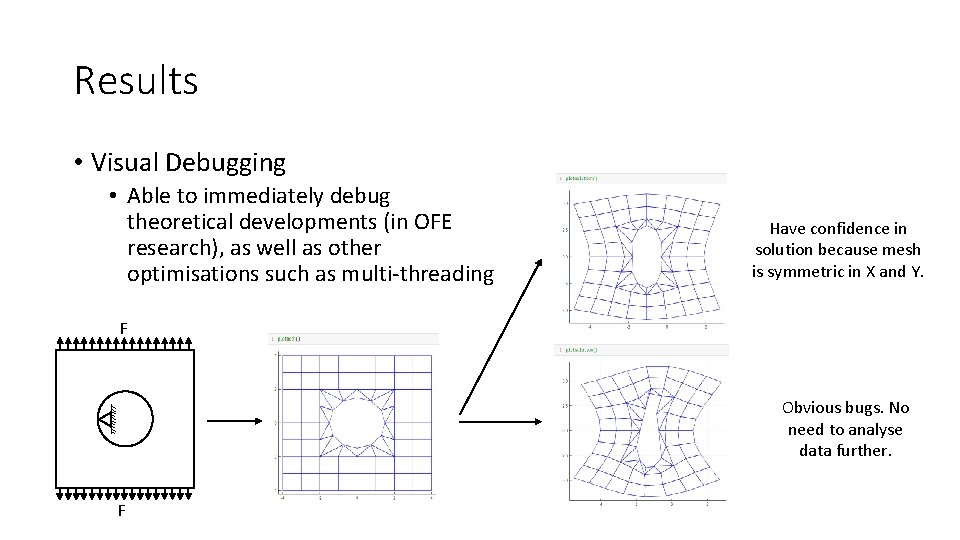
Results • Visual Debugging • Able to immediately debug theoretical developments (in OFE research), as well as other optimisations such as multi-threading Have confidence in solution because mesh is symmetric in X and Y. F Obvious bugs. No need to analyse data further. F
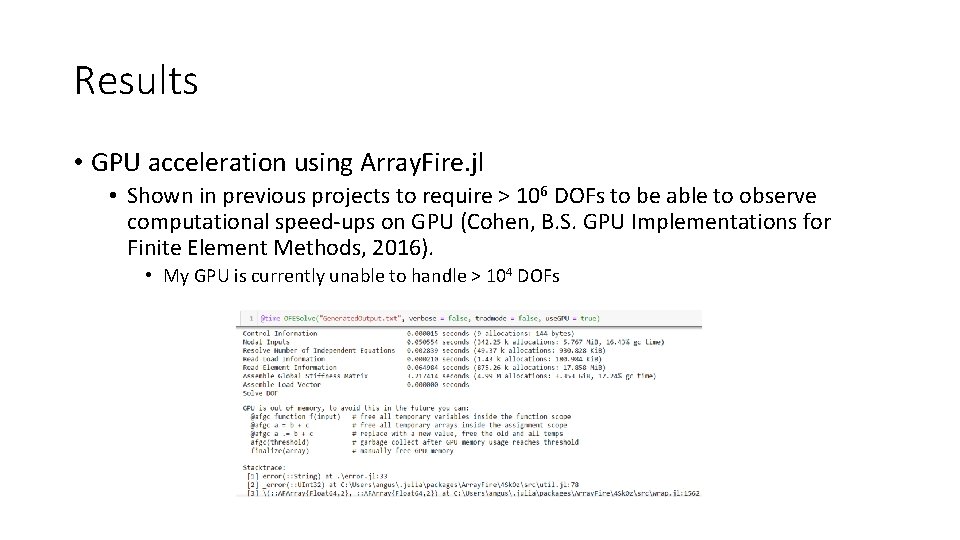
Results • GPU acceleration using Array. Fire. jl • Shown in previous projects to require > 106 DOFs to be able to observe computational speed-ups on GPU (Cohen, B. S. GPU Implementations for Finite Element Methods, 2016). • My GPU is currently unable to handle > 104 DOFs
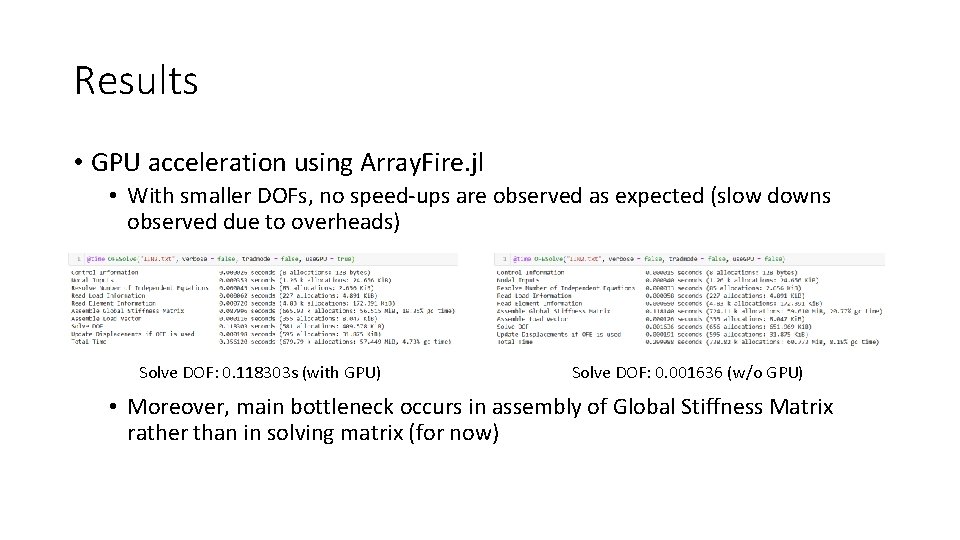
Results • GPU acceleration using Array. Fire. jl • With smaller DOFs, no speed-ups are observed as expected (slow downs observed due to overheads) Solve DOF: 0. 118303 s (with GPU) Solve DOF: 0. 001636 (w/o GPU) • Moreover, main bottleneck occurs in assembly of Global Stiffness Matrix rather than in solving matrix (for now)
Results • Multi-threading • 2 embarrassingly parallel code sections • Compute local stiffness matrix for all elements • Each element’s local stiffness matrix is independent from other elements • Compute quadrature for each individual element • Overlapping Finite Elements require at least 12 quadrature points per element (computational complexity of each quadrature point is high) • No obvious requirements of locks (expensive) due to how @threads is set-up • Able to index and store into a container using iteration number in parallel threads, then sequentially adding up upon finishing threads (useful for embarrassingly parallel code, but not very useful otherwise) • Currently still debugging concurrency bugs • Preliminary (erroneous) results with 8 threads suggests ~1. 5 x speed-up with 10000 traditional elements (20200 x 20200 matrix)
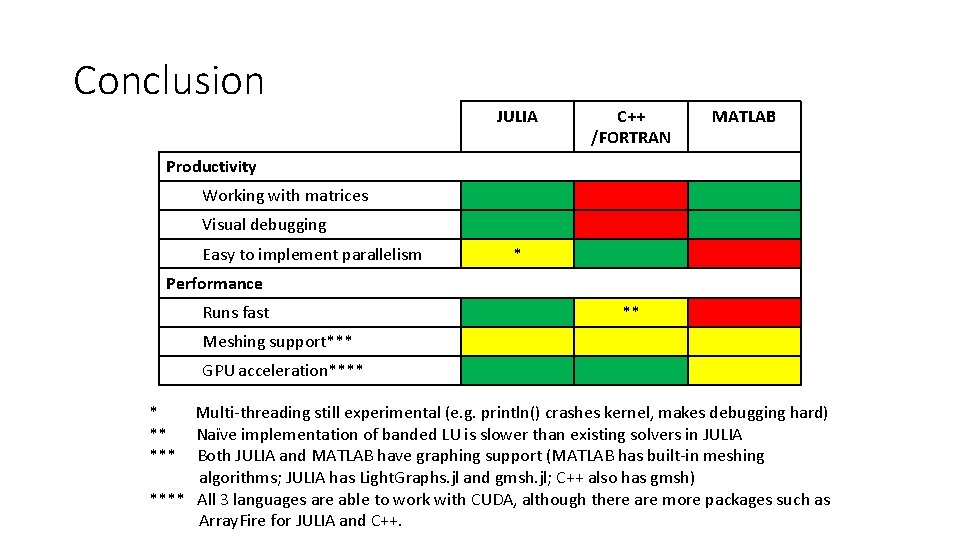
Conclusion JULIA C++ /FORTRAN MATLAB Productivity Working with matrices Visual debugging Easy to implement parallelism * Performance Runs fast ** Meshing support*** GPU acceleration**** *** Multi-threading still experimental (e. g. println() crashes kernel, makes debugging hard) Naïve implementation of banded LU is slower than existing solvers in JULIA Both JULIA and MATLAB have graphing support (MATLAB has built-in meshing algorithms; JULIA has Light. Graphs. jl and gmsh. jl; C++ also has gmsh) **** All 3 languages are able to work with CUDA, although there are more packages such as Array. Fire for JULIA and C++.
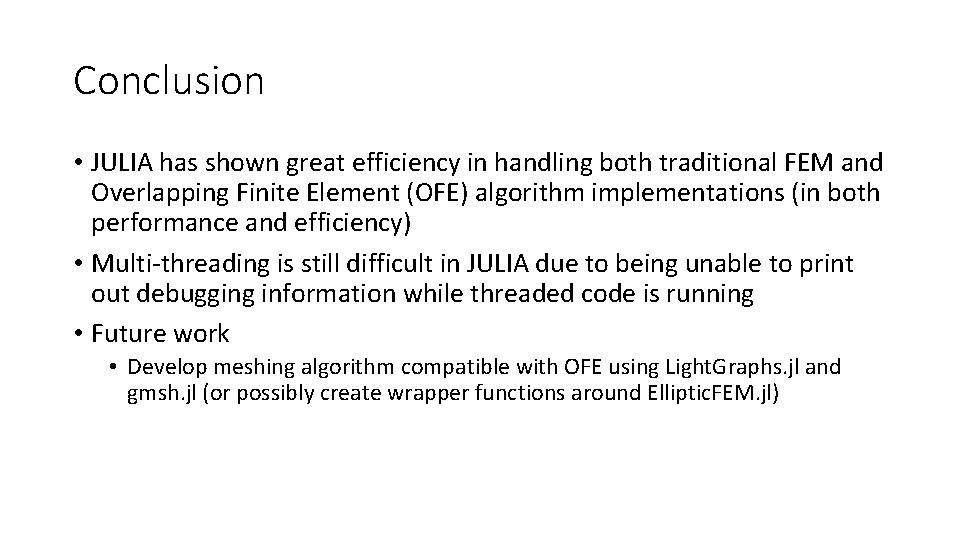
Conclusion • JULIA has shown great efficiency in handling both traditional FEM and Overlapping Finite Element (OFE) algorithm implementations (in both performance and efficiency) • Multi-threading is still difficult in JULIA due to being unable to print out debugging information while threaded code is running • Future work • Develop meshing algorithm compatible with OFE using Light. Graphs. jl and gmsh. jl (or possibly create wrapper functions around Elliptic. FEM. jl)