
Outlook 2016 Level 1 Copyright 2015 30 Bird
Outlook 2016 Level 1 Copyright © 2015 30 Bird Media LLC
Chapter 1: Fundamentals You will learn: § Explore the Outlook interface § View Outlook items § Use Quick Search Copyright © 2015 30 Bird Media LLC
Module A: Getting Around You will learn: § About Outlook § How to open Outlook § How to use the ribbon and Backstage View § How to use the Navigation Pane Copyright © 2015 30 Bird Media LLC
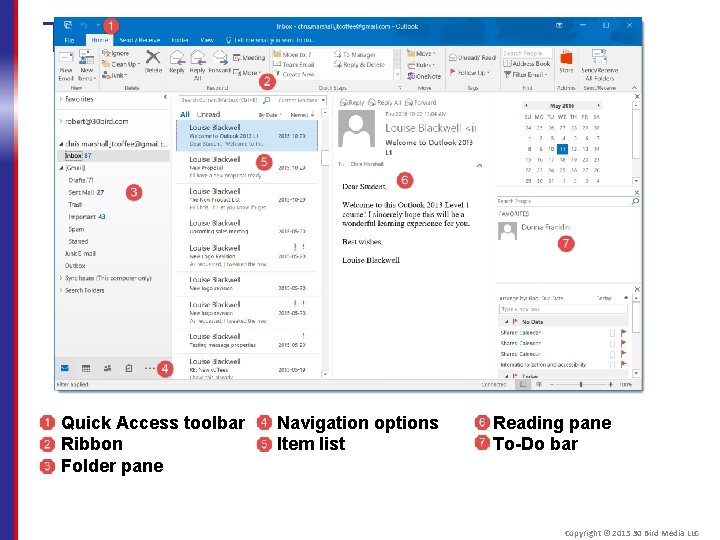
The Outlook interface Quick Access toolbar Ribbon Folder pane Navigation options Item list Reading pane To-Do bar Copyright © 2015 30 Bird Media LLC
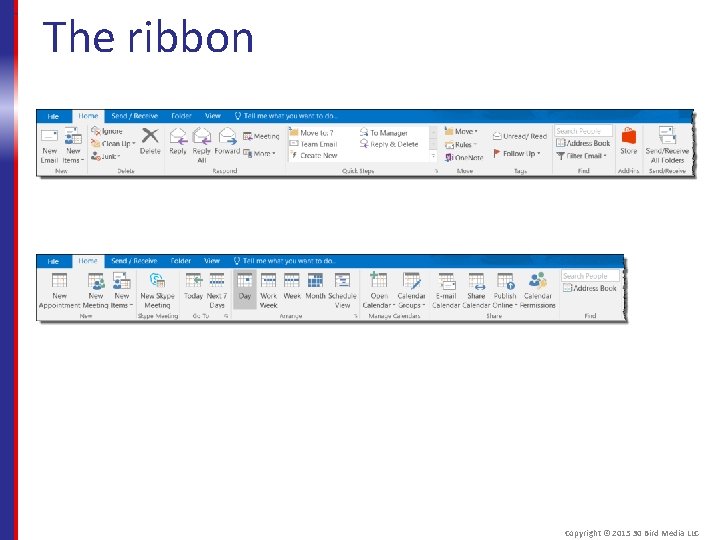
The ribbon Copyright © 2015 30 Bird Media LLC
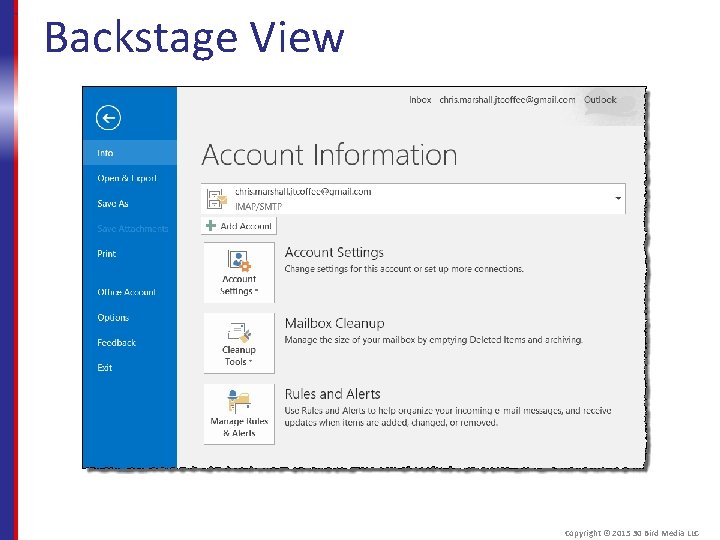
Backstage View Copyright © 2015 30 Bird Media LLC
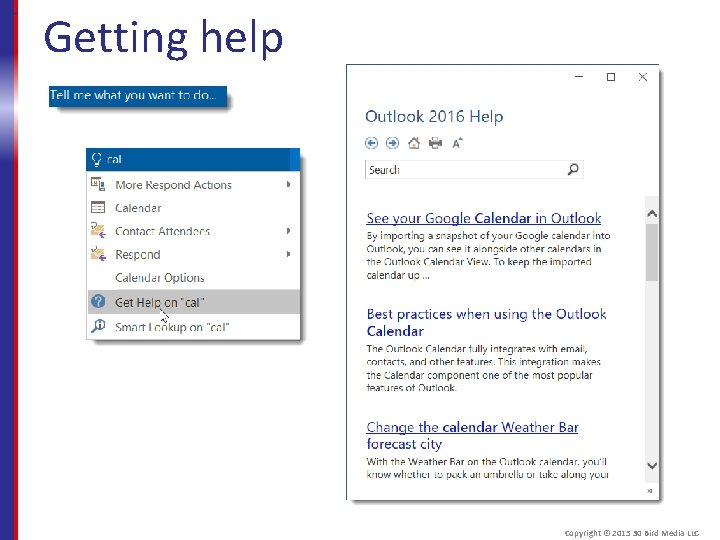
Getting help Copyright © 2015 30 Bird Media LLC
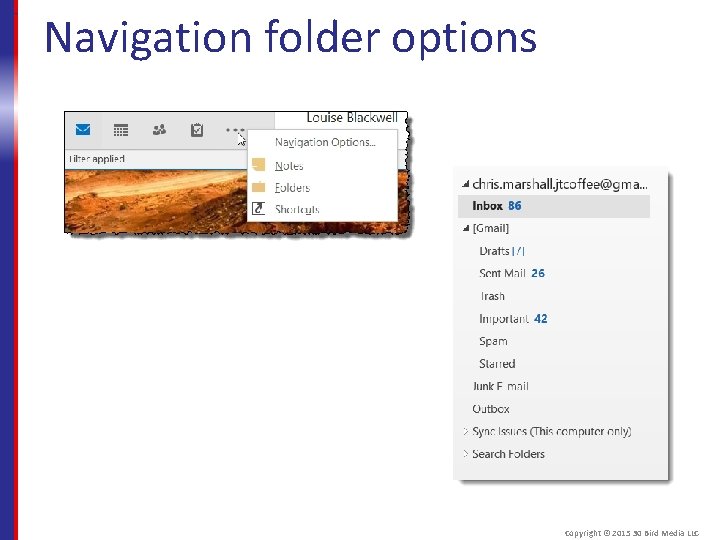
Navigation folder options Copyright © 2015 30 Bird Media LLC
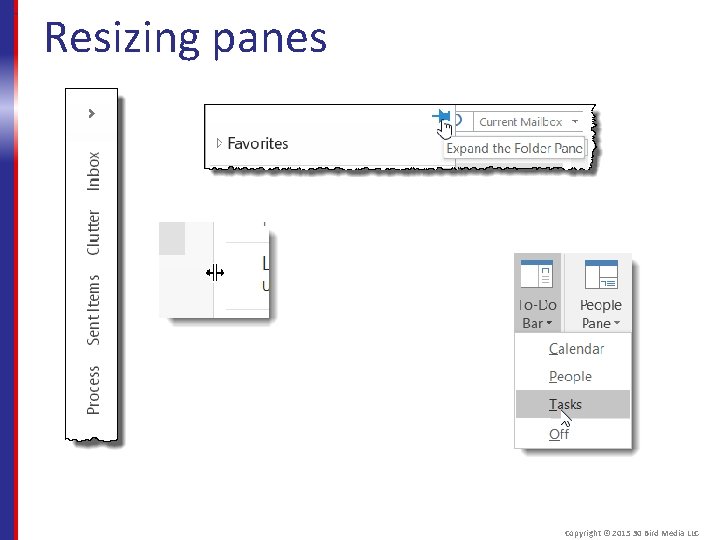
Resizing panes Copyright © 2015 30 Bird Media LLC
Assessment: Getting around The ____ replaces the menus and toolbars of older Outlook versions. Choose the best response. A. B. C. D. Navigation pane To-Do bar Ribbon Reading pane C is correct. The ribbon is used throughout Office 2016. Copyright © 2015 30 Bird Media LLC
Assessment: Getting Around The ____ is/are the primary way to access various areas of Outlook. Choose the best response. A. B. C. D. Navigation options Quick Access toolbar Ribbon Backstage View A is correct, though the ribbon also allows you to change some view settings. Copyright © 2015 30 Bird Media LLC
Assessment: Getting Around True or false: You can use the Folder pane normally, even when it's minimized. § True § False True. You can even click the Folders list to open it temporarily. Copyright © 2015 30 Bird Media LLC
Module B: Viewing Outlook items You will learn how to: § Preview messages § Open Outlook items § Change list views § Use Instant Search Copyright © 2015 30 Bird Media LLC
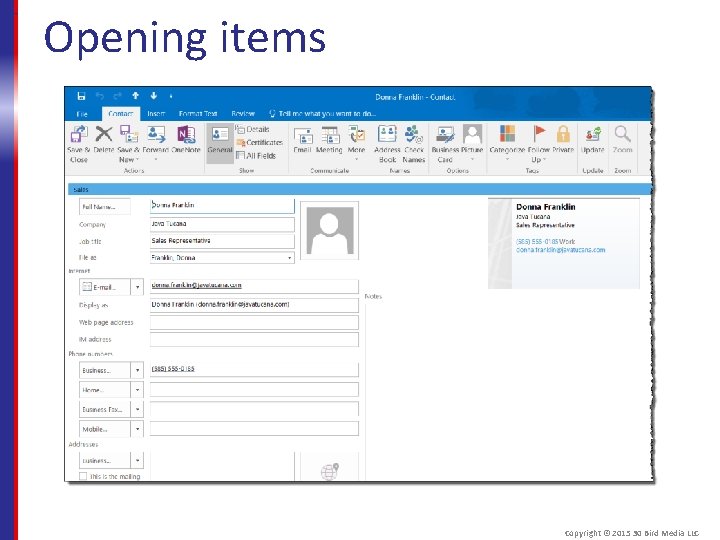
Opening items Copyright © 2015 30 Bird Media LLC
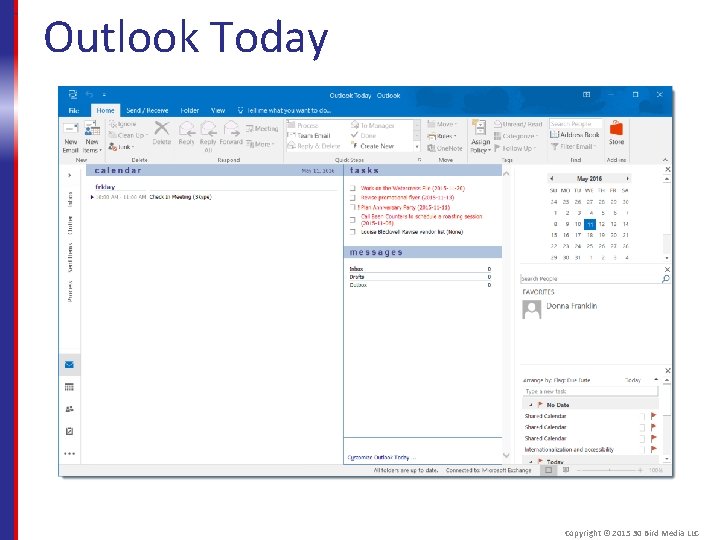
Outlook Today Copyright © 2015 30 Bird Media LLC
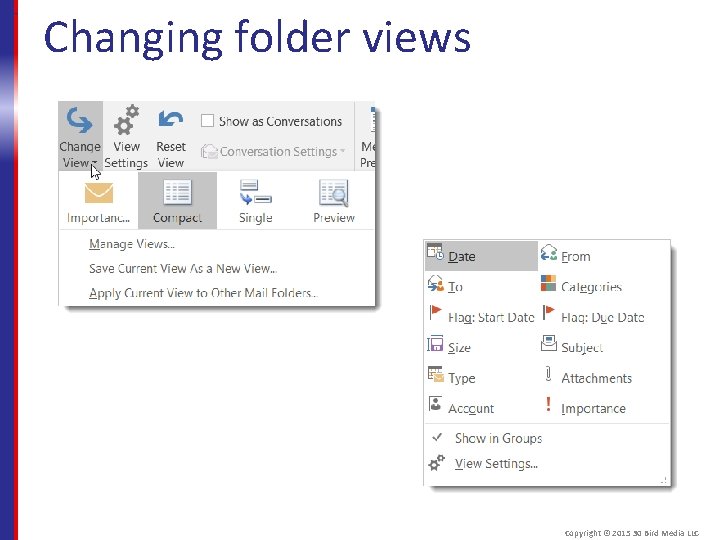
Changing folder views Copyright © 2015 30 Bird Media LLC
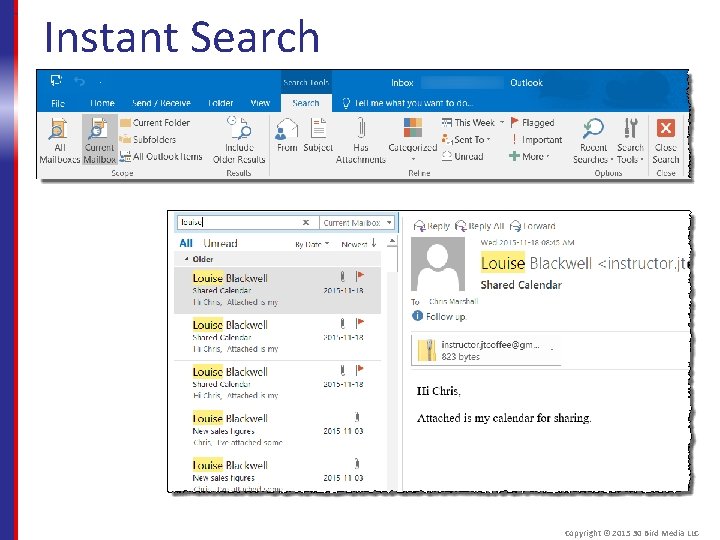
Instant Search Copyright © 2015 30 Bird Media LLC
Assessment: Viewing Outlook items You can preview any kind of item in the Reading pane. True or false? A. True B. False True, though only mail folders display the Reading pane by default. Copyright © 2015 30 Bird Media LLC
Assessment: Viewing Outlook items Outlook Today is. . . A. A news feed integrated into Outlook. B. Microsoft's web-based email service. C. A summary page of Outlook items needing action. D. Another name for Folder List view. C is correct. You can view it by clicking the root folder of your mailbox. Copyright © 2015 30 Bird Media LLC
Assessment: Viewing Outlook items What View tab elements let you change how items appear in a folder? Choose all that apply. A. B. C. D. Change Views Reading pane Arrangement gallery Reminders window A and C are correct. Copyright © 2015 30 Bird Media LLC
Assessment: Viewing Outlook items By default, Instant Search searches all folders for the entered term. True or false? A. True B. False. It only searches in the current folder. Copyright © 2015 30 Bird Media LLC
Summary: Fundamentals You should now know: § How to navigate the Outlook interface, including the ribbon and navigation pane § How to view Outlook items, change folder views, and use the Instant Search function Copyright © 2015 30 Bird Media LLC
Chapter 2: Email Basics You'll learn how to: § Create and format email messages § Manage email messages § Attach content to a message § Create and use signatures Copyright © 2015 30 Bird Media LLC
Module A: Creating Messages You'll learn how to: § Create a message § Format message text § Check message spelling Copyright © 2015 30 Bird Media LLC
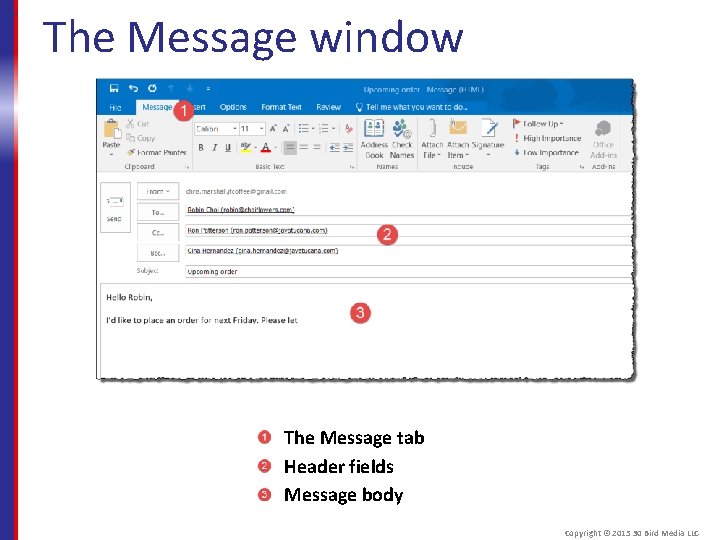
The Message window The Message tab Header fields Message body Copyright © 2015 30 Bird Media LLC
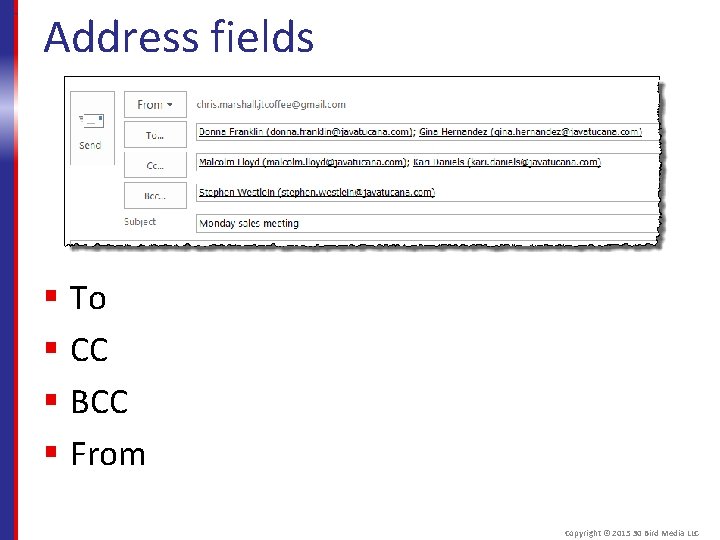
Address fields § To § CC § BCC § From Copyright © 2015 30 Bird Media LLC
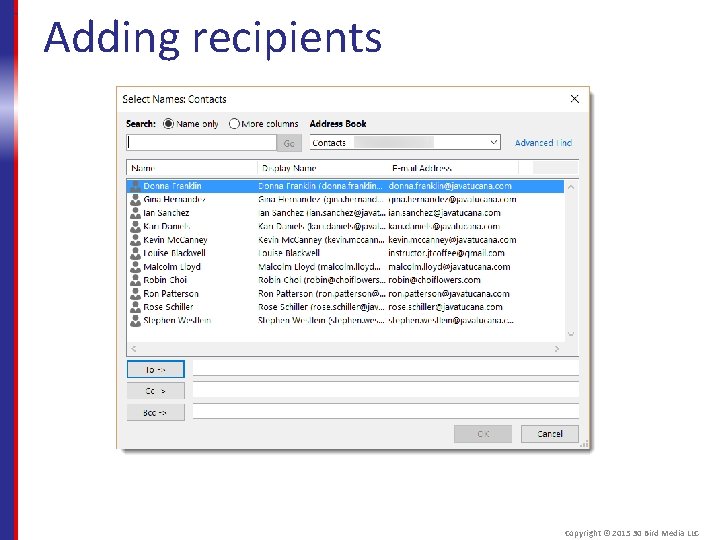
Adding recipients Copyright © 2015 30 Bird Media LLC
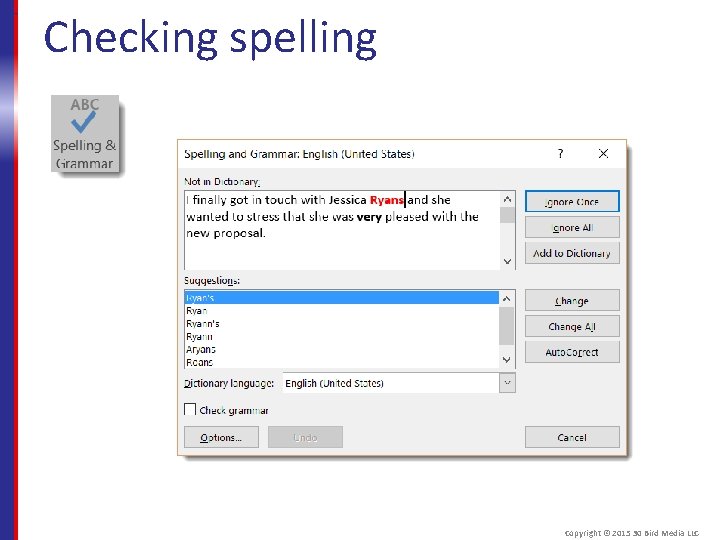
Checking spelling Copyright © 2015 30 Bird Media LLC
Assessment: Creating Messages What type of command won't you find on the Message tab of the ribbon? A. B. C. D. Formatting text Adding recipients Attaching items Sending messages D is correct. The Send button is below the ribbon. Copyright © 2015 30 Bird Media LLC
Assessment: Creating Messages Recipients in the To, Cc, and Bcc fields all receive identical messages and can respond to them in the same way. True or false? A. True B. False True. The only difference is that recipients can't see other recipients on the Bcc list. Copyright © 2015 30 Bird Media LLC
Assessment: Creating Messages What message format is supported by the most email clients? A. HTML B. Rich Text C. Plain text is supported by most clients, but it limits available formatting. Copyright © 2015 30 Bird Media LLC
Assessment: Creating Messages If Outlook incorrectly shows a word as a spelling error, you can easily and permanently correct it. True or false? A. True B. False True. You can click Add to Dictionary in the Spelling and Grammar window. Copyright © 2015 30 Bird Media LLC
Module B: Acting on Messages You will learn how to: § Reply to a message § Forward a message § Print messages § Delete a message § Mark messages as read or unread Copyright © 2015 30 Bird Media LLC
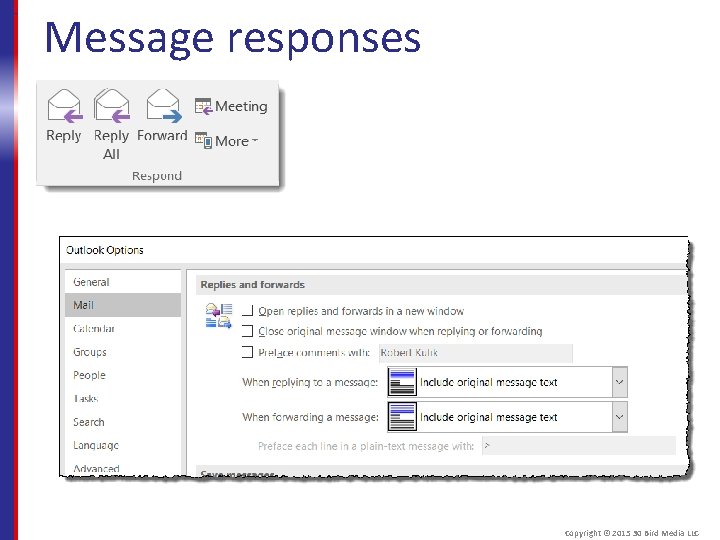
Message responses Copyright © 2015 30 Bird Media LLC
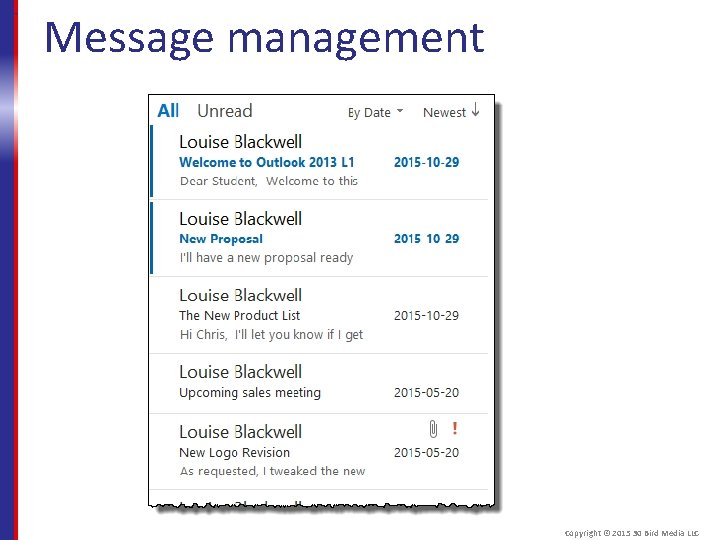
Message management Copyright © 2015 30 Bird Media LLC
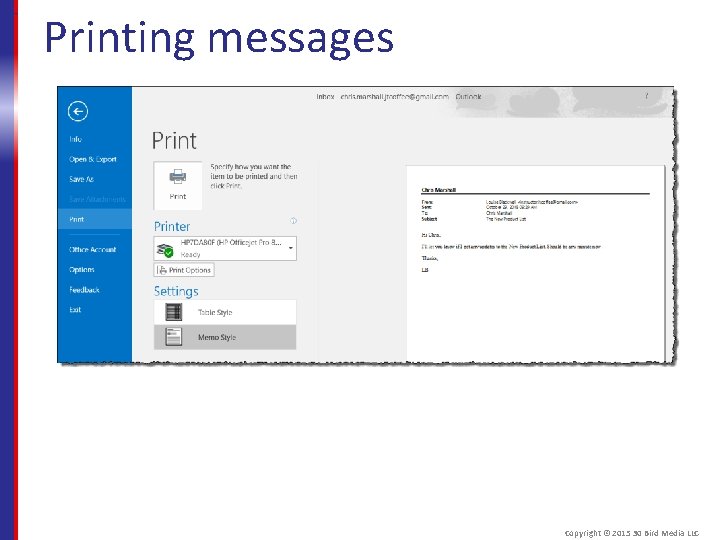
Printing messages Copyright © 2015 30 Bird Media LLC
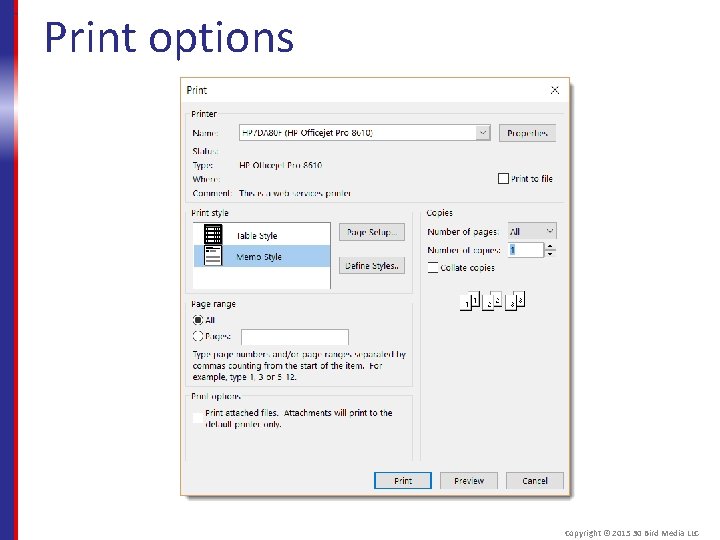
Print options Copyright © 2015 30 Bird Media LLC
Assessment: Acting on Messages When a message is part of an extended chain of responses, by default Reply All will include all previous messages, while Reply will include only the most recent one. True or false? A. True B. False. Both include all previous messages, but Reply only replies to the sender while Reply all replies to the sender and all other recipients. Copyright © 2015 30 Bird Media LLC
Assessment: Acting on Messages True or false? Merely selecting a message in your inbox will mark it as read. A. True B. False True. The message is displayed in the Reading Pane, so Outlooks assumes you’ve read it there. Copyright © 2015 30 Bird Media LLC
Assessment: Acting on Messages Can you recover a message that's been permanently deleted? Choose the best response. A. B. C. D. Yes No Maybe, depending on your account settings. Maybe, depending on how large the message was. C is correct. You can recover messages if you use a Microsoft Exchange account. Copyright © 2015 30 Bird Media LLC
Module C: Adding content You will learn how to: § Insert content into a message § Attach files to a message Copyright © 2015 30 Bird Media LLC
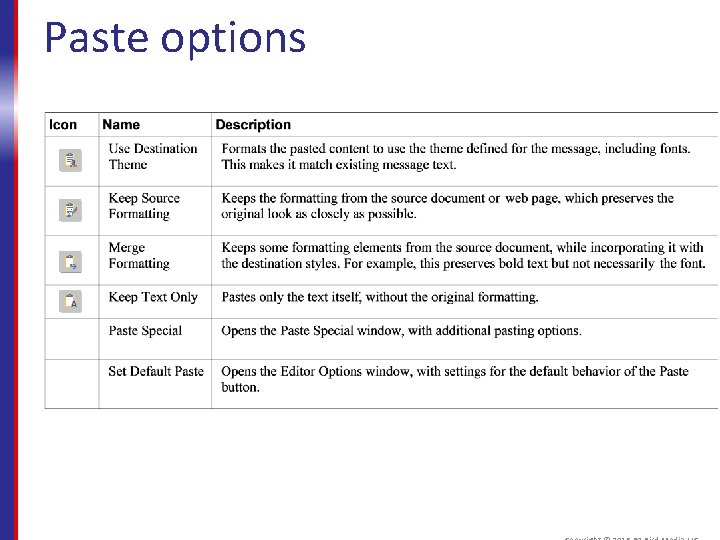
Paste options
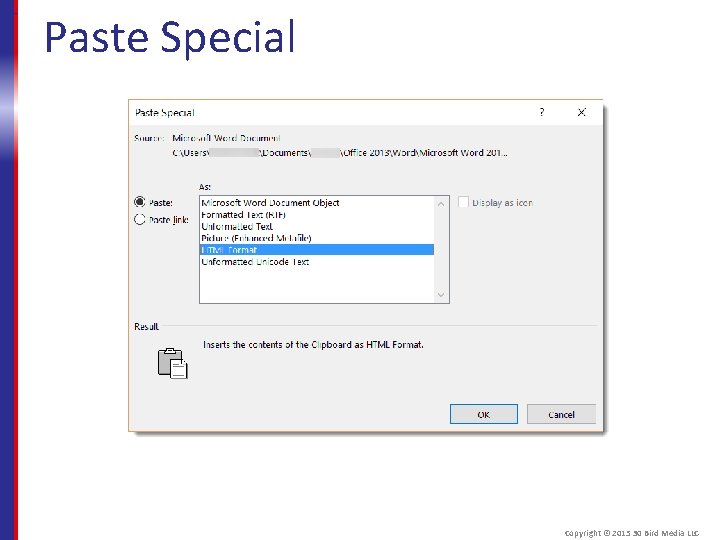
Paste Special Copyright © 2015 30 Bird Media LLC
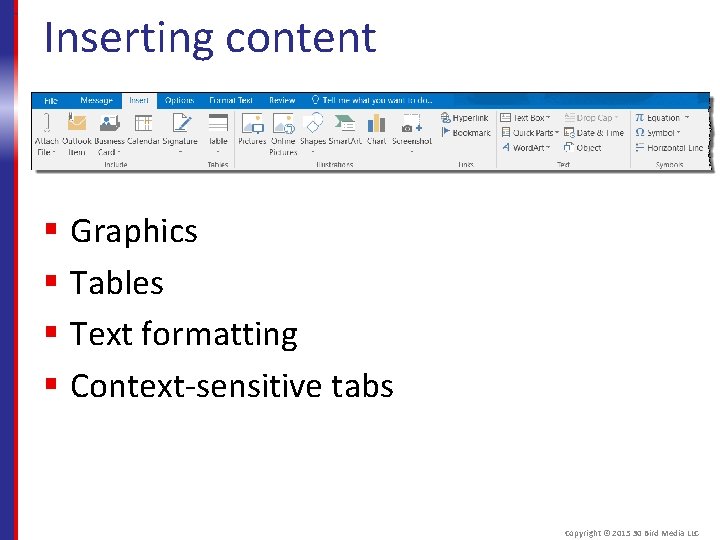
Inserting content § Graphics § Tables § Text formatting § Context-sensitive tabs Copyright © 2015 30 Bird Media LLC
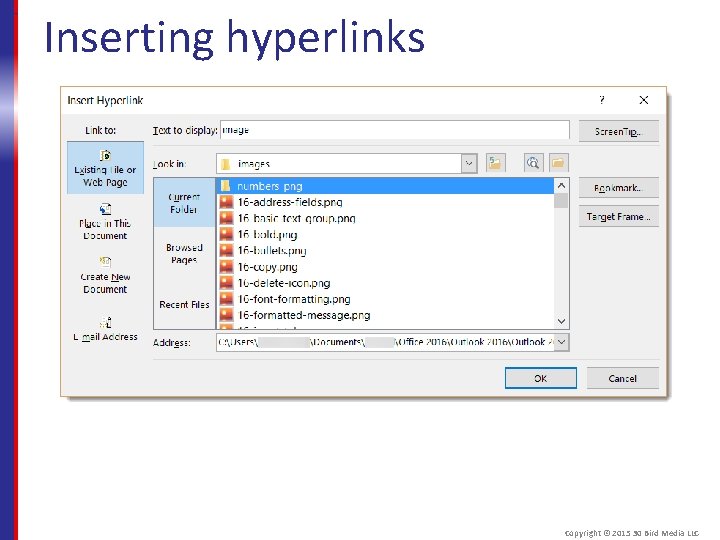
Inserting hyperlinks Copyright © 2015 30 Bird Media LLC
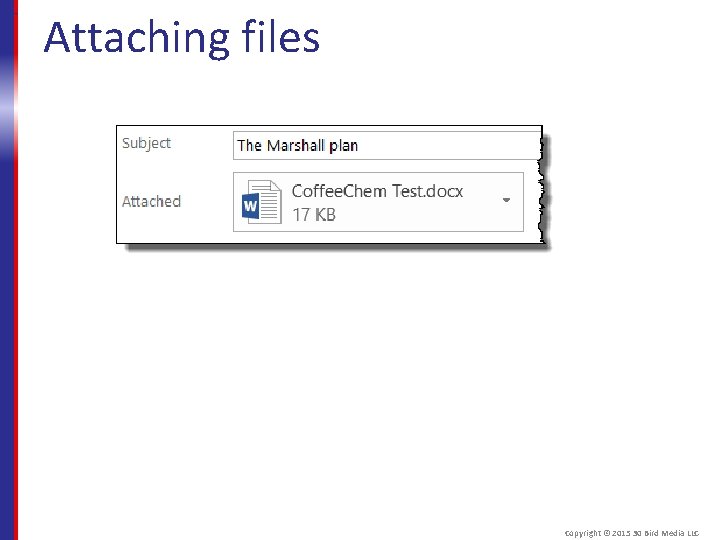
Attaching files Copyright © 2015 30 Bird Media LLC
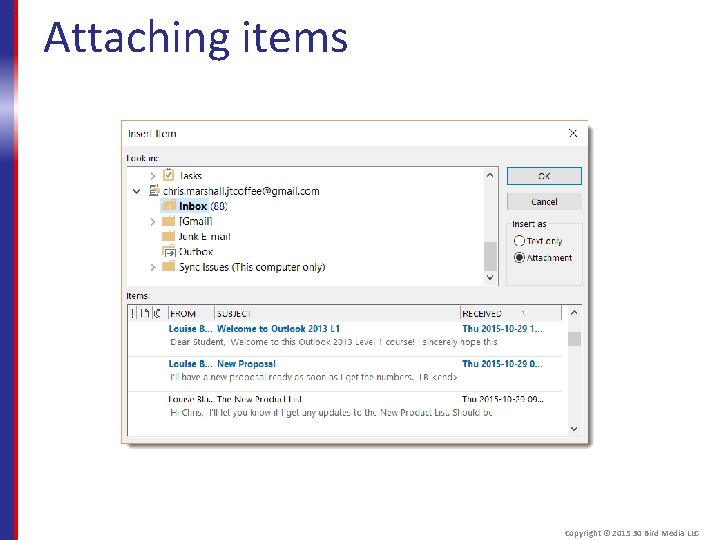
Attaching items Copyright © 2015 30 Bird Media LLC
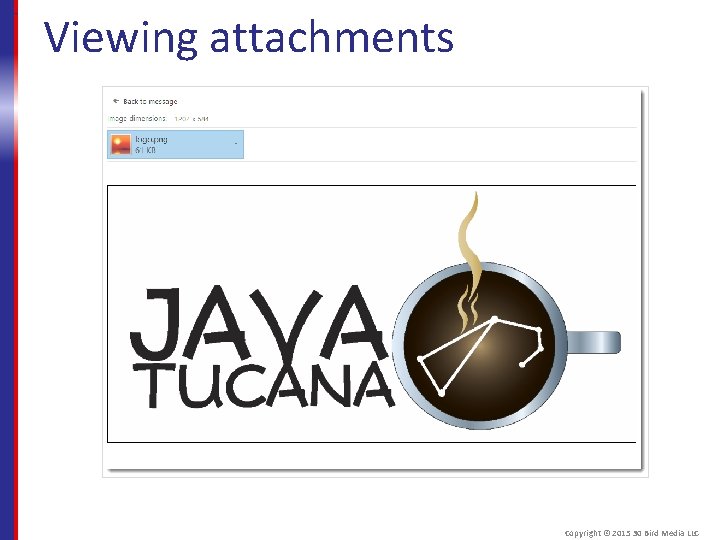
Viewing attachments Copyright © 2015 30 Bird Media LLC
Assessment: Adding Content You can experiment with different paste options without committing to only one at a time. True or false? A. True B. False True. You can point to different paste options to see a live preview of the results. Copyright © 2015 30 Bird Media LLC
Assessment: Adding Content Which options might you use to send someone a chart they can open in Microsoft Excel? Choose all that apply. A. B. C. D. Unicode Text Attach File Microsoft Office Object Match Styles B and C are correct, depending on whether you want it inside the message body. Copyright © 2015 30 Bird Media LLC
Assessment: Adding Content What part of an inserted web hyperlink do you always have to specify? Choose the best reply. A. B. C. D. Address Displayed text Icon Screen. Tip A is correct. Without an address, it isn’t a hyperlink. Copyright © 2015 30 Bird Media LLC
Assessment: Adding Content Additional tabs such as Format only appear when you select a picture in a message. True or false? A. True B. False. They also appear when you select drawings, charts, tables, and other inserted content. Copyright © 2015 30 Bird Media LLC
Assessment: Adding Content If you have an application that can view an Outlook attachment, you can preview the attachment's content in the Reading pane. True or False? A. True B. False. There will be some file types that you'll have to open in the source application. Copyright © 2015 30 Bird Media LLC
Module D: Signatures You will learn how to: § Create a signature § Edit a signature § Manage multiple signatures Copyright © 2015 30 Bird Media LLC
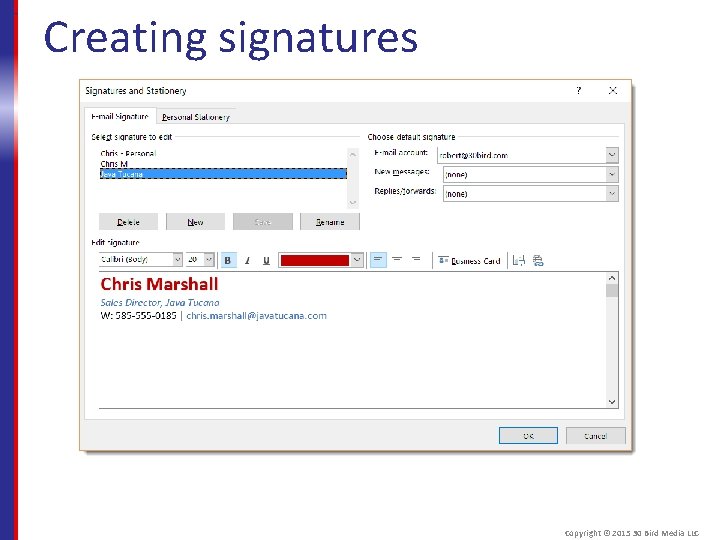
Creating signatures Copyright © 2015 30 Bird Media LLC
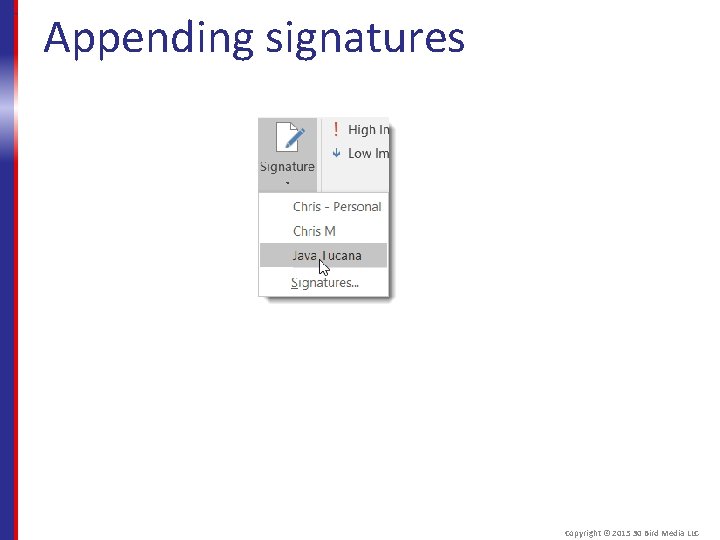
Appending signatures Copyright © 2015 30 Bird Media LLC
Assessment: Signatures It's a "best practice" to limit a business signature to name and contact information. True or false? A. True B. False. It's acceptable and sometimes required to include elements like a company logo or legal disclaimer. Copyright © 2015 30 Bird Media LLC
Assessment: Signatures It's easy to manage multiple signatures in Outlook. True or false? A. True B. False True. Multiple signatures are helpful when you use multiple email accounts, such as business and personal addresses. Copyright © 2015 30 Bird Media LLC
Assessment: Signatures In Outlook, you use both a personal email address and a business address. You've made both a personal and a business signature. How can you most easily make sure to always use a signature while avoiding using the wrong one? A. B. C. D. Set Outlook to ask you which signature to use before you send a message. Set the signature for the account you use most as the default, and manually insert the other when you need to. Set a different default signature for each account. Don't set a default signature; instead, manually insert the correct one for each message. C is correct. Doing so will ensure that the signature you send is appropriate to the account you're using. Copyright © 2015 30 Bird Media LLC
Summary: Email Basics You should now know how to: § Create and format messages § Respond to messages and manage your inbox § Insert or attach content to a message § Create and manage your signatures Copyright © 2015 30 Bird Media LLC
Chapter 3: Contacts You will learn how to: § Create and manage contacts § Work with contact groups § Use the People Pane Copyright © 2015 30 Bird Media LLC
Module A: Managing Contacts You will learn: § About contacts § How to create and update contacts § How to forward contacts § How to print contact listings § How to use electronic business cards Copyright © 2015 30 Bird Media LLC
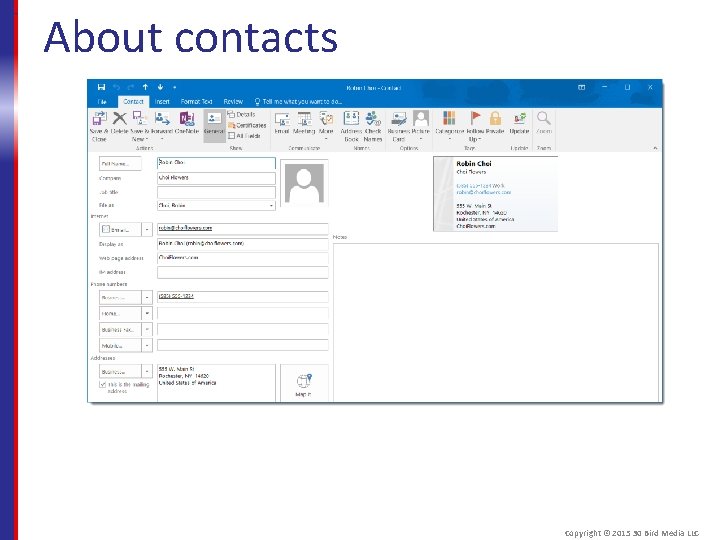
About contacts Copyright © 2015 30 Bird Media LLC
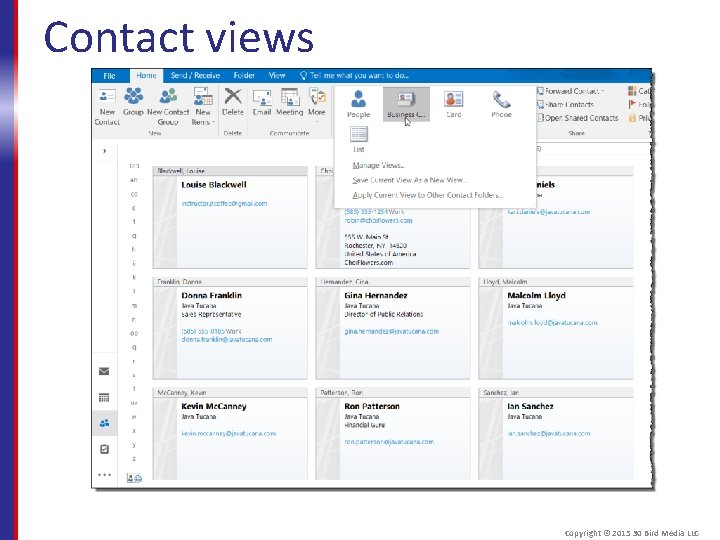
Contact views Copyright © 2015 30 Bird Media LLC
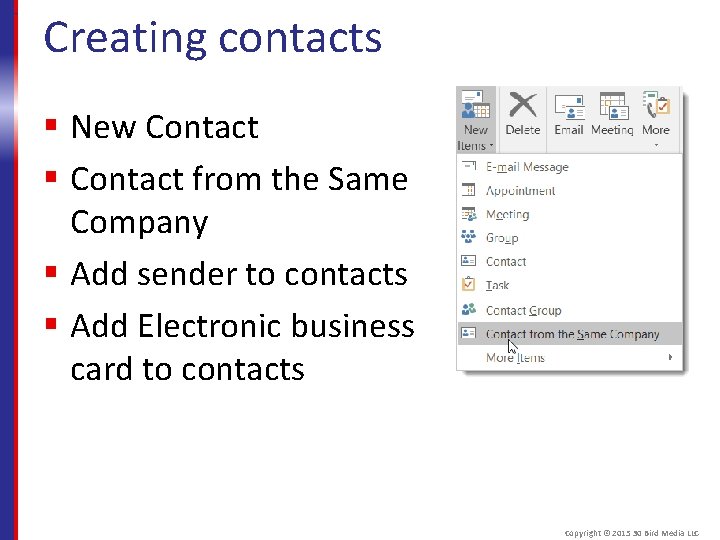
Creating contacts § New Contact § Contact from the Same Company § Add sender to contacts § Add Electronic business card to contacts Copyright © 2015 30 Bird Media LLC
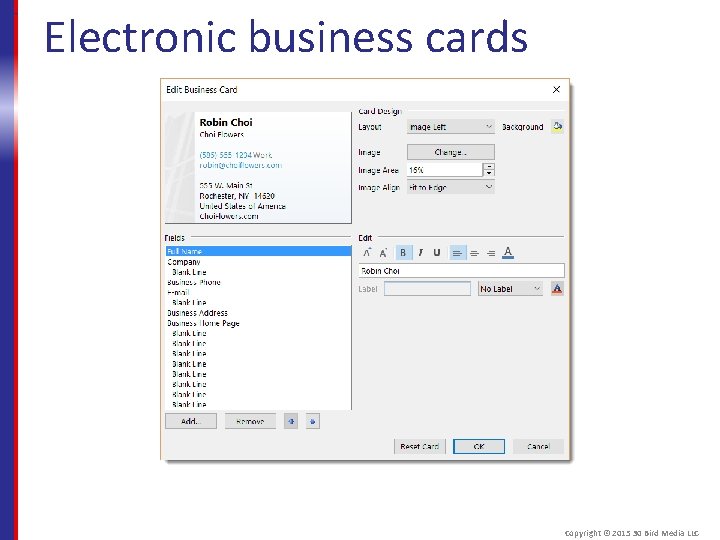
Electronic business cards Copyright © 2015 30 Bird Media LLC
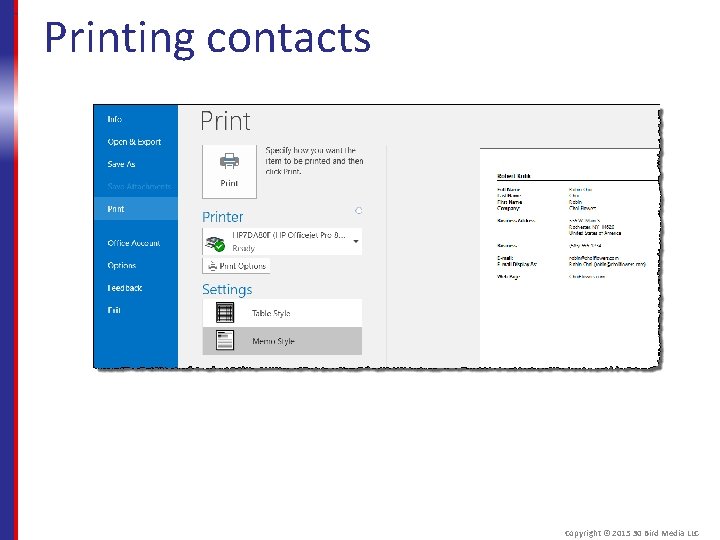
Printing contacts Copyright © 2015 30 Bird Media LLC
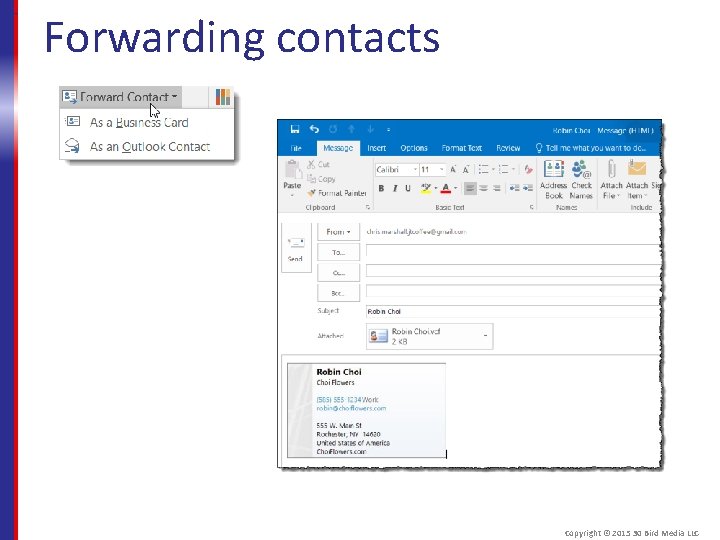
Forwarding contacts Copyright © 2015 30 Bird Media LLC
Assessment: Managing Contacts When you create a new contact using another contact from the same company, what fields will be copied from the existing contact? Choose all that apply. A. B. C. D. Business phone number Email address Job title Website A and D are correct. The others are considered individual information. Copyright © 2015 30 Bird Media LLC
Assessment: Managing contacts If you change a phone number in an electronic business card, the new number will be automatically reflected in the contact item itself. True or false? A. True B. False True. Editing contact information in a business card is exactly like editing the contact itself. Copyright © 2015 30 Bird Media LLC
Assessment: Managing Contacts Why might you share a contact in. vcf format rather than as an Outlook item? Choose the best response. A. B. C. D. To pass information that can't be included in shared Outlook items. Because Outlook items can only be shared between Microsoft Exchange email users. Because. vcf is more compatible with other email clients. All of the above. C is correct. Some email clients can’t use Outlook items. Copyright © 2015 30 Bird Media LLC
Module B: Using contact groups You will learn how to: § Create contact groups § Edit contact groups § Delete contact groups Copyright © 2015 30 Bird Media LLC
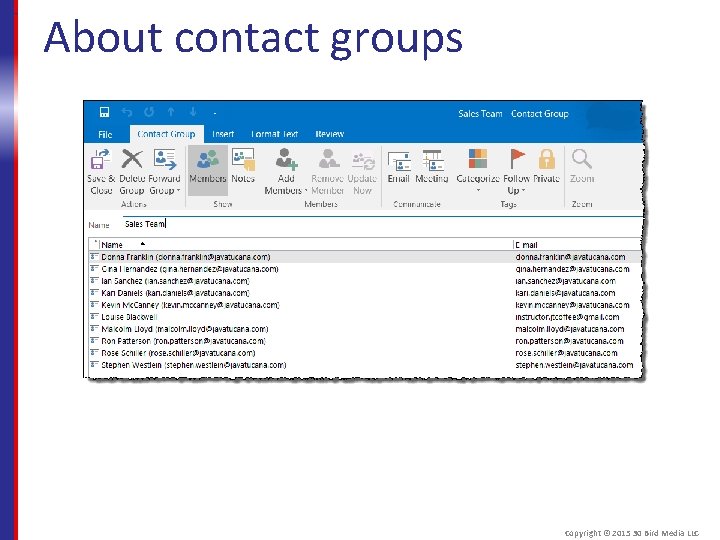
About contact groups Copyright © 2015 30 Bird Media LLC
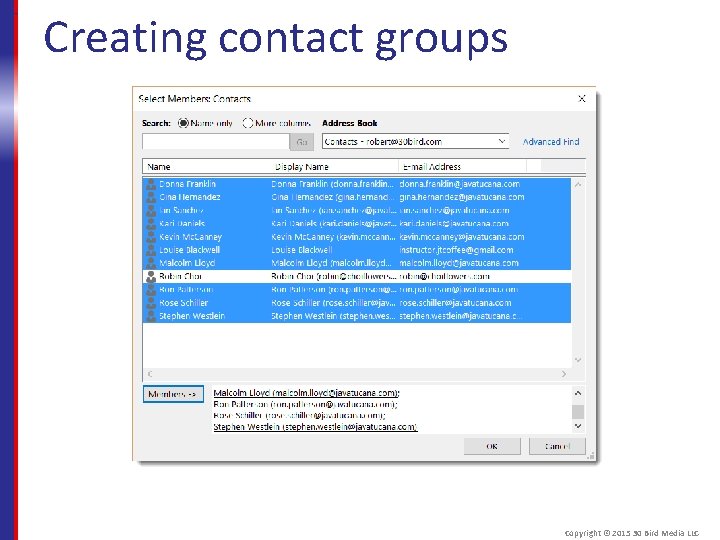
Creating contact groups Copyright © 2015 30 Bird Media LLC
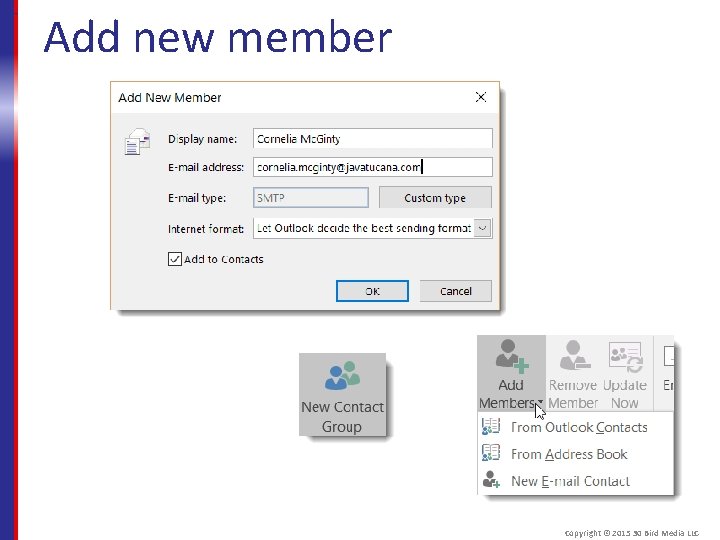
Add new member Copyright © 2015 30 Bird Media LLC
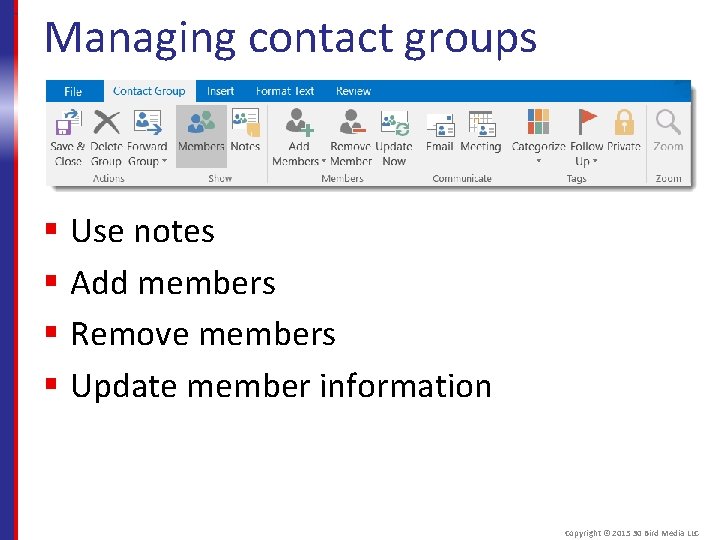
Managing contact groups § Use notes § Add members § Remove members § Update member information Copyright © 2015 30 Bird Media LLC
Assessment: Using contact groups Contact groups allow you to: A. B. C. D. Organize lists of names without making them all contacts. Address a group of people with the convenience of a single name. Send group messages without the complexity of distribution lists. Organize your contacts into categories. B is correct. You can address a contact group as though it was a single contact. Copyright © 2015 30 Bird Media LLC
Assessment: Using contact groups Members of a contact group don't have to be taken from your existing contacts. True or false? A. True B. False True. You can add any address you like, though by default they'll be added to your contacts. Copyright © 2015 30 Bird Media LLC
Assessment: Using contact groups What can't you do from the Contact Group tab? Choose the best response. A. B. C. D. Add notes for the group as a whole. Automatically remove inactive email addresses. Automatically update list information for changed contacts. Schedule a meeting with the group. B is correct, but you can manually remove members. Copyright © 2015 30 Bird Media LLC
Module C: Using the People Pane You will learn how to: § Use the Outlook Social Connector § Use contact cards Copyright © 2015 30 Bird Media LLC
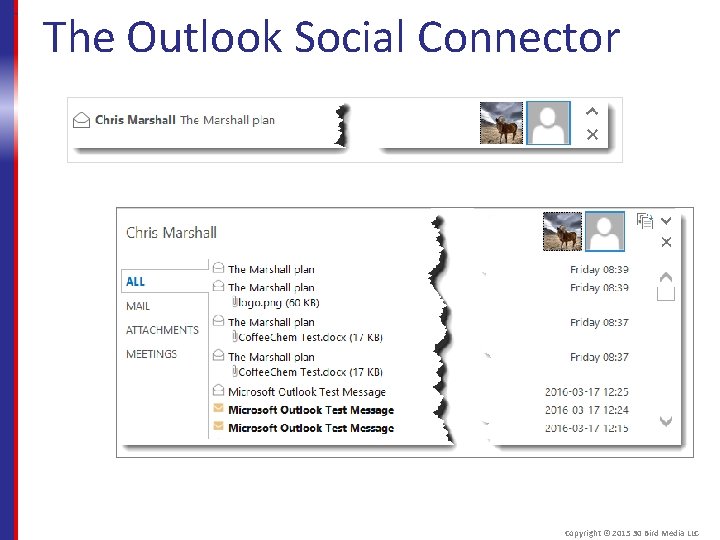
The Outlook Social Connector Copyright © 2015 30 Bird Media LLC
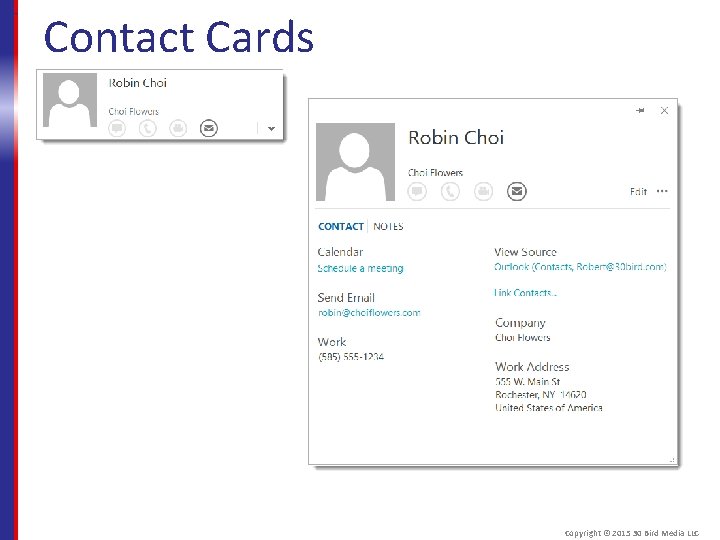
Contact Cards Copyright © 2015 30 Bird Media LLC
Assessment: Using the People Pane Contact cards and the People pane only differ in where they appear in Outlook. True or false? A. True B. False. They serve different purposes, and only the People pane can be used to link to social networks. Copyright © 2015 30 Bird Media LLC
Assessment: Using the People Pane You need to install an add-in to use the Outlook Social Connector with your social network. True or false? A. True B. False True, though there are People pane functions you can use without an add-in. Copyright © 2015 30 Bird Media LLC
Assessment: Using the People Pane What can't you do from a contact card? Choose the best response. A. B. C. D. Look the contact up on Linked. In. Make a phone call to the contact. Open the full Contact window. Schedule a meeting with the contact. A is correct. Social media features are found in the Outlook Social Connector. Copyright © 2015 30 Bird Media LLC
Summary: Contacts You should now know how to: § Create, edit, and share contacts § Create contact groups and manage their membership § Use the People pane in the Outlook Social Connector and contact cards Copyright © 2015 30 Bird Media LLC
Chapter 4: Tasks You will learn how to: § Create tasks § Manage tasks § Assign tasks to others Copyright © 2015 30 Bird Media LLC
Module A: Creating Tasks You will learn: § About task views § How to create tasks § How to edit tasks Copyright © 2015 30 Bird Media LLC
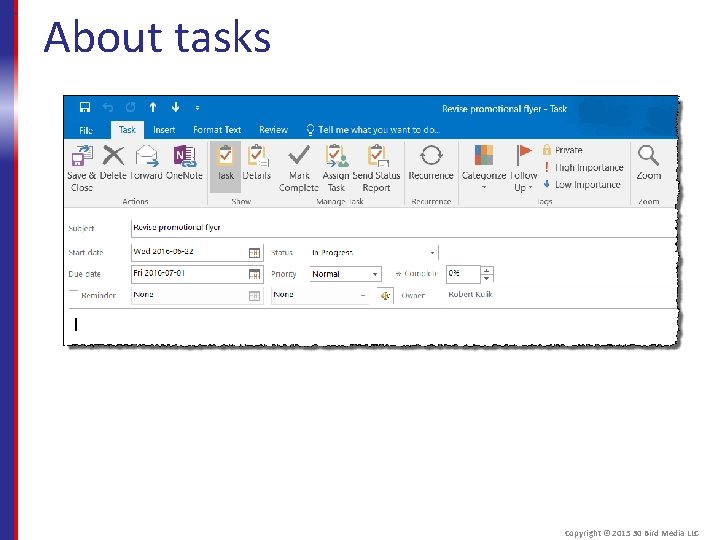
About tasks Copyright © 2015 30 Bird Media LLC
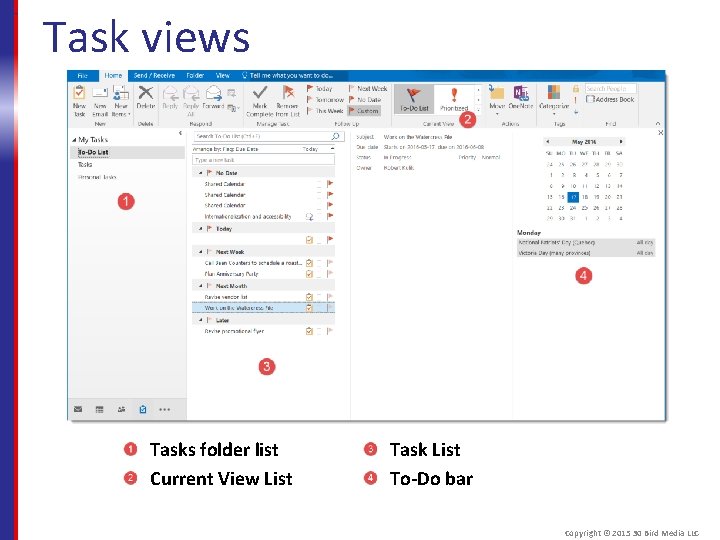
Task views Tasks folder list Current View List Task List To-Do bar Copyright © 2015 30 Bird Media LLC
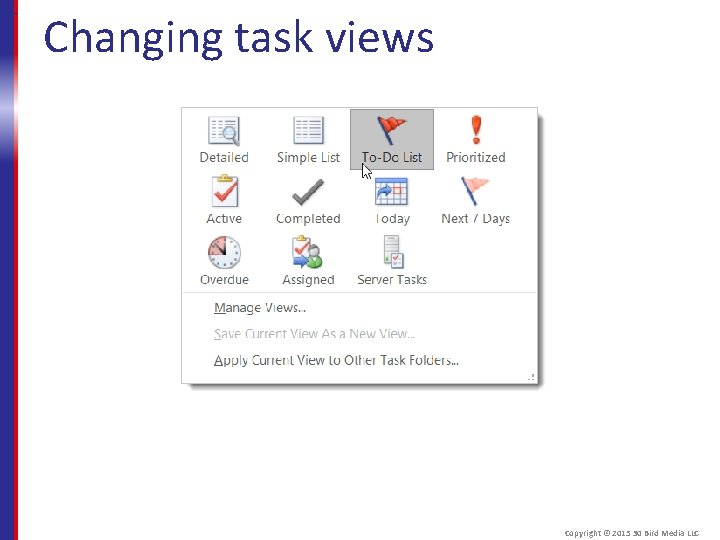
Changing task views Copyright © 2015 30 Bird Media LLC
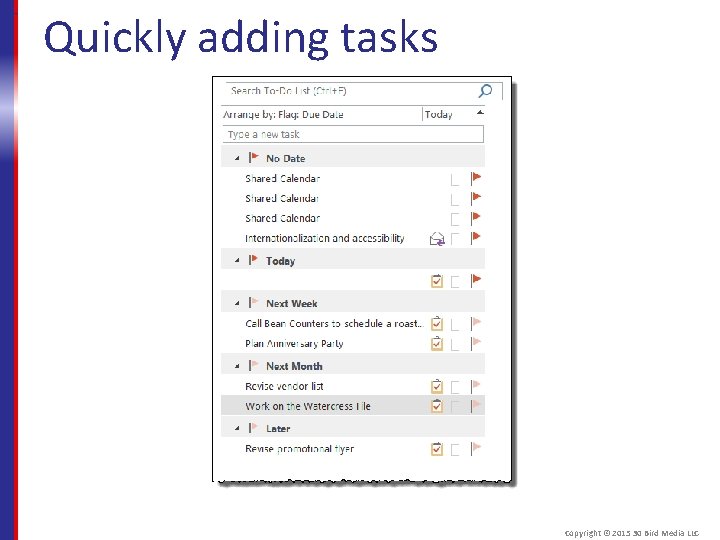
Quickly adding tasks Copyright © 2015 30 Bird Media LLC
Assessment: Creating Tasks You can most easily access your full Tasks list from the ____. Choose the best response. A. B. C. D. Navigation options Ribbon Calendar Address Book A is correct, though the calendar can show tasks. Copyright © 2015 30 Bird Media LLC
Assessment: Creating Tasks Not all task views will show all tasks. True or false? A. True B. False True. For example, Completed task view won't show active tasks. Copyright © 2015 30 Bird Media LLC
Assessment: Creating Tasks You can create a new task from the _______. Choose all that apply. A. B. C. D. Ribbon Address Book To-Do list To-Do-bar A, C, and D are correct. The Address book is only for actions related to contacts. Copyright © 2015 30 Bird Media LLC
Module B: Managing tasks You will learn how to: § Complete tasks § Delete tasks § Move and copy tasks between folders § Print tasks and task lists § Create recurring tasks Copyright © 2015 30 Bird Media LLC
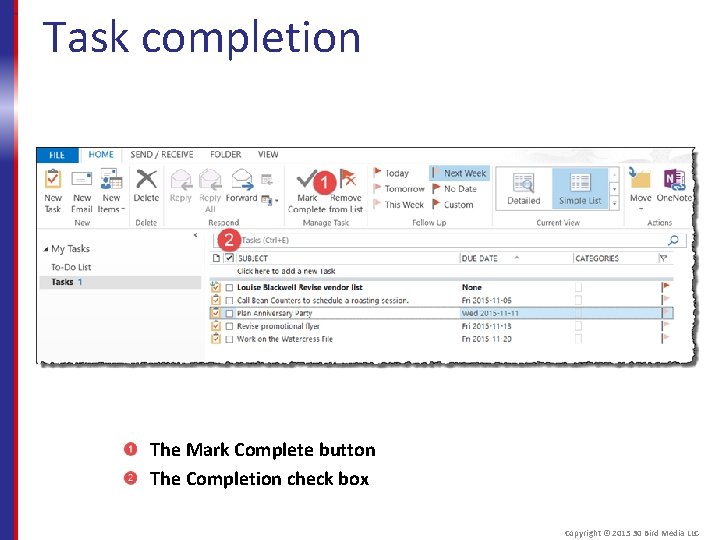
Task completion The Mark Complete button The Completion check box Copyright © 2015 30 Bird Media LLC
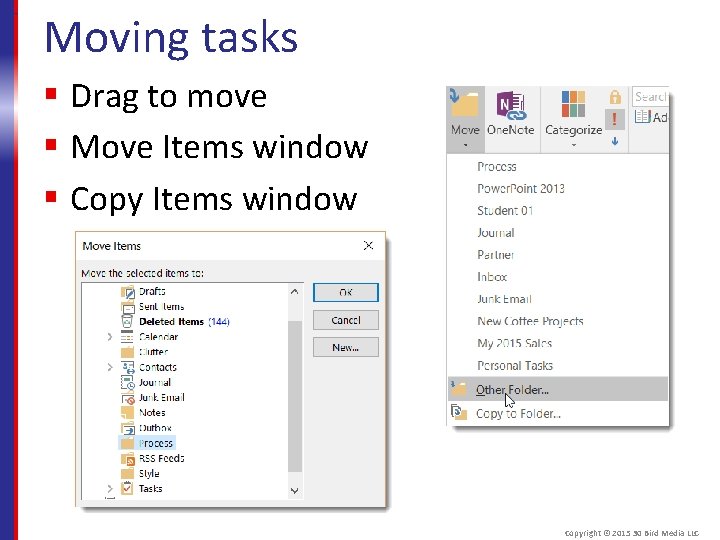
Moving tasks § Drag to move § Move Items window § Copy Items window Copyright © 2015 30 Bird Media LLC
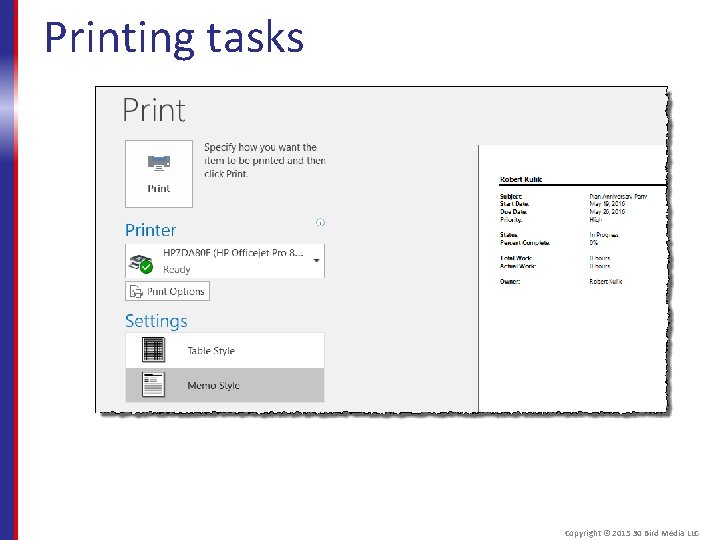
Printing tasks Copyright © 2015 30 Bird Media LLC
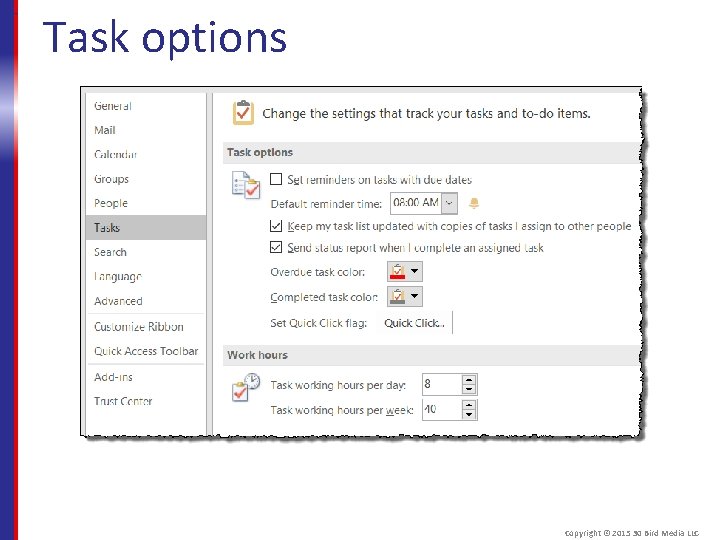
Task options Copyright © 2015 30 Bird Media LLC
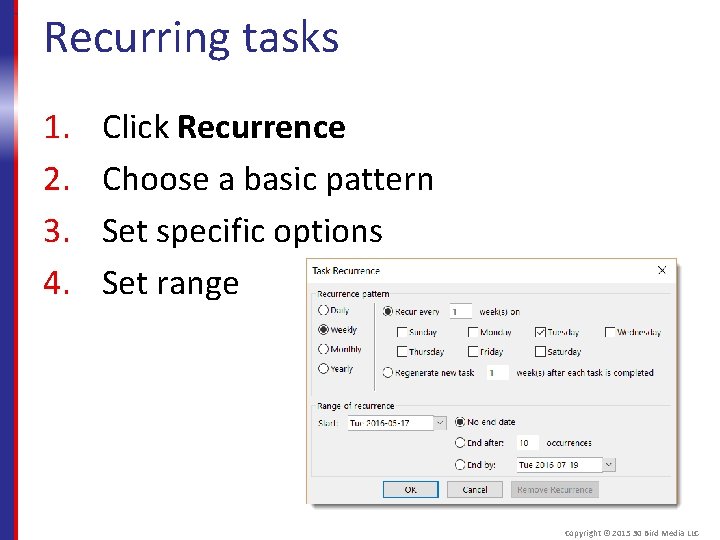
Recurring tasks 1. 2. 3. 4. Click Recurrence Choose a basic pattern Set specific options Set range Copyright © 2015 30 Bird Media LLC
Assessment: Managing tasks You can mark a task complete by checking it off in the folder contents list. True or false? A. True B. False True. You can also set its completion to 100% or click Mark Complete. Copyright © 2015 30 Bird Media LLC
Assessment: Managing tasks Deleted tasks are permanently removed from Outlook. True or false? A. True B. False. They're moved to the Deleted Items folder and can be restored. Copyright © 2015 30 Bird Media LLC
Assessment: Managing tasks What isn't an allowable interval for a recurring task? Choose the best response. A. B. C. D. Hourly Daily Weekly Monthly A is correct. Tasks can be Daily, Weekly, Monthly, or Yearly. Copyright © 2015 30 Bird Media LLC
Module C: Assigning Tasks You will learn how to: § Assign a task § Accept or reject a task assignment § Send a status report for an assigned task Copyright © 2015 30 Bird Media LLC
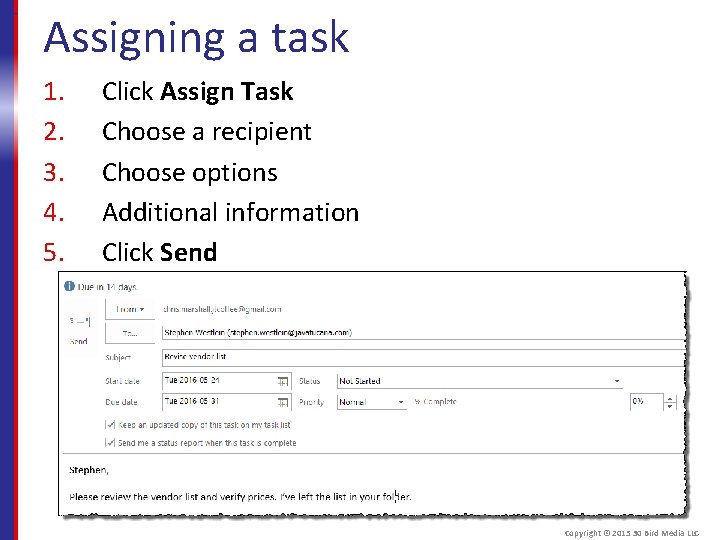
Assigning a task 1. 2. 3. 4. 5. Click Assign Task Choose a recipient Choose options Additional information Click Send Copyright © 2015 30 Bird Media LLC
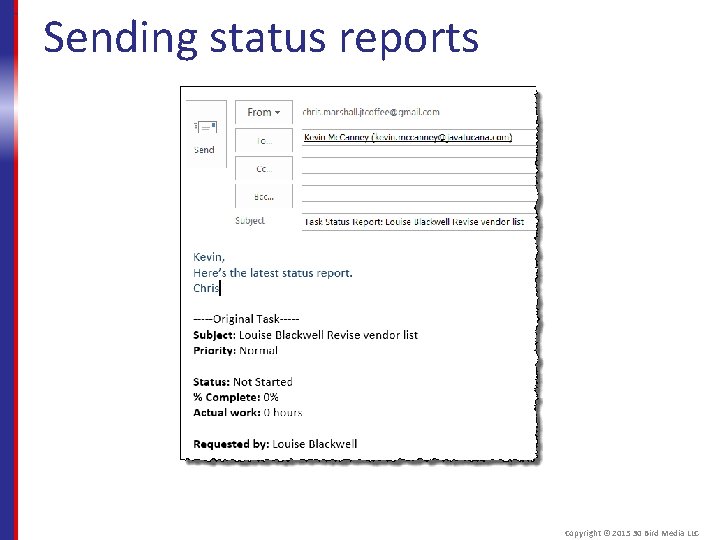
Sending status reports Copyright © 2015 30 Bird Media LLC
Assessment: Assigning tasks Ownership of an assigned task ____. A. Goes to the recipient. B. Stays with the sender. C. Is shared by both. A is correct, though the sender can keep a copy. Copyright © 2015 30 Bird Media LLC
Assessment: Assigning tasks The Send Status Report button becomes available after you assign a task. True or false? A. True B. False. You can send a status report for any task. Copyright © 2015 30 Bird Media LLC
Assessment: Assigning tasks You're prompted to send a response whether you accept or decline a task. True or false? A. True B. False True. Either way you also have the option to edit the response. Copyright © 2015 30 Bird Media LLC
Summary: Tasks You should now know how to: § View, create, and edit tasks § Complete, delete, and move tasks § Make recurring tasks § Work with assigned tasks Copyright © 2015 30 Bird Media LLC
Chapter 5: Scheduling § You will learn how to: § Create and manage appointments § Schedule meetings with other people § Manage and customize your calendar Copyright © 2015 30 Bird Media LLC
Module A: Appointments You will learn how to: § Add appointments and events § Set appointment details § Forward appointments § Print appointments § Create recurring appointments Copyright © 2015 30 Bird Media LLC
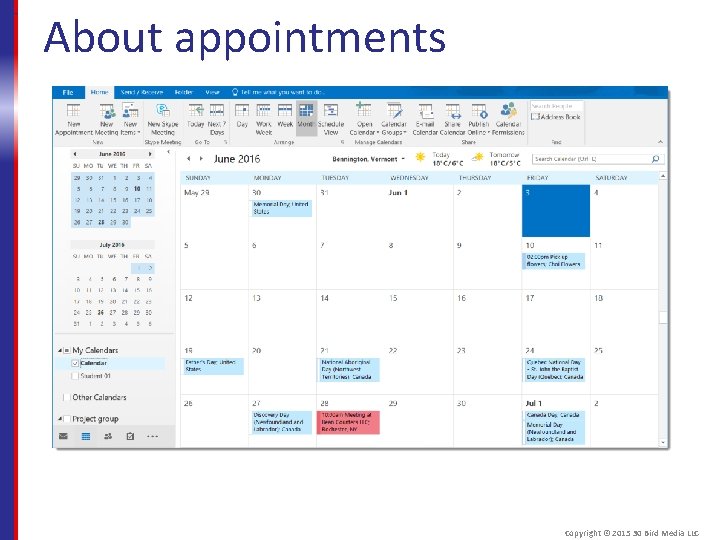
About appointments Copyright © 2015 30 Bird Media LLC
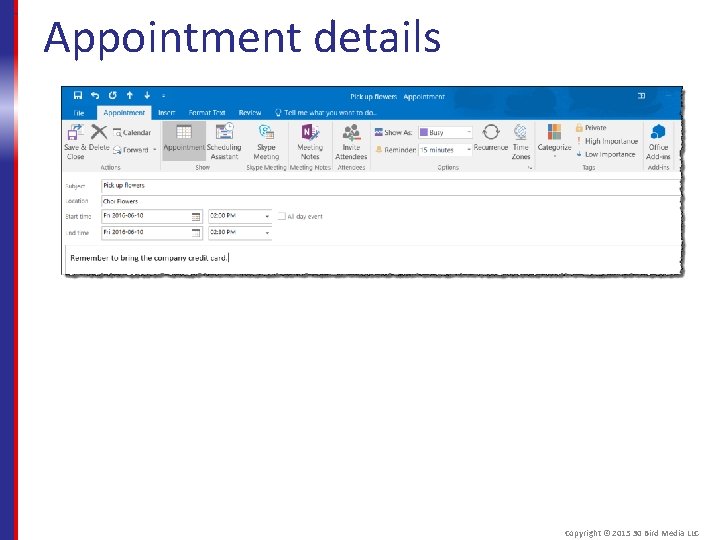
Appointment details Copyright © 2015 30 Bird Media LLC
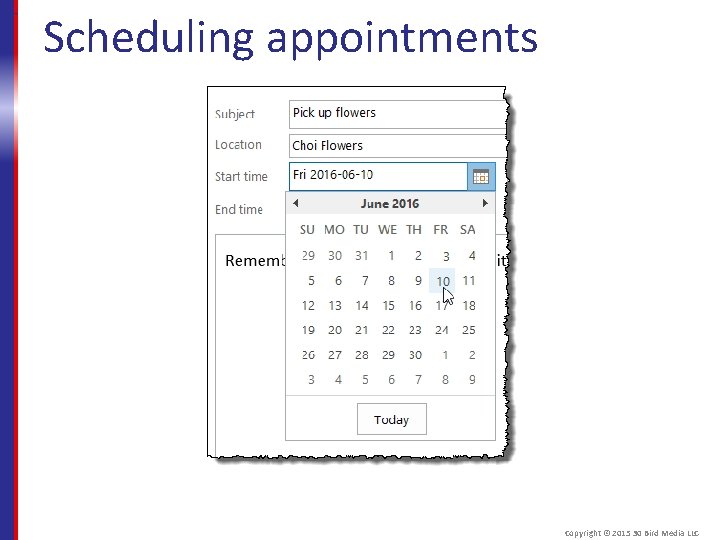
Scheduling appointments Copyright © 2015 30 Bird Media LLC
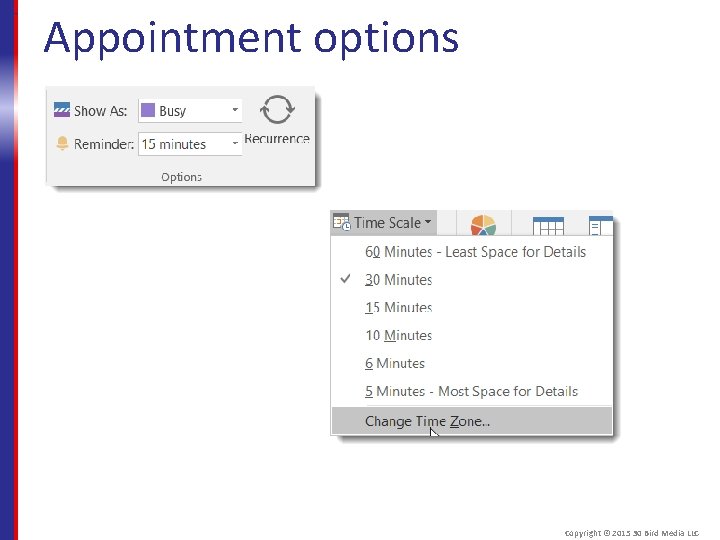
Appointment options Copyright © 2015 30 Bird Media LLC
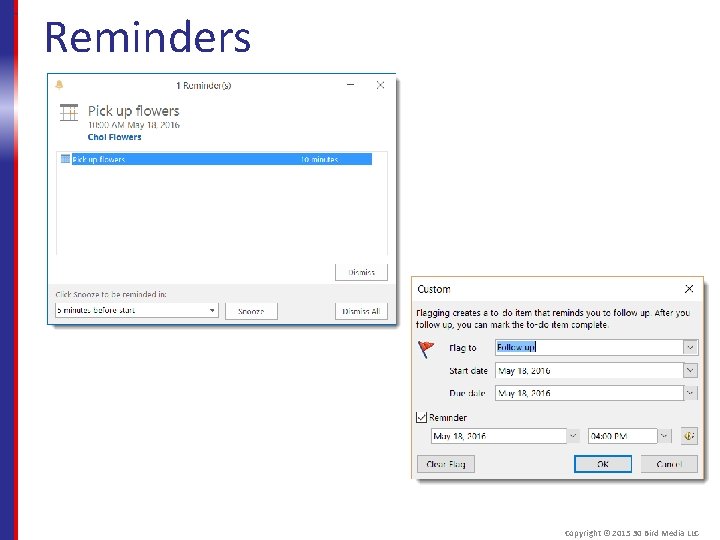
Reminders Copyright © 2015 30 Bird Media LLC
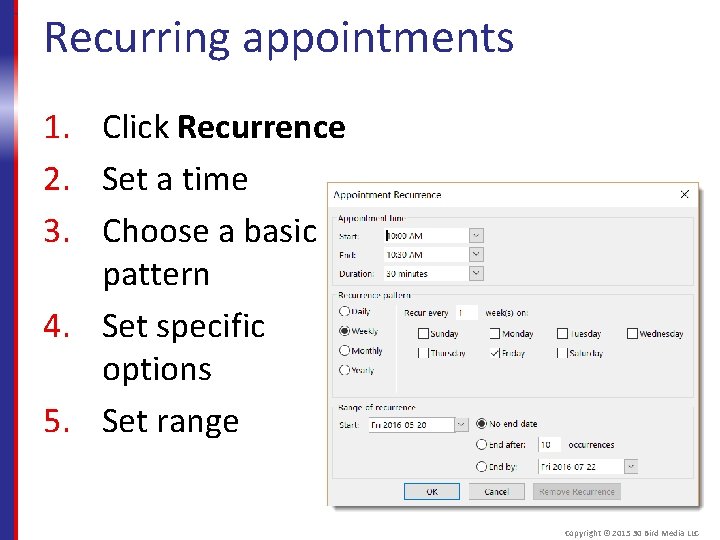
Recurring appointments 1. Click Recurrence 2. Set a time 3. Choose a basic pattern 4. Set specific options 5. Set range Copyright © 2015 30 Bird Media LLC
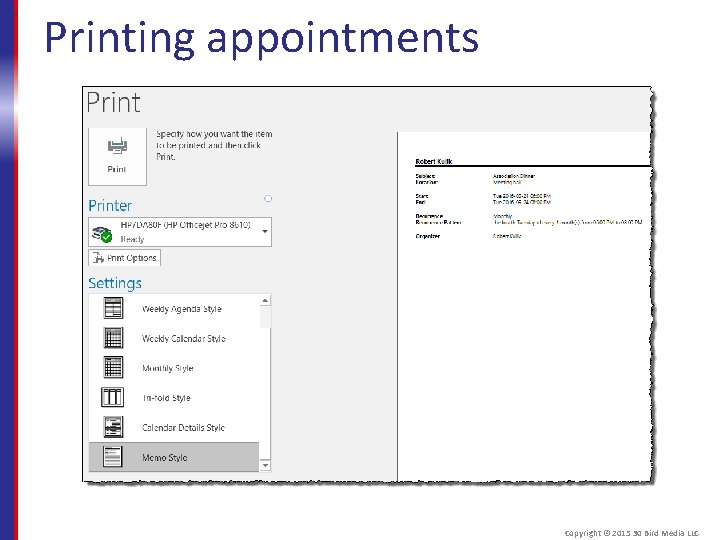
Printing appointments Copyright © 2015 30 Bird Media LLC
Assessment: Appointments Unlike tasks, appointments have specific _______. Choose the best response. A. B. C. D. Participants Recurrence Dates Reserved times D is correct. An appointment begins and ends at a specific time of day, while a task has a start and due date without reserving time on your calendar. Copyright © 2015 30 Bird Media LLC
Assessment: Appointments You can easily convert an appointment to an event, or vice-versa. True or false? A. True B. False True. You can check or uncheck All Day Event in the Appointment or Event window. Copyright © 2015 30 Bird Media LLC
Assessment: Appointments, meetings, and tasks automatically have reminders set. True or false? A. True B. False. While appointments, meetings, and events have reminders by default, for tasks they're optional. Copyright © 2015 30 Bird Media LLC
Assessment: Appointments Which of the following is not a valid recurrence range? Choose the best response. A. B. C. D. End after 10 occurrences End after 10 hours total duration End by 04/12/2016 No end date B is correct, although if the appointment was for one hour you could set it to recur ten times. Copyright © 2015 30 Bird Media LLC
Assessment: Appointments You can forward an appointment, but this is the same as making it a meeting. True or false? A. True B. False. Meetings provide additional features for coordination between participants. Copyright © 2015 30 Bird Media LLC
Module B: Meetings You will learn: § How to request a meeting § About meeting reply options § How to modify a meeting request § How to contact meeting attendees Copyright © 2015 30 Bird Media LLC
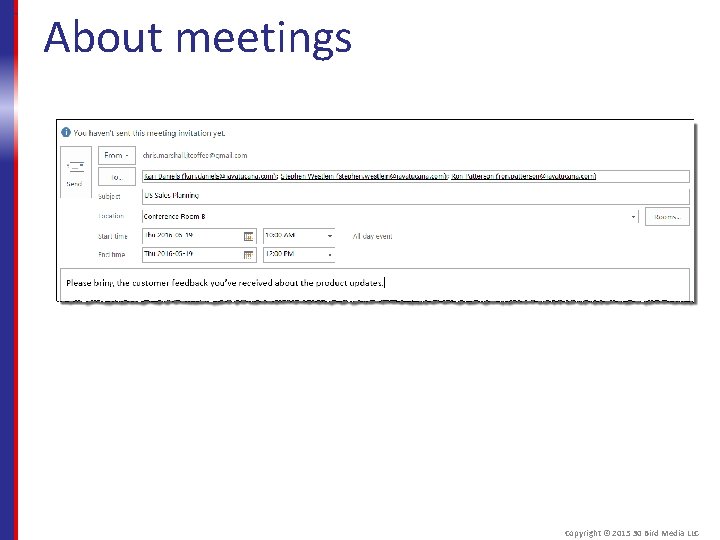
About meetings Copyright © 2015 30 Bird Media LLC
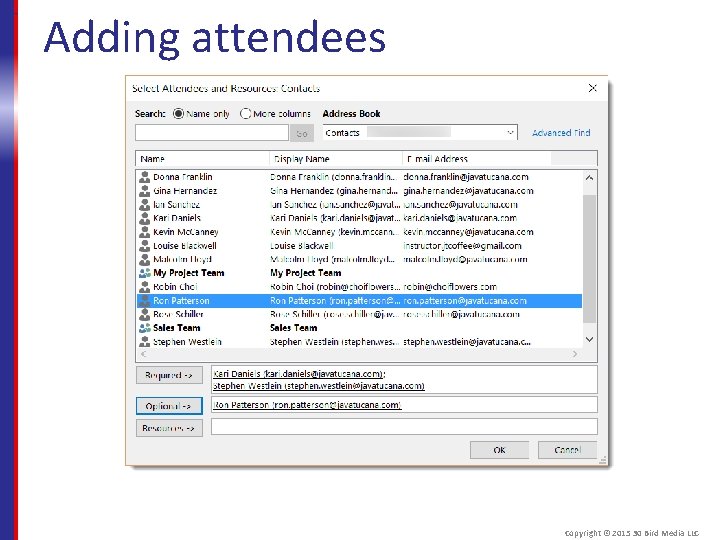
Adding attendees Copyright © 2015 30 Bird Media LLC
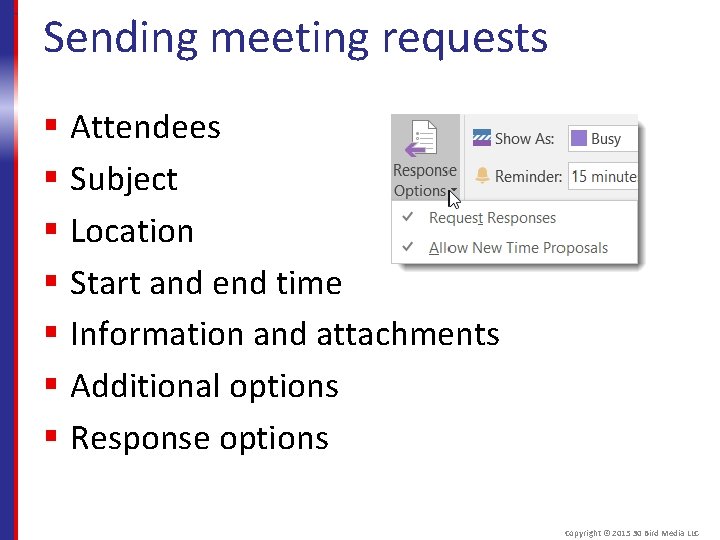
Sending meeting requests § Attendees § Subject § Location § Start and end time § Information and attachments § Additional options § Response options Copyright © 2015 30 Bird Media LLC
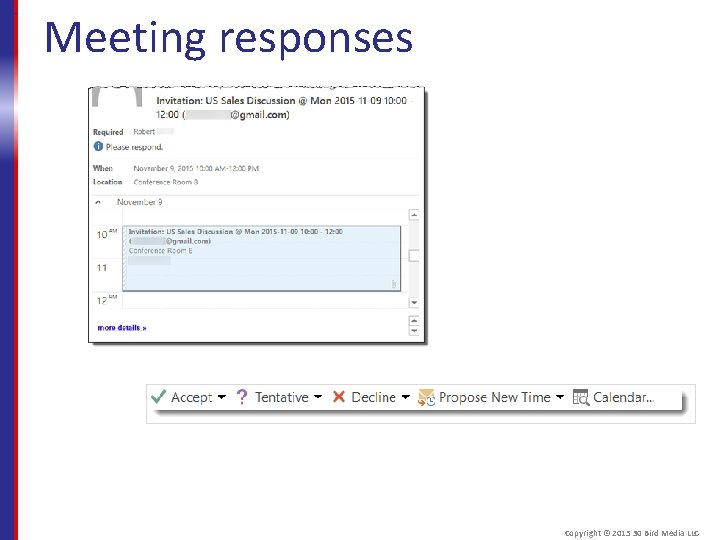
Meeting responses Copyright © 2015 30 Bird Media LLC
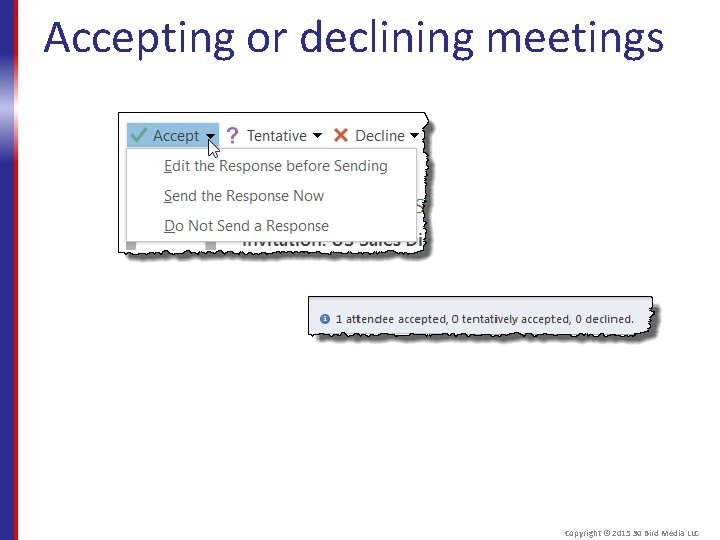
Accepting or declining meetings Copyright © 2015 30 Bird Media LLC
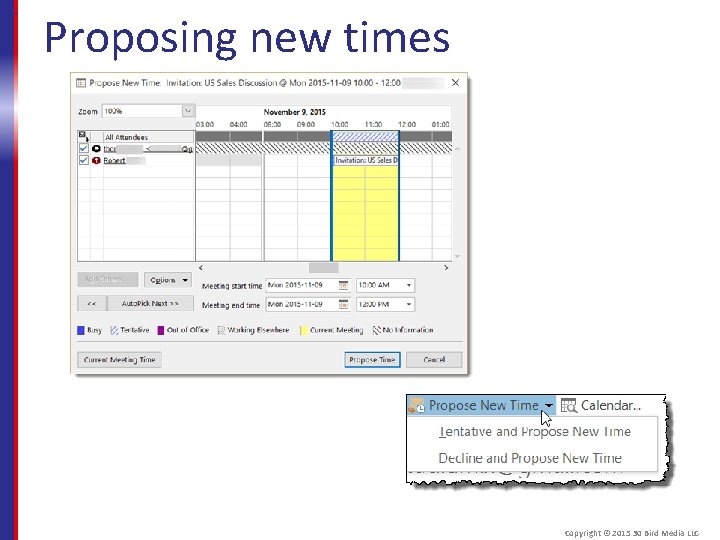
Proposing new times Copyright © 2015 30 Bird Media LLC
Updating meetings § Sending updates § Canceling meetings § Deleting meetings § Contacting attendees Copyright © 2015 30 Bird Media LLC
Assessment: Meetings Unlike appointments, meetings have: A. B. C. D. Other participants Recurrence settings Starting Dates Reserved times A is correct. Attendees are the key difference between an appointment and a meeting. Copyright © 2015 30 Bird Media LLC
Assessment: Meetings To turn an appointment into a meeting, you can: A. Check the Meeting box next to the start time. B. Invite attendees C. Drag it to the Meetings folder. D. Forward it to the attendees. B is correct. The Invite Attendees button is on the Appointment tab. Copyright © 2015 30 Bird Media LLC
Assessment: Meetings When you propose a new meeting time, you automatically share your free times with the meeting organizer. True or false? A. True B. False, though you can use shared calendars to help work out compatible meeting times. Copyright © 2015 30 Bird Media LLC
Assessment: Meetings You can use the Contact Attendees commands whether you're the organizer or an attendee of a meeting. True or false? A. True B. False, though you can still respond to the meeting invitation for much the same effect. Copyright © 2015 30 Bird Media LLC
Module C: Using the calendar You will learn: § About calendar views § How to navigate the calendar § How to change calendar options § How to print the calendar Copyright © 2015 30 Bird Media LLC
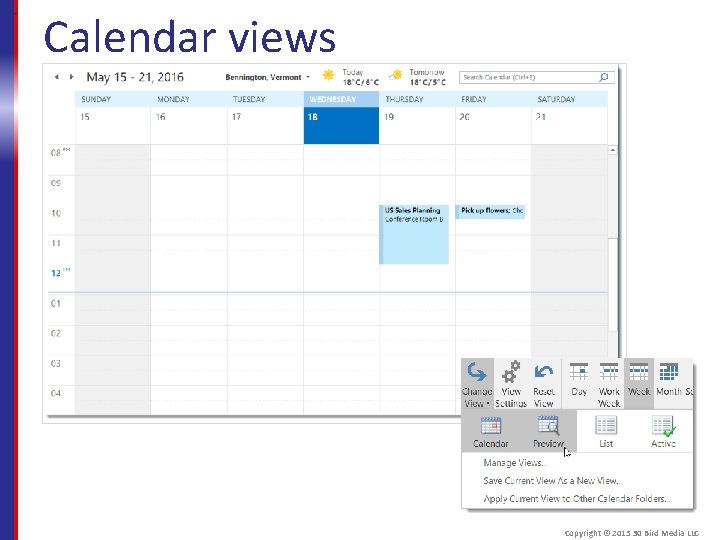
Calendar views Copyright © 2015 30 Bird Media LLC
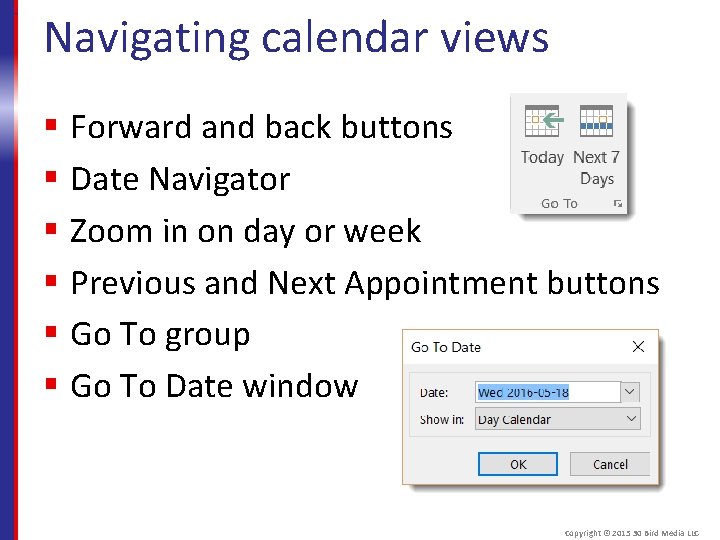
Navigating calendar views § Forward and back buttons § Date Navigator § Zoom in on day or week § Previous and Next Appointment buttons § Go To group § Go To Date window Copyright © 2015 30 Bird Media LLC
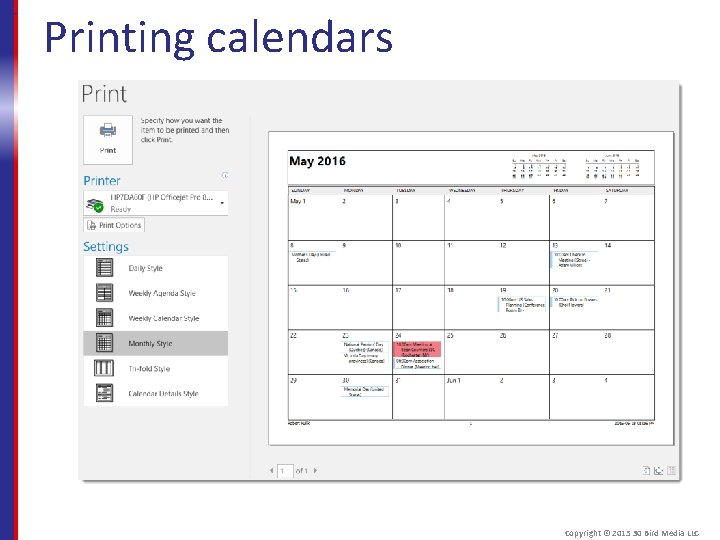
Printing calendars Copyright © 2015 30 Bird Media LLC
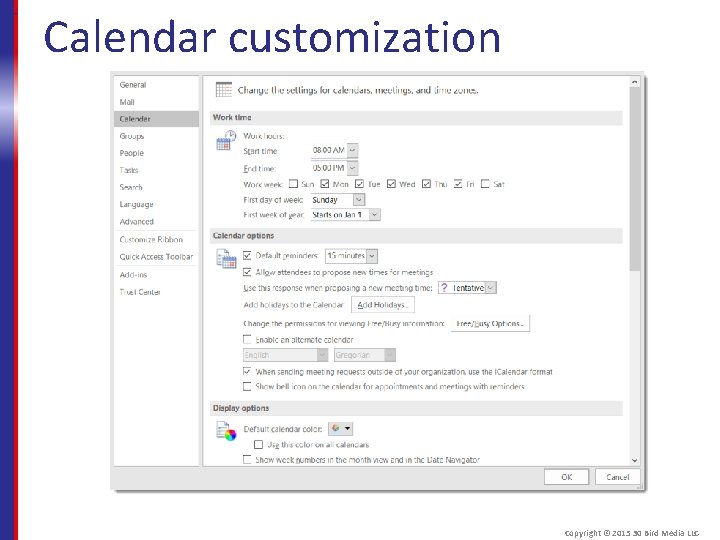
Calendar customization Copyright © 2015 30 Bird Media LLC
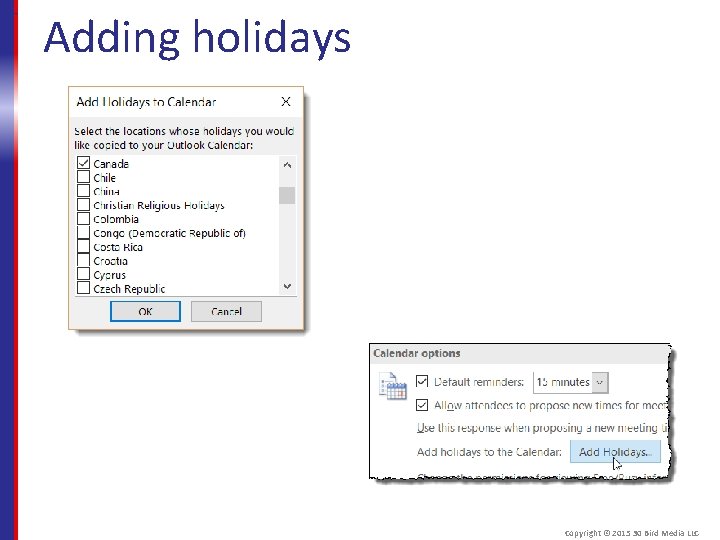
Adding holidays Copyright © 2015 30 Bird Media LLC
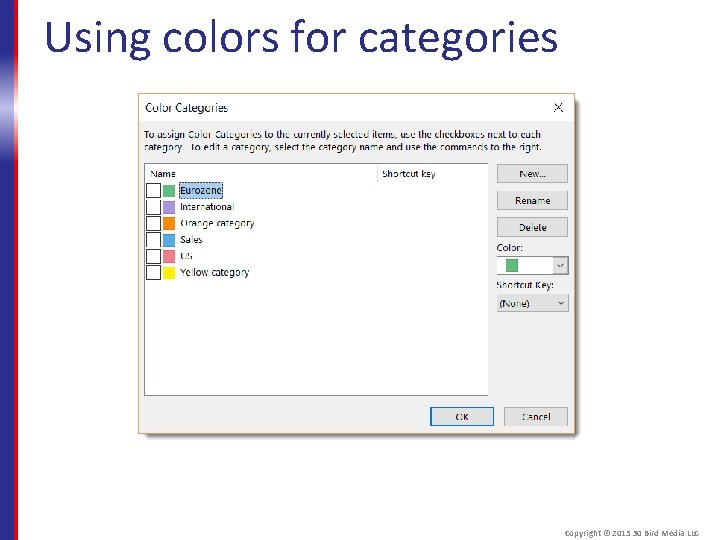
Using colors for categories Copyright © 2015 30 Bird Media LLC
Assessment: Using the calendar Which views display a daily task list? Choose all that apply. A. B. C. D. Day Month Schedule View Work Week A and D are correct. Copyright © 2015 30 Bird Media LLC
Assessment: Using the calendar Which calendar navigation method lets you move to both any time and any view? Choose the best response. A. B. C. D. The Date Navigator The Go To Date window. The Next Appointment button. Schedule View B is correct. You can press Ctrl+G to open it. Copyright © 2015 30 Bird Media LLC
Assessment: Using the calendar You can't use the Calendar Options settings to mark your birthday as a personal holiday. True or false? A. True B. False True, though you could create it as an allday event. Copyright © 2015 30 Bird Media LLC
Summary: Scheduling You should now know how to: § Plan your schedule by creating appointments, and setting appointment options such as reminders and recurrence options § Organize meetings with your contacts, respond to meeting invitations, and negotiate mutually compatible times § Navigate the calendar, change views, and customize its display options Copyright © 2015 30 Bird Media LLC
Chapter 6: Customization You will learn how to: § Customize the ribbon § Change Outlook’s appearance Copyright © 2015 30 Bird Media LLC
Module A: Customizing the ribbon You will learn how to: § Change how the ribbon is displayed § Rearrange the ribbon § Add custom tabs and groups § Customize the Quick Access toolbar Copyright © 2015 30 Bird Media LLC
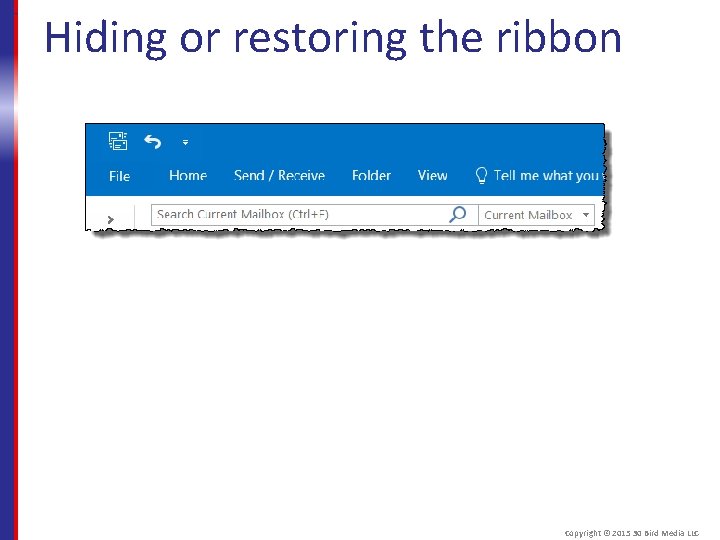
Hiding or restoring the ribbon Copyright © 2015 30 Bird Media LLC
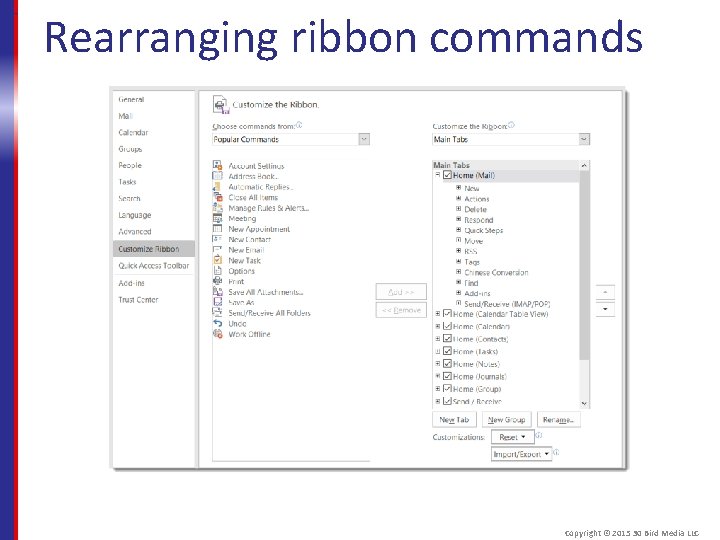
Rearranging ribbon commands Copyright © 2015 30 Bird Media LLC
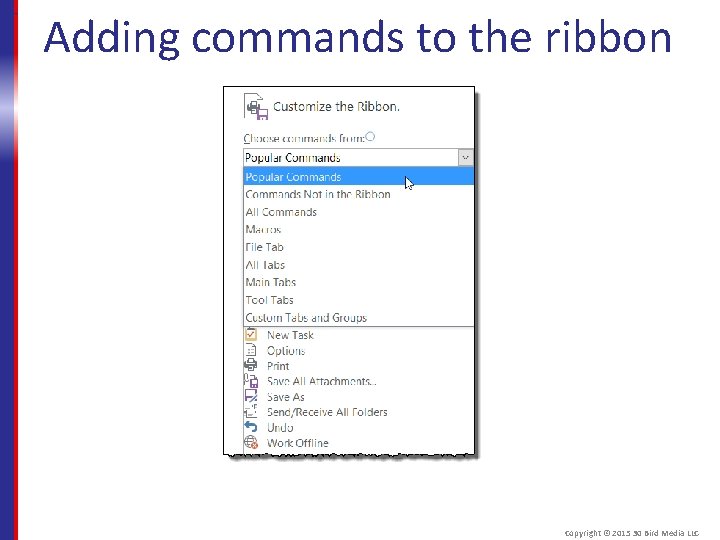
Adding commands to the ribbon Copyright © 2015 30 Bird Media LLC
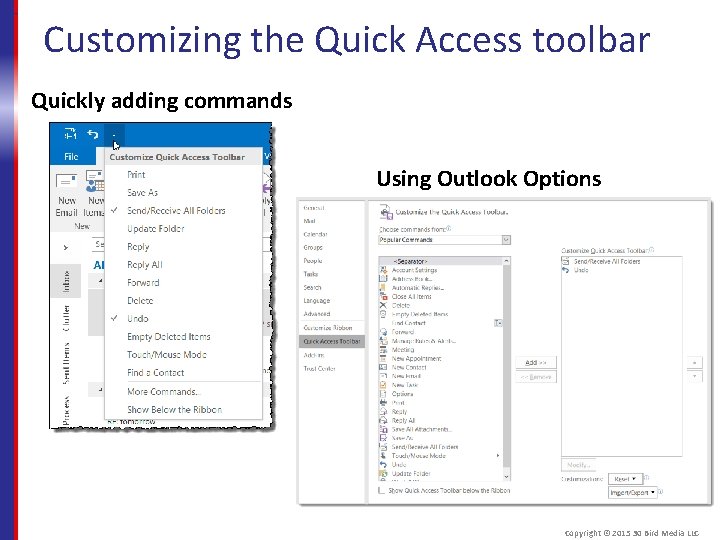
Customizing the Quick Access toolbar Quickly adding commands Using Outlook Options Copyright © 2015 30 Bird Media LLC
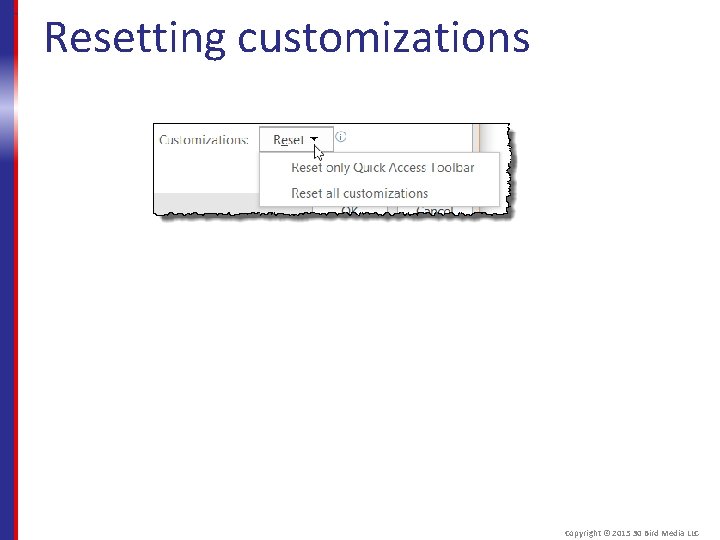
Resetting customizations Copyright © 2015 30 Bird Media LLC
Assessment: Customizing the ribbon You can still access ribbon commands easily while it's minimized. True or false? A. True B. False True, you can click any tab to temporarily view it. Copyright © 2015 30 Bird Media LLC
Assessment: Customizing the ribbon You can customize the ribbon by ____. Choose all that apply. A. B. C. D. Adding commands to an existing group Adding groups to an existing tab. Removing groups from an existing tab. B and D are correct. You can only add commands to existing groups, and you can only hide existing tabs. Copyright © 2015 30 Bird Media LLC
Assessment: Customizing the ribbon To reset all customizations, you must use both the Customize Ribbon and Quick Access Toolbar options. True or false? A. True B. False. Both have a "Reset all customizations" option, which applies to both. Copyright © 2015 30 Bird Media LLC
Module B: Customizing Outlook You will learn how to: § Customize the Outlook interface § Set language options § Change Outlook program options Copyright © 2015 30 Bird Media LLC
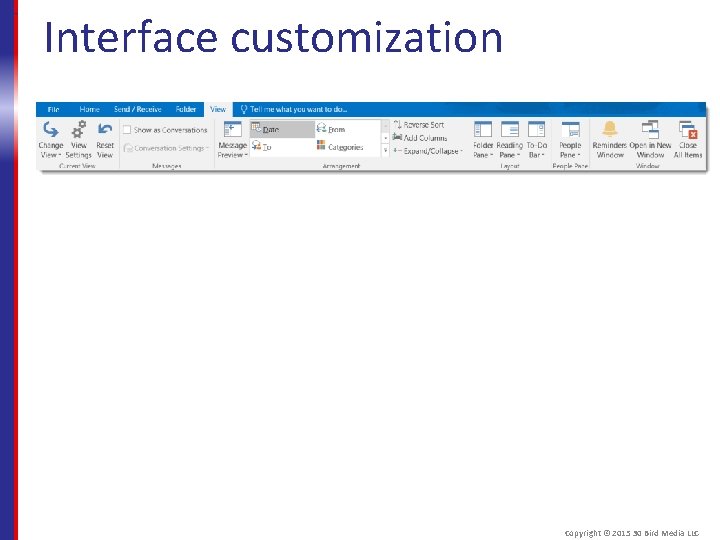
Interface customization Copyright © 2015 30 Bird Media LLC
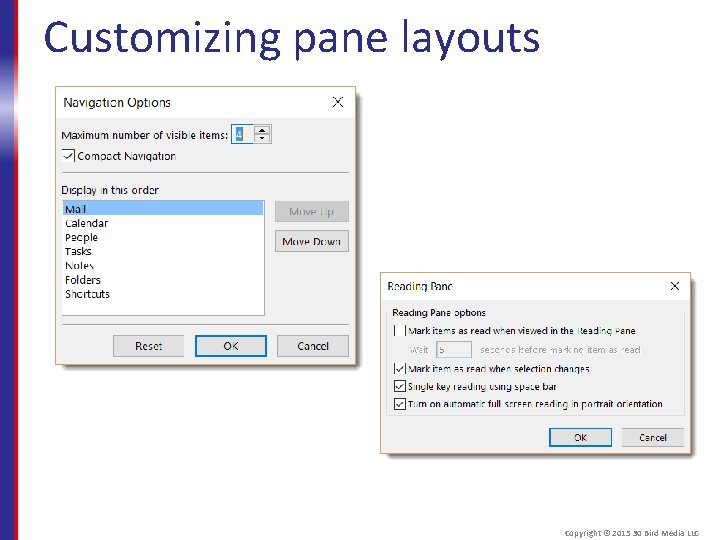
Customizing pane layouts Copyright © 2015 30 Bird Media LLC
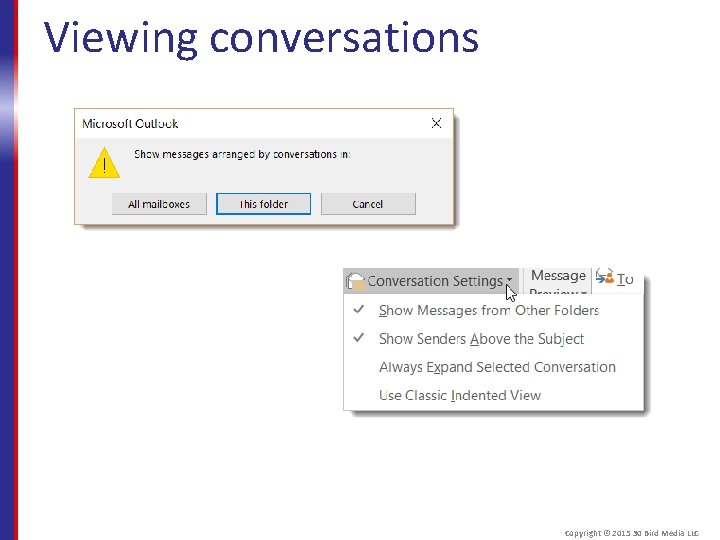
Viewing conversations Copyright © 2015 30 Bird Media LLC
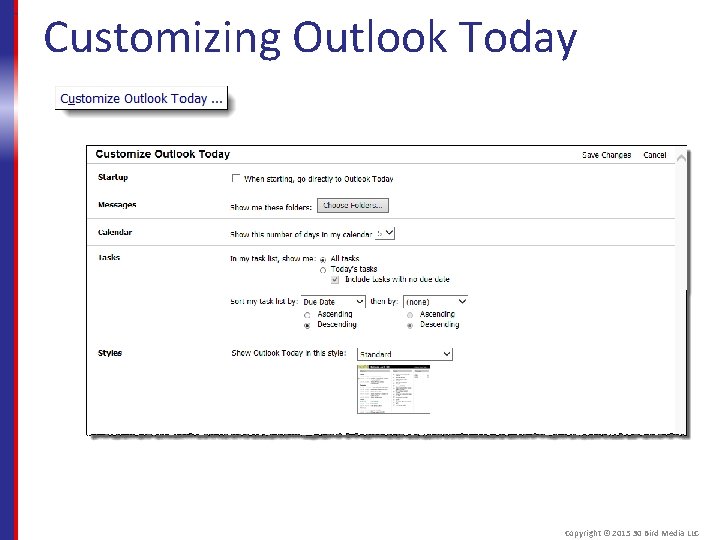
Customizing Outlook Today Copyright © 2015 30 Bird Media LLC
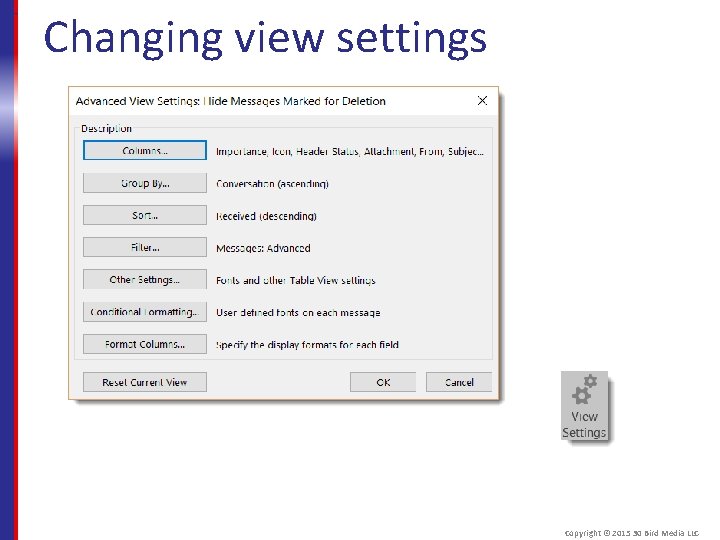
Changing view settings Copyright © 2015 30 Bird Media LLC
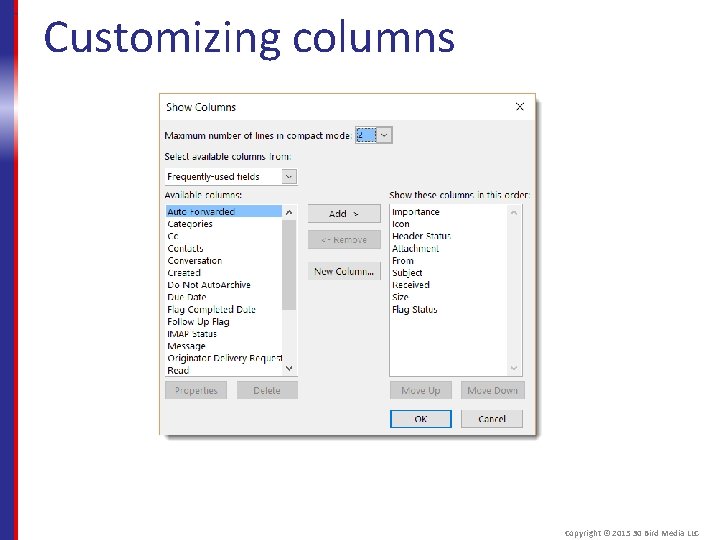
Customizing columns Copyright © 2015 30 Bird Media LLC
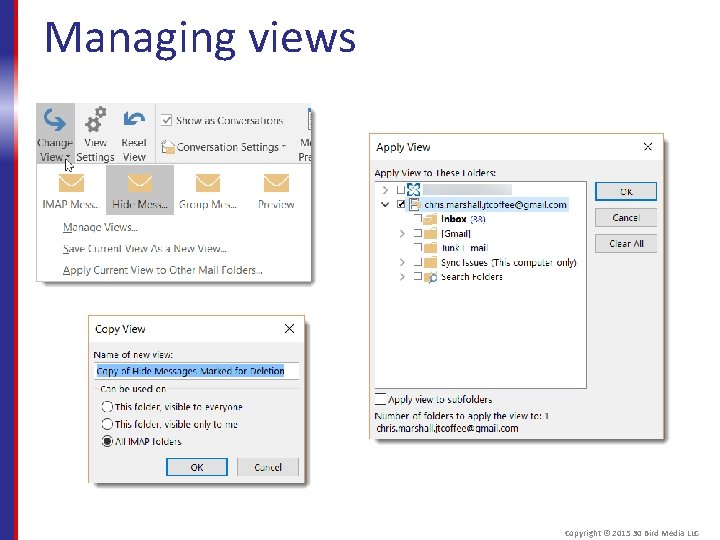
Managing views Copyright © 2015 30 Bird Media LLC
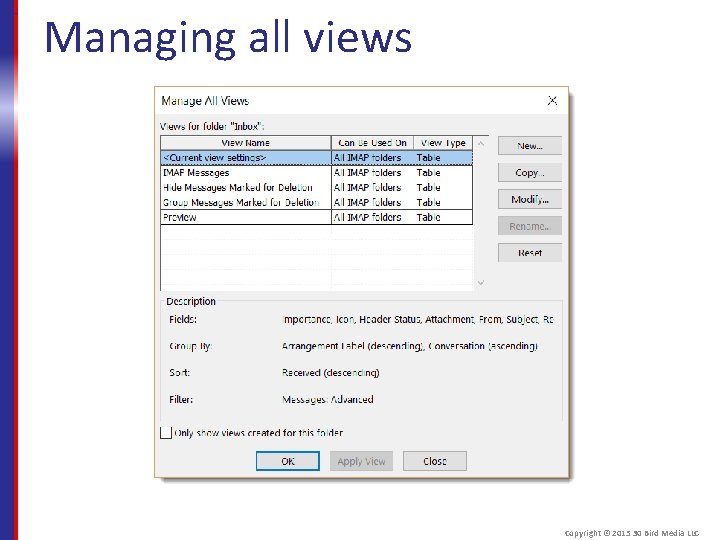
Managing all views Copyright © 2015 30 Bird Media LLC
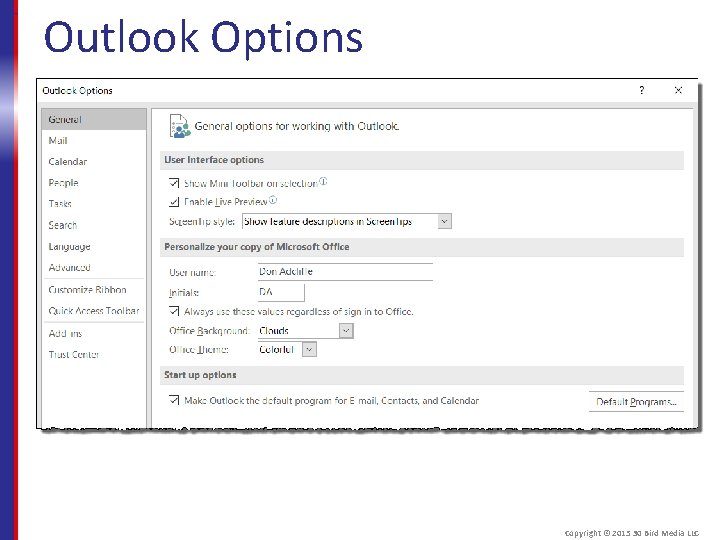
Outlook Options Copyright © 2015 30 Bird Media LLC
Assessment: Customizing Outlook What options setting isn't on the View tab? Choose the best response. A. B. C. D. Conversation Settings Navigation Pane Outlook Today People Pane C is correct. You can access it from the Outlook Today screen. Copyright © 2015 30 Bird Media LLC
Assessment: Customizing Outlook When viewing a conversation, you can even preview or open items not in the current folder. True or false? A. True B. False True. Conversations display all items used in the conversation, even sent items and meeting requests. Copyright © 2015 30 Bird Media LLC
Assessment: Customizing Outlook What settings can you access from the Advanced View Options window? Choose all that apply. A. B. C. D. Add-Ins Columns Conversations Group by B and D are correct. A is in the Outlook Options window and B is on the View tab. Copyright © 2015 30 Bird Media LLC
Assessment: Customizing Outlook You can most easily open Outlook Options from the _____. Choose the best response. A. B. C. D. File tab Home tab Outlook Today screen View tab A is correct, but a number of other menu options and launcher buttons can open it too. Copyright © 2015 30 Bird Media LLC
Summary: Customization In this chapter, you learned how to: § Hide, rearrange, and add commands to the ribbon and Quick Access toolbar § Customize the Outlook interface, change view settings, and access program options Copyright © 2015 30 Bird Media LLC
- Slides: 173