
Outline OAILTE Open Air Interface OAI opencn OAI



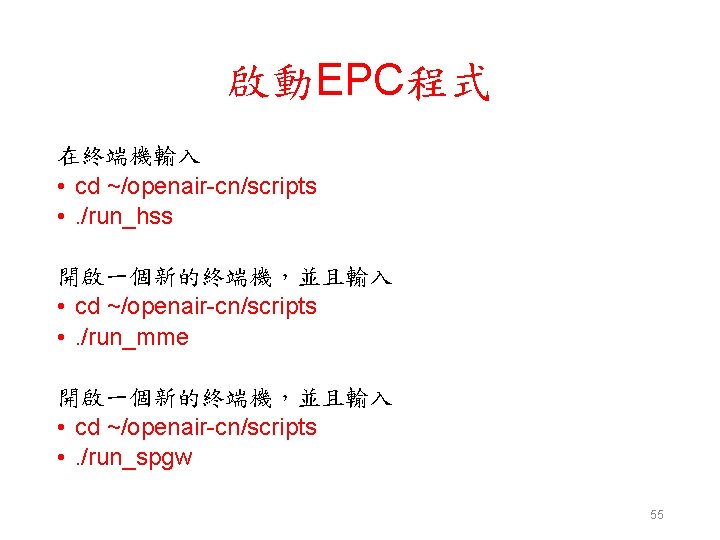
![執行hss時可用的選項 lab@NUK: ~/develop/openair-cn/scripts$. /run_hss -h • Usage: run_hss [OPTION]. . . • Run the](https://slidetodoc.com/presentation_image_h/b6cb0590a6311eec017172a14a8c2077/image-24.jpg "執行hss時可用的選項 lab@NUK: ~/develop/openair-cn/scripts$. /run_hss -h • Usage: run_hss [OPTION]. . . • Run the")
![執行mme時可用的選項 lab@NUK: ~/develop/openair-cn/scripts$. /run_mme -h • Usage: run_mme [OPTION]. . . • Run the](https://slidetodoc.com/presentation_image_h/b6cb0590a6311eec017172a14a8c2077/image-25.jpg "執行mme時可用的選項 lab@NUK: ~/develop/openair-cn/scripts$. /run_mme -h • Usage: run_mme [OPTION]. . . • Run the")
![執行spgw時可用的選項 lab@NUK: ~/develop/openair-cn/scripts$. /run_spgw -h • Usage: run_spgw [OPTION]. . . • Run the](https://slidetodoc.com/presentation_image_h/b6cb0590a6311eec017172a14a8c2077/image-27.jpg "執行spgw時可用的選項 lab@NUK: ~/develop/openair-cn/scripts$. /run_spgw -h • Usage: run_spgw [OPTION]. . . • Run the")
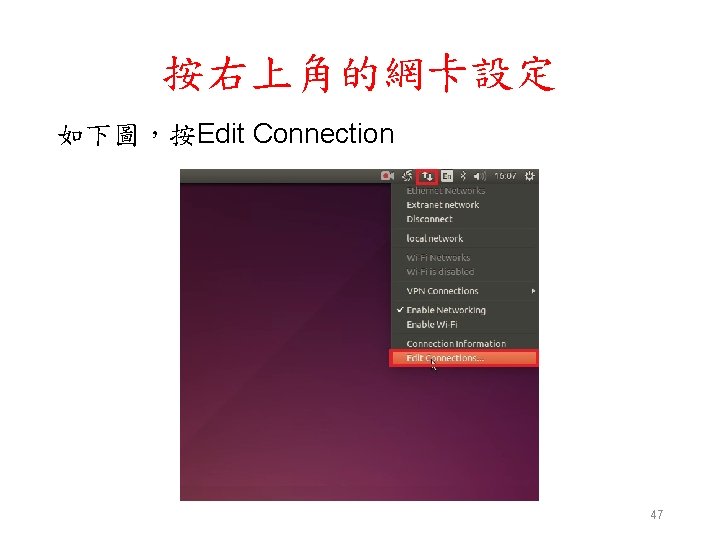
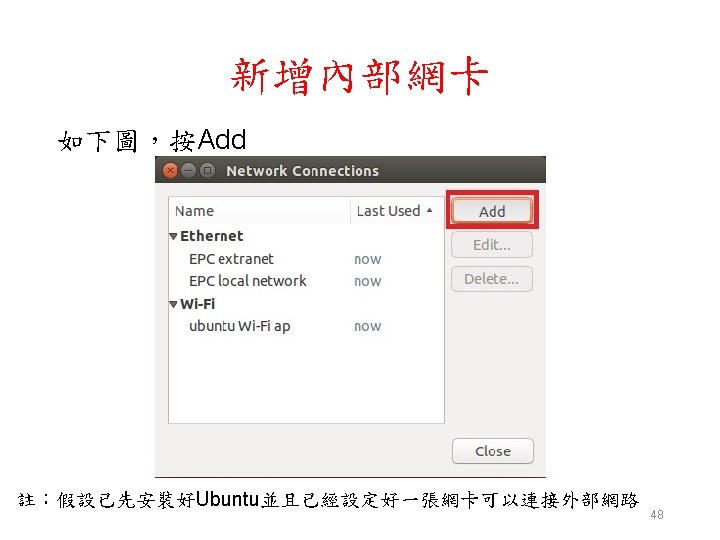
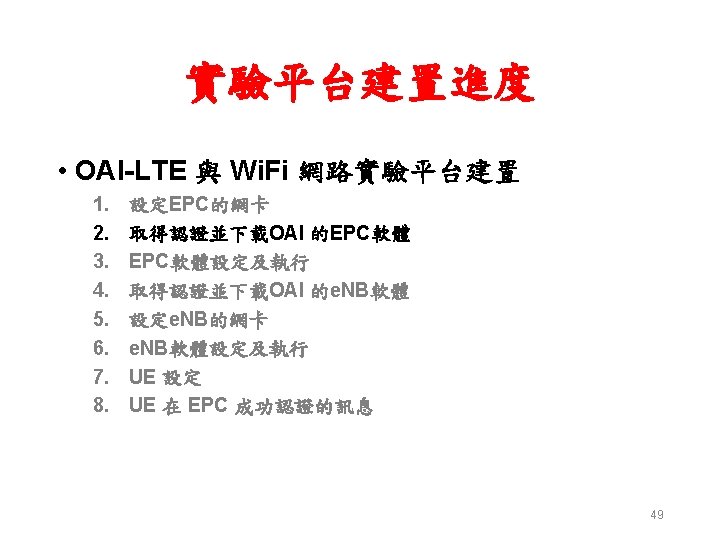
- Slides: 80
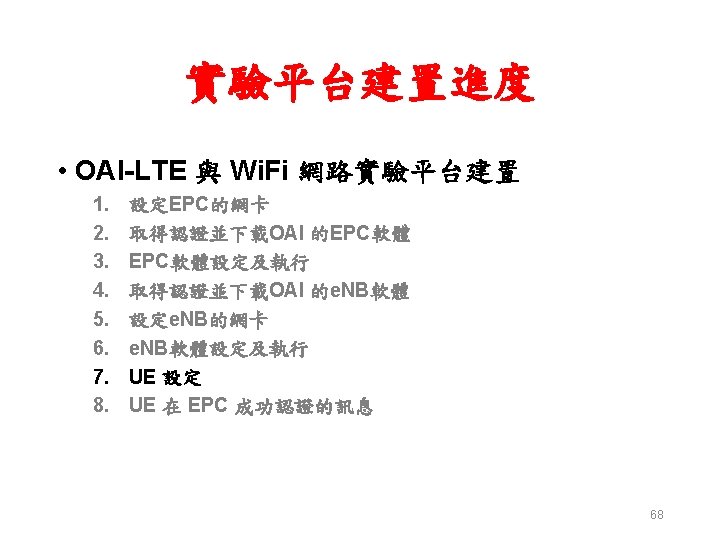
Outline • OAI-LTE 介紹 – Open. Air. Interface 介紹 – OAI open-cn – OAI openairinterface 5 g • OAI-LTE 與 Wi. Fi 網路實驗環境 • OAI-LTE 與 Wi. Fi 網路實驗平台建置 • Summary 2
OAI – Open Air Interface • The Open. Air. Interface Software Alliance (OSA) is a non-profit consortium fostering a community of industrial as well as academic contributors for open source software and hardware development for – The core network (EPC), – Access network and – user equipment (EUTRAN) of 3 GPP cellular networks • The mission of the Alliance is to provide software and tools for 5 G Wireless Research and Product Development • The Alliance sponsors the initial work of EURECOM to create OAI towards development of 5 G Cellular Stack on Commercial Off-The-Shelf (COTS) hardware http: //www. openairinterface. org/ 3
EURECOM • EURECOM is a Graduate school and Research Centre in Communication Systems located in the Sophia Antipolis technology park (French Riviera), a major European place for telecommunications activities • Founded in 1991 with three fundamental missions – Research: priority given to three fields of research: Digital Security, Data Science and Communication Systems – High level education – Doctoral program 4
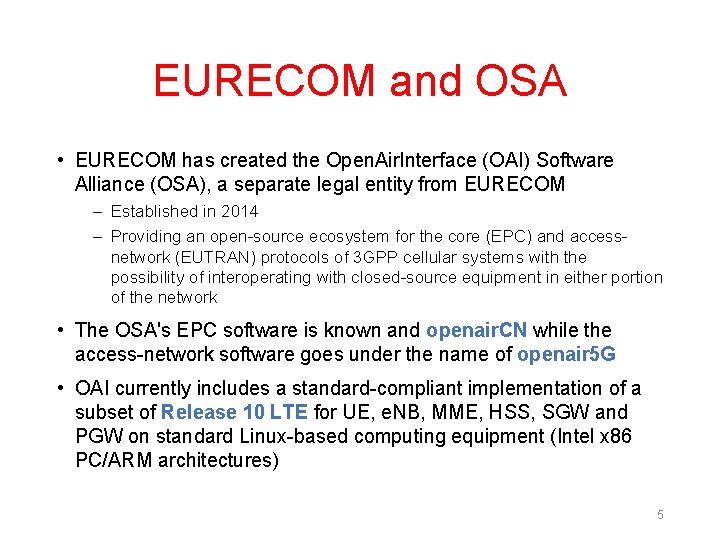
EURECOM and OSA • EURECOM has created the Open. Air. Interface (OAI) Software Alliance (OSA), a separate legal entity from EURECOM – Established in 2014 – Providing an open-source ecosystem for the core (EPC) and accessnetwork (EUTRAN) protocols of 3 GPP cellular systems with the possibility of interoperating with closed-source equipment in either portion of the network • The OSA's EPC software is known and openair. CN while the access-network software goes under the name of openair 5 G • OAI currently includes a standard-compliant implementation of a subset of Release 10 LTE for UE, e. NB, MME, HSS, SGW and PGW on standard Linux-based computing equipment (Intel x 86 PC/ARM architectures) 5
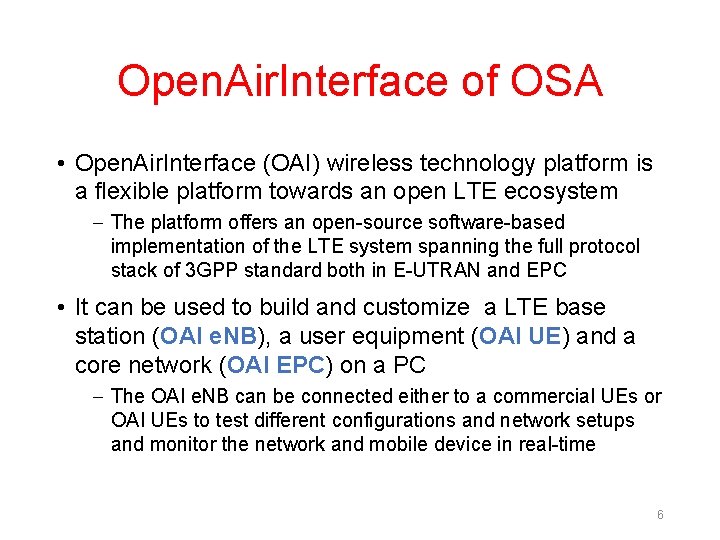
Open. Air. Interface of OSA • Open. Air. Interface (OAI) wireless technology platform is a flexible platform towards an open LTE ecosystem – The platform offers an open-source software-based implementation of the LTE system spanning the full protocol stack of 3 GPP standard both in E-UTRAN and EPC • It can be used to build and customize a LTE base station (OAI e. NB), a user equipment (OAI UE) and a core network (OAI EPC) on a PC – The OAI e. NB can be connected either to a commercial UEs or OAI UEs to test different configurations and network setups and monitor the network and mobile device in real-time 6
Participating OAI • Associate Members – A monetary contribution of at least 10. 000 euros – Taiwan: • • Community – Join Git. Lab to discover and share projects https: //gitlab. eurecom. fr/ 7
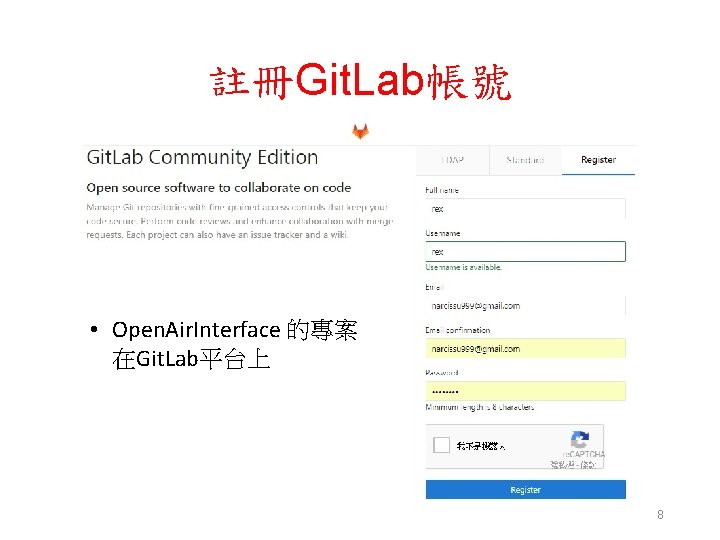
註冊Git. Lab帳號 • Open. Air. Interface 的專案 在Git. Lab平台上 8
OAI Environment - Hardware • OAI is based on a PC hosted software radio frontend architecture • With OAI, the transceiver functionality is realized via a software radio front end connected to a host computer for processing 9
OAI Environment - Software • OAI is written in standard C for several real-time Linux variants optimized for Intel x 86 and ARM processors and released as free software under the OAI License Model • OAI provides a rich development environment with a range of built-in tools – – – highly realistic emulation modes soft monitoring and debugging tools protocol analyzer performance profiler configurable logging system for all layers and channels 10
OAI Physical Layer for LTE Support • LTE release 8. 6 compliant, with a subset of release 10 • FDD and TDD configurations in 5, 10, and 20 MHz bandwidth • Transmission mode: 1 (SISO), and 2, 4, 5, and 6 (MIMO 2× 2) • CQI/PMI reporting 11
OAI Physical Layer - Status • All DL channels are supported – PSS, SSS, PBCH, PCFICH, PHICH, PDCCH, PDSCH, PMCH • All UL channels are supported – PRACH, PUSCH, PUCCH, SRS, DRS • HARQ support (UL and DL) • Highly optimized base band processing (including turbo decoder) 12
OAI E-UTRAN Protocol Stack • LTE release 8. 6 compliant and a subset of release 10 features • Implements the MAC, RLC, PDCP and RRC layers • protocol service for all Rel 8 Channels and Rel 10 e. MBMS (MCH, MCCH, MTCH) • Channel-aware proportional fair scheduling 13
OAI E-UTRAN Protocol Stack Status • Fully reconfigurable protocol stack • Integrity check and encryption using the AES and Sonw 3 G algorithms • Support of RRC measurement with measurement gap • Standard S 1 AP and GTP-U interfaces to the Core Network • IPv 4 and IPv 6 support 14
OAI Evolved Packet Core Features • MME, SGW, PGW and HSS implementations – OAI reuses standards compliant stacks of GTPv 1 u and GTPv 2 c application protocols from the opensource software implementation of EPC called nw. EPC • NAS integrity and encryption using the AES and Snow 3 G algorithms 15
OAI Network Features • UE procedure handling – Attach, authentication, service access, radio bearer establishment • Transparent access to the IP network – Neither external Serving Gateway nor PDN Gateway are necessary – Configurable access point name, IP range, DNS and ERAB Qo. S • IPv 4 and IPv 6 support 16
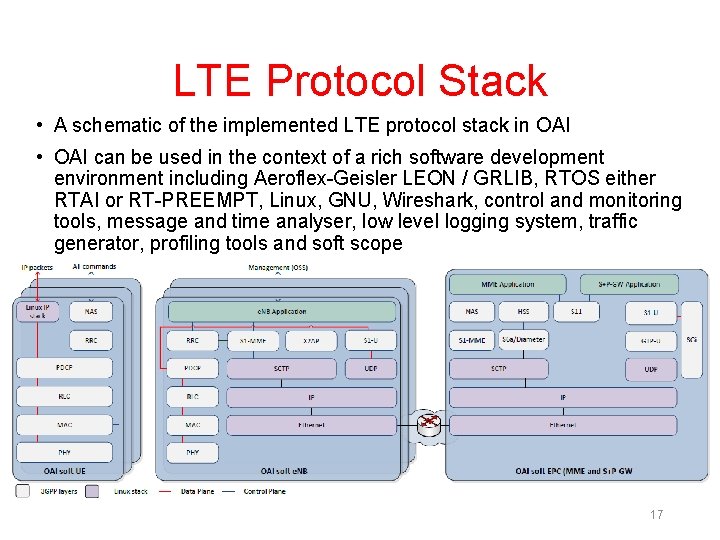
LTE Protocol Stack • A schematic of the implemented LTE protocol stack in OAI • OAI can be used in the context of a rich software development environment including Aeroflex-Geisler LEON / GRLIB, RTOS either RTAI or RT-PREEMPT, Linux, GNU, Wireshark, control and monitoring tools, message and time analyser, low level logging system, traffic generator, profiling tools and soft scope 17
Platform Environment • The OAI currently implements Rel 8/10 stack for e. NB/UE/EPC • It runs on standard Ubuntu Linux 14. 04 LTS with low-latency kernel for e. NB/UE • It is also a requirement to have USB 3/PCIe on a PC which interfaces with SDR platforms • OAI can be also run in simulation mode (oaisim) 18
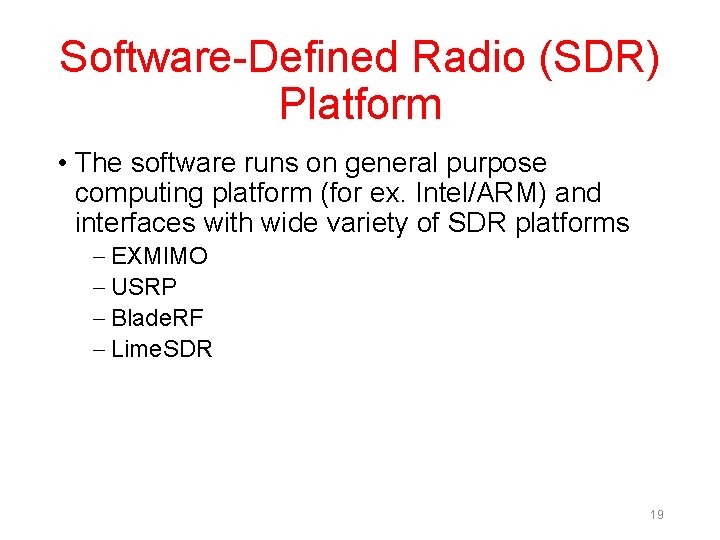
Software-Defined Radio (SDR) Platform • The software runs on general purpose computing platform (for ex. Intel/ARM) and interfaces with wide variety of SDR platforms – EXMIMO – USRP – Blade. RF – Lime. SDR 19
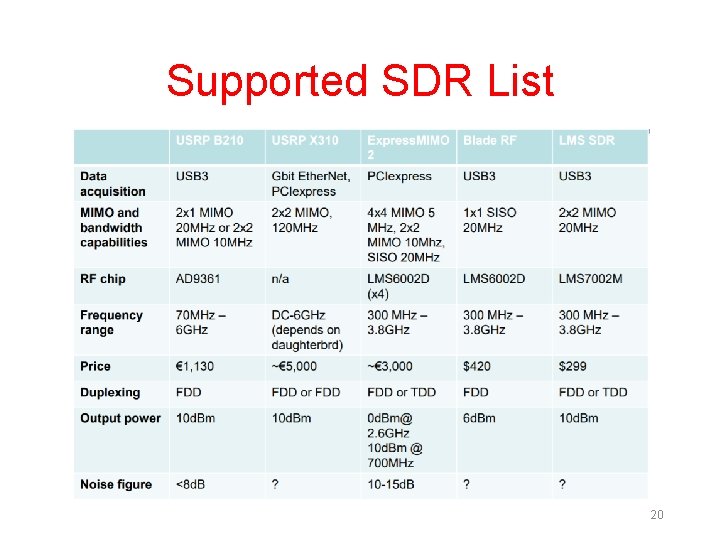
Supported SDR List 20
SDR Boards 21
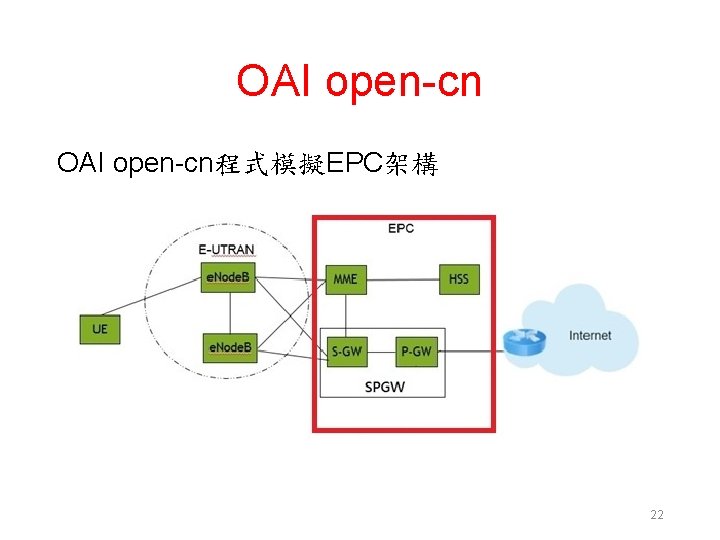
OAI open-cn程式模擬EPC架構 22
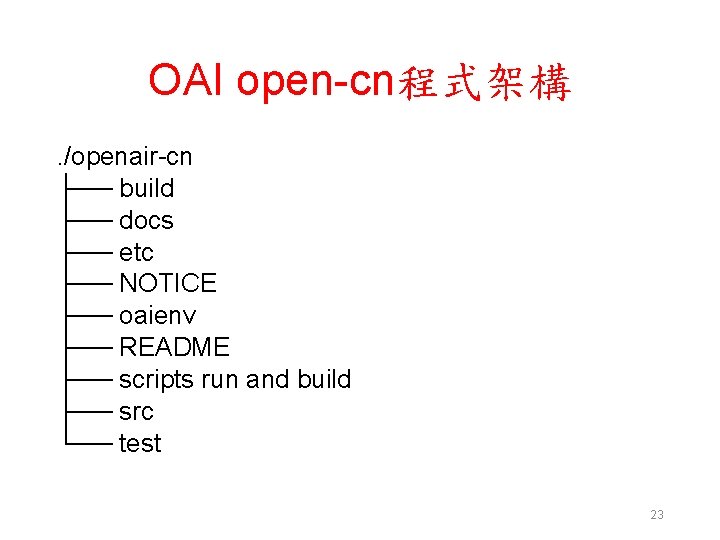
OAI open-cn程式架構. /openair-cn ├── build ├── docs ├── etc ├── NOTICE ├── oaienv ├── README ├── scripts run and build ├── src └── test 23
執行hss時可用的選項 lab@NUK: ~/develop/openair-cn/scripts$. /run_hss -h • Usage: run_hss [OPTION]. . . • Run the HSS executable (experimental). • Options: • Mandatory arguments to long options are mandatory for short options too • -c, --config-filename Config file to be used by HSS if you don't want to use the default one: /usr/local/etc/oai/hss. conf • -e, --export-db filename Export current database to a SQL file, file prefix is /home/lab/develop/openair-cn/src/OAI_hss/db. (useful for replaying test scenarios) • -D, --daemon Run the daemon. • -i, --import-db filename Import SQL file to current database, file prefix is /home/lab/develop/openair-cn/src/OAI_hss/db. (useful for replaying test scenarios or restoring original database content) • -I, --install-hss-files Install HSS config files (NOT RECOMMENDED. See gitlab tutorial, https: //gitlab. eurecom. fr/oai/openairinterface 5 g/wikis/Open. Air. Usage or docs/EPC_User_Guide. pdf ) • -g, --gdb Run with GDB. • -h, --help Print this help. • -k, --kill the running local HSS 24
執行mme時可用的選項 lab@NUK: ~/develop/openair-cn/scripts$. /run_mme -h • Usage: run_mme [OPTION]. . . • Run the MME executable. • Options: • Mandatory arguments to long options are mandatory for short options too. • -c, --config-file_abs_path Config file to be used by MME if you don't want to use the default one: /usr/local/etc/oai/mme. conf • -D, --daemon Run the daemon. • -g, --gdb Run with GDB. • -G, --gdb-cmd cmd_arg Append this GDB cmd to GDB command file (ex 1: break Attach. c: 272, ex 2: watch 0 xffee 0002). • All repetitions of this argument are valid. • -h, --help Print this help. 25
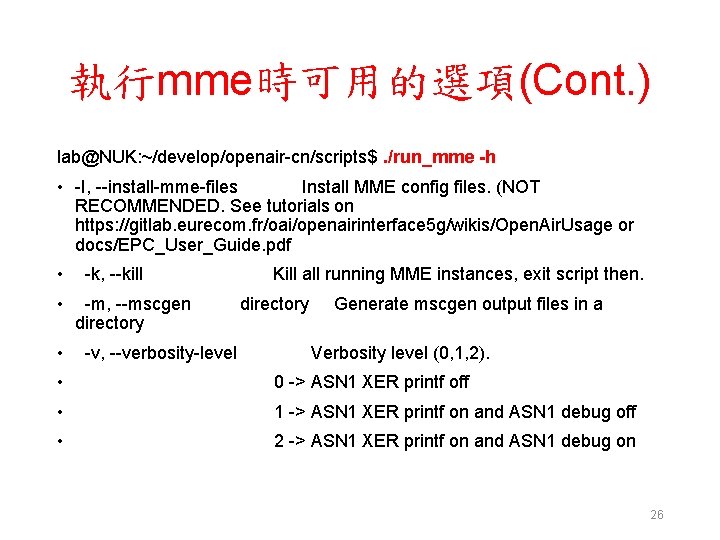
執行mme時可用的選項(Cont. ) lab@NUK: ~/develop/openair-cn/scripts$. /run_mme -h • -I, --install-mme-files Install MME config files. (NOT RECOMMENDED. See tutorials on https: //gitlab. eurecom. fr/oai/openairinterface 5 g/wikis/Open. Air. Usage or docs/EPC_User_Guide. pdf • -k, --kill Kill all running MME instances, exit script then. • -m, --mscgen directory Generate mscgen output files in a directory • -v, --verbosity-level Verbosity level (0, 1, 2). • 0 -> ASN 1 XER printf off • 1 -> ASN 1 XER printf on and ASN 1 debug off • 2 -> ASN 1 XER printf on and ASN 1 debug on 26
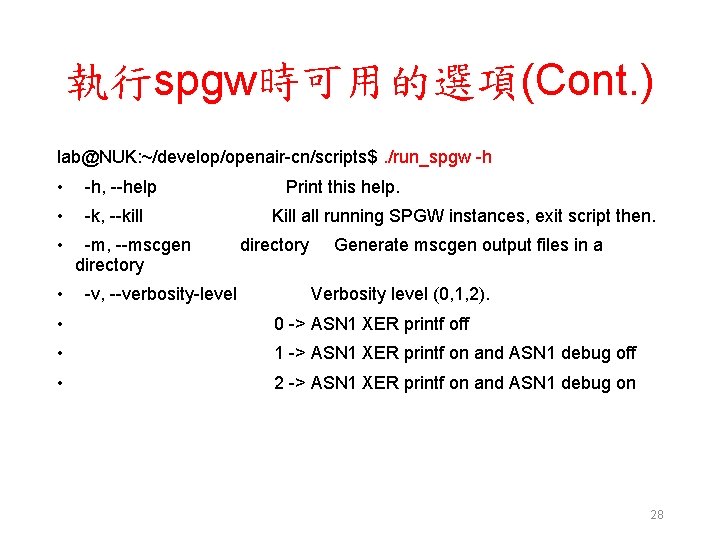
執行spgw時可用的選項 lab@NUK: ~/develop/openair-cn/scripts$. /run_spgw -h • Usage: run_spgw [OPTION]. . . • Run the S/G-GW executable (S-GW + P-GW). • Options: • Mandatory arguments to long options are mandatory for short options too. • -c, --config-file_abs_path Config file to be used by spgw if you don't want to use the default one: /usr/local/etc/oai/spgw. conf • -d, --daemon Run the daemon. • -g, --gdb Run with GDB. • -G, --gdb-cmd cmd_arg Append this GDB cmd to GDB command file (ex 1: break Attach. c: 272, ex 2: watch 0 xffee 0002). • All repetitions of this argument are valid. 27
執行spgw時可用的選項(Cont. ) lab@NUK: ~/develop/openair-cn/scripts$. /run_spgw -h • -h, --help Print this help. • -k, --kill Kill all running SPGW instances, exit script then. • -m, --mscgen directory Generate mscgen output files in a directory • -v, --verbosity-level Verbosity level (0, 1, 2). • 0 -> ASN 1 XER printf off • 1 -> ASN 1 XER printf on and ASN 1 debug off • 2 -> ASN 1 XER printf on and ASN 1 debug on 28
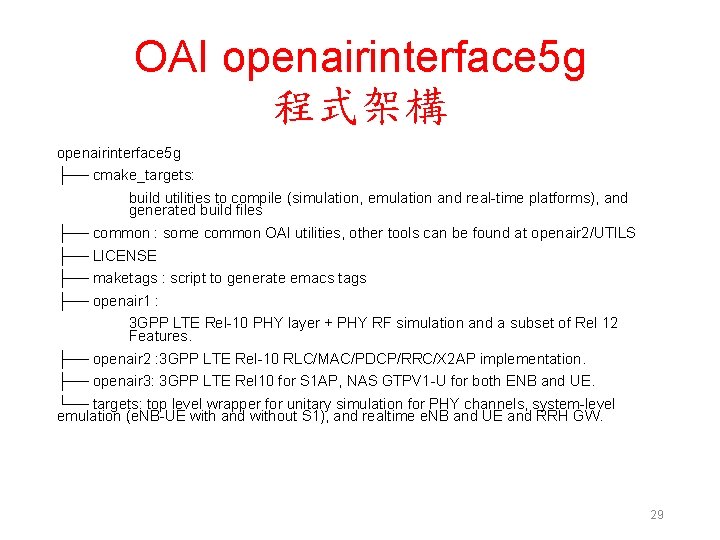
OAI openairinterface 5 g 程式架構 openairinterface 5 g ├── cmake_targets: build utilities to compile (simulation, emulation and real-time platforms), and generated build files ├── common : some common OAI utilities, other tools can be found at openair 2/UTILS ├── LICENSE ├── maketags : script to generate emacs tags ├── openair 1 : 3 GPP LTE Rel-10 PHY layer + PHY RF simulation and a subset of Rel 12 Features. ├── openair 2 : 3 GPP LTE Rel-10 RLC/MAC/PDCP/RRC/X 2 AP implementation. ├── openair 3: 3 GPP LTE Rel 10 for S 1 AP, NAS GTPV 1 -U for both ENB and UE. └── targets: top level wrapper for unitary simulation for PHY channels, system-level emulation (e. NB-UE with and without S 1), and realtime e. NB and UE and RRH GW. 29
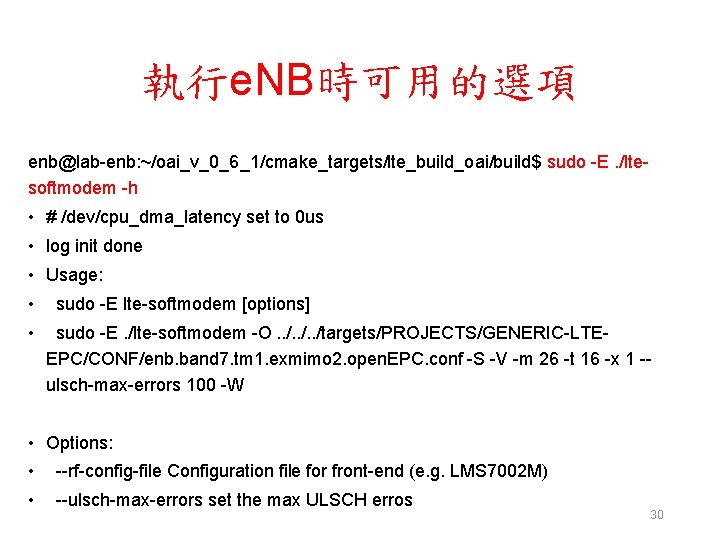
執行e. NB時可用的選項 enb@lab-enb: ~/oai_v_0_6_1/cmake_targets/lte_build_oai/build$ sudo -E. /ltesoftmodem -h • # /dev/cpu_dma_latency set to 0 us • log init done • Usage: • sudo -E lte-softmodem [options] • sudo -E. /lte-softmodem -O. . /targets/PROJECTS/GENERIC-LTEEPC/CONF/enb. band 7. tm 1. exmimo 2. open. EPC. conf -S -V -m 26 -t 16 -x 1 -ulsch-max-errors 100 -W • Options: • --rf-config-file Configuration file for front-end (e. g. LMS 7002 M) • --ulsch-max-errors set the max ULSCH erros 30
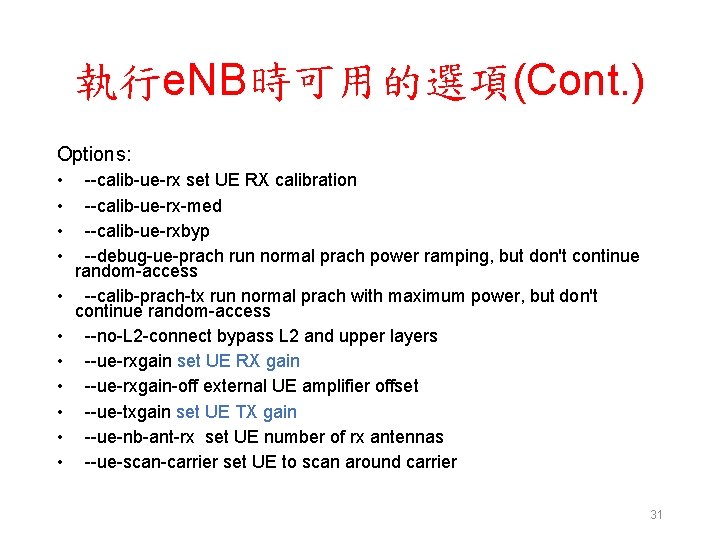
執行e. NB時可用的選項(Cont. ) Options: • • • --calib-ue-rx set UE RX calibration --calib-ue-rx-med --calib-ue-rxbyp --debug-ue-prach run normal prach power ramping, but don't continue random-access --calib-prach-tx run normal prach with maximum power, but don't continue random-access --no-L 2 -connect bypass L 2 and upper layers --ue-rxgain set UE RX gain --ue-rxgain-off external UE amplifier offset --ue-txgain set UE TX gain --ue-nb-ant-rx set UE number of rx antennas --ue-scan-carrier set UE to scan around carrier 31
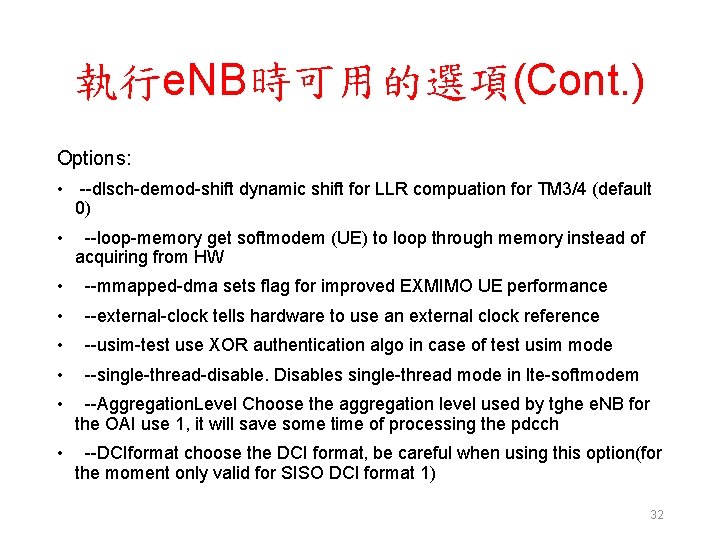
執行e. NB時可用的選項(Cont. ) Options: • --dlsch-demod-shift dynamic shift for LLR compuation for TM 3/4 (default 0) • --loop-memory get softmodem (UE) to loop through memory instead of acquiring from HW • --mmapped-dma sets flag for improved EXMIMO UE performance • --external-clock tells hardware to use an external clock reference • --usim-test use XOR authentication algo in case of test usim mode • --single-thread-disable. Disables single-thread mode in lte-softmodem • --Aggregation. Level Choose the aggregation level used by tghe e. NB for the OAI use 1, it will save some time of processing the pdcch • --DCIformat choose the DCI format, be careful when using this option(for the moment only valid for SISO DCI format 1) 32
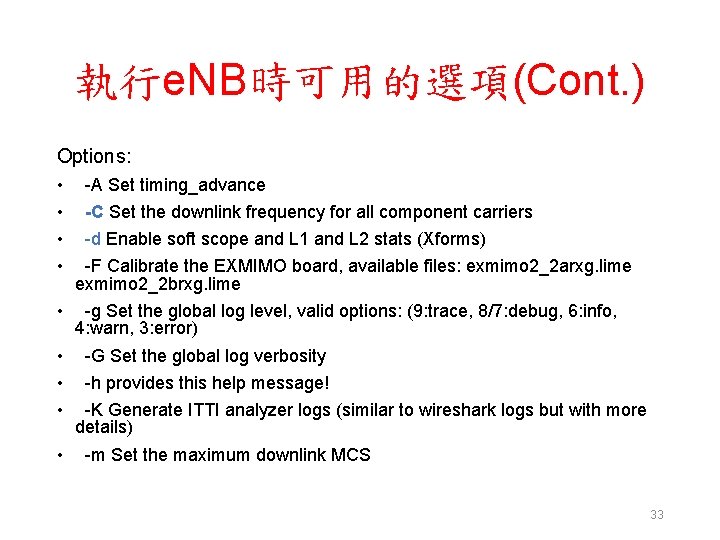
執行e. NB時可用的選項(Cont. ) Options: • • -A Set timing_advance -C Set the downlink frequency for all component carriers -d Enable soft scope and L 1 and L 2 stats (Xforms) -F Calibrate the EXMIMO board, available files: exmimo 2_2 arxg. lime exmimo 2_2 brxg. lime • -g Set the global log level, valid options: (9: trace, 8/7: debug, 6: info, 4: warn, 3: error) • -G Set the global log verbosity • -h provides this help message! • -K Generate ITTI analyzer logs (similar to wireshark logs but with more details) • -m Set the maximum downlink MCS 33
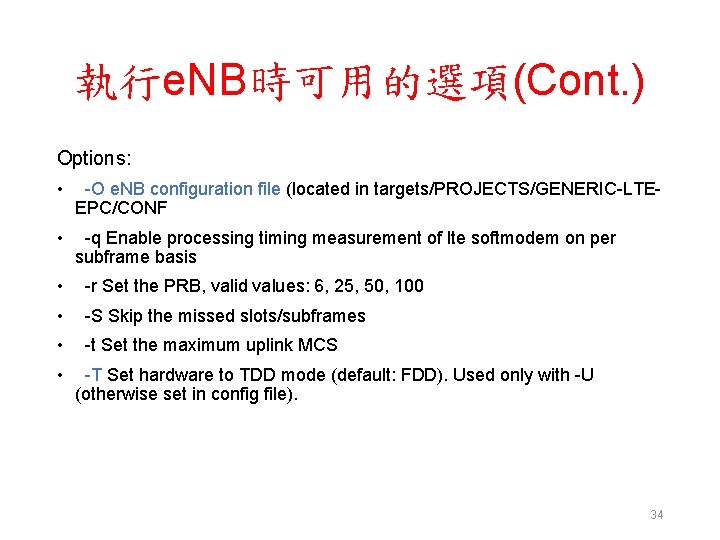
執行e. NB時可用的選項(Cont. ) Options: • -O e. NB configuration file (located in targets/PROJECTS/GENERIC-LTEEPC/CONF • -q Enable processing timing measurement of lte softmodem on per subframe basis • -r Set the PRB, valid values: 6, 25, 50, 100 • -S Skip the missed slots/subframes • -t Set the maximum uplink MCS • -T Set hardware to TDD mode (default: FDD). Used only with -U (otherwise set in config file). 34
執行e. NB時可用的選項(Cont. ) Options: • -U Set the lte softmodem as a UE • -W Enable L 2 wireshark messages on localhost • -V Enable VCD (generated file will be located atopenair_dump_e. NB. vcd, read it with target/RT/USER/e. NB. gtkw • -x Set the transmission mode, valid options: 1 • -E Apply three-quarter of sampling frequency, 23. 04 Msps to reduce the data rate on USB/PCIe transfers (only valid for 20 MHz) 35
Outline • OAI-LTE 介紹 • OAI-LTE 與 Wi. Fi 網路實驗環境 – OAI-LTE Small Cell架構 – 軟硬體需求 • OAI-LTE 與 Wi. Fi 網路實驗平台建置 • Summary 36
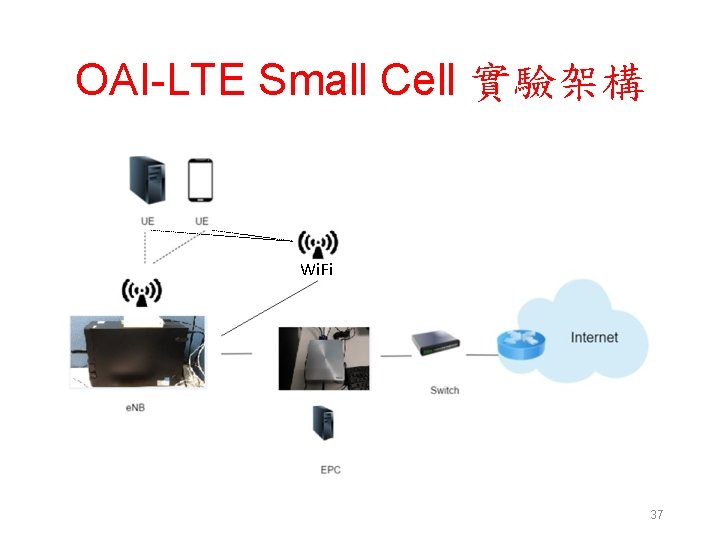
OAI-LTE Small Cell 實驗架構 Wi. Fi 37
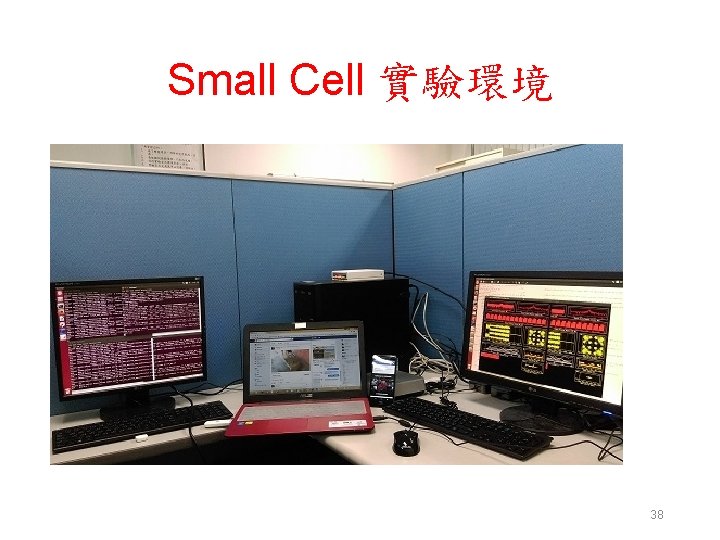
Small Cell 實驗環境 38
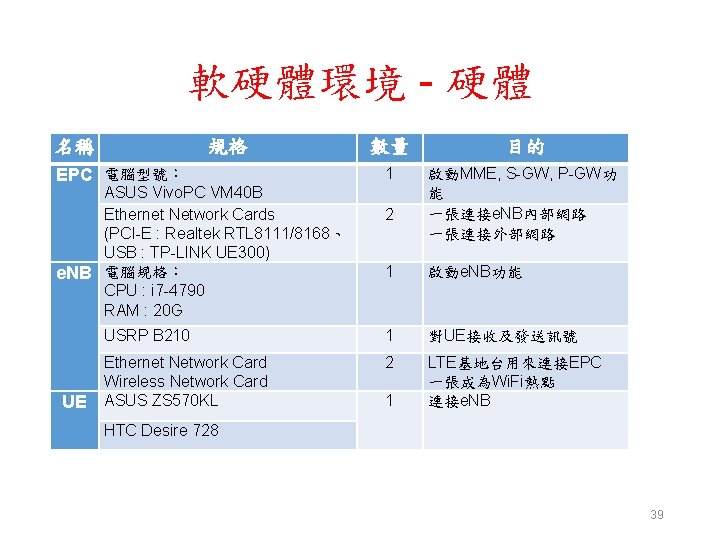
軟硬體環境 - 硬體 名稱 規格 EPC 電腦型號: ASUS Vivo. PC VM 40 B Ethernet Network Cards (PCI-E : Realtek RTL 8111/8168、 USB : TP-LINK UE 300) e. NB 電腦規格: CPU : i 7 -4790 RAM : 20 G UE 數量 目的 1 啟動MME, S-GW, P-GW功 能 一張連接e. NB內部網路 一張連接外部網路 2 1 啟動e. NB功能 USRP B 210 1 對UE接收及發送訊號 Ethernet Network Card Wireless Network Card ASUS ZS 570 KL 2 LTE基地台用來連接EPC 一張成為Wi. Fi熱點 連接e. NB 1 HTC Desire 728 39
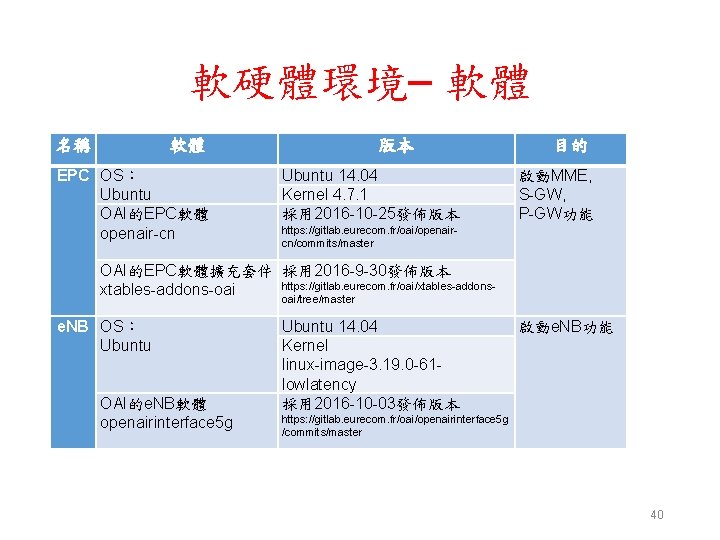
軟硬體環境– 軟體 名稱 軟體 EPC OS: Ubuntu OAI的EPC軟體 openair-cn 版本 Ubuntu 14. 04 Kernel 4. 7. 1 採用 2016 -10 -25發佈版本 目的 啟動MME, S-GW, P-GW功能 https: //gitlab. eurecom. fr/oai/openaircn/commits/master OAI的EPC軟體擴充套件 採用 2016 -9 -30發佈版本 https: //gitlab. eurecom. fr/oai/xtables-addons-oai oai/tree/master e. NB OS: Ubuntu OAI的e. NB軟體 openairinterface 5 g Ubuntu 14. 04 Kernel linux-image-3. 19. 0 -61 lowlatency 採用 2016 -10 -03發佈版本 啟動e. NB功能 https: //gitlab. eurecom. fr/oai/openairinterface 5 g /commits/master 40
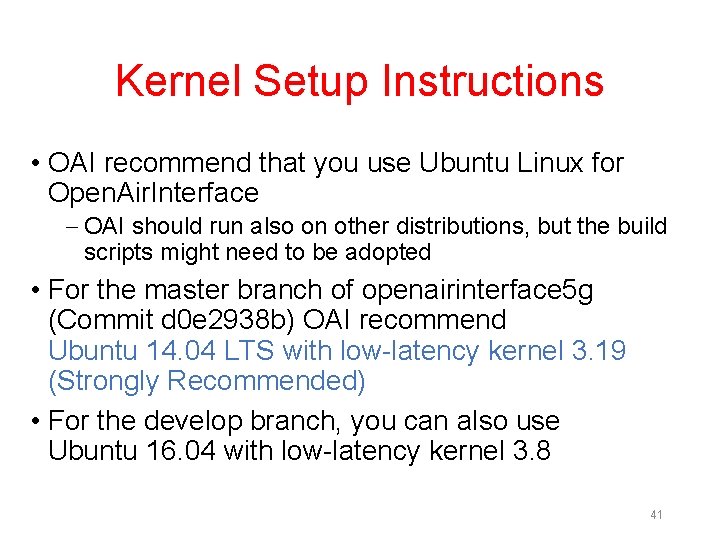
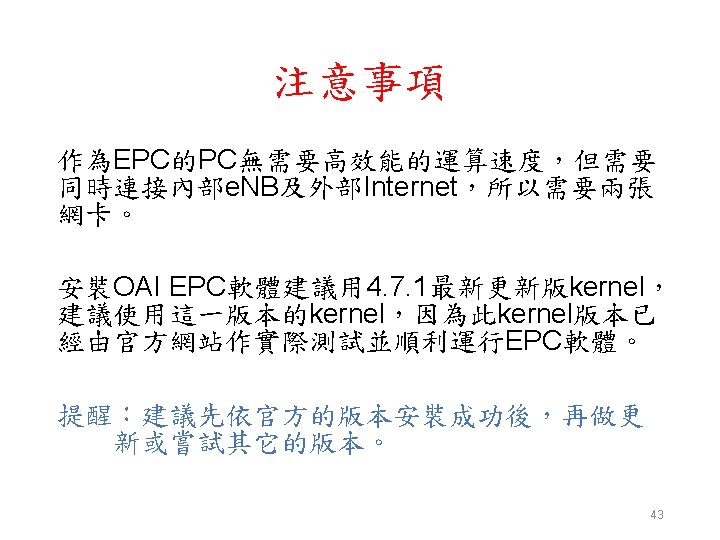
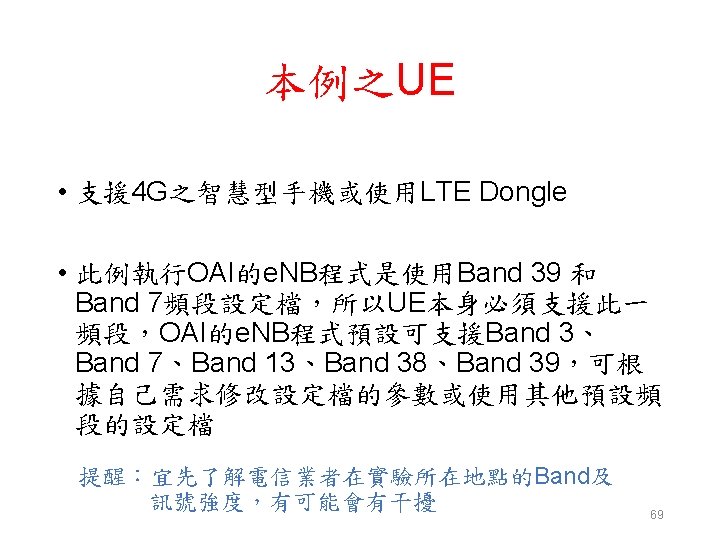
Kernel Setup Instructions • OAI recommend that you use Ubuntu Linux for Open. Air. Interface – OAI should run also on other distributions, but the build scripts might need to be adopted • For the master branch of openairinterface 5 g (Commit d 0 e 2938 b) OAI recommend Ubuntu 14. 04 LTS with low-latency kernel 3. 19 (Strongly Recommended) • For the develop branch, you can also use Ubuntu 16. 04 with low-latency kernel 3. 8 41
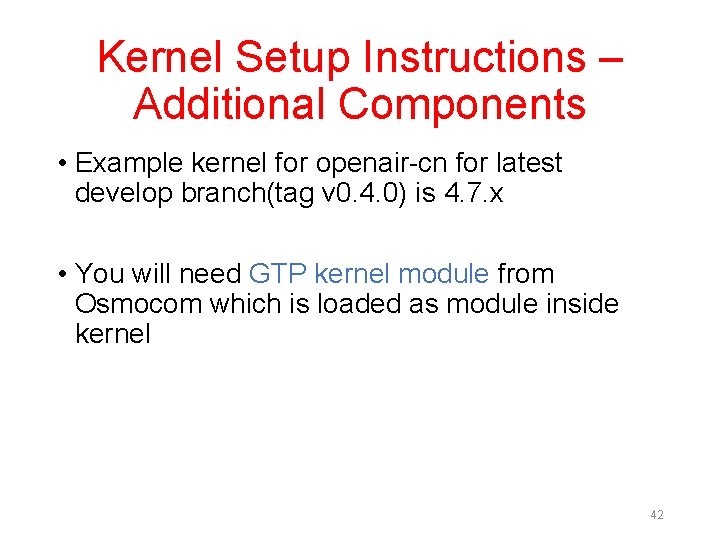
Kernel Setup Instructions – Additional Components • Example kernel for openair-cn for latest develop branch(tag v 0. 4. 0) is 4. 7. x • You will need GTP kernel module from Osmocom which is loaded as module inside kernel 42
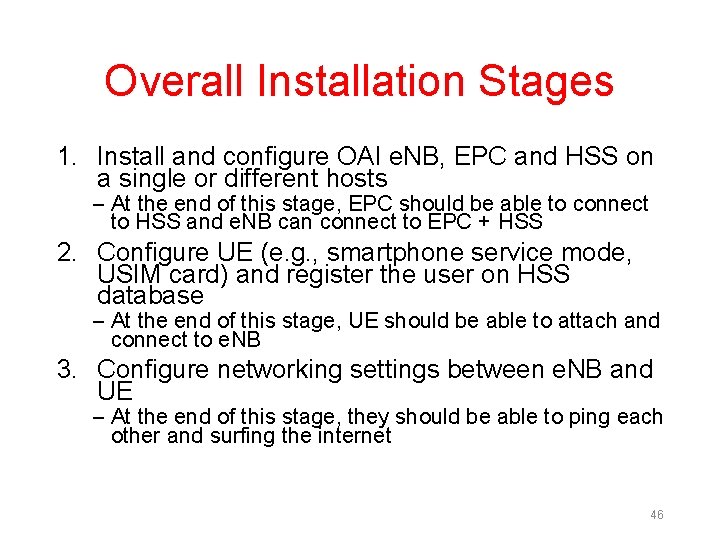
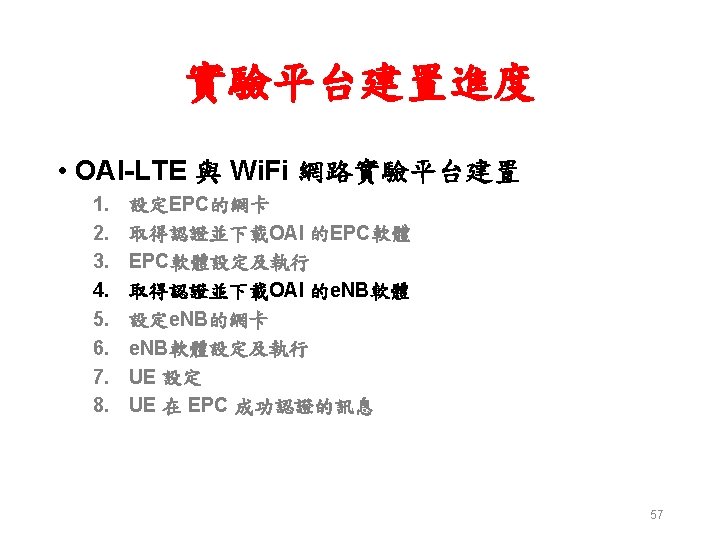
Overall Installation Stages 1. Install and configure OAI e. NB, EPC and HSS on a single or different hosts – At the end of this stage, EPC should be able to connect to HSS and e. NB can connect to EPC + HSS 2. Configure UE (e. g. , smartphone service mode, USIM card) and register the user on HSS database – At the end of this stage, UE should be able to attach and connect to e. NB 3. Configure networking settings between e. NB and UE – At the end of this stage, they should be able to ping each other and surfing the internet 46
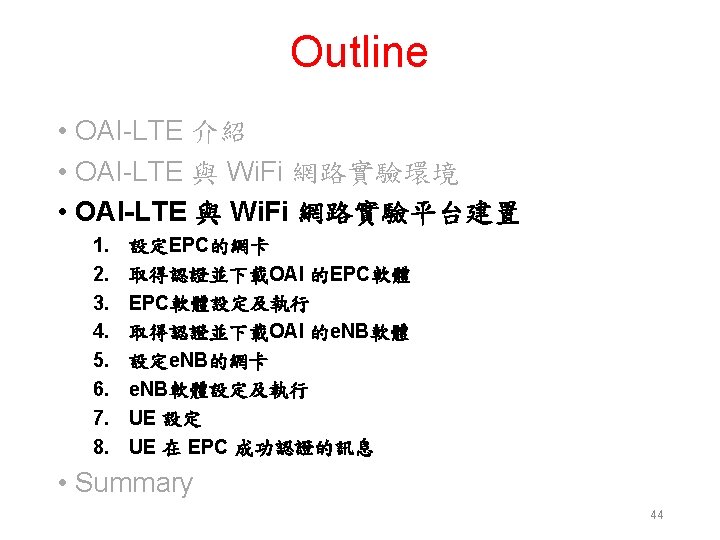
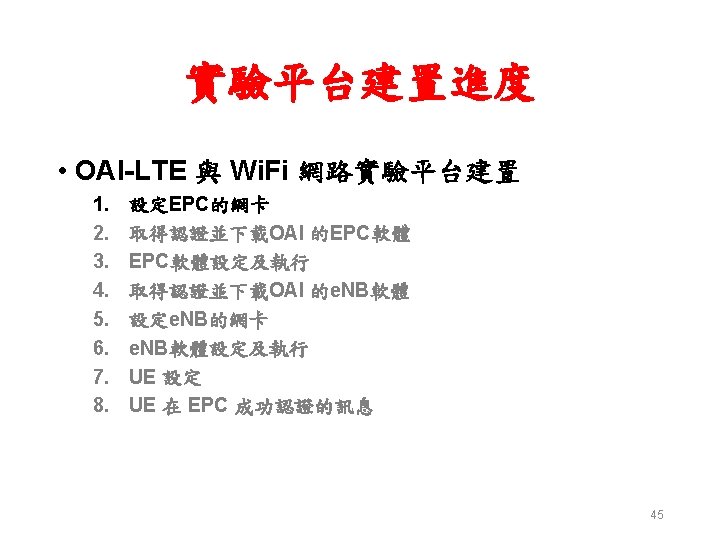
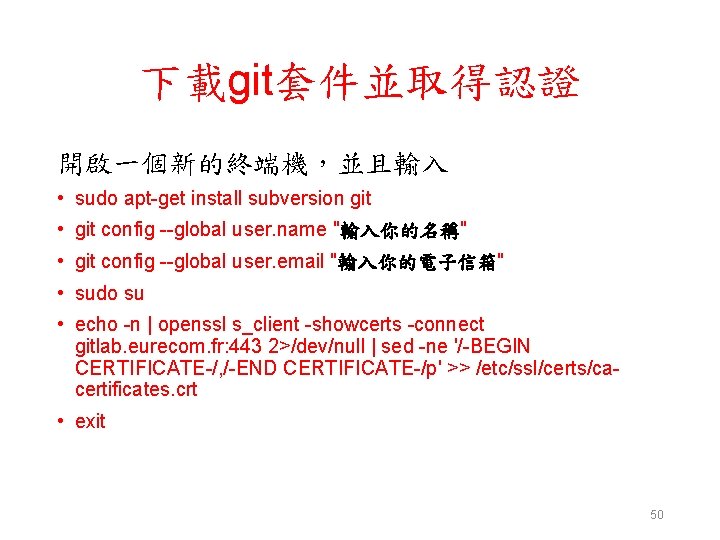
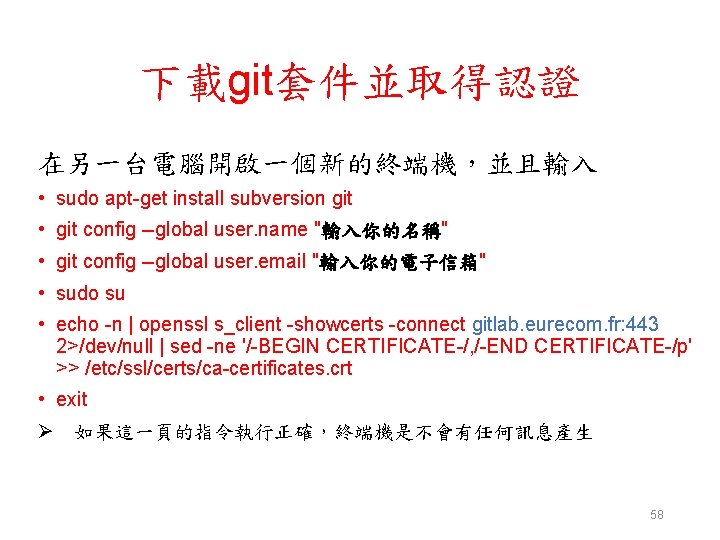
下載git套件並取得認證 開啟一個新的終端機,並且輸入 • sudo apt-get install subversion git • git config --global user. name "輸入你的名稱" • git config --global user. email "輸入你的電子信箱" • sudo su • echo -n | openssl s_client -showcerts -connect gitlab. eurecom. fr: 443 2>/dev/null | sed -ne '/-BEGIN CERTIFICATE-/, /-END CERTIFICATE-/p' >> /etc/ssl/certs/cacertificates. crt • exit 50
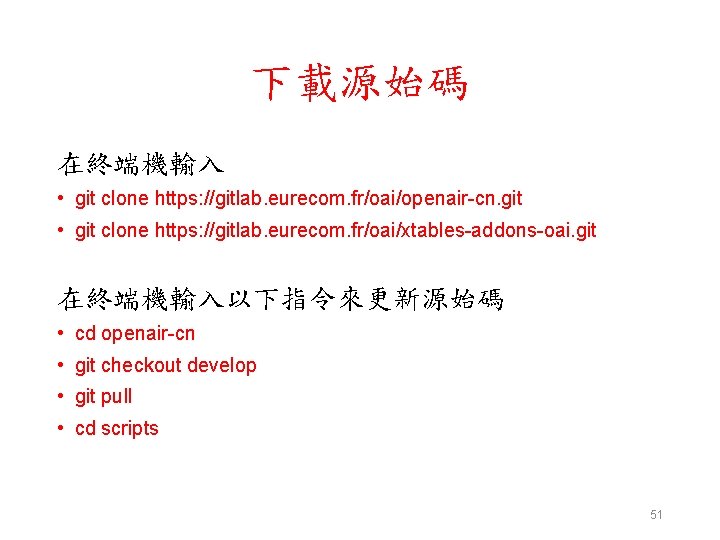
下載源始碼 在終端機輸入 • git clone https: //gitlab. eurecom. fr/oai/openair-cn. git • git clone https: //gitlab. eurecom. fr/oai/xtables-addons-oai. git 在終端機輸入以下指令來更新源始碼 • cd openair-cn • git checkout develop • git pull • cd scripts 51
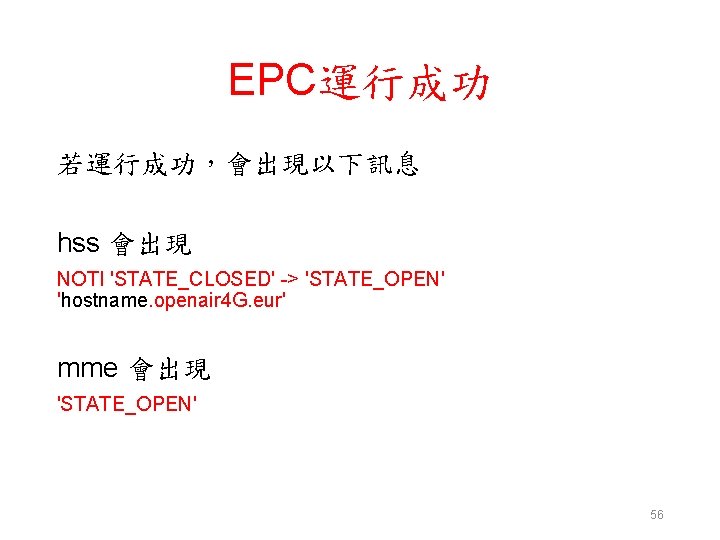
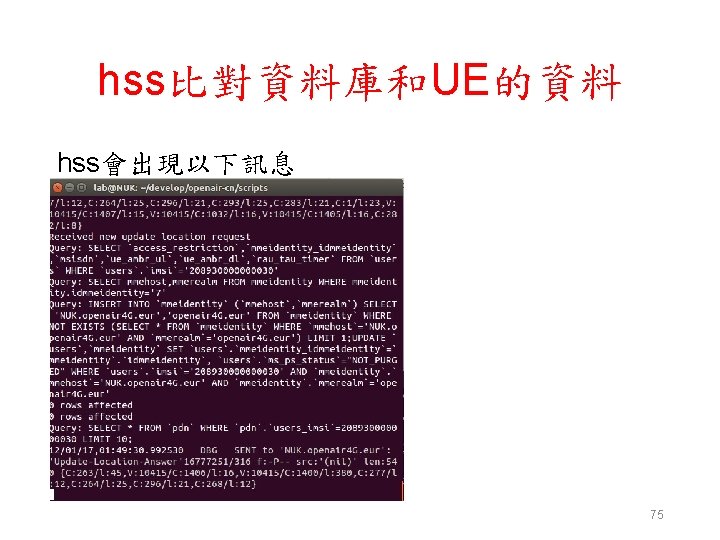
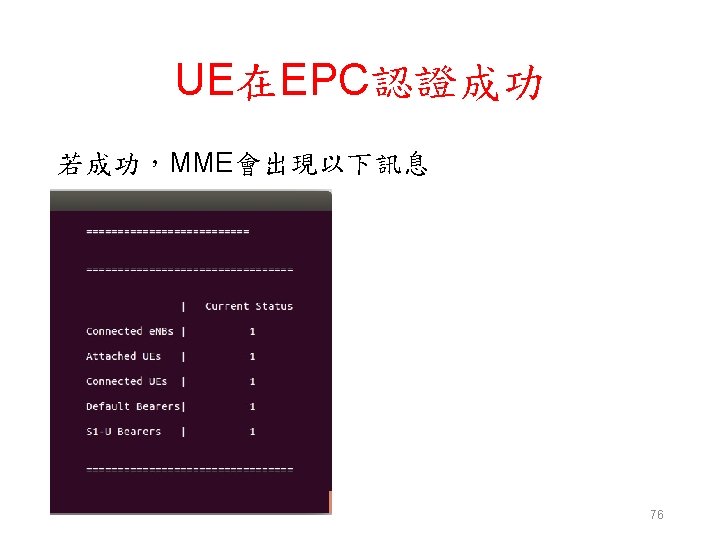
EPC運行成功 若運行成功,會出現以下訊息 hss 會出現 NOTI 'STATE_CLOSED' -> 'STATE_OPEN' 'hostname. openair 4 G. eur' mme 會出現 'STATE_OPEN' 56
下載git套件並取得認證 在另一台電腦開啟一個新的終端機,並且輸入 • sudo apt-get install subversion git • git config --global user. name "輸入你的名稱" • git config --global user. email "輸入你的電子信箱" • sudo su • echo -n | openssl s_client -showcerts -connect gitlab. eurecom. fr: 443 2>/dev/null | sed -ne '/-BEGIN CERTIFICATE-/, /-END CERTIFICATE-/p' >> /etc/ssl/certs/ca-certificates. crt • exit Ø 如果這一頁的指令執行正確,終端機是不會有任何訊息產生 58
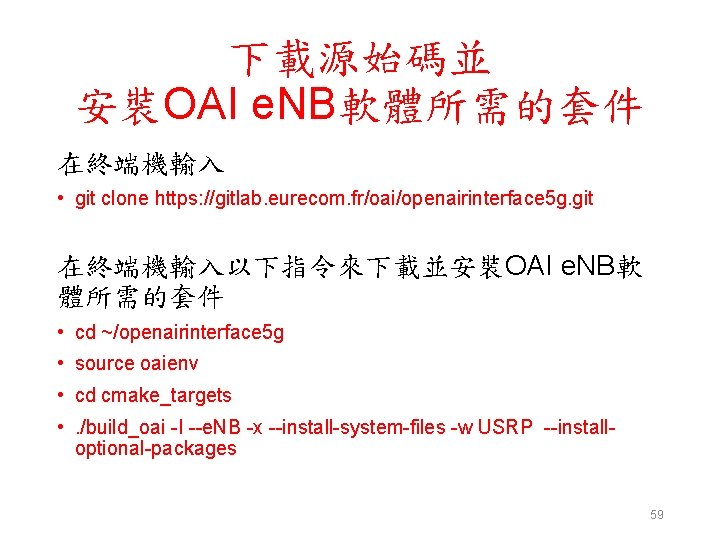
下載源始碼並 安裝OAI e. NB軟體所需的套件 在終端機輸入 • git clone https: //gitlab. eurecom. fr/oai/openairinterface 5 g. git 在終端機輸入以下指令來下載並安裝OAI e. NB軟 體所需的套件 • cd ~/openairinterface 5 g • source oaienv • cd cmake_targets • . /build_oai -I --e. NB -x --install-system-files -w USRP --installoptional-packages 59
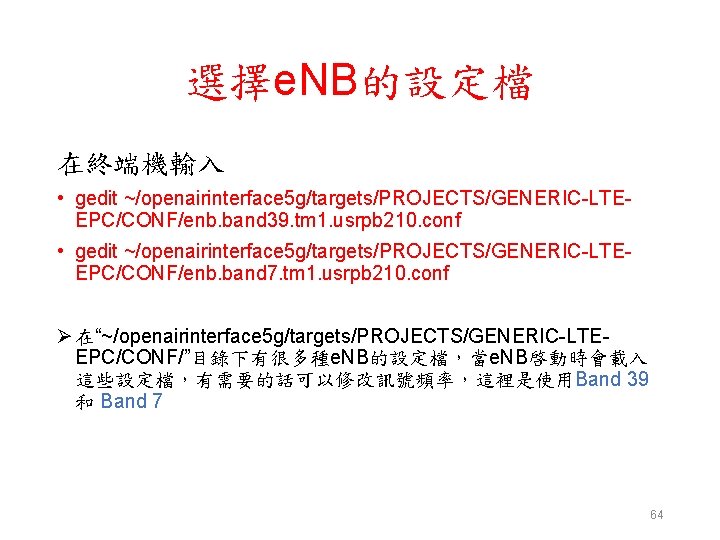
選擇e. NB的設定檔 在終端機輸入 • gedit ~/openairinterface 5 g/targets/PROJECTS/GENERIC-LTEEPC/CONF/enb. band 39. tm 1. usrpb 210. conf • gedit ~/openairinterface 5 g/targets/PROJECTS/GENERIC-LTEEPC/CONF/enb. band 7. tm 1. usrpb 210. conf Ø 在“~/openairinterface 5 g/targets/PROJECTS/GENERIC-LTEEPC/CONF/”目錄下有很多種e. NB的設定檔,當e. NB啓動時會載入 這些設定檔,有需要的話可以修改訊號頻率,這裡是使用Band 39 和 Band 7 64
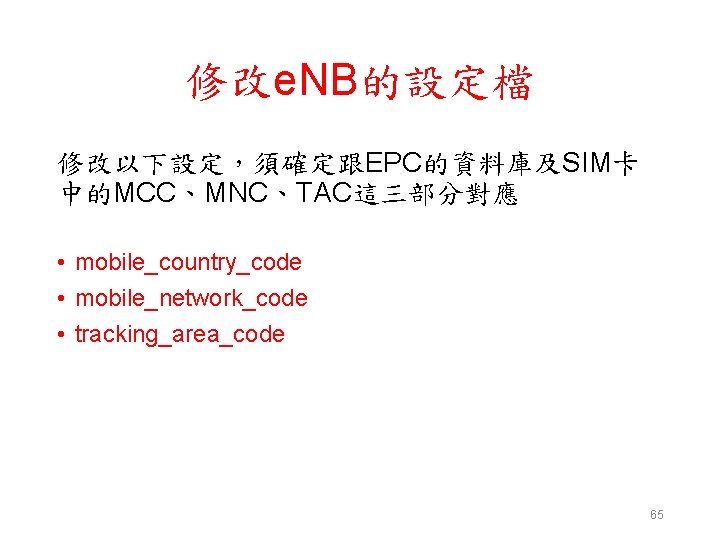
修改e. NB的設定檔 修改以下設定,須確定跟EPC的資料庫及SIM卡 中的MCC、MNC、TAC這三部分對應 • mobile_country_code • mobile_network_code • tracking_area_code 65
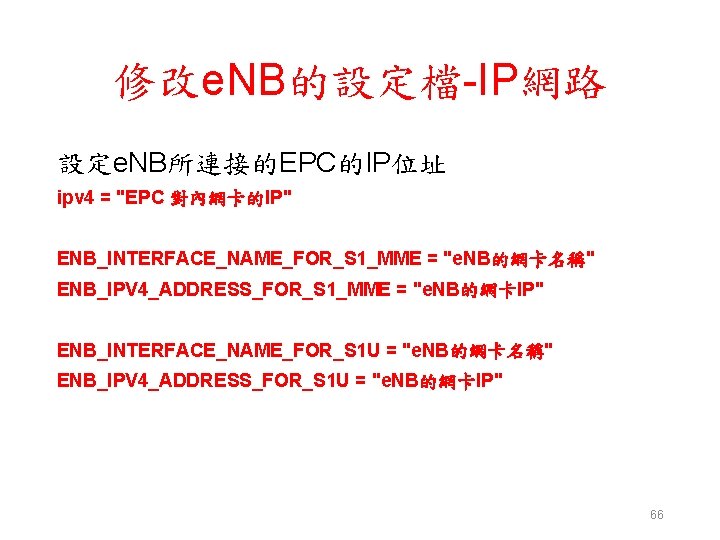
修改e. NB的設定檔-IP網路 設定e. NB所連接的EPC的IP位址 ipv 4 = "EPC 對內網卡的IP" ENB_INTERFACE_NAME_FOR_S 1_MME = "e. NB的網卡名稱" ENB_IPV 4_ADDRESS_FOR_S 1_MME = "e. NB的網卡IP" ENB_INTERFACE_NAME_FOR_S 1 U = "e. NB的網卡名稱" ENB_IPV 4_ADDRESS_FOR_S 1 U = "e. NB的網卡IP" 66
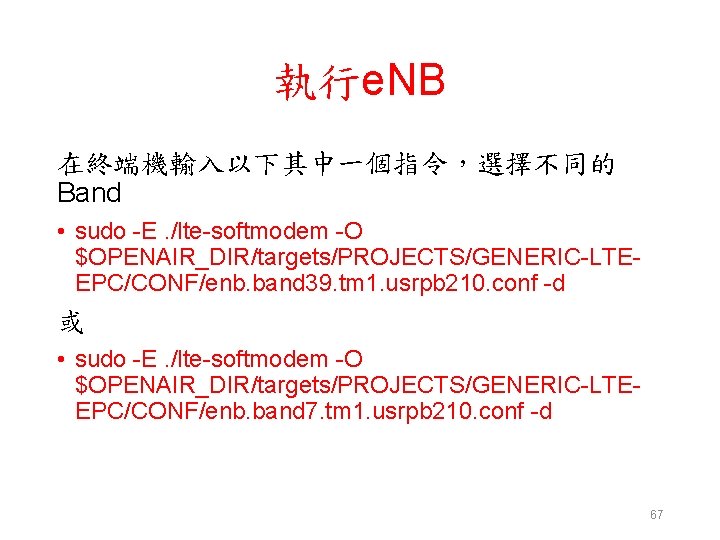
執行e. NB 在終端機輸入以下其中一個指令,選擇不同的 Band • sudo -E. /lte-softmodem -O $OPENAIR_DIR/targets/PROJECTS/GENERIC-LTEEPC/CONF/enb. band 39. tm 1. usrpb 210. conf -d 或 • sudo -E. /lte-softmodem -O $OPENAIR_DIR/targets/PROJECTS/GENERIC-LTEEPC/CONF/enb. band 7. tm 1. usrpb 210. conf -d 67
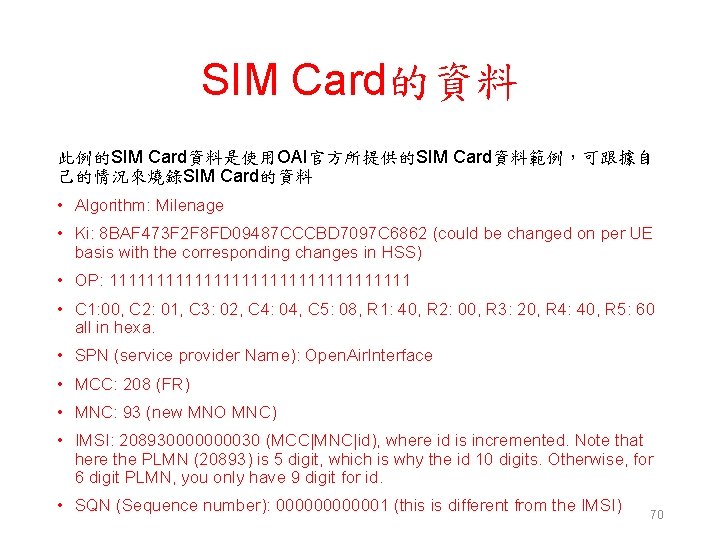
SIM Card的資料 此例的SIM Card資料是使用OAI官方所提供的SIM Card資料範例,可跟據自 己的情況來燒錄SIM Card的資料 • Algorithm: Milenage • Ki: 8 BAF 473 F 2 F 8 FD 09487 CCCBD 7097 C 6862 (could be changed on per UE basis with the corresponding changes in HSS) • OP: 1111111111111111 • C 1: 00, C 2: 01, C 3: 02, C 4: 04, C 5: 08, R 1: 40, R 2: 00, R 3: 20, R 4: 40, R 5: 60 all in hexa. • SPN (service provider Name): Open. Air. Interface • MCC: 208 (FR) • MNC: 93 (new MNO MNC) • IMSI: 20893000030 (MCC|MNC|id), where id is incremented. Note that here the PLMN (20893) is 5 digit, which is why the id 10 digits. Otherwise, for 6 digit PLMN, you only have 9 digit for id. • SQN (Sequence number): 0000001 (this is different from the IMSI) 70
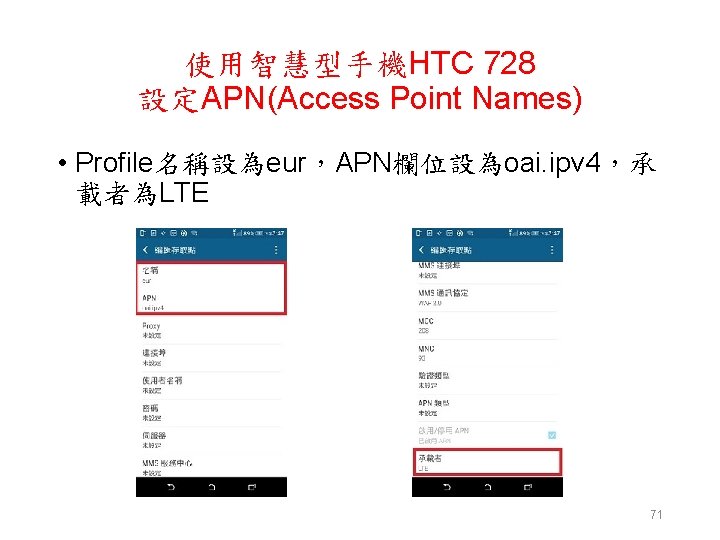
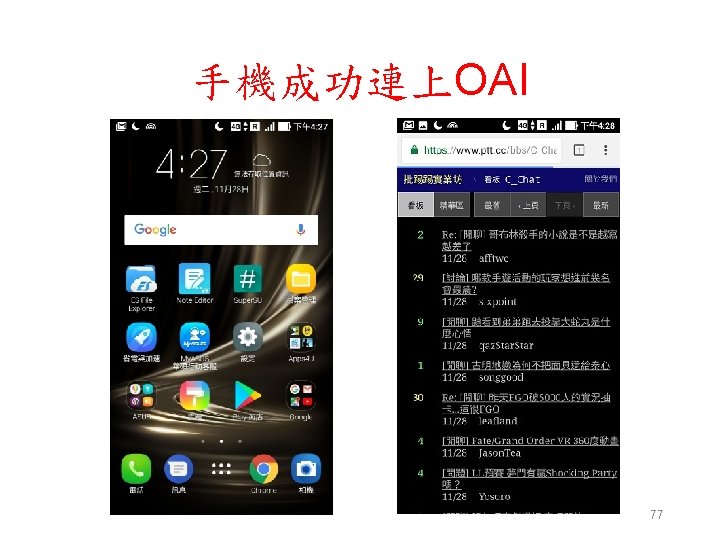
使用智慧型手機HTC 728 設定APN(Access Point Names) • Profile名稱設為eur,APN欄位設為oai. ipv 4,承 載者為LTE 71
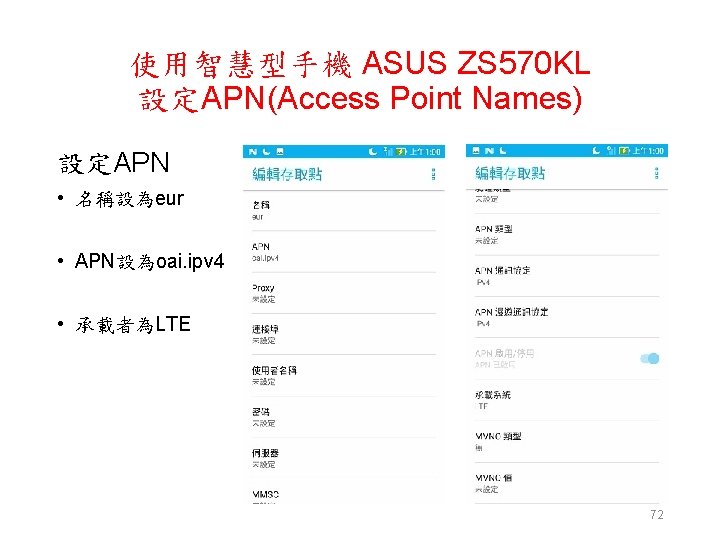
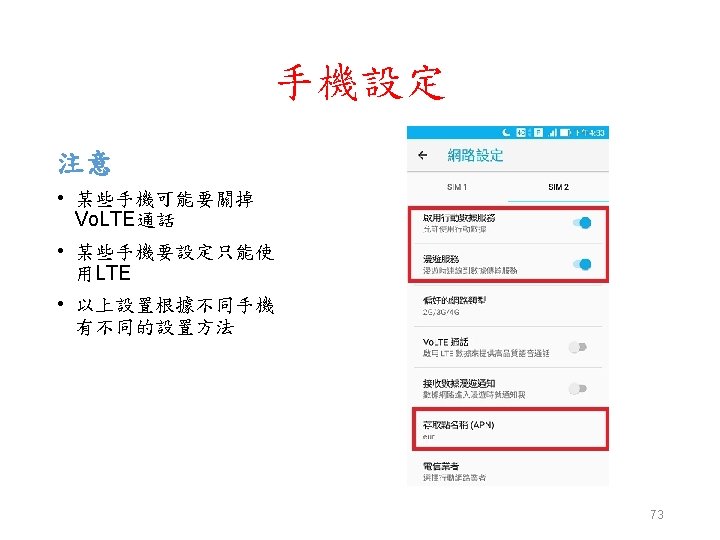
使用智慧型手機 ASUS ZS 570 KL 設定APN(Access Point Names) 設定APN • 名稱設為eur • APN設為oai. ipv 4 • 承載者為LTE 72
Outline • OAI-LTE 介紹 • OAI-LTE 與 Wi. Fi 網路實驗環境 • OAI-LTE 與 Wi. Fi 網路實驗平台建置 • Summary 78
References • Open. Air. Interface (OAI): Towards Open Cellular Ecosystem, http: //www. openairinterface. org/? page_id=864 • How to Connect OAI e. NB (USRP B 210) with COTS UE, https: //gitlab. eurecom. fr/oai/openairinterface 5 g/wikis/How. To. Connect COTSUEwith. OAIe. NBNew • Siminfo (SIM Card Information), https: //gitlab. eurecom. fr/oai/openairinterface 5 g/wikis/SIMInfo • OAI openairinterface 5 g Project, https: //gitlab. eurecom. fr/oai/openairinterface 5 g/tree/develop • OAI openair-cn Project, https: //gitlab. eurecom. fr/oai/openair-cn • Brief Notes on Open. Air. Interface, http: //www. sharetechnote. com/html/SDR_Open. Air. Interface. html • Kernel Requirements for RAN, https: //gitlab. eurecom. fr/oai/openairinterface 5 g/wikis/Open. Air. Kernel Main. Setup 80