
Outline CSS Cascading Style Sheets Objectives l Topics
Outline CSS: Cascading Style Sheets
Objectives l Topics covered: – using a style sheet to give all the pages of a Web site the same look and feel. – style sheet types and cascade precedence – CSS syntax for assigning style properties – Class selector and using the class attribute to apply styles. – using style sheets to separate presentation from content. 2
Introduction l Cascading Style Sheets (CSS) – – Separation of structure from presentation Relationship between the style formatting and the structure/content is no longer 1: 1 l l multiple style sheets can be applied to the same Web page Same style sheet can be applied to the multiple Web page 3
Multiple Levels of Style Definition l Cascade Precedence: resolves conflicting style rules – – – Inline style sheets Embedded sheets External style sheets l Author vs. User 4
Inline Styles l l l style information is directly attached to the HTML elements they affect higher cascade precedence than the other specification methods declaring an individual element’s format: – – Attribute style CSS (style) property l Followed by a colon and a value 5
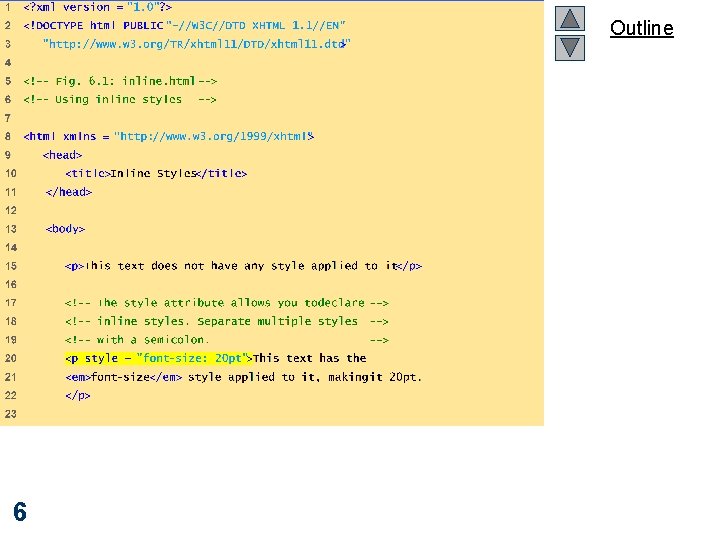
Outline inline. html (1 of 2) 6
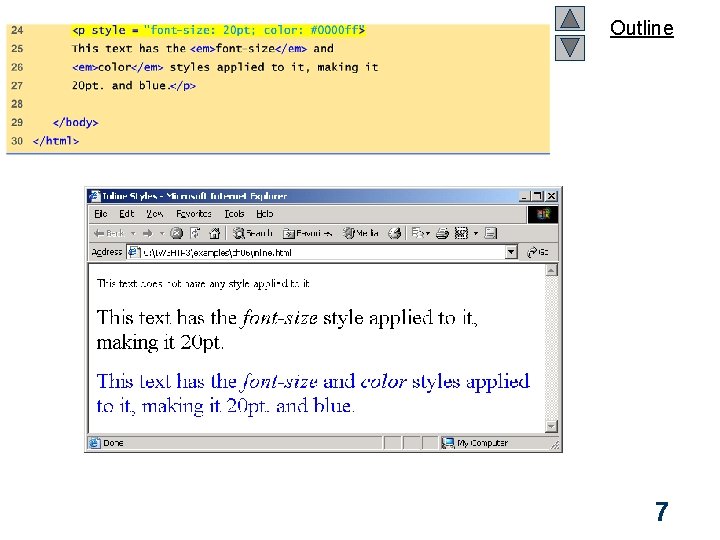
Outline 7
Embedded Style Sheets l this method can only specify style information for the current document: – – 1: 1 relationship However, the same document may have other style definitions applied to it l l l 1: M relationship embedded style sheet rule will have higher precedence than external style sheet rule, if there is a conflict between styles embedded style sheet rule will have lower precedence than an inline style sheet rule 8
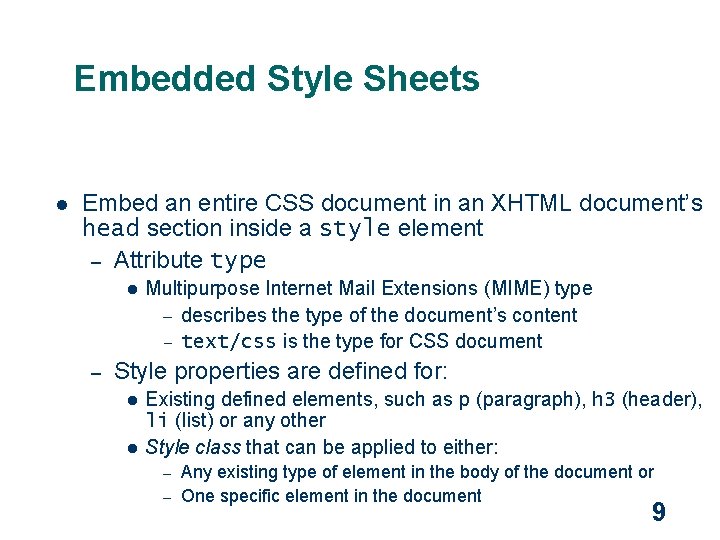
Embedded Style Sheets l Embed an entire CSS document in an XHTML document’s head section inside a style element – Attribute type l – Multipurpose Internet Mail Extensions (MIME) type – describes the type of the document’s content – text/css is the type for CSS document Style properties are defined for: l l Existing defined elements, such as p (paragraph), h 3 (header), li (Iist) or any other Style class that can be applied to either: Any existing type of element in the body of the document or – One specific element in the document – 9
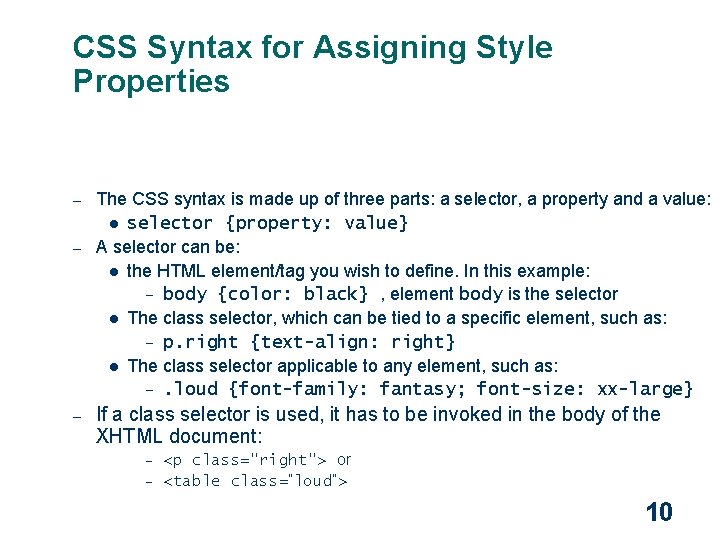
CSS Syntax for Assigning Style Properties – – – The CSS syntax is made up of three parts: a selector, a property and a value: l selector {property: value} A selector can be: l the HTML element/tag you wish to define. In this example: – body {color: black} , element body is the selector l The class selector, which can be tied to a specific element, such as: – p. right {text-align: right} l The class selector applicable to any element, such as: –. loud {font-family: fantasy; font-size: xx-large} If a class selector is used, it has to be invoked in the body of the XHTML document: <p class="right"> or – <table class=“loud”> – 10
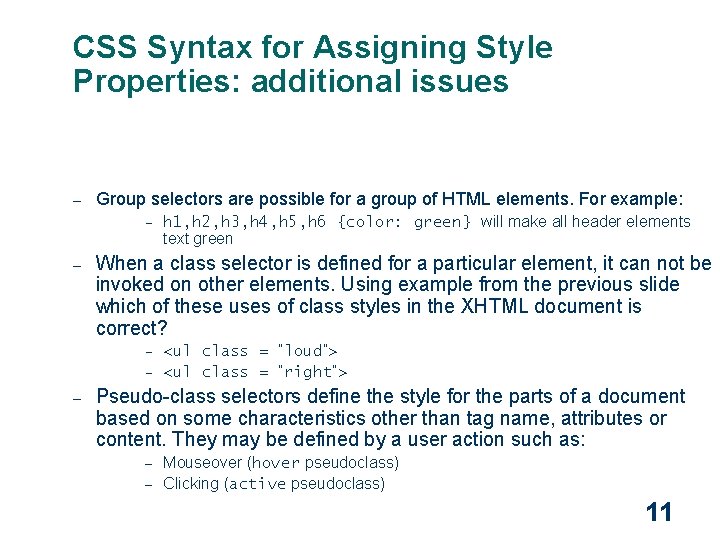
CSS Syntax for Assigning Style Properties: additional issues – Group selectors are possible for a group of HTML elements. For example: – – h 1, h 2, h 3, h 4, h 5, h 6 {color: green} will make all header elements text green When a class selector is defined for a particular element, it can not be invoked on other elements. Using example from the previous slide which of these uses of class styles in the XHTML document is correct? <ul class = “loud”> – <ul class = “right”> – – Pseudo-class selectors define the style for the parts of a document based on some characteristics other than tag name, attributes or content. They may be defined by a user action such as: Mouseover (hover pseudoclass) – Clicking (active pseudoclass) – 11
CSS syntax: continue l Invoking a style class to a block of text not defined by a particular element – – span element div element (block level element) 12
Style Inheritance and Conflict Resolution l Inheritance – – An element that is present within another element (child) inherits all style properties from its “parent” element However, if such child (or descendant) element has properties that conflict with defined properties of its parent element, conflict is resolved in favors of properties of a child element l Child element properties have greater specificity than ancestor’s properties 13
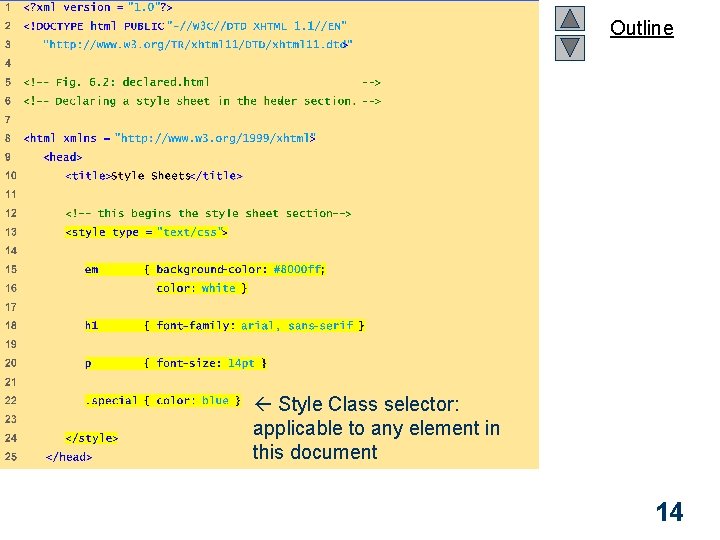
Outline declared. html (1 of 3) Style Class selector: applicable to any element in this document 14
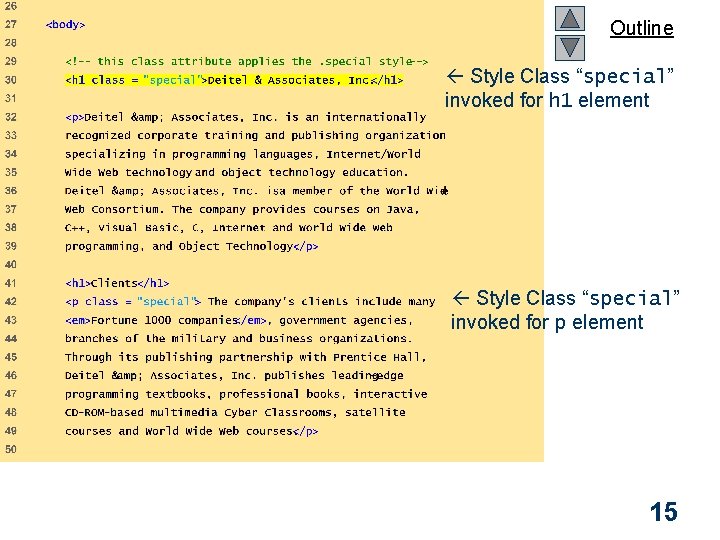
Outline Style Class “special” invoked for h 1 element declared. html (2 of 3) Style Class “special” invoked for p element 15
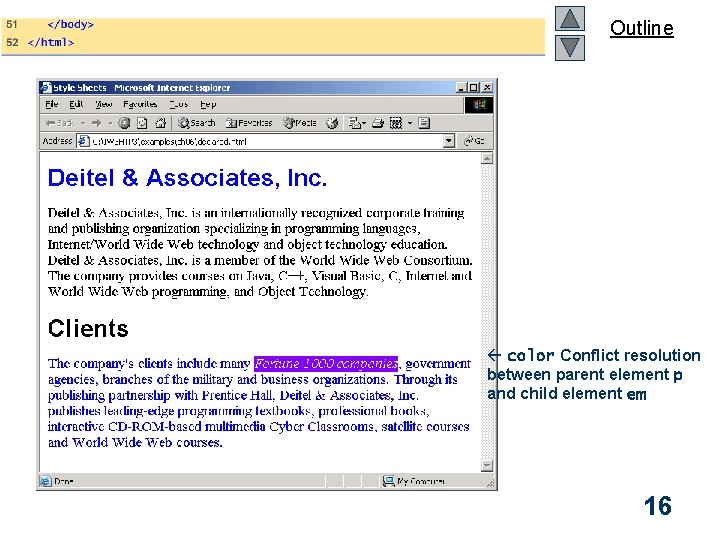
Outline color Conflict resolution between parent element p and child element em 16
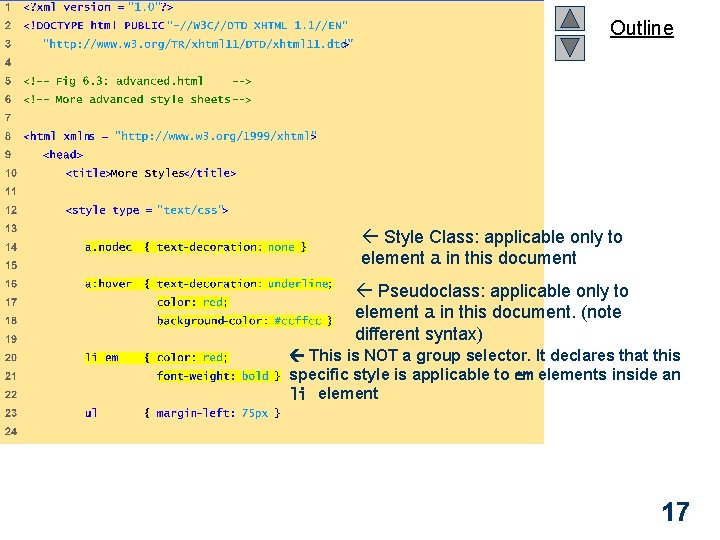
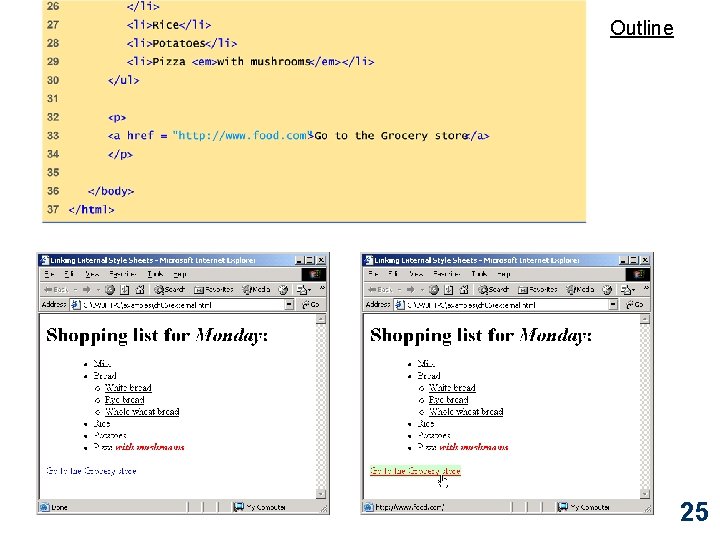
Outline advance. html (1 of 3) Style Class: applicable only to element a in this document Pseudoclass: applicable only to element a in this document. (note different syntax) This is NOT a group selector. It declares that this specific style is applicable to em elements inside an li element 17
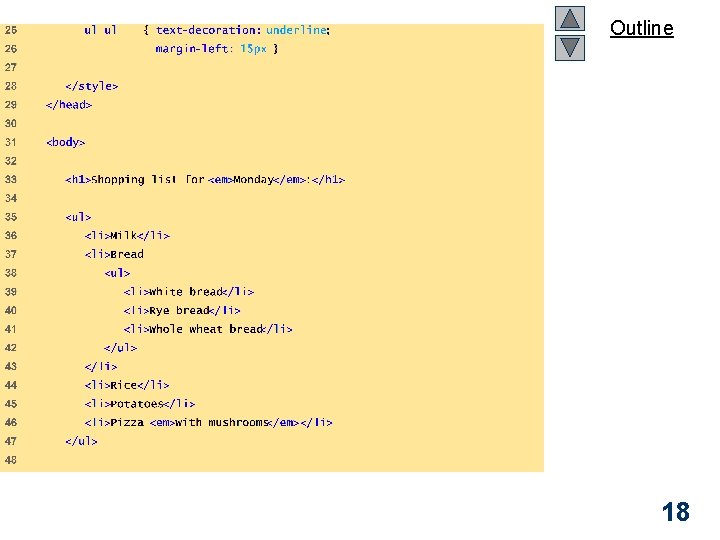
Outline advance. html (2 of 3) 18
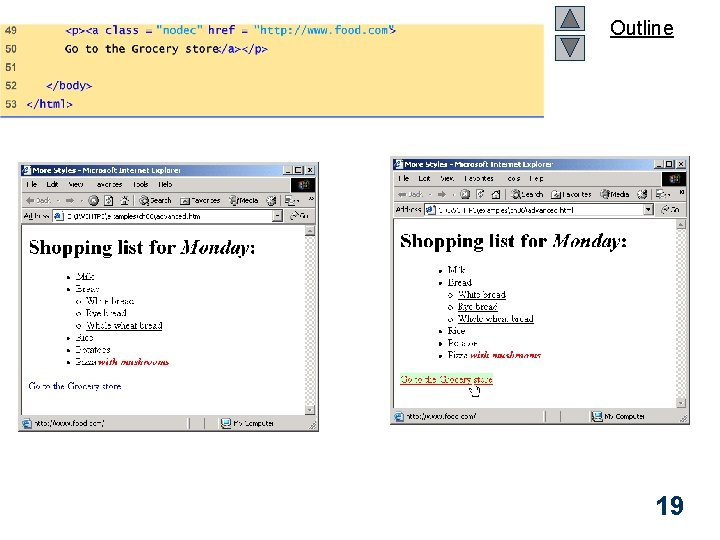
Outline 19
External Style Sheets l l l External style sheets – Applicable to more than document – Documents can have more than one source for style specification l M: M relationship Can provide uniform look and feel to entire site Same CSS syntax rules for assigning and invoking style properties apply 20
External Style Sheets l l Location (href) and type (type) of the external style sheet are specified as attributes of a link element in the head portion of an XHTML document In addition, the rel attribute specifies the nature of the relationship between the stylesheet and the document that is referencing it – Persistent stylesheets must be applied to the document – Preferred style sheet should be applied the unless the user has selected a different alternate – Alternate style sheets may be selected by users depending on their preferences 21
Linking External Style Sheets – To make a style sheet persistent, set the rel attribute to "stylesheet". – To make a style sheet preferred, set the rel attribute to "stylesheet" and name the style sheet with the additional title attribute. – To specify an alternate style sheet, set the rel attribute to "alternate stylesheet" and name the style sheet with the title attribute. 22
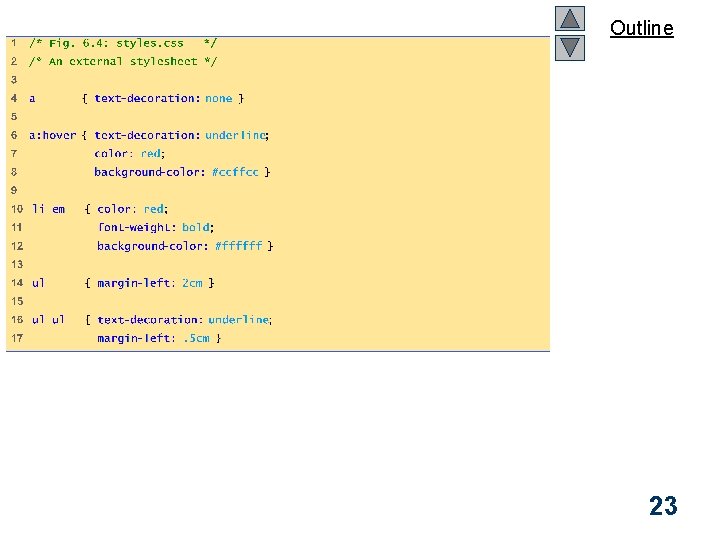
Outline styles. css (1 of 1) 23
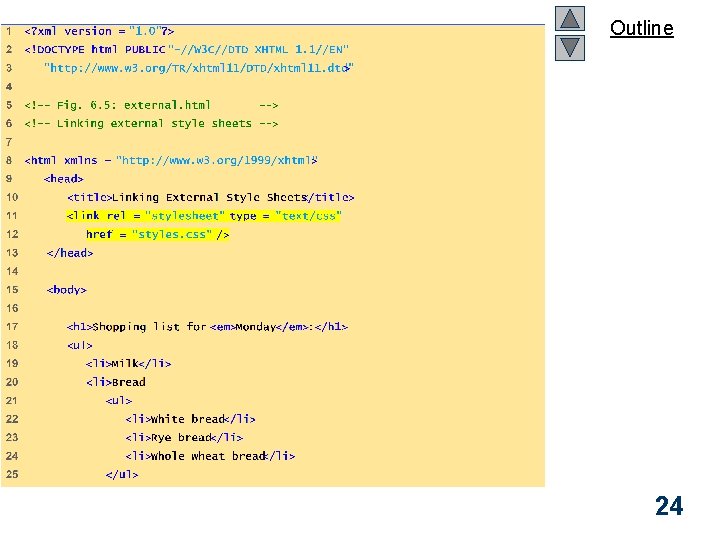
Outline external. html (1 of 2) 24
Outline 25
W 3 C CSS Validation Service l l l Validates external CSS documents Ensures that style sheets are syntactically correct http: //jigsaw. w 3. org/css-validator/ 26
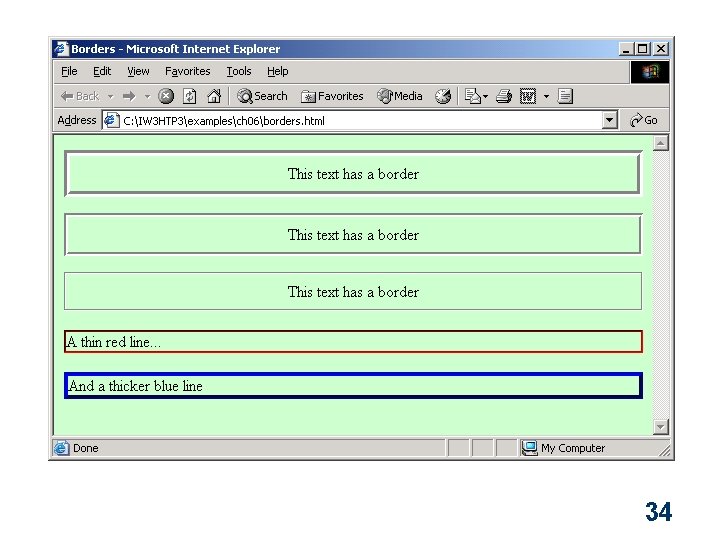
Text Flow and the Box Model l l Floating – Move an element to one side of the screen Box model – Margins – Padding – Border 27
Outline floating. html (1 of 3) 28
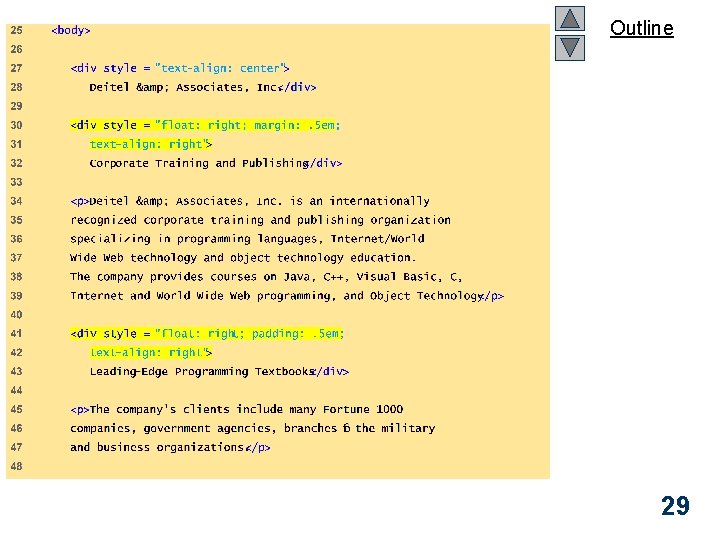
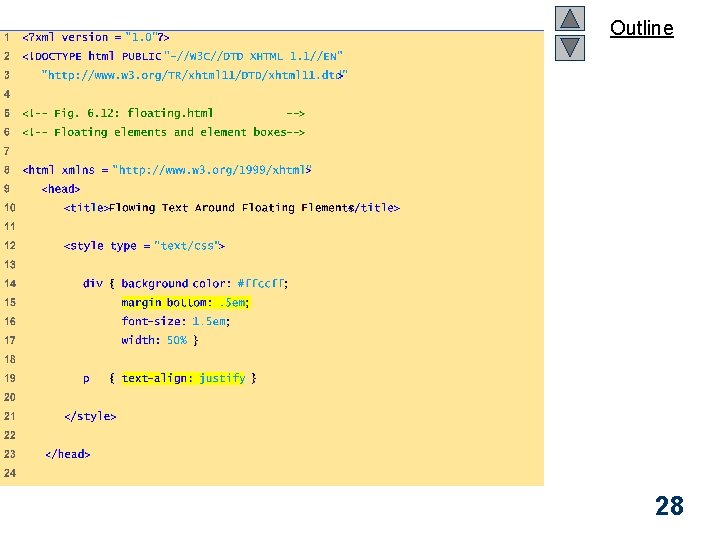
Outline floating. html (2 of 3) 29
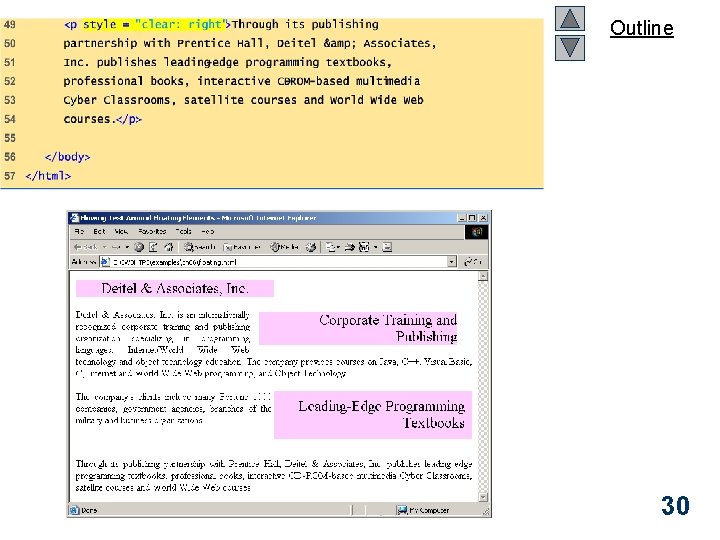
Outline 30
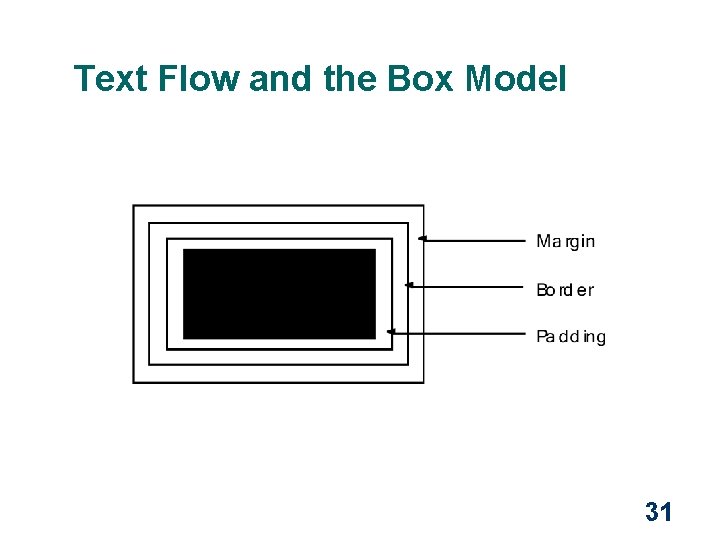
Text Flow and the Box Model 31
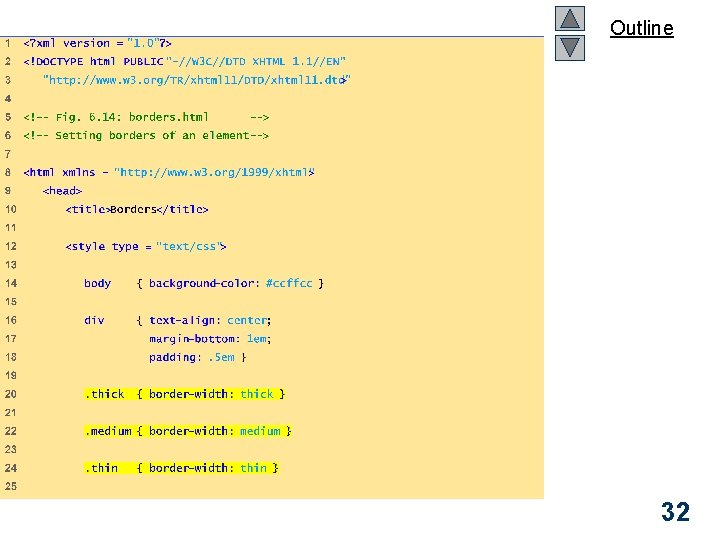
Outline borders. html (1 of 2) 32
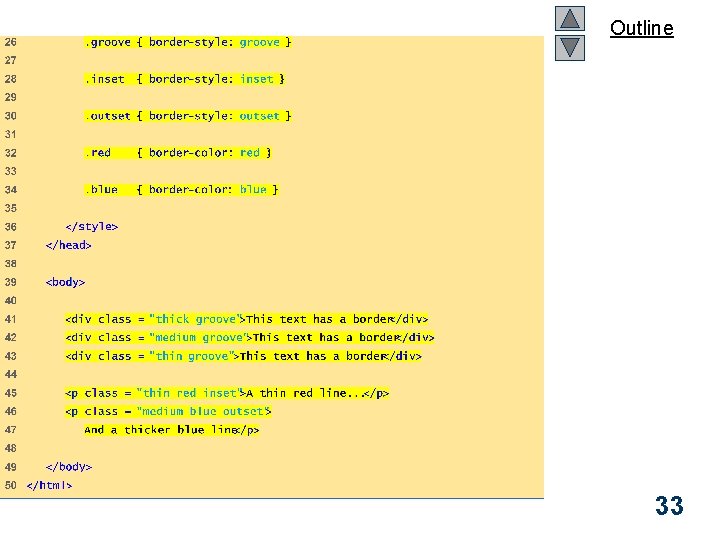
Outline borders. html (2 of 2) 33
34
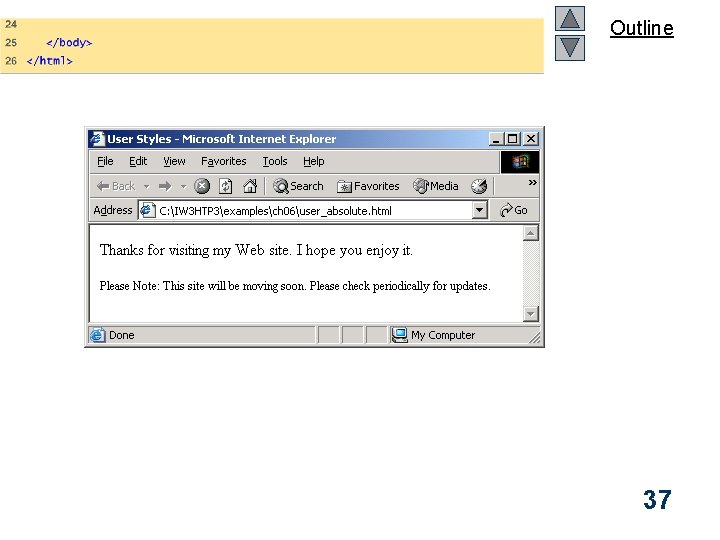
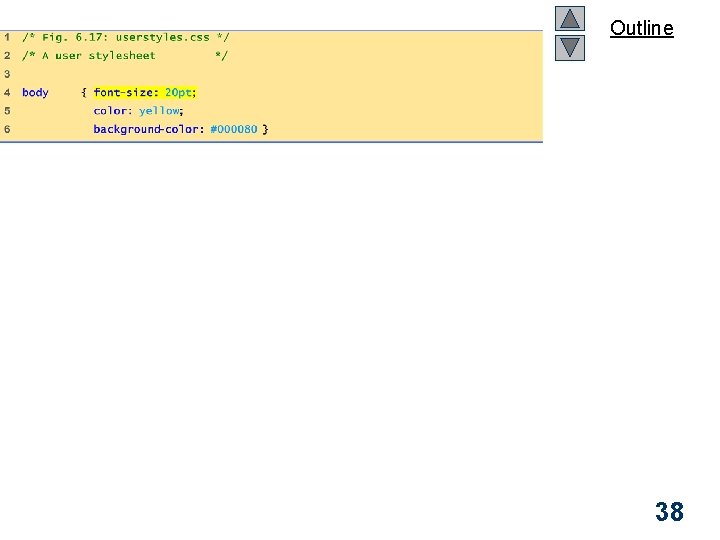
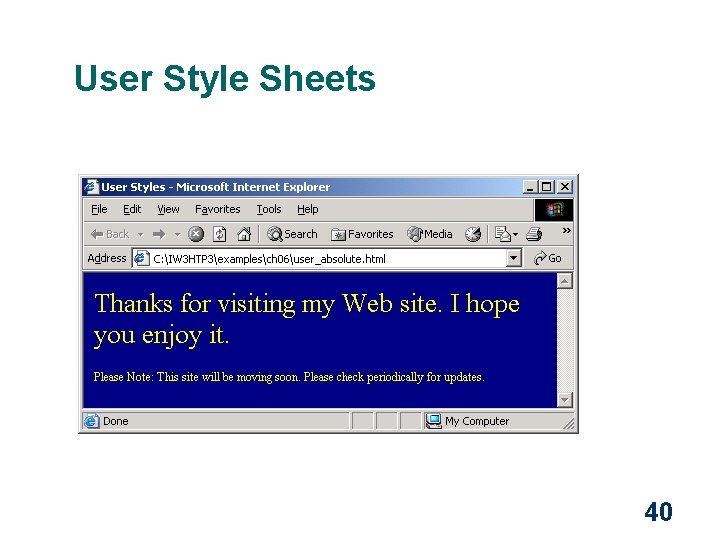
User Style Sheets l l Format pages based on user preferences User style sheets are not linked in the document – They are set in browser's options 35
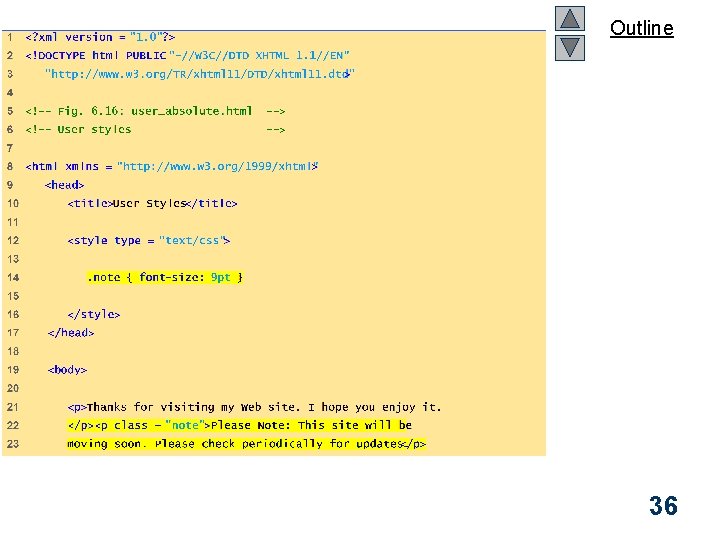
Outline User_absolute. html (1 of 2) 36
Outline 37
Outline 38
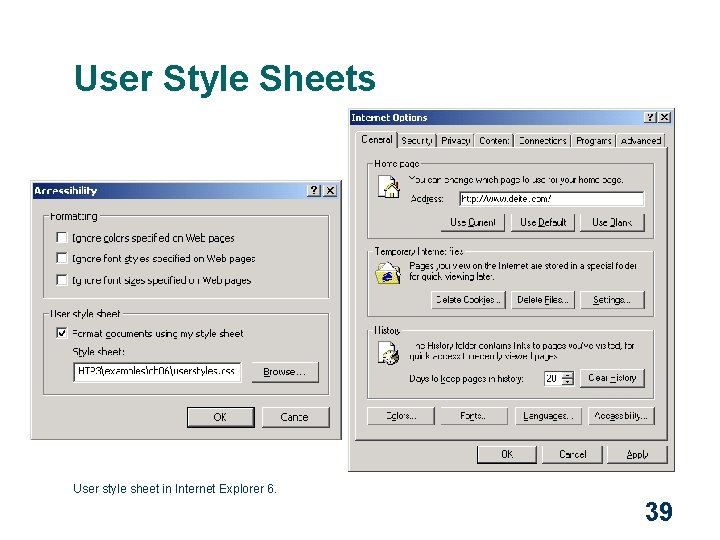
User Style Sheets User style sheet in Internet Explorer 6. 39
User Style Sheets 40
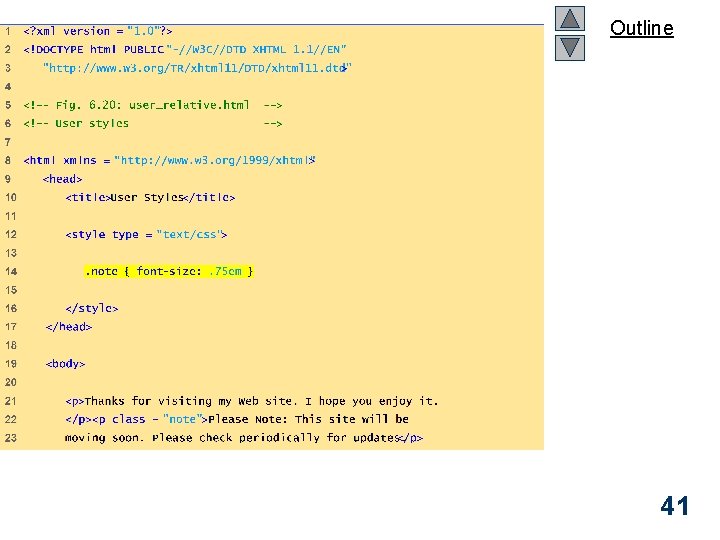
Outline User_relative. html (1 of 2) 41
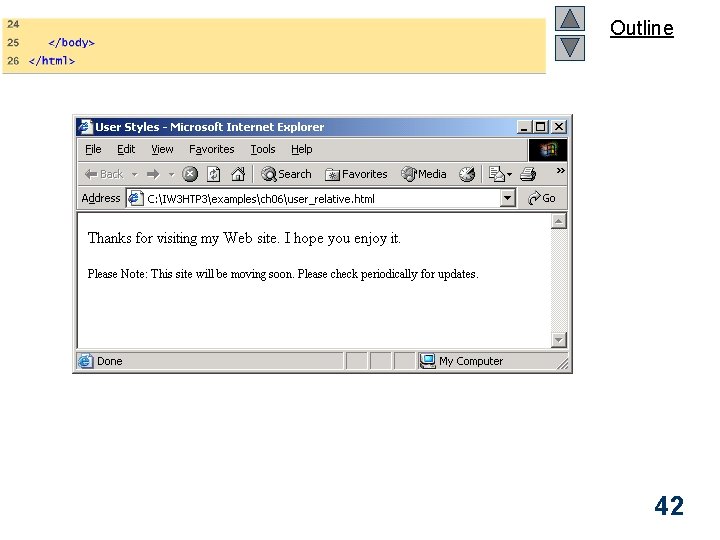
Outline 42
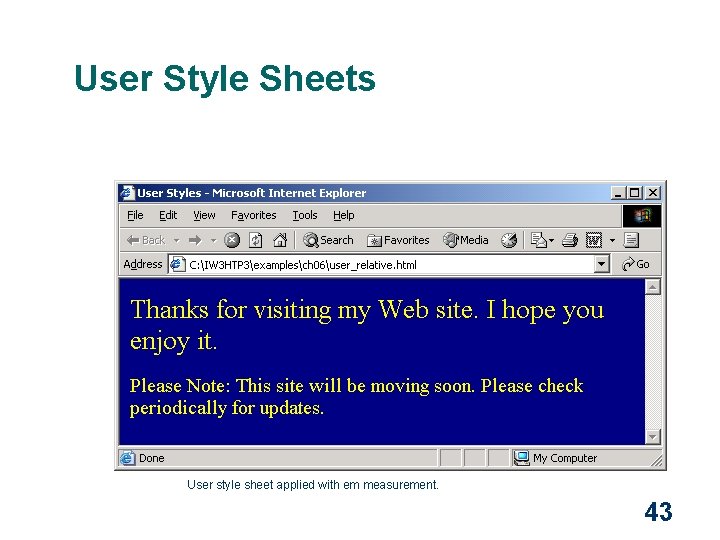
User Style Sheets User style sheet applied with em measurement. 43
- Slides: 43