
Outline 4 Chapter 2 cont System programs users
- Slides: 17
Outline 4 Chapter 2 (cont) < System programs - users interact using programs < Installation, customization etc. = booting Systems program 4 OS Design 4 OS structure < Simple < Layered < Microkernel < Virtual machines 9/15/2020 CSE 30341: Operating Systems Principles - Spring 2008 page 1
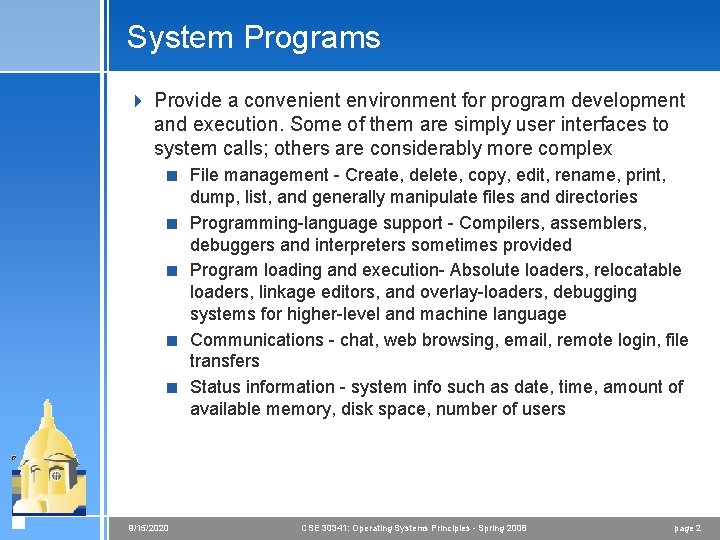
System Programs 4 Provide a convenient environment for program development and execution. Some of them are simply user interfaces to system calls; others are considerably more complex < File management - Create, delete, copy, edit, rename, print, dump, list, and generally manipulate files and directories < Programming-language support - Compilers, assemblers, debuggers and interpreters sometimes provided < Program loading and execution- Absolute loaders, relocatable loaders, linkage editors, and overlay-loaders, debugging systems for higher-level and machine language < Communications - chat, web browsing, email, remote login, file transfers < Status information - system info such as date, time, amount of available memory, disk space, number of users 9/15/2020 CSE 30341: Operating Systems Principles - Spring 2008 page 2
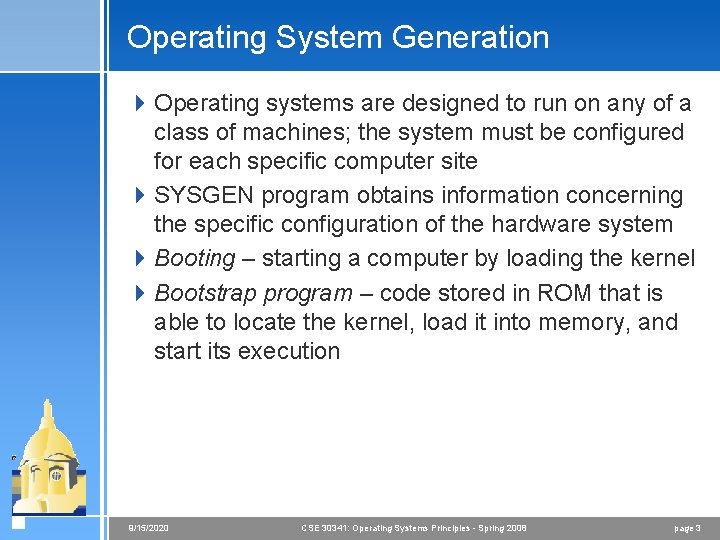
Operating System Generation 4 Operating systems are designed to run on any of a class of machines; the system must be configured for each specific computer site 4 SYSGEN program obtains information concerning the specific configuration of the hardware system 4 Booting – starting a computer by loading the kernel 4 Bootstrap program – code stored in ROM that is able to locate the kernel, load it into memory, and start its execution 9/15/2020 CSE 30341: Operating Systems Principles - Spring 2008 page 3
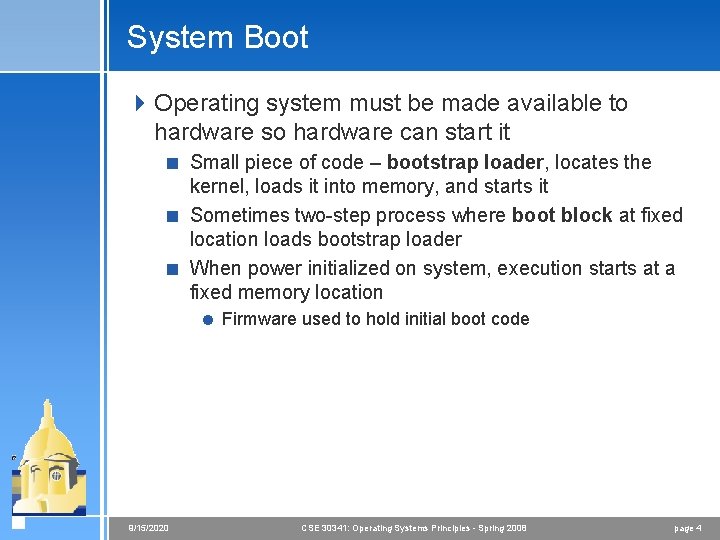
System Boot 4 Operating system must be made available to hardware so hardware can start it < Small piece of code – bootstrap loader, locates the kernel, loads it into memory, and starts it < Sometimes two-step process where boot block at fixed location loads bootstrap loader < When power initialized on system, execution starts at a fixed memory location = Firmware used to hold initial boot code 9/15/2020 CSE 30341: Operating Systems Principles - Spring 2008 page 4
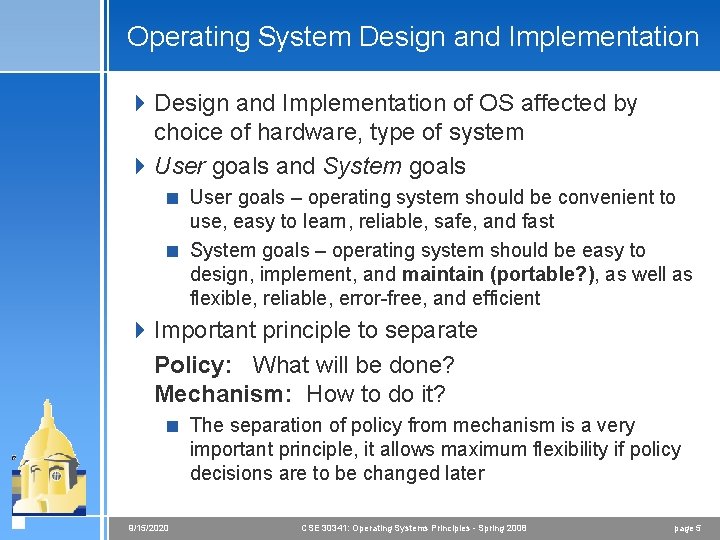
Operating System Design and Implementation 4 Design and Implementation of OS affected by choice of hardware, type of system 4 User goals and System goals < User goals – operating system should be convenient to use, easy to learn, reliable, safe, and fast < System goals – operating system should be easy to design, implement, and maintain (portable? ), as well as flexible, reliable, error-free, and efficient 4 Important principle to separate Policy: What will be done? Mechanism: How to do it? < The separation of policy from mechanism is a very important principle, it allows maximum flexibility if policy decisions are to be changed later 9/15/2020 CSE 30341: Operating Systems Principles - Spring 2008 page 5
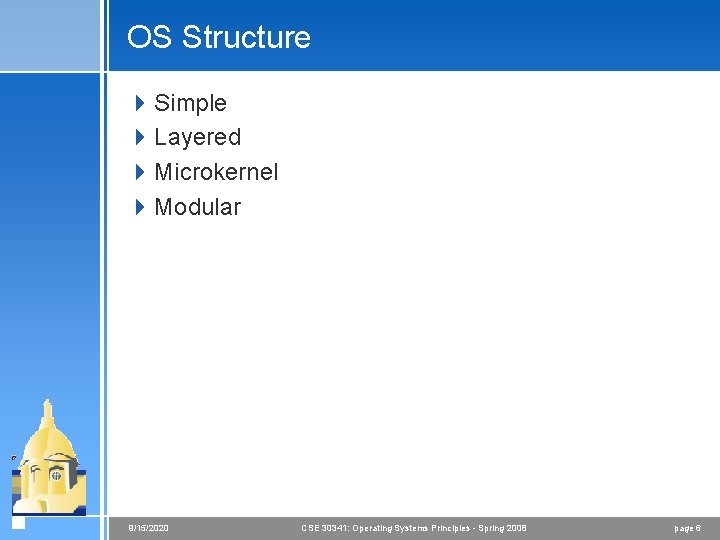
OS Structure 4 Simple 4 Layered 4 Microkernel 4 Modular 9/15/2020 CSE 30341: Operating Systems Principles - Spring 2008 page 6
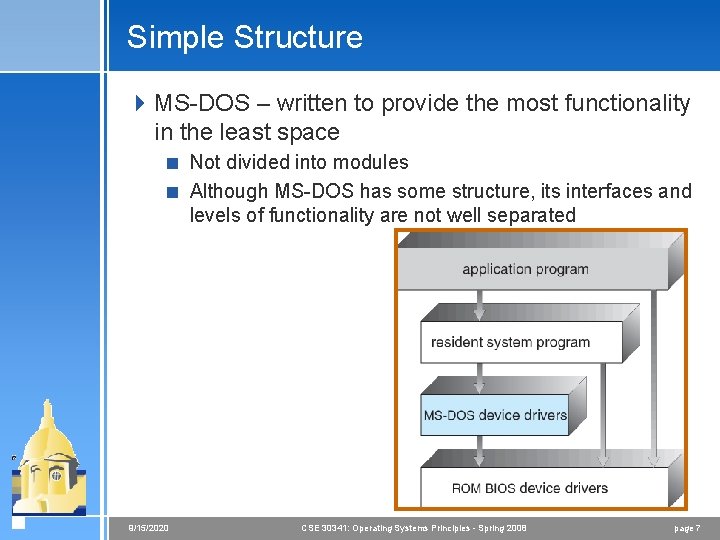
Simple Structure 4 MS-DOS – written to provide the most functionality in the least space < Not divided into modules < Although MS-DOS has some structure, its interfaces and levels of functionality are not well separated 9/15/2020 CSE 30341: Operating Systems Principles - Spring 2008 page 7
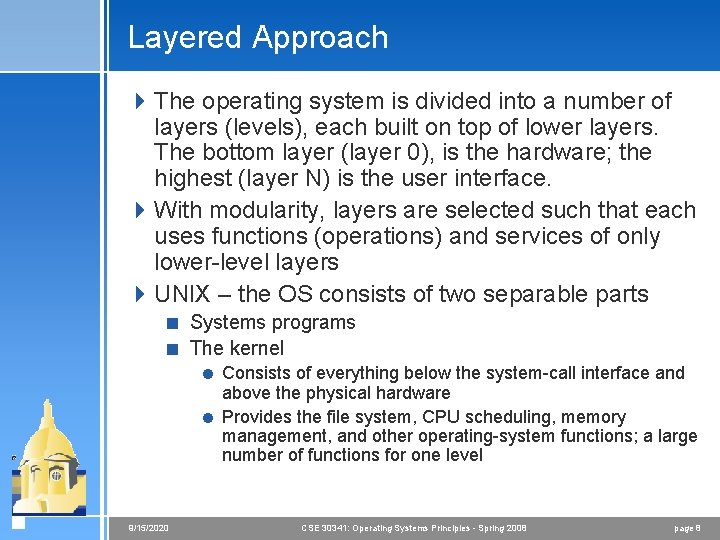
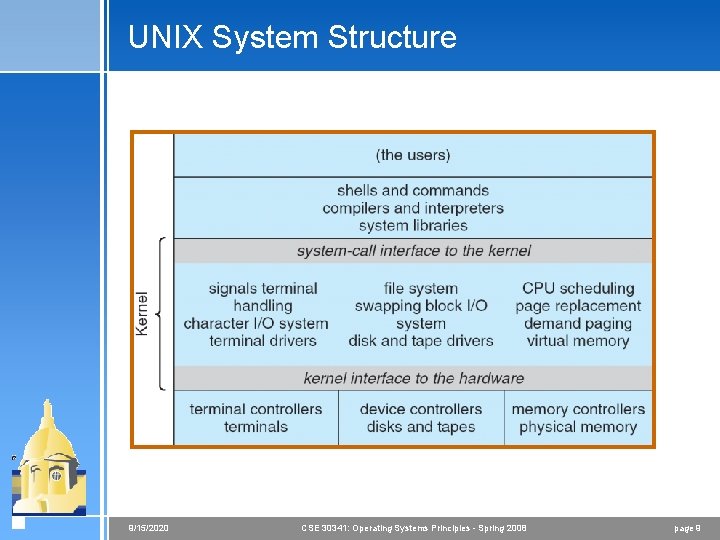
Layered Approach 4 The operating system is divided into a number of layers (levels), each built on top of lower layers. The bottom layer (layer 0), is the hardware; the highest (layer N) is the user interface. 4 With modularity, layers are selected such that each uses functions (operations) and services of only lower-level layers 4 UNIX – the OS consists of two separable parts < Systems programs < The kernel = Consists of everything below the system-call interface and above the physical hardware = Provides the file system, CPU scheduling, memory management, and other operating-system functions; a large number of functions for one level 9/15/2020 CSE 30341: Operating Systems Principles - Spring 2008 page 8
UNIX System Structure 9/15/2020 CSE 30341: Operating Systems Principles - Spring 2008 page 9
Microkernel System Structure 4 Moves as much from the kernel into “user” space 4 Communication takes place between user modules using message passing 4 Benefits: < Easier to extend a microkernel < Easier to port the operating system to new architectures < More reliable (less code is running in kernel mode) < More secure 4 Detriments: < Performance overhead of user space to kernel space communication 9/15/2020 CSE 30341: Operating Systems Principles - Spring 2008 page 10
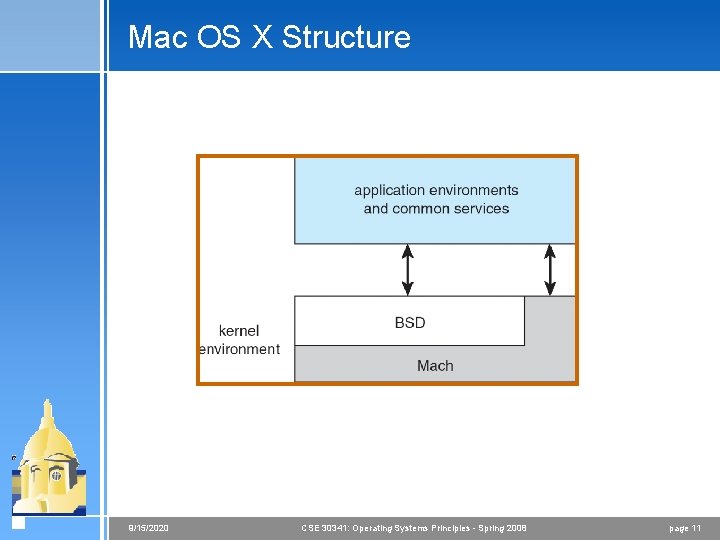
Mac OS X Structure 9/15/2020 CSE 30341: Operating Systems Principles - Spring 2008 page 11
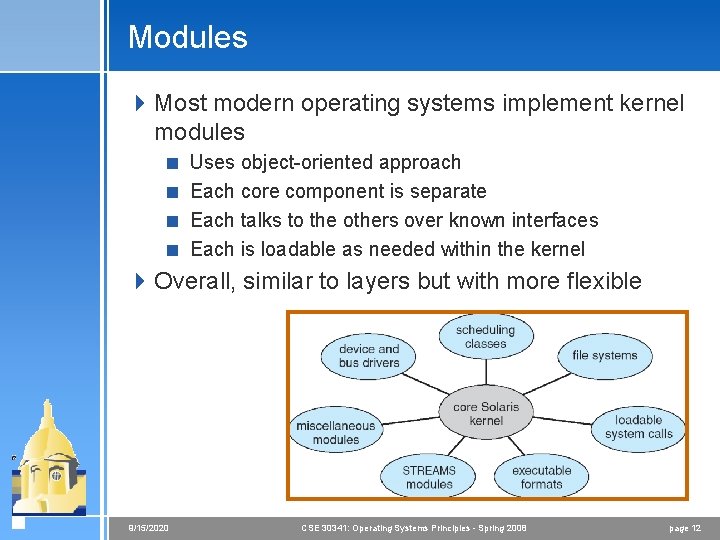
Modules 4 Most modern operating systems implement kernel modules < Uses object-oriented approach < Each core component is separate < Each talks to the others over known interfaces < Each is loadable as needed within the kernel 4 Overall, similar to layers but with more flexible 9/15/2020 CSE 30341: Operating Systems Principles - Spring 2008 page 12
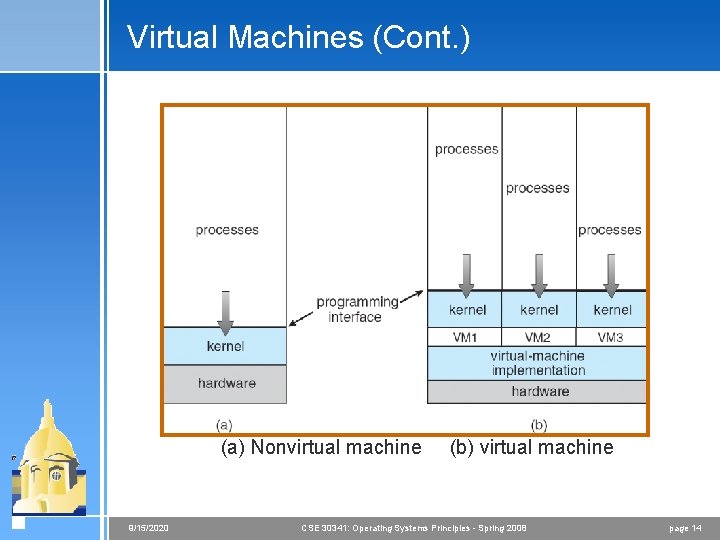
Virtual Machines 4 A virtual machine takes the layered approach to its logical conclusion. It treats hardware and the operating system kernel as though they were all hardware 4 A virtual machine provides an interface identical to the underlying bare hardware 4 The operating system creates the illusion of multiple processes, each executing on its own processor with its own (virtual) memory 9/15/2020 CSE 30341: Operating Systems Principles - Spring 2008 page 13
Virtual Machines (Cont. ) Non-virtual Machine (a) Nonvirtual machine 9/15/2020 Virtual Machine (b) virtual machine CSE 30341: Operating Systems Principles - Spring 2008 page 14
Virtual machines for data centers 4 The virtual-machine concept provides complete protection of system resources since each virtual machine is isolated from all other virtual machines. This isolation, however, permits no direct sharing of resources. 4 A virtual-machine system is a perfect vehicle for operating-systems research and development. System development is done on the virtual machine, instead of on a physical machine and so does not disrupt normal system operation. 4 The virtual machine concept is difficult to implement due to the effort required to provide an exact duplicate to the underlying machine 9/15/2020 CSE 30341: Operating Systems Principles - Spring 2008 page 15
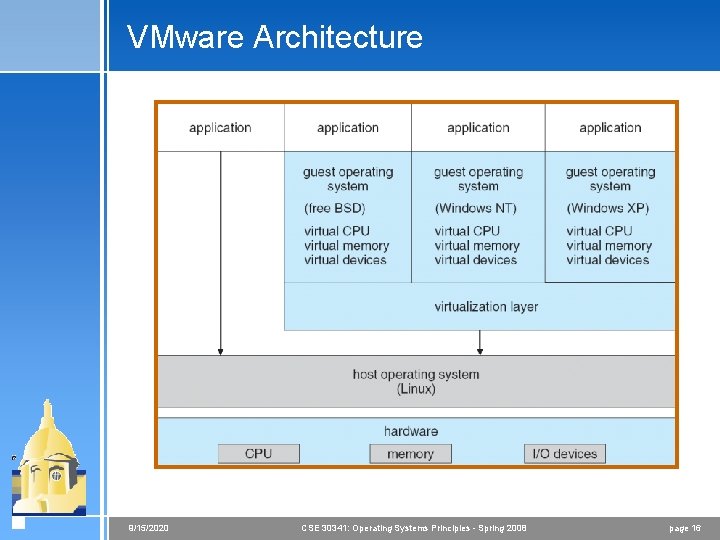
VMware Architecture 9/15/2020 CSE 30341: Operating Systems Principles - Spring 2008 page 16
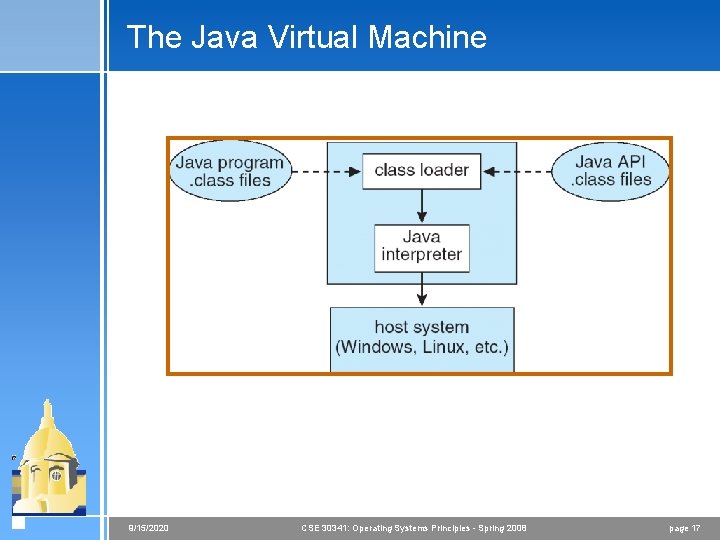
The Java Virtual Machine 9/15/2020 CSE 30341: Operating Systems Principles - Spring 2008 page 17