
Outline 1 Introduction to CNC machine 2 Component
- Slides: 42
Outline 1. Introduction to CNC machine 2. Component and Function of CNC 3. Coordinate System
1. Introduction to CNC machine CNC = Computerized Numerical Control
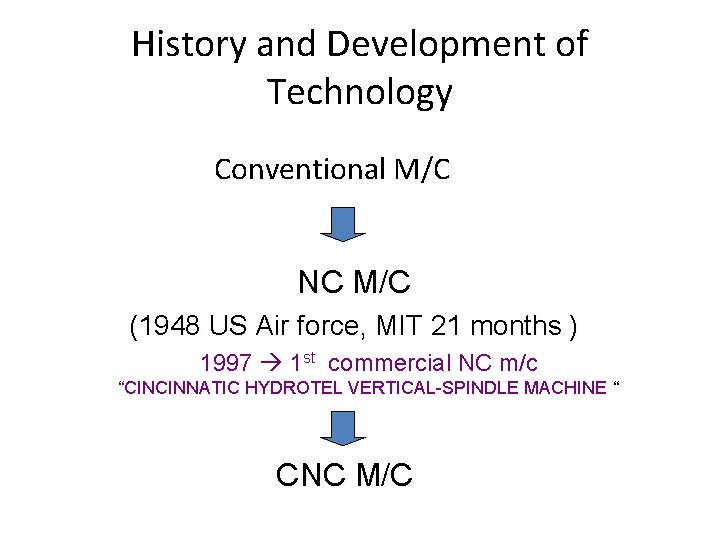
History and Development of Technology Conventional M/C NC M/C (1948 US Air force, MIT 21 months ) 1997 1 st commercial NC m/c “CINCINNATIC HYDROTEL VERTICAL-SPINDLE MACHINE “ CNC M/C
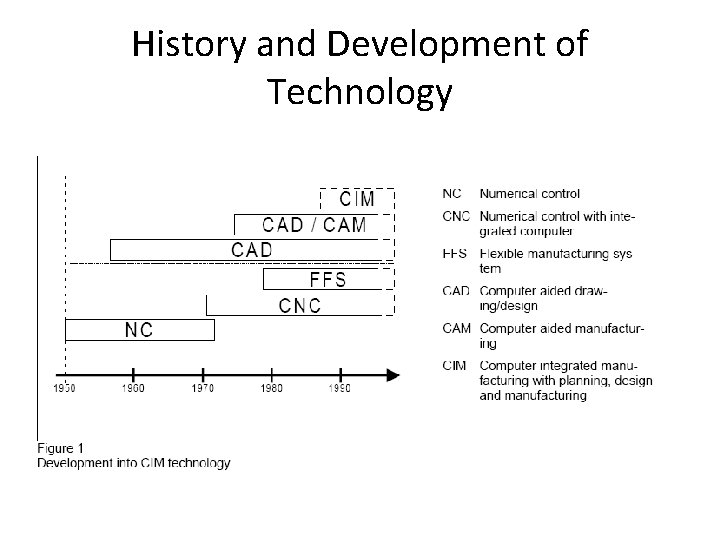
History and Development of Technology
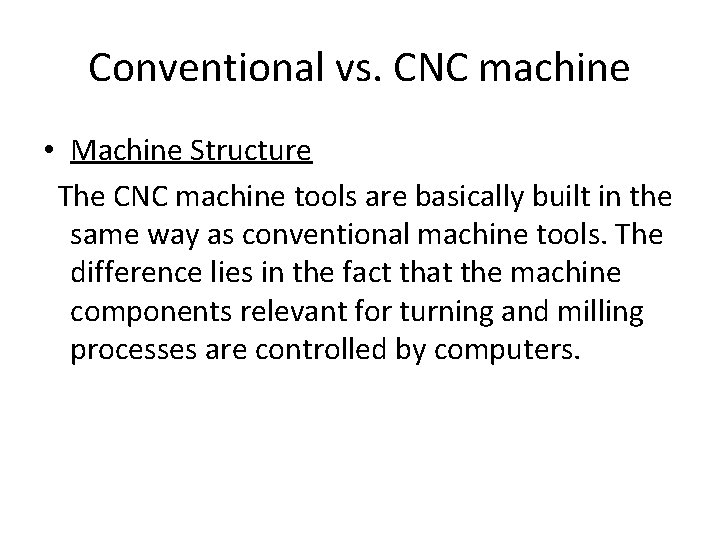
Conventional vs. CNC machine • Machine Structure The CNC machine tools are basically built in the same way as conventional machine tools. The difference lies in the fact that the machine components relevant for turning and milling processes are controlled by computers.
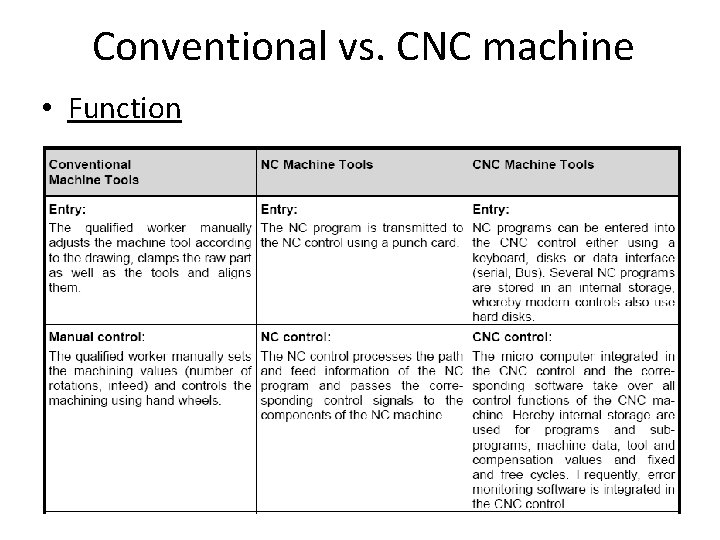
Conventional vs. CNC machine • Function
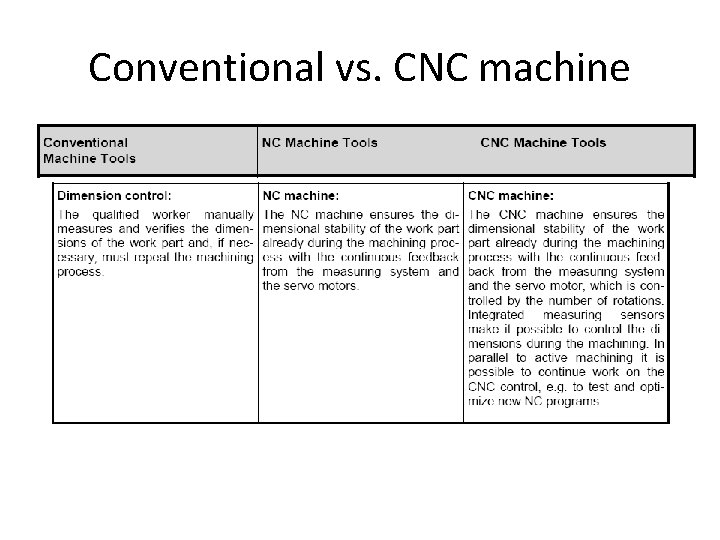
Conventional vs. CNC machine
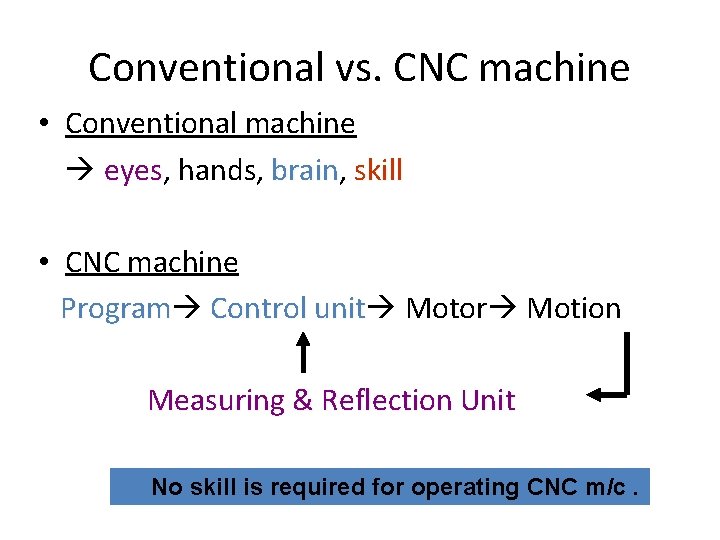
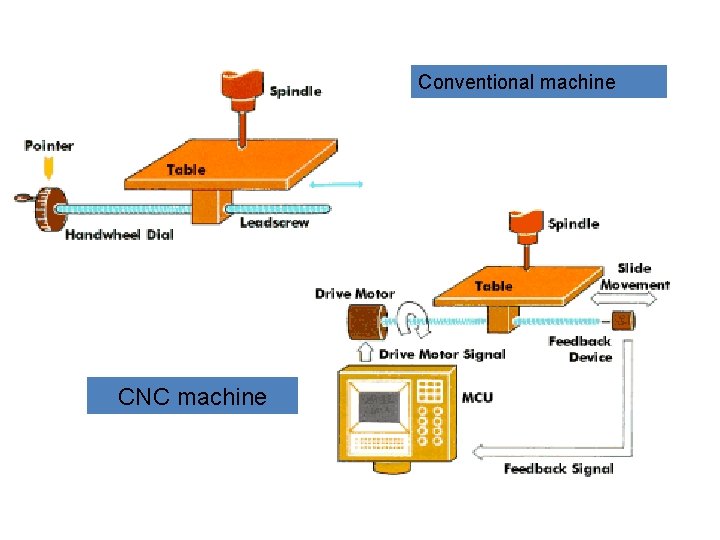
Conventional vs. CNC machine • Conventional machine eyes, eyes hands, brain skill • CNC machine Program Control unit Motor Motion Measuring & Reflection Unit No skill is required for operating CNC m/c.
Conventional machine CNC machine
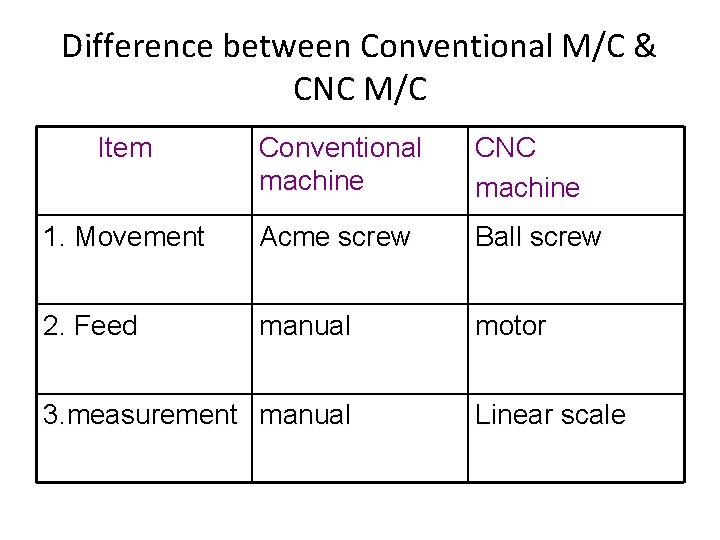
Difference between Conventional M/C & CNC M/C Item Conventional machine CNC machine 1. Movement Acme screw Ball screw 2. Feed manual motor 3. measurement manual Linear scale
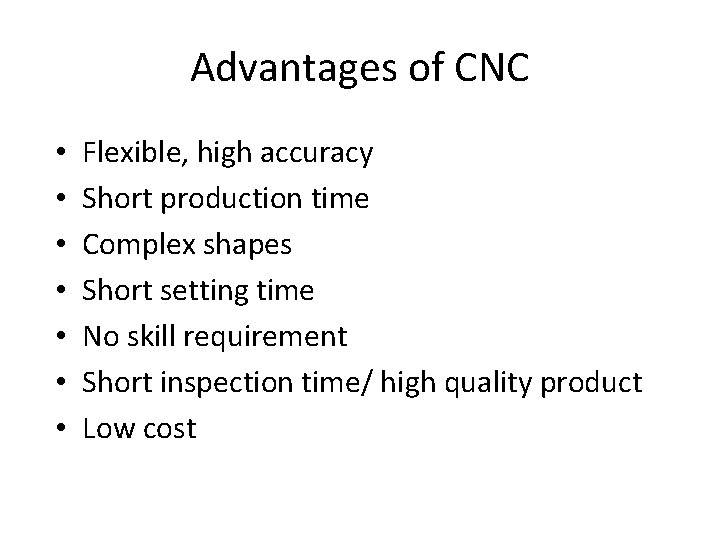
Advantages of CNC • • Flexible, high accuracy Short production time Complex shapes Short setting time No skill requirement Short inspection time/ high quality product Low cost
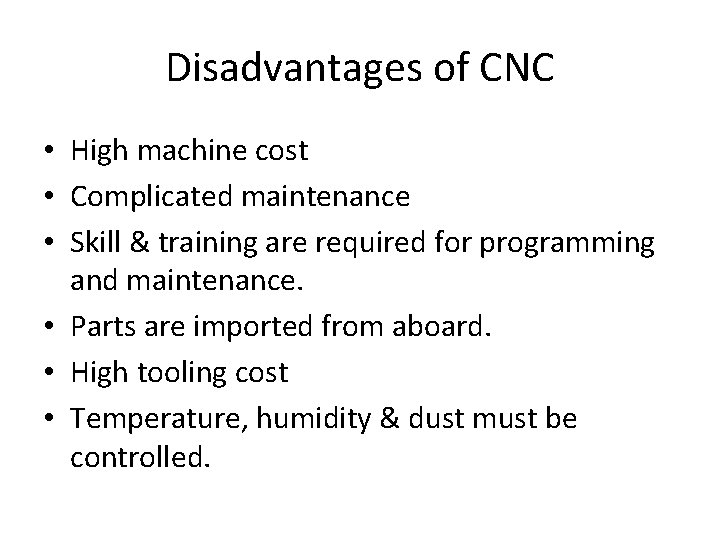
Disadvantages of CNC • High machine cost • Complicated maintenance • Skill & training are required for programming and maintenance. • Parts are imported from aboard. • High tooling cost • Temperature, humidity & dust must be controlled.
Why CNC? HUMAN LIMITATION
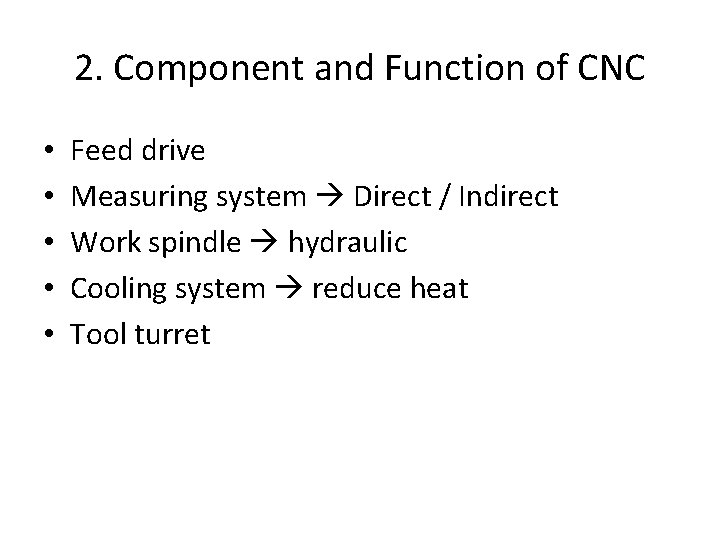
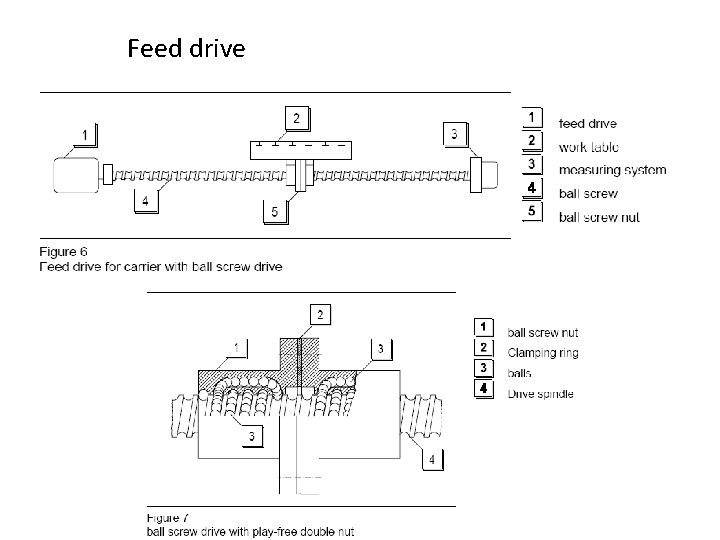
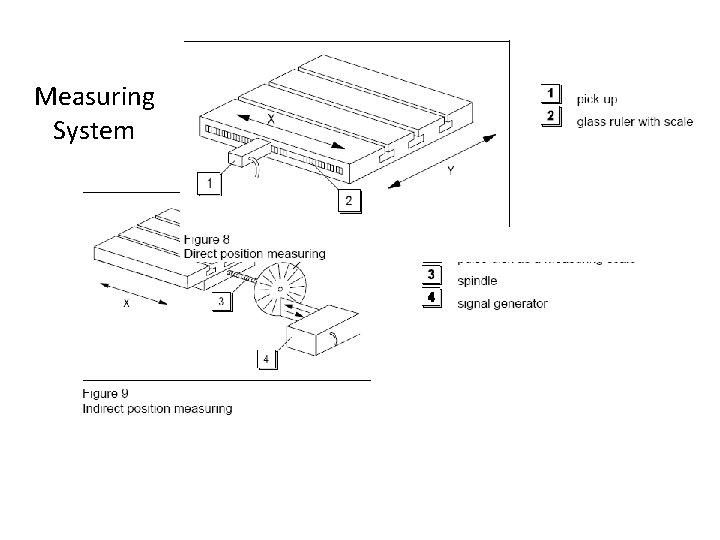
2. Component and Function of CNC • • • Feed drive Measuring system Direct / Indirect Work spindle hydraulic Cooling system reduce heat Tool turret
Feed drive
Measuring System
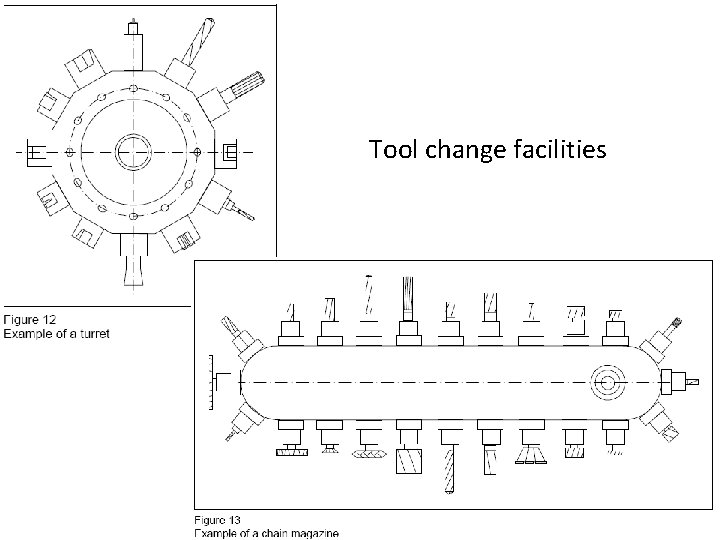
Tool change facilities
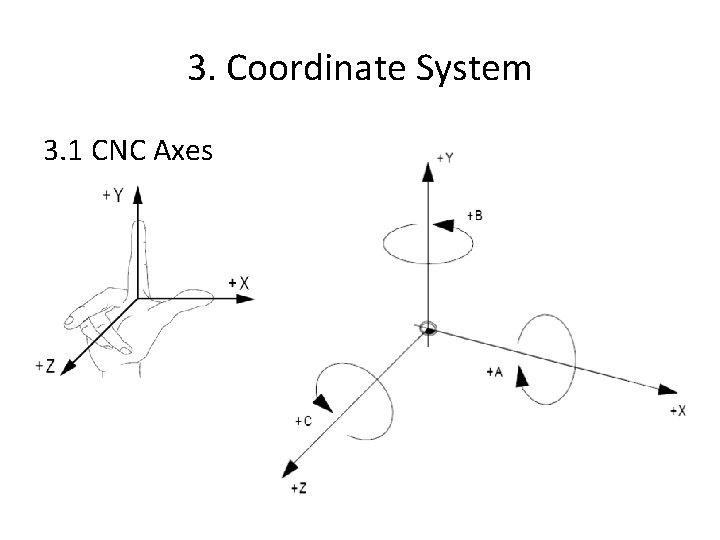
3. Coordinate System 3. 1 CNC Axes
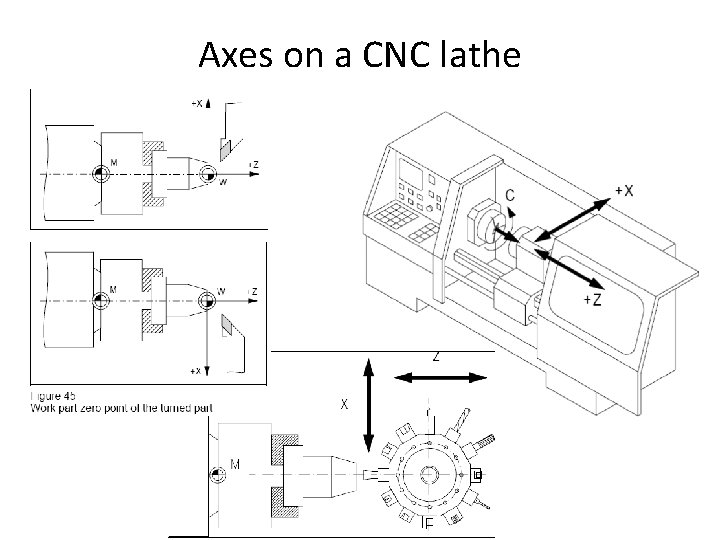
Axes on a CNC lathe
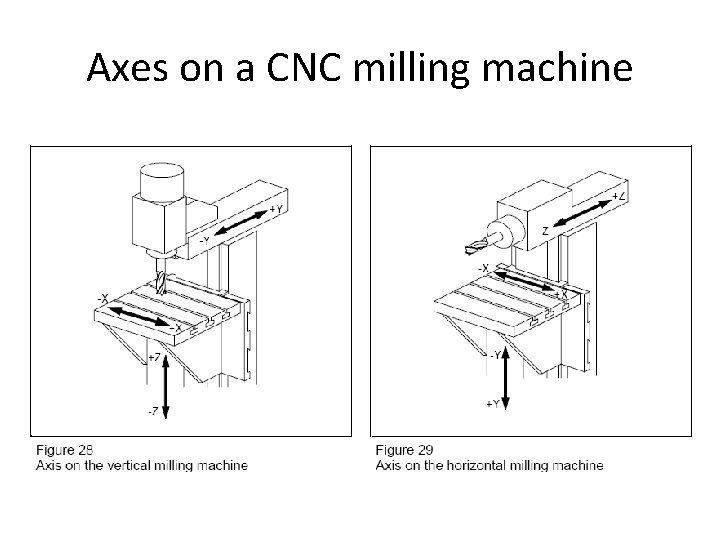
Axes on a CNC milling machine
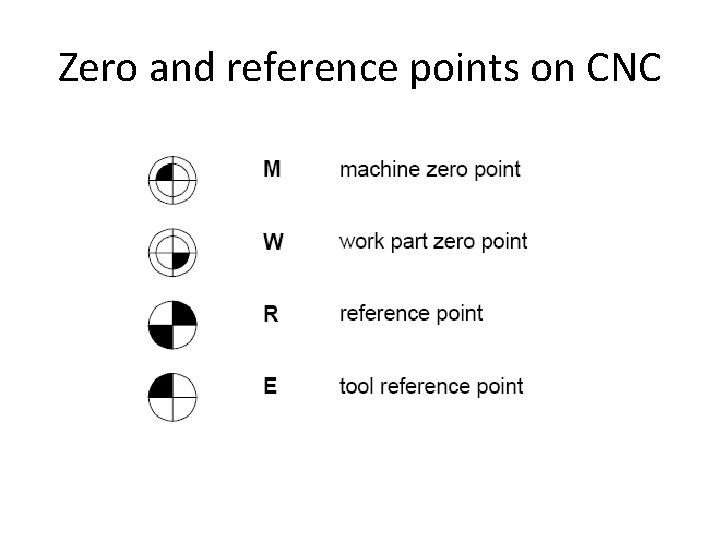
Zero and reference points on CNC
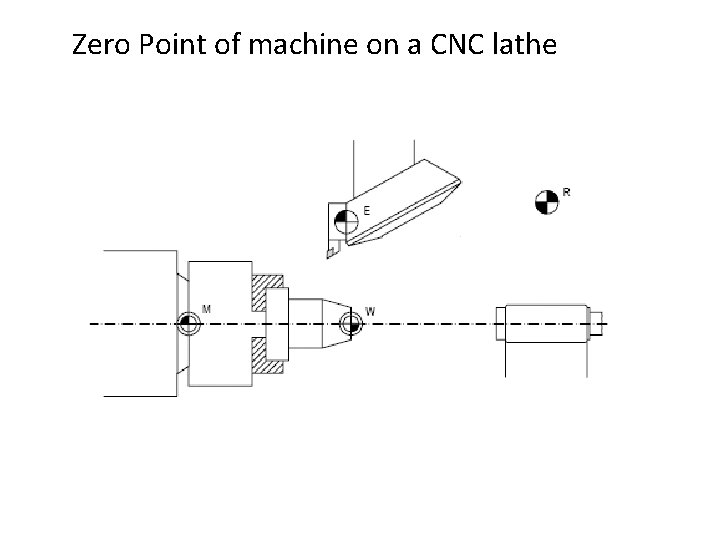
Zero Point of machine on a CNC lathe
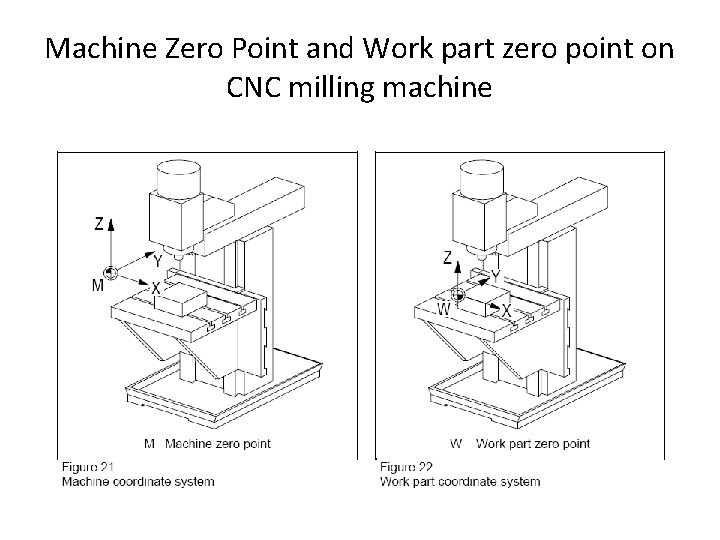
Machine Zero Point and Work part zero point on CNC milling machine
3. 2 Two types of dimensioning in NC programming • Absolute dimensioning (G 90)-พกดสมบรณ • Incremental dimensioning(G 91)พกดตอเนอง
Introduction to G-Code Programming Computer Integrated Manufacturing Unit 2: CNC Machining
In this lesson: • Review Coordinate Geometry Basics • Identify common Terminology • Examine G and M - Code language • Provide opportunities for Review and Practice
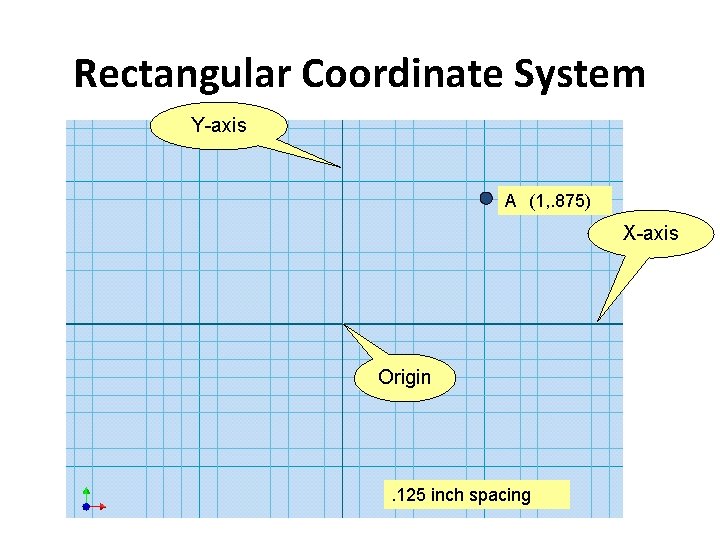
Rectangular Coordinate System Y-axis (1, . 875) A (X, Y) X-axis Origin . 125 inch spacing
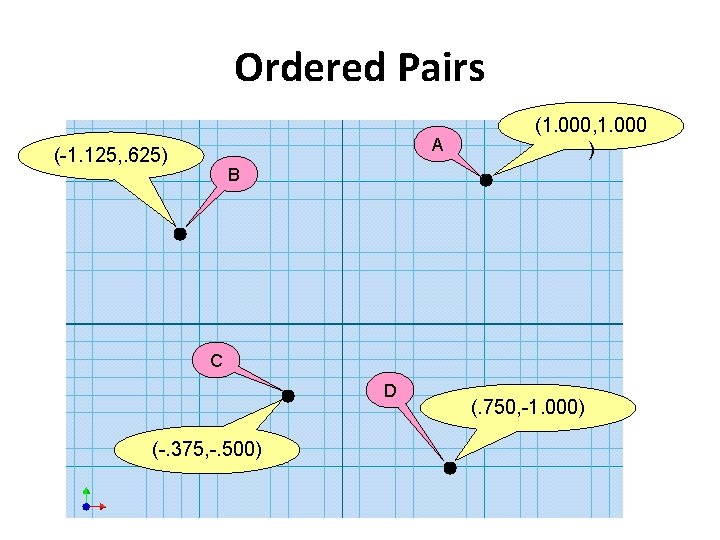
Ordered Pairs A (-1. 125, . 625) (1. 000, 1. 000 ) B C D (-. 375, -. 500) (. 750, -1. 000)
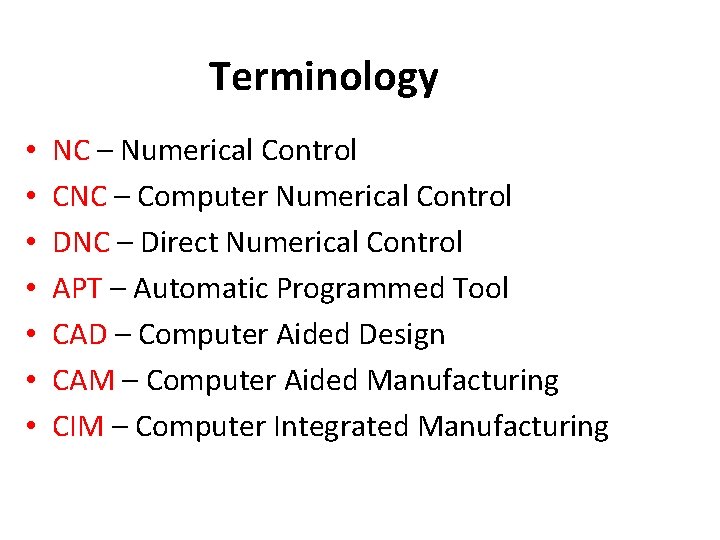
Terminology • • NC – Numerical Control CNC – Computer Numerical Control DNC – Direct Numerical Control APT – Automatic Programmed Tool CAD – Computer Aided Design CAM – Computer Aided Manufacturing CIM – Computer Integrated Manufacturing
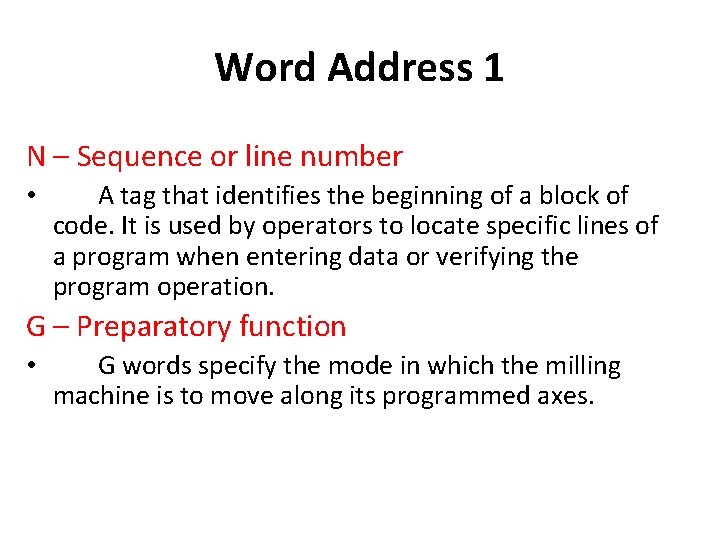
Word Address 1 N – Sequence or line number • A tag that identifies the beginning of a block of code. It is used by operators to locate specific lines of a program when entering data or verifying the program operation. G – Preparatory function • G words specify the mode in which the milling machine is to move along its programmed axes.
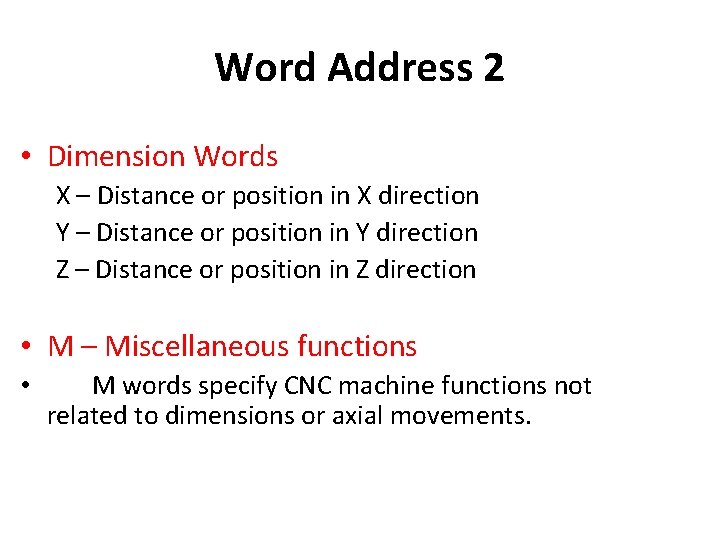
Word Address 2 • Dimension Words X – Distance or position in X direction Y – Distance or position in Y direction Z – Distance or position in Z direction • M – Miscellaneous functions • M words specify CNC machine functions not related to dimensions or axial movements.
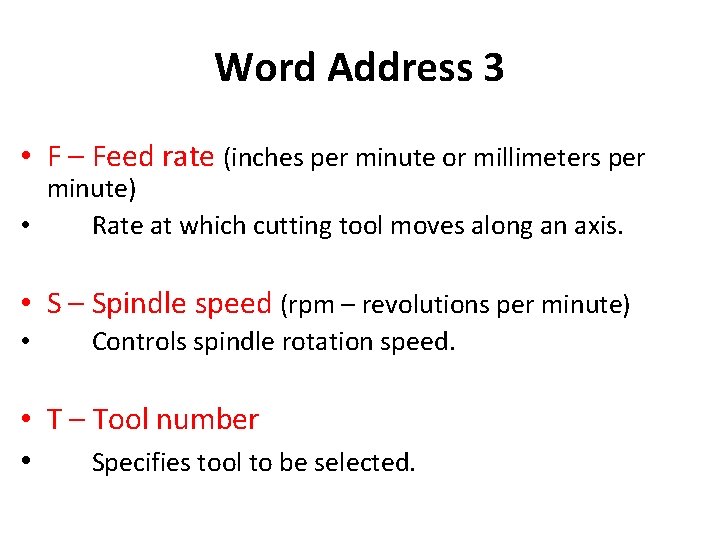
Word Address 3 • F – Feed rate (inches per minute or millimeters per minute) • Rate at which cutting tool moves along an axis. • S – Spindle speed (rpm – revolutions per minute) • Controls spindle rotation speed. • T – Tool number • Specifies tool to be selected.
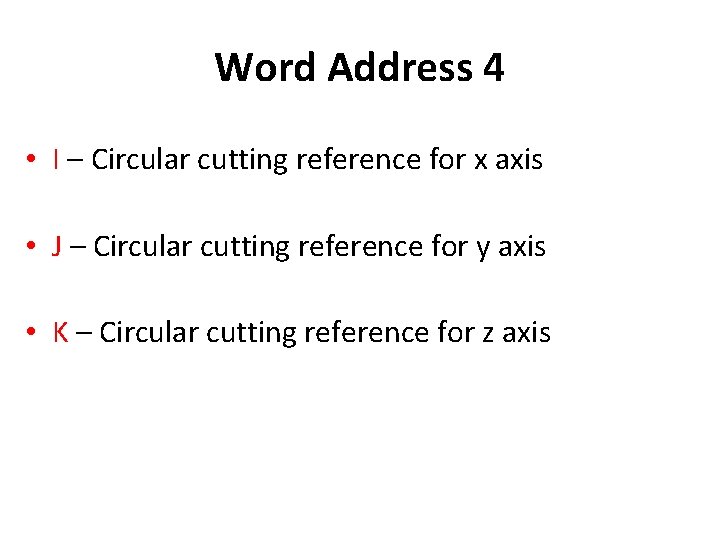
Word Address 4 • I – Circular cutting reference for x axis • J – Circular cutting reference for y axis • K – Circular cutting reference for z axis
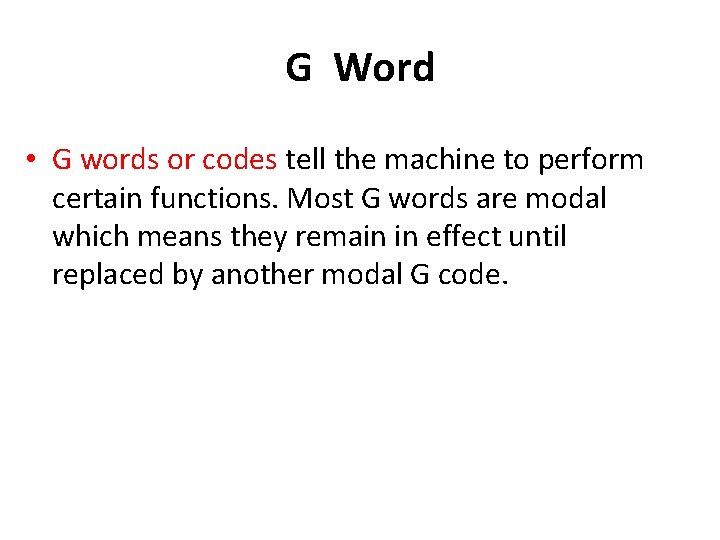
G Word • G words or codes tell the machine to perform certain functions. Most G words are modal which means they remain in effect until replaced by another modal G code.
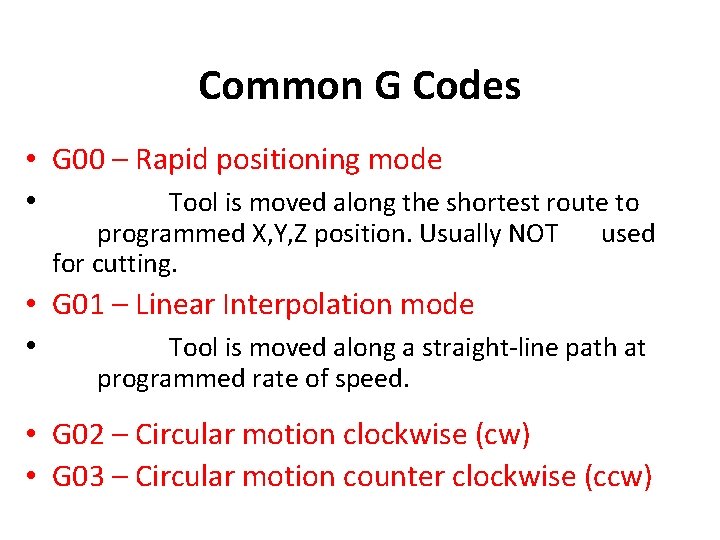
Common G Codes • G 00 – Rapid positioning mode • Tool is moved along the shortest route to programmed X, Y, Z position. Usually NOT for cutting. used • G 01 – Linear Interpolation mode • Tool is moved along a straight-line path at programmed rate of speed. • G 02 – Circular motion clockwise (cw) • G 03 – Circular motion counter clockwise (ccw)
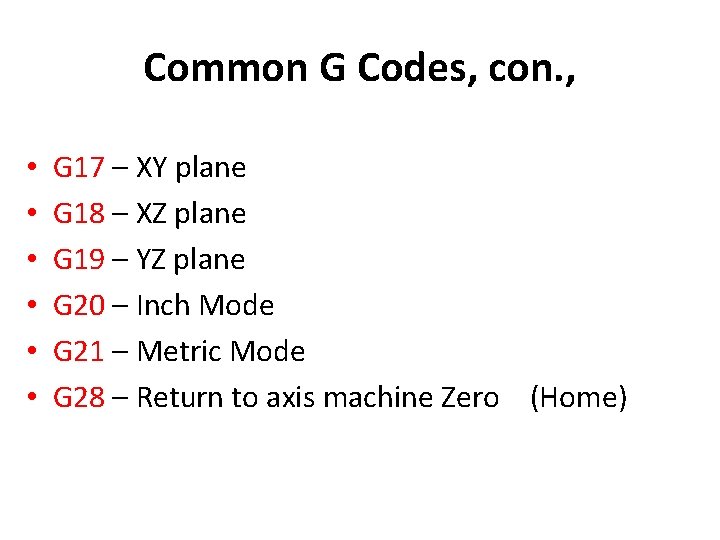
Common G Codes, con. , • • • G 17 – XY plane G 18 – XZ plane G 19 – YZ plane G 20 – Inch Mode G 21 – Metric Mode G 28 – Return to axis machine Zero (Home)
G Codes: G 90, G 91 G 90 – Absolute Coordinate References the next position from an absolute zero point which is set once for the entire program. G 91 – Incremental Coordinate References the next position from the previous position.
G Codes: Cutter Compensation • G 40 – Cancel cutter diameter compensation. • G 41 – Cutter compensation left. • G 42 – Cutter compensation right.
M Word • M words tell the machine to perform certain machine related functions, such as: turn spindle on/off, coolant on/off, or stop/end program. Professional Development ID Code: 6006
Common M words • M 00 – Programmed pause • Automatically stops machine until operator pushes a button to resume program. • M 01 – Optional stop • A stop acted upon by the machine when operator has signaled this command by pushing a button. • M 02 – End of program • Stops program when all lines of code are completed. Must be last command in program.
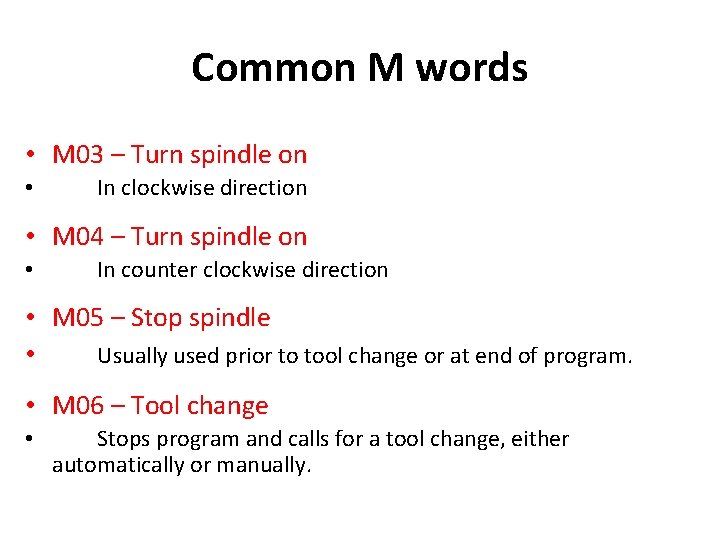
Common M words • M 03 – Turn spindle on • In clockwise direction • M 04 – Turn spindle on • In counter clockwise direction • M 05 – Stop spindle • Usually used prior to tool change or at end of program. • M 06 – Tool change • Stops program and calls for a tool change, either automatically or manually.
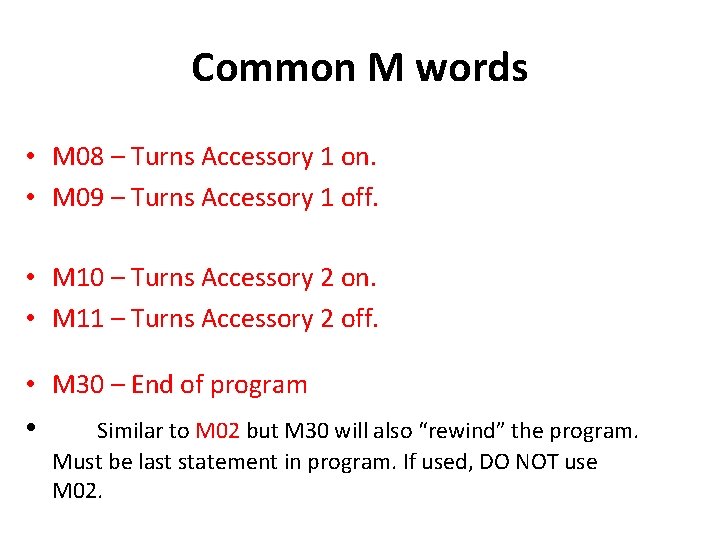
Common M words • M 08 – Turns Accessory 1 on. • M 09 – Turns Accessory 1 off. • M 10 – Turns Accessory 2 on. • M 11 – Turns Accessory 2 off. • M 30 – End of program • Similar to M 02 but M 30 will also “rewind” the program. Must be last statement in program. If used, DO NOT use M 02.