
Our Collaborative Notes 2016 Heres how it works
Our Collaborative Notes 2016 Here’s how it works: 1. Click the + symbol in the upper left corner to add a new slide 2. Tell who you are (twitter name if you are a tweeter) and what session you’re in 3. Start taking notes 4. Tell your friend #TCEA 16 ● By the end of the week we will curate notes, ideas, activities from far more
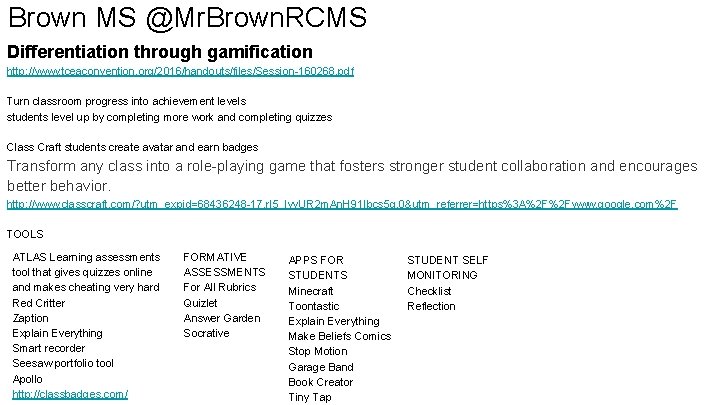
Brown MS @Mr. Brown. RCMS Differentiation through gamification http: //www. tceaconvention. org/2016/handouts/files/Session-160268. pdf Turn classroom progress into achievement levels students level up by completing more work and completing quizzes Class Craft students create avatar and earn badges Transform any class into a role-playing game that fosters stronger student collaboration and encourages better behavior. http: //www. classcraft. com/? utm_expid=68436248 -17. r. I 5_Iyy. UR 2 m. An. H 91 Ibcs 5 g. 0&utm_referrer=https%3 A%2 F%2 Fwww. google. com%2 F TOOLS ATLAS Learning assessments tool that gives quizzes online and makes cheating very hard Red Critter Zaption Explain Everything Smart recorder Seesaw portfolio tool Apollo http: //classbadges. com/ FORMATIVE ASSESSMENTS For All Rubrics Quizlet Answer Garden Socrative APPS FOR STUDENTS Minecraft Toontastic Explain Everything Make Beliefs Comics Stop Motion Garage Band Book Creator Tiny Tap STUDENT SELF MONITORING Checklist Reflection
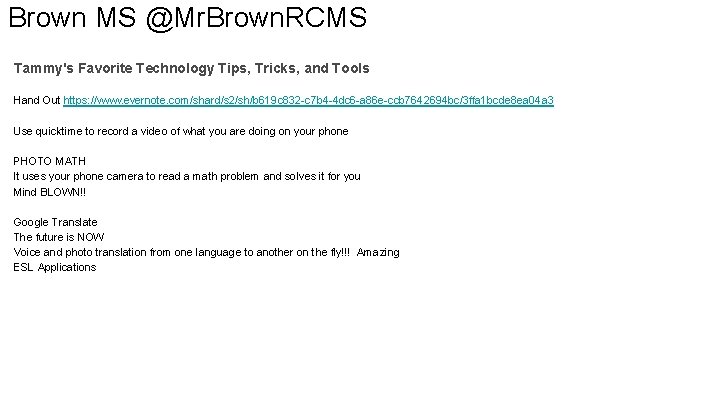
Brown MS @Mr. Brown. RCMS Tammy's Favorite Technology Tips, Tricks, and Tools Hand Out https: //www. evernote. com/shard/s 2/sh/b 619 c 832 -c 7 b 4 -4 dc 6 -a 86 e-ccb 7642694 bc/3 ffa 1 bcde 8 ea 04 a 3 Use quicktime to record a video of what you are doing on your phone PHOTO MATH It uses your phone camera to read a math problem and solves it for you Mind BLOWN!! Google Translate The future is NOW Voice and photo translation from one language to another on the fly!!! Amazing ESL Applications
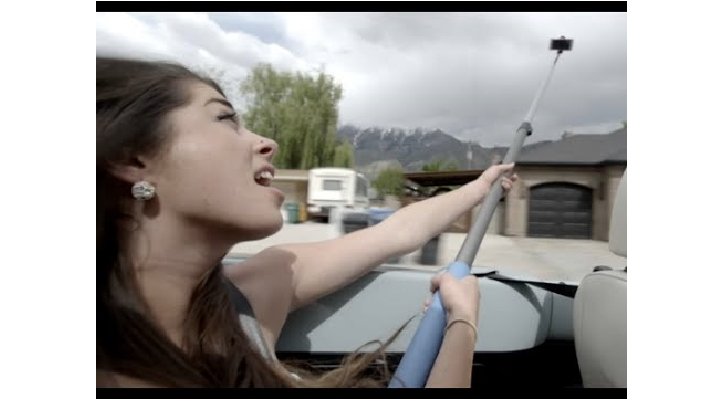

Brown MS @Mr. Brown. RCMS LESLIE FISHER GADGETS Selfie Stick Awareness PSA The Best Selfie Stick Handout http: //www. lesliefisher. com/handouts/gadgets_fisher. pdf Lilly Selfie drone Google Cardboard Rico Theta - 360 degree vr camera $350 Bird - Finger clip on mouse to interact with the screen like Minority Report Disco Ball Prototype, OMG Check it out!!! V 2 Pavloc Fit band Will shock you if you don’t meet your fitness goals and will also shame you on fb posts Cicret wrist projector she says it’s real Project Tango, I missed it look it up seemed good Microsoft Holo lense Augmented reality interactive Google Glass Enterprise, look it up new launching soon Motion Savvy for deaf translates sign language to spoken word from i. Pad 3 Doolder - 3 D printing pen that you can draw with, spits out the plastic, design amazing things, WOW if you know what you are doing art wise Plastic - all your cards in one The QBall - remote mic to throw around the room The Internet arcade online old school games (it has the Oregon Trail) Cocoon Grid it, cable and device management travel storage
Genius Hour The 10 skills Employers Want in 2015 Graduates-Forbes. com Harvard article-wants to look at what students do-Tony Wagner really promotes this. Genius hour allows students to explore their passions and encourages creativity in the classrooms! Passion-wondeoapolis. org, thrively. com, DIY. org Pitch- watch a video from shark tank to get the idea for a pitch, Google slides, pontoon, i. Movie. KWHLAG-know, want to know, how will you learn it, what have you learned, a? , G? plan-nepotism, padlet, Twitter, community, poppet project-trello board to track standards, Google hangout, Tony Vincent’s QR codes for reflection, kid log product-weebly, digital book, s'more, and many more-has to be something the teacher can share out. presentation-Google slides, vidra, powtoon, i. Movie,
Genius Hour-con't. Joy Kirr-great resources on her livebinder Game ideas-see photo I took!-picture story add along/triangle completion, Cardboard Prototyping, Go to Class: Invent a new way to get into your room in a new way, random improvement of the day: disrupt(disruptus), upgrade, or re-purpose, sill product commercial, Story Perspective: The Ant, Grass, Mosquito Photoprompts. tumblr. com Pure Genius by Don Wettrick-Get an Innovation Class in every High School Must watch Daniel Pink TED talk Collect and Connect idea- what do you hate about this school-gold Standard for idea generation-what other audience would be interested in this idea! Imagination is thinking, creativity is creating, innovation is something that has never been done, entrepreneur. Don loves Show and Tell Partnerships and mentors are very important Brain Moves-Dr. John Medina-very good book about why kids should move!
Leading a Horse to Water - Matt Moulden @themrmoulden ly. tcea. org/horse - online presentation link Change takes 3 -5 years, so why are we constantly changing the model/system Change is necessary, but needs to be well thought out and given time to take root and become part of the system When targeting change - think like an advertising agency, create a persona to target for change, develop a specific plan for that persona, and goals/steps to achieve the change Good leadership is a REQUIREMENT for effective change

http: //bit. ly/IESat. TCEA
Add-on Some Awesomesauce @amcnally. MRS Ciane Grossman, Dallas ISD Room 12 B Expand your knowledge of GAFE and customize your apps to automate tasks and organize workflow for grading, sending personalized feedback, sharing files and folders, and more Intermediate I K-12 Presentation Link: goo. gl/2 rkqf. N Doc Folder
Google Earth and Maps in Any Subject Chrissie Allen, ESC Region 8 @Chrissie. LAllen Great presentation! Lots of examples. Here is Lori’s presentation: bit. ly/Google. Maps. Earth
Badge out your PD with Edtechbadges https: //docs. google. com/presentation/d/18 b. Knu. Wayjhu 7 x 62 e_E 7 V 33 k. Cg. P 5 NP 1 K SMCC 7 d. Ho 7 YOU/edit#slide=id. g 108 a 8 ced 76_0_31
Notes by @mradkins - Joel Adkins Chuck Norris Lost Arm Wrestling to Google Connected Apps Howard J Martin - @mrmartinsclass Austin ISD http: //bit. ly/chucktcea 16 - presentation online
Using You. Tube and Drive Video goo. gl/5 qw 8 w. L Use google Drive to house videos where Youtube might be unavailable In Drive you can link and embed videos, add captions, and disable downloading or copying Use pop-out mode to gain access to the embed code for videos on Google Drive Use Google Sites to house all district or department videos Push out content to students via You. Tube You can only set up 2 You. Tube accounts per phone number. Use You. Tube captions (annotation) to link to other videos with more content or questions/answers.
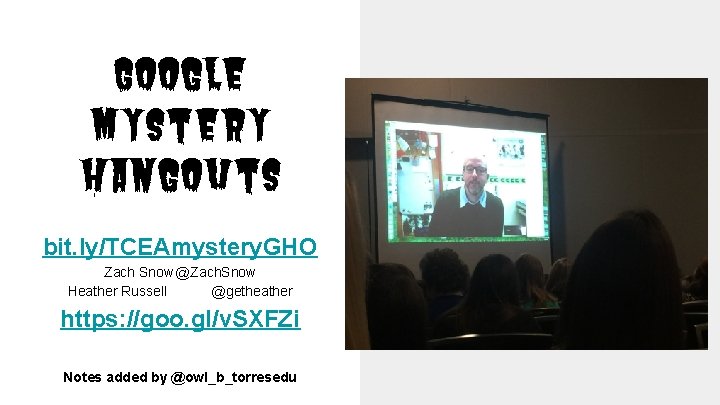
Google Mystery Hangouts bit. ly/TCEAmystery. GHO Zach Snow @Zach. Snow Heather Russell @getheather https: //goo. gl/v. SXFZi Notes added by @owl_b_torresedu
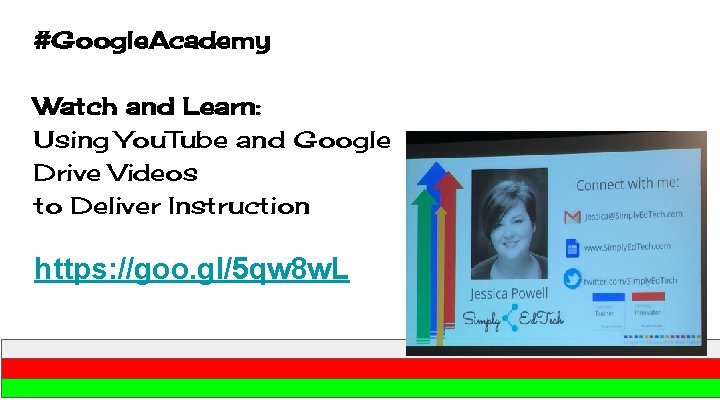
#Google. Academy Watch and Learn: Using You. Tube and Google Drive Videos to Deliver Instruction https: //goo. gl/5 qw 8 w. L

Girls Power: Girls in STEM goo. gl/wb. C 8 z. C
Brain Break STEM Challenges There was no link(She used Power. Point), but if you want handouts…. let me know
Google Games Jaime Donally, Gladewater ISD Room 15 Use Google Apps and tools to create games for your classroom, which can be used to enhance, review, and engage your students in learning. No SMART Board, no problem. Intermediate I All Levels https: //docs. google. com/presentation/d/1 Cf. UNNNp. Cq. IJlb. Ke. QMz. Uu. GCq 7 Jf. HXj 9 lgw. MGm. Qcpvh. E/edit #slide=id. p http: //www. symbaloo. com/mix/googlegames
Growing Thinkers Cody Holt - Digital Learning Specialist, Royse City ISD - @beard_speak goo. gl/tr. JTd. I How Thinking Works - https: //www. youtube. com/watch? v=d. Uq. RTWCd. Xt 4 Todays Meet Asking good questions and teaching kids to ask good questions, builds thinkers. Here’s a questioning tool-kit. https: //todaysmeet. com/TCEAMT
Google Gaming https: //docs. google. com/presentation/d/1 d. JY 1 k. HVqt QQmn. Mapu. My. Ilt. Vk. CNXVqj 4 gn. L 191 KFmbb. M/edit#sl ide=id. p
Transforming PD w/ Google Challenges ● Use Google Forms with Batchgeo to create customized pinned maps. (Lit trips, colleges, war battles, places you studied, a way to post research like thinglink) ● Geoguessr. com is a good icebreaker, a geography tool ● https: //sites. google. com/site/transformingpd/home ● Awesome Tables script for Google Sites ● She has a great badging system linked in the website above this
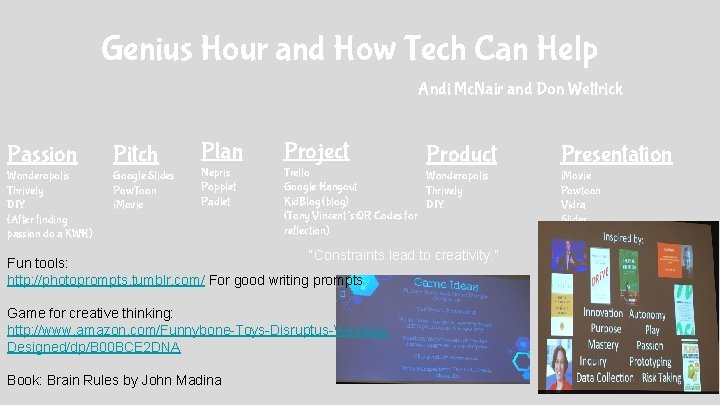
Genius Hour and How Tech Can Help Andi Mc. Nair and Don Wettrick Passion Pitch Wonderopolis Thrively DIY (After finding passion do a KWH) Google Slides Pow. Toon i. Movie Plan Project Nepris Popplet Padlet Trello Wonderopolis Google Hangout Thrively Kid. Blog (blog) DIY (Tony Vincent’s QR Codes for reflection) Product “Constraints lead to creativity. ” Fun tools: http: //photoprompts. tumblr. com/ For good writing prompts Game for creative thinking: http: //www. amazon. com/Funnybone-Toys-Disruptus-Winning. Designed/dp/B 00 BCE 2 DNA Book: Brain Rules by John Madina Presentation i. Movie Powtoon Vidra Slides
Intro to Illustrator @fredbenitez ● slate. adobe. com/cp/HMQlh ● link to Pen Tool is Mightier than the Sword: https: //slate. adobe. com/cp/IPr. YP/

Info on setting up Google+ https: //docs. google. com/document/d/1 i. Kx. ADMv 4 awdyf. Vz 1 LJgt. Ssl. OFub 7 yec. U 8 yj. V Ok 7 AVbo/edit
Making Thinking Visual Using Google Drawings Jennifer Heine - North East ISD - @jheine 1 Presentation: goo. gl/mjk. Yra
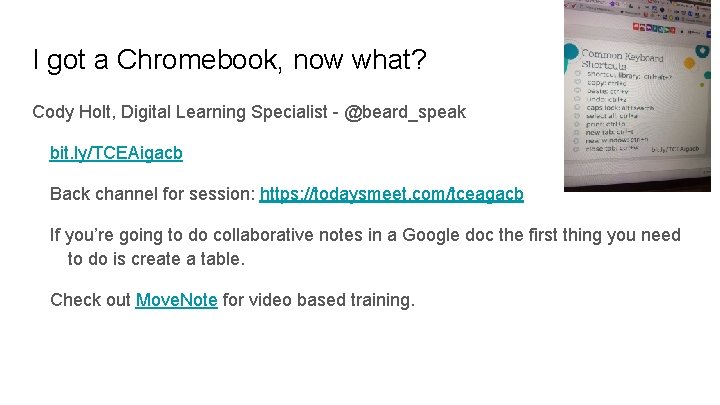
I got a Chromebook, now what? Cody Holt, Digital Learning Specialist - @beard_speak bit. ly/TCEAigacb Back channel for session: https: //todaysmeet. com/tceagacb If you’re going to do collaborative notes in a Google doc the first thing you need to do is create a table. Check out Move. Note for video based training.
https: //docs. google. com/presentation/d/1 ujx. O 5 ei. J 1 Od. RZAp. Xhq. Ec. FQJBq. NARMENW 2 yz. Ge. ZZGGVU/mobilepres ent? pli=1&slide=id. g 81 bbc 47 c 0_1_0
Outside Reading An outstandingly awesome interactive session. Below are the links for the interactive pieces. http: //twubs. com/Collaborative. TCEA 16 http: //twubs. com/Outside. Reading

From Zero to Sphero! ● Create Learning Challenges ● Map with trivia ● Review for Test ● Can be dipped in paint and can draw whatever you dictate with your IPad ● Sphero Macrolab ● Ollie- any device Paul Wagner @pwagnerlcisd Jennifer Mitchell @jenemitchell http: //icafe. lcisd. org/zerotosphero
Kicking and Screaming The problem is that PD is being ineffective Focused and self directed with a connection for the audience Traditional PD works from the faulty logic that teachers needs to learn one new thing. It needs to be more about how to apply/implement it. We have to support the teachers as progress. Teachers will change how they teach only after they see success with students. Set goals within PD. Let the teachers determine what is important in the session. They are professionals that need to develop Eduphoria PD Store Have them learn by doing and provide a demonstration of learning Make and Take (have them create something and take it with them) Informal learning like Ed. Camps and Twitter has a place in a PD program
Efficient Workflows with Google Apps Wondering how to make administrative processes and communication more efficient amongst faculty, and students? Learn to use google apps for real-time collaboration.
Monica Martinez goo. gl/uwm 56 G http: //www. edtechteam. com/ Resources for this session https: //sites. google. com/site/monicassites 101/home @mimg 1225 - Twitter
https: //www. youtube. com/watch? v=tfucb 1 gy 8 VA Screencastify
Google for Admins Data analysis is power Presentation link will have examples of what they showed! http: //tinyurl. com/TCEAGoogle. Tools

If you give a student a website- Ronnie Burt presentain. com/ronnie, @ronnieburt, theedublogger. com Why? TEKS- publishing to the web, engaging, authentic, they already share in social media so might as well use that in a productive way. What? Blog/ Website/ e. Portfolio- blog- regular posting is important however comment interaction is just as important, e-portfolio- takes more time upfront to set up, all are about the same. #1 ? - is it safe? yes because it’s being guided. Publishing to an audience is the entire point. You have to publish. Ways to help with privacy is to block search engine websites. They can give the link out but it won’t appear in a search on google.
If you give a student a website- Ronnie Burt cont. What platform? - First to ask is “Is the data locked into that platform? If the site went away (was bought up) can you export it elsewhere? ” Not export friendly. Google Sites, Kidblog, Medium, Seesaw, Wix, Weebly. Ronnie’s suggestion is Wordpress based sites- user friendly, mobile apps, exportable, widely used so you’ll have an audience 1 out of 4 sites in the world is powered by wordpress. Tipsstart with your own blog/ site, have students comment on your own site, students earn the right to post to the site. - using it as a “discussion board” within class and working up to publishing their own thoughts in their own posts.
If you give a student a website- Ronnie Burt cont. District idea- kids get their site in 3 rd/ 4 th grade and continue on their site through grade 12 so it also becomes a portfolio. ← would be cool and prepping for 21 st century workforce. All kids DONT have to write about the same thing. Publishing on the Web- how to find connections so kids DO get comments. Student blogging challenges through edublogs will connect classrooms around the world. Blog carnivals- a set of 4 -8 classes who pair up and read eachother’s blogs. #comments 4 kids , Penpals (Google+ communities are great for finding Penpals) Reach out for help and inspiration via social media etc.
If you give a student a website- Ronnie Burt cont. Resources Teacher Challenges Student Challenges Edu. Blog Awards 50 Ideas for student blogging and writing online (list Ronnie is going to e-mail out from his blog)
Ten Common Challenges Facing Educators Richard Byrne Resources Here: bitly. com/tceabyrne
Technology and balanced literacy Session handouts Why do digital? To be able to share; Resources: Poppet syllables, readers response, story elements, parts of speech, Dream x. Storyboard That DK find out

Tools you can use tomorrow-Leslie Fisher: Presentation is on her website Kahoot-create a kahoot selfie, ghost mode-check it out. Quizizz-has support for Google Classroom Plickers Ed. Puzzle(good for flipped classroom)-can put your own videos or use You. Tube, supports Google classroom Go. Formative-quick assessment that allows multiple choice, submit images, short answer, draw a pic…. can be used on any device with a web browser Newsela-adjusts for reading level Seesaw. -parents can see kids stuff, perfect for the younger kids without Google Accounts Bloomz-has several different options for teachers-parents conference, etc Screenleap. com. Appear. in. Yosemite+ USB Cable +i. OS
Gadgets- Leslie Fisher Lily video drone. It follows you around and shoots video for 20 minutes releases in April for $799 Prynt phone case that prints pictures Google Cardboard View Master with augmented reality $15 -30. Speck Pocket VR, a Google Cardboard case VR Cameras like the RICOH THETA S for $349, 360 Fly for $399 Bird allows you to interact with a screen using your finger $349 Money shredding alarm clock Cicret Embrace monitors your stress level and alerts your family $199 *Project Tango lets you live draw your environment. It allows instant access to directions which is helpful for the visually impaired
Mind Mapping, Timelines, and Collaborative Brainstorming- Richard Byrne richardbyrne@freetech 4 teachers. com @rmbyrne practicaledtech. com/tcea/ Resources: text to mindmap, dipity, thinglink Why online? It lends itself to doing it wherever and whenever. Padlet- kids can write a response then you can sort them out and slide through. You can change the background and to a mind map and kids can digitally put together an anchor chart in a collaborative manner. Teacher can save as PDF, print off their anchor chart and distribute.
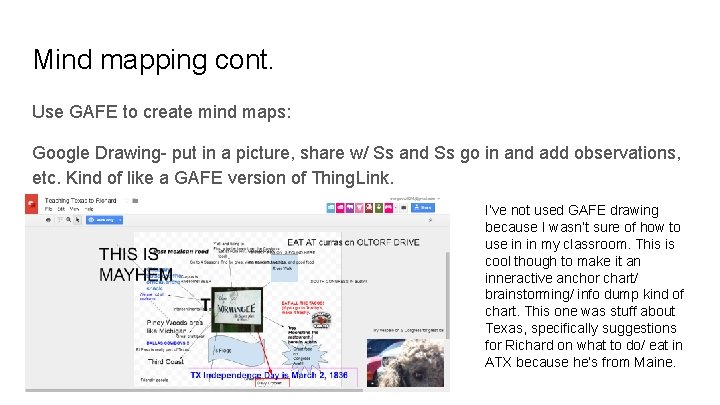
Mind mapping cont. Use GAFE to create mind maps: Google Drawing- put in a picture, share w/ Ss and Ss go in and add observations, etc. Kind of like a GAFE version of Thing. Link. I’ve not used GAFE drawing because I wasn’t sure of how to use in in my classroom. This is cool though to make it an inneractive anchor chart/ brainstorming/ info dump kind of chart. This one was stuff about Texas, specifically suggestions for Richard on what to do/ eat in ATX because he’s from Maine.
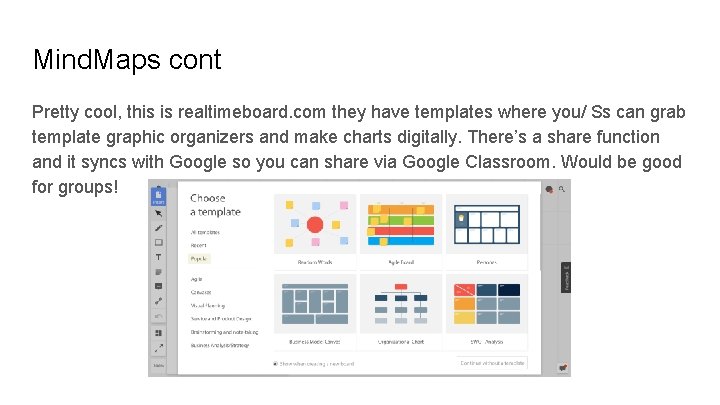
Mind. Maps cont Pretty cool, this is realtimeboard. com they have templates where you/ Ss can grab template graphic organizers and make charts digitally. There’s a share function and it syncs with Google so you can share via Google Classroom. Would be good for groups!
Gadgets Prynt-printcases. com View master Speck pocket VR VR cameras Wearable and assistive technology-Bird-movinteractive. com, Kolibree, HAPPi. Fork. V 2 Pavlov Cicero,
Golden Treasures of Google Bit. ly/tcea 100 -presentation Goo. gl/Us 8 Hf. H-register for free book Smarty pins, geo-guesser, Google lit trips, tour builder, Google sky, moon, and Mars Google cultural institute,
Minecraft EDU: I did it, so can you. Ashley Trevino Austin ISD, Howard Martin Austin ISD- IST http: //bit. ly/1 X 3 u. M 7 l Google Slides Presentation https: //prezi. com/mvukax 9 wkqjn/minecraftedu/? utm_campaign=share&utm_mediu m=copy Prezi breakdown with what worked and what didn’t 1 st students go through tutorial world already set up by MCEDU
PD to Get Your Teachers Connected Send them reminders using Remind instead of email. Send emailed and printed ads. Post in restrooms and anywhere else we might be. Make the challenges accessible online. Create small, easy to accomplish tasks Have them take a picture to show they completed a task Use Credly. com (Digital badge only) and Canva to create the digital badges They do monthly challenges The tasks can be self taught so training isn’t necessary Help complete T-TESS requirements Allow them to complete previous challenges goo. gl/0 vj. DXR
Digital Resources + Math = Student Engagement g(Math): A Google Math Treasure by Kellie Lahey goo. gl/Na. Tm. Cd Use things like storybooks to share math problems Have them figure out a “Kohl's Coupon” question. http: //www. symbaloo. com/shared/AAAAASO 5 Z 0 g. AA 41 -4 Vsn. Yw== http: //www. wouldyourathermath. com/ www. mathalicious. com free resources on Discovery Education
Scientific Minds Biology and Chemistry products Paid service $299 per year per teacher $10 per student per year. Volume pricing available Teacher license $2400 a year plus $10/student Two week free trial code is TCEA 2016 (expires at the end of February) Go to scientifcminds. com
Building a Student Internship for 1 -1 by Huntsville ISD’s TECHhive student interns The Comp TIA A+ program were the pool for the tech support They leased Dell Chromebook 11 They used the inform technology strand the computer technician class Get the students certified in repair from the manufacturer A couple day turnaround for repairs and each teacher has a few spares in the room Do third party repairs for a fee Once they are certified they can be paid They partnered with Dell Prin of infotec > computer maintance > A+ > CO-OP
Creating Spaces that Support 1: 1 Learning by David Jakes “An education should place learners at the center of a connected world” Start with What experience do you want your learners to have? What is the learning identity? Experience first, things second Putting modern technology into outdated paradigms doesn’t make sense There are three spaces to consider: Physical, Digital, and Virtual Look at Bluu. Beam It gives a space the ability to interact with devices. Movement is important to learning (bodies in motion brains in motion) 1: 1 with rows is just another version of a computer lab Studio model of room provides flexibility Spatial change must be accompanied with PD to learn how to use the new space.
Using GAFE Tools to Create e. Books Jill Fay - i. Coach, Royse City ISD - @i. Empower. RC http: //bit. ly/e. Book. RC - this is the tutorial site
Elementary Maker Spaces Heather Russell - GT Specialist, Royse City ISD - @getheather Notes to presentation - bit. ly/RCmaker Make sure you check out the presentation to find the Amazon shopping list Don’t be afraid of the mess. . . it’s going to get messy
Camaraderie Through Contemporary Competition Rockwall Games - Obstacle course , Department showcase, Raft race, Minute to win it, Quiz with Socrative, Judges from the District (Done in February) 2 nd year - website scavenger hunt, obstacle course, minute to win it, kahoot oquiz over campus information, raft race
Authentic Student Collaboration w/GAFE Jill Fay - i. Coach, Royse City ISD - @i. Empower. RC Resources - bit. ly/RCgroupie
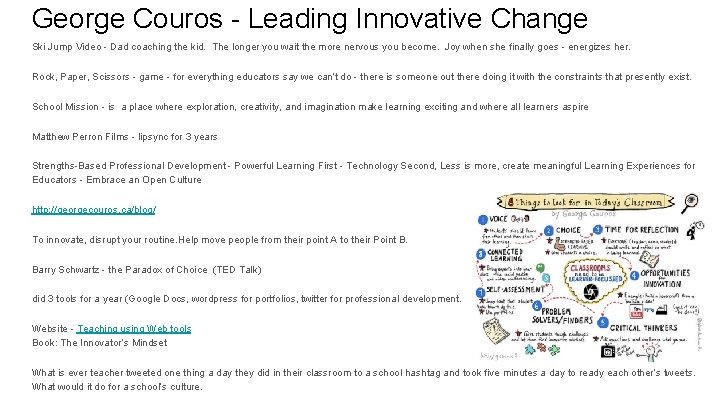
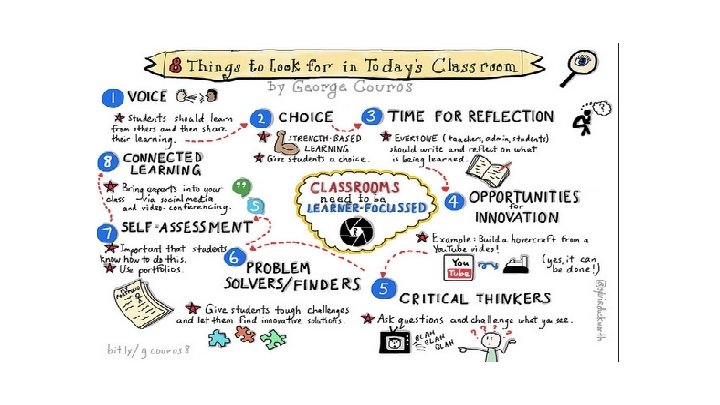
George Couros - Leading Innovative Change Ski Jump Video - Dad coaching the kid. The longer you wait the more nervous you become. Joy when she finally goes - energizes her. Rock, Paper, Scissors - game - for everything educators say we can’t do - there is someone out there doing it with the constraints that presently exist. School Mission - is a place where exploration, creativity, and imagination make learning exciting and where all learners aspire Matthew Perron Films - lipsync for 3 years Strengths-Based Professional Development - Powerful Learning First - Technology Second, Less is more, create meaningful Learning Experiences for Educators - Embrace an Open Culture http: //georgecouros. ca/blog/ To innovate, disrupt your routine. Help move people from their point A to their Point B. Barry Schwartz - the Paradox of Choice (TED Talk) did 3 tools for a year (Google Docs, wordpress for portfolios, twitter for professional development. Website - Teaching using Web tools Book: The Innovator’s Mindset What is ever teacher tweeted one thing a day they did in their classroom to a school hashtag and took five minutes a day to ready each other’s tweets. What would it do for a school’s culture.
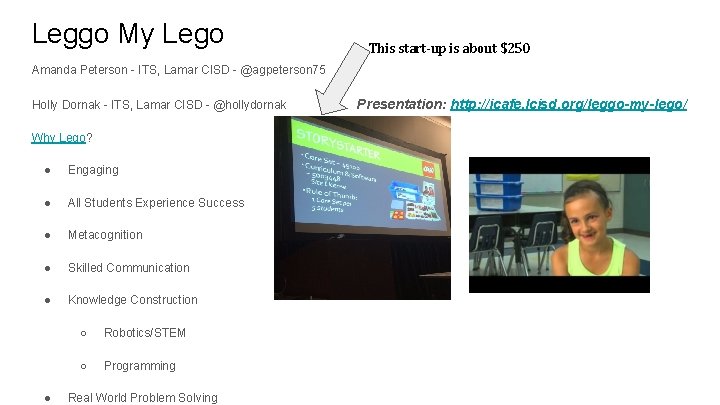
Leggo My Lego This start-up is about $250 Amanda Peterson - ITS, Lamar CISD - @agpeterson 75 Holly Dornak - ITS, Lamar CISD - @hollydornak Why Lego? ● Engaging ● All Students Experience Success ● Metacognition ● Skilled Communication ● Knowledge Construction ● ○ Robotics/STEM ○ Programming Real World Problem Solving Presentation: http: //icafe. lcisd. org/leggo-my-lego/
ITS Revolution - Mindy Vandigriff, Heather Russell, Heather Kilgore Google Classroom for PD - let’s talk about this. Twitterchats Ditch that Textbook - Google+community (book study) Lunch and Learns (provide snacks with themed food) Reach out to vendors for swag Try the goal sheet have campus admin showcase what the ITS is doing in staff meetings Create a lesson and offer to teach it for the teaches Brag on the teachers when they do something positive--especially to their administrator Remind me to talk about Webpage scavenger hunts as a way to ensure info is there.

Practical Enfusion: Enhancing K-5 Teks with i. Pads Presented By: Andres Chavez (@classtechie) and Debbie Butler (@mathdebj) View the Presentation at: https: //www. smore. com/u 69 xt
Don’t be tardy to Google Classroom http: //tiny. cc/tceagc
Texas Two Step Using two tech tools to create recorded assessments: Movenote and Snipping Tool https: //goo. gl/Ca. LPV 9

Tammy Worcester Handouts for Feb. 3 -4 sessions http: //tammyworcester. com/tcea 2016/
- Slides: 67