
Other database objects Index and synonyms What is
Other database objects (Index and synonyms)
What is an index? An index: • Is a schema object • Is used by the Oracle Server to speed up the retrieval of rows by using a pointer • Is independent of the table it indexes. This means that they can be created or dropped at any time and have no effect on the base tables or other indexes Note: When you drop a table, corresponding indexes are also dropped.
How Are Indexes Created? • Automatically: A unique index is created automatically when you define a PRIMARY KEY or UNIQUE constraint in a table definition. • Manually: Users can create nonunique indexes on columns to speed up access to the rows
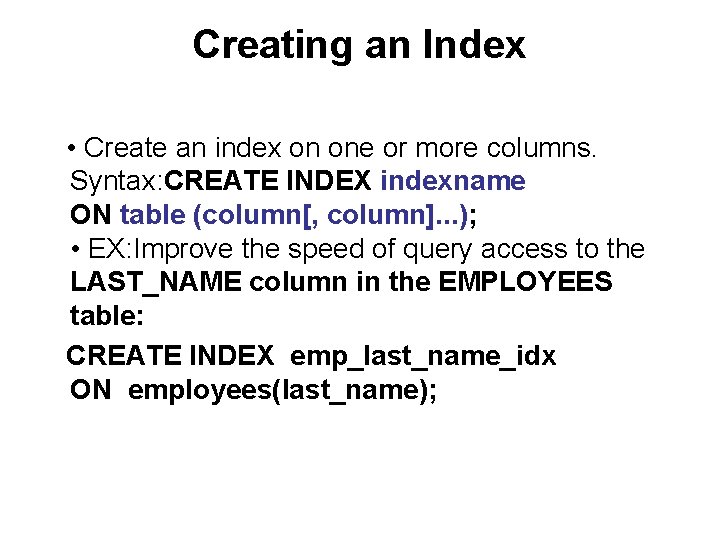
Creating an Index • Create an index on one or more columns. Syntax: CREATE INDEX indexname ON table (column[, column]. . . ); • EX: Improve the speed of query access to the LAST_NAME column in the EMPLOYEES table: CREATE INDEX emp_last_name_idx ON employees(last_name);
More Is Not Always Better • More indexes on a table does not mean faster queries. Each DML operation that is committed on a table with indexes means that the indexes must be updated. The more indexes you have associated with a table, the more effort the Oracle server must make to update all the indexes after a DML operation
When to Create an Index You should create an index if: • A column contains a wide range of values • A column contains a large number of null values • One or more columns are frequently used together in a WHERE clause or a join condition • The table is large and most queries are expected to retrieve less than 2 to 4% of the rows
When Not to Create an Index It is usually not worth creating an index if: • The table is small • The columns are not often used as a condition in the query • Most queries are expected to retrieve more than 2 to 4% of the rows in the table • The table is updated frequently • The indexed columns are referenced as part of an expression
Removing an Index • Remove an index from the data dictionary by using the DROP INDEX command Syntax: DROP INDEX indexname; EX: Remove the UPPER_LAST_NAME_IDX index. DROP INDEX upper_last_name_idx; • To drop an index, you must be the owner of the index or have the DROP ANY INDEX privilege.
Synonyms Simplify access to objects by creating a synonym (another name for an object). With synonyms, you can: • Ease referring to a table owned by another user • Shorten lengthy object names
![Creating and Removing Synonyms Syntax: CREATE [PUBLIC] SYNONYM synonym FOR objectname; EX: Create a](http://slidetodoc.com/presentation_image_h2/085a44bda5fba2c5d20fb76de04bd1b6/image-10.jpg "Creating and Removing Synonyms Syntax: CREATE [PUBLIC] SYNONYM synonym FOR objectname; EX: Create a")
Creating and Removing Synonyms Syntax: CREATE [PUBLIC] SYNONYM synonym FOR objectname; EX: Create a shortened name for the system. bank table. CREATE SYNONYM sbank FOR system. bank;
Removing a Synonym • To drop a synonym, use the DROP SYNONYM statement. SYNTAX: DROP SYNONYM synonym EX: DROP SYNONYM sbank; • Only the database administrator can drop a public synonym or the user who has DROP PUBLIC SYNONYM privilege. EX: DROP PUBLIC SYNONYM emp
- Slides: 11