
ORTOP NXT Robotics Techniques Workshop 2006 Opening doors
ORTOP NXT Robotics Techniques Workshop 2006 “Opening doors to the worlds of science and technology for Oregon’s youth” 1/3/2022 NXT Robotics Techniques - 2006 1
Goals n n Audience: Rookie coaches/mentors, experienced coaches & mentors Provide Material That Is Immediately Usable With Your Team Gain Mindstorms NXT Programming Experience You should have already attended NXT workshops I & II and/or coached a team in a 2005 tournament. 1/3/2022 NXT Robotics Techniques - 2006 2
Instructor Contacts n n n n n Ken Cone kcone@hevanet. com 503 -292 -0920 n n n Leroy Nuckles leroy. a. nuckles@intel. com 503 -264 -2088 Jim Ryan james. r. ryan@intel. com 971 -225 -6087 1/3/2022 n n n Scott Stanko scott. stanko@intel. com 971 -215 -9677 Roger Swanson swanson@hevanet. com 503 -297 -1824 Cathy Swider Cathy_swider@ous. edu 503 -725 -2920 NXT Robotics Techniques - 2006 3
Agenda n n n Introductions (5 min) Slide Review (20 min) Break into Teams NXT Techniques lab exercises (90 min) Review References (10 min) 1/3/2022 NXT Robotics Techniques - 2006 4
Agenda n Handouts for this workshop: n n n NXT_RTechniques 2006 V 1. ppt (this slide set) NXT_RTech. Lab 2006 V 1. doc (lab exercises) NXT Workshop. CD 2006 V 3. 2 n n n 1/3/2022 NXT Workshop materials Mindstorms. NXT Tutorial by Dale Yocum INSci. TE NXT Programming manual, from High Tech Kids NXT Robotics Techniques - 2006 5
Our Mission n FLL is not just about building robots and competing in tournaments n Develop team member skills n n n technical team building research & presentation Technical problem solving can be fun The youngsters do the work Introduce possibility of a technical career 1/3/2022 NXT Robotics Techniques - 2006 6
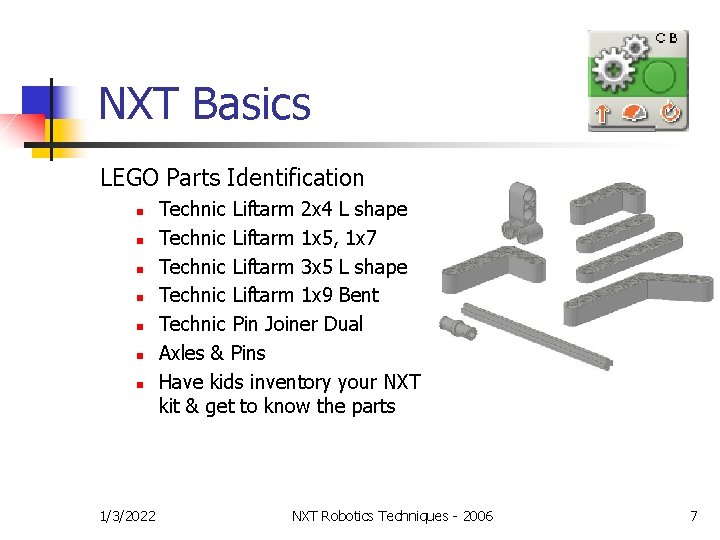
NXT Basics LEGO Parts Identification n n n 1/3/2022 Technic Liftarm 2 x 4 L shape Technic Liftarm 1 x 5, 1 x 7 Technic Liftarm 3 x 5 L shape Technic Liftarm 1 x 9 Bent Technic Pin Joiner Dual Axles & Pins Have kids inventory your NXT kit & get to know the parts NXT Robotics Techniques - 2006 7

NXT Basics n n n 1/3/2022 Note how NXT parts are all pinned together using Technic parts There are only a few plates with bumps Motors are strong enough for direct drive – turn a wheel on your robot to feel the gears Motors have built in rotation sensors – programmed in degrees or rotations Take a minute to examine the NXT parts and motors NXT Robotics Techniques - 2006 8
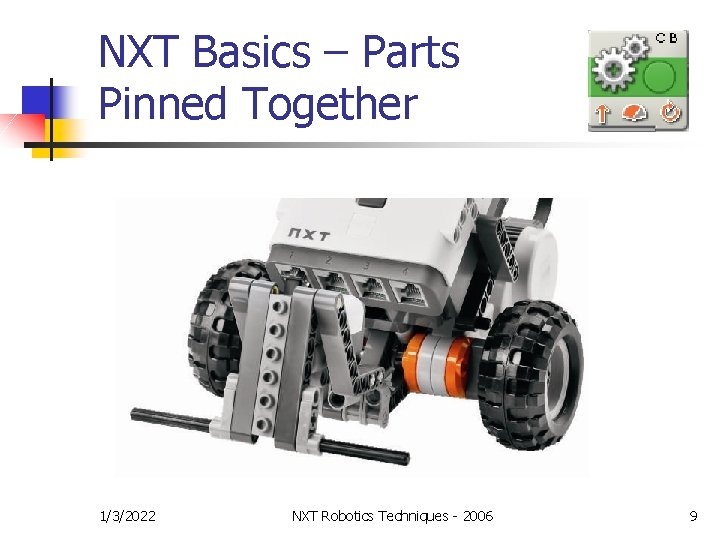
NXT Basics – Parts Pinned Together 1/3/2022 NXT Robotics Techniques - 2006 9
NXT Basics - Brick n n n n n 1/3/2022 3 Output ports on top USB port on top 4 Input ports on bottom Enter button (orange) Back button (black) Left & Right cursor buttons (grey) Screen shows program icons Push the Enter button, what happens? Take a minute to examine the NXT brick NXT Robotics Techniques - 2006 10
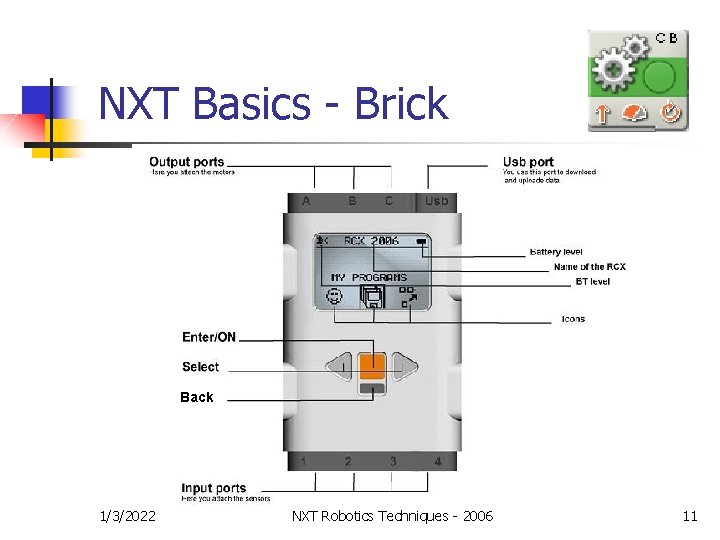
NXT Basics - Brick Back 1/3/2022 NXT Robotics Techniques - 2006 11
NXT Basics - Brick n n Firmware & programs stored in flash (like photos on a digital camera) Default inputs: n n n Allowed: 2 touch, 2 light, 1 Distance Default outputs: n n n 1/3/2022 touch = 1, light = 3, Distance = 4 Left motor = C, right motor = B Allowed: 3 motors (rotation sensors built in) Allowed: (3 - number of motors) rotation sensors NXT Robotics Techniques - 2006 12
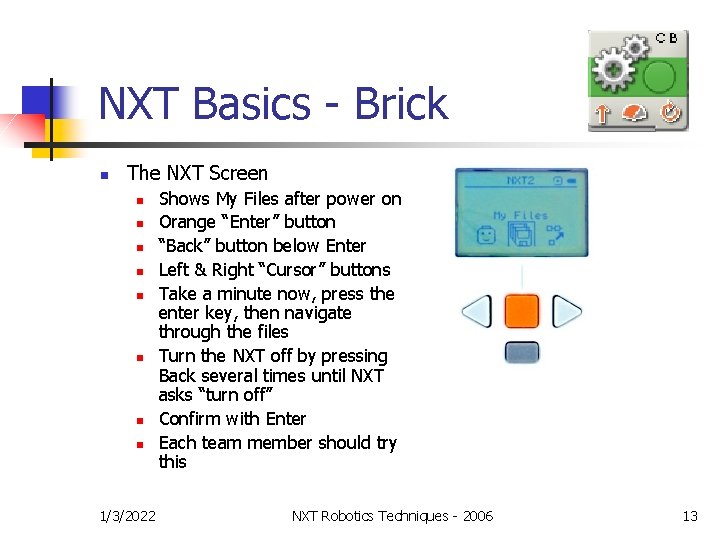
NXT Basics - Brick n The NXT Screen n n n n 1/3/2022 Shows My Files after power on Orange “Enter” button “Back” button below Enter Left & Right “Cursor” buttons Take a minute now, press the enter key, then navigate through the files Turn the NXT off by pressing Back several times until NXT asks “turn off” Confirm with Enter Each team member should try this NXT Robotics Techniques - 2006 13

NXT Basics - Motors n n n 1/3/2022 Forward is Clockwise on an NXT motor Note holes for Axles and Cams A Move block in the program controls both motors The robot moves straight - motors will adjust speed as the robot moves Recommend programming tests for straight and curved movements, single and multiple Move blocks NXT Robotics Techniques - 2006 14

NXT Basics – Light Sensor n n n Reads reflection from a built-in IR emitter - (the sensor responds to visible light and into the IR spectrum) (default mode) Or, reads light intensity from surroundings with emitter turned off A Calibration procedure is available to accommodate variable lighting conditions 1/3/2022 NXT Robotics Techniques - 2006 15
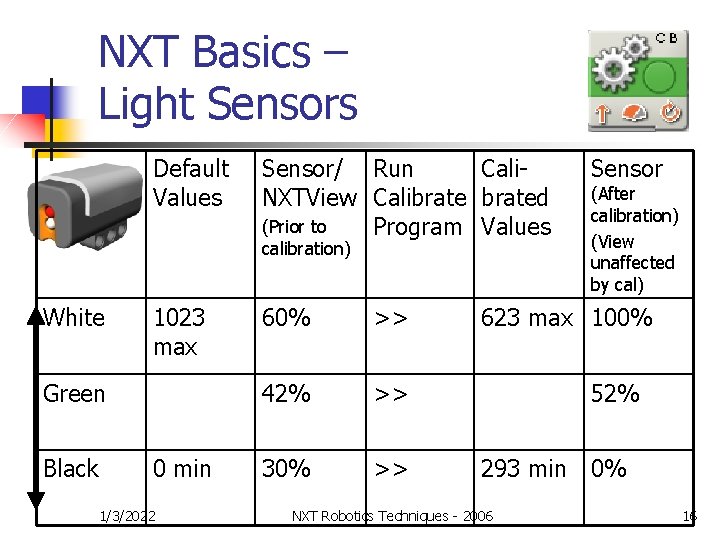
NXT Basics – Light Sensors Default Values Sensor/ Run Cali. NXTView Calibrated (Prior to Program Values calibration) White 1023 max Green Black 0 min 1/3/2022 60% >> 42% >> 30% >> Sensor (After calibration) (View unaffected by cal) 623 max 100% 52% 293 min 0% NXT Robotics Techniques - 2006 16

NXT Basics – Light Sensors n n n Calibration “normalizes” the max value to 100% and the min value to 0% Mid values e. g. green are also affected by calibration Be sure to deselect/select the light sensor block to get correct readings Click “default” in calibration window to return to default values Use NXT Brick View program or Sensor feedback box to read Black, Green, White values as in previous workshops The sensor feedback box (located in the configuration panel) displays the current light reading (0 -100%). You can use it to try out different trigger values. 1/3/2022 NXT Robotics Techniques - 2006 17
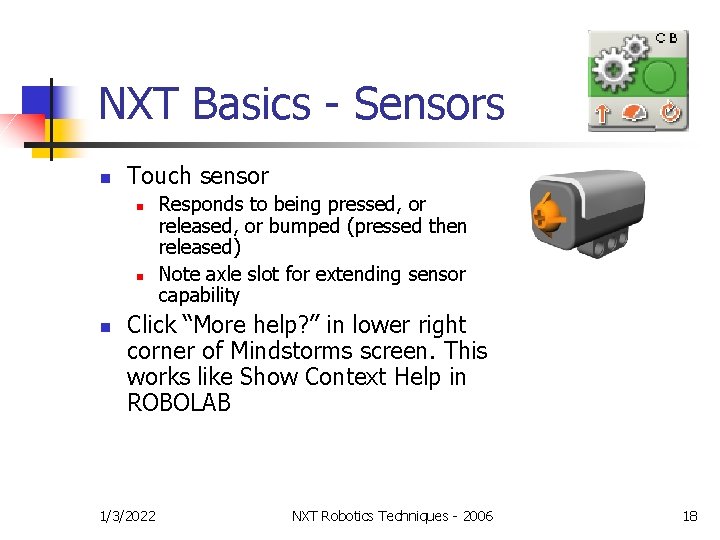
NXT Basics - Sensors n Touch sensor n n n Responds to being pressed, or released, or bumped (pressed then released) Note axle slot for extending sensor capability Click “More help? ” in lower right corner of Mindstorms screen. This works like Show Context Help in ROBOLAB 1/3/2022 NXT Robotics Techniques - 2006 18
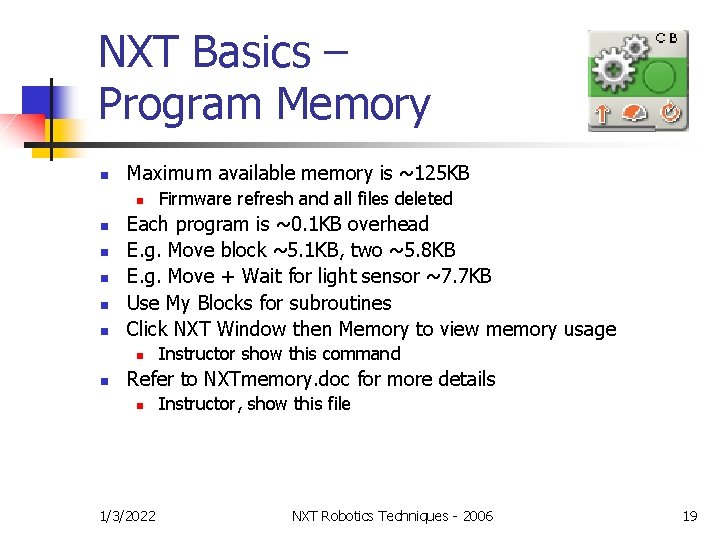
NXT Basics – Program Memory n Maximum available memory is ~125 KB n n n Each program is ~0. 1 KB overhead E. g. Move block ~5. 1 KB, two ~5. 8 KB E. g. Move + Wait for light sensor ~7. 7 KB Use My Blocks for subroutines Click NXT Window then Memory to view memory usage n n Firmware refresh and all files deleted Instructor show this command Refer to NXTmemory. doc for more details n 1/3/2022 Instructor, show this file NXT Robotics Techniques - 2006 19
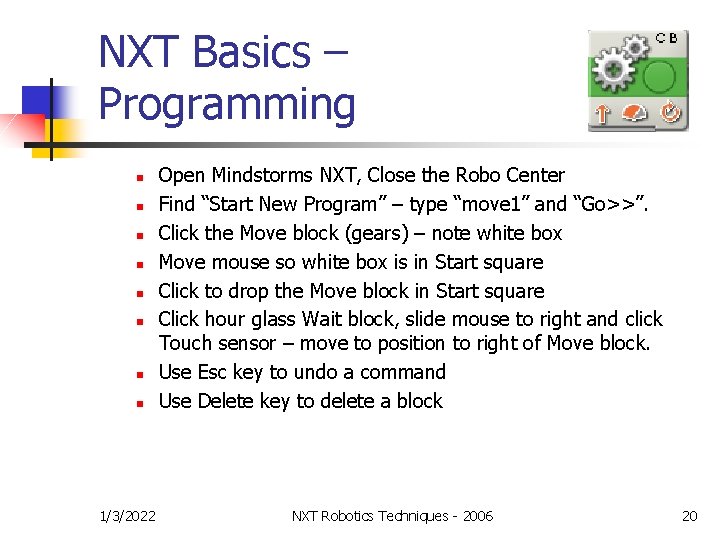
NXT Basics – Programming n n n n 1/3/2022 Open Mindstorms NXT, Close the Robo Center Find “Start New Program” – type “move 1” and “Go>>”. Click the Move block (gears) – note white box Move mouse so white box is in Start square Click to drop the Move block in Start square Click hour glass Wait block, slide mouse to right and click Touch sensor – move to position to right of Move block. Use Esc key to undo a command Use Delete key to delete a block NXT Robotics Techniques - 2006 20
NXT Basics – Lab Exercises n Lab Sections – decide where to start n n n 1/3/2022 Lab Lab Lab 1 2 3 4 6 – Light sensor calibration – Can-Do Challenge - The Distance sensor – 5 – Data Hubs & Variables – Switches & Range Blocks NXT Robotics Techniques - 2006 21
NXT Basics – Lab Exercises n n n Introduce yourself to other team members Begin with Lab 1 exercise Continue with as many labs as you can 90 min to complete the labs Ask questions, chances are someone else has the same question Have fun! 1/3/2022 NXT Robotics Techniques - 2006 22
NXT Basics – n LAB Conclusions n n Each team briefly explain a section of what you learned in this workshop What advice would you have for a team starting out with NXT? n 1/3/2022 Teaching for understanding “creates challenging situations in which students test their knowledge by solving problems, building products, and giving performances or writing reports that synthesize thorough analysis of a topic, a concept, or an idea. ” * NXT Robotics Techniques - 2006 23
NXT Basics n Next Steps ü ü n n NXT Robotics Techniques slides NXT Techniques labs Mindstorms NXT tutorial (show tutorial) INSci. TE tutorial Build and test some robots Test tracks n n 1/3/2022 Oval track with hill Make up your own exercises – stress basics NXT Robotics Techniques - 2006 24
Programming Resources n Tutorials, Dale Yocum n n n On ORTOP CD or download from http: //cgsinfo. catlin. edu/msrobotics/html/downl oads. html takes time, go through in sections NXT Tutorial is also available online: http: //www. ortop. org/NXT_Tutorial/ n 1/3/2022 Requires Adobe Macromedia Shockwave Player and high speed download connection NXT Robotics Techniques - 2006 25
Programming Resources n ROBOLAB 2. 9 for NXT n n n 1/3/2022 ROBOLAB 2. 9 is good where there a mix of RCXs and NXTs Mindstorms NXT is auto-formatting (no wiring) ORTOP will not teach ROBOLAB 2. 9 at this time NXT Robotics Techniques - 2006 26
Information n Resources n n n 1/3/2022 Inscite www. hightechkids. org Look for FLL programming 101 nxt g. pdf This file is on the NXT workshop CD NXT Robotics Techniques - 2006 27
Review & Wrap-up n n Engineering is designing to constraints Allow your teams the experience of developing a creative solution to solve a problem 1/3/2022 NXT Robotics Techniques - 2006 28
Review & Wrap-up n Please give us your input n n n 1/3/2022 Let ORTOP know how we can improve the program Thanks for volunteering, your effort makes learning possible! Restore sensors to default location NXT Robotics Techniques - 2006 29
Our Mailing Lists n n Totally voluntary, and you can opt out ortopvol n n All volunteers One way from ORTOP to our volunteers We add you when you volunteer ortopcm n n n 1/3/2022 Coaches and mentors Communication among that group and with ORTOP We add you when you complete a workshop NXT Robotics Techniques - 2006 30
Contact Us n n n Website: www. ortop. org Email: questions@ortop. org Scott Stanko answers the questions email Phone: 503. 725. 2920 (Cathy Swider) or 503 -725 -2915 (Bruce Schafer) 1/3/2022 NXT Robotics Techniques - 2006 31
- Slides: 31