
Orison Powered by Hira Computer Solutions in association

Orison Powered by Hira Computer Solutions in association with Takyon International
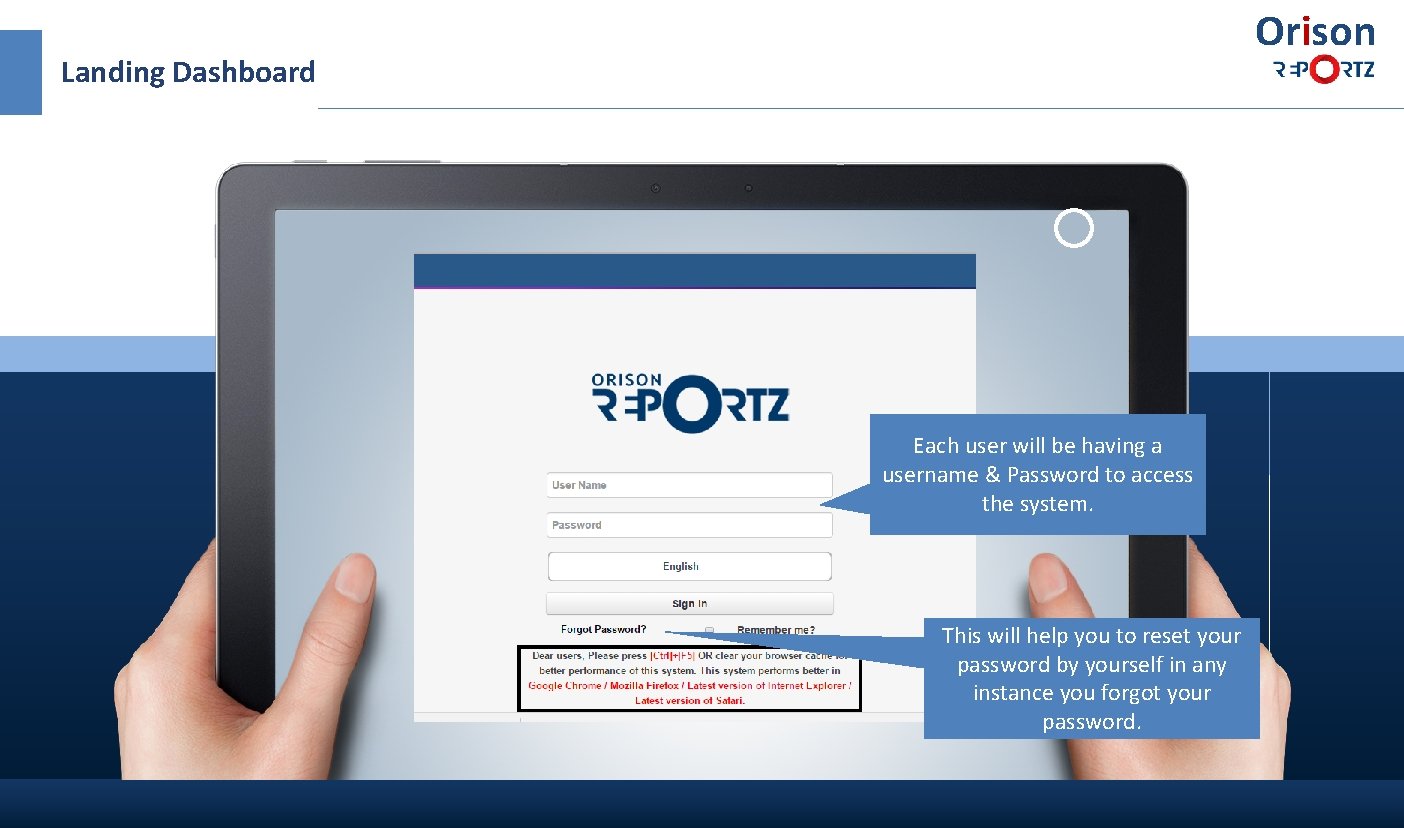
Orison Landing Dashboard Each user will be having a username & Password to access the system. This will help you to reset your password by yourself in any instance you forgot your password.
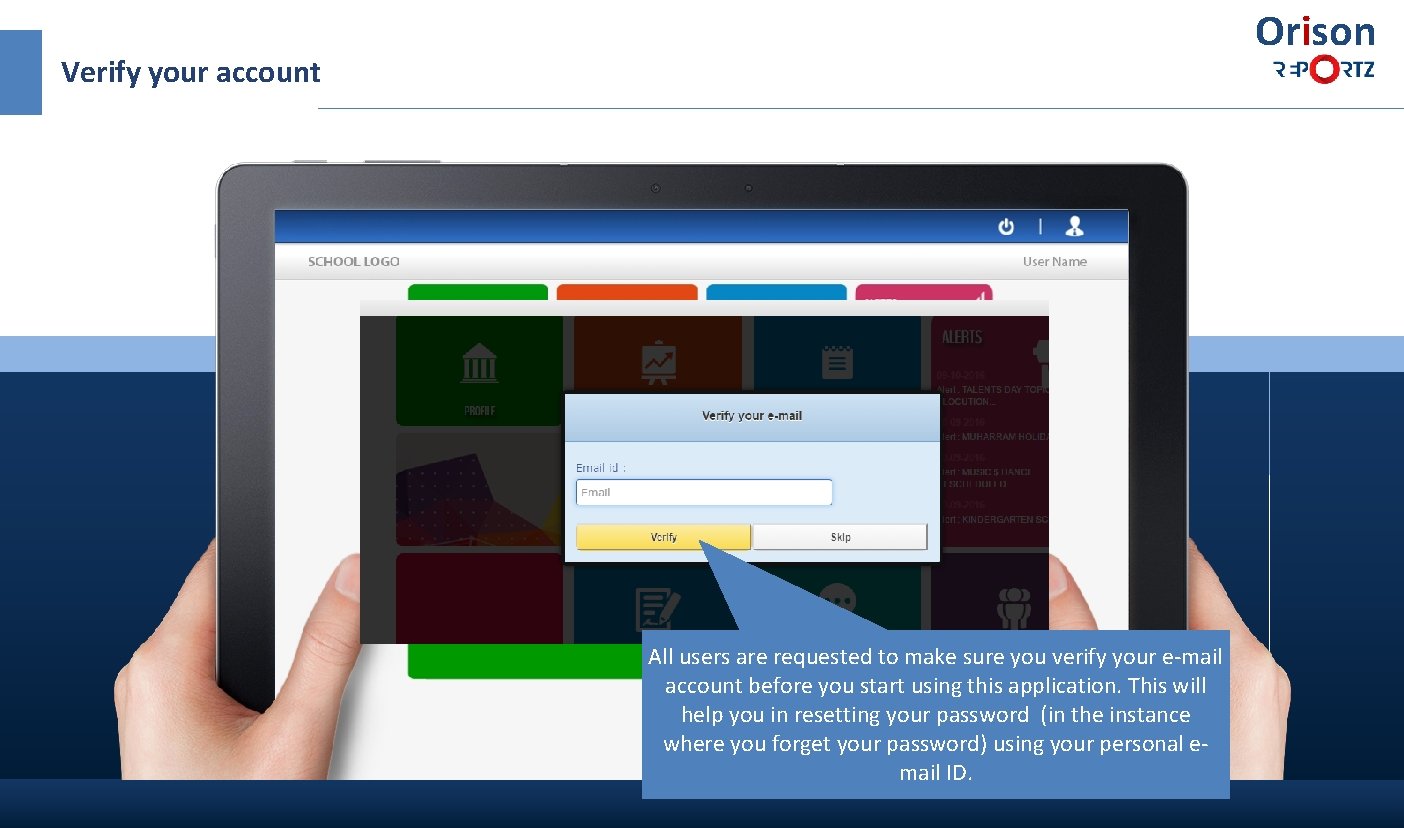
Orison Verify your account All users are requested to make sure you verify your e-mail account before you start using this application. This will help you in resetting your password (in the instance where you forget your password) using your personal email ID.
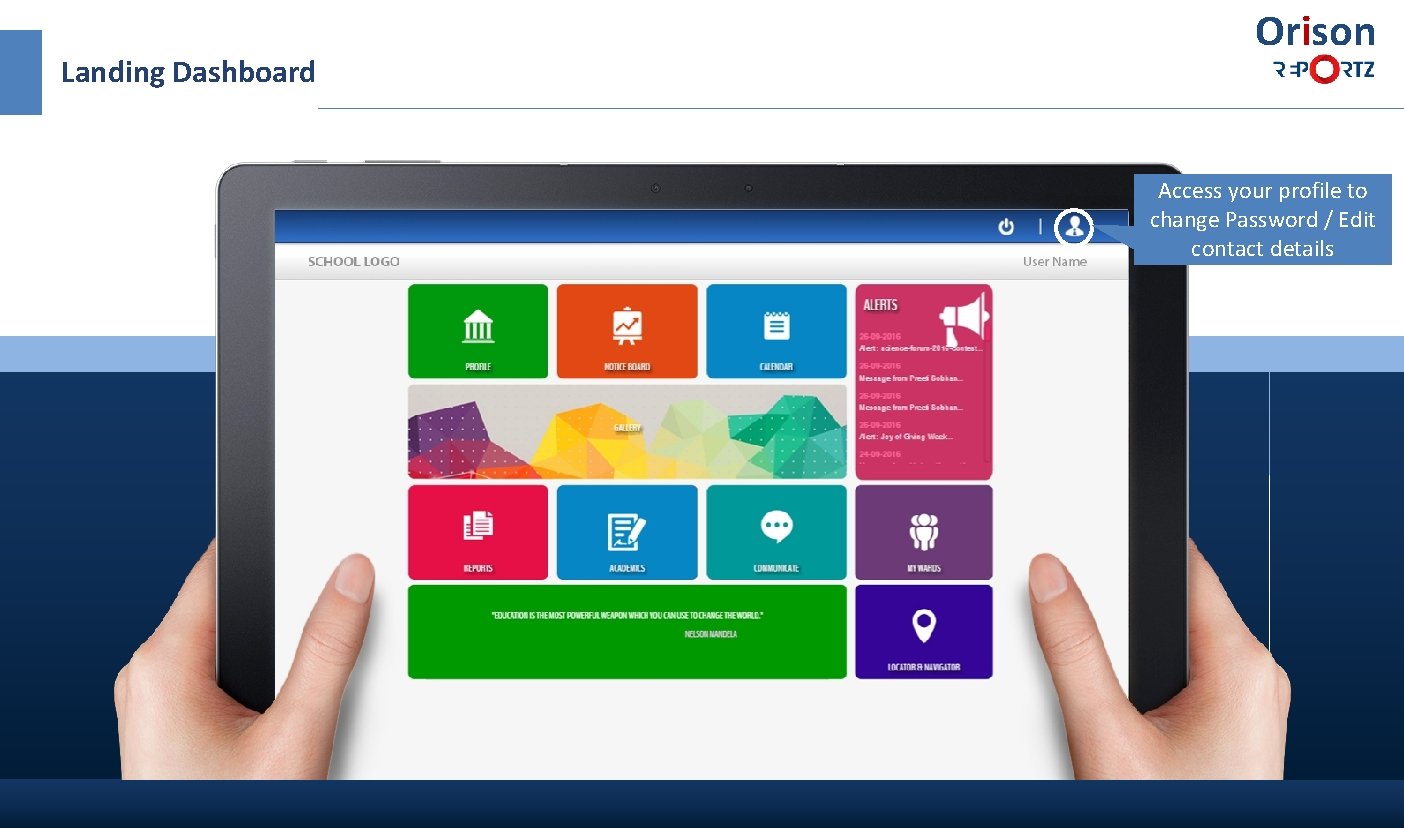
Landing Dashboard Orison Access your profile to change Password / Edit contact details
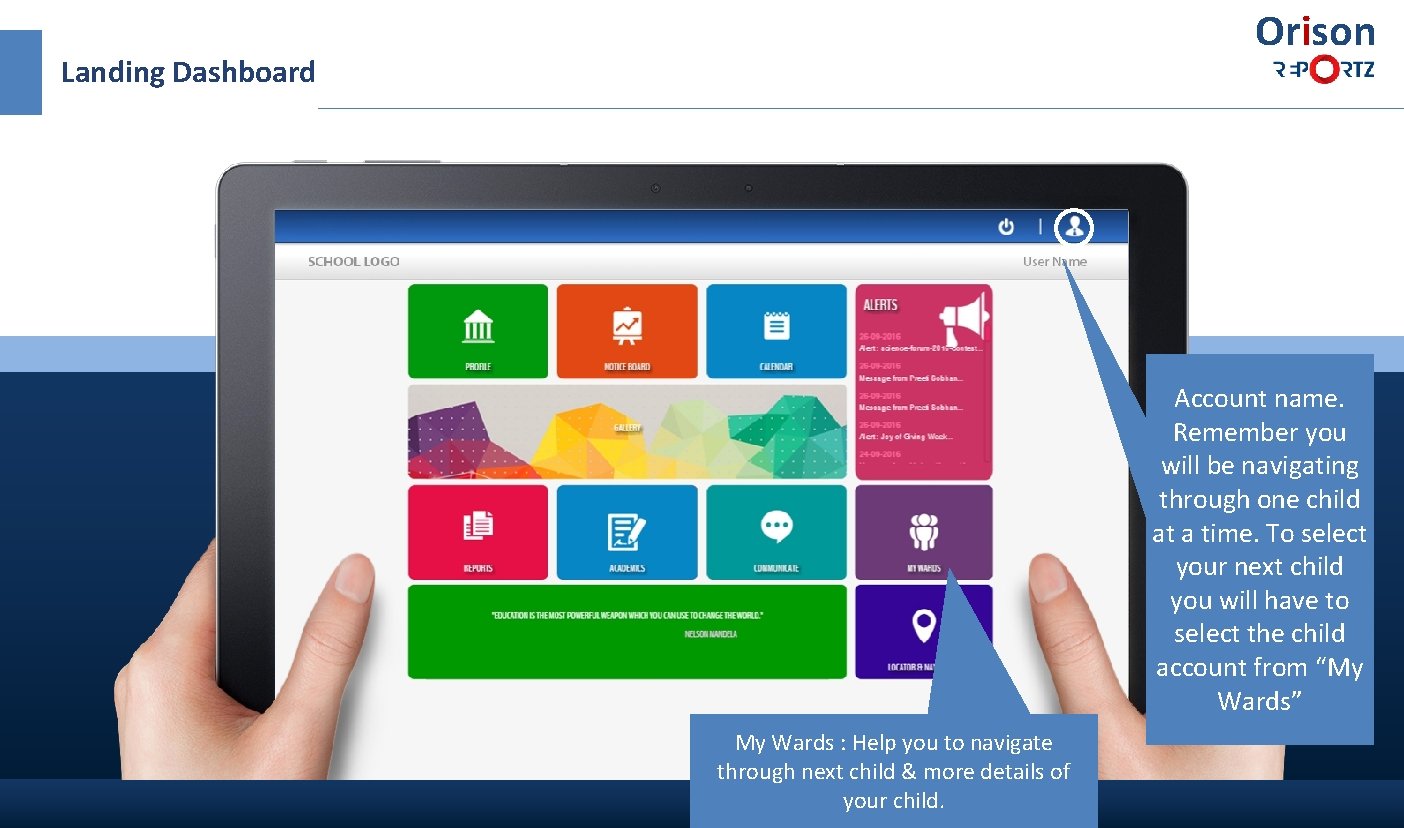
Orison Landing Dashboard Account name. Remember you will be navigating through one child at a time. To select your next child you will have to select the child account from “My Wards” My Wards : Help you to navigate through next child & more details of your child.
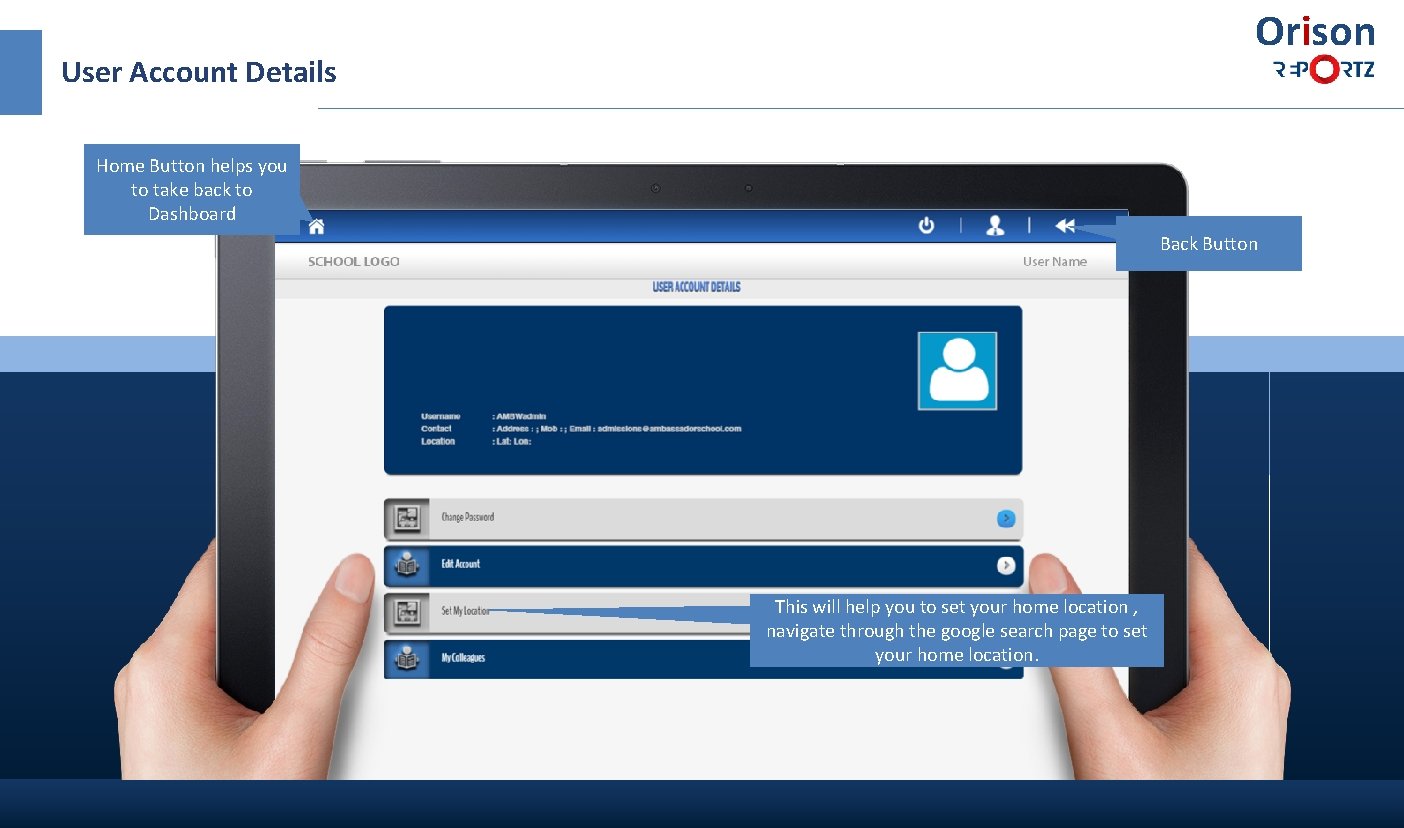
Orison User Account Details Home Button helps you to take back to Dashboard Back Button This will help you to set your home location , navigate through the google search page to set your home location.
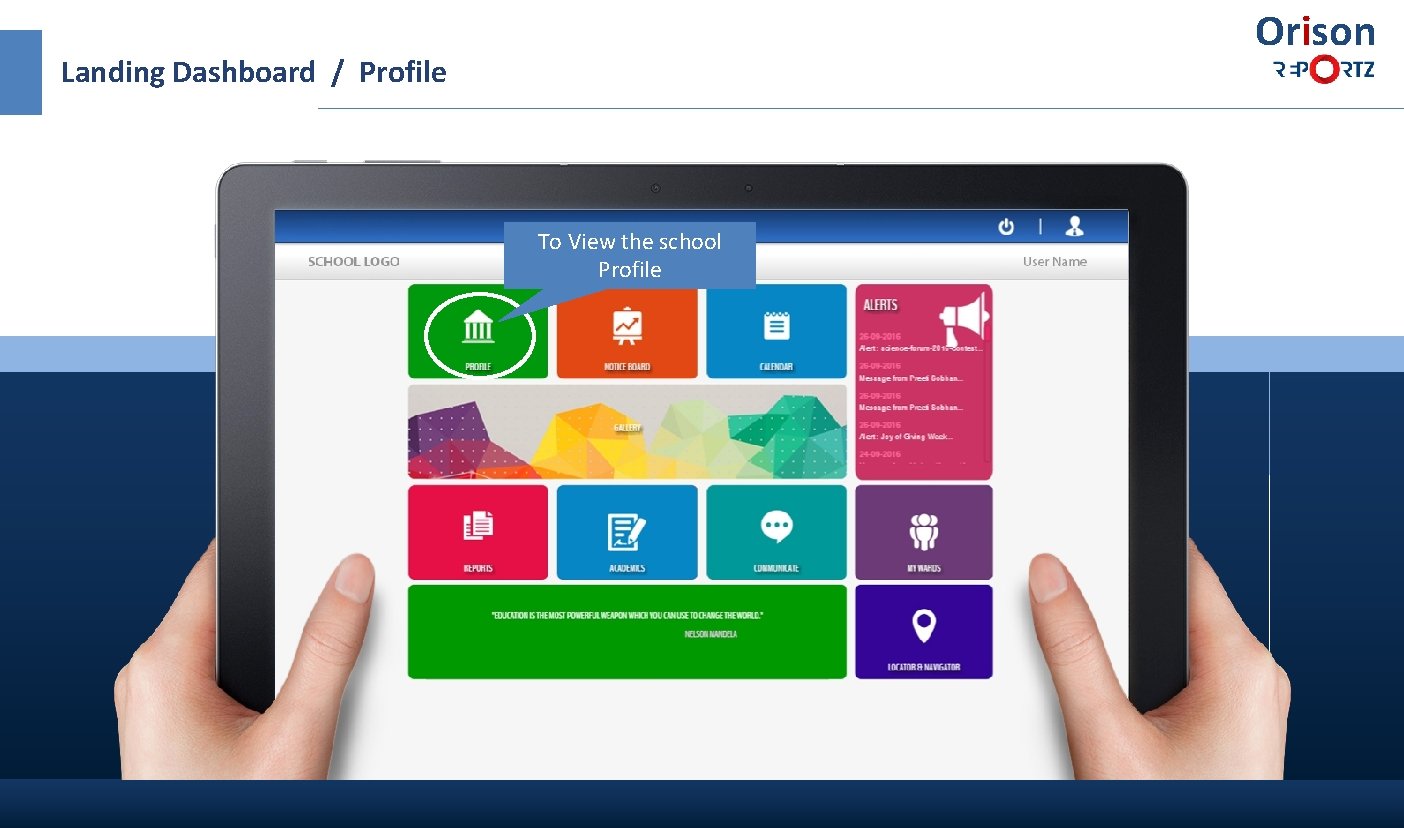
Orison Landing Dashboard / Profile To View the school Profile
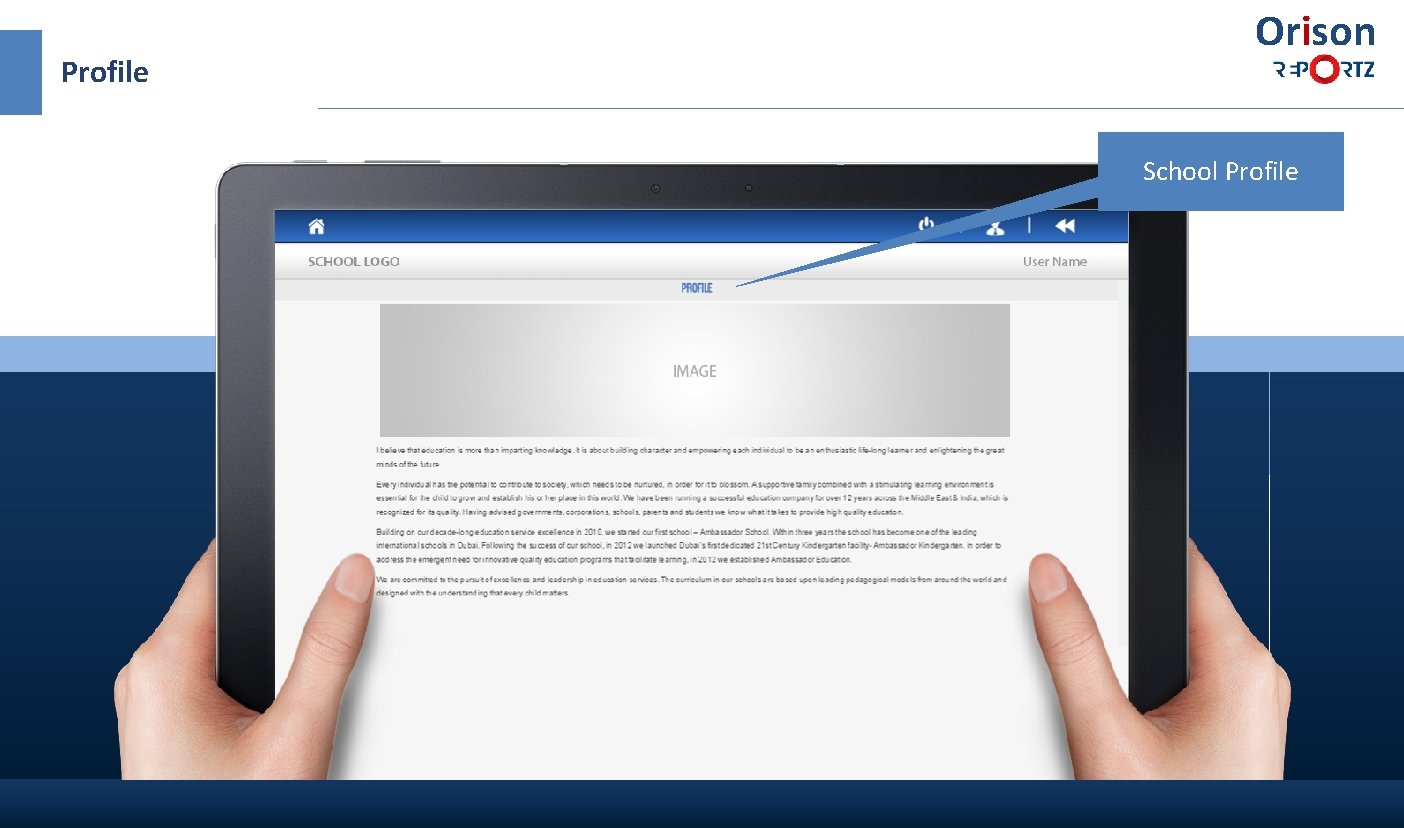
Profile Orison School Profile
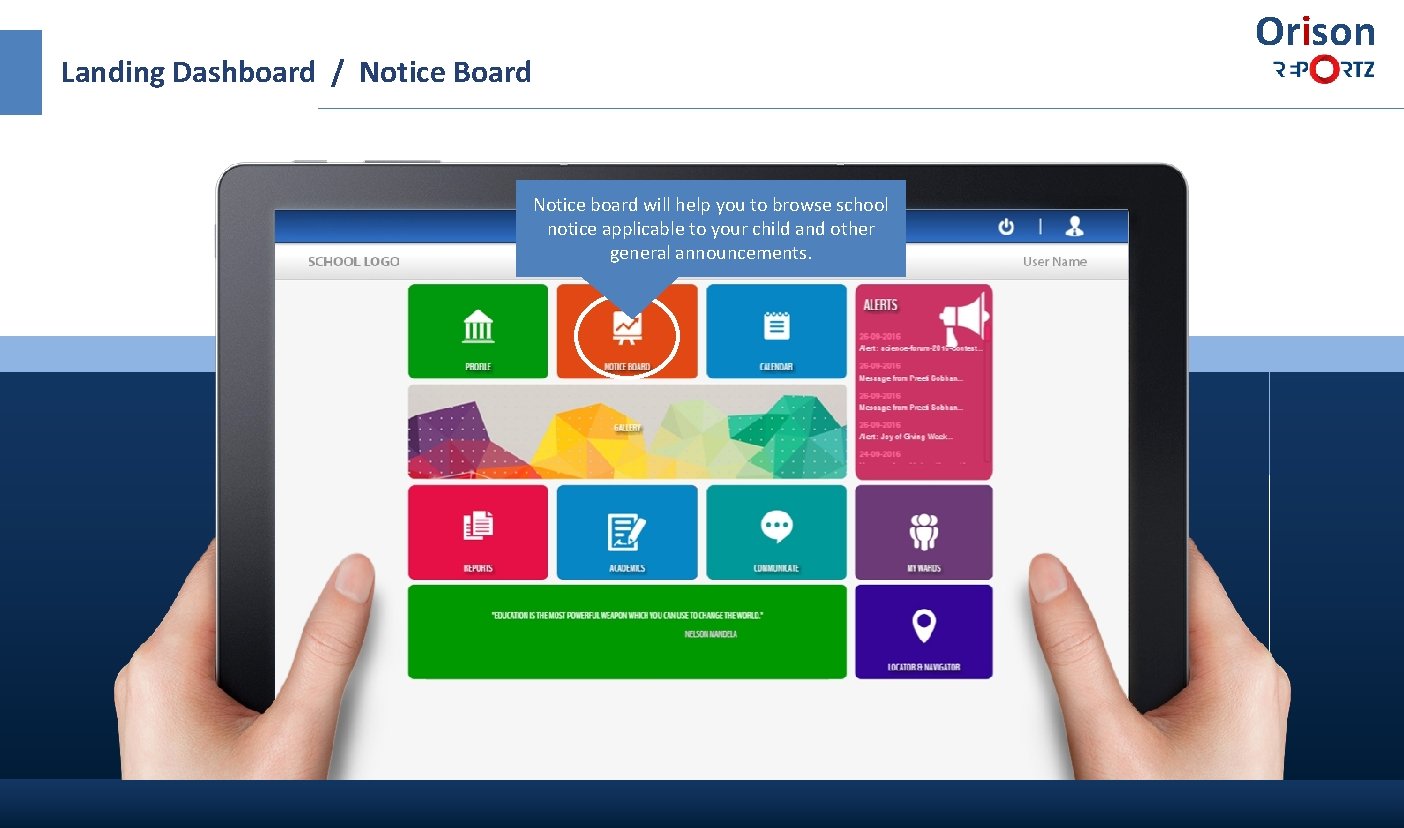
Orison Landing Dashboard / Notice Board Notice board will help you to browse school notice applicable to your child and other general announcements.
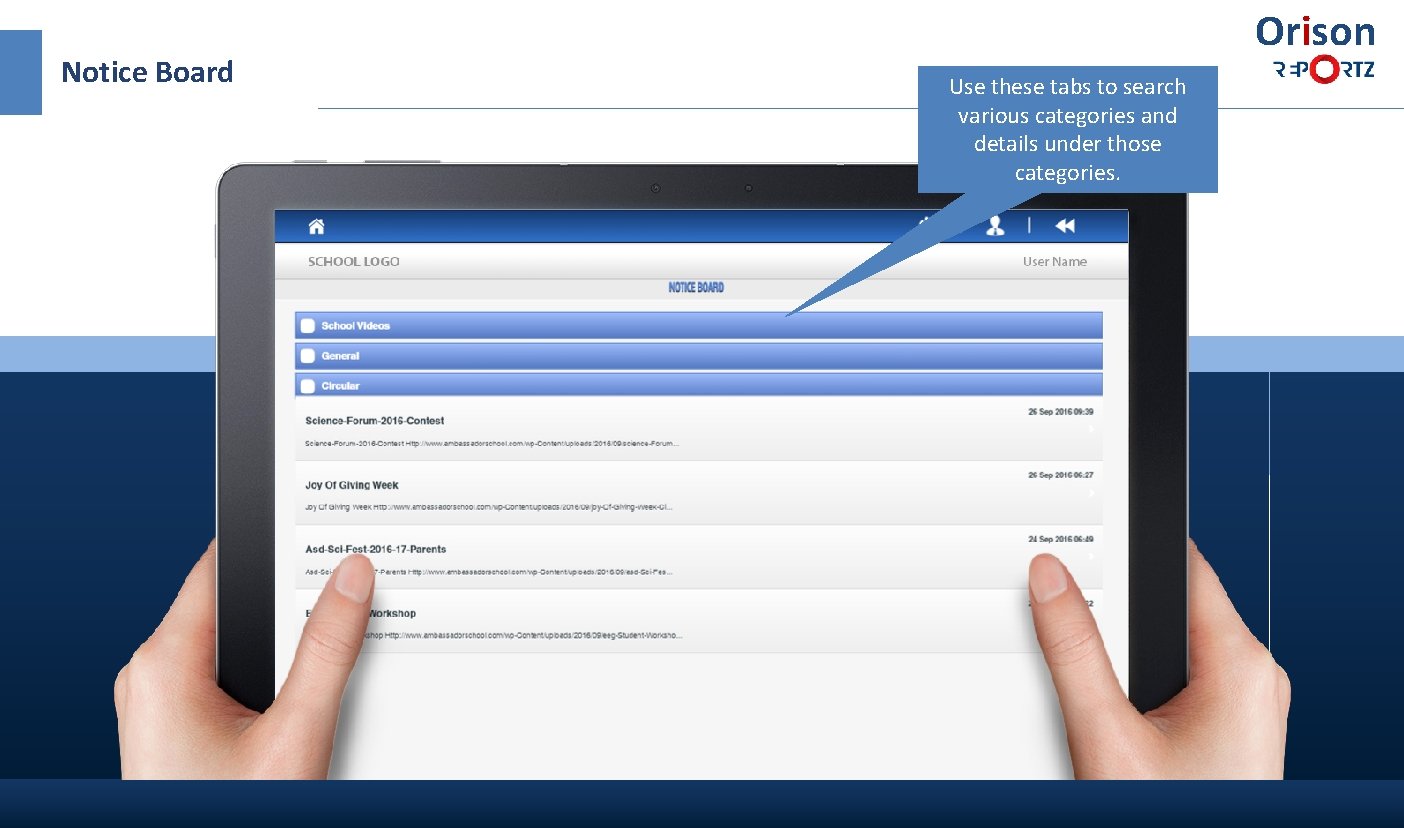
Notice Board Orison Use these tabs to search various categories and details under those categories.
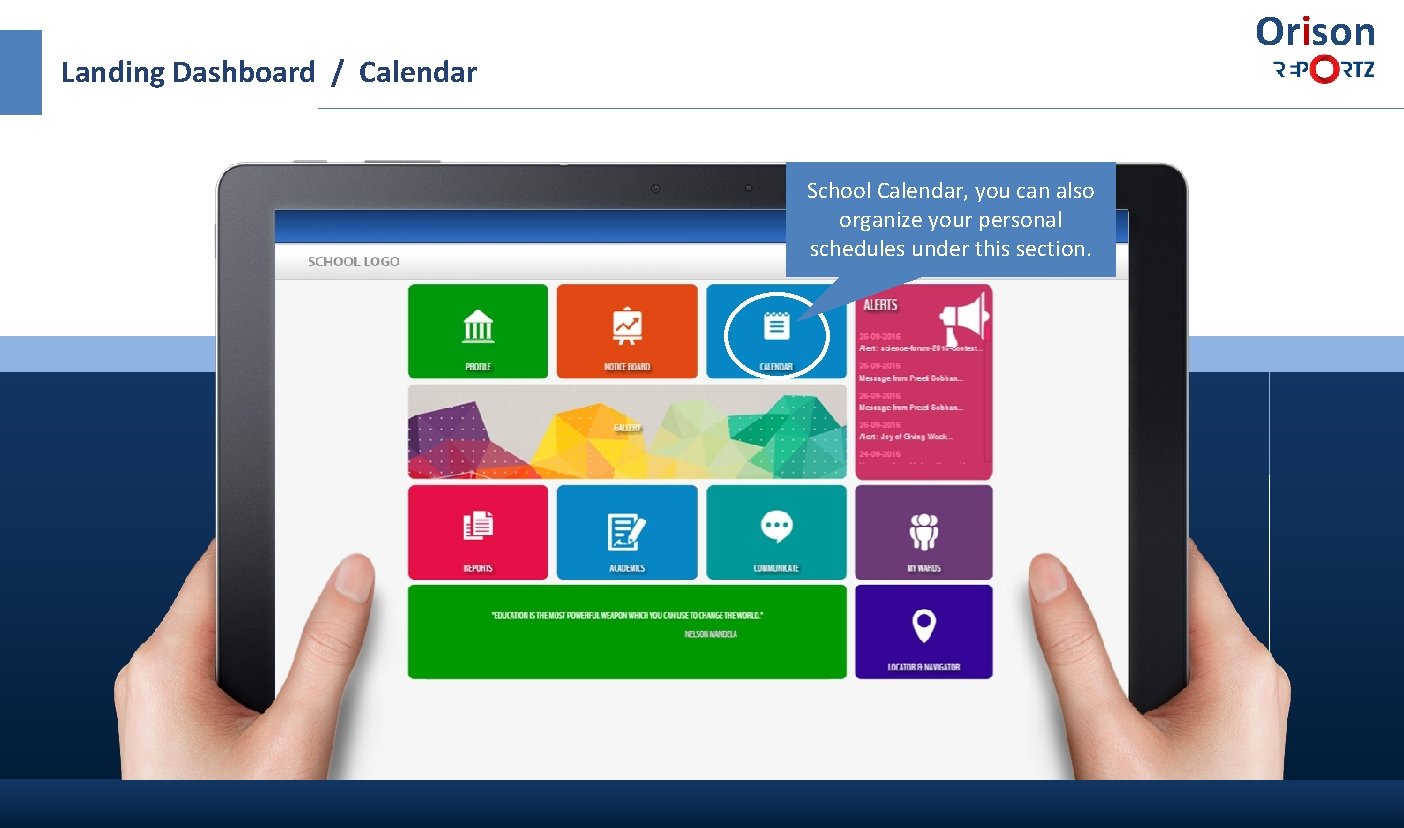
Orison Landing Dashboard / Calendar School Calendar, you can also organize your personal schedules under this section.
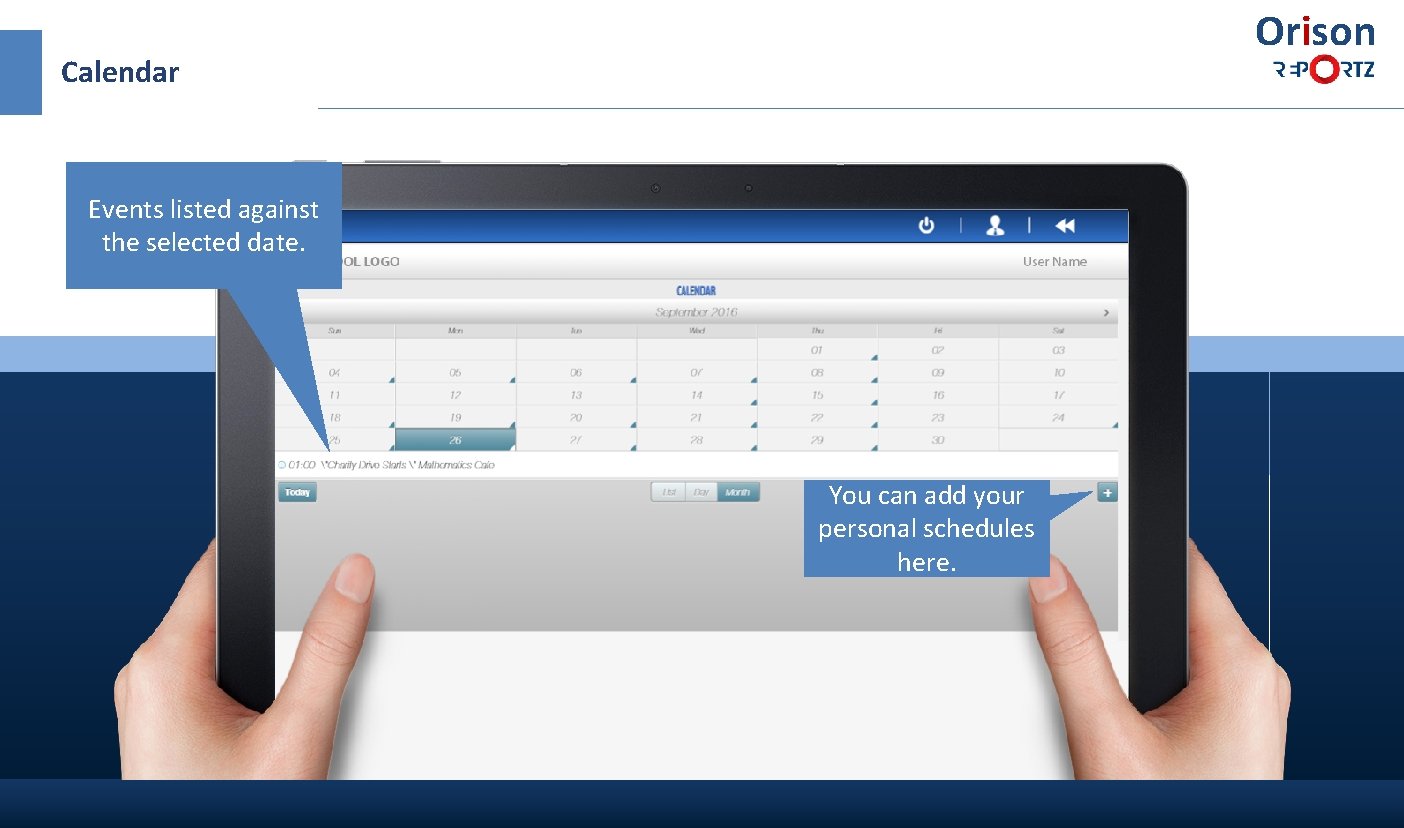
Orison Calendar Events listed against the selected date. You can add your personal schedules here.
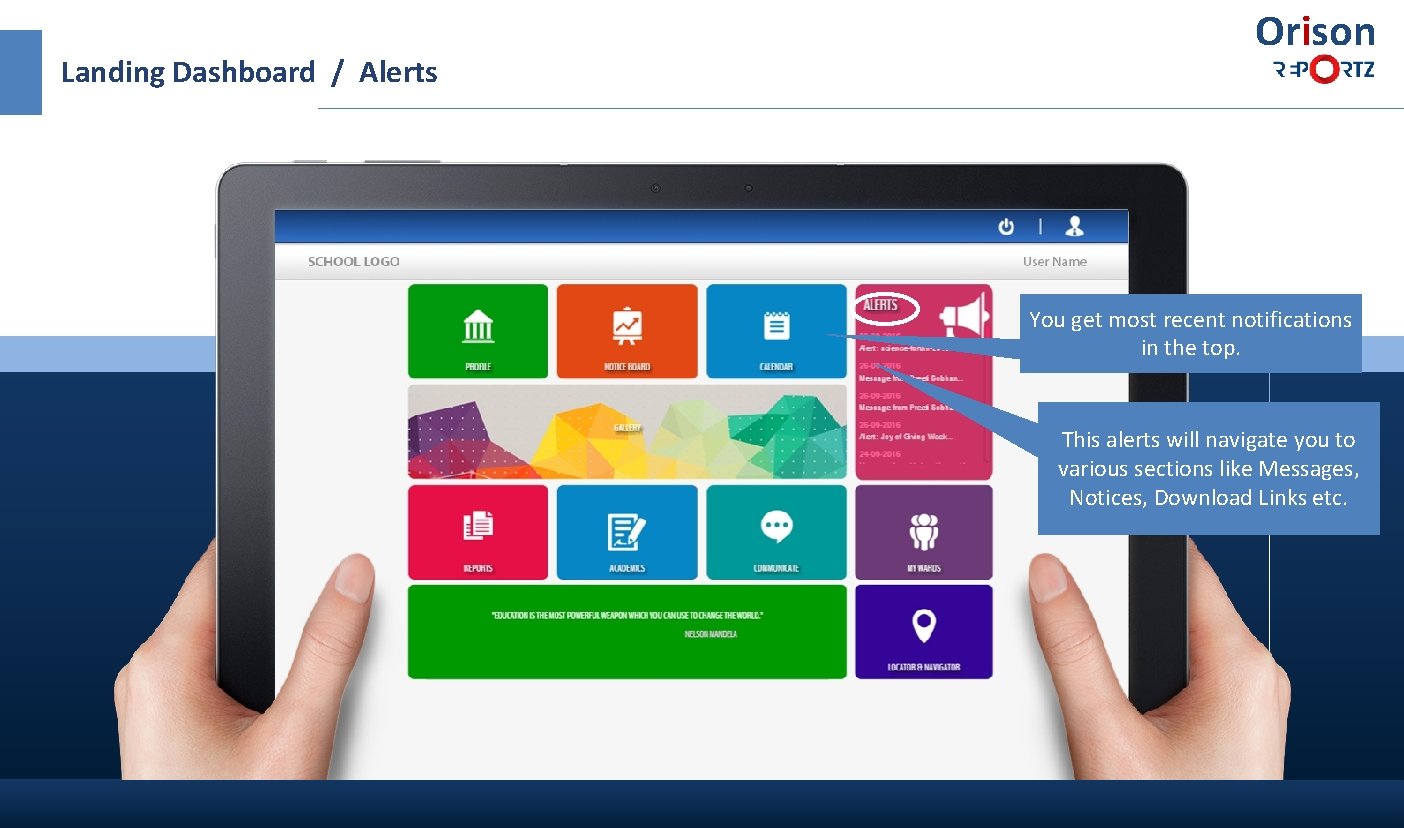
Landing Dashboard / Alerts Orison You get most recent notifications in the top. This alerts will navigate you to various sections like Messages, Notices, Download Links etc.
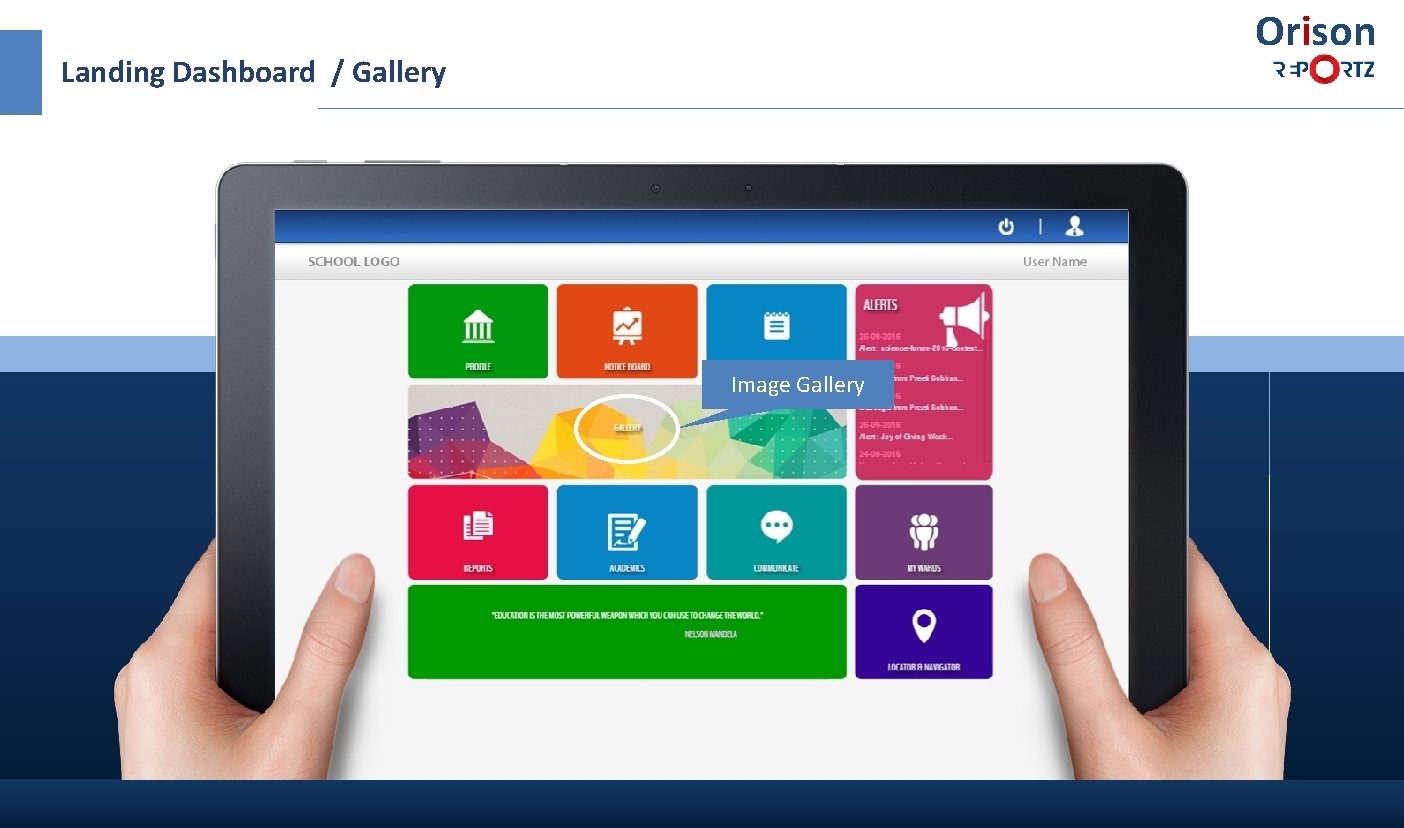
Orison Landing Dashboard / Gallery Image Gallery
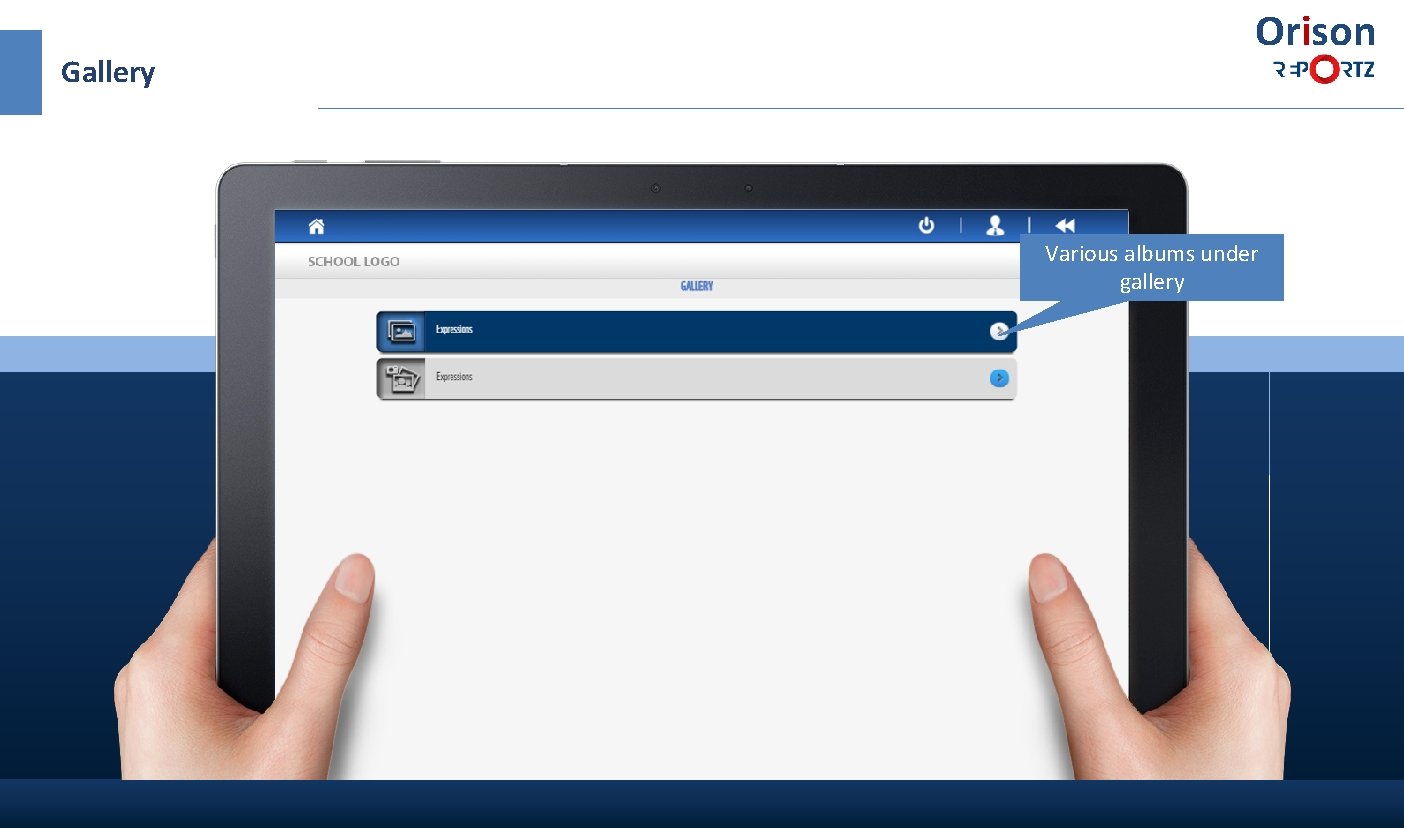
Gallery Orison Various albums under gallery
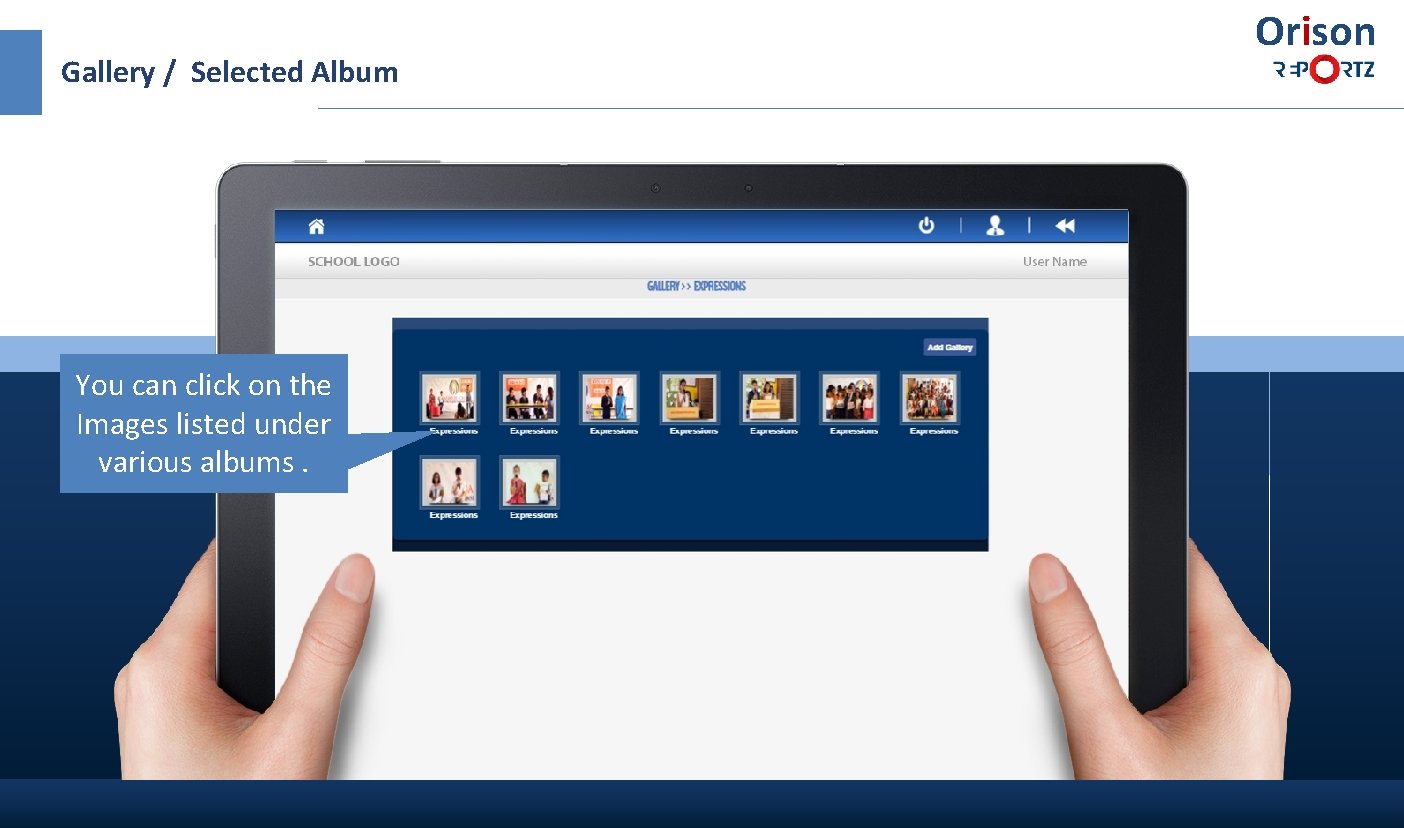
Gallery / Selected Album You can click on the Images listed under various albums. Orison
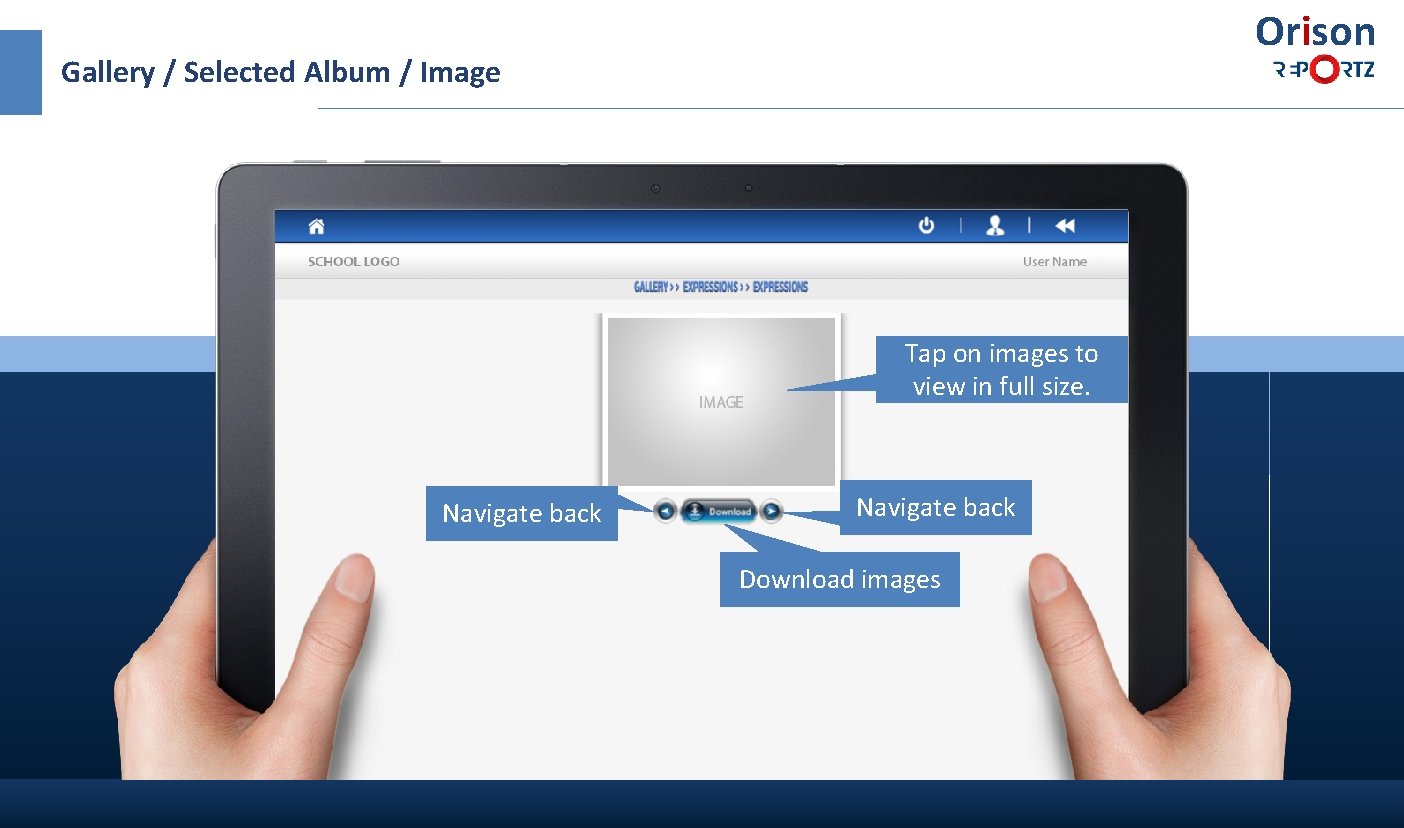
Orison Gallery / Selected Album / Image Tap on images to view in full size. Navigate back Download images
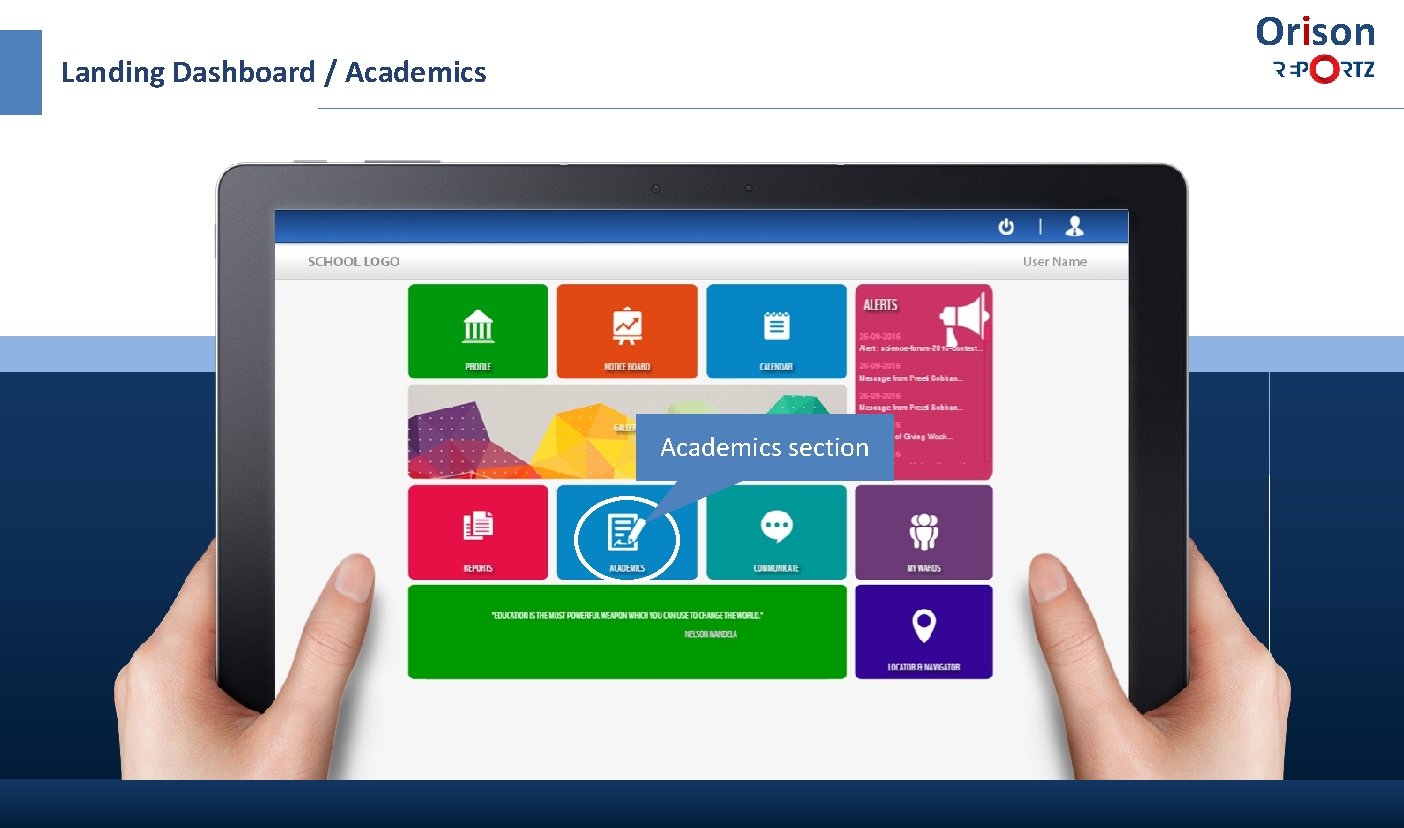
Orison Landing Dashboard / Academics section

Orison Academics Awareness and policies You can access through various downloads and digital resources. Weekly plan helps you to get a quick access to the Homework , Class work etc and also help to download weekly plan.
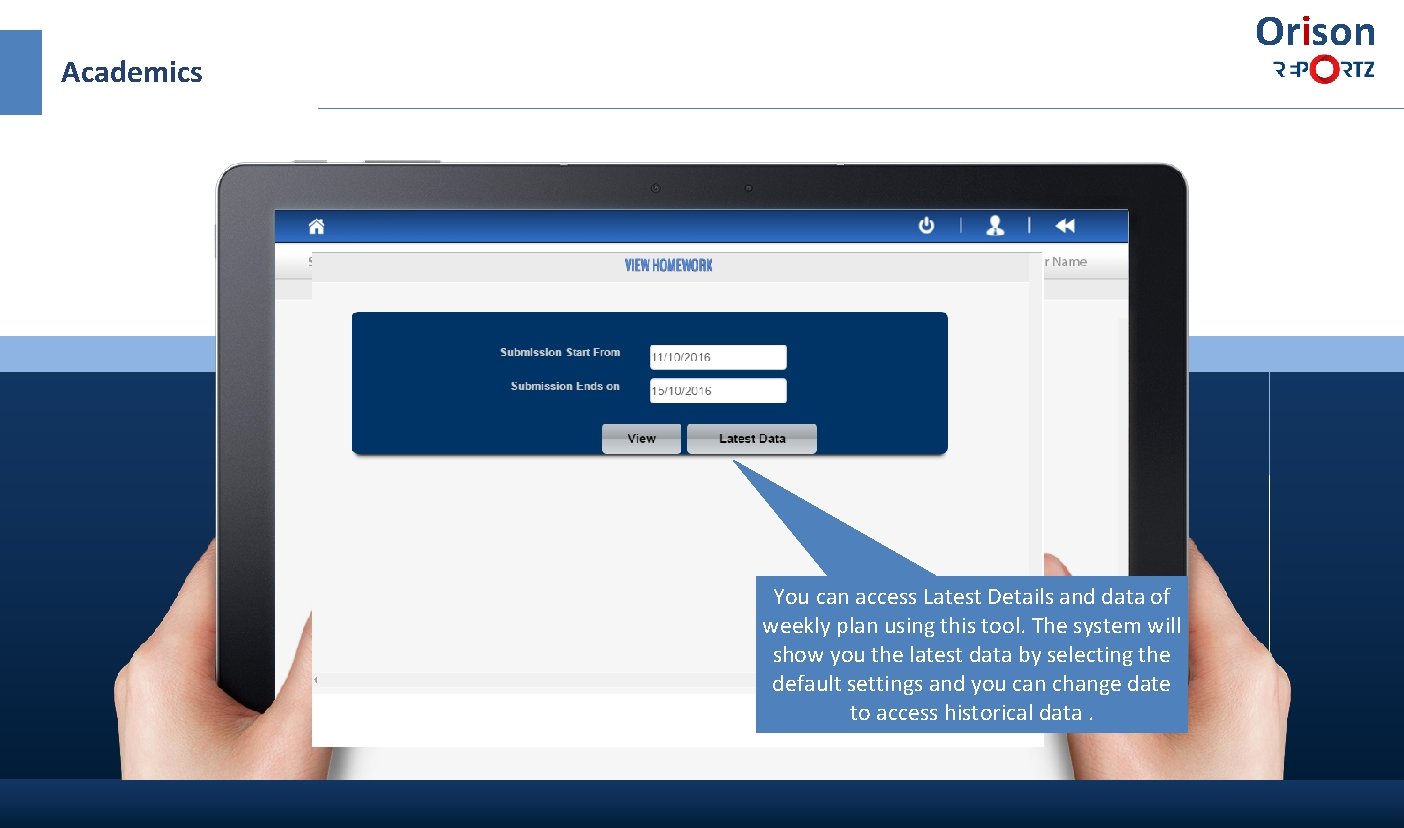
Orison Academics You can access Latest Details and data of weekly plan using this tool. The system will show you the latest data by selecting the default settings and you can change date to access historical data.
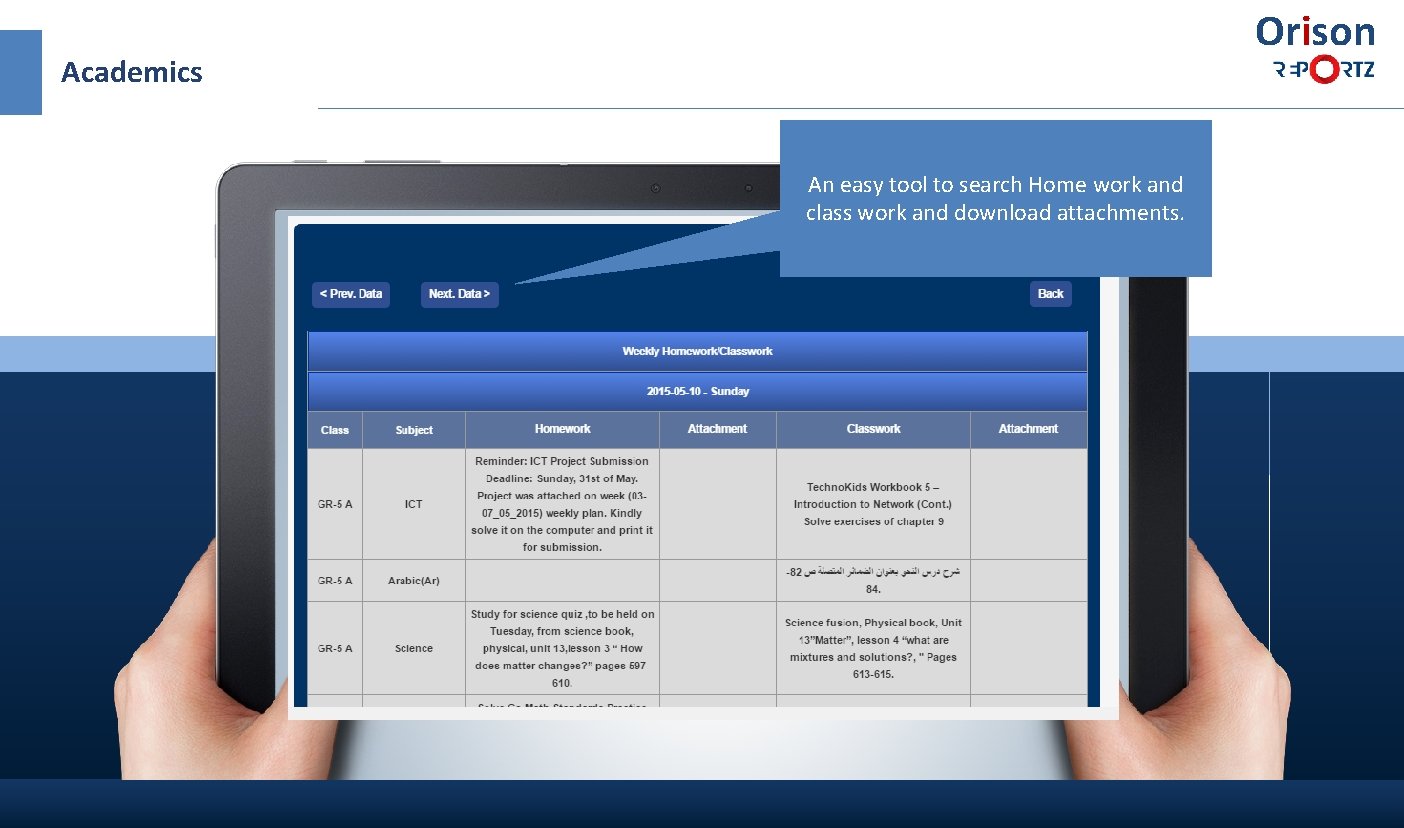
Orison Academics An easy tool to search Home work and class work and download attachments.
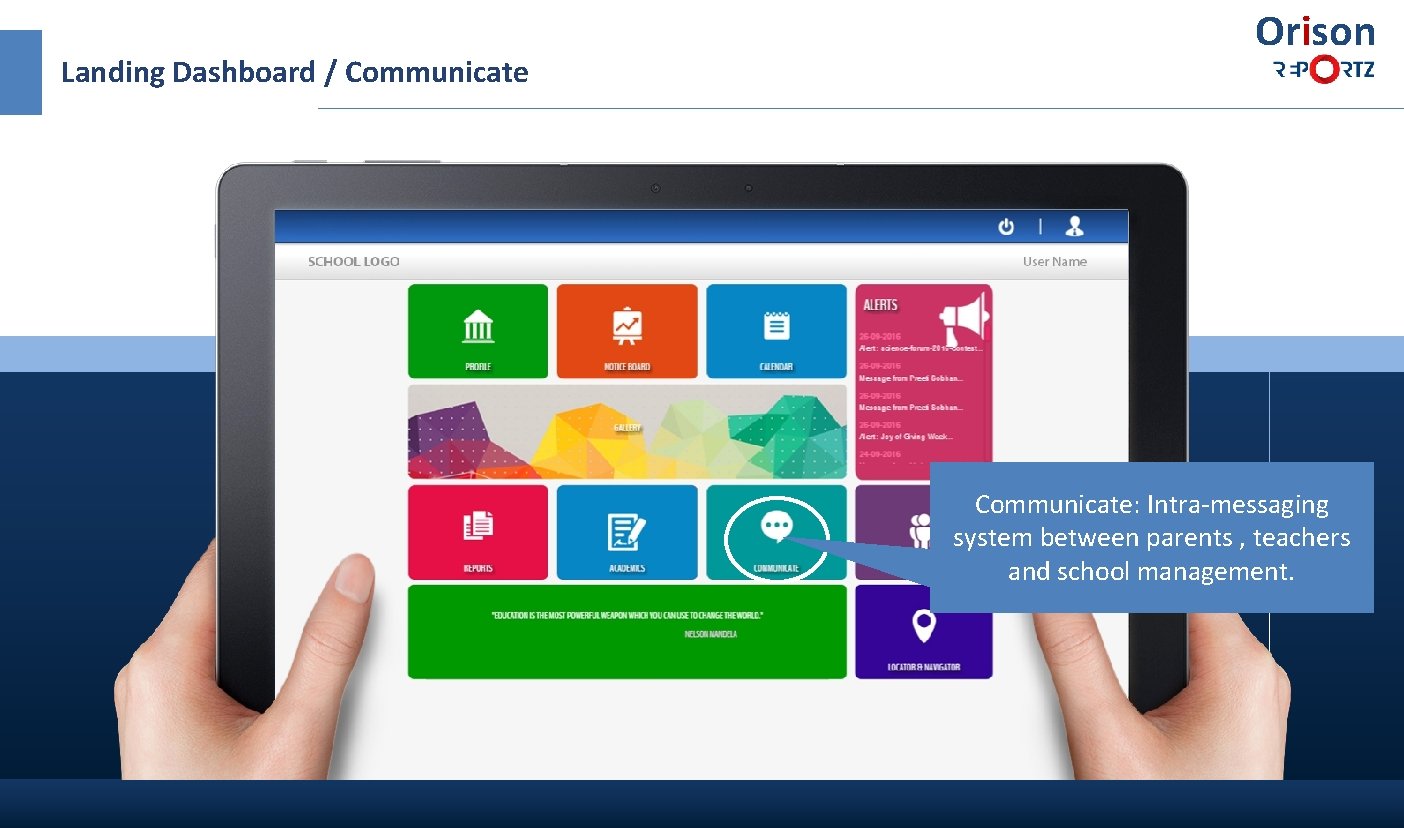
Landing Dashboard / Communicate Orison Communicate: Intra-messaging system between parents , teachers and school management.
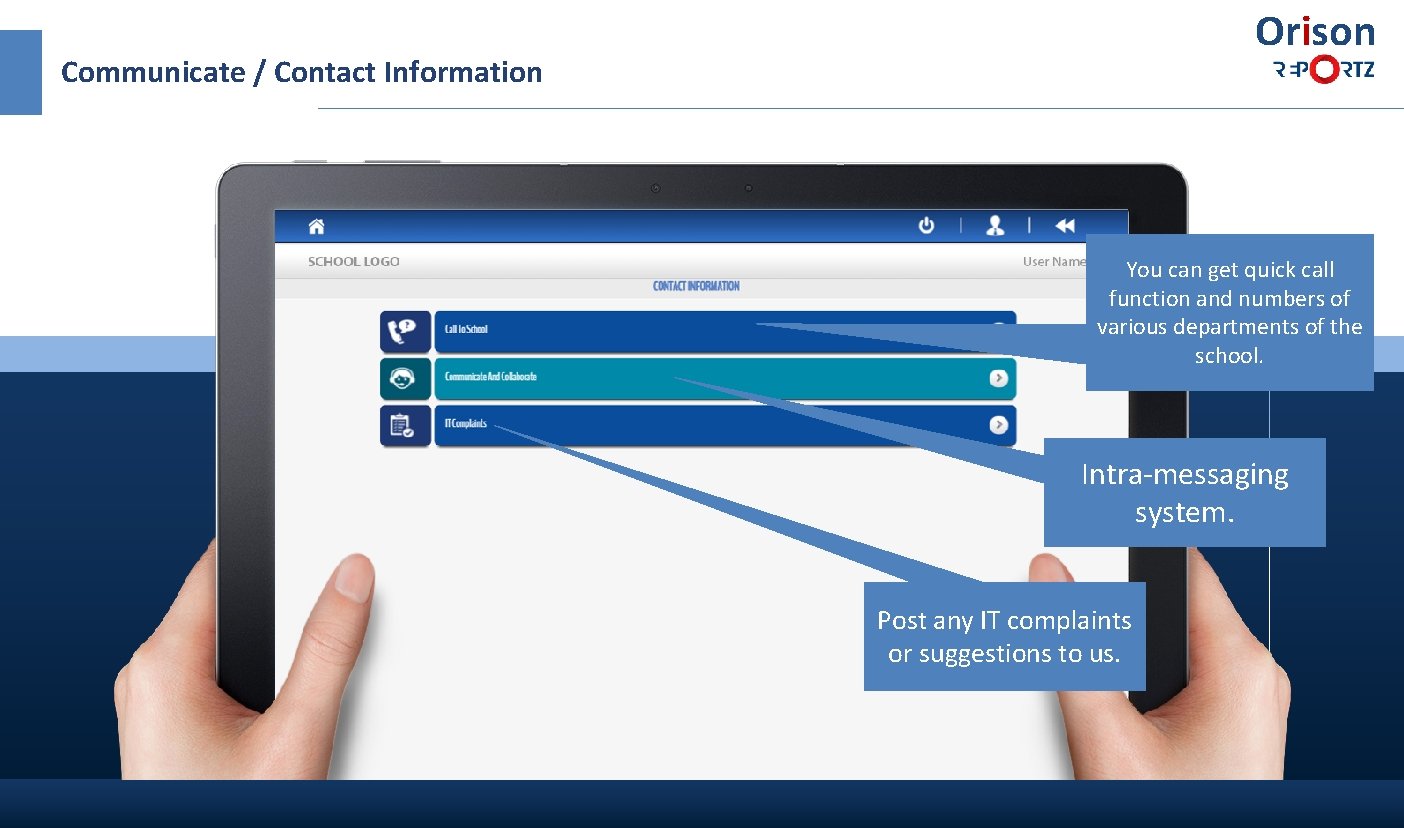
Orison Communicate / Contact Information You can get quick call function and numbers of various departments of the school. Intra-messaging system. Post any IT complaints or suggestions to us.
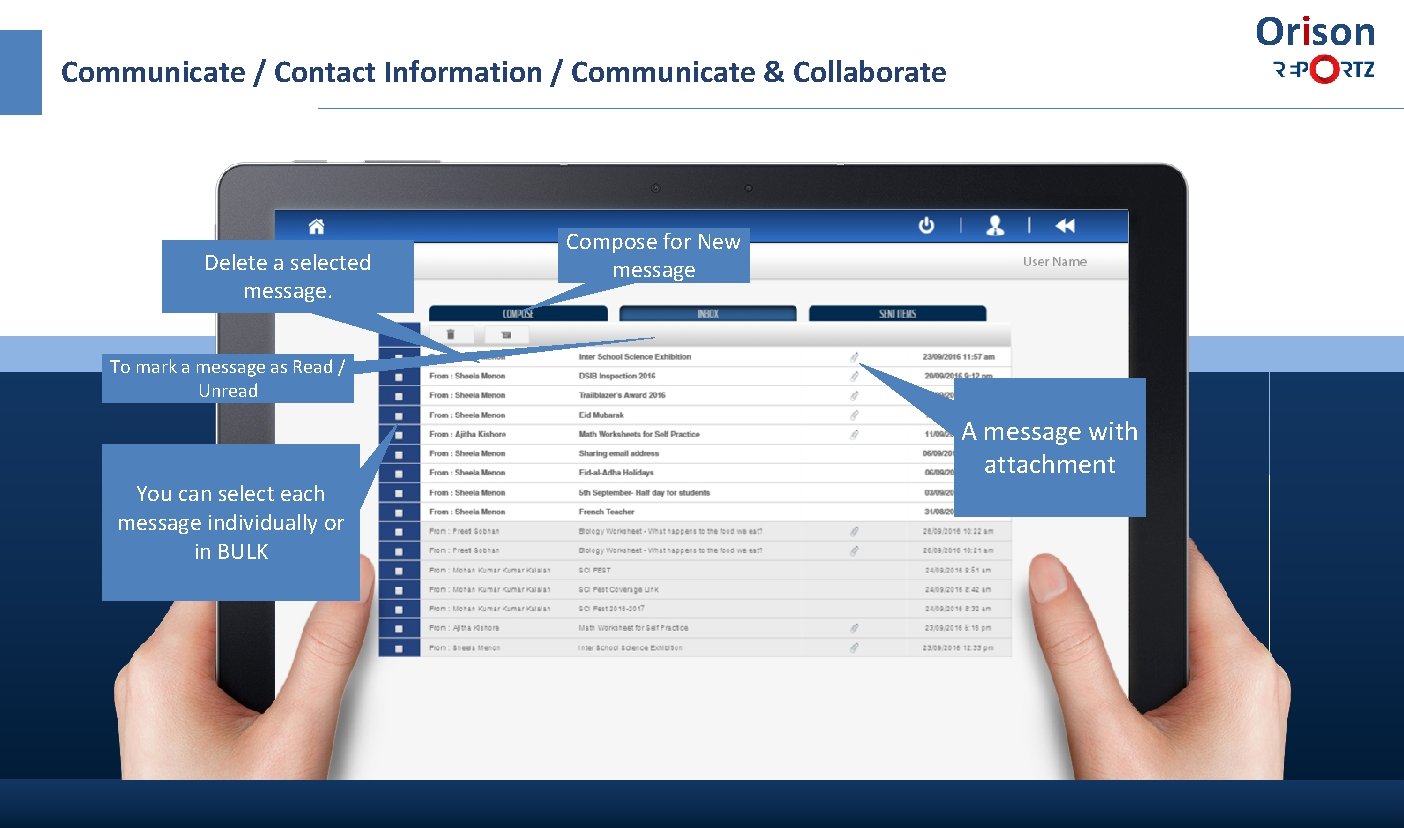
Orison Communicate / Contact Information / Communicate & Collaborate Delete a selected message. Compose for New message To mark a message as Read / Unread You can select each message individually or in BULK A message with attachment
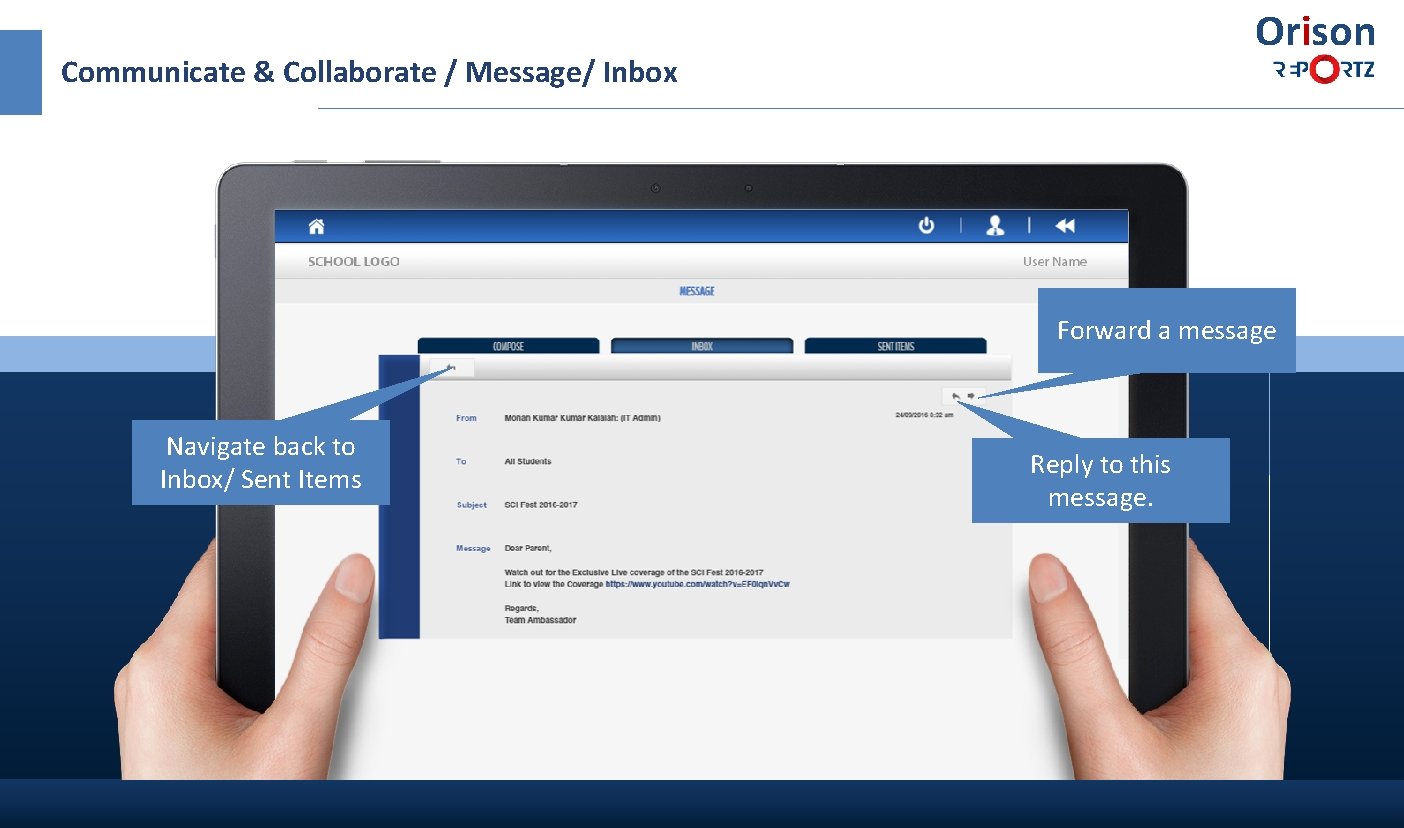
Orison Communicate & Collaborate / Message/ Inbox Forward a message Navigate back to Inbox/ Sent Items Reply to this message.
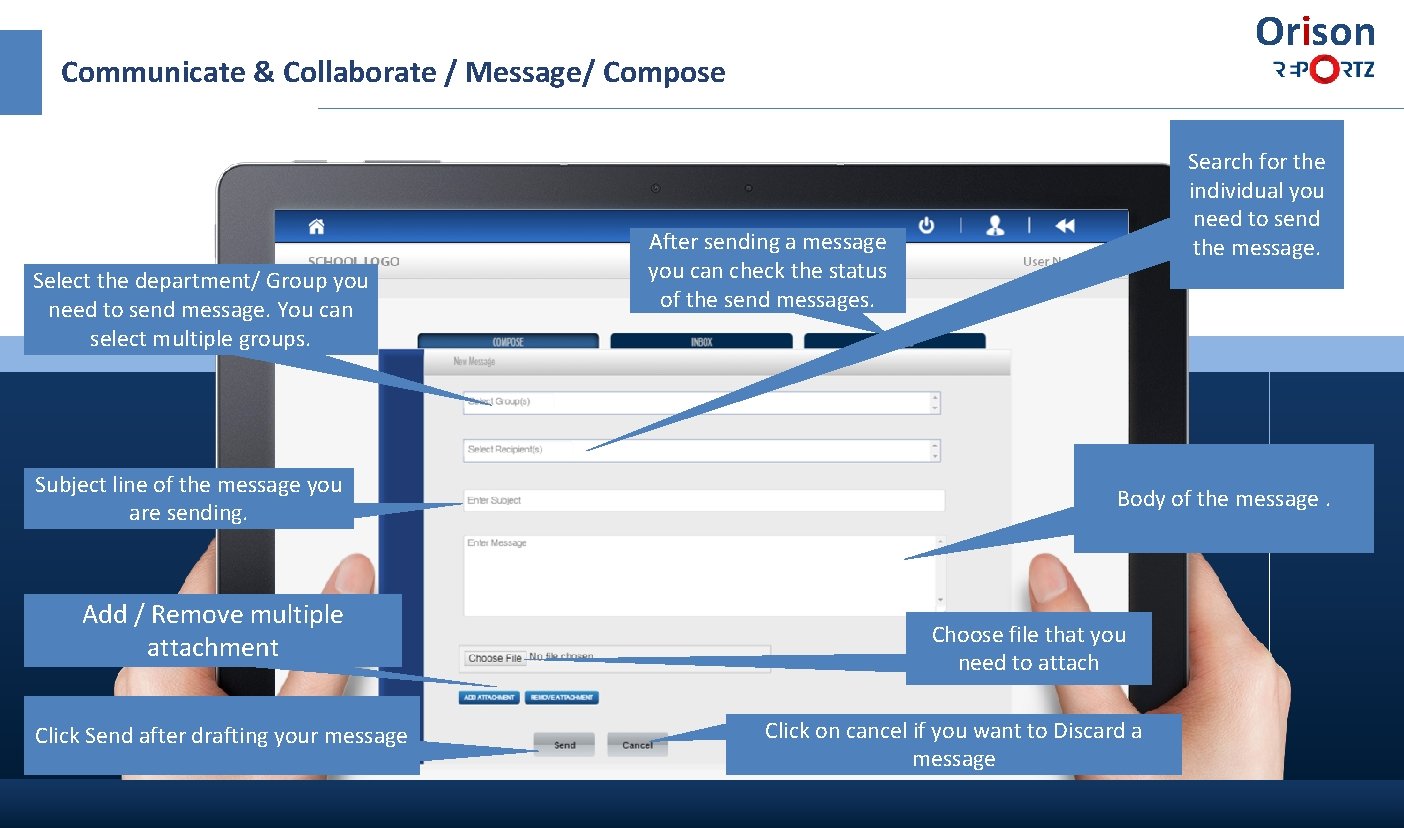
Orison Communicate & Collaborate / Message/ Compose Select the department/ Group you need to send message. You can select multiple groups. Subject line of the message you are sending. Add / Remove multiple attachment Click Send after drafting your message Search for the individual you need to send the message. After sending a message you can check the status of the send messages. Body of the message. Choose file that you need to attach Click on cancel if you want to Discard a message
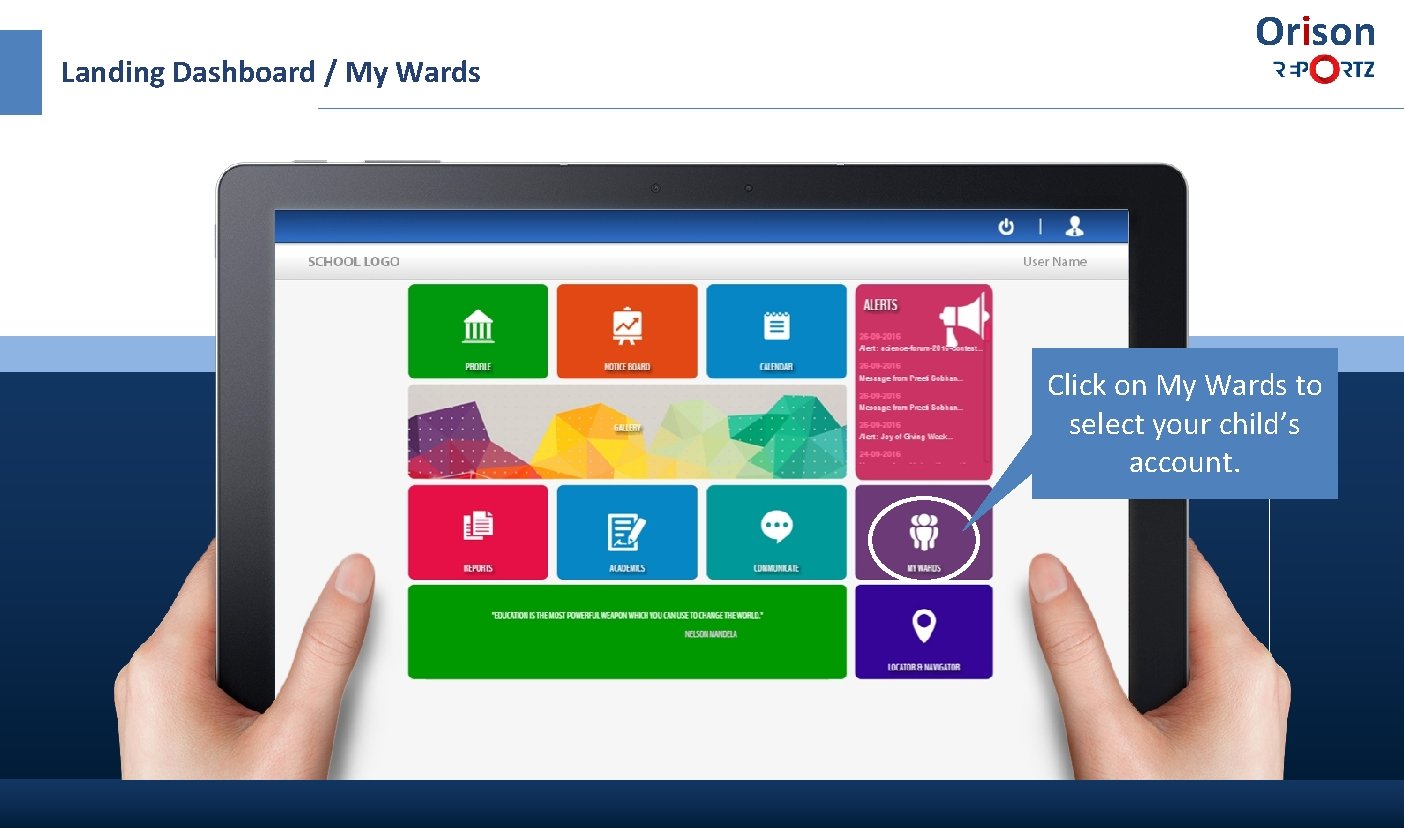
Landing Dashboard / My Wards Orison Click on My Wards to select your child’s account.
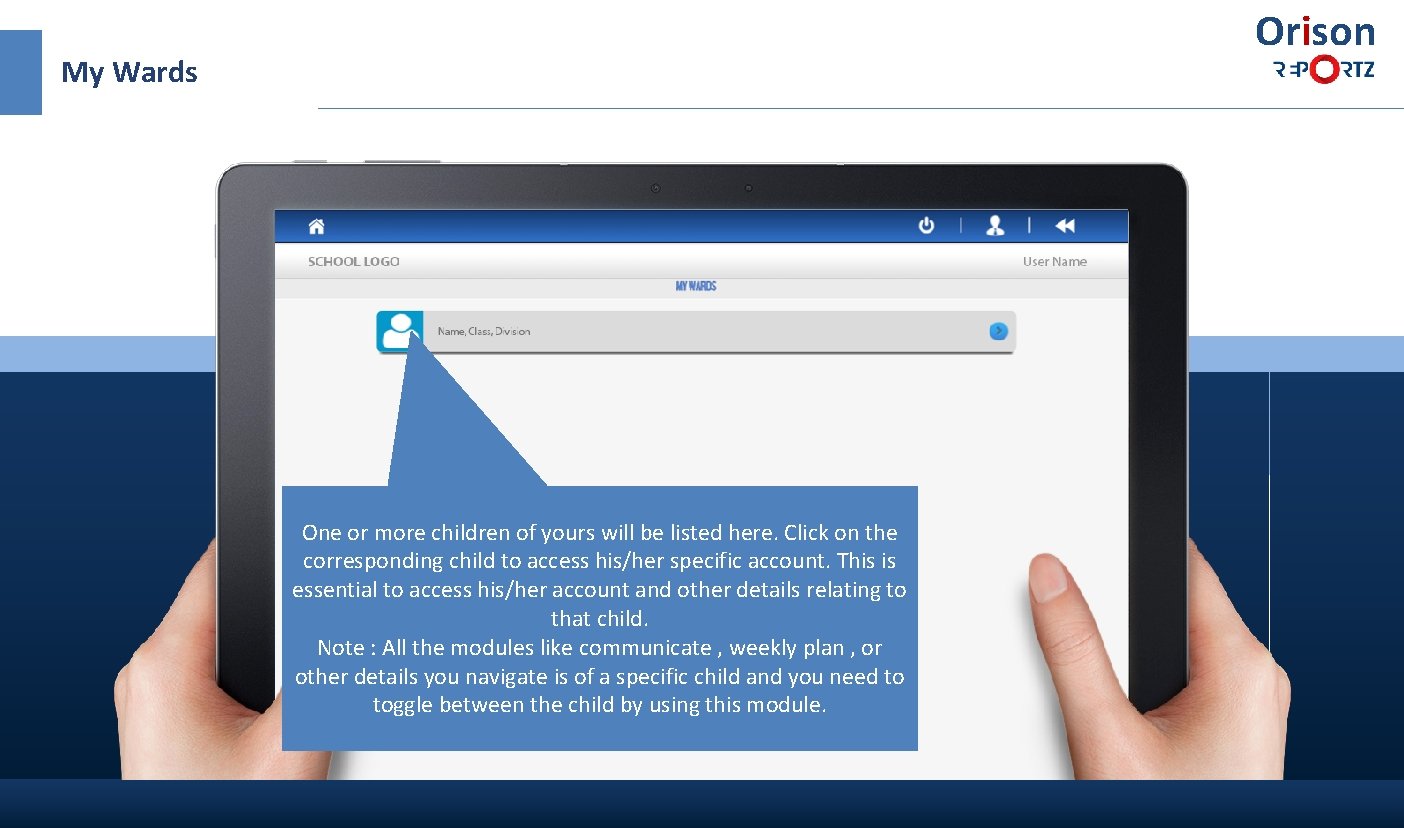
Orison My Wards One or more children of yours will be listed here. Click on the corresponding child to access his/her specific account. This is essential to access his/her account and other details relating to that child. Note : All the modules like communicate , weekly plan , or other details you navigate is of a specific child and you need to toggle between the child by using this module.
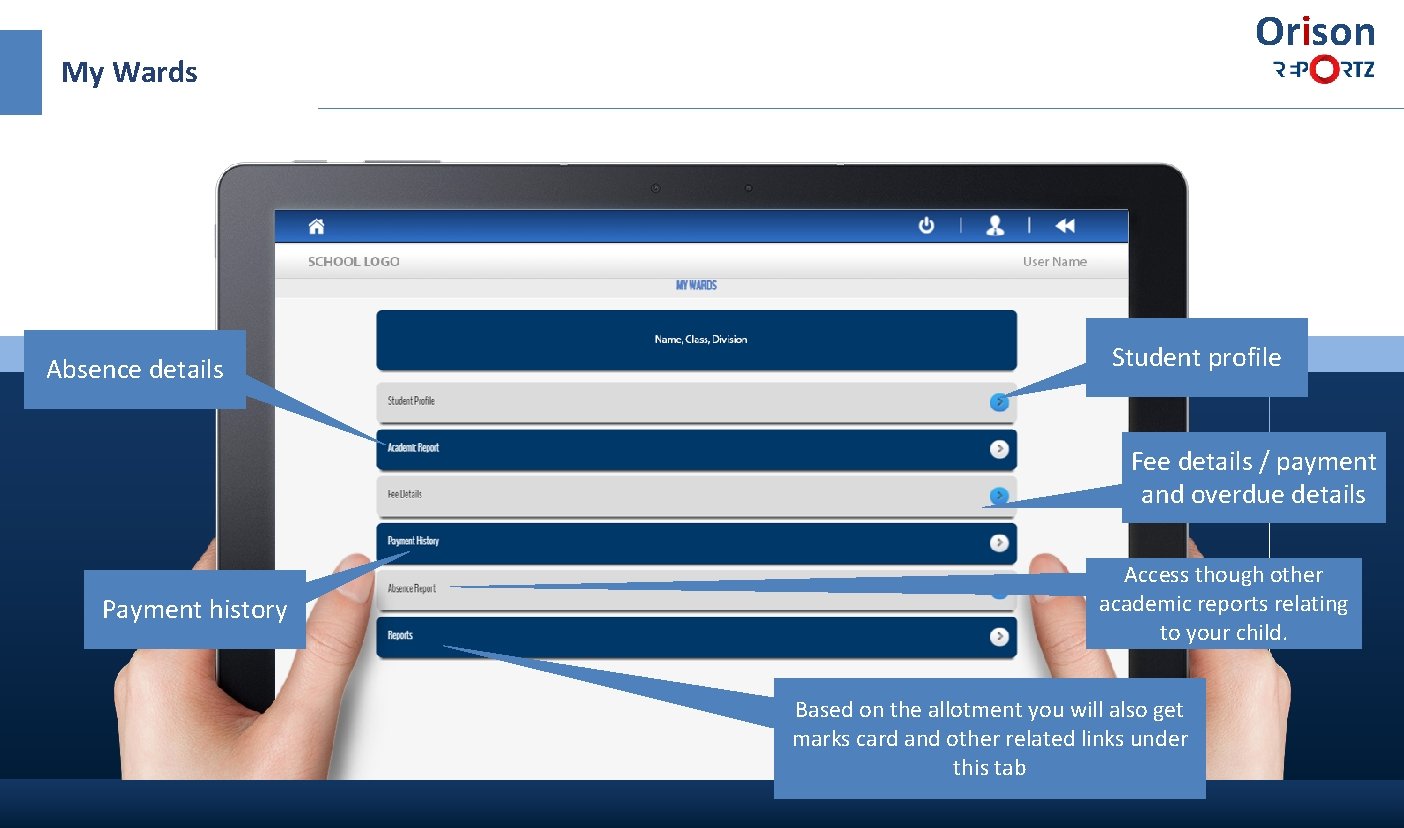
Orison My Wards Absence details Student profile Fee details / payment and overdue details Payment history Access though other academic reports relating to your child. Based on the allotment you will also get marks card and other related links under this tab
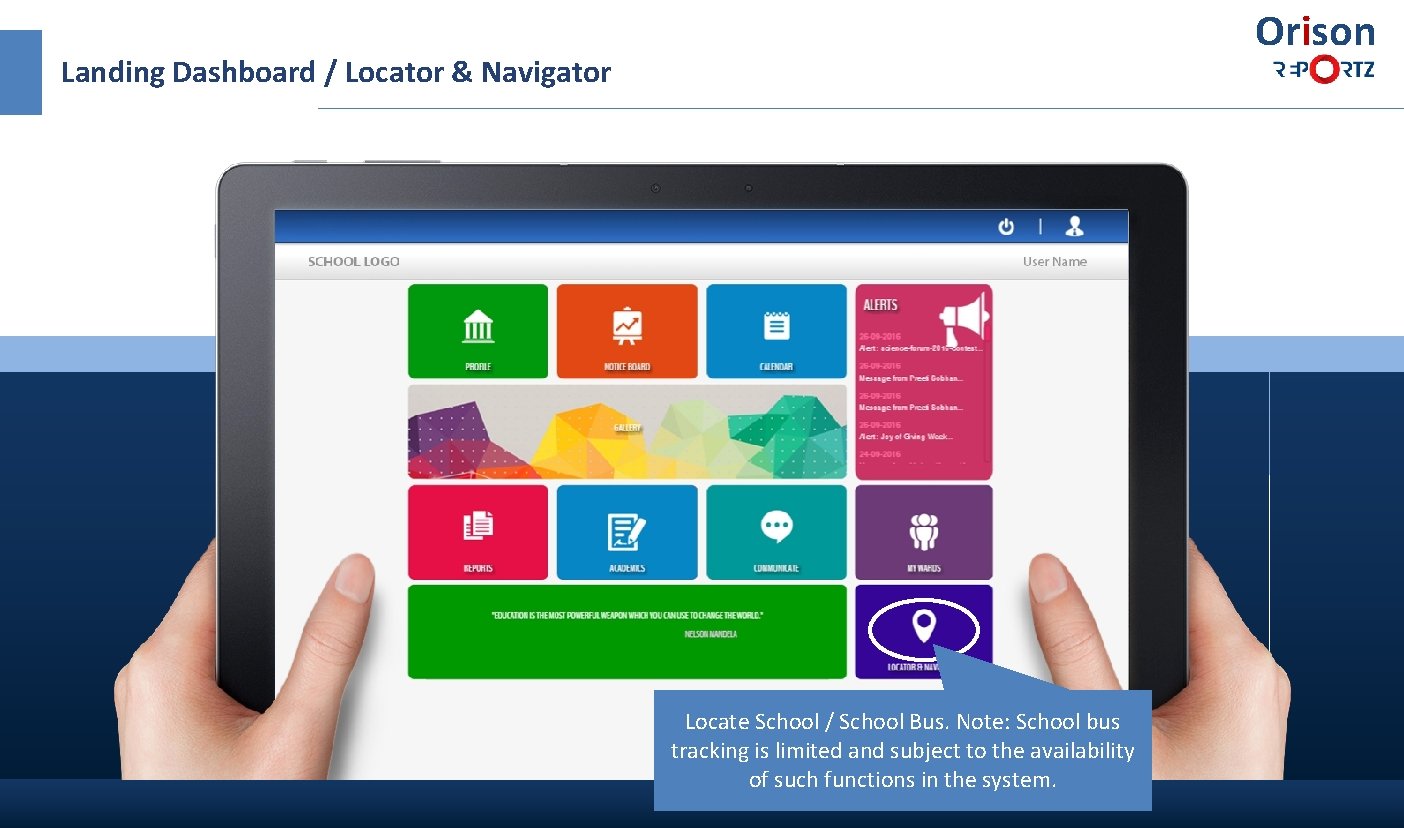
Orison Landing Dashboard / Locator & Navigator Locate School / School Bus. Note: School bus tracking is limited and subject to the availability of such functions in the system.
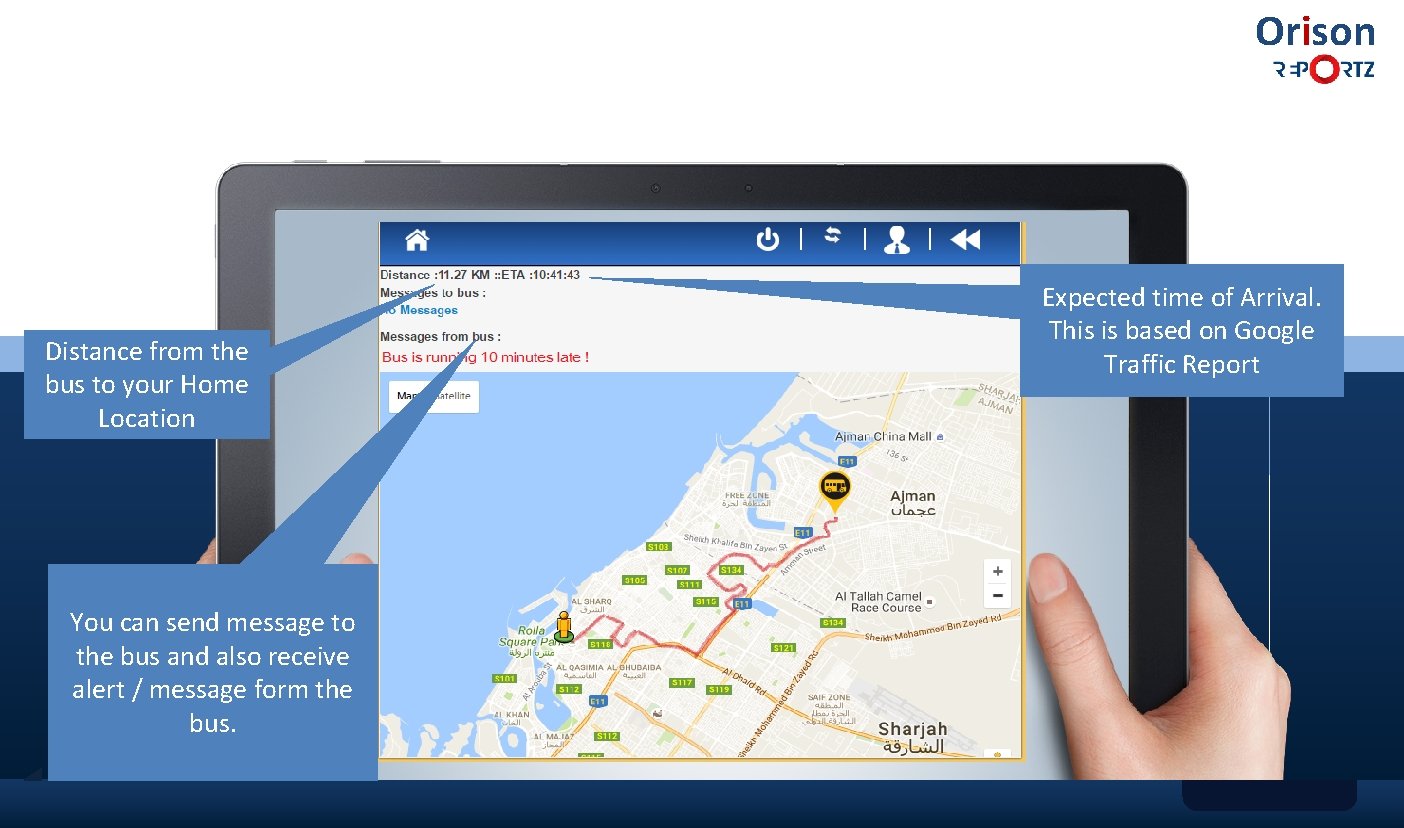
Orison Distance from the bus to your Home Location You can send message to the bus and also receive alert / message form the bus. Expected time of Arrival. This is based on Google Traffic Report
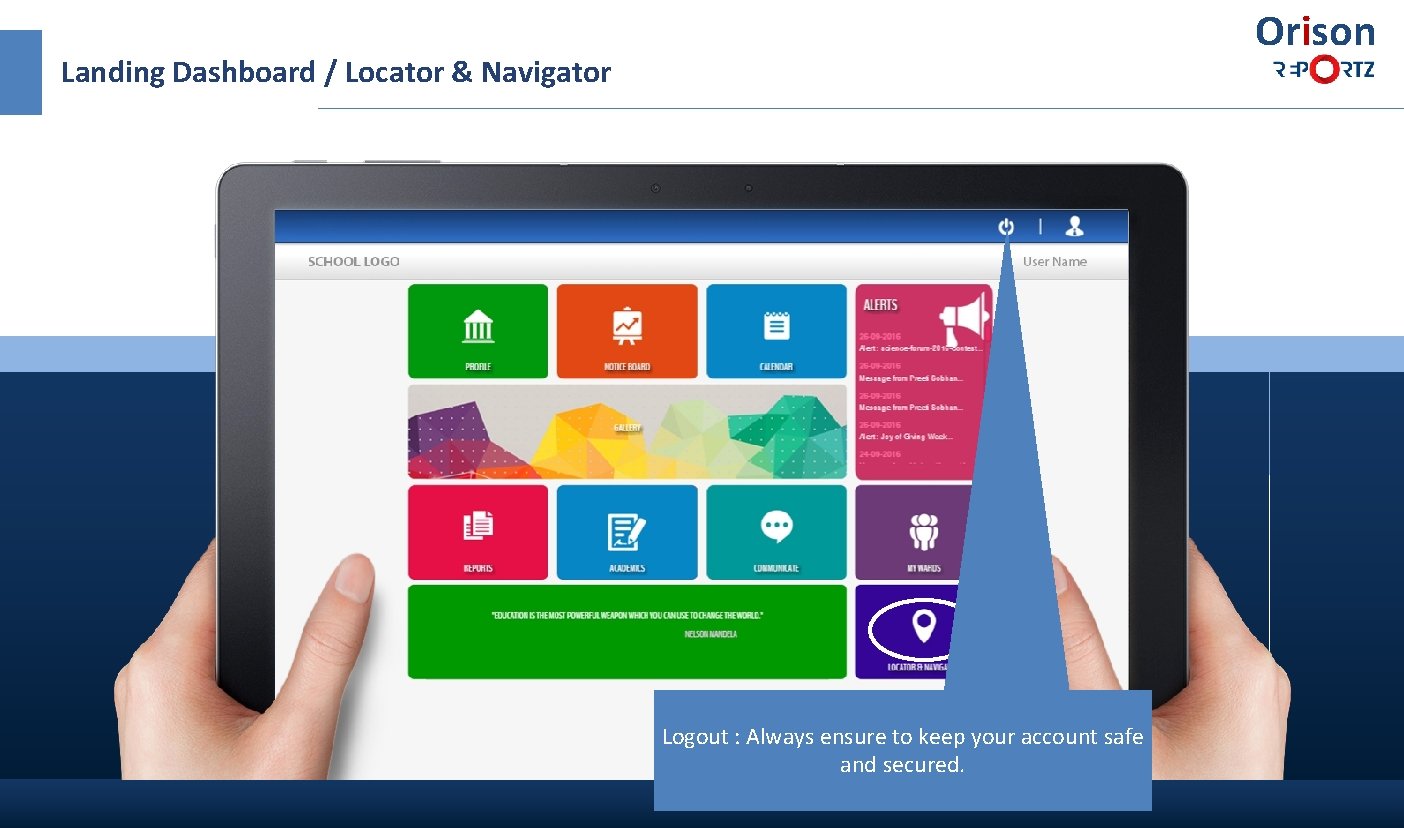
Orison Landing Dashboard / Locator & Navigator Logout : Always ensure to keep your account safe and secured.

Thank you, Orison www. Orison. Report. Z. com Powered by Hira Computer Solutions in association with Takyon International Team Orison Report. Z
- Slides: 33