
Orion Context Broker Advanced Topics Antriksh Mathur Orange

Orion Context Broker: Advanced Topics Antriksh Mathur Orange Labs (Reference Orion Context Broker version: 1. 15. 0) Presentation Date: 6 th Feb 2019
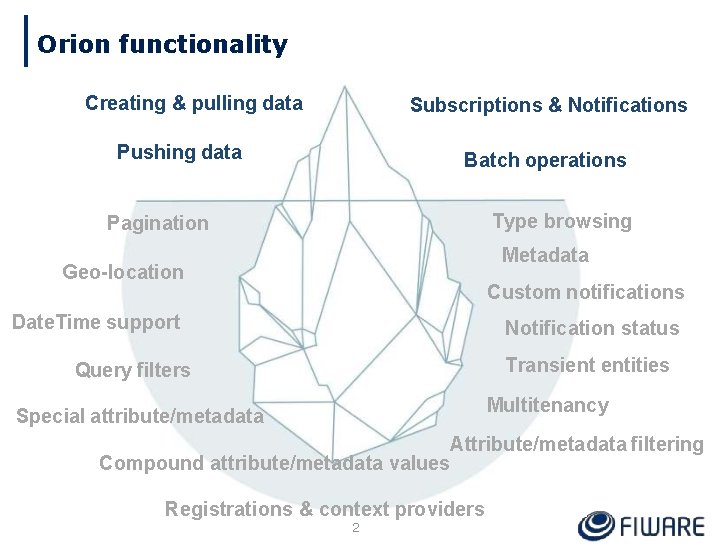
Orion functionality Creating & pulling data Subscriptions & Notifications Pushing data Batch operations Type browsing Pagination Metadata Geo-location Custom notifications Date. Time support Notification status Transient entities Query filters Multitenancy Special attribute/metadata Attribute/metadata filtering Compound attribute/metadata values Registrations & context providers 2
Advanced Features • • • • Pagination Metadata Compound attribute/metadata values Type browsing Geo-location Query filters Date. Time support Transient entities Custom notifications Notification status Attribute/metadata filtering and special attribute/metadata Registrations & context providers Multitenancy Service paths CORS Notifying services in private networks 3
Pagination
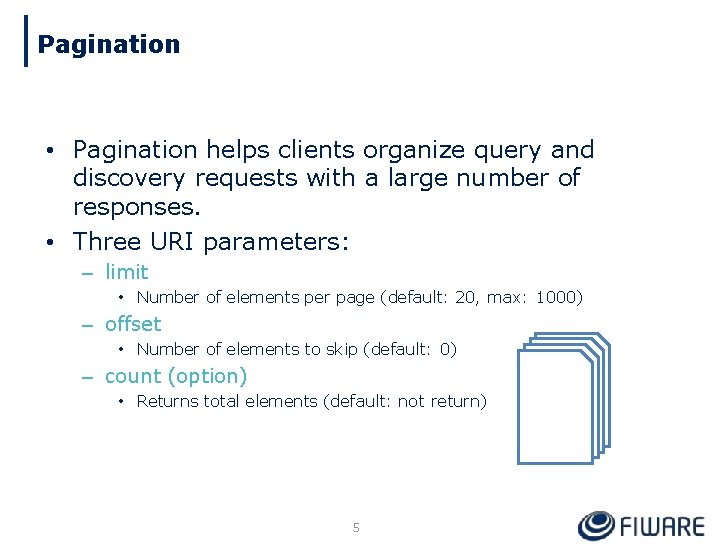
Pagination • Pagination helps clients organize query and discovery requests with a large number of responses. • Three URI parameters: – limit • Number of elements per page (default: 20, max: 1000) – offset • Number of elements to skip (default: 0) – count (option) • Returns total elements (default: not return) 5
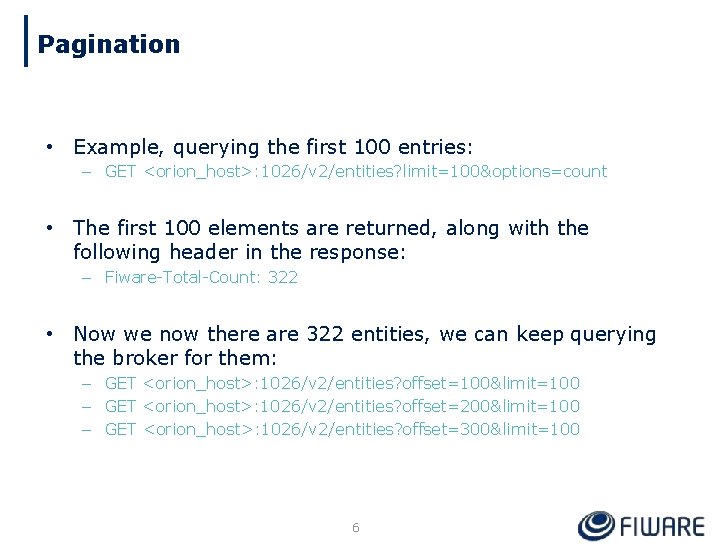
Pagination • Example, querying the first 100 entries: – GET <orion_host>: 1026/v 2/entities? limit=100&options=count • The first 100 elements are returned, along with the following header in the response: – Fiware-Total-Count: 322 • Now we now there are 322 entities, we can keep querying the broker for them: – GET <orion_host>: 1026/v 2/entities? offset=100&limit=100 – GET <orion_host>: 1026/v 2/entities? offset=200&limit=100 – GET <orion_host>: 1026/v 2/entities? offset=300&limit=100 6
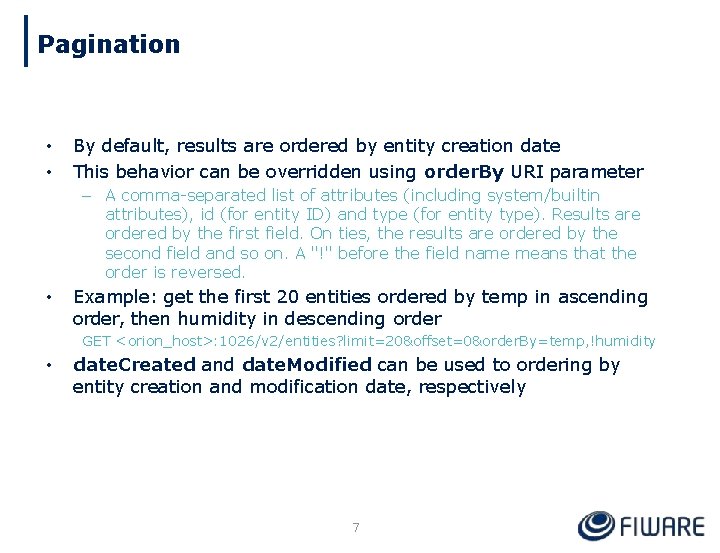
Pagination • • By default, results are ordered by entity creation date This behavior can be overridden using order. By URI parameter – A comma-separated list of attributes (including system/builtin attributes), id (for entity ID) and type (for entity type). Results are ordered by the first field. On ties, the results are ordered by the second field and so on. A "!" before the field name means that the order is reversed. • Example: get the first 20 entities ordered by temp in ascending order, then humidity in descending order GET <orion_host>: 1026/v 2/entities? limit=20&offset=0&order. By=temp, !humidity • date. Created and date. Modified can be used to ordering by entity creation and modification date, respectively 7
Compound Attribute/Metadata Values • Attributes and metadata can have a structured value. Vectors and key-value maps are supported. • It maps directly to JSON's objects and arrays. 8
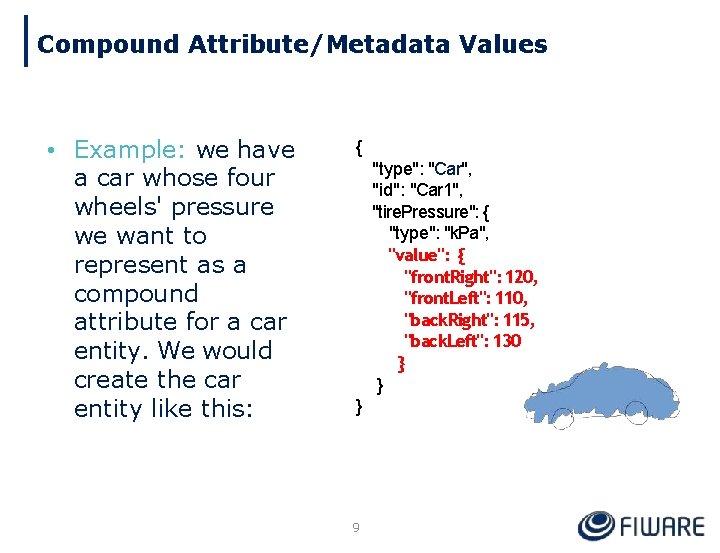
Compound Attribute/Metadata Values • Example: we have a car whose four wheels' pressure we want to represent as a compound attribute for a car entity. We would create the car entity like this: { "type": "Car", "id": "Car 1", "tire. Pressure": { "type": "k. Pa", "value": { "front. Right": 120, "front. Left": 110, "back. Right": 115, "back. Left": 130 } } } 9

Demo Time(pagination)
Geolocation
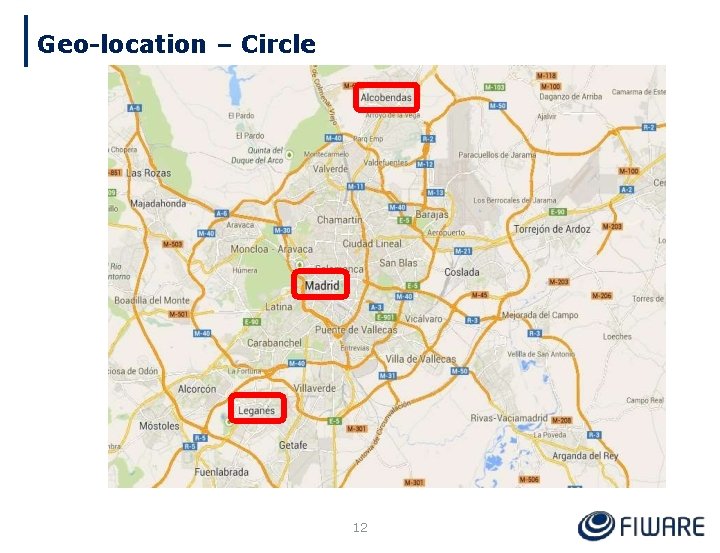
Geo-location – Circle 12
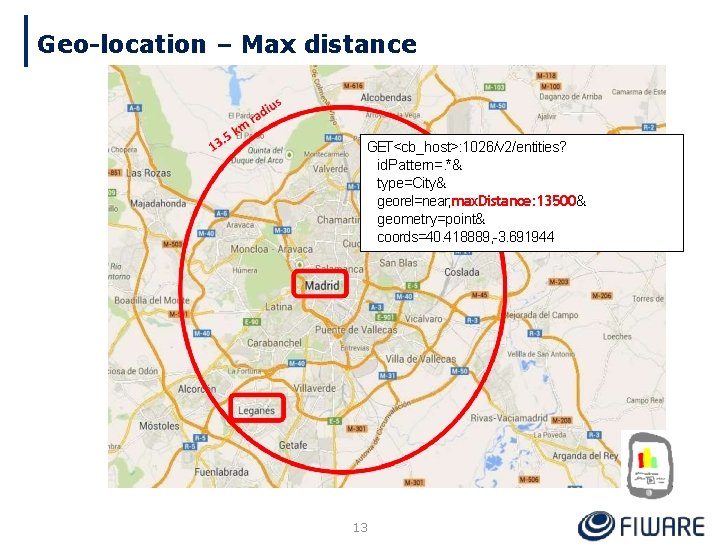
Geo-location – Max distance GET<cb_host>: 1026/v 2/entities? id. Pattern=. *& type=City& georel=near; max. Distance: 13500& geometry=point& coords=40. 418889, -3. 691944 13
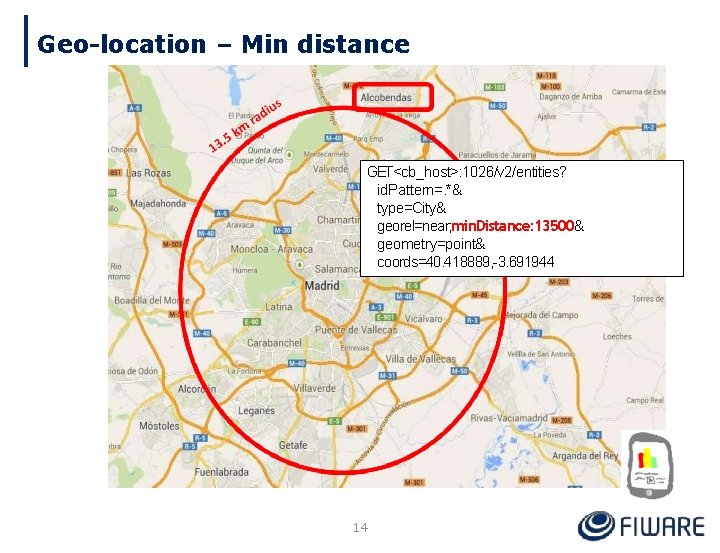
Geo-location – Min distance GET<cb_host>: 1026/v 2/entities? id. Pattern=. *& type=City& georel=near; min. Distance: 13500& geometry=point& coords=40. 418889, -3. 691944 14
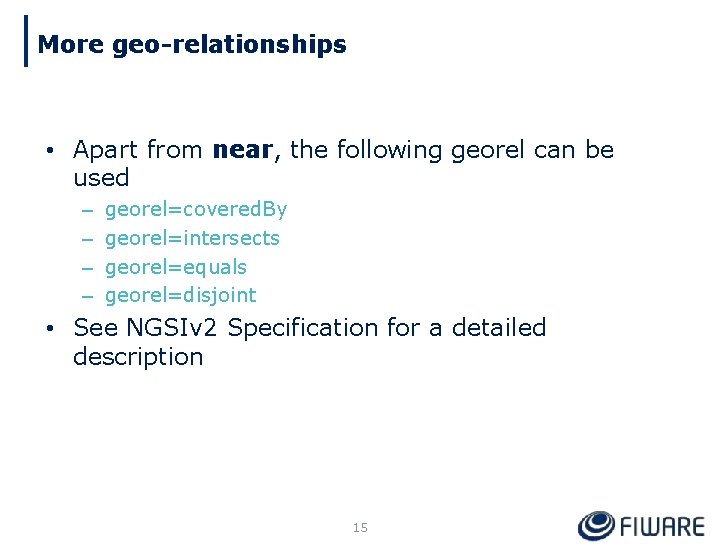
More geo-relationships • Apart from near, the following georel can be used – – georel=covered. By georel=intersects georel=equals georel=disjoint • See NGSIv 2 Specification for a detailed description 15
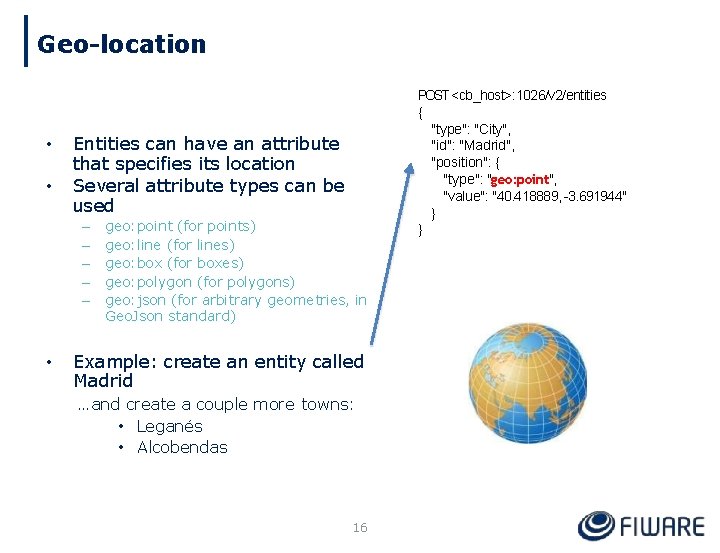
Geo-location • • Entities can have an attribute that specifies its location Several attribute types can be used – – – • geo: point (for points) geo: line (for lines) geo: box (for boxes) geo: polygon (for polygons) geo: json (for arbitrary geometries, in Geo. Json standard) Example: create an entity called Madrid …and create a couple more towns: • Leganés • Alcobendas 16 POST <cb_host>: 1026/v 2/entities { "type": "City", "id": "Madrid", "position": { "type": "geo: point", "value": "40. 418889, -3. 691944" } }
Demo Time(geo-location)
Meta. Data
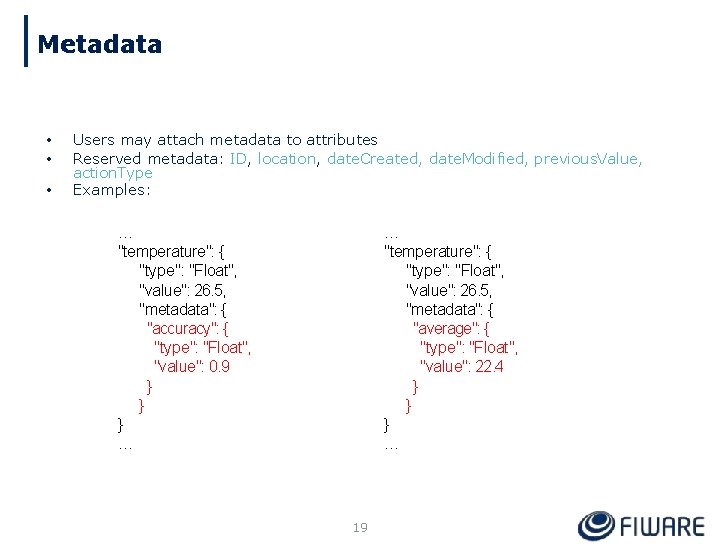
Metadata • • • Users may attach metadata to attributes Reserved metadata: ID, location, date. Created, date. Modified, previous. Value, action. Type Examples: … "temperature": { "type": "Float", "value": 26. 5, "metadata": { "accuracy": { "type": "Float", "value": 0. 9 } } } … … "temperature": { "type": "Float", "value": 26. 5, "metadata": { "average": { "type": "Float", "value": 22. 4 } } } … 19
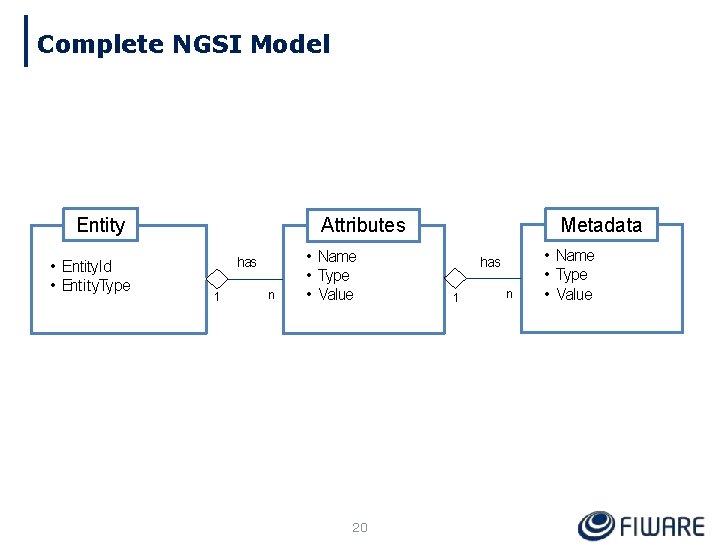
Complete NGSI Model Entity • Entity. Id • Entity. Type Metadata Attributes has 1 n • Name • Type • Value 20 has 1 n • Name • Type • Value
Filtering
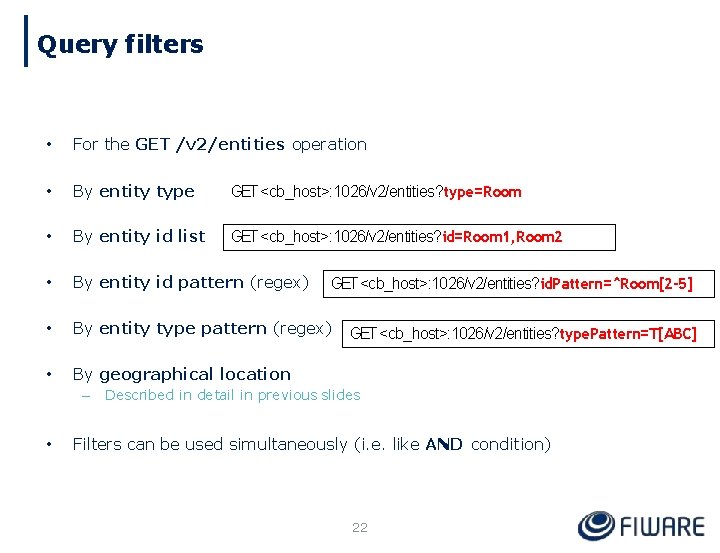
Query filters • For the GET /v 2/entities operation • By entity type GET <cb_host>: 1026/v 2/entities? type=Room • By entity id list GET <cb_host>: 1026/v 2/entities? id=Room 1, Room 2 • By entity id pattern (regex) • By entity type pattern (regex) • By geographical location – • GET <cb_host>: 1026/v 2/entities? id. Pattern=^Room[2 -5] GET <cb_host>: 1026/v 2/entities? type. Pattern=T[ABC] Described in detail in previous slides Filters can be used simultaneously (i. e. like AND condition) 22
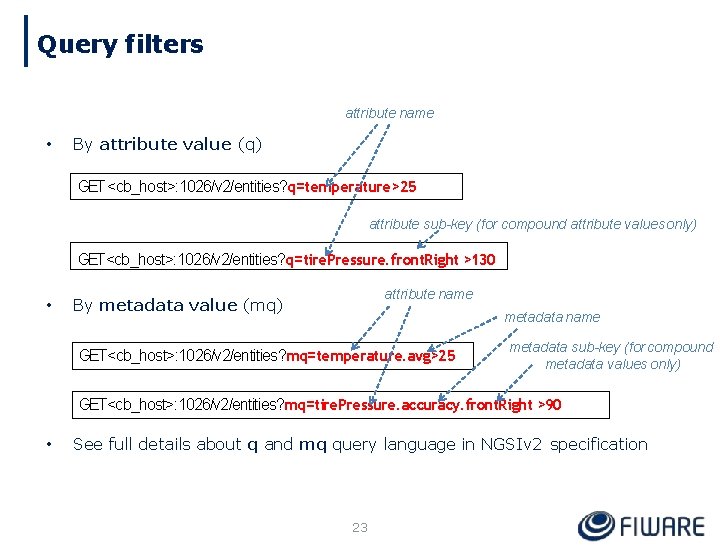
Query filters attribute name • By attribute value (q) GET <cb_host>: 1026/v 2/entities? q=temperature>25 attribute sub-key (for compound attribute values only) GET<cb_host>: 1026/v 2/entities? q=tire. Pressure. front. Right >130 • attribute name By metadata value (mq) metadata name GET<cb_host>: 1026/v 2/entities? mq=temperature. avg>25 metadata sub-key (for compound metadata values only) GET<cb_host>: 1026/v 2/entities? mq=tire. Pressure. accuracy. front. Right >90 • See full details about q and mq query language in NGSIv 2 specification 23
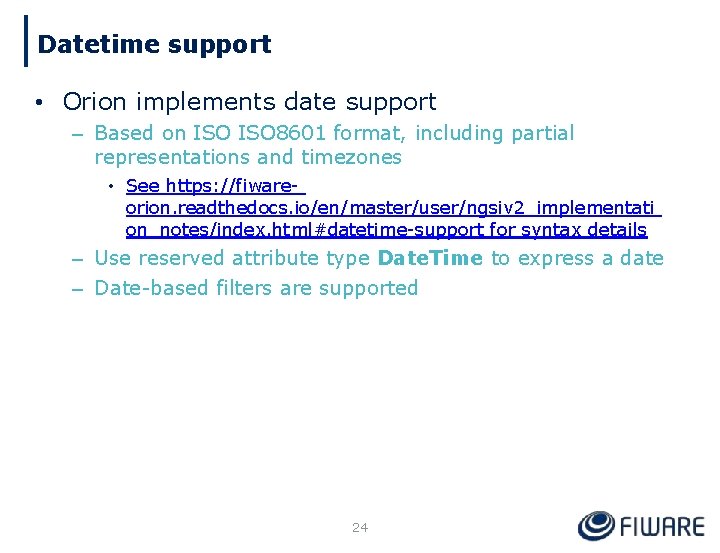
Datetime support • Orion implements date support – Based on ISO 8601 format, including partial representations and timezones • See https: //fiwareorion. readthedocs. io/en/master/user/ngsiv 2_implementati on_notes/index. html#datetime-support for syntax details – Use reserved attribute type Date. Time to express a date – Date-based filters are supported 24
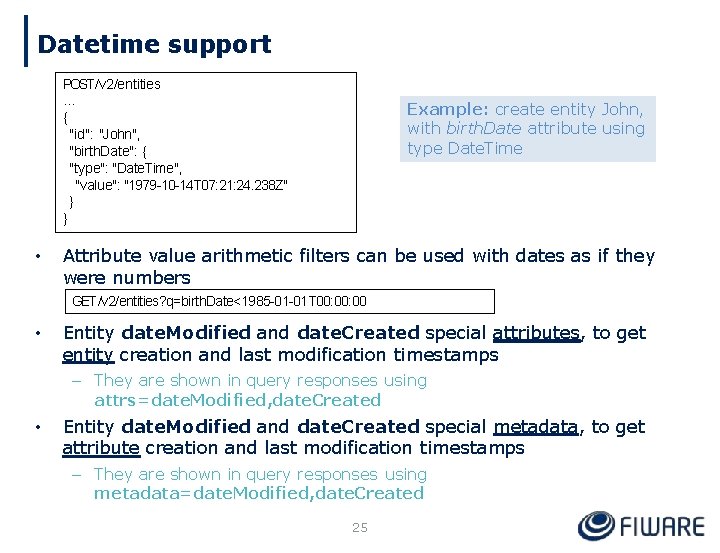
Datetime support POST /v 2/entities … { "id": "John", "birth. Date": { "type": "Date. Time", "value": "1979 -10 -14 T 07: 21: 24. 238 Z" } } • Example: create entity John, with birth. Date attribute using type Date. Time Attribute value arithmetic filters can be used with dates as if they were numbers GET /v 2/entities? q=birth. Date<1985 -01 -01 T 00: 00 • Entity date. Modified and date. Created special attributes, to get entity creation and last modification timestamps – They are shown in query responses using attrs=date. Modified, date. Created • Entity date. Modified and date. Created special metadata, to get attribute creation and last modification timestamps – They are shown in query responses using metadata=date. Modified, date. Created 25
Demo Time(filtering and metadata)
Multitenancy
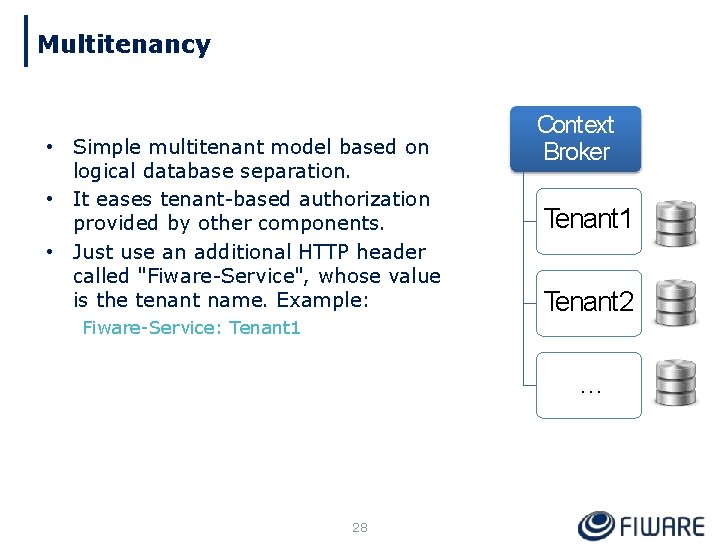
Multitenancy • Simple multitenant model based on logical database separation. • It eases tenant-based authorization provided by other components. • Just use an additional HTTP header called "Fiware-Service", whose value is the tenant name. Example: Fiware-Service: Tenant 1 Context Broker Tenant 1 Tenant 2 … 28
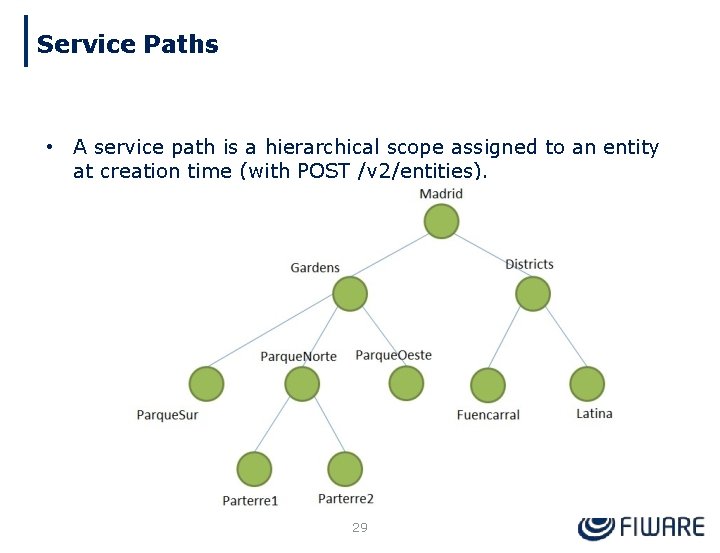
Service Paths • A service path is a hierarchical scope assigned to an entity at creation time (with POST /v 2/entities). 29
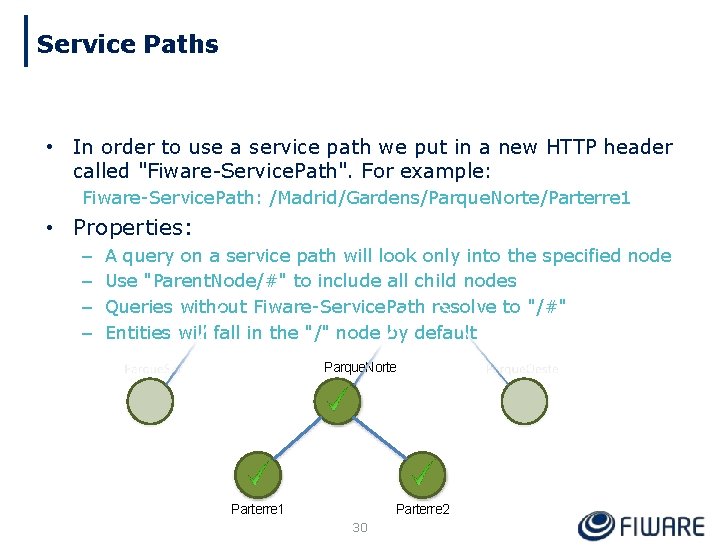
Service Paths • In order to use a service path we put in a new HTTP header called "Fiware-Service. Path". For example: Fiware-Service. Path: /Madrid/Gardens/Parque. Norte/Parterre 1 • Properties: – – A query on a service path will look only into the specified node Use "Parent. Node/#" to include all child nodes Queries without Fiware-Service. Path resolve to "/#" Entities will fall in the "/" node by default Parque. Norte Parterre 1 Parterre 2 30
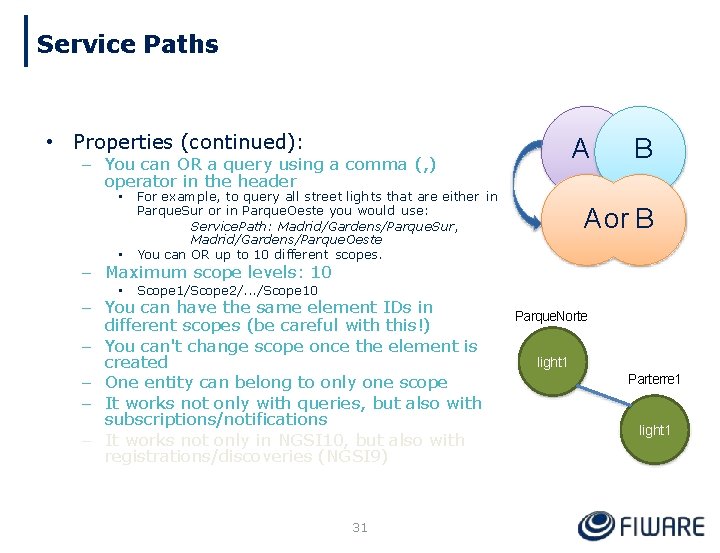
Service Paths • Properties (continued): A – You can OR a query using a comma (, ) operator in the header • For example, to query all street lights that are either in Parque. Sur or in Parque. Oeste you would use: Service. Path: Madrid/Gardens/Parque. Sur, Madrid/Gardens/Parque. Oeste You can OR up to 10 different scopes. • Scope 1/Scope 2/. . . /Scope 10 • B A or B – Maximum scope levels: 10 – You can have the same element IDs in different scopes (be careful with this!) – You can't change scope once the element is created – One entity can belong to only one scope – It works not only with queries, but also with subscriptions/notifications – It works not only in NGSI 10, but also with registrations/discoveries (NGSI 9) 31 Parque. Norte light 1 Parterre 1 light 1
Miscellaneous
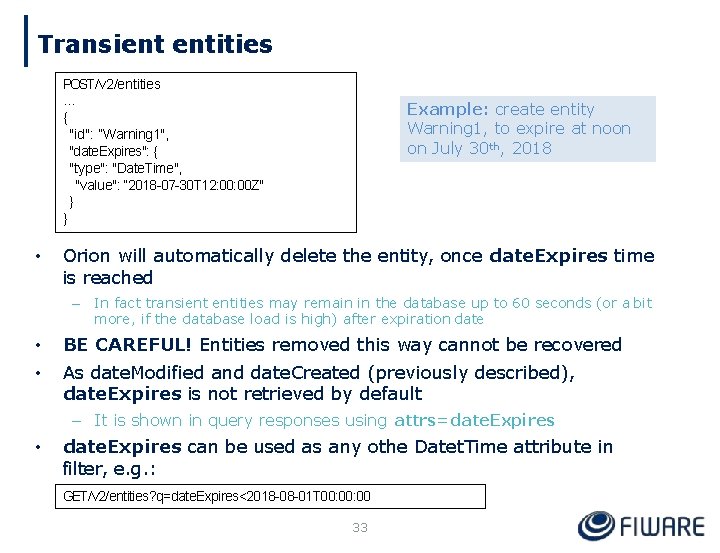
Transient entities POST /v 2/entities … { "id": “Warning 1", "date. Expires": { "type": "Date. Time", "value": “ 2018 -07 -30 T 12: 00 Z" } } • Orion will automatically delete the entity, once date. Expires time is reached – • • Example: create entity Warning 1, to expire at noon on July 30 th, 2018 In fact transient entities may remain in the database up to 60 seconds (or a bit more, if the database load is high) after expiration date BE CAREFUL! Entities removed this way cannot be recovered As date. Modified and date. Created (previously described), date. Expires is not retrieved by default – It is shown in query responses using attrs=date. Expires • date. Expires can be used as any othe Datet. Time attribute in filter, e. g. : GET /v 2/entities? q=date. Expires<2018 -08 -01 T 00: 00 33
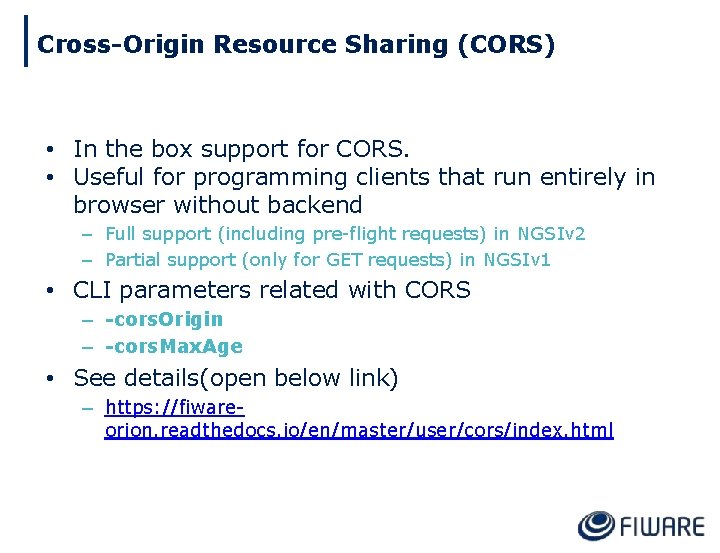
Cross-Origin Resource Sharing (CORS) • In the box support for CORS. • Useful for programming clients that run entirely in browser without backend – Full support (including pre-flight requests) in NGSIv 2 – Partial support (only for GET requests) in NGSIv 1 • CLI parameters related with CORS – -cors. Origin – -cors. Max. Age • See details(open below link) – https: //fiwareorion. readthedocs. io/en/master/user/cors/index. html
More Topics 1. 2. 3. Forbidden Characters https: //fiware-orion. readthedocs. io/en/latest/user/forbidden_characters/ What happens in database ? (Demo) Visualization using google maps (Demo)
Would you like to know more? • The easy way – – – • This presentation, available at https: //github. com/telefonicaid/fiwareorion#introductory-presentations Orion User Manual: google for “Orion FIWARE manual” and use the first hit Orion Catalogue page: google for “Orion FIWARE catalogue” and use the first hit References – NGSIv 2 Specification • • http: //fiware. github. io/specifications/ngsiv 2/stable http: //fiware. github. io/specifications/ngsiv 2/latest • http: //bit. ly/ngsiv 2 -vs-ngsiv 1 • http: //www. slideshare. net/fermingalan/fiware-managing-context-information-at-largescale – NGSIv 2 for NGSIv 1 developers – This presentation – Orion Catalogue: • http: //catalogue. fiware. org/enablers/publishsubscribe-context-broker-orion-contextbroker – Orion support trhough Stack. Overflow • • Ask your questions using the “fiware-orion” tag Look for existing questions at http: //stackoverflow. com/questions/tagged/fiware-orion 36
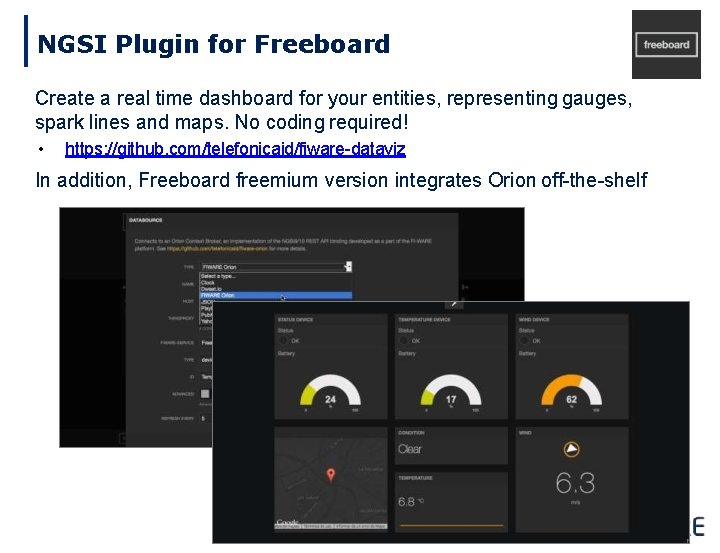
NGSI Plugin for Freeboard Create a real time dashboard for your entities, representing gauges, spark lines and maps. No coding required! • https: //github. com/telefonicaid/fiware-dataviz In addition, Freeboard freemium version integrates Orion off-the-shelf 46
Would you like to know more? • The easy way – – – • This presentation, available at https: //github. com/telefonicaid/fiwareorion#introductory-presentations Orion User Manual: google for “Orion FIWARE manual” and use the first hit Orion Catalogue page: google for “Orion FIWARE catalogue” and use the first hit References – Context. Broker Presentation : https: //edu. fiware. org/pluginfile. php/9508/mod_resource/content/1/Ori on%20 Context%20 Broker%20 Basic%20. pdf https: //www. slideshare. net/fermingalan/orion-context-broker-1150 – NGSIv 2 Specification • • http: //fiware. github. io/specifications/ngsiv 2/stable http: //fiware. github. io/specifications/ngsiv 2/latest • http: //bit. ly/ngsiv 2 -vs-ngsiv 1 • http: //www. slideshare. net/fermingalan/fiware-managing-context-information-at-largescale – NGSIv 2 for NGSIv 1 developers – This presentation – Orion Catalogue: • http: //catalogue. fiware. org/enablers/publishsubscribe-context-broker-orion-contextbroker 47 – Orion support trhough Stack. Overflow
Thank you! http: //fiware. org Follow @FIWARE on Twitter
- Slides: 39