
Organizing Work for more Effective Communications Nick Campanis
![20 • Enter the alternate WBS • Remembering our manners, [Ladies First], we assign](https://slidetodoc.com/presentation_image_h2/475838ff1e28317653a2a48b1f28458f/image-20.jpg "20 • Enter the alternate WBS • Remembering our manners, [Ladies First], we assign")
- Slides: 23
Organizing Work for more Effective Communications Nick Campanis Presented to MPUG – Western NY Chapter Working Session November 10, 2004 1 11/2004 – N. Campanis for MPUG Western NY Chapter Working Session
Presentation Outline • Scope • Work Breakdown Structure • The Problem • Demo – Outline Code & Group features in MS Project • Summary 2 11/2004 – N. Campanis for MPUG Western NY Chapter Working Session
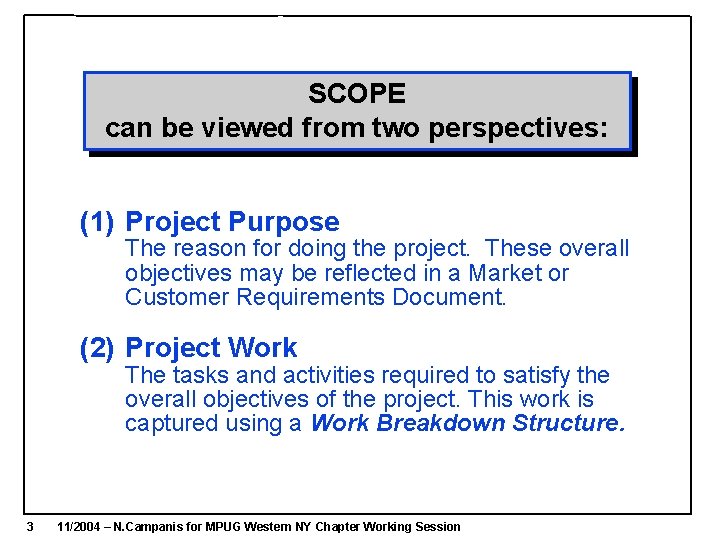
SCOPE can be viewed from two perspectives: (1) Project Purpose The reason for doing the project. These overall objectives may be reflected in a Market or Customer Requirements Document. (2) Project Work The tasks and activities required to satisfy the overall objectives of the project. This work is captured using a Work Breakdown Structure. 3 11/2004 – N. Campanis for MPUG Western NY Chapter Working Session
Work Breakdown Structure Definition: The Work Breakdown Structure (WBS) is an illustration that organizes and defines the work required to execute a project. Each descending level of the WBS represents increasingly detailed definition of an element of work. 4 11/2004 – N. Campanis for MPUG Western NY Chapter Working Session
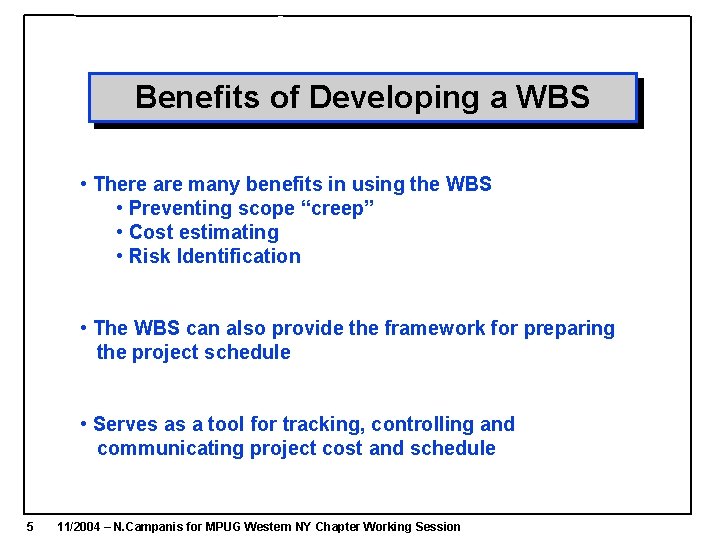
Benefits of Developing a WBS • There are many benefits in using the WBS • Preventing scope “creep” • Cost estimating • Risk Identification • The WBS can also provide the framework for preparing the project schedule • Serves as a tool for tracking, controlling and communicating project cost and schedule 5 11/2004 – N. Campanis for MPUG Western NY Chapter Working Session
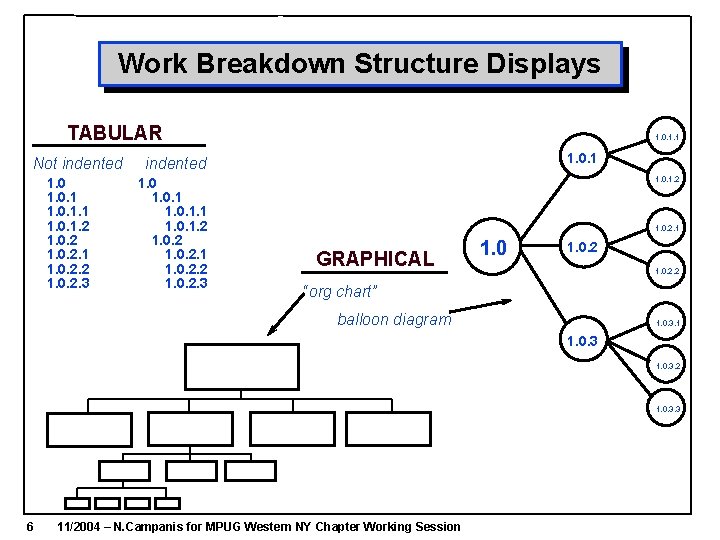
Work Breakdown Structure Displays TABULAR Not indented 1. 0. 1. 2 1. 0. 2. 1 1. 0. 2. 2 1. 0. 2. 3 1. 0. 1. 1 1. 0. 1 indented 1. 0. 1. 2 1. 0. 2. 1 1. 0. 2. 2 1. 0. 2. 3 1. 0. 1. 2 1. 0. 2. 1 GRAPHICAL 1. 0. 2. 2 “org chart” balloon diagram 1. 0. 3. 1 1. 0. 3. 2 1. 0. 3. 3 6 11/2004 – N. Campanis for MPUG Western NY Chapter Working Session
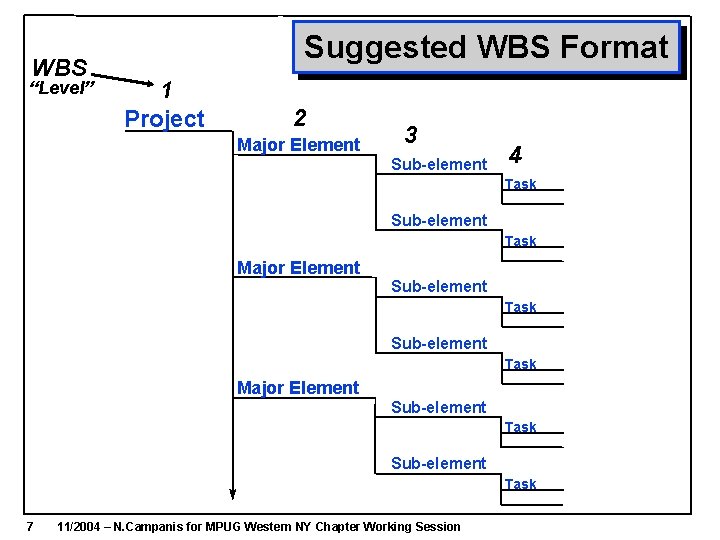
WBS “Level” Suggested WBS Format 1 Project 2 Major Element 3 Sub-element 4 Task Sub-element Task Major Element Sub-element Task 7 11/2004 – N. Campanis for MPUG Western NY Chapter Working Session
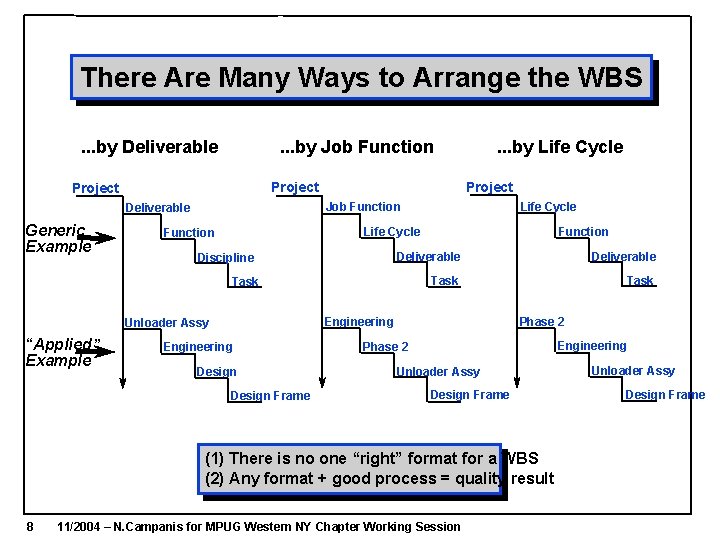
There Are Many Ways to Arrange the WBS. . . by Deliverable . . . by Job Function Life Cycle Function Discipline Deliverable Task Phase 2 Engineering Unloader Assy “Applied” Example Life Cycle Job Function Deliverable Generic Example Project . . . by Life Cycle Engineering Design Frame Engineering Phase 2 Unloader Assy Design Frame (1) There is no one “right” format for a WBS (2) Any format + good process = quality result 8 11/2004 – N. Campanis for MPUG Western NY Chapter Working Session Unloader Assy Design Frame
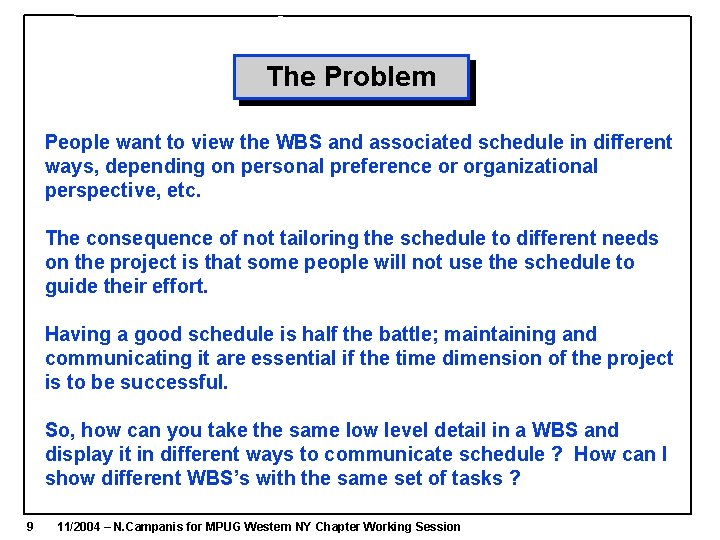
The Problem People want to view the WBS and associated schedule in different ways, depending on personal preference or organizational perspective, etc. The consequence of not tailoring the schedule to different needs on the project is that some people will not use the schedule to guide their effort. Having a good schedule is half the battle; maintaining and communicating it are essential if the time dimension of the project is to be successful. So, how can you take the same low level detail in a WBS and display it in different ways to communicate schedule ? How can I show different WBS’s with the same set of tasks ? 9 11/2004 – N. Campanis for MPUG Western NY Chapter Working Session
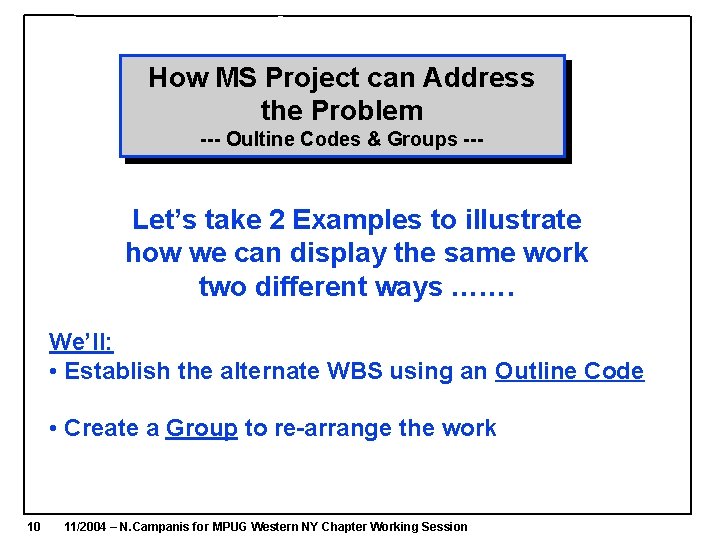
How MS Project can Address the Problem --- Oultine Codes & Groups --- Let’s take 2 Examples to illustrate how we can display the same work two different ways ……. We’ll: • Establish the alternate WBS using an Outline Code • Create a Group to re-arrange the work 10 11/2004 – N. Campanis for MPUG Western NY Chapter Working Session
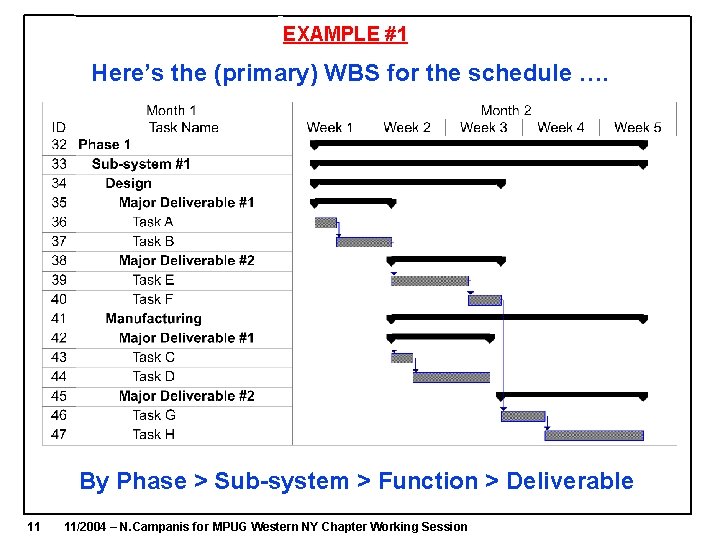
EXAMPLE #1 Here’s the (primary) WBS for the schedule …. By Phase > Sub-system > Function > Deliverable 11 11/2004 – N. Campanis for MPUG Western NY Chapter Working Session
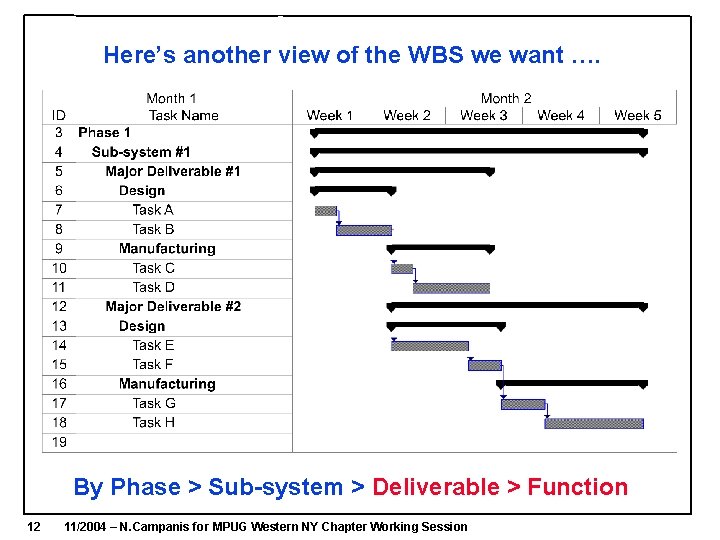
Here’s another view of the WBS we want …. By Phase > Sub-system > Deliverable > Function 12 11/2004 – N. Campanis for MPUG Western NY Chapter Working Session
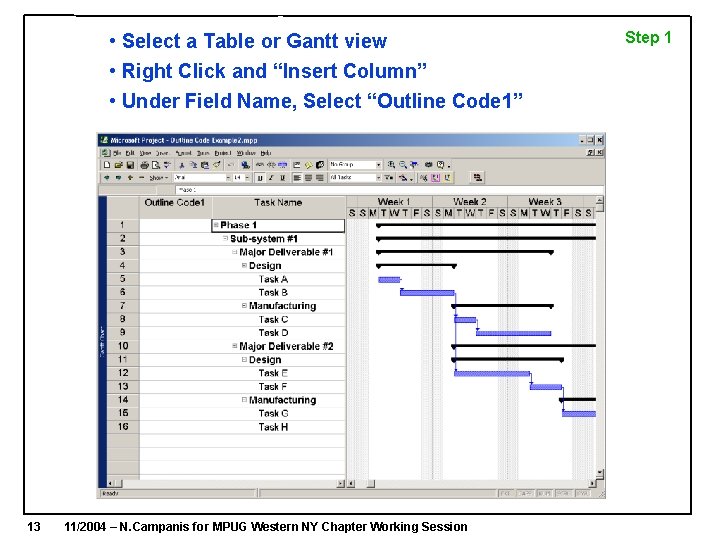
• Select a Table or Gantt view • Right Click and “Insert Column” • Under Field Name, Select “Outline Code 1” 13 11/2004 – N. Campanis for MPUG Western NY Chapter Working Session Step 1
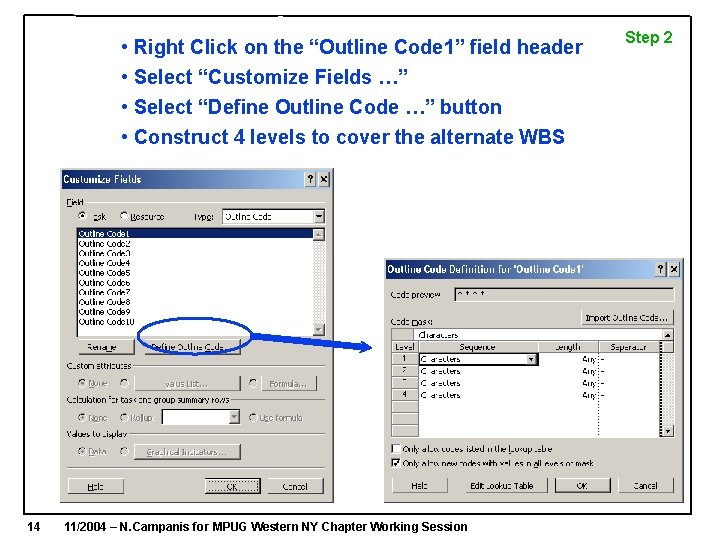
• Right Click on the “Outline Code 1” field header • Select “Customize Fields …” • Select “Define Outline Code …” button • Construct 4 levels to cover the alternate WBS 14 11/2004 – N. Campanis for MPUG Western NY Chapter Working Session Step 2
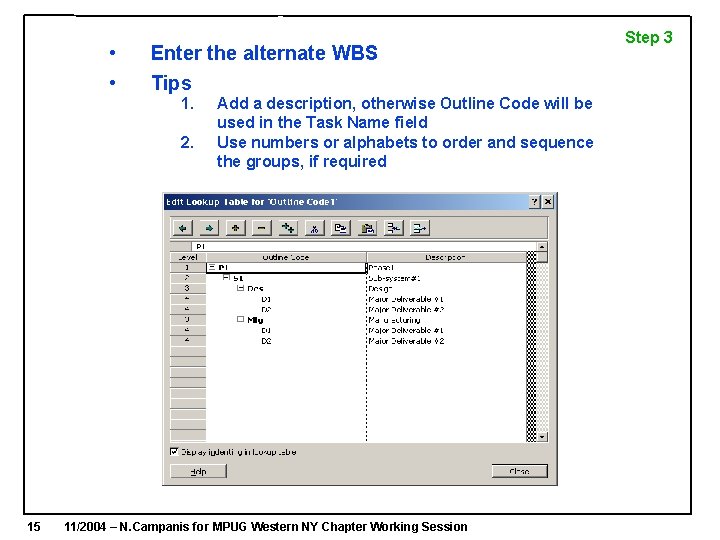
• • Enter the alternate WBS Tips 1. 2. 15 Add a description, otherwise Outline Code will be used in the Task Name field Use numbers or alphabets to order and sequence the groups, if required 11/2004 – N. Campanis for MPUG Western NY Chapter Working Session Step 3
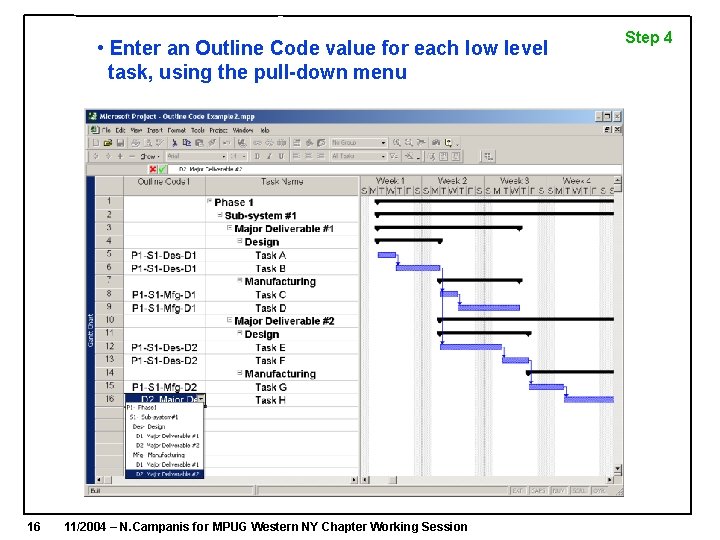
• Enter an Outline Code value for each low level task, using the pull-down menu 16 11/2004 – N. Campanis for MPUG Western NY Chapter Working Session Step 4
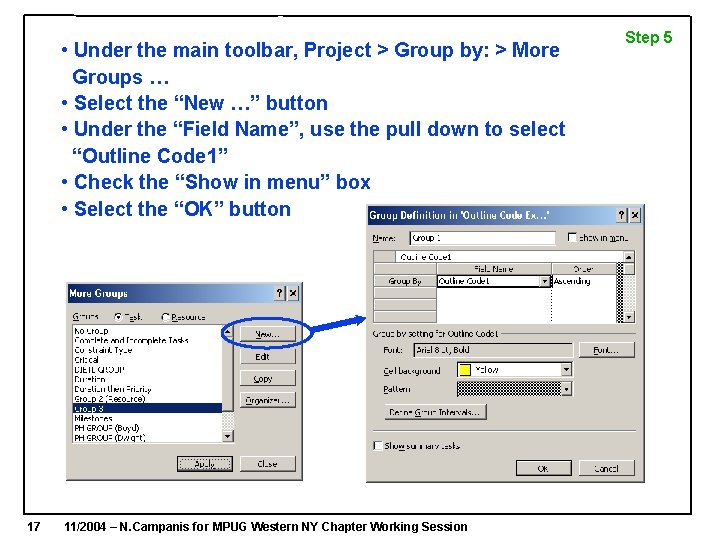
• Under the main toolbar, Project > Group by: > More Groups … • Select the “New …” button • Under the “Field Name”, use the pull down to select “Outline Code 1” • Check the “Show in menu” box • Select the “OK” button 17 11/2004 – N. Campanis for MPUG Western NY Chapter Working Session Step 5
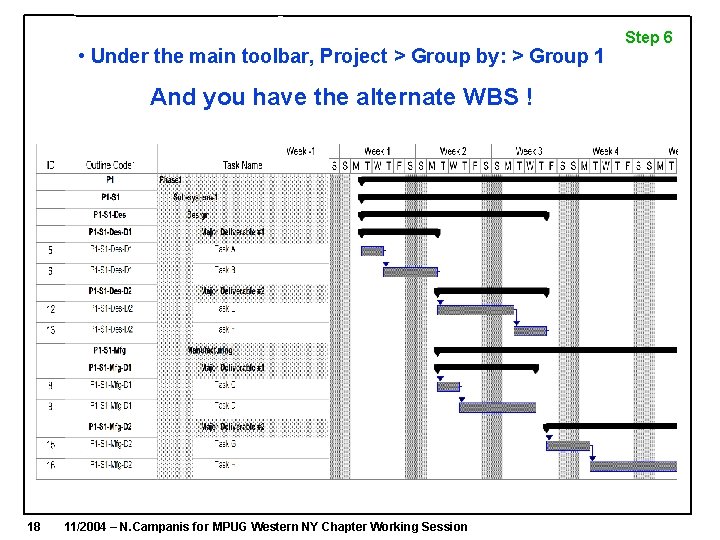
• Under the main toolbar, Project > Group by: > Group 1 And you have the alternate WBS ! 18 11/2004 – N. Campanis for MPUG Western NY Chapter Working Session Step 6
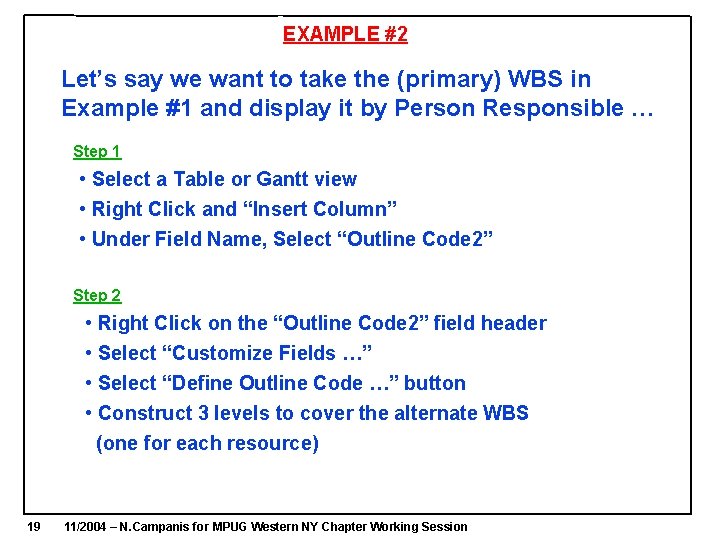
EXAMPLE #2 Let’s say we want to take the (primary) WBS in Example #1 and display it by Person Responsible … Step 1 • Select a Table or Gantt view • Right Click and “Insert Column” • Under Field Name, Select “Outline Code 2” Step 2 • Right Click on the “Outline Code 2” field header • Select “Customize Fields …” • Select “Define Outline Code …” button • Construct 3 levels to cover the alternate WBS (one for each resource) 19 11/2004 – N. Campanis for MPUG Western NY Chapter Working Session
20 • Enter the alternate WBS • Remembering our manners, [Ladies First], we assign a number in front of each name to sequence the resources 11/2004 – N. Campanis for MPUG Western NY Chapter Working Session Step 3
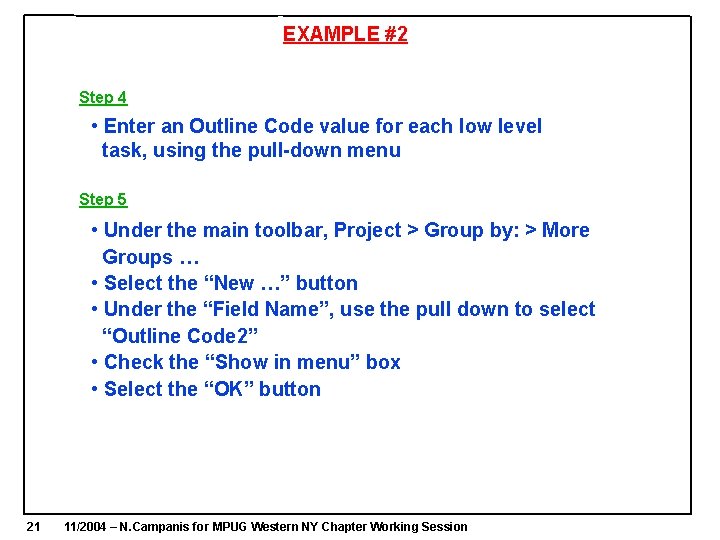
EXAMPLE #2 Step 4 • Enter an Outline Code value for each low level task, using the pull-down menu Step 5 • Under the main toolbar, Project > Group by: > More Groups … • Select the “New …” button • Under the “Field Name”, use the pull down to select “Outline Code 2” • Check the “Show in menu” box • Select the “OK” button 21 11/2004 – N. Campanis for MPUG Western NY Chapter Working Session
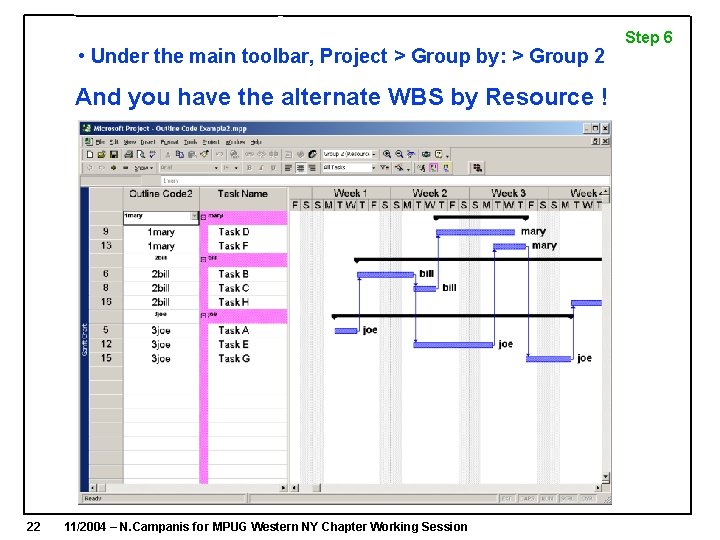
• Under the main toolbar, Project > Group by: > Group 2 And you have the alternate WBS by Resource ! 22 11/2004 – N. Campanis for MPUG Western NY Chapter Working Session Step 6
Summary • People CAN Have their Cake AND Eat it Too !! • Using Outline Codes provides for Flexible WBS’s which, in turn, enhances the likelihood that more people will view and use the schedule, improving schedule performance. 23 11/2004 – N. Campanis for MPUG Western NY Chapter Working Session