
Oregon Statewide Assessment System Session 4 Interim Assessment
- Slides: 35
Oregon Statewide Assessment System Session 4 – Interim Assessment Administration: Guidance and Support Office of Teaching, Learning, and Assessment
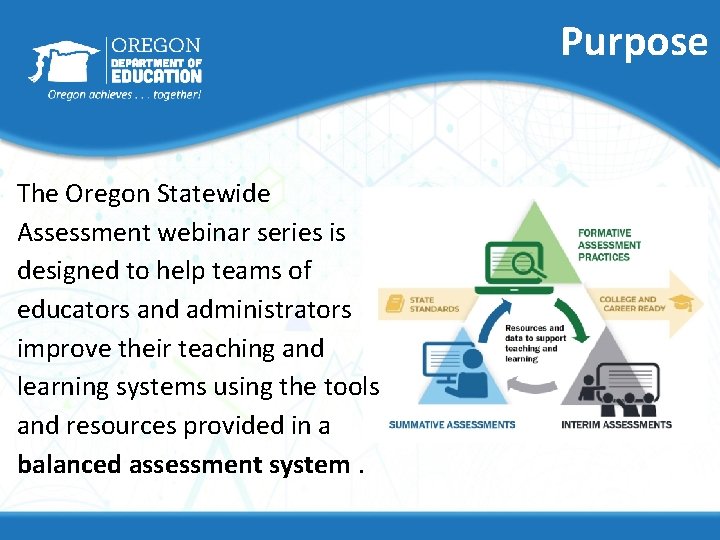
Purpose The Oregon Statewide Assessment webinar series is designed to help teams of educators and administrators improve their teaching and learning systems using the tools and resources provided in a balanced assessment system.
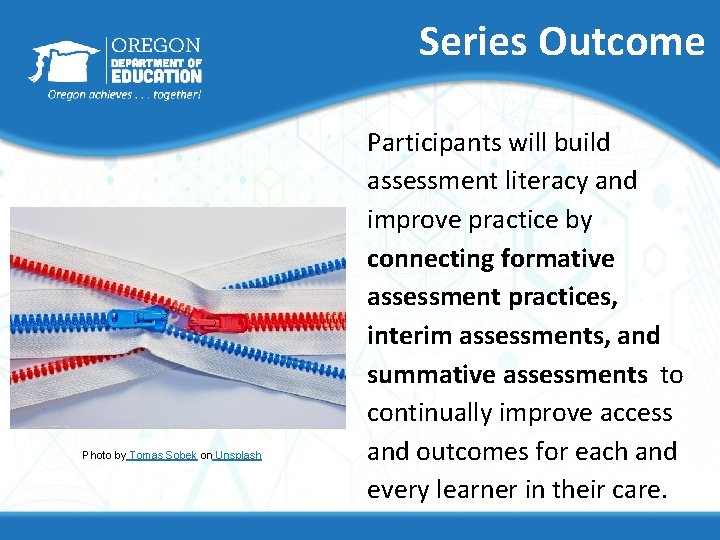
Series Outcome Photo by Tomas Sobek on Unsplash Participants will build assessment literacy and improve practice by connecting formative assessment practices, interim assessments, and summative assessments to continually improve access and outcomes for each and every learner in their care.
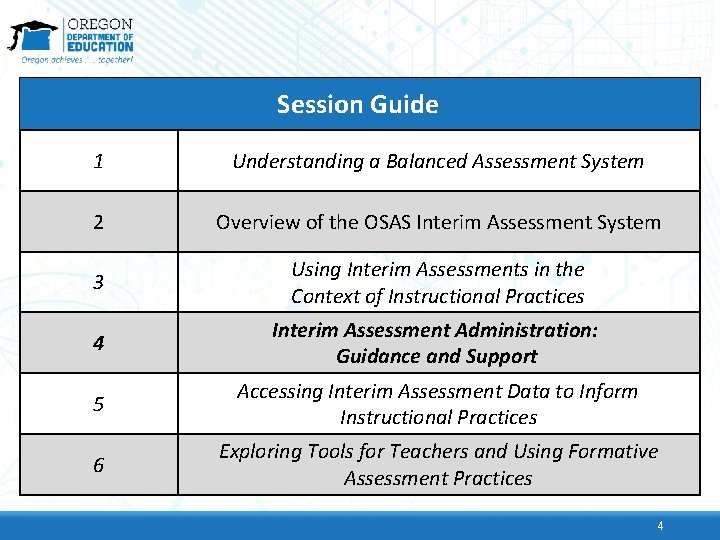
Session Guide 1 Understanding a Balanced Assessment System 2 Overview of the OSAS Interim Assessment System 3 Using Interim Assessments in the Context of Instructional Practices 4 Interim Assessment Administration: Guidance and Support 5 Accessing Interim Assessment Data to Inform Instructional Practices 6 Exploring Tools for Teachers and Using Formative Assessment Practices 4
Session Objectives By the end of this session, educators will be able to: • Review the training requirements and test security required for administering the interim assessments. • Identify the resources available for both in-person and remote administration. • Navigate the OSAS Portal to identify, select, and administer the interim assessments. • Investigate how the Assessment Viewing Application can be used to better select the right interim assessment.
Interim Assessment Training Requirements
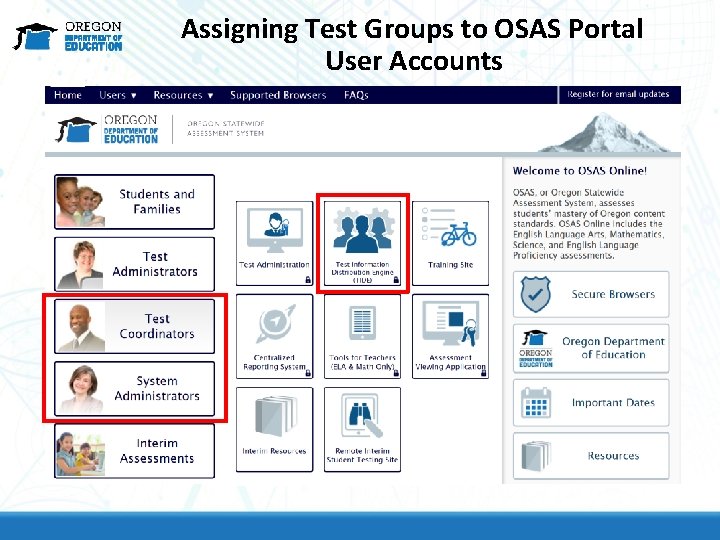
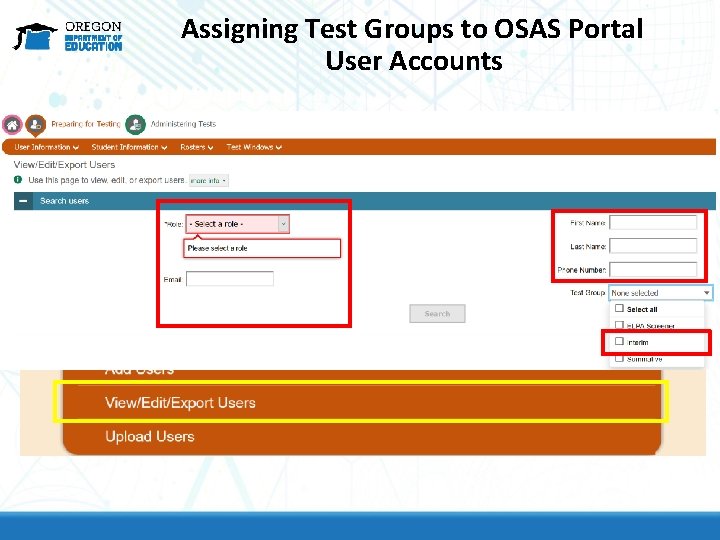
Interim Training Requirements • DTCs or STCs will need to apply the “Interim” Test Group to each user that will administer the interim assessments. The decision to allow access to the Interim Assessment System is determined by the educators’ district. • Users will not be able to administer the interim assessments if the Test Group permission is not assigned to their TA user account.
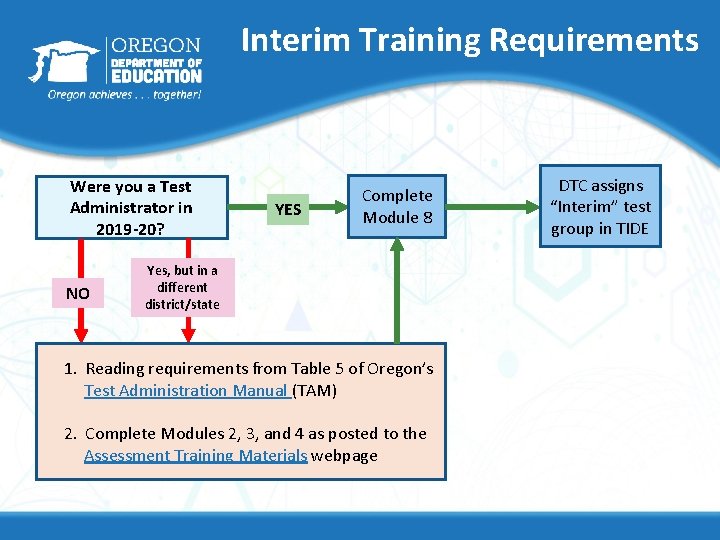
Interim Training Requirements Were you a Test Administrator in 2019 -20? NO YES Complete Module 8 Yes, but in a different district/state 1. Reading requirements from Table 5 of Oregon’s Test Administration Manual (TAM) 2. Complete Modules 2, 3, and 4 as posted to the Assessment Training Materials webpage DTC assigns “Interim” test group in TIDE
Remote Administration Features and Interim Assessment Test Security Remote administration option for ELA, Mathematics, and Science
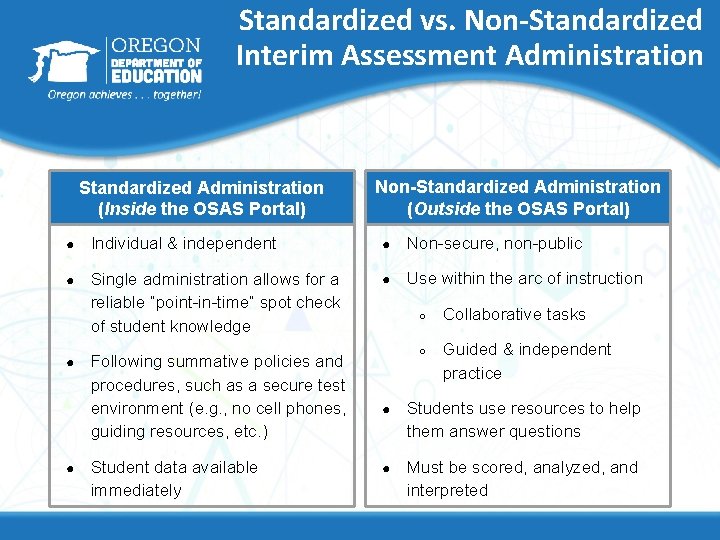
Standardized vs. Non-Standardized Interim Assessment Administration Standardized Administration (Inside the OSAS Portal) Non-Standardized Administration (Outside the OSAS Portal) ● Individual & independent ● Non-secure, non-public ● Single administration allows for a reliable “point-in-time” spot check of student knowledge ● Use within the arc of instruction ● ● Following summative policies and procedures, such as a secure test environment (e. g. , no cell phones, guiding resources, etc. ) Student data available immediately ○ Collaborative tasks ○ Guided & independent practice ● Students use resources to help them answer questions ● Must be scored, analyzed, and interpreted
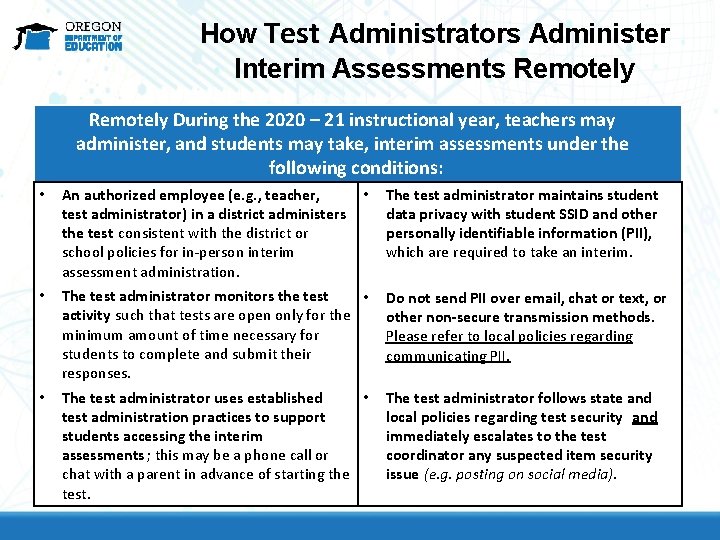
How Test Administrators Administer Interim Assessments Remotely During the 2020 – 21 instructional year, teachers may administer, and students may take, interim assessments under the following conditions: • An authorized employee (e. g. , teacher, test administrator) in a district administers the test consistent with the district or school policies for in-person interim assessment administration. • The test administrator monitors the test • activity such that tests are open only for the minimum amount of time necessary for students to complete and submit their responses. Do not send PII over email, chat or text, or other non-secure transmission methods. Please refer to local policies regarding communicating PII. • The test administrator uses established • test administration practices to support students accessing the interim assessments ; this may be a phone call or chat with a parent in advance of starting the test. The test administrator follows state and local policies regarding test security and immediately escalates to the test coordinator any suspected item security issue (e. g. posting on social media). • The test administrator maintains student data privacy with student SSID and other personally identifiable information (PII), which are required to take an interim.
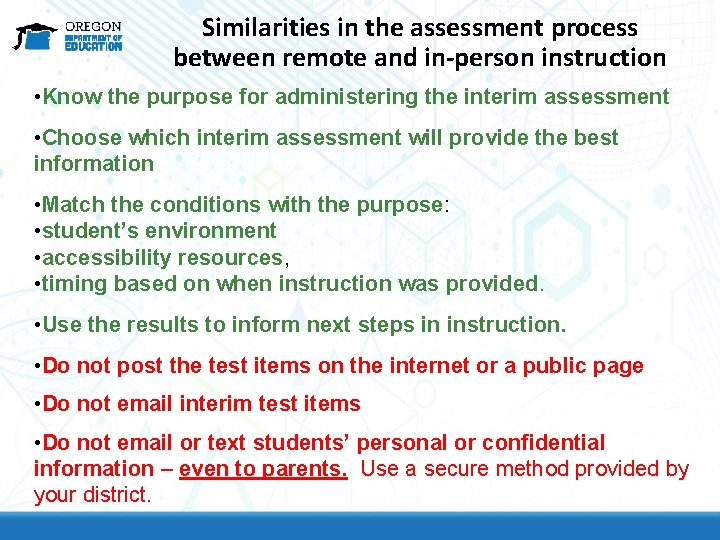
Similarities in the assessment process between remote and in-person instruction • Know the purpose for administering the interim assessment • Choose which interim assessment will provide the best information • Match the conditions with the purpose: • student’s environment • accessibility resources, • timing based on when instruction was provided. • Use the results to inform next steps in instruction. • Do not post the test items on the internet or a public page • Do not email interim test items • Do not email or text students’ personal or confidential information – even to parents. Use a secure method provided by your district.
In-person and Remote Administration for Students Using the OSAS Portal
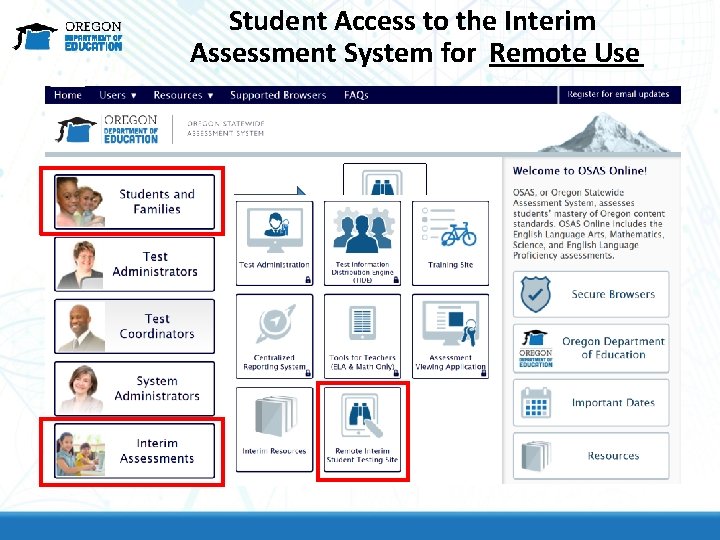
Student Access to the Interim Assessments • In-person use is one option for using either interim assessment items or interim assessments blocks including the ICAs. • However, students can also participate using the Remote Interim Assessment Testing Site. • The Remote Interim Assessment Testing Site is available on the OSAS Portal
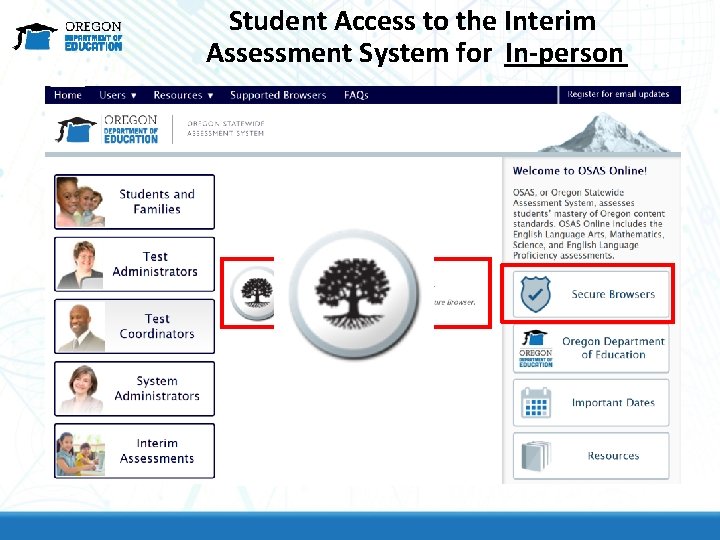
Student Access to the Interim Assessment System for In-person
Student Access to the Interim Assessment System for Remote Use
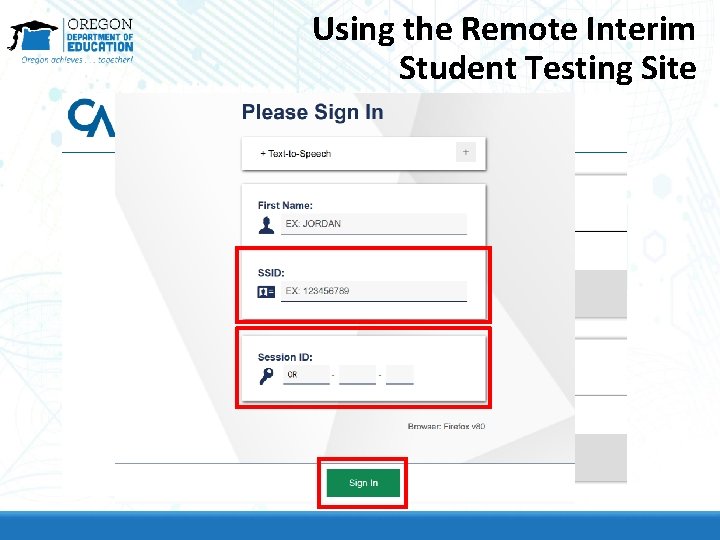
Using the Remote Interim Student Testing Site
How Educators Administer the Interim Assessments for Students Using the OSAS Portal
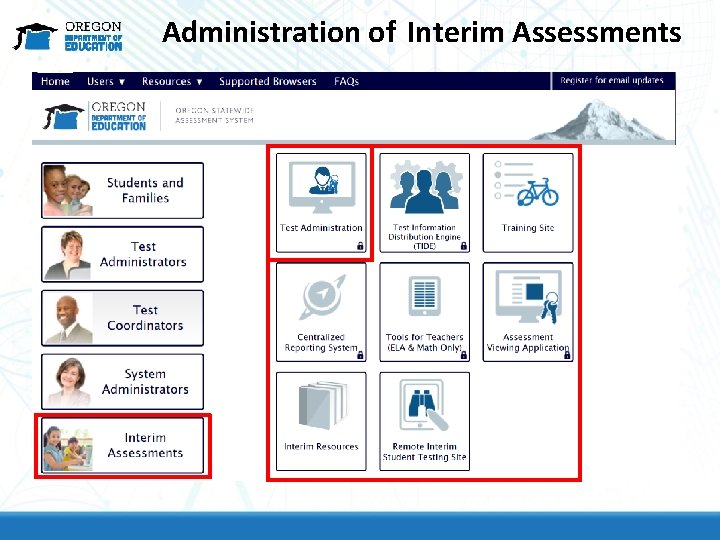
Administration of Interim Assessments
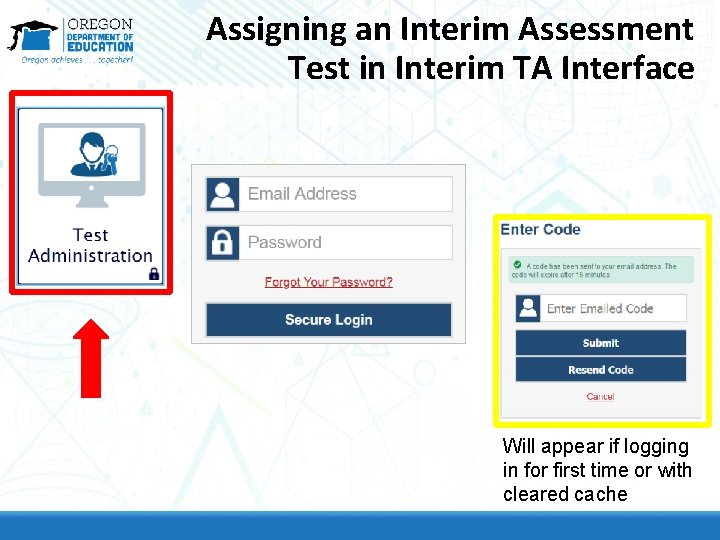
Assigning an Interim Assessment Test in Interim TA Interface Will appear if logging in for first time or with cleared cache
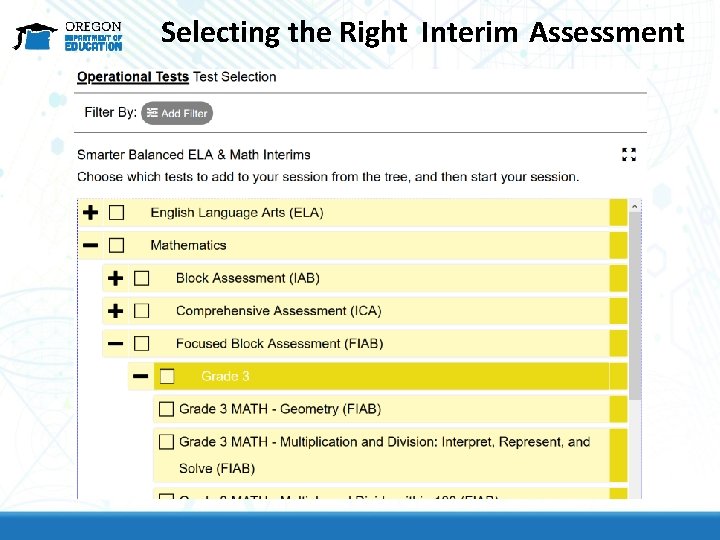
Selecting the Right Interim Assessment
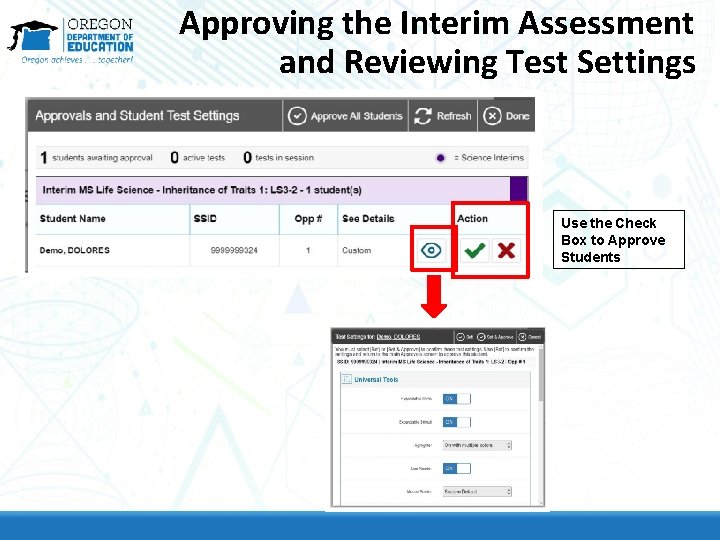
Approving the Interim Assessment and Reviewing Test Settings Use the Check Box to Approve Students
Previewing Interim Assessments or Interim Assessment Items Using the Assessment Viewing Application (AVA)
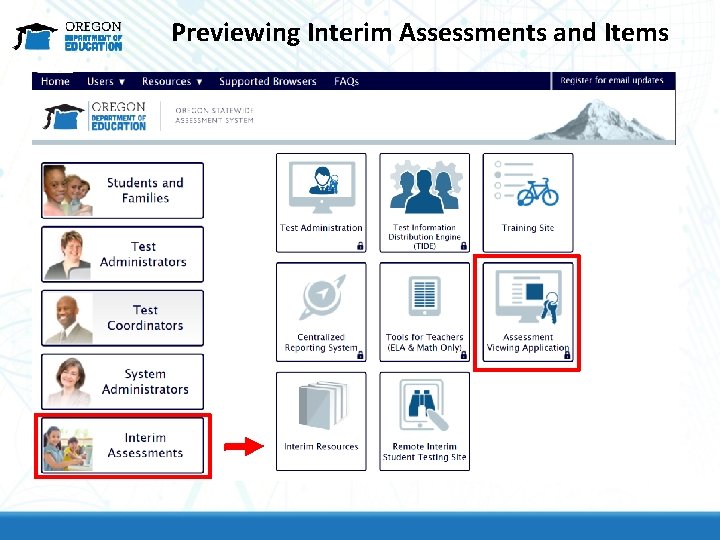
Previewing Interim Assessments and Items
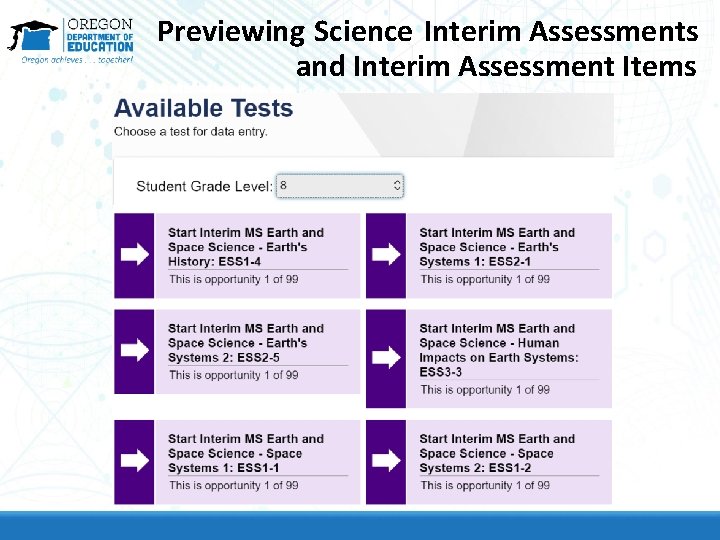
Previewing Science Interim Assessments and Interim Assessment Items
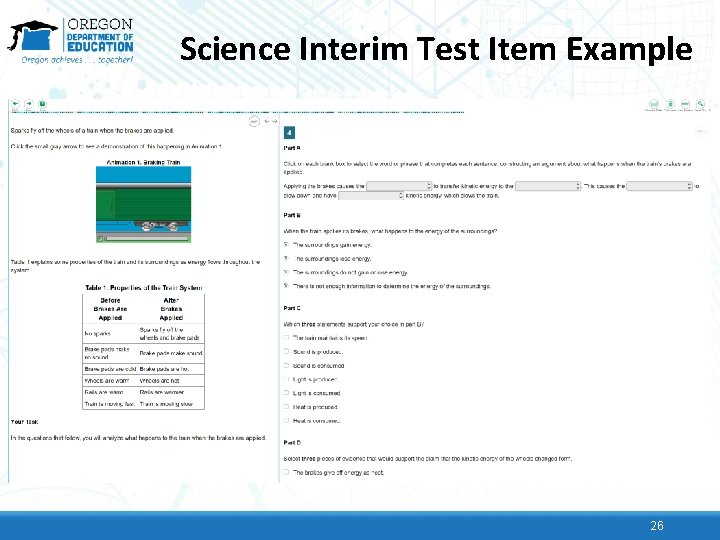
Science Interim Test Item Example 26
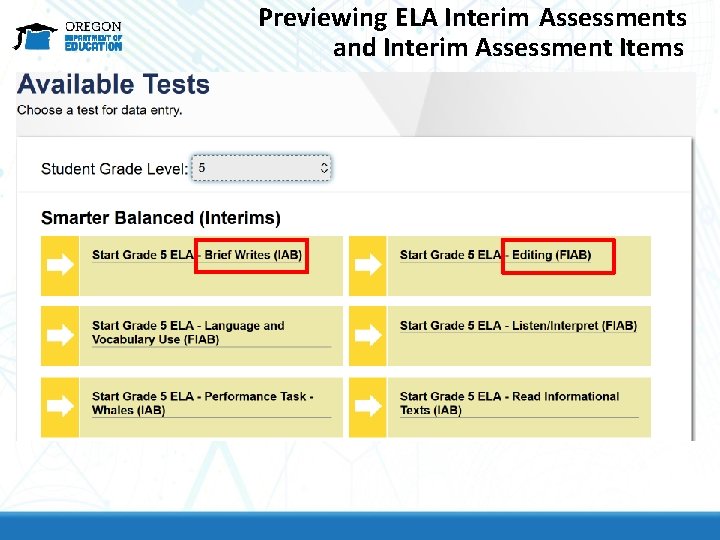
Previewing ELA Interim Assessments and Interim Assessment Items
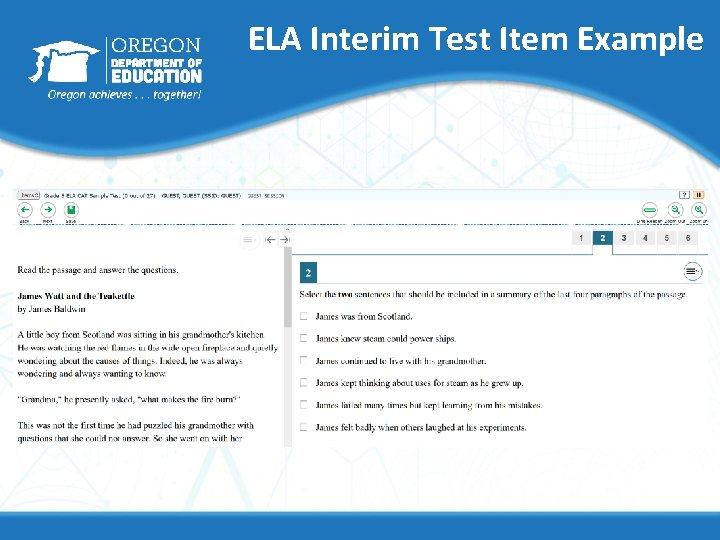
ELA Interim Test Item Example
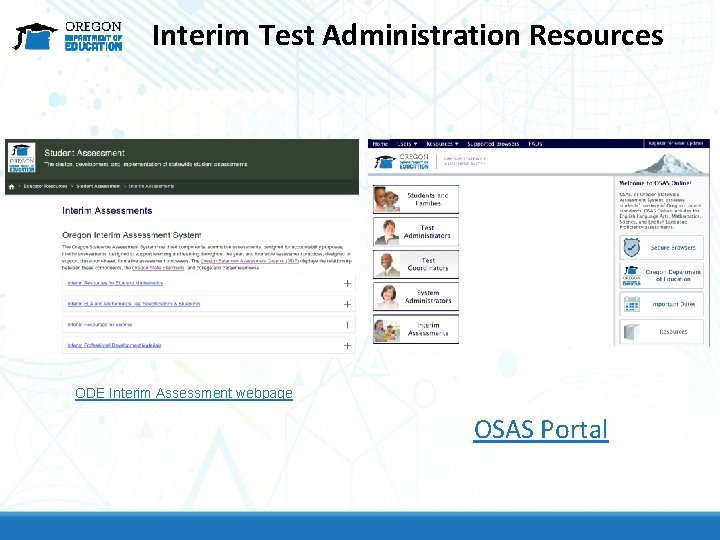
Interim Test Administration Resources ODE Interim Assessment webpage OSAS Portal
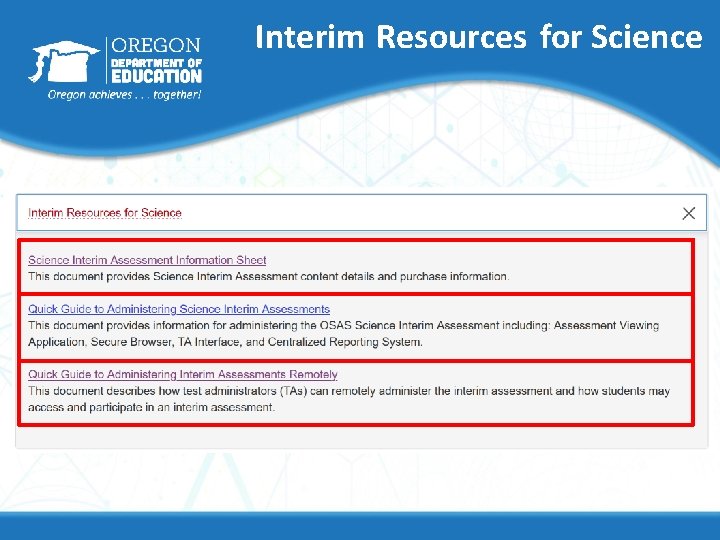
Interim Resources for Science
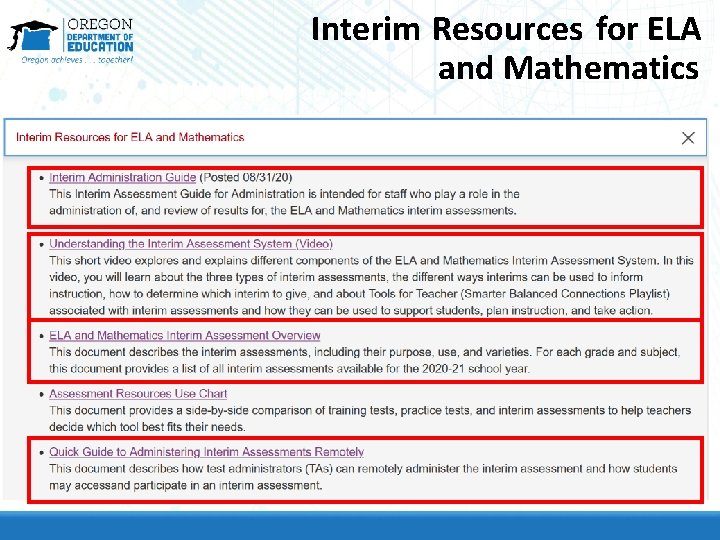
Interim Resources for ELA and Mathematics
How DTCs Assign Test Groups for Educators in TIDE Using OSAS Portal and TIDE
Assigning Test Groups to OSAS Portal User Accounts
Assigning Test Groups to OSAS Portal User Accounts
Contact Us! www. oregon. gov/ode Dan Farley: Director of Assessment Noelle Gorbett : Science Assessment Andrew Byerley: Mathematics Assessment Tony Bertrand : ELA and Social Sciences Assessment Ben Wolcott: English Language Proficiency Assessment Photo by Volodymyr Hryshchenko on Unsplash