
Orange Ultimatix Employee Self Portal PPT TABLE OF

Orange Ultimatix Employee Self Portal PPT TABLE OF CONTENT. 1. 2. 3. 4. 5. 6. What is Salary and type of salary process in HRMS System Key Factors on which salary depends Discuss Some Key factors Checkpoints in which need to be checked before salary Process. How to do Approvals from admin How to Process Manual salary How to Process Monthy Salary. Type of Salaries which can be processed from HRMS Software (backdated increment, fixed salary, Daily wages salary, reverse salary, Arrears based salary) 7. How to lock salary after publish in ESS Portal 8. Reports Mail us : support@orangewebtech. com Call Us : + 91 79 49068968
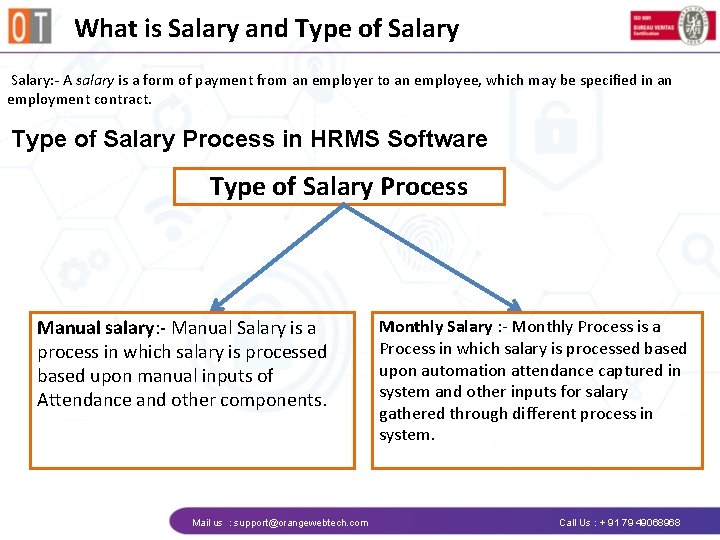
What is Salary and Type of Salary: - A salary is a form of payment from an employer to an employee, which may be specified in an employment contract. Type of Salary Process in HRMS Software Type of Salary Process Manual salary: - Manual Salary is a process in which salary is processed based upon manual inputs of Attendance and other components. Mail us : support@orangewebtech. com Monthly Salary : - Monthly Process is a Process in which salary is processed based upon automation attendance captured in system and other inputs for salary gathered through different process in system. Call Us : + 91 79 49068968
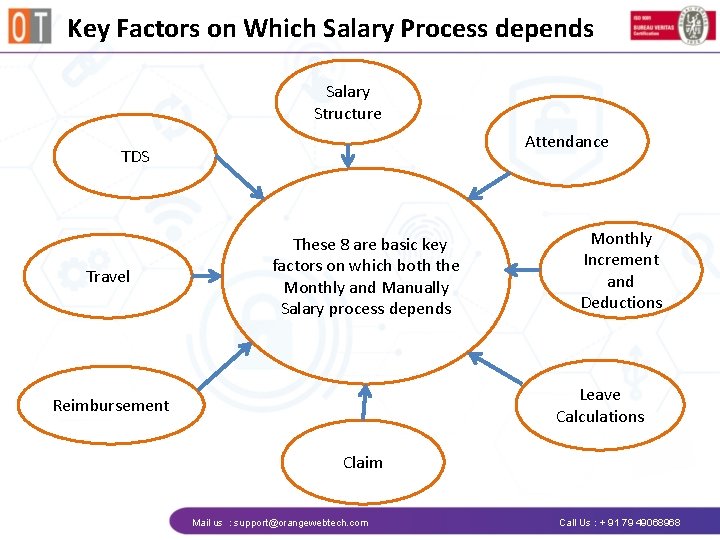
Key Factors on Which Salary Process depends Salary Structure Attendance TDS Travel These 8 are basic key factors on which both the Monthly and Manually Salary process depends Monthly Increment and Deductions Leave Calculations Reimbursement Claim Mail us : support@orangewebtech. com Call Us : + 91 79 49068968
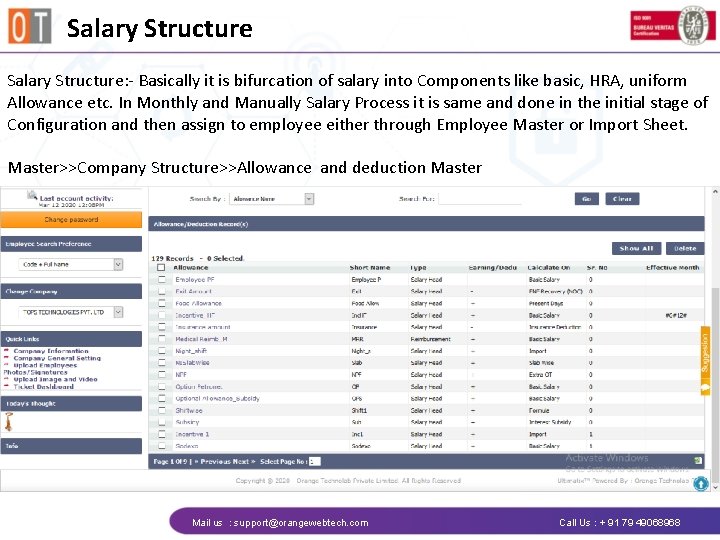
Salary Structure: - Basically it is bifurcation of salary into Components like basic, HRA, uniform Allowance etc. In Monthly and Manually Salary Process it is same and done in the initial stage of Configuration and then assign to employee either through Employee Master or Import Sheet. Master>>Company Structure>>Allowance and deduction Master Mail us : support@orangewebtech. com Call Us : + 91 79 49068968
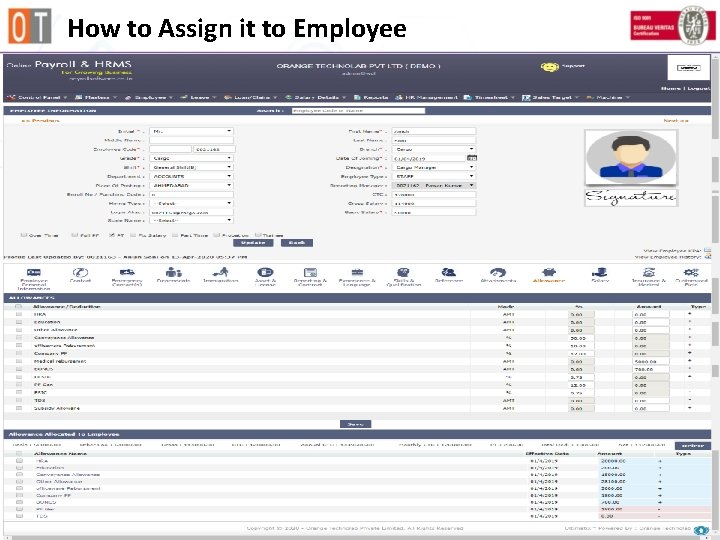
How to Assign it to Employee Mail us : support@orangewebtech. com Call Us : + 91 79 49068968
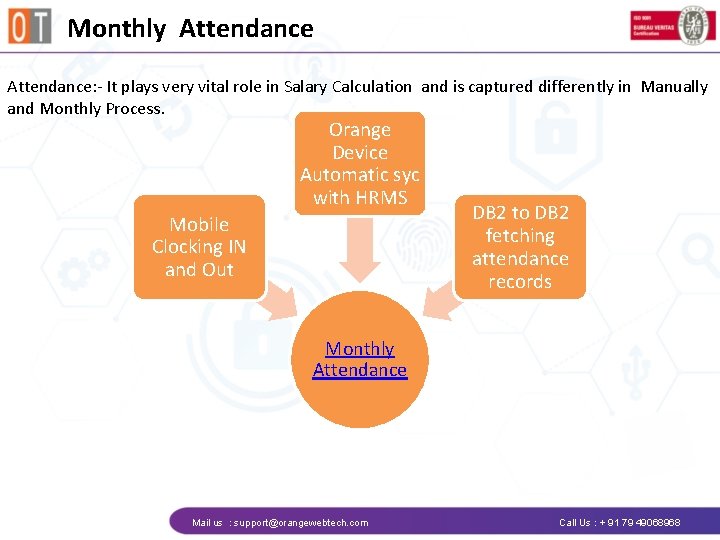
Monthly Attendance: - It plays very vital role in Salary Calculation and is captured differently in Manually and Monthly Process. Orange Device Automatic syc with HRMS Mobile Clocking IN and Out DB 2 to DB 2 fetching attendance records Monthly Attendance Mail us : support@orangewebtech. com Call Us : + 91 79 49068968
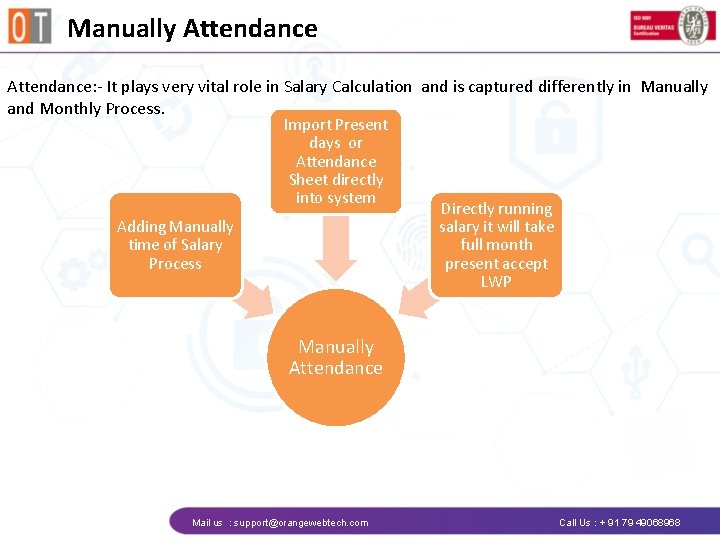
Manually Attendance: - It plays very vital role in Salary Calculation and is captured differently in Manually and Monthly Process. Import Present days or Attendance Sheet directly into system Adding Manually time of Salary Process Directly running salary it will take full month present accept LWP Manually Attendance Mail us : support@orangewebtech. com Call Us : + 91 79 49068968

Leave Calculations Leave Calculation: - It is done in HRMS Software through leave Module or Manual Leaave approval import. Both the ways details can be captured irrespective of manual and monthly salary leave Module Leave Approval Import • Leave application through ESS user and approved by Manager as per scheme. • All the approved leaves will reflect in Admin leave approval • Due to some reason details not captured in leave module then leave detail can be imported through leave import sheet • It need to be imported through Control panel>>import>>leave approval Mail us : support@orangewebtech. com Call Us : + 91 79 49068968
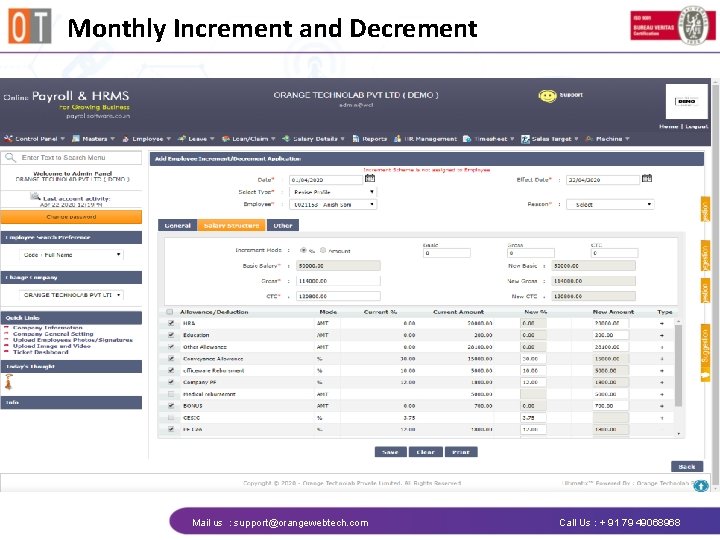
Monthly Increment and Decrement Mail us : support@orangewebtech. com Call Us : + 91 79 49068968
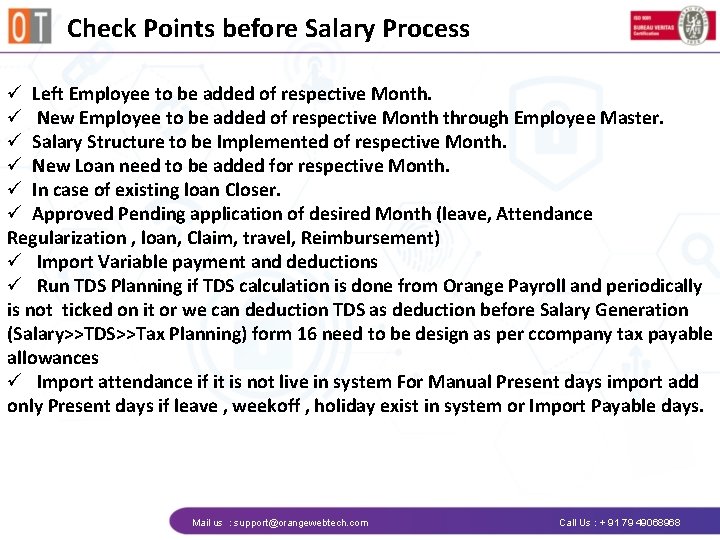
Check Points before Salary Process ü Left Employee to be added of respective Month. ü New Employee to be added of respective Month through Employee Master. ü Salary Structure to be Implemented of respective Month. ü New Loan need to be added for respective Month. ü In case of existing loan Closer. ü Approved Pending application of desired Month (leave, Attendance Regularization , loan, Claim, travel, Reimbursement) ü Import Variable payment and deductions ü Run TDS Planning if TDS calculation is done from Orange Payroll and periodically is not ticked on it or we can deduction TDS as deduction before Salary Generation (Salary>>TDS>>Tax Planning) form 16 need to be design as per ccompany tax payable allowances ü Import attendance if it is not live in system For Manual Present days import add only Present days if leave , weekoff , holiday exist in system or Import Payable days. Mail us : support@orangewebtech. com Call Us : + 91 79 49068968
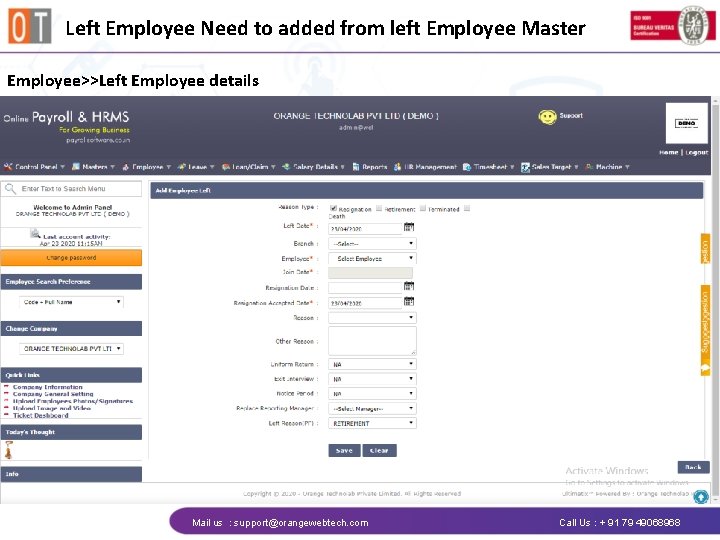
Left Employee Need to added from left Employee Master Employee>>Left Employee details Mail us : support@orangewebtech. com Call Us : + 91 79 49068968
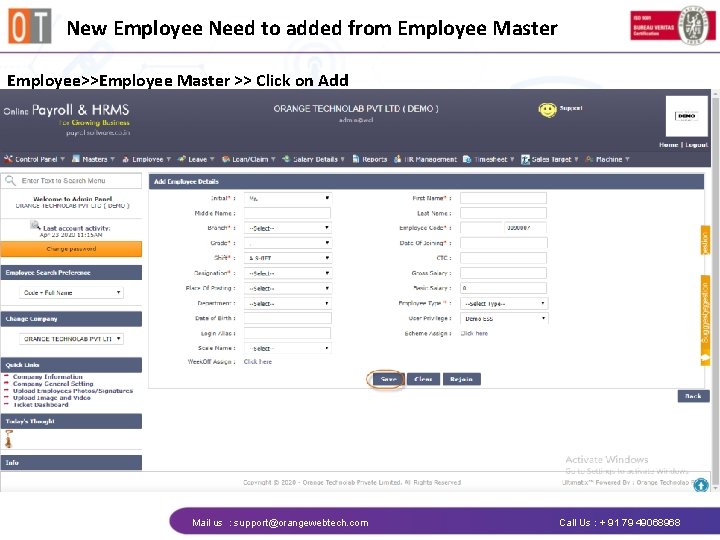
New Employee Need to added from Employee Master Employee>>Employee Master >> Click on Add Mail us : support@orangewebtech. com Call Us : + 91 79 49068968
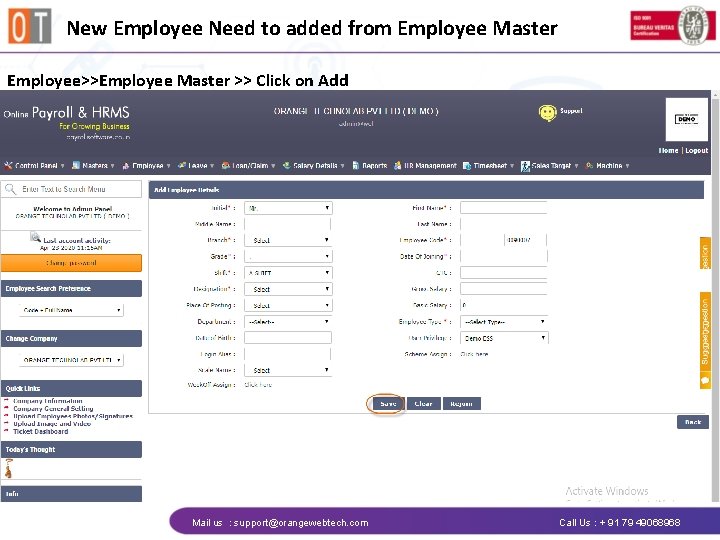
New Employee Need to added from Employee Master Employee>>Employee Master >> Click on Add Mail us : support@orangewebtech. com Call Us : + 91 79 49068968
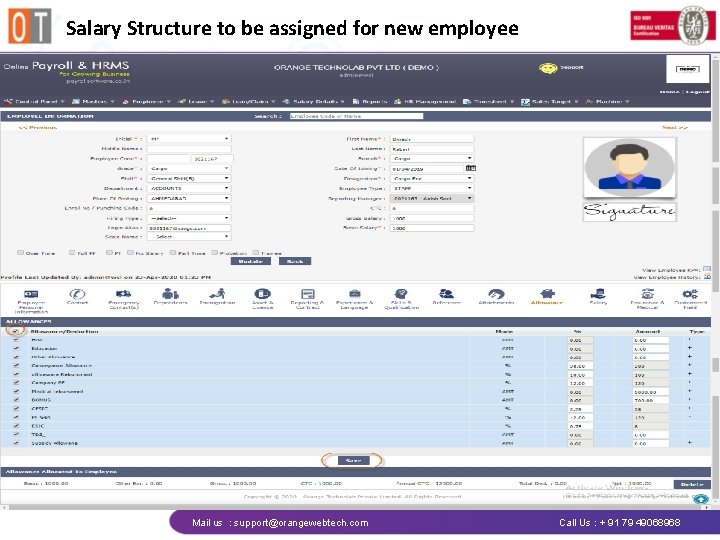
Salary Structure to be assigned for new employee Mail us : support@orangewebtech. com Call Us : + 91 79 49068968
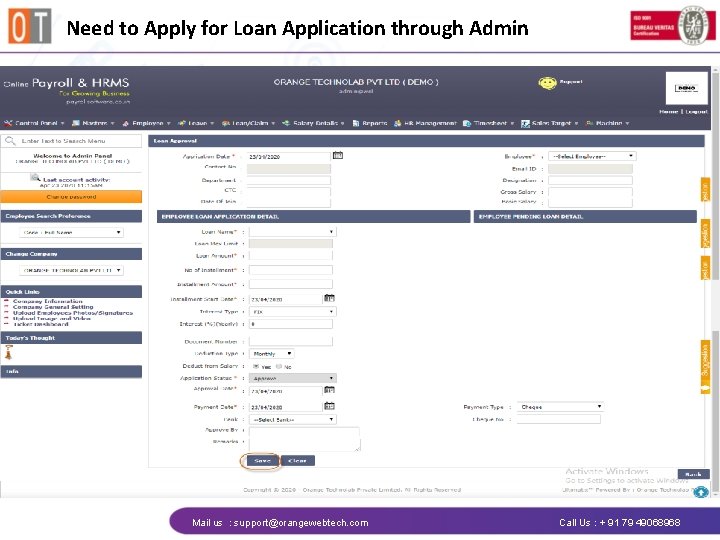
Need to Apply for Loan Application through Admin Mail us : support@orangewebtech. com Call Us : + 91 79 49068968
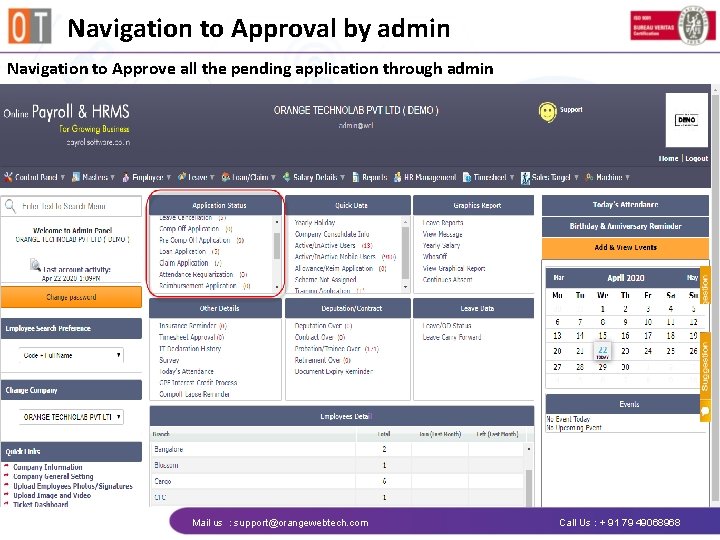
Navigation to Approval by admin Navigation to Approve all the pending application through admin Mail us : support@orangewebtech. com Call Us : + 91 79 49068968
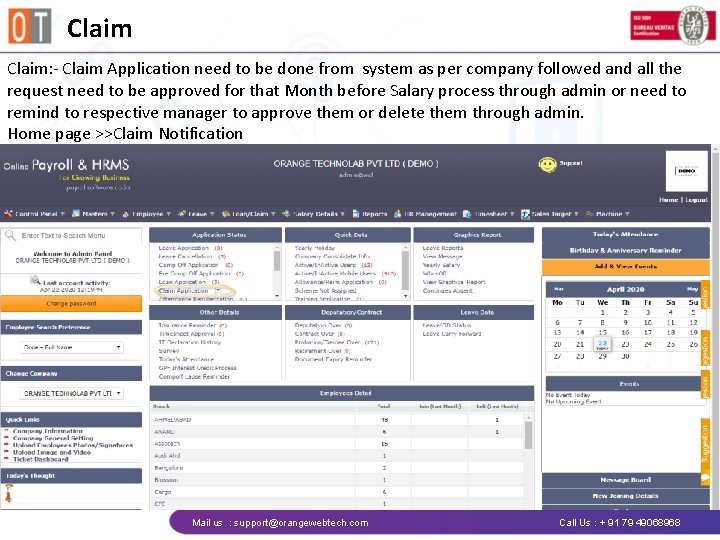
Claim: - Claim Application need to be done from system as per company followed and all the request need to be approved for that Month before Salary process through admin or need to remind to respective manager to approve them or delete them through admin. Home page >>Claim Notification Mail us : support@orangewebtech. com Call Us : + 91 79 49068968
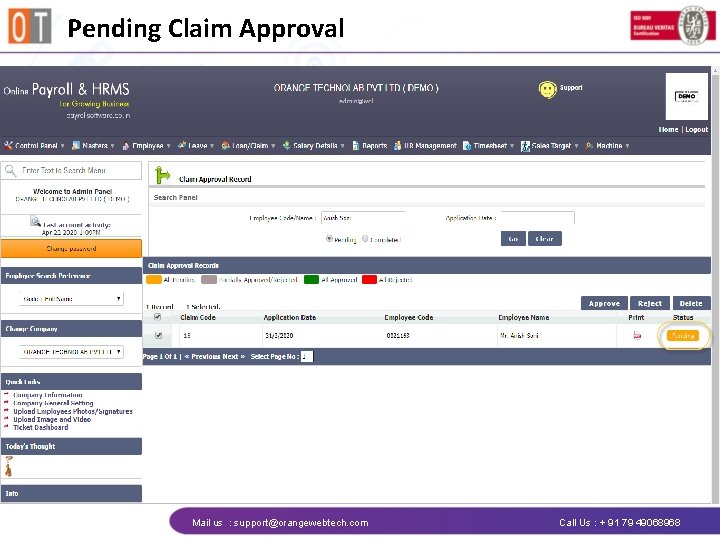
Pending Claim Approval Mail us : support@orangewebtech. com Call Us : + 91 79 49068968
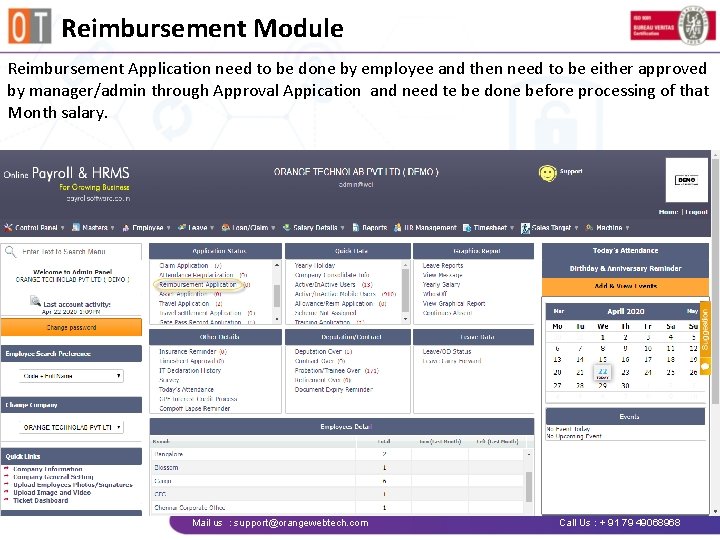
Reimbursement Module Reimbursement Application need to be done by employee and then need to be either approved by manager/admin through Approval Appication and need te be done before processing of that Month salary. Mail us : support@orangewebtech. com Call Us : + 91 79 49068968
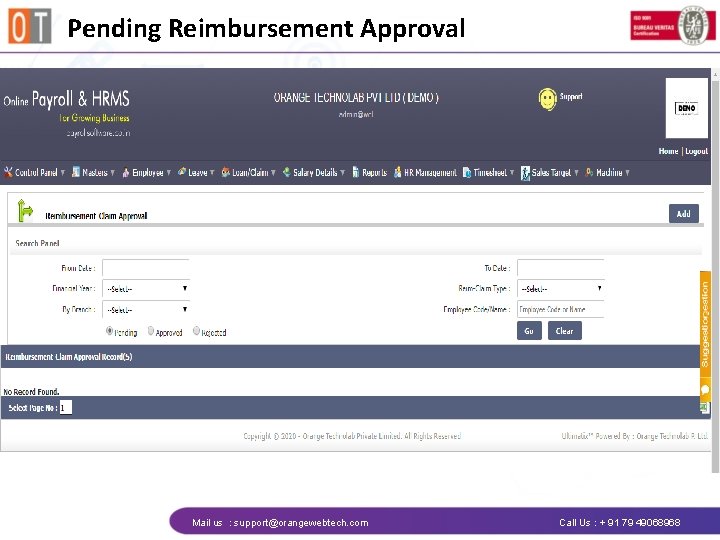
Pending Reimbursement Approval Mail us : support@orangewebtech. com Call Us : + 91 79 49068968
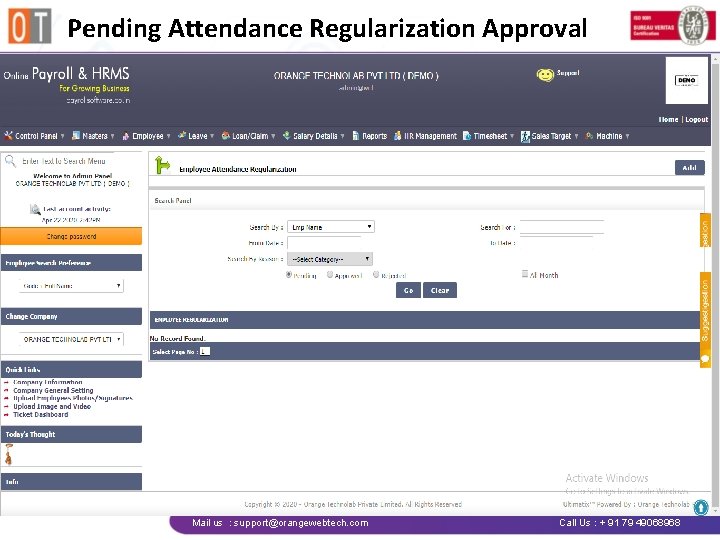
Pending Attendance Regularization Approval Mail us : support@orangewebtech. com Call Us : + 91 79 49068968
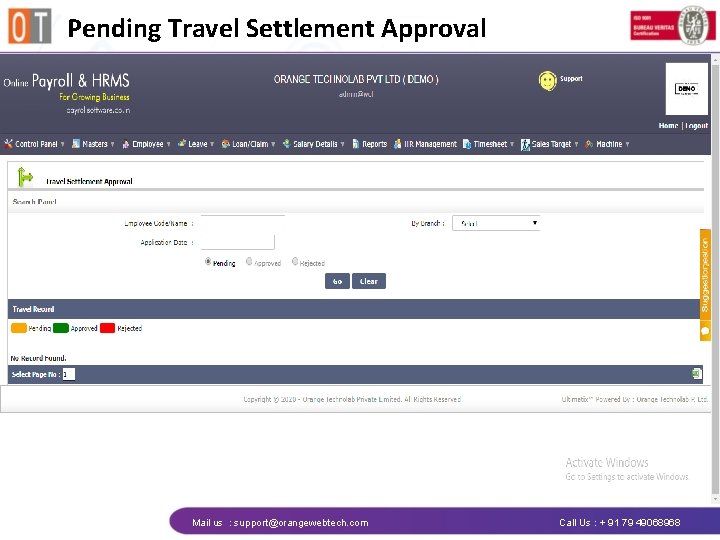
Pending Travel Settlement Approval Mail us : support@orangewebtech. com Call Us : + 91 79 49068968
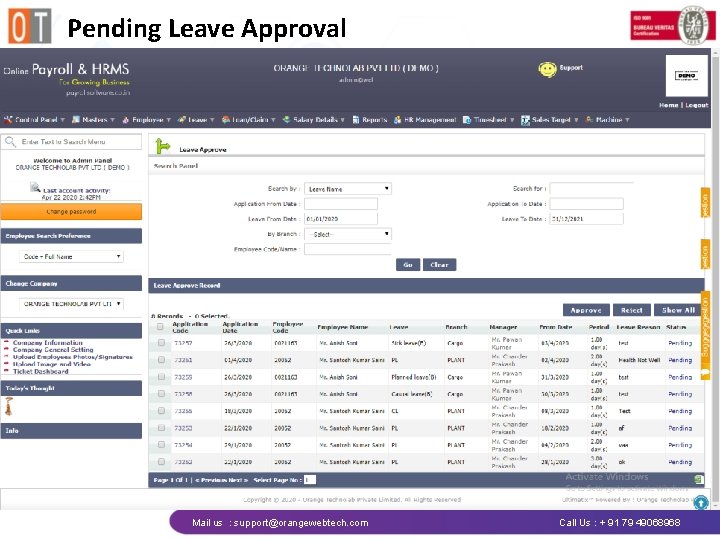
Pending Leave Approval Mail us : support@orangewebtech. com Call Us : + 91 79 49068968
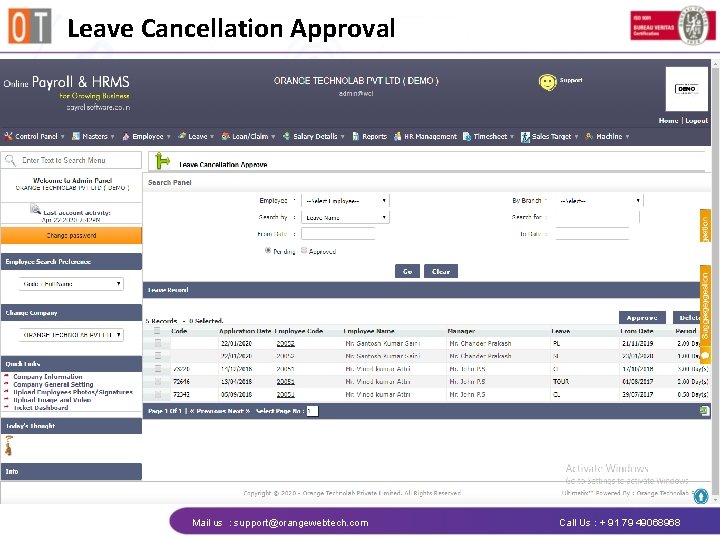
Leave Cancellation Approval Mail us : support@orangewebtech. com Call Us : + 91 79 49068968
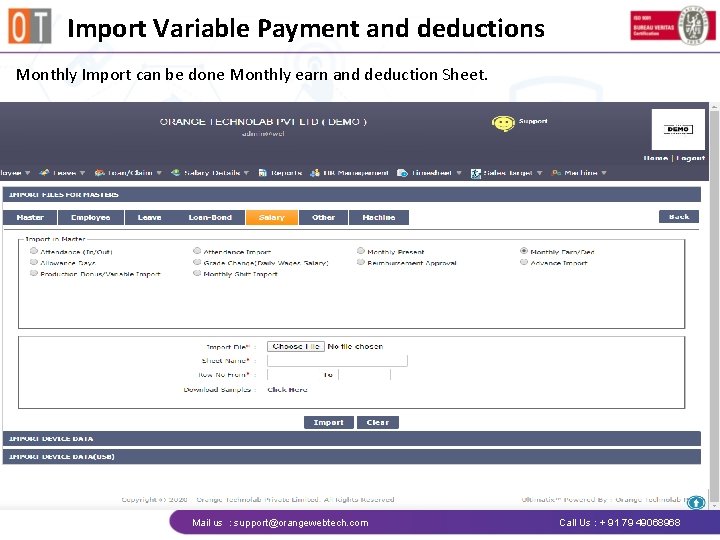
Import Variable Payment and deductions Monthly Import can be done Monthly earn and deduction Sheet. Mail us : support@orangewebtech. com Call Us : + 91 79 49068968
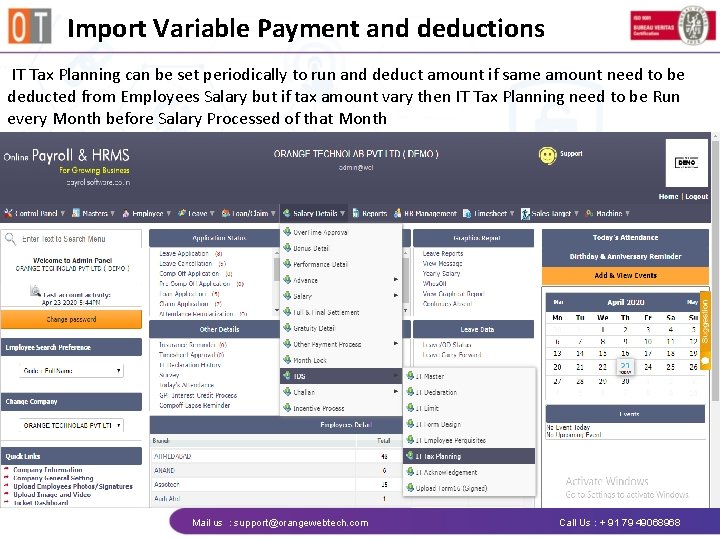
Import Variable Payment and deductions IT Tax Planning can be set periodically to run and deduct amount if same amount need to be deducted from Employees Salary but if tax amount vary then IT Tax Planning need to be Run every Month before Salary Processed of that Month Mail us : support@orangewebtech. com Call Us : + 91 79 49068968
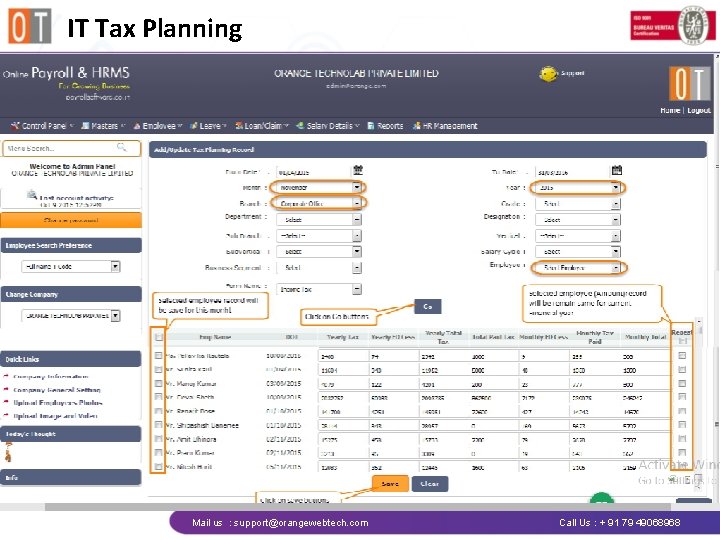
IT Tax Planning Mail us : support@orangewebtech. com Call Us : + 91 79 49068968
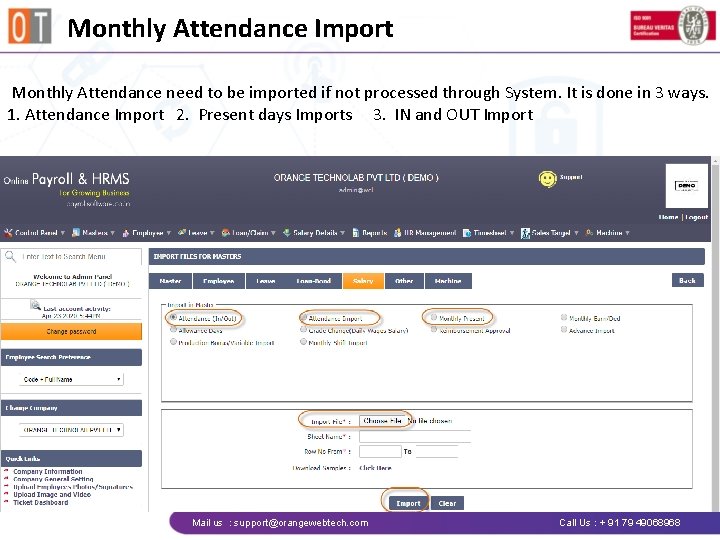
Monthly Attendance Import Monthly Attendance need to be imported if not processed through System. It is done in 3 ways. 1. Attendance Import 2. Present days Imports 3. IN and OUT Import Mail us : support@orangewebtech. com Call Us : + 91 79 49068968
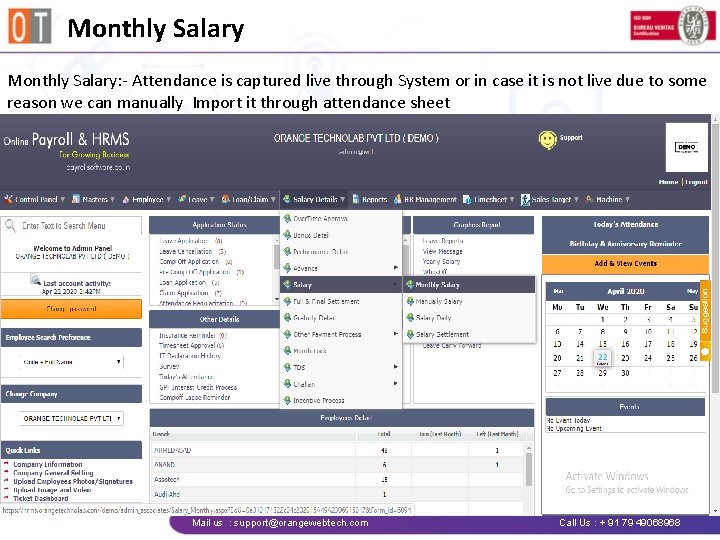
Monthly Salary: - Attendance is captured live through System or in case it is not live due to some reason we can manually Import it through attendance sheet Mail us : support@orangewebtech. com Call Us : + 91 79 49068968
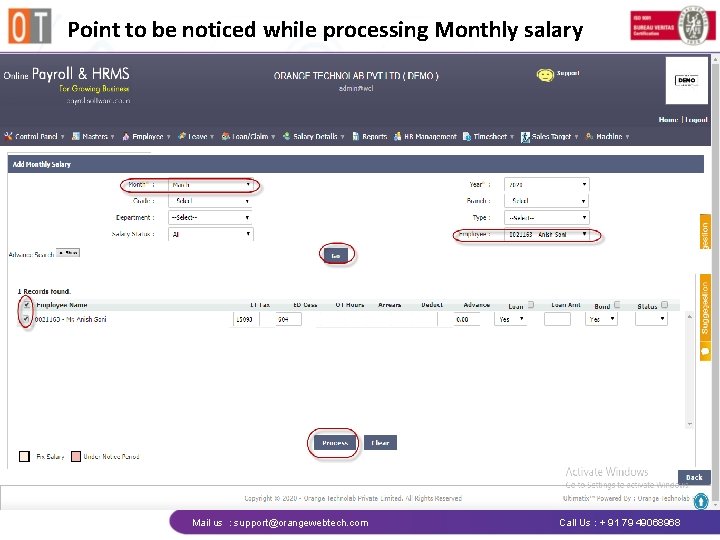
Point to be noticed while processing Monthly salary Mail us : support@orangewebtech. com Call Us : + 91 79 49068968
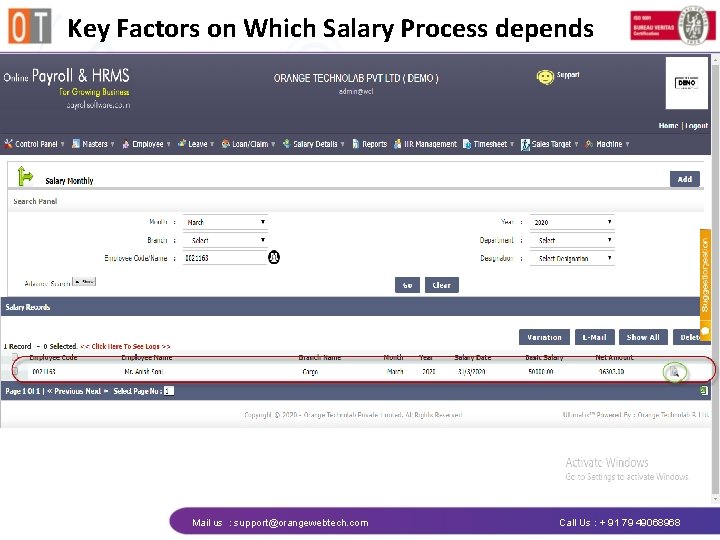
Key Factors on Which Salary Process depends Mail us : support@orangewebtech. com Call Us : + 91 79 49068968
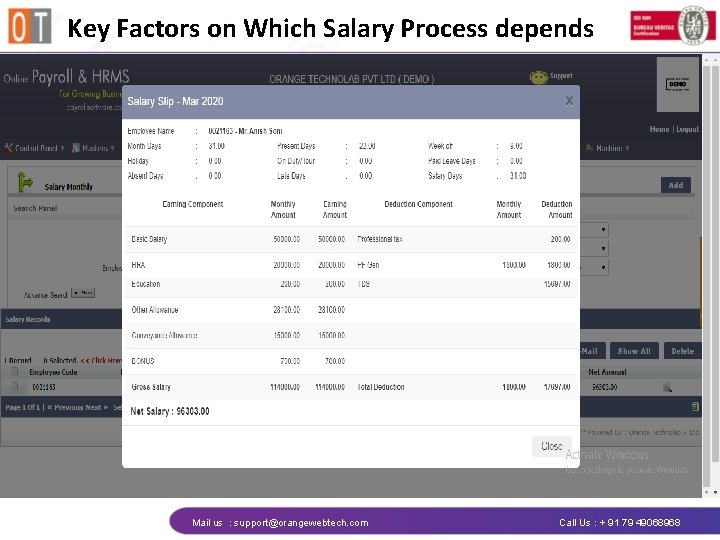
Key Factors on Which Salary Process depends Mail us : support@orangewebtech. com Call Us : + 91 79 49068968
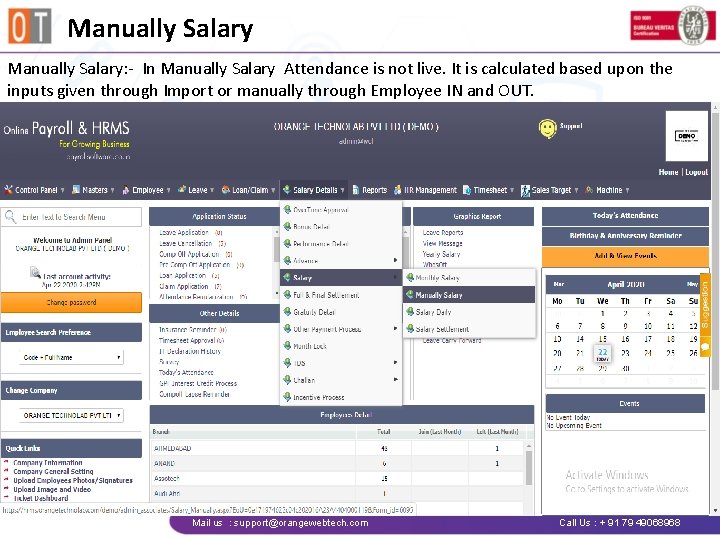
Manually Salary: - In Manually Salary Attendance is not live. It is calculated based upon the inputs given through Import or manually through Employee IN and OUT. Mail us : support@orangewebtech. com Call Us : + 91 79 49068968
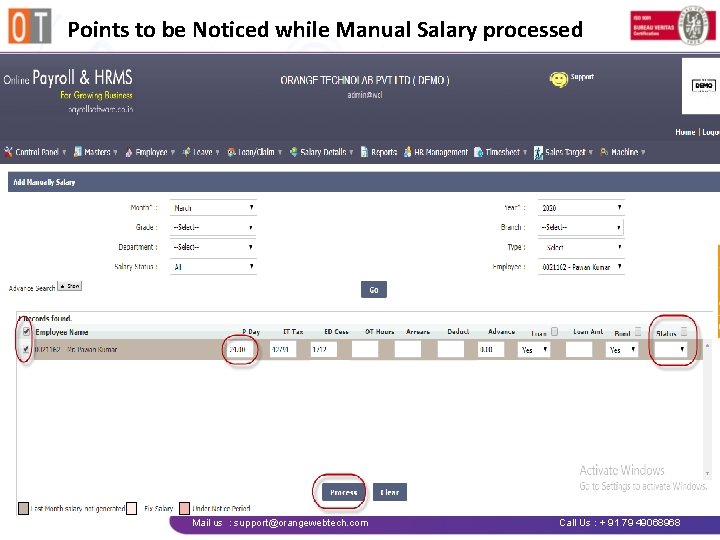
Points to be Noticed while Manual Salary processed Mail us : support@orangewebtech. com Call Us : + 91 79 49068968
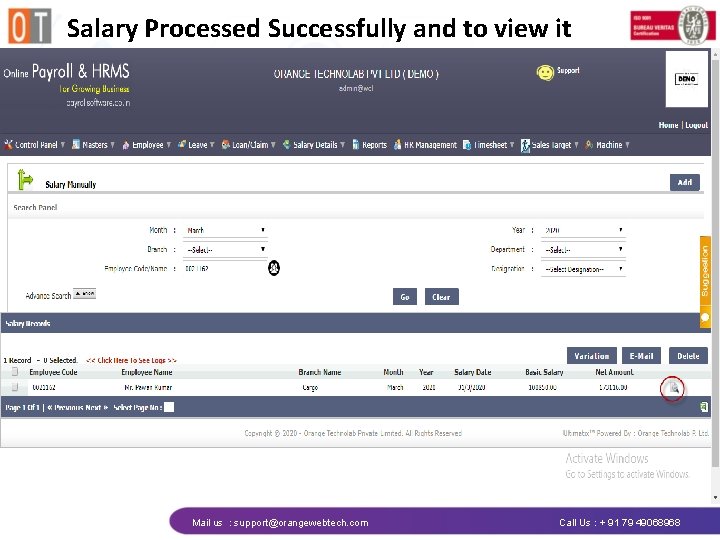
Salary Processed Successfully and to view it Mail us : support@orangewebtech. com Call Us : + 91 79 49068968
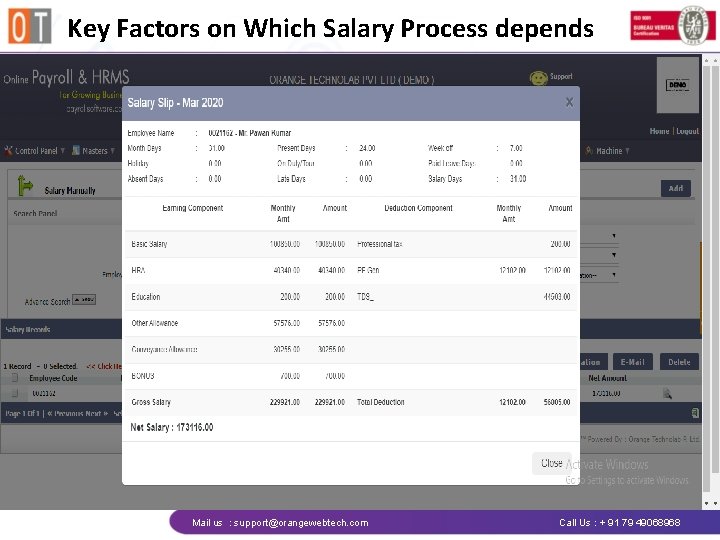
Key Factors on Which Salary Process depends Mail us : support@orangewebtech. com Call Us : + 91 79 49068968
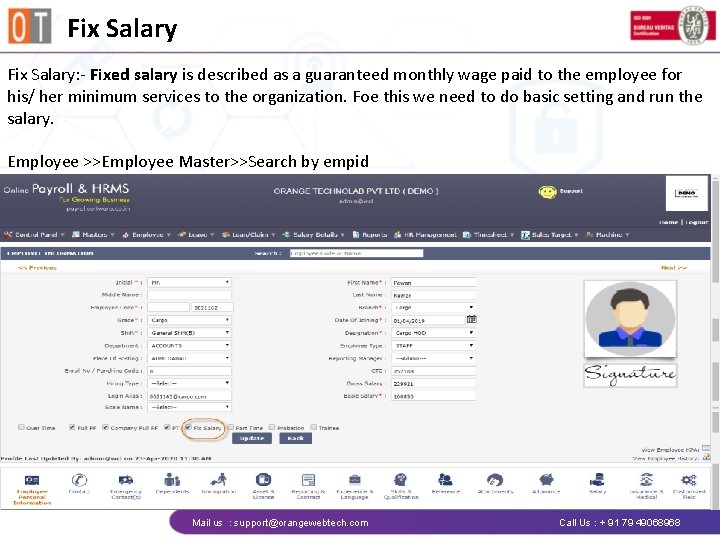
Fix Salary: - Fixed salary is described as a guaranteed monthly wage paid to the employee for his/ her minimum services to the organization. Foe this we need to do basic setting and run the salary. Employee >>Employee Master>>Search by empid Mail us : support@orangewebtech. com Call Us : + 91 79 49068968
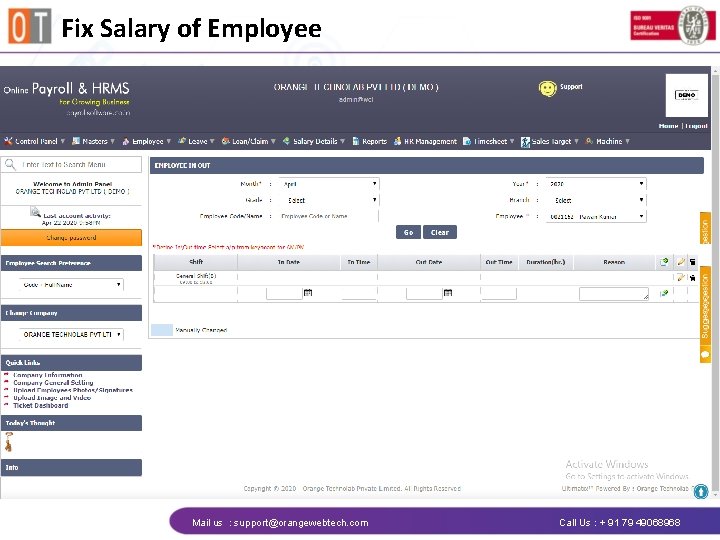
Fix Salary of Employee Mail us : support@orangewebtech. com Call Us : + 91 79 49068968
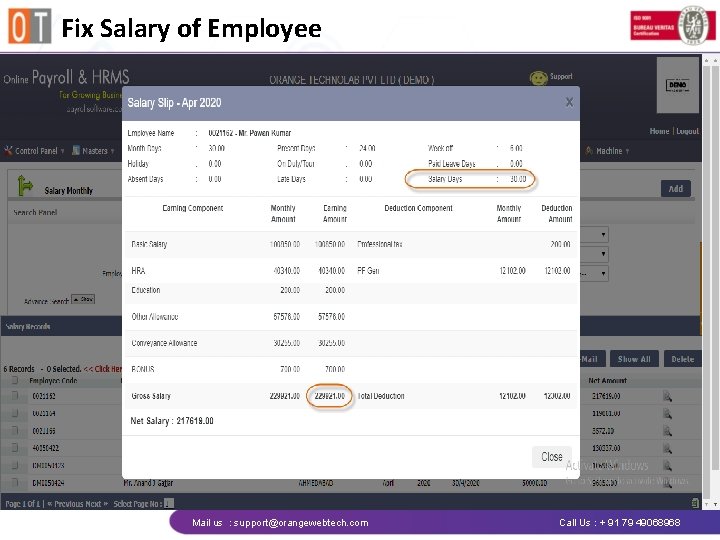
Fix Salary of Employee Mail us : support@orangewebtech. com Call Us : + 91 79 49068968
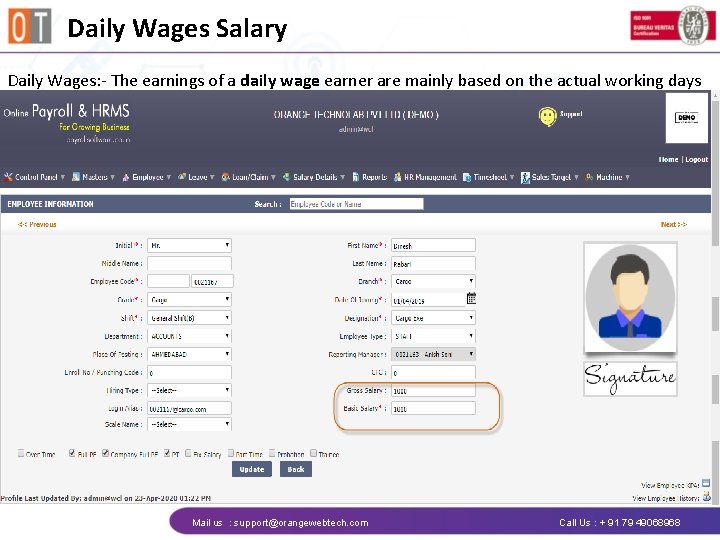
Daily Wages Salary Daily Wages: - The earnings of a daily wage earner are mainly based on the actual working days Mail us : support@orangewebtech. com Call Us : + 91 79 49068968
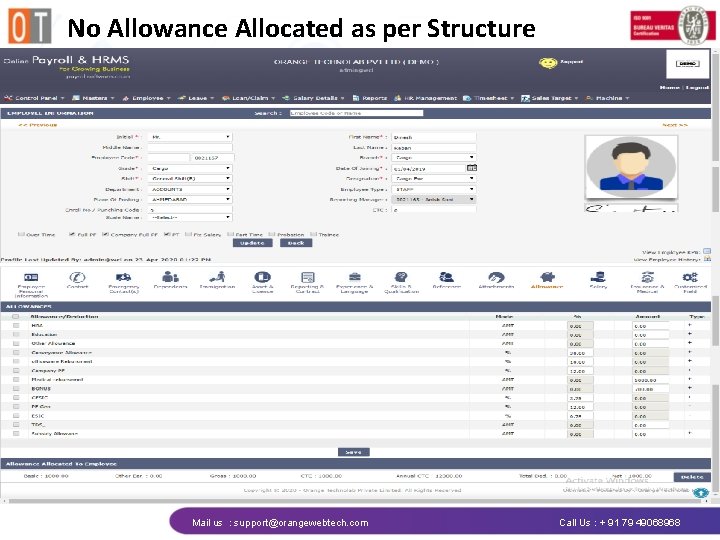
No Allowance Allocated as per Structure Mail us : support@orangewebtech. com Call Us : + 91 79 49068968
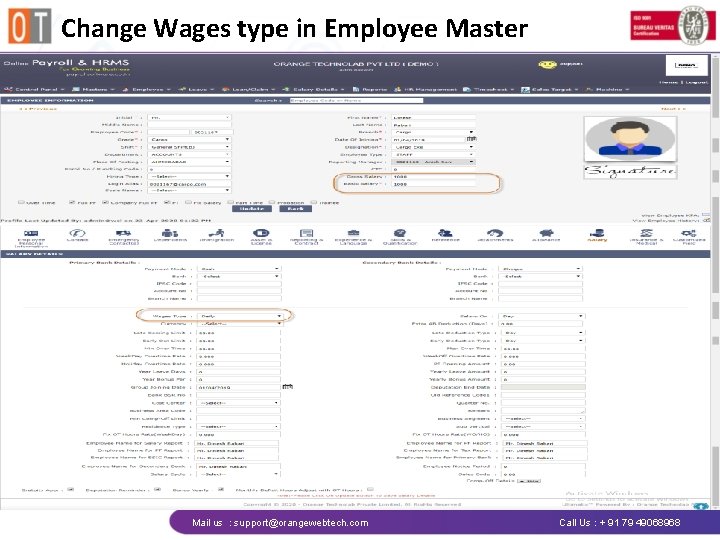
Change Wages type in Employee Master Mail us : support@orangewebtech. com Call Us : + 91 79 49068968
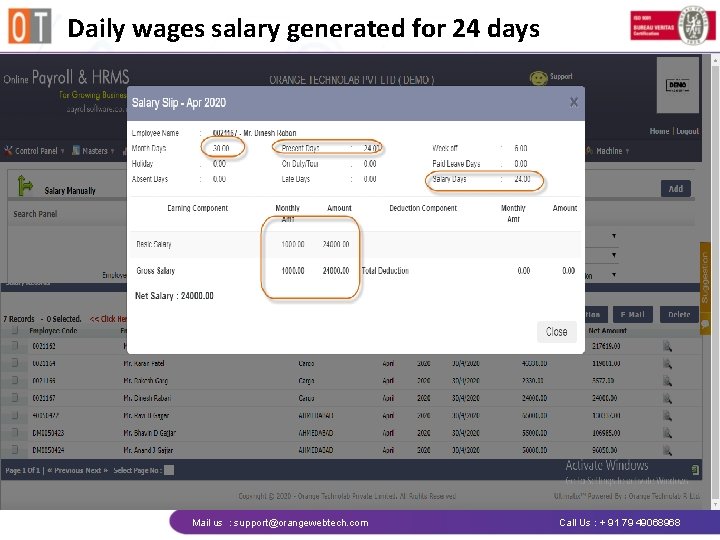
Daily wages salary generated for 24 days Mail us : support@orangewebtech. com Call Us : + 91 79 49068968
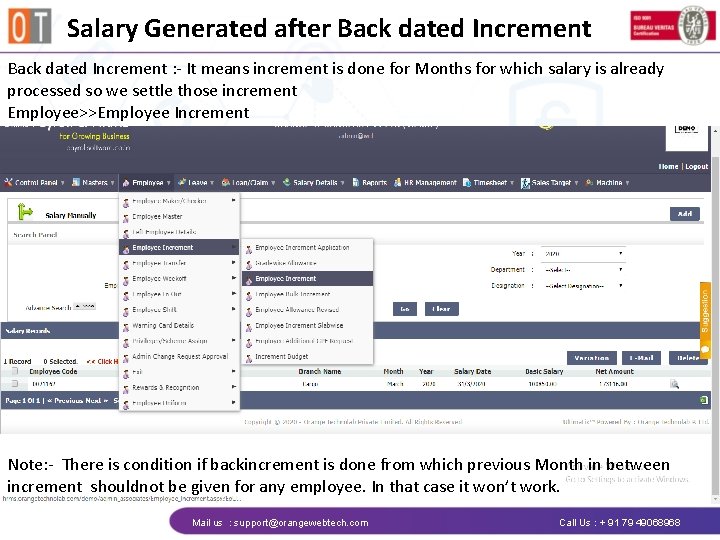
Salary Generated after Back dated Increment : - It means increment is done for Months for which salary is already processed so we settle those increment Employee>>Employee Increment Note: - There is condition if backincrement is done from which previous Month in between increment shouldnot be given for any employee. In that case it won’t work. Mail us : support@orangewebtech. com Call Us : + 91 79 49068968
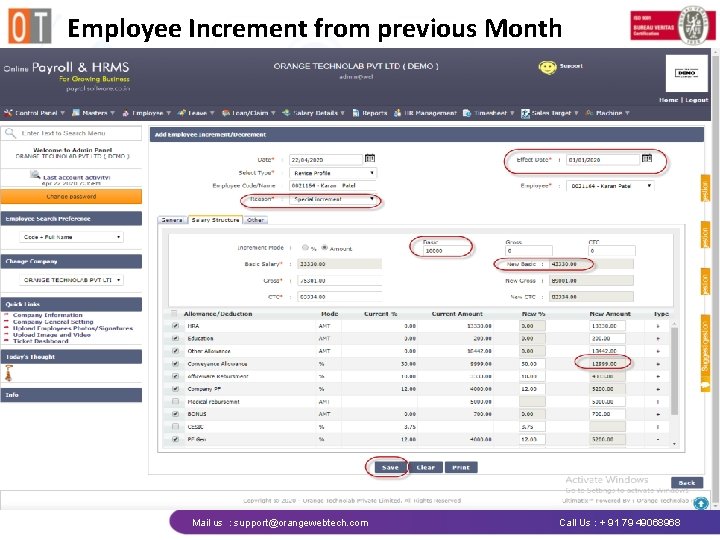
Employee Increment from previous Month Mail us : support@orangewebtech. com Call Us : + 91 79 49068968
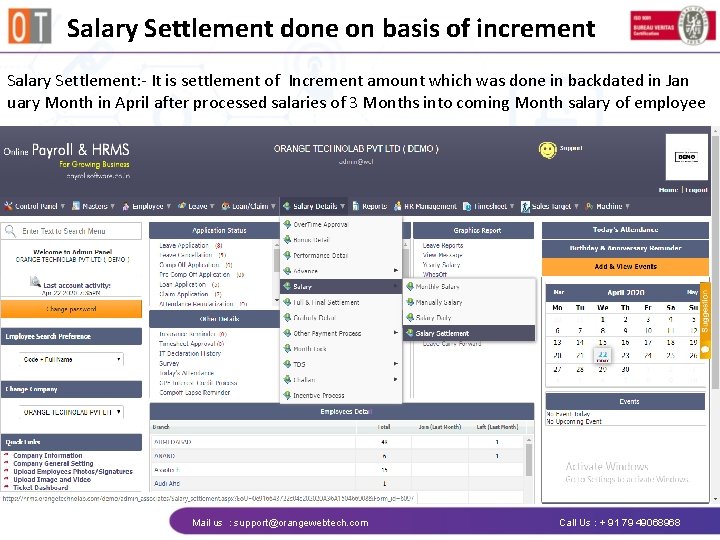
Salary Settlement done on basis of increment Salary Settlement: - It is settlement of Increment amount which was done in backdated in Jan uary Month in April after processed salaries of 3 Months into coming Month salary of employee Mail us : support@orangewebtech. com Call Us : + 91 79 49068968
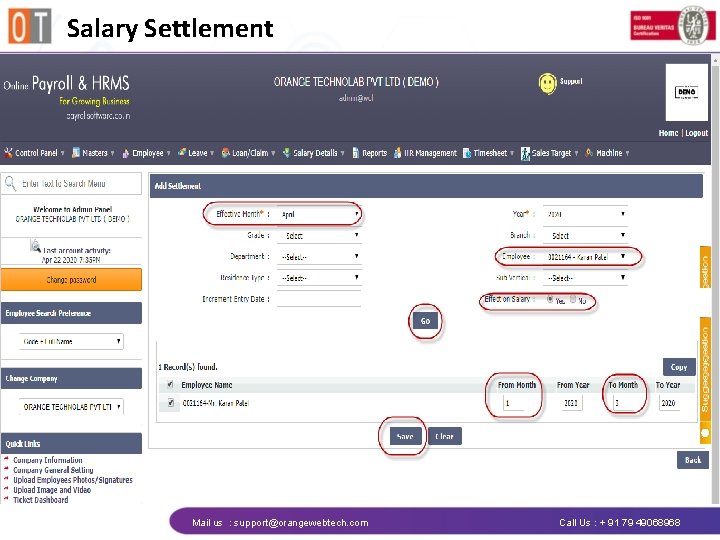
Salary Settlement Mail us : support@orangewebtech. com Call Us : + 91 79 49068968
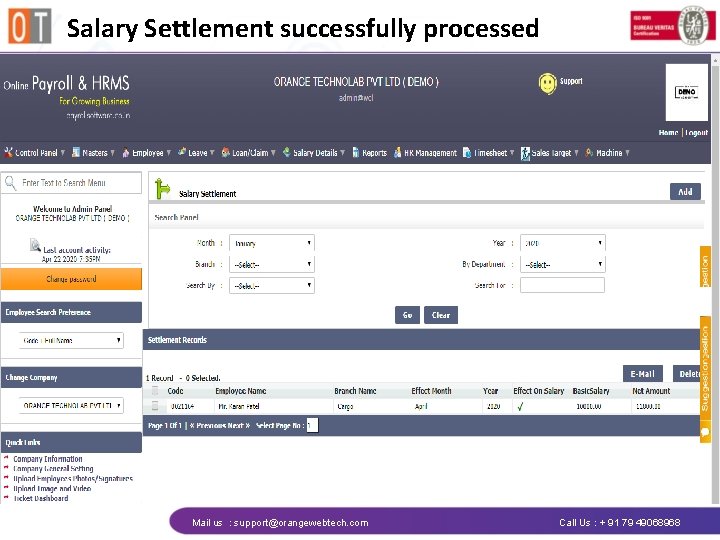
Salary Settlement successfully processed Mail us : support@orangewebtech. com Call Us : + 91 79 49068968
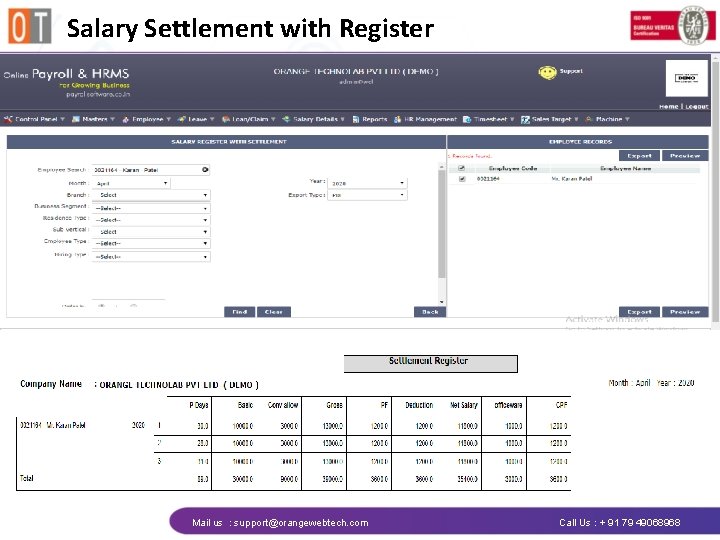
Salary Settlement with Register Mail us : support@orangewebtech. com Call Us : + 91 79 49068968
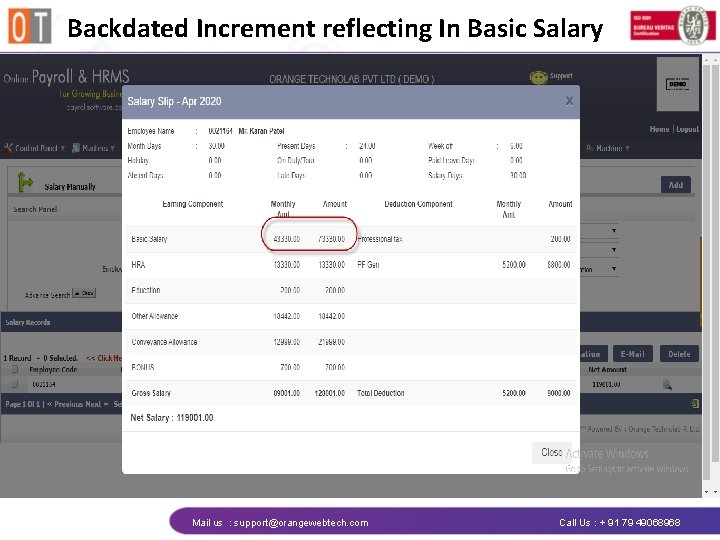
Backdated Increment reflecting In Basic Salary Mail us : support@orangewebtech. com Call Us : + 91 79 49068968
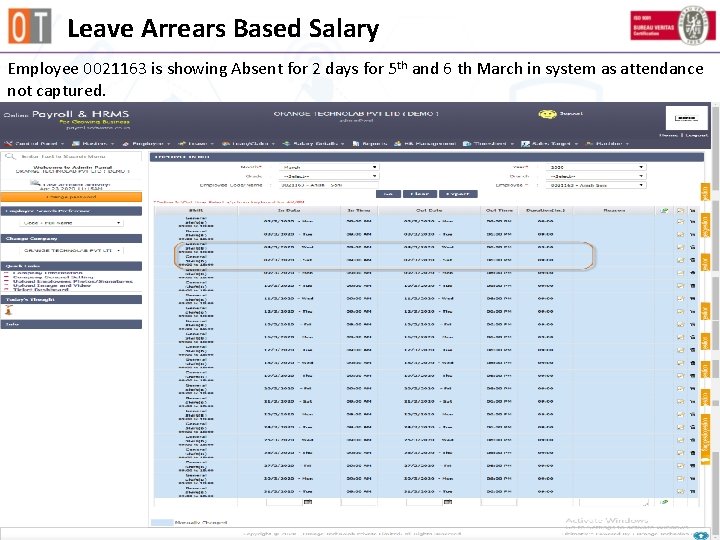
Leave Arrears Based Salary Employee 0021163 is showing Absent for 2 days for 5 th and 6 th March in system as attendance not captured. Mail us : support@orangewebtech. com Call Us : + 91 79 49068968
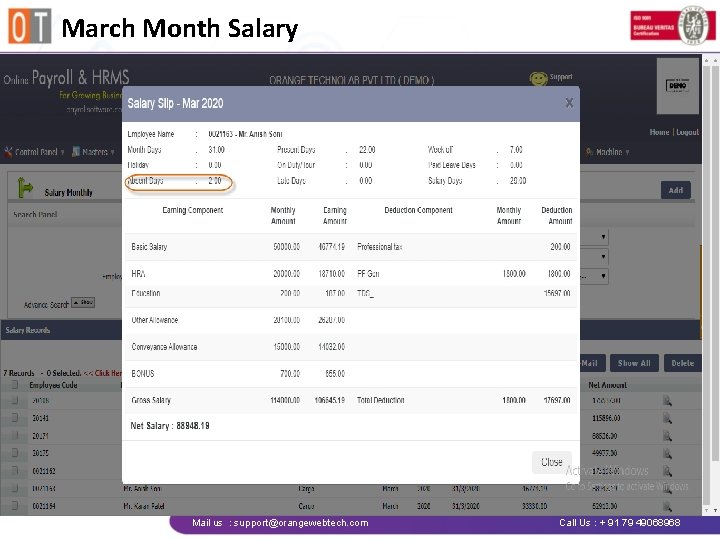
March Month Salary Mail us : support@orangewebtech. com Call Us : + 91 79 49068968
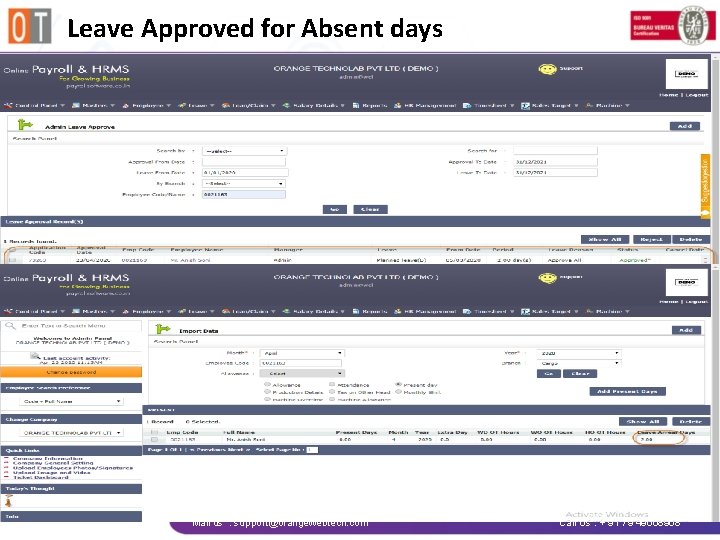
Leave Approved for Absent days Mail us : support@orangewebtech. com Call Us : + 91 79 49068968
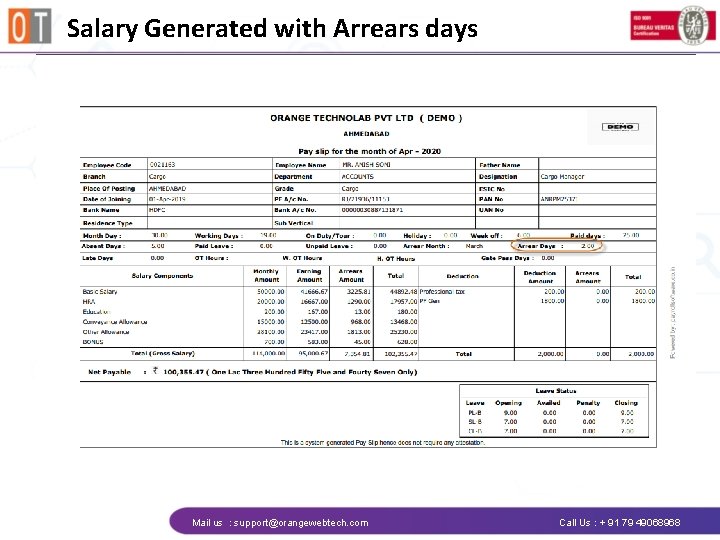
Salary Generated with Arrears days Mail us : support@orangewebtech. com Call Us : + 91 79 49068968
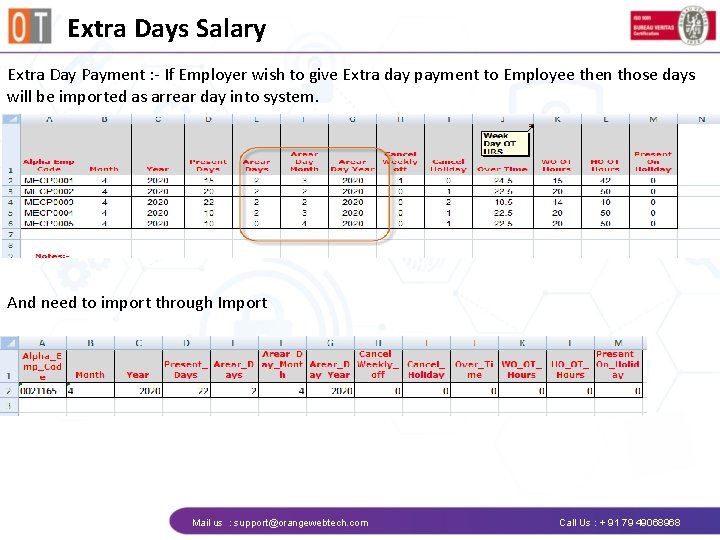
Extra Days Salary Extra Day Payment : - If Employer wish to give Extra day payment to Employee then those days will be imported as arrear day into system. And need to import through Import Mail us : support@orangewebtech. com Call Us : + 91 79 49068968
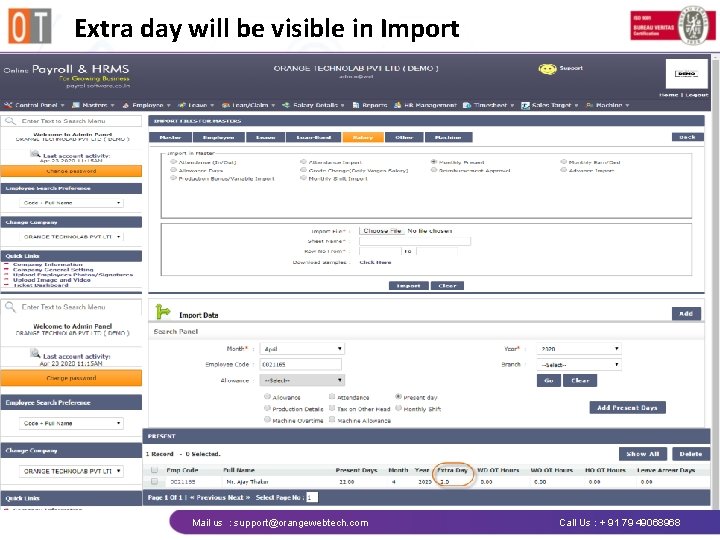
Extra day will be visible in Import Mail us : support@orangewebtech. com Call Us : + 91 79 49068968
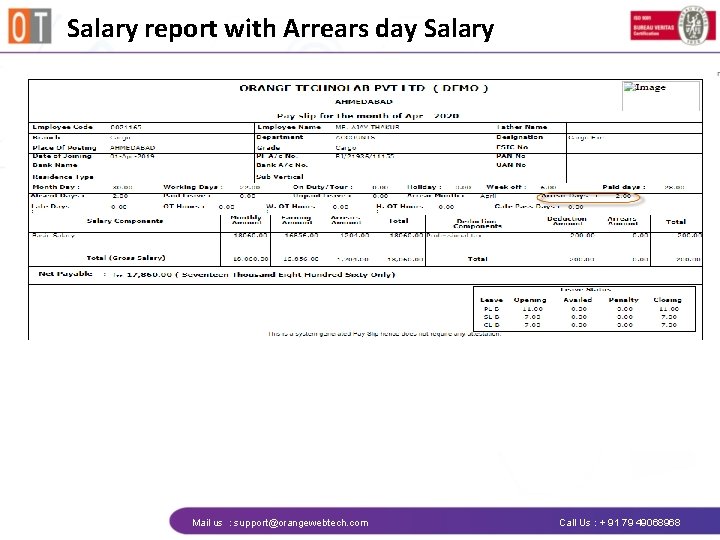
Salary report with Arrears day Salary Mail us : support@orangewebtech. com Call Us : + 91 79 49068968
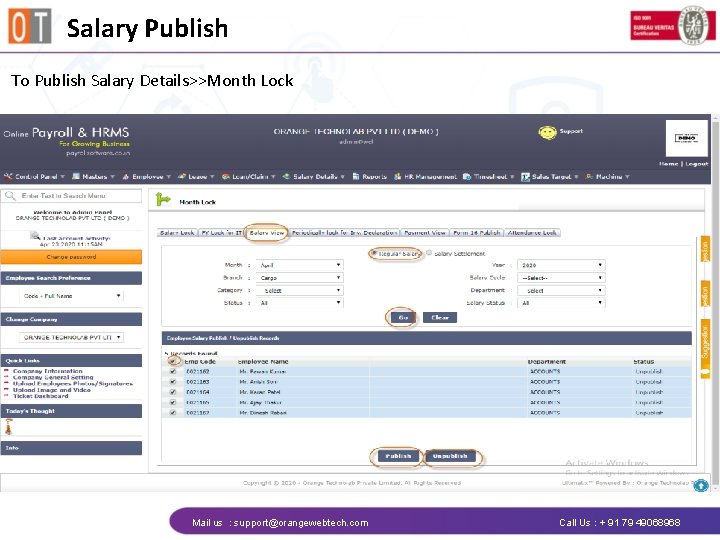
Salary Publish To Publish Salary Details>>Month Lock Mail us : support@orangewebtech. com Call Us : + 91 79 49068968
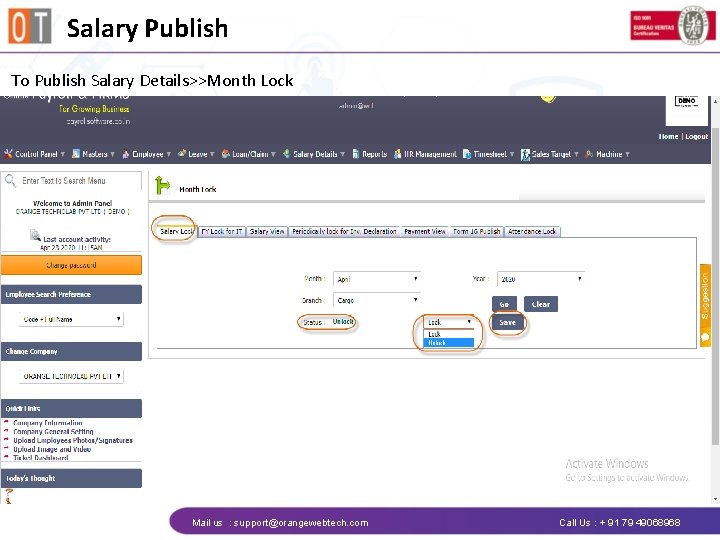
Salary Publish To Publish Salary Details>>Month Lock Mail us : support@orangewebtech. com Call Us : + 91 79 49068968
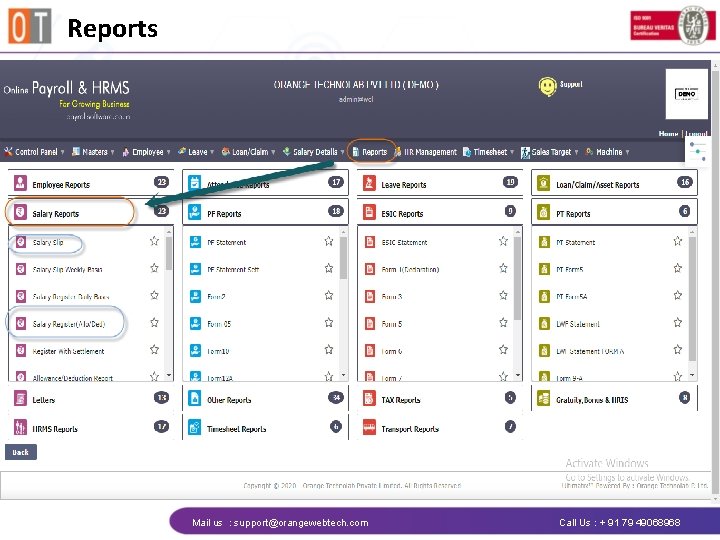
Reports Mail us : support@orangewebtech. com Call Us : + 91 79 49068968
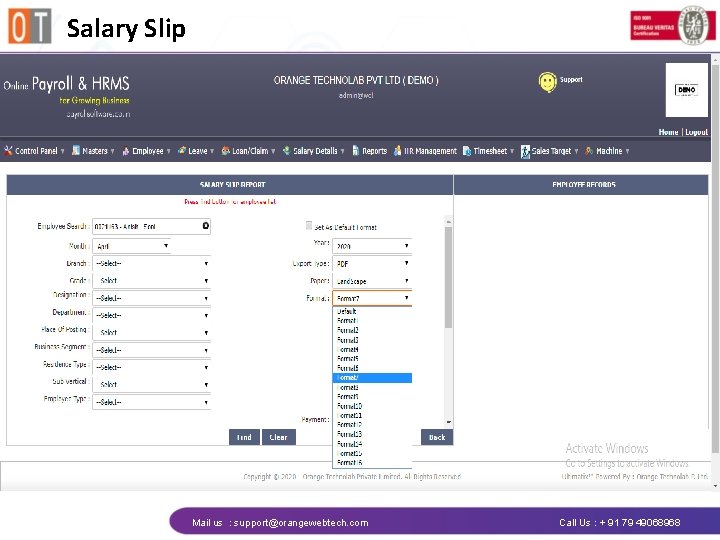
Salary Slip Mail us : support@orangewebtech. com Call Us : + 91 79 49068968
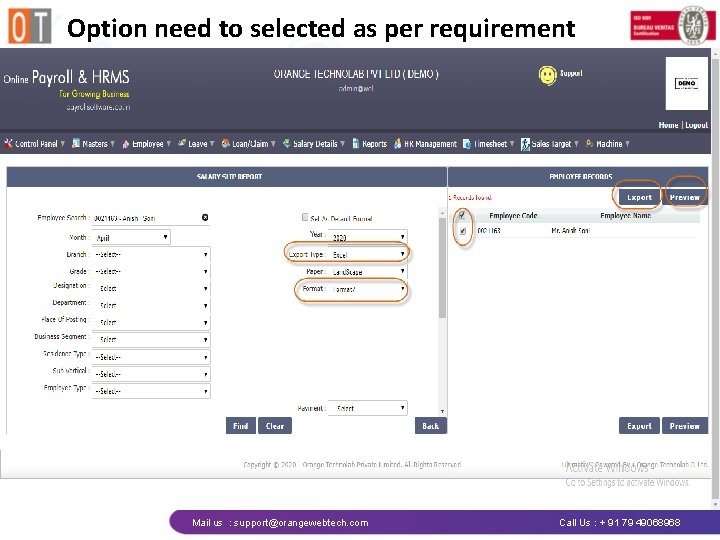
Option need to selected as per requirement Mail us : support@orangewebtech. com Call Us : + 91 79 49068968
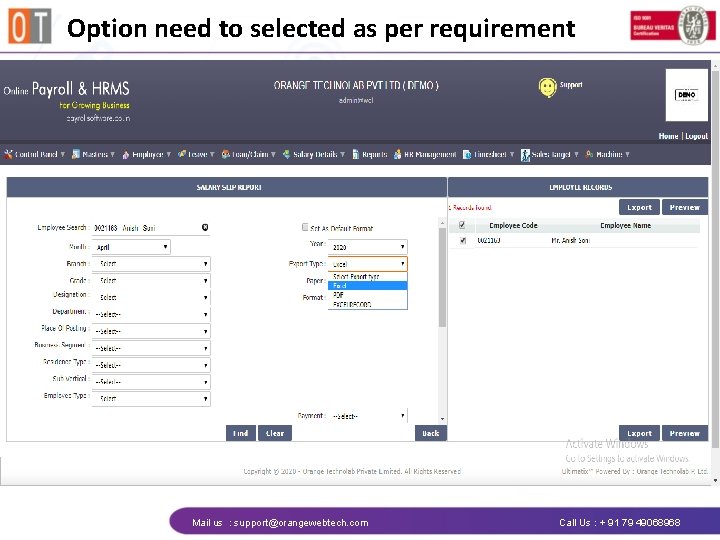
Option need to selected as per requirement Mail us : support@orangewebtech. com Call Us : + 91 79 49068968
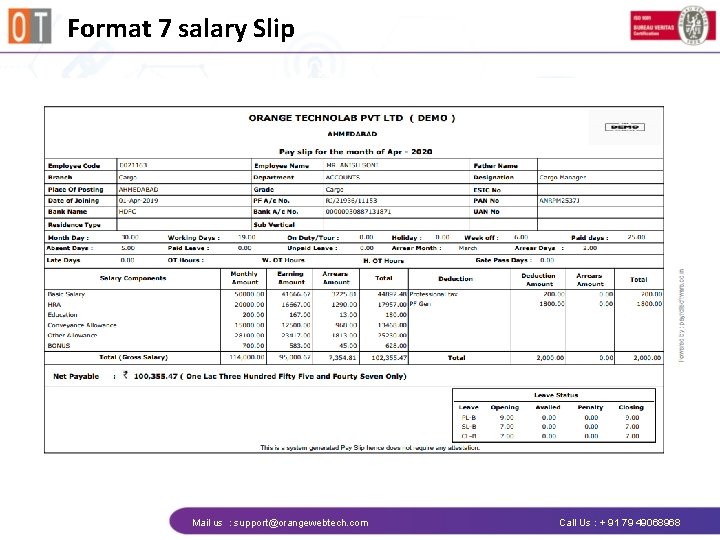
Format 7 salary Slip Mail us : support@orangewebtech. com Call Us : + 91 79 49068968
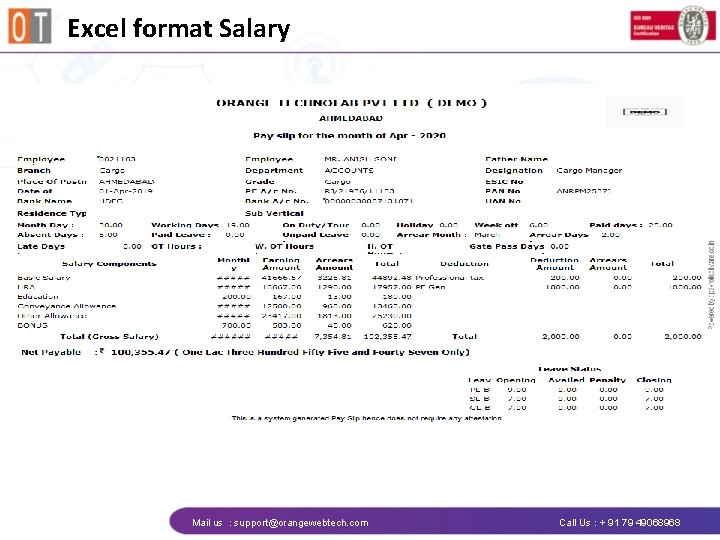
Excel format Salary Mail us : support@orangewebtech. com Call Us : + 91 79 49068968
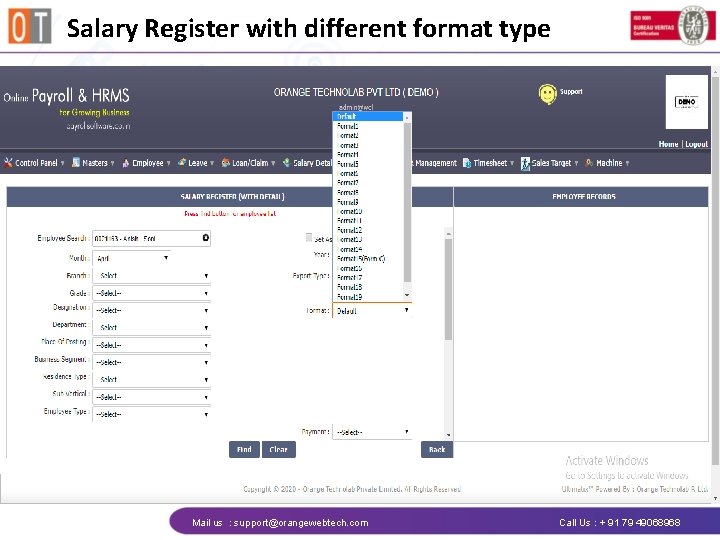
Salary Register with different format type Mail us : support@orangewebtech. com Call Us : + 91 79 49068968
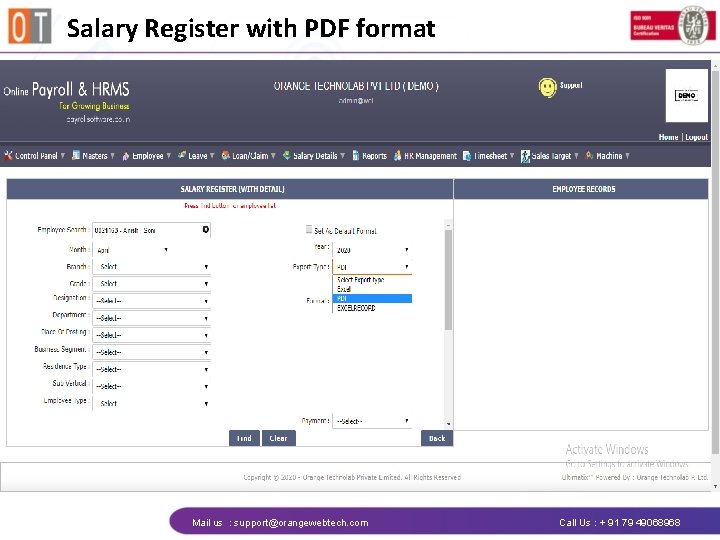
Salary Register with PDF format Mail us : support@orangewebtech. com Call Us : + 91 79 49068968
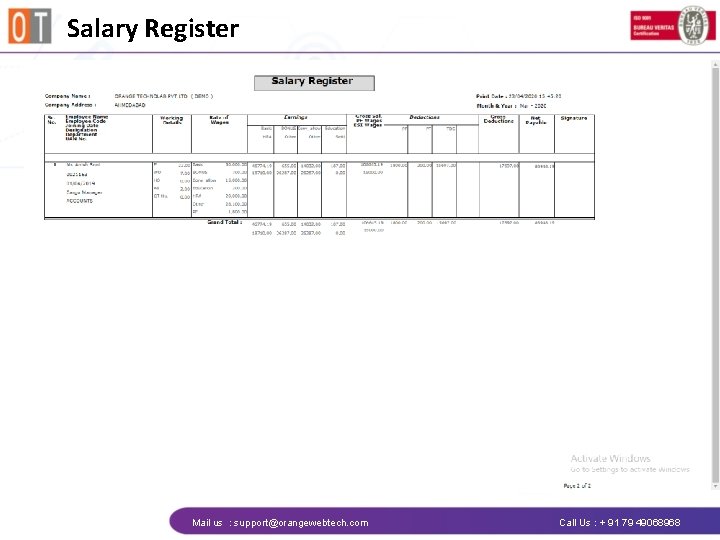
Salary Register Mail us : support@orangewebtech. com Call Us : + 91 79 49068968
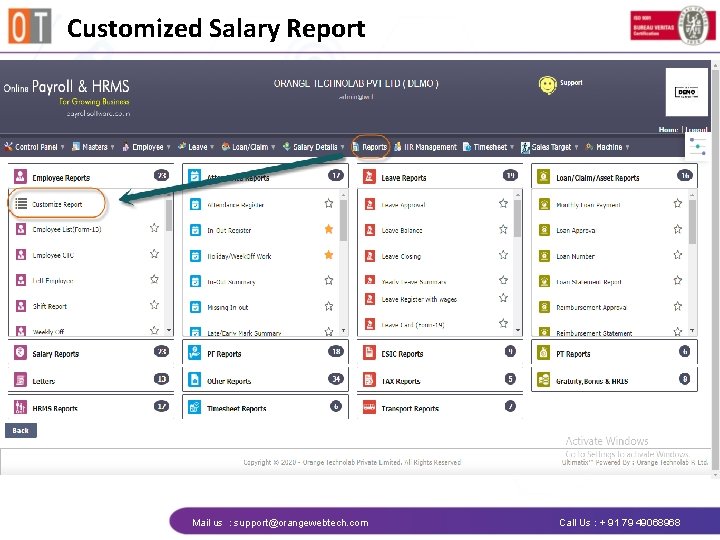
Customized Salary Report Mail us : support@orangewebtech. com Call Us : + 91 79 49068968
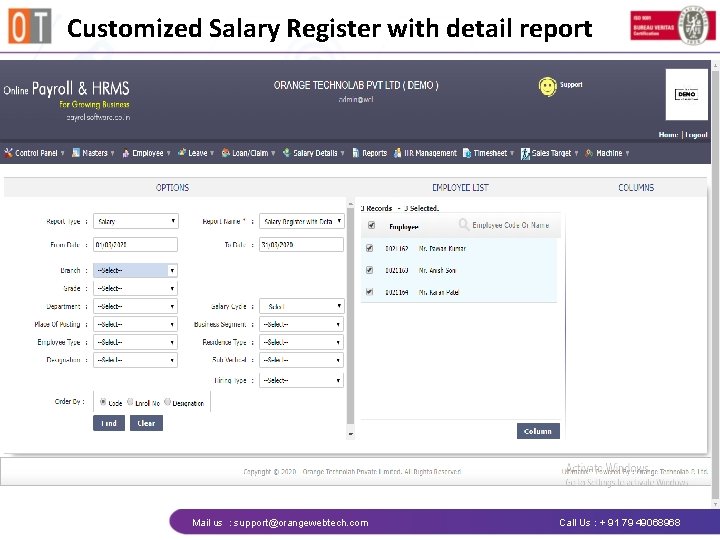
Customized Salary Register with detail report Mail us : support@orangewebtech. com Call Us : + 91 79 49068968
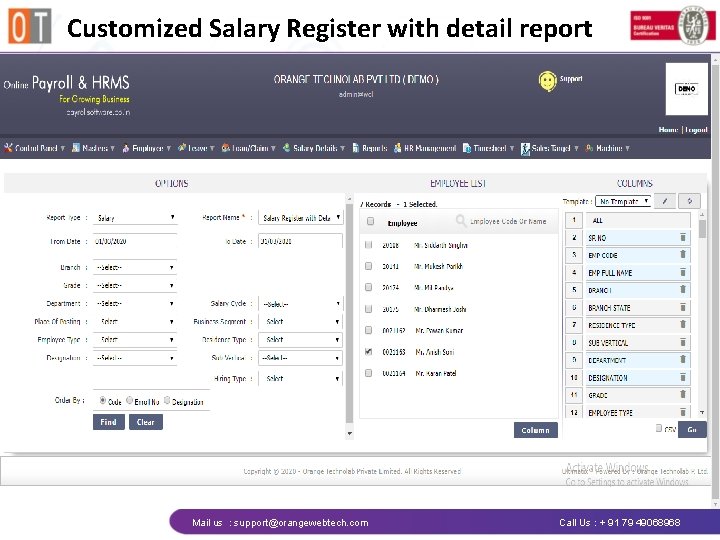
Customized Salary Register with detail report Mail us : support@orangewebtech. com Call Us : + 91 79 49068968
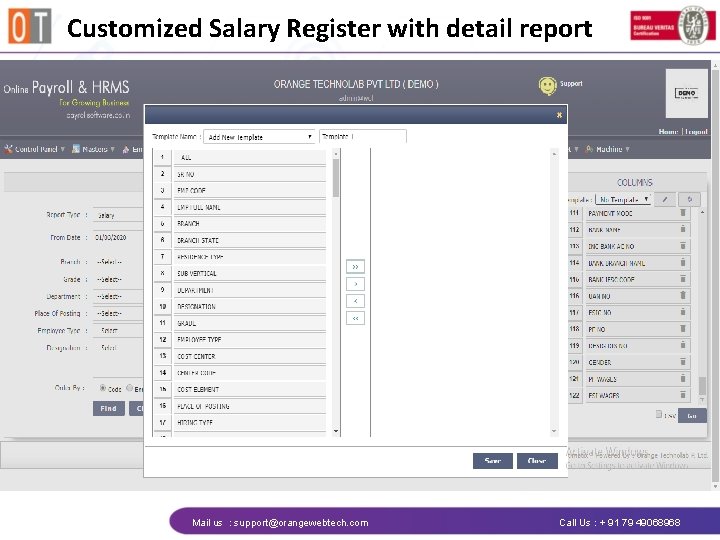
Customized Salary Register with detail report Mail us : support@orangewebtech. com Call Us : + 91 79 49068968
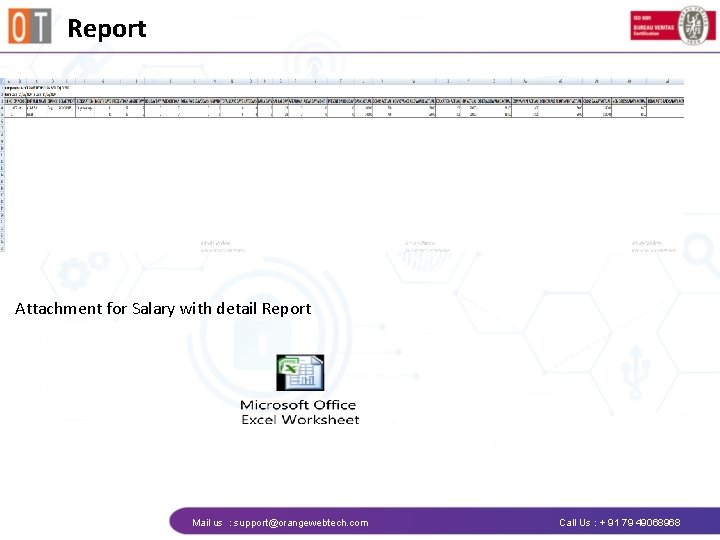
Report Attachment for Salary with detail Report Mail us : support@orangewebtech. com Call Us : + 91 79 49068968
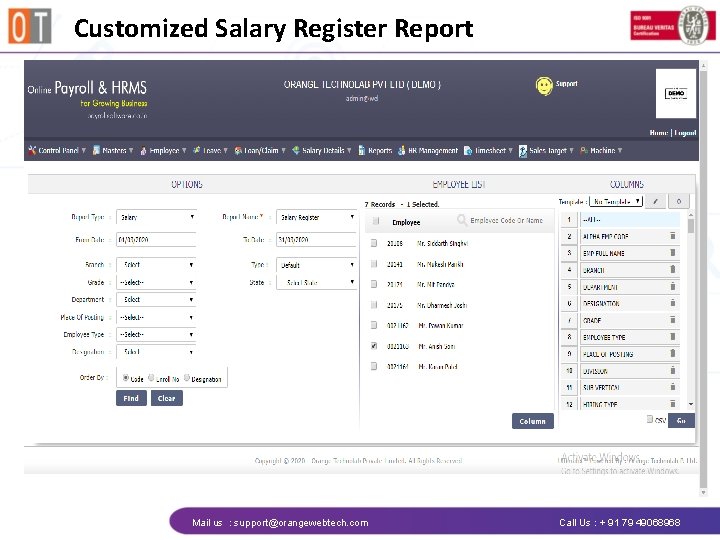
Customized Salary Register Report Mail us : support@orangewebtech. com Call Us : + 91 79 49068968
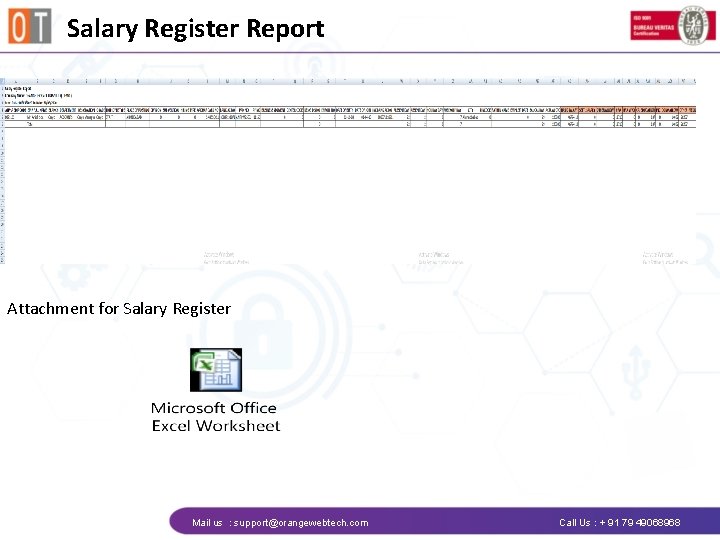
Salary Register Report Attachment for Salary Register Mail us : support@orangewebtech. com Call Us : + 91 79 49068968

Contact Us Orange Technolab Pvt. Ltd. 7 th floor 703 Kataria Arcade, Beside Adani School, Makarba, Sarkhej Gandhinagar Highway Ahmedabad - 380051, Gujarat, INDIA. support@orangewebtech. com + 91 79 490 68968 orangewebtech 3 www. payrollsoftware. co. in www. orangetechnolab. com
- Slides: 77