
Oracle Tutorials 2013 SQL Structured Query Language Eva

- Slides: 33
Oracle Tutorials 2013 SQL Structured Query Language Eva Dafonte Pérez (IT-DB) Oracle Tutorials 2013: SQL
Agenda Goal - Understand basic SQL capabilities Being able to write a SQL query Outline - SQL overview Available statements Restricting, sorting and aggregating data Manipulating data from different tables Oracle Tutorials 2013: SQL
SQL Definition Structured Query Language • • • Non-procedural language to access a relational database Used to create, manipulate and maintain a relational database Official ANSI Standard Oracle Tutorials 2013: SQL
Basic SQL Objective: be able to perform the basic operation of the RDBMS data model - create, modify the layout of a table remove a table from the user schema insert data into the table retrieve and manipulate data from one or more tables update/ delete data in a table Oracle Tutorials 2013: SQL
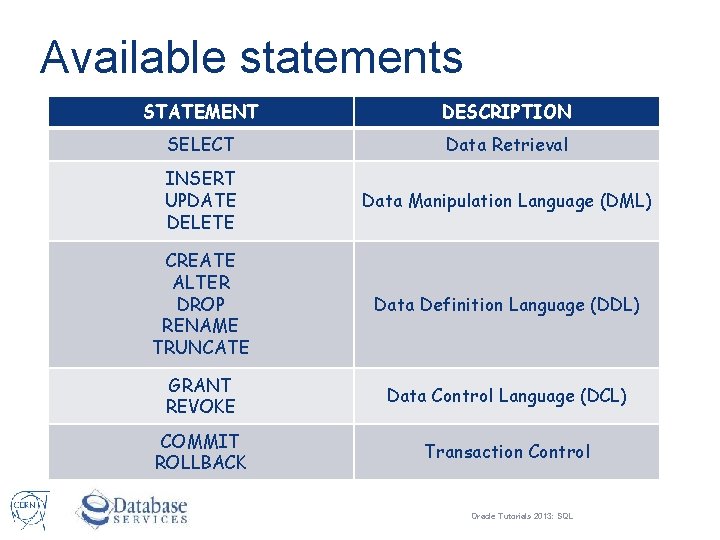
Available statements STATEMENT DESCRIPTION SELECT Data Retrieval INSERT UPDATE DELETE Data Manipulation Language (DML) CREATE ALTER DROP RENAME TRUNCATE Data Definition Language (DDL) GRANT REVOKE Data Control Language (DCL) COMMIT ROLLBACK Transaction Control Oracle Tutorials 2013: SQL
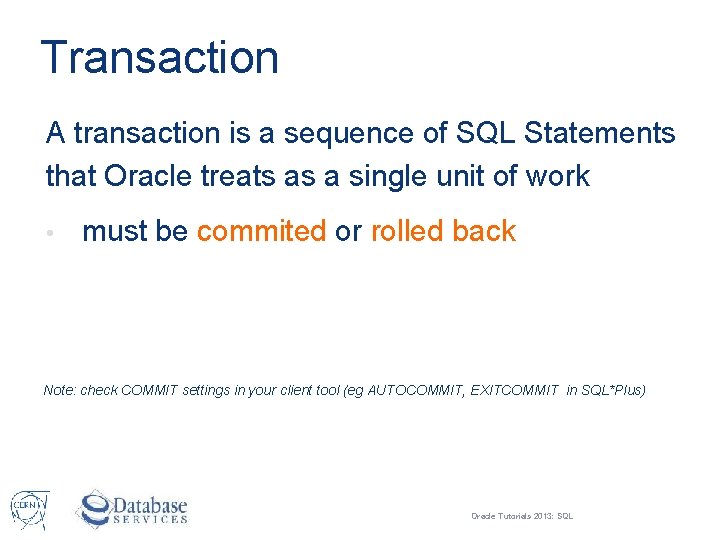
Transaction A transaction is a sequence of SQL Statements that Oracle treats as a single unit of work • must be commited or rolled back Note: check COMMIT settings in your client tool (eg AUTOCOMMIT, EXITCOMMIT in SQL*Plus) Oracle Tutorials 2013: SQL
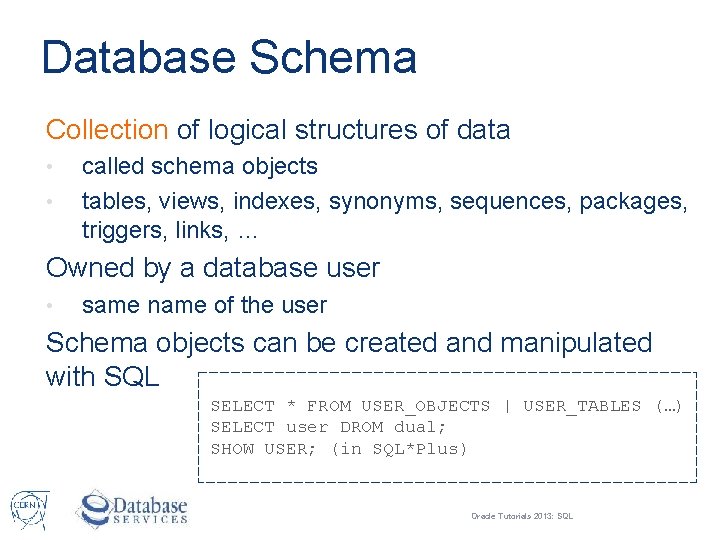
Database Schema Collection of logical structures of data • • called schema objects tables, views, indexes, synonyms, sequences, packages, triggers, links, … Owned by a database user • same name of the user Schema objects can be created and manipulated with SQL SELECT * FROM USER_OBJECTS | USER_TABLES (…) SELECT user DROM dual; SHOW USER; (in SQL*Plus) Oracle Tutorials 2013: SQL
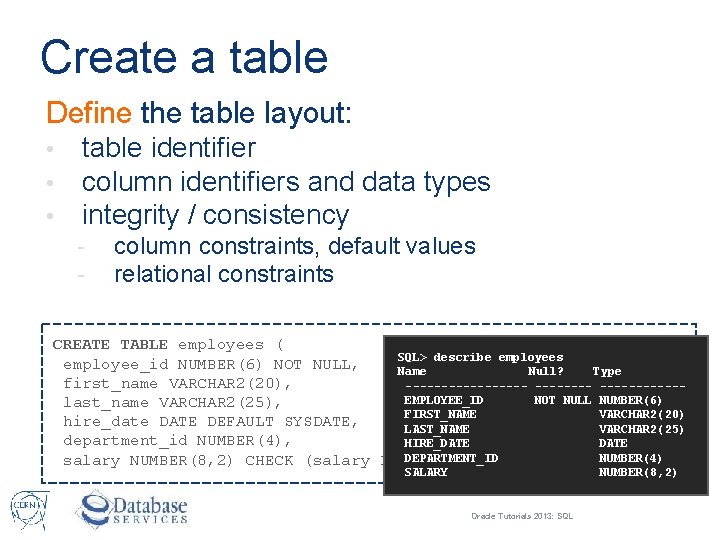
Create a table Define the table layout: • • • table identifier column identifiers and data types integrity / consistency - column constraints, default values relational constraints CREATE TABLE employees ( SQL> describe employees employee_id NUMBER(6) NOT NULL, Name Null? Type first_name VARCHAR 2(20), -----------EMPLOYEE_ID NOT NULL NUMBER(6) last_name VARCHAR 2(25), FIRST_NAME VARCHAR 2(20) hire_date DATE DEFAULT SYSDATE, LAST_NAME VARCHAR 2(25) department_id NUMBER(4), HIRE_DATE DEPARTMENT_ID NUMBER(4) salary NUMBER(8, 2) CHECK (salary > 0)); SALARY NUMBER(8, 2) Oracle Tutorials 2013: SQL
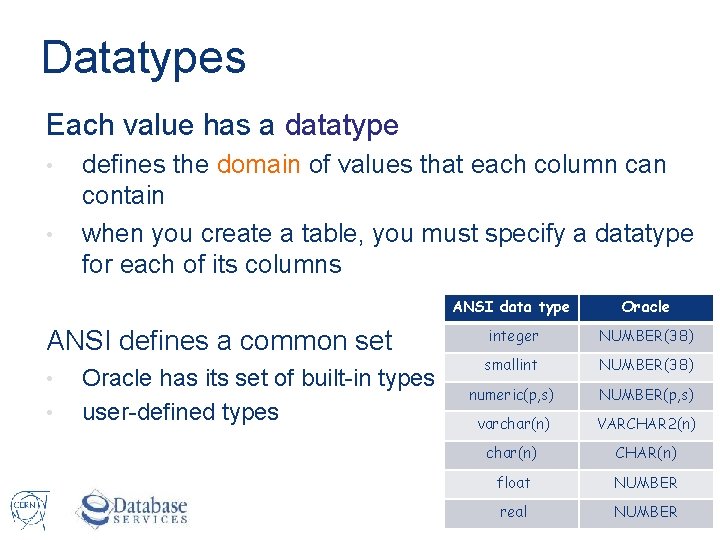
Datatypes Each value has a datatype • • defines the domain of values that each column can contain when you create a table, you must specify a datatype for each of its columns ANSI defines a common set • • Oracle has its set of built-in types user-defined types ANSI data type Oracle integer NUMBER(38) smallint NUMBER(38) numeric(p, s) NUMBER(p, s) varchar(n) VARCHAR 2(n) char(n) CHAR(n) float NUMBER real NUMBER Oracle Tutorials 2013: SQL
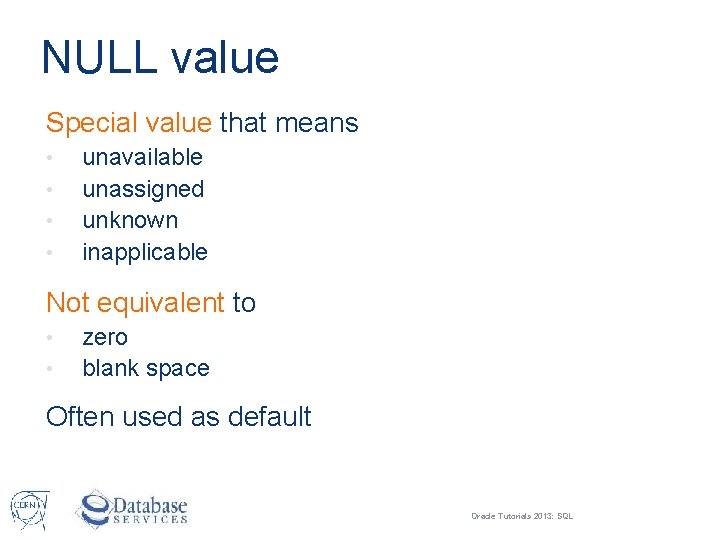
NULL value Special value that means • • unavailable unassigned unknown inapplicable Not equivalent to • • zero blank space Often used as default Oracle Tutorials 2013: SQL
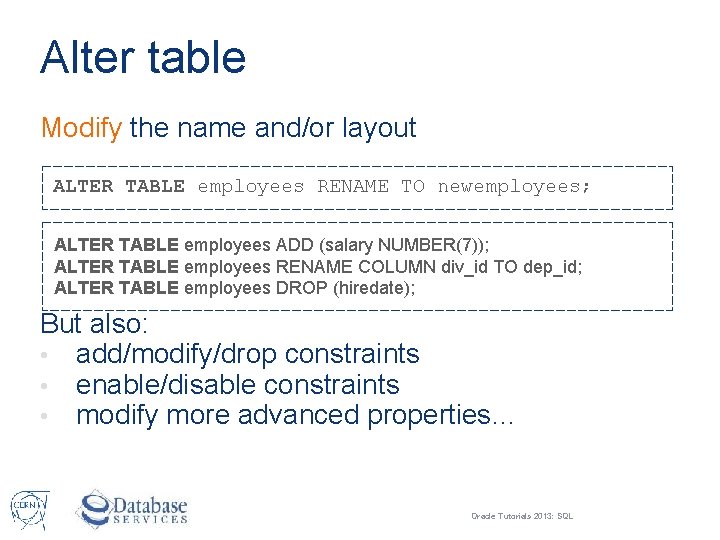
Alter table Modify the name and/or layout ALTER TABLE employees RENAME TO newemployees; ALTER TABLE employees ADD (salary NUMBER(7)); ALTER TABLE employees RENAME COLUMN div_id TO dep_id; ALTER TABLE employees DROP (hiredate); But also: • add/modify/drop constraints • enable/disable constraints • modify more advanced properties… Oracle Tutorials 2013: SQL
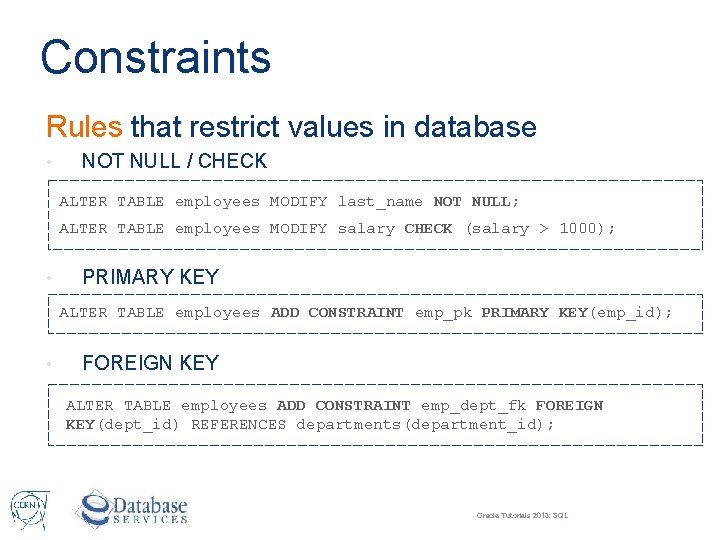
Constraints Rules that restrict values in database • NOT NULL / CHECK ALTER TABLE employees MODIFY last_name NOT NULL; ALTER TABLE employees MODIFY salary CHECK (salary > 1000); • PRIMARY KEY ALTER TABLE employees ADD CONSTRAINT emp_pk PRIMARY KEY(emp_id); • FOREIGN KEY ALTER TABLE employees ADD CONSTRAINT emp_dept_fk FOREIGN KEY(dept_id) REFERENCES departments(department_id); Oracle Tutorials 2013: SQL
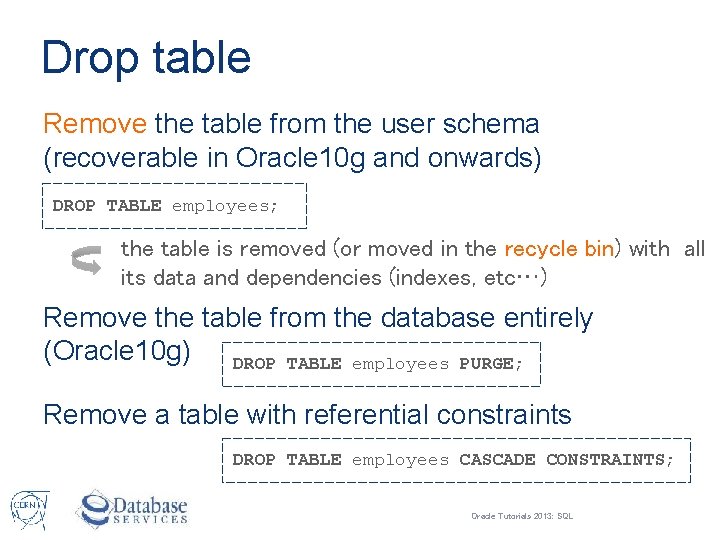
Drop table Remove the table from the user schema (recoverable in Oracle 10 g and onwards) DROP TABLE employees; the table is removed (or moved in the recycle bin) with all its data and dependencies (indexes, etc…) Remove the table from the database entirely (Oracle 10 g) DROP TABLE employees PURGE; Remove a table with referential constraints DROP TABLE employees CASCADE CONSTRAINTS; Oracle Tutorials 2013: SQL
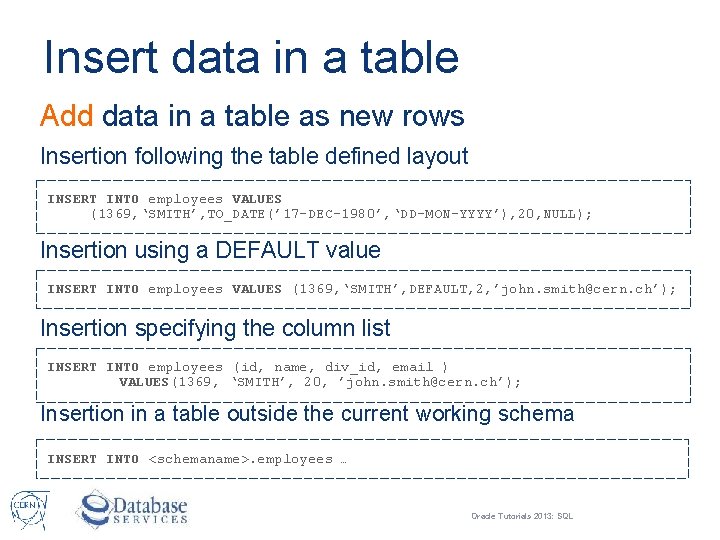
Insert data in a table Add data in a table as new rows Insertion following the table defined layout INSERT INTO employees VALUES (1369, ‘SMITH’, TO_DATE(’ 17 -DEC-1980’, ‘DD-MON-YYYY’), 20, NULL); Insertion using a DEFAULT value INSERT INTO employees VALUES (1369, ‘SMITH’, DEFAULT, 2, ’john. smith@cern. ch’); Insertion specifying the column list INSERT INTO employees (id, name, div_id, email ) VALUES(1369, ‘SMITH’, 20, ’john. smith@cern. ch’); Insertion in a table outside the current working schema INSERT INTO <schemaname>. employees … Oracle Tutorials 2013: SQL
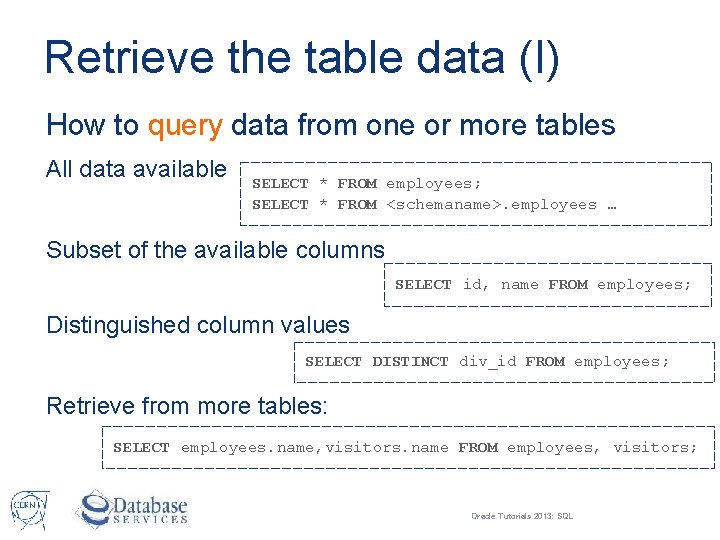
Retrieve the table data (I) How to query data from one or more tables All data available SELECT * FROM employees; SELECT * FROM <schemaname>. employees … Subset of the available columns SELECT id, name FROM employees; Distinguished column values SELECT DISTINCT div_id FROM employees; Retrieve from more tables: SELECT employees. name, visitors. name FROM employees, visitors; Oracle Tutorials 2013: SQL
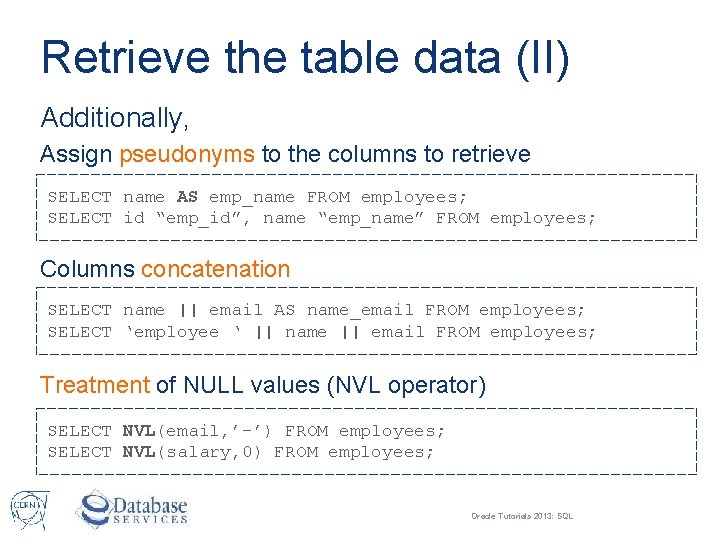
Retrieve the table data (II) Additionally, Assign pseudonyms to the columns to retrieve SELECT name AS emp_name FROM employees; SELECT id “emp_id”, name “emp_name” FROM employees; Columns concatenation SELECT name || email AS name_email FROM employees; SELECT ‘employee ‘ || name || email FROM employees; Treatment of NULL values (NVL operator) SELECT NVL(email, ’-’) FROM employees; SELECT NVL(salary, 0) FROM employees; Oracle Tutorials 2013: SQL
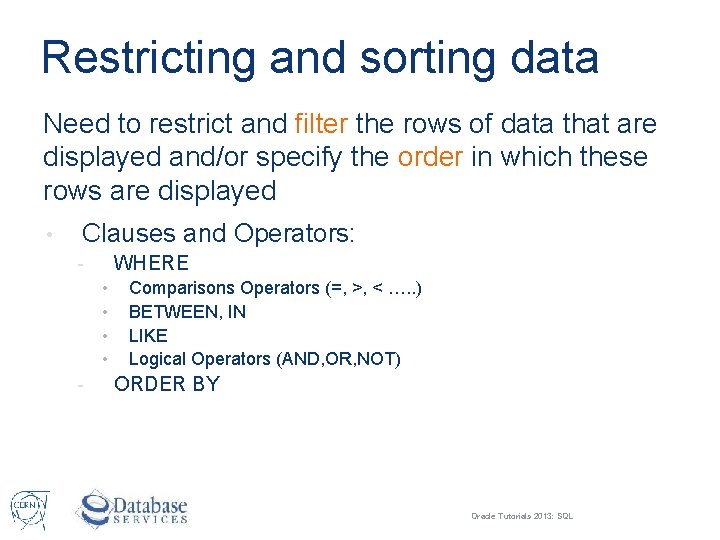
Restricting and sorting data Need to restrict and filter the rows of data that are displayed and/or specify the order in which these rows are displayed • Clauses and Operators: WHERE • • - Comparisons Operators (=, >, < …. . ) BETWEEN, IN LIKE Logical Operators (AND, OR, NOT) ORDER BY Oracle Tutorials 2013: SQL
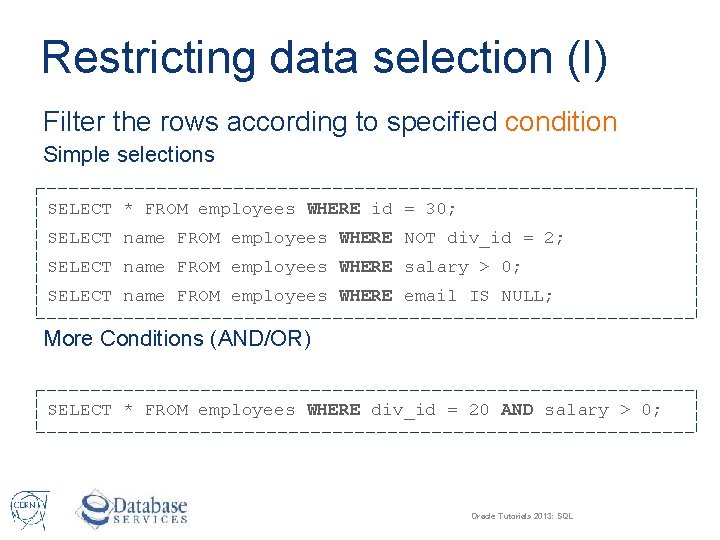
Restricting data selection (I) Filter the rows according to specified condition Simple selections SELECT * FROM employees WHERE id = 30; SELECT name FROM employees WHERE NOT div_id = 2; SELECT name FROM employees WHERE salary > 0; SELECT name FROM employees WHERE email IS NULL; More Conditions (AND/OR) SELECT * FROM employees WHERE div_id = 20 AND salary > 0; Oracle Tutorials 2013: SQL
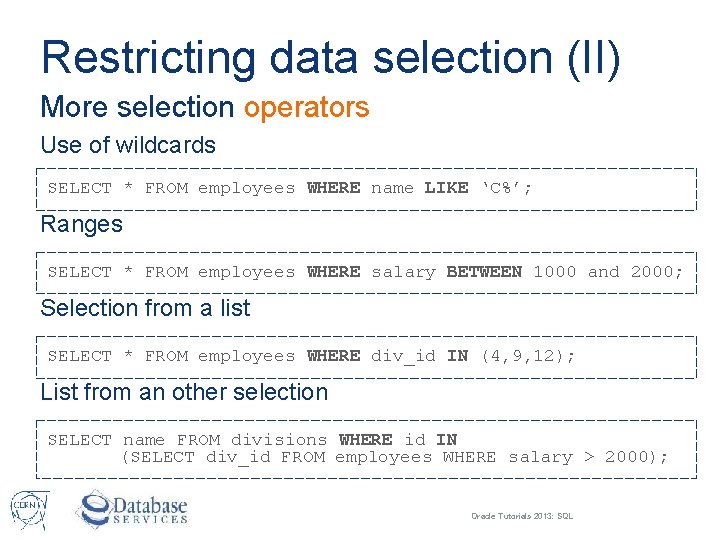
Restricting data selection (II) More selection operators Use of wildcards SELECT * FROM employees WHERE name LIKE ‘C%’; Ranges SELECT * FROM employees WHERE salary BETWEEN 1000 and 2000; Selection from a list SELECT * FROM employees WHERE div_id IN (4, 9, 12); List from an other selection SELECT name FROM divisions WHERE id IN (SELECT div_id FROM employees WHERE salary > 2000); Oracle Tutorials 2013: SQL
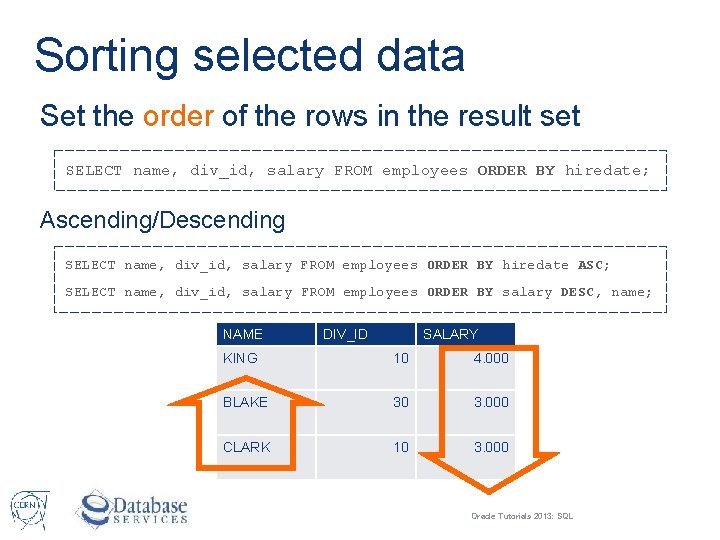
Sorting selected data Set the order of the rows in the result set SELECT name, div_id, salary FROM employees ORDER BY hiredate; Ascending/Descending SELECT name, div_id, salary FROM employees ORDER BY hiredate ASC; SELECT name, div_id, salary FROM employees ORDER BY salary DESC, name; NAME DIV_ID SALARY KING 10 4. 000 BLAKE 30 3. 000 CLARK 10 3. 000 Oracle Tutorials 2013: SQL
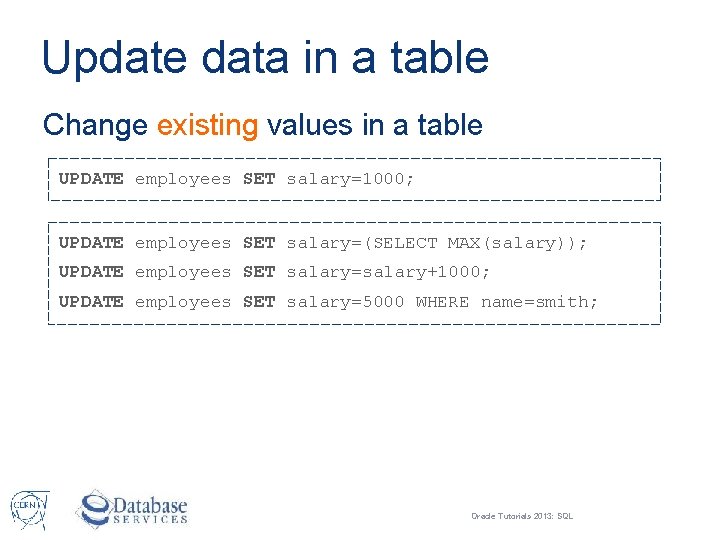
Update data in a table Change existing values in a table UPDATE employees SET salary=1000; UPDATE employees SET salary=(SELECT MAX(salary)); UPDATE employees SET salary=salary+1000; UPDATE employees SET salary=5000 WHERE name=smith; Oracle Tutorials 2013: SQL
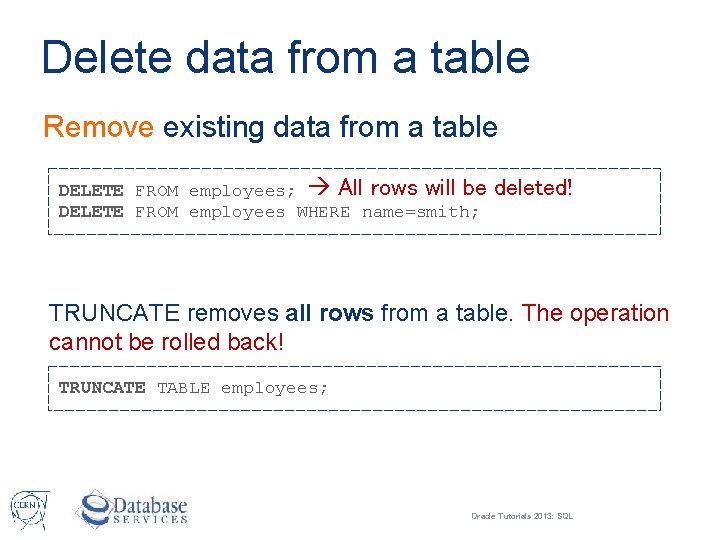
Delete data from a table Remove existing data from a table DELETE FROM employees; All rows will be DELETE FROM employees WHERE name=smith; deleted! TRUNCATE removes all rows from a table. The operation cannot be rolled back! TRUNCATE TABLE employees; Oracle Tutorials 2013: SQL
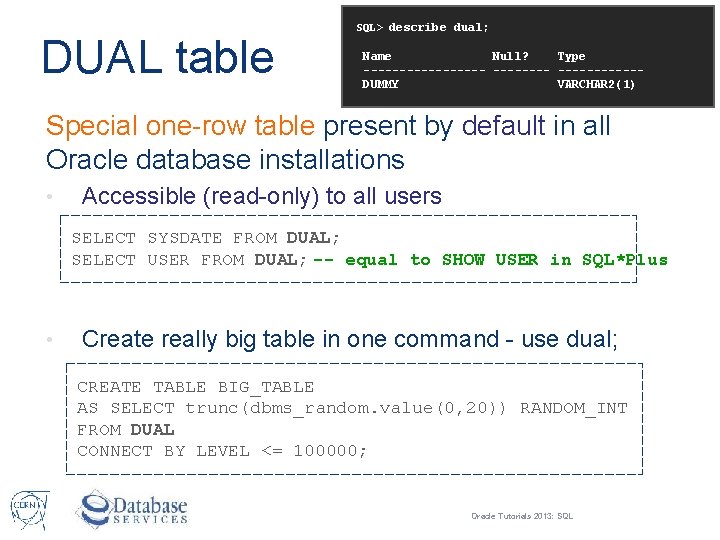
DUAL table SQL> describe dual; Name Null? Type -----------DUMMY VARCHAR 2(1) Special one-row table present by default in all Oracle database installations • Accessible (read-only) to all users SELECT SYSDATE FROM DUAL; SELECT USER FROM DUAL; -- equal to SHOW USER in SQL*Plus • Create really big table in one command - use dual; CREATE TABLE BIG_TABLE AS SELECT trunc(dbms_random. value(0, 20)) RANDOM_INT FROM DUAL CONNECT BY LEVEL <= 100000; Oracle Tutorials 2013: SQL
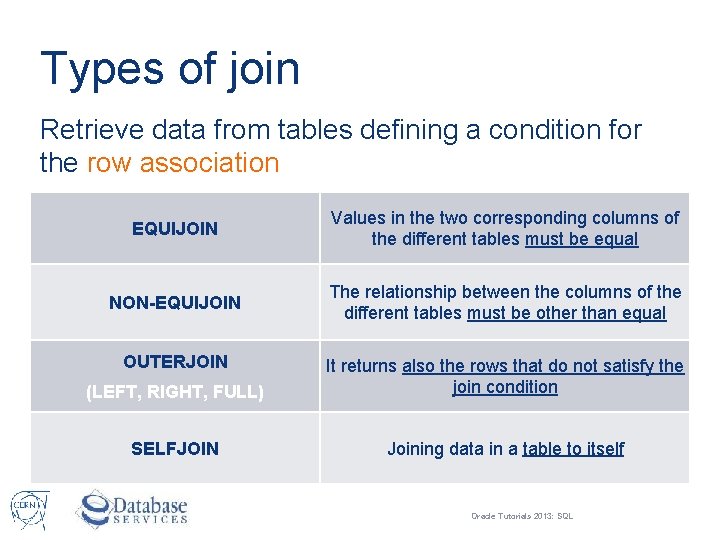
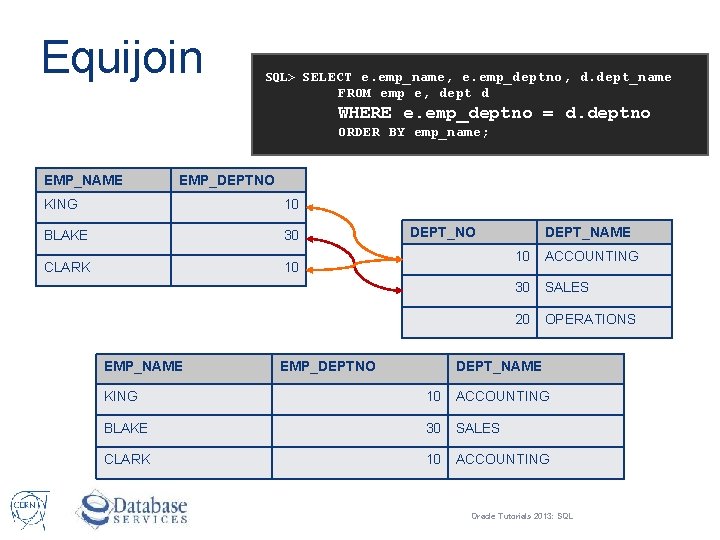
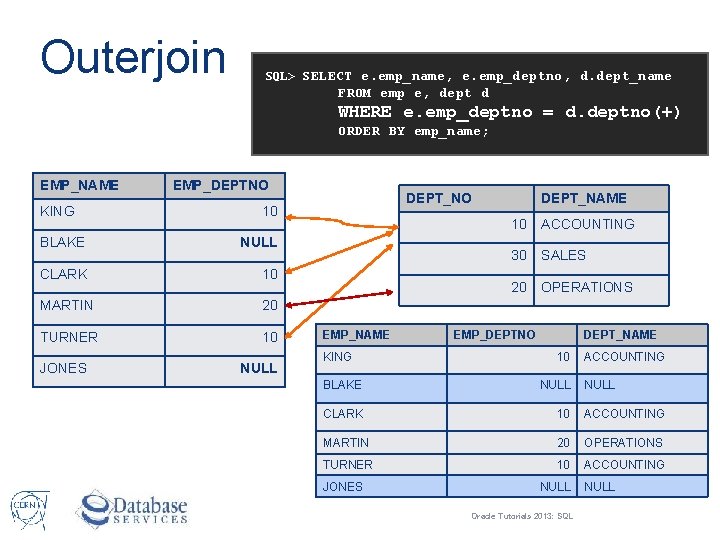
Types of join Retrieve data from tables defining a condition for the row association EQUIJOIN Values in the two corresponding columns of the different tables must be equal NON-EQUIJOIN The relationship between the columns of the different tables must be other than equal OUTERJOIN (LEFT, RIGHT, FULL) It returns also the rows that do not satisfy the join condition SELFJOIN Joining data in a table to itself Oracle Tutorials 2013: SQL
Equijoin SQL> SELECT e. emp_name, e. emp_deptno, d. dept_name FROM emp e, dept d WHERE e. emp_deptno = d. deptno ORDER BY emp_name; EMP_NAME EMP_DEPTNO KING 10 BLAKE 30 CLARK 10 EMP_NAME DEPT_NO EMP_DEPTNO DEPT_NAME 10 ACCOUNTING 30 SALES 20 OPERATIONS DEPT_NAME KING 10 ACCOUNTING BLAKE 30 SALES CLARK 10 ACCOUNTING Oracle Tutorials 2013: SQL
Outerjoin SQL> SELECT e. emp_name, e. emp_deptno, d. dept_name FROM emp e, dept d WHERE e. emp_deptno = d. deptno(+) ORDER BY emp_name; EMP_NAME KING EMP_DEPTNO 10 BLAKE NULL CLARK 10 MARTIN 20 TURNER 10 JONES DEPT_NO NULL EMP_NAME KING DEPT_NAME 10 ACCOUNTING 30 SALES 20 OPERATIONS EMP_DEPTNO DEPT_NAME 10 ACCOUNTING BLAKE NULL CLARK 10 ACCOUNTING MARTIN 20 OPERATIONS TURNER 10 ACCOUNTING JONES NULL Oracle Tutorials 2013: SQL NULL
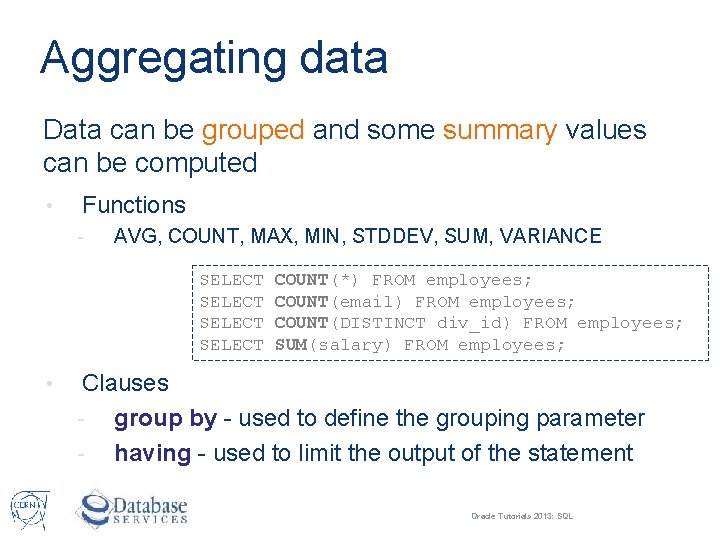
Aggregating data Data can be grouped and some summary values can be computed • Functions - AVG, COUNT, MAX, MIN, STDDEV, SUM, VARIANCE SELECT • COUNT(*) FROM employees; COUNT(email) FROM employees; COUNT(DISTINCT div_id) FROM employees; SUM(salary) FROM employees; Clauses - group by - used to define the grouping parameter - having - used to limit the output of the statement Oracle Tutorials 2013: SQL
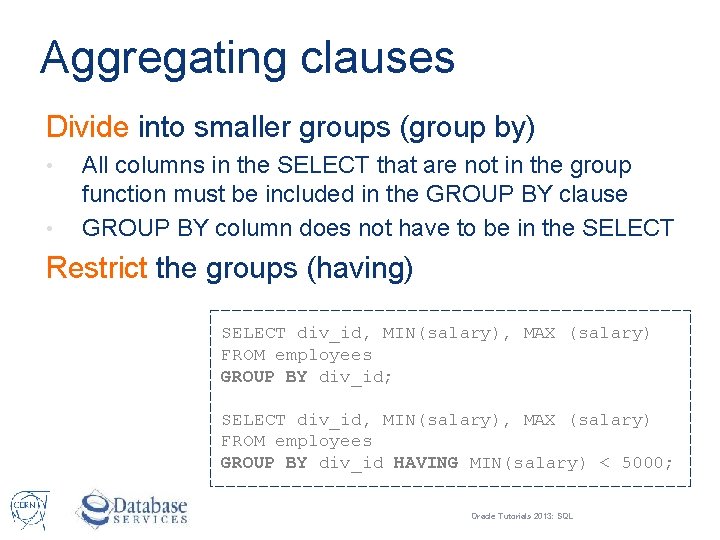
Aggregating clauses Divide into smaller groups (group by) • • All columns in the SELECT that are not in the group function must be included in the GROUP BY clause GROUP BY column does not have to be in the SELECT Restrict the groups (having) SELECT div_id, MIN(salary), MAX (salary) FROM employees GROUP BY div_id; SELECT div_id, MIN(salary), MAX (salary) FROM employees GROUP BY div_id HAVING MIN(salary) < 5000; Oracle Tutorials 2013: SQL
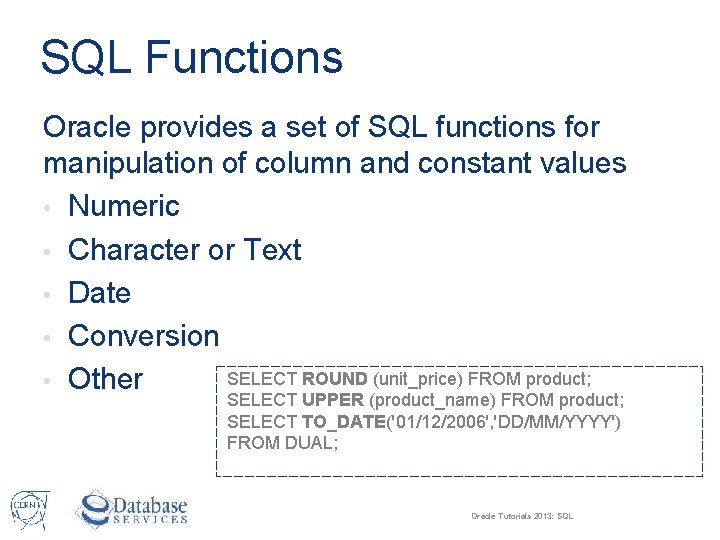
SQL Functions Oracle provides a set of SQL functions for manipulation of column and constant values • Numeric • Character or Text • Date • Conversion SELECT ROUND (unit_price) FROM product; • Other SELECT UPPER (product_name) FROM product; SELECT TO_DATE('01/12/2006', 'DD/MM/YYYY') FROM DUAL; Oracle Tutorials 2013: SQL
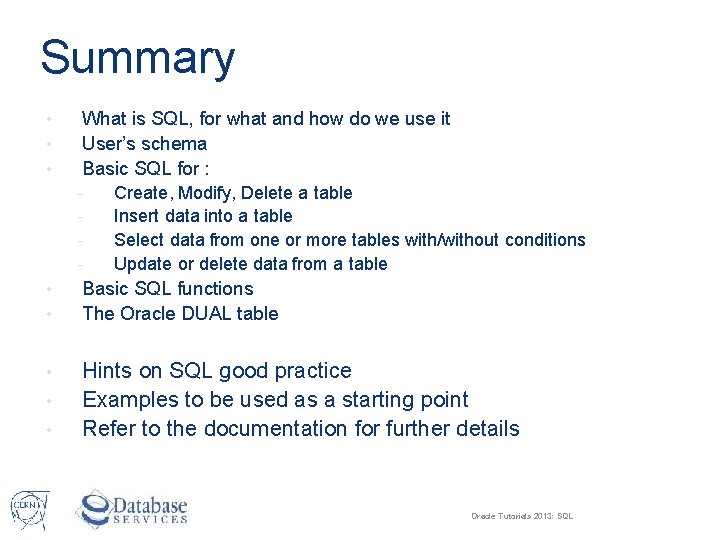
Summary • • • What is SQL, for what and how do we use it User’s schema Basic SQL for : - • • • Create, Modify, Delete a table Insert data into a table Select data from one or more tables with/without conditions Update or delete data from a table Basic SQL functions The Oracle DUAL table Hints on SQL good practice Examples to be used as a starting point Refer to the documentation for further details Oracle Tutorials 2013: SQL
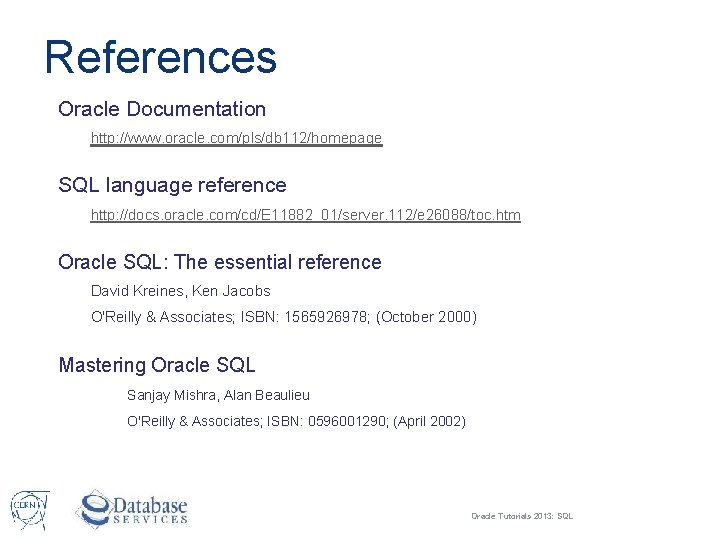
References Oracle Documentation http: //www. oracle. com/pls/db 112/homepage SQL language reference http: //docs. oracle. com/cd/E 11882_01/server. 112/e 26088/toc. htm Oracle SQL: The essential reference David Kreines, Ken Jacobs O'Reilly & Associates; ISBN: 1565926978; (October 2000) Mastering Oracle SQL Sanjay Mishra, Alan Beaulieu O'Reilly & Associates; ISBN: 0596001290; (April 2002) Oracle Tutorials 2013: SQL
Questions & Answers Oracle Tutorials 2013: SQL