
Oracle Materialized Views for Replication COUG Presentation Feb
Oracle Materialized Views for Replication COUG Presentation, Feb 20, 2014 Jane Lamont, jlamont@geologic. com
Materialized Views 101 • Types and uses of materialized views • Basic setup of materialized views • Common types of refreshes used on materialized views. • Demo setup, refresh and drop
Bio • 17 years experience working with Oracle databases in ON, NT, and AB • Certified OCP - 7, 8, 9 i, 11 g and E-Business Suite, 11 g • Instructor at SAIT, BA Program & DBA Fast-Track Program, 2001 - 2005 • Executive of COUG 2000 – 2008 and President 2003 -2006 • Presented twice before at COUG • Built and maintained > 3000 materialized views 5 to 25 M records in each in a warehousing environment at geo. LOGIC Systems for past 4 years
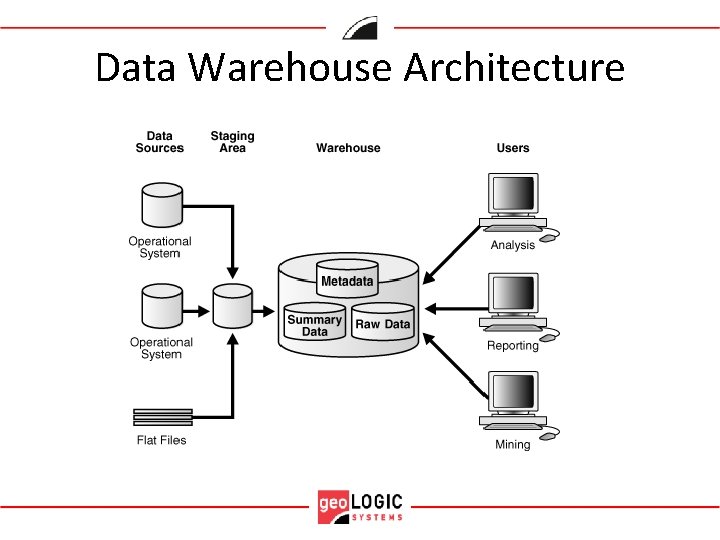
Data Warehouse Architecture
Views & Materialized Views • Views are based on a query where the structure may/may not be saved, and the results are cached only • Materialized views are based on a query that is saved and where the results reside in physical tables • Snapshot is a previous term for materialized view. Will still see reference to snapshots in Oracle docs
Materialized Views • A materialized view (mview) is a replica of a master table from a single point in time connected together via database links. • Mviews are updated from one or more masters through individual batch updates, called refreshes. • Fast refresh is applying only changes to the master site to the mview, enabled by a materialized view log that records the changes to the master table. • Complete refresh is a full copy of the master site to the mview.
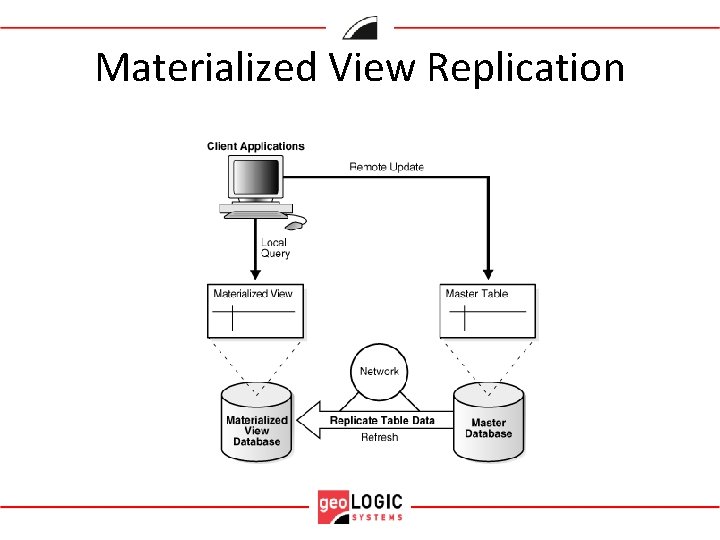
Materialized View Replication
Why Use Materialized Views? • Ease Network Loads. Distribute the corporate database amongst multiple sites, giving stable location for client connection while staging area is updating/processing. • Create a Mass Deployment Environment. Rollout db infrastructure quickly and easily • Enable Data Subsetting or Aggregation. Query of master table(s). Query rewriting by the optimizer. • Enable Disconnect Computing. No need for dedicated network connection between databases
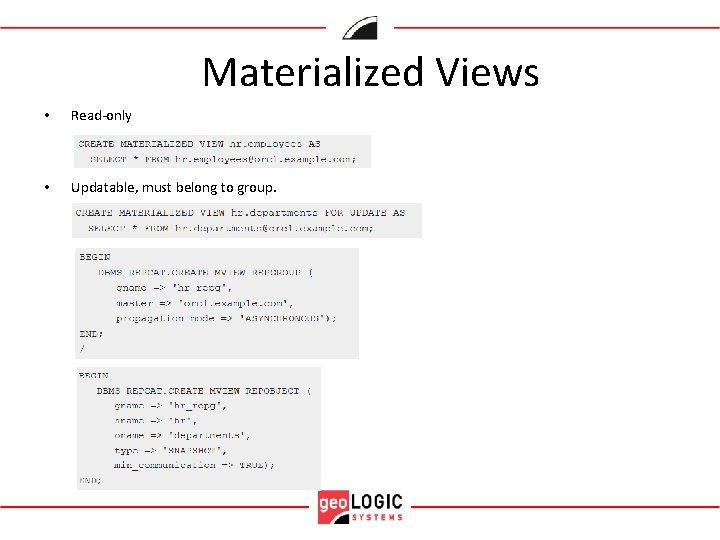
Materialized Views • Read-only • Updatable, must belong to group.
Types of Materialized Views 1. Primary Key – default. Based on the pk in the master. 2. Object – based on object table and created using the OF type clause. 3. ROWID – based on the rowids in the master 4. Complex – if defining query does not meet restrictions to be fast refreshed, such as CONNECT BY, INTERSECT, MINUS, UNION ALL etc. can only be refreshed ‘complete’.
Materialized View Security • Privileges – CREATE MATERIALIZED VIEW – CREATE TABLE – SELECT object privilege on master table and its mview log, if not using database link, otherwise is included in the link
Mview log in the Staging Database • A master table on which the MView is based on has a MView log table (MLOG$_ ) to hold the changed rows in the master table • Analogous to the redo log. • An entry in SYS. MLOG$ defines the MView log. • A fast refresh is based on the rowids or primary keys • Note: If the mview query is NOT simple then it cannot be fast refreshed so it will NOT need a mview log. • One master table/mview log can have > 1 mviews. Log ensures that all mviews are refreshed and does not purge itself until all mviews are refreshed. • Also mviews may be refreshed from the same mview log at different times so they are kept in synch by the timestamp of the fast refresh. 11 g. R 2 now uses commit SCN data instead of timestamps which improves the speed of the mview refresh. – SQL> create materialized log on emp with commit scn;
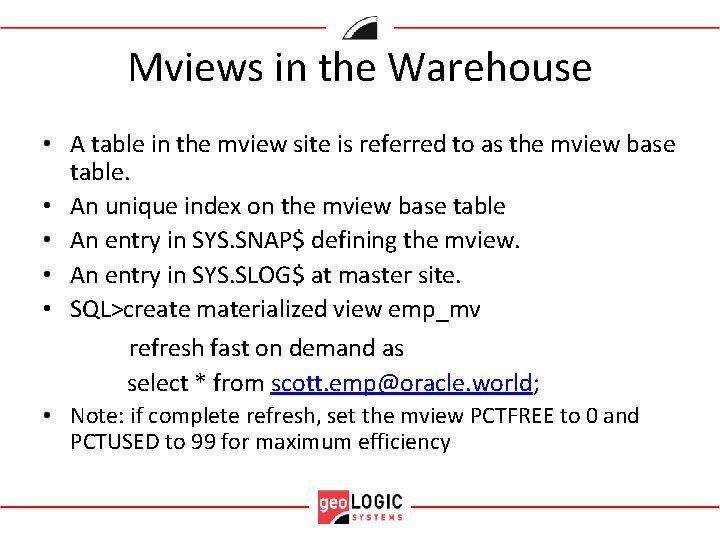
Mviews in the Warehouse • A table in the mview site is referred to as the mview base table. • An unique index on the mview base table • An entry in SYS. SNAP$ defining the mview. • An entry in SYS. SLOG$ at master site. • SQL>create materialized view emp_mv refresh fast on demand as select * from scott. emp@oracle. world; • Note: if complete refresh, set the mview PCTFREE to 0 and PCTUSED to 99 for maximum efficiency
DBMS_MVIEW supplied package • Various procedures to design, build, troubleshoot, repair mviews – Refresh procedure – Explain_mview procedure – Purge_log procedure – Register_mview procedure
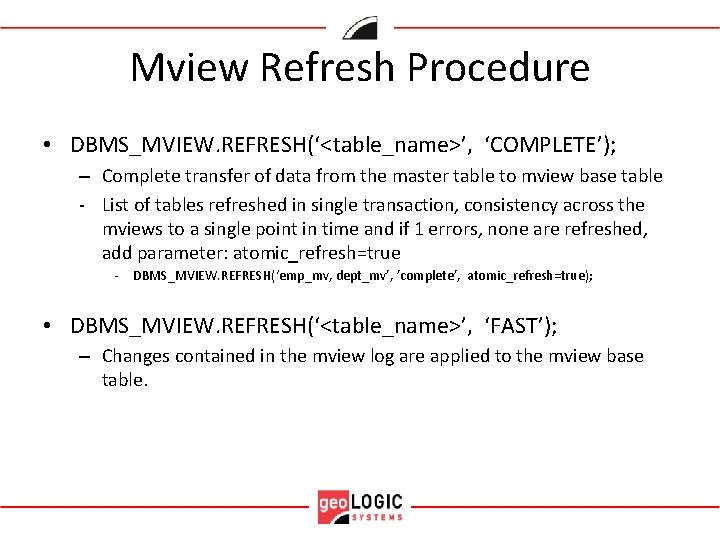
Mview Refresh Procedure • DBMS_MVIEW. REFRESH(‘<table_name>’, ‘COMPLETE’); – Complete transfer of data from the master table to mview base table - List of tables refreshed in single transaction, consistency across the mviews to a single point in time and if 1 errors, none are refreshed, add parameter: atomic_refresh=true - DBMS_MVIEW. REFRESH(‘emp_mv, dept_mv’, ’complete’, atomic_refresh=true); • DBMS_MVIEW. REFRESH(‘<table_name>’, ‘FAST’); – Changes contained in the mview log are applied to the mview base table.
Idea: Mview used for cut-over • If time is limited to do a cut-over to a new database. Lots of time to prep, no time to execute: – RMAN cloning – Standby database – Mview drop with preserve table (includes indexes) clause • SQL> drop materialized view on emp preserve table;
References • Oracle Database Concepts, 11. 2 Release – E 40540 -01 • Oracle Database Advanced Replication, 11. 2 Release – E 10706 -06 • Oracle Database PL/SQL Packages and Types Reference, 11. 2 Release – E 40758 -03
My experiences • Do not data pump mviews to new database, it loses its registration in the master site, in the SYS. SLOG$. • Logs can be ‘pesky’ and need to be rebuilt. Do complete refreshes to all mviews first! • Logs keep filling and never purging. • Bug in 11 g. R 2 where master table was in a 11 g. R 2 version and mview in 11 g. R 1 version. • Watch out for the database links if moving either master or base table.
Demo • 1 table replicated from OLTP or batch master table site in the staging schema to a warehouse schema using a mview based on the primary key of the master table. Then SQL SELECT done against the warehouse • Mview will be complete refreshed automatically when built, then will be fast refreshed on demand as data received into the staging database • Mview Log will use commit scn • Mview will be dropped preserving the table
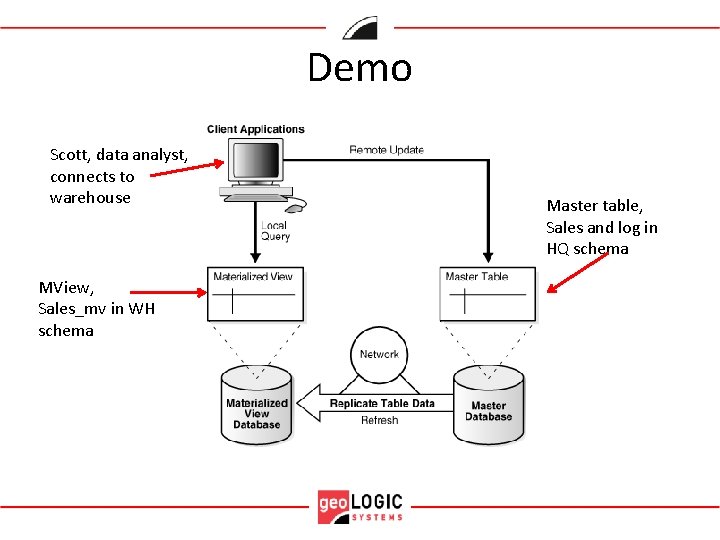
Demo Scott, data analyst, connects to warehouse MView, Sales_mv in WH schema Master table, Sales and log in HQ schema
Summary • Consider using mviews in a situation where an end user will need data refreshed periodically
Q&A
- Slides: 22