
ORACLE Lecture 1 Oracle 11 g Introduction Installation
- Slides: 44
ORACLE Lecture 1: Oracle 11 g Introduction & Installation
Overview �Introduction �Installation �Using SQL to Query Your Database �Oracle SQL Developer
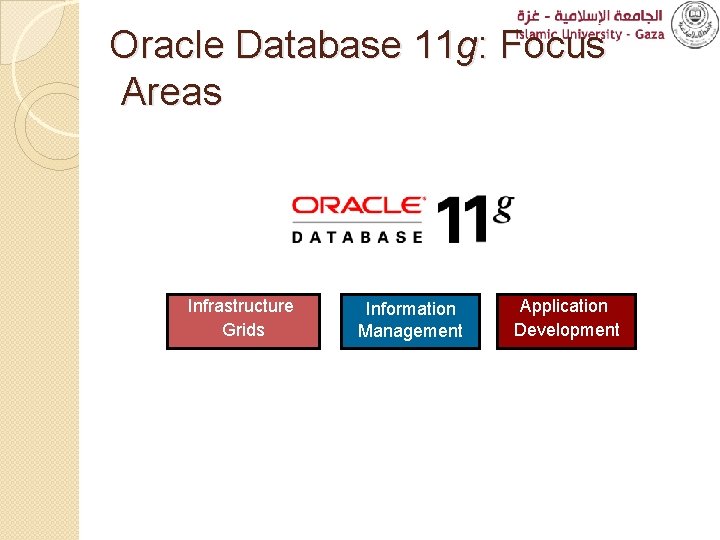
Oracle Database 11 g: Focus Areas Infrastructure Grids Information Management Application Development
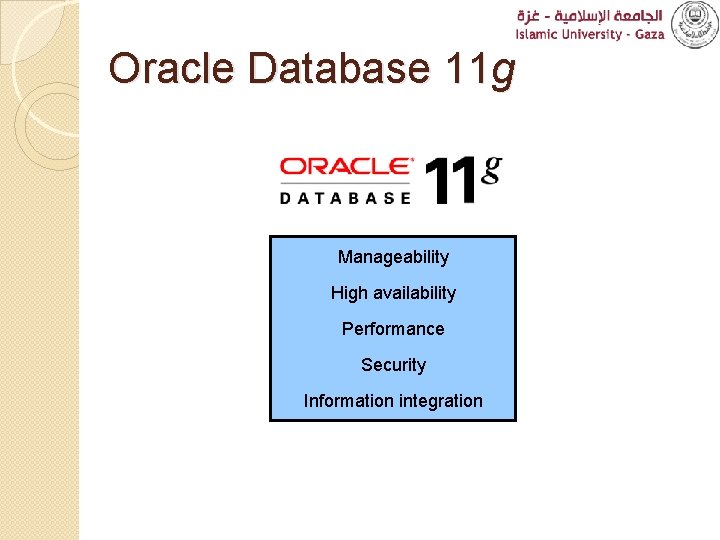
Oracle Database 11 g Manageability High availability Performance Security Information integration
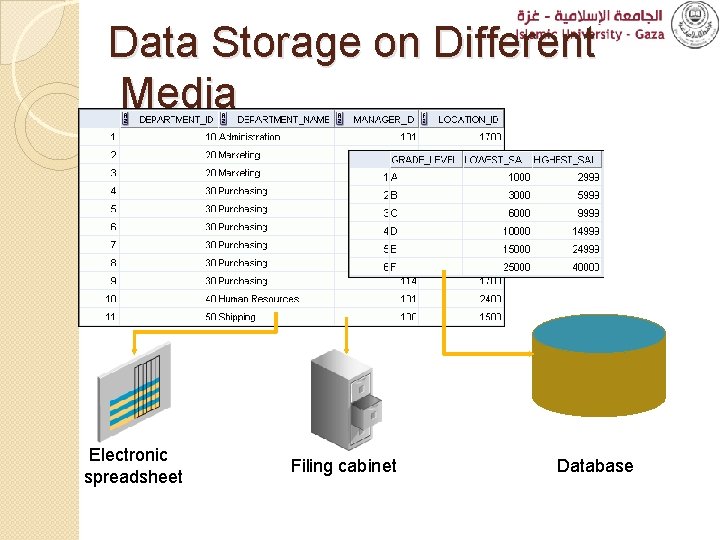
Data Storage on Different Media Electronic spreadsheet Filing cabinet Database
Relational Database Concept ◦ Dr. E. F. Codd proposed the relational model for database systems in 1970. ◦ It is the basis for the relational database management system (RDBMS). ◦ The relational model consists of the following: �Collection of objects or relations �Set of operators to act on the relations �Data integrity for accuracy and consistency
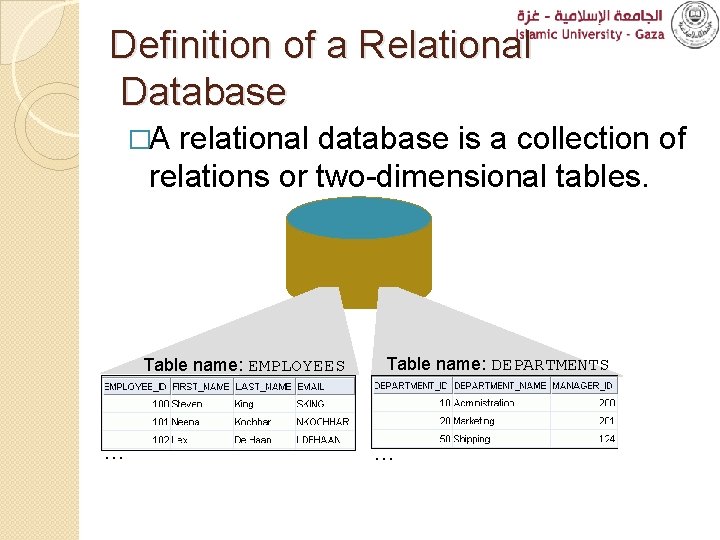
Definition of a Relational Database �A relational database is a collection of relations or two-dimensional tables. Table name: EMPLOYEES … Table name: DEPARTMENTS …
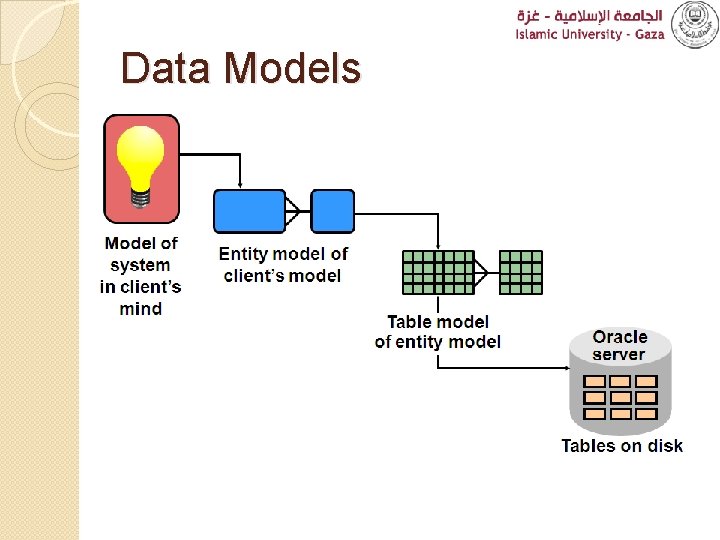
Data Models
Overview �Introduction �Installation �Using SQL to Query Your Database �Oracle SQL Developer
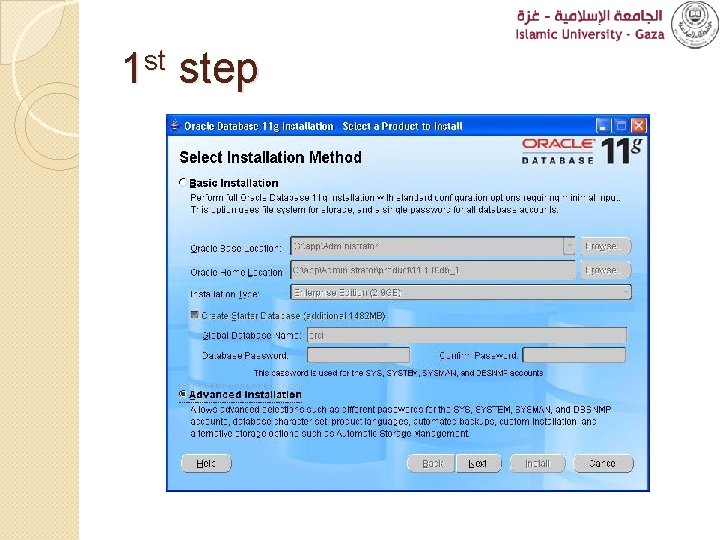
1 st step
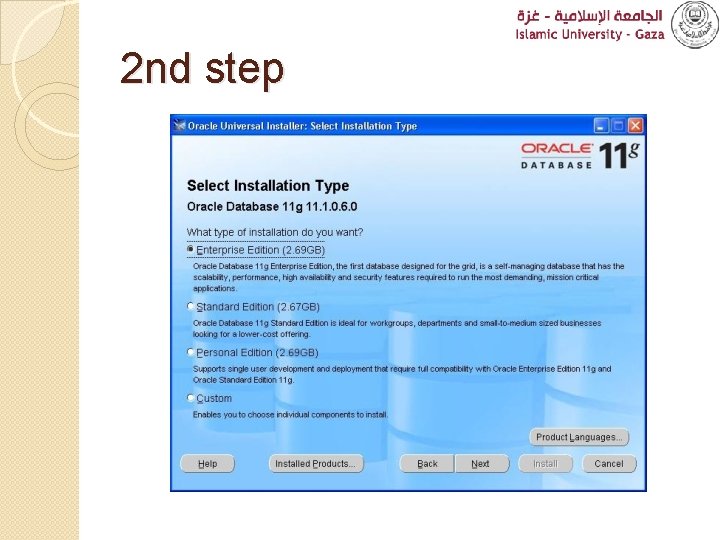
2 nd step
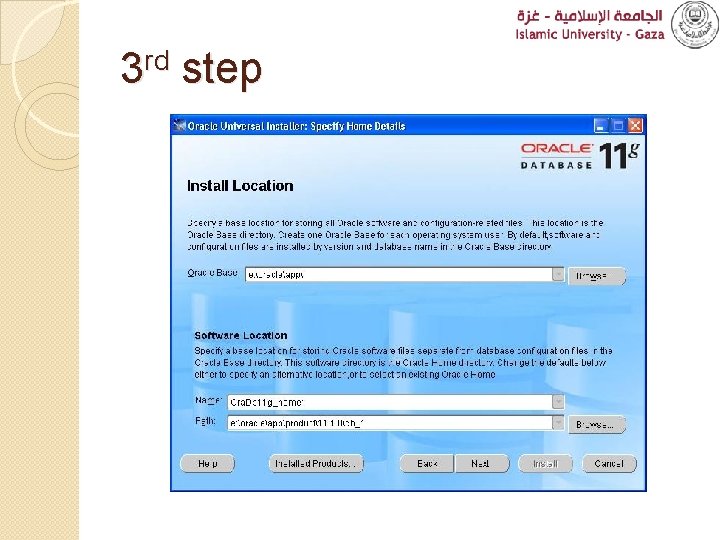
3 rd step
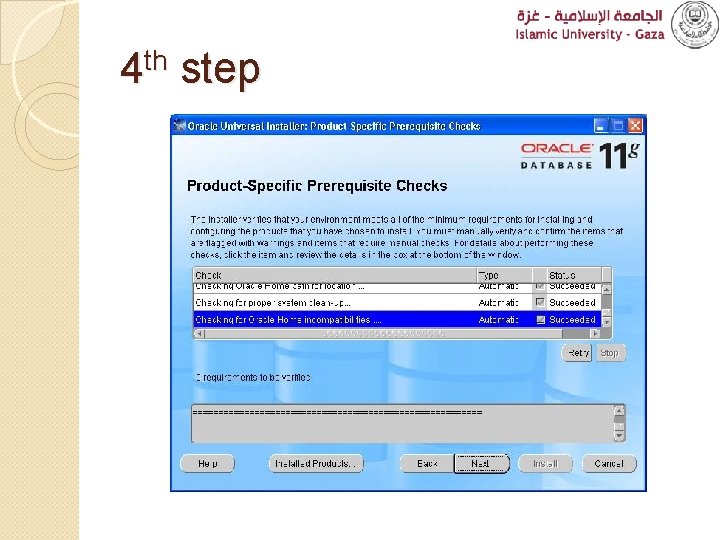
4 th step
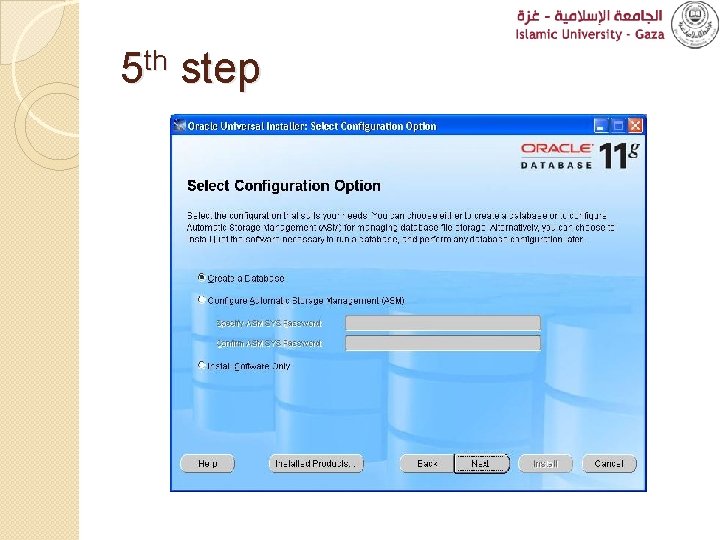
5 th step
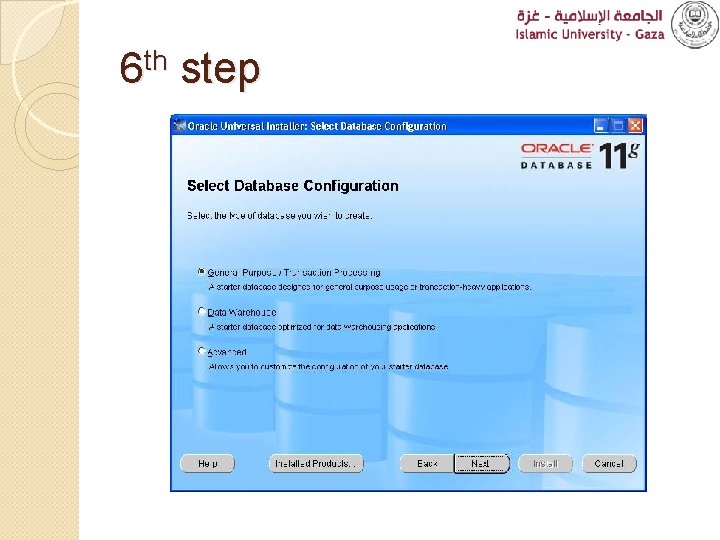
6 th step
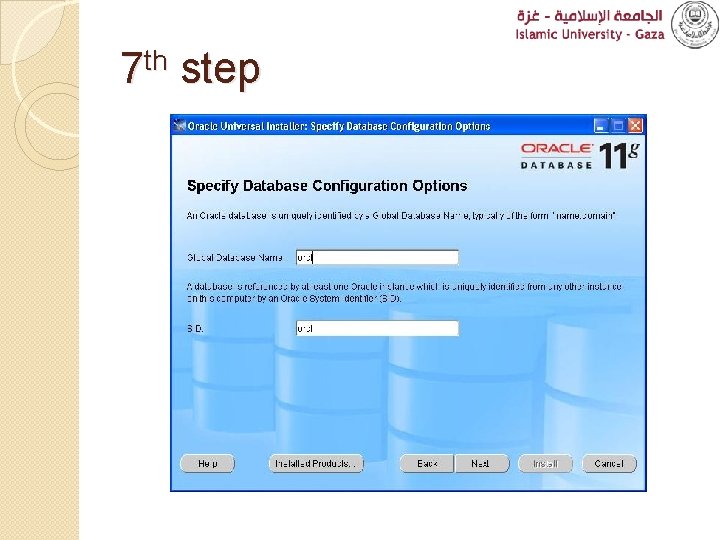
7 th step
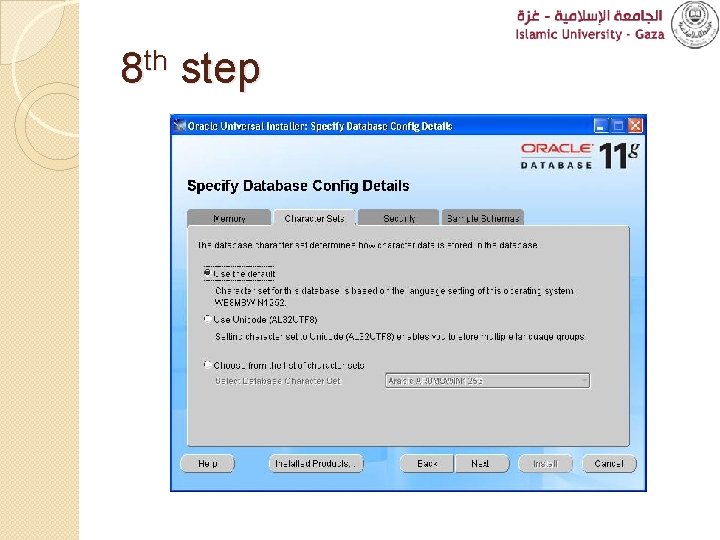
8 th step
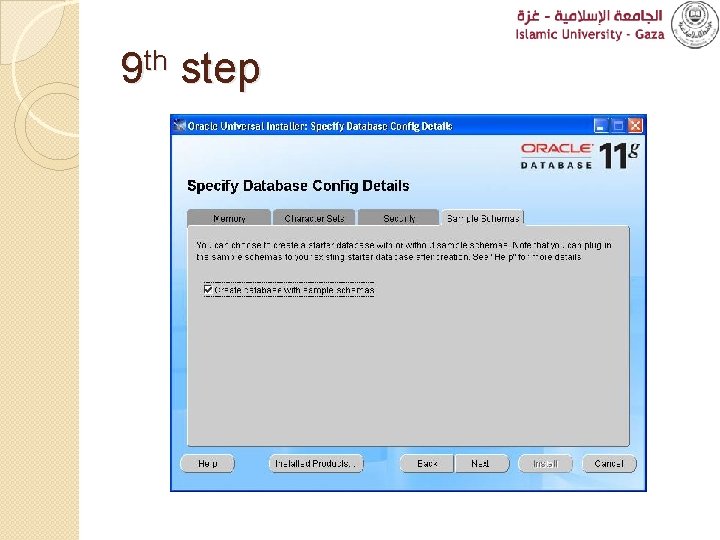
9 th step
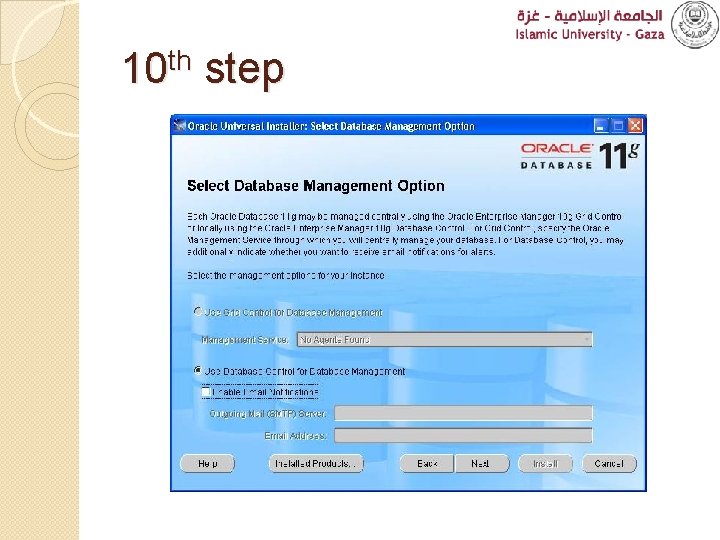
10 th step
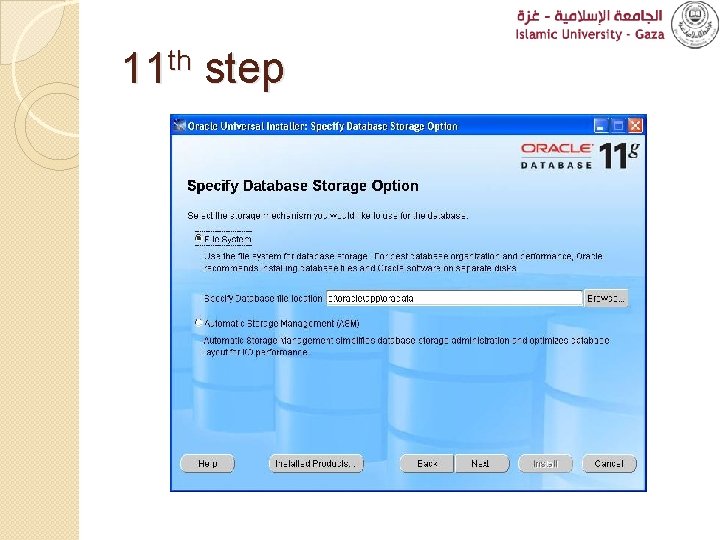
11 th step
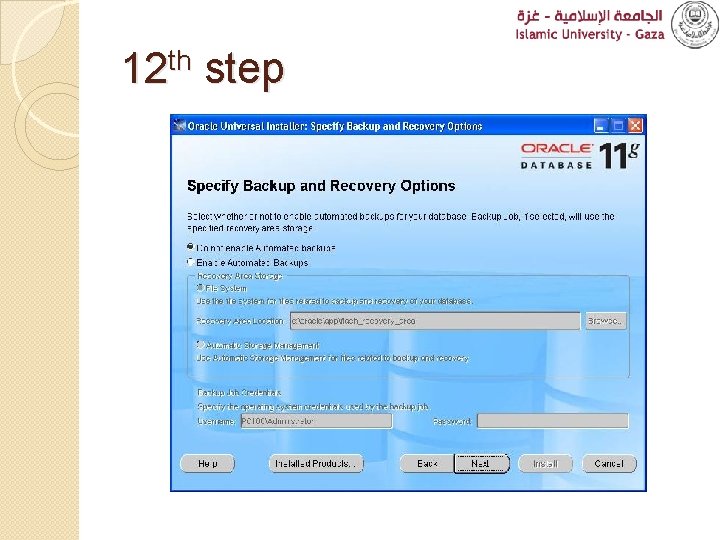
12 th step
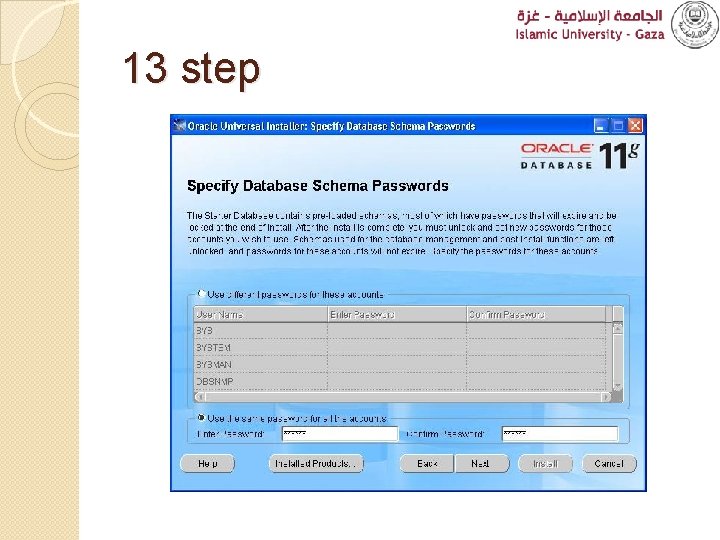
13 step
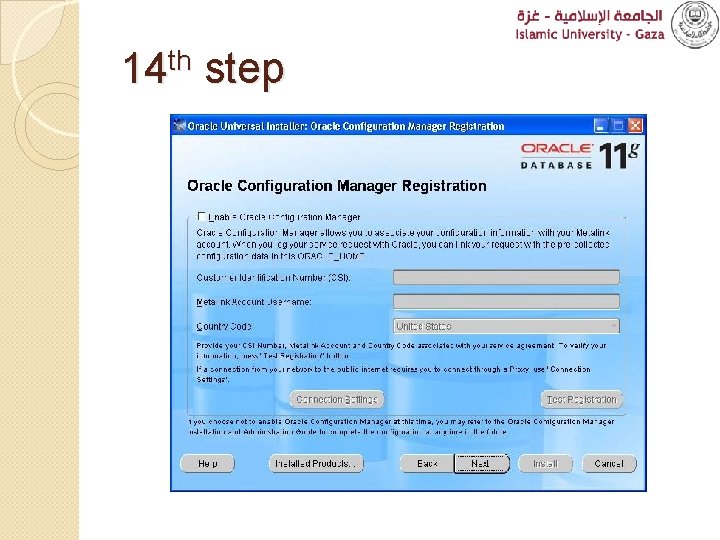
14 th step
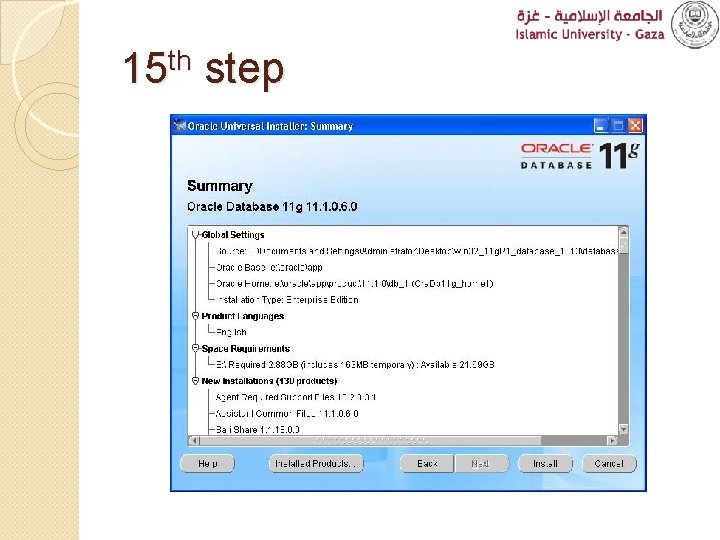
15 th step
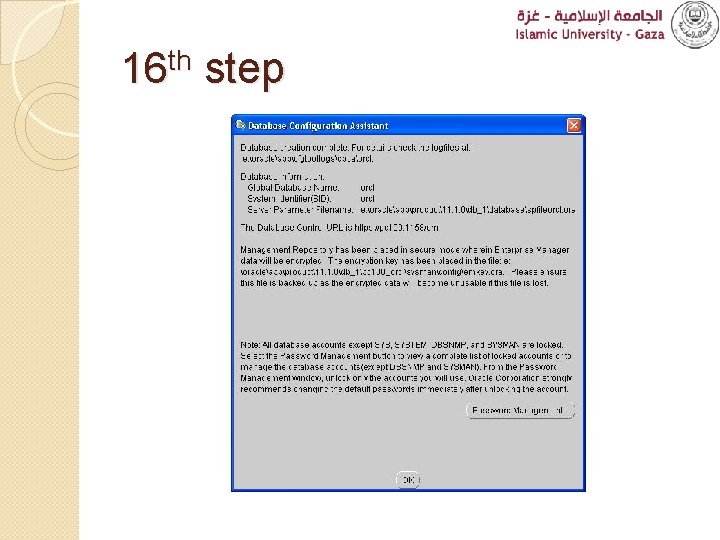
16 th step
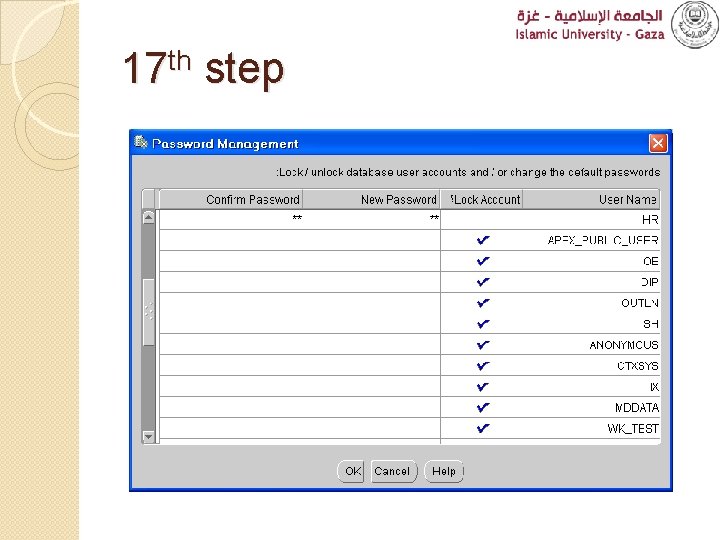
17 th step
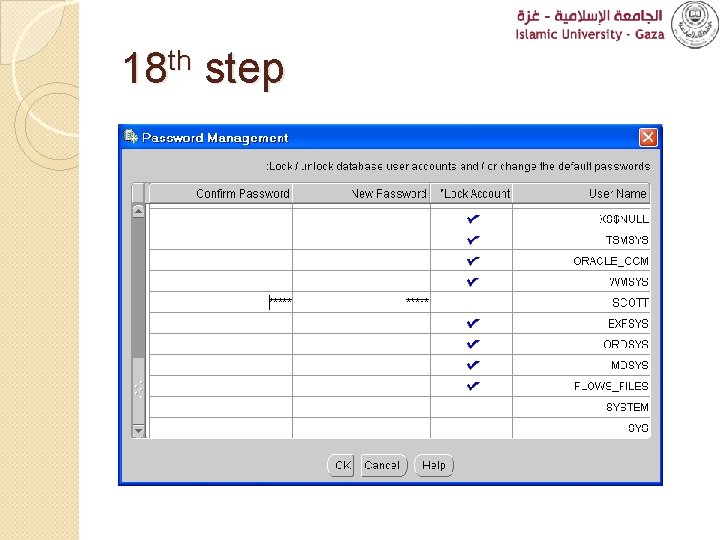
18 th step
Overview �Introduction �Installation �Using SQL to Query Your Database �Oracle SQL Developer
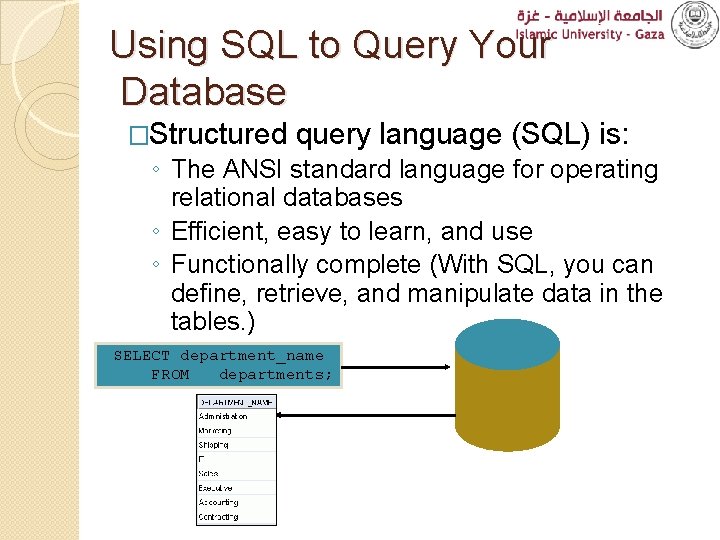
Using SQL to Query Your Database �Structured query language (SQL) is: ◦ The ANSI standard language for operating relational databases ◦ Efficient, easy to learn, and use ◦ Functionally complete (With SQL, you can define, retrieve, and manipulate data in the tables. ) SELECT department_name FROM departments;
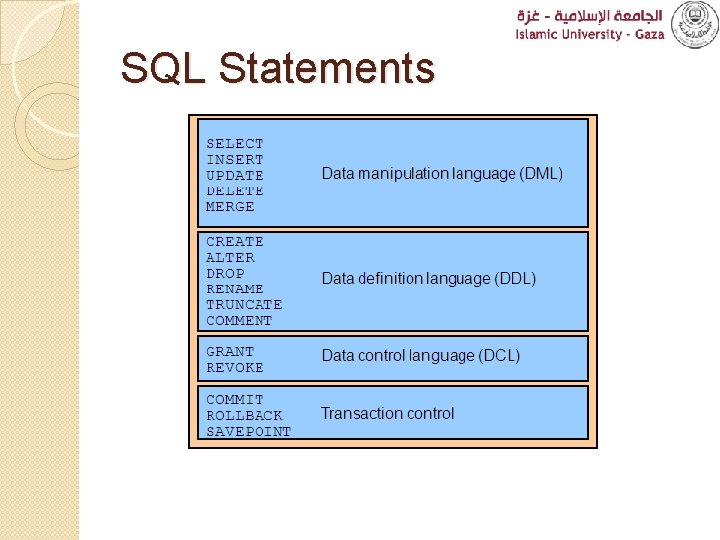
SQL Statements
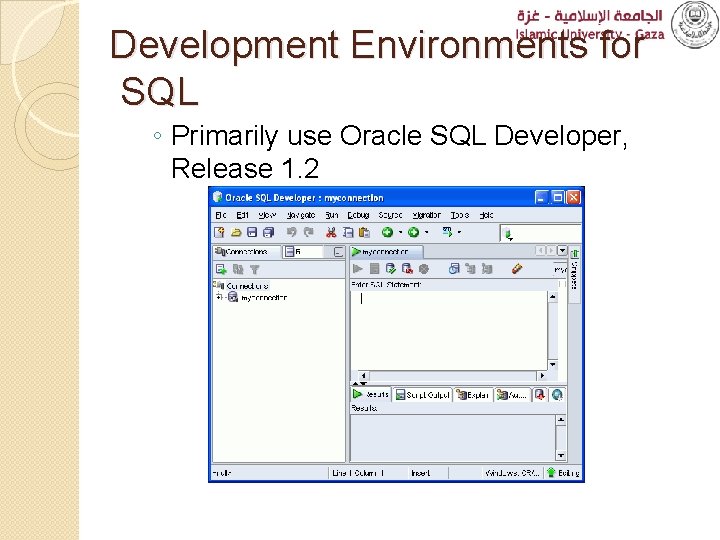
Development Environments for SQL ◦ Primarily use Oracle SQL Developer, Release 1. 2
Overview �Introduction �Installation �Using SQL to Query Your Database �Oracle SQL Developer
What Is Oracle SQL Developer? ◦ Oracle SQL Developer is a graphical tool that enhances productivity and simplifies database development tasks. ◦ You can connect to any target Oracle database schema by using the standard Oracle database authentication.
Specifications of Oracle SQL Developer ◦ Developed in Java ◦ Supports Windows, Linux, and Mac OS X platforms ◦ Default connectivity by using the JDBC Thin driver ◦ Does not require an installer �Unzip the downloaded Oracle SQL Developer kit and double-click sqldeveloper. exe to start Oracle SQL Developer. ◦ Connects to any Oracle Database, version 9. 2. 0. 1 and later ◦ Freely downloadable from the following link: �http: //www. oracle. com/technology/products/database/sql _developer/index. html ◦ Needs JDK 1. 5 installed on your system, which can be downloaded from the following link: �http: //java. sun. com/javase/downloads/index_jdk 5. jsp
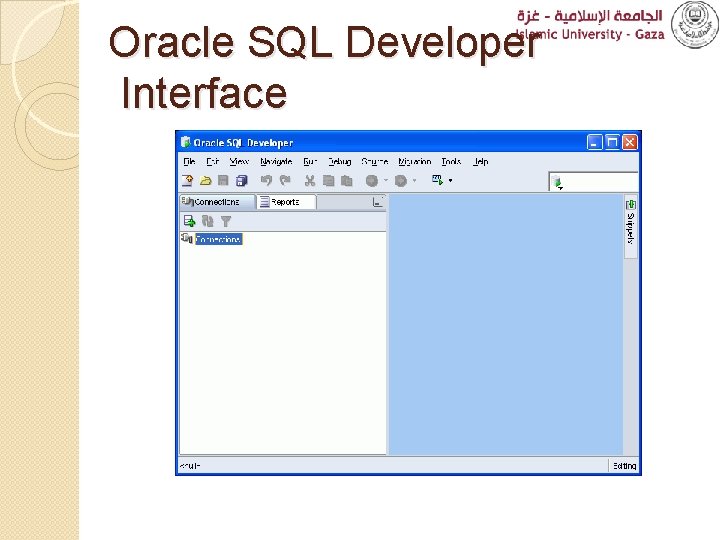
Oracle SQL Developer Interface
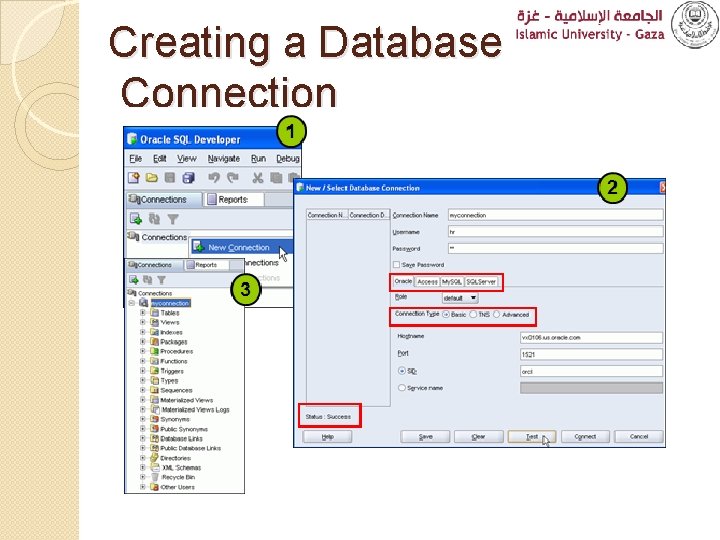
Creating a Database Connection ◦ You must have at least one database connection to use Oracle SQL Developer. ◦ You can create and test connections for: �Multiple databases �Multiple schemas ◦ Oracle SQL Developer automatically imports any connections defined in the tnsnames. ora file on your system. ◦ You can export connections to an XML file. ◦ Each additional database connection created is listed in the Connections Navigator hierarchy.
Creating a Database Connection
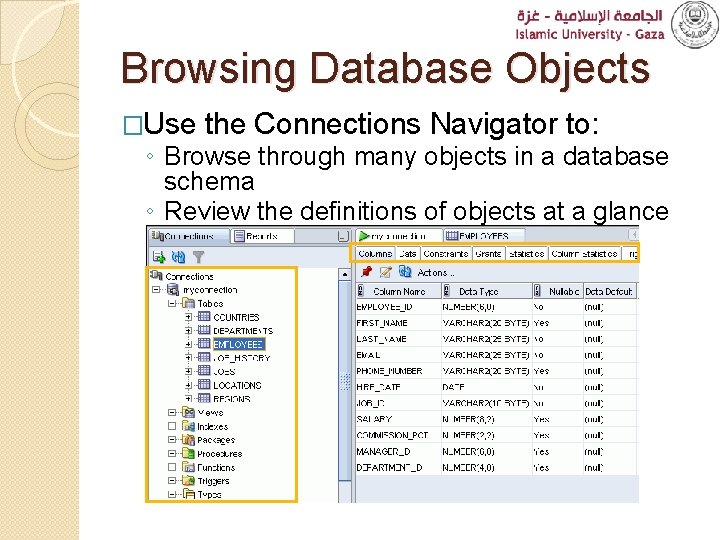
Browsing Database Objects �Use the Connections Navigator to: ◦ Browse through many objects in a database schema ◦ Review the definitions of objects at a glance
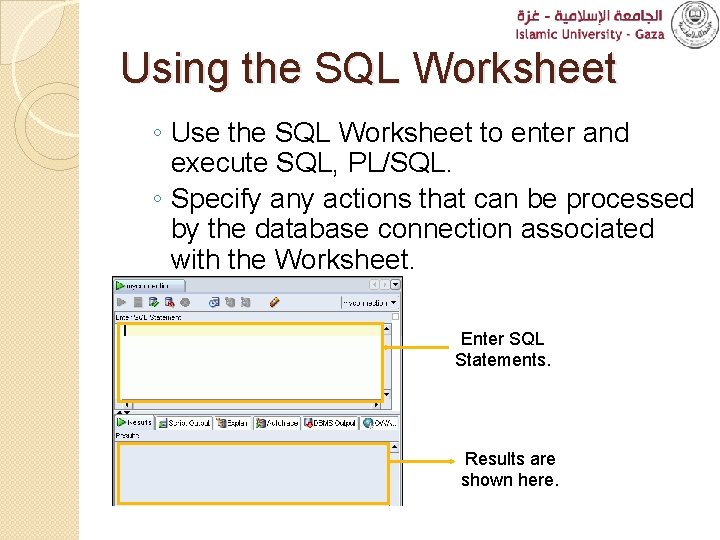
Using the SQL Worksheet ◦ Use the SQL Worksheet to enter and execute SQL, PL/SQL. ◦ Specify any actions that can be processed by the database connection associated with the Worksheet. Enter SQL Statements. Results are shown here.
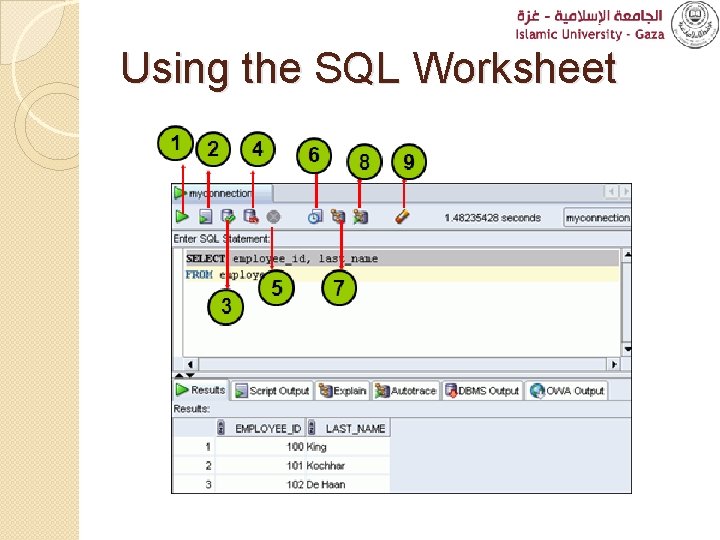
Using the SQL Worksheet
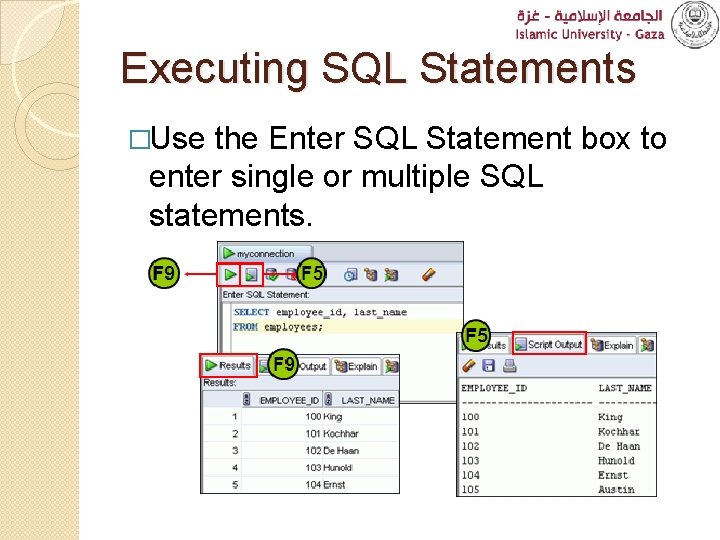
Executing SQL Statements �Use the Enter SQL Statement box to enter single or multiple SQL statements.
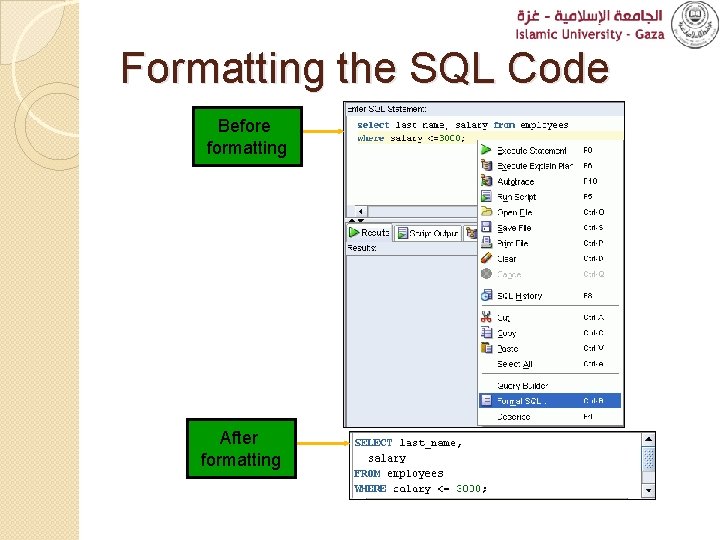
Formatting the SQL Code Before formatting After formatting
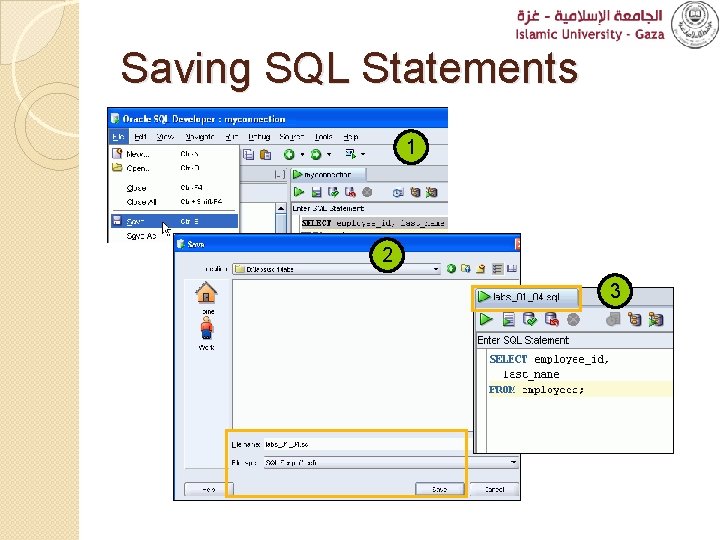
Saving SQL Statements 1 2 3
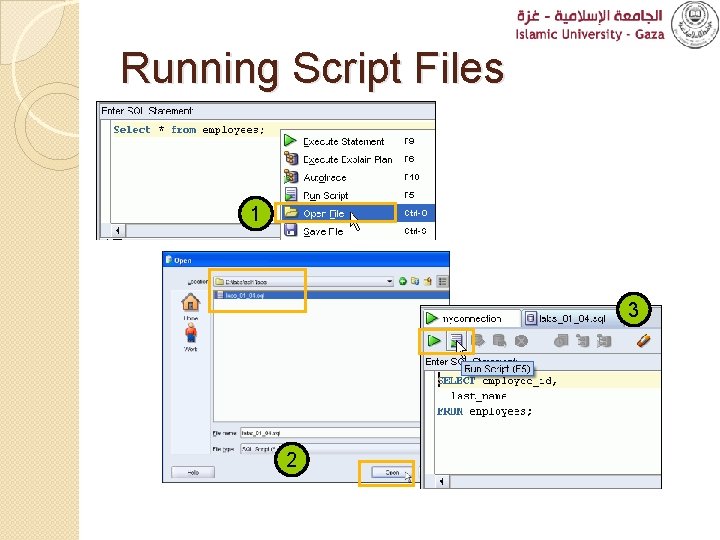
Running Script Files 1 3 2