
Oracle Financials APEX Presented by Ian Drever Chitra

Oracle Financials – APEX Presented by : Ian Drever Chitra Kanakaraj The University of Waikato
Presentation Contents Ø Business Requirements Ø Design Considerations Ø Configuring Oracle Financials to link to Application Express Ø Configuring Oracle Financials to link to a page within an Application Express application Ø How this works in practice Ø Questions
Business Requirements Ø The University decided to implement Oracle Projects to manage costing and billing for research and other projects. Ø The Research Office had developed a comprehensive stand alone Microsoft Access database to control Research at the university. Ø Oracle Financials was to be the prime source for research project information Ø APEX would provide additional information associated with managing research projects Ø Ownership of the APEX application would remain with the Research Office Ø A large number of staff may require access to research project information
Design Considerations Ø The user must be able to open the APEX project details from within an open project in Oracle Projects Ø Single sign on is required Ø Access would be required to Project Information without requiring access to Oracle Projects Ø Oracle Projects would provide the base source data Ø APEX would store additional data Ø Oracle Projects would capture transactional and revenue costing Ø APEX would not update Oracle Projects data
Configuring Oracle Financials to link to Application Express
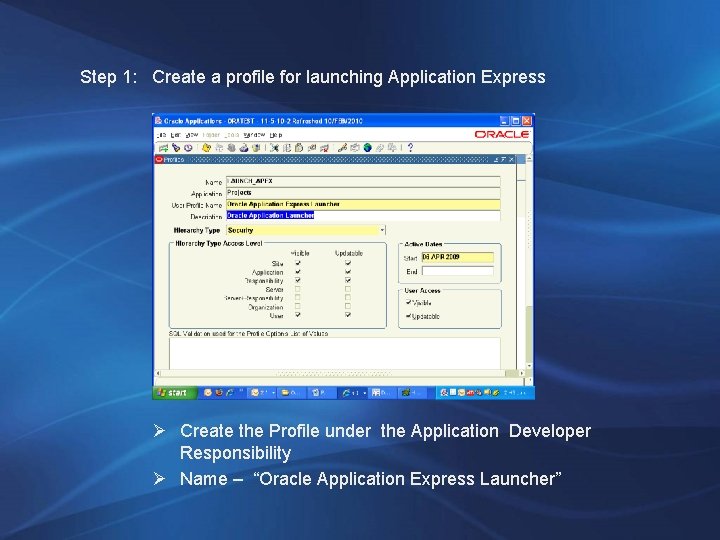
Step 1: Create a profile for launching Application Express Ø Create the Profile under the Application Developer Responsibility Ø Name – “Oracle Application Express Launcher”
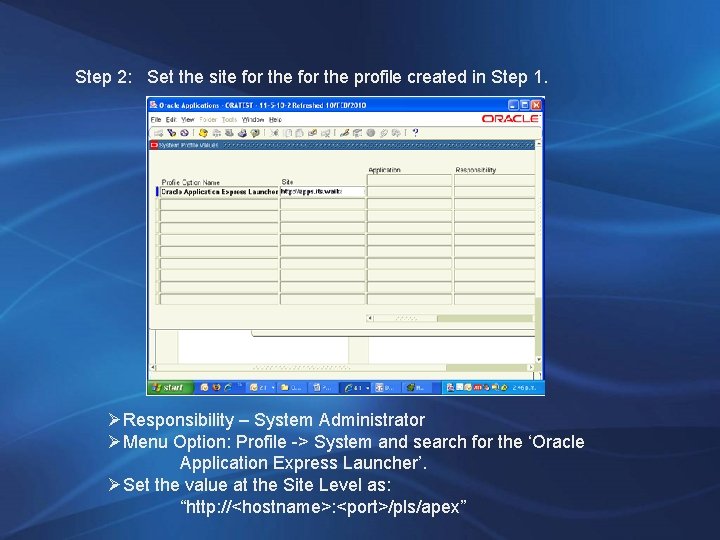
Step 2: Set the site for the profile created in Step 1. ØResponsibility – System Administrator ØMenu Option: Profile -> System and search for the ‘Oracle Application Express Launcher’. ØSet the value at the Site Level as: “http: //<hostname>: <port>/pls/apex”
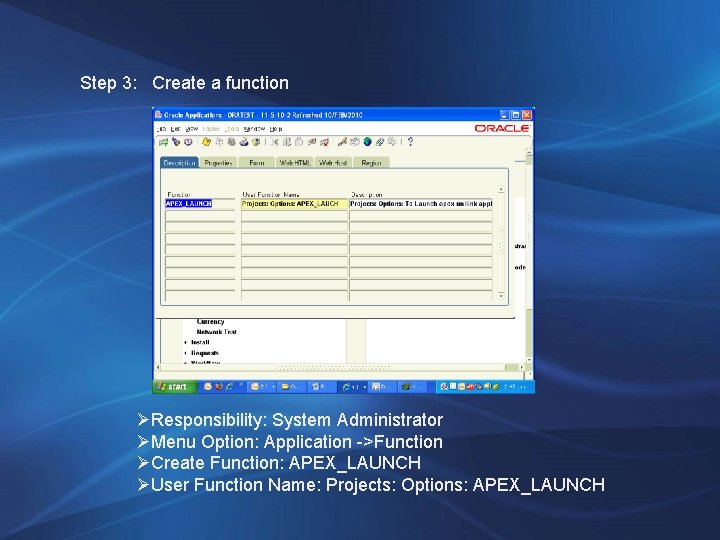
Step 3: Create a function ØResponsibility: System Administrator ØMenu Option: Application ->Function ØCreate Function: APEX_LAUNCH ØUser Function Name: Projects: Options: APEX_LAUNCH
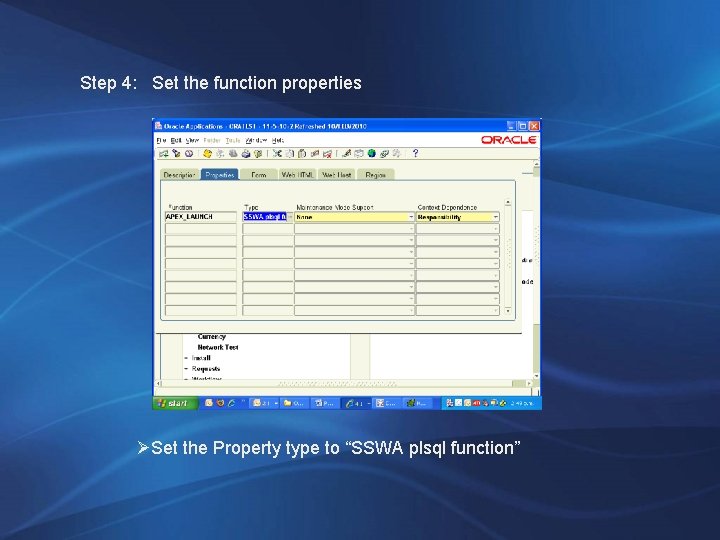
Step 4: Set the function properties ØSet the Property type to “SSWA plsql function”
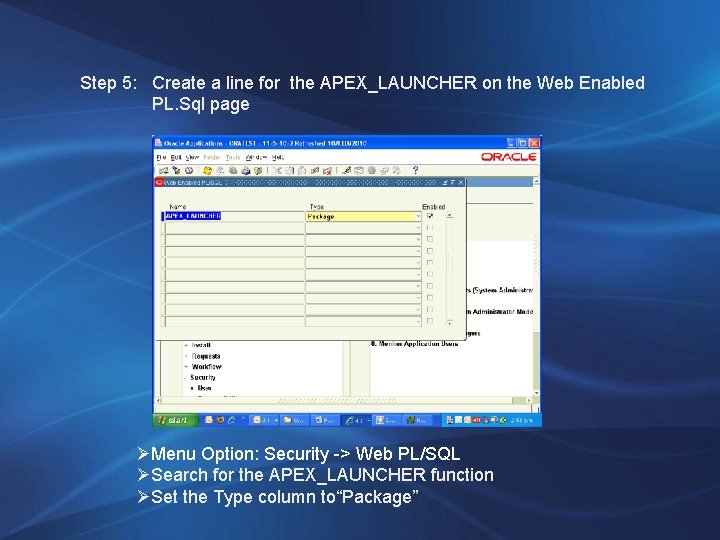
Step 5: Create a line for the APEX_LAUNCHER on the Web Enabled PL. Sql page Web Enabled PL/SQL page ØMenu Option: Security -> Web PL/SQL ØSearch for the APEX_LAUNCHER function ØSet the Type column to“Package”
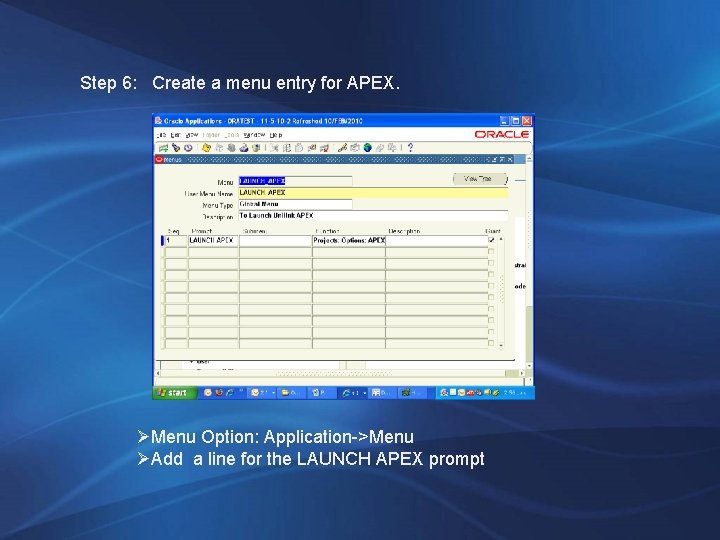
Step 6: Create a menu entry for APEX. ØMenu Option: Application->Menu ØAdd a line for the LAUNCH APEX prompt
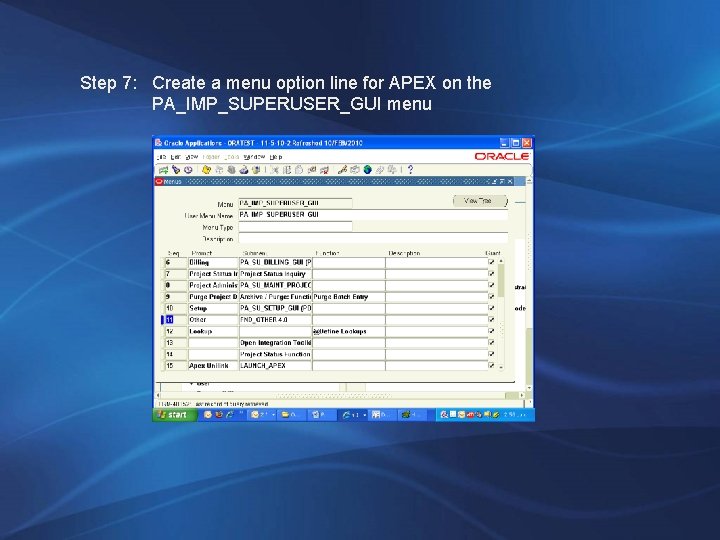
Step 7: Create a menu option line for APEX on the PA_IMP_SUPERUSER_GUI menu
ØCompile the package APEX_LAUNCHER in the EBS database (APPS) This package has the procedure APEX_LAUNCH. Process flow in the procedure is as follows ØThis package: o Sets the url using FND_PROFILE. value('LAUNCH_APEX'); o Passes the application id and the page id 111 in the url o Sends a COOKIE using OWA_COOKIE. send procedure with a name and a value parameter. Use this value parameter to pass the username and password for the APEX login authentication. o Opens a new window using the Unilink. URL. ØIn the APEX application on page 101 (i. e. logon page), create a process (on load before header) to read the OWA_COOKIE sent from the above procedure and set the USERNAME and PASSWORD. Use the APEX login API wwv_flow_custom_auth_std. login to login the APEX application. ØThe code is based on this white paper: http: //www. oracle. com/technology/products/database/application_express/p df/Extend_Oracle_Applications_11 i. pdf
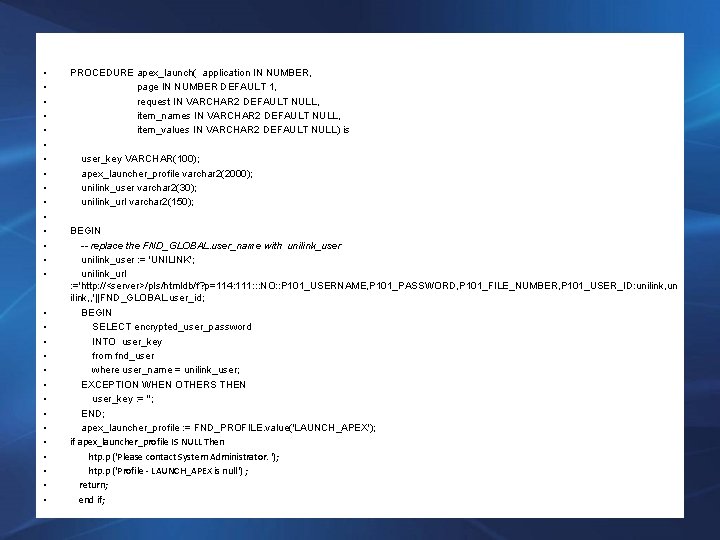
• • • • • • • • PROCEDURE apex_launch( application IN NUMBER, page IN NUMBER DEFAULT 1, request IN VARCHAR 2 DEFAULT NULL, item_names IN VARCHAR 2 DEFAULT NULL, item_values IN VARCHAR 2 DEFAULT NULL) is user_key VARCHAR(100); apex_launcher_profile varchar 2(2000); unilink_user varchar 2(30); unilink_url varchar 2(150); BEGIN -- replace the FND_GLOBAL. user_name with unilink_user : = 'UNILINK'; unilink_url : ='http: //<server>/pls/htmldb/f? p=114: 111: : : NO: : P 101_USERNAME, P 101_PASSWORD, P 101_FILE_NUMBER, P 101_USER_ID: unilink, un ilink, , '||FND_GLOBAL. user_id; BEGIN SELECT encrypted_user_password INTO user_key from fnd_user where user_name = unilink_user; EXCEPTION WHEN OTHERS THEN user_key : = ''; END; apex_launcher_profile : = FND_PROFILE. value('LAUNCH_APEX'); if apex_launcher_profile IS NULL Then htp. p ('Please contact System Administrator. '); htp. p ('Profile - LAUNCH_APEX is null') ; return; end if;
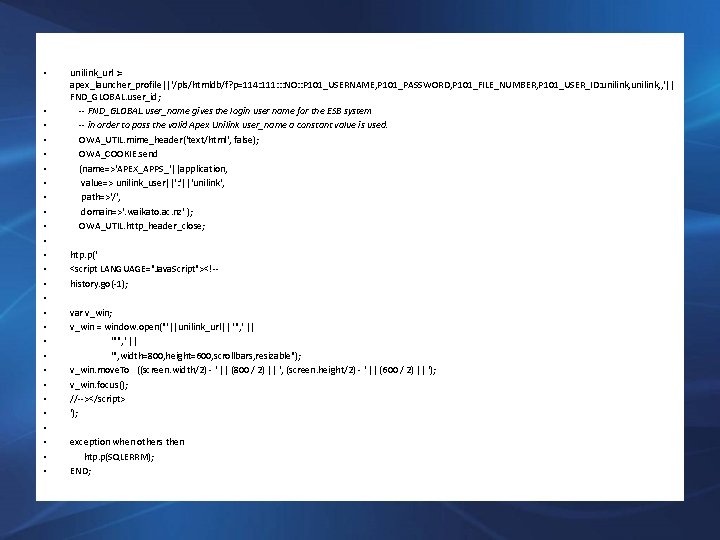
• • • • • • • unilink_url : = apex_launcher_profile||'/pls/htmldb/f? p=114: 111: : : NO: : P 101_USERNAME, P 101_PASSWORD, P 101_FILE_NUMBER, P 101_USER_ID: unilink, , '|| FND_GLOBAL. user_id; -- FND_GLOBAL. user_name gives the login user name for the ESB system -- in order to pass the valid Apex Unilink user_name a constant value is used. OWA_UTIL. mime_header('text/html', false); OWA_COOKIE. send (name=>'APEX_APPS_'||application, value=> unilink_user||': '||'unilink', path=>'/', domain=>'. waikato. ac. nz' ); OWA_UTIL. http_header_close; htp. p(' <script LANGUAGE="Java. Script"><!-history. go(-1); var v_win; v_win = window. open("'||unilink_url|| '", ' || '", width=800, height=600, scrollbars, resizable"); v_win. move. To ((screen. width/2) - ' || (800 / 2) || ', (screen. height/2) - ' || (600 / 2) || '); v_win. focus(); //--></script> '); exception when others then htp. p(SQLERRM); END;
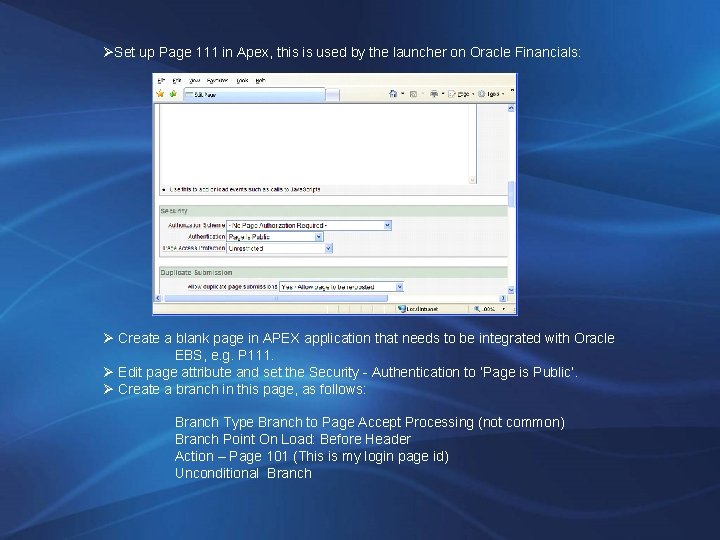
ØSet up Page 111 in Apex, this is used by the launcher on Oracle Financials: Ø Create a blank page in APEX application that needs to be integrated with Oracle EBS, e. g. P 111. Ø Edit page attribute and set the Security - Authentication to ‘Page is Public’. Ø Create a branch in this page, as follows: Branch Type Branch to Page Accept Processing (not common) Branch Point On Load: Before Header Action – Page 101 (This is my login page id) Unconditional Branch
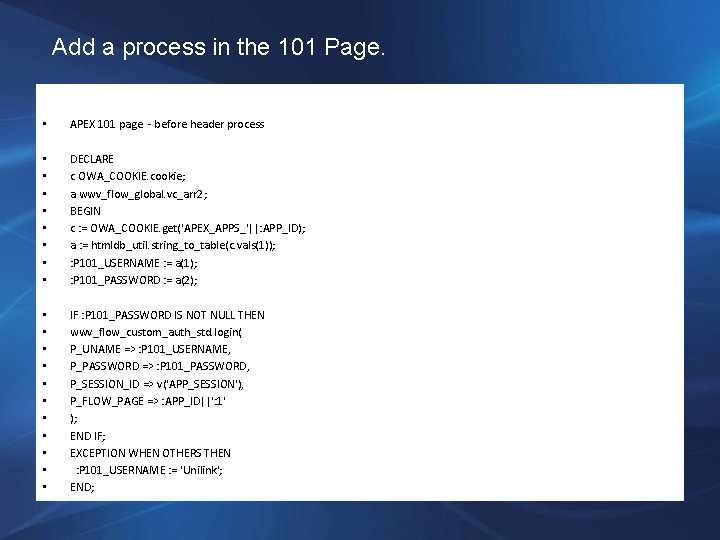
Add a process in the 101 Page. • APEX 101 page - before header process • • DECLARE c OWA_COOKIE. cookie; a wwv_flow_global. vc_arr 2; BEGIN c : = OWA_COOKIE. get('APEX_APPS_'||: APP_ID); a : = htmldb_util. string_to_table(c. vals(1)); : P 101_USERNAME : = a(1); : P 101_PASSWORD : = a(2); • • • IF : P 101_PASSWORD IS NOT NULL THEN wwv_flow_custom_auth_std. login( P_UNAME => : P 101_USERNAME, P_PASSWORD => : P 101_PASSWORD, P_SESSION_ID => v('APP_SESSION'), P_FLOW_PAGE => : APP_ID||': 1' ); END IF; EXCEPTION WHEN OTHERS THEN : P 101_USERNAME : = 'Unilink'; END;
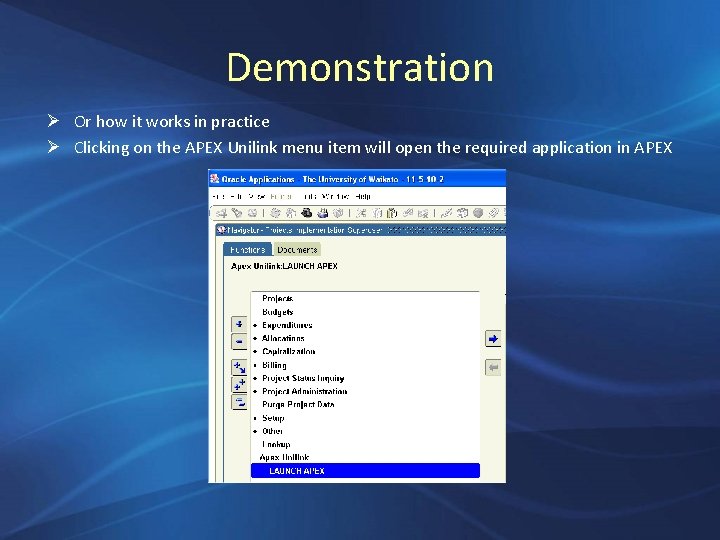
Demonstration Ø Or how it works in practice Ø Clicking on the APEX Unilink menu item will open the required application in APEX
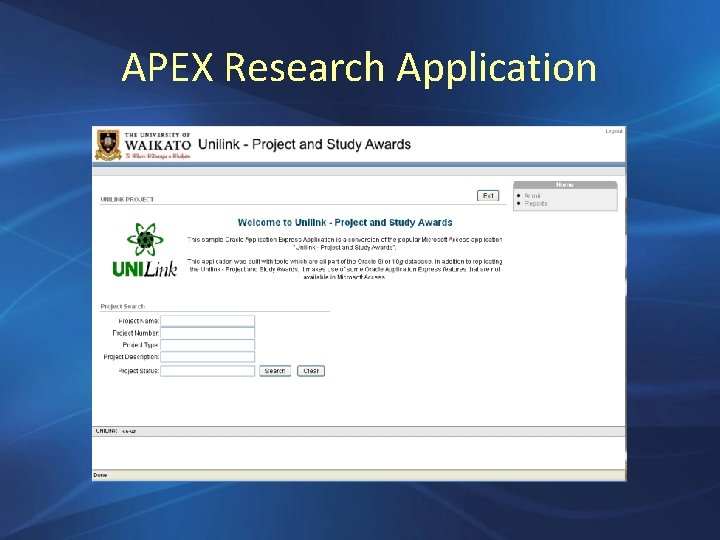
APEX Research Application

Questions?
How many moons does the Earth have? Ø The Earth has at least two moons, the latest is a 3 miles-wide (5 -km) satellite. Ø It takes 770 years to complete a horseshoe-shaped orbit around the Earth. Ø The moon is called Cruithne and will remain in a suspended state around Earth for at least 5, 000 years.
Configuring Oracle Financials to link to a page within an Application Express application
Prerequisites Ø Set the responsibility to “Project Implementation Superuser”
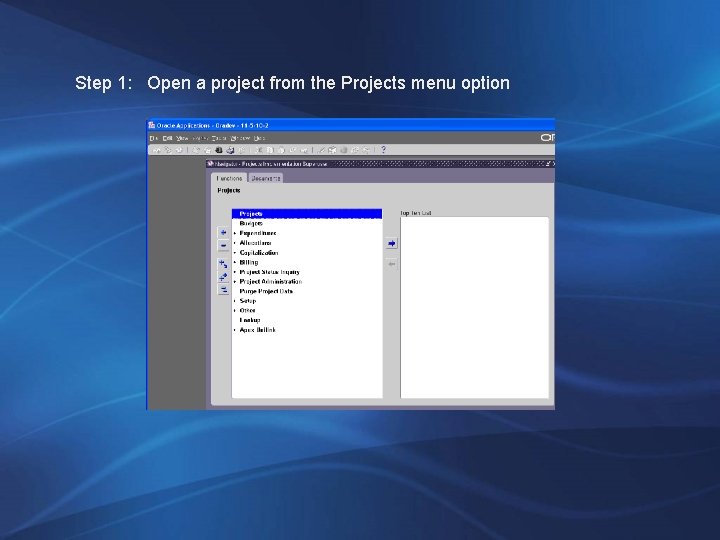
Step 1: Open a project from the Projects menu option
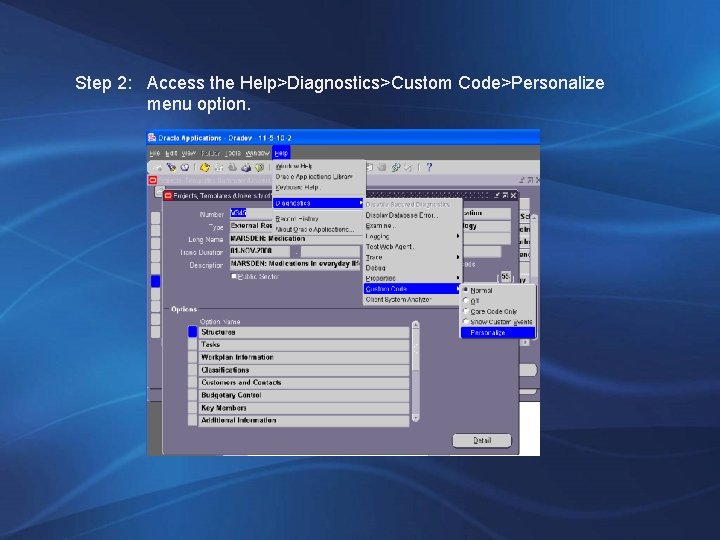
Step 2: Access the Help>Diagnostics>Custom Code>Personalize menu option.
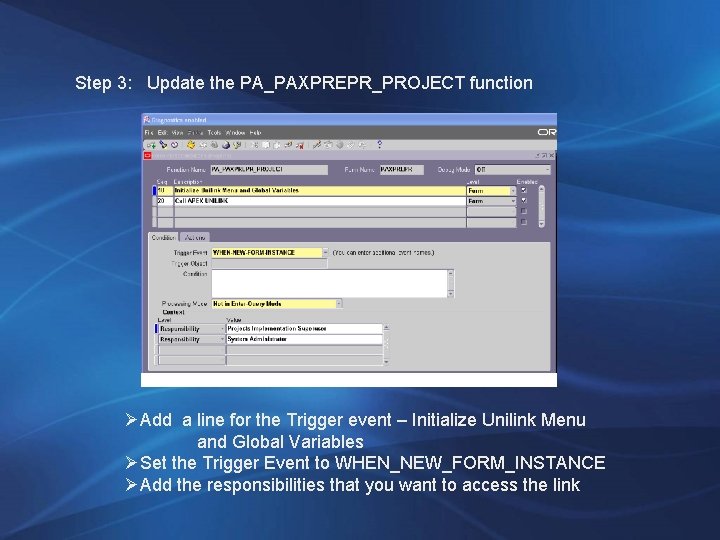
Step 3: Update the PA_PAXPREPR_PROJECT function ØAdd a line for the Trigger event – Initialize Unilink Menu and Global Variables ØSet the Trigger Event to WHEN_NEW_FORM_INSTANCE ØAdd the responsibilities that you want to access the link
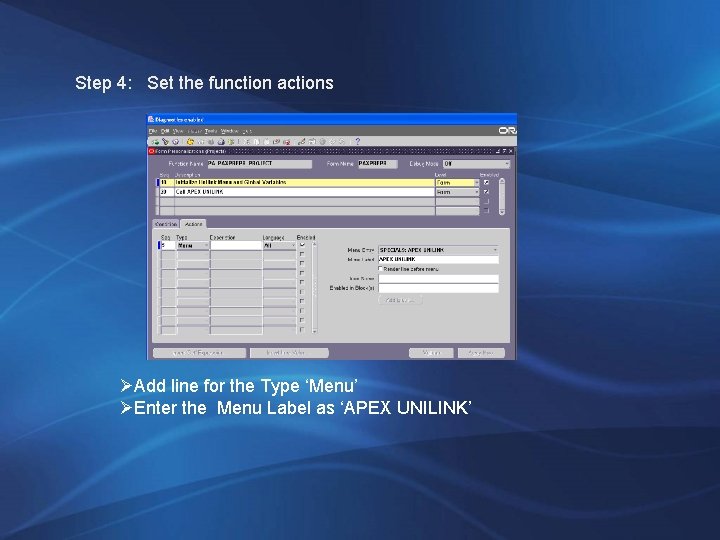
Step 4: Set the function actions ØAdd line for the Type ‘Menu’ ØEnter the Menu Label as ‘APEX UNILINK’
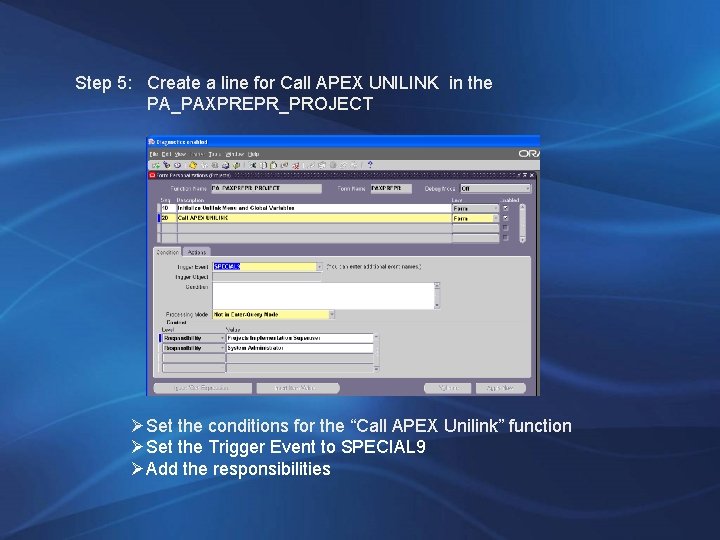
Step 5: Create a line for Call APEX UNILINK in the PA_PAXPREPR_PROJECT ØSet the conditions for the “Call APEX Unilink” function ØSet the Trigger Event to SPECIAL 9 ØAdd the responsibilities
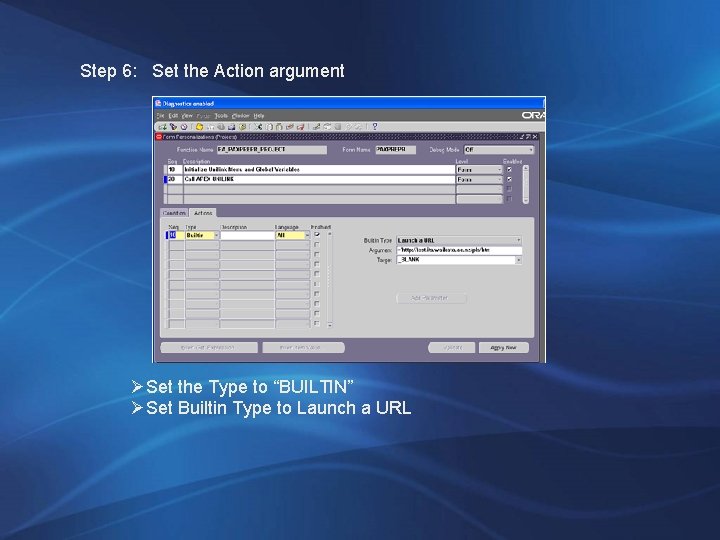
Step 6: Set the Action argument ØSet the Type to “BUILTIN” ØSet Builtin Type to Launch a URL
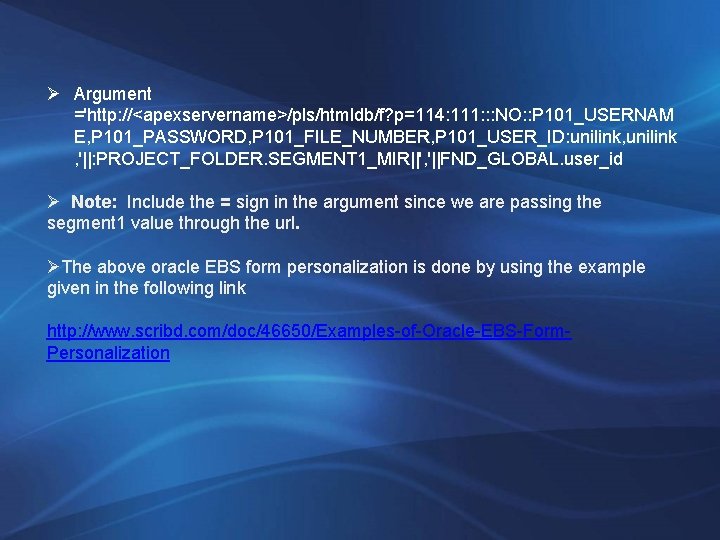
Ø Argument ='http: //<apexservername>/pls/htmldb/f? p=114: 111: : : NO: : P 101_USERNAM E, P 101_PASSWORD, P 101_FILE_NUMBER, P 101_USER_ID: unilink, unilink , '||: PROJECT_FOLDER. SEGMENT 1_MIR||', '||FND_GLOBAL. user_id Ø Note: Include the = sign in the argument since we are passing the segment 1 value through the url. ØThe above oracle EBS form personalization is done by using the example given in the following link http: //www. scribd. com/doc/46650/Examples-of-Oracle-EBS-Form. Personalization
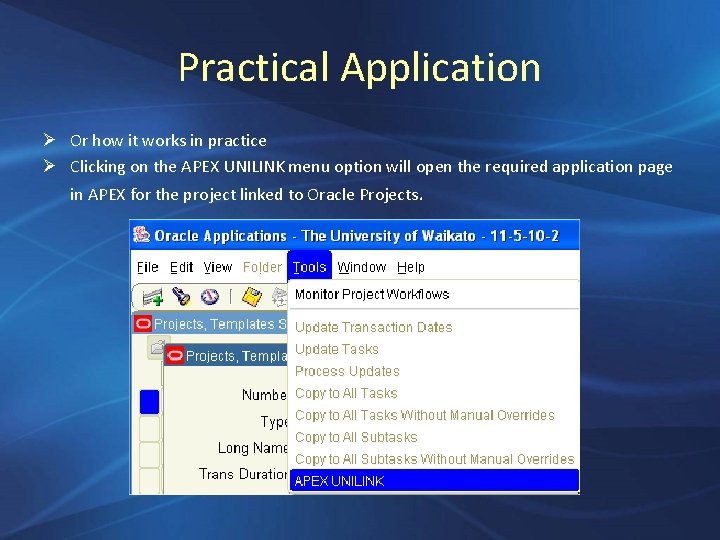
Practical Application Ø Or how it works in practice Ø Clicking on the APEX UNILINK menu option will open the required application page in APEX for the project linked to Oracle Projects.
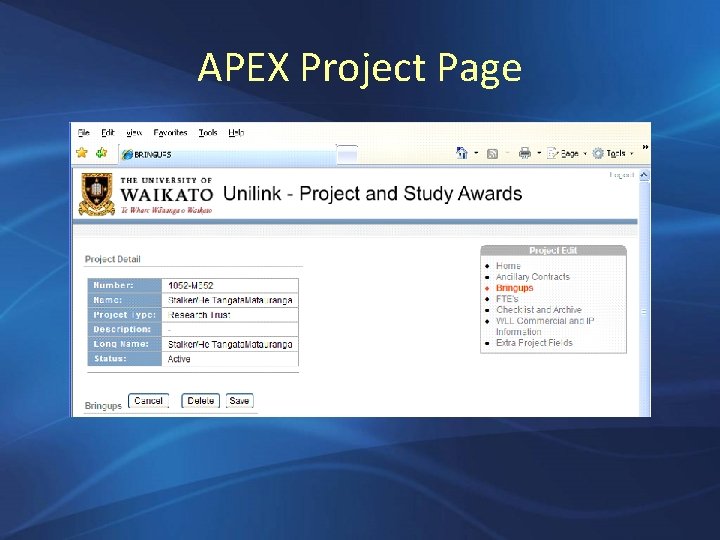
APEX Project Page
References & Credits “Oracle Applications Express The Fast Way to Extend Oracle Applications 11 i By Rod West, Cabot Consulting” “ORACLE EBS 11 I, VERSION 11. 5. 10 « FORM PERSONALIZATION » Auteur : Joël Asselin Date de création : Octobre 20, 2006 “

Questions?
- Slides: 34