
Optimizing SQL Queries 26 January 2009 Balys ulmanas
Optimizing SQL Queries 26 January 2009 Balys Šulmanas, Vilnius University CERN IT Department CH-1211 Genève 23 Switzerland www. cern. ch/it
Applications • CMS Dashboard (CMS offline DB) • CMS PVSS (CMS online DB) • Other applications on CMS online DB CERN IT Department CH-1211 Genève 23 Switzerland www. cern. ch/it DM technical meeting - 2
Typical workflow • Look for the highest I/O (sometimes CPU) query on the DB • Analyze execution plan • Make improvements: – Create or modify the indexes (most often) – Redesign the query (or the views the query selects) – Sometimes add some optimizer hints CERN IT Department CH-1211 Genève 23 Switzerland www. cern. ch/it DM technical meeting - 3
Tools used • Oracle Enterprise Manager for DB performance monitoring • Oracle Enterprise Manager and Benthic for optimization CERN IT Department CH-1211 Genève 23 Switzerland www. cern. ch/it DM technical meeting - 4
Query execution plan • An execution plan defines how Oracle finds or writes the data • It consists of steps • Oracle optimizer estimates the metric called cost for each step of the execution plan and for the whole query • Typically the lowest cost execution should be the fastest • You can reduce the cost with proper indexing and proper queries CERN IT Department CH-1211 Genève 23 Switzerland www. cern. ch/it DM technical meeting - 5
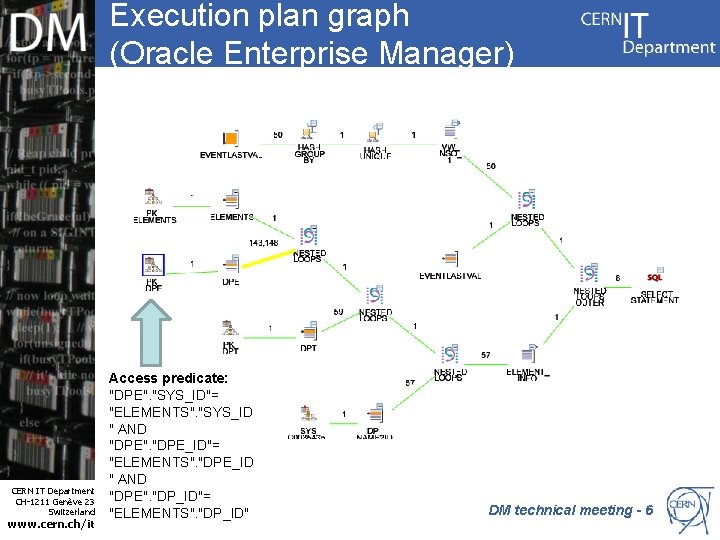
Execution plan graph (Oracle Enterprise Manager) CERN IT Department CH-1211 Genève 23 Switzerland www. cern. ch/it Access predicate: "DPE". "SYS_ID"= "ELEMENTS". "SYS_ID " AND "DPE". "DPE_ID"= "ELEMENTS". "DPE_ID " AND "DPE". "DP_ID"= "ELEMENTS". "DP_ID" DM technical meeting - 6
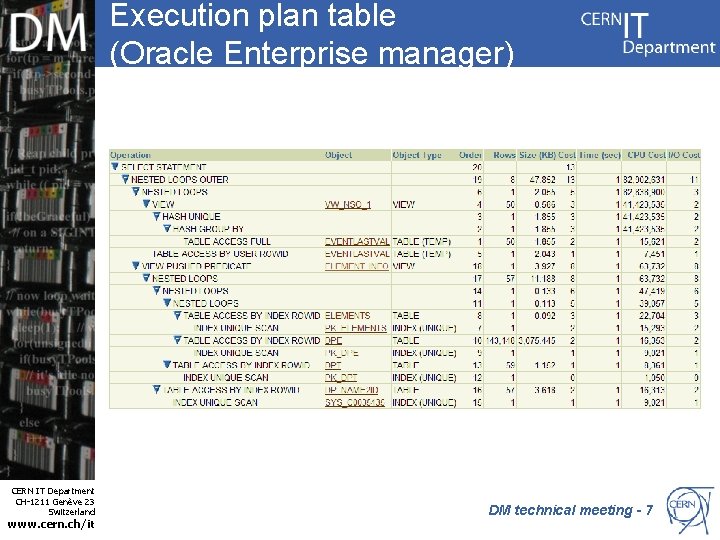
Execution plan table (Oracle Enterprise manager) CERN IT Department CH-1211 Genève 23 Switzerland www. cern. ch/it DM technical meeting - 7
Main execution plan steps • Data can be retrieved from tables and indexes • TABLE ACCESS BY INDEX vs. TABLE ACCESS FULL • NESTED LOOPS vs. HASH JOIN • Access predicates CERN IT Department CH-1211 Genève 23 Switzerland www. cern. ch/it DM technical meeting - 8
TABLE ACCESS BY INDEX vs. TABLE ACCESS FULL • To find a row by index is much faster then to scan all the rows to find the one you need • Full table scan means that either the columns that you filter are not indexed or too many rows • Sometimes Oracle optimizer overestimates the number of rows CERN IT Department CH-1211 Genève 23 Switzerland www. cern. ch/it DM technical meeting - 9
NESTED LOOPS vs. HASH JOIN • 2 most often used methods to join tables • NESTED loops should be faster if proper indexes are set and there are not too many rows • Sometimes Oracle estimates this wrong CERN IT Department CH-1211 Genève 23 Switzerland www. cern. ch/it DM technical meeting - 10
Typical index related problems • The columns used to filter data are not indexed • The columns used to filter data are indexed, but in a wrong order • Functions are being called on indexed columns CERN IT Department CH-1211 Genève 23 Switzerland www. cern. ch/it DM technical meeting - 11
Recent no index example (CMS_RPC_PVSS_COND) • select count(*) from elements d where d. sys_id = : 1 and d. dp_id = : 2 • There is a foreign key set on ELEMENTS(DP_ID, SYS_ID), so the corresponding index should be created anyway, but there was no index • The cost of execution plan was 266 • It got 1 after the index was created CERN IT Department CH-1211 Genève 23 Switzerland www. cern. ch/it DM technical meeting - 12
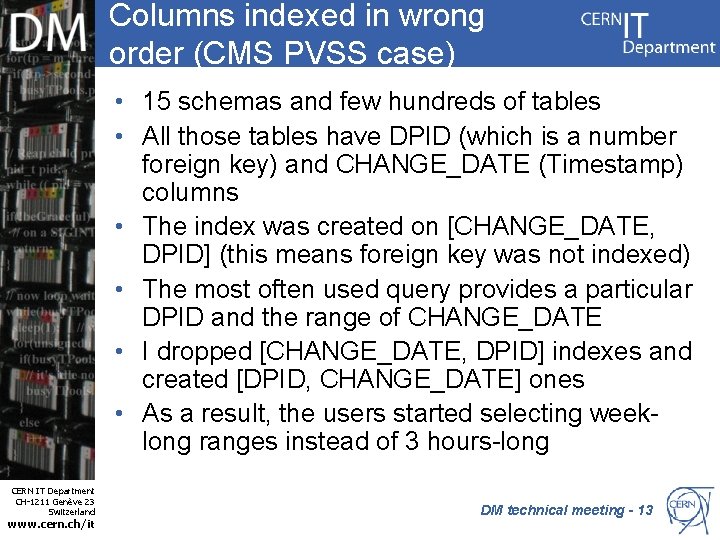
Columns indexed in wrong order (CMS PVSS case) • 15 schemas and few hundreds of tables • All those tables have DPID (which is a number foreign key) and CHANGE_DATE (Timestamp) columns • The index was created on [CHANGE_DATE, DPID] (this means foreign key was not indexed) • The most often used query provides a particular DPID and the range of CHANGE_DATE • I dropped [CHANGE_DATE, DPID] indexes and created [DPID, CHANGE_DATE] ones • As a result, the users started selecting weeklong ranges instead of 3 hours-long CERN IT Department CH-1211 Genève 23 Switzerland www. cern. ch/it DM technical meeting - 13
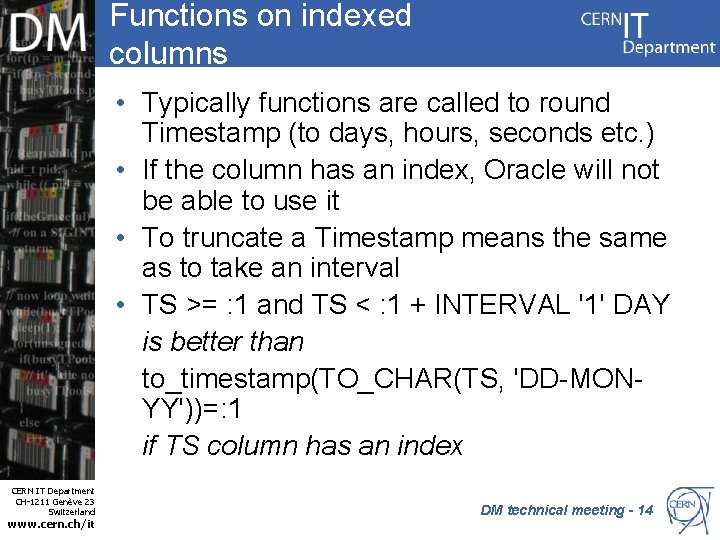
Functions on indexed columns • Typically functions are called to round Timestamp (to days, hours, seconds etc. ) • If the column has an index, Oracle will not be able to use it • To truncate a Timestamp means the same as to take an interval • TS >= : 1 and TS < : 1 + INTERVAL '1' DAY is better than to_timestamp(TO_CHAR(TS, 'DD-MONYY'))=: 1 if TS column has an index CERN IT Department CH-1211 Genève 23 Switzerland www. cern. ch/it DM technical meeting - 14
Typical SQL related problems • Not using features, which would allow to increase performance, like Oracle analytic functions – Oracle analytic functions have many nice features, but the most simple (and the most often to be used) are RANK()/DENSE_RANK() and KEEP FIRST/LAST functions • Bugs, which result in huge result sets and high load on DB CERN IT Department CH-1211 Genève 23 Switzerland www. cern. ch/it DM technical meeting - 15
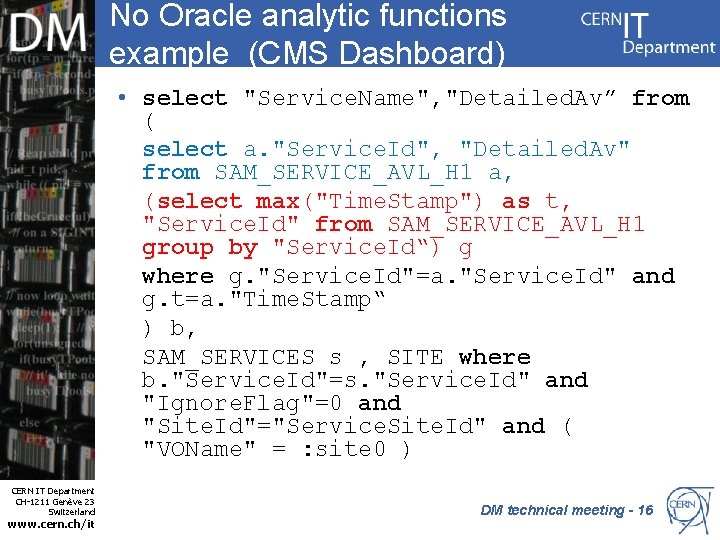
No Oracle analytic functions example (CMS Dashboard) • select "Service. Name", "Detailed. Av” from ( select a. "Service. Id", "Detailed. Av" from SAM_SERVICE_AVL_H 1 a, (select max("Time. Stamp") as t, "Service. Id" from SAM_SERVICE_AVL_H 1 group by "Service. Id“) g where g. "Service. Id"=a. "Service. Id" and g. t=a. "Time. Stamp“ ) b, SAM_SERVICES s , SITE where b. "Service. Id"=s. "Service. Id" and "Ignore. Flag"=0 and "Site. Id"="Service. Site. Id" and ( "VOName" = : site 0 ) CERN IT Department CH-1211 Genève 23 Switzerland www. cern. ch/it DM technical meeting - 16
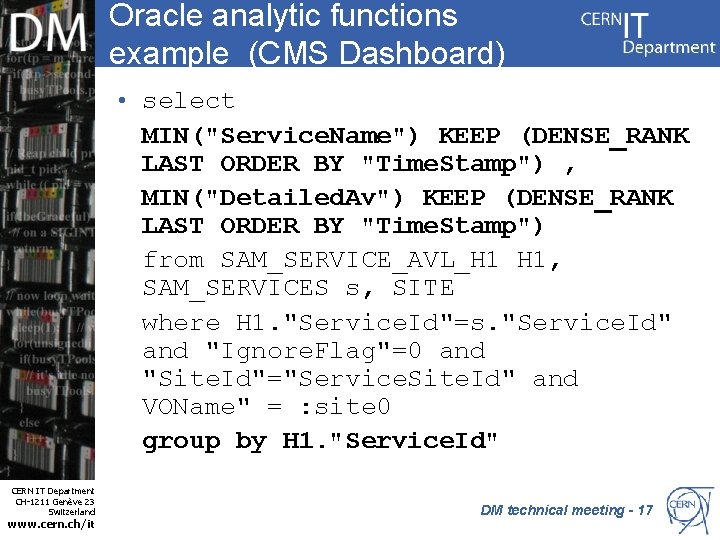
Oracle analytic functions example (CMS Dashboard) • select MIN("Service. Name") KEEP (DENSE_RANK LAST ORDER BY "Time. Stamp") , MIN("Detailed. Av") KEEP (DENSE_RANK LAST ORDER BY "Time. Stamp") from SAM_SERVICE_AVL_H 1 H 1, SAM_SERVICES s, SITE where H 1. "Service. Id"=s. "Service. Id" and "Ignore. Flag"=0 and "Site. Id"="Service. Site. Id" and VOName" = : site 0 group by H 1. "Service. Id" CERN IT Department CH-1211 Genève 23 Switzerland www. cern. ch/it DM technical meeting - 17
Oracle hints • Oracle hints are directives to the optimizer – i. e. you tell Oracle SQL engine what to do • Oracle was choosing FULL SCANS and HASH JOINS instead of ACCESS BY INDEX in NESTED LOOPS • Sometimes Oracle overestimates the number of rows in the execution plan and then switches to FULL SCANS and HASH JOINS • So I just used to add /*+USE_NL*/ hints CERN IT Department CH-1211 Genève 23 Switzerland www. cern. ch/it DM technical meeting - 18
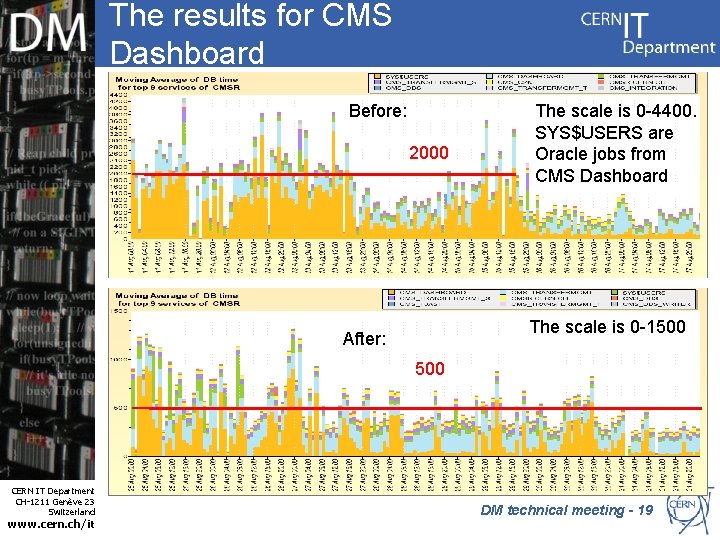
The results for CMS Dashboard Before: 2000 The scale is 0 -4400. SYS$USERS are Oracle jobs from CMS Dashboard The scale is 0 -1500 After: 500 CERN IT Department CH-1211 Genève 23 Switzerland www. cern. ch/it DM technical meeting - 19
The results • “It got X times faster” makes no sense, because it depends on amount of data • A simple query with an index should be kind of logarithmic complexity and without it should be linear CERN IT Department CH-1211 Genève 23 Switzerland www. cern. ch/it DM technical meeting - 20
Some notes • "You should almost always index foreign keys“ (Oracle Database Concepts manual) – ~70% of the issues were because of ignoring this simple recommendation CERN IT Department CH-1211 Genève 23 Switzerland www. cern. ch/it DM technical meeting- 21
Conclusions • Applications can profit from SQL tuning • Oracle optimizer is good for most cases • Particular queries still require manual work/Oracle expertise • CMS Dashboard improved 4 times at that moment CERN IT Department CH-1211 Genève 23 Switzerland www. cern. ch/it DM technical meeting- 22
- Slides: 22