
Operations Management Chapter 9 Layout Strategy Power Point

- Slides: 45
Operations Management Chapter 9 – Layout Strategy Power. Point presentation to accompany Heizer/Render Principles of Operations Management, 6 e Operations Management, 8 e © 2006 Prentice Hall, Inc. © 2006 Prentice 9– 1
Innovations at Mc. Donald’s þ Indoor seating (1950 s) þ Drive-through window (1970 s) þ Adding breakfast to the menu (1980 s) þ Adding play areas (1990 s) Three out of the four are layout decisions! © 2006 Prentice Hall, Inc. 9– 2
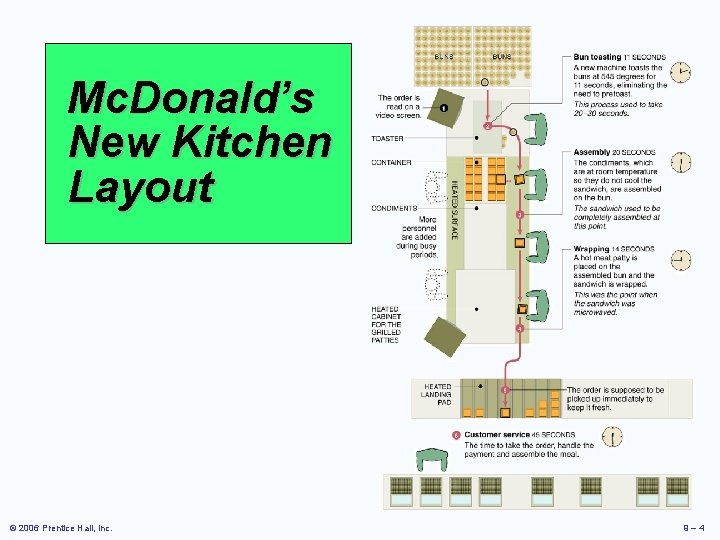
Mc. Donald’s New Kitchen Layout þ Fifth major innovation þ Sandwiches assembled to order þ Elimination of some steps, shortening of others þ No food prepared ahead except patty þ New bun toasting machine and new bun formulation þ Repositioning condiment containers þ Savings of $100, 000 per year in food costs © 2006 Prentice Hall, Inc. 9– 3
Mc. Donald’s New Kitchen Layout © 2006 Prentice Hall, Inc. 9– 4
Strategic Importance of Layout Decisions The objective of layout strategy is to develop an economic layout that will meet the firm’s competitive requirements © 2006 Prentice Hall, Inc. 9– 5
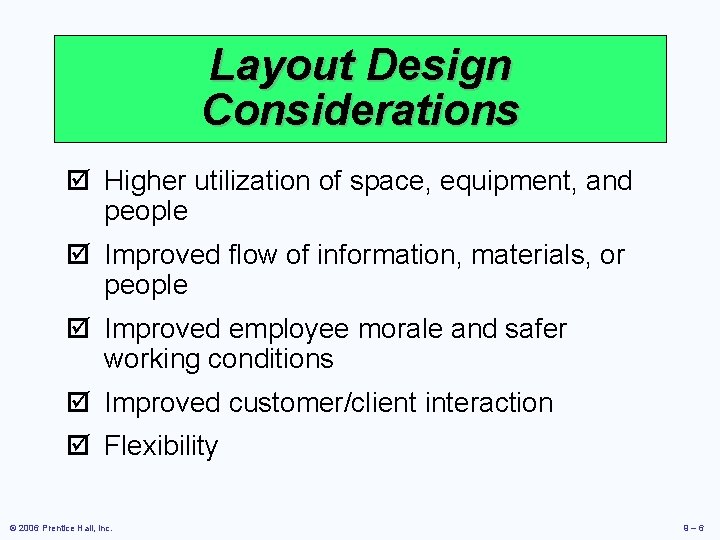
Layout Design Considerations þ Higher utilization of space, equipment, and people þ Improved flow of information, materials, or people þ Improved employee morale and safer working conditions þ Improved customer/client interaction þ Flexibility © 2006 Prentice Hall, Inc. 9– 6
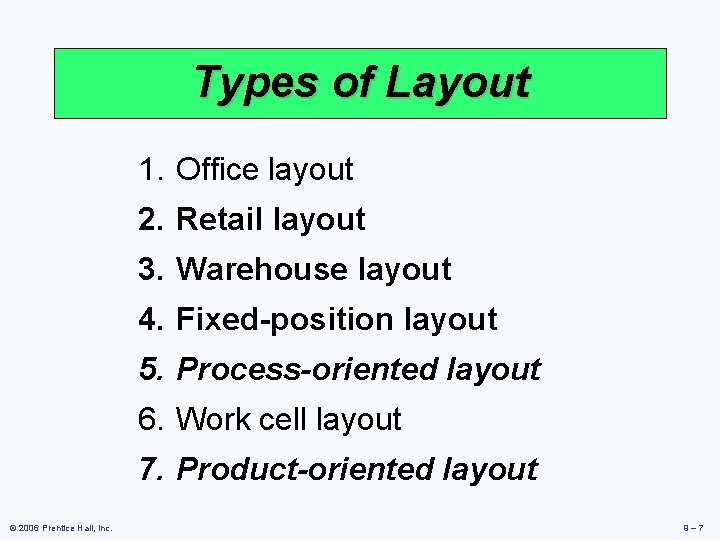
Types of Layout 1. Office layout 2. Retail layout 3. Warehouse layout 4. Fixed-position layout 5. Process-oriented layout 6. Work cell layout 7. Product-oriented layout © 2006 Prentice Hall, Inc. 9– 7
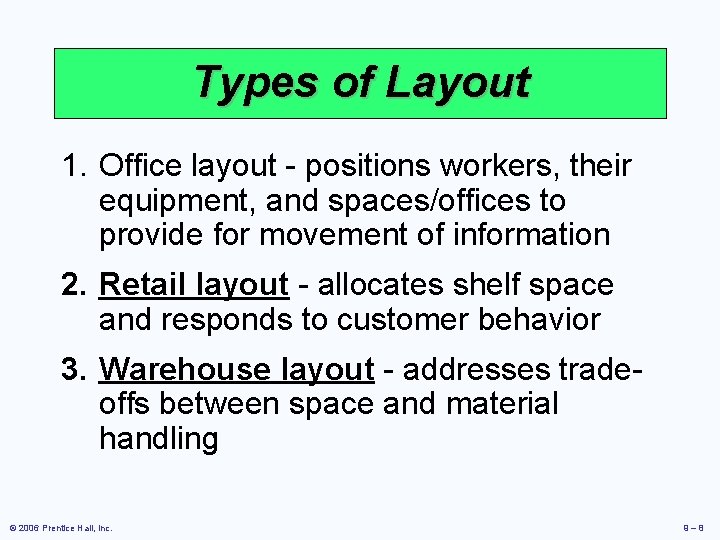
Types of Layout 1. Office layout - positions workers, their equipment, and spaces/offices to provide for movement of information 2. Retail layout - allocates shelf space and responds to customer behavior 3. Warehouse layout - addresses tradeoffs between space and material handling © 2006 Prentice Hall, Inc. 9– 8
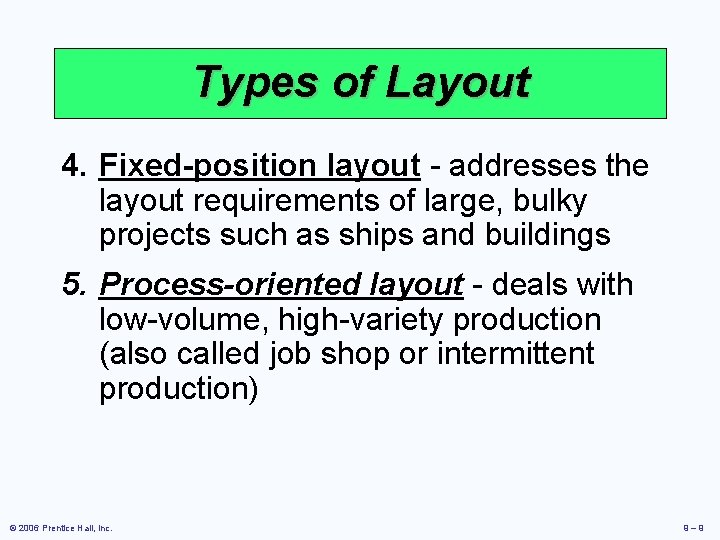
Types of Layout 4. Fixed-position layout - addresses the layout requirements of large, bulky projects such as ships and buildings 5. Process-oriented layout - deals with low-volume, high-variety production (also called job shop or intermittent production) © 2006 Prentice Hall, Inc. 9– 9
Types of Layout 6. Work cell layout - a special arrangement of machinery and equipment to focus on production of a single product or group of related products 7. Product-oriented layout - seeks the best personnel and machine utilizations in repetitive or continuous production © 2006 Prentice Hall, Inc. 9 – 10
Supermarket Retail Layout þ Objective is to maximize profitability per square foot of floor space þ Sales and profitability vary directly with customer exposure © 2006 Prentice Hall, Inc. 9 – 11
Five Helpful Ideas for Supermarket Layout 1. Locate high-draw items around the periphery of the store 2. Use prominent locations for high-impulse and high-margin items 3. Distribute “power items” to both sides of an aisle and disperse them to increase viewing of other items 4. Use end-aisle locations 5. Convey mission of store through careful positioning of lead-off department © 2006 Prentice Hall, Inc. 9 – 12
Retail Slotting þ Manufacturers pay fees to retailers to get the retailers to display (slot) their product þ Contributing factors þ Limited shelf space þ An increasing number of new products þ Better information about sales through POS data collection þ Closer control of inventory © 2006 Prentice Hall, Inc. 9 – 13
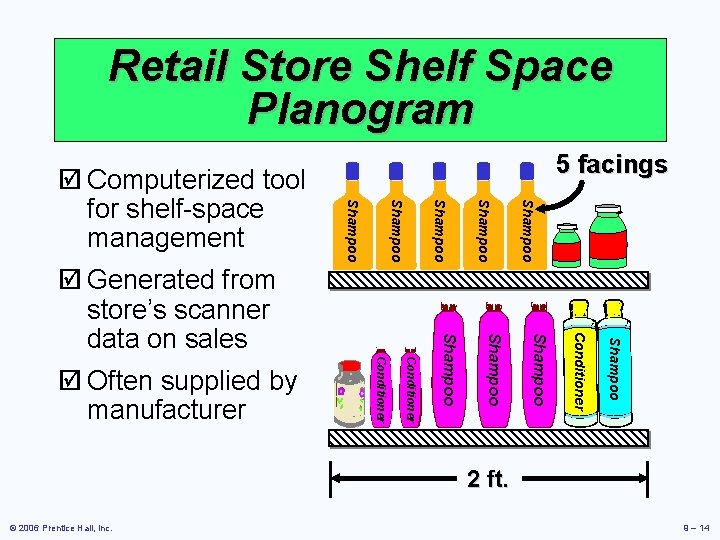
Retail Store Shelf Space Planogram Shampoo Conditioner Shampoo Conditioner þ Often supplied by manufacturer Shampoo þ Generated from store’s scanner data on sales Shampoo þ Computerized tool for shelf-space management 5 facings 2 ft. © 2006 Prentice Hall, Inc. 9 – 14
Warehousing and Storage Layouts þ Objective is to optimize trade-offs between handling costs and costs associated with warehouse space þ Maximize the total “cube” of the warehouse – utilize its full volume while maintaining low material handling costs © 2006 Prentice Hall, Inc. 9 – 15
Warehousing and Storage Layouts Material Handling Costs þ All costs associated with the transaction þ Incoming transport þ Storage þ Finding and moving material þ Outgoing transport þ Equipment, people, material, supervision, insurance, depreciation þ Minimize damage and spoilage © 2006 Prentice Hall, Inc. 9 – 16
Warehousing and Storage Layouts þ Warehouse density tends to vary inversely with the number of different items stored þ Automated Storage and Retrieval Systems (ASRS) can significantly improve warehouse productivity þ Dock location is a key design element © 2006 Prentice Hall, Inc. 9 – 17
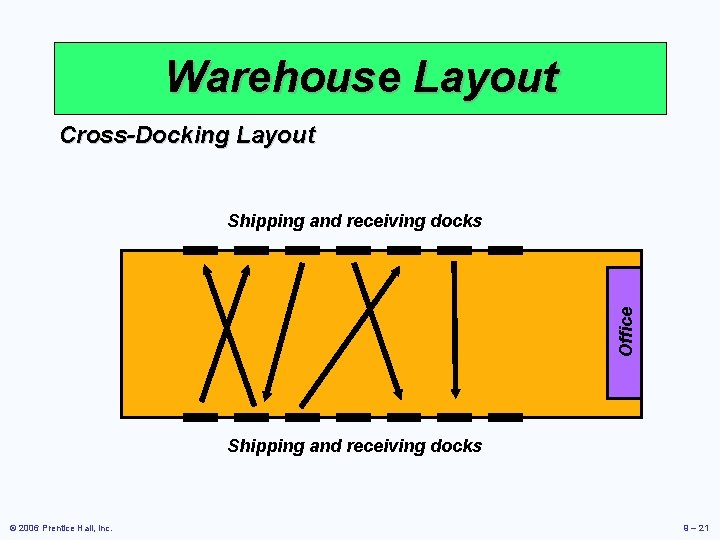
Cross-Docking þ Materials are moved directly from receiving to shipping and are not placed in storage in the warehouse þ Requires tight scheduling and accurate shipments, typically with bar code identification © 2006 Prentice Hall, Inc. 9 – 18
Random Stocking þ Typically requires automatic identification systems (AISs) and effective information systems þ Random assignment of stocking locations allows more efficient use of space 1. Maintain list of open locations 2. Maintain accurate records 3. Sequence items to minimize travel time 4. Combine picking orders 5. Assign classes of items to particular areas © 2006 Prentice Hall, Inc. 9 – 19
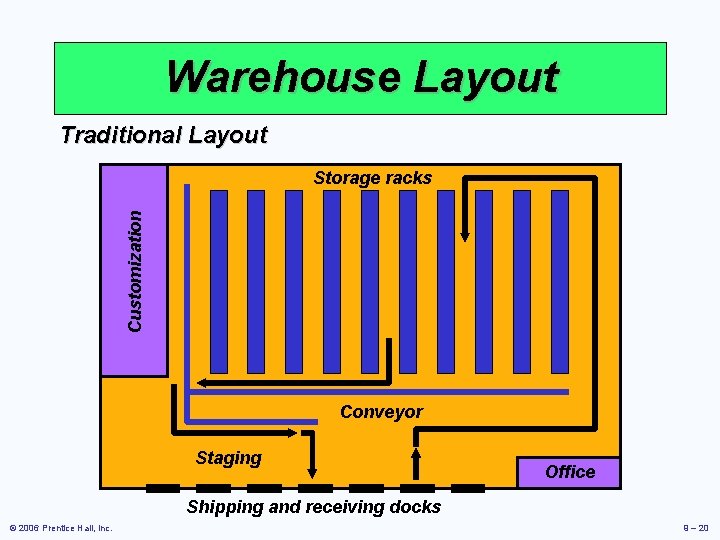
Warehouse Layout Traditional Layout Customization Storage racks Conveyor Staging Office Shipping and receiving docks © 2006 Prentice Hall, Inc. 9 – 20
Warehouse Layout Cross-Docking Layout Office Shipping and receiving docks © 2006 Prentice Hall, Inc. 9 – 21
Fixed-Position Layout þ Product remains in one place þ Workers and equipment come to site þ Complicating factors þ Limited space at site þ Different materials required at different stages of the project þ Volume of materials needed is dynamic © 2006 Prentice Hall, Inc. 9 – 22
Process-Oriented Layout þ Like machines and equipment are grouped together þ Flexible and capable of handling a wide variety of products or services þ Scheduling can be difficult and setup, material handling, and labor costs can be high © 2006 Prentice Hall, Inc. 9 – 23
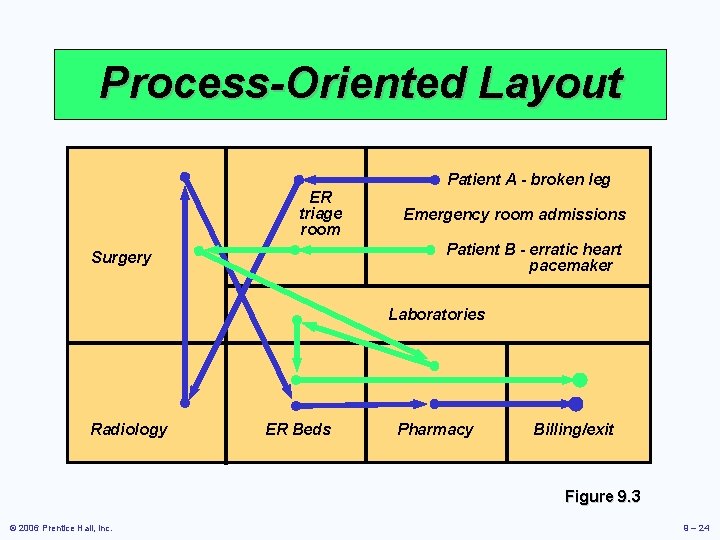
Process-Oriented Layout ER triage room Patient A - broken leg Emergency room admissions Patient B - erratic heart pacemaker Surgery Laboratories Radiology ER Beds Pharmacy Billing/exit Figure 9. 3 © 2006 Prentice Hall, Inc. 9 – 24
Process-Oriented Layout þ Arrange work centers so as to minimize the costs of material handling þ Basic cost elements are þ Number of loads (or people) moving between centers þ Distance loads (or people) move between centers © 2006 Prentice Hall, Inc. 9 – 25
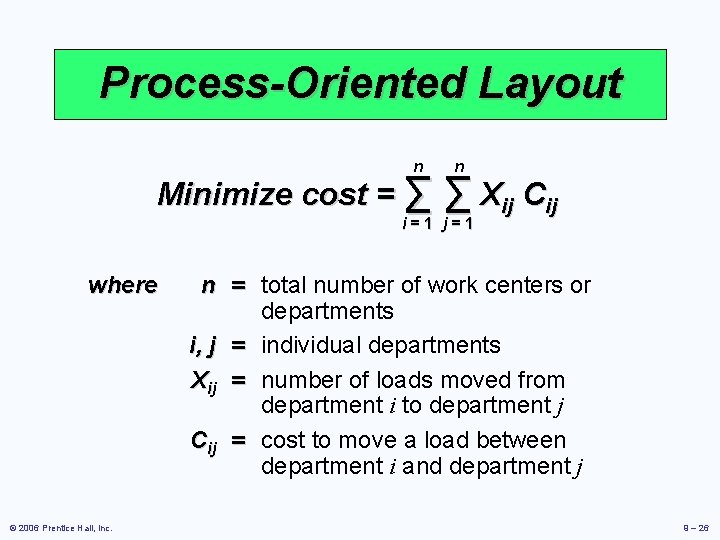
Process-Oriented Layout n n Minimize cost = ∑ ∑ Xij Cij i=1 j=1 where © 2006 Prentice Hall, Inc. n = total number of work centers or departments i, j = individual departments Xij = number of loads moved from department i to department j Cij = cost to move a load between department i and department j 9 – 26
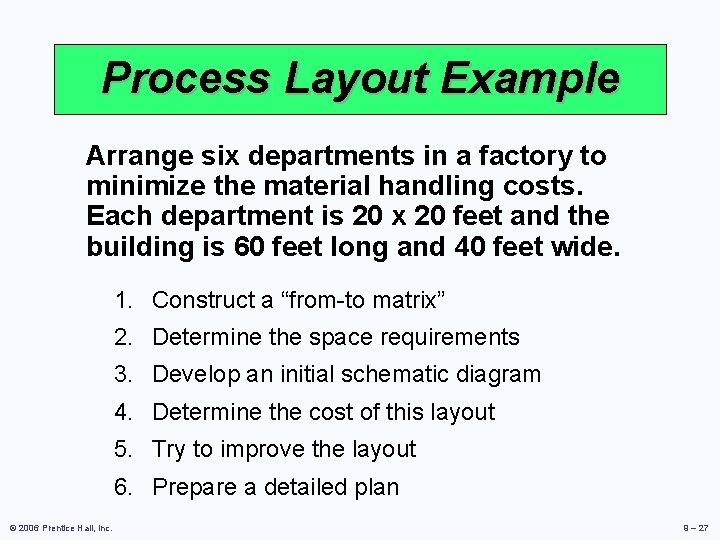
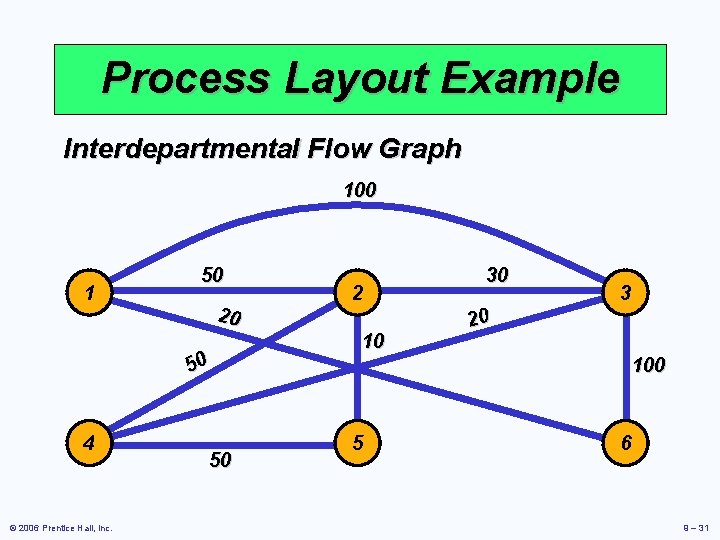
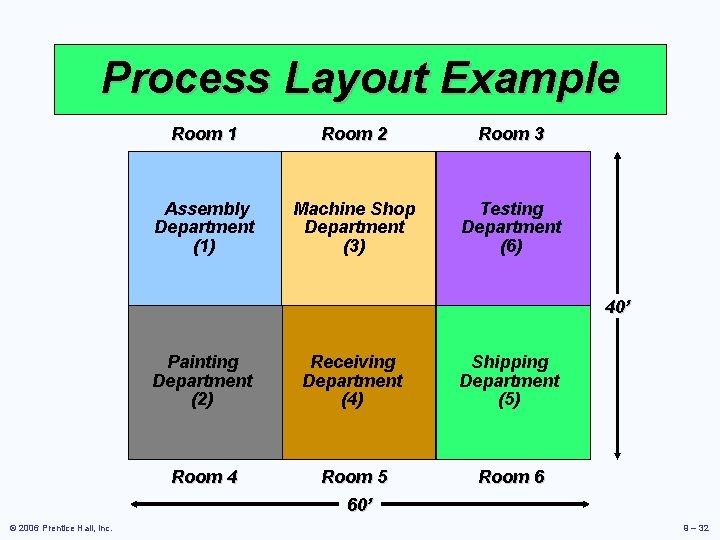
Process Layout Example Arrange six departments in a factory to minimize the material handling costs. Each department is 20 x 20 feet and the building is 60 feet long and 40 feet wide. 1. Construct a “from-to matrix” 2. Determine the space requirements 3. Develop an initial schematic diagram 4. Determine the cost of this layout 5. Try to improve the layout 6. Prepare a detailed plan © 2006 Prentice Hall, Inc. 9 – 27
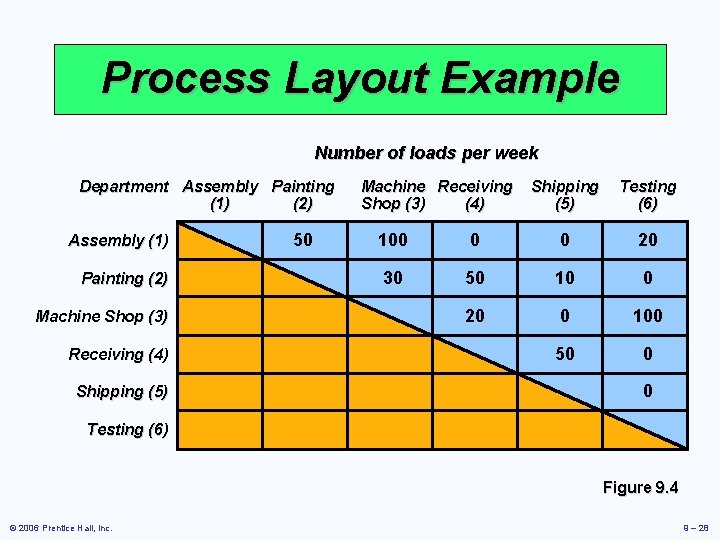
Process Layout Example Number of loads per week Department Assembly Painting (1) (2) Assembly (1) Painting (2) Machine Shop (3) Receiving (4) Shipping (5) 50 Machine Receiving Shop (3) (4) Shipping (5) Testing (6) 100 0 0 20 30 50 10 0 20 0 100 50 0 0 Testing (6) Figure 9. 4 © 2006 Prentice Hall, Inc. 9 – 28
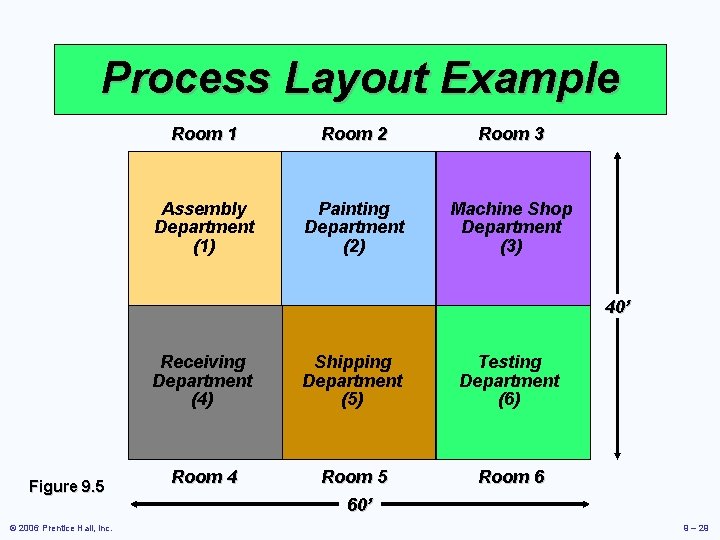
Process Layout Example Room 1 Room 2 Room 3 Assembly Department (1) Painting Department (2) Machine Shop Department (3) 40’ Figure 9. 5 © 2006 Prentice Hall, Inc. Receiving Department (4) Shipping Department (5) Testing Department (6) Room 4 Room 5 60’ Room 6 9 – 29
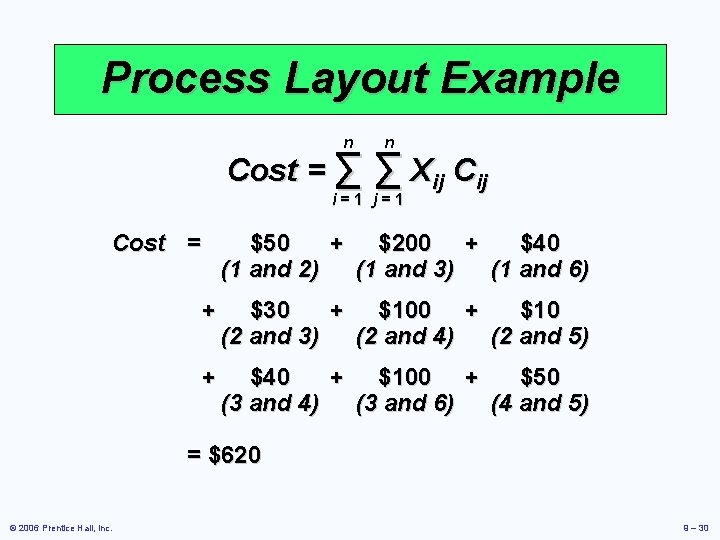
Process Layout Example n n Cost = ∑ ∑ Xij Cij i=1 j=1 Cost = $50 + $200 + $40 (1 and 2) (1 and 3) (1 and 6) + $30 + $10 (2 and 3) (2 and 4) (2 and 5) + $40 + $100 + $50 (3 and 4) (3 and 6) (4 and 5) = $620 © 2006 Prentice Hall, Inc. 9 – 30
Process Layout Example Interdepartmental Flow Graph 100 1 50 20 50 4 © 2006 Prentice Hall, Inc. 50 2 10 30 3 20 100 5 6 9 – 31
Process Layout Example Room 1 Room 2 Room 3 Assembly Department (1) Machine Shop Department (3) Testing Department (6) 40’ © 2006 Prentice Hall, Inc. Painting Department (2) Receiving Department (4) Shipping Department (5) Room 4 Room 5 60’ Room 6 9 – 32
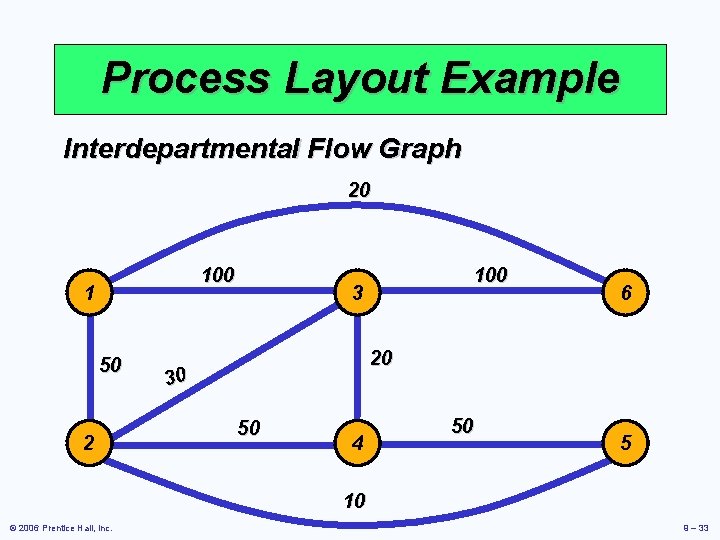
Process Layout Example Interdepartmental Flow Graph 20 100 1 50 2 100 3 6 20 30 50 4 50 5 10 © 2006 Prentice Hall, Inc. 9 – 33
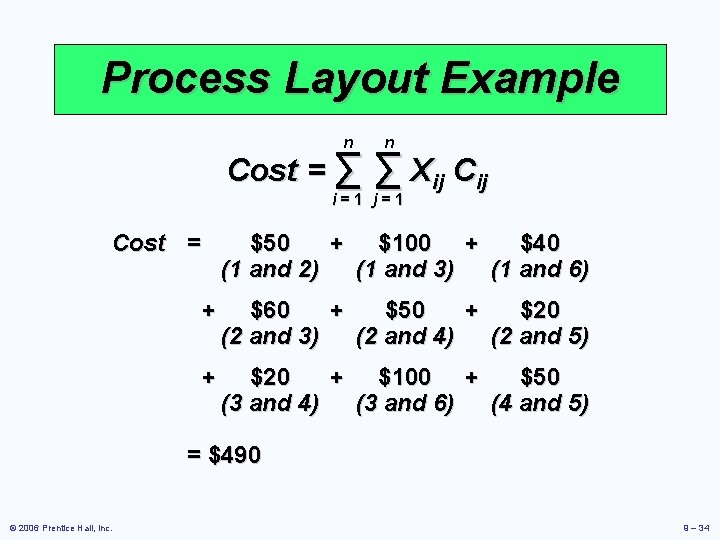
Process Layout Example n n Cost = ∑ ∑ Xij Cij i=1 j=1 Cost = $50 + $100 + $40 (1 and 2) (1 and 3) (1 and 6) + $60 + $50 + $20 (2 and 3) (2 and 4) (2 and 5) + $20 + $100 + $50 (3 and 4) (3 and 6) (4 and 5) = $490 © 2006 Prentice Hall, Inc. 9 – 34
Computer Software þ Graphical approach only works for small problems þ Computer programs are available to solve bigger problems þ CRAFT þ ALDEP þ CORELAP þ Factory Flow © 2006 Prentice Hall, Inc. 9 – 35
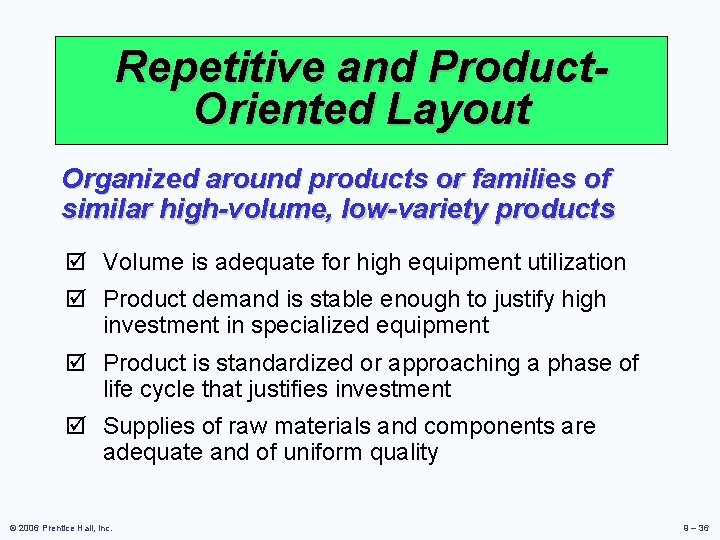
Repetitive and Product. Oriented Layout Organized around products or families of similar high-volume, low-variety products þ Volume is adequate for high equipment utilization þ Product demand is stable enough to justify high investment in specialized equipment þ Product is standardized or approaching a phase of life cycle that justifies investment þ Supplies of raw materials and components are adequate and of uniform quality © 2006 Prentice Hall, Inc. 9 – 36
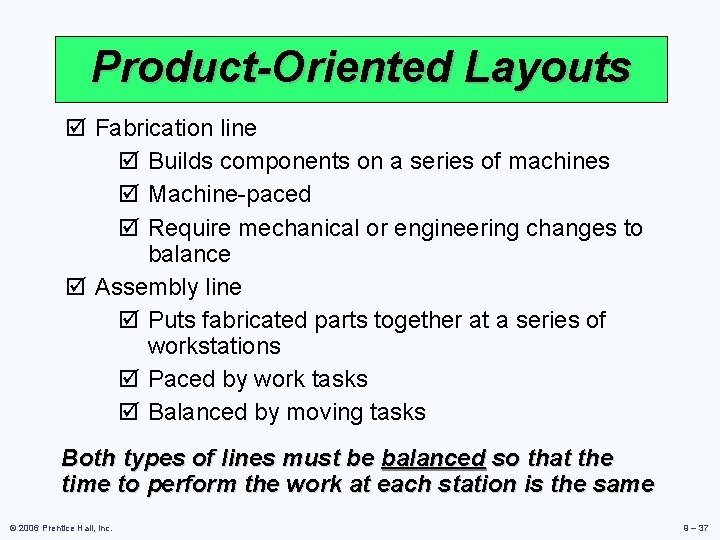
Product-Oriented Layouts þ Fabrication line þ Builds components on a series of machines þ Machine-paced þ Require mechanical or engineering changes to balance þ Assembly line þ Puts fabricated parts together at a series of workstations þ Paced by work tasks þ Balanced by moving tasks Both types of lines must be balanced so that the time to perform the work at each station is the same © 2006 Prentice Hall, Inc. 9 – 37
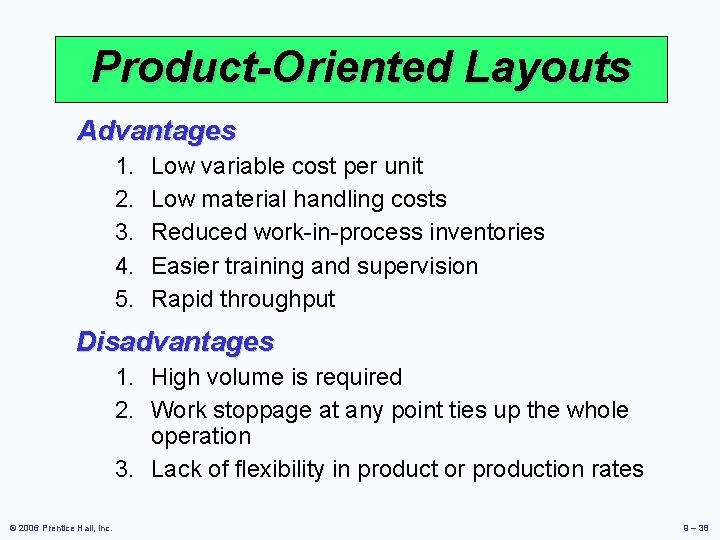
Product-Oriented Layouts Advantages 1. 2. 3. 4. 5. Low variable cost per unit Low material handling costs Reduced work-in-process inventories Easier training and supervision Rapid throughput Disadvantages 1. High volume is required 2. Work stoppage at any point ties up the whole operation 3. Lack of flexibility in product or production rates © 2006 Prentice Hall, Inc. 9 – 38
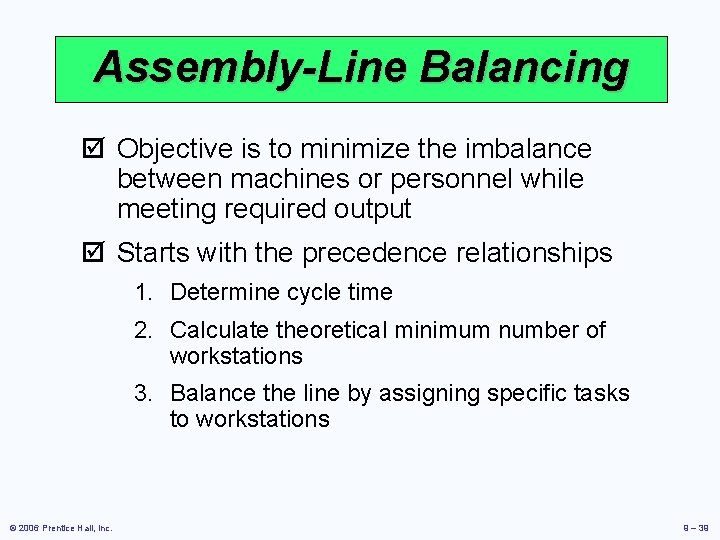
Assembly-Line Balancing þ Objective is to minimize the imbalance between machines or personnel while meeting required output þ Starts with the precedence relationships 1. Determine cycle time 2. Calculate theoretical minimum number of workstations 3. Balance the line by assigning specific tasks to workstations © 2006 Prentice Hall, Inc. 9 – 39
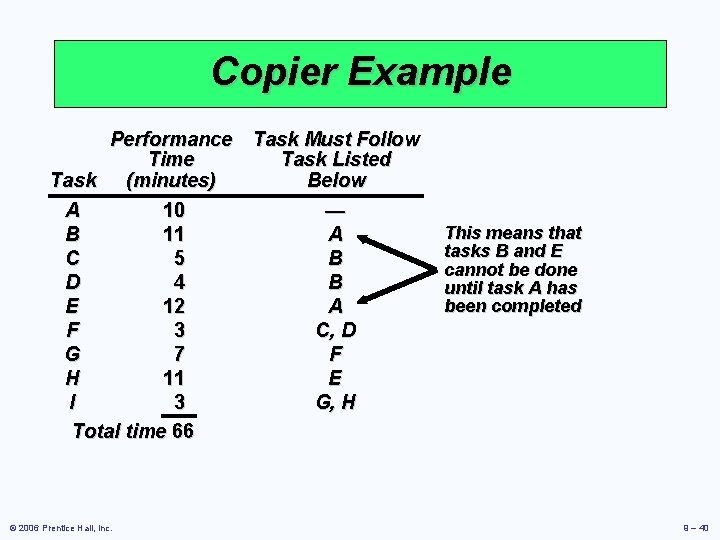
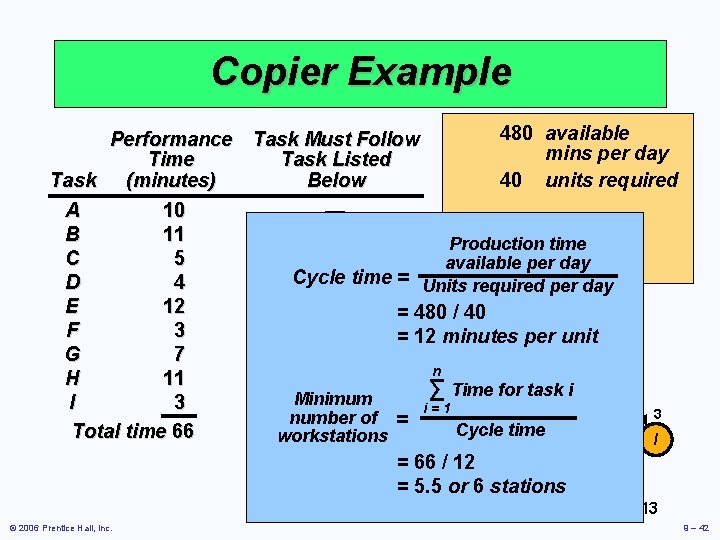
Copier Example Performance Task Must Follow Time Task Listed Task (minutes) Below A 10 — B 11 A C 5 B D 4 B E 12 A F 3 C, D G 7 F H 11 E I 3 G, H Total time 66 © 2006 Prentice Hall, Inc. This means that tasks B and E cannot be done until task A has been completed 9 – 40
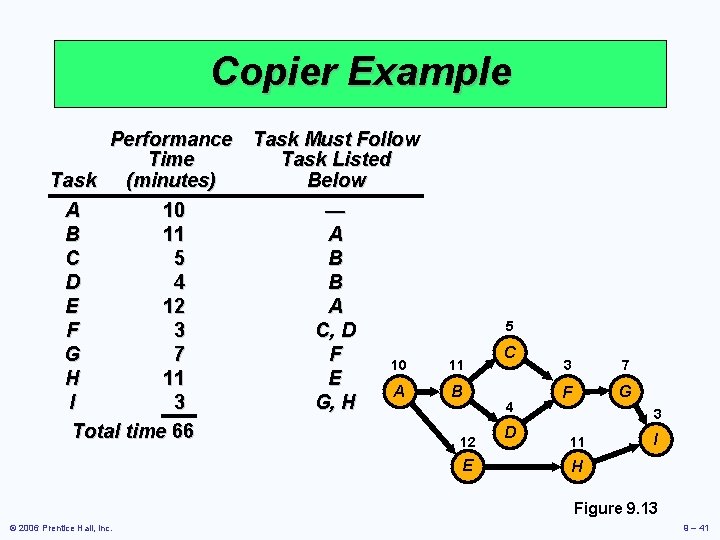
Copier Example Performance Task Must Follow Time Task Listed Task (minutes) Below A 10 — B 11 A C 5 B D 4 B E 12 A F 3 C, D G 7 F 10 H 11 E A I 3 G, H Total time 66 5 11 B 12 E C 4 D 3 7 F G 3 11 I H Figure 9. 13 © 2006 Prentice Hall, Inc. 9 – 41
Copier Example 480 available Performance Task Must Follow mins per day Time Task Listed 40 units required Task (minutes) Below A 10 — B 11 A Production time C 5 B available per day Cycle D 4 B time = Units required per day E 12 A = 480 / 40 5 F 3 C, D = 12 minutes per unit C G 7 F 10 11 3 7 n H 11 E for task. Fi A ∑ Time B G Minimum I 3 G, H 4 i=1 3 number of = Cycle Dtime Total time 66 workstations I 12 11 = 66 / 12 E H = 5. 5 or 6 stations Figure 9. 13 © 2006 Prentice Hall, Inc. 9 – 42
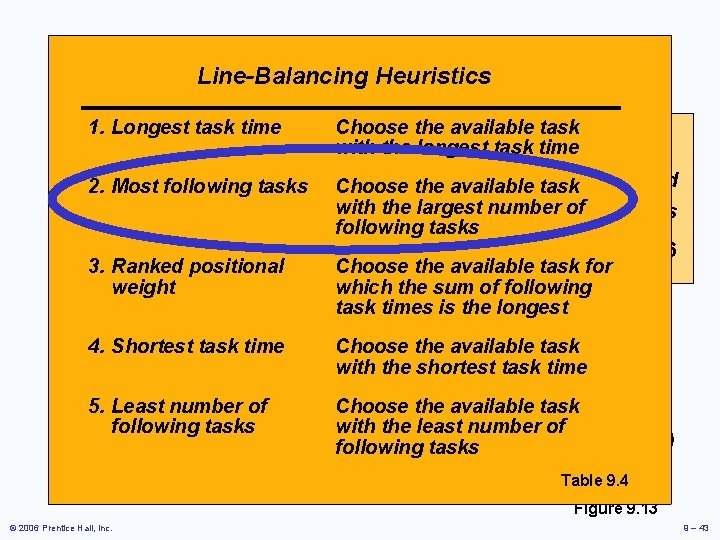
Copier Example Line-Balancing Heuristics 1. Longest task time Choose the available 480 task available Performance Task Must Follow with the longest task time mins per day Time Task Listed 40 task units required Task 2. Most (minutes) following tasks. Below Choose the available number of= 12 mins A 10 —with the largest. Cycle time B 11 Afollowing tasks. Minimum = 5. 5 or 6 C 3. Ranked 5 positional BChoose the available workstations task for D Bwhich the sum of following weight 4 E 12 Atask times is the longest 5 F 3 C, D the available C task G 4. Shortest 7 task time FChoose 10 shortest 11 3 7 with the task time H 11 E A B G F I 5. Least number 3 G, H 4 of Choose the available task 3 with the least number of Totalfollowing time 66 tasks D I 12 11 following tasks E H Table 9. 4 Figure 9. 13 © 2006 Prentice Hall, Inc. 9 – 43
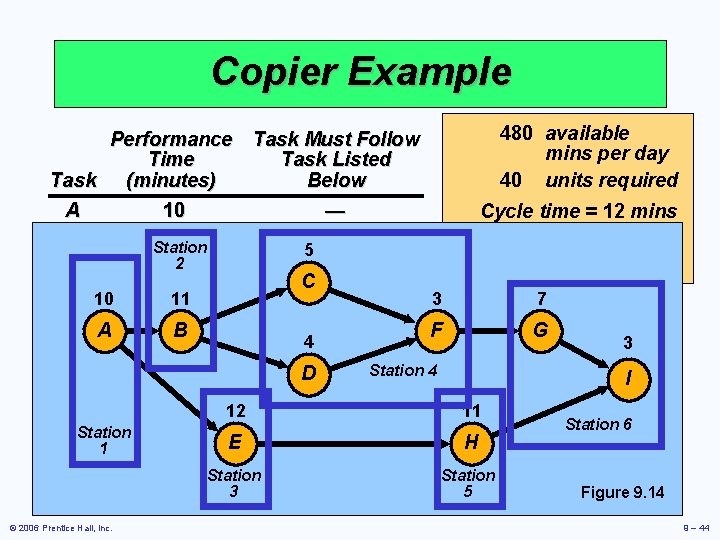
Copier Example 480 available Performance Task Must Follow mins per day Time Task Listed 40 units required Task (minutes) Below A 10 — Cycle time = 12 mins B 11 A Minimum Station 5 = 5. 5 or 6 C 52 B workstations C B D 4 11 3 7 E 10 12 A B G F A 3 C, D F 4 3 G 7 F D E Station 4 H 11 I I 3 G, H 12 11 Station 6 Stationtime 66 Total E H 1 Station 3 © 2006 Prentice Hall, Inc. Station 5 Figure 9. 14 9 – 44
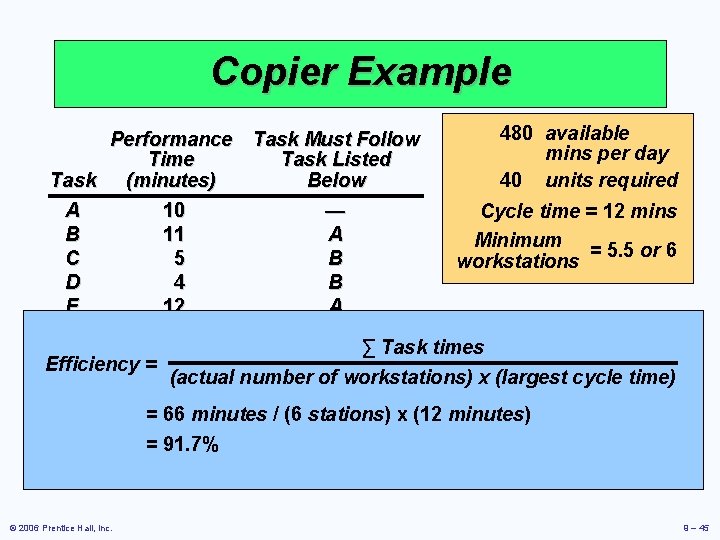
Copier Example 480 available Performance Task Must Follow mins per day Time Task Listed 40 units required Task (minutes) Below A 10 — Cycle time = 12 mins B 11 A Minimum = 5. 5 or 6 C 5 B workstations D 4 B E 12 A F 3 C, D ∑ Task times G 7 F Efficiency = (actual number of. E workstations) x (largest cycle time) H 11 I 3 G, H = 66 minutes / (6 stations) x (12 minutes) Total time 66 = 91. 7% © 2006 Prentice Hall, Inc. 9 – 45