
Operating Systems Practical Session 11 File Systems part





- Slides: 25
Operating Systems Practical Session 11 File Systems, part 2 1
File system layout (Tanenbaum) 2
Quick recap: i-Nodes • An i-node (index node) is a data structure containing pointers to the disk blocks that contain the actual file contents. • Every i-node object represents a single file. • An i-node needs to be in Main Memory only if the correspondent file is open. 3
Moving to windows… • FAT (old windows and dos) • NTFS (modern windows)
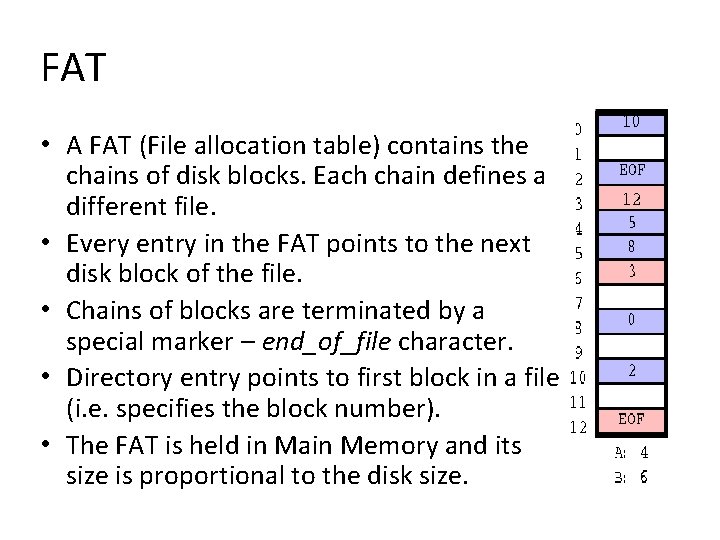
FAT • A FAT (File allocation table) contains the chains of disk blocks. Each chain defines a different file. • Every entry in the FAT points to the next disk block of the file. • Chains of blocks are terminated by a special marker – end_of_file character. • Directory entry points to first block in a file (i. e. specifies the block number). • The FAT is held in Main Memory and its size is proportional to the disk size.
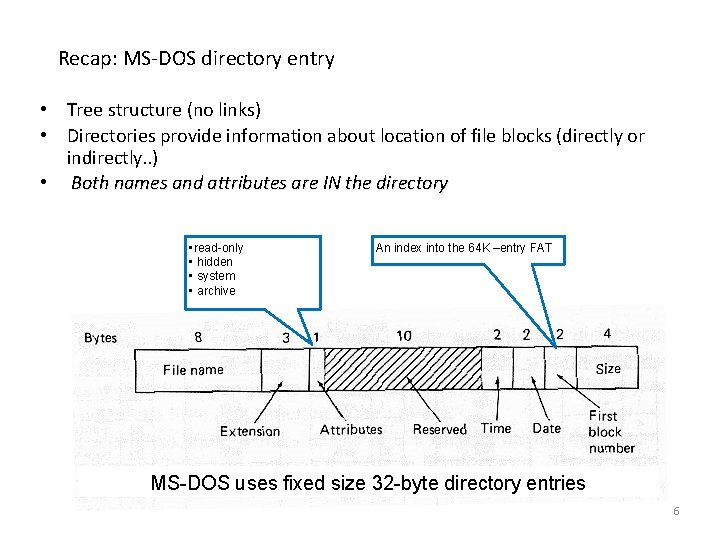
Recap: MS-DOS directory entry • Tree structure (no links) • Directories provide information about location of file blocks (directly or indirectly. . ) • Both names and attributes are IN the directory • read-only • hidden • system • archive An index into the 64 K –entry FAT MS-DOS uses fixed size 32 -byte directory entries 6
NTFS • Each file is represented by a record in a special file called the master file table (MFT). • The master file table allocates a certain amount of space for each file record (for attributes). • Small files can be entirely contained within the master file table record in this case file access is very fast.
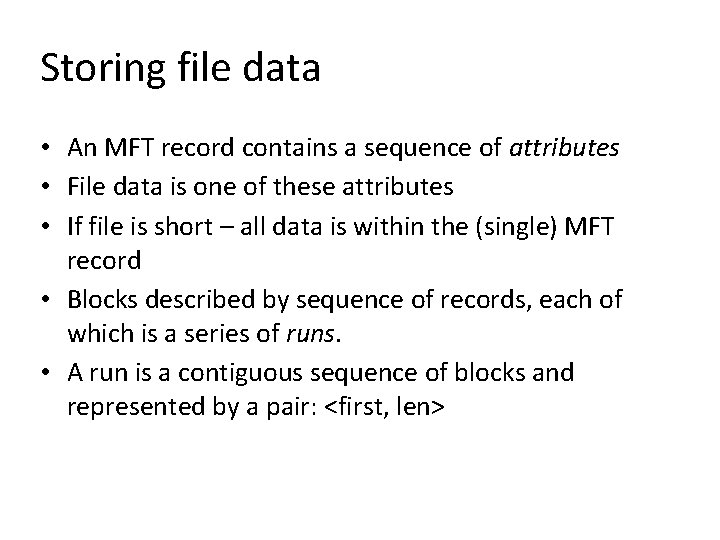
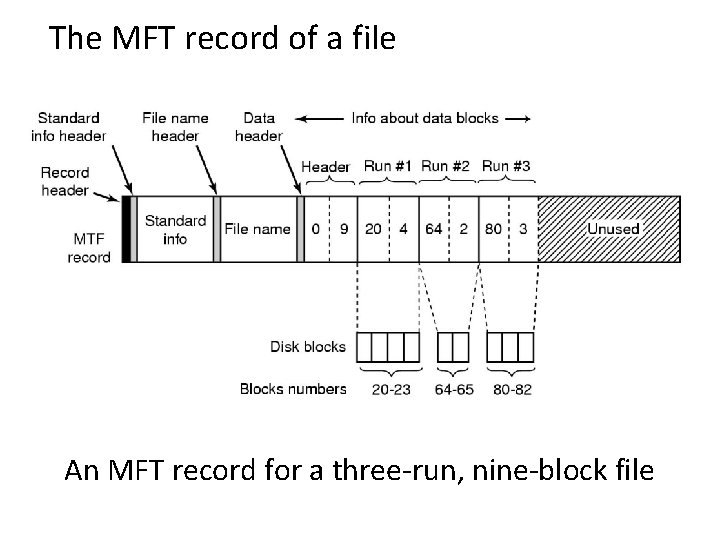
Storing file data • An MFT record contains a sequence of attributes • File data is one of these attributes • If file is short – all data is within the (single) MFT record • Blocks described by sequence of records, each of which is a series of runs. • A run is a contiguous sequence of blocks and represented by a pair: <first, len>
The MFT record of a file An MFT record for a three-run, nine-block file
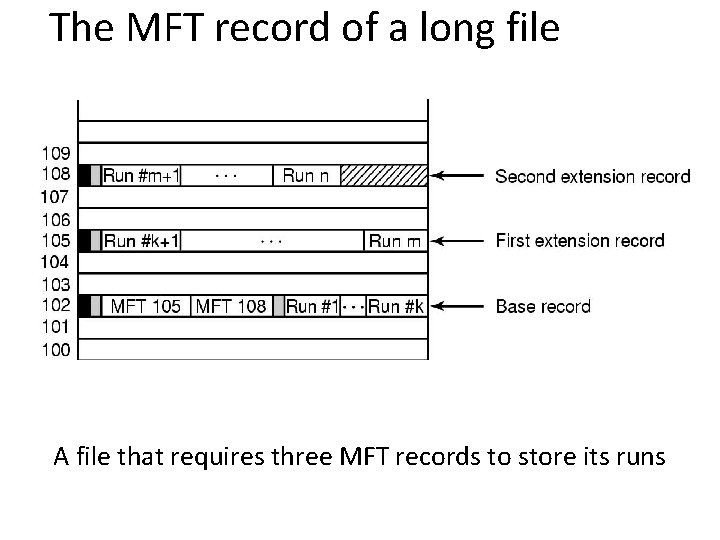
The MFT record of a long file A file that requires three MFT records to store its runs
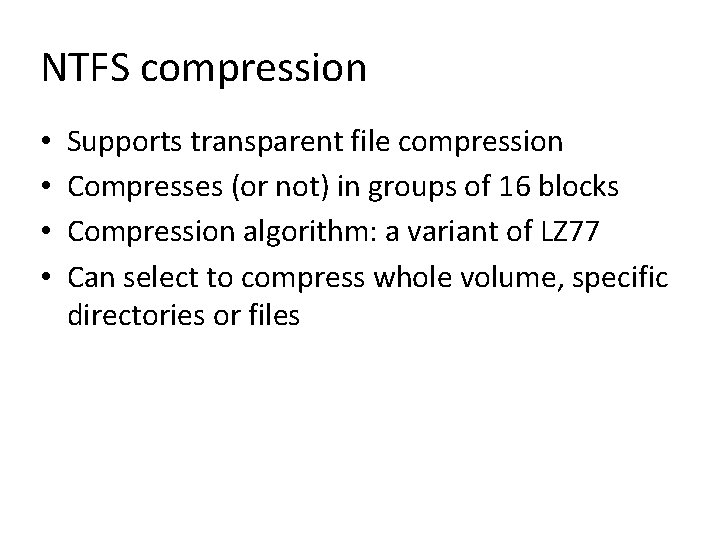
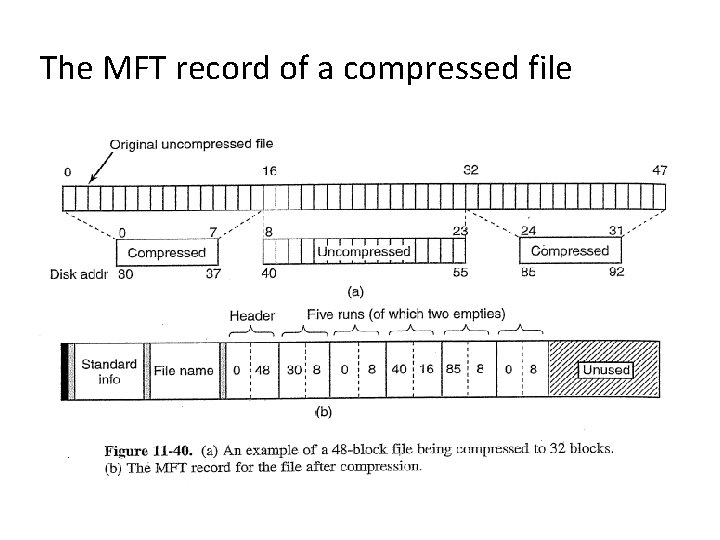
NTFS compression • • Supports transparent file compression Compresses (or not) in groups of 16 blocks Compression algorithm: a variant of LZ 77 Can select to compress whole volume, specific directories or files
The MFT record of a compressed file
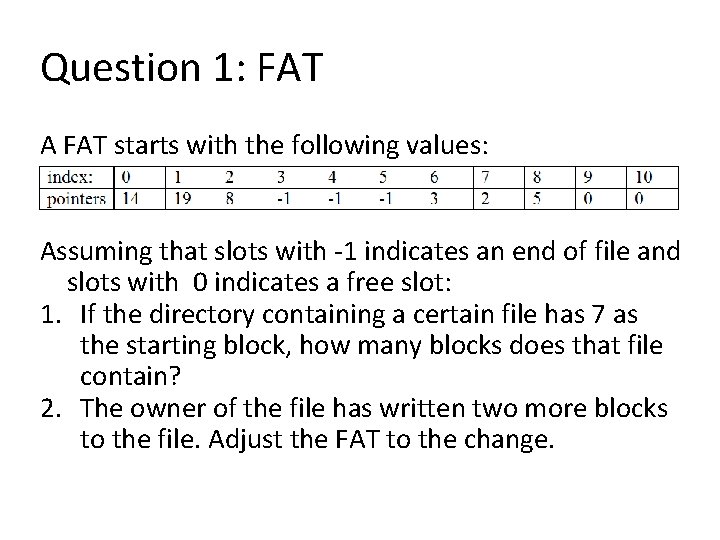
Question 1: FAT A FAT starts with the following values: Assuming that slots with -1 indicates an end of file and slots with 0 indicates a free slot: 1. If the directory containing a certain file has 7 as the starting block, how many blocks does that file contain? 2. The owner of the file has written two more blocks to the file. Adjust the FAT to the change.
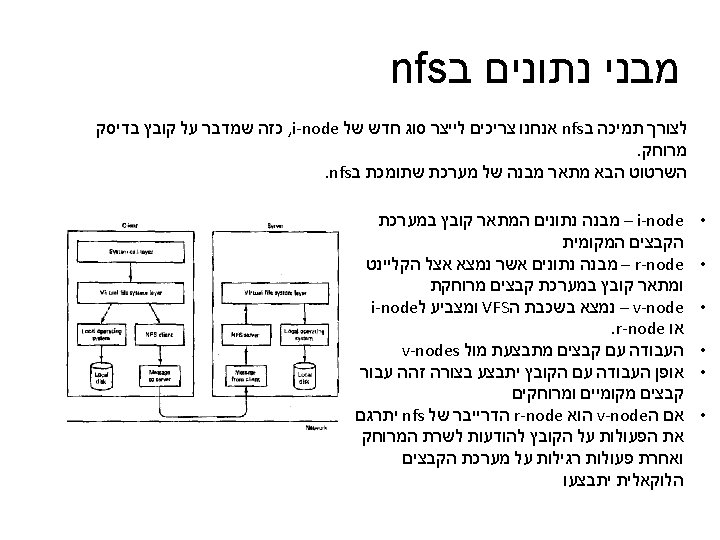
NFS – Network File System • • Allows sharing of file Systems. A server exports part of its file system. A client can mount an exported file system. A stateless protocol. The server remembers nothing about previous requests from a client.
Protocols of NFS - mount • Client asks to mount a directory providing a host-name • Automatic mounting by clients: – /etc/fstab (Solaris /etc/vfstab) shell script containing remote mount commands, run at boot time – Automount - associates a set of remote directories with each mount command does mounting upon first file access
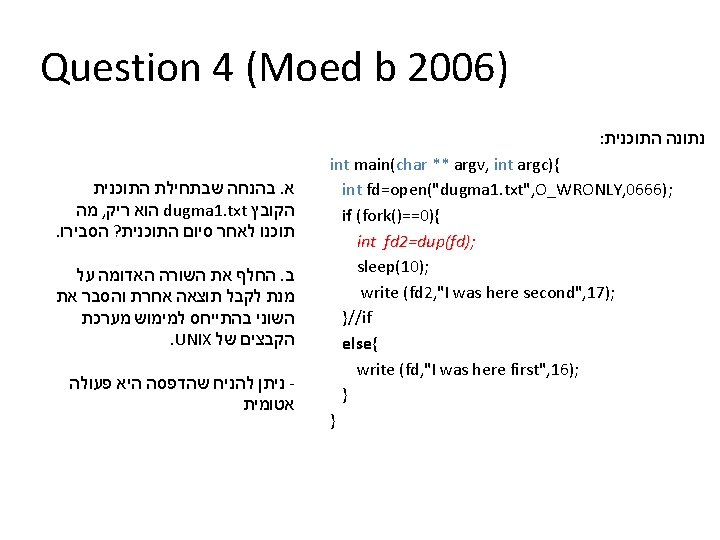
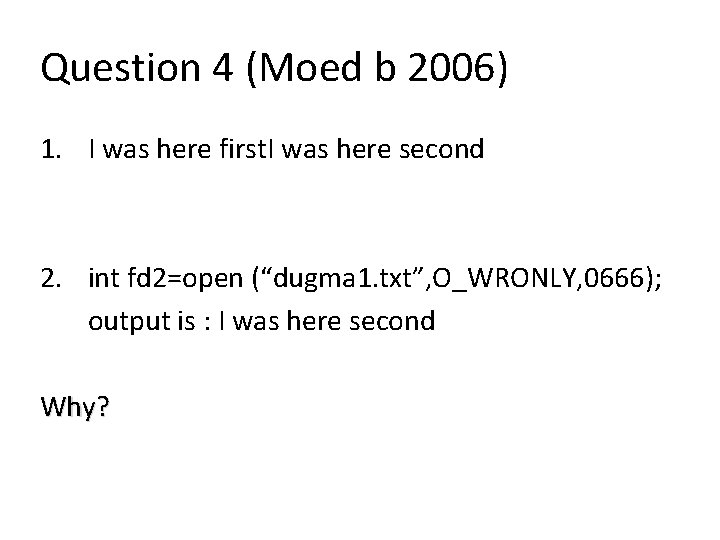
Question 4 (Moed b 2006) 1. I was here first. I was here second 2. int fd 2=open (“dugma 1. txt”, O_WRONLY, 0666); output is : I was here second Why?
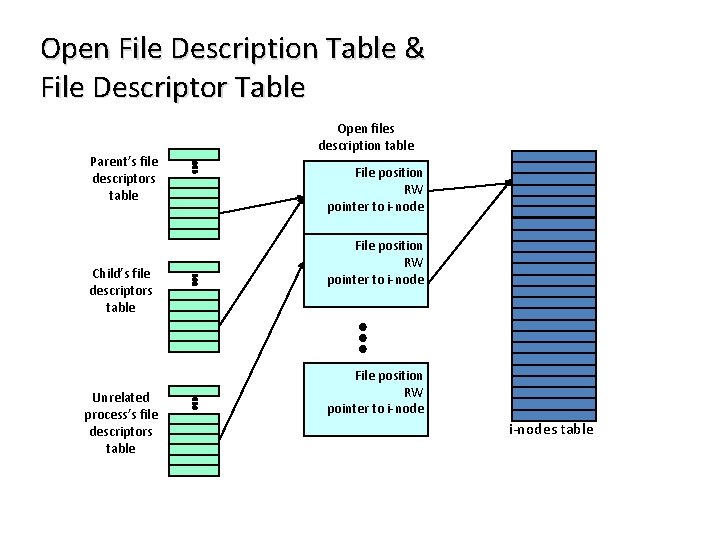
Open File Description Table & File Descriptor Table Parent’s file descriptors table Child’s file descriptors table Unrelated process’s file descriptors table Open files description table File position RW pointer to i-nodes table