
Operating Systems Lecture Notes Processes Matthew Dailey Some
![Fork() Example #include <stdio. h> main( int argc, char *argv[] ) { int pid;](https://slidetodoc.com/presentation_image_h2/731426436d46bf8760839c5459c5ad80/image-17.jpg "Fork() Example #include <stdio. h> main( int argc, char *argv[] ) { int pid;")
- Slides: 36
Operating Systems Lecture Notes Processes Matthew Dailey Some material © Silberschatz, Galvin, and Gagne, 2002
Processes
What is a Process? A process is a program in execution. The process is the unit of work in an OS. – System processes are created by the OS to perform tasks on the user’s or system’s behalf. – User processes are created more directly by the user’s actions. They include application programs and system utilities. Readings: Silberschatz et al. , chapter 4
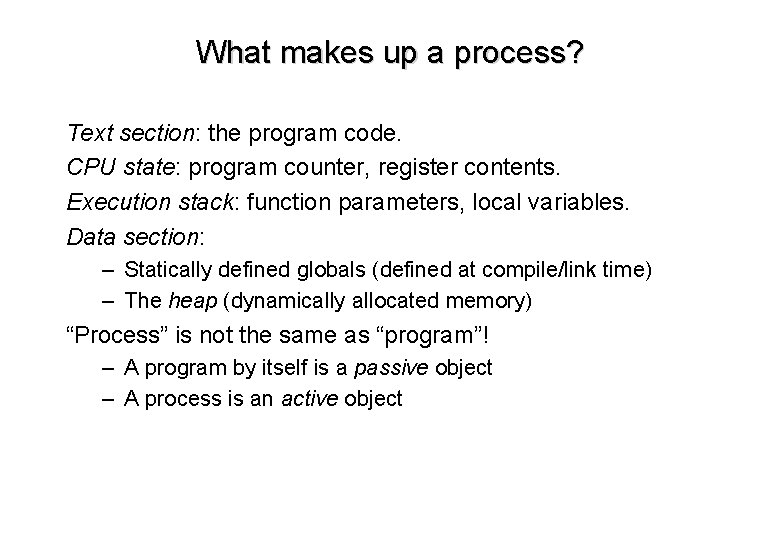
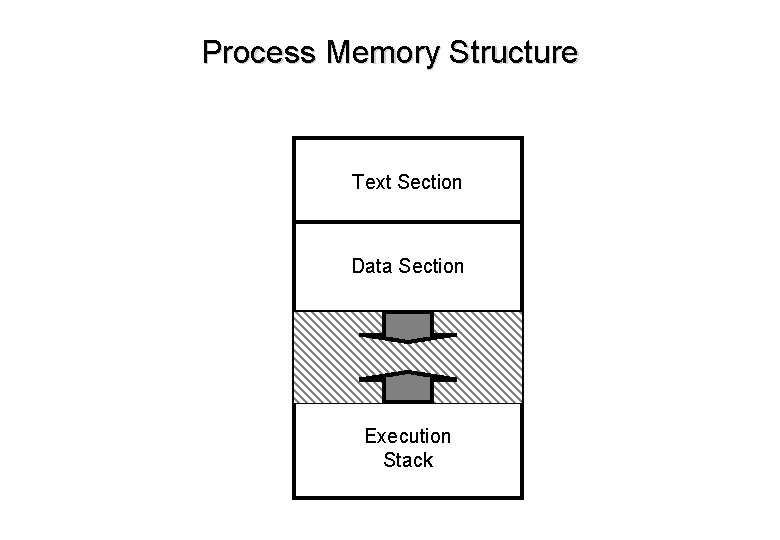
What makes up a process? Text section: the program code. CPU state: program counter, register contents. Execution stack: function parameters, local variables. Data section: – Statically defined globals (defined at compile/link time) – The heap (dynamically allocated memory) “Process” is not the same as “program”! – A program by itself is a passive object – A process is an active object
Process Memory Structure Text Section Data Section Execution Stack
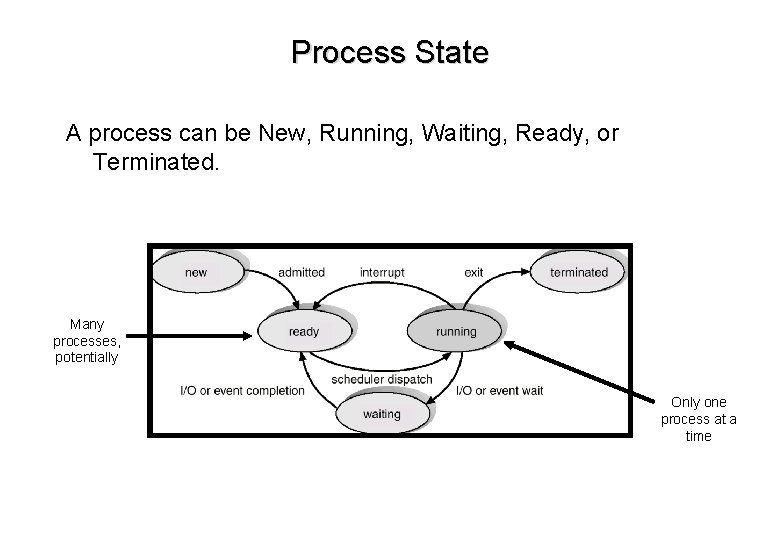
Process State A process can be New, Running, Waiting, Ready, or Terminated. Many processes, potentially Only one process at a time
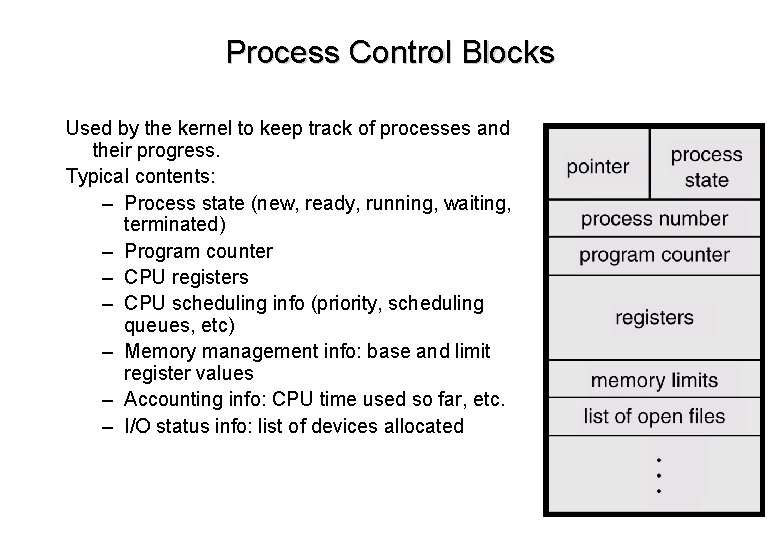
Process Control Blocks Used by the kernel to keep track of processes and their progress. Typical contents: – Process state (new, ready, running, waiting, terminated) – Program counter – CPU registers – CPU scheduling info (priority, scheduling queues, etc) – Memory management info: base and limit register values – Accounting info: CPU time used so far, etc. – I/O status info: list of devices allocated
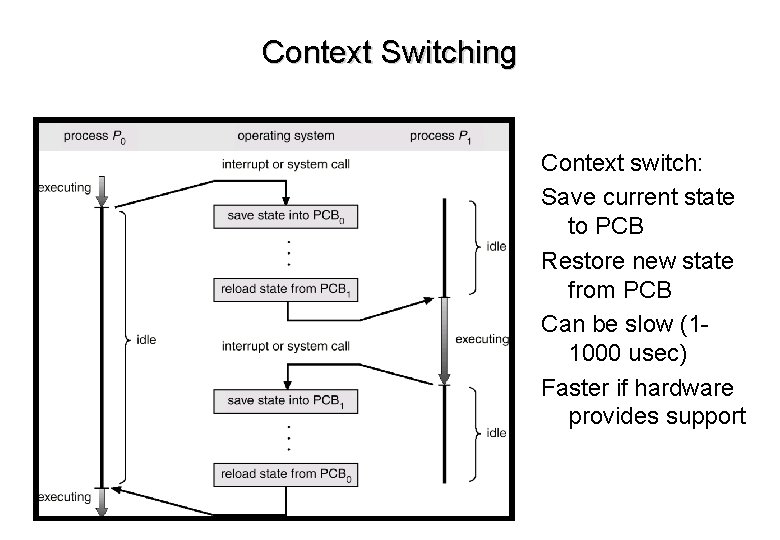
Context Switching Context switch: Save current state to PCB Restore new state from PCB Can be slow (11000 usec) Faster if hardware provides support
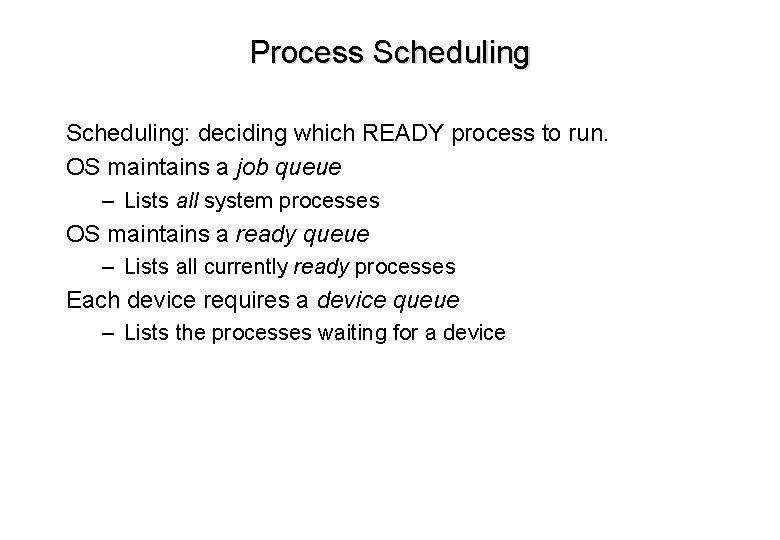
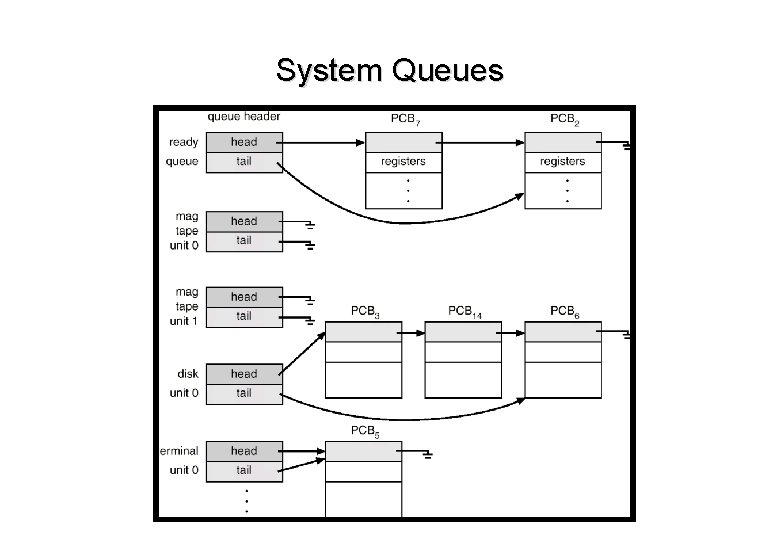
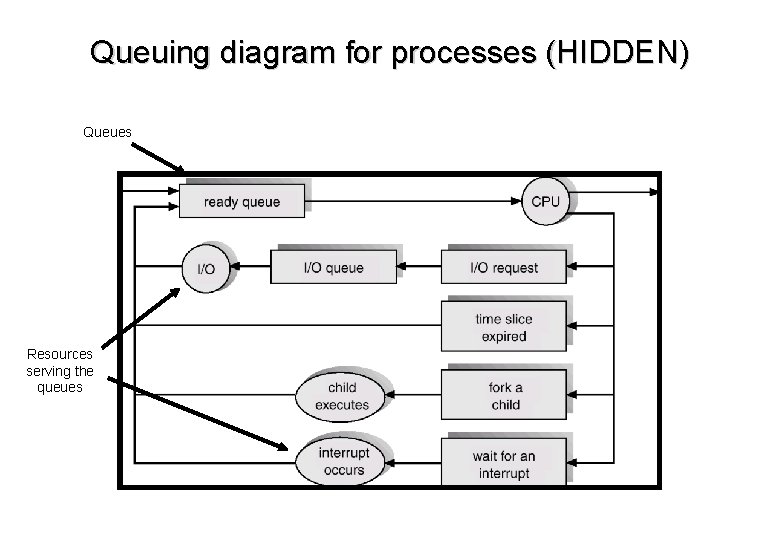
Process Scheduling: deciding which READY process to run. OS maintains a job queue – Lists all system processes OS maintains a ready queue – Lists all currently ready processes Each device requires a device queue – Lists the processes waiting for a device
System Queues
Queuing diagram for processes (HIDDEN) Queues Resources serving the queues
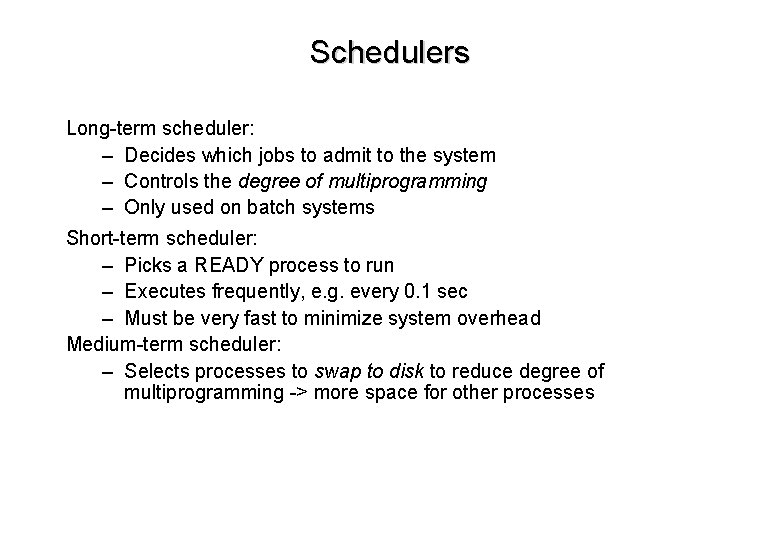
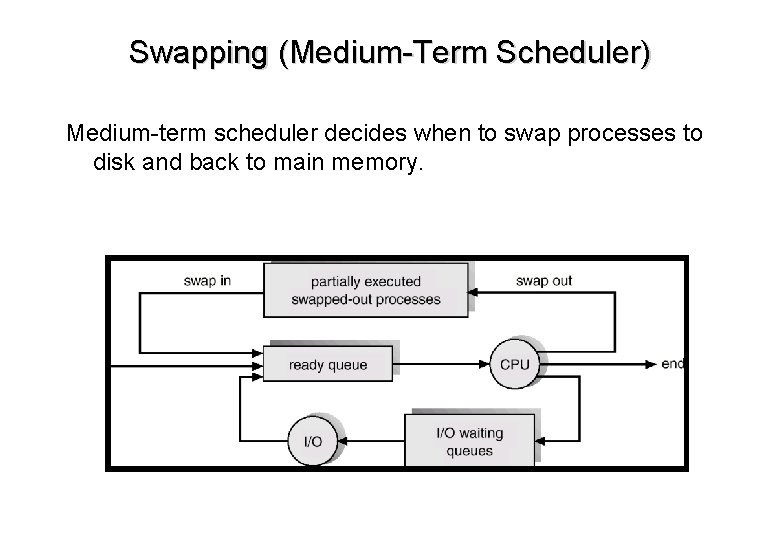
Schedulers Long-term scheduler: – Decides which jobs to admit to the system – Controls the degree of multiprogramming – Only used on batch systems Short-term scheduler: – Picks a READY process to run – Executes frequently, e. g. every 0. 1 sec – Must be very fast to minimize system overhead Medium-term scheduler: – Selects processes to swap to disk to reduce degree of multiprogramming -> more space for other processes
Swapping (Medium-Term Scheduler) Medium-term scheduler decides when to swap processes to disk and back to main memory.
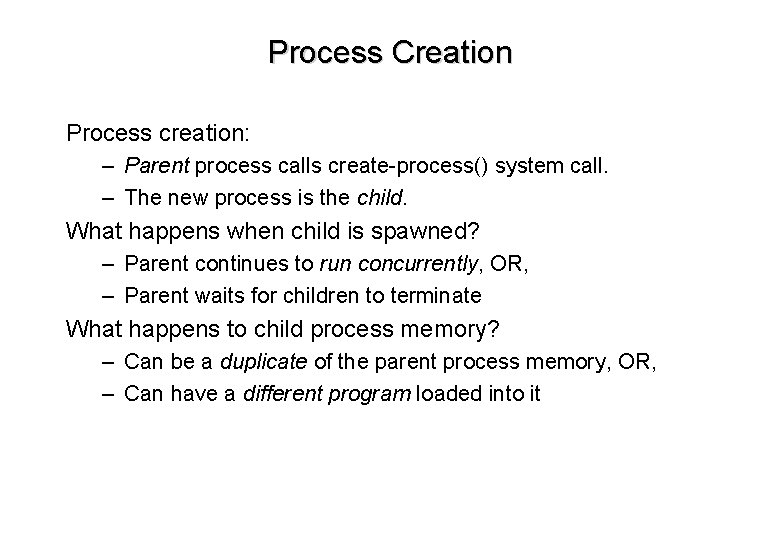
Process Creation Process creation: – Parent process calls create-process() system call. – The new process is the child. What happens when child is spawned? – Parent continues to run concurrently, OR, – Parent waits for children to terminate What happens to child process memory? – Can be a duplicate of the parent process memory, OR, – Can have a different program loaded into it
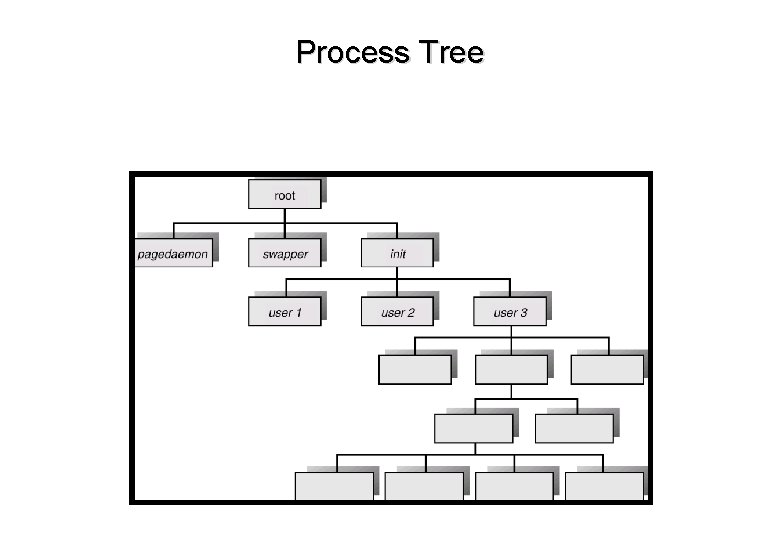
Process Tree
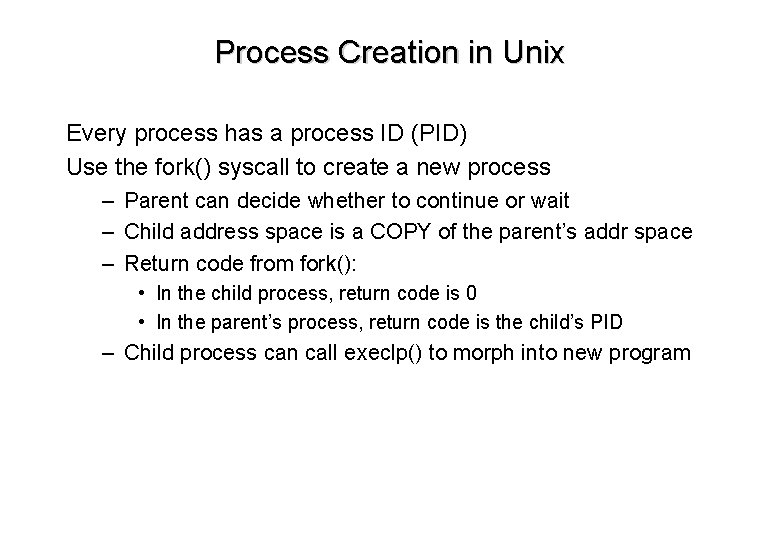
Process Creation in Unix Every process has a process ID (PID) Use the fork() syscall to create a new process – Parent can decide whether to continue or wait – Child address space is a COPY of the parent’s addr space – Return code from fork(): • In the child process, return code is 0 • In the parent’s process, return code is the child’s PID – Child process can call execlp() to morph into new program
Fork() Example #include <stdio. h> main( int argc, char *argv[] ) { int pid; /* fork a child process */ pid = fork(); /* check fork() return code */ if ( pid < 0 ) { /* some error occurred */ fprintf( stderr, “Fork failed!n” ); exit( -1 ); } else if ( pid == 0 ) { /* this is the child process */ execlp( “/bin/ls”, “ls”, NULL ); /* morph into “ls” */ } else { /* this is the parent process. Wait for child to complete */ wait( NULL ); printf( “Child completed -- parent now exiting. n” ); exit( 0 ); } }
Process Termination A process can request its own termination with exit() Some OS’s allow one process to kill another – Uses an abort() syscall (kill() in Unix) – Usually a process can only be killed by its parent – What to do with children when a process dies? • Cascading termination: all descendents are killed by OS • In Unix, children get reassigned the init process as parent
Process Cooperation
Cooperating Processes Concurrent processes can be independent or cooperating Reasons for cooperation: – Information sharing, e. g. shared file – Parallel execution on multiprocessor systems – Modularity: separation of responsibilities can make programming easier – User convenience: it is sometimes nice to do several things at once with a shared resource. • E. g. editing and compiling a program at the same time Cooperation requires IPC (Interprocess Communication) and Synchronization
Cooperation Patterns Many cooperation problems fall into the producer-consumer category The “producer” generates information The “consumer” consumes (uses) that information Examples: – An email client process consumes email data placed in a spool (buffer) by an email delivery process – A printer driver process consumes documents produced by a print process
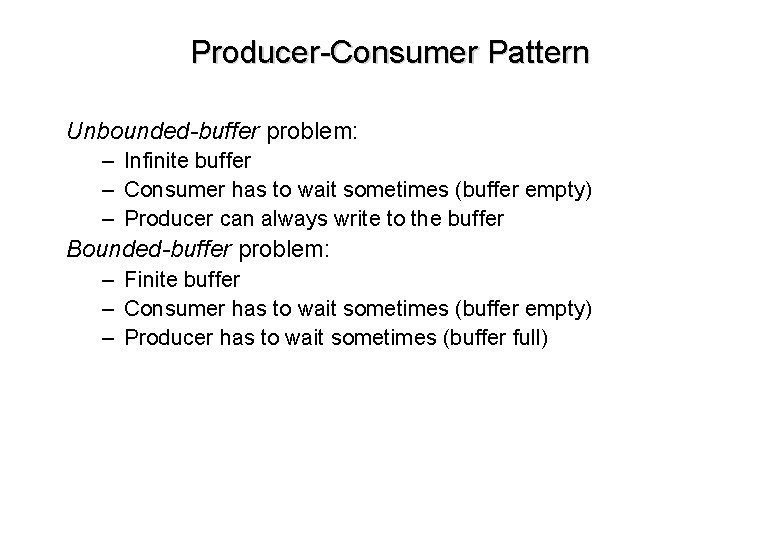
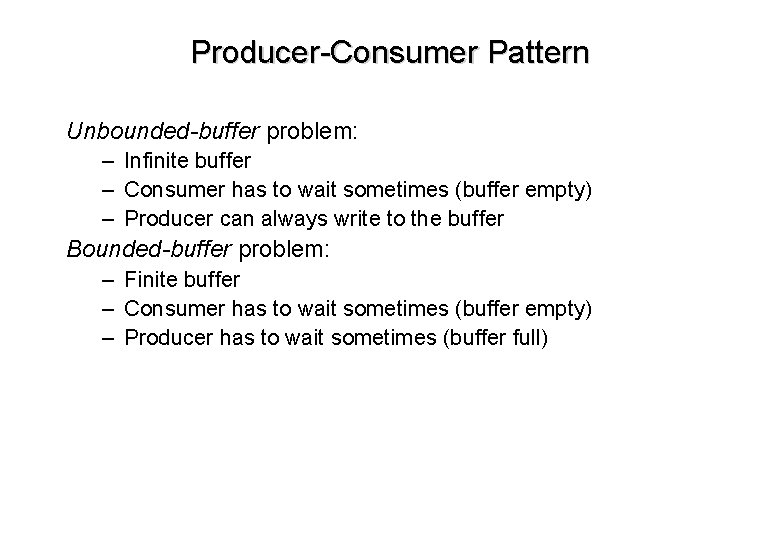
Producer-Consumer Pattern Unbounded-buffer problem: – Infinite buffer – Consumer has to wait sometimes (buffer empty) – Producer can always write to the buffer Bounded-buffer problem: – Finite buffer – Consumer has to wait sometimes (buffer empty) – Producer has to wait sometimes (buffer full)
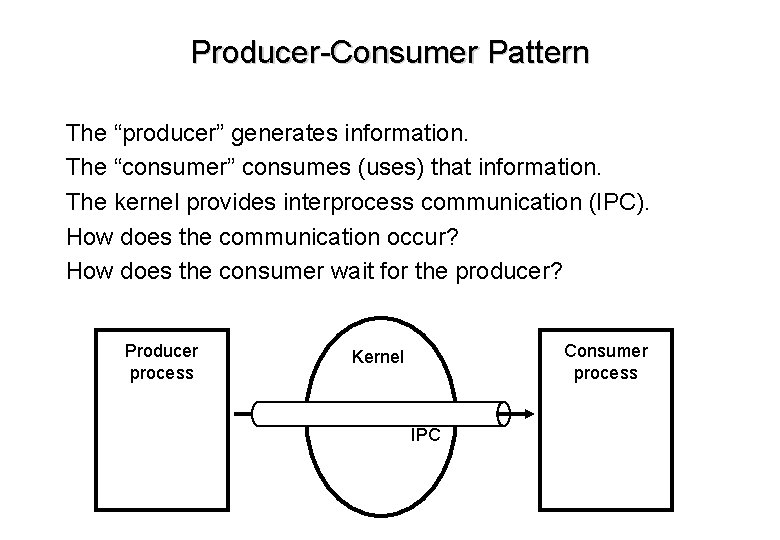
Producer-Consumer Pattern The “producer” generates information. The “consumer” consumes (uses) that information. The kernel provides interprocess communication (IPC). How does the communication occur? How does the consumer wait for the producer? Producer process Consumer process Kernel IPC
Producer-Consumer Pattern Unbounded-buffer problem: – Infinite buffer – Consumer has to wait sometimes (buffer empty) – Producer can always write to the buffer Bounded-buffer problem: – Finite buffer – Consumer has to wait sometimes (buffer empty) – Producer has to wait sometimes (buffer full)
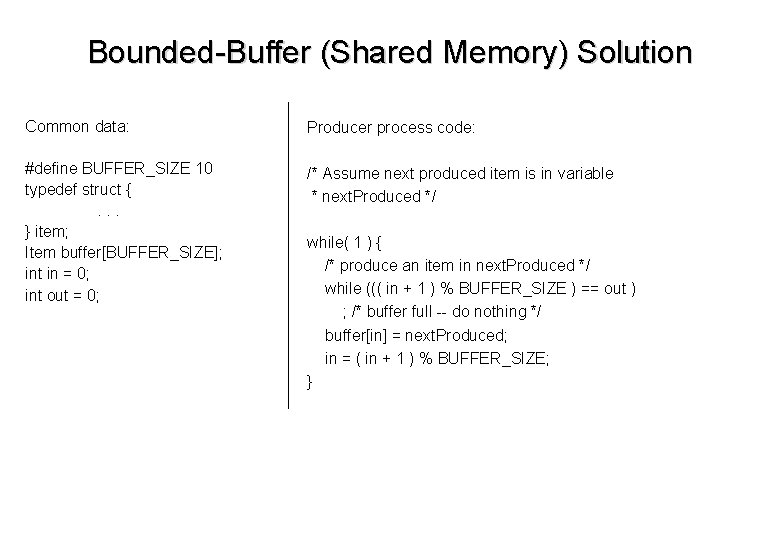
Bounded-Buffer (Shared Memory) Solution Common data: Producer process code: #define BUFFER_SIZE 10 typedef struct {. . . } item; Item buffer[BUFFER_SIZE]; int in = 0; int out = 0; /* Assume next produced item is in variable * next. Produced */ while( 1 ) { /* produce an item in next. Produced */ while ((( in + 1 ) % BUFFER_SIZE ) == out ) ; /* buffer full -- do nothing */ buffer[in] = next. Produced; in = ( in + 1 ) % BUFFER_SIZE; }
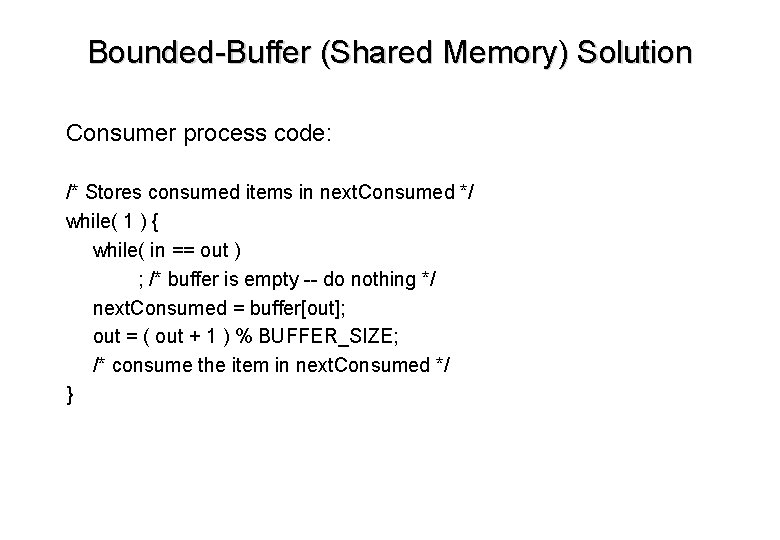
Bounded-Buffer (Shared Memory) Solution Consumer process code: /* Stores consumed items in next. Consumed */ while( 1 ) { while( in == out ) ; /* buffer is empty -- do nothing */ next. Consumed = buffer[out]; out = ( out + 1 ) % BUFFER_SIZE; /* consume the item in next. Consumed */ }
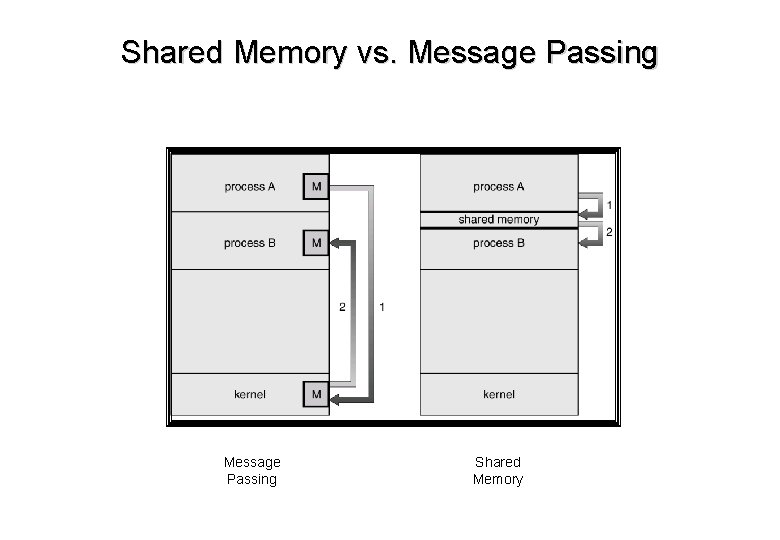
Shared Memory vs. Message Passing Shared Memory
IPC by Message-Passing Message passing is a more common IPC technique. Kernel must provide some kind of send() and receive() call. Issues: – – Direct or indirect communication? Automatic or explicit buffering? Send by copy or send by reference? Fixed-size or variable messages?
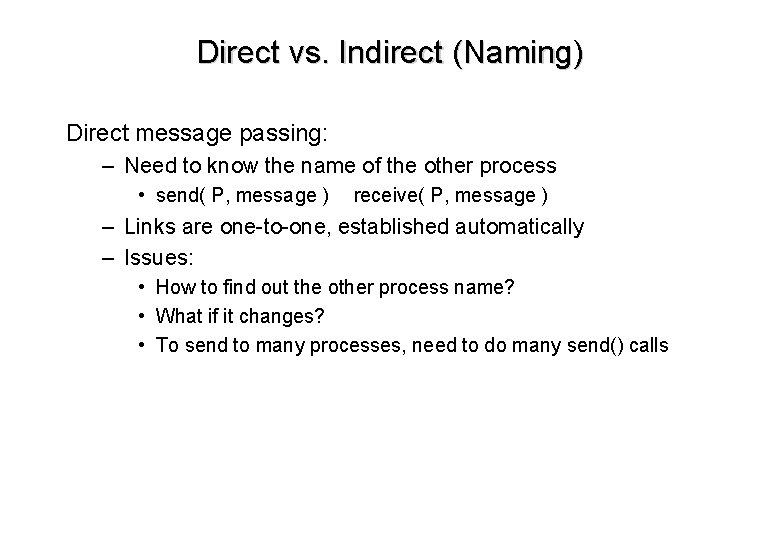
Direct vs. Indirect (Naming) Direct message passing: – Need to know the name of the other process • send( P, message ) receive( P, message ) – Links are one-to-one, established automatically – Issues: • How to find out the other process name? • What if it changes? • To send to many processes, need to do many send() calls
Indirect Message Passing: Mailboxes Instead of naming the other process, use mailboxes. send( A, message ) place “message” in mailbox A receive( A, message ) read a message from mailbox A Links can be many-to-many OS must provide mailbox creation and deletion calls in addition to send/receive calls
Message Passing Synchronization Like I/O, message passing can be blocking or non-blocking Blocking send: sender waits for receiver to accept Non-blocking send: message is buffered by kernel and sender proceeds Blocking receive: receiver must wait until a message is received Non-blocking receive: receive() call returns immediately, even if there is no data yet Blocking send with blocking receive is called a rendezvous
Message Buffering Message passing might require buffering by kernel 0 -capacity: message queue has length 0. – Sender has to block until receiver receives each message Unbounded-capacity: no limit on queue length – Sender never has to block on send() Bounded-capacity: queue has finite length n – Sender has to block on send when buffer is full
Sockets for Network IPC Client-Server is the most common network IPC model Client process on system A wants to communicate with a server on system B Most common implementations: – TCP/IP Sockets • Used by Web servers, FTP servers, SSH servers, etc. – Remote procedure calls • Used by Sun’s Network File System (NFS), others
Client-Server Comm. With Sockets Server listens on a well-known network port (e. g. 80 for http) When client connects, server spawns a child process to handle communication with the client using a different port. Parent process goes back to listening on well known port. Client communicates with the server child process via message passing. Connection is closed. Problem: clumsy for the programmer.
Client-Server Comm. With RPC Client-side treats server request as a normal C (Java, Perl, etc. ) function call. On client side, a function stub traps to the kernel. Kernel marshalls function arguments, transfers to server (probably via sockets) Server unmarshalls function call, runs desired code and returns result to the client. Kernel on client side reconstructs the result as if the function was called locally and returns control to the user process. Very difficult for OS implementor, but very convenient for application programmers.
What have we learned? Introduction to processes Basics of process management. Process creation. Introduction to local process cooperation via IPC – Shared memory – Message passing