
Operating Systems Introduction to Operating System OS Vinod
- Slides: 34
Operating Systems Introduction to Operating System (OS) Vinod Sencha
Initial Objectives 2 • To describe the basic organization of computer systems and operating systems. • To give an overview of the many types of computing environments. • To explore varied types of operating systems. • To provide a grand tour of the major components of operating systems. • To describe the services an operating system provides to users, processes, and other systems. • To discuss the various ways of structuring an operating Vinod Sencha system.
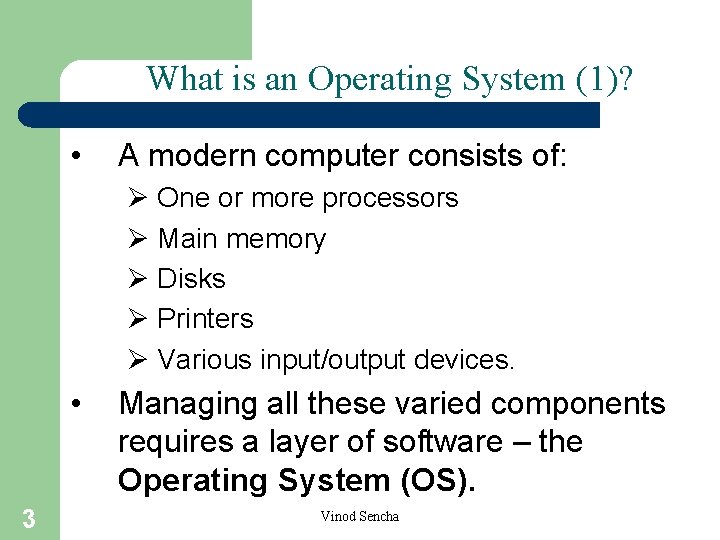
What is an Operating System (1)? • A modern computer consists of: Ø One or more processors Ø Main memory Ø Disks Ø Printers Ø Various input/output devices. • 3 Managing all these varied components requires a layer of software – the Operating System (OS). Vinod Sencha
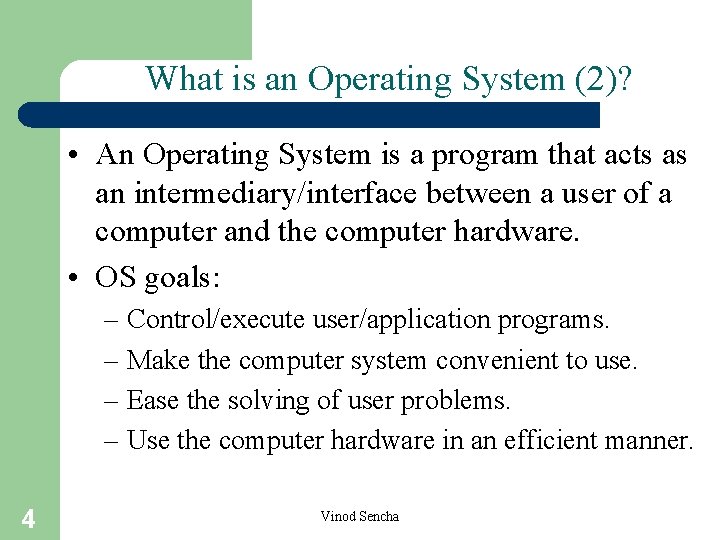
What is an Operating System (2)? • An Operating System is a program that acts as an intermediary/interface between a user of a computer and the computer hardware. • OS goals: – Control/execute user/application programs. – Make the computer system convenient to use. – Ease the solving of user problems. – Use the computer hardware in an efficient manner. 4 Vinod Sencha
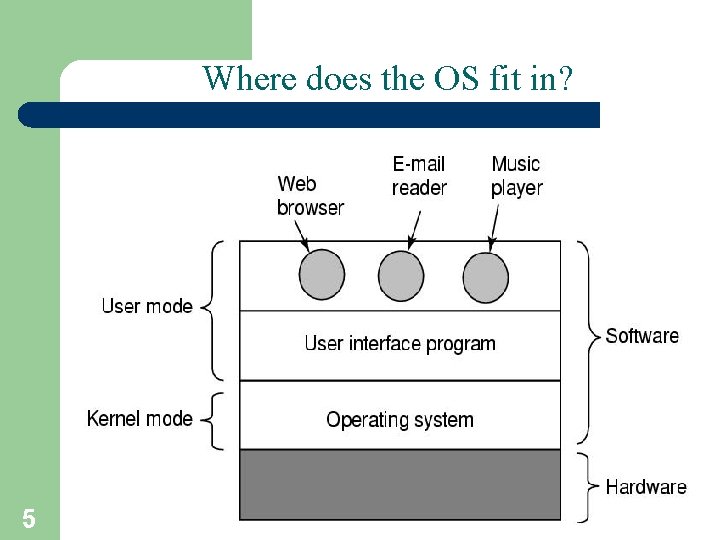
Where does the OS fit in? 5 Vinod Sencha
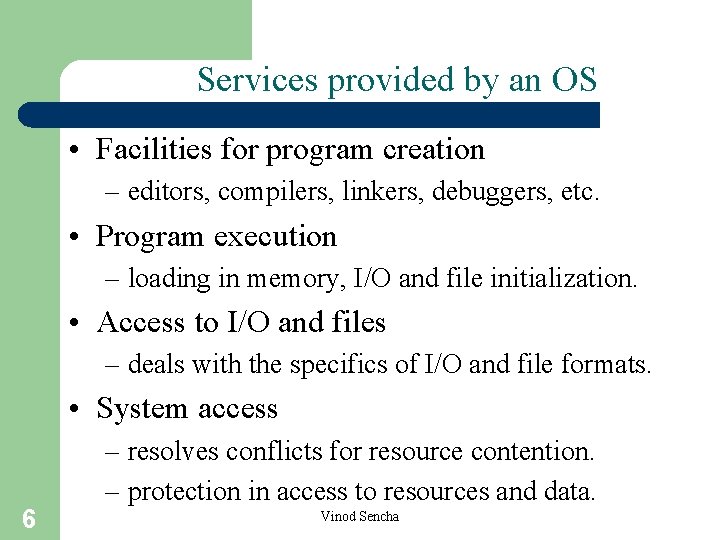
Services provided by an OS • Facilities for program creation – editors, compilers, linkers, debuggers, etc. • Program execution – loading in memory, I/O and file initialization. • Access to I/O and files – deals with the specifics of I/O and file formats. • System access 6 – resolves conflicts for resource contention. – protection in access to resources and data. Vinod Sencha
Why are Operating Systems Important? • Important to understand know how to correctly use when writing user applications. • Large and complex systems that have a high economic impact and result in interesting problems of management. • Few actually involved in OS design and implementation but nevertheless many general techniques to be learned and applied. • Combines concepts from many other areas of Computer Science: Architecture, Languages, Data Structures, Algorithms, etc. 7 Vinod Sencha
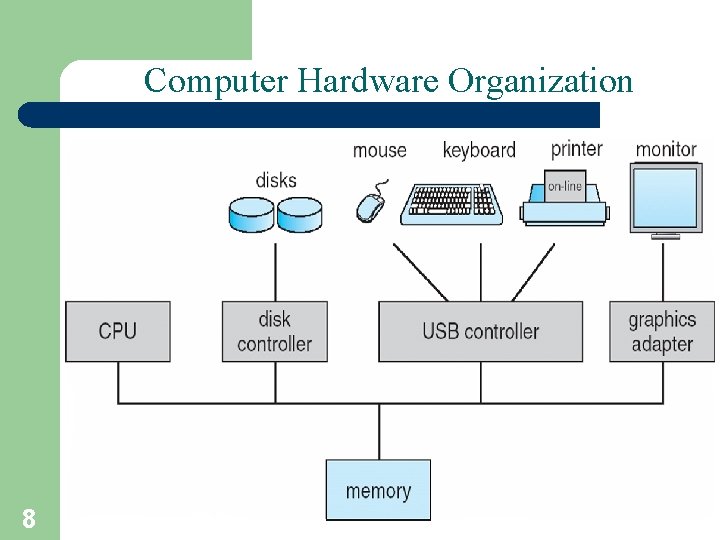
Computer Hardware Organization 8 Vinod Sencha
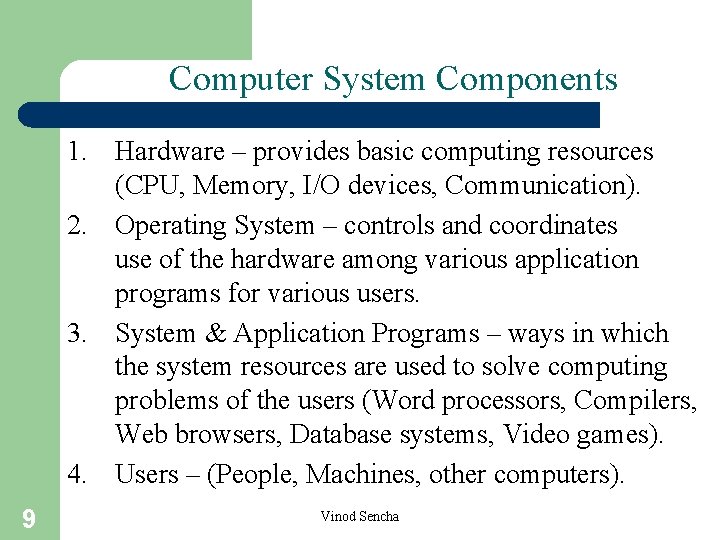
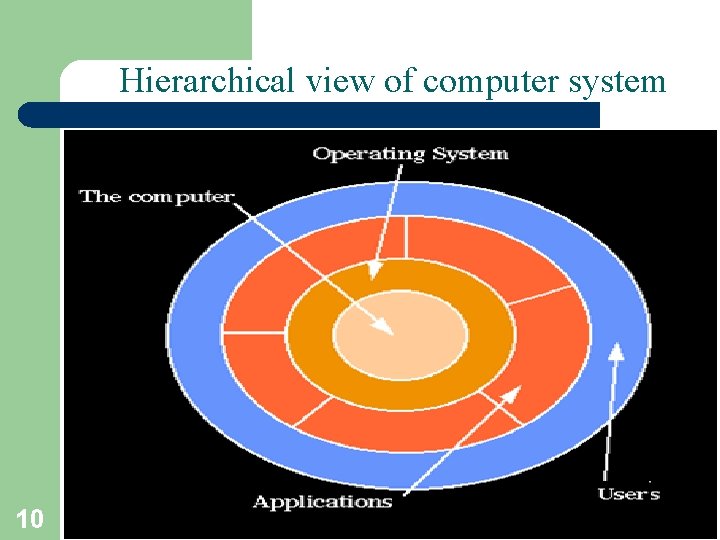
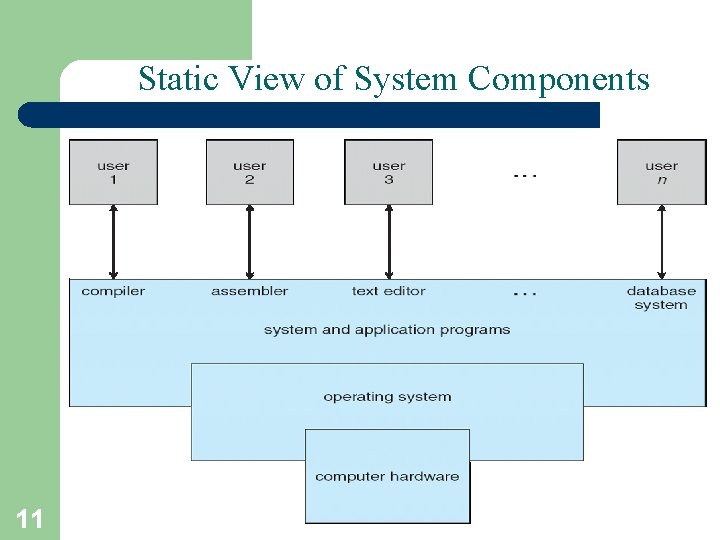
Computer System Components 1. Hardware – provides basic computing resources (CPU, Memory, I/O devices, Communication). 2. Operating System – controls and coordinates use of the hardware among various application programs for various users. 3. System & Application Programs – ways in which the system resources are used to solve computing problems of the users (Word processors, Compilers, Web browsers, Database systems, Video games). 4. Users – (People, Machines, other computers). 9 Vinod Sencha
Hierarchical view of computer system 10 Vinod Sencha
Static View of System Components 11 Vinod Sencha
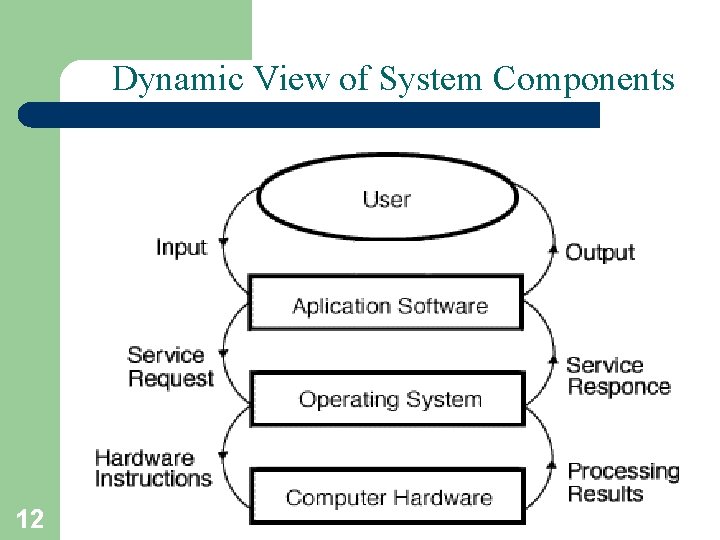
Dynamic View of System Components 12 Vinod Sencha
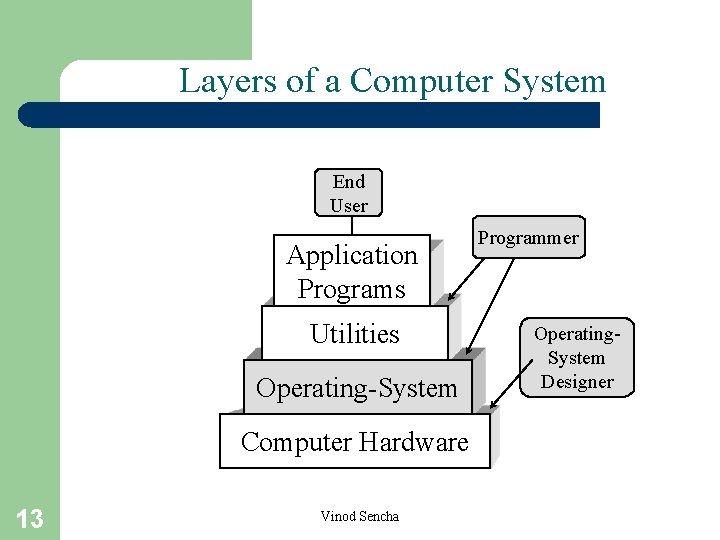
Layers of a Computer System End User Application Programs Utilities Operating-System Computer Hardware 13 Vinod Sencha Programmer Operating. System Designer
What Operating Systems Do • Depends on the point of view. • Users want convenience, ease of use and good performance – Don’t care about resource utilization. • But a shared computer such as mainframe or minicomputer must keep all users happy. • Users of dedicate systems such as workstations have dedicated resources but frequently use shared resources from servers. • Handheld computers are resource poor, optimized for usability and battery life. • Some computers have little or no user interface, such as embedded computers in devices and automobiles. 14 Vinod Sencha
Views of an Operating System • There are three classical views (in literature): 1. Resource Manager – manages and allocates resources. 2. Control program – controls the execution of user programs and operations of I/O devices. 3. Command Executer – Provides an environment for running user commands. • 15 But one more modern view: the Operating System as a Virtual Machine. Vinod Sencha
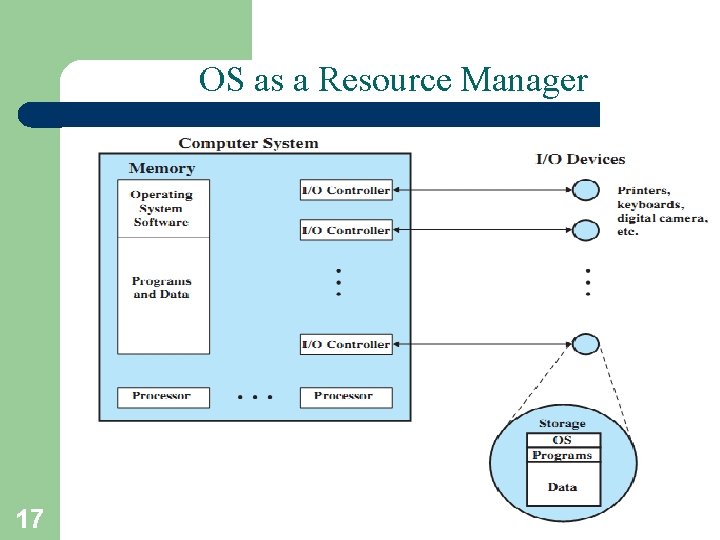
1. Resource Manager • Resource Manager: – Manages and protects multiple computer resources: CPU, Processes, Internal/External memory, Tasks, Applications, Users, Communication channels, etc… – Handles and allocates resources to multiple users or multiple programs running at the same time and space (e. g. , processor time, memory, I/O devices). – Decides between conflicting requests for efficient and fair resource use (e. g. , maximize throughput, minimize response time). • Sort of a bottom-up view. 16 Vinod Sencha
OS as a Resource Manager 17 Vinod Sencha
Resource Manager oriented OS names • DEC RSX – Resource Sharing e. Xecutive • MIT Multics – MULTiplexed Information and Computing Services • IBM MFT/MVT – Multiple Fixed/Variable Tasks • IBM MVS – Multiple Virtual Storage • DEC VMS – Virtual Memory System • MVS TSO – Time Sharing Option • CTSS – Compatible Time Sharing System • IBM VM – Virtual machine 18 Vinod Sencha
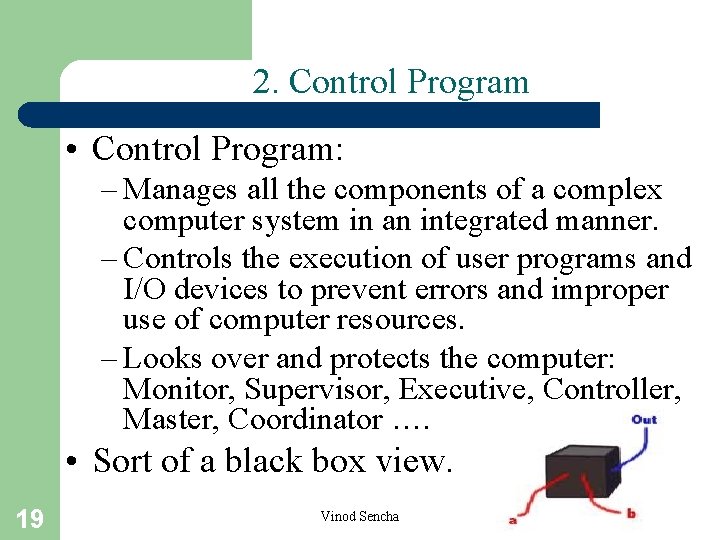
2. Control Program • Control Program: – Manages all the components of a complex computer system in an integrated manner. – Controls the execution of user programs and I/O devices to prevent errors and improper use of computer resources. – Looks over and protects the computer: Monitor, Supervisor, Executive, Controller, Master, Coordinator …. • Sort of a black box view. 19 Vinod Sencha
Control program oriented OS names • • • 20 Unisys MCP – Master Control Program DR CP/M – Control Program/Microcomputer IBM VM/CP – VM Control Program IBM AIX – Advanced Interactive e. Xecutive DEC RSX – Resource Sharing e. Xecutive Vinod Sencha
3. Command Executer • Command Executer: – Interfaces between the users and machine. – Supplies services/utilities to users. – Provides the users with a convenient CLI (Command Language Interface), also called a Shell (in UNIX), for entering the user commands. • Sort of a top-down view. 21 Vinod Sencha
Command Executer oriented OS names • IBM AIX – Advanced Interactive Executive • IBM VM/CMS – Conversational monitor System 22 Vinod Sencha
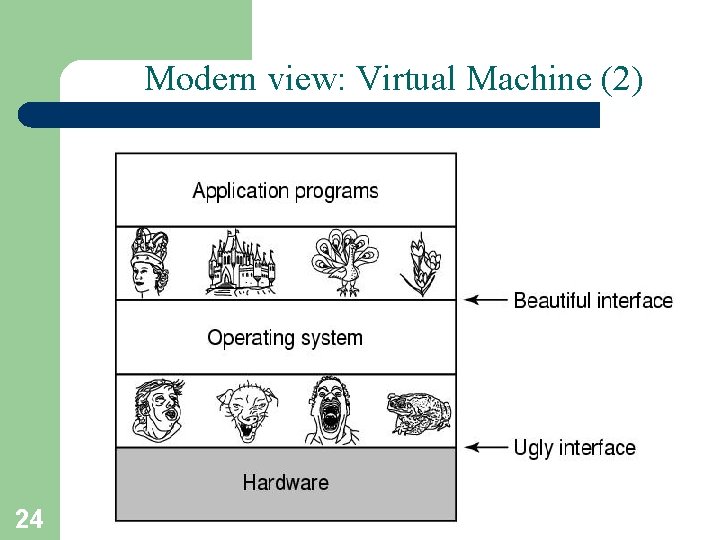
Modern view: Virtual Machine (1) • Operating System as a Virtual Machine: – An interface between the user and hardware that hides the details of the hardware (e. g. , I/O). – Constructs higher-level (virtual) resources out of lower-level (physical) resources (e. g. , files). – Definition: OS is a collection of software enhancements, executed on the bare hardware, culminating in a high-level virtual machine that serves as an advanced programming environment. • virtual machine = software enhancement = extended machine = abstract machine = layer = level = ring. 23 Vinod Sencha
Modern view: Virtual Machine (2) 24 Vinod Sencha
Definition of Operating System • There is no universally accepted definition. • “Everything a vendor ships when you order an operating system” is good approximation but varies widely. • “The one program running at all times on the computer” is the Kernel. • Everything else is either a system program (ships with the operating system) or an application program. 25 Vinod Sencha
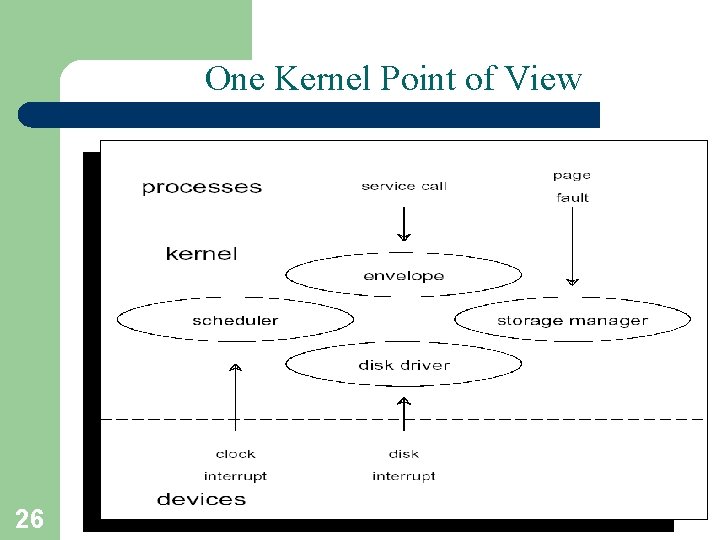
One Kernel Point of View 26 Vinod Sencha
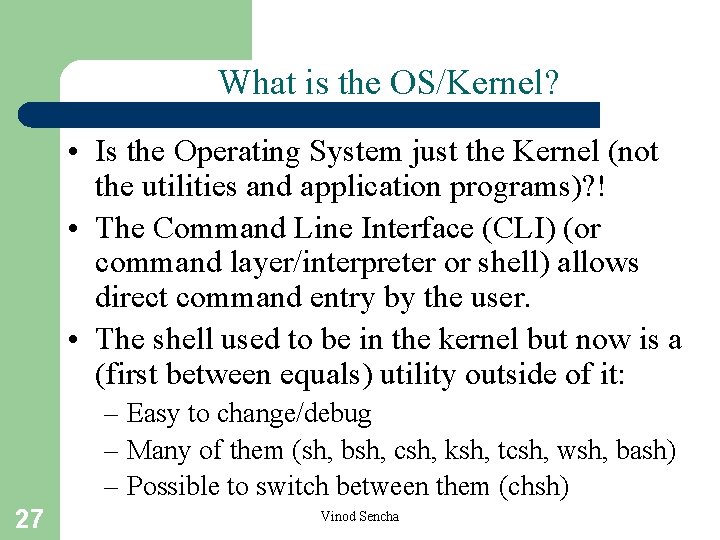
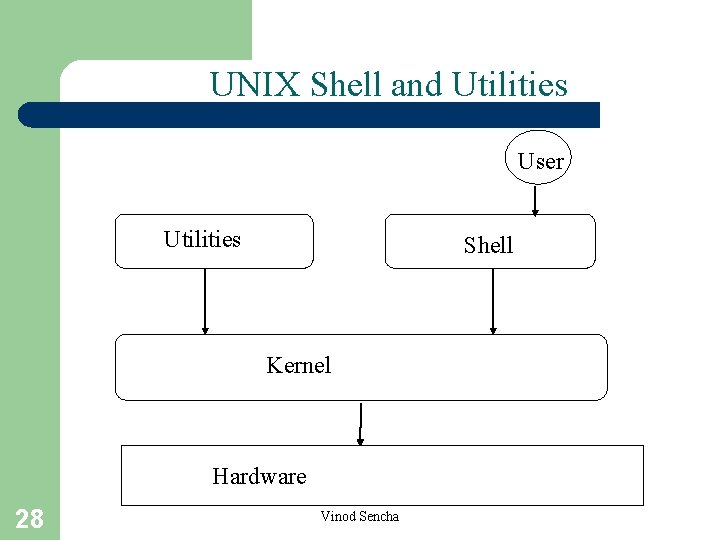
What is the OS/Kernel? • Is the Operating System just the Kernel (not the utilities and application programs)? ! • The Command Line Interface (CLI) (or command layer/interpreter or shell) allows direct command entry by the user. • The shell used to be in the kernel but now is a (first between equals) utility outside of it: – Easy to change/debug – Many of them (sh, bsh, csh, ksh, tcsh, wsh, bash) – Possible to switch between them (chsh) 27 Vinod Sencha
UNIX Shell and Utilities User Utilities Shell Kernel Hardware 28 Vinod Sencha
CLI is the User OS Interface CLI allows direct command entry: – Sometimes implemented in kernel, sometimes by systems program. – Sometimes multiple flavors implemented – shells. – Primarily fetches a command from user and executes it. – Sometimes commands built-in, sometimes just names of programs; if the latter, adding new features doesn’t require shell modification. 29 Vinod Sencha
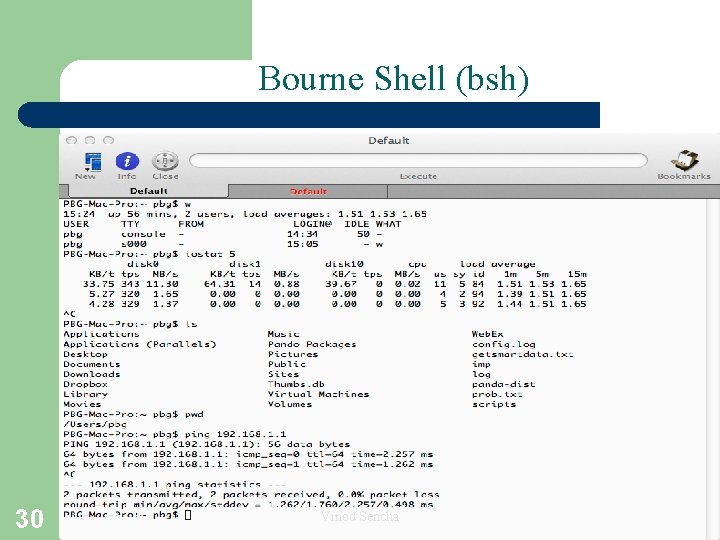
Bourne Shell (bsh) 30 Vinod Sencha
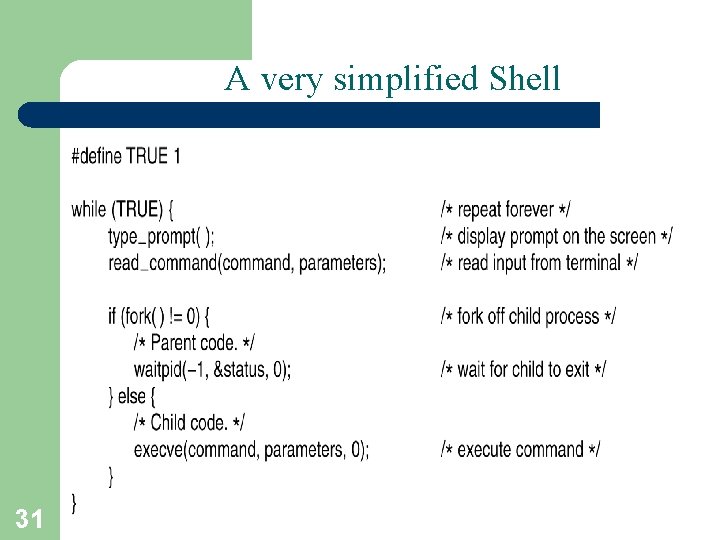
A very simplified Shell 31 Vinod Sencha
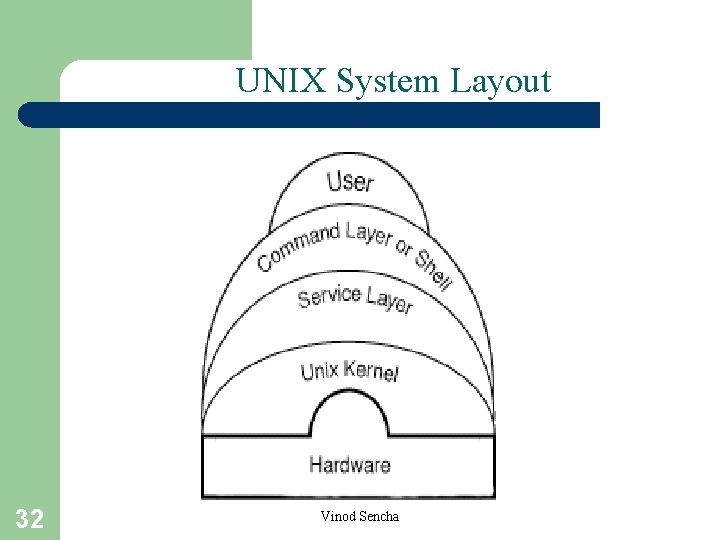
UNIX System Layout 32 Vinod Sencha
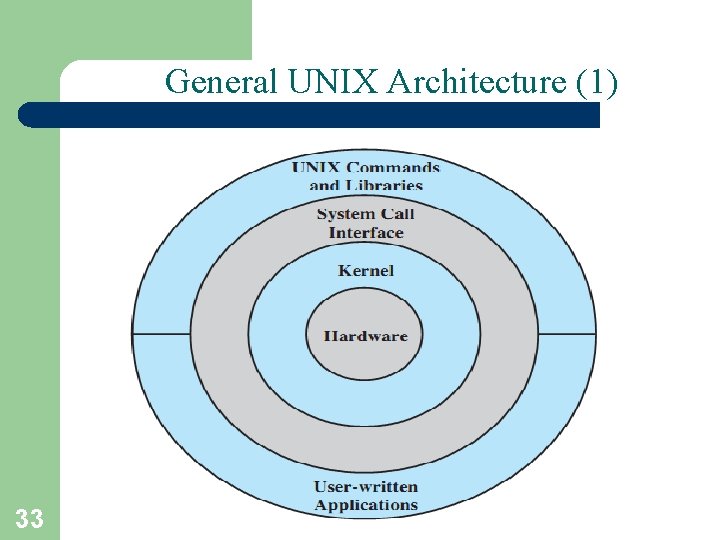
General UNIX Architecture (1) 33 Vinod Sencha
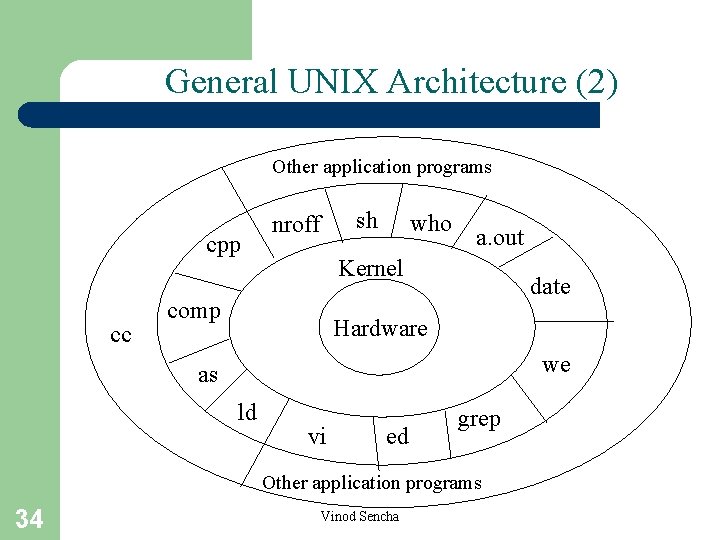
General UNIX Architecture (2) Other application programs cpp cc sh nroff who a. out Kernel comp date Hardware we as ld vi ed grep Other application programs 34 Vinod Sencha