
Operating System Three easy pieces Remzi H ArpaciDusseau
![Checksum Layout § Basic Approach D 2 D 3 C[D 4] D 1 C[D](https://slidetodoc.com/presentation_image/166f4a3bca286de9f9b43768557cdf77/image-13.jpg "Checksum Layout § Basic Approach D 2 D 3 C[D 4] D 1 C[D")
- Slides: 18
Operating System : Three easy pieces Remzi H. Arpaci-Dusseau Andrea C. Arpaci-Dusseau Data Integrity and Protection Jiwoong Park(jwpark@dcslab. snu. ac. kr) School of Computer Science and Engineering Seoul National University
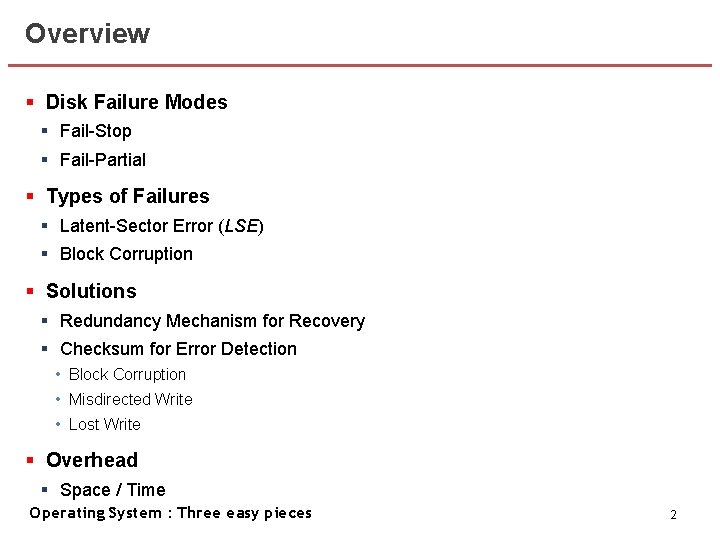
Overview § Disk Failure Modes § Fail-Stop § Fail-Partial § Types of Failures § Latent-Sector Error (LSE) § Block Corruption § Solutions § Redundancy Mechanism for Recovery § Checksum for Error Detection • Block Corruption • Misdirected Write • Lost Write § Overhead § Space / Time Operating System : Three easy pieces 2
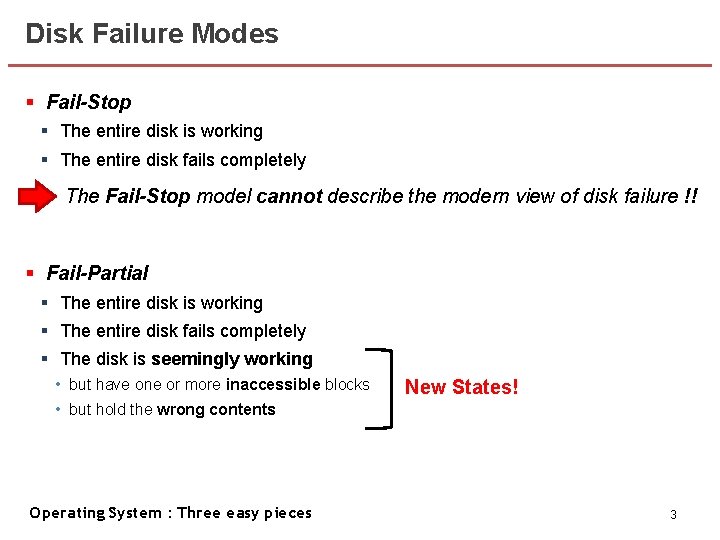
Disk Failure Modes § Fail-Stop § The entire disk is working § The entire disk fails completely The Fail-Stop model cannot describe the modern view of disk failure !! § Fail-Partial § The entire disk is working § The entire disk fails completely § The disk is seemingly working • but have one or more inaccessible blocks New States! • but hold the wrong contents Operating System : Three easy pieces 3
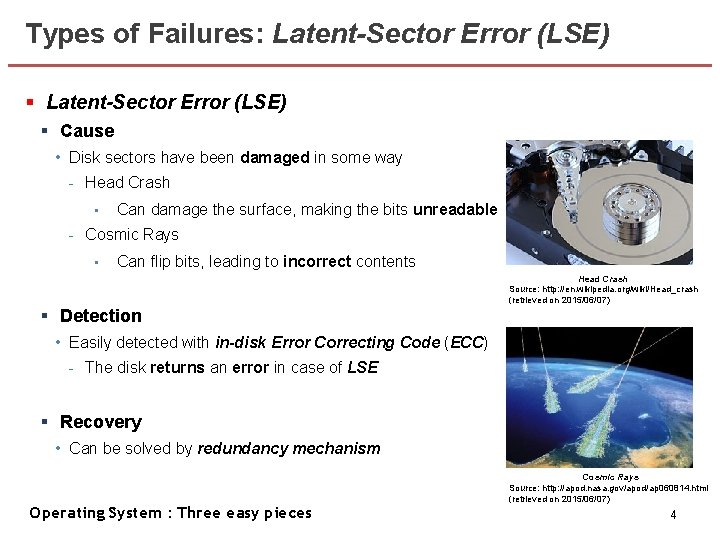
Types of Failures: Latent-Sector Error (LSE) § Cause • Disk sectors have been damaged in some way - Head Crash • Can damage the surface, making the bits unreadable - Cosmic Rays • Can flip bits, leading to incorrect contents Head Crash Source: http: //en. wikipedia. org/wiki/Head_crash (retrieved on 2015/06/07) § Detection • Easily detected with in-disk Error Correcting Code (ECC) - The disk returns an error in case of LSE § Recovery • Can be solved by redundancy mechanism Operating System : Three easy pieces Cosmic Rays Source: http: //apod. nasa. gov/apod/ap 060814. html (retrieved on 2015/06/07) 4
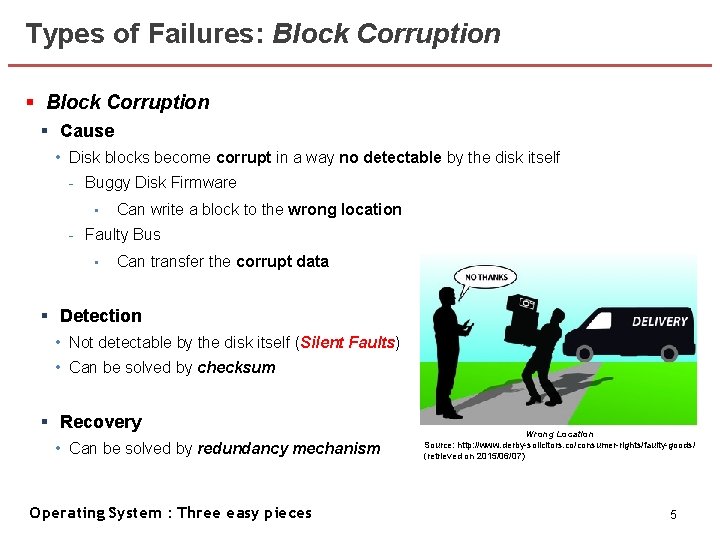
Types of Failures: Block Corruption § Cause • Disk blocks become corrupt in a way no detectable by the disk itself - Buggy Disk Firmware • Can write a block to the wrong location - Faulty Bus • Can transfer the corrupt data § Detection • Not detectable by the disk itself (Silent Faults) • Can be solved by checksum § Recovery • Can be solved by redundancy mechanism Operating System : Three easy pieces Wrong Location Source: http: //www. derby-solicitors. co/consumer-rights/faulty-goods/ (retrieved on 2015/06/07) 5
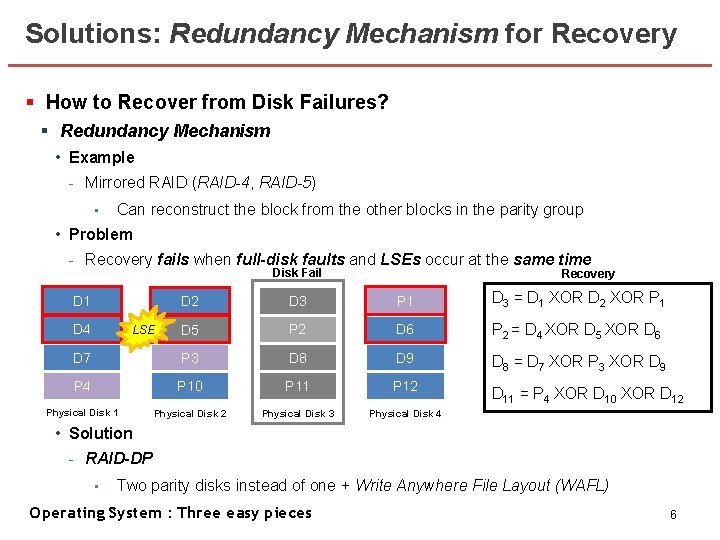
Solutions: Redundancy Mechanism for Recovery § How to Recover from Disk Failures? § Redundancy Mechanism • Example - Mirrored RAID (RAID-4, RAID-5) • Can reconstruct the block from the other blocks in the parity group • Problem - Recovery fails when full-disk faults and LSEs occur at the same time Disk Fail Recovery D 2 D 3 P 1 D 3 = D 1 XOR D 2 XOR P 1 D 5 P 2 D 6 P 2 = D 4 XOR D 5 XOR D 6 D 7 P 3 D 8 D 9 D 8 = D 7 XOR P 3 XOR D 9 P 4 P 10 P 11 P 12 D 11 = P 4 XOR D 10 XOR D 12 Physical Disk 1 Physical Disk 2 Physical Disk 3 Physical Disk 4 D 1 D 4 LSE • Solution - RAID-DP • Two parity disks instead of one + Write Anywhere File Layout (WAFL) Operating System : Three easy pieces 6
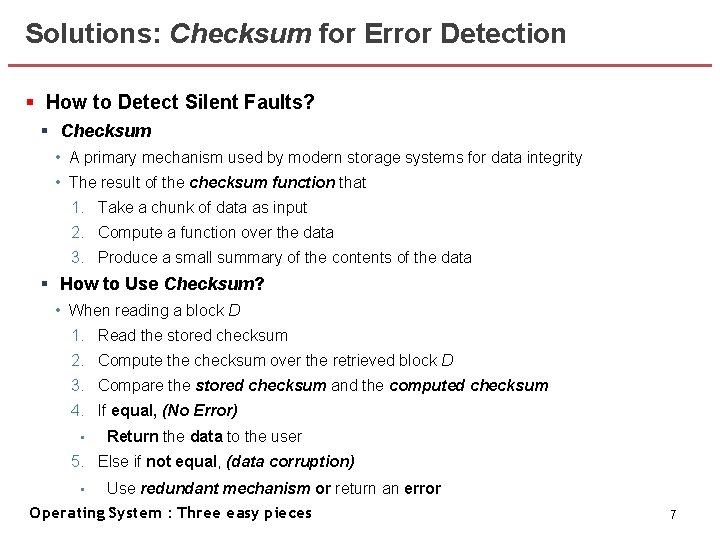
Solutions: Checksum for Error Detection § How to Detect Silent Faults? § Checksum • A primary mechanism used by modern storage systems for data integrity • The result of the checksum function that 1. Take a chunk of data as input 2. Compute a function over the data 3. Produce a small summary of the contents of the data § How to Use Checksum? • When reading a block D 1. Read the stored checksum 2. Compute the checksum over the retrieved block D 3. Compare the stored checksum and the computed checksum 4. If equal, (No Error) • Return the data to the user 5. Else if not equal, (data corruption) Use redundant mechanism or return an error Operating System : Three easy pieces • 7
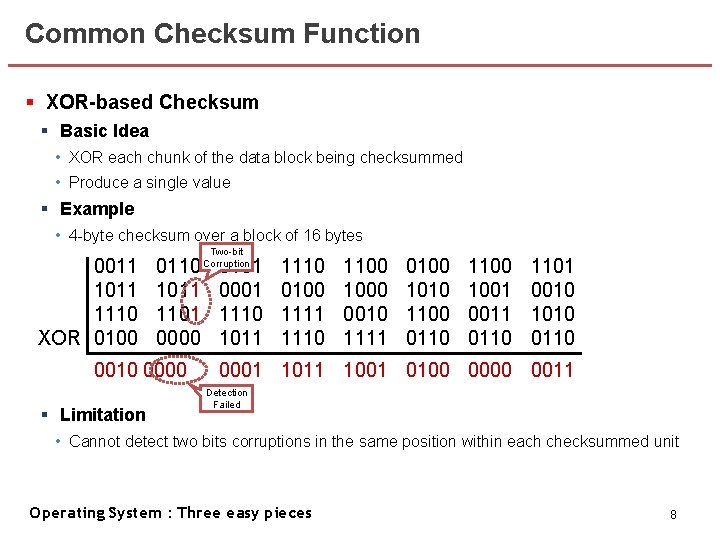
Common Checksum Function § XOR-based Checksum § Basic Idea • XOR each chunk of the data block being checksummed • Produce a single value § Example • 4 -byte checksum over a block of 16 bytes 0011 1110 XOR 0100 0110 1011 1100 0000 0010 0000 § Limitation Two-bit Corruption 0101 0001 1110 1011 1110 0100 1111 1110 1100 1000 0010 1111 0100 1010 1100 0110 1100 1001 0011 0110 1101 0010 1010 0110 0001 1011 1001 0100 0011 Detection Failed • Cannot detect two bits corruptions in the same position within each checksummed unit Operating System : Three easy pieces 8
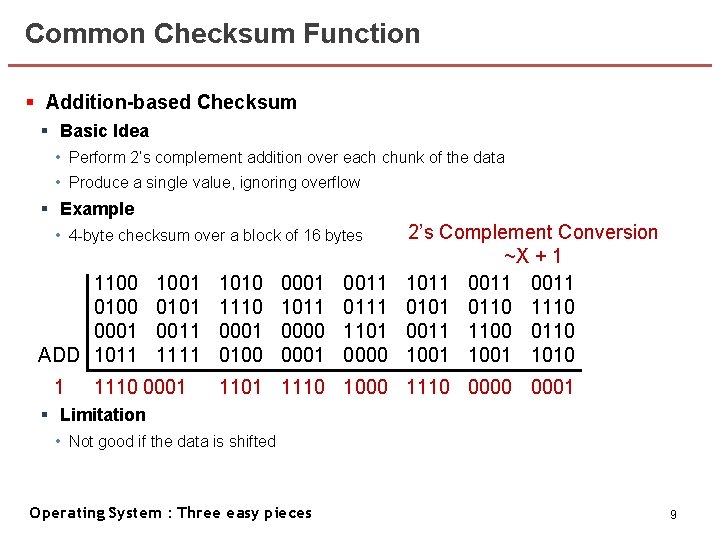
Common Checksum Function § Addition-based Checksum § Basic Idea • Perform 2’s complement addition over each chunk of the data • Produce a single value, ignoring overflow § Example • 4 -byte checksum over a block of 16 bytes 1100 0011 1011 0100 1110 0001 0100 ADD 1011 1 1001 0110 1010 0101 1100 0011 0000 1111 1110 0001 1010 0101 0001 1110 0001 1011 0100 0001 1110 0100 1011 1111 0000 1110 0001 0011 1100 1000 0111 0010 1101 1111 0000 2’s Complement Conversion ~X + 1 0100 0011 1100 0011 1101 1010 0101 1001 1110 0010 1100 0011 0110 1010 0110 1001 0110 1010 0110 1101 1110 1000 1110 0001 § Limitation • Not good if the data is shifted Operating System : Three easy pieces 9
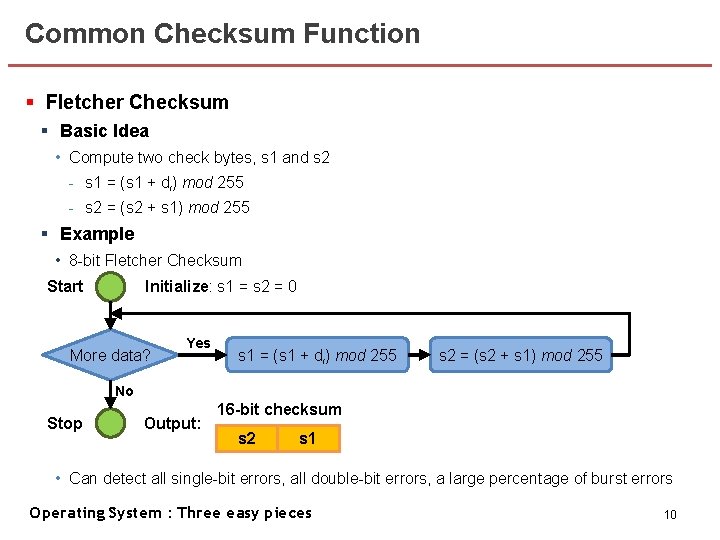
Common Checksum Function § Fletcher Checksum § Basic Idea • Compute two check bytes, s 1 and s 2 - s 1 = (s 1 + di) mod 255 - s 2 = (s 2 + s 1) mod 255 § Example • 8 -bit Fletcher Checksum Initialize: s 1 = s 2 = 0 Start More data? Yes s 1 = (s 1 + di) mod 255 s 2 = (s 2 + s 1) mod 255 No Stop Output: 16 -bit checksum s 2 s 1 • Can detect all single-bit errors, all double-bit errors, a large percentage of burst errors Operating System : Three easy pieces 10
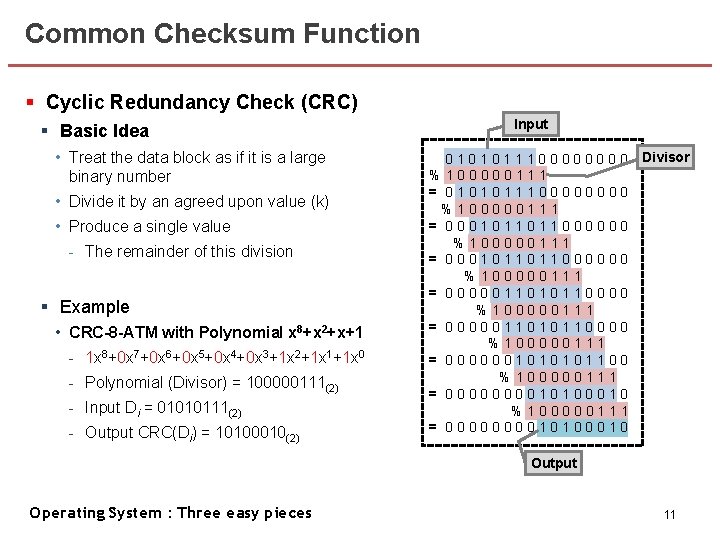
Common Checksum Function § Cyclic Redundancy Check (CRC) § Basic Idea • Treat the data block as if it is a large binary number • Divide it by an agreed upon value (k) • Produce a single value - The remainder of this division § Example • CRC-8 -ATM with Polynomial x 8+x 2+x+1 - 1 x 8+0 x 7+0 x 6+0 x 5+0 x 4+0 x 3+1 x 2+1 x 1+1 x 0 - Polynomial (Divisor) = 100000111(2) - Input Di = 01010111(2) - Output CRC(Di) = 10100010(2) Input 0 1 0 1 1 1 0 0 0 0 Divisor %100000111 = 010101110000 %100000111 = 0001011011000000 %100000111 = 0000011010110000 %100000111 = 000000101100 %100000111 = 0000000010100010 Output Operating System : Three easy pieces 11
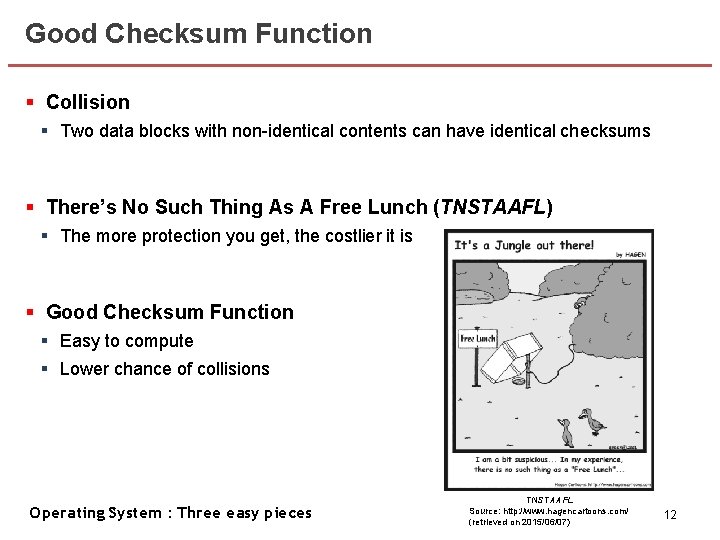
Good Checksum Function § Collision § Two data blocks with non-identical contents can have identical checksums § There’s No Such Thing As A Free Lunch (TNSTAAFL) § The more protection you get, the costlier it is § Good Checksum Function § Easy to compute § Lower chance of collisions Operating System : Three easy pieces TNSTAAFL Source: http: //www. hagencartoons. com/ (retrieved on 2015/06/07) 12
Checksum Layout § Basic Approach D 2 D 3 C[D 4] D 1 C[D 3] D 0 C[D 2] C[D 1] C[D 0] § Simply store a checksum with each disk sector (or block) D 4 § Problem • Disks only can write in sector-sized chunks (512 bytes) § Solution • Format the drive with 520 -byte sectors - Single write is needed to overwrite block D • Store the n checksums together in a sector, followed by n data blocks - One read and two writes are needed to overwrite block D C[D 4] C[D 2] C[D 1] C[D 0] C[D 3] A Read for stored checksum + Writes for data and checksum • D 0 D 1 Operating System : Three easy pieces D 2 D 3 D 4 13
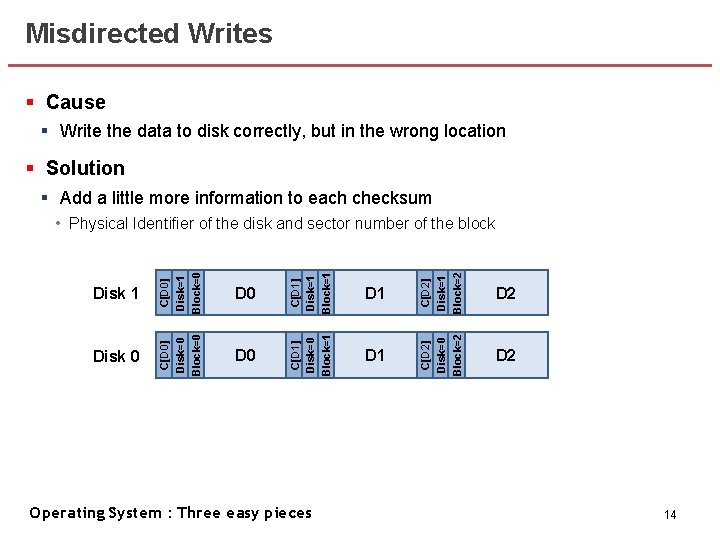
Misdirected Writes § Cause § Write the data to disk correctly, but in the wrong location § Solution § Add a little more information to each checksum D 1 C[D 2] Disk=1 Block=2 D 1 C[D 2] Disk=0 Block=2 D 0 C[D 1] Disk=1 Block=1 D 0 C[D 1] Disk=0 Block=1 Disk 0 C[D 0] Disk=1 Block=0 Disk 1 C[D 0] Disk=0 Block=0 • Physical Identifier of the disk and sector number of the block D 2 Operating System : Three easy pieces 14
Lost Writes § Cause § The device informs the host that a write has completed but in fact it hasn’t • Previous approaches cannot help to detect lost writes because - The old block likely has a matching checksum - The physical ID will also be correct § Solution § Write Verify (Read-After-Write) • Immediately read back the data after a write • Quite slow, doubling the number of I/Os needed to complete a write § Checksum in elsewhere • Used in Zettabyte File System (ZFS) • Store checksum in inode / indirect block for every block included within a file • Can fail iff the writes to both the inode and the data are lost simultaneously Operating System : Three easy pieces 15
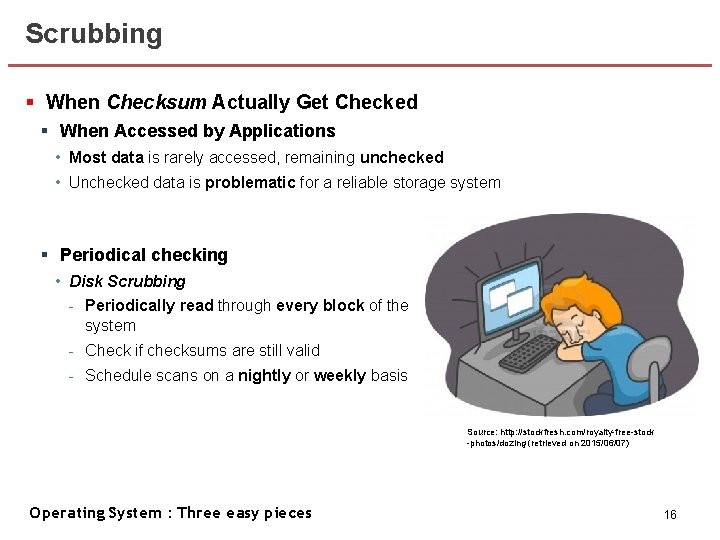
Scrubbing § When Checksum Actually Get Checked § When Accessed by Applications • Most data is rarely accessed, remaining unchecked • Unchecked data is problematic for a reliable storage system § Periodical checking • Disk Scrubbing - Periodically read through every block of the system - Check if checksums are still valid - Schedule scans on a nightly or weekly basis Source: http: //stockfresh. com/royalty-free-stock -photos/dozing (retrieved on 2015/06/07) Operating System : Three easy pieces 16
Overheads of Checksumming § Space § Disk • The space for stored checksum in the disk cannot be used for user data § Memory • Accessing data needs room in memory for both checksums and the data itself § Time § CPU • CPU must compute the checksum over each block - Whenever the data is stored / accessed • Combined copying / checksumming can be quite effective § I/O • Extra I/Os to access the checksums stored distinctly from the data - Can be reduced by design • Extra I/Os needed for background scrubbing - Can limit the impact by controlling the start time of disk scrubbing (e. g. , midnight) Operating System : Three easy pieces 17
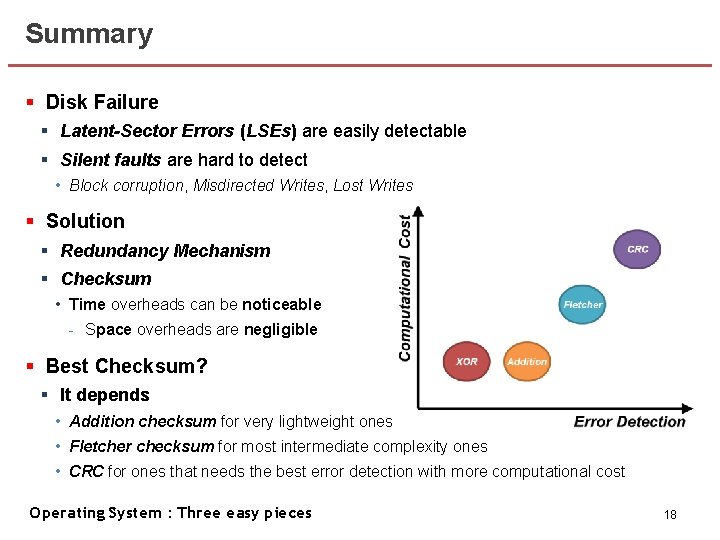
Summary § Disk Failure § Latent-Sector Errors (LSEs) are easily detectable § Silent faults are hard to detect • Block corruption, Misdirected Writes, Lost Writes § Solution § Redundancy Mechanism § Checksum • Time overheads can be noticeable - Space overheads are negligible § Best Checksum? § It depends • Addition checksum for very lightweight ones • Fletcher checksum for most intermediate complexity ones • CRC for ones that needs the best error detection with more computational cost Operating System : Three easy pieces 18