
Operatin g Systems Internals and Design Principle s
- Slides: 40
Operatin g Systems: Internals and Design Principle s Chapter 15 Operating System Security © 2017 Pearson Education, Inc. , Hoboken, NJ. All rights reserved. Ninth Edition By William Stallings
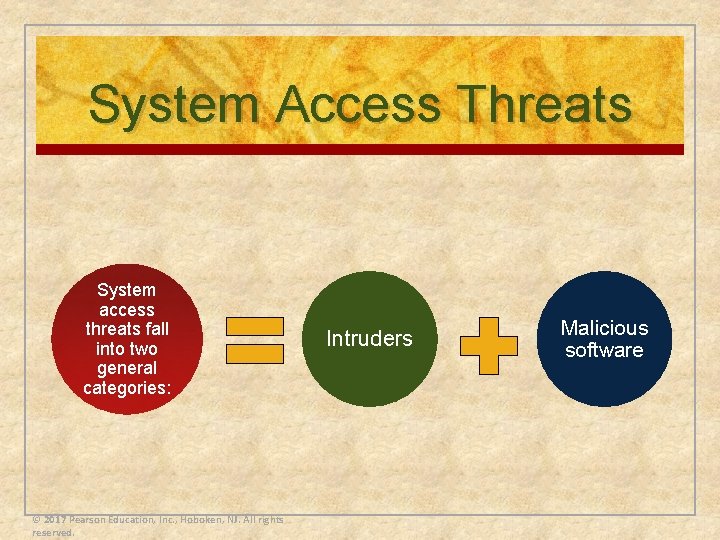
System Access Threats System access threats fall into two general categories: © 2017 Pearson Education, Inc. , Hoboken, NJ. All rights reserved. Intruders Malicious software
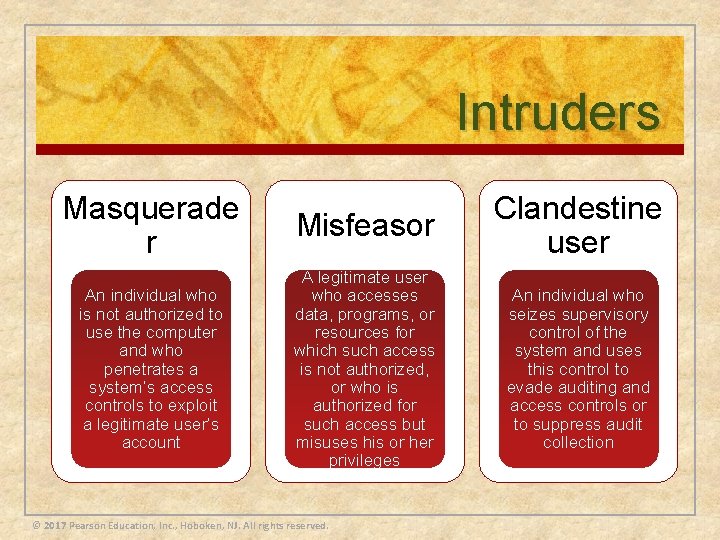
Intruders Masquerade r Misfeasor Clandestine user An individual who is not authorized to use the computer and who penetrates a system’s access controls to exploit a legitimate user’s account A legitimate user who accesses data, programs, or resources for which such access is not authorized, or who is authorized for such access but misuses his or her privileges An individual who seizes supervisory control of the system and uses this control to evade auditing and access controls or to suppress audit collection © 2017 Pearson Education, Inc. , Hoboken, NJ. All rights reserved.
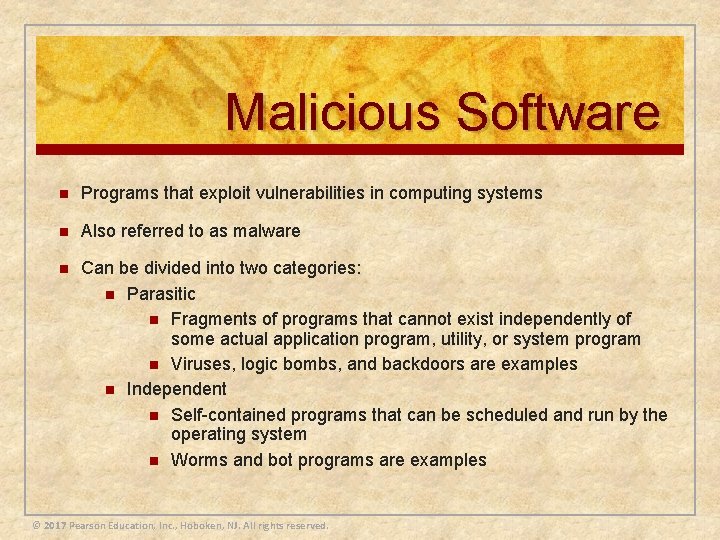
Malicious Software n Programs that exploit vulnerabilities in computing systems n Also referred to as malware n Can be divided into two categories: n Parasitic n Fragments of programs that cannot exist independently of some actual application program, utility, or system program n Viruses, logic bombs, and backdoors are examples n Independent n Self-contained programs that can be scheduled and run by the operating system n Worms and bot programs are examples © 2017 Pearson Education, Inc. , Hoboken, NJ. All rights reserved.
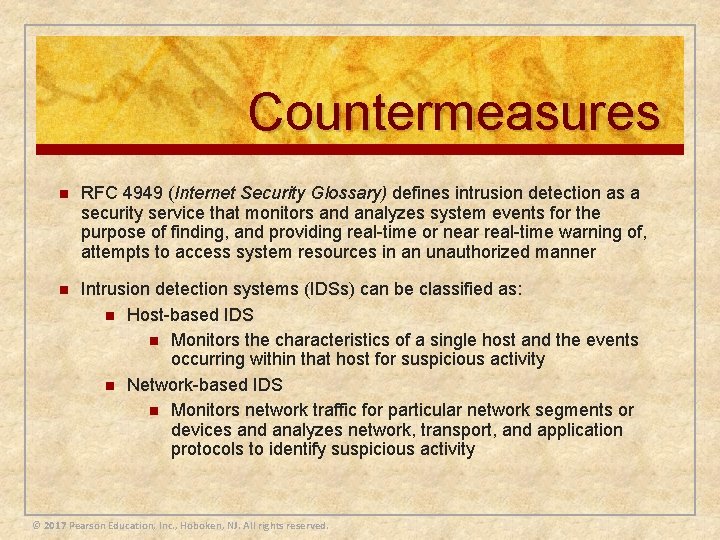
Countermeasures n RFC 4949 (Internet Security Glossary) defines intrusion detection as a security service that monitors and analyzes system events for the purpose of finding, and providing real-time or near real-time warning of, attempts to access system resources in an unauthorized manner n Intrusion detection systems (IDSs) can be classified as: n Host-based IDS n Monitors the characteristics of a single host and the events occurring within that host for suspicious activity n Network-based IDS n Monitors network traffic for particular network segments or devices and analyzes network, transport, and application protocols to identify suspicious activity © 2017 Pearson Education, Inc. , Hoboken, NJ. All rights reserved.
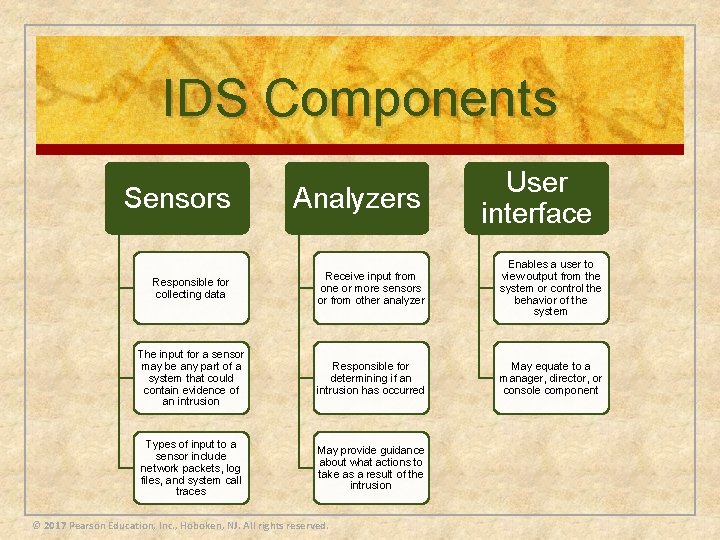
IDS Components Sensors Analyzers User interface Responsible for collecting data Receive input from one or more sensors or from other analyzer Enables a user to view output from the system or control the behavior of the system The input for a sensor may be any part of a system that could contain evidence of an intrusion Responsible for determining if an intrusion has occurred May equate to a manager, director, or console component Types of input to a sensor include network packets, log files, and system call traces May provide guidance about what actions to take as a result of the intrusion © 2017 Pearson Education, Inc. , Hoboken, NJ. All rights reserved.
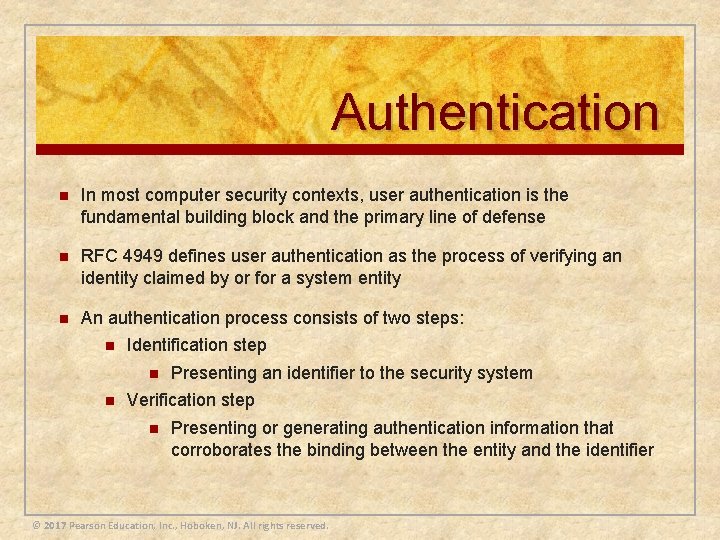
Authentication n In most computer security contexts, user authentication is the fundamental building block and the primary line of defense n RFC 4949 defines user authentication as the process of verifying an identity claimed by or for a system entity n An authentication process consists of two steps: n Identification step n n Presenting an identifier to the security system Verification step n Presenting or generating authentication information that corroborates the binding between the entity and the identifier © 2017 Pearson Education, Inc. , Hoboken, NJ. All rights reserved.
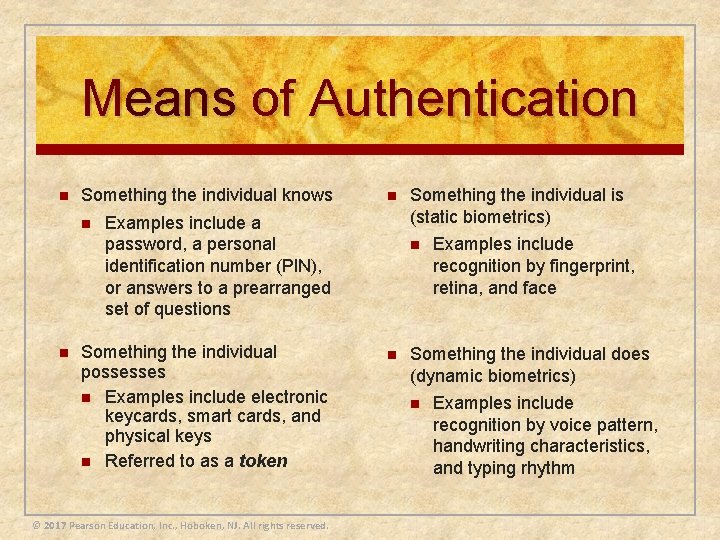
Means of Authentication n Something the individual knows n n n Examples include a password, a personal identification number (PIN), or answers to a prearranged set of questions Something the individual possesses n Examples include electronic keycards, smart cards, and physical keys n Referred to as a token © 2017 Pearson Education, Inc. , Hoboken, NJ. All rights reserved. Something the individual is (static biometrics) n n Examples include recognition by fingerprint, retina, and face Something the individual does (dynamic biometrics) n Examples include recognition by voice pattern, handwriting characteristics, and typing rhythm
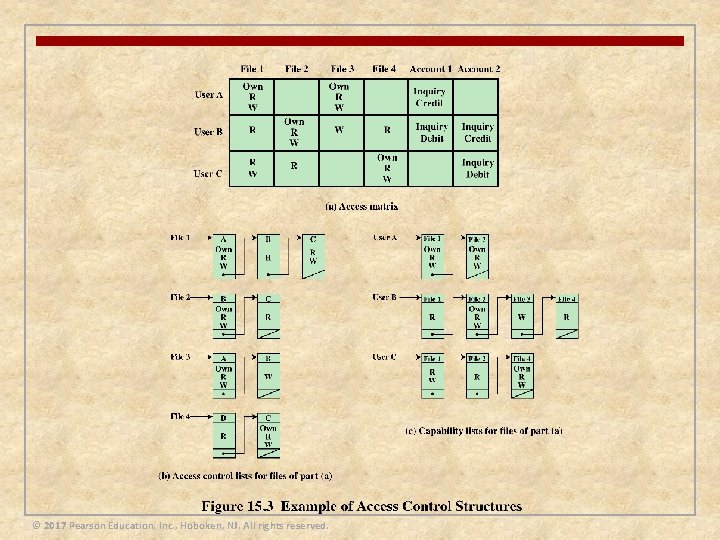
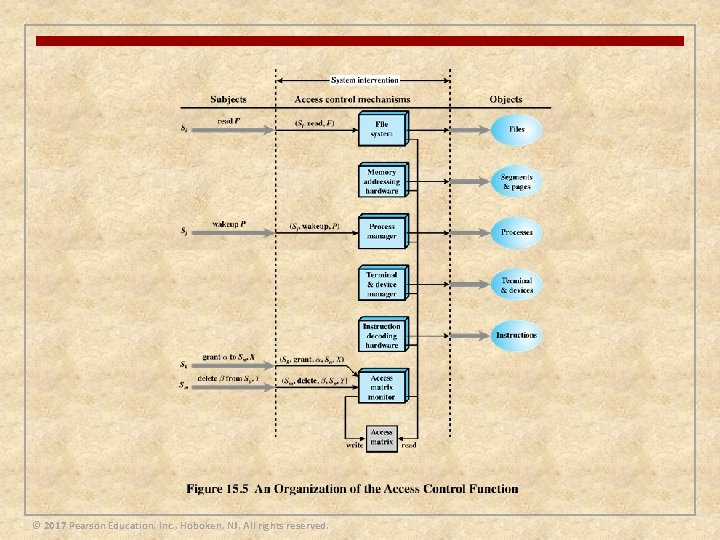
Access Control n Implements a security policy that specifies who or what may have access to each specific system resource and the type of access that is permitted in each instance n Mediates between a user and system resources, such as applications, operating systems, firewalls, routers, files, and databases n A security administrator maintains an authorization database that specifies what type of access to which resources is allowed for this user n n The access control function consults this database to determine whether to grant access An auditing function monitors and keeps a record of user accesses to system resources © 2017 Pearson Education, Inc. , Hoboken, NJ. All rights reserved.
Firewalls Design goals: 1) All traffic from inside to outside, and vice versa, must pass through the firewall. This is achieved by physically blocking all access to the local network except via the firewall 2) Only authorized traffic, as defined by the local security policy, will be allowed to pass. Various types of firewalls are used, which implement various types of security policies 3) The firewall itself is immune to penetration. This implies the use of a hardened system with a secured operating system. Trusted computer systems are suitable for hosting a firewall and often required in government applications © 2017 Pearson Education, Inc. , Hoboken, NJ. All rights reserved.
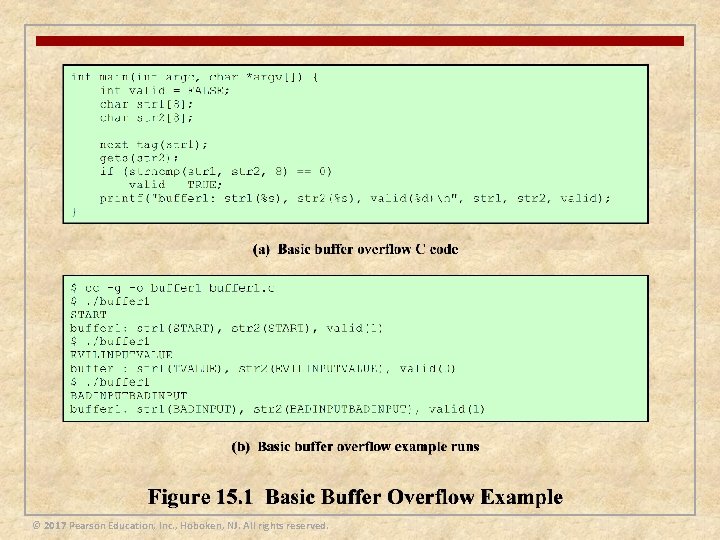
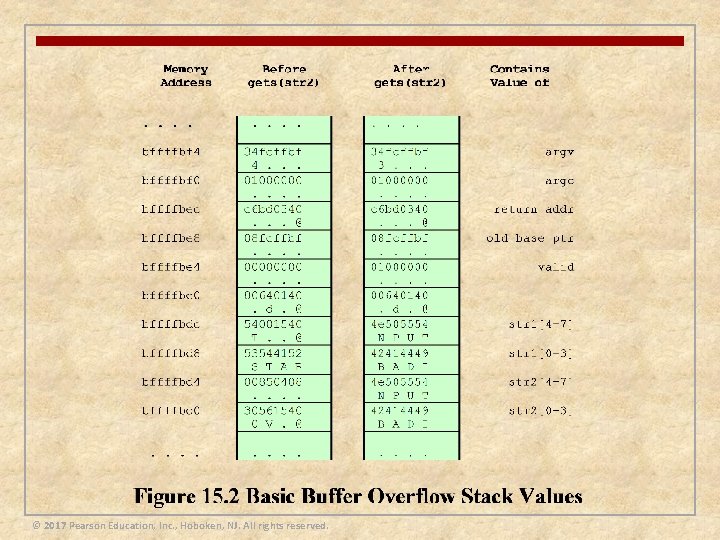
Buffer Overflow Attacks n Also known as a buffer overrun n Defined in the NIST (National Institute of Standards and Technology) Glossary of Key Information Security Terms as: “A condition at an interface under which more input can be placed into a buffer or data-holding area than the capacity allocated, overwriting other information. Attackers exploit such a condition to crash a system or to insert specially crafted code that allows them to gain control of the system” n One of the most prevalent and dangerous types of security attacks © 2017 Pearson Education, Inc. , Hoboken, NJ. All rights reserved.
© 2017 Pearson Education, Inc. , Hoboken, NJ. All rights reserved.
© 2017 Pearson Education, Inc. , Hoboken, NJ. All rights reserved.
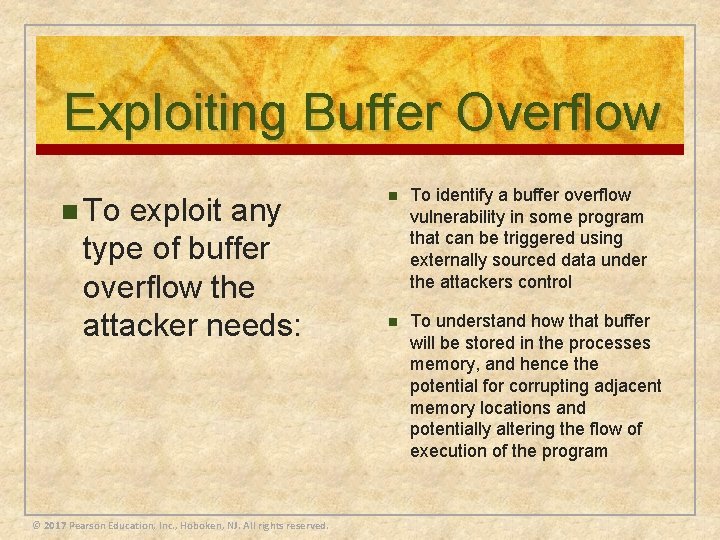
Exploiting Buffer Overflow n To exploit any type of buffer overflow the attacker needs: © 2017 Pearson Education, Inc. , Hoboken, NJ. All rights reserved. n To identify a buffer overflow vulnerability in some program that can be triggered using externally sourced data under the attackers control n To understand how that buffer will be stored in the processes memory, and hence the potential for corrupting adjacent memory locations and potentially altering the flow of execution of the program
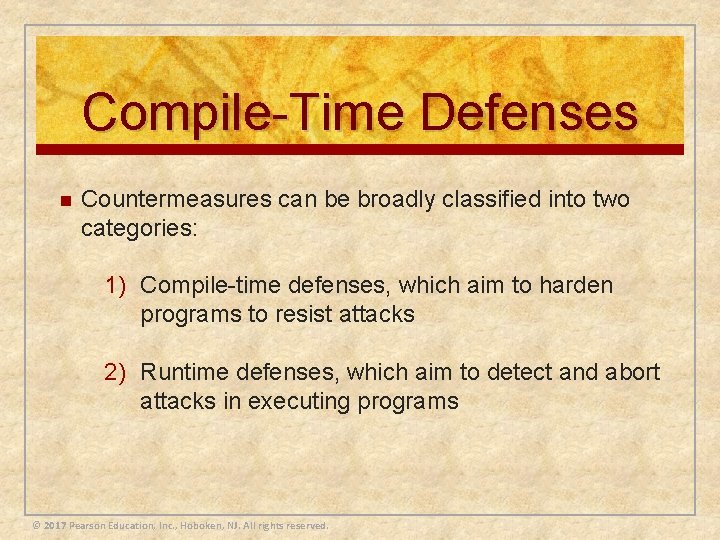
Compile-Time Defenses n Countermeasures can be broadly classified into two categories: 1) Compile-time defenses, which aim to harden programs to resist attacks 2) Runtime defenses, which aim to detect and abort attacks in executing programs © 2017 Pearson Education, Inc. , Hoboken, NJ. All rights reserved.
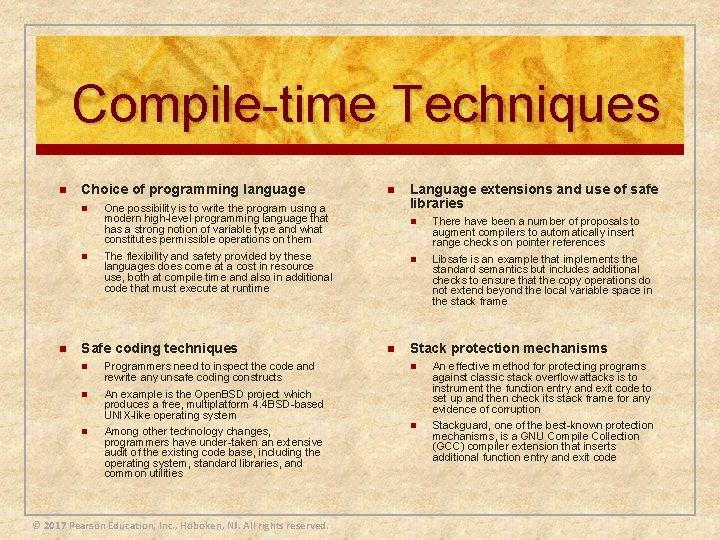
Compile-time Techniques n Choice of programming language n n One possibility is to write the program using a modern high-level programming language that has a strong notion of variable type and what constitutes permissible operations on them The flexibility and safety provided by these languages does come at a cost in resource use, both at compile time and also in additional code that must execute at runtime Safe coding techniques n Programmers need to inspect the code and rewrite any unsafe coding constructs n An example is the Open. BSD project which produces a free, multiplatform 4. 4 BSD-based UNIX-like operating system n Among other technology changes, programmers have under-taken an extensive audit of the existing code base, including the operating system, standard libraries, and common utilities © 2017 Pearson Education, Inc. , Hoboken, NJ. All rights reserved. n Language extensions and use of safe libraries n There have been a number of proposals to augment compilers to automatically insert range checks on pointer references n Libsafe is an example that implements the standard semantics but includes additional checks to ensure that the copy operations do not extend beyond the local variable space in the stack frame Stack protection mechanisms n An effective method for protecting programs against classic stack overflow attacks is to instrument the function entry and exit code to set up and then check its stack frame for any evidence of corruption n Stackguard, one of the best-known protection mechanisms, is a GNU Compile Collection (GCC) compiler extension that inserts additional function entry and exit code
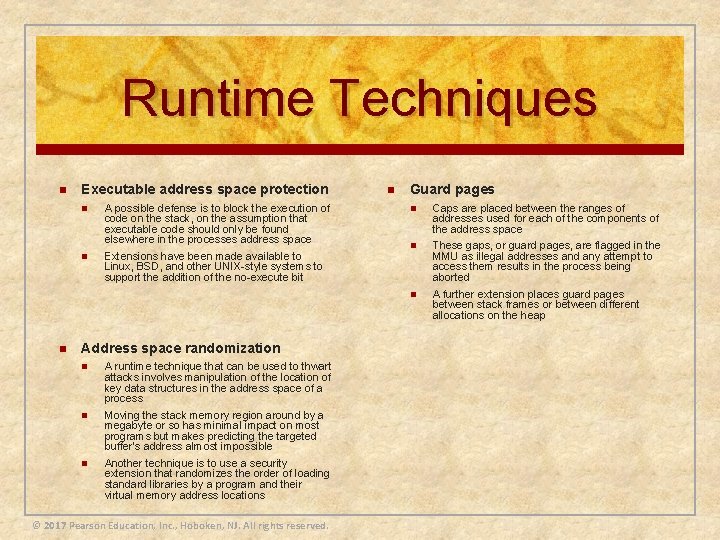
Runtime Techniques n n Executable address space protection n A possible defense is to block the execution of code on the stack, on the assumption that executable code should only be found elsewhere in the processes address space n Extensions have been made available to Linux, BSD, and other UNIX-style systems to support the addition of the no-execute bit Address space randomization n A runtime technique that can be used to thwart attacks involves manipulation of the location of key data structures in the address space of a process n Moving the stack memory region around by a megabyte or so has minimal impact on most programs but makes predicting the targeted buffer’s address almost impossible n Another technique is to use a security extension that randomizes the order of loading standard libraries by a program and their virtual memory address locations © 2017 Pearson Education, Inc. , Hoboken, NJ. All rights reserved. n Guard pages n Caps are placed between the ranges of addresses used for each of the components of the address space n These gaps, or guard pages, are flagged in the MMU as illegal addresses and any attempt to access them results in the process being aborted n A further extension places guard pages between stack frames or between different allocations on the heap
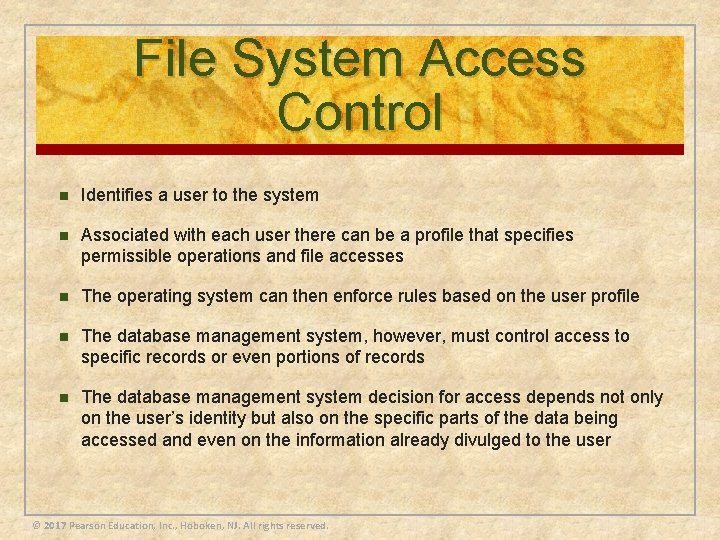
File System Access Control n Identifies a user to the system n Associated with each user there can be a profile that specifies permissible operations and file accesses n The operating system can then enforce rules based on the user profile n The database management system, however, must control access to specific records or even portions of records n The database management system decision for access depends not only on the user’s identity but also on the specific parts of the data being accessed and even on the information already divulged to the user © 2017 Pearson Education, Inc. , Hoboken, NJ. All rights reserved.
© 2017 Pearson Education, Inc. , Hoboken, NJ. All rights reserved.
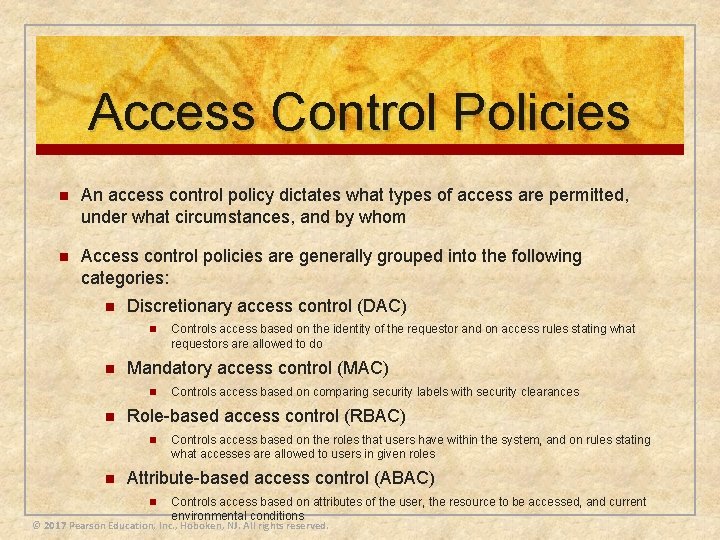
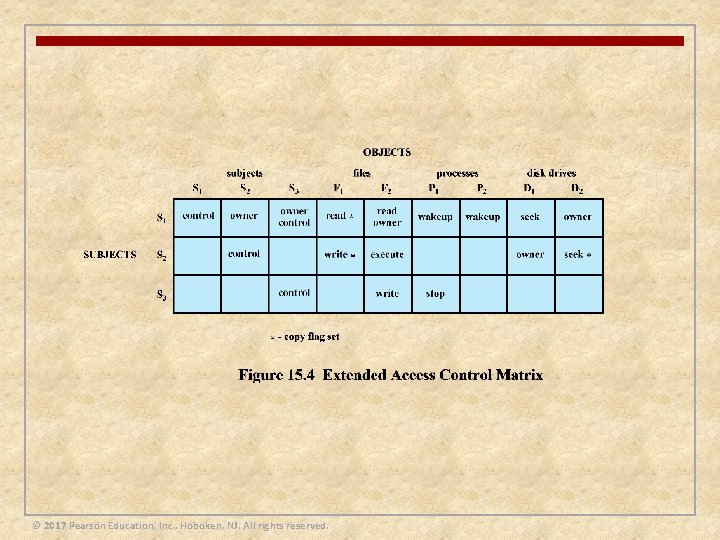
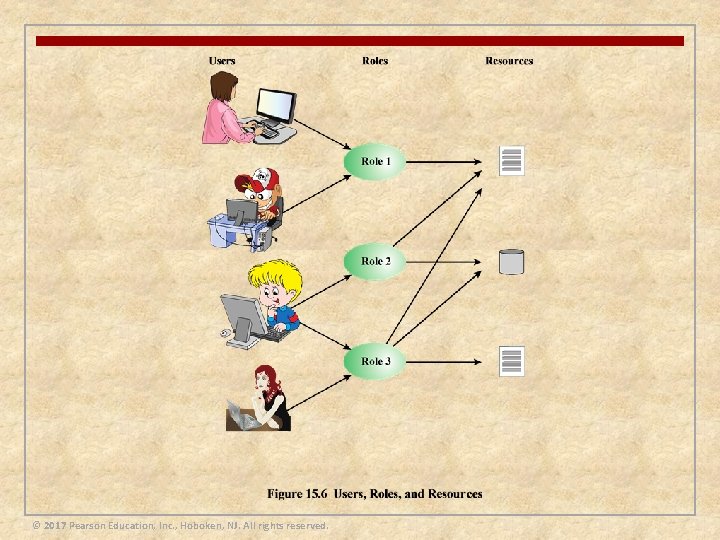
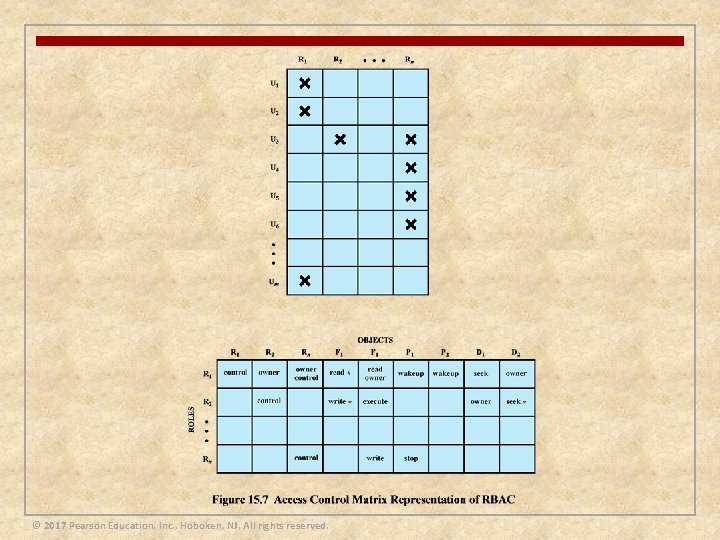
Access Control Policies n An access control policy dictates what types of access are permitted, under what circumstances, and by whom n Access control policies are generally grouped into the following categories: n Discretionary access control (DAC) n n Mandatory access control (MAC) n n Controls access based on comparing security labels with security clearances Role-based access control (RBAC) n n Controls access based on the identity of the requestor and on access rules stating what requestors are allowed to do Controls access based on the roles that users have within the system, and on rules stating what accesses are allowed to users in given roles Attribute-based access control (ABAC) n Controls access based on attributes of the user, the resource to be accessed, and current environmental conditions © 2017 Pearson Education, Inc. , Hoboken, NJ. All rights reserved.
© 2017 Pearson Education, Inc. , Hoboken, NJ. All rights reserved.
© 2017 Pearson Education, Inc. , Hoboken, NJ. All rights reserved.
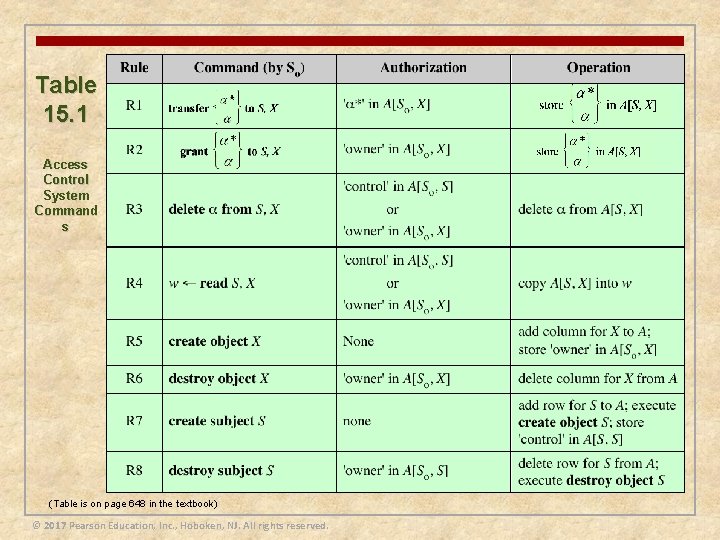
Table 15. 1 Access Control System Command s (Table is on page 648 in the textbook) © 2017 Pearson Education, Inc. , Hoboken, NJ. All rights reserved.
© 2017 Pearson Education, Inc. , Hoboken, NJ. All rights reserved.
© 2017 Pearson Education, Inc. , Hoboken, NJ. All rights reserved.
© 2017 Pearson Education, Inc. , Hoboken, NJ. All rights reserved.
Operating Systems Hardening n Basic steps to use to secure an operating system: n Install and patch the operating system n Harden and configure the operating system to adequately address the identified security needs of the system by: n Removing unnecessary services, applications, and protocols n Configuring users, groups and permissions n Configuring resource controls n Install and configure additional security controls, such as antivirus, host-based firewalls, and intrusion detection systems (IDS), if needed n Test the security of the basic operating system to ensure that the steps taken adequately address its security needs © 2017 Pearson Education, Inc. , Hoboken, NJ. All rights reserved.
Operating System Installation: Initial Setup and Patching System security begins with the installation of the operating system Ideally new systems should be constructed on a protected network The initial installation should comprise the minimum necessary for the desired system, with additional software packages included only if they are required for the function of the system The overall boot process must also be secured Care is also required with the selection and installation of any additional device driver code, since this executes with full kernel level privileges, but is often supplied by a third party © 2017 Pearson Education, Inc. , Hoboken, NJ. All rights reserved.
Remove Unnecessary Services, Applications, and Protocols n The system planning process should identify what is actually required for a given system so that a suitable level of functionality is provided, while eliminating software that is not required to improve security n When performing the initial installation the supplied defaults should not be used, but rather the installation should be customized so that only the required packages are installed n Many of the security-hardening guides provide lists of services, applications, and protocols that should not be installed if not required n Strong preference is stated for not installing unwanted software, rather than installing and then later removing or disabling it as many uninstall scripts fail to completely remove all components of a package n Should an attacker succeed in gaining some access to a system, disabled software could be re-enabled and used to further compromise a system n It is better for security if unwanted software is not installed, and thus not available for use at all © 2017 Pearson Education, Inc. , Hoboken, NJ. All rights reserved.
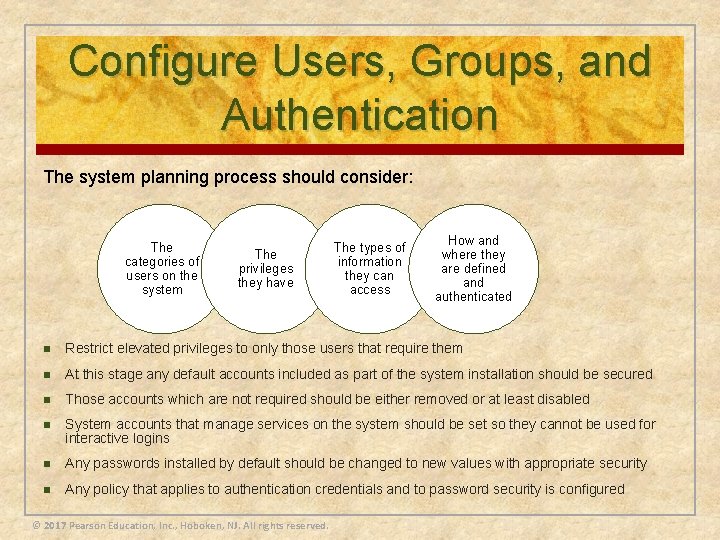
Configure Users, Groups, and Authentication The system planning process should consider: The categories of users on the system The privileges they have The types of information they can access How and where they are defined and authenticated n Restrict elevated privileges to only those users that require them n At this stage any default accounts included as part of the system installation should be secured n Those accounts which are not required should be either removed or at least disabled n System accounts that manage services on the system should be set so they cannot be used for interactive logins n Any passwords installed by default should be changed to new values with appropriate security n Any policy that applies to authentication credentials and to password security is configured © 2017 Pearson Education, Inc. , Hoboken, NJ. All rights reserved.
Configure Resource Controls n Once the users and their associated groups are defined, appropriate permissions can be set on data and resources to match the specified policy n This may be to limit which users can execute some programs or to limit which users can read or write data in certain directory trees n Many of the security-hardening guides provide lists of recommended changes to the default access configuration to improve security © 2017 Pearson Education, Inc. , Hoboken, NJ. All rights reserved.
Install Additional Security Controls n n Further security improvement may be possible by installing and configuring additional security tools such as antivirus software, host-based firewall, IDS or IPS software, or application whitelisting n Given the wide-spread prevalence of malware, appropriate antivirus is a critical security component n IDS and IPS software may include additional mechanisms such as traffic monitoring or file integrity checking to identify and even respond to some types of attack n White-listing applications limits the programs that can execute in the system to just those in an explicit list Some of these may be supplied as part of the operating systems installation, but not configured and enabled by default © 2017 Pearson Education, Inc. , Hoboken, NJ. All rights reserved.
Test the System Security n The final step in the process of initially securing the base operating system is security testing n The goal is to ensure that the previous security configuration steps are correctly implemented and to identify any possible vulnerabilities that must be corrected or managed n Suitable checklists are included in many security-hardening guides n There also programs specifically designed to review a system to ensure that a system meets the basic security requirements and to scan for known vulnerabilities and poor configuration practices n This should be done following the initial hardening of the system and then repeated periodically as part of the security maintenance process © 2017 Pearson Education, Inc. , Hoboken, NJ. All rights reserved.
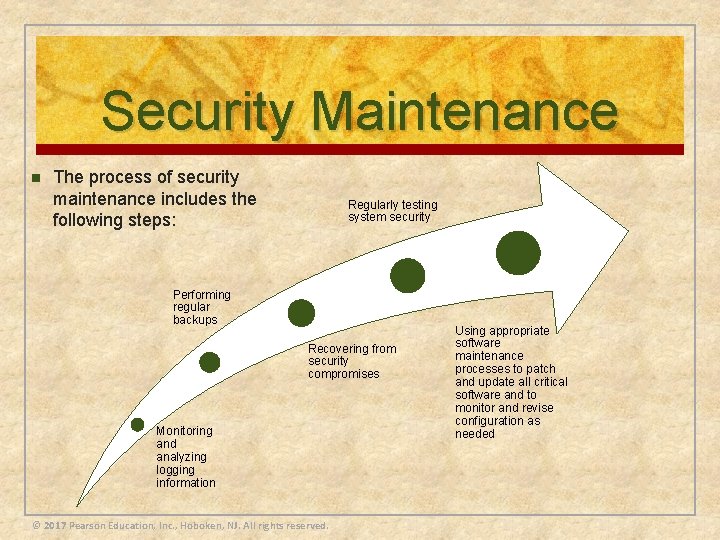
Security Maintenance n The process of security maintenance includes the following steps: Regularly testing system security Performing regular backups Recovering from security compromises Monitoring and analyzing logging information © 2017 Pearson Education, Inc. , Hoboken, NJ. All rights reserved. Using appropriate software maintenance processes to patch and update all critical software and to monitor and revise configuration as needed
Logging n n n Effective logging helps ensure that in the event of a system breach or failure, system administrators can more quickly and accurately identify what happened and more effectively focus their remediation and recovery efforts Logging information can be generated by the system, network, and applications The range of logging data acquired should be determined during the system planning stage © 2017 Pearson Education, Inc. , Hoboken, NJ. All rights reserved. n Logging can generate significant volumes of information so it is important that sufficient space is allocated for them n A suitable automatic log rotation and archive system should be configured to assist in managing the overall size of the logging information n Some form of automated analysis is preferred as it is more likely to identify abnormal activity n Manual analysis of logs is tedious and is not a reliable means of detecting adverse events
Data Backup and Archive n Performing regular backups of data on a system is another critical control that assists with maintaining the integrity of the system and user data n The needs and policy relating to backup and archive should be determined during the system planning stage n n Backup n n Key decisions include whether the copies should be kept online or offline and whether copies should be stored locally or transported to a remote site The process of making copies of data at regular intervals, allowing the recovery of lost or corrupted data over relatively short time periods of a few hours to some weeks Archive n The process of retaining copies of data over extended periods of time, being months or years, in order to meet legal and operational requirements to access past data © 2017 Pearson Education, Inc. , Hoboken, NJ. All rights reserved.
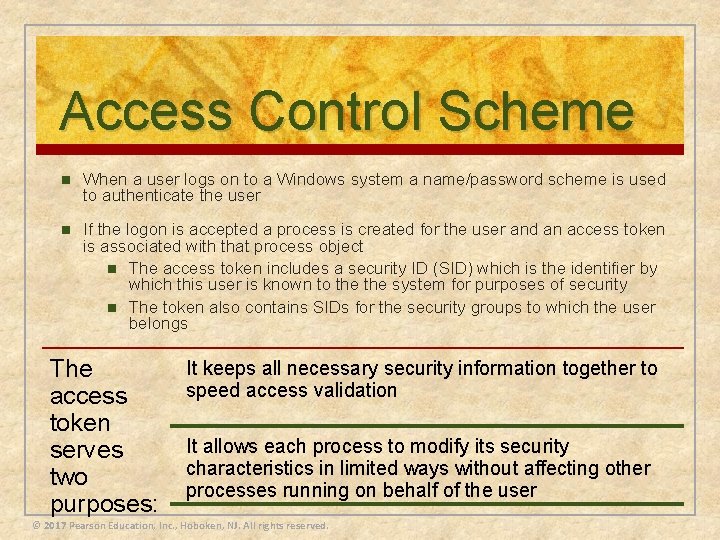
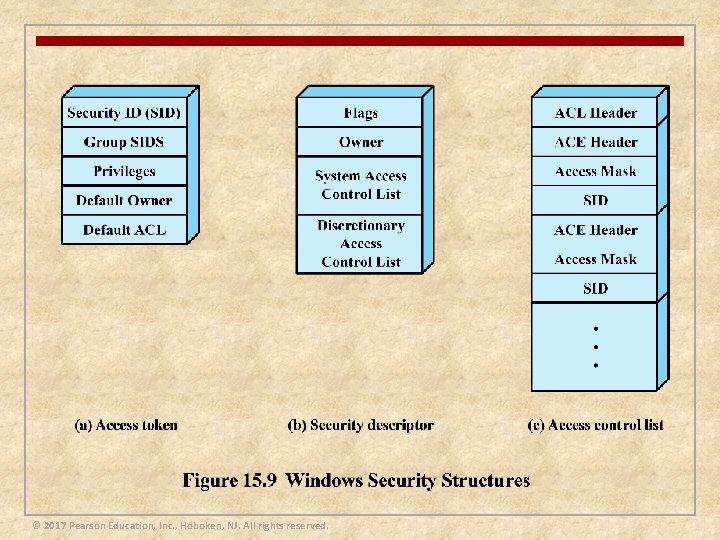
Access Control Scheme n When a user logs on to a Windows system a name/password scheme is used to authenticate the user n If the logon is accepted a process is created for the user and an access token is associated with that process object n The access token includes a security ID (SID) which is the identifier by which this user is known to the system for purposes of security n The token also contains SIDs for the security groups to which the user belongs The access token serves two purposes: It keeps all necessary security information together to speed access validation It allows each process to modify its security characteristics in limited ways without affecting other processes running on behalf of the user © 2017 Pearson Education, Inc. , Hoboken, NJ. All rights reserved.
© 2017 Pearson Education, Inc. , Hoboken, NJ. All rights reserved.
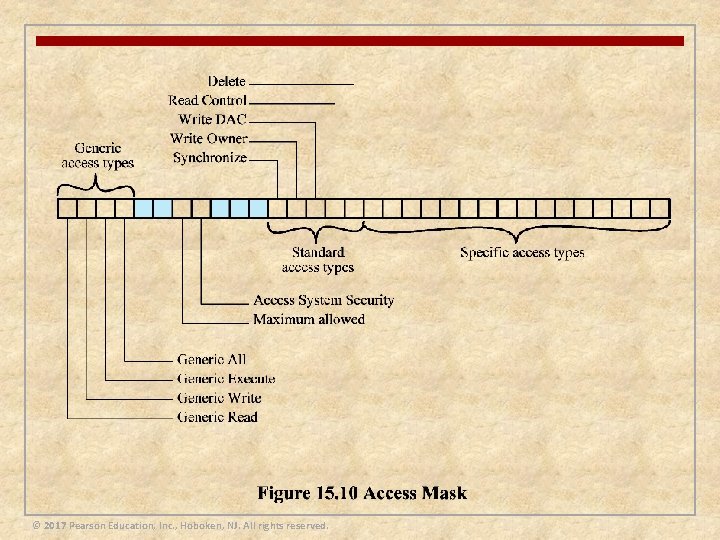
© 2017 Pearson Education, Inc. , Hoboken, NJ. All rights reserved.
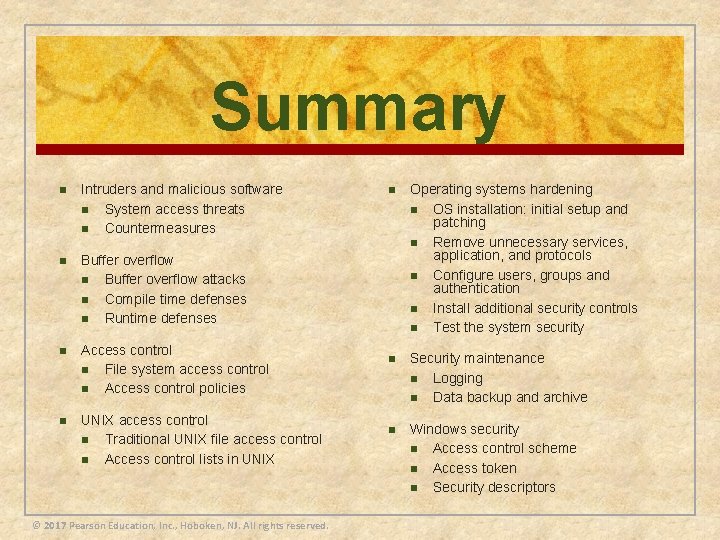
Summary n Intruders and malicious software n System access threats n Countermeasures n Buffer overflow attacks n Compile time defenses n Runtime defenses n Access control n File system access control n Access control policies n UNIX access control n Traditional UNIX file access control n Access control lists in UNIX © 2017 Pearson Education, Inc. , Hoboken, NJ. All rights reserved. n Operating systems hardening n OS installation: initial setup and patching n Remove unnecessary services, application, and protocols n Configure users, groups and authentication n Install additional security controls n Test the system security n Security maintenance n Logging n Data backup and archive n Windows security n Access control scheme n Access token n Security descriptors