
Opening and Closing Files First define a file
![Use files #include <stdio. h> #define RECORD_LENGTH 60 main() { FILE *fp; char s[RECORD_LENGTH+1];](https://slidetodoc.com/presentation_image/0291fa7f0338b9433292132160b3237b/image-2.jpg "Use files #include <stdio. h> #define RECORD_LENGTH 60 main() { FILE *fp; char s[RECORD_LENGTH+1];")
![String Input/Output • Read a string File *fp; char s[80]; fgets(s, 80, fp); Read](https://slidetodoc.com/presentation_image/0291fa7f0338b9433292132160b3237b/image-4.jpg "String Input/Output • Read a string File *fp; char s[80]; fgets(s, 80, fp); Read")
![Input Format Descriptors #include <stdio. h> main() { char s[3], t[30], u[30]; int i;](https://slidetodoc.com/presentation_image/0291fa7f0338b9433292132160b3237b/image-6.jpg "Input Format Descriptors #include <stdio. h> main() { char s[3], t[30], u[30]; int i;")
![Output Descriptors #include <stdio. h> main() { char big_A = 'A'; char s[] =](https://slidetodoc.com/presentation_image/0291fa7f0338b9433292132160b3237b/image-8.jpg "Output Descriptors #include <stdio. h> main() { char big_A = 'A'; char s[] =")
![Unformatted I/O #include <stdio. h> main() { float v[5], r[5]; FILE *fp; v[0] =](https://slidetodoc.com/presentation_image/0291fa7f0338b9433292132160b3237b/image-9.jpg "Unformatted I/O #include <stdio. h> main() { float v[5], r[5]; FILE *fp; v[0] =")
![The Parsing function void update_lhs(void) { char *next = buffer, *last; char op[10], num.](https://slidetodoc.com/presentation_image/0291fa7f0338b9433292132160b3237b/image-13.jpg "The Parsing function void update_lhs(void) { char *next = buffer, *last; char op[10], num.")
![The io. c #include "defines. h" void update_lhs(void); extern char buffer[Max. Exp+2]; extern int](https://slidetodoc.com/presentation_image/0291fa7f0338b9433292132160b3237b/image-14.jpg "The io. c #include \"defines. h\" void update_lhs(void); extern char buffer[Max. Exp+2]; extern int")
- Slides: 16
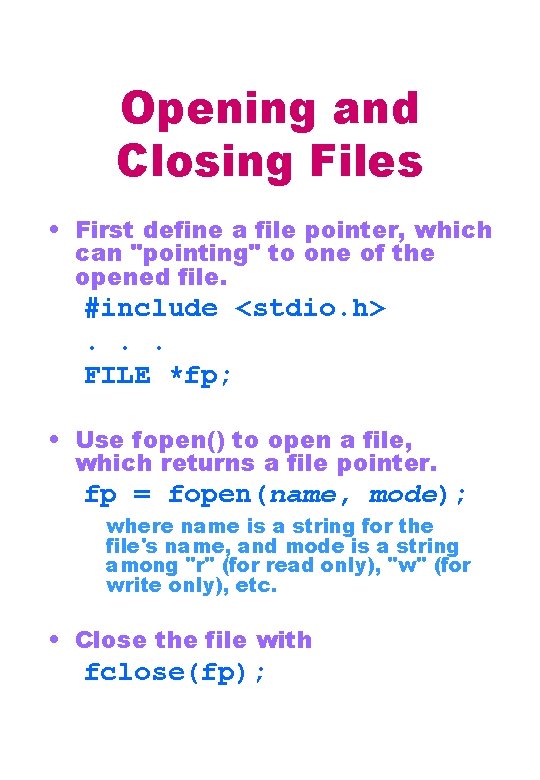
Opening and Closing Files • First define a file pointer, which can "pointing" to one of the opened file. #include <stdio. h>. . . FILE *fp; • Use fopen() to open a file, which returns a file pointer. fp = fopen(name, mode); where name is a string for the file's name, and mode is a string among "r" (for read only), "w" (for write only), etc. • Close the file with fclose(fp);
Use files #include <stdio. h> #define RECORD_LENGTH 60 main() { FILE *fp; char s[RECORD_LENGTH+1]; if( (fp = fopen("PORTFOLIO. DAT", "r")) == NULL) printf("Cannot open file!n"); else { while( fgets(s, RECORD_LENGTH+1, fp) != NULL) printf("n%s", s); fclose(fp); } }
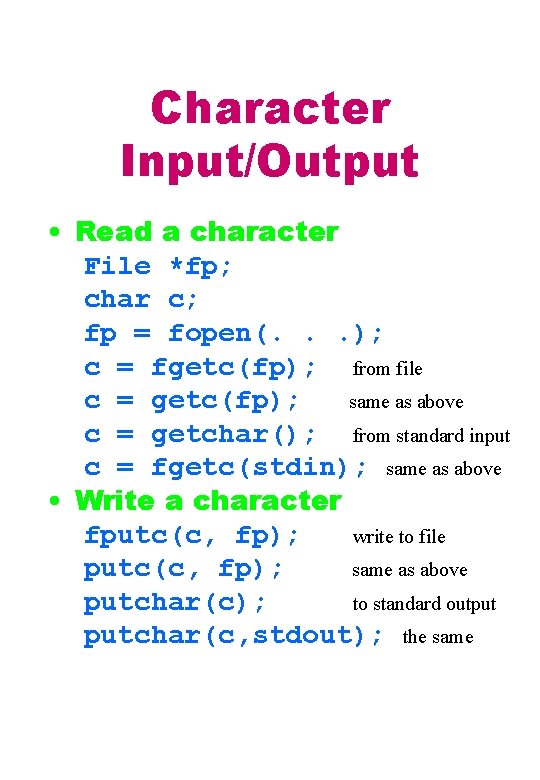
Character Input/Output • Read a character File *fp; char c; fp = fopen(. . . ); c = fgetc(fp); from file c = getc(fp); same as above c = getchar(); from standard input c = fgetc(stdin); same as above • Write a character fputc(c, fp); write to file putc(c, fp); same as above putchar(c); to standard output putchar(c, stdout); the same
String Input/Output • Read a string File *fp; char s[80]; fgets(s, 80, fp); Read from file up to 79 characters or when newline is reached, 'n' included in the string. fgets appends the null character ''. gets(s); Read from standard input until newline, the 'n' character is not included in s. Null character appended. • Write a string fputs(s, fp); write to file all characters in s up to (but not include) the null character. puts(s); Write to standard output in s up to (but not include) the null character. A newline character is appended to the string.
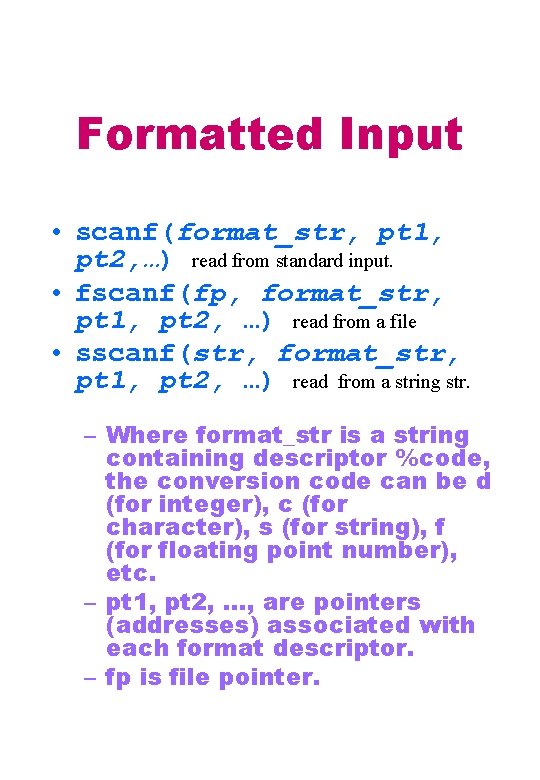
Formatted Input • scanf(format_str, pt 1, pt 2, …) read from standard input. • fscanf(fp, format_str, pt 1, pt 2, …) read from a file • sscanf(str, format_str, pt 1, pt 2, …) read from a string str. – Where format_str is a string containing descriptor %code, the conversion code can be d (for integer), c (for character), s (for string), f (for floating point number), etc. – pt 1, pt 2, …, are pointers (addresses) associated with each format descriptor. – fp is file pointer.
Input Format Descriptors #include <stdio. h> main() { char s[3], t[30], u[30]; int i; float f; scanf("%c", s); scanf(" %2 d%4 s%4 f", &i, t, &f); scanf(" "%[^"]"", u); printf("%d, %f, %c, %sn", i, f, s[0], t, u); } Input: a 44 mice 2. 97 "string" Output: 44, 2. 970000, a, mice, string
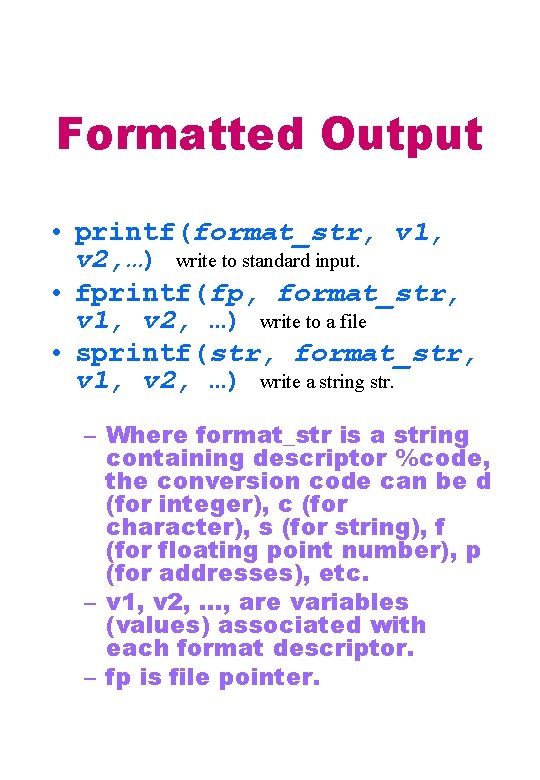
Formatted Output • printf(format_str, v 1, v 2, …) write to standard input. • fprintf(fp, format_str, v 1, v 2, …) write to a file • sprintf(str, format_str, v 1, v 2, …) write a string str. – Where format_str is a string containing descriptor %code, the conversion code can be d (for integer), c (for character), s (for string), f (for floating point number), p (for addresses), etc. – v 1, v 2, …, are variables (values) associated with each format descriptor. – fp is file pointer.
Output Descriptors #include <stdio. h> main() { char big_A = 'A'; char s[] = "look"; int sevens = 7777777; double pi = 3. 14159265; printf("n%d", big_A); printf("n%c", 61); printf("n%x", sevens); printf("n%c", big_A); printf("n%5 c", big_A); printf("n%-5 c", big_A); printf("n%10 s", s); printf("n%-10 s", s); printf("n%f", pi); printf("n%5. 3 f", pi); printf("n%. 15 f", pi); printf("n%-15. 3 f", pi); printf("n%15. 3 f", pi); } 12345678901234567 65 = 76 adf 1 A A A look 3. 141593 3. 142 3. 141592650000000 3. 142
Unformatted I/O #include <stdio. h> main() { float v[5], r[5]; FILE *fp; v[0] = 13. 15; v[1] = 1. 0; fp = fopen("test. dat", "wb"); fwrite(v, sizeof(float), 2, fp); fclose(fp); fp = fopen("test. dat", "rb"); fread(r, sizeof(float), 2, fp); fclose(fp); printf("%f %fn", r[0], r[1]); } The print out is: 13. 150000 1. 000000 In the file text. dat we have ff. RA… which is the characters for hexadecimal number 66 66 52 41, which in turn is the IEEE representation of 13. 15.
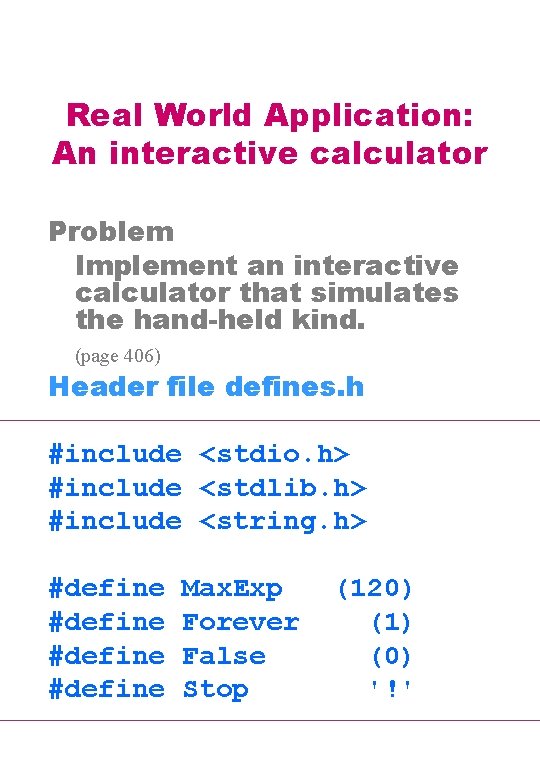
Real World Application: An interactive calculator Problem Implement an interactive calculator that simulates the hand-held kind. (page 406) Header file defines. h #include <stdio. h> #include <stdlib. h> #include <string. h> #define Max. Exp Forever False Stop (120) (1) (0) '!'
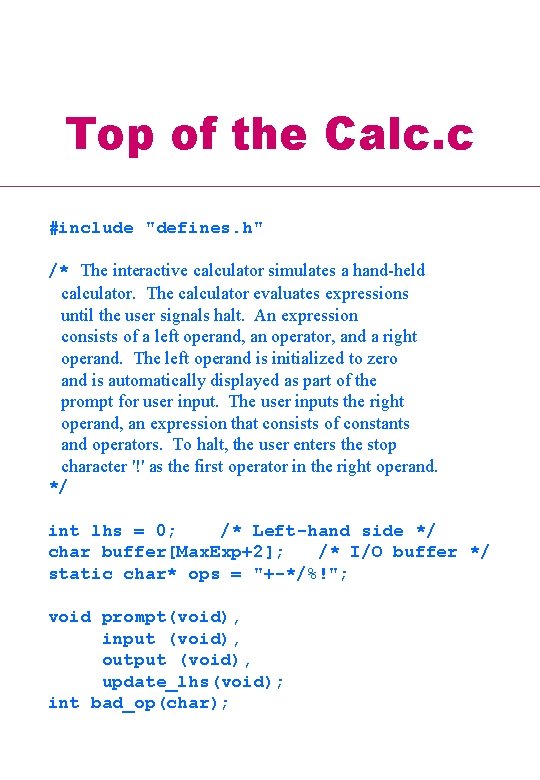
Top of the Calc. c #include "defines. h" /* The interactive calculator simulates a hand-held calculator. The calculator evaluates expressions until the user signals halt. An expression consists of a left operand, an operator, and a right operand. The left operand is initialized to zero and is automatically displayed as part of the prompt for user input. The user inputs the right operand, an expression that consists of constants and operators. To halt, the user enters the stop character '!' as the first operator in the right operand. */ int lhs = 0; /* Left-hand side */ char buffer[Max. Exp+2]; /* I/O buffer */ static char* ops = "+-*/%!"; void prompt(void), input (void), output (void), update_lhs(void); int bad_op(char);
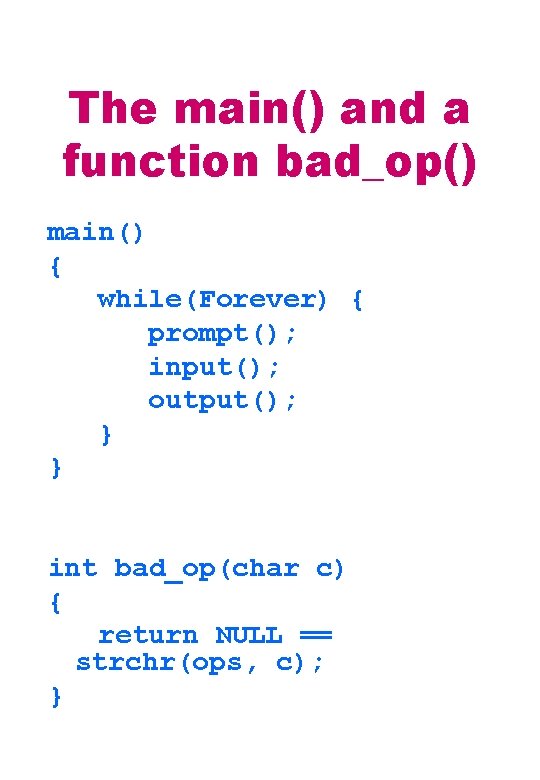
The main() and a function bad_op() main() { while(Forever) { prompt(); input(); output(); } } int bad_op(char c) { return NULL == strchr(ops, c); }
The Parsing function void update_lhs(void) { char *next = buffer, *last; char op[10], num. Str[20]; int num; int temp = lhs; last = next + strlen(buffer); while (next < last) { if ( sscanf(next, "%s %s", op, num. Str) < 2 || strlen(op) != 1 || bad_op(op[0]) ) return; if (Stop == op[0] ) { printf(" *** End of Calculation ***nn"); exit(EXIT_SUCCESS); } num = atoi(num. Str); switch(op[0]) { case '+': temp case '-': temp case '*': temp case '/': temp case '%': temp } += -= *= /= %= num; num; break; break; next += strlen(op) + strlen(num. Str) + 2; } lhs = temp; }
The io. c #include "defines. h" void update_lhs(void); extern char buffer[Max. Exp+2]; extern int lhs; void prompt(void) { printf("n%d ", lhs); } void input(void) { char * nl; fgets(buffer, Max. Exp, stdin); if ( (nl = strchr(buffer, 'n') ) != NULL) *nl = ''; /* eliminate new line */ } void output(void) { printf("%d %s == ", lhs, buffer); update_lhs(); printf("%dn", lhs); }
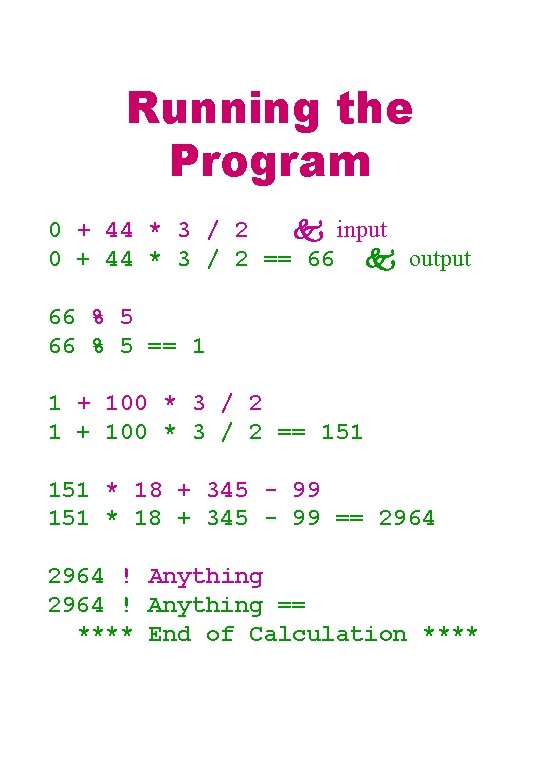
Running the Program 0 + 44 * 3 / 2 input 0 + 44 * 3 / 2 == 66 output 66 % 5 == 1 1 + 100 * 3 / 2 == 151 * 18 + 345 - 99 == 2964 ! Anything == **** End of Calculation ****
Reading/Home Working • Read Chapter 9, page 438 to 469. • Work on Problems – Section 9. 1, page 440, exercise 1, 3, 5. – Section 9. 4, page 449, exercise 1, 3. – Section 9. 5, page 463, exercise 1, 3. • Check your answers in the back of the textbook. Do not hand in.